For most creators and small teams, the best AI tools for content creation are ChatGPT for words, Canva for design, Descript for recorded video and ElevenLabs for voice.
ChatGPT Plus and Descript Hobbyist cost $20 + $16 = $36 a month, and Canva Pro and ElevenLabs Starter add $12 + $5 = $17. With annual billing wherever it is offered, the four cost $36 + $17 = $53 a month.
I ranked one tool per content job: writing, design, images, video, voice and repurposing. Every price was re-checked on the vendors’ own pricing pages on October 16, 2026.
Quick verdict
For creators and small marketing teams, buy one tool per format you publish every week. Most of these plans meter credits or AI uses, so the entry price is rarely the whole bill.
- Writing, ideas and quick images: ChatGPT Plus, $20 a month
- Social graphics: Canva Pro, billed yearly for one person
- Long drafts from source material: Claude Pro, $17 a month billed annually
- Recorded video and podcasts: Descript Hobbyist, $16 a month billed annually
- Commercial voiceover: ElevenLabs Starter, $6 a month

ChatGPT
Best for: writing, ideas and quick images in one plan
Plus adds more complex and accurate image creation and expanded deep research to the chat you draft in.
Limit: Plus has no annual billing, and team seats need Business
Canva
Best for: social graphics and on-brand design
Pro holds 5 Brand Kits, social content scheduling and up to 200 Premium AI uses a month.
Limit: only one person can use a Pro account

Descript
Best for: editing video and podcasts by transcript
You cut the video by deleting words in its transcript, and Hobbyist exports 1080p without a watermark.
Limit: 10 media hours a month on Hobbyist

ElevenLabs
Best for: voiceovers and narration
Starter at $6 a month is the first plan that lists a Commercial License and Instant Voice Cloning.
Limit: Starter’s 30k credits are about 30 minutes of speech a month
| Software | Best for | Starting price | Free plan or trial | Standout feature | Key limitation |
|---|---|---|---|---|---|
| ChatGPT | Writing, ideas and quick images | Go, a low-cost plan: price not verified; Plus, $20 per month, billed monthly | Free plan | Images and deep research in one chat | No annual billing on Plus |
| Canva | Social graphics and on-brand design | Pro, US$144 per year, one person | Free plan; Pro trial | 5 Brand Kits, social scheduling | Pro is one person only |
| Claude | Long-form drafts and editing | Pro, $17 per month, billed annually | Free plan | Up to 1M-token context window | No image generation listed |
| Descript | Editing video and podcasts by transcript | Hobbyist, $16 per person per month, billed annually | Free plan | Edit video by editing text | 10 media hours a month |
| ElevenLabs | Voiceovers and narration | Starter, $6 per month | Free plan | Commercial License from Starter | Free lists no Commercial License |
| Runway | Generating video clips | Standard, $12 per month, billed annually | 125 one-time credits | No watermarks, 4K upscaling | 52 seconds of Gen-4.5 a month |
| Adobe Firefly | Commercially safe images | Standard, US$9.99 per month | Free daily generations | Outputs stated safe for commercial use | Credits do not roll over |
| OpusClip | Turning long videos into Shorts and Reels | Starter, $15 per month, billed monthly | Free plan | Clipping, captions, auto-posting | Free clips expire after 3 days |
| HeyGen | Avatar presenter videos | Creator, $24 per month, billed annually | 3 free videos a month | 175+ languages on Creator | Free videos stop at 1 minute |
| Jasper | Marketing teams that need brand voice control | Pro, $59 per seat per month, billed yearly | 7-day Pro trial | Brand Voices and Knowledge | Pro includes 1 seat |
Sources: ChatGPT Plus help article, Canva pricing, Claude pricing, Descript pricing, ElevenLabs pricing, Runway pricing, Adobe Firefly plans, OpusClip pricing, HeyGen pricing, Jasper pricing, checked Oct 2026.
In This Article (16 sections)
How I Chose These 10 Tools
I kept tools whose saved pricing page shows a US price, and I gave each content job its own pick instead of ranking ten writers.
I ranked the survivors on three criteria, in order: content jobs per dollar, the meter on the first paid plan, and the vendor’s commercial-use and team terms.
All ten are generative AI products. The evidence is official documentation and pricing pages from each vendor, checked Oct 2026 (on October 16). I considered 27 tools: the 10 picks below and the 17 under Also Considered.
Output quality and speed were not tested, so the ranking judges plans, meters and terms, not results. Prices exclude tax and October 2026 offers.
1. ChatGPT: Best for Writing, Ideas and Quick Images in One Plan

- Free plan: unlimited text chats with GPT-6; limited image creation, voice chats and deep research
- Standout feature: image creation, deep research, Projects and custom GPTs in one chat
- Integrations: Excel, Word, PowerPoint and Google Sheets extensions (full on Plus); no total count published
One $20 plan covers most of a solo creator’s writing and quick visuals. Plus adds more complex and accurate image creation, expanded deep research, scheduled tasks and custom GPTs to the chat you already draft in.
That breadth is why ChatGPT ranks above Canva and Claude: Canva caps Premium AI at 200 uses a month on Pro, and Claude lists no image generation.
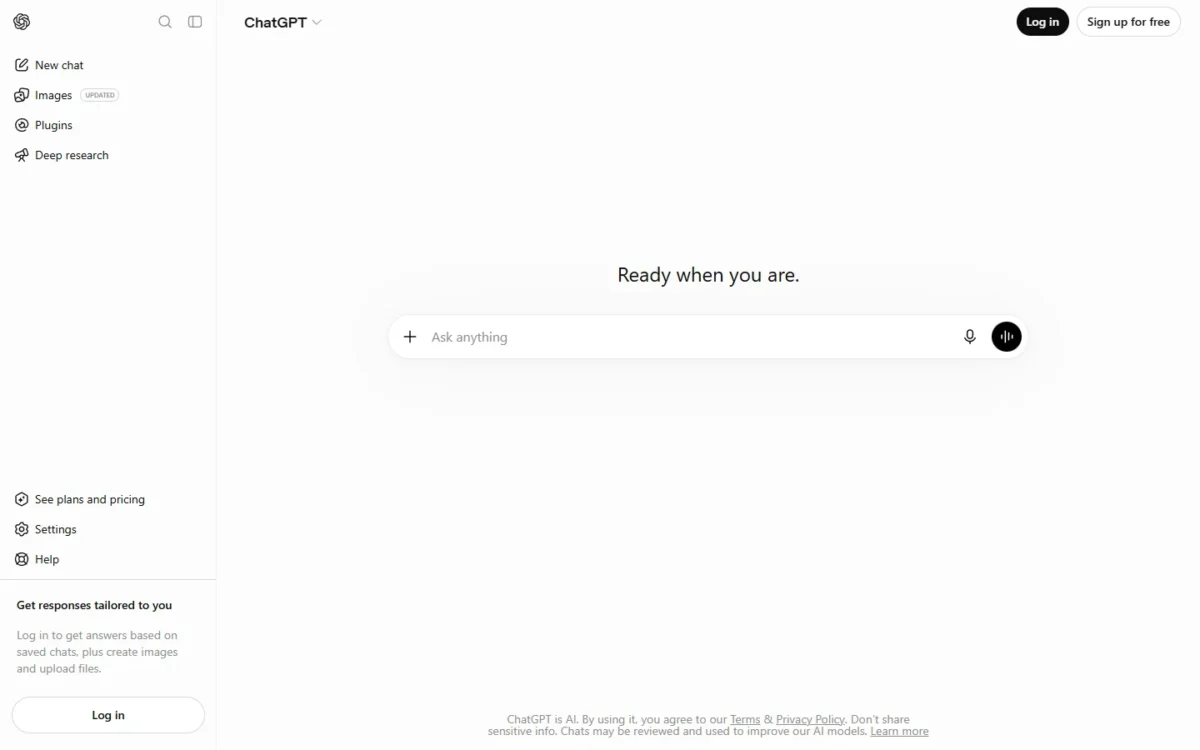
The reasoning model on Plus has a 256K context window, about 320 pages of input. That holds a brief plus an interview transcript; drafts built on several long reports are Claude’s job.
Plus has no annual billing, so a year costs $20 x 12 months = $240. Teams pay Business instead, with at least 2 seats. My ChatGPT pricing breakdown sets Go, Plus, Business and Pro side by side.
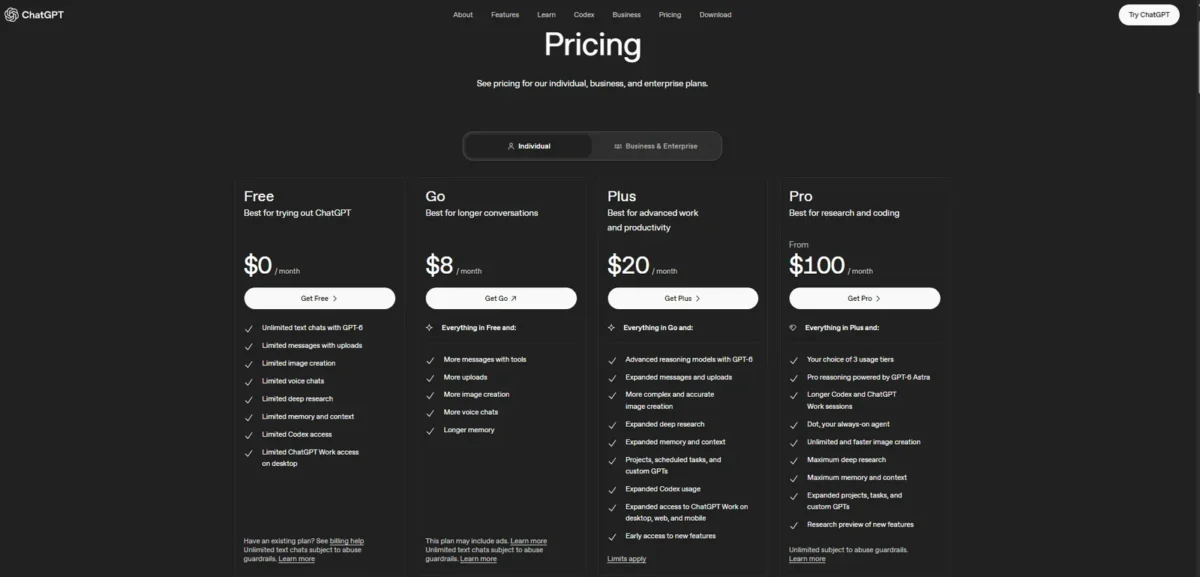
| Plan | Price | Billing | Key limit |
|---|---|---|---|
| Plus | $20 per month | Monthly only | Usage limits apply |
| Business, standard seat | $20 per user per month | Annual | At least 2 seats |
| Business, standard seat | $25 per user per month | Monthly | At least 2 seats |
Sources: ChatGPT pricing, ChatGPT Business help article, checked Oct 2026.
Pros
- Writing, image creation, voice and deep research in one plan
- Projects and shared projects on every plan, Free included
- OpenAI does not train on a Business workspace’s data
Cons
- No annual discount on Plus
- Business needs at least 2 seats
- Plus may add message caps during high demand
- Skip it if:
- a team needs one brand voice enforced across writers (Jasper, pick 10) or works from sources longer than about 320 pages (Claude, pick 3).
My ChatGPT review goes deeper on Projects and the plan limits. ChatGPT makes images; templates, Brand Kits and social scheduling are the design job.
2. Canva: Best for Social Graphics and On-Brand Design
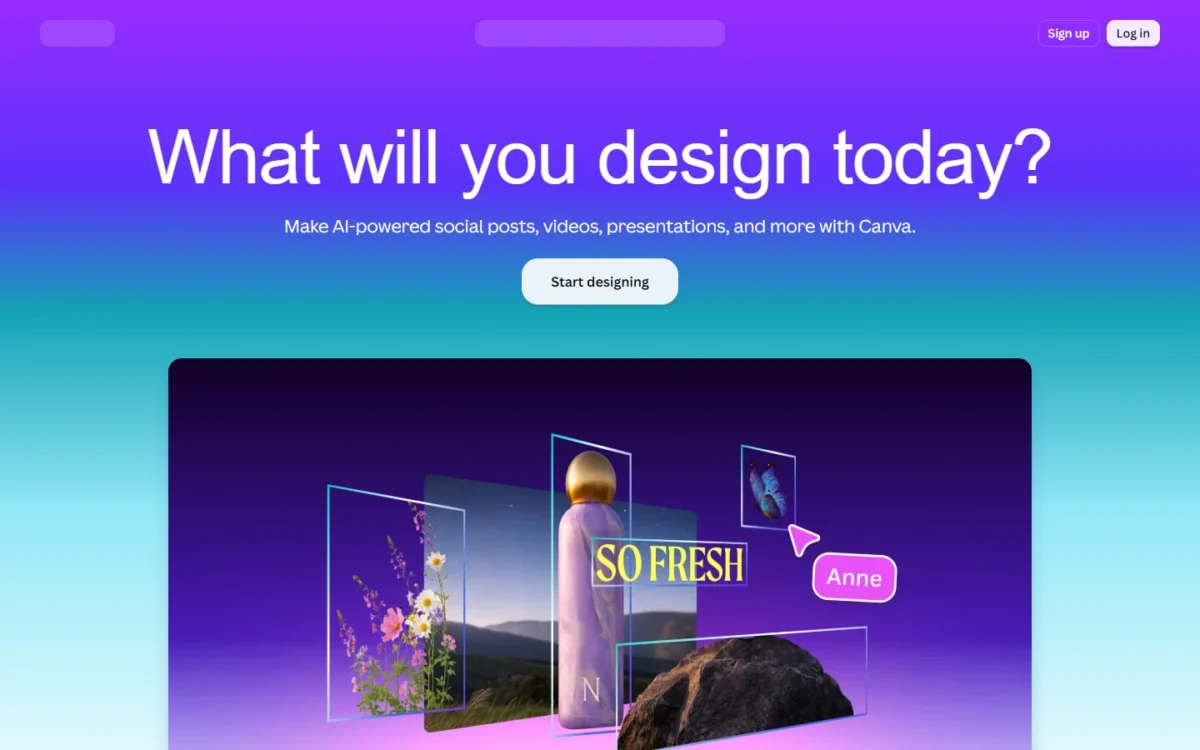
- Free plan: up to 20 Standard or Premium AI uses; 1 Brand Kit (3 colors only)
- Standout feature: 5 Brand Kits and social content scheduling on Pro
- Integrations: Apps Marketplace and publishing to ad platforms with Canva Grow; no app count published
Canva’s price looks small until a second person needs the account. Pro bundles templates, Brand Kits and AI design tools for one person only, so a team pays Business per person, and Canva bills only the members who accept the invitation.
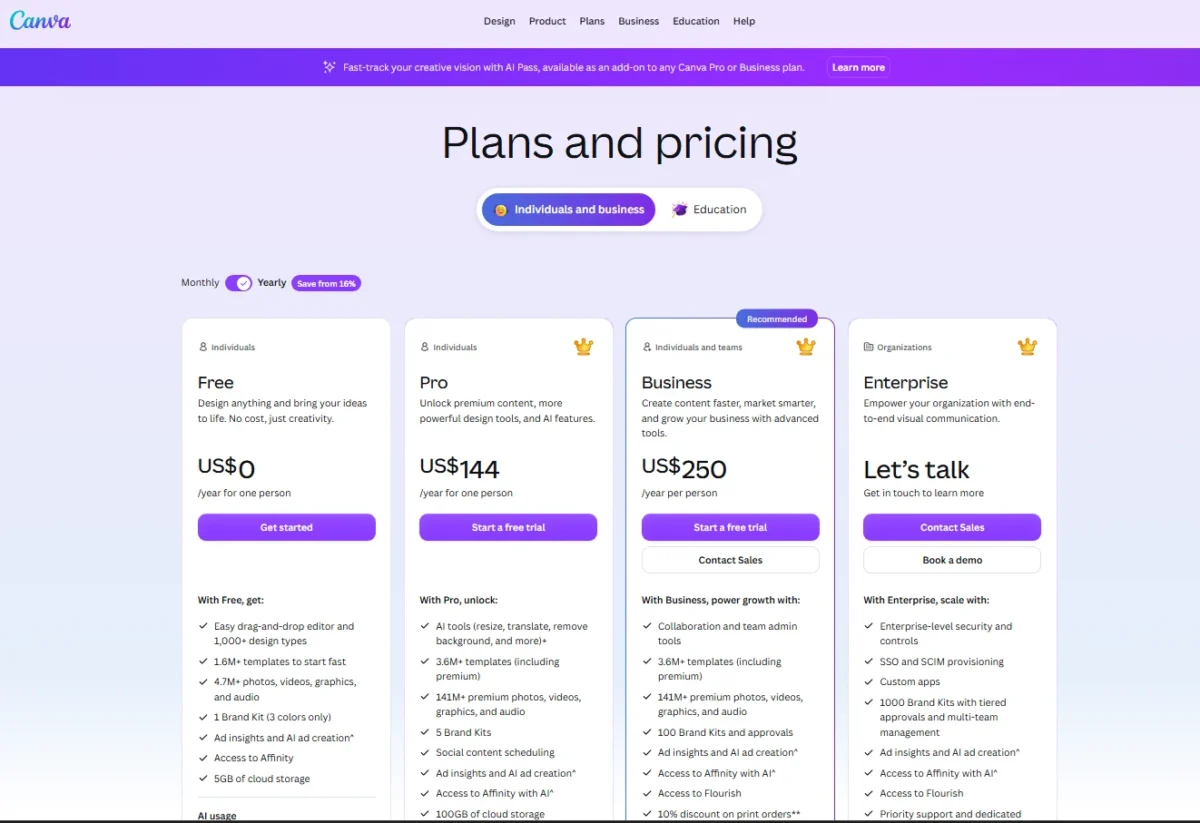
The AI allowance matters more than the template count. Magic Write and Translate do not count against it on paid plans; Premium AI tools draw from up to 200 uses a month on Pro and 400 on Business.
During a free trial the allowance equals Canva Free’s 20 uses, a tenth of a paid Pro account. Judge the AI tools after the first paid month.
Pro works out to $144 / 12 months = $12 a month for one person. Three people on Business pay $250 x 3 people = $750 a year, more than five times one Pro seat. Canva Teams, the older shared plan, is closed to new sign-ups.
| Plan | Price | Billing | Key limit |
|---|---|---|---|
| Pro | US$144 per year | Yearly, one person | 200 Premium or 20 Ultra AI uses a month |
| Business | US$250 per year per person | Yearly | 400 Premium or 40 Ultra AI uses a month |
| Enterprise | Contact sales | n/a | 1000 Brand Kits |
Sources: Canva pricing, checked Oct 2026.
Pros
- Magic Write and Translate do not use the AI allowance on paid plans
- Business bills only members who accept
- Free plan with 1.6M+ templates
Cons
- Pro cannot be shared
- Trial AI allowance equals Free’s 20 uses
- More AI comes from Business or the paid AI Pass add-on
- Skip it if:
- you need images with stated commercial-use terms (Adobe Firefly), or your team already designs in Adobe apps.
My Canva AI review goes through what each Magic tool does. Graphics and short copy are covered; long writing built on source material needs another assistant.
3. Claude: Best for Long-Form Drafts and Editing
- Free plan: chat, up to 5 Projects, Claude Docs, Slides and Design
- Standout feature: context window up to 1M tokens, varying by model
- Integrations: connectors on every plan; Claude in Chrome and Microsoft 365 on Pro; no count published
Long source material is where Claude earns its place. Every Claude plan has a context window of up to 1M tokens, varying by model, against 256K on ChatGPT Plus.
That gap decides the workflow. A full interview transcript, a research report and your style guide can sit in one conversation instead of being summarized first.
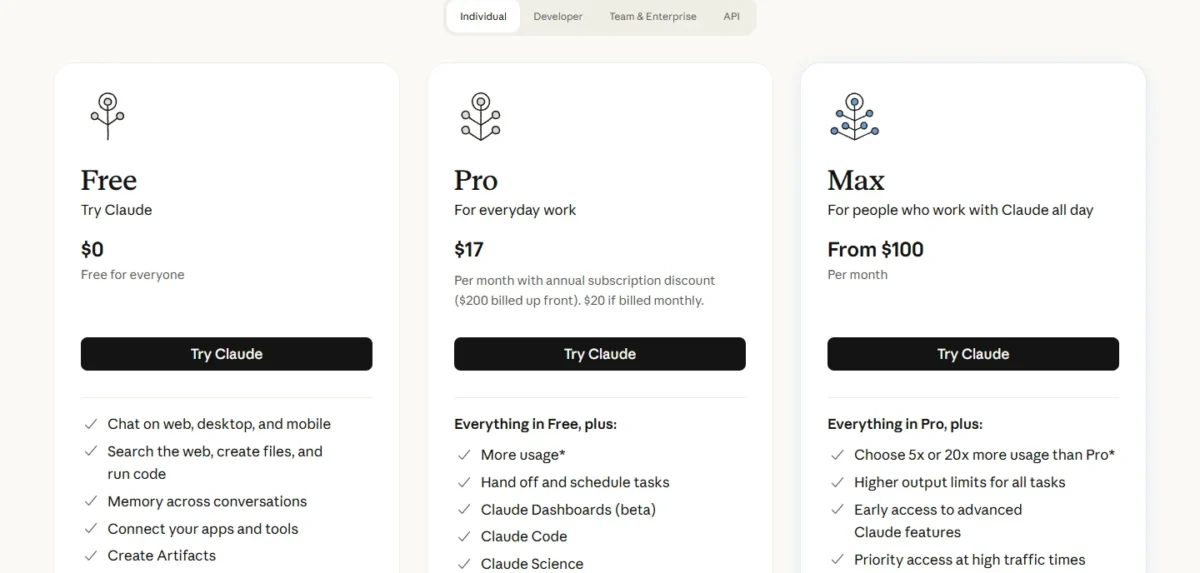
Pro adds Research, Projects without the Free cap and at least 5x the Free plan’s usage per 5-hour session. For the writing features plan by plan, see my Claude review.
Paying monthly for a year costs $20 x 12 months = $240, $40 more than the $200 annual price. Team standard seats cost the same $20 per seat per month on annual billing as ChatGPT Business.
Before you choose between Pro, Max and Team, my Claude pricing guide sets the three side by side.
| Plan | Price | Billing | Key limit |
|---|---|---|---|
| Pro | $17 per month ($200 up front), or $20 | Annual, or monthly | Weekly limits on top of session limits |
| Max | From $100 per month | Monthly | 5x or 20x Pro usage |
| Team, standard seat | $20 per seat per month, or $25 | Annual, or monthly | Teams of 2 to 150 |
Sources: Claude pricing, checked Oct 2026.
Pros
- Context window up to 1M tokens on every plan
- Claude Docs, Slides and Design on Free
- Team seats for 2 to 150 people
Cons
- No image generation listed
- Project sharing needs Team
- Paid plans add weekly limits
- Skip it if:
- you want images from the same subscription; Claude’s plan list on claude.com/pricing does not list image generation, while ChatGPT Plus lists it (pick 1). If those two are your final pair, my ChatGPT vs Claude comparison puts them side by side.
Text is handled now. Recorded video and podcasts need editing, not generation.
4. Descript: Best for Editing Video and Podcasts by Transcript
- Free plan: 1 media hour a month, 100 one-time AI credits, 720p export
- Standout feature: edit video by editing the transcript
- Integrations: timeline export to Final Cut Pro, Pro Tools & Logic, and Premiere; no count published
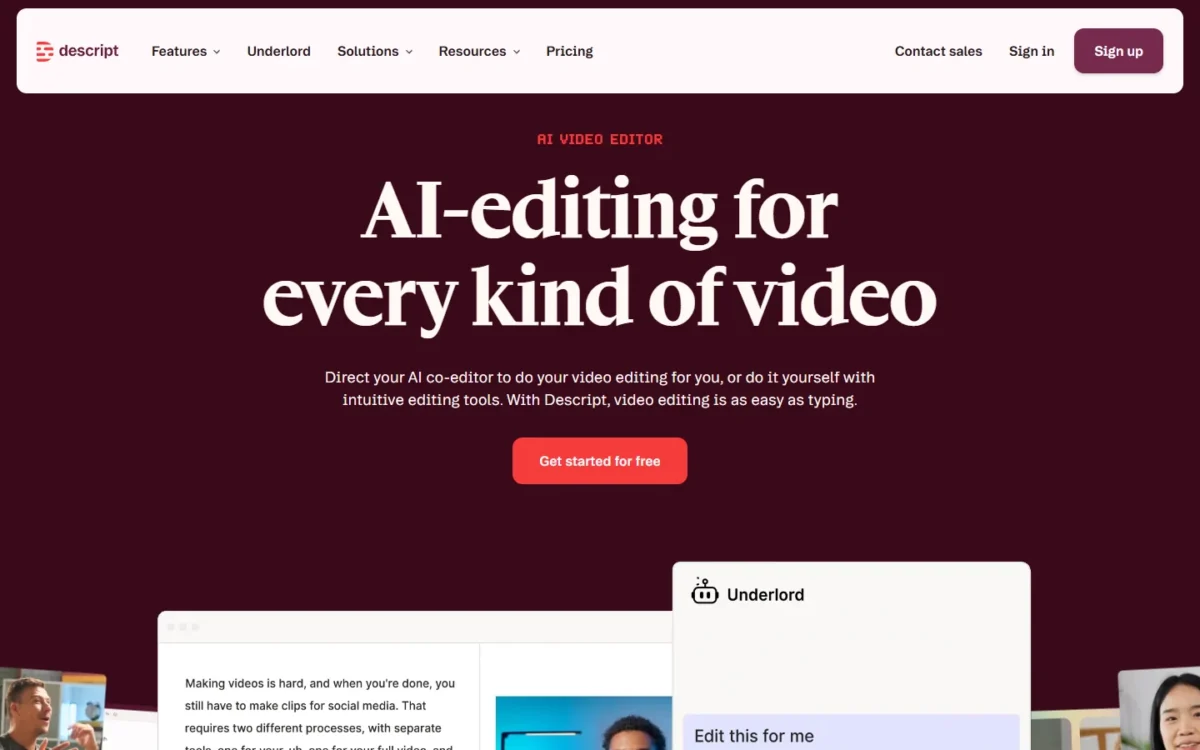
You edit a Descript video by editing its transcript: delete a sentence and the footage cuts with it. That makes Descript an editor, not a generator, and it replaces timeline cutting for talking-head video and podcasts.
The AI tools creators use most sit on Hobbyist: Studio Sound, Remove Filler Words, Create Clips and Underlord, the AI co-editor. Hobbyist is also the first plan labelled watermark-free, at 1080p.
Media hours are the meter to watch, because every uploaded or recorded file counts. By my estimate, Hobbyist’s 10 hours a month allow about 10 / 4 = 2.5 hours of raw recording a week. In my view that suits a weekly podcast better than a daily vlog.
Paying monthly costs $24 – $16 = $8 more per month on Hobbyist. Creator triples media hours to 30, adds 4K export and scales to a team of 3, billed separately; Business adds dubbing in 30+ languages with proofread.
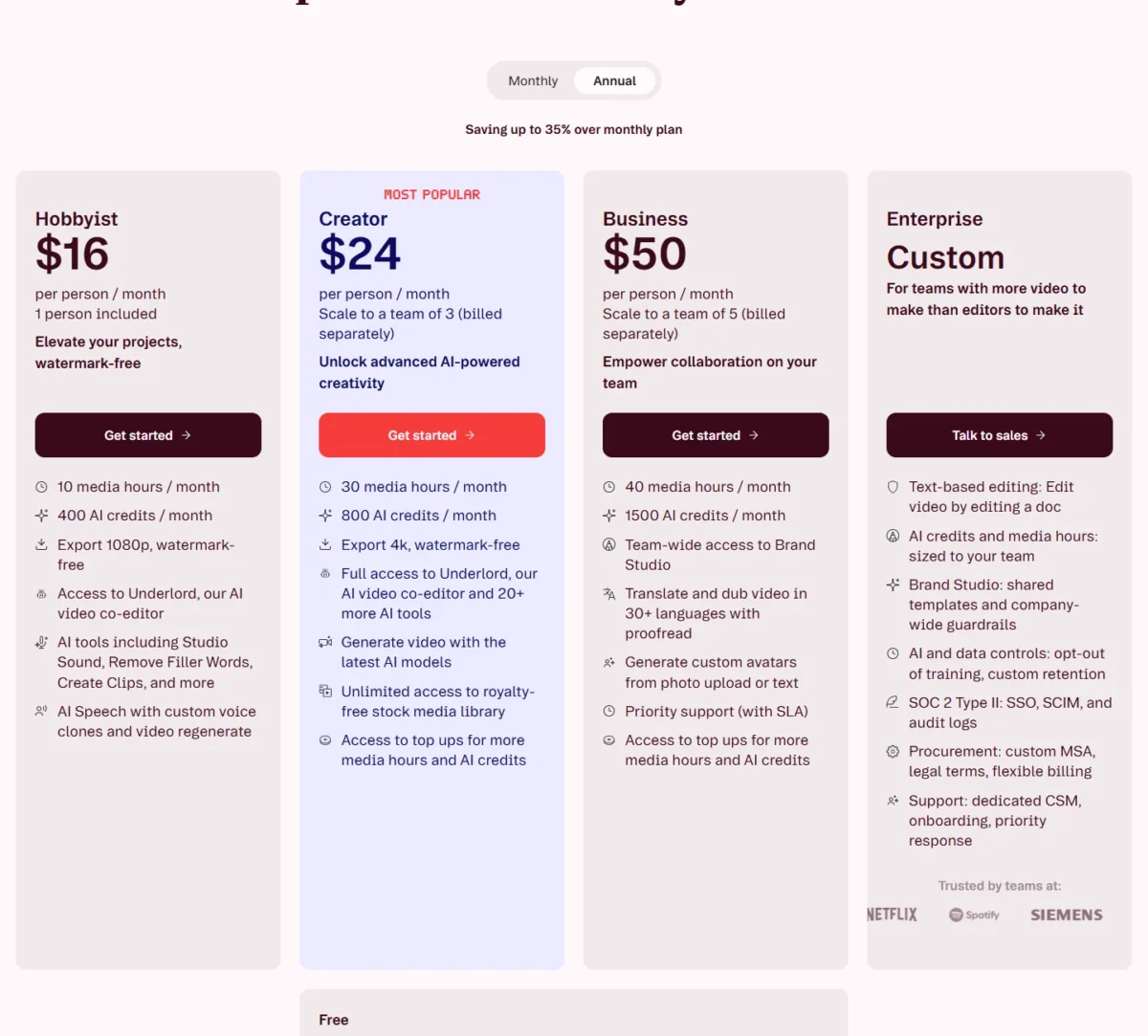
| Plan | Price per person per month | Billing | Key limit |
|---|---|---|---|
| Hobbyist | $16, or $24 | Annual, or monthly | 10 media hours, 400 AI credits |
| Creator | $24, or $35 | Annual, or monthly | 30 media hours, 800 AI credits |
| Business | $50, or $65 | Annual, or monthly | 40 media hours, 1,500 AI credits |
Sources: Descript pricing, checked Oct 2026.
Pros
- Studio Sound, Remove Filler Words and Create Clips on Hobbyist
- Watermark-free 1080p export from Hobbyist
- Free plan needs no credit card
Cons
- Media hours count every upload
- 4K export needs Creator
- Dubbing in 30+ languages with proofread is on Business
- Skip it if:
- you record more than 10 hours of raw footage a month on one seat, or you only need short clips cut automatically (OpusClip, pick 8).
Edited video still needs narration when the creator does not record one.
5. ElevenLabs: Best for Voiceovers and Narration

- Free plan: 10k credits a month, with no Commercial License listed
- Standout feature: Commercial License and Instant Voice Cloning from Starter
- Integrations: an API sold on its own pricing tab; no integration count published
A publishable voiceover starts at $6 a month. Starter is the first ElevenLabs plan that lists a Commercial License and Instant Voice Cloning; Free gives 10k credits a month with neither.
Narration credits map to characters. Text to speech costs 1 credit per character on the V2 Multilingual model, so Starter’s 30k credits cover about 30,000 characters, roughly 30 minutes of speech.
Dubbing is where the meter climbs: 2,000 to 10,000 credits per minute, so Starter’s 30,000 credits dub between 3 and 15 minutes a month. Creator adds Professional Voice Cloning.
Annual billing charges 10 months for 12, so Starter works out to $5 a month. Three people with their own workspace seats need Scale, at $249.17 x 12 months = $2,990.04 a year on annual billing.

| Plan | Monthly billing | Annual billing, per month | Credits a month |
|---|---|---|---|
| Starter | $6 | $5 | 30k |
| Creator | $22 | $18.33 | 121k |
| Scale | $299 | $249.17 | 1.8M, 3 seats |
Sources: ElevenLabs pricing, checked Oct 2026.
Pros
- Commercial License from $6 a month
- 1 credit per character keeps narration costs predictable
- Paid credits roll over for up to two months
Cons
- Free lists no Commercial License
- Dubbing costs 2,000 to 10,000 credits a minute
- Scale is the first plan listing workspace seats
- Skip it if:
- you dub long videos every week, where per-minute credits climb fast, or you already pay for Descript, whose AI Speech includes custom voice clones.
The best text-to-speech tools ranking covers more voice options. Voice is covered; footage you never filmed is the next gap.
6. Runway: Best for Generating Video Clips
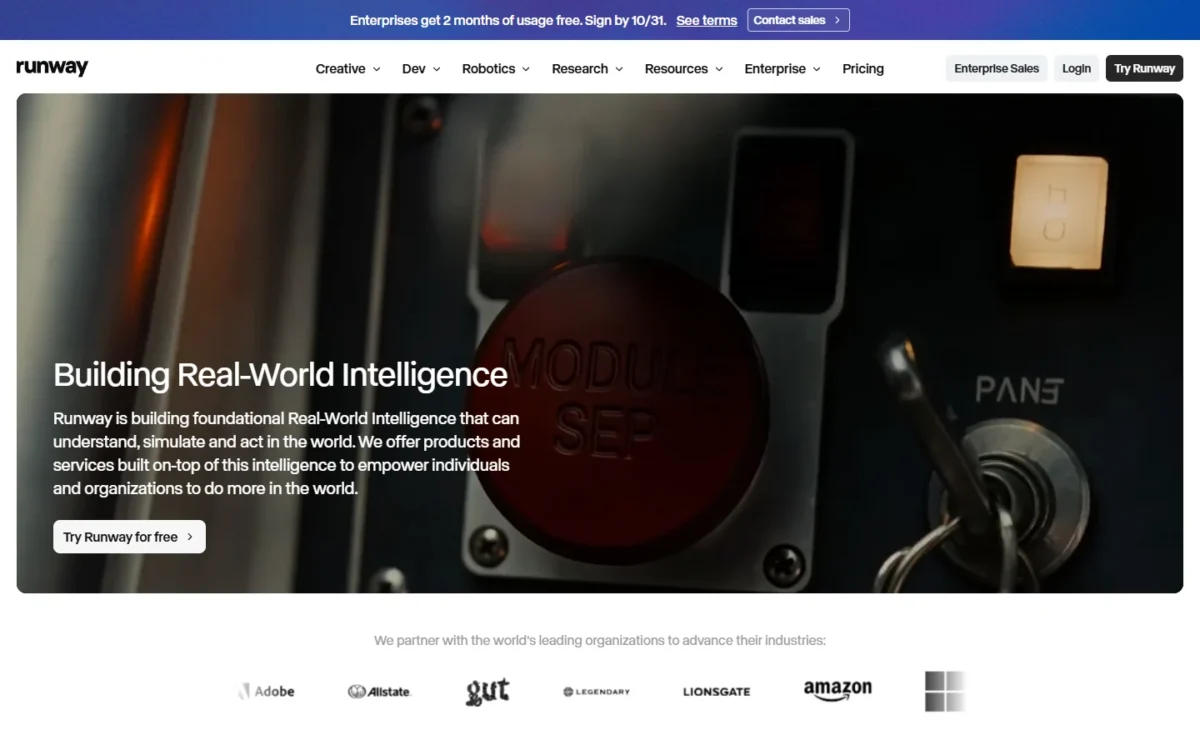
- Free plan: 125 one-time credits that do not expire
- Standout feature: Gen-4.5, Kling 3.0 and Nano Banana Pro in one plan
- Integrations: Runway MCP on Pro; no count published
You can generate B-roll instead of filming it, but Runway’s meter is seconds. Standard’s 625 monthly credits buy 52 seconds of Gen-4.5, 104 seconds of Gen-4 Turbo or 78 Gen-4 images at 1080p.

That is a handful of cutaways for a weekly video, not a finished short. Standard removes watermarks, adds 4K upscaling and includes music, voice and sound-effect generation.
On Standard and Pro, credits reset each billing date without rolling over; Max rolls over one month. Extra credits come in packs of at least 1,000 and never expire, which suits a team with an uneven publishing month.
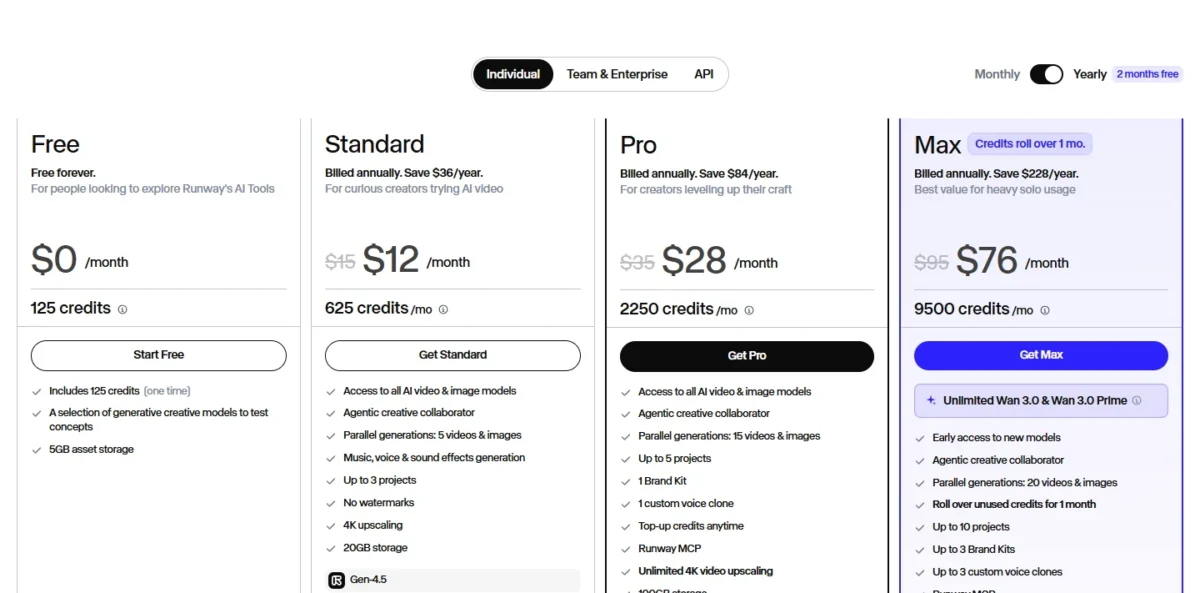
| Plan | Price per month | Billing | Credits a month |
|---|---|---|---|
| Standard | $12, or $15 | Annual, or monthly | 625 |
| Pro | $28, or $35 | Annual, or monthly | 2,250 |
| Max | $76, or $95 | Annual, or monthly | 9,500 |
Sources: Runway pricing, checked Oct 2026.
Pros
- No watermarks and 4K upscaling from Standard
- Several video and image models in one plan
- Purchased credits never expire
Cons
- 52 seconds of Gen-4.5 a month on Standard
- Standard and Pro credits do not roll over
- Brand Kit and voice clone start on Pro
- Skip it if:
- you need talking-head explainers (HeyGen, pick 9) or more than about a minute of generated video a month on the entry plan.
Model-by-model credit costs are in my Runway review, and my guide to Runway plan and credit costs includes a calculator for your monthly output.
The best text-to-video AI generators list ranks the alternatives. Generated clips and stills raise the next question: what you may publish in paid ads.
7. Adobe Firefly: Best for Commercially Safe Images
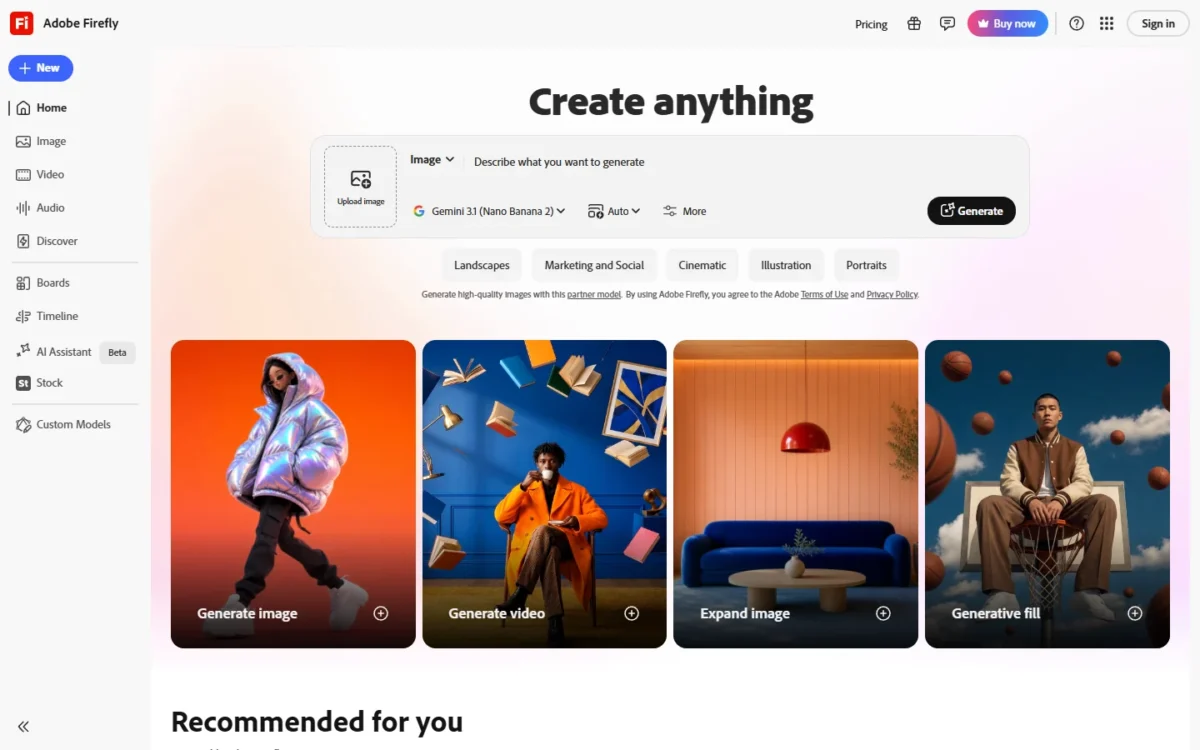
- Free option: free daily generations without a plan
- Standout feature: a commercial-use statement for Firefly-model outputs
- Integrations: credits work in Photoshop, Illustrator, Premiere, Lightroom and Adobe Express
Firefly is the image generator I would hand a brand that runs paid campaigns. Adobe states that its own Firefly models are trained on licensed and public-domain content, that their outputs are safe for commercial use, and that Content Credentials are attached automatically.
The claim covers Adobe’s models only. Outputs from partner models are your responsibility, so a brand that cares about rights should stay on Firefly’s own models.
Every paid plan includes unlimited standard image generation, Generative Fill included. Credits pay for video, speech, sound effects and partner models: Standard’s 2,000 credits allow up to 20 five-second videos, 100 seconds in total.
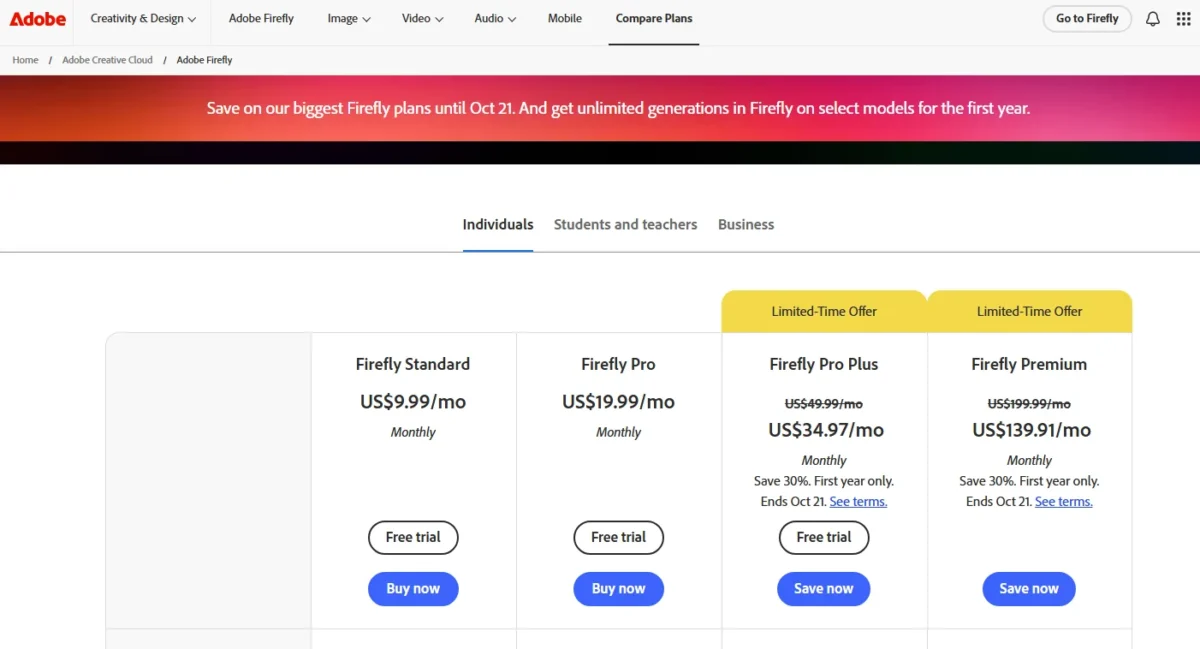
Pro adds Photoshop on web and mobile and Adobe Express Premium, which makes it the plan for a marketer who edits as well as generates. Credits reset monthly and do not roll over, so an unused month is lost.
If you are weighing Standard against Pro, my Adobe Firefly pricing guide compares the plans.
| Plan | Price per month | Billing | Credits a month |
|---|---|---|---|
| Standard | US$9.99 | Monthly | 2,000 |
| Pro | US$19.99 | Monthly | 4,000 |
| Pro for teams | US$19.99 per license | Annual, billed monthly | 4,000 |
Sources: Adobe Firefly plans, checked Oct 2026.
Pros
- Firefly-model outputs stated safe for commercial use
- Unlimited standard image generation on paid plans
- Credits work across Creative Cloud apps
Cons
- Credits do not roll over
- Partner-model outputs are the user’s responsibility
- IP indemnification only for eligible enterprise customers
- Skip it if:
- you mainly want stylized art direction (Midjourney, under Also Considered) or never publish ads.
My Adobe Firefly review goes deeper on credits and commercial terms.
The best AI image generators list compares the wider field. Images and clips are made; long videos still need cutting into vertical shorts.
8. OpusClip: Best for Turning Long Videos into Shorts and Reels
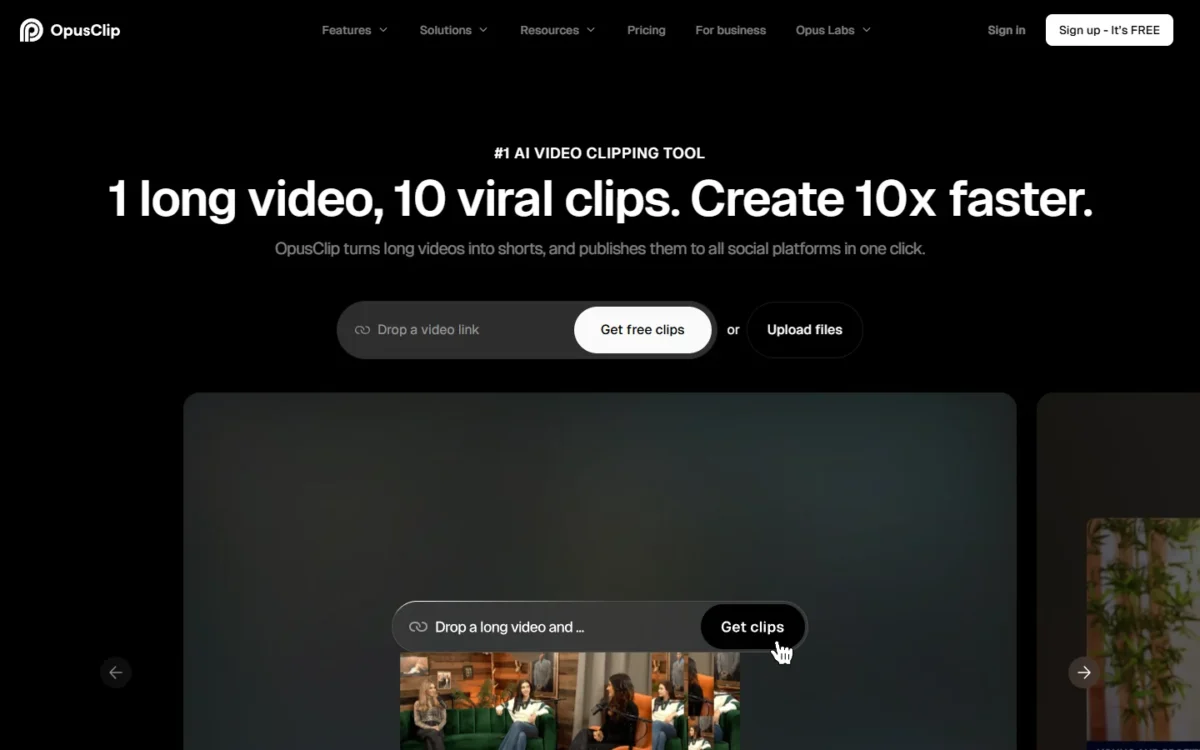
- Free plan: 60 credits a month; watermarked clips exportable for 3 days
- Standout feature: AI clipping with Virality Score, captions in 20+ languages, auto-posting
- Integrations: posts to YouTube Shorts, TikTok and Instagram Reels; Premiere Pro and DaVinci Resolve export on Pro
Cutting one long recording into short vertical clips is a separate job from editing it, and OpusClip does only that. It picks moments with a Virality Score, adds animated captions in 20+ languages and posts to YouTube Shorts, TikTok or Instagram Reels.
Pro adds the social media scheduler, 6 social account connections and AI image B-Roll at 50 clips a day, against 3 a month on Starter. Descript Hobbyist already includes Create Clips, so OpusClip earns its fee when clips are a weekly output with their own posting schedule.
OpusClip’s pricing page does not state how many minutes of video a credit processes. Run a real episode through the 60 free credits before you pick 150 or 300 a month.
Pro costs less per month than Starter on annual billing and covers 2 seats, so Starter only makes sense for a creator who will not commit to a year.
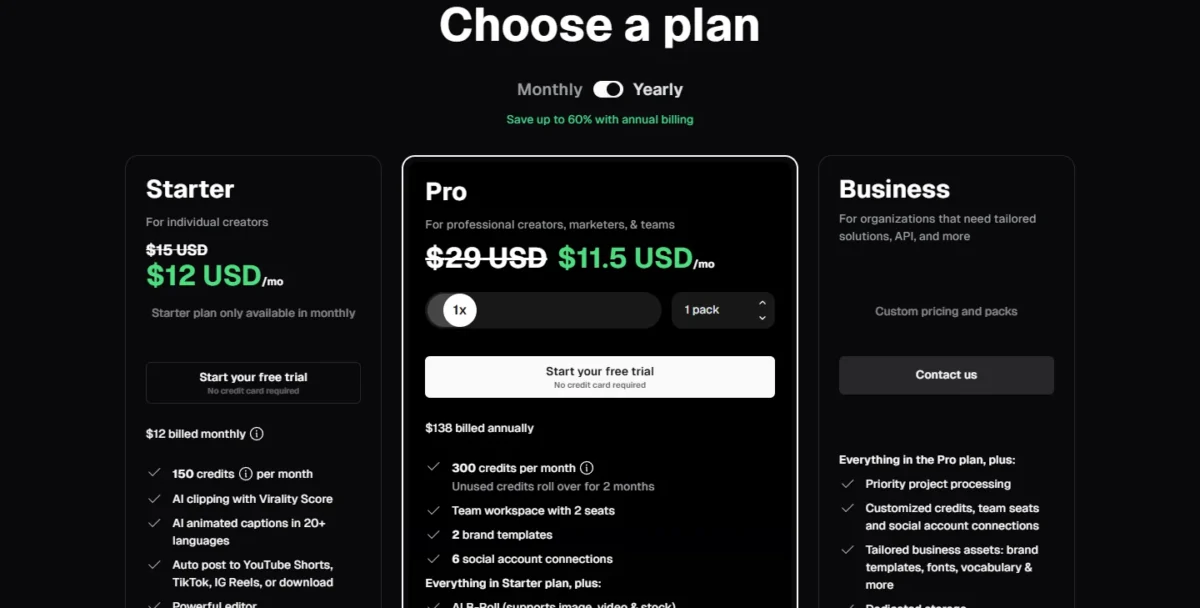
On October 16 one view of the page showed Starter at $12 billed monthly and Pro at $138 billed annually, with $15 and $29 crossed out in the screenshot below. I use the regular prices, $15 and $174, so confirm which one checkout charges.
| Plan | Price | Billing | Key limit |
|---|---|---|---|
| Starter | $15 per month | Monthly only | 150 credits |
| Pro | $14.50 per month ($174 a year) | Annual | 300 credits; 2 seats |
| Business | Custom | Contact sales | Custom credits and seats |
Sources: OpusClip pricing, checked Oct 2026.
Pros
- Clipping, captions, reframing and posting in one tool
- Pro credits roll over for 2 months
- Free trial on paid plans with no credit card
Cons
- Pricing page does not state minutes per credit
- Free clips carry a watermark and expire after 3 days
- Scheduler and Premiere export need Pro
- Skip it if:
- you already edit in Descript and post fewer than one clip a week; Create Clips covers that.
Repurposing needs footage of a presenter, and some teams have none.
9. HeyGen: Best for Avatar Presenter Videos

- Free plan: 3 videos a month, up to 1 minute each
- Standout feature: voice cloning with 175+ languages and dialects on Creator
- Integrations: n8n, Make, HubSpot and Zapier on Business; no count published
HeyGen replaces the camera rather than the editor: you type a script and an avatar presents it. Runway generates scenes; HeyGen generates a speaker, which is what explainers, course videos and translated versions need.
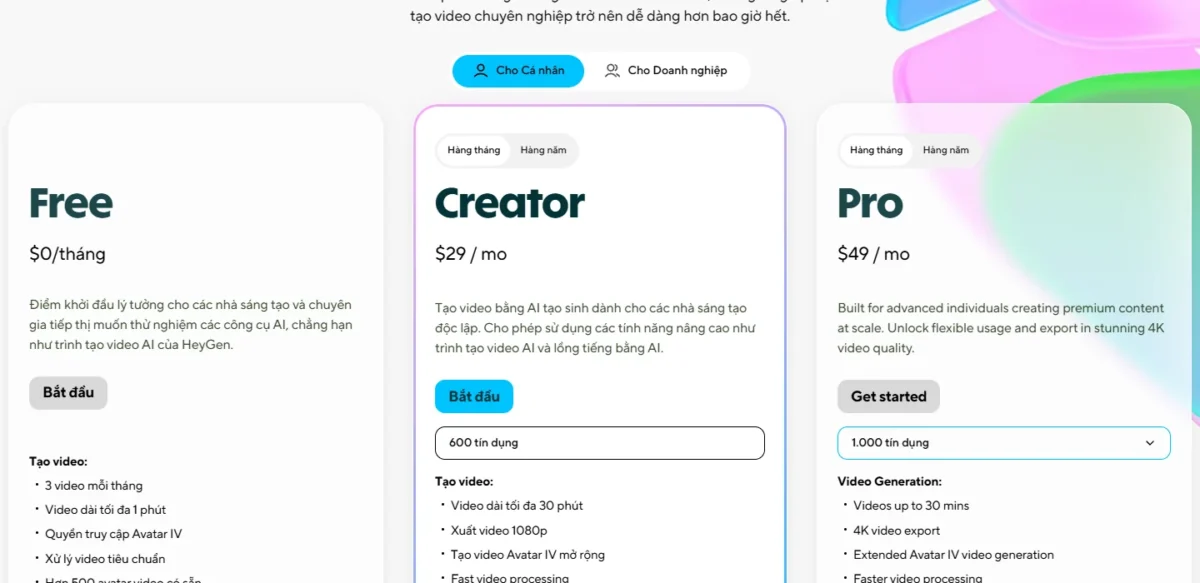
Creator raises video length to 30 minutes, exports 1080p, removes the watermark and adds voice cloning. Its 175+ languages and dialects are the business case, because one script can become a version for each market.
If you have never produced one, my guide on how to make AI videos walks through the steps.
Every paid plan spends credits, and credit use per video varies by model, length and complexity. Monthly credits roll over one month, while annual credits accumulate until renewal, which favors annual billing for an uneven schedule.
| Plan | Price | Billing | Key limit |
|---|---|---|---|
| Creator | $24 per month, or $29 | Annual, or monthly | 30-minute videos, 1080p |
| Pro | From $49 per month | Tiered by credits | 1,000 credits; 4K export |
| Business | $149 per month + $20 per seat | Per month | 60-minute videos; SSO |
Sources: HeyGen pricing, checked Oct 2026.
Pros
- Presenter videos without filming
- 175+ languages and dialects on Creator
- Free plan with no credit card
Cons
- Free videos stop at 1 minute
- 4K export starts on Pro
- Team features start at $149 a month
- Skip it if:
- your audience expects a real face on camera, or you need cinematic B-roll rather than a presenter (Runway, pick 6).
Once several people produce content, keeping one voice becomes the problem.
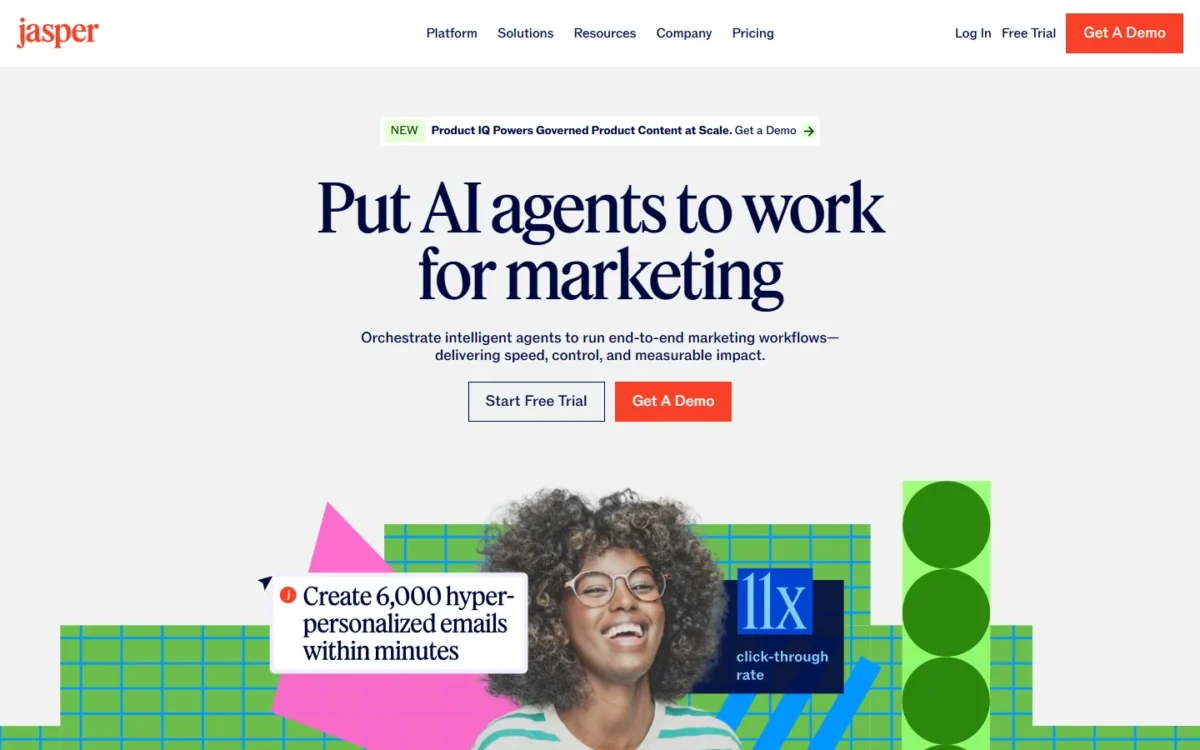
10. Jasper: Best for Marketing Teams That Need Brand Voice Control
- Free trial: 7 days on Pro
- Standout feature: Jasper IQ: Brand Voices, Knowledge assets and Audiences
- Integrations: Webflow, Google Docs and Slack; Zapier and Make through the API; Chrome and Edge extension
Jasper makes more sense for a marketing team than for one writer, because what it sells is consistency. Pro stores 2 Brand Voices, 5 Knowledge assets and 3 Audiences, so drafts start from shared brand rules instead of each writer’s private prompts.
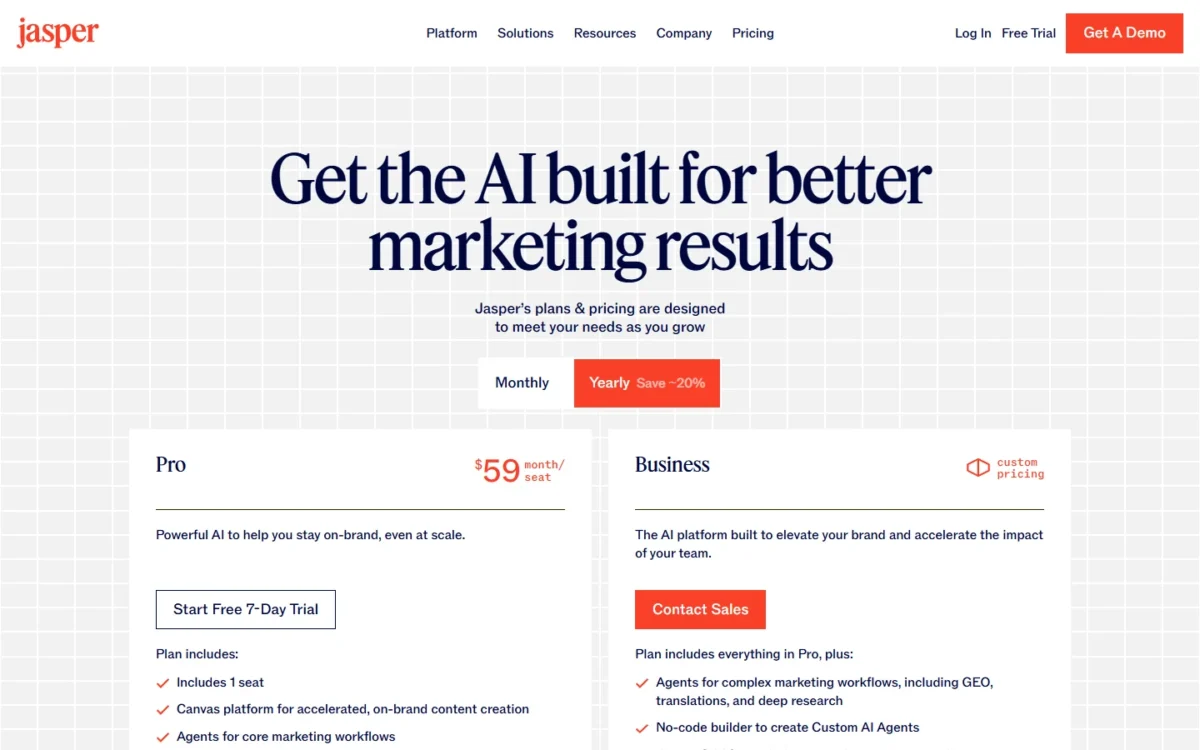
The problem is that the team features sit above Pro. Pro includes 1 seat; more seats, the no-code Agent Builder, unlimited Brand Voices, SSO and API access belong to Business, which has custom pricing.
Yearly billing makes Pro a $59 x 12 months = $708 commitment for one seat. That is about three times ChatGPT Plus at $20, so Jasper pays off only when shared brand rules save real editing time. My Jasper pricing and annual billing guide covers the plan terms.
| Plan | Price | Billing | Key limit |
|---|---|---|---|
| Pro | $59 per seat per month | Yearly | 1 seat; 2 Brand Voices |
| Pro | $69 per seat per month | Monthly | 1 seat; 2 Brand Voices |
| Business | Custom pricing | Contact sales | Seats, Agent Builder, SSO, API |
Sources: Jasper pricing, checked Oct 2026.
Pros
- Brand Voices, Knowledge and Audiences shared across drafts
- Marketing agents on Pro
- Webflow, Google Docs and Slack integrations
Cons
- Pro includes 1 seat
- Business price not published
- Unlimited Brand Voices only on Business
- Skip it if:
- you are one writer (ChatGPT or Claude costs about a third) or need a published team price before a sales call.
My Jasper review covers Jasper IQ and its agents in depth.
If a workflow tool is also on your shortlist, Jasper vs Copy.ai compares the two head to head.
What a Content Stack Really Costs: Solo Creator vs 3-Person Team
A solo creator stack costs $384 + $252 = $636 a year: ChatGPT and Canva $240 + $144 = $384, Descript and ElevenLabs $192 + $60 = $252.
A 3-person team’s four core tools cost $1,470 + $508 = $1,978: ChatGPT and Canva $720 + $750 = $1,470, Descript and ElevenLabs $288 + $220 = $508.
OpusClip Pro adds $174 billed annually once clips become a weekly output. Both use annual billing wherever the vendor offers it, and the table shows each line’s math.
| Line | Solo plan | Solo per year | 3-person plan | Team per year |
|---|---|---|---|---|
| ChatGPT | Plus | $20 x 12 months = $240 | Business, 3 users | $20 x 3 users x 12 months = $720 |
| Canva | Pro, one person | $144 | Business, 3 people | $250 x 3 people = $750 |
| Descript | Hobbyist | $16 x 12 months = $192 | Creator, 1 editor | $24 x 12 months = $288 |
| ElevenLabs | Starter | $6 x 10 months = $60 | Creator | $22 x 10 months = $220 |
| OpusClip | Not included | $0 | Pro, 2 seats | $174 billed annually |
Sources: ChatGPT Plus help article, ChatGPT Business help article, Canva pricing, Descript pricing, ElevenLabs pricing, OpusClip pricing, checked Oct 2026.
Per person, the team stack costs little more than a solo one, and the difference buys shared ChatGPT and Canva workspaces, 4K video export and a clip scheduler. The jump that hurts is Canva, because Pro cannot be shared.
One edge case changes the numbers: ChatGPT Business needs at least 2 seats, so a duo pays $20 x 2 seats x 12 months = $480 a year.
Neither total includes tax, credit top-ups, Canva’s AI Pass add-on or October promotions.
How to Choose an AI Content Creation Tool
Buy one tool per format you publish every week, starting with the format that takes most of your time. The matrix shows which plan of each pick lists each format, so overlaps show before you pay twice.
| Product | Writing | Images | Video | Voiceover | Brand controls |
|---|---|---|---|---|---|
| ChatGPT | Free | Free | Not listed | Not listed | Not listed |
| Canva | Free | Free | Free (Pro for high-quality clips) | Plan not stated | Free |
| Claude | Free | Not listed | Not listed | Not listed | Not listed |
| Descript | Free | Free | Free | Free | Business |
| ElevenLabs | Not listed | Free | Starter | Free | Not listed |
| Runway | Not listed | Free | Free | Standard | Pro |
| Adobe Firefly | Not listed | Free | Free | Standard | Not listed |
| OpusClip | Plan not stated | Starter (AI image B-Roll, 3 clips a month) | Free | Starter | Free (1 brand template) |
| HeyGen | Not listed | Not listed | Free | Free | Business |
| Jasper | Pro | Plan not stated | Not listed | Not listed | Pro |
A plan name is the plan whose page list names the format. Free: the plan named Free lists the format.
Not listed: absent from the saved page. Plan not stated: listed without a plan name.
Three combinations cover most readers:
- Social-first creator: Canva Pro plus OpusClip Pro, $144 + $174 = $318 a year.
- Podcast or YouTube creator: Descript Hobbyist plus ElevenLabs Starter, with OpusClip once clips go weekly.
- Marketing team of 3-10: ChatGPT Business or Claude Team for drafts and Canva Business for design; add Jasper only when brand rules are written down.
Two mistakes cost the most: buying on the entry price when credits meter the work (Runway Standard), and sharing a one-person plan (Canva Pro, Jasper Pro).
Which Tools Are Free, and Where the Free Plan Stops
Nine of the ten picks offer a free plan or free daily use; Jasper offers a 7-day trial of Pro instead.
| Tool | Free option | Where it stops |
|---|---|---|
| ChatGPT | Free plan | Limited images, voice chats, deep research |
| Canva | Free plan | 20 AI uses; 1 Brand Kit |
| Claude | Free plan | 5-hour session limits; 5 Projects |
| Descript | Free plan | 1 media hour a month; 720p |
| ElevenLabs | Free plan | 10k credits; no Commercial License listed |
| Runway | Free plan | 125 one-time credits |
| Adobe Firefly | Free daily generations | Daily limits |
| OpusClip | Free plan | 60 credits; watermark; 3-day export |
| HeyGen | Free plan | 3 videos a month, 1 minute each |
| Jasper | Pro trial | 7 days |
Sources: ChatGPT pricing, Canva pricing, Claude pricing, Descript pricing, ElevenLabs pricing, Runway pricing, Adobe Firefly plans, OpusClip pricing, HeyGen pricing, Jasper pricing, checked Oct 2026.
This ranking was not tested on output, so run the same prompt through your shortlist inside these free limits and pay for the tool whose output needs the lightest edit. My prompt engineering guide helps you write a prompt that tests each tool fairly.
My comparison of free AI content generators goes through each free writing plan and its upgrade.
Shortlists by Team and Job
Open one of these when your job is narrower, or wider, than a single pick here:
- Best AI tools overall: when you need AI beyond content, such as research or coding.
- Best AI for research: when the draft depends on sources you have not gathered yet.
- Best AI humanizers: when a draft still reads as machine-written after your edit.
- Best AI video generators: when you want options beyond Runway and HeyGen.
- Best AI voice generators: when you are comparing voices against ElevenLabs.
- Best AI photo editors: for background removal and retouching without a designer.
- Best free AI photo editors: the same job without paying.
- Best AI headshot generators: for author photos and team bios without a photo shoot.
- Best free AI presentation makers: when the content is a slide deck, not a post.
- Best AI prototyping tools: when your content team also mocks up landing pages or apps.
- Claude alternatives: when Claude’s weekly limits or its lack of listed image generation rule it out.
- Runway vs Pika: when your B-roll choice is down to those two.
- Google Flow vs Runway: when Google AI Pro’s Flow credits already sit in your plan.
- Google Flow alternatives: when Flow is your current video tool and you want to switch.
- Gemini Gems compared: when your team drafts in Gemini and wants to see where Gems fit.
- Codex vs Claude Code: when the same team also builds the site the content lives on.
Also Considered
These 17 tools fit a content job but lost a place to a pick that covers it better or prices it more clearly:
- Gemini: overlaps ChatGPT’s job; Google AI Pro, at $19.99 a month, adds video generation, 1,000 Google Flow credits and Gemini in Gmail, Docs and Vids. My best AI chatbots by job and budget ranking compares the two.
- Midjourney: art-directed images from $10 a month, but companies with more than $1,000,000 in yearly gross revenue must buy Pro ($60 a month) or Mega. My Midjourney review covers its plans.
- Grammarly: an editing layer that fits after a draft exists. Pro lists 2,000 AI prompts a month against 100 on Free, plus plagiarism and AI-text detection.
- CapCut: a video editor with 650 monthly AI credits on a paid plan; Descript covers editing here.
- Synthesia: avatar video built around training, with learner seats at $29 each.
- Copy.ai: a go-to-market workflow tool; Chat is $29 a month billed monthly. My Copy.ai review covers its workflows. Copy.ai vs Writesonic compares the two.
- Writesonic: an AI-visibility writer; Starter is $79 a month billed annually for 15 AI articles. My Writesonic review covers its plans.
- Surfer: an SEO optimizer for articles, not a format creator.
- Notion AI: part of a workspace; Plus is $10 per member per month.
- Buffer: a scheduler whose AI Assistant is on its Free plan.
- Rytr: a short-form writer at $7.50 a month for Unlimited. My Rytr review covers its plan limits. My best AI writing tools ranking covers writers like it.
- Frase: SEO and GEO content scoring and drafting; Starter is $39 a month billed yearly.
- Semrush Content Toolkit: SEO content optimization and briefs at $60 a month billed annually.
- Anyword: scored ad copy; Starter is $39 a month billed yearly.
- Writer: enterprise governance sold through sales, with a 14-day free trial.
- HubSpot Content Hub: a content suite whose value depends on running HubSpot’s CRM, which my HubSpot CRM review covers.
- Oleno: content operations across research, writing, editing, QA and publishing workflows; its pricing page asks for a demo instead of listing prices.
FAQ
What is the best AI tool for YouTube content?
Descript, OpusClip and ElevenLabs together: Descript edits the recording by transcript, OpusClip cuts Shorts with captions, and ElevenLabs voices narration. On annual billing, Descript Hobbyist and OpusClip Pro cost $16 + $14.50 = $30.50 a month, and ElevenLabs Starter brings the trio to $30.50 + $5 = $35.50.
What is the best AI tool for Instagram content?
Canva for social posts, plus OpusClip for Reels cut from longer videos; both have free plans. Canva Pro adds social content scheduling, and OpusClip Starter posts clips straight to Instagram Reels.
Do I need more than one AI tool for content creation?
Yes, if you publish in more than one format. ChatGPT Plus covers words and quick images. Design templates, editing video by its transcript and a commercial voice license sit on Canva, Descript and ElevenLabs, which is why the solo stack adds those three.
Can AI-generated content rank on Google?
Yes, when it is useful. Google’s guidance on AI-generated content says it rewards high-quality content however it is produced, and treats automation used mainly to manipulate rankings as spam. Add your own facts and an editor’s review.
Grammarly Pro lists plagiarism and AI-text detection; the AI detectors list compares dedicated checkers.
Final Verdict: Best AI Content Creation Tools by Situation
Buy by situation, not by brand:
- Solo writer-creator: ChatGPT Plus and Canva Pro, $240 + $144 = $384 a year.
- Video-first creator: Descript Hobbyist for editing and OpusClip for clips.
- Brand-sensitive marketing team: Jasper for voice control and Adobe Firefly for campaign images; Jasper Pro includes 1 seat, so a team needs Business at a custom price.
- $0 budget: ChatGPT Free, Canva Free and OpusClip Free, inside their free-plan limits.
ChatGPT ranks first because one $20 plan covers drafting, image creation and deep research, not because it does each job best. Most picks after it meter credits or AI uses, so price the stack at the usage you actually publish before you commit to a yearly plan.