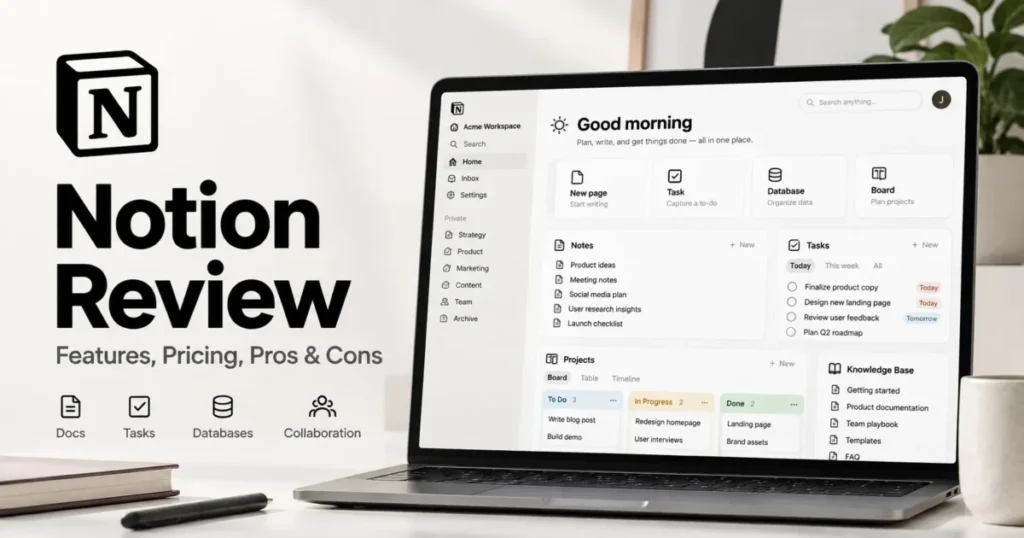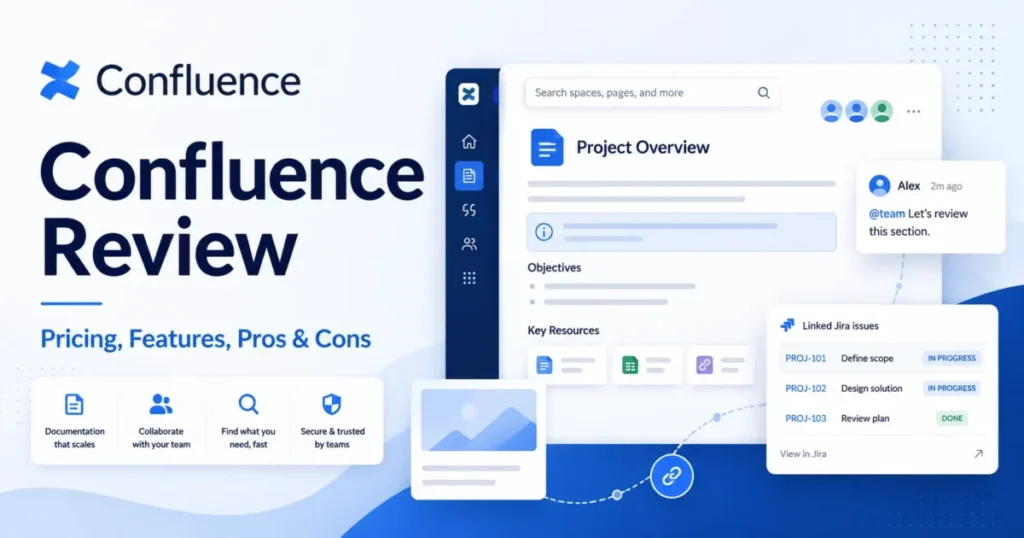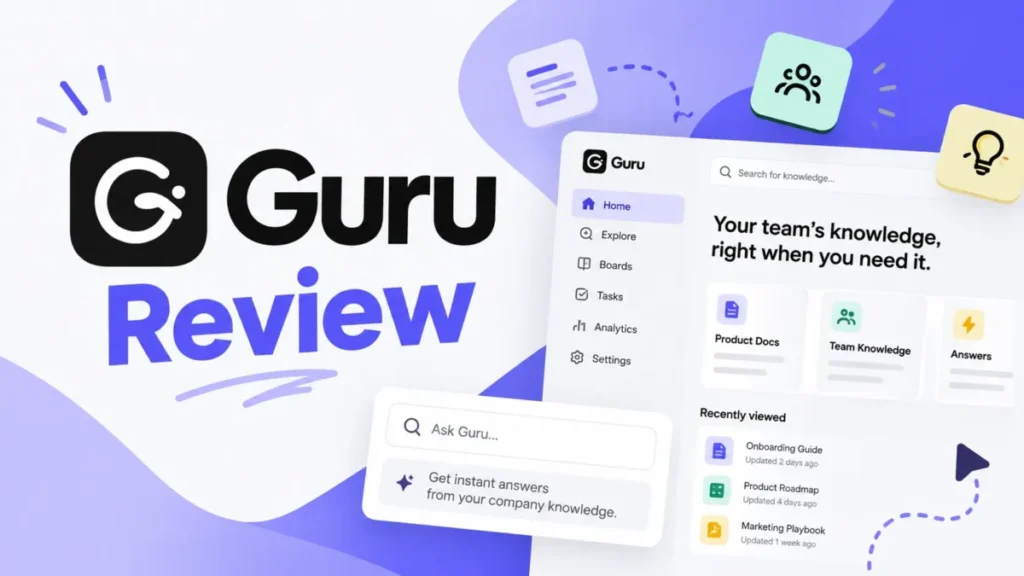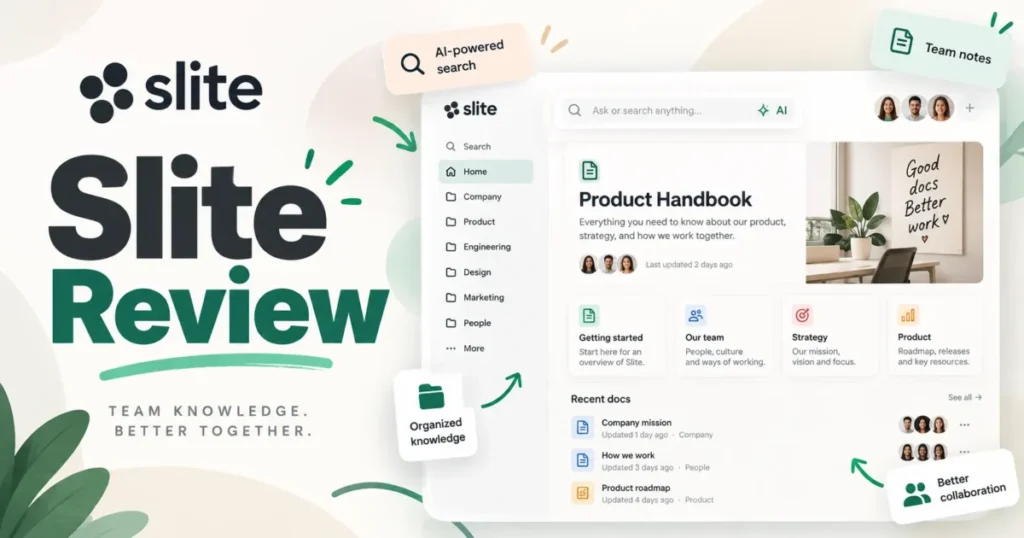
Twenty products compete for the phrase best knowledge base software, and at least four of them are not the same kind of product. Some are customer help centers, some are internal wikis, some are developer documentation portals, and some are knowledge features attached to a help desk you also have to buy.
Rank them by entry price and you end up comparing a $10 per user wiki against a $249 flat plan and a $55 per agent support suite as if those numbers were interchangeable. They are not.
Document360 takes the top position here because it runs governed internal and external documentation in one platform, although its pricing is now quote-based. This ranking sits inside our wider knowledge base software coverage, and it exists for one job: cutting twenty options down to two before you book a demo.
Every price below was checked on July 11, 2026 against the vendor’s official pricing page. Where a vendor does not publish a price, this article says so instead of guessing.
In This Article (32 sections)
Best Knowledge Base Software by Use Case
| Use case | Best pick | Why it fits |
|---|---|---|
| Best overall for governed documentation | Document360 | Internal and external publishing, review workflows, and AI search in one platform |
| Best branded standalone help center | Helpjuice | Flat $249 plan with 30 users, no per-reader fees |
| Best owned and reviewed knowledge | Slite | $10 per user with document verification and AI search |
| Best enterprise knowledge layer | Guru | Permission-aware answers across Slack, Salesforce, Zendesk, and SharePoint |
| Best for regulated and multi-audience content | KnowledgeOwl | $100 per month, one author, unlimited readers, granular reader groups |
| Best for lean support teams | Help Scout | Free for five users with a shared inbox and a Docs site |
| Best for developer and API documentation | GitBook | Git sync, API playground, and preview deployments |
| Best value help desk with a knowledge base | Freshdesk | $19 per agent per month on annual billing |
| Best budget knowledge base | Nuclino | $6 per user per month, fast setup, visual boards |
| Best low-cost large-seat internal knowledge base | ProProfs Knowledge Base | $0.99 per user per month once you clear the 50-user minimum |
Two picks in that table cost more than $200 a month before a single reader logs in, and two cost less than $10 per person. That spread is not a quality gap.
It is a billing-unit gap, and it is the single most misleading thing about this category.
Related Guides in This Series
This guide ranks platforms for publishing and maintaining a knowledge base. If your problem is a different shape, these companion guides cover it:
- Help center software — for a portal your customers search and read, ranked by whether you can buy the knowledge base without a help desk.
- Wiki software for teams — for an internal wiki your own staff searches, rather than a help center your customers read.
- Documentation tools — for teams whose bottleneck is writing and collaborating on documents, not publishing articles.
- Notion alternatives — if the real decision is whether to stay on Notion or move off it.
- How to choose knowledge base software — the selection process on its own, without the rankings.
- Knowledge base requirements template — a free checklist to send vendors before you sit through a demo.
The Three Problems Every Knowledge Base Buyer Faces
Every failed knowledge base purchase I have looked at traces back to one of three mistakes, and all three happen before the demo.
Problem 1: The keyword hides four different products
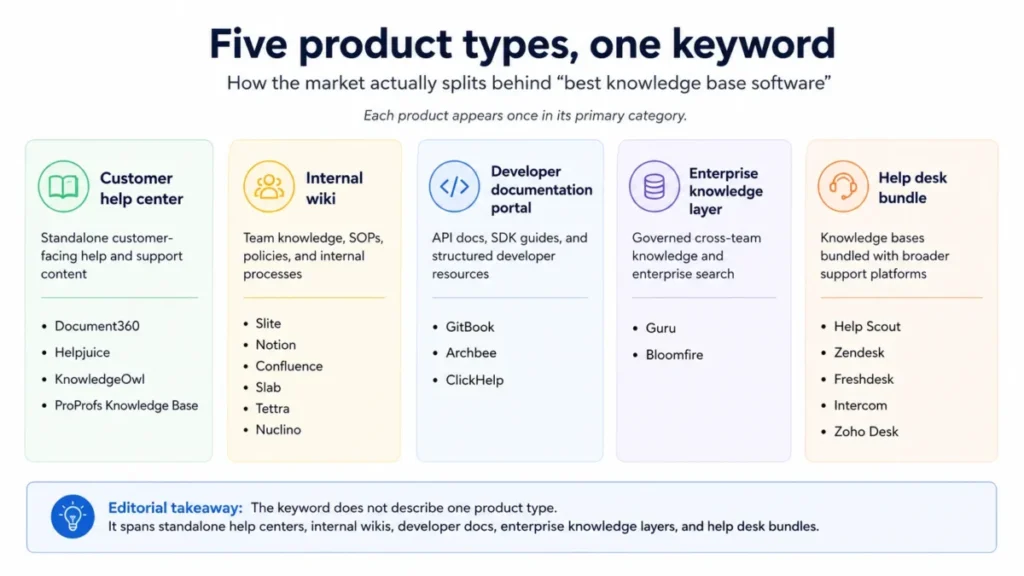
“Knowledge base software” is a shopping label, not a product category. Four architectures compete under it, and they have different publishing models, different security needs, and different failure modes.
| Category | What it is for | Products in this ranking | What breaks if you buy the wrong one |
|---|---|---|---|
| Customer help center | Public self-service articles for customers, indexed by search engines | Document360, Helpjuice, KnowledgeOwl, ProProfs Knowledge Base | An internal wiki cannot brand, index, or segment a public portal without heavy custom work |
| Internal team wiki | SOPs, policies, onboarding, and decisions for employees | Slite, Notion, Confluence, Slab, Tettra, Nuclino | A help-center product charges you for authors and gives your team a publishing workflow they will not use |
| Developer documentation portal | Versioned product docs, API references, code samples | GitBook, Archbee, ClickHelp, Document360 | A generic wiki has no Git sync, no OpenAPI rendering, and no version branching |
| Enterprise knowledge layer | Permission-aware answers pulled across existing tools | Guru, Bloomfire | A single repository does not solve knowledge that already lives in five systems |
| Help desk bundle | Knowledge attached to ticketing, chat, and AI resolution | Help Scout, Zendesk, Freshdesk, Intercom, Zoho Desk | You buy a support platform when you only needed a documentation site |
A support manager who buys Notion for a customer help center will spend the next quarter rebuilding branding, search, and permissions that Helpjuice ships by default. A developer-relations lead who buys Helpjuice will discover there is no Git workflow.
Teams stuck between the two biggest internal wikis should start with our Notion vs Confluence comparison, because that decision is about ecosystem gravity rather than features.
Problem 2: Six billing units are being compared as one number
Vendors in this category charge per user, per agent, per author, per site plus per user, per flat workspace, and per usage credit. Every ranking article on page one of Google puts those numbers in the same column and calls it a pricing comparison.
That column is meaningless until you know which humans trigger a paid license. Nuclino bills guests and read-only members as users, KnowledgeOwl bills one author and gives you unlimited readers, and GitBook bills a site fee plus every collaborator.
Problem 3: AI search is sold before knowledge governance is solved
Every vendor on this list markets AI answers. Very few of the top-ranking comparison articles explain that an AI answer engine inherits the quality, the ownership, and the permissions of the content underneath it.
An AI assistant reading 400 unowned, unverified, three-year-old articles will produce confident, wrong answers faster than your team could produce them manually. Verification workflows, stale-page reports, and owner assignment are the features that decide whether the AI is an asset or a liability.
How We Chose and Ranked These 20 Tools
This ranking is based on official vendor pricing pages, product pages, documentation, help centers, and current 2026 plan-change announcements, all checked on July 11, 2026. Where official pages were incomplete, current third-party review patterns were used as supporting context only, never as the primary source.
No SaaS account, trial workspace, or hands-on session was operated for this article. Every product statement below therefore uses language like “official pricing shows” or “vendor documentation indicates,” and there are no claims about how a product felt to use.
Testing level for all 20 products: official research only.
Ranking the best knowledge base software came down to five weights: whether the product does one job well rather than five jobs adequately, whether pricing is knowable before a sales call, whether the plan that actually meets a buyer’s requirement is affordable, whether governance features exist to keep content trustworthy, and whether the buyer can get their content back out.
Commission never determined a position. Three of the top five, including the number one pick, use custom or premium-priced plans that make them harder to sell, not easier.
Two limits are worth stating plainly. Document360, Guru, and Bloomfire do not publish universal entry prices, so they cannot be ranked on cost.
Search relevance, migration quality, and support responsiveness were not measurable from official documentation, so this article does not score them.
Knowledge Base Software Compared at a Glance
| Rank | Product | Primary category | Billing unit | Entry price (checked July 11, 2026) | Free plan | Decision-changing limit |
|---|---|---|---|---|---|---|
| 1 | Document360 | Customer help center + developer docs | Custom quote | Custom | No, 14-day trial | No public entry price |
| 2 | Helpjuice | Customer help center | Flat plan (30 users) | $249/mo | No, 14-day trial | AI suite starts on the $449 plan |
| 3 | Slite | Internal wiki | Per user | $10/ | No, 14-day trial | Free plan removed in June 2026 |
| 4 | Guru | Enterprise knowledge layer | Custom (identities + AI usage) | Custom | Not published | Pricing is fully sales-led |
| 5 | KnowledgeOwl | Customer help center | Per author, unlimited readers | $100/mo | No, 30-day trial | Extra author $25/ |
| 6 | Help Scout | Help desk bundle | Per user | $0 (5 users) | Yes | Free tier capped at 10 articles |
| 7 | GitBook | Developer docs | Per site + per user | $0 (1 site, 1 user) | Yes | Authenticated access needs $249/ |
| 8 | Confluence | Internal wiki | Per user | $0 (10 users) | Yes | Not a customer-facing help center |
| 9 | Zendesk | Help desk bundle | Per agent | $55/ | No | Knowledge base only comes with the suite |
| 10 | Freshdesk | Help desk bundle | Per agent | $0 for 1-2 agents, 6 months | Time-limited | Free program expires after six months |
| 11 | Notion | Internal wiki | Per seat | $0 | Yes | Team blocks and 5MB uploads on Free |
| 12 | Archbee | Developer docs | Flat plan | $80/mo | No, 14-day trial | Localization and versioning need $350 Scaling |
| 13 | Slab | Internal wiki | Per user | $0 (10 users) | Yes | No read-only user type |
| 14 | Tettra | Internal wiki | Per user, 10-user minimum | $8/user/mo yearly | No, 30-day trial | $80/mo floor even for 4 people |
| 15 | ProProfs Knowledge Base | Internal wiki + help center | Per user, 50-user minimum | $0.99/ | Promotional, verify | Internal and external pricing are different models |
| 16 | Intercom | Help desk bundle | Per seat + per AI outcome | $19/ | No | Private help center needs the $85 tier |
| 17 | Zoho Desk | Help desk bundle | Per agent | $0 (3 agents) | Yes | Pricing localizes by visitor region |
| 18 | ClickHelp | Developer docs | Flat portal (2 contributors) | $194/mo annual view | Verify | AI, REST API, and security are paid add-ons |
| 19 | Bloomfire | Enterprise knowledge layer | Custom annual | Custom | Not published | Migration and implementation are extra fees |
| 20 | Nuclino | Internal wiki | Per user (guests included) | $0 (50 items) | Yes | Read-only members consume paid seats |
Read that table by the billing unit column, not the price column. Help Scout at $0 and ClickHelp at $194 are not competing for the same buyer, and Tettra’s $8 per user is a $80 invoice whether you have ten people or four.
Ranks 1 to 5: Document360, Helpjuice, Slite, Guru, and KnowledgeOwl
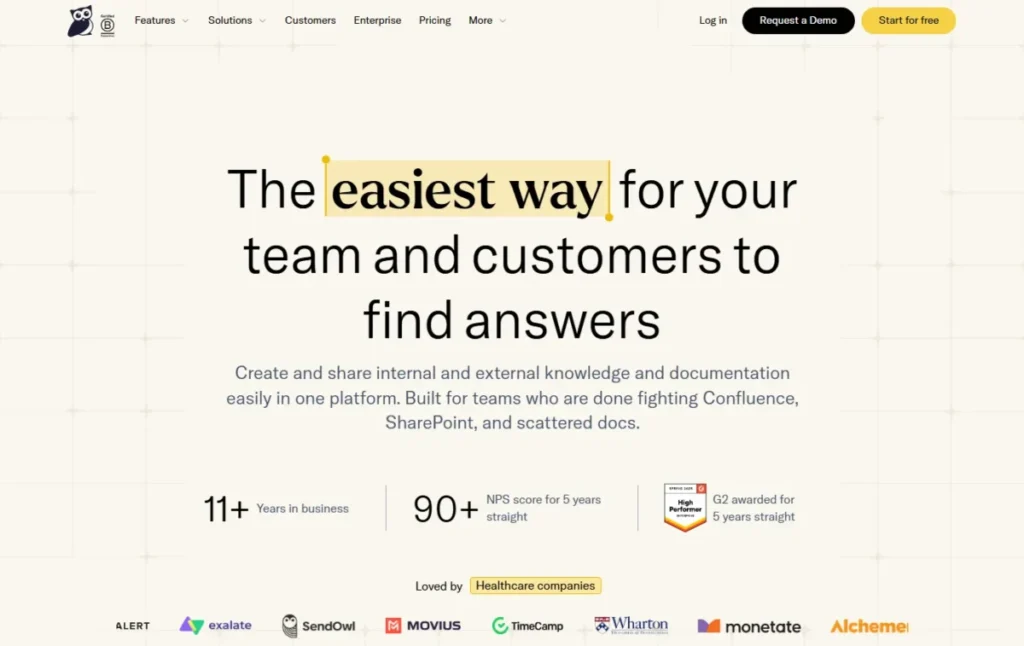
These five are the products I would shortlist first when documentation is the job, not a side effect of a support tool. Four of them charge by author, workspace, or quote rather than by every person who reads an article.
1. Document360: Best Overall for Governed Documentation

- Best for:
- product and support organizations with 10 to 100 documentation contributors that need internal SOPs and an external customer help center governed by the same review workflow.
- Not best for:
- a four-person startup that wants a price on a page and a workspace running the same afternoon.
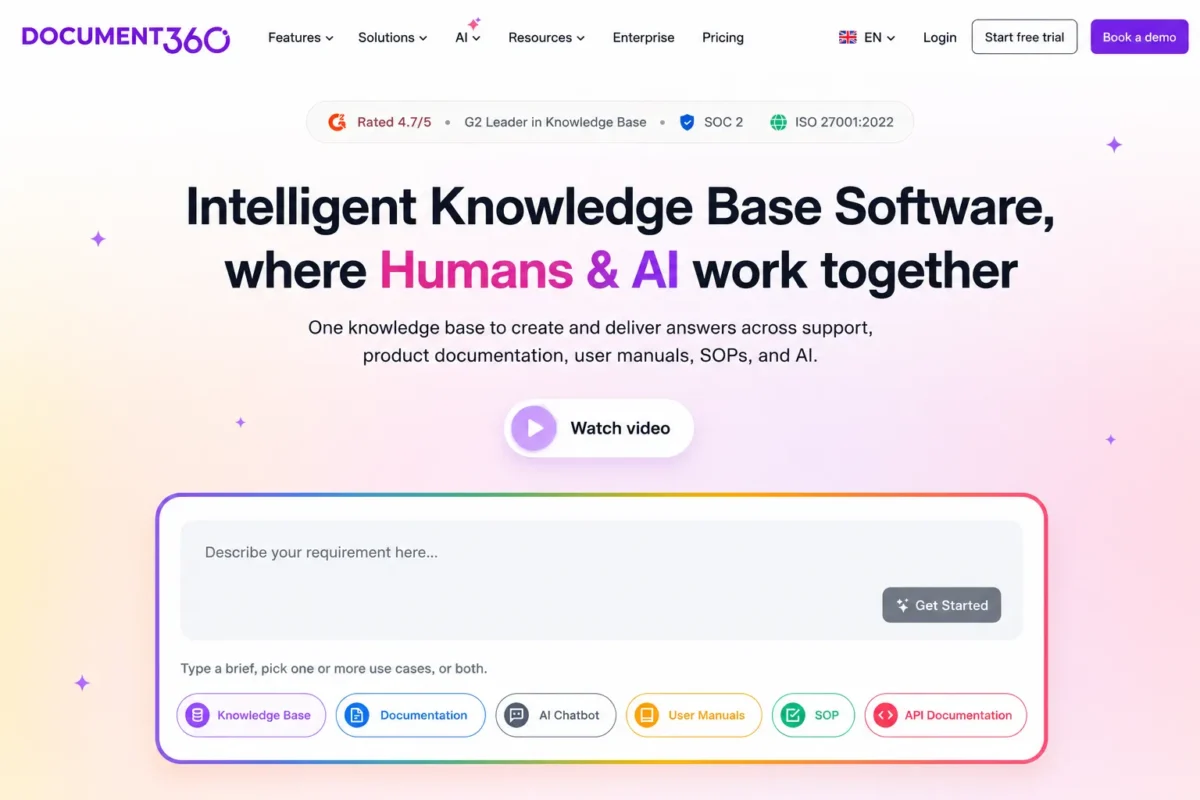
Document360 earned the top rank because it treats documentation as an operation rather than a text editor. Structured categories, versioning, review workflows, AI search, and separate internal and external publishing sit in one platform.
Pricing is now customized around editors, workspaces, languages, privacy model, security requirements, and AI usage, so there is no universal entry number to quote. Pricing checked: July 2026 on Document360’s official pricing page.
Treat it as a sales-led purchase and get a dated US quote first.
The trade-off is real. Vendor documentation confirms that downgrading a plan reduces features, user limits, and storage, and G2 review patterns mention friction with customization, very long documents, editor behavior, and search in some deployments.
| Pros | Cons |
|---|---|
| Internal and external knowledge bases governed by one review workflow | No public entry price, so budget planning needs a sales call |
| Add-ons for storage, users, translation, and integrations without changing tier | Downgrades cut features, seats, and storage, per official docs |
| Structured categories and versioning built for large article libraries | Reviewers report editor and long-document friction at scale |
| API and developer-documentation capability alongside support articles |
- Setup difficulty:
- Medium to high. Category architecture, reviewer roles, and workspace design need decisions before the first import.
- Verdict:
- Choose Document360 if documentation is owned by a named team and both employees and customers read it. Skip it if you need a self-checkout price this week, and look at our Document360 review before you book the demo.
2. Helpjuice: Best Branded Standalone Help Center

- Best for:
- support and operations teams with roughly 15 to 30 active authors that want a branded public help center with search analytics and one predictable invoice.
- Not best for:
- two-to-five-person teams, and authors who work in complex formatting and want a light editor.
Helpjuice earned second place because it does one thing without dragging a help desk along. Pricing is flat rather than per reader, so a help center serving 50,000 monthly visitors costs the same as one serving 500.
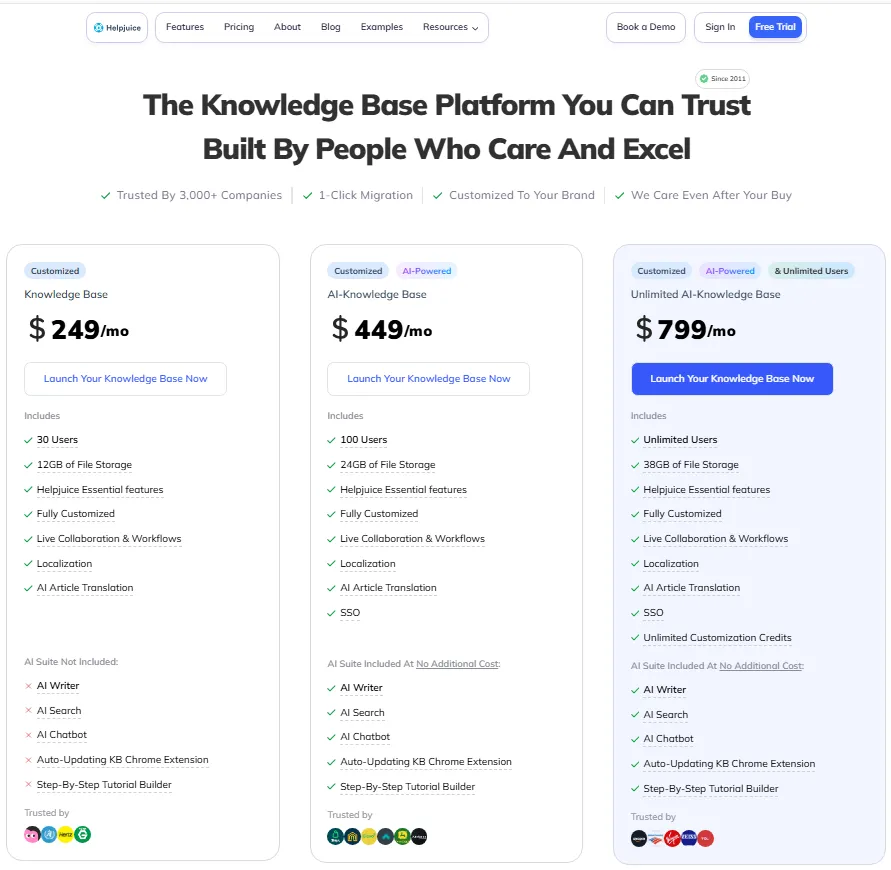
Official pricing shows three plans: $249 per month with 30 users and 12GB storage, $449 with the AI suite and 100 users, and $799 with unlimited users. Pricing checked: July 2026 on Helpjuice’s official pricing page.
The AI features most buyers assume are included start on the $449 plan, which is the real comparison point against AI-equipped rivals.
Translation is the hidden meter. Official help-center documentation shows auto-translation at $0.00015 per processed character beyond the allowance, so a large multilingual library is a variable cost.
| Pros | Cons |
|---|---|
| Flat plan pricing with no per-reader or per-visitor fee | $249 entry price is steep below about 10 authors |
| Search analytics including failed-search reporting | AI suite is gated to the $449 plan, not the $249 plan |
| Deep theme and branding customization for a public portal | Auto-translation billed per character above the allowance |
| Public and internal knowledge bases in one subscription | G2 patterns cite editor, formatting, and customization friction |
- Setup difficulty:
- Medium. Branding and theme work is where the time goes.
- Verdict:
- Choose Helpjuice if a public help center is the product and 30 seats is enough. Skip it if your team is under ten people, and read our Helpjuice evaluation before committing to annual billing.
3. Slite: Best for Knowledge With an Owner and a Review Date

- Best for:
- 20 to 200 person distributed product, operations, and support teams that want verified internal documents and AI answers without Confluence-level administration.
- Not best for:
- teams that need a permanent free plan, a branded customer help center, or complex document formatting.
Slite earned this rank on governance, not on AI marketing. Document verification is a first-class feature, which means a document has an owner and a review date rather than an edit history nobody reads.
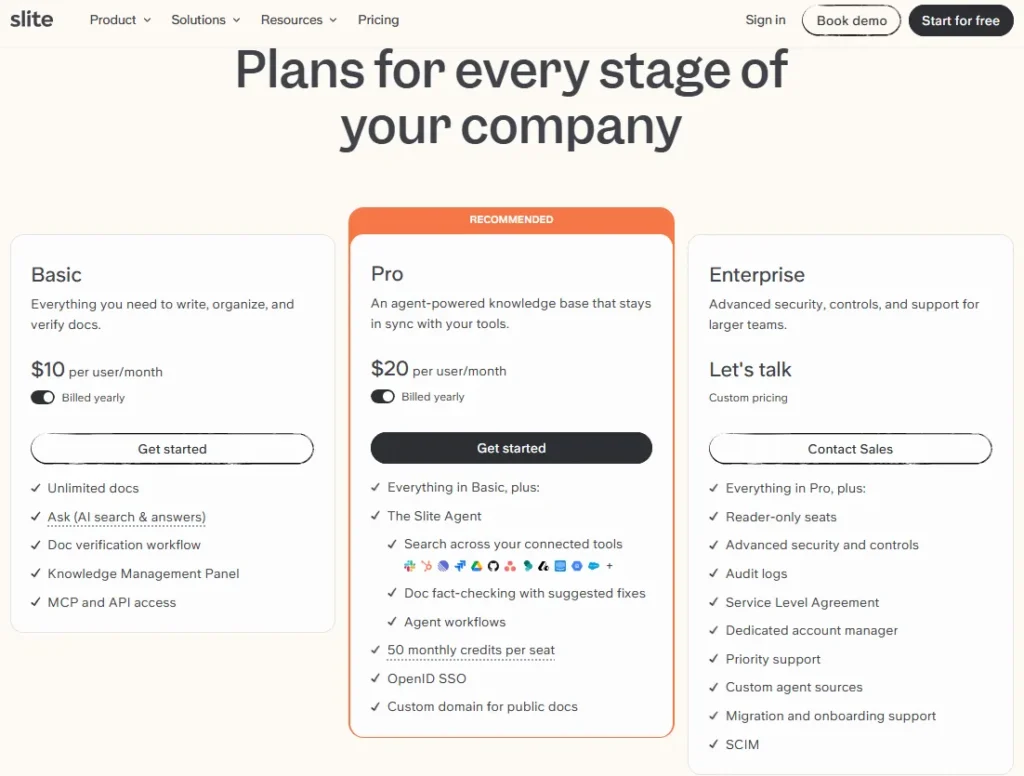
Official pricing shows Basic at $10 per user per month billed yearly, Pro at $20, and a custom Enterprise tier. Pricing checked: July 2026 on Slite’s official pricing page.
Pro is the practical tier because it adds the Slite Agent, search across connected tools, fact-checking suggestions, and 50 pooled agent credits per seat each month.
The freshness point most 2026 comparison articles still get wrong: Slite replaced its free plan with a 14-day trial in June 2026. Any article still showing a Slite free tier or an $8 entry price is stale.
| Pros | Cons |
|---|---|
| Document verification with owners and review dates, not just version history | Free plan was removed in June 2026, leaving a 14-day trial |
| $10 per user is well below Confluence-class administration overhead | AI agent credits are pooled per seat, so heavy users drain the pool |
| Pro adds search across connected tools, not just Slite content | Not built for branded public help centers |
| Modern AI retrieval with MCP and API access | Reviewers report limited formatting and reporting depth |
- Setup difficulty:
- Low. Channels, docs, and verification owners can be configured in a day.
- Verdict:
- Choose Slite if internal knowledge is going stale and nobody owns it. Skip it if customers need to read the content.
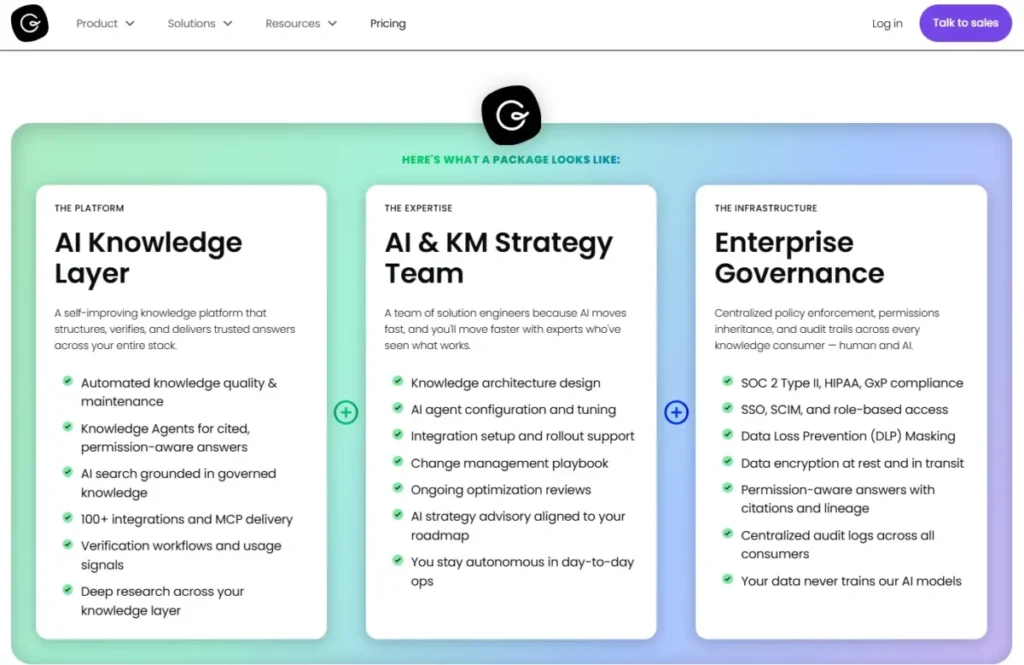
4. Guru: Best Governed Knowledge Layer for Enterprise AI

- Best for:
- midmarket and enterprise support, sales, HR, and operations teams whose knowledge already lives in Slack, Teams, Salesforce, Zendesk, Confluence, and SharePoint and is not moving.
- Not best for:
- small teams that want a published price, and anyone whose real need is a public documentation website.
Guru earned this rank because it solves a different problem from every wiki here. It does not ask you to migrate knowledge into one repository.
It retrieves across the systems you already run, with permissions respected, and verifies cards so answers carry an owner and a date.
Official pricing is flexible and sales-led, shaped by identities, controls, and AI usage or credits. Pricing checked: July 2026 on Guru’s official pricing page.
More than 100 enterprise integrations are advertised, which is why a buyer would accept an opaque quote.
The limitation is scale. G2 review patterns mention search, organization, navigation, and performance challenges in very large knowledge collections, which is exactly the deployment Guru is sold for.
| Pros | Cons |
|---|---|
| Permission-aware retrieval across Slack, Salesforce, Zendesk, and SharePoint | No published price, so no cost comparison is possible before a call |
| Verification workflows give AI answers an owner and a review date | Review patterns report search and navigation strain at very large scale |
| More than 100 enterprise integrations, so knowledge does not have to move | AI usage and credits are part of the quote, so cost is variable |
- Setup difficulty:
- High. Source connections, permission mapping, and card ownership all need an owner.
- Verdict:
- Choose Guru if your knowledge is scattered across five systems and consolidating is not realistic. Skip it if one repository would solve the problem and you would rather pay a published price.
5. KnowledgeOwl: Best for Regulated and Multi-Audience Knowledge Bases

- Best for:
- healthcare, education, financial services, association, and policy teams that need one or two writers, hundreds of readers, granular reader groups, and both private and public content.
- Not best for:
- author-heavy documentation teams, because every writer after the first adds cost.
KnowledgeOwl earned this rank on reader economics, which almost nobody else in this category gets right. Official pricing shows Basic at $100 per month with one knowledge base, one author, unlimited readers, up to 1,000 articles, 100 AI credits, and 45 days of analytics retention.
Pricing checked: July 2026 on KnowledgeOwl’s official pricing page.
Unlimited readers is the whole pitch. A 400-person association can give every member an account without the invoice moving, which no per-user wiki here can match.
The Budget Pressure Point arrives with the second and third writer. Each extra author costs $25 per month and each extra knowledge base costs $50 per month, so a five-author, two-portal setup is $100 plus $100 plus $50, not $100.
| Pros | Cons |
|---|---|
| Unlimited readers on every plan, including authenticated private readers | Every author after the first adds $25 per month |
| Granular reader groups for mixed internal, partner, and public audiences | Each extra knowledge base adds $50 per month |
| Article caps, AI credits, and analytics retention published per tier | Basic caps analytics history at 45 days |
| Custom HTML, CSS, and JavaScript for full portal control | $100 floor is high for a two-person team with 30 articles |
- Setup difficulty:
- Medium. Reader groups and access rules are the part that takes planning.
- Verdict:
- Choose KnowledgeOwl if readers outnumber writers by 50 to one and access control is a compliance requirement. Skip it if you have ten writers, because the author fees make it the wrong shape.
Ranks 6 to 10: Help Scout, GitBook, Confluence, Zendesk, and Freshdesk
This block is where the buyer has to decide whether the knowledge base is the product or a feature of something bigger. Three of these five require a support or collaboration subscription you may not need.
6. Help Scout: Best for Lean Customer Support Teams

- Best for:
- three-to-25-person support teams that want a shared inbox, live chat, and a small public documentation site without running two subscriptions.
- Not best for:
- documentation-only teams, and multibrand help-center programs that need more than five portals.
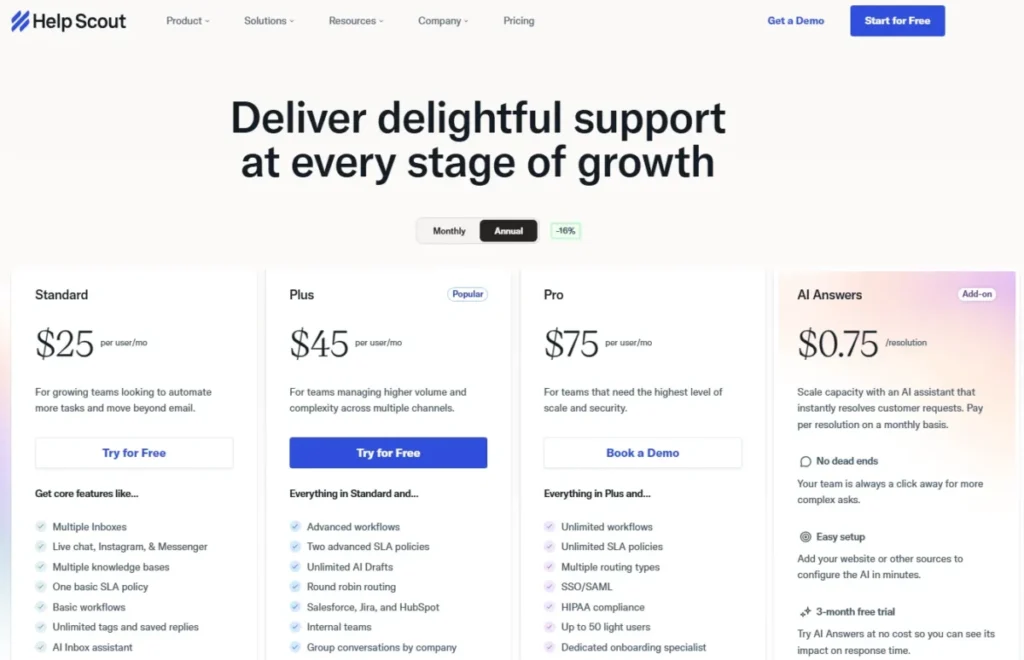
Help Scout earned this rank because its free tier is a real product rather than a countdown. Official pricing shows Free covering five users, one Inbox, one Docs site, and ten articles, with Standard at $25 per user per month billed annually.
Pricing checked: July 2026 on Help Scout’s official pricing page.
Ten articles is the ceiling that decides everything. A support team publishing its first FAQ will hit that wall in a fortnight, and the upgrade is not to a documentation plan, it is to a full support platform.
Extra Docs sites cost $20 per month on annual billing, and AI Answers costs $0.75 per resolution with user-controlled spending caps. The cap matters more than the rate, because it is one of the few AI meters here a finance team can bound.
| Pros | Cons |
|---|---|
| Free plan supports five users, a shared inbox, and a live Docs site | Free Docs site is capped at ten articles |
| AI Answers billed at $0.75 per resolution with a spending cap | Docs is bundled with the support platform, not sold alone |
| Standard, Plus, and Pro include two, three, and five Docs sites | HIPAA, SAML, and advanced routing sit on higher plans |
- Setup difficulty:
- Low. Inbox, Beacon, and Docs can be live the same day.
- Verdict:
- Choose Help Scout if support email and self-service are the same job for the same five people. Skip it if you only need documentation, and read the Help Scout review if ticket volume is climbing.
7. GitBook: Best for Developer and API Documentation

- Best for:
- developer-relations, platform, and engineering teams publishing versioned product, integration, and API documentation from a Git workflow.
- Not best for:
- operations teams that need cheap company-wide seats, and support teams whose real requirement is ticketing.
GitBook earned this rank because it is built around Git sync, so documentation lives in your repository, not a vendor database. GitHub and GitLab sync, preview deployments, an interactive API playground, and built-in SEO make it a publishing pipeline rather than a text tool.
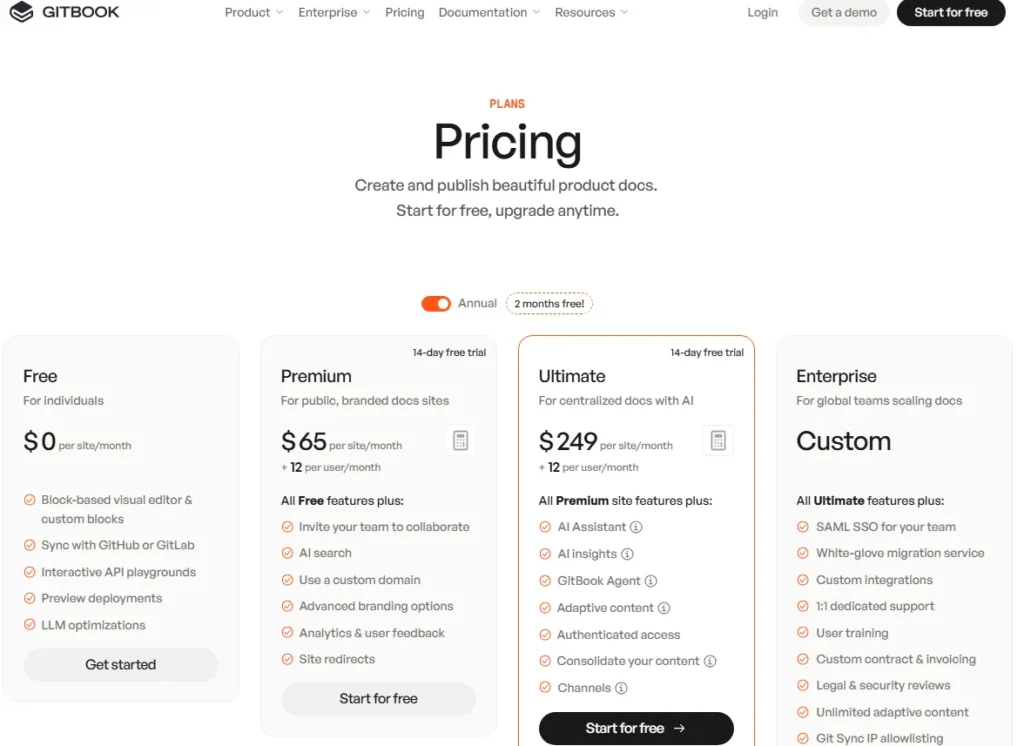
The billing unit is unusual and buyers misread it constantly. Official pricing shows Free with one site and one user, Premium at $65 per site per month plus $12 per user, and Ultimate at $249 per site plus $12 per user on annual billing.
Pricing checked: July 2026 on GitBook’s official pricing page.
Ultimate is where the interesting features live: the AI Assistant with 500 successful answers included, AI Insights, GitBook Agent, adaptive content, and authenticated access. If your docs must be private or gated, $249 per site is the real starting price, not $65.
| Pros | Cons |
|---|---|
| Git sync means content is versioned in your repo, not locked in a vendor | Two-part pricing: a site fee plus a fee for every collaborator |
| Interactive API playground and OpenAPI rendering built in | Authenticated access requires the $249-per-site Ultimate tier |
| Preview deployments let docs ship with the code release | Automatic translation is usage-priced by word on lower plans |
| Built-in SEO and redirects for public documentation | Wrong shape for non-technical company-wide wiki use |
- Setup difficulty:
- Medium for a docs team, high for a non-technical one.
- Verdict:
- Choose GitBook if your documentation ships alongside code and lock-in is a board-level concern. Skip it if the writers are support agents rather than engineers.
8. Confluence: Best for Jira-Centric Engineering Organizations

- Best for:
- engineering and product teams already running Jira that need project knowledge, technical decisions, and meeting notes in the same permission model.
- Not best for:
- support teams that need a polished branded public help center, and buyers who want a predictable price at every seat count.
Confluence earned this rank on gravity rather than merit. If Jira runs your delivery process, Confluence is where decisions, specs, and retros already point, and moving that content out costs more than the licence.
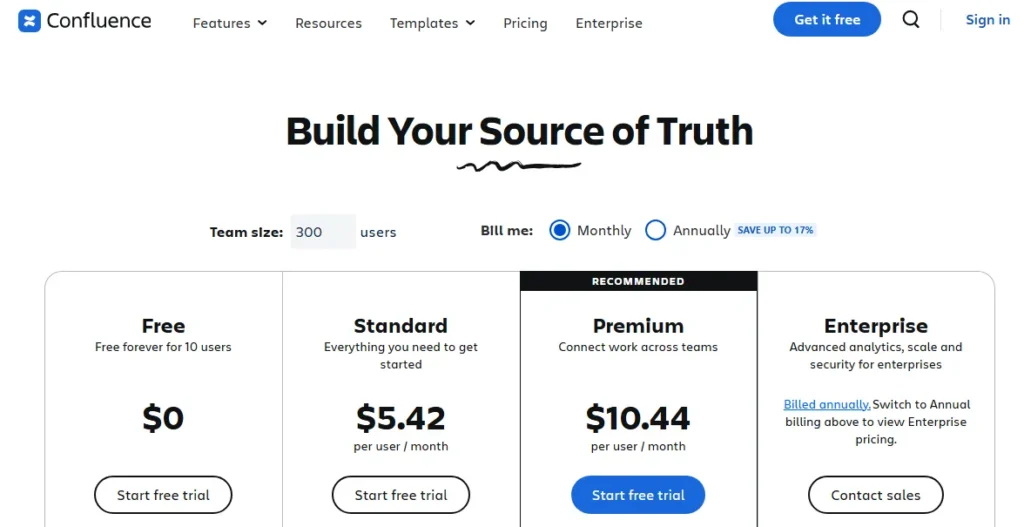
Official pricing shows a Free plan for up to ten users with 2GB storage and Community Support, with paid cloud pricing calculated by user count and billing selection. Pricing checked: July 2026 on Confluence’s official pricing page.
Because the paid price is generated dynamically, quote it for your exact seat count rather than from a comparison table.
The problem shows up at scale, not at signup. Confluence is a collaborative workspace, so information architecture is whatever your teams do to it, and after 2,000 pages “search is broken” usually means “governance was never assigned.”
| Pros | Cons |
|---|---|
| Free plan covers up to ten users with 2GB storage | Not a customer-facing help-center product |
| Deep Jira integration keeps specs, tickets, and decisions linked | Paid pricing is dynamic, so budget needs a live quote |
| Whiteboards, databases, templates, and automation in one workspace | Information architecture degrades without an assigned owner |
| Rovo search and AI capabilities on higher tiers | Rovo credits and indexed-object limits differ by tier |
- Setup difficulty:
- Low to start, high to govern.
- Verdict:
- Choose Confluence if Jira is already the system of record. Skip it if customers are the audience, and see the Confluence review before you assume the free tier scales.
9. Zendesk: Best for Scaling Omnichannel Customer Support
- Best for:
- 20 to 500 agent support operations that need knowledge, ticketing, messaging, routing, voice, and AI agents governed as one system.
- Not best for:
- documentation-only teams, and any organization that does not need omnichannel support infrastructure.
Zendesk earned this rank for the knowledge-to-ticket loop, not for its knowledge base in isolation. Agents answer from articles, gaps become tickets, and tickets become articles, which is the workflow that actually reduces repeat contacts.
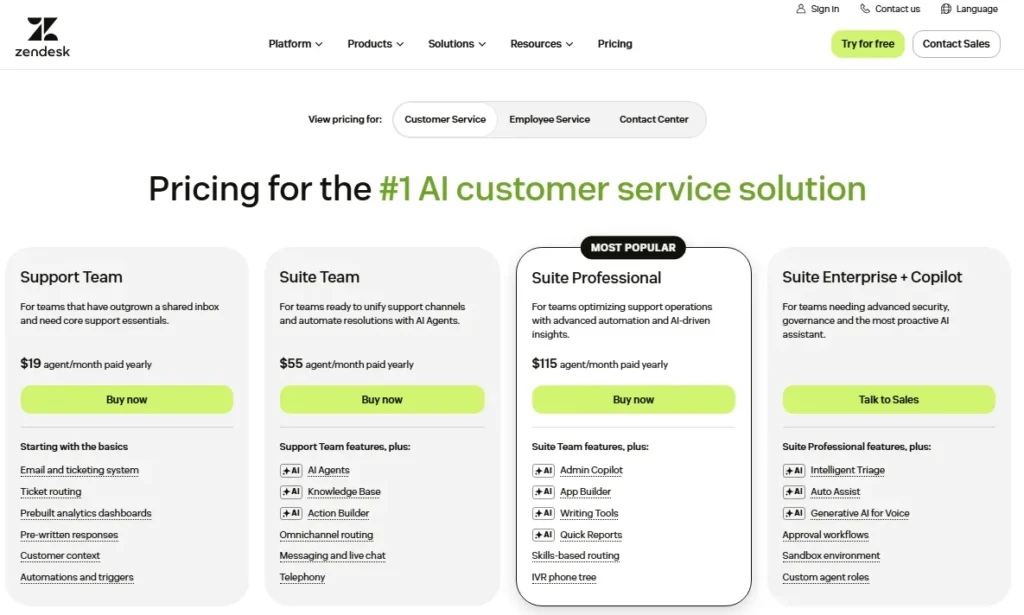
The catch is the entry point. Official pricing shows Suite Team, the lowest current plan carrying the Zendesk knowledge base, at $55 per agent per month billed yearly.
Pricing checked: July 2026 on Zendesk’s official pricing page. You cannot buy the help center on its own.
Add-ons move the real number. Copilot and Workforce Engagement are each listed at $50 per agent per month on annual billing, so a 25-agent team that wants AI assistance is budgeting $105 per agent, not $55.
| Pros | Cons |
|---|---|
| Knowledge base, ticketing, messaging, and AI agents in one suite | The knowledge base cannot be bought without the support suite |
| Suite Team includes AI agents at the entry tier | $55 per agent is a support-team price, not a docs-team price |
| Mature omnichannel routing and reporting for 100-plus agent teams | Copilot adds $50 per agent per month on annual billing |
| Help-center customization for large support organizations | Sandbox, custom roles, and advanced security sit on Enterprise |
- Setup difficulty:
- High. Routing, brands, roles, and article governance all need configuration.
- Verdict:
- Choose Zendesk if you are buying a support operation and the help center comes with it. Skip it if you only publish articles, because the Zendesk review shows how much ticketing engine you would never open.
10. Freshdesk: Best Value Help Desk with a Knowledge Base

- Best for:
- small support teams of three to 15 agents that want ticketing, a customer portal, and a knowledge base on one affordable invoice.
- Not best for:
- teams expecting a permanent free knowledge base, and buyers who want AI without a session meter.
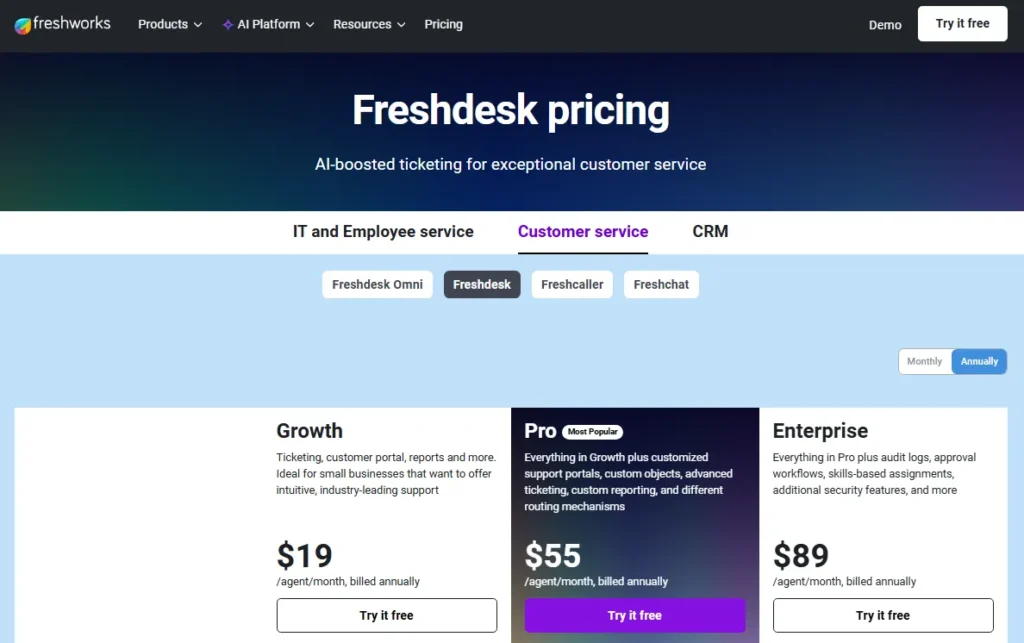
Freshdesk earned this rank on paid price per agent, the lowest of any full help desk here. Official pricing shows Growth at $19, Pro at $55, and Enterprise at $89 per agent per month on annual billing.
Pricing checked: July 2026 on Freshdesk’s official pricing page.
The free program is where buyers get caught. The current offer is $0 for one to two agents for six months, an onboarding promotion rather than a free tier, so budget for the paid plan now.
Freddy AI is metered by session. The AI Agent includes 500 sessions and then costs $49 per 100 sessions, predictable at low volume and uncomfortable at high volume.
Customized portals and advanced reporting require Pro at $55.
| Pros | Cons |
|---|---|
| $19 per agent on Growth is the cheapest full help desk here | The free program lasts six months, then ends |
| Knowledge base, customer portal, and ticketing on the entry paid plan | Customized portals and advanced reporting need the $55 Pro plan |
| Multilingual help desk supported | Freddy AI sessions cost $49 per 100 after 500 |
| 14-day trial exposes Enterprise features without a card | Documentation governance is thinner than a dedicated platform |
- Setup difficulty:
- Low to medium. Ticket fields and portal branding are the work.
- Verdict:
- Choose Freshdesk if you need a support desk and a help center for under $25 per agent, and our Freshdesk evaluation covers the automation limits. Skip it if documentation, not ticketing, is the product.
Ranks 11 to 15: Notion, Archbee, Slab, Tettra, and ProProfs
These five are the plan-gate specialists. Each one is inexpensive at the surface and each one hides a threshold that changes the invoice: seat minimums, tier jumps, or a second pricing model entirely.
11. Notion: Best Flexible Knowledge Workspace

- Best for:
- five-to-50-person startups and creative teams that want documents, databases, projects, and internal knowledge in one workspace they can shape themselves.
- Not best for:
- support organizations that need a branded customer help center, and any team without a documentation owner.
Notion earned this rank because flexibility is both the feature and the failure mode. Pages, databases, teamspaces, and an AI agent let a startup run its whole operating system in one tool, and the same freedom lets information architecture rot within a year.
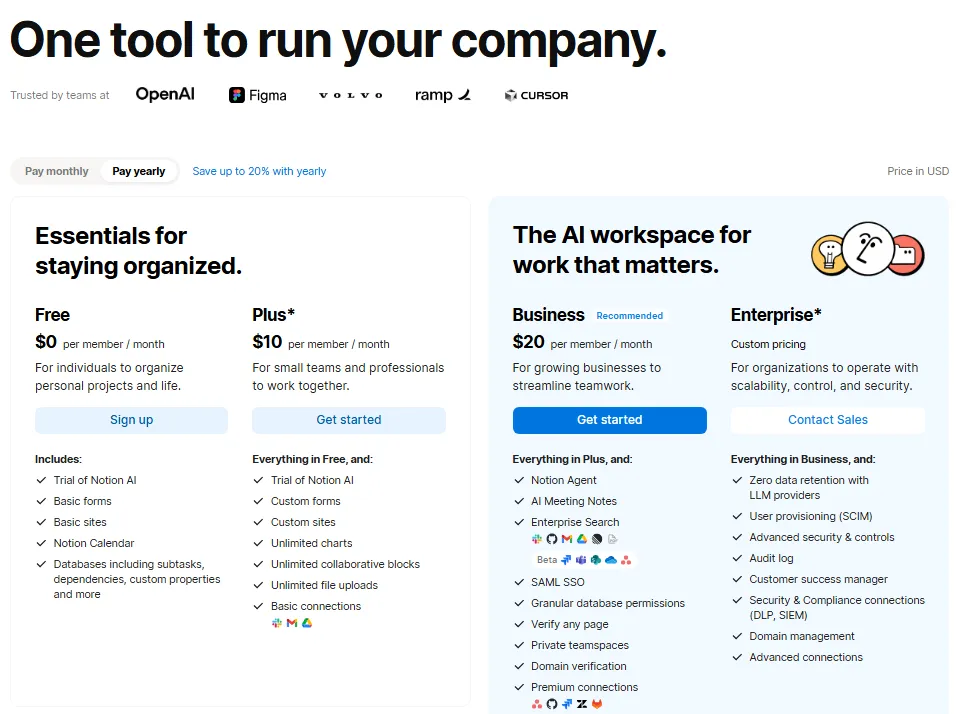
Official pricing shows Free, Plus at $10 per seat per month, and Business at $20 per seat per month. Pricing checked: July 2026 on Notion’s official pricing page.
Free limits team blocks and caps uploads at 5MB, so it works for a pilot and not for a company wiki.
Enterprise is where security buyers land, because SCIM, audit logs, domain management, and zero data retention with LLM providers all sit there. Lower tiers use 30-day AI retention, which is a question your security review will ask.
| Pros | Cons |
|---|---|
| One workspace for docs, databases, projects, and meeting notes | Free plan limits team blocks and caps uploads at 5MB |
| $10 per seat is affordable for a 20-person startup | Zero-retention LLM handling requires the Enterprise plan |
| Public publishing, API, and webhooks included | A governed customer help center takes heavy manual design |
| Enterprise search and AI agent across the workspace | Structure decays quickly without an assigned owner |
- Setup difficulty:
- Low to build, high to keep tidy.
- Verdict:
- Choose Notion if the wiki is one job among five and the team is under 50. Skip it if customers read the content, and see the Notion review for where the structure usually breaks.
12. Archbee: Best Unified Product and API Documentation Portal

- Best for:
- scaling SaaS companies that need product docs, API references, internal spaces, and public or private portals from one subscription with unlimited readers.
- Not best for:
- small internal-only teams that could run on a $6 to $10 per user wiki, and anyone who needs localization on the entry tier.
Archbee earned this rank because it collapses three documentation modes into one portal without charging per reader. Unlimited spaces, GitHub integration, document verification, and SEO or LLM optimization sit in the product, not in a plugin.
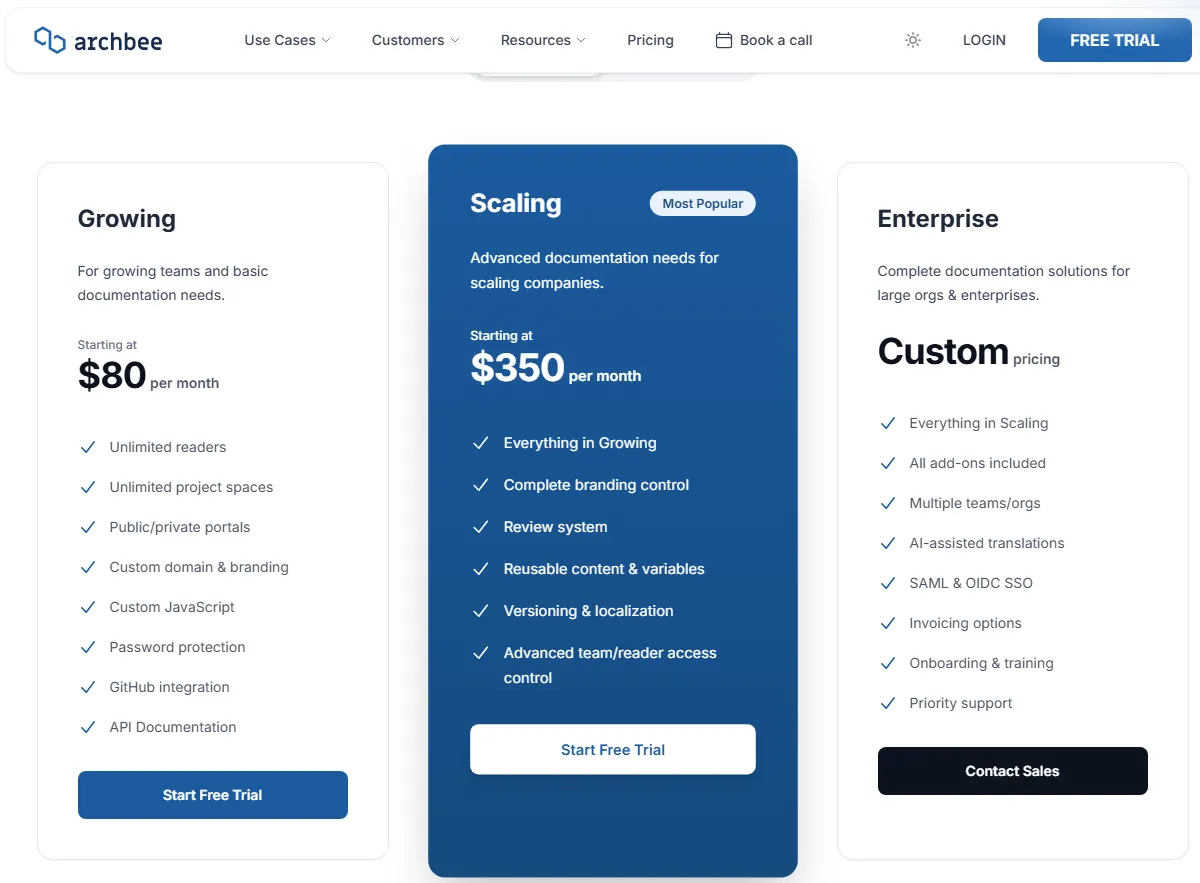
Official pricing shows Growing starting at $80 per month, Scaling at $350, and a custom Enterprise tier. Pricing checked: July 2026 on Archbee’s official pricing page.
The gap between those two numbers is the decision.
Growing lacks version links, localization, reusable variables, and some access controls, so the features a real documentation operation needs start at $350, not $80. AI usage above the plan allocation costs $1.20 per million tokens, and cloud-prem Enterprise starts at $100,000 per year with a three-year minimum.
| Pros | Cons |
|---|---|
| Unlimited readers on every plan, including private portals | Versioning, localization, and reusable content start at $350 Scaling |
| Public and private portals plus internal spaces in one product | AI overage costs $1.20 per million tokens above the allocation |
| GitHub integration and API documentation without a separate tool | Cloud-prem Enterprise carries a $100,000 yearly floor and a three-year term |
| Document verification and SEO or LLM optimization built in | SSO and AI translation require the Enterprise tier |
- Setup difficulty:
- Medium. Space structure and portal access rules need planning.
- Verdict:
- Choose Archbee if one portal must serve customers, partners, and engineers. Skip it if the $80 tier is your budget, because the tier you need is $350.
13. Slab: Best Simple Knowledge Base with Transparent Plan Gates
- Best for:
- ten-to-100-person teams that want a focused internal wiki with verification, unified search, and a price they can predict per seat.
- Not best for:
- customer help-center teams, and organizations with many read-only staff who should not consume a paid licence.
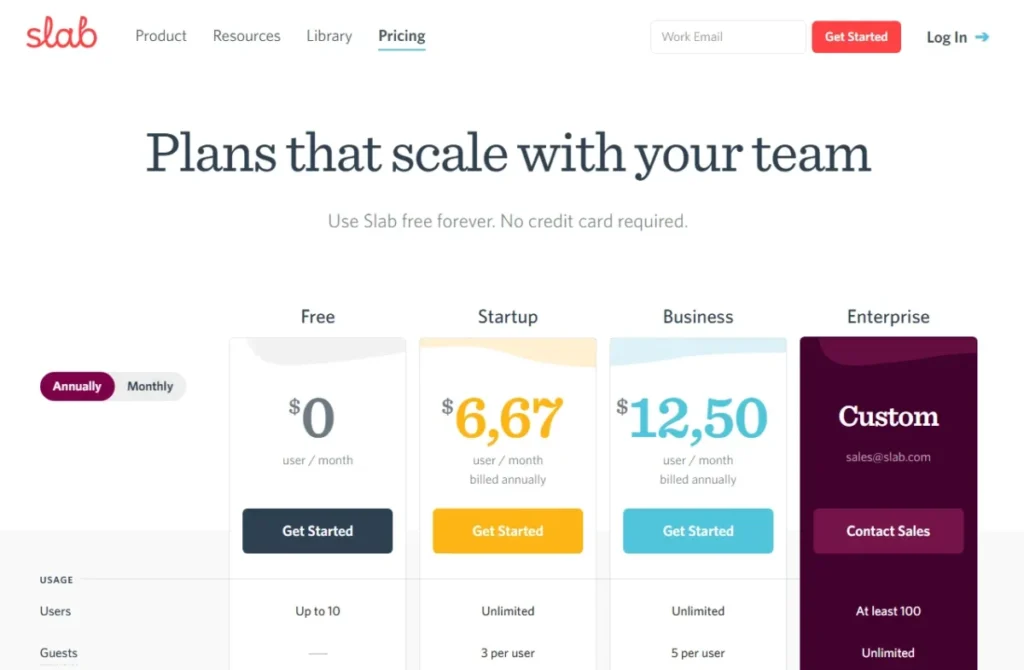
Slab earned this rank because its plan boundaries are unusually honest. Official pricing shows Free for up to ten users, Startup at $6.67 per user per month billed annually, and Business at $12.50.
Pricing checked: July 2026 on Slab’s official pricing page.
The disqualifier is a licence design choice, not a bug. Slab has no inherently read-only user type, so a 60-person company where only eight people write still pays for 60 seats.
The second gate is Business. SAML, SCIM, API, webhooks, custom domains, and AI Ask all sit there, and Enterprise requires at least 100 users, which quietly removes it from most midmarket shortlists.
| Pros | Cons |
|---|---|
| Free plan supports ten users with real functionality | No read-only user type, so every reader is a paid seat |
| $6.67 per user on Startup undercuts most wiki competitors | AI Ask, SAML, SCIM, API, and webhooks all require Business |
| Verification and unified search across integrated tools | Enterprise has a 100-user minimum |
| Clean posts-and-topics model that resists structure decay | No customer help-center publishing |
- Setup difficulty:
- Low. Topics and integrations configure quickly.
- Verdict:
- Choose Slab if writers and readers are roughly the same people and simplicity is the point. Skip it if 80 percent of your company only reads.
14. Tettra: Best for Slack-Centric Internal Knowledge

- Best for:
- ten-to-200-person operations, support, and HR teams that live in Slack and want repeated chat answers converted into owned, verified pages.
- Not best for:
- teams under ten people, public documentation teams, and buyers who expect SAML and SCIM in the entry plan.
Tettra earned this rank because it attacks the actual failure mode of internal knowledge: the same question answered in Slack forty times and written down zero times. The Slack bot, internal Q&A, AI answers, page verification, and stale or unowned content reports all point at that one problem.
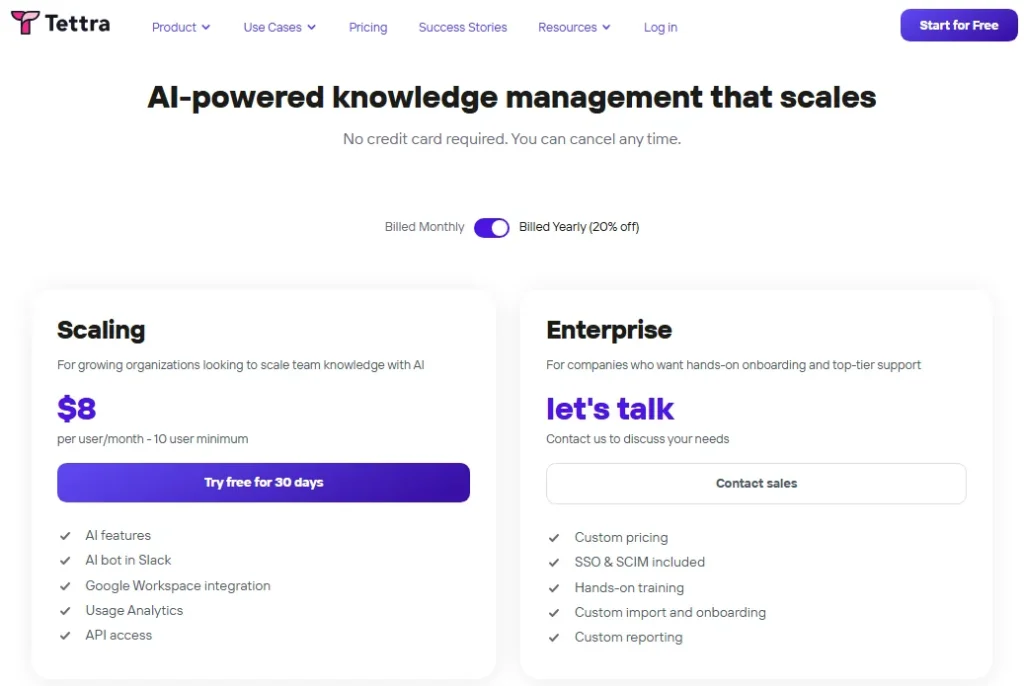
Official pricing shows Scaling at $8 per user per month billed yearly with a ten-user minimum, plus a custom Enterprise tier. Pricing checked: July 2026 on Tettra’s official pricing page.
Annual billing is described as 20 percent off, or two free months.
The ten-user minimum is the trap. A four-person team pays $80 per month, which is a $10 per user effective rate, not $8.
SAML SSO and SCIM are paid add-ons on Scaling and are only included with Enterprise.
| Pros | Cons |
|---|---|
| Slack-native capture turns repeat questions into owned pages | Ten-user minimum creates an $80 monthly floor |
| Stale-content and unowned-content reports keep the wiki honest | SAML SSO and SCIM cost extra below the Enterprise tier |
| AI answers and FAQ generation from existing content | No customer-facing help-center publishing |
| API access and Google Workspace integration on the entry plan | Enterprise is needed for migration help, training, and custom reporting |
- Setup difficulty:
- Low. The Slack integration does most of the onboarding work.
- Verdict:
- Choose Tettra if Slack is where knowledge is created and lost. Skip it if you have fewer than ten people, and the Tettra review covers the verification workflow in more depth.
15. ProProfs Knowledge Base: Best Low-Cost Large-Seat Internal Knowledge Base

- Best for:
- organizations that already have at least 50 employees and want cheap internal SOPs, policies, multilingual content, and search analytics behind a private wiki.
- Not best for:
- teams below 50 people, and anyone who reads a single starting price off the pricing page without checking which model it belongs to.
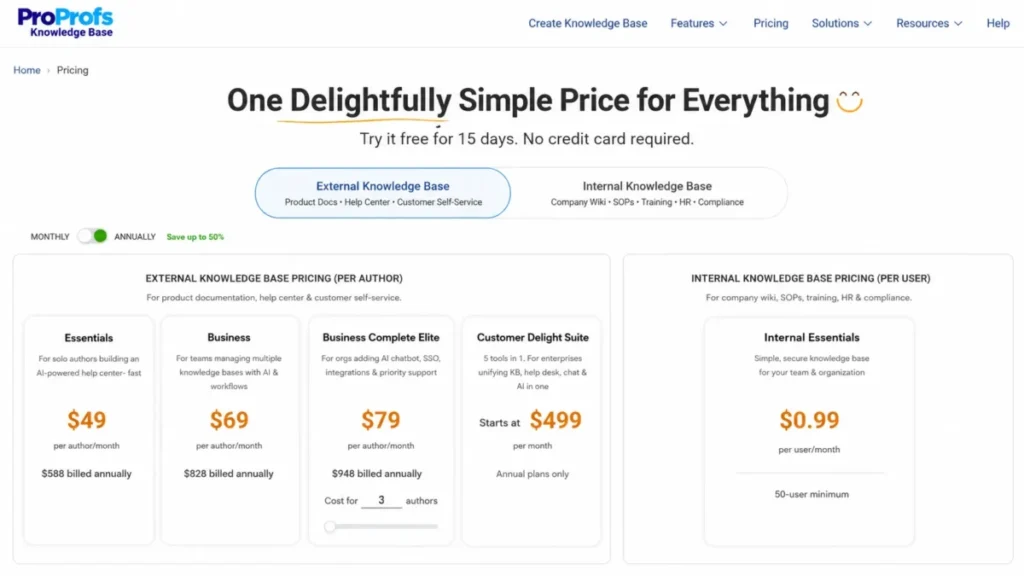
ProProfs earned this rank on effective cost per employee, and it has the most confusing pricing page here. Official pricing shows Internal Essentials at $0.99 per user per month billed annually with a 50-user minimum, alongside a separate external author-priced offering.
Pricing checked: July 2026 on the ProProfs Knowledge Base pricing page.
The 50-user minimum creates a $49.50 monthly floor. For a 200-person operations team that is about $198 per month for a private wiki, which no per-seat competitor here can match.
Do not carry that $0.99 figure into an external help-center comparison. The internal per-user model, the external per-author model, and the bundled suite are three products on one page, and quoting the wrong one is the most common mistake buyers make.
| Pros | Cons |
|---|---|
| $0.99 per user is the lowest internal-wiki rate in this ranking | 50-user minimum makes it unusable below 50 employees |
| AI writing, AI translation, and search analytics included | The pricing page mixes internal, external, and suite models |
| SSO, SCIM, audit, and workflows available on higher tiers | Internal Essentials limits sites and pages |
- Setup difficulty:
- Low to medium. Import and permissions are the main work.
- Verdict:
- Choose ProProfs if you have 50-plus employees and want the cheapest private wiki that still has analytics. Skip it if you are buying a customer help center on the $0.99 assumption, because that is not your plan.
Ranks 16 to 20: Intercom, Zoho Desk, ClickHelp, Bloomfire, and Nuclino
The bottom of this ranking is not a list of bad products. It is a list of products that are excellent for a narrow buyer and expensive mistakes for everyone else.
16. Intercom: Best for Fin-Powered Customer Support

- Best for:
- customer-support teams that want a public help center wired directly into Messenger, the inbox, tickets, and the Fin AI Agent.
- Not best for:
- documentation-only teams, and finance teams that cannot accept a per-outcome AI meter.
Intercom earned this rank on AI resolution, not documentation depth. Fin reads your help center and resolves conversations, which makes article quality a revenue lever rather than a support chore.
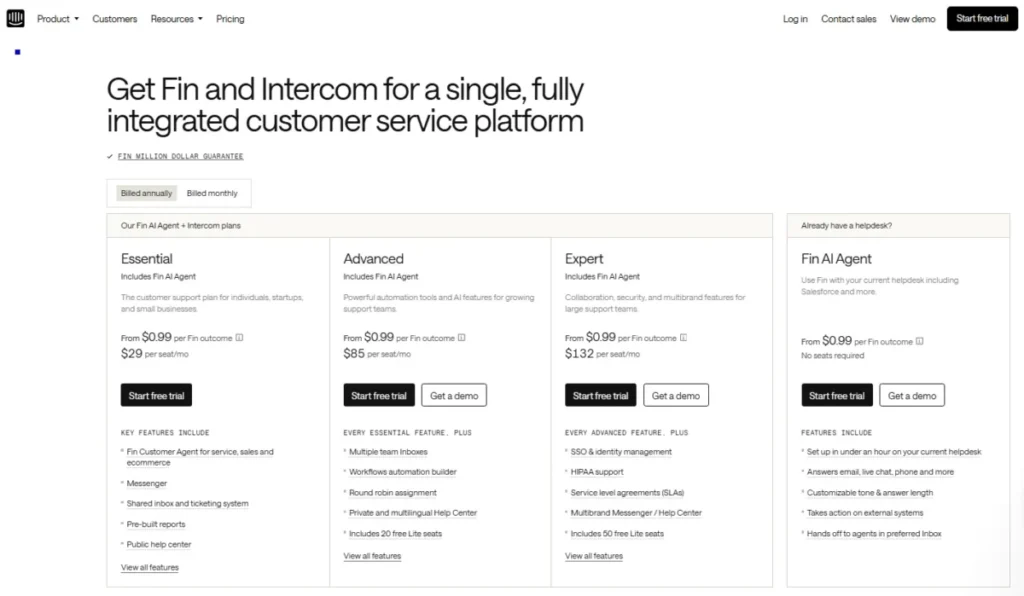
The pricing needs care. Official pricing shows Essential at a $19 per seat promotional annual price against a displayed $29 list price, with Advanced at $85 and Expert at $132 per seat in the calculator.
Pricing checked: July 2026 on Intercom’s official pricing page. Fin costs from $0.99 per outcome on top of seats.
The help-center gates catch buyers. Essential includes only a public help center.
Private and multilingual help centers require Advanced at $85, and multibrand help centers, SSO, HIPAA support, and SLAs require Expert at $132.
| Pros | Cons |
|---|---|
| Fin AI Agent resolves conversations directly from help-center content | Total cost combines seats and $0.99-plus per AI outcome |
| Help center, Messenger, inbox, and tickets in one workflow | Private and multilingual help centers need the $85 Advanced tier |
| $19 promotional seat price is the lowest entry in the help-desk group | Multibrand, SSO, and HIPAA support need the $132 Expert tier |
| Workflows and reporting built around AI resolution rates | The $19 price is a new-customer promotion, not the $29 list price |
- Setup difficulty:
- Medium. Fin quality depends entirely on how good the articles are.
- Verdict:
- Choose Intercom if deflection is a target you are measured against. Skip it if you need a private or multilingual portal on a small budget, and the Intercom review explains where the Fin economics turn.
17. Zoho Desk: Best for the Zoho Ecosystem

- Best for:
- small and midsize support teams already running Zoho CRM or Zoho Analytics that want low-cost ticketing plus a customer help center.
- Not best for:
- teams that want the simplest admin experience, and buyers who need advanced AI or multidepartment workflows on entry tiers.
Zoho Desk earned this rank on price-to-feature ratio inside an ecosystem. If Zoho holds your CRM data, the help center, suggested articles, and customer portal arrive with the contact record attached.
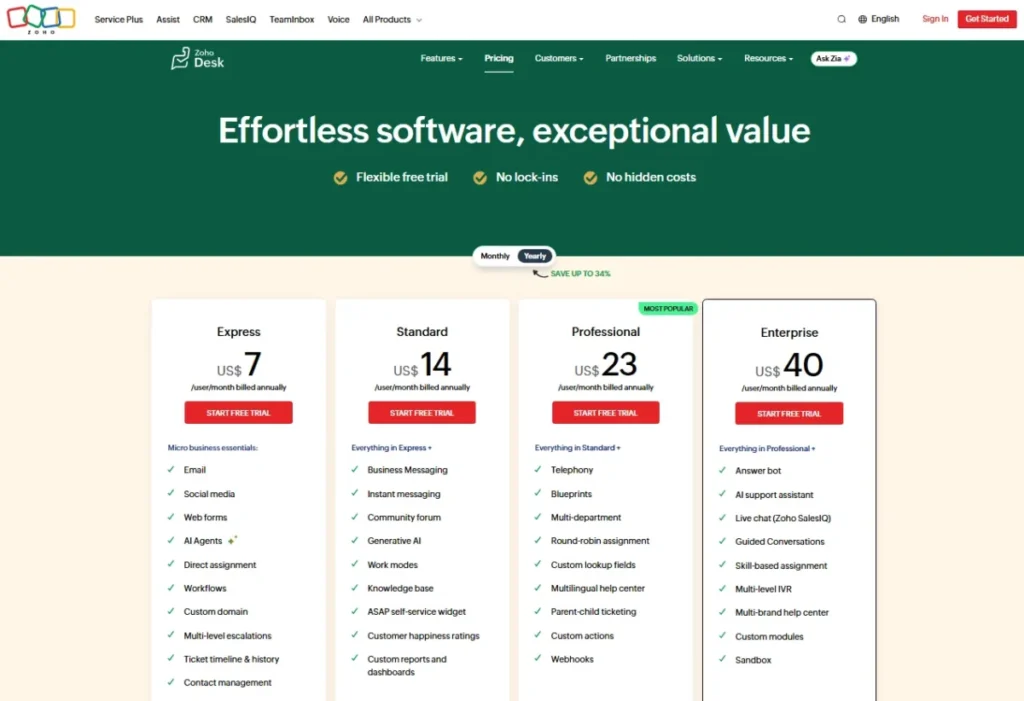
Pricing needs a caution flag. The official page localizes currency by visitor region and rendered in INR during research, so the US annual figures were corroborated from current independent sources at $7 Express, $14 Standard, $23 Professional, and $40 Enterprise per agent per month.
Pricing checked: July 2026 against Zoho Desk’s official pricing page. Recheck it from a US connection before you sign.
The free plan covers three agents, and Express is capped at five. A fuller help center starts at Standard, and multidepartment workflows, Zia AI, and live chat sit higher.
| Pros | Cons |
|---|---|
| Free plan for three agents with real ticketing | Pricing localizes by region, so the page may not show USD |
| Around $14 per agent for a Standard help center is the cheapest tier here | Express is capped at five agents |
| Native depth with Zoho CRM and Zoho Analytics | Advanced automation, AI, and live chat require higher editions |
| Suggested articles and a customer portal included | Review patterns call the admin experience dense for new users |
- Setup difficulty:
- Medium. The configuration surface is wide.
- Verdict:
- Choose Zoho Desk if the rest of the stack is already Zoho, and the Zoho Desk review covers the admin load. Skip it outside that ecosystem, because the overhead outweighs the saving.
18. ClickHelp: Best for Formal Technical Authoring Workflows

- Best for:
- technical-writing teams producing controlled manuals, product guides, API documentation, and multilingual portals under a formal review and permission process.
- Not best for:
- support teams that need a basic article editor, and buyers who expect AI and API access inside the base price.
ClickHelp earned this rank because it is a technical-authoring environment rather than a wiki with a public theme. Workflow states, review, permission management, reports, and hosted documentation portals are the product, not add-on modules.
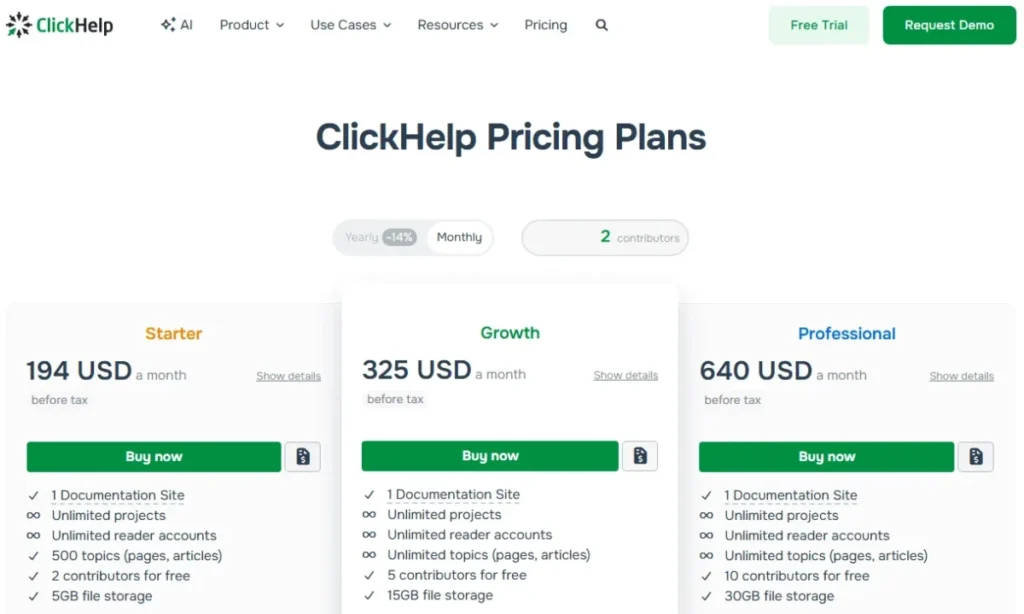
The price reflects that. The official annual pricing view showed Starter at $194 per month with two contributors, one site, 500 topics, and 5GB storage on July 11, 2026, on ClickHelp’s official pricing page.
The page uses a dynamic calculator, so recheck it visually before committing.
Add-ons are where the total lands. The AI Suite is listed at $300 per month, REST API and MCP at $132, enterprise security at $205, and Zendesk and Zapier integrations at $99 each, so an AI-enabled, API-connected ClickHelp deployment is a different budget conversation from $194.
| Pros | Cons |
|---|---|
| Built for formal technical authoring, review, and permissions | $194 entry price is high for simple support articles |
| Starter includes a full hosted documentation portal | AI Suite is a $300 monthly add-on |
| Multilingual portals and reporting for controlled documentation | REST API and MCP access cost $132 extra |
| 500 topics on the entry tier is a real content allowance | Enterprise security and support integrations are separately priced |
- Setup difficulty:
- High. Workflow states and permissions are the point, and they take design.
- Verdict:
- Choose ClickHelp if a technical writer owns the documentation and a review process is mandatory. Skip it if support agents are the authors, because you would pay for governance nobody will run.
19. Bloomfire: Best for Enterprise Knowledge Programs

- Best for:
- large departments and enterprise-wide knowledge programs that need AI-powered search, expertise capture, multiple communities, SSO, SCIM, and implementation consulting alongside the software.
- Not best for:
- small teams that need self-service pricing, and anyone whose requirement is a public product-documentation portal.
Bloomfire earned this rank because it is sold as a program, not a subscription. AI-powered search and discovery, collaborative authoring, expertise capture, multiple communities, role-based permissions, SSO, and SCIM are packaged with services rather than with a checkout button.
Pricing is not publicly disclosed. Official pricing describes Team and Department configurations with an annual fixed cost, and it states plainly that data migration and implementation services are additional fees.
Pricing checked: July 2026 on Bloomfire’s official pricing page. Treat this as a sales-led option and confirm the quote, including services, before shortlisting it.
That services line is the honest part and also the warning. If a vendor prices migration separately, migration is a project, and your budget needs a number for it before the software contract is signed.
| Pros | Cons |
|---|---|
| Enterprise knowledge program with implementation support included in scope | No public pricing at any tier |
| AI-powered search across a large, multi-community knowledge estate | Data migration and implementation carry separate fees |
| SSO, SCIM, and role-based permissions in the enterprise package | Wrong product for public product or API documentation |
| Expertise capture surfaces the people, not just the documents | Impossible to compare on cost without a detailed quote |
- Setup difficulty:
- High, and the vendor prices it that way.
- Verdict:
- Choose Bloomfire if a knowledge program has an executive sponsor and a services budget. Skip it if you are a 20-person team, because you would be buying consulting you do not need.

20. Nuclino: Best Lightweight Visual Knowledge Base

- Best for:
- two-to-25-person teams that want fast collaborative documents, visual boards and graphs, and a wiki running within an hour.
- Not best for:
- large knowledge programs that need governance, and any company with many read-only staff.
Nuclino earned this rank as the fastest thing here to stand up, and the least suitable thing here to scale. List, board, table, and graph views plus canvases make it feel closer to a thinking tool than a documentation platform.
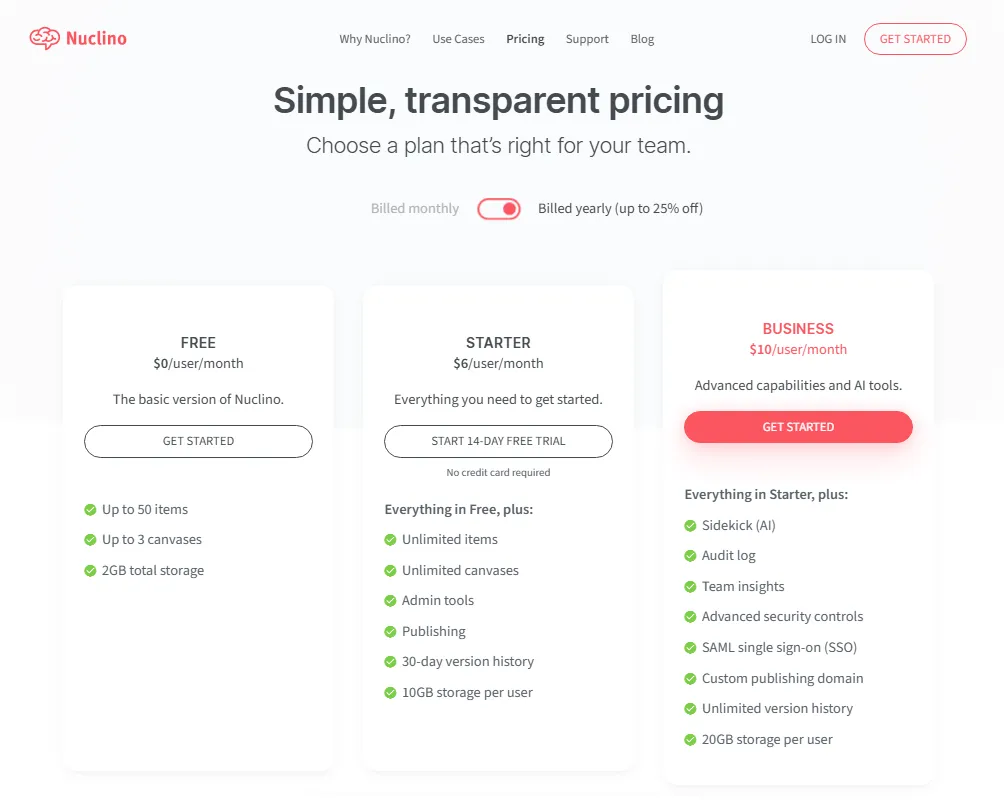
Official pricing shows a Free plan capped at 50 items, three canvases, and 2GB storage, with Starter at $6 per user per month and Business at $10 on annual billing. Pricing checked: July 2026 on Nuclino’s official pricing page.
Fifty items is a pilot, not a knowledge base.
The reader economics are the disqualifier. Nuclino’s pricing FAQ states that anyone who joins the team, including guests and read-only members, counts as a paid user, so a 100-person company with six writers pays for 100 seats.
| Pros | Cons |
|---|---|
| $6 per user is among the cheapest paid wikis in this ranking | Guests and read-only members count as paid users |
| Board, table, and graph views make structure visible | Free plan is capped at 50 items and three canvases |
| Web, desktop, and mobile apps with fast search | SAML, audit logs, and custom domains require Business |
| Starter adds unlimited items, publishing, and 30-day history | No customer help-center governance or approval workflow |
- Setup difficulty:
- Low. This is the lowest-friction product on the list.
- Verdict:
- Choose Nuclino if a small team needs a wiki today and nobody wants to configure anything, and the Nuclino review has the feature detail. Skip it if readers outnumber writers, because the seat model punishes growth.
Pricing Comparison: Starting Price vs Practical Tier
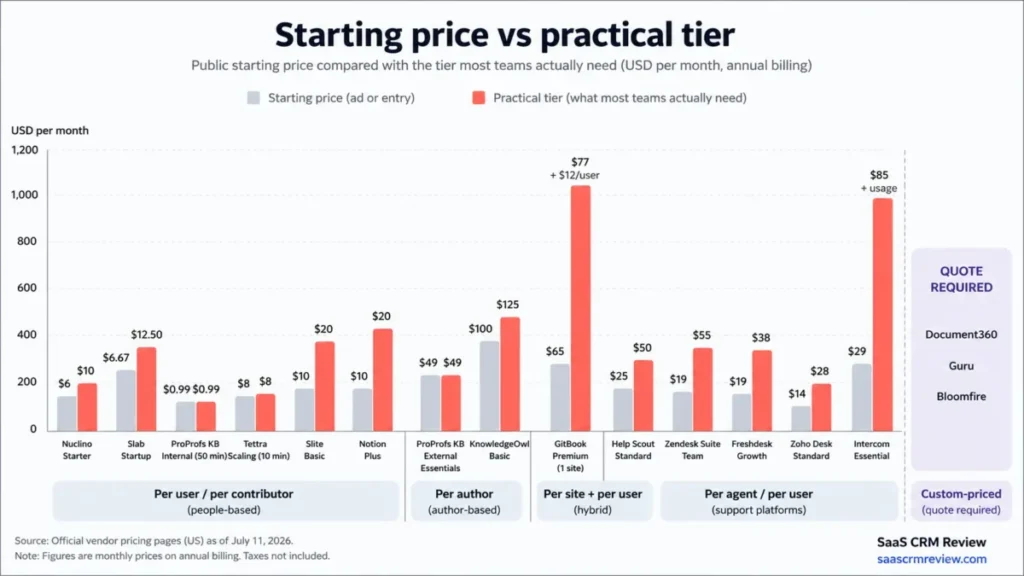
The starting price is the number vendors want you to remember. The practical tier is the first plan that actually contains the feature you came for, and the gap between them is where budgets break.
| Product | Billing unit | Starting price | Practical tier | Why the practical tier is higher | Main hidden cost |
|---|---|---|---|---|---|
| Document360 | Custom quote | Custom | Custom | Quote scales with editors, workspaces, languages, security, and AI | Add-ons for storage, users, translation, integrations |
| Helpjuice | Flat plan | $249/mo | $449/mo | AI suite starts on the $449 plan | Translation at $0.00015 per character over allowance |
| Slite | Per user | $10/ | $20/ | Pro adds the agent, cross-tool search, and fact-checking | Agent credits pooled at 50 per seat per month |
| Guru | Custom | Custom | Custom | Identities, controls, and AI usage all shape the quote | AI usage or credits inside the contract |
| KnowledgeOwl | Per author | $100/mo | $100/mo plus authors | Basic includes one author only | $25 per extra author, $50 per extra knowledge base |
| Help Scout | Per user | $0 | $25/ | Free stops at ten articles and one Docs site | $20 per extra Docs site, $0.75 per AI resolution |
| GitBook | Per site plus per user | $0 | $65/ | Team collaboration, AI search, and custom domain start on Premium | Ultimate at $249/ |
| Confluence | Per user | $0 | Quote by seat count | Free caps at ten users and 2GB | Rovo credits and indexed-object limits by tier |
| Zendesk | Per agent | $55/ | $55/ | Suite Team is the lowest plan with the knowledge base | Copilot at $50 per agent per month |
| Freshdesk | Per agent | $0 for six months | $19/ | Free program is time-limited | Freddy AI at $49 per 100 sessions after 500 |
| Notion | Per seat | $0 | $10/ | Free limits team blocks and 5MB uploads | Enterprise required for zero-retention AI handling |
| Archbee | Flat plan | $80/mo | $350/mo | Versioning, localization, and reusable content need Scaling | $1.20 per million AI tokens over allocation |
| Slab | Per user | $0 | $6.67/ | Free caps at ten users | Business required for AI Ask, SAML, SCIM, and API |
| Tettra | Per user | $8/user/mo | $8/user/ | Ten-user minimum applies regardless of team size | SAML SSO and SCIM as paid add-ons |
| ProProfs Knowledge Base | Per user | $0.99/ | $0.99/ | 50-user minimum applies | Separate external author-priced model |
| Intercom | Per seat plus AI outcome | $19/ | $85/ | Private and multilingual help centers need Advanced | Fin from $0.99 per outcome |
| Zoho Desk | Per agent | $0 for three agents | About $14/ | Express is capped at five agents | Region-localized pricing, verify in USD |
| ClickHelp | Flat portal | $194/mo | $194/mo plus add-ons | AI, API, and security are not in the base plan | AI Suite $300, REST API and MCP $132, security $205 |
| Bloomfire | Custom annual | Custom | Custom | Scope is set by communities, security, and services | Migration and implementation billed separately |
| Nuclino | Per user | $0 | $6/user/mo | Free caps at 50 items | Guests and read-only members billed as users |
Every price above was checked on July 11, 2026, in USD, for the US market. Prices marked promotional or custom will not hold, and two of them (ClickHelp’s calculator and Zoho’s regional page) render dynamically and should be re-verified visually before you sign anything.
What This Actually Costs at 5, 25, and 100 Contributors
None of the top-ranking articles for this keyword run this calculation, which is why buyers keep arriving at demos with the wrong budget. The figures below use only publicly verified prices on annual billing, and they count contributors, not readers.
| Product | 5 contributors | 25 contributors | 100 contributors | Notes |
|---|---|---|---|---|
| Nuclino Starter | $30/mo | $150/mo | $600/mo | Every reader also consumes a seat |
| Slab Startup | $33/mo | $167/mo | $667/mo | Enterprise requires 100 users |
| ProProfs Internal Essentials | $49.50/mo | $49.50/mo | $99/mo | 50-user minimum sets the floor |
| Tettra Scaling | $80/mo | $200/mo | $800/mo | 10-user minimum sets the floor |
| Slite Basic | $50/mo | $250/mo | $1,000/mo | Pro doubles it to $100, $500, and $2,000 |
| Notion Plus | $50/mo | $250/mo | $1,000/mo | Business doubles it |
| GitBook Premium (1 site) | $125/mo | $365/mo | $1,265/mo | $65 site fee plus $12 per collaborator |
| Helpjuice | $249/mo | $249/mo | $449/mo | 30 users included, then the $449 plan |
| KnowledgeOwl Basic | $200/mo | Quote required | Quote required | $100 plus $25 per author beyond the first |
| Archbee Growing | From $80/mo | Quote required | Quote required | Team-size inputs change the price |
| ClickHelp Starter | Higher tier required | Quote required | Quote required | Starter includes two contributors |
| Zendesk Suite Team | $275/mo | $1,375/mo | $5,500/mo | Billed per support agent, not per author |
| Freshdesk Growth | $95/mo | $475/mo | $1,900/mo | Billed per support agent |
| Zoho Desk Standard | $70/mo | $350/mo | $1,400/mo | Per agent, verify USD from a US connection |
| Help Scout Standard | $125/mo | $625/mo | $2,500/mo | Per user, includes the support platform |
| Intercom Essential | $95/mo | $475/mo | $1,900/mo | Promotional seat price, plus Fin outcomes |
| Document360, Guru, Bloomfire | Quote required | Quote required | Quote required | No public entry price to model |
Confluence is missing from that table on purpose. Its paid cloud price is calculated dynamically by seat count, so any figure printed in a comparison article is a guess, and I will not print a guess.
Read the 100-contributor column and the ranking rearranges itself. ProProfs at $99 and Nuclino at $600 are not the same class of product, but Zendesk at $5,500 is not competing with either of them, because those 100 people are agents running a support operation, not writers maintaining a wiki.
Pricing Traps and Minimum Commitments
Four products in this ranking will invoice you for people who do not exist. That is not a criticism, it is a contract term, and it is invisible on every comparison table currently ranking for this keyword.
| Product | Minimum commitment | Minimum public monthly bill | Who this hurts |
|---|---|---|---|
| Tettra | 10 users on Scaling | $80/mo on annual billing | A 4-person ops team pays for 10 |
| ProProfs Knowledge Base | 50 users on Internal Essentials | $49.50/mo on annual billing | Any company under 50 employees |
| Slab | 100 users on Enterprise | Not published | A 60-person company needing SAML must sit on Business |
| Archbee | Cloud-prem starts at $100,000/ | $100,000/yr | Anyone assuming self-hosting is a cheap option |
| KnowledgeOwl | 1 author included, $25 each after | $100/mo | Author-heavy documentation teams |
| Helpjuice | Flat $249/mo | $249/mo | Teams with two or three writers |
| ClickHelp | 2 contributors on Starter | $194/mo | A single technical writer overpays |
The rule I would give any buyer here: ask for the minimum invoice, not the unit price. A $0.99 per user rate and a $49.50 floor are the same sentence, and only one of them is on the pricing page in large type.
AI Features and Hidden Usage Costs
Every product here markets AI. Six of them meter it, and they use six units that cannot be converted into each other.
Anyone who prints a single “cost per AI answer” comparison for this category is making the number up.
| Product | AI billing unit | Included allowance | Public overage price | Spend cap available | Plan required |
|---|---|---|---|---|---|
| Slite | Pooled agent credits | 50 credits per seat per month | Not published | Not published | Pro at $20/ |
| Help Scout | Per AI Answers resolution | Trial allowance | $0.75 per resolution | Yes, user-controlled | Any paid plan |
| Freshdesk | Freddy AI Agent sessions | 500 sessions | $49 per 100 sessions | Not published | Freddy AI add-on |
| Intercom | Per Fin outcome | None | From $0.99 per outcome | Not published | Any plan |
| Archbee | AI tokens | 20M, 40M, or 100M per month by plan | $1.20 per million tokens | Not published | Any paid plan |
| GitBook | Successful Assistant answers | 500 on Ultimate | Not published | Not published | Ultimate at $249/ |
| KnowledgeOwl | AI credits | 100 on Basic, 500 on Pro | Not published | Not published | Any paid plan |
| Helpjuice | Translated characters | Included allowance | $0.00015 per character | Not published | AI suite on $449 |
| Zendesk | Per agent add-on | Not usage-based | $50 per agent per month | Fixed by seat | Copilot add-on |
| Document360, Guru, Bloomfire | Inside the quote | Not published | Not published | Negotiable | Custom |
Help Scout is the only product on this list that pairs a published rate with a user-controlled spending cap, which is the combination a finance team can actually approve. Intercom’s per-outcome model is the opposite: it scales with success, which is defensible commercially and genuinely hard to forecast.
If AI is a requirement, ask three questions in the demo. What is the unit, what happens when the allowance runs out, and can I set a hard cap.
Free Plans and Where They Stop
“Has a free plan” is the least useful column in this category. What matters is the ceiling you will hit and how much content you will have built by then.
| Product | Free plan | Hard ceiling | Does the free offer expire |
|---|---|---|---|
| Help Scout | Yes | 5 users, 1 Inbox, 1 Docs site, 10 articles | No |
| GitBook | Yes | 1 site, 1 user | No |
| Confluence | Yes | 10 users, 2GB storage, Community Support | No |
| Notion | Yes | Team block limits, 5MB uploads | No |
| Slab | Yes | 10 users, limited integrations | No |
| Nuclino | Yes | 50 items, 3 canvases, 2GB | No |
| Zoho Desk | Yes | 3 agents, basic ticketing | No |
| Freshdesk | Program | 1 to 2 agents | Yes, after six months |
| ProProfs Knowledge Base | Promotional | Verify limits for the selected package | Verify |
| Slite | No | 14-day trial only, free plan removed June 2026 | Trial |
| Document360, Helpjuice, Archbee | No | 14-day trial | Trial |
| KnowledgeOwl, Tettra | No | 30-day trial | Trial |
| Zendesk, Intercom, ClickHelp | No | Trial only | Trial |
| Guru, Bloomfire | Not published | Not published | Not published |
Ten articles on Help Scout and 50 items on Nuclino are the two ceilings that catch people, because both are reachable in a fortnight of honest documentation work. Confluence’s ten-user free plan is the most usable free tier here for an internal wiki, and GitBook’s single-site free plan is the most usable for a public docs site.
Access, Audience, and Security Plan Gates
Access control is architecture, not a checkbox. Deciding who reads what determines the plan you buy far more often than any feature does.
| Product | Public site | Private or authenticated readers | Multi-brand or multi-site | SSO or SCIM tier |
|---|---|---|---|---|
| Document360 | Yes | Yes, internal and external | Workspaces in the quote | In the quote |
| Helpjuice | Yes | Internal knowledge base included | Verify per plan | Verify with vendor |
| KnowledgeOwl | Yes | Unlimited readers with granular reader groups | $50 per extra knowledge base | Higher tiers |
| Slite | No public help center | Internal only | Not applicable | Enterprise |
| Guru | Not a public docs portal | Permission-aware internal retrieval | Communities in the quote | In the quote |
| Help Scout | Yes, Docs sites | Private Docs needs API work | 2 to 5 sites by plan, $20 each after | Higher plans |
| GitBook | Yes | Authenticated access on Ultimate | Priced per site | Higher plans |
| Confluence | Internal-first | Yes, space permissions | Not a multi-brand product | Standard and above |
| Zendesk | Yes | Yes | Suite tiers, verify on the pricing page | Enterprise |
| Freshdesk | Yes | Yes | Customized portals need Pro | Higher editions |
| Notion | Yes, public publishing | Teamspace permissions | Not a multi-brand product | Enterprise for SCIM and audit logs |
| Archbee | Public and private portals | Unlimited readers | Unlimited spaces | Enterprise for SSO |
| Slab | No | Private topics on Startup | Not applicable | Business for SAML and SCIM |
| Tettra | No | Internal only | Not applicable | Add-on on Scaling, included on Enterprise |
| ProProfs | Yes | Private wiki | Sites limited on Essentials | Business and above |
| Intercom | Yes on Essential | Private help center on Advanced | Multibrand on Expert | SSO and HIPAA on Expert |
| Zoho Desk | Yes | Yes | Departments on higher editions | Higher editions |
| ClickHelp | Yes | Permission management included | One site on Starter | Enterprise security add-on at $205 |
| Bloomfire | Not a public docs portal | Role-based permissions | Multiple communities | SSO and SCIM in the enterprise package |
| Nuclino | Publishing on Starter | Read-only members are paid seats | Custom domain on Business | SAML on Business |
If your security review requires SAML and SCIM, the cheapest qualifying plan is the only price that matters. That single requirement moves Slab from $6.67 to $12.50 per user, moves Tettra onto a paid add-on or Enterprise, and moves Notion to a custom Enterprise quote.
Plan Limits That Matter
Teams outgrow knowledge base plans because of content shape, not headcount. These are the ceilings that force an upgrade even when nobody new joins.
| Product | Content ceiling on the entry paid tier | Version history | Analytics retention |
|---|---|---|---|
| KnowledgeOwl Basic | 1,000 articles, 1 knowledge base | Versioning and review statuses included | 45 days, rising to 90 on Pro |
| Help Scout Free | 10 articles, 1 Docs site | Not published | Not published |
| Nuclino Starter | Unlimited items | 30 days, unlimited on Business | Not published |
| ClickHelp Starter | 500 topics, 1 site, 5GB | Included in the authoring workflow | Reports included |
| Confluence Free | 2GB storage | Tier-dependent | Tier-dependent |
| GitBook Premium | Priced per site | Git history in your repo | Analytics on Premium |
| Archbee Growing | Unlimited spaces | Version links require Scaling | Not published |
| ProProfs Internal Essentials | 1 site, 300 pages | Not published | Search analytics included |
| Slab Startup | Unlimited posts | Included | Business for deeper reporting |
| Slite Basic | Unlimited docs | Included | Pro for workflows |
The two limits I would check before signing are article caps and analytics retention. A 1,000-article cap sounds generous until a five-year-old support library is imported, and 45 days of analytics is not long enough to prove that a documentation program is working.
Multilingual Knowledge Bases and What Translation Actually Costs
Language support is sold as a feature and delivered as a meter. Three products in this ranking publish a translation price, and the rest fold it into a tier or a quote.
| Product | Multilingual support | Published translation cost | Plan required |
|---|---|---|---|
| Helpjuice | Auto-translation | $0.00015 per processed character over the allowance | Included allowance, then usage |
| GitBook | Automatic translations | Word-based charge on lower plans | Premium and above |
| Archbee | Localization | AI translation on Enterprise | Localization starts on $350 Scaling |
| Intercom | Multilingual help center | Not published | Advanced at $85 per seat |
| Document360 | Multiple languages | In the quote | Custom |
| ProProfs | AI translation | Not published | Included in listed plans |
| Zendesk, Freshdesk, Zoho Desk | Multilingual help desk | Not published | Higher editions vary |
| KnowledgeOwl, ClickHelp | Multilingual portals | Not published | Verify per plan |
| Slite, Slab, Tettra, Nuclino, Notion, Confluence | Not a localization workflow | Not applicable | Not applicable |
Helpjuice’s published rate is $0.00015 per processed character, and it is the only translation price any vendor here publishes. Measure your own library and multiply: at 500,000 characters a full pass costs $75 per language, and the same bill lands again every time the source articles change.
That recurrence is the part buyers miss. Translation is not a launch cost, it is a maintenance cost, and it scales with how often your product ships.
Multi-Brand and Multi-Site Economics
One brand is the assumption behind almost every entry plan in this category. Agencies, holding companies, and SaaS portfolios pay for that assumption.
| Product | Sites or portals included on the entry paid plan | Cost of an extra site |
|---|---|---|
| Help Scout | 2 Docs sites on Standard | $20 per month on annual billing |
| KnowledgeOwl | 1 knowledge base on Basic | $50 per month |
| GitBook | Priced per site | $65 per site on Premium, $249 on Ultimate |
| ClickHelp | 1 site on Starter | Higher tier required |
| ProProfs | 1 site on Internal Essentials | Higher tier required |
| Archbee | Unlimited spaces | Included |
| Intercom | 1 help center on Essential | Multibrand requires Expert at $132 per seat |
| Document360 | Workspaces scoped in the quote | In the quote |
Archbee is the outlier worth noticing: unlimited spaces and unlimited readers on a flat plan makes it the cheapest way to run four product portals, provided you are already paying for the $350 Scaling tier that has the versioning you will need anyway.
Standalone Knowledge Base vs Help Desk Bundle
Five products in this ranking do not sell a knowledge base. They sell a support platform that contains one, and you cannot buy the half you want.
| Product | Can you buy the knowledge base alone | Lowest plan carrying a usable help center | What else you are buying |
|---|---|---|---|
| Zendesk | No | Suite Team at $55 per agent | Ticketing, messaging, voice, routing, AI agents |
| Freshdesk | No | Growth at $19 per agent | Ticketing, workflows, reports |
| Help Scout | No | Free, then Standard at $25 per user | Shared inbox, live chat, Beacon |
| Intercom | No | Essential at $19 per seat promotional | Messenger, inbox, tickets, Fin |
| Zoho Desk | No | Standard at about $14 per agent | Ticketing, portal, Zoho integrations |
Run the test in one line: if you removed the ticketing engine tomorrow, would the purchase still make sense. If yes, buy a standalone documentation platform and stop paying an agent licence for a writer.
If no, then the bundle is fair value and you should be comparing these five against the wider help desk software options rather than against a wiki.
The reverse mistake is just as expensive. A 40-agent support team that buys Helpjuice for $249 has a lovely help center and no way to turn a failed search into a ticket, which is the workflow that actually closes the knowledge gap.
Best Knowledge Bases for Product and API Documentation
Developer documentation is not a longer support article. It has version branches, code samples, an API reference, and a release cadence tied to engineering, and a general wiki has none of those things.
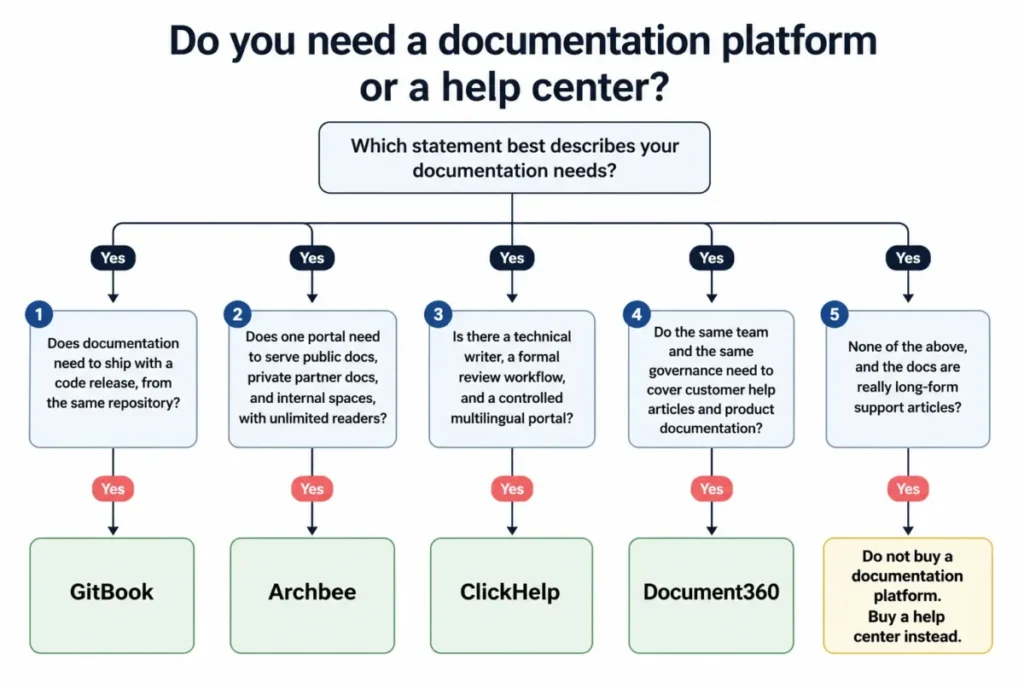
Use this decision path.
- Does documentation need to ship with a code release, from the same repository? Choose GitBook.
- Does one portal need to serve public docs, private partner docs, and internal spaces, with unlimited readers? Choose Archbee, budgeting for the $350 Scaling tier.
- Is there a technical writer, a formal review workflow, and a controlled multilingual portal? Choose ClickHelp, adding the $132 REST API and MCP add-on if the docs must be programmatically maintained.
- Do the same team and the same governance need to cover customer help articles and product documentation? Choose Document360.
- None of the above, and the docs are really long-form support articles? Do not buy a documentation platform. Buy a help center.
Knowledge Governance and AI Reliability
AI search is the headline feature in this category and the least interesting one, because every product now has it. The question that separates these twenty products is what stops the AI from citing a document nobody has owned since 2023.
Here is the maturity ladder I would score any shortlist against.
| Level | Capability | Products that reach it |
|---|---|---|
| 1 | Publish and search | Every product in this ranking |
| 2 | Scheduled review reminders | Notion, Confluence, Nuclino, ProProfs |
| 3 | Named owner and explicit verification | Slite, Slab, Tettra, Archbee, KnowledgeOwl |
| 4 | Approval workflow before publish | Document360, ClickHelp, KnowledgeOwl |
| 5 | Stale and unowned content reporting | Tettra, Guru |
| 6 | Governed retrieval across other systems, permissions respected | Guru, Bloomfire |
Level 3 is the floor for any team letting an AI answer customers. Verification means a human name and a date are attached to the answer, which is the difference between an AI assistant and an automated rumour mill.
Slite and Tettra are the two products that treat this as the product rather than as a settings page, and Slite’s strengths and limitations are worth reading against your own review cadence. If your content already lives in five systems, the Guru review covers the permission-aware retrieval model that a single repository cannot replicate.
Analytics and Content Improvement
Page views tell you nothing you can act on. Failed searches tell you exactly what to write next, and only some of these products will show them to you.
| Product | Failed-search reporting | Article feedback | Retention window |
|---|---|---|---|
| Helpjuice | Yes, a headline feature | Yes | Not published |
| KnowledgeOwl | Search analytics published per tier | Yes | 45 days on Basic, 90 on Pro |
| ProProfs | Search analytics included | Yes | Not published |
| Help Scout | Docs reporting on paid plans | Yes | Not published |
| Zendesk, Freshdesk, Intercom, Zoho Desk | Support-side reporting by tier | Yes | Varies by edition |
| Slab | Deeper reporting on Business | Not published | Not published |
| Slite, Tettra, Guru | Content health and verification reporting | Not published | Not published |
| Notion, Confluence, Nuclino, GitBook, Archbee, ClickHelp | Analytics vary by tier | Varies | Not published |
Helpjuice and KnowledgeOwl are the two products that publish enough detail here for a buyer to plan a content program. Retention length is the sleeper issue: 45 days of history cannot show a quarterly trend, which is exactly the chart your executive sponsor will ask for.
Integrations and API Access
Logo walls are not integration strategies. What matters is whether the connection is native, whether the API is included, and whether you are about to pay for a bridge.
| Product | Native integrations | API access | Paid gate |
|---|---|---|---|
| Guru | 100-plus enterprise integrations including Slack, Salesforce, Zendesk, SharePoint | In the quote | Custom |
| Slite | Cross-tool search on Pro, plus MCP and API | Included | Pro |
| Slab | Unified search across integrated tools | API and webhooks on Business | Business |
| Tettra | Slack and Google Workspace | Included on Scaling | None |
| GitBook | GitHub and GitLab sync | Included | Premium for team features |
| Archbee | GitHub integration | Included | None on paid plans |
| ClickHelp | Zendesk and Zapier | REST API and MCP as a $132 add-on | Paid add-on |
| Notion | API and webhooks | Included | None |
| Zendesk, Freshdesk, Intercom, Zoho Desk | Deep support-stack integrations | Included by edition | Edition-dependent |
ClickHelp is the one to watch here. A documentation platform that charges $132 per month for REST API access is fine if you never automate publishing, and a problem the moment you want a CI pipeline to push docs.
Setup and Migration Difficulty
| Product | Setup difficulty | Why |
|---|---|---|
| Nuclino, Slab, Slite | Low | Minimal configuration, no permission architecture to design |
| Tettra, Help Scout, Notion | Low to medium | Slack, inbox, or workspace setup rather than portal design |
| Freshdesk, ProProfs, KnowledgeOwl | Medium | Portal branding, imports, and reader groups |
| Helpjuice, GitBook, Archbee | Medium | Theming, Git workflow, or space architecture |
| Document360, Confluence at scale | Medium to high | Category architecture, reviewer roles, and workspace design |
| Zendesk, ClickHelp, Guru, Bloomfire | High | Routing, workflow states, source connections, or an implementation project |
The number to plan around is not setup time, it is the first content review cycle. A knowledge base that launches clean and is never reviewed is a knowledge base that will be quietly abandoned within nine months.
Migration and Vendor Lock-In
Every buyer in this category plans the move in and nobody plans the move out. Ask these questions before the contract, not after the renewal.
| Product | Migration help documented | Exit signal |
|---|---|---|
| KnowledgeOwl | Migration assistance offered | Publishes plan limits and add-on costs openly |
| Bloomfire | Yes, priced as a separate service | Migration is a paid project, so budget for it twice |
| Tettra | Migration, imports, and training on Enterprise | Below Enterprise you migrate yourself |
| Document360 | Add-ons and plan changes documented | Downgrading reduces features, users, and storage per official docs |
| GitBook | Git sync | Lowest lock-in here: the content already lives in your repository |
| Archbee | GitHub integration | Content is portable if you use the Git workflow |
| Everyone else | Not publicly documented in detail | Ask for the export format in writing |
GitBook has the strongest exit story in this ranking and it is not a feature, it is an architecture. If your documentation is in a repository, changing vendors is a build-pipeline change rather than a content-recovery project.
The renewal question I would put in every contract file: if we cancel in month 13, what exactly do we get back, in what format, and who does the work.
Which Knowledge Base Tool Should You Avoid?
No product on this list is bad. The best knowledge base software for one buyer is the wrong purchase for another, so here is the disqualifier for each.
| Product | Skip it if |
|---|---|
| Document360 | You need a price on a page and a workspace running this week |
| Helpjuice | Your team has fewer than ten authors and $249 a month is real money |
| Slite | Customers need to read the content, or you were counting on a free plan |
| Guru | Your knowledge already lives in one place and consolidating is not the problem |
| KnowledgeOwl | You have ten writers, because the $25 per author fee reshapes the invoice |
| Help Scout | Documentation is the product and ticketing is not |
| GitBook | Your authors are support agents rather than engineers |
| Confluence | You need a branded public help center, not an internal workspace |
| Zendesk | You do not run a support operation and never will |
| Freshdesk | You expected the free plan to be permanent |
| Notion | Nobody owns the structure, because it will decay within a year |
| Archbee | Your budget is the $80 tier, because the tier you need is $350 |
| Slab | Most of your company reads and does not write |
| Tettra | You have fewer than ten people, because you pay for ten anyway |
| ProProfs Knowledge Base | You have fewer than 50 employees, or you are buying an external help center |
| Intercom | You need a private or multilingual portal without paying $85 per seat |
| Zoho Desk | You are not already inside the Zoho ecosystem |
| ClickHelp | No technical writer owns the documentation |
| Bloomfire | You are under 50 people and have no services budget |
| Nuclino | Readers outnumber writers, because every reader is a paid seat |
The product nobody needs
There is one purchase pattern in this category that is nearly always wrong: buying a help-desk suite because you wanted a knowledge base. A documentation team of four writers on Zendesk Suite Team is spending $220 a month on a ticketing engine nobody opens, and the same four writers on Helpjuice or KnowledgeOwl get better authoring, better analytics, and better branding.
The bundle is only good value when support agents and article authors are the same people. If they are not, the bundle is a tax.
The Buyer Risk Ledger
Five risks decide whether this purchase is still working at renewal. Each one has an owner and a mitigation, and none of them is a feature.
| Risk | What it looks like in month 6 | Mitigation before you sign |
|---|---|---|
| Adoption risk | Articles stop being written after the launch sprint | Assign named owners and a review cadence in the tool, not in a spreadsheet |
| Budget risk | The AI meter or the extra author fee doubles the invoice | Ask for the minimum invoice and the overage cap in writing |
| Reader-economics risk | Read-only staff consume paid seats as the company grows | Confirm who counts as a billable user before headcount changes |
| Governance risk | AI answers cite unowned, outdated pages | Require verification and stale-content reporting, at least maturity level 3 |
| Exit risk | Cancelling means losing the content or rebuilding it | Get the export format and who performs the export in the contract |
The 30 and 90 day adoption test
After 30 days, the top 20 questions your team or customers actually ask should each have an owned article, and search should be returning them. If it is not, the problem is content, not software.
After 90 days, failed-search reporting should be driving what gets written next, and at least one article should have been retired or rewritten because a report said so. A knowledge base that has never deleted anything is a knowledge base nobody trusts.
How to Choose the Right Knowledge Base Software
Work through these seven questions in order, and the best knowledge base software for your team will usually be down to two options by question five. The first one eliminates about half the market.
- Who reads it? Employees only, customers only, developers, or all three. This picks your category before it picks your product.
- Who writes it? Count authors, not employees. Author-billed products get cheaper as readers grow, and per-user products get more expensive.
- Which humans trigger a paid licence? Ask the vendor whether guests, read-only members, and readers consume seats.
- What is the minimum invoice? Not the unit price. Tettra’s $8 is $80, and ProProfs’ $0.99 is $49.50.
- Which plan carries your mandatory control? SAML, SCIM, audit logs, HIPAA support, or a private portal will set your real floor.
- What is the AI unit and can it be capped? Credits, sessions, tokens, outcomes, and resolutions are not comparable, and only some can be bounded.
- How do we get the content out? Ask for the export format and who does the work, before signing rather than at renewal.
Our guide on how to choose knowledge base software walks the same framework in more depth if you need something to circulate internally.
What to test in a 14-day trial
Most trials in this category run 14 to 30 days, and most buyers waste them admiring the editor. Do this instead.
- Import 30 real articles, including your ugliest one with tables and images.
- Recreate your actual category hierarchy, not a demo one.
- Search for five things using the words a customer would use, not the words you titled the article with.
- Configure the permission model you will really need, including one private group.
- Publish a branded portal on a custom domain if your plan allows it.
- Export everything, and look at what comes out.
- Calculate the plan you will be on in 12 months, not the plan you signed up for.
How to Compare Custom Quotes
Document360, Guru, and Bloomfire do not publish prices, so “contact sales” is where most comparison articles stop. Send this list instead and you get quotes that can actually be compared.
Our knowledge base requirements template turns the same list into a document you can send to three vendors at once.
- How many paid identities are included, and what exactly counts as one?
- Are readers, guests, and read-only users billed, or free?
- How many workspaces, brands, portals, or communities are included?
- How many languages, and is translation metered?
- What is the AI allowance, what is the unit, what is the overage rate, and is there a hard cap?
- Is migration included, or a separate fee, and who performs it?
- Is implementation included, and what is the deliverable?
- What is the support tier and the response commitment?
- What is the contract term, and what is the maximum renewal increase?
- On cancellation, what export do we receive, in what format, and who does the work?
Any vendor that will not answer the last question in writing has told you something useful.
Common Mistakes When Choosing Knowledge Base Software
- Shortlisting the best knowledge base software by entry price across six different billing units, which is the mistake nearly every ranking page for this keyword makes.
- Buying a help-desk suite when only a documentation site was needed, and paying an agent licence for a writer.
- Assuming a free plan is a foundation. Ten articles on Help Scout and 50 items on Nuclino are pilots.
- Treating AI as a feature rather than a meter, and finding out the unit at the first invoice.
- Choosing on search quality when the real problem is content quality, ownership, and freshness.
- Ignoring reader economics until a 60-person company discovers all 60 are billable.
- Planning the migration in and never asking about the migration out.
Final Verdict: The Best Knowledge Base Software for 2026
Document360 is the best knowledge base software for most organizations that treat documentation as an owned operation rather than a side task, because it goes furthest on running governed internal and external publishing, structured versioning, review workflows, and AI search inside one platform. The custom pricing is a real cost of that choice, and I would not shortlist it without a dated US quote in hand.
If documentation is the whole product and you want a price you can approve today, Helpjuice at $249 per month is the cleanest standalone help center here. If the readers are employees and the content keeps going stale, Slite at $10 per user is the better buy, because verification is built into the workflow rather than bolted onto it.
For unlimited readers and a compliance-shaped access model, KnowledgeOwl at $100 per month is the most transparent pricing in this ranking. For developer documentation, GitBook has the lowest lock-in here, because Git sync keeps the content in your repository.
If you already run a support operation, the bundle math changes and Freshdesk at $19 per agent or Zendesk at $55 per agent is fair value, because you are buying the ticketing engine anyway.
This ranking was compiled by Macedona for SaaS CRM Review from official vendor pricing pages, product documentation, and current 2026 plan announcements checked on July 11, 2026. No product was ranked higher for commercial reasons, and the top pick is one of the harder ones to sell.
FAQs – Best Knowledge Base Software 2026
What is the best knowledge base software overall?
Document360 is the strongest overall pick for teams that need governed internal and external documentation in one platform, with review workflows, versioning, and AI search. Its pricing is now quote-based, so it is not the fastest product to buy.
For a published price with a branded public help center, Helpjuice at $249 per month is the better default.
What is the best free knowledge base software?
Confluence has the most usable free plan for an internal wiki, covering ten users and 2GB of storage. GitBook’s free plan is the best for a public documentation site, with one site and one user.
Help Scout’s free plan is fine for support, but its ten-article cap makes it a pilot rather than a knowledge base.
What is the cheapest knowledge base software?
ProProfs Knowledge Base is the cheapest per person at $0.99 per user per month, but only above its 50-user minimum, which sets a $49.50 monthly floor. Below 50 people, Nuclino at $6 per user and Slab at $6.67 per user are cheaper in practice.
Tettra’s $8 rate carries a ten-user, $80 minimum.
Can Notion be used as a knowledge base?
Yes, if the audience is internal and someone owns the structure. Notion handles company wikis, SOPs, and project knowledge well at $10 per seat, and it publishes public pages.
It is not a customer help center: branding, search tuning, reader permissions, and article governance all take manual design that a purpose-built help center gives you by default.
Is Confluence a knowledge base?
Confluence is a team workspace that is used as a knowledge base, which is not quite the same thing. It excels at engineering documentation, specs, and decisions linked to Jira.
It is not built as a branded customer-facing help center, and its information architecture degrades quickly at scale unless someone is explicitly accountable for it.
How much does knowledge base software cost?
Internal wikis run roughly $6 to $20 per user per month. Standalone help centers run $100 to $249 per month on flat or author-based plans.
Help-desk bundles run $19 to $55 per agent per month. Enterprise platforms like Document360, Guru, and Bloomfire are quote-only, and AI usage is billed separately in most cases.
What is the best knowledge base for customer support teams?
For a support team that also runs ticketing, Freshdesk at $19 per agent gives the best value, and Zendesk at $55 per agent is the choice for omnichannel operations above about 20 agents. If the support team only needs documentation, skip the bundle entirely and buy Helpjuice or KnowledgeOwl instead.
What is the best internal knowledge base for employees?
Slite at $10 per user is the best pick for 20 to 200 person teams because document verification keeps content trustworthy. Tettra is better if knowledge is created and lost in Slack.
Confluence wins if Jira already runs the delivery process, and Slab is the cheapest clean option at $6.67 per user.
Should a knowledge base be bundled with help desk software?
No, unless support agents and article authors are the same people. A bundle is fair value when failed searches turn into tickets and tickets turn into articles inside one system.
If your writers never open a ticket queue, you are paying an agent licence for a documentation seat, and a standalone platform is cheaper and better.
How do you migrate from one knowledge base platform to another?
Export the content, the attachments, the URL structure, and the permission model, in that order. KnowledgeOwl, Tettra on Enterprise, and Bloomfire document migration support, and Bloomfire prices it separately.
GitBook is the easiest exit because content lives in your Git repository. Ask every other vendor for the export format in writing before you sign.