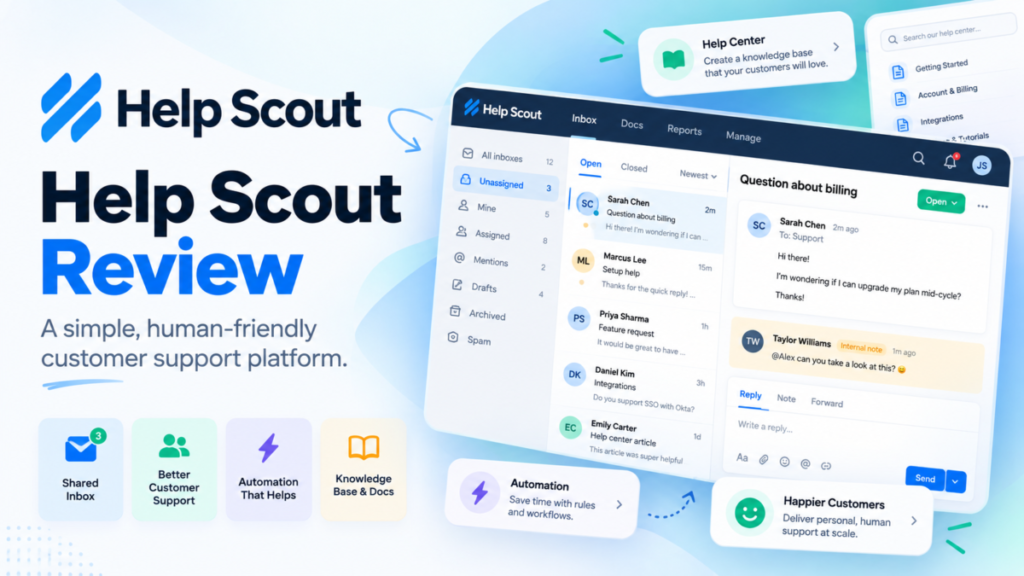
Help Scout is worth it for email-first support teams of up to 25 people. At $25 per user a month, billed annually, it buys a shared inbox, a help center and live chat.
Phone-led teams should look elsewhere. SSO/SAML is an add-on with no published price, so ask for it first.
This Help Scout review prices a 5, 12 and 26-person team and names the limit that forces each upgrade.

Quick verdict
Help Scout is worth it for email-first support teams of 2 to 25 people. Standard, at $25 per user a month billed annually, carries live chat, SMS, social channels, 2 Docs sites and unlimited contacts.
Skip it if calls are your main channel (phone runs through an integration). SSO/SAML is on the Pro card, which has a 10-user minimum, and is also listed as an add-on with no published price, so ask for that price before you commit.
The biggest limit: Standard stops at 25 users and 150 basic workflows, and AI Drafts and the Salesforce, HubSpot and Jira apps start on Plus.
Prices: $25, $45 and $75 per user a month billed annually ($30, $54 and $90 billed monthly), plus $0.75 per AI Answers resolution after 3 free months.
In This Article (11 sections)
Help Scout at a Glance
- Category: customer support platform with a shared inbox, a knowledge base (Docs), a site widget (Beacon) and AI
- Best for: email-first support teams of 2 to 25 users
- Starting price: Standard at $25 per user/mo billed annually, $30 billed monthly
- Free plan: 5 users, 1 Inbox, 1 Docs site, 100 contacts a month
- Trial: 15 days of Standard or Plus, no credit card
- Main limitation: Standard stops at 25 users, Plus at 50
Help Scout now markets the platform on its homepage as four products: Inbox, Envoy, Copilot and Signal. The plan lists still use the names Inbox, Docs, Beacon, AI Answers and AI Drafts, so this review does too.
The entry price looks generous. The pros and cons show where it holds.
Help Scout Pros and Cons
Pros
- Contacts are unlimited on paid plans, so a 3-person team serving thousands of customers pays for 3 seats
- Standard includes live chat, SMS, WhatsApp, Instagram and Messenger together, while Front Starter allows a single channel type and multiple channel types start on Professional at $65 per seat a month
- Docs and Beacon come with every plan, so a help center needs no second tool
- AI Answers charges only for resolved conversations, with a monthly cap and 3 free months
- A signed HIPAA BAA and SOC 2 Type 2 give healthcare teams a compliance path on Pro
Cons
- Standard caps at 25 users and 150 basic workflows, two limits a growing team hits on one plan
- AI Drafts and AI Summarize start on Plus, so Standard teams get AI Assist editing only
- The Salesforce, HubSpot and Jira apps start on Plus, which hurts CRM-linked teams on Standard
- Phone and voice run only through an integration, a second bill for call-led teams
- Pro’s 10-user minimum ($75 x 10 x 12 = $9,000 a year billed annually) makes a 6-person team pay for 10 seats, and SSO/SAML and HIPAA are also listed as add-ons with no published price
Most cons are plan gates, not missing features. The features show where each gate sits.
Help Scout Features
Five parts decide the fit: the shared Inbox, Docs, Beacon, the AI layer and reports. Standard buys the channels, Plus buys AI drafting and CRM apps, and Pro buys unlimited automation and security controls.
Shared inbox, workflows and SLAs
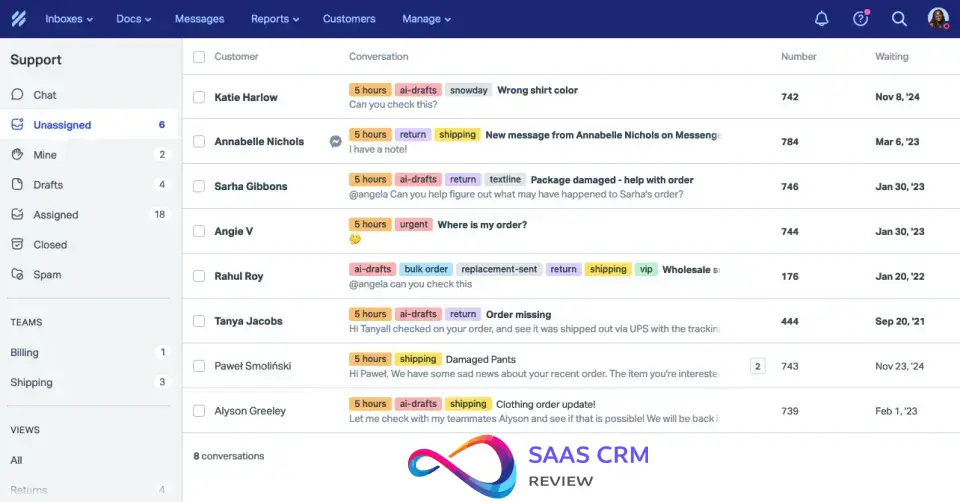
Yes, the Inbox can replace a shared Gmail or Outlook alias. The shared inbox pulls email aliases and social messages into one place, with internal notes, mentions, saved replies and customer profiles.
Automation is where plans split: 150 basic workflows on Standard, 500 advanced on Plus and unlimited on Pro. Advanced workflows trigger on customer properties, so a rule keyed to a VIP tier or a region needs Plus.
SLA policies follow the same line (1 basic, 2 advanced, unlimited). Round robin starts on Plus, and Pro adds load-balanced routing.
Free includes 1 Inbox, Standard 2, Plus 5 and Pro 10. Each extra Inbox costs $10 per month billed annually or $12 billed monthly. The difference between this model and a queue-based help desk is set out in how a ticketing system works.
Docs knowledge base
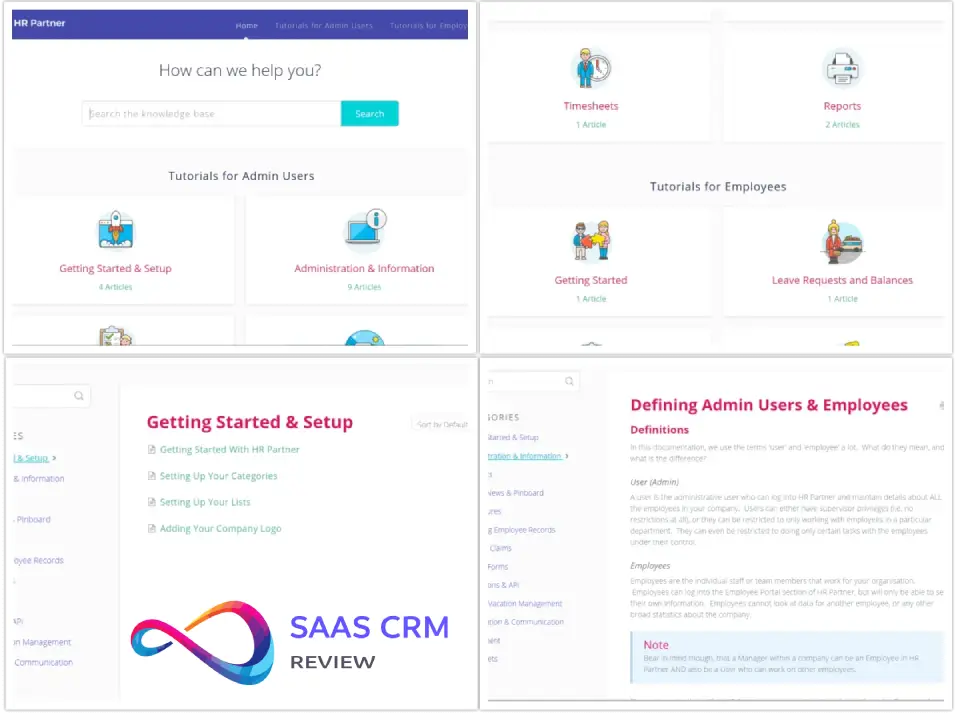
For one or two help centers, Docs is enough. Standard includes 2 Docs sites, Plus 3 and Pro 5, and paid plans have unlimited articles. Free stops at 10 articles, a demo rather than a help center.
Docs sites take custom CSS and can be public or restricted through the API. The Docs Report shows trending articles, article ratings and failed searches, which name the article to write next.
AI Answers draws on the same knowledge base, so Docs quality sets what the AI agent can answer. Each site past the plan’s count costs $20 a month billed annually ($24 monthly); a team that needs many sites should price dedicated help center software against that.
Beacon live chat and channels
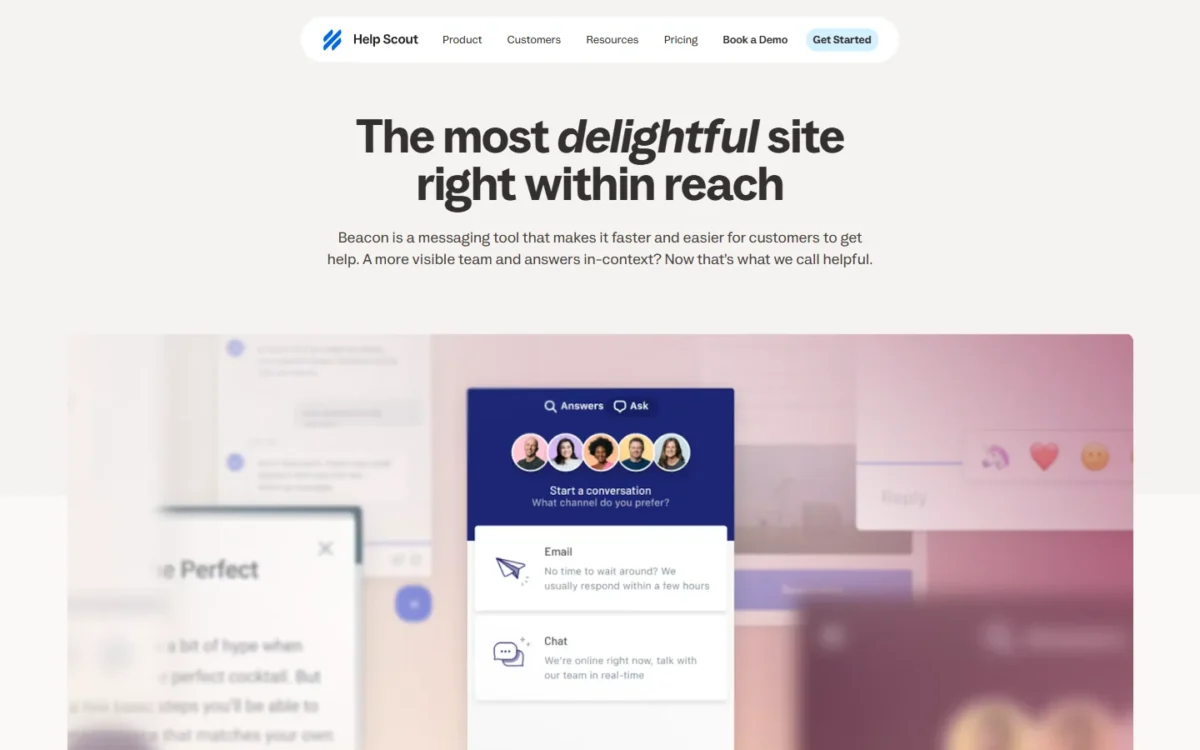
Beacon puts help articles, live chat and a contact form in one widget, with 1 widget on Free, 5 on Standard and unlimited on Plus and Pro. It suggests articles by page URL, so a visitor on a billing page sees billing answers first.
Beacon’s live chat has no bots, and chats land in the shared inbox. That ties chat coverage to the hours your team is online; AI Answers covers the rest.
Phone and voice are “via integration” on every paid plan, so calls need an app such as Aircall. Chat-first teams should compare live chat tools built for chat-first teams.
AI Answers and the Inbox AI
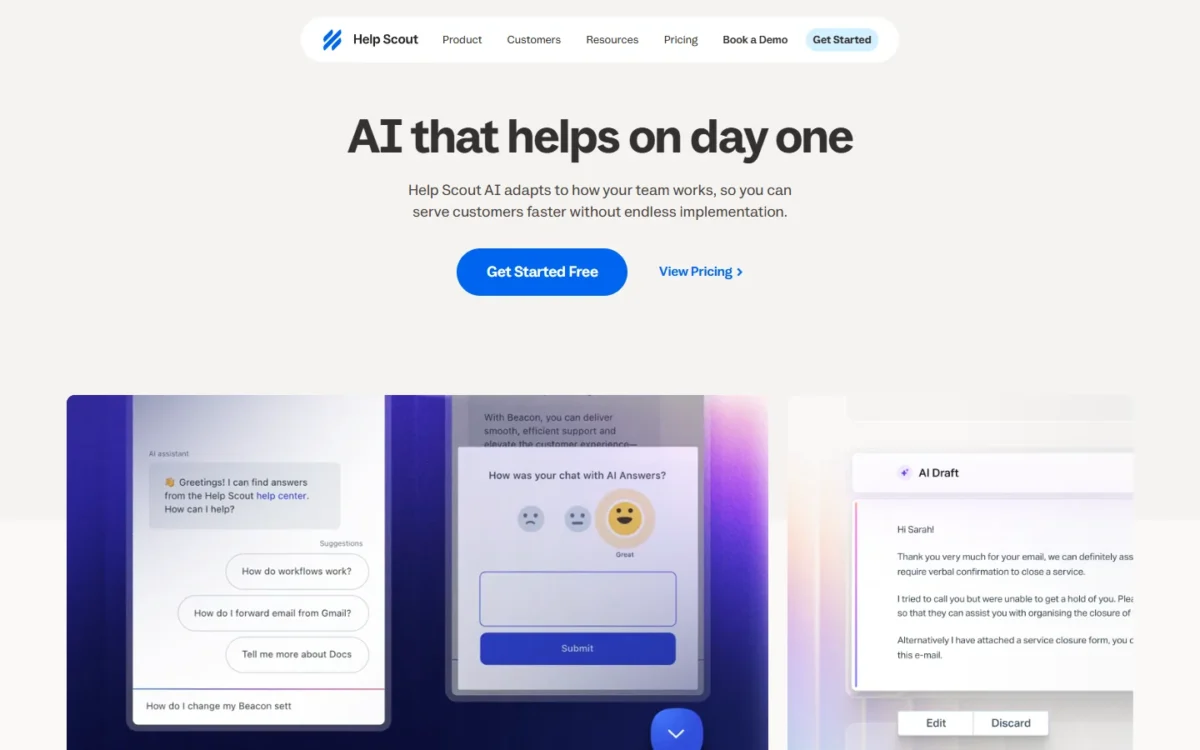
Help Scout’s AI has two layers with two billing models. AI Assist (expand, shorten, edit, translate) is unlimited on Standard, Plus and Pro; AI Drafts and AI Summarize are unlimited on Plus and Pro only.
AI Answers, the customer-facing agent, costs $0.75 per resolution, billed monthly. New accounts get 3 months of free, unlimited resolutions from the day they sign up.
You pay only when the AI closes the conversation on its own. If the customer asks for a person, keeps searching or clicks “I still need help”, the conversation is free, and a conversation is never billed twice.
Take an illustrative month of 200 AI Answers resolutions, a number chosen for the example: the bill is 200 x $0.75 = $150.
Help Scout reports a 73.19% average resolution rate for AI Answers on its AI features page. That is the vendor’s average; your rate depends on your Docs, so measure it in the free months.
Intercom bills its Fin agent per outcome at a higher unit rate, with a minimum monthly commitment, on its pricing page. How such agents fit a support team is covered in AI customer service workflows.
Reports
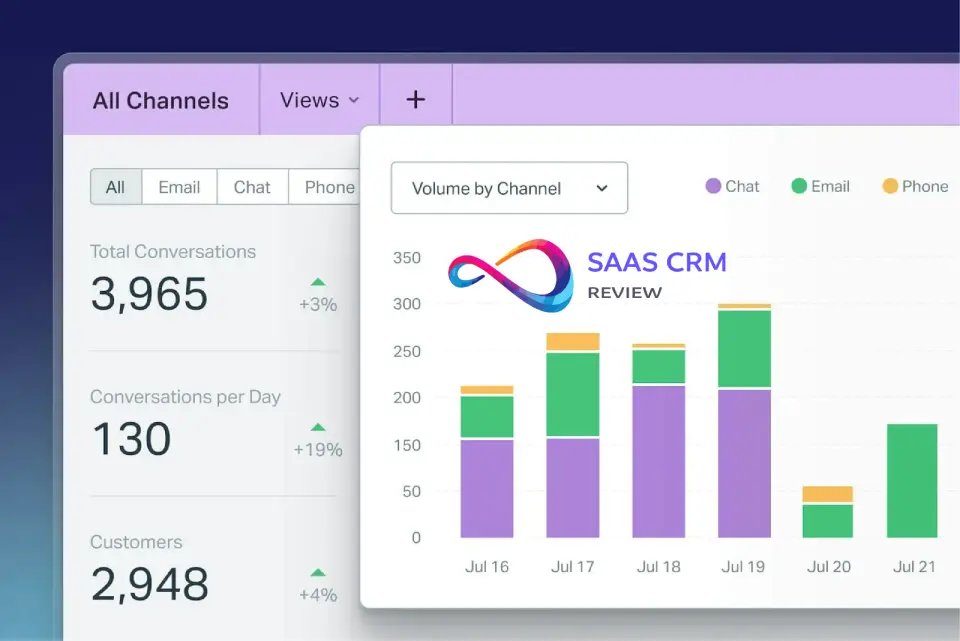
Pre-built reports cover volume, responses and customer happiness per channel, and reports track response, handle and wait time. History is 30 days on Free, 2 years on Standard and all-time on Plus and Pro.
Custom reports filter by Inbox, tag, folder or custom field, and exports go to CSV or Excel. The comparison table on Help Scout’s pricing page shows which plan holds each.
Help Scout Ease of Use
Help Scout says a new user can “learn the platform in less than an hour”. The 15-day Standard or Plus trial, with no credit card, is where a team tests that against its own inbox.
The documented setup is short. AI Answers takes three steps: add knowledge (Docs, web sources, instructions), define where it helps, then review its suggested improvements. You can run it through support scenarios before going live.
Free is a first look, not a pilot: 10 saved replies, 10 tags, 10 articles and 30 days of reports.
What reviewers say
Two dated Trustpilot reviews, read on October 20, 2026, show both sides. On December 3, 2025, a Trustpilot reviewer with 5 support agents praised having the help center and inbox in one place.
On April 22, 2025, another Trustpilot reviewer with two support staff objected to a plan change “from 1500 a year to over 7500 a year” for AI drafts and unlimited seats. These are individual accounts, not a measure of customer opinion.
Help Scout Pricing
Help Scout has a Free plan, then Standard at $25, Plus at $45 and Pro at $75 per user a month on annual billing ($30, $54 and $90 monthly). Contacts are unlimited on paid plans.
Annual billing earns the 16% saving shown on the pricing toggle. Pro is sold through a demo and needs at least 10 users.
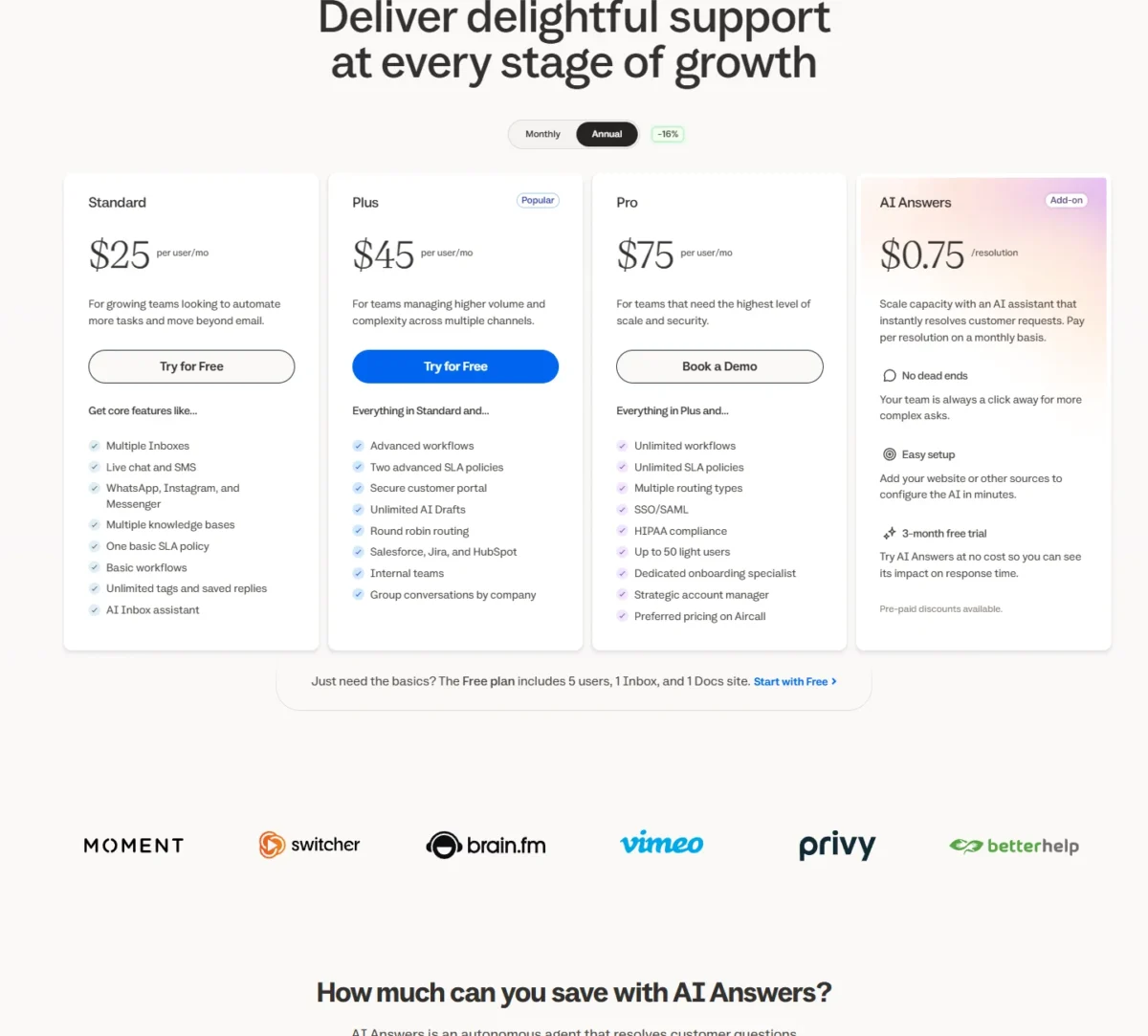
| Plan | Annual billing (per user/ | Monthly billing (per user/ | Users | Key limit |
|---|---|---|---|---|
| Free | $0 | $0 | Up to 5 | 1 Inbox, 1 Docs site, 100 contacts/ |
| Standard | $25 | $30 | Up to 25 | 2 Inboxes, 150 basic workflows, 1 basic SLA |
| Plus | $45 | $54 | Up to 50 | 5 Inboxes, 500 advanced workflows, 3 Docs sites |
| Pro | $75 | $90 | Unlimited (minimum 10) | Sold through a demo |
| AI Answers add-on | $0.75 per resolution | Same rate | Not per user | Billed monthly, 3 months free |
Sources: Help Scout pricing page, Annual and Monthly views, checked October 2026.
Pro minimum
Pro cannot be bought for fewer than 10 users. At $75 x 10 x 12 = $9,000 a year billed annually, a 6-person team that buys Pro pays for 4 empty seats. That $9,000 is only the seat floor: the plan comparison also lists SSO/SAML and HIPAA as add-ons with no published price, so ask sales what they add.
Standard fits most teams under 25. Plus earns its $20 premium per user a month ($45 vs $25, billed annually) when the team needs AI Drafts, a CRM app, round robin or customer-property workflows. Pro is for SSO/SAML, HIPAA or more than 50 users.
The list price leaves out AI Answers, extra Inboxes and Docs sites, and the Aircall add-on below Pro. SSO/SAML, IP restrictions and HIPAA are add-ons with no published price. Help Scout for Good discounts qualifying nonprofits and B Corporations, and a startup plan exists.
What a team pays per year
On annual billing, a 5-person team pays $25 x 5 x 12 = $1,500 a year on Standard. Each row below is price x users x 12 months.
| Team | Plan | Annual billing, per year | Monthly billing, per year |
|---|---|---|---|
| 5 users | Standard | $25 x 5 x 12 = $1,500 | $30 x 5 x 12 = $1,800 |
| 12 users | Plus | $45 x 12 x 12 = $6,480 | $54 x 12 x 12 = $7,776 |
| 25 users | Standard | $25 x 25 x 12 = $7,500 | $30 x 25 x 12 = $9,000 |
| 26 users | Plus | $45 x 26 x 12 = $14,040 | $54 x 26 x 12 = $16,848 |
| 10 users (Pro minimum) | Pro | $75 x 10 x 12 = $9,000 | $90 x 10 x 12 = $10,800 |
| One extra Inbox | Add-on | $10 x 12 = $120 | $12 x 12 = $144 |
Sources: Help Scout pricing page, US list prices, checked October 2026; no other add-ons and no negotiated Pro discount.
The 12-person row assumes a team that wants AI Drafts or a CRM app; on Standard it would pay $25 x 12 x 12 = $3,600. Monthly billing costs $5 more per user per month on Standard ($30 vs $25).
AI Answers is the line to watch, because it bills per resolution on top of the seats.
Here is a hypothetical team whose AI agent closes 200 conversations every month. At $0.75 per resolution, that is 200 x $0.75 x 12 = $1,800 a year, more than the 5-person team’s $1,500 in Standard seats.
A monthly cap on resolutions keeps that bill predictable.
What forces an upgrade
User caps force the first upgrades. The 26th user moves a team to Plus, from $25 x 25 x 12 = $7,500 to $45 x 26 x 12 = $14,040 a year billed annually. The 51st user forces Pro.
Features push teams to Plus earlier: AI Drafts, the CRM apps, round robin, a second SLA policy, customer-property workflows and up to 25 light users, who collaborate without a full seat. Pro adds unlimited workflows, load-balanced routing, SSO/SAML, HIPAA and up to 50 light users.
Brands are the quiet trigger. A third brand’s Inbox and Docs site on Standard cost $10 + $20 = $30 a month billed annually, a weak reason to move a team of two or more to Plus. On Free, the 100-contacts cap ends the pilot first.
Integrations, Security and Support
Help Scout connects to 100+ apps, plus 50+ more through Zapier, and its API allows 200, 400 and 800 calls per minute on Standard, Plus and Pro. Its app directory includes Shopify, WooCommerce, Slack, Stripe and Aircall. Free is limited to 1 app.
Help Scout states on its security page that it is SOC 2 Type 2 certified, hosted on AWS and audited by independent white-box penetration tests. HIPAA customers sign a BAA. Help Scout says it never uses customer data to train its AI models.
Pro’s plan card includes SSO/SAML and HIPAA compliance, which the plan comparison marks as add-ons. Ask sales for that price before a security review.
Email support is standard on Free and priority on paid plans; Pro adds an onboarding specialist and an account manager. A Help Desk Migration app sits in the directory, so confirm how much history it moves before you switch.
Who Should Use Help Scout?
Help Scout fits small, email-first teams that want inbox, help center and chat in one per-user price. Skip Help Scout if calls lead your support or if AI drafting must sit on the entry plan.
Best for
- An email-first team of 2 to 25 people, which gets chat, SMS and social channels on Standard
- A team that wants a help center and live chat without a second tool, since Docs and Beacon come with every plan
- A small team serving many customers, because paid plans leave contacts unlimited
- A healthcare team of 10 or more that needs a BAA, which Pro’s HIPAA compliance covers
Not ideal for
- A phone-led team, since voice runs through an integration; customer service platforms with built-in voice fit that job
- A team past 50 agents that does not want Pro’s demo-led sale
- A small team that needs a published SSO/SAML price, since SSO/SAML sits on the Pro card (10-user minimum) and is also listed as an add-on with no published price
- A team that wants AI drafting on the entry plan, since AI Drafts start on Plus
For the teams that do not fit, the question is which rival fixes the limit.
Help Scout vs Competitors
Help Scout’s $25 per user entry sits above Zendesk Support Team and Freshdesk Growth at $19 per agent a month. It matches Front Starter at $25 per seat, all billed annually. Help Scout’s price already includes live chat, SMS, social channels and 2 Docs sites.
| Software | Best for | Starting price | Key difference | Main trade-off |
|---|---|---|---|---|
| Help Scout | Email-first teams of 2 to 25 | $25 per user/ | Chat, SMS, social channels and 2 Docs sites on Standard | AI Drafts and CRM apps start on Plus at $45 |
| Zendesk | Teams that want AI agents in a ticketing suite | Support Team $19 per agent/ | AI agents on every Support and Suite plan, billed per automated resolution | Unified support channels need Suite Team at $55 per agent/ |
| Freshdesk | Budget email ticketing with an AI agent | Growth $19 per agent/ | Growth includes Freddy AI Agent’s first 500 sessions and a knowledge base | Extra AI Agent sessions cost $49 per 100 |
| Front | Shared-inbox teams of up to 10 | Starter $25 per seat/ | Starter includes a shared inbox, ticketing and a public knowledge base | Starter stops at 10 seats and 10 automation rules |
Sources: Help Scout pricing, Zendesk pricing, Freshdesk pricing and Front pricing, checked October 2026.
Zendesk suits a team that wants AI agents inside a ticketing suite, with AI usage billed in automated resolutions. My Zendesk review weighs its plans in full.
Freshdesk is the cheaper seat for email ticketing. A team already on Freshdesk and weighing a move should read my Freshdesk review first.
Front Starter matches Help Scout’s seat price but supports a single channel type (email, Front Chat or SMS); multiple channel types, social included, start on Professional. For a wider shortlist, best help desk software for small teams sets these rivals beside the rest of the category.
How I Evaluated Help Scout
I read Help Scout’s pricing page in its Monthly and Annual views, its homepage, and its Inbox, Docs, Beacon, AI, reports, apps and security pages on October 20, 2026. I also read the pricing pages of Zendesk, Freshdesk, Front and Intercom. The yearly cost tables are my arithmetic from those list prices.
Help Scout does not publish the price of its SSO/SAML, IP restriction and HIPAA add-ons, or a Pro price below the list rate. AI Answers’ rate on your questions depends on your Docs, so test it against your real articles during the free months.
Frequently Asked Questions
Does Help Scout have phone support?
Not natively. Phone and voice are “via integration” on every paid plan, so calls run through an app and are logged in Help Scout. Aircall is an add-on below Pro with preferred pricing on Pro, and Talkdesk, JustCall and CloudTalk also have apps in the directory.
Can you cap AI Answers spending?
Yes. A monthly cap on AI Answers resolutions switches the agent off for the rest of the cycle when reached, with email alerts as the cap nears. Prepaying saves up to 33% on resolutions (AI features page), and Help Scout does not publish the prepay tiers.
Does Help Scout charge per contact?
Not on paid plans. Standard, Plus and Pro list contacts as unlimited and charge per user; only Free caps contacts at 100 a month. A contact is anyone who got a reply or an AI resolution that month, counted once however many conversations they open.
Help Scout Review: Final Verdict
Sign up for Help Scout if you run email-first support with up to 25 people: Standard covers channels, a help center and live chat. Move to Plus once AI drafting, CRM apps or a 26th user matter. Skip it if calls lead your support.
If you need SSO/SAML, get its add-on price from sales first, since Help Scout does not publish it.
Use the 15-day trial to check three things: whether 150 basic workflows cover your rules, how Beacon works on your site, and what AI Answers resolves from your own Docs.