

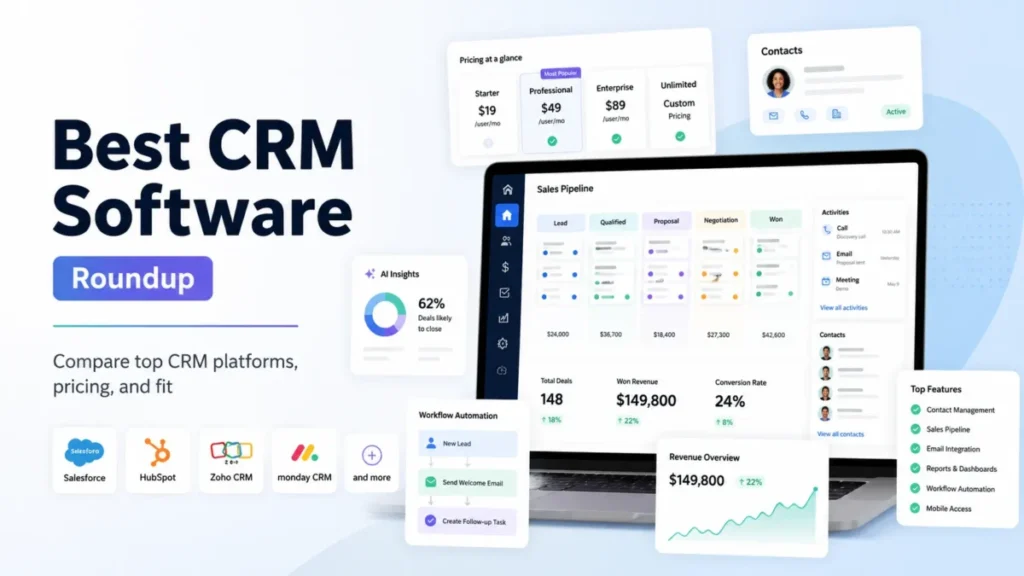
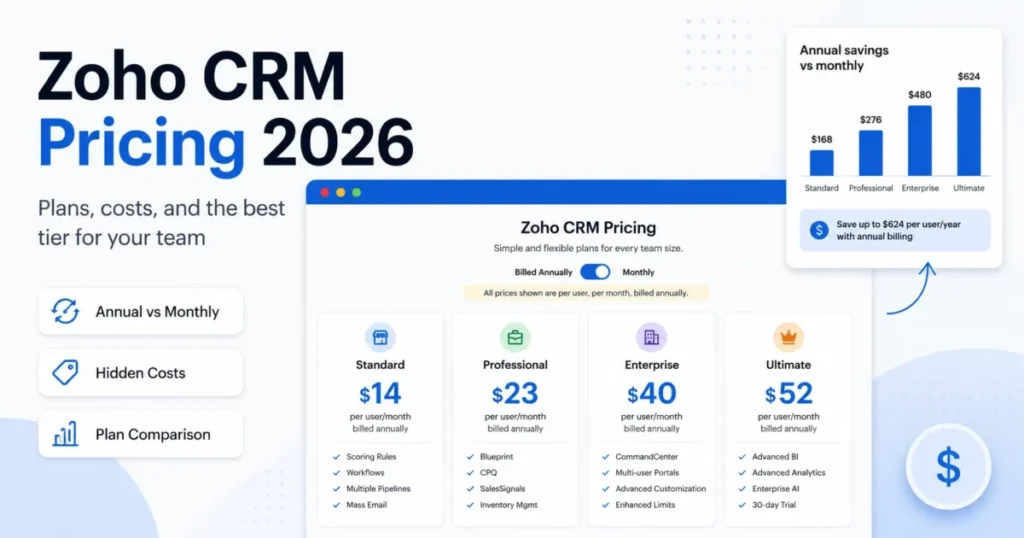
Zoho CRM is the best CRM software for most growing teams. Its Standard plan lists workflows, cadences and sales forecasting at $14 per user per month. HubSpot is the place to start free with 2 users, Salesforce fits enterprise sales organizations, and Less Annoying CRM sells one plan at $15 per user per month.
Below are 10 general-purpose CRM software picks, each matched to one buying job. Every price comes from the vendor’s own pricing page, checked October 2026. Each pick names who should skip it.
Quick verdict
For a team that needs one CRM for contacts, deals and follow-up, Zoho CRM is my main pick: workflows and forecasting start on its $14 Standard plan.
HubSpot fits a team that wants to start at $0 and add marketing tools later. Salesforce fits a sales org with an admin and an enterprise budget. Less Annoying CRM fits a small team that wants one plan and no tiers.
The trade-off across the list sits in forecasting: HubSpot, Salesforce, Pipedrive and Freshsales list it above their entry plans. HubSpot, for one, puts forecasting and sequences on Professional at $90 per seat per month paid annually, plus a $1,500 onboarding fee.

Zoho CRM
Best for: growing teams that want depth on a budget
Its $14 Standard plan carries the forecasting that HubSpot and Salesforce keep for higher plans.
Limit: CPQ and process automation start on Professional at $23
HubSpot Sales Hub
Best for: starting free and growing into marketing
The free CRM covers 2 users and 1,000 contacts with no expiration date.
Limit: forecasting and sequences wait for Professional at $90 per seat
Salesforce Sales Cloud
Best for: enterprise sales organizations
Core, Advanced and Max add Slack, security tools and sales planning above Pro Suite.
Limit: forecasting starts on Pro Suite at $100 per user per month, billed annually

Less Annoying CRM
Best for: small teams that want one simple price
One plan at $15 per user per month includes every feature, with no tiers or contracts.
Limit: no higher plan to move to once the team needs automation
In This Article (17 sections)
Best CRM Software at a Glance
Entry prices run from $7 per seat per month (HubSpot Starter, paid annually) to $29 per user per month (Insightly Plus, billed annually). Three picks list a $0 plan: Zoho CRM, HubSpot and Salesforce.
| Software | Best for | Starting price | Free plan or trial | Standout feature | Key limitation |
|---|---|---|---|---|---|
| Zoho CRM | Growing teams on a budget | $14 per user per month, annual view | Free for 3 users; free trial | Forecasting on Standard | Process automation needs Professional |
| HubSpot Sales Hub | Starting free | $7 per seat per month, paid annually | Free for up to 2 users | Over 2,000 Marketplace apps | Onboarding fee on Professional |
| Salesforce Sales Cloud | Enterprise sales orgs | $25 per user per month, billed monthly or annually | Free Suite at $0; 30-day trial | Forecasting on Pro Suite | Core starts at $195 per user per month |
| Less Annoying CRM | One simple price | $15 per user per month | 30-day trial, no card | Every feature in one plan | No workflow automation listed |
| Pipedrive | Pipeline-first sales teams | $14 per seat per month, billed annually | 14-day trial, no card | Sequences on Growth | No free plan listed |
| monday CRM | Teams that build their own workflows | $12 per seat per month, yearly; plans start at 3 users | 14-day trial | Custom boards with automations | Basic caps at 1,000 contacts and deals |
| Freshsales | Phone, email and chat at a low price | $9 per user per month, billed annually | 21-day trial | Chat, email and phone on Growth | Sequences need Pro at $39 |
| Copper | Google Workspace teams | $23 per seat per month, paid annually | Free trial, no card | Gmail and Google Calendar sync | Basic caps at 2,500 contacts |
| Nutshell | Small teams capturing website leads | $13 per user per month (Foundation), listed rate | 14-day trial, no card | Webchat, AI chatbot, forms and landing pages on every plan | Foundation caps open leads at 100; sales automation needs Pro ($42) |
| Insightly | Handing won deals to delivery | $29 per user per month, billed annually | 14-day trial, no card | Project management on Plus | Workflow automation needs Professional |
Sources: Zoho CRM pricing, HubSpot Sales Hub pricing, Salesforce Sales pricing, Less Annoying CRM pricing, Pipedrive pricing, monday CRM pricing, Freshsales pricing, Copper pricing, Nutshell pricing, Insightly pricing, checked October 2026.
How I Chose These 10 CRMs
I considered 16 tools, the 10 picks below and the 6 under Also Considered.
Four must-haves removed tools before any ranking:
- contacts, deals and a sales pipeline at the core, not a help desk or a marketing suite
- a per-user or per-seat price in US dollars on the vendor’s own page
- a way to try the product before paying, without a sales call
- a homepage and pricing-page screenshot I could capture for the section
The rest were compared on four criteria:
- the cheapest plan with workflow automation
- the cheapest plan with forecasting
- the cheapest plan with sequences or cadences
- a free plan
The order follows the buying job, not a count of gates; the matrix below shows which plan carries each gate for every pick.
Less Annoying CRM ranks fourth on a different ground. For a small team that needs none of the three gates, it is a single $15 plan with nothing to upgrade.
The ranking rests on the vendors’ own pricing and product pages, saved on October 16, 2026, and on my analysis of them. Salesforce’s figures come from the Internet Archive’s copy of its pricing page dated October 10, 2026. This is a documentation-based list, so no sentence below describes how a product behaves in daily use.
| Software | Workflow automation | Forecasting | Sequences or cadences | Free plan |
|---|---|---|---|---|
| Zoho CRM | Standard | Standard | Standard | Yes, 3 users |
| HubSpot Sales Hub | Starter | Professional | Professional | Yes, 2 users |
| Salesforce Sales Cloud | Starter Suite | Pro Suite | Not listed | Free Suite |
| Less Annoying CRM | Not listed | Not listed | Not listed | Not listed |
| Pipedrive | Growth | Growth | Growth | Not listed |
| monday CRM | Standard | Not listed | Pro | Not listed |
| Freshsales | Growth | Enterprise | Pro | Not listed |
| Copper | Professional | Not listed | Business | Not listed |
| Nutshell | Pro ($42) | Not listed | Not listed | Not listed |
| Insightly | Professional | Not listed | Not listed | Not listed |
Sources: Zoho CRM pricing, HubSpot Sales Hub pricing, Salesforce Sales pricing, Less Annoying CRM pricing, Pipedrive pricing, monday CRM pricing, Freshsales pricing, Copper pricing, Nutshell pricing, Insightly pricing, checked October 2026.
The gate columns count paid plans only; the last column covers the free tiers. Zoho clears all three gates on its first paid plan and adds a free edition, which is why it leads.
1. Zoho CRM: Best for Growing Teams That Want Depth on a Budget

- Best for: growing teams that want workflows and forecasting on the first paid plan
- Starting price: $14 per user per month (Standard, annual view)
- Free plan or trial: Free edition for 3 users; free trial on paid plans
- Standout feature: sales forecasting and cadences on Standard
- Integrations: Gmail, Outlook, Slack, Zoom and Teams listed; Google Ads on Professional; no count on the pricing page
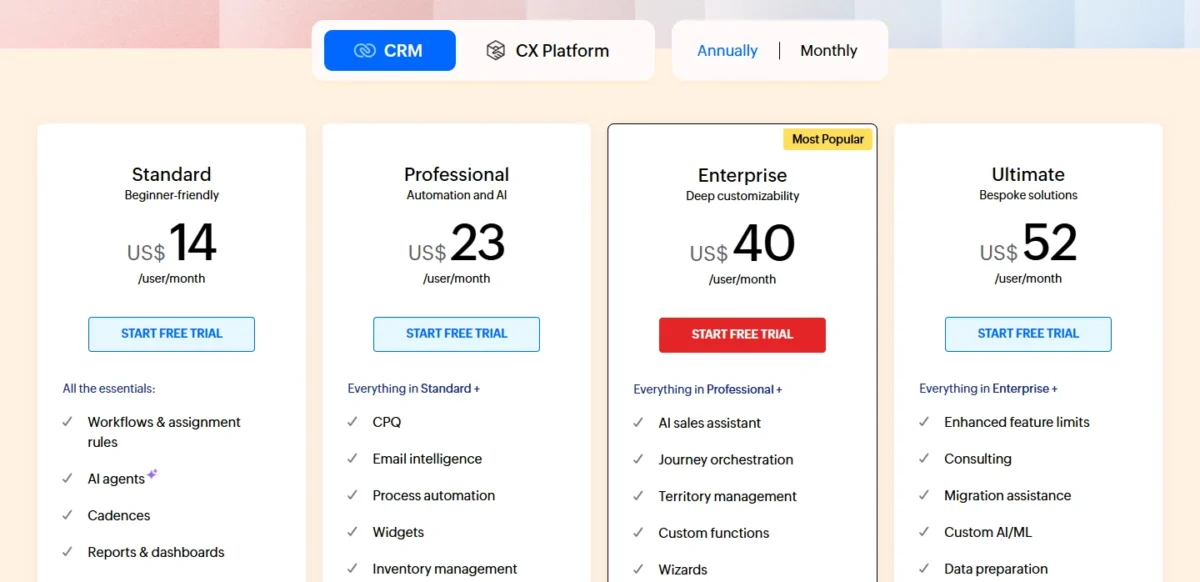
Zoho CRM’s Standard plan, at $14 per user per month, lists workflows and assignment rules, AI agents, cadences, reports and dashboards, and sales forecasting.
HubSpot holds forecasting back until Professional at $90 per seat per month, and Salesforce until Pro Suite at $100 per user per month.
The Free edition covers 3 users with leads, deals, workflows, reports and a mobile app, and Zoho calls it free forever. A three-person team can run a real pipeline there and pay only when a fourth person joins.
Professional, at $23 per user per month, adds CPQ, email intelligence, process automation, inventory management and the Google Ads integration. A team that quotes products should budget for it from day one: the $9 gap is $9 x 10 users x 12 months = $1,080 a year.
The trade-off. Four paid tiers mean someone has to decide which features the team switches on and keep that setup owned.
Zoho CRM’s paid plans run from $14 to $52 per user per month in the pricing page’s annual view, and the page says yearly plans save up to 34%. Ten users on Standard pay $14 x 10 x 12 = $1,680 a year, before local taxes, which Zoho charges on top. My Zoho CRM pricing guide prices every tier.
| Plan | Price | Billing | Key limit |
|---|---|---|---|
| Free | $0 | Free forever | 3 users |
| Standard | $14 per user per month | Annual view | CPQ and process automation start on Professional |
| Professional | $23 per user per month | Annual view | AI sales assistant and territory management start on Enterprise |
| Enterprise | $40 per user per month | Annual view | Consulting and migration assistance start on Ultimate |
| Ultimate | $52 per user per month | Annual view | Top tier |
Sources: Zoho CRM pricing, checked October 2026.
Pros
- Forecasting, cadences and workflows on the $14 Standard plan
- Free edition for 3 users with no end date
- Professional adds CPQ and inventory for $9 more per user per month
Cons
- Process automation and CPQ wait for Professional
- Four paid tiers to choose between as the team grows
- Local taxes come on top of the listed prices
Choose Zoho CRM if one person will own the configuration and you want forecasting without paying for a $90 seat.
- Skip it if:
- nobody on the team will own fields, workflows and assignment rules across four tiers; Less Annoying CRM’s single plan asks for fewer decisions.
Before you pick a tier, my Zoho CRM review sets out where each plan stops.
A team that would rather start at $0 and add marketing later has a different first stop.
2. HubSpot Sales Hub: Best for Starting Free and Growing Into Marketing
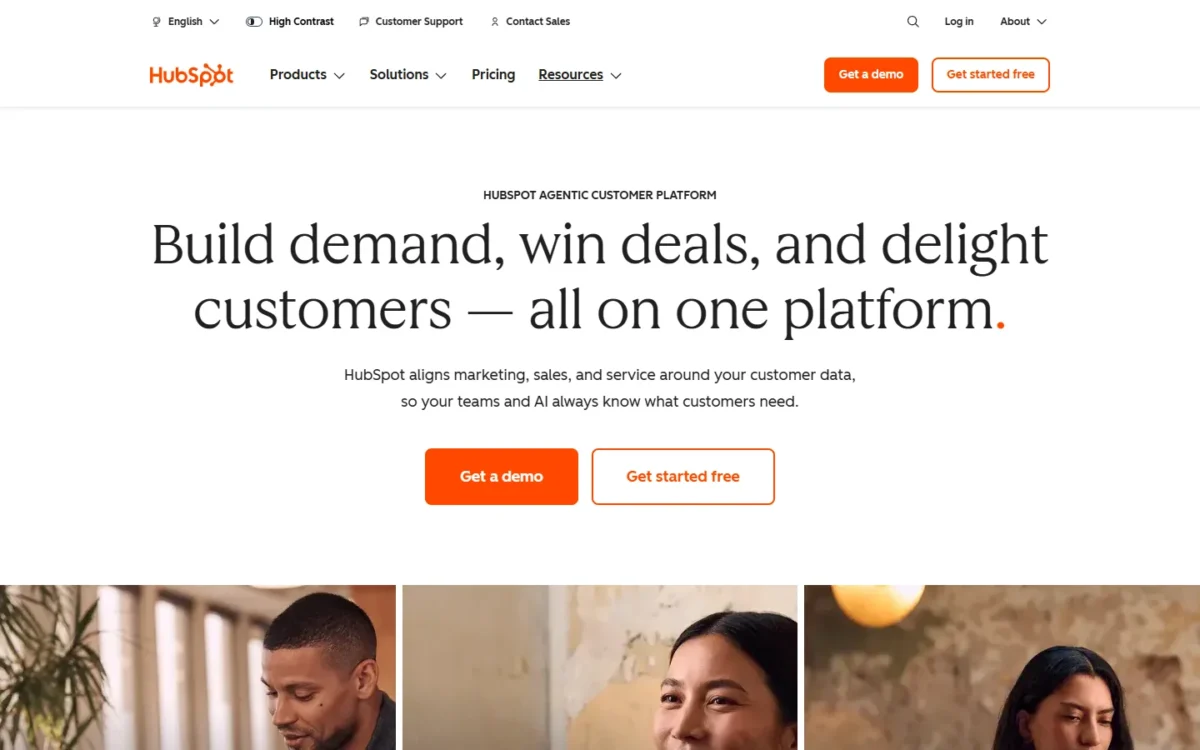
- Best for: teams that start free and plan to add marketing tools
- Starting price: $0; Starter from $7 per seat per month, paid annually
- Free plan or trial: free CRM with no expiration date; no credit card required
- Standout feature: sequences, forecasting and conversation intelligence on Professional
- Integrations: over 2,000 apps in the HubSpot Marketplace, including Jira, Aircall, LinkedIn and Microsoft Teams
HubSpot’s price is not the first number to watch; the jump to Professional is. The free CRM costs nothing for up to two users and 1,000 contacts, with no expiration date. That makes it one of three $0 starting points on this list, with Zoho’s Free edition and Salesforce’s Free Suite.
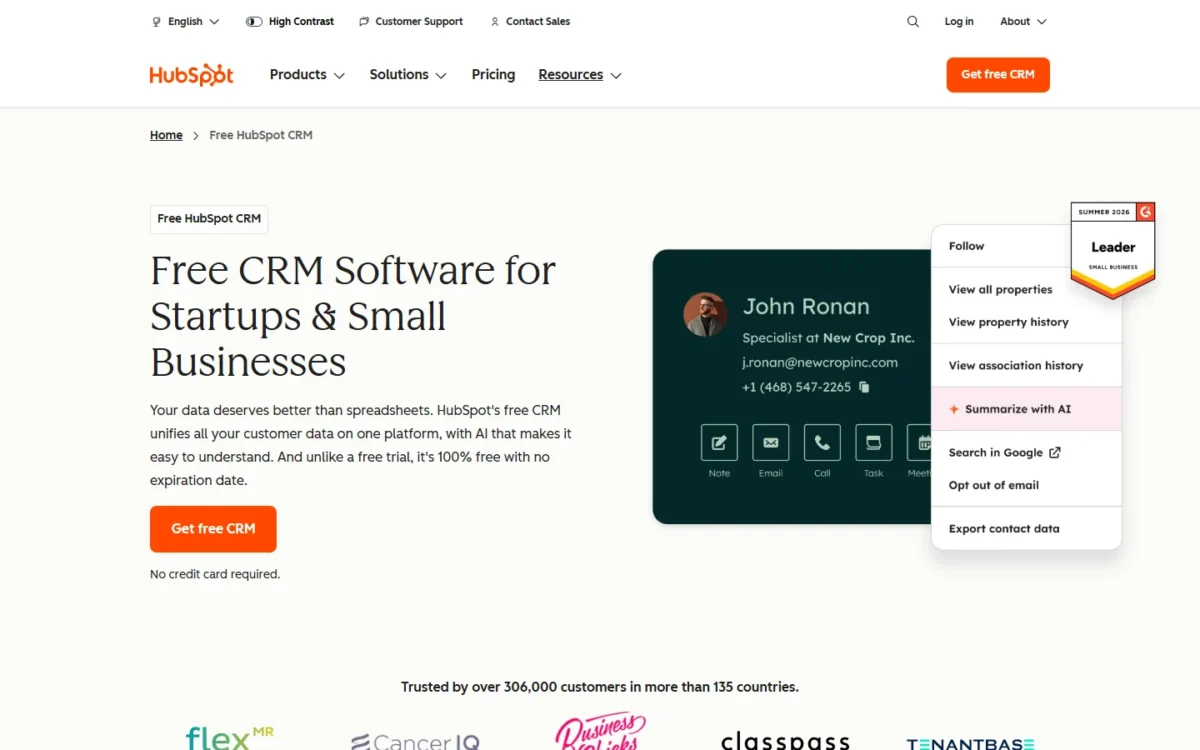
Starter caps sales automation at 50 workflows with restricted triggers and actions, and includes 500 minutes of calling.
Professional is where the sales tools this list ranks on appear: sequences, forecasting, deal plans and conversation intelligence, plus up to 300 fully customizable workflows. It costs $90 per seat per month paid annually, or $100 paid monthly, with a required one-time $1,500 onboarding fee.
For 10 sellers, year one on Professional is $90 x 10 x 12 = $10,800 plus the $1,500 fee, or $12,300. Zoho Standard lists forecasting for $1,680 for the same 10 seats. The premium buys one platform where HubSpot’s marketing, service and content tools share the contact record.
Enterprise, at $150 per seat per month, adds deal splits, lead form routing and pipeline approvals, but its onboarding fee rises to $3,500.
HubSpot Sales Hub runs from $0 to $150 per seat per month.
The Starter card also prints $20 per seat per month beside the Starter price, so ask HubSpot which rate applies after year one before you budget year two. The HubSpot pricing guide works through the Starter-to-Professional math.
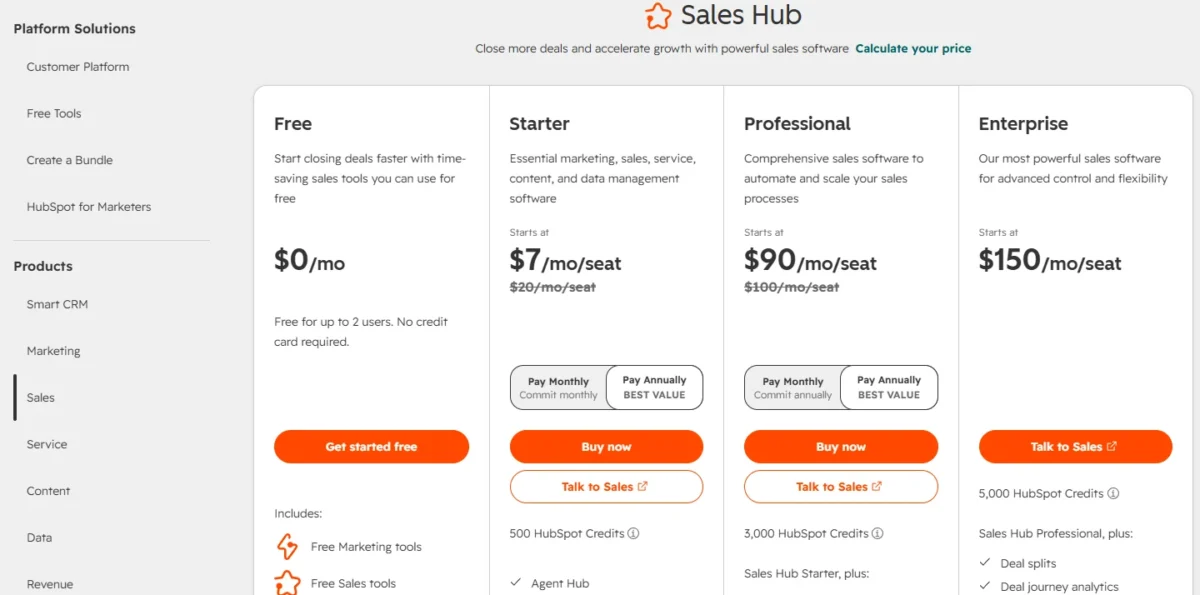
| Plan | Price | Billing | Key limit |
|---|---|---|---|
| Free | $0 | No credit card required | Up to 2 users |
| Starter | $7 per seat per month ($10 paid monthly) | Annual or monthly | Up to 50 workflows with restricted triggers |
| Professional | $90 per seat per month ($100 paid monthly) | Annual, or monthly with an annual commitment | Required one-time $1,500 onboarding |
| Enterprise | $150 per seat per month | Through sales | Required one-time $3,500 onboarding |
Sources: HubSpot Sales Hub pricing, annual and monthly views; HubSpot free CRM, checked October 2026.
Pros
- A $0 tier for two users that never expires
- Over 2,000 apps in the HubSpot Marketplace
- Professional bundles sequences, forecasting and conversation intelligence
Cons
- Professional and Enterprise carry one-time onboarding fees
- The free CRM stops at 2 users
- Starter’s sales automation is capped at 50 workflows with restricted triggers
- Starter lists no forecasting or sequences
HubSpot earns its cost when marketing and sales will share one platform and the Professional bill is a planned step, not a surprise.
- Skip it if:
- you need predictable per-seat costs past Starter, because the move to Professional adds a $90 seat and a $1,500 onboarding fee. My shortlist of HubSpot alternatives starts from that problem.
My HubSpot CRM review shows where the platform stops being cheap. A sales org that has outgrown suite bundles asks a different question: what Salesforce adds.
3. Salesforce Sales Cloud: Best for Enterprise Sales Organizations
- Best for: sales organizations with an admin and a need for governance and planning
- Starting price: Starter Suite at $25 per user per month, billed monthly or annually
- Free plan or trial: Free Suite at $0; 30-day trial, no credit card
- Standout feature: sales quoting and forecasting on Pro Suite
- Integrations: AgentExchange access on Pro Suite; Slack on every edition, from Slack Free up
Salesforce’s entry price says $25, but the editions buyers pick Salesforce for start at $100. Starter Suite covers lead, account, contact and opportunity management with built-in Sales Flows and lead routing; Pro Suite adds sales quoting and forecasting.
Above Pro Suite, the October 2026 page lists Core, Advanced and Max. Core adds Premier Success and Slack Business+, Advanced adds Backup & Recover and Security Center, and Max adds Sales Planning, Salesforce Maps and Spiff. That ladder is the case for Salesforce: a sales org can add security, planning and compensation tools without changing CRM.
The real bill. Add-ons sit outside the edition price:
- Agentforce for Sales: from $125 per user per month
- Revenue Intelligence: from $220 per user per month
- Premier Success: 30% of net license fees, per the Salesforce pricing page
A 10-user Pro Suite bill is $100 x 10 x 12 = $12,000 a year. Premier Success alone can grow it by nearly a third before any AI is added.
Salesforce Sales Cloud runs from $0 (Free Suite) to $550 per user per month (Max). Every edition above Starter Suite is billed annually, so the annual commitment starts at Pro Suite.
Ten users on Starter Suite pay $25 x 10 x 12 = $3,000 a year. The Salesforce pricing breakdown goes edition by edition.
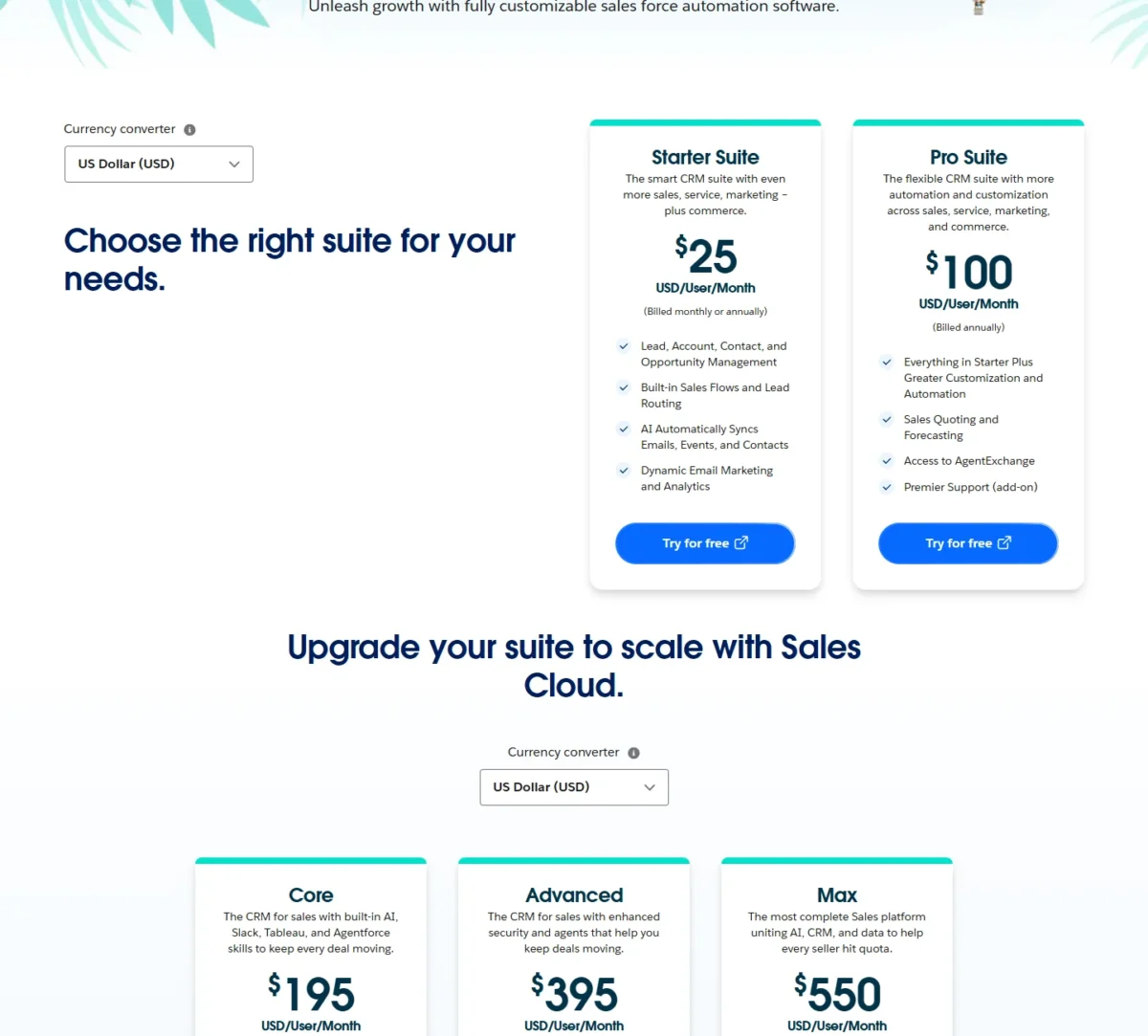
| Edition | Price | Billing | Key addition |
|---|---|---|---|
| Free Suite | $0 | Free | Entry suite |
| Starter Suite | $25 per user per month | Monthly or annually | Sales Flows and lead routing |
| Pro Suite | $100 per user per month | Annually | Sales quoting and forecasting |
| Core | $195 per user per month | Annually | Premier Success, Slack Business+ |
| Advanced | $395 per user per month | Annually | Backup & Recover, Security Center |
| Max | $550 per user per month | Annually | Agentforce for Sales, Sales Planning, Maps |
Sources: Salesforce Sales pricing, Internet Archive copy of October 10, 2026, checked October 2026.
Pros
- Forecasting and quoting on Pro Suite
- Security tools (Backup & Recover, Security Center) on Advanced
- Sales Planning, Maps and Spiff in one edition (Max)
- Slack Business+ and Tableau Next from Core
Cons
- Every edition above Starter Suite is billed annually
- Agentforce for Sales is an add-on from $125 per user per month below Max
- Premier Success costs 30% of net license fees below Core
Salesforce is the right call when the CRM has an admin, the team is large enough to use editions above Pro Suite, and add-on spend is budgeted up front.
- Skip it if:
- nobody will configure editions and add-ons; a team under 10 that only needs forecasting pays $100 per user on Pro Suite against $14 on Zoho Standard.
My Salesforce CRM review covers edition and rollout detail. The opposite reader, a five-person team, wants the simplest CRM that works.
4. Less Annoying CRM: Best for Small Teams That Want One Simple Price
- Best for: small teams whose CRM job is contacts, pipelines, tasks and email logging
- Starting price: $15 per user per month, plus applicable tax
- Free plan or trial: 30-day trial, no credit card
- Standout feature: one plan with every feature and free upgrades
- Integrations: none listed on the pricing page; email logging is built in
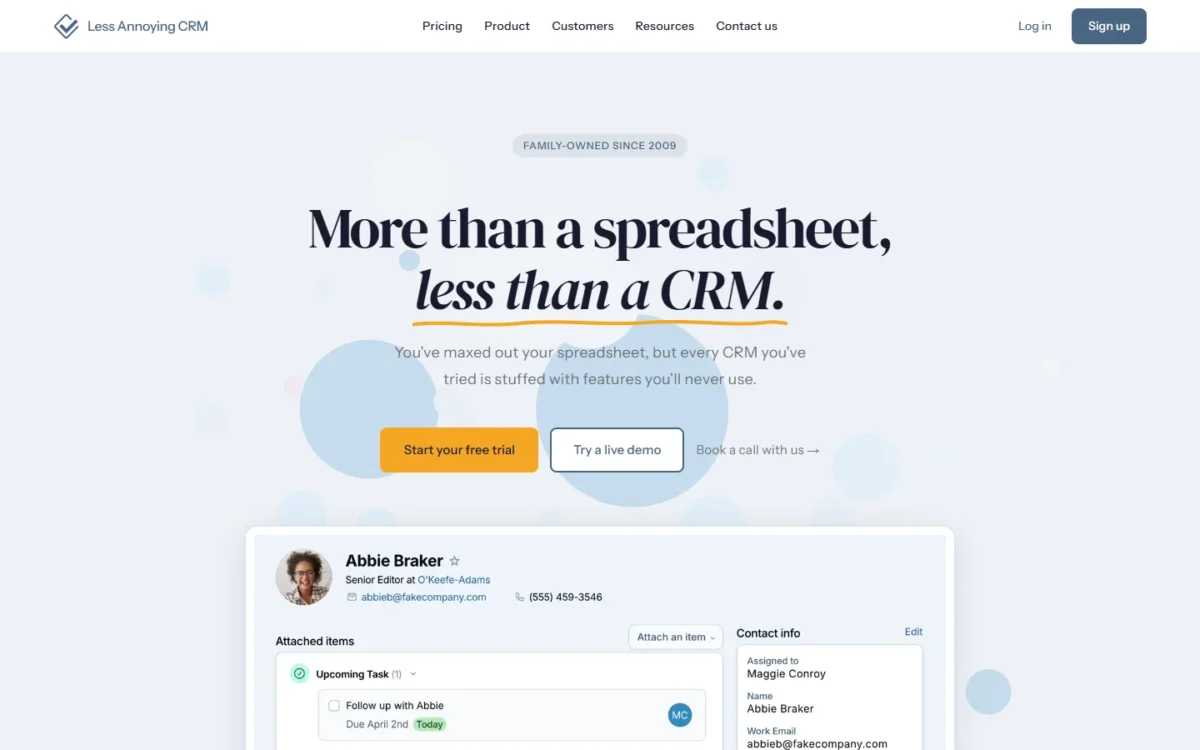
Yes, one $15 plan is enough for a small team whose CRM job is contacts, pipelines, tasks and email logging. Less Annoying CRM sells one plan with no tiers, no contracts and no features locked behind upgrades.
The plan includes unlimited contacts and companies, unlimited pipelines and custom fields, task management, mobile access and user permissions. The vendor’s rule of thumb is to stay below 50,000 contacts and companies in total.
Support is free by email and phone, even before you pay, and the vendor says you can export everything at any time. That matters for a first CRM: a team that outgrows it can take its data along.
The limit to watch. The plan’s feature list names no workflow automation, sequences or forecasting. A team that later needs them has no higher plan to move to, only another CRM.
Less Annoying CRM costs $15 per user per month plus applicable tax, for every feature. Ten users pay $15 x 10 x 12 = $1,800 a year, which is $120 more than Zoho Standard for the same seats. The difference buys one plan with no tier decision.

| Plan | Price | Billing | Key limit |
|---|---|---|---|
| Everything included | $15 per user per month | Per month, cancel anytime | Rule of thumb below 50,000 contacts and companies |
Sources: Less Annoying CRM pricing, checked October 2026.
Pros
- No tier decision: every feature for $15 per user
- Unlimited pipelines and custom fields
- Free email and phone support, even during the trial
- Export everything at any time
Cons
- No workflow automation, sequences or forecasting on the feature list
- No higher plan to grow into
- No integrations listed on the pricing page
It suits a team of a few people leaving spreadsheets, where the bigger risk is buying a CRM nobody configures.
- Skip it if:
- you need automation, sequences or forecasting, none of which the plan’s feature list names.
My Less Annoying CRM review looks at whether a growing team will outgrow it. A sales team that lives in deal stages needs a pipeline tool instead.
5. Pipedrive: Best for Pipeline-First Sales Teams
- Best for: small sales teams run on a deal pipeline
- Starting price: $14 per seat per month, billed annually (Lite)
- Free plan or trial: 14-day trial, no credit card
- Standout feature: automations and nurturing sequences on Growth
- Integrations: 500+ integrations, including Gmail, Microsoft Teams, Slack, Zoom and Zapier
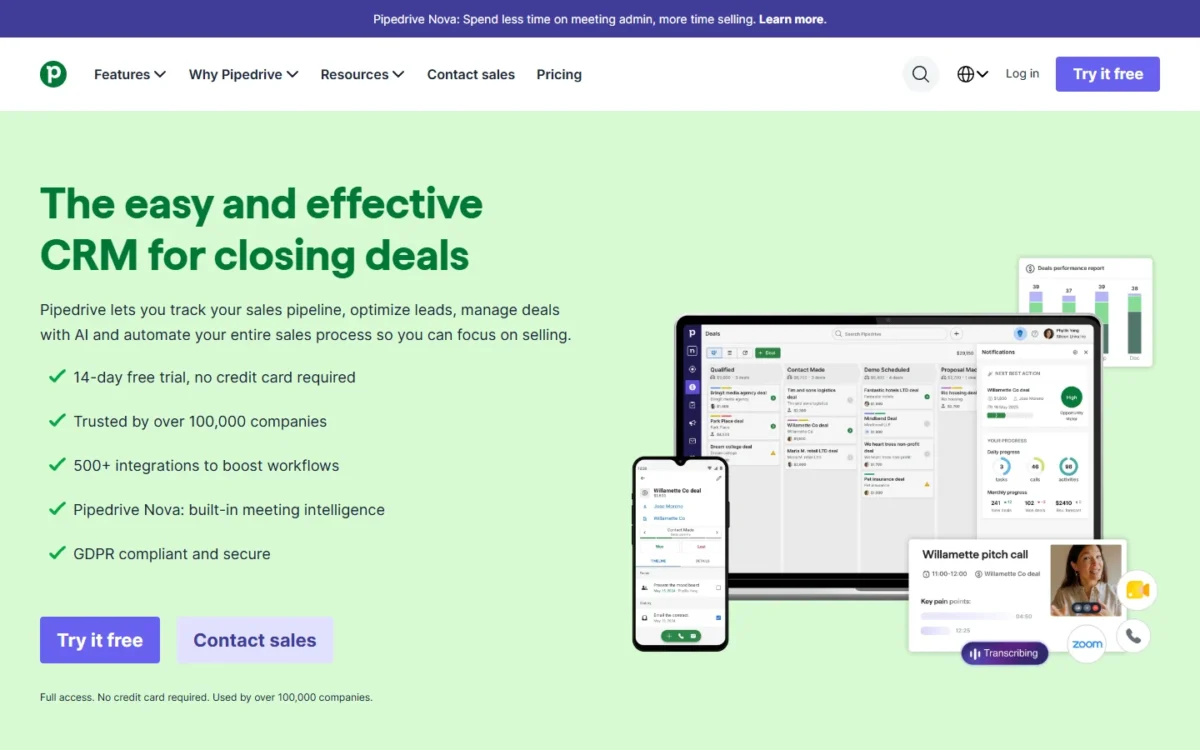
Pipedrive’s second tier is where the pipeline starts doing work for the rep. Lite, at $14 per seat per month billed annually, covers lead, calendar and pipeline management with AI-powered report creation.
Growth adds full email sync with tracking, automations and nurturing sequences, subscriptions and forecast reports, and a meeting scheduler.
The reason to pick it over Zoho is scope, not price: Pipedrive’s plan lists stay on the sales pipeline, while Zoho’s tiers add CPQ and inventory management from Professional.
Pipedrive lists automations and nurturing sequences on Growth, so a team that needs them should price Growth, not Lite, at its own seat count on Pipedrive’s pricing page.
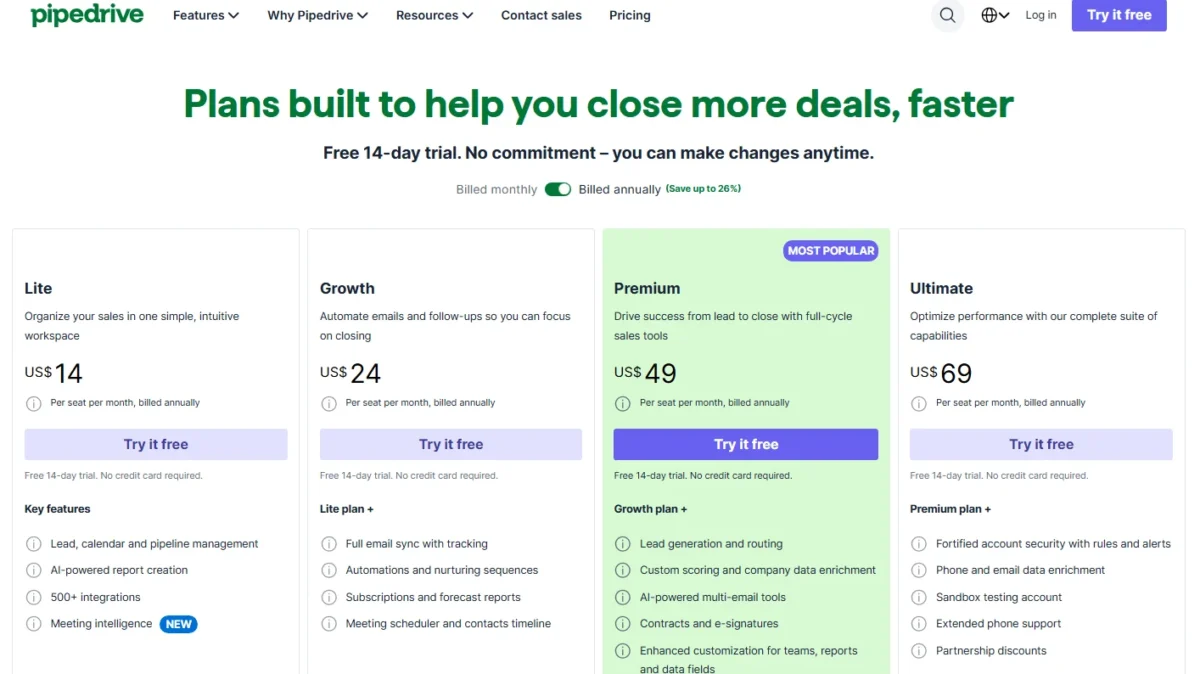
Pipedrive’s Lite plan costs $14 per seat per month, billed annually, and each plan card lists a free 14-day trial with no credit card required. Ten seats on Lite cost $14 x 10 x 12 = $1,680 a year. My Pipedrive pricing guide sets out the tier gates in US dollars.
| Plan | Price | Billing | Key addition |
|---|---|---|---|
| Lite | $14 per seat per month | Annually | Lead, calendar and pipeline management |
| Growth | Not verified | Annually | Automations, sequences, forecast reports |
| Premium | Not verified | Annually | Lead routing, scoring, e-signatures |
| Top plan | Not verified | Annually | Security rules and alerts, data enrichment |
Sources: Pipedrive pricing, checked October 2026.
Pros
- Automations, sequences and forecast reports together on Growth
- 500+ integrations, including Gmail and Microsoft Teams
- Contracts and e-signatures on Premium
- Two-way email sync for up to five email accounts
Cons
- No free plan listed
- Automations and nurturing sequences start on Growth, not Lite
- Lead routing and scoring wait for Premium
Choose Pipedrive when the pipeline is the whole job and the team wants sales tools without a marketing suite around them.
- Skip it if:
- you need a free plan, or automations on the entry plan: Zoho Standard lists workflows and cadences at $14, while Pipedrive lists automations and nurturing sequences from Growth.
The trade-off between a pipeline and a suite is the subject of my Pipedrive review. Teams whose process does not fit a fixed pipeline usually want to build their own boards.
6. monday CRM: Best for Teams That Build Their Own Workflows

- Best for: teams that design their own boards and automations
- Starting price: $12 per seat per month, billed yearly (Basic)
- Free plan or trial: 14-day trial
- Standout feature: 250 custom automations a month on Standard, 25,000 on Pro
- Integrations: no count on the pricing page
monday CRM’s caps choose the plan before its price does. Basic stops at 1,000 active contacts and deals and 5 columns per board, and lists no automations.
Standard adds 250 custom automations a month and room for 10,000 contacts and deals; Pro adds email sequences and mass emails. Plans start at 3 users, so a two-person team still pays for three seats: $12 x 3 x 12 = $432 a year on Basic.
What breaks first. The flexibility is in the boards, but the caps are per plan. A growing pipeline reaches 10,000 contacts and deals on Standard before the seat price feels high.
monday CRM’s published plans run from $12 to $28 per seat per month on yearly billing, or $18 to $41 on monthly billing; Ultimate is custom-priced. Ten seats on Standard cost $17 x 10 x 12 = $2,040 a year, and the monday.com pricing guide covers the seat bands.
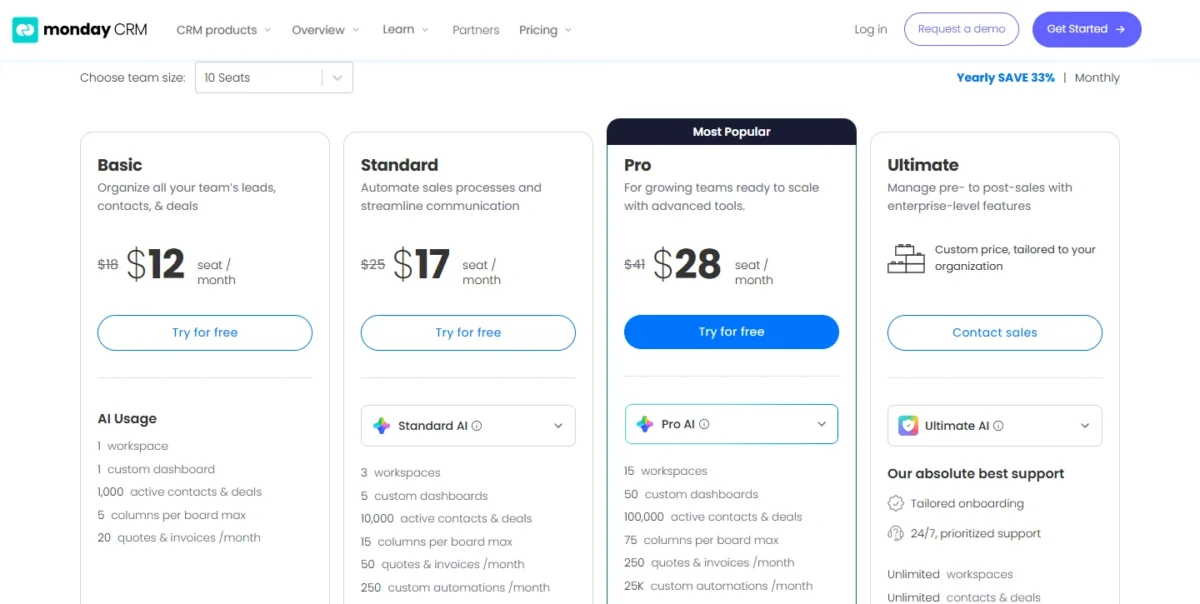
| Plan | Yearly billing | Monthly billing | Contacts and deals | Automations a month |
|---|---|---|---|---|
| Basic | $12 per seat per month | $18 per seat per month | 1,000 | Not listed |
| Standard | $17 per seat per month | $25 per seat per month | 10,000 | 250 |
| Pro | $28 per seat per month | $41 per seat per month | 100,000 | 25,000 |
| Ultimate | Custom price | Custom price | Unlimited | Enterprise-scale |
Sources: monday CRM pricing, checked October 2026.
Pros
- Quotes and invoices on every plan, from 20 a month on Basic
- 250 automations a month on Standard, 25,000 on Pro
- Email sequences and mass emails on Pro
Cons
- Plans start at 3 users
- Basic caps at 1,000 contacts and deals and 5 columns per board
- Standard caps at 10,000 contacts and deals
A team that wants to shape its own boards, and can predict its contact volume a year out, gets the most from monday CRM.
- Skip it if:
- you will pass 10,000 contacts and deals within a year on Standard; Pro at $28 per seat is the next step.
My monday.com review explains the board model behind the CRM. Teams that sell by phone ask a different question: which CRM bundles calling cheaply.
7. Freshsales: Best for Phone, Email and Chat at a Low Entry Price
- Best for: small sales teams that want phone, chat and email inside the CRM
- Starting price: $9 per user per month, billed annually (Growth)
- Free plan or trial: 21-day trial of the full CRM
- Standout feature: chat, email and phone on Growth
- Integrations: no count on the pricing page
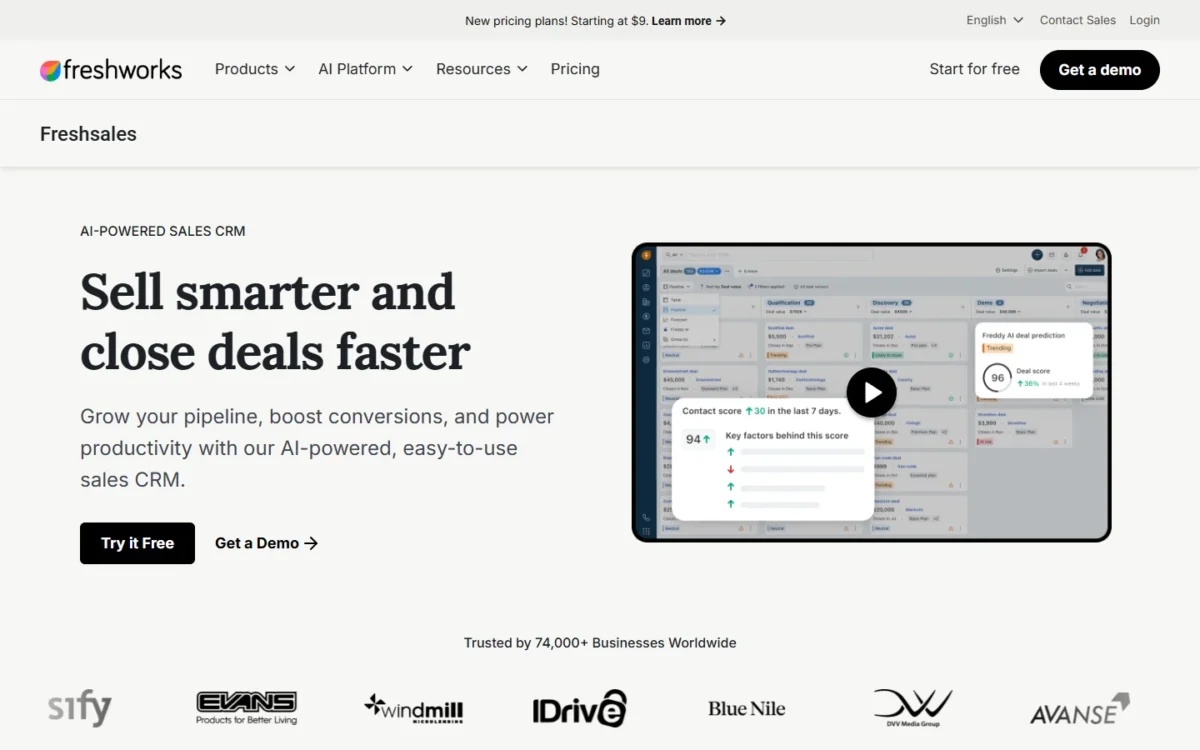
Freshsales Growth costs $9 per user per month billed annually and lists chat, email and phone, a Kanban view and basic workflows. That puts the three channels a phone-led team works in on the entry plan.
Sequences and contact scoring wait for Pro at $39, and forecasting insights for Enterprise at $59. The cheap entry suits teams that call and chat, not teams that run cadences.
Freshsales sells three paid plans with a 21-day trial and no free plan listed. The Freddy AI Agent is an add-on at $49 per 100 sessions, so customer-facing AI becomes a usage cost on top of the seat.
Freshsales runs from $9 to $59 per user per month, billed annually. Ten users on Growth pay $9 x 10 x 12 = $1,080 a year; on Pro, $39 x 10 x 12 = $4,680. The Freshsales pricing guide compares the three tiers.
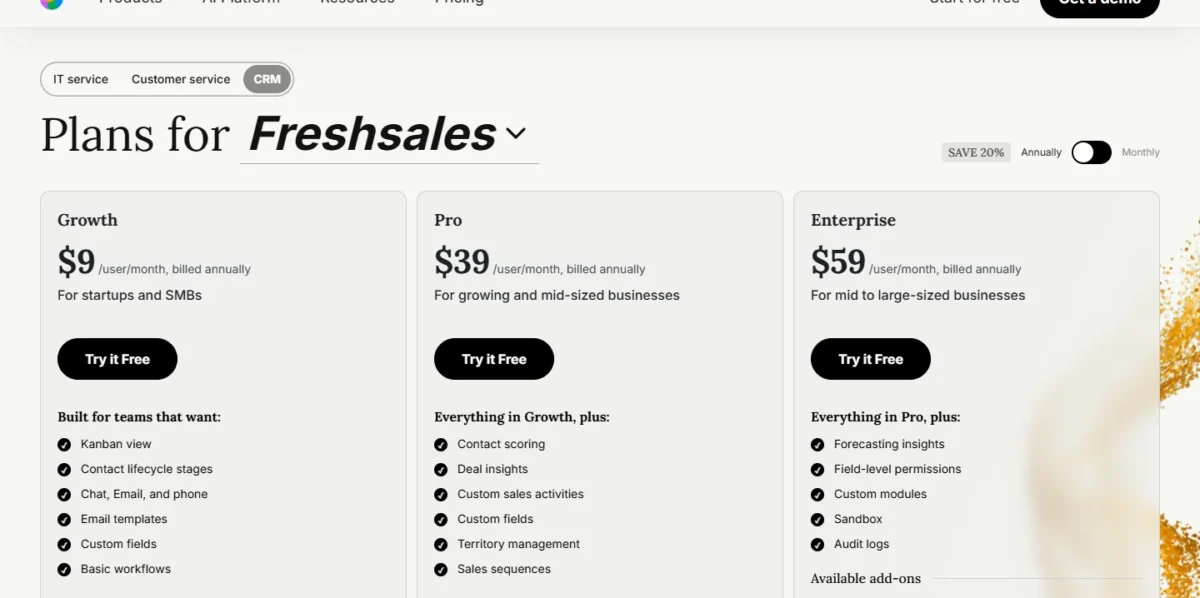
| Plan | Price | Billing | Key addition |
|---|---|---|---|
| Growth | $9 per user per month | Annually | Chat, email and phone; basic workflows |
| Pro | $39 per user per month | Annually | Sales sequences, contact scoring |
| Enterprise | $59 per user per month | Annually | Forecasting insights, audit logs |
Sources: Freshsales pricing, checked October 2026.
Pros
- Chat, email and phone on the $9 Growth plan
- Sequences, scoring and territory management on Pro
- Field-level permissions and audit logs on Enterprise
- Kanban view and contact lifecycle stages on Growth
Cons
- No free plan listed
- Sequences need Pro at $39
- The Freddy AI Agent costs $49 per 100 sessions
For a team whose deals happen on calls and chats, with a budget that starts at $9 a seat, Freshsales is the fit.
- Skip it if:
- you need a free plan, or sequences for less than $39 per user per month; my Freshsales alternatives list starts there.
My Freshsales review weighs Growth against Pro. Teams whose inbox is Gmail ask which CRM sits inside it.
8. Copper: Best for Google Workspace Teams
- Best for: teams that work in Gmail and Google Calendar
- Starting price: $23 per seat per month, paid annually ($29 monthly)
- Free plan or trial: free trial, no credit card
- Standout feature: Gmail email, contact and file sync with Google Calendar sync
- Integrations: Google Drive, Sheets and Looker Studio; 5,000+ apps through Zapier
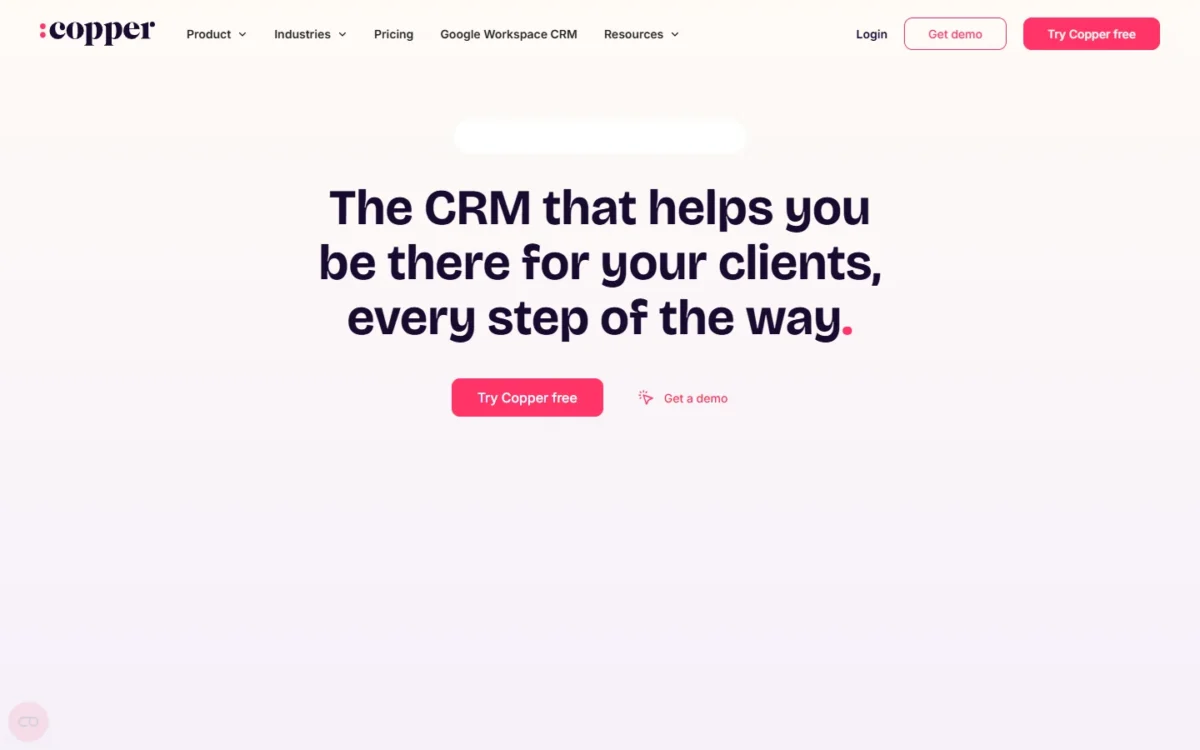
Copper is organized around Google Workspace. Its feature list syncs Gmail email, contacts and files, Google Calendar and Google Contacts, and adds a Chrome extension and Sign in with Google.
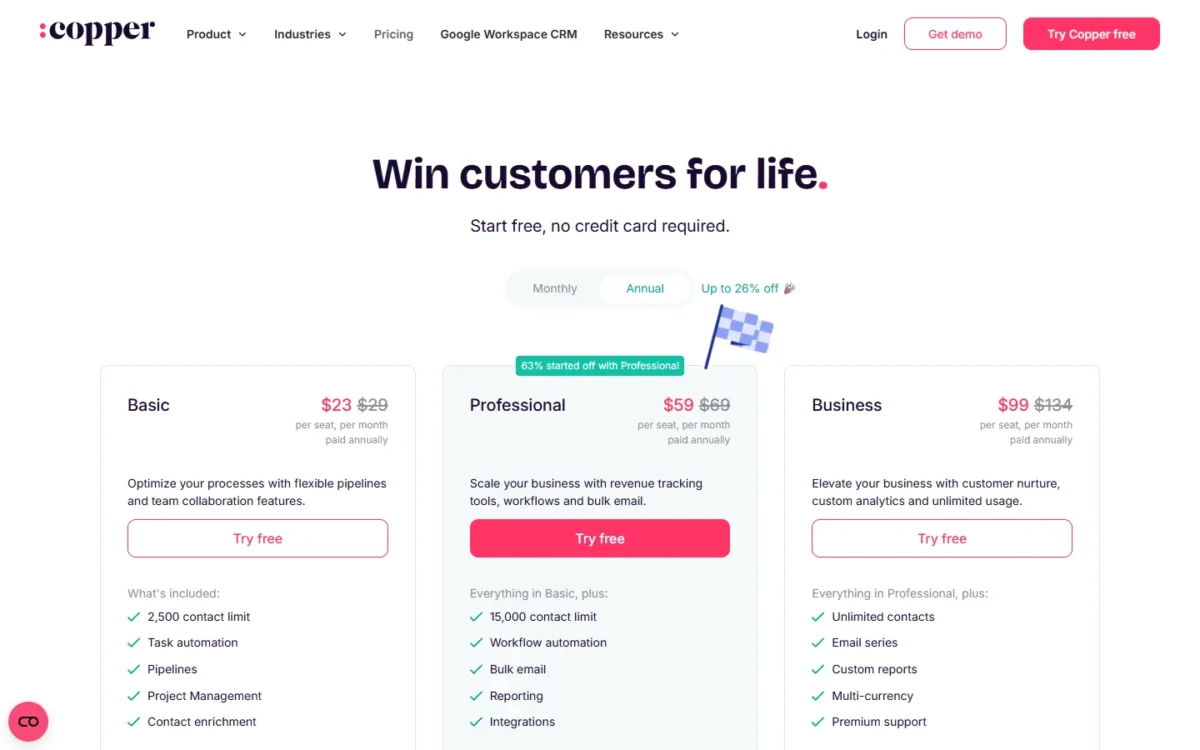
The contact caps decide the plan. Basic stops at 2,500 contacts, Professional at 15,000, and Business has no contact limit.
Professional also adds workflow automation, bulk email and reporting, so a team that wants automation should price it, not Basic.
The trade-off. A team on Outlook pays for Google sync it will not use.
Copper runs from $23 to $99 per seat per month paid annually, or $29 to $134 paid monthly, and annual billing saves up to 26%. Ten seats on Basic cost $23 x 10 x 12 = $2,760 a year; on Professional, $59 x 10 x 12 = $7,080. My Copper pricing guide sets the contact caps against each plan.
| Plan | Paid annually | Paid monthly | Contact limit |
|---|---|---|---|
| Basic | $23 per seat per month | $29 per seat per month | 2,500 |
| Professional | $59 per seat per month | $69 per seat per month | 15,000 |
| Business | $99 per seat per month | $134 per seat per month | Unlimited |
Sources: Copper pricing, checked October 2026.
Pros
- Gmail, Google Calendar, Contacts and Drive sync
- Project management and task automation on Basic
- Workflow automation and bulk email on Professional
Cons
- Basic caps at 2,500 contacts
- Workflow automation needs Professional at $59
- Monthly billing raises Basic from $23 to $29 per seat
Choose Copper if the team’s mail, calendar and files already live in Google Workspace.
- Skip it if:
- your team runs on Outlook and Microsoft 365; Nutshell, next, lists two-way sync with both Gmail and Outlook.
My Copper CRM review covers fit for mixed stacks. A team whose leads arrive through its website, not its inbox, needs a CRM that captures them without a marketing suite.
9. Nutshell: Best for Small Teams That Capture Leads From Their Website
- Best for: small teams whose leads arrive through their website
- Starting price: $13 per user per month (Foundation), listed rate
- Free plan or trial: no free plan listed; 14-day trial, no credit card
- Standout feature: webchat, AI chatbot, form builder and landing pages on every plan
- Integrations: “thousands of integrations” on the pricing page, no count published; two-way Gmail and Outlook sync
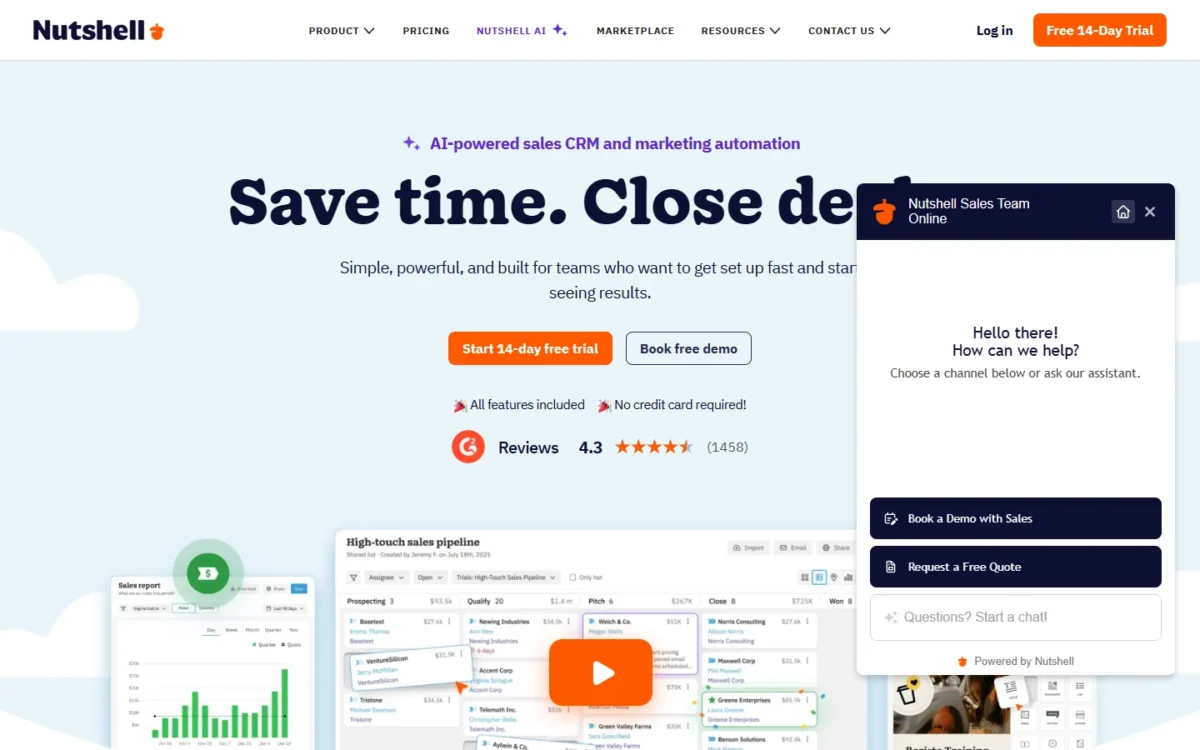
Nutshell puts website lead capture in every plan, from Foundation at $13 per user per month. Every subscription includes webchat, an AI chatbot, a form builder, landing pages and attribution reporting.
A site visitor can become a tracked lead in the CRM the team sells from. The catch: Foundation has a limit of 100 open leads.
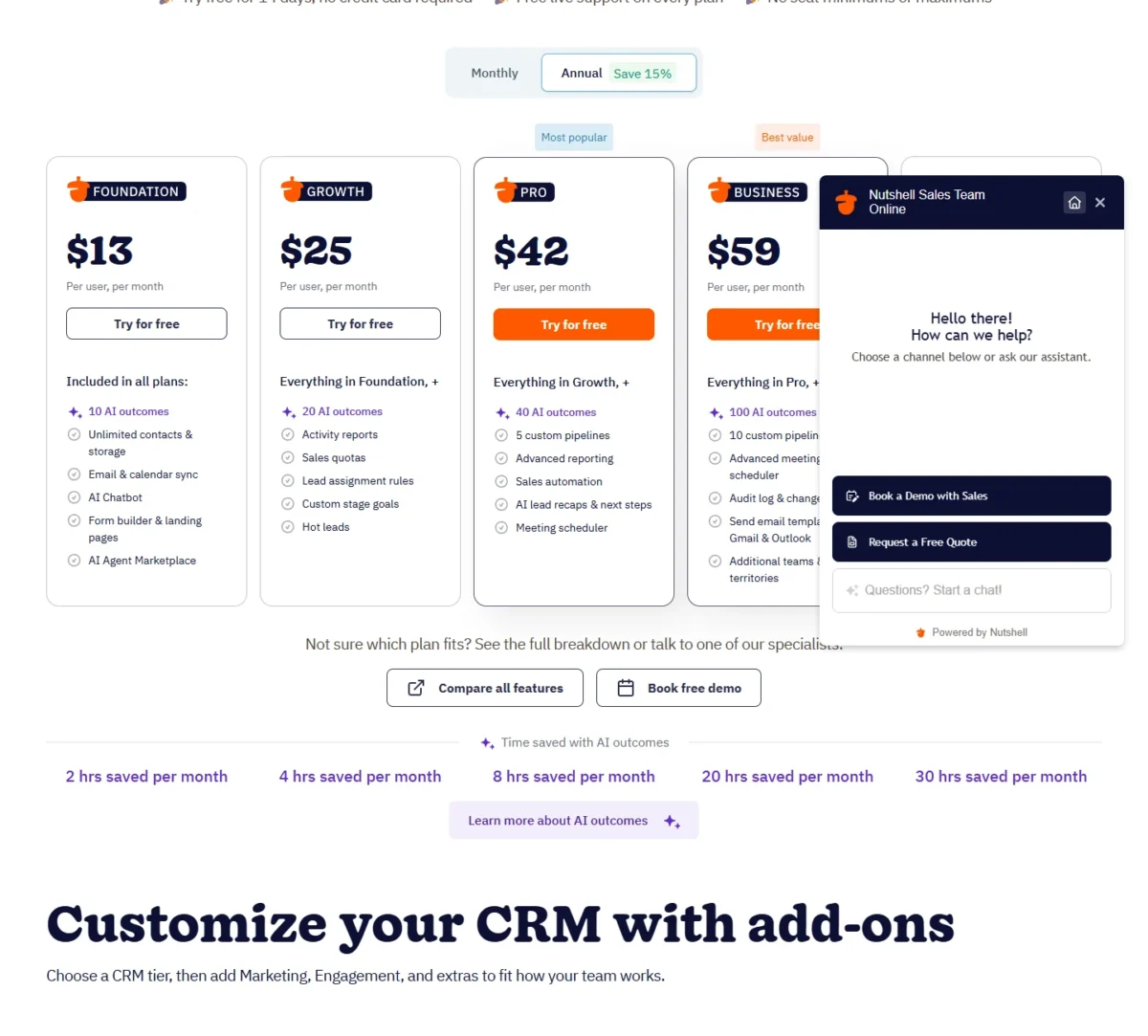
Growth, at $25, adds lead assignment rules and hot leads. Pro, at $42, adds sales automation, 5 custom pipelines and a meeting scheduler.
Live support is free on every plan, as are data migration during the trial and onboarding.
Why it beats HubSpot for this job. HubSpot’s free forms, landing pages and live chat come with a free CRM capped at 2 users and 1,000 contacts. Nutshell includes them with unlimited contacts and no seat minimum.
The trade-off. Zoho Standard at $14 lists forecasting and cadences; Nutshell’s plans name no forecasting.
Add-ons cost extra:
- Quotes, invoices and contracts: $79 a month
- Engagement (two-way SMS, unified inbox): $16 per user per month
- Marketing: $49 a month
Nutshell lists five tiers from $13 to $79 per user per month, and each card notes a $6 to $10 monthly saving with annual billing.
At the listed rate, 10 Foundation seats cost $13 x 10 x 12 = $1,560 a year, and 10 Pro seats $42 x 10 x 12 = $5,040.
| Plan | Price | Annual-billing note | Key addition |
|---|---|---|---|
| Foundation | $13 per user per month | Save $6/month | Lead capture tools; 100 open leads |
| Growth | $25 per user per month | Save $7/month | Lead assignment rules, hot leads |
| Pro | $42 per user per month | Save $7/month | Sales automation, 5 custom pipelines |
| Business | $59 per user per month | Save $8/month | 10 custom pipelines, audit log |
| $79 tier | $79 per user per month | Save $10/ | Enterprise SSO, SQL data access, phone support |
Sources: Nutshell pricing, default, Monthly and Annual views; Nutshell homepage, checked October 2026.
Pros
- Lead capture tools on every plan
- Unlimited contacts and storage, no seat minimum
- Two-way Gmail and Outlook sync
Cons
- No free plan listed
- 100 open leads on Foundation
- No forecasting on the plan lists
Choose Nutshell if your leads come from your website and you want capture and the pipeline on one per-seat plan.
- Skip it if:
- you need a free plan, forecasting, or quotes without a $79-a-month add-on.
Services firms ask a later question: which CRM keeps working after the deal closes.
10. Insightly: Best for Handing Won Deals to Delivery Projects

- Best for: services firms whose work starts after the sale
- Starting price: $29 per user per month, billed annually (Plus)
- Free plan or trial: 14-day trial, no credit card
- Standout feature: project management on Plus
- Integrations: AppConnect, sold as a separate product on the pricing page
Insightly makes sense when the work starts after the sale. Plus, at $29 per user per month billed annually, already includes project management, so a won deal can become a delivery project in the same CRM.
Professional, at $49, adds lead assignment and routing, workflow automation and AI Copilot; Enterprise, at $99, adds quotes and audit logging. All three plans are priced in US dollars and billed annually.
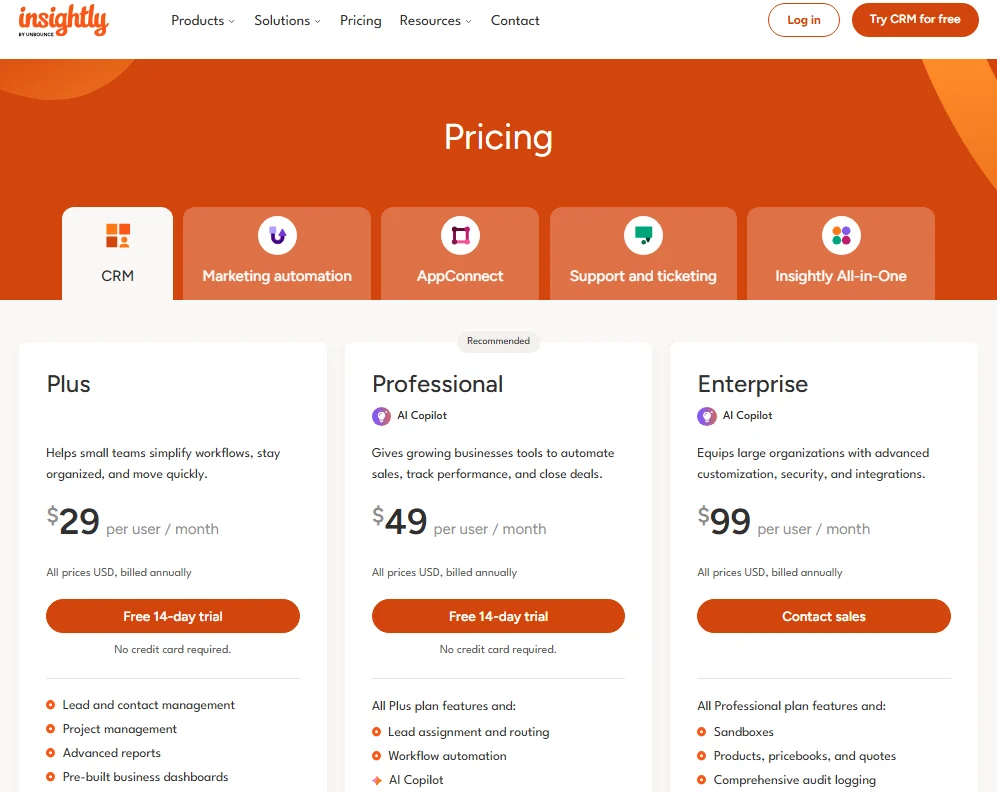
Automation waits for Professional, so a services firm that routes leads pays $49 x 10 x 12 = $5,880 a year for 10 users.
Insightly CRM runs from $29 to $99 per user per month, billed annually. Ten users on Plus pay $29 x 10 x 12 = $3,480 a year.
| Plan | Price | Billing | Key addition |
|---|---|---|---|
| Plus | $29 per user per month | Annually | Project management, advanced reports |
| Professional | $49 per user per month | Annually | Workflow automation, lead routing, AI Copilot |
| Enterprise | $99 per user per month | Annually | Sandboxes, quotes, audit logging |
Sources: Insightly pricing, checked October 2026.
Pros
- Project management on the $29 Plus plan
- Workflow automation and lead routing on Professional
- Quotes and audit logging on Enterprise
Cons
- Every plan is billed annually
- Workflow automation needs Professional at $49
- AppConnect is sold separately
Insightly fits when a closed deal hands off to a project team that should not need a second tool.
- Skip it if:
- you want to pay month to month (every plan card says billed annually) or need only a sales pipeline.
The deal-to-project workflow is the focus of my Insightly review. With every pick priced, the next question is the yearly bill side by side.
What 10 Seats Cost per Year
For 10 seats, a team pays from $840 a year (HubSpot Starter) to $12,300 in year one (HubSpot Professional with its onboarding fee). The figures use price x 10 seats x 12 months at list prices checked October 2026, before tax.
| Software | Entry plan, 10 seats x 12 months | Working plan | That plan, 10 seats x 12 months | What the working plan adds |
|---|---|---|---|---|
| Zoho CRM | Standard: $1,680 | Standard | $1,680 | Workflows, cadences and forecasting already on Standard; Professional: $23 x 10 x 12 = $2,760 |
| HubSpot Sales Hub | Starter: $840 | Professional | $10,800 + $1,500 onboarding = $12,300 | Forecasting and sequences; Free covers 2 users only |
| Salesforce Sales Cloud | Starter Suite: $3,000 | Pro Suite | $12,000 | Forecasting; Pro Suite is billed annually |
| Less Annoying CRM | $1,800 | Same plan | $1,800 | One plan; no automation listed |
| Pipedrive | Lite: $1,680 | Growth | Not verified | Automations, sequences and forecast reports |
| monday CRM | Basic: $1,440 | Standard | $2,040 | 250 automations a month; yearly billing |
| Freshsales | Growth: $1,080 | Pro | $4,680 | Sequences; forecasting on Enterprise: $59 x 10 x 12 = $7,080 |
| Copper | Basic: $2,760 | Professional | $7,080 | Workflow automation; paid annually |
| Nutshell | Foundation: $1,560 | Pro | $5,040 | Sales automation; listed rate, annual billing saves $6-$7 a month |
| Insightly | Plus: $3,480 | Professional | $5,880 | Workflow automation; billed annually |
Sources: Zoho CRM pricing, HubSpot Sales Hub pricing, Salesforce Sales pricing, Less Annoying CRM pricing, Pipedrive pricing, monday CRM pricing, Freshsales pricing, Copper pricing, Nutshell pricing, Insightly pricing, checked October 2026.
The gap between the two columns is the number to budget. Zoho and Less Annoying CRM have no gap at all.
HubSpot’s own 10-seat range runs from $840 on Starter to $12,300 on Professional ($10,800 + $1,500 onboarding).
Three working plans in the table cost $2,040 or less a year for 10 seats. Zoho Standard is $14 x 10 x 12 = $1,680, and Less Annoying CRM’s single plan is $15 x 10 x 12 = $1,800 with no automation listed. monday CRM Standard is $17 x 10 x 12 = $2,040.
Two reach $12,000 or more a year for 10 seats: Salesforce Pro Suite ($100 x 10 x 12 = $12,000) and HubSpot Professional ($10,800 + $1,500 onboarding = $12,300).
How to Choose the Right CRM for Your Team
Start from the one capability you cannot work without, then match your mail and calendar stack, then price the plan that carries that capability at your seat count. A recruiting or staffing agency can also start with the best CRM for recruiters.
- Name the capability: workflow automation, forecasting, sequences, calling, quotes or project handoff.
- Find the cheapest plan that lists it, in the criteria table under How I Chose.
- Check the stack: Copper lists Gmail and Google Calendar sync, and Nutshell lists two-way sync with Gmail and Outlook. A Microsoft 365 shop that wants Dynamics 365 Sales will find it under Also Considered.
- Price that plan at your seat count for 12 months, and add onboarding fees and add-ons.
| Software | Gmail or Google Workspace | Outlook email or calendar | Built-in calling | Project management | Quotes |
|---|---|---|---|---|---|
| Zoho CRM | Yes | Yes | Standard | Not listed | Professional |
| HubSpot Sales Hub | Not listed | Not listed | Starter | Not listed | Free CRM and up |
| Salesforce Sales Cloud | Not listed | Not listed | Not listed | Not listed | Pro Suite |
| Less Annoying CRM | Not listed | Not listed | Not listed | Not listed | Not listed |
| Pipedrive | Yes | Third-party Outlook add-in | Not listed | Projects add-on | Not listed |
| monday CRM | Not listed | Not listed | AI caller agent from Standard | Not listed | Basic |
| Freshsales | Not listed | Not listed | Growth | Not listed | Not listed |
| Copper | Yes | Not listed | Not listed | Basic | Not listed |
| Nutshell | Yes, all plans | Yes, all plans | Not listed | Not listed | Add-on, $79/ |
| Insightly | Google integration listed | MS 365 integration listed | Not listed | Plus | Enterprise |
Sources: the pricing pages linked under the comparison table, plus HubSpot free CRM for its sales quotes, Zoho CRM pricing for its Gmail and Outlook integration and the Pipedrive Marketplace for its Gmail add-on and Outlook add-in, and the Nutshell homepage for its two-way Gmail and Outlook sync, checked October 2026.
“Not listed” means the pricing page does not name the feature, so treat it as a question for the trial.
Shortlists by Team and Job
- No budget yet: start with my best free CRM software list.
- A small business with a few sellers: my best CRM for small business shortlist.
- An early-stage company: the best CRM for startups ranking.
- AI-first buying: the best AI CRM software list.
- Agents and brokers: the best CRM for real estate picks.
- One budget for both teams: my sales and marketing software ranking.
- A sales-led team choosing on pipeline tools: the best CRM for sales teams ranking.
- Agencies running client work: the best CRM for agencies list.
- Solo operators: the best CRM for freelancers picks.
- Online stores: the best CRM for ecommerce list.
- Nonprofits: the best CRM for nonprofits picks.
- Healthcare teams: the best CRM for healthcare list.
- Deciding between HubSpot and Zoho CRM: HubSpot vs Zoho CRM.
- Deciding between HubSpot and Salesforce: HubSpot vs Salesforce.
- Deciding between Zoho CRM and Salesforce: Zoho CRM vs Salesforce.
- Campaigns and nurture in the CRM: the best CRM for marketing automation ranking.
- A two-tool decision between a newer CRM and HubSpot: Attio vs HubSpot.
Also Considered
These tools appear on top-ranking lists but did not make my picks, each for a sourced reason:
- Creatio: an AI CRM and workflow platform for marketing, sales and service. Creatio prices Growth at $40 and Enterprise at $75 per user per month.
- Why Creatio missed the list: new customers face a $10,000-a-year minimum purchase on a standard 3-year term. Ten Growth seats come to $40 x 10 x 12 = $4,800, under that floor.
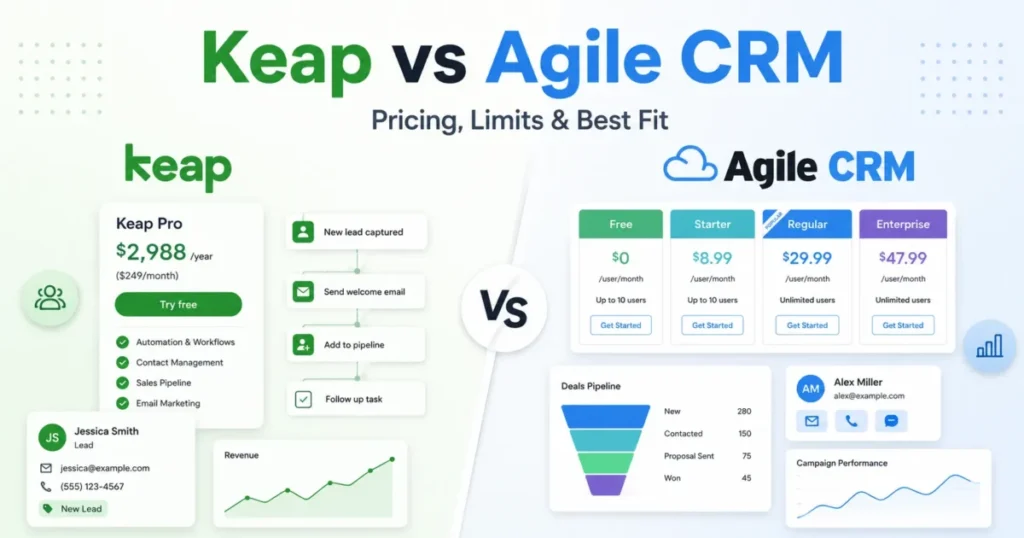
- Keap: marketing automation for small businesses. It starts with 2 user licenses, adds users at $39 a month each, and charges a $299 early termination fee on annual contracts. My Keap review covers it in full.
- Microsoft Dynamics 365 Sales: fits Microsoft 365 organizations; Microsoft lists $65, $105 and $150 per user per month, paid yearly. Unranked because its pricing page could not be captured to show its plans, as every ranked pick’s is (October 2026). See my Dynamics 365 Sales review.
- Nimble: a relationship-focused contact manager. Each user gets 1,000 emails a month for group messages and sequences, a narrower job than a sales pipeline; see my Nimble review.
- SugarCRM (now SugarAI): its entry plan costs $68 per user per month billed annually, above Zoho Enterprise at $40. My SugarCRM review has the detail.
- Zendesk Sell: the Sell pricing URL now shows Zendesk’s per-agent service plans, with no Sell plan listed.
FAQ
What is the #1 CRM platform?
By job, my first pick is Zoho CRM, because its $14 Standard plan lists sales forecasting, which HubSpot and Salesforce keep for higher plans. Salesforce calls itself “the #1 CRM” on its pricing page, but that is the vendor’s own claim.
What is the most popular CRM software?
Vendors publish customer counts rather than market share. Zoho’s CRM pricing page invites buyers to “join 350,000+ other businesses”.
Pipedrive’s pricing page says it is trusted by over 100,000 sales teams. Market-share figures are collected in my CRM statistics roundup.
Can a small business use Salesforce?
Yes. Starter Suite costs $25 per user per month, billed monthly or annually, and the 30-day trial needs no credit card. A small team that needs forecasting, though, pays $100 per user on Pro Suite, billed annually: $100 x 5 x 12 = $6,000 a year for five users.
Which CRMs have a free plan forever?
Two picks call their free plan permanent. Zoho CRM’s Free edition is free forever for 3 users, and HubSpot’s free CRM covers up to 2 users and 1,000 contacts with no expiration date. Salesforce lists a Free Suite at $0; the other seven picks offer trials instead.
Final Verdict
Which CRM system is best? For a growing team on a budget, Zoho CRM: its $14 Standard plan lists workflows, cadences and forecasting, and 10 seats cost $1,680 a year. Start with HubSpot if you want $0 now and marketing tools later, and plan for the onboarding fee when you reach Professional.
Choose Salesforce Sales Cloud if you are an enterprise sales organization with an admin and a budget for Pro Suite or above. Choose Less Annoying CRM if you want one $15 plan and will never need automation.
By stack, pick Copper for Gmail and Google Calendar. By need, pick Nutshell when leads arrive through your website, Insightly when won deals become projects and Freshsales when calls happen on a $9 plan. Pipedrive suits a pipeline-only sales team, and monday CRM a team that builds its own boards.
The one rule across all ten: price the plan that carries the feature you need, at your seat count, before you compare entry prices.


Pingback: HubSpot CRM Alternatives 2026: 10 Best Options Compared