The best AI chatbots for a small team split by job: ChatGPT for mixed daily work, Claude for long writing and code, Gemini for Google Workspace users and Perplexity for cited research. The main paid plans of the first two cost $20 a month (ChatGPT Plus, billed monthly) and $17 a month on annual billing (Claude Pro).
Google AI Plus costs $4.99 a month, and Perplexity Pro costs $17 a month billed annually. I checked the prices on the vendors’ own pages and ranked the assistants by the job each does best; the tenth pick, Character.AI, is for character roleplay rather than work.
Quick verdict
This list is for owners, managers and freelancers choosing a paid AI assistant for their own work, not a bot that answers customers.
My main pick is ChatGPT: Plus is the first tier where deep research, Codex and the Office and Google Sheets extensions stop being limited.
Pick Claude for long documents and code, or for work inside Microsoft 365 and Outlook. Pick Gemini if your files live in Gmail and Drive, and Perplexity when answers need sources. For roleplay with characters, Character.AI is the pick, ranked last because of its Chapter 11 sale process.
Team plans are where the picks split. Ten Claude Team seats cost $20 x 10 seats x 12 months = $2,400 a year on annual billing, while ten Perplexity Enterprise Pro seats cost $34 x 10 x 12 = $4,080.

ChatGPT
Best for: mixed daily work
Plus bundles deep research, scheduled tasks, custom GPTs and expanded Codex for $20 a month.
Limit: personal plans train on your content unless you opt out

Claude
Best for: long writing and code
Pro adds Claude Code and Research for $17 a month on annual billing.
Limit: no fixed message count; limits reset every five hours

Google Gemini
Best for: Google Workspace users
Google AI Plus puts Gemini inside Gmail, Vids and other Google apps.
Limit: the Free plan runs the Flash-Lite model, and usage limits have a weekly cap

Perplexity
Best for: cited research
Every answer carries inline citations, and Pro lets you select between AI models from several vendors.
Limit: Pro and Max are for personal use; a team needs Enterprise Pro
In This Article (17 sections)
Best AI Chatbots at a Glance
Among the top four picks, Google AI Plus is the cheapest paid entry. For a team, a Claude Team standard seat costs $20 per seat per month billed annually, against $34 for Perplexity Enterprise Pro.
| Software | Best for | Starting price | Free plan or trial | Standout feature | Key limitation |
|---|---|---|---|---|---|
| ChatGPT | Mixed daily work | Plus: $20 per month, billed monthly (Go price not verified) | Free plan | Deep research and Codex in one plan | Trains on content unless you opt out |
| Claude | Long writing and code | Pro: $17 per month billed annually | Free plan | Claude Code and Research on Pro | No fixed message count |
| Google Gemini | Google Workspace users | Google AI Plus: $4.99 per month | Free plan; Workspace 14-day trial | Gemini inside Gmail and Google apps | Weekly usage cap |
| Perplexity | Cited research | Pro: $17 per month, billed annually | Free plan | Inline citations, choice of models | Pro is for personal use only |
| Mistral Vibe | Chat plus all-day coding | Pro: $14.99 per month | Free plan | Vibe coding agent | SAML SSO only on Enterprise |
| Grok | People who pay for X | Plus: $8 per month | Free plan | One pool across Grok and Cursor | Cursor’s third-party models cost extra |
| DeepSeek | Reasoning via API | $0.30 per 1M input tokens (peak) | Prepaid balance | 1M-token context | No team plan listed |
| Poe | Many models, one bill | From $4.99 per month | Free use | One subscription across models | Members cannot be capped |
| Duck.ai | Private chat | Free | Free | Chats stored on your device | Advanced models need a subscription |
| Character.AI | Character roleplay chat | Price shown: c.ai+ $94.99 per year | Free plan | 10M+ characters, memory and Lorebook | No team plan; Chapter 11 sale process announced Oct 12, 2026 |
Sources: ChatGPT, Claude, Google AI plans, Perplexity, Mistral, xAI, DeepSeek, Poe, Duck.ai, Character.AI pricing and help pages, and the Character.AI blog, checked October 2026.
ChatGPT, Claude, Gemini and Perplexity each list a Free plan, so the real decision is which paid plan holds the feature your job needs.
How I Chose These AI Chatbots
I considered the tools ranked below and those named under Also Considered, using official pricing and help pages checked in October 2026. The ranking rests on documentation, not a hands-on trial, and carries no scores.
Three must-haves removed tools first. Each needed a published self-serve plan or price, had to serve your own work rather than answer customers, and had to be sold on its own, not only on top of another suite’s license.
The rest were ranked by the distinct job each covers best, how clearly its pages gate features by plan, a team plan with data controls, and the entry price.
Character.AI is the one pick sold for character roleplay rather than as an assistant, and it ranks tenth for three sourced reasons. The company entered a Chapter 11 sale process on October 12, 2026, its payments are non-refundable except where the law requires, and its plans stop at c.ai+, with no team tier.
| Product | Job it covers | Entry paid plan | Team plan with SSO | No training on your data by default |
|---|---|---|---|---|
| ChatGPT | Mixed daily work | Go (price not verified) | Not listed | Not listed (opt-out) |
| Claude | Long writing and code | Pro | Team | Team |
| Google Gemini | Google Workspace users | Google AI Plus | Not listed | Not listed |
| Perplexity | Cited research | Pro | Enterprise Pro | Enterprise Pro |
| Mistral Vibe | Chat plus all-day coding | Pro | Enterprise | Not listed (opt-out) |
| Grok | X subscribers | Plus | Enterprise | Not listed |
| DeepSeek | API reasoning | Pay per token | Not listed | Not listed |
| Poe | Many models | Subscription | Not listed | Not listed |
| Duck.ai | Private chat | Free chat; subscription price not stated on the page | Not listed | Free and paid |
| Character.AI | Character roleplay chat | Paid plan shown: c.ai+ (lite price not verified) | Not listed | Not listed (policy lists training) |
Sources: ChatGPT pricing, Claude pricing, Perplexity Enterprise pricing, Mistral pricing, xAI pricing, DuckDuckGo subscription page, Character.AI privacy policy, checked October 2026.
The evidence is the vendors’ own pages plus my analysis, and each team total in the article shows its math. The list does not measure answer quality, and ChatGPT, Claude and Gemini describe usage limits without publishing message counts.
How the models produce an answer is a separate question, covered in my explainer on what generative AI is. The first pick is the safest default for varied work.
1. ChatGPT: Best for Mixed Daily Work
- Best for: work that jumps between writing, files, research and code
- Starting price: Plus at $20 per month, billed monthly; Go price not verified
- Free plan or trial: Free plan
- Integrations: count not published; apps that connect to internal tools start on Plus
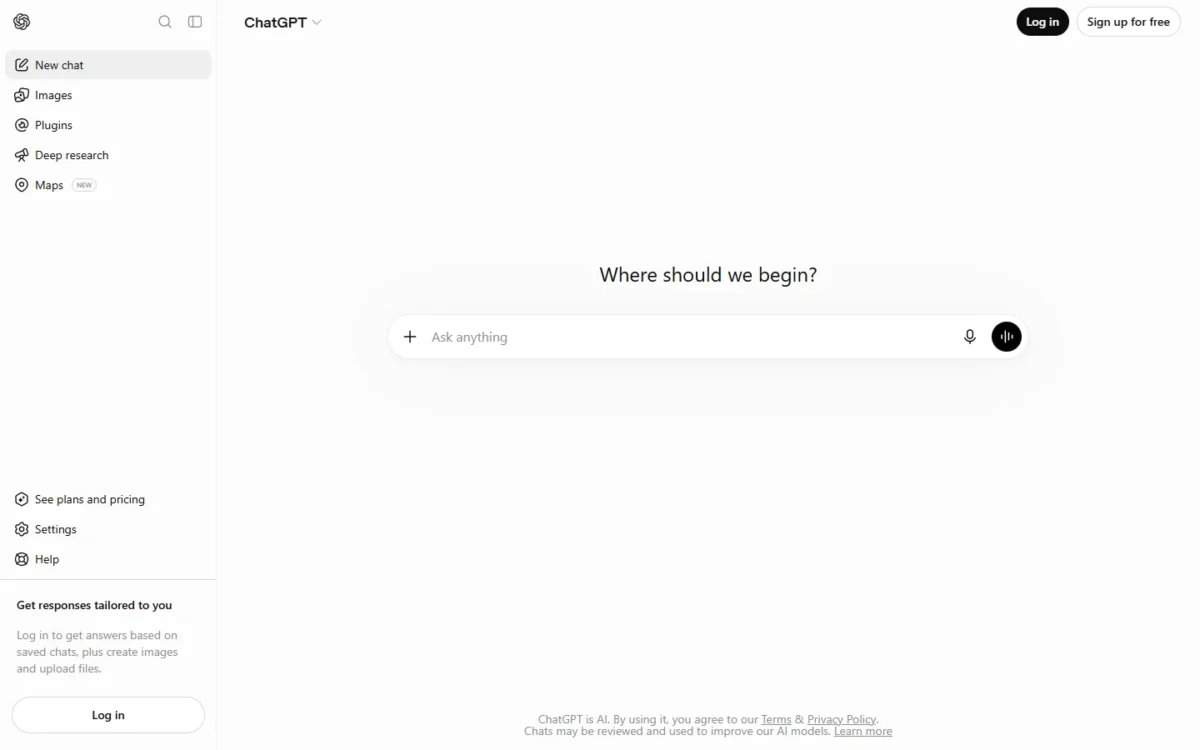
ChatGPT is still the safest default when you cannot predict next month’s work. Plus is the first plan where deep research, Codex and the Excel, Word, PowerPoint and Google Sheets extensions are no longer marked limited, so one subscription covers drafting, spreadsheets, research and code.
Go, the tier below Plus, adds scheduled tasks, more uploads and data analysis, but deep research stays limited and OpenAI notes that Go may include ads. I would treat Go as a better free plan for chat, not as a work plan.
I rank ChatGPT above Claude for breadth: Plus lists image creation, voice with video, data analysis, scheduled tasks and Codex, while Claude’s case rests on depth. It ranks above Gemini because it does not depend on one office suite.
Read the privacy line before you pay. On the personal plans, OpenAI’s pricing page says content is used to train its models, with an opt-out, and lists no SAML SSO or admin console. A company that needs those buys ChatGPT Business, sold per user per month from 2 users.
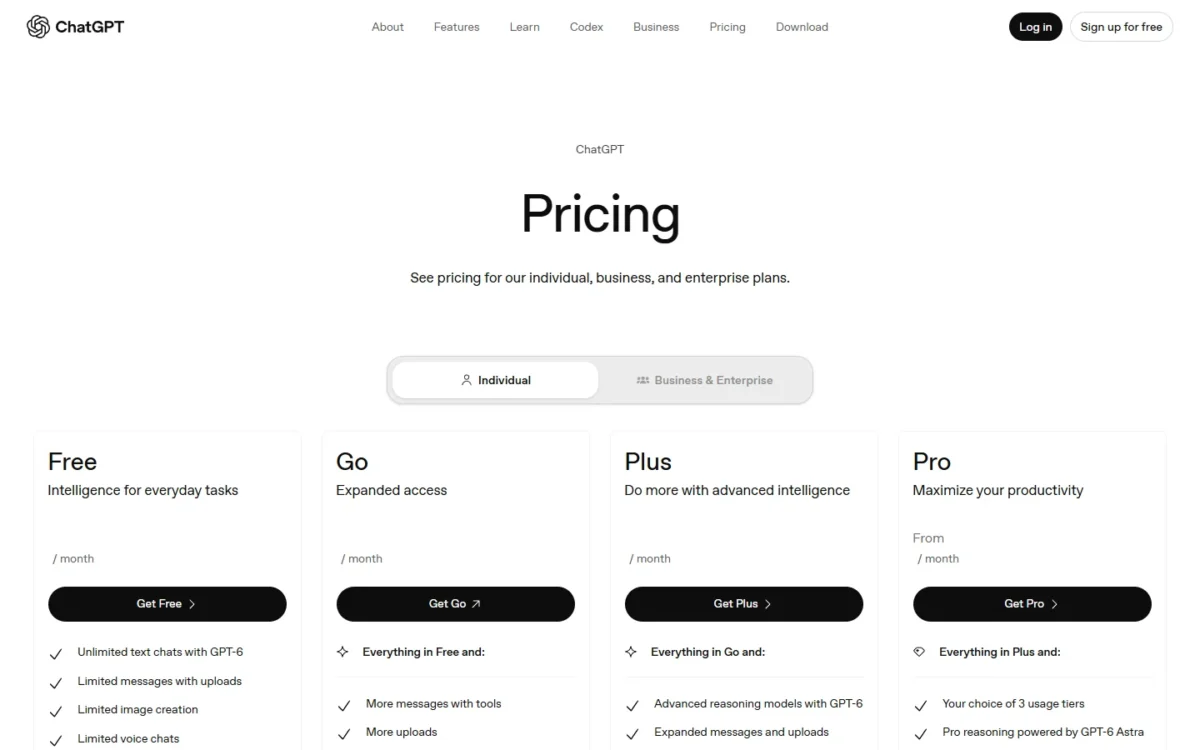
Pro reasoning is powered by GPT-6 Astra, which Plus also lists, with expanded access on Pro.
Pro comes in three tiers, Pro 100, Pro 200 and Pro 500, and the new Pro 500 costs $500 a month as the only one with Ultrafast.
ChatGPT Plus costs $20 a month, and OpenAI’s help center says Go, Plus and Pro have no annual billing. Pro 200 costs ten times Plus, so it pays only if Plus limits stop your work every week. Each tier’s limits are compared in my ChatGPT pricing guide.
| Plan | Price | Billing | Key limit |
|---|---|---|---|
| Free | Free | n/a | Limited deep research, uploads and Codex |
| Go | See pricing page | Monthly | May include ads |
| Plus | $20 per month | Monthly | Usage limits apply |
| Pro 100 | Not verified | Monthly | Less usage than Pro 200 |
| Pro 200 | $200 per month | Monthly | No Ultrafast |
| Pro 500 | $500 per month | Monthly | Highest Pro usage |
| Business | Per user per month | Monthly or annual | From 2 users |
Sources: ChatGPT pricing, What is ChatGPT Plus?, About ChatGPT Pro tiers, checked October 2026.
Pros
- Plus lifts deep research, Codex and the Office extensions out of “limited”
- Scheduled tasks start on Go, below Plus
- Monthly billing on every personal plan, so no annual lock-in
Cons
- Training opt-out is a step you must remember on Free to Pro
- No SAML SSO or admin console on any personal plan
- Plus says “Limits apply” without a published message count
- Skip it if:
- you want personal-plan data kept out of training without an opt-out step, or your month is mostly long documents and code, where Claude’s Pro plan is built around Claude Code and Research.
The full verdict on the product, beyond its plans, is in my ChatGPT review.
2. Claude: Best for Long Writing and Code
- Best for: long documents, analysis and code
- Starting price: Pro at $17 per month billed annually, or $20 billed monthly
- Free plan or trial: Free plan
- Integrations: count not published; Claude in Chrome, Microsoft 365 and Outlook start on Pro
Paid annually, Claude Pro costs $200 for the year, $40 less than 12 months of ChatGPT Plus at $20 x 12 = $240. For a writer or developer who already knows which assistant they will use daily, that makes Claude the cheaper commitment.
The paid step is about depth. Pro adds Claude Code, Research, Claude in Chrome and Claude for Microsoft 365 and Outlook, none of which Free lists. Every plan lists a context window of up to 1M tokens, varying by model, which matters when one conversation holds a long report or a codebase.
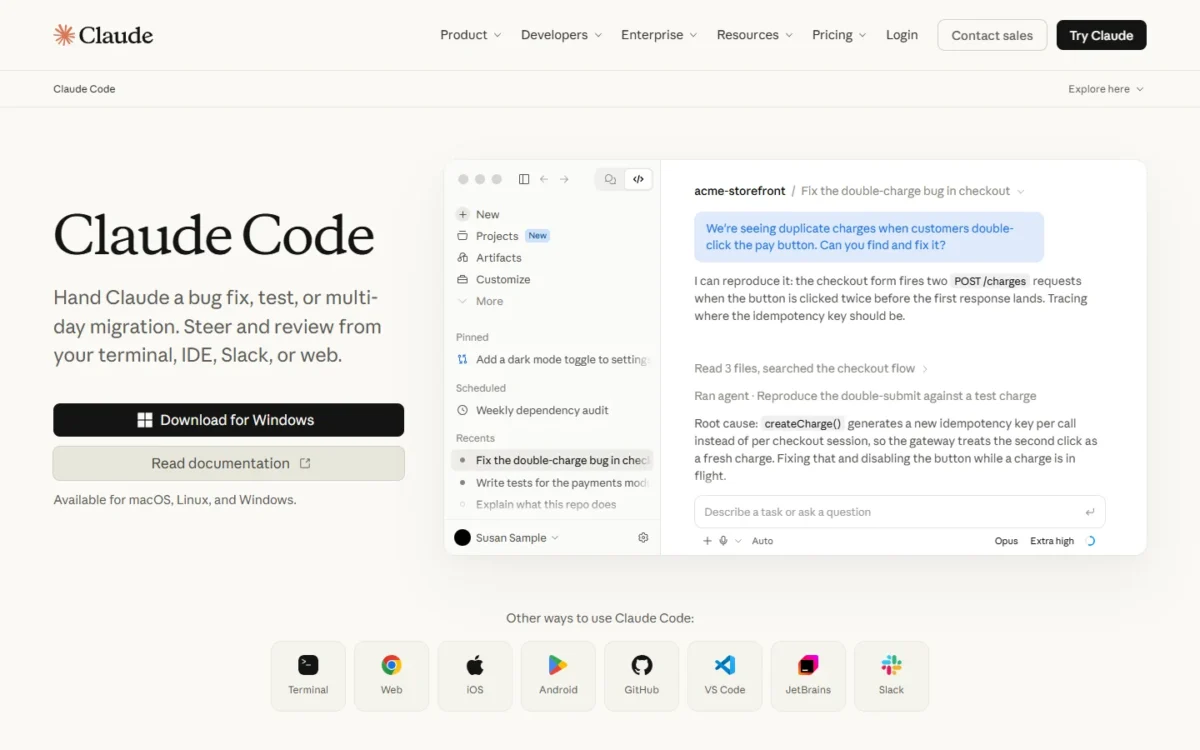
Claude Pro adds Claude’s Office and Outlook add-ins. ChatGPT Plus lists Excel, Word, PowerPoint and spreadsheet extensions, and no Outlook extension appears on its pricing page, so the Outlook add-in is what separates the two.
Usage is the limit to plan around. Limits reset on a rolling five-hour window, paid plans add weekly limits, and Anthropic publishes no fixed message count. Claude Code draws from the same pool as chat, so a heavy coding day eats into drafting time.
Claude ranks second because ChatGPT’s single plan covers more kinds of everyday work. If the real choice is between two coding agents, my Codex vs Claude Code comparison puts them side by side.
Claude Team covers teams of 2 to 150 and adds SSO and no model training on your content by default; the personal plans list training as opt-out. Team also lists Claude’s Office and Outlook add-ins, so a company buys Team rather than Pro.
Enterprise costs $20 per seat per month billed annually, with a 20-seat minimum, plus usage at API rates.
Claude Pro costs $17 a month with annual billing ($200 billed up front) or $20 billed monthly, and Max starts at $100 a month. Annual billing only makes sense once Claude is your main tool. Pro, Max and Team are compared plan by plan in my Claude pricing guide.
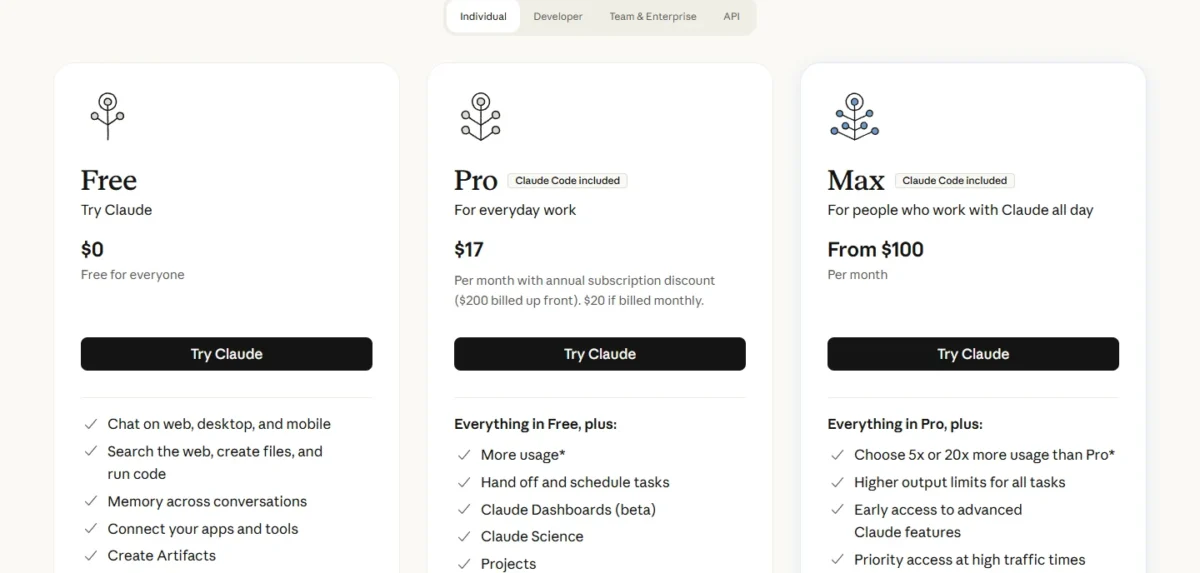
| Plan | Price | Billing | Key limit |
|---|---|---|---|
| Free | $0 | n/a | No Claude Code or Research |
| Pro | $17 per month, or $20 monthly | Annual or monthly | No fixed message count |
| Max | From $100 per month | Monthly | 5x or 20x Pro usage |
| Team standard seat | $20 per seat per month, or $25 monthly | Annual or monthly | Teams of 2 to 150 |
| Team premium seat | $100 per seat per month, or $125 monthly | Annual or monthly | 5x standard-seat usage |
| Enterprise | $20 per seat per month plus API usage | Annual | 20-seat minimum |
Sources: Claude pricing, checked October 2026.
Pros
- Annual Pro costs $40 less than a year of ChatGPT Plus
- Claude Code is included in all paid plans
- Team adds SSO and no training by default from 2 seats
Cons
- No fixed message count, with weekly caps on paid plans
- Claude Code and chat share one usage pool
- Project sharing is not on Free, Pro or Max
- Skip it if:
- you plan heavy coding and heavy drafting in the same week, because Claude Code draws from the same usage pool as chat and a long coding day leaves less for writing. Readers who rule Claude out will find replacements in my Claude alternatives list.
My Claude review goes deeper on the writing and coding workflow. The next pick works from inside Gmail.
3. Google Gemini: Best for Google Workspace Users
- Best for: people and teams whose files live in Gmail, Docs and Drive
- Starting price: Google AI Plus at $4.99 per month
- Free plan or trial: Free plan; Google Workspace has a 14-day trial
- Integrations: count not published; Gmail, Docs, Drive, Meet, Vids and Chrome
Yes, Gemini is worth paying for if your files already live in Google. Google AI Plus adds Gemini directly in Gmail, Vids and other Google apps, 400 GB of storage and 2x the Free plan’s usage. For productivity, that placement matters more than the model: the assistant works where the email already is.
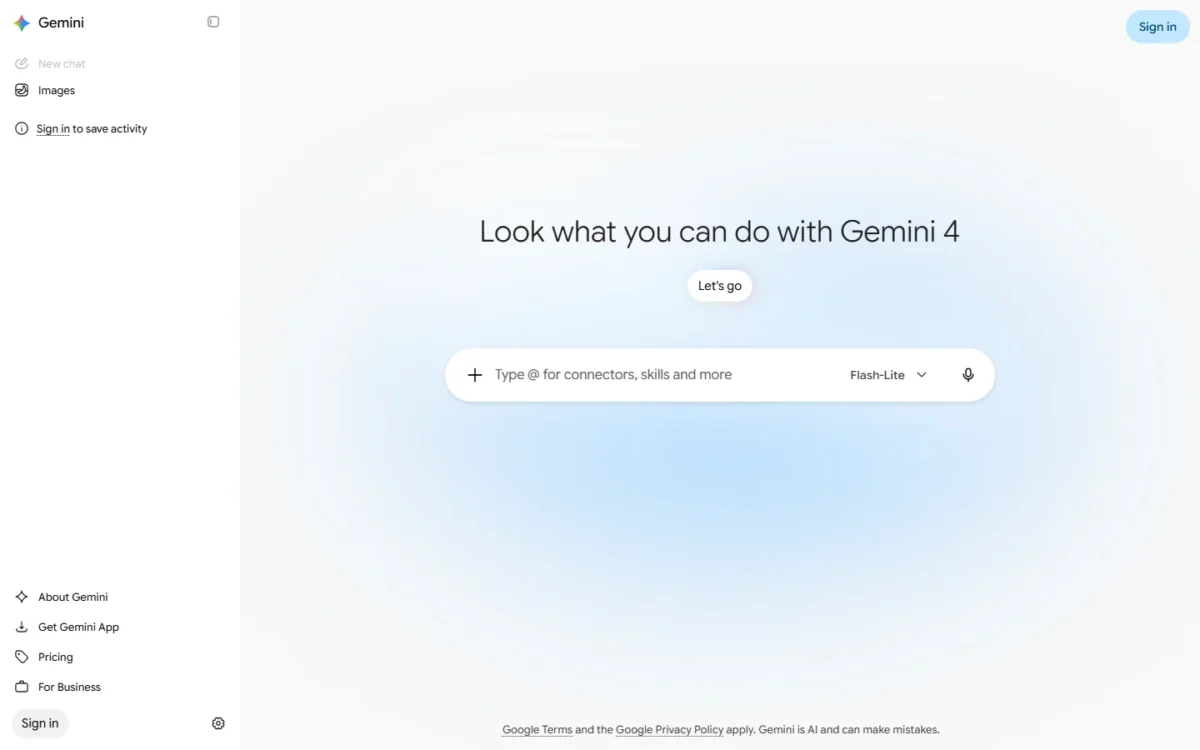
The free plan already researches: Google lists Deep Research, Canvas and Gemini Live on Free, which runs the Flash-Lite model. Paying buys the model and the apps. Plus moves you to Flash, and Google AI Pro adds the Pro model, Gemini 4 Argon, the Jules coding agent and 4x Free usage.
A Google Workspace team gets Gemini inside the office suite. Business Standard lists Gemini in Gmail, Docs, Meet and more, plus the Gemini app with expanded access. New customers pay an intro price for 12 months on their first 20 users, and the page states that all plans are billed monthly.
Gemini ranks third because its edge depends on where your files are; for a team on Outlook and SharePoint it disappears. Usage limits are compute-based, refresh every five hours up to a weekly limit, and can be extended with AI credits.
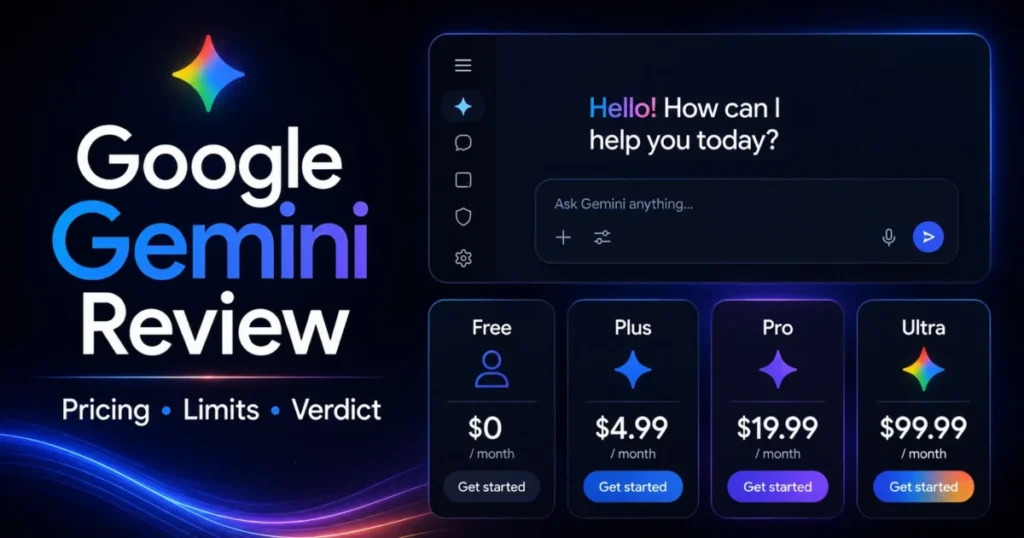
Google AI Plus costs $4.99 a month, Google AI Pro $19.99 and Google AI Ultra starts at $99.99 a month. A year of Plus is $4.99 x 12 = $59.88, less than three months of ChatGPT Plus at $20 x 3 = $60. Plus, Pro and Ultra are broken down in my Gemini pricing guide.
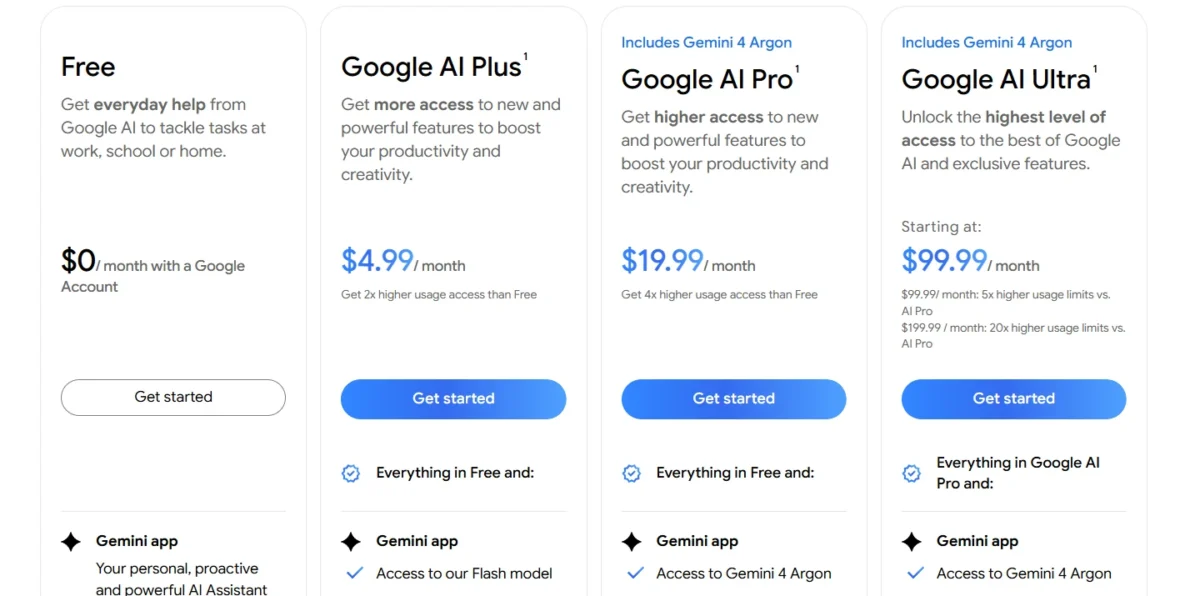
| Plan | Price | Billing | Key limit |
|---|---|---|---|
| Free | $0 per month | n/a | Flash-Lite model |
| Google AI Plus | $4.99 per month | Per month | 2x Free usage |
| Google AI Pro | $19.99 per month | Per month | 4x Free usage |
| Google AI Ultra | $99.99 or $199.99 per month | Per month | 5x or 20x Pro usage |
| Workspace Business Starter | $7 per user per month ($3.50 intro) | Billed monthly | Gemini in Gmail |
| Workspace Business Standard | $14 per user per month on a 1-year commitment ($8.40 intro) | Billed monthly | Intro: first 20 users, 12 months |
Sources: Google AI plans, Google Workspace pricing, checked October 2026.
Pros
- Gemini in Gmail on the lowest paid personal tier
- Deep Research is listed on the Free plan
- Business Standard adds Gemini to Docs and Meet inside the suite
Cons
- The Free plan runs the Flash-Lite model
- Compute-based limits with no fixed count
- Workspace intro prices end after 12 months
- Skip it if:
- your company works in Office apps and Outlook, where Claude Team lists Claude’s Office and Outlook add-ins.
My Gemini review covers how Gemini works with Gmail and Drive in more depth. Gemini answers from your files; the next pick answers with sources you can check.
4. Perplexity: Best for Cited Research
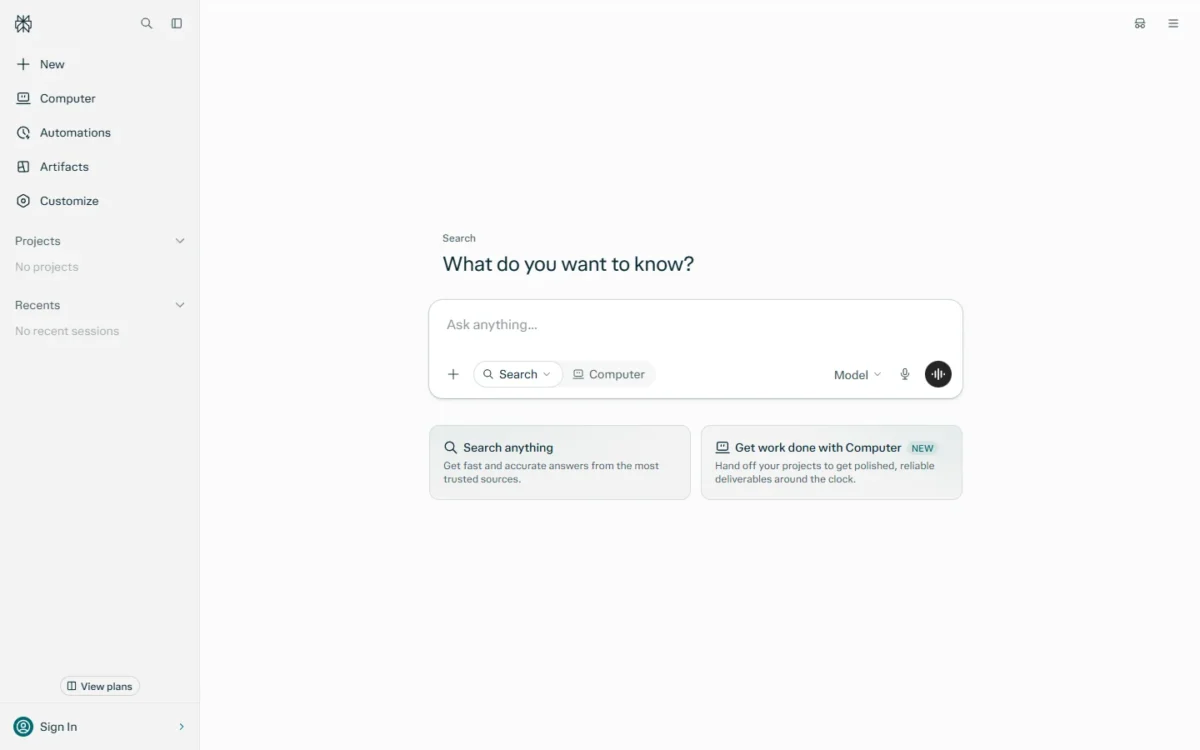
- Best for: researchers, analysts and marketers who must cite sources
- Starting price: Pro at $17 a month or equivalent, when billed annually
- Free plan or trial: Free plan
- Integrations: count not published for Pro; Enterprise Pro searches across the web, files and apps
Perplexity earns a separate subscription when an answer has to be defended. Its Pro page says every answer includes inline citations from trusted sources, so checking a claim means opening the source beside it.
Pro adds Deep research and lets you select between AI models. The Pro page lists GPT-6.1 Sol, Gemini 3.8 Flash, Claude Sonnet 5.5 and Grok 4.7 among them, so one bill buys search with several vendors’ models.
The catch is the account type. Pro and Max are for personal use only, so a team buys Enterprise Pro. That plan guarantees no training on your data, adds SSO, lists SOC 2 Type II, HIPAA, GDPR and PCI DSS compliance, and cites premium sources such as PitchBook and Statista.
Perplexity ranks fourth because it does one job best rather than replacing a general assistant. I would run it beside ChatGPT or Claude, not instead of one.
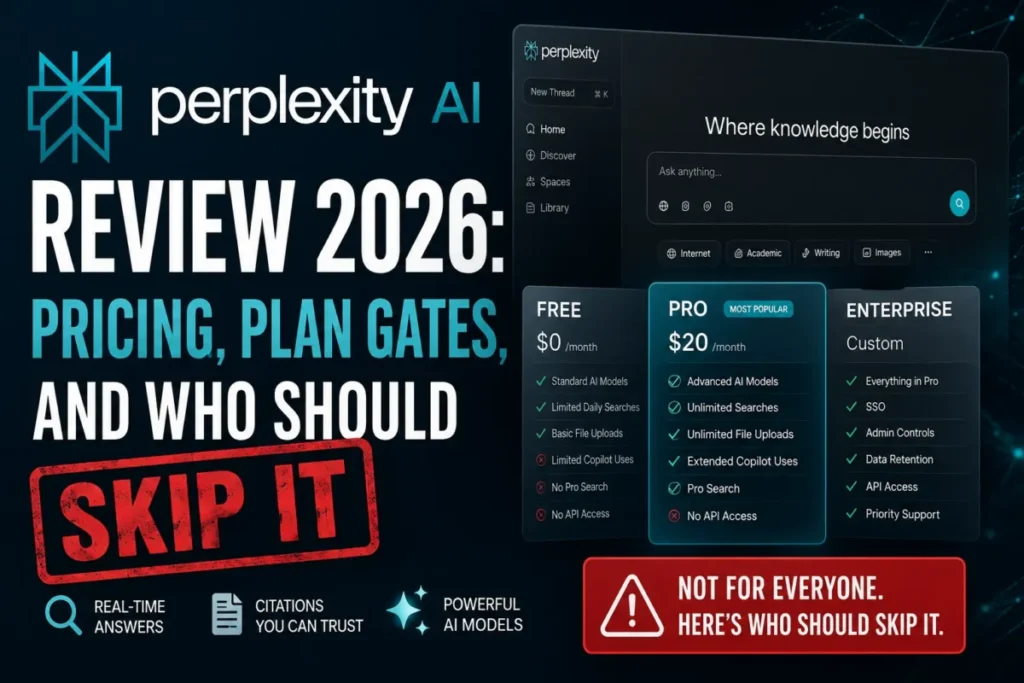
Perplexity Pro costs $17 a month or equivalent when billed annually, a $204 year at $17 x 12. Enterprise Pro costs $34 per seat per month and Enterprise Max $271, both billed annually. Pro, Max and Enterprise are compared in my Perplexity pricing guide.
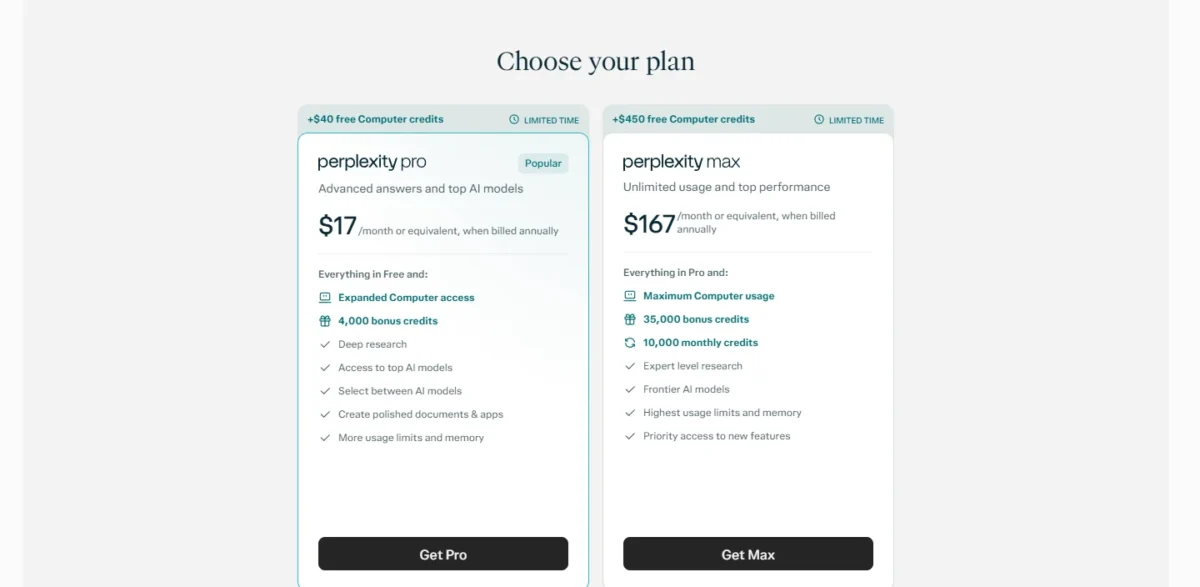
| Plan | Price | Billing | Key limit |
|---|---|---|---|
| Free | Free | n/a | Pro adds Deep research |
| Pro | $17 per month | Billed annually | Personal use only |
| Max | $167 per month | Billed annually | Personal use only |
| Enterprise Pro | $34 per seat per month | Billed annually | 500 Computer credits per seat a month |
| Enterprise Max | $271 per seat per month | Billed annually | 15,000 Computer credits per seat a month |
Sources: Perplexity Pro, Perplexity Enterprise pricing, checked October 2026.
Pros
- Inline citations make claims quick to check
- Pro lists models from OpenAI, Google, Anthropic and xAI
- Enterprise Pro guarantees no training on your data
Cons
- Pro and Max are for personal use only
- Prices are published on annual billing
- An Enterprise Pro seat costs more than a Claude Team seat at $20
- Skip it if:
- you want one tool for writing, files and general work, because Perplexity’s plans are built around answers and research.
My Perplexity review covers the citation workflow in detail. With research covered, the next pick puts chat and a coding agent in one subscription.
5. Mistral Vibe: Best for Chat Plus All-Day Coding
- Best for: developers who want chat and a coding agent in one subscription
- Starting price: Pro at $14.99 per month, excluding taxes
- Free plan or trial: Free plan
- Integrations: 100+ connectors on Free; VS Code and JetBrains plugins
Mistral sells Pro as “full access to Vibe for all-day coding and long-running tasks”, so one subscription holds chat, web search and a coding agent. At $14.99 it sits below the $17 to $20 that Claude Pro, Perplexity Pro and ChatGPT Plus charge.
It is not the cheapest paid entry on this list, since Google AI Plus and Grok Plus cost less.
For a coder weighing Claude Pro with Claude Code or ChatGPT Plus with Codex, Mistral Pro is a trade. It holds chat, web search and the Vibe agent, subject to fair usage limits, and the Enterprise card lists SAML SSO.
Pro adds more messages and web searches, more extended thinking and deep research reports, expanded Vibe capacity, and chat and email support. Free already lists 100+ connectors, up to 5 scheduled tasks and limited coding sessions, so you can try the agent first.
Team adds up to 30 GB of storage per user, domain verification and data export. SAML SSO and audit logs sit on Enterprise, and model training is opt-out on Free, Pro and Team, so a team that needs training off by default should look at Claude Team.
Mistral Pro costs $14.99 a month, excluding taxes, which is $14.99 x 12 = $179.88 a year. Team costs $24.99 per user per month, excluding taxes, and the page does not say whether Team is billed monthly or annually.
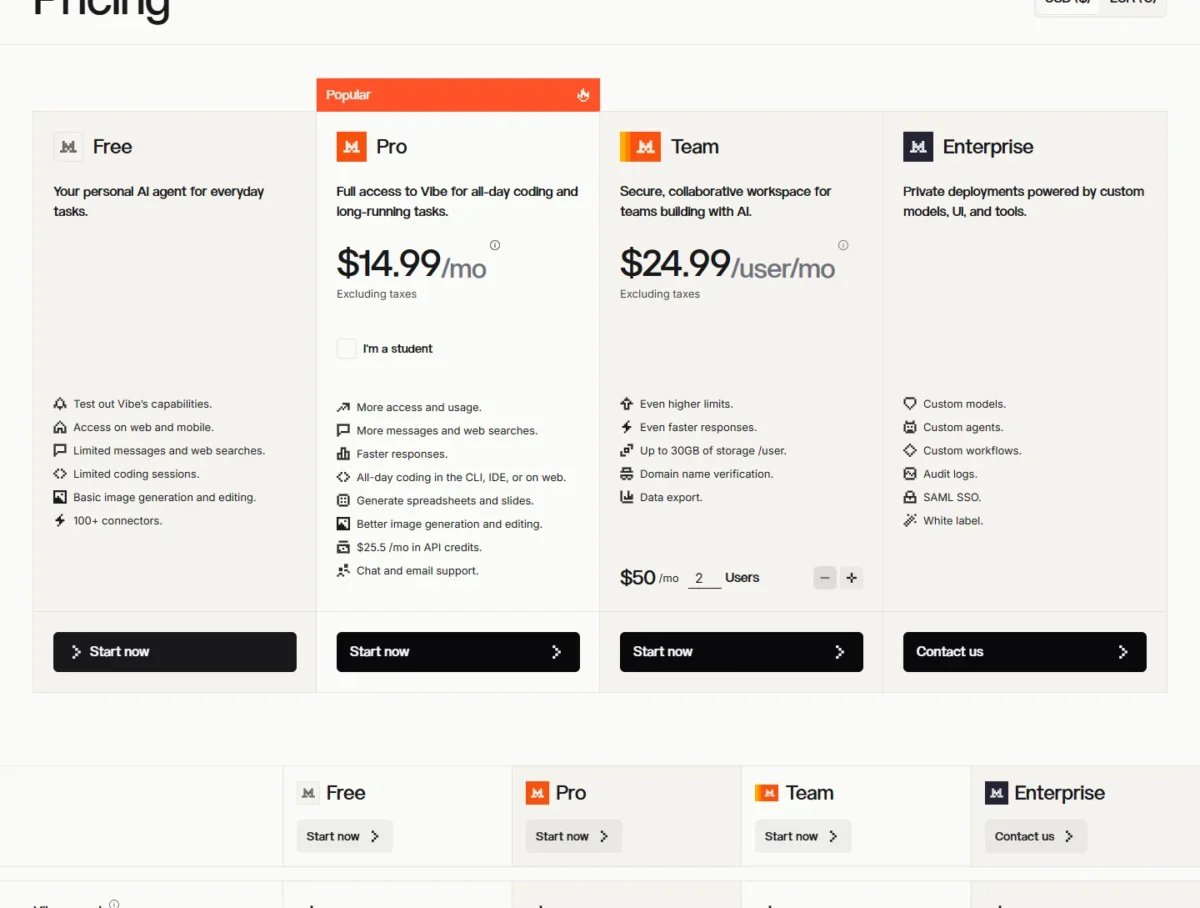
| Plan | Price | Billing | Key limit |
|---|---|---|---|
| Free | Free | n/a | Limited messages and coding sessions |
| Pro | $14.99 per month | Excluding taxes | Fair usage limits |
| Pro for students | $5.99 per month | Up to 12 months | Verified students only |
| Team | $24.99 per user per month | Excluding taxes | Up to 30 GB storage per user |
| Enterprise | Contact sales | Custom | Custom models and deployments |
Sources: Mistral pricing, checked October 2026.
Pros
- Pro includes full access to Vibe for all-day coding
- Vibe coding agent in the CLI and in VS Code and JetBrains
- Unlimited task scheduling on paid plans, subject to fair use
Cons
- Pro and Team are subject to fair usage limits
- Single sign-on waits for the Enterprise plan
- Model training is opt-out on Free, Pro and Team
- Skip it if:
- AI inside Gmail, Docs or Outlook is the point of the purchase, because Google AI Pro lists Gemini in Gmail and Docs, and Claude Pro lists Claude’s Outlook add-in. The next pick bundles AI with a social platform.
6. Grok: Best for People Who Already Pay for X
- Best for: people who already use and pay for X
- Starting price: Plus at $8 per month
- Free plan or trial: Free plan with limited chat requests
- Integrations: X, Cursor and the Grok API (API usage billed separately)
Grok is sold as one X subscription, not as a standalone chatbot. Plus at $8 a month and Premium at $30 bundle Grok chat, Cursor and X features such as the Premium checkmark, so the AI and the social account share one bill.
Premium gives 4x Plus usage, the latest Grok models, image and video creation, and cloud agents. xAI itself recommends Premium for new AI users and Plus for social creators with limited AI usage.
Every tier draws on one AI usage pool shared across Grok and Cursor, refreshed weekly. Grok API usage is billed separately at standard model rates, and so are third-party models in Cursor. If you do not use X, part of every tier pays for social features you will not use.
Grok Plus costs $8 a month and Premium $30 a month, with taxes extra. Teams starts at $30 per user per month with pooled usage, and Enterprise is priced on request. Each tier’s usage and X perks are compared in my Grok pricing guide.
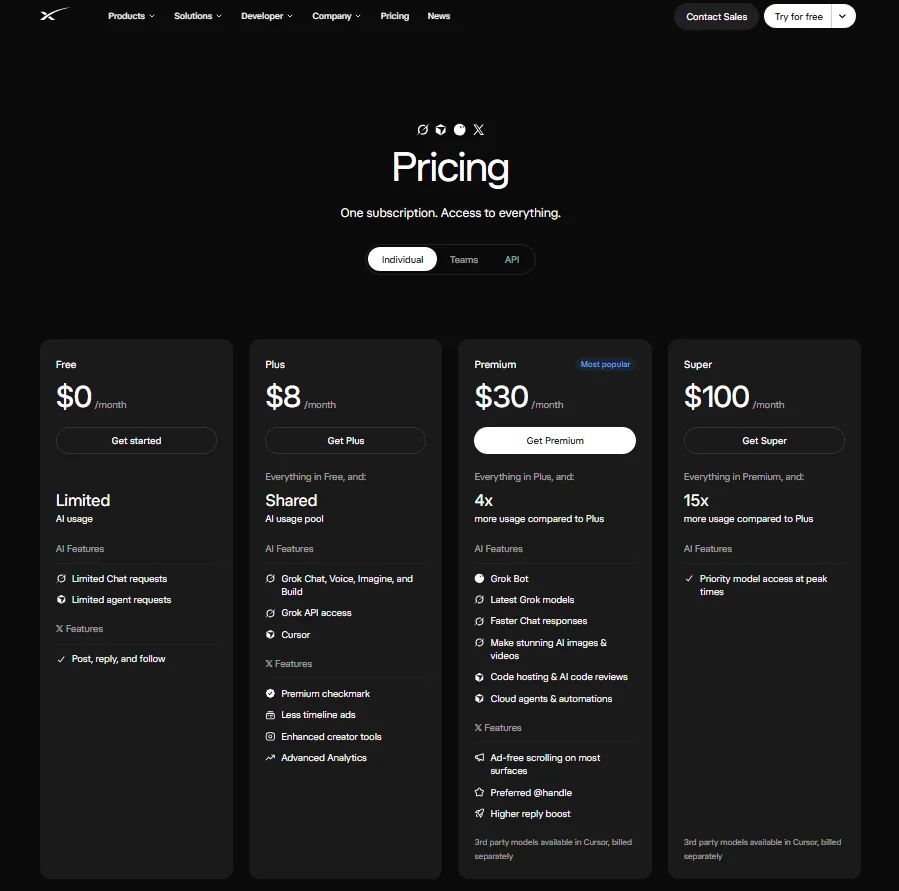
| Plan | Price | Billing | Key limit |
|---|---|---|---|
| Free | $0 per month | n/a | Limited chat requests |
| Plus | $8 per month | Monthly | Basic usage |
| Premium | $30 per month | Monthly | 4x Plus usage |
| Super | $100 per month | Monthly | 15x Plus usage |
| Ultra | $200 per month | Monthly | 50x Plus usage |
| Teams | $30+ per user per month | Monthly | Pooled usage |
Sources: xAI pricing, checked October 2026.
Pros
- Plus includes Grok API access and Cursor, though API usage is billed separately at standard model rates
- One weekly usage pool covers Grok chat, Imagine, Voice and Cursor
- Enterprise lists SSO, SCIM and data residency
Cons
- Third-party models in Cursor are billed at API list prices
- Plus, Premium, Super and Ultra each include X features
- Usage is published as multiples of Plus, not as counts
- Skip it if:
- you do not use X, or you need a plan without social-network features in the bill.
Whether the bundle is worth it is covered in my Grok review. Subscriptions are flat; the next pick bills per token.
7. DeepSeek: Best for Low-Cost Reasoning via API
- Best for: developers building on low-cost reasoning models
- Starting price: $0.30 per 1M input tokens (deepseek-flash, cache miss, peak)
- Free plan or trial: prepaid balance, no subscription
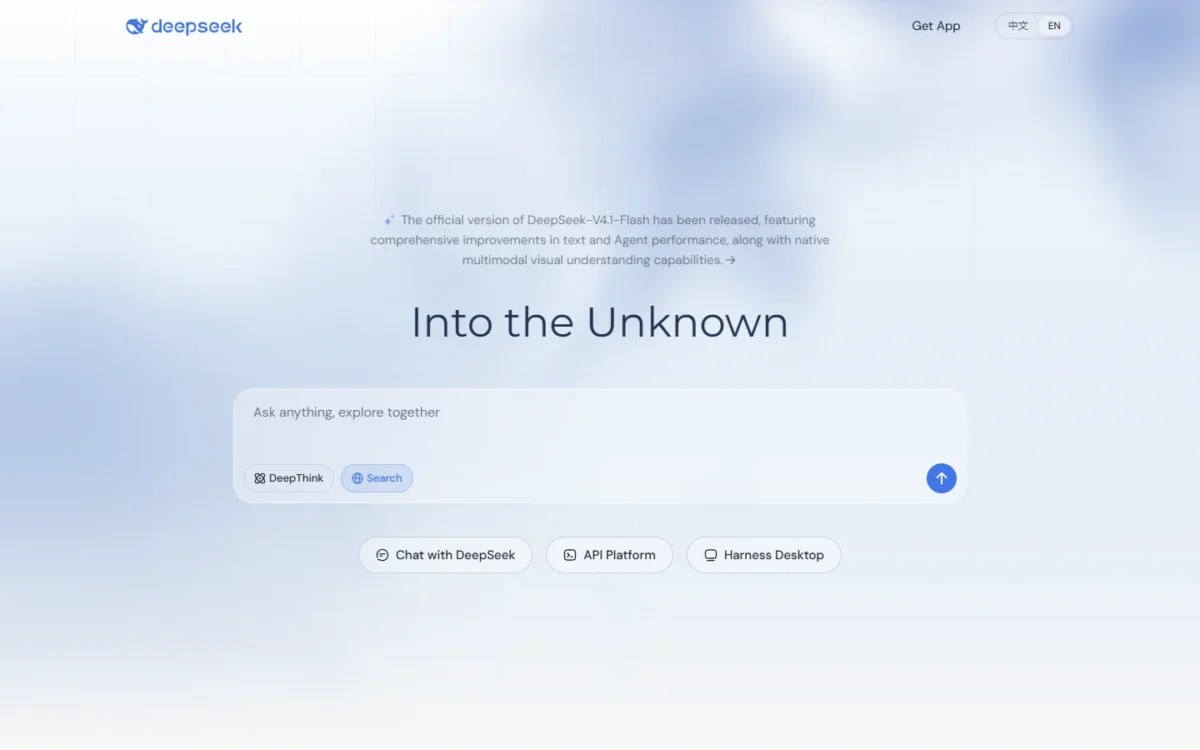
- Integrations: the DeepSeek API, with base URLs in two API formats
DeepSeek’s deepseek-flash model costs $0.30 per 1M input tokens on a cache miss and $1.20 per 1M output tokens at peak, and off-peak rates are half of peak. For a builder, the price is the reason to look; the catch is everything a business plan would add.
Both models list a 1M context length, thinking mode, tool calls and JSON output, and the docs give a base URL for each of two API formats. The legacy deepseek-v4-flash names now route to DeepSeek-V4.1-Flash.
Peak hours are 01:00 to 04:00 and 06:00 to 10:00 UTC on weekdays. In Eastern Daylight Time that is 9 p.m. to midnight and 2 to 6 a.m., so a US team working daytime hours runs at off-peak rates.
The pricing docs list no team plan, admin console or SSO, and DeepSeek reserves the right to adjust prices. A company sending customer data through the API should review DeepSeek’s data terms first.
Take an illustrative job of 10M input tokens and 2M output tokens on deepseek-flash at peak. Input is 10 x $0.30 = $3.00 and output is 2 x $1.20 = $2.40. The job is $3.00 + $2.40 = $5.40 at peak, and $5.40 / 2 = $2.70 off-peak.
Fees come out of a prepaid balance.
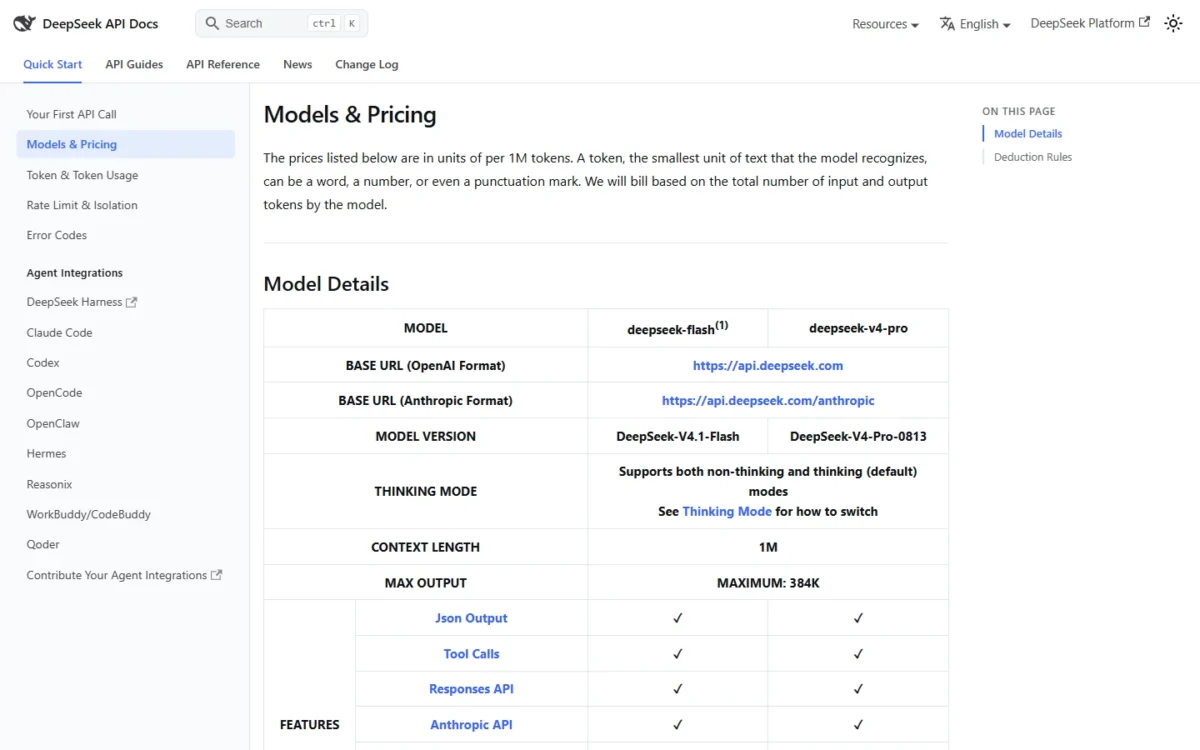
| Rate (per 1M tokens) | Price at peak | Off-peak | Key limit |
|---|---|---|---|
| deepseek-flash input, cache miss | $0.30 | $0.15 | Concurrency limit 2,500 |
| deepseek-flash output | $1.20 | $0.60 | Max output 384K |
| deepseek-v4-pro input, cache miss | $1.32 | $0.66 | Concurrency limit 500 |
| deepseek-v4-pro output | $3.96 | $1.98 | No vision support |
Sources: DeepSeek API pricing, checked October 2026.
Pros
- US daytime hours fall in the off-peak window
- 1M context length on both models
- Tool calls and JSON output on both models
Cons
- No team plan, admin console or SSO on the pricing docs
- DeepSeek may adjust prices
- deepseek-v4-pro does not support vision
- Skip it if:
- you need a team plan with admin controls, or a flat monthly subscription for your own chat work. DeepSeek gives one vendor’s models; the next pick reaches many vendors on one bill.
8. Poe: Best for Using Many AI Models on One Bill
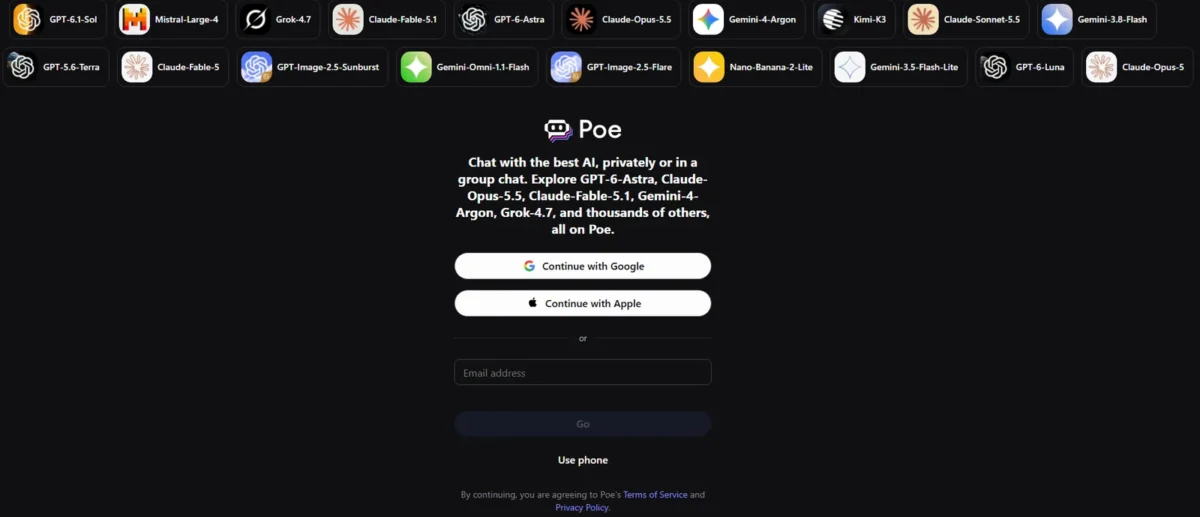
- Best for: individuals who switch between vendors’ models
- Starting price: from $4.99 per month
- Free plan or trial: free use, with far fewer messages than subscribers
- Integrations: the Poe API, paid with add-on points
Poe partly replaces several $20 plans. It starts at $4.99 a month with compute points you spend across major models, $15.01 less than ChatGPT Plus at $20, and subscribers get context up to 2M tokens per bot.
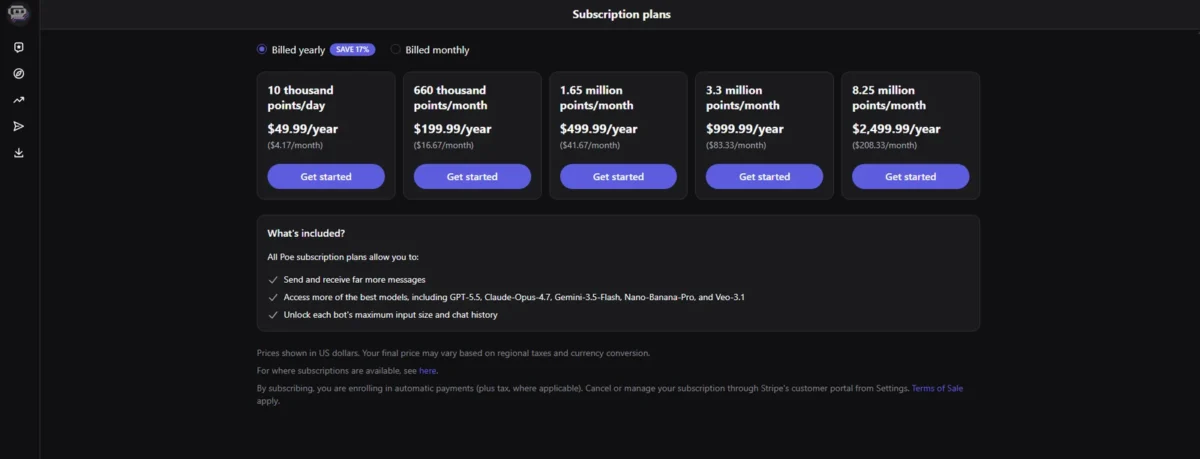
The points are the catch. A subscription grants them daily or monthly, unused plan points do not roll over, and a heavy month on premium models means buying add-on points. Add-on points stay usable for one year and are not refundable.
A subscription can be shared through an invitation link, which suits a family or a two-person team. Every member draws equally on the same points, and the only way to limit one member is to remove them.
Poe bills its subscription monthly or annually, and add-on points start at $30 per 1M points. The help page gives only the starting price; the other tiers appear when you choose a plan under “Get more points”.
| Plan | Price | Billing | Key limit |
|---|---|---|---|
| Free | Free | n/a | Far fewer messages than subscribers |
| Subscription | From $4.99 per month | Monthly or annual | Unused plan points do not roll over |
| Add-on points | From $30 per 1M points | One-time | Usable for one year, not refundable |
Sources: Poe purchases FAQ, checked October 2026.
Pros
- One bill covers models from several vendors
- A subscription can be shared by invitation
- Add-on points last a year
Cons
- Unused plan points do not roll over
- A shared plan cannot cap a member’s points
- Add-on points are not refundable
- Skip it if:
- you need to cap what each member of a shared plan uses, since a member’s point usage can be limited only by removing them. Every pick so far keeps your history in an account; the next one is built around private chats.
9. Duck.ai: Best for Private AI Chat
- Best for: private personal chat that is not used for training
- Starting price: Free
- Free plan or trial: Free; a DuckDuckGo subscription adds advanced models
- Integrations: built into the DuckDuckGo browser; works in third-party browsers
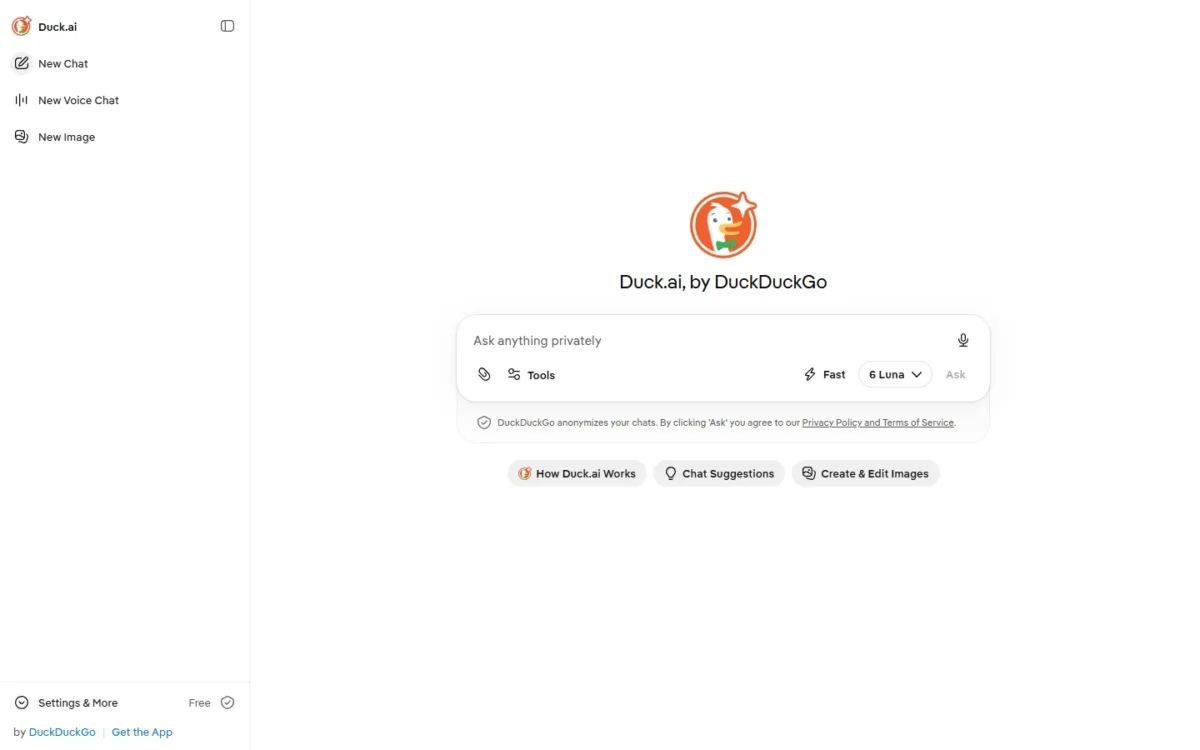
Duck.ai keeps chats out of training at no cost. Six third-party models are free, including Claude 4.5 Haiku, Mistral Small 4 and GPT-6 Luna, and DuckDuckGo says it does not store your prompts or train on your data.
Recent chats live on your device, not on DuckDuckGo’s servers, and the Fire Button deletes them; you can pin up to 5 to keep them.
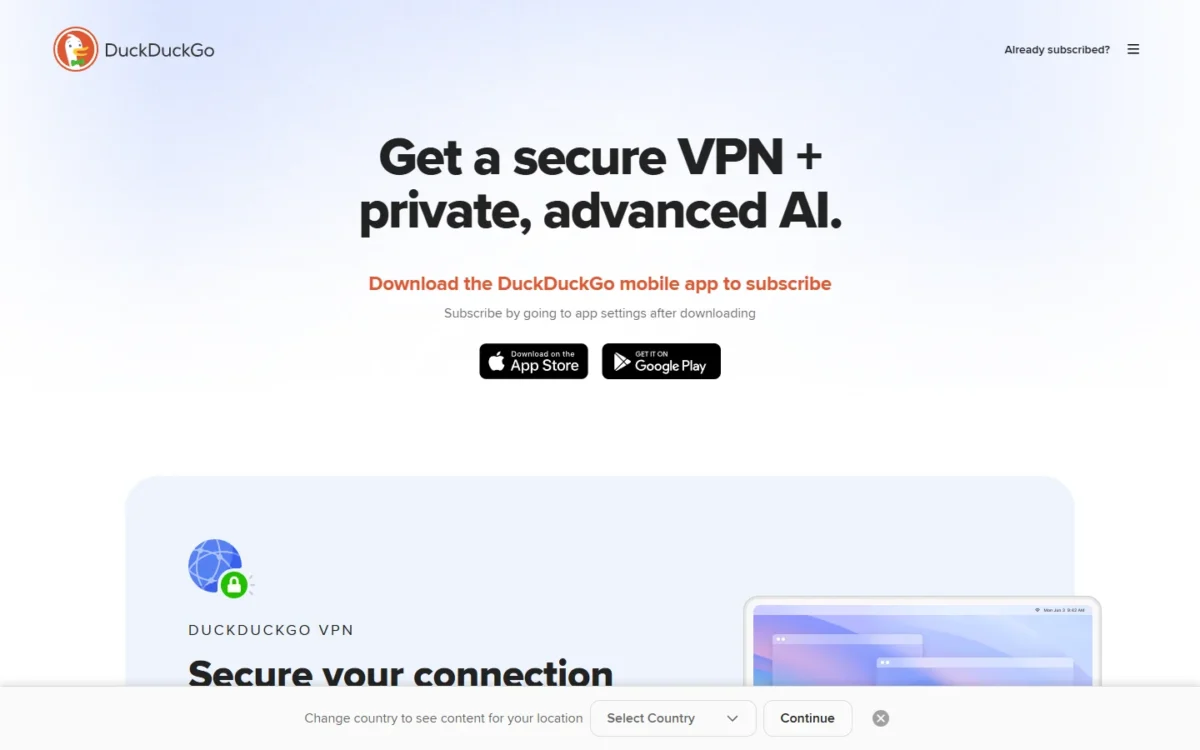
Subscribers get stronger models: Plus adds GPT-5.6 Terra and Claude Sonnet 4.6, and Pro adds Claude Opus 4.8 and GPT-5.6 Sol with 2x Plus usage. The subscription also bundles a VPN and identity theft restoration, which you pay for whether you need them or not.
Duck.ai is free; the advanced models come with a DuckDuckGo subscription, bought in the DuckDuckGo app’s settings on monthly or annual billing. It is sold as a privacy bundle, so compare it with a VPN budget rather than with a $20 AI plan.
| Plan | Price | Billing | Key limit |
|---|---|---|---|
| Free | Free | n/a | Six basic models |
| Plus subscription | In the DuckDuckGo app | Monthly or annual | Adds GPT-5.6 Terra and Claude Sonnet 4.6 |
| Pro subscription | In the DuckDuckGo app | Monthly or annual | Adds Claude Opus 4.8, 2x Plus usage |
Sources: Duck.ai help page, DuckDuckGo subscription page, checked October 2026.
Pros
- Recent chats stored on your device, not on DuckDuckGo’s servers
- Chats are never used to train AI models, free or paid
- Works in third-party browsers
Cons
- No team plan or admin controls published
- Stronger models need a subscription
- The subscription bundles a VPN you may not need
- Skip it if:
- you need shared projects, admin controls or one bill for a team. The last pick is not a work tool at all: it serves readers who want to chat with characters.
10. Character.AI: Best for Character Roleplay Chat

- Best for: roleplay and casual chat with user-created characters
- Price shown: c.ai+ at $94.99 per year; lite and monthly prices not verified
- Free plan or trial: Free plan, with full ads and slow mode
- Integrations: count not published; official iPhone, iPad and Android apps
Character.AI is not a work assistant, and that is the reason it is here: it is the pick built for chatting with characters. The homepage offers access to 10M+ Characters.
The free tier is the roleplay engine. On September 28, 2026, Character.AI announced two free chat styles: PipSqueak 3, which it calls “a big step up for general roleplay”, and ShortSqueak for quick, casual chats.
Paying buys continuity, not a smarter work tool, so for work I would start with my best AI tools for small teams. The plan table moves memory from Basic on Free to Better on lite and Best on c.ai+, raises pins from 15 to 30, and upgrades the Lorebook to Advanced only on c.ai+. Those are the rows that keep a long-running story consistent.
c.ai+ also removes ads and slow mode and carries the highest feature limits. For writing better characters, the help center has a Guides category on crafting personas and scenes.
Two rules shape who can use it. The Terms of Service bar anyone under 13, or under 16 in the EEA and UK, and they prohibit content that is obscene or pornographic, so “no filter” roleplay apps sit outside this list.
Data handling is the other trade-off. The privacy policy, effective July 1, 2026, lists chat communications among the content it collects and model training among its uses. Anyone who wants chats kept out of training is better served by Duck.ai.
Before you prepay a year
On October 12, 2026, Character.AI said it had “initiated a voluntary Chapter 11 bankruptcy process to facilitate a court-supervised sale of the company.”
Its Terms make payments non-refundable, except where required by law, and c.ai+ is shown as a yearly subscription that auto-renews. Weigh both before paying for a year up front.
Character.AI c.ai+ costs $94.99 per year, shown against a crossed-out $119.88 with “save 21%”, a difference of $119.88 – $94.99 = $24.89. The Terms promise at least 30 days’ notice of a price increase, and a subscription bought in a mobile app store is cancelled, and a refund requested, through that app store.
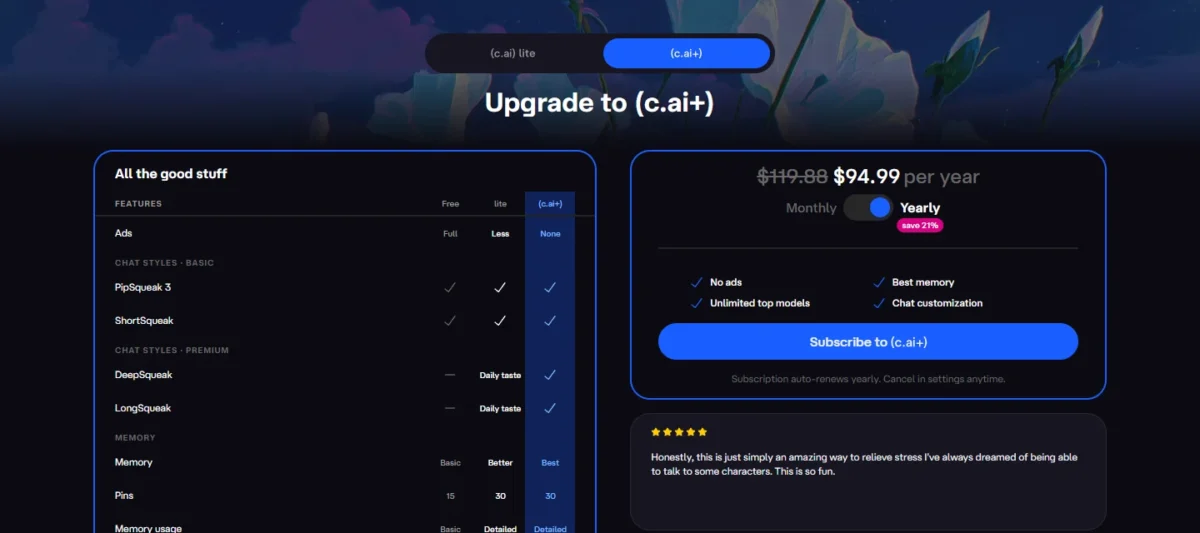
| Plan | Price | Billing | Key limit |
|---|---|---|---|
| Free | Free | n/a | Full ads, slow mode, 15 pins |
| lite | Not verified | Not verified | Less ads, Better memory, 30 pins |
| c.ai+ | $94.99 per year | Yearly, auto-renews | Non-refundable except where required by law |
Sources: Character.AI subscription page, Character.AI Terms of Service, checked October 2026.
Pros
- PipSqueak 3 and ShortSqueak chat styles are free
- c.ai+ lists Best memory, 30 pins and an Advanced Lorebook for long stories
- No ads and no slow mode on c.ai+
- Official apps for iPhone, iPad and Android
Cons
- No team or business plan on the plan page
- The privacy policy lists model training among the uses of collected content
- Payments are non-refundable, except where required by law
- A Chapter 11 sale process was announced on October 12, 2026
- Skip it if:
- you need a work assistant, since the plan page lists only Free, lite and c.ai+, with no team plan. Also skip it if you want your chats kept out of model training, or you are not ready to prepay a year to a company in a court-supervised sale process.
Character.AI has no team plan, so the cost question below covers the work picks only.
What a 10-Person Team Pays per Year
Ten seats cost $1,680 a year on Google Workspace Business Standard at the $14 list price ($14 x 10 x 12), and $2,400 on Claude Team at $20 x 10 seats x 12 months, billed annually. Mistral Team costs $24.99 x 10 x 12 = $2,998.80, and Perplexity Enterprise Pro costs $34 x 10 x 12 = $4,080.
| Product | Team plan | Price per seat | Billing | Year total for 10 users | Not included |
|---|---|---|---|---|---|
| Google Workspace | Business Standard | $14 per user per month on a 1-year commitment ($8.40 intro for 12 months) | Billed monthly | $14 x 10 x 12 = $1,680 | Paid Enhanced Support upgrade |
| Claude | Team, standard seat | $20 per seat per month | Annual | $20 x 10 x 12 = $2,400 | Premium seats, tax |
| Mistral Vibe | Team | $24.99 per user per month | Period not stated; excluding taxes | $24.99 x 10 x 12 = $2,998.80 | Taxes |
| Grok | Teams | From $30 per user per month | Monthly | $30 x 10 x 12 = from $3,600 | Third-party models in Cursor, Grok API usage, taxes |
| Perplexity | Enterprise Pro | $34 per seat per month | Annual | $34 x 10 x 12 = $4,080 | Enterprise Max seats |
Sources: Google Workspace pricing, Claude pricing, Mistral pricing, xAI pricing, Perplexity Enterprise pricing, checked October 2026.
The cheapest line is not the cheapest decision. Workspace Business Standard buys the whole office suite with Gemini inside, and new customers pay $8.40 x 10 x 12 = $1,008 in year one. A team that does not want to move its email to Google pays for a suite it will not use.
Billing basis moves the total too. Claude Team billed monthly costs $25 x 10 x 12 = $3,000, $600 more than annual. Grok Teams is priced from $30 per user, so its $3,600 is a floor, not a quote.
ChatGPT Business is not in the table: it is sold per user per month from 2 users, with no seat price in the pricing page’s text. DeepSeek, Duck.ai and Character.AI publish no per-seat team plan, and Poe’s help page describes a shared subscription with invited members instead.
Microsoft 365 Copilot’s per-user price sits under Also Considered, because it needs a Microsoft 365 license first. The next question is which plan holds the feature your job needs.
How to Choose an AI Chatbot
Decide in this order: whether the job is work or personal character chat, then where your files live (Google, Microsoft or neither), then your main job, then your data rules.
The suite question removes the most work options, because Gemini earns its price inside Google’s apps and Claude Pro reaches into Microsoft 365. In my view it also decides most of the productivity gain, since an assistant inside your email and documents saves copying text between windows. For a team choosing between ChatGPT and Claude, the ChatGPT vs Claude for business comparison is the natural next step.
- Character roleplay, not work: Character.AI, on its Free plan first; c.ai+ only after reading the Chapter 11 note in its section.
- Gmail and Google apps: Gemini, in Gmail on Google AI Plus for one person, or in Gmail, Docs and Meet on Business Standard for a team.
- Office apps and Outlook: Claude Pro for Claude’s Office and Outlook add-ins (Claude Team for a company), or ChatGPT Plus for its Excel, Word and PowerPoint extensions.
- Neither suite: ChatGPT Plus for varied work, Claude Pro for long documents and code, Perplexity Pro for cited research.
- No training by default: Claude Team, Perplexity Enterprise Pro, or Duck.ai for personal questions.
- A narrower job: Mistral Pro for chat plus all-day coding, Grok if you pay for X, Poe for many models on one bill, or DeepSeek per token if you are building.
| Feature | ChatGPT | Claude | Gemini | Perplexity | Character.AI |
|---|---|---|---|---|---|
| Free plan | Free | Free | Free | Free | Free |
| Deep research / Research | Plus (limited below) | Pro | Free | Pro | Not listed |
| Coding agent | Plus (Codex limited below) | Pro (Claude Code) | Google AI Pro (Jules) | Not listed | Not listed |
| Works inside Google apps | Plus (Sheets extension) | Not listed | Google AI Plus | Not listed | Not listed |
| Works inside Office apps | Plus (Word, Excel and PowerPoint extensions) | Pro | Not listed | Not listed | Not listed |
| Choice of other vendors’ models | Not listed | Not listed | Not listed | Pro | Not listed |
| Character and roleplay chat | Not listed | Not listed | Not listed | Not listed | Free (PipSqueak 3) |
| Team plan with SSO | Not listed | Team | Not listed | Enterprise Pro | Not listed |
| No training on your data by default | Not listed (opt-out) | Team | Not listed | Enterprise Pro | Not listed (policy lists training) |
| Monthly billing available | Go, Plus, Pro, Business | Pro, Max, Team | Per-month price shown; billing period not stated | Not stated; prices shown billed annually | Monthly toggle shown; price not verified |
Sources: ChatGPT pricing, Claude pricing, Google AI plans, Google Workspace pricing, Perplexity Pro, Perplexity Enterprise pricing, Character.AI subscription page, checked October 2026.
No single pick wins every row. ChatGPT reaches into both office suites from one plan, Claude Team and Perplexity Enterprise Pro list both SSO and no training by default, and Character.AI’s column shows its trade: character chat on Free, and no work feature listed.
Shortlists by Team and Job
When your need is narrower than a general assistant, a focused list saves time:
- Drafting and editing only: my ranking of the best AI writing tools
- A marketing team making posts, images and video: the AI content creation tools list
- Research beyond chat: the AI tools for research
- A bot that answers your customers: the chatbot platforms for customer service
- AI inside customer records: the AI CRM software list
Also Considered
These were considered and left out:
- Microsoft 365 Copilot: Microsoft Copilot works in Word, Excel, PowerPoint, Outlook and Teams, but needs a separate license for a qualifying Microsoft 365 plan, for up to 300 users.
- Copilot Business price: the add-on costs $18 per user per month paid yearly, a first-year promotion down from $21 for purchases from July 1 to December 31, 2026; Business Standard with Copilot costs $23.50.
- Meta AI: meta.ai pitches it for images, shopping and answers, including AI-generated images for free; in my view a consumer assistant rather than a work plan to pay for.
- Jasper: a marketing content platform, with Pro at $59 a month billed yearly and a 7-day trial; built for brand campaigns, not general work.
- Chatbase: sells AI agents you deploy, from $32 a month billed yearly for 700 message credits; a tool for building a bot, not an assistant for your own work.
- Intercom Fin, Zendesk AI agents, Tidio Lyro and Botpress: customer-service agents that answer your customers, which belong on the customer-service shortlist above.
A Microsoft 365 company can start with Copilot Chat, which Microsoft includes at no additional cost for Microsoft Entra users with an eligible Microsoft 365 subscription. The suite it sits in is covered in my Microsoft Teams review.
Sources: Microsoft 365 Copilot for business, Meta AI, Jasper pricing, Chatbase pricing, checked October 2026.
FAQ
Is ChatGPT still the best AI chatbot?
For varied work, yes: ChatGPT Plus covers research, code, images and the Office and Google Sheets extensions in one plan. It is not the best value for every job, since Claude Pro is cheaper per year on annual billing and Perplexity cites sources on every answer. Pick by your main job, not by brand.
What are the top 3 AI chatbots?
ChatGPT, Claude and Google Gemini, each for a different buyer: mixed work, writing and code, and people who live in Gmail and Docs. Perplexity is the fourth pick for cited research, and a top 5 adds Mistral Vibe, whose Pro plan pairs chat with a coding agent.
What is the best free AI chatbot?
For research on a $0 budget, Gemini’s free plan lists Deep Research, Canvas and Gemini Live. For privacy, Duck.ai gives six models free and stores recent chats on your device. For character roleplay, Character.AI’s Free plan includes the PipSqueak 3 chat style, with ads and slow mode.
Do AI chatbots train on my data?
On personal plans, often yes unless you opt out: ChatGPT, Claude and Mistral list training as opt-out. Character.AI’s policy counts chats as collected content and names model training as a use. Claude Team and Perplexity Enterprise Pro do not train on your content by default, and Duck.ai never uses chats for training.
Final Verdict
Buy ChatGPT Plus if your work changes shape every week; it covers research, code, images and both office suites in one plan. Buy Claude Pro on annual billing if your month is long documents or code, since it costs $40 a year less than Plus and includes Claude Code.
For a company on Office apps and Outlook, buy Claude Team, which lists Claude’s Office and Outlook add-ins, SSO and no model training on your content by default.
Buy Google AI Plus if you live in Gmail, or Business Standard for a Google team. Buy Perplexity Pro if your answers must survive a source check, and run it beside a general assistant.
For chat and an all-day coding agent in one subscription, Mistral Pro covers both for less than Plus, and Poe spreads one bill across several vendors’ models. For special needs, pick Grok if you pay for X anyway, DeepSeek if you build on an API, and Duck.ai for private questions.
If you want roleplay with characters rather than a work assistant, Character.AI is the pick, on its Free plan first. Its October 12, 2026 Chapter 11 sale process and non-refundable payments make the $94.99 yearly c.ai+ plan a last step, not a first one.
Before anyone signs, price the team plan on its own billing basis and list what it leaves out; the personal price says little about the team bill.