

The best AI image generators split by job. ChatGPT fits one marketer already drafting in ChatGPT Plus, and Google Gemini fits a start on a $0 plan. Midjourney fits an art-directed look, and Adobe Firefly fits assets a brand team must defend.
I checked each vendor’s own pricing, plan and help pages on October 16, 2026. The ranking rests on what those pages publish: the price and its unit, who sees your images, and where commercial use starts.
Quick verdict
For a marketer already paying for ChatGPT Plus, ChatGPT is the pick: Plus lists image generation in its $20-a-month plan, billed monthly. Business costs $20 per user per month, billed annually, but the Business overview page does not list image limits.
Gemini fits anyone starting at $0, Midjourney fits art direction, and Adobe Firefly fits brand work that must pass a commercial-safety review.
The trade-off: private images cost a tier up. Midjourney keeps work private from Pro, Ideogram from Plus and Recraft from Basic.

ChatGPT
Best for: image creation inside your AI assistant
Image creation runs from Free’s “Limited image creation” to Pro’s “Unlimited and faster image creation”.
Limit: Free, Go and Plus are individual plans, so a team needs Business
Google Gemini
Best for: free image generation and editing
The $0 plan with a Google Account includes “Image generation and editing”, and AI Plus costs $4.99 a month.
Limit: the developer API’s free tier does not include image output
Midjourney
Best for: art-directed, stylized images
Style Reference applies the colors, medium, textures or lighting of an image you supply.
Limit: Stealth Mode, which keeps images private, starts on Pro at $60 a month

Adobe Firefly
Best for: commercially safe images in Adobe apps
Adobe trains its Firefly models on licensed Adobe Stock and public-domain content.
Limit: partner models count as premium features and spend credits
| Software | Best for | Starting price | Free plan or trial | Standout feature | Key limitation |
|---|---|---|---|---|---|
| ChatGPT | Images inside the assistant | Plus $20/ | Free plan | Image generation with Thinking on Plus | Free, Go and Plus are individual plans |
| Google Gemini | Free image generation and editing | AI Plus $4.99/ | Free plan, $0 | Gemini API from $0.0336 per 1K image | Free API tier has no image output |
| Midjourney | Art-directed, stylized images | Basic $10/ | No free plan listed | Style Reference | Stealth Mode only on Pro and Mega |
| Adobe Firefly | Commercially safe images in Adobe apps | Standard $9.99/ | Free plan, daily generations | Licensed training content | Partner models spend premium credits |
| Ideogram | Readable text in designs | Plus $15/ | Weekly free credits, no trials | Unlimited slow credits on Plus | Free images are public |
| Recraft | Editable vectors and brand assets | Basic $10/ | Free plan | Editable vector graphics | Free images owned by Recraft |
| Leonardo.Ai | Training a model on your images | Not verified | Free daily tokens | Custom model from 10 to 20 images | Third-party models always use tokens |
| Canva | Finished designs for non-designers | Pro US$144/ | Free plan; Pro and Business trials | Image placed on the design page | Free plan capped at 20 AI uses |
| BFL FLUX (Black Forest Labs) | Developers paying per image | $0.008 per image | No free plan listed | No subscriptions, no seat fees | FLUX.2 [dev] weights are non-commercial |
| getimg.ai | Many image models in one subscription | Entry $15/ | No free plan listed | Many labs’ models in one workspace | Entry gets selected models only |
Sources: ChatGPT Plus, Google AI plans, Gemini API pricing, Midjourney plans, Ideogram pricing, Recraft pricing, Canva pricing, FLUX API pricing, getimg.ai pricing, checked Oct 2026.
Entry prices sit close together for one person. The gap opens at team scale and at privacy, which the method below weighs before image style.
In This Article (16 sections)
How I Chose the Best AI Image Generators
Each tool generates images from a text prompt in its own product or API; price and commercial-use terms are recorded where the official pages state them. The picks were ranked on these criteria, in this order:
- A distinct job no higher pick covers better.
- A published price and the unit it bills.
- Whether new images stay private, and from which plan.
- Where commercial use and ownership start.
- Whether a team can buy seats with central billing.
The evidence is the vendors’ own pricing, plan, help and product pages, checked on October 16, 2026, plus my analysis. This list rests on documentation, not a test of each tool, and no leaderboard score decides a rank.
Beyond the picks below, I considered the tools under Also Considered. For the model basics, my explainer on how generative AI works covers them.
| Product | Free plan | Private images from | Commercial use stated on | Team billing | API price per image |
|---|---|---|---|---|---|
| ChatGPT | Yes | Not listed | Not listed | Business | Not verified |
| Google Gemini | Yes | Not listed | Not listed | Not listed | From $0.0336 |
| Midjourney | Not listed | Pro | All plans; Pro or Mega above $1M revenue | Not listed | Not listed |
| Adobe Firefly | Yes | Not listed | Non-beta features | Pro for teams | Not listed |
| Ideogram | Weekly credits | Plus | All plans | Team | 3¢ (4.0 Turbo, 3 credits × 1¢) |
| Recraft | Yes | Basic | Basic | Teams | Not verified |
| Leonardo.Ai | Daily tokens | Not listed | Free (licence) | Not verified | Not verified |
| Canva | Yes | Not listed | All plans | Business | Not listed |
| BFL FLUX (Black Forest Labs) | Not listed | Not listed | Licensed weights | No seat fees | From $0.008 |
| getimg.ai | Not listed | Not listed | Entry | Not listed | Not listed |
Sources: Midjourney Stealth Mode, Ideogram publishing, Adobe credits FAQ, ChatGPT pricing, Black Forest Labs pricing, checked Oct 2026.
A cheap entry plan can be the wrong plan when privacy or commercial rights sit a tier higher. Each section below starts from the job, then names that tier.
1. ChatGPT: Best for Image Creation Inside Your AI Assistant
- Best for: one marketer who already writes in ChatGPT Plus
- Free plan: “Limited image creation”
- Team plan: Business, from 2 seats
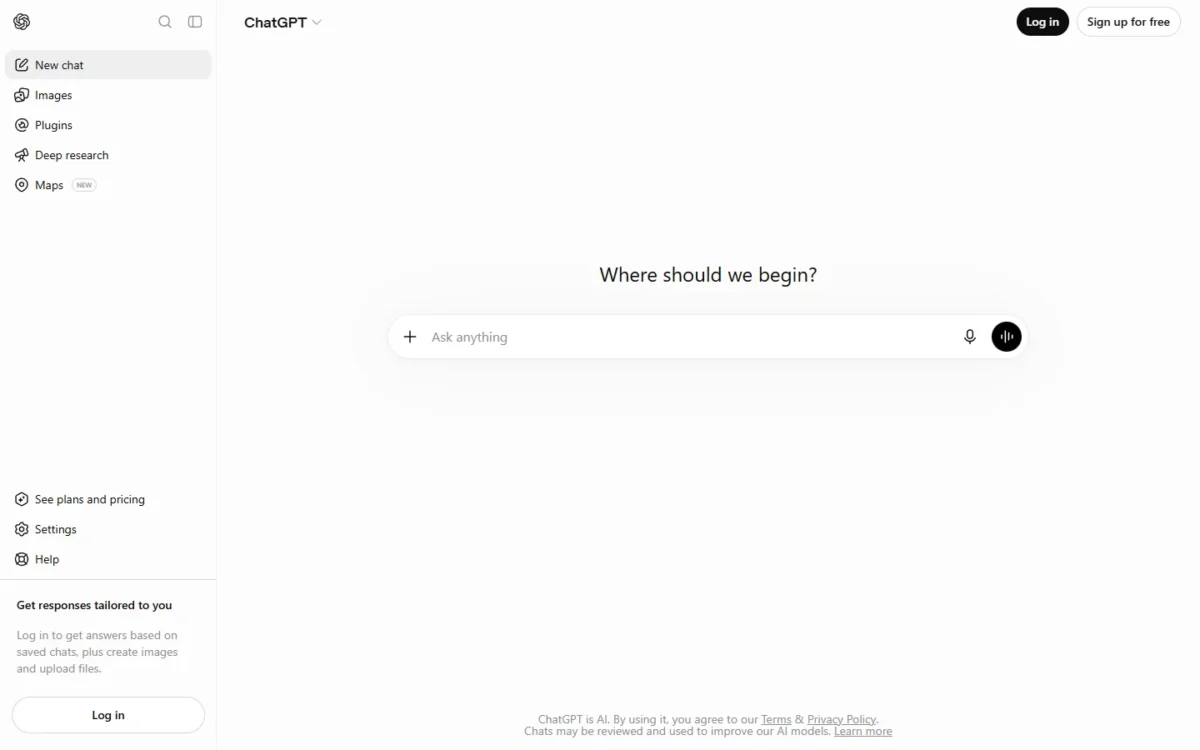
For a marketer who already drafts copy in ChatGPT Plus, image generation is in the same $20 subscription, which is why it ranks first. OpenAI’s plan table documents image creation for Free, Go, Plus and Pro, while the Business page does not state it.
Plus adds “More complex and accurate image creation” and image generation with Thinking, which Free and Go do not get.
The catch sits in the plan rules. OpenAI states that “Go, Free, and Plus plans are designed to be used by individuals”, so shared work belongs on Business, with admin controls and no training on workspace data.
- Pricing:
- ChatGPT Plus costs $20 a month, billed monthly. A Business Standard seat costs $20 per user per month billed annually, or $25 monthly; 10 seats × $20 × 12 months = $2,400 a year.
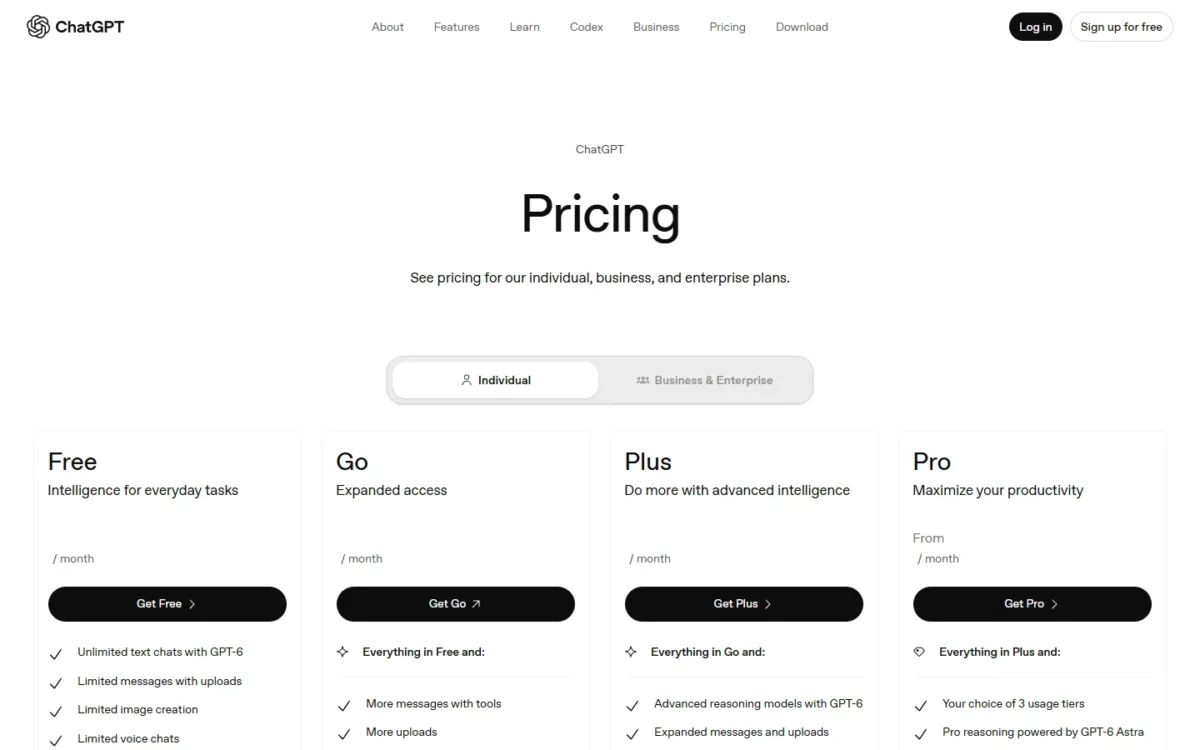
| Plan | Price | Key limit |
|---|---|---|
| Free | Free | Limited image creation |
| Plus | $20 per month | Individual plan |
| Business | $20 per user per month, annual | 2-seat minimum; API billed separately |
Sources: ChatGPT Plus, ChatGPT Business, checked Oct 2026.
Pros
- Image creation on Free, Go, Plus and Pro
- Image generation with Thinking on Plus and Pro
- Business publishes its seat price
Cons
- Free, Go and Plus are individual plans
- Business needs at least 2 seats
- The plan table lists image limits for Free, Go, Plus and Pro, not Business
- Skip it if:
- you need a per-image price before you build a product feature, or you buy for a team that needs image limits in writing: the Business overview page does not list image limits.
My ChatGPT review judges the assistant beyond images.
The Go and Pro trade-offs sit in my ChatGPT pricing guide.
2. Google Gemini: Best for Free Image Generation and Editing
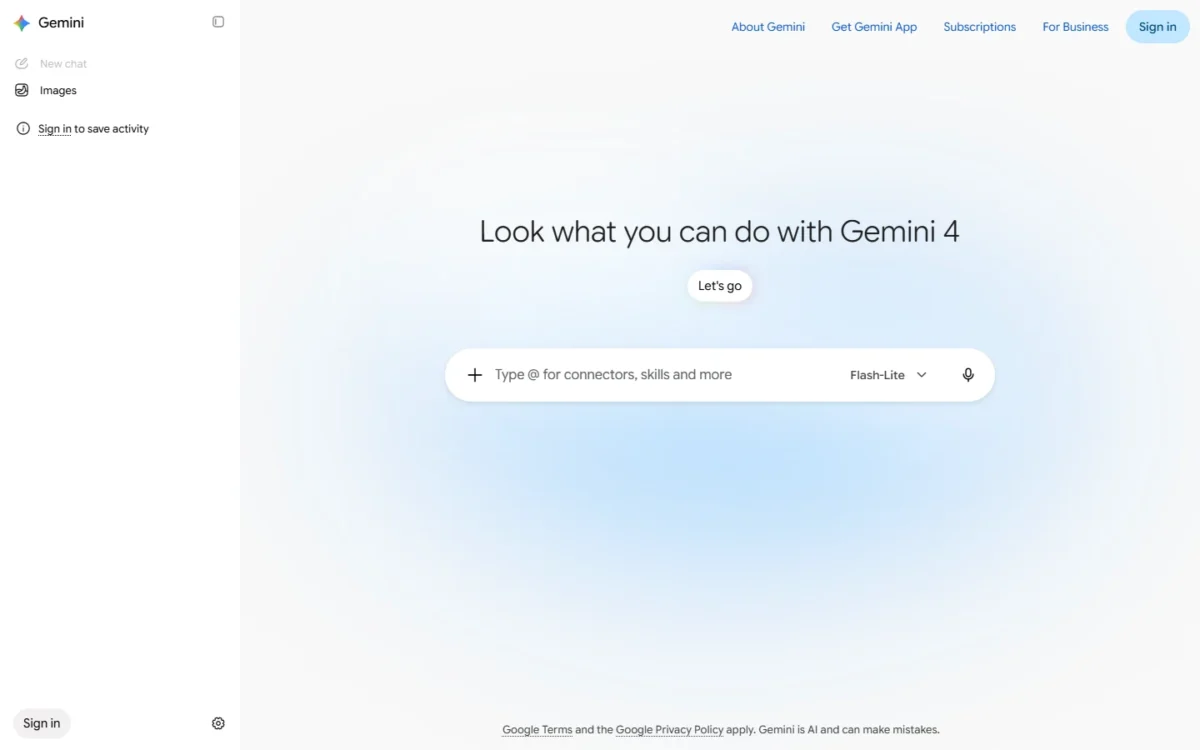
- Best for: anyone starting at $0
- Free plan: $0 a month with a Google Account
- Integrations: Gemini in Gmail and Vids on AI Plus
A Google Account is enough to start: Google’s $0 plan lists “Image generation and editing” in the Gemini app.
Paid plans add usage and video generation, and the page lists more Nano Banana access on AI Plus and AI Pro. AI Plus gives “2x higher usage” than Free, and AI Pro gives 4x.
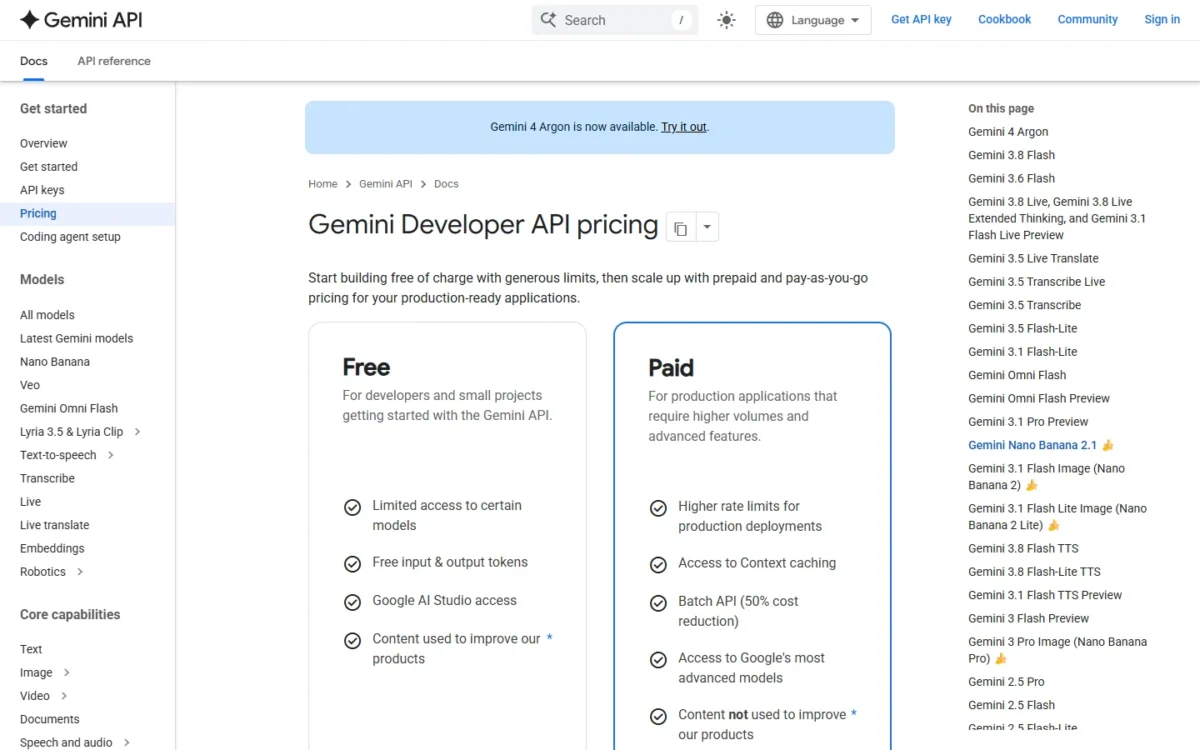
Developers get a second route. Google describes its update to Nano Banana 2 as built for “multi-turn character consistency, accurate text rendering”, though the API’s free tier lists image output as “Not available”.
Gemini ranks below ChatGPT because ChatGPT Plus adds image generation with Thinking to the subscription that already drafts the copy, while Gemini’s paid app plans are usage multiples of Free.
- Pricing:
- the Gemini app is $0 with a Google Account, and AI Plus costs $4.99 a month. On the paid Gemini API, a 1K image costs from $0.0336, or from $0.0168 through Batch.
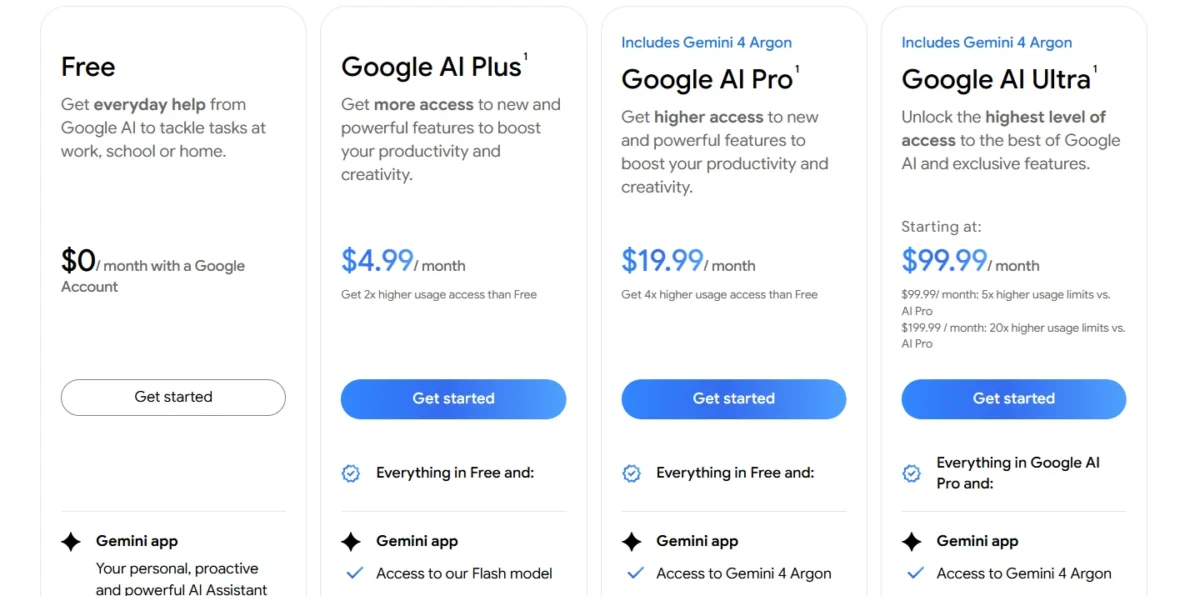
| Plan | Price | Key limit |
|---|---|---|
| Google AI Plus | $4.99 per month | 2x the usage of Free |
| Google AI Pro | $19.99 per month | 4x the usage of Free |
| Google AI Ultra | From $99.99 per month | $199.99 tier for 20x AI Pro |
| Gemini API, paid tier | From $0.0336 per 1K image | Free tier: image output not available |
Sources: Google AI plans, Gemini API pricing, checked Oct 2026.
Pros
- A $0 plan with image generation and editing
- AI Plus at $4.99 a month doubles Free’s usage
- Batch API halves the image price
Cons
- Paid app plans are usage tiers, not seats
- The free API tier has no image output
- Video generation starts on AI Plus
- Skip it if:
- your team needs images in a shared workspace with seat billing.
My Gemini review covers the wider app.
3. Midjourney: Best for Art-Directed, Stylized Images
- Best for: art directors and designers who need one look across many images
- Free plan: none listed; all plans are subscriptions
- Privacy: Stealth Mode on Pro and Mega
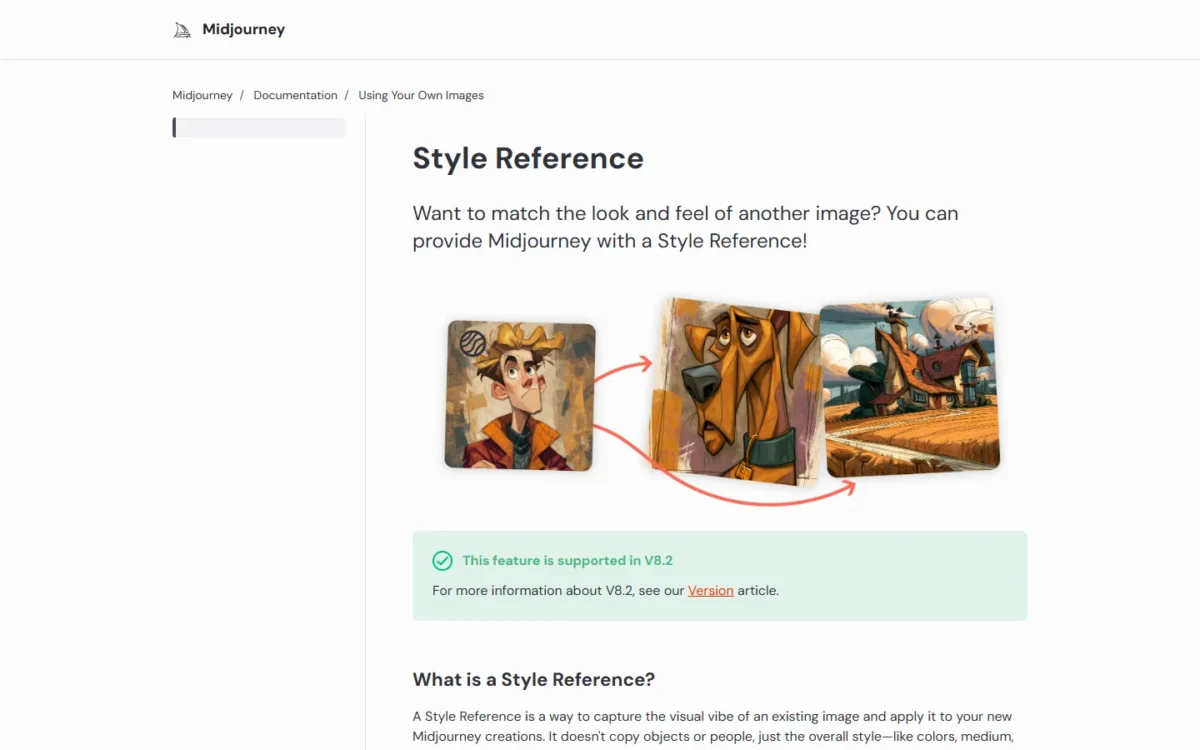
Midjourney sells a look more than a workflow. Style Reference captures an image’s overall style, its colors, medium, textures or lighting, without copying its objects or people, in versions 6 and later.
Standard at $30 a month adds unlimited Relax image generations. Privacy costs more: Stealth Mode is only on Pro and Mega, and creations in public Discord channels stay visible even then.
A company with more than $1,000,000 in yearly gross revenue must buy Pro or Mega. For that company, the entry price is Pro at $576 a year.
- Pricing:
- Midjourney Basic costs $10 a month, or $96 billed yearly, a 20% discount paid upfront. Extra fast GPU time costs $4 an hour on every plan.
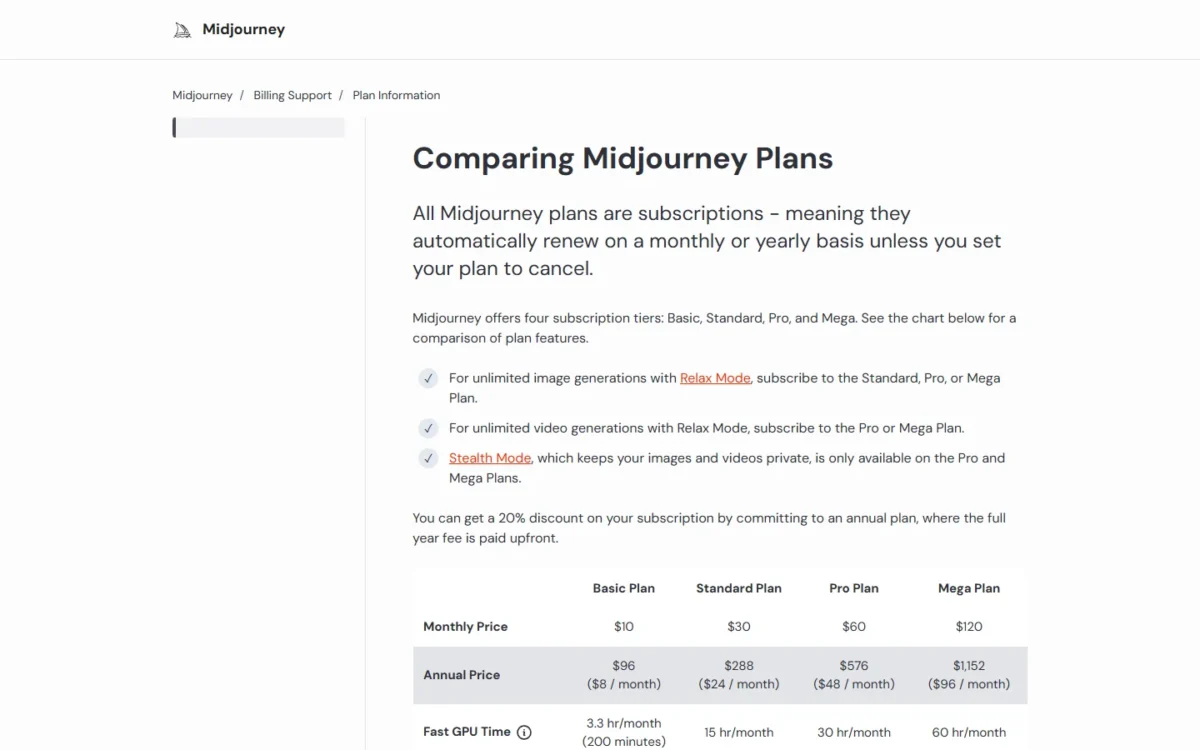
| Plan | Monthly | Annual | Key limit |
|---|---|---|---|
| Basic | $10 | $96 | 3.3 fast GPU hours; no Relax |
| Standard | $30 | $288 | Unlimited Relax images |
| Pro | $60 | $576 | Stealth Mode |
| Mega | $120 | $1,152 | 60 fast GPU hours |
Sources: Midjourney plans, checked Oct 2026.
Pros
- Style Reference keeps a series consistent
- Unlimited Relax images from Standard
- SD video even on Basic
Cons
- Stealth Mode starts at $60 a month
- Public Discord channels show work even in Stealth
- No free plan listed
- Skip it if:
- your images must stay private and $60 a month for Pro does not fit your budget.
My Midjourney review judges each plan in depth.
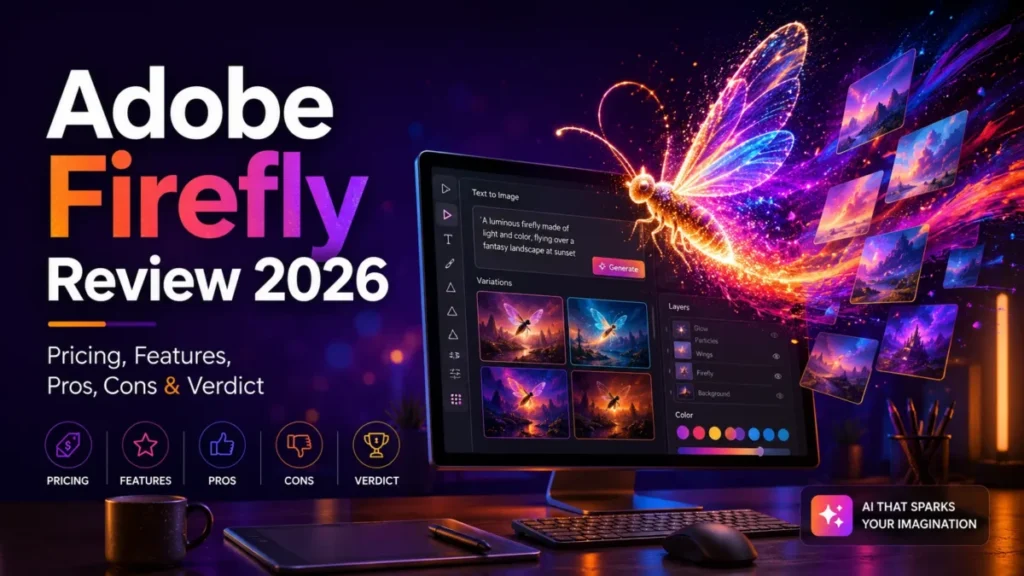
4. Adobe Firefly: Best for Commercially Safe Images in Adobe Apps
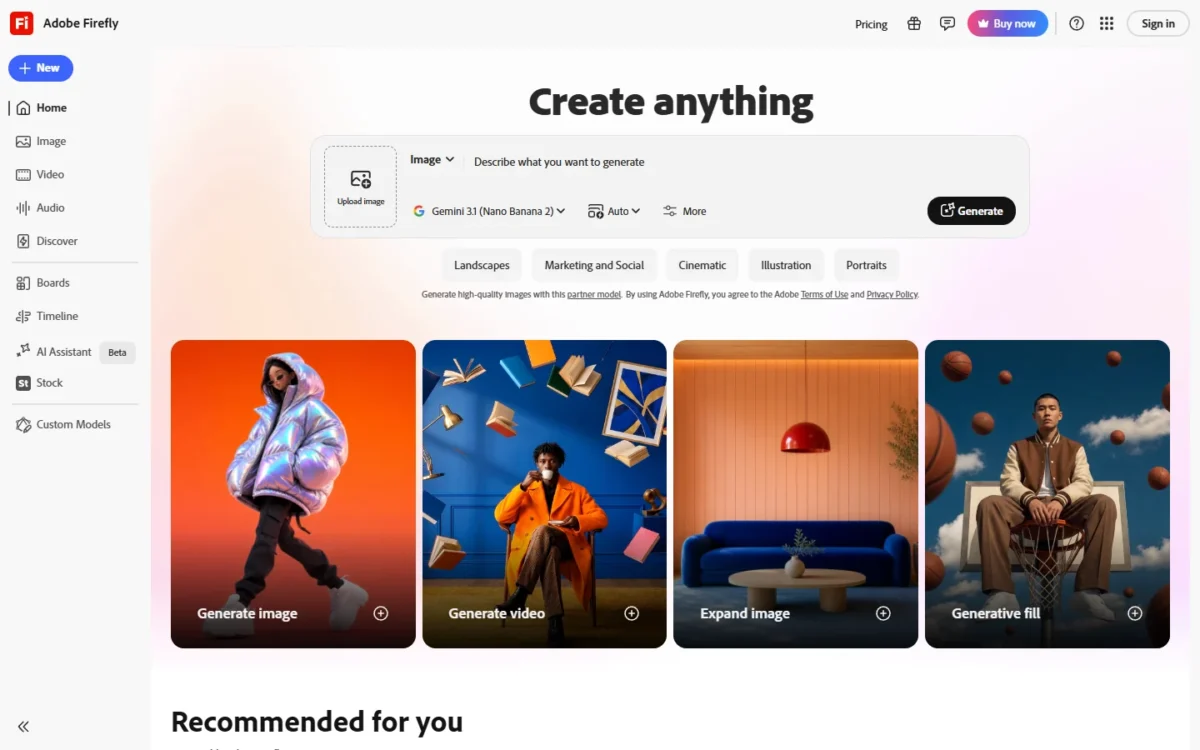
- Best for: brand teams that finish work in Photoshop or Express
- Free plan: daily generations
- Integrations: Photoshop, Illustrator, Premiere, Lightroom and Adobe Express
Bring Firefly to a legal reviewer first, because Adobe documents its training data. Adobe states its models are “commercially safe”, trained on licensed Adobe Stock and public-domain content, and outputs carry Content Credentials.
For a design team, the gain is the hand-off: results move into Photoshop, Premiere or Adobe Express for finishing. Adobe allows commercial use of features without the beta label, but beta outputs are not indemnified for eligible teams.
- Pricing:
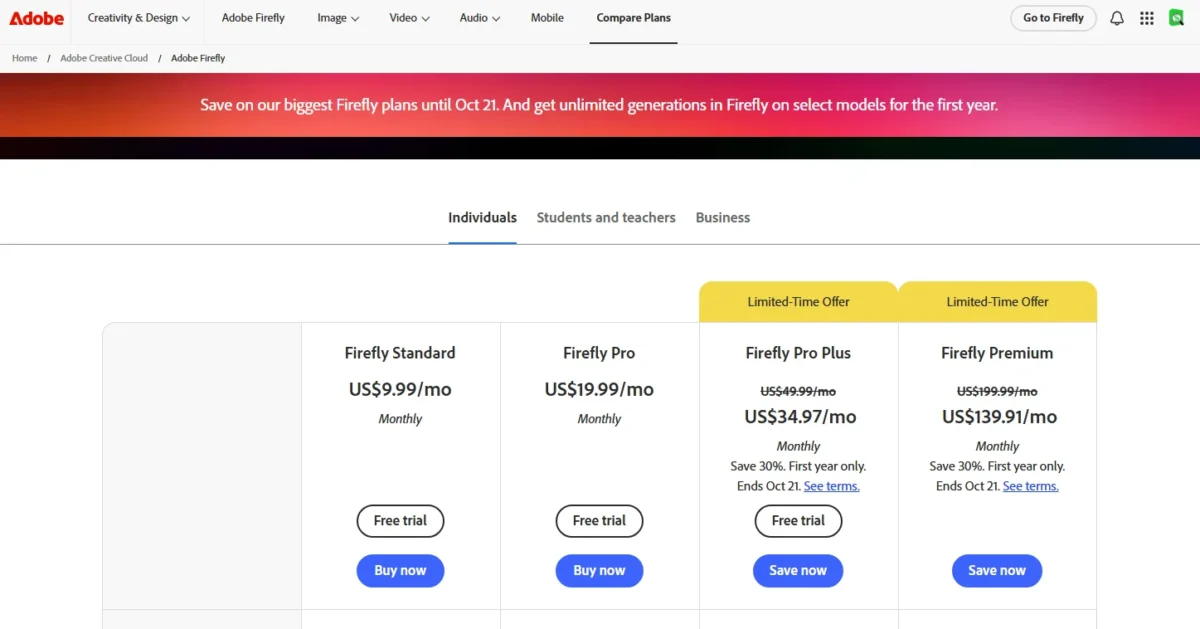
- the cheapest paid plan, Firefly Standard, is $9.99 a month, and Pro is $19.99. Pro Plus lists at $49.99 and Premium at $199.99; the plans page offered 30% off their first year until Oct 21.
Every paid plan includes unlimited standard image generations. Credits go to premium features: Firefly Image 5 uses 10 credits per generation. My Adobe Firefly pricing guide compares the plans in depth.
| Plan or feature | Cost | Key limit |
|---|---|---|
| Free plan | Free | Daily generations |
| Firefly Standard | $9.99 a month | 2,000 generative credits a month |
| Firefly Pro | $19.99 a month | 4,000 generative credits a month |
| Firefly Pro Plus | $49.99 a month | 10,000 generative credits a month |
| Firefly Premium | $199.99 a month | 50,000 generative credits a month |
| Firefly Image 5 | 10 credits per generation | Premium feature |
| Custom Models (beta) | 500 credits per training | Selected plans |
Sources: Adobe Firefly plans, Adobe Firefly, Adobe credits FAQ, checked Oct 2026.
Pros
- Licensed and public-domain training content
- Content Credentials on outputs
- Unlimited standard generations on paid plans
Cons
- Partner models spend premium credits
- Firefly Image 5 costs 10 credits per generation
- Beta outputs are not indemnified
- Skip it if:
- you will mostly generate with partner models, or your team does not work in Adobe apps.
My Adobe Firefly review judges the full product.
5. Ideogram: Best for Readable Text in Designs
- Best for: posters, ads and thumbnails with words in them
- Free plan: weekly free credits; no free trials
- Integrations: one API and MCP clients
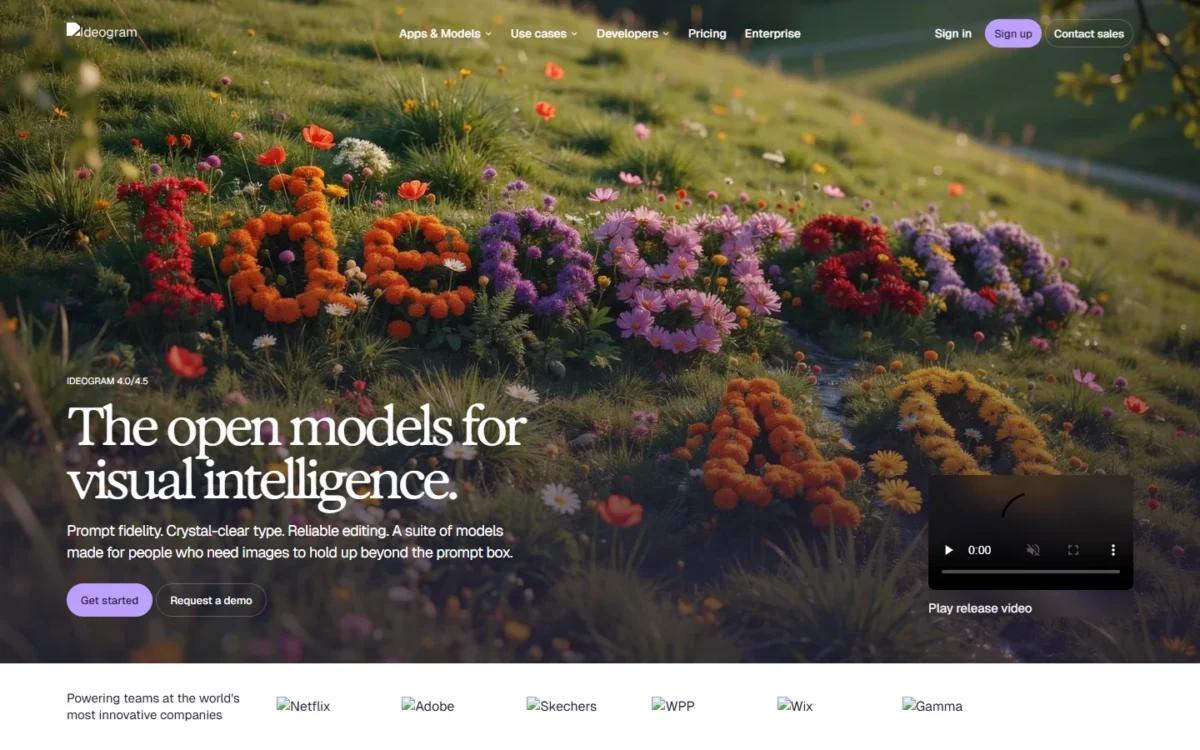
Type is the job Ideogram is built around. Its homepage promises “Crystal-clear type”, and Ideogram says version 4.5 delivers “readable type in every layout”; both are vendor claims.
Plus gives 2,400 priority credits a month. A 4.0 Turbo image uses 3 credits, so Plus covers 2,400 ÷ 3 = 800 priority images before the unlimited slow queue.
Plus also lists “Unlimited character consistency” and “All image & video models”, which matters for a recurring mascot or a series of ads. Enterprise lists “Private custom models trained on your visual data”.
On the free plan, “everything you generate is public”; Plus and above keep new images private. Ideogram claims no ownership of generated images.
- Pricing:
- Ideogram Plus costs $15 a month billed annually ($180), or $20 monthly. Team costs $20 per user per month billed annually. Prices exclude tax.

| Plan | Monthly | Annual | Priority credits |
|---|---|---|---|
| Plus | $20 | $180 | 2,400 a month |
| Pro | $60 | $504 | 7,500 a month |
| Team | $30 per user | $240 per user | 3,600 per user a month |
Sources: Ideogram pricing, checked Oct 2026.
Pros
- Private images from Plus
- Unlimited slow credits on paid plans
- Ideogram 4.0 weights available for local use
Cons
- Free-plan images are public
- No discounts or free trials
- Unused priority credits expire each cycle
- Skip it if:
- you want a free plan whose images stay private.
6. Recraft: Best for Editable Vectors and Brand Assets
- Best for: brand designers making logos, icons and mockups
- Free plan: personal use only
- Integrations: API with the V2 to V4.1 models
Recraft’s free plan is the one to read twice. Images made there are “owned by Recraft”, public and “not licensed for commercial use”, so Free is a sandbox, never a source of client work.
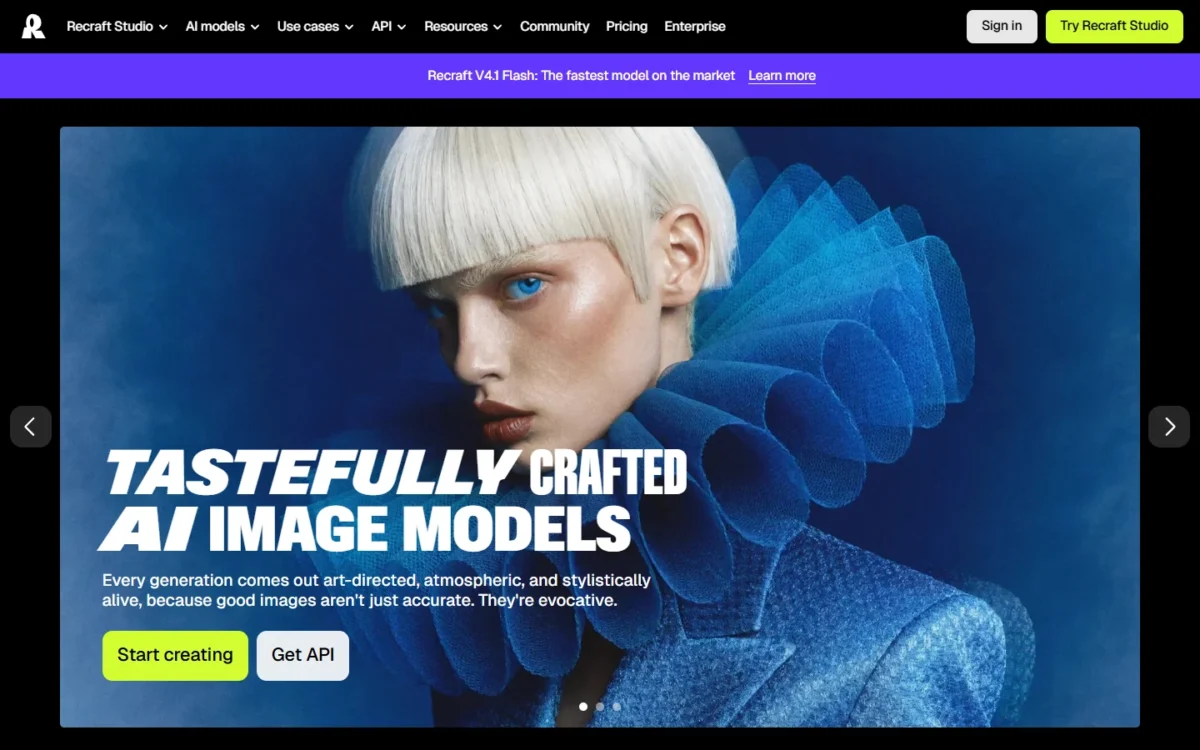
Basic adds “Commercial rights and private generations”. The product earns its place with “Complex editable vector graphics”, which spare a brand designer the redraw a raster logo needs before print.
- Pricing:
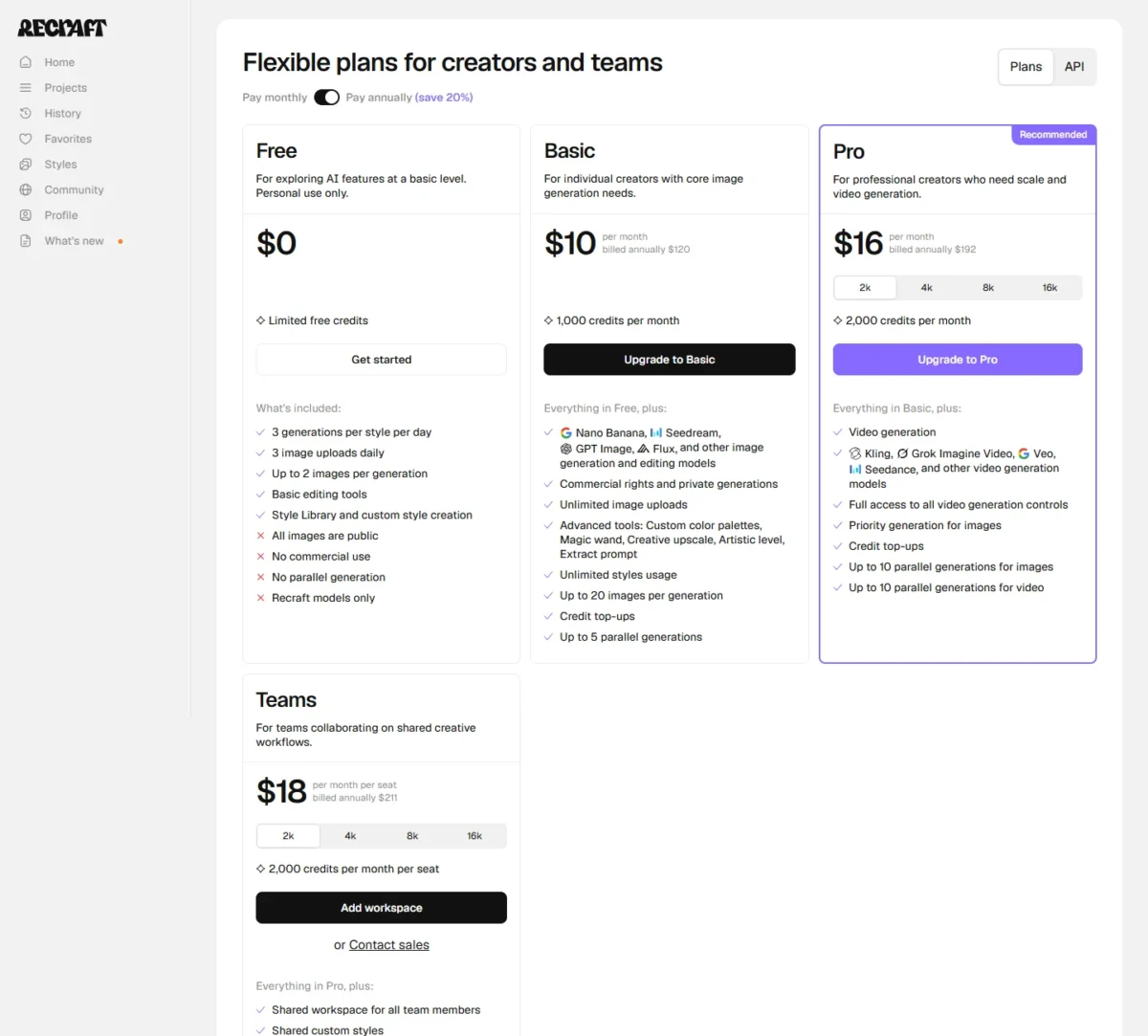
- Recraft Basic costs $10 a month, billed annually at $120, for 1,000 credits a month. Prices exclude VAT.
Teams lists $18 per month per seat and “billed annually $211”, with SSO. Those two figures do not match ($18 × 12 = $216), so confirm the seat price at checkout.
| Plan | Annual price | Key limit |
|---|---|---|
| Basic | $120 | 1,000 credits a month |
| Pro | $192 | 2,000 credits a month; video |
| Teams | $211 per seat | Shared custom styles; SSO |
Sources: Recraft pricing, checked Oct 2026.
Pros
- Editable vector graphics
- Commercial rights from Basic
- Paid images stay private after cancellation
Cons
- Free images belong to Recraft
- Free plan uses Recraft models only
- Prices exclude VAT
- Skip it if:
- you plan to deliver client work from the free plan.
7. Leonardo.Ai: Best for Training a Model on Your Own Images
- Best for: studios that need a repeatable style or subject
- Free plan: daily tokens
- Integrations: an API
Leonardo.Ai fits the job of teaching a model your product or art style. You upload “typically 10–20” images to train a model that recreates a style, theme or subject.
At zero tokens, Premium and Ultimate keep first-party models running in Relaxed Generation. Third-party models “always consume tokens”, so the plan only feels unlimited on Leonardo’s own models.
Paid subscribers own their images. On the free tier, Leonardo holds the rights and grants you a royalty-free licence for commercial use.
- Pricing:
- Leonardo.Ai plan prices are not verified here; my Leonardo.Ai review covers them. Premium plans roll unused tokens into a Rollover Bank, and prices exclude tax.
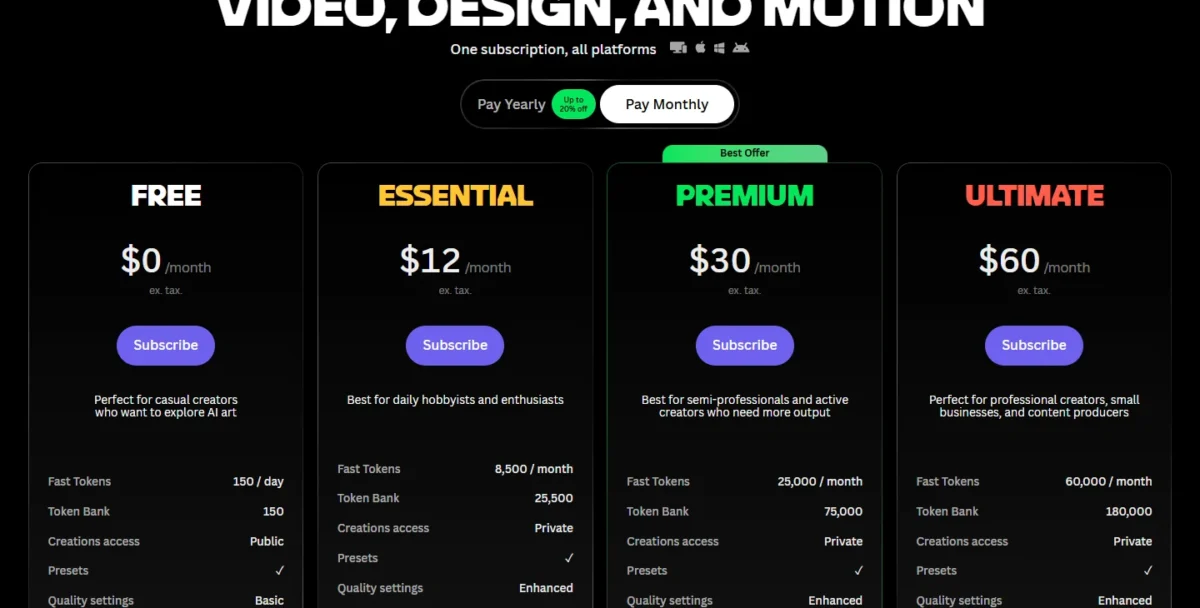
- Free tier: daily tokens; Leonardo holds image rights
- Premium and Ultimate: Relaxed Generation for first-party models
- Token top-ups: never expire, need an active subscription
Sources: Leonardo.Ai pricing, checked Oct 2026.
Pros
- Custom model from typically 10 to 20 images
- Relaxed Generation after tokens run out
- Free users get a commercial licence
Cons
- Third-party models always consume tokens
- Free-tier images carry Leonardo’s rights, not yours
- Top-ups need an active subscription
- Skip it if:
- you mostly want third-party models, which never run in Relaxed mode.
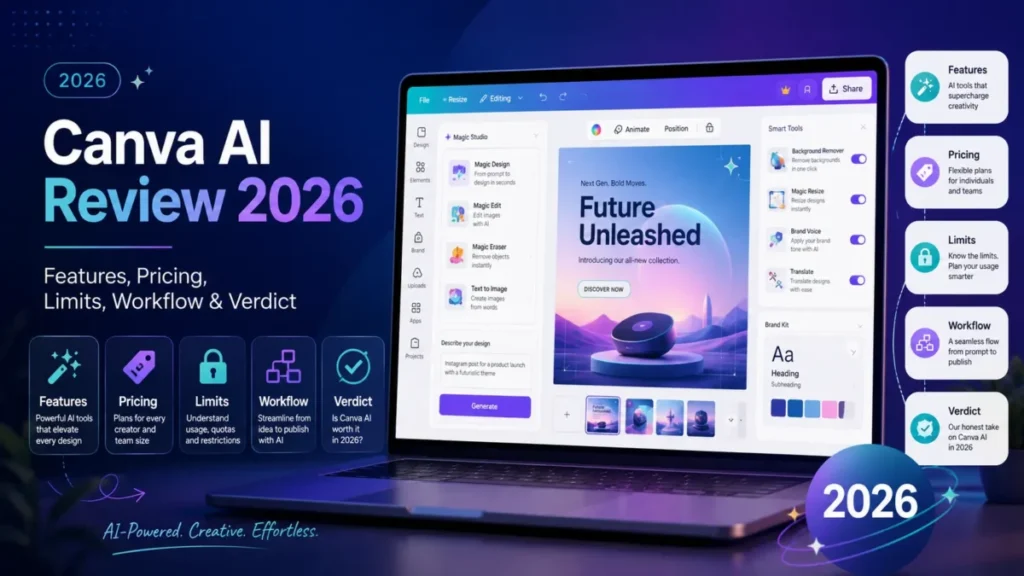
8. Canva: Best for Non-Designers Who Need a Finished Design
- Best for: marketers making social posts, decks and ads
- Free plan: Canva Free; Pro and Business trials
- AI allowance: Business, up to 400 uses for Premium AI tools
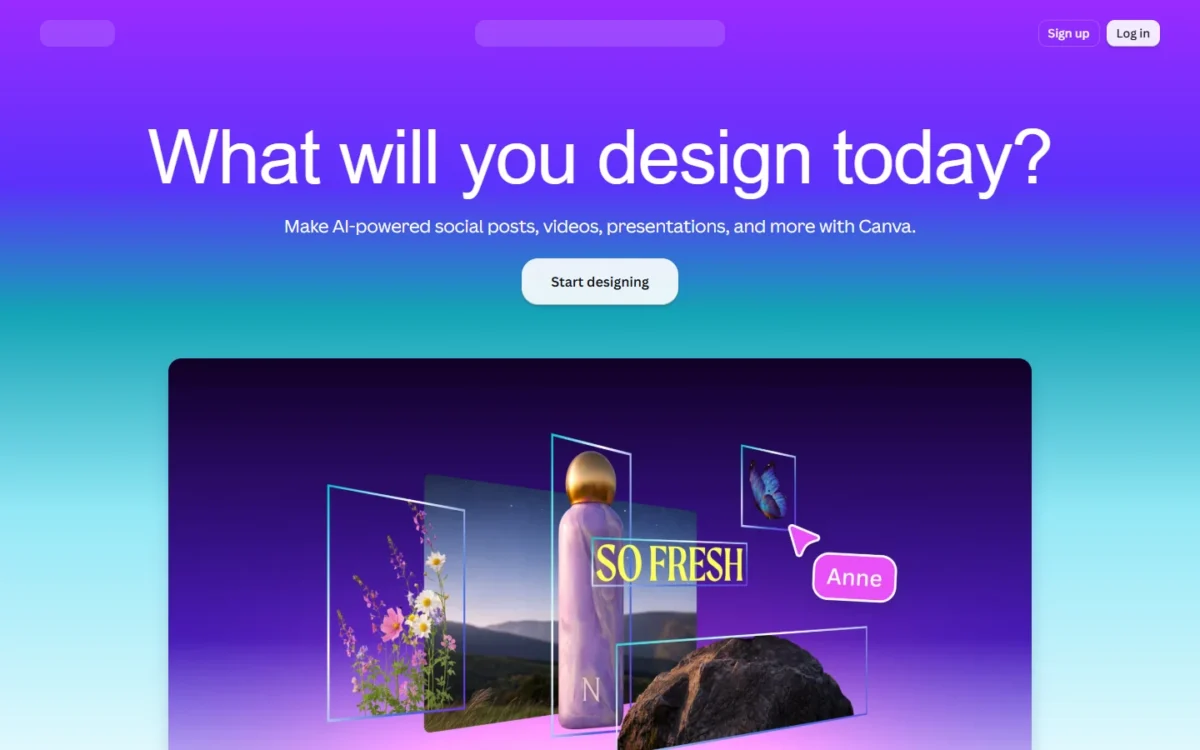
Canva solves a layout problem, not an image problem. Its generator places the image “right on the page” of your design, in 10+ prebuilt styles.
The allowance is the limit to watch. Canva Free caps Standard or Premium AI at 20 uses. Pro allows 200 Premium or 20 Ultra uses, and Business doubles that to 400 Premium or 40 Ultra uses.
Canva allows commercial use under its AI Product Terms, and warns you “may not have exclusive rights” to AI images.
- Pricing:
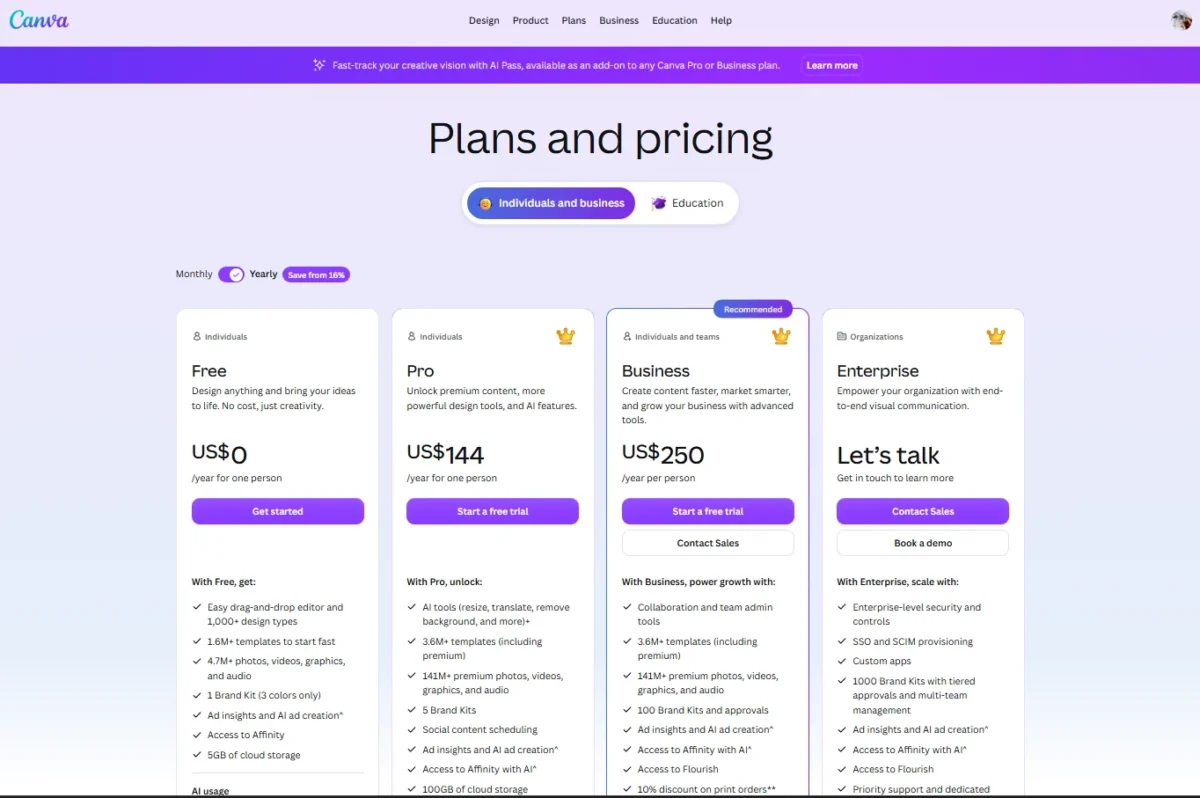
- Canva Business costs US$250 a year per person, so 10 seats × US$250 = US$2,500 a year. Pro costs US$144 a year for one person. Canva Shield, the AI output indemnity, needs a minimum of 100 seats.
| Plan | Price | AI allowance |
|---|---|---|
| Free | Free | Up to 20 Standard or Premium AI uses |
| Pro | US$144 a year for one person | Up to 200 Premium or 20 Ultra AI uses |
| Business | US$250 per person a year | Up to 400 Premium or 40 Ultra AI uses |
Sources: Canva pricing, Canva US pricing, Canva AI access, checked Oct 2026.
Pros
- Images land on the design page
- Standard AI tools on Business: “use as much as you like”
- Commercial use under Canva’s terms
Cons
- Free and trial accounts get up to 20 AI uses
- Indemnity needs at least 100 seats
- AI images may lack exclusive rights
- Skip it if:
- you need indemnified AI output for a team under 100 seats.
My Canva AI review covers its other AI tools.
9. BFL FLUX (Black Forest Labs): Best for Developers Paying per Image
- Best for: developers adding images to an app
- Free plan: none listed; the playground bills at API prices
- Integrations: API; weights on Hugging Face and GitHub
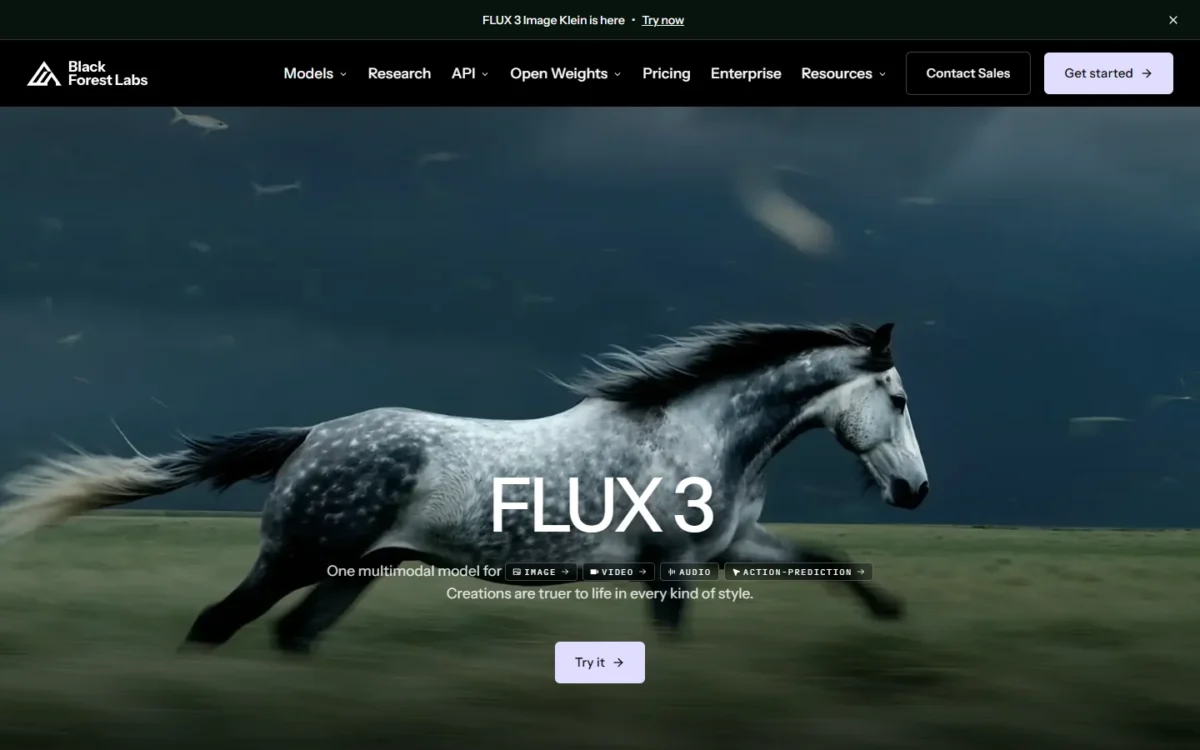
BFL FLUX turns image generation into a utility bill: “No subscriptions, no seat fees”. The playground costs the same as the API, so a prototype’s cost predicts production cost.
Open-weights licences suit a product that runs on its own servers: Builder covers 10K images a month and 10 licensed users. The pricing page shows no licence prices, only Purchase and Contact Sales buttons, and FLUX.2 [dev] is “Open weights, non-commercial”.
- Pricing:
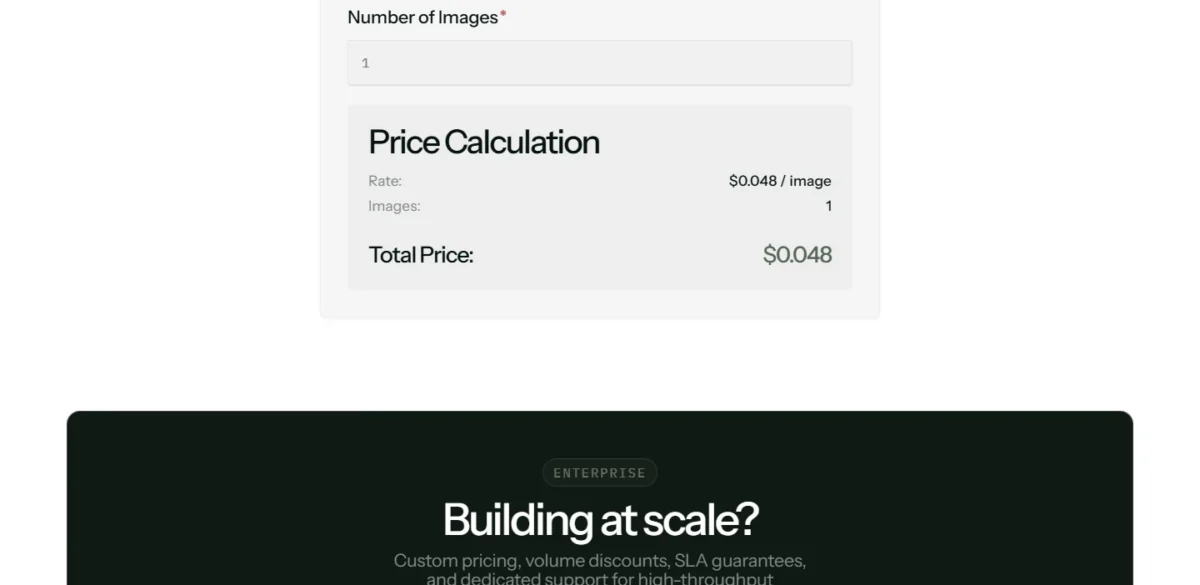
- FLUX 3 Klein costs $0.009 per 1K image, so a thousand images cost 1,000 × $0.009 = $9. Editing costs the same as generation.
| Resolution | Price per image |
|---|---|
| 768 × 768 | $0.008 |
| 1K | $0.009 |
| 2K | $0.014 |
| 4K | $0.036 |
Sources: FLUX API pricing, checked Oct 2026.
Pros
- No subscriptions or seat fees
- From $0.008 per image
- Licences include fine-tuning and LoRA rights
Cons
- No seat plan for non-developers
- No licence prices on the pricing page
- FLUX.2 [dev] weights are non-commercial
- Skip it if:
- no one on your team writes code.
10. getimg.ai: Best for Many Image Models in One Subscription
- Best for: creators who switch models by task
- Free plan: none listed
- Rights: commercial rights on every plan
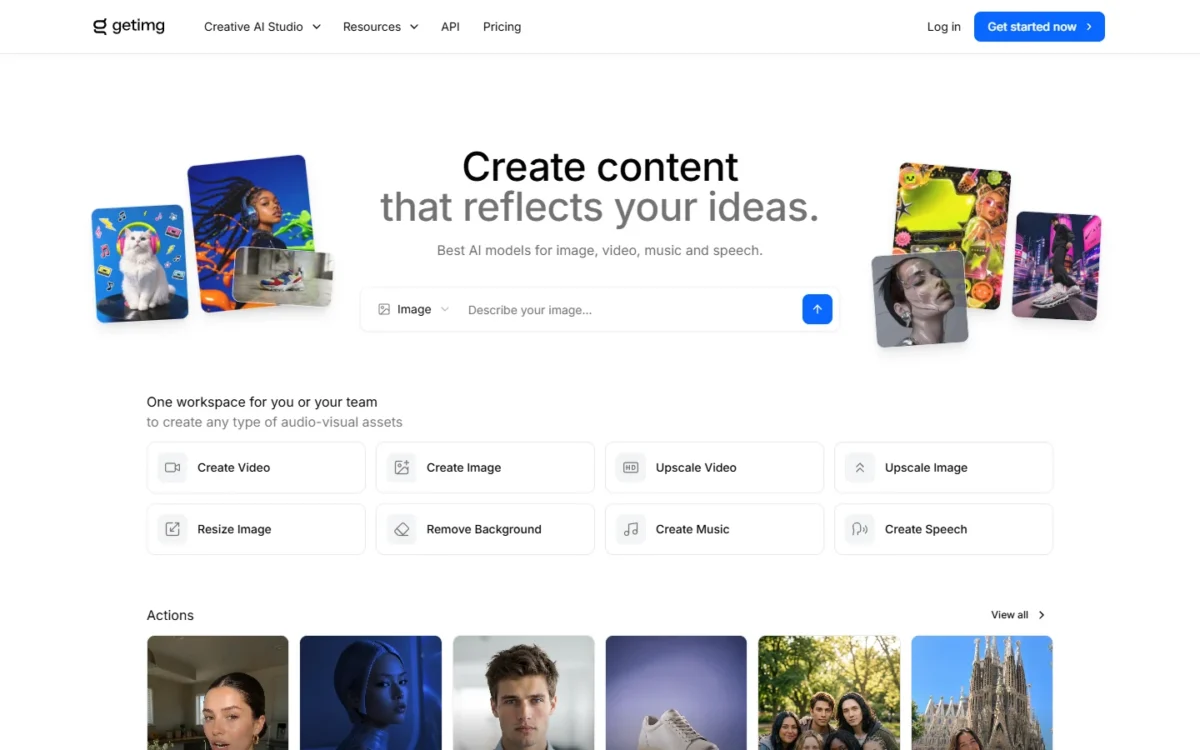
Think of getimg.ai as a workspace for other labs’ models. Its homepage lists FLUX 3 Klein and Seedream 5.0 Flash among “The latest AI models in one subscription”.
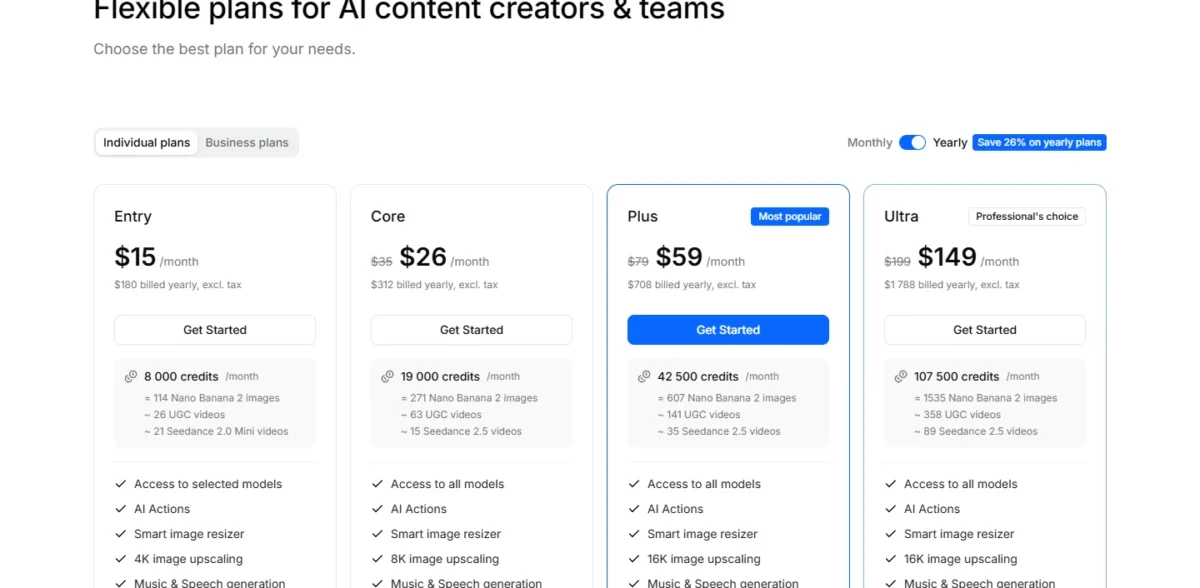
The line to read is model access. Entry includes “Access to selected models”, while Core and above include “Access to all models”, so a buyer comparing models needs Core.
- Pricing:
- getimg.ai Entry costs $15 a month, billed yearly at $180, for 8k credits a month, which the page equates to 114 Nano Banana 2 images. Core costs $26 a month billed yearly, or $35 monthly. Prices exclude tax.
| Plan | Billed yearly | Model access |
|---|---|---|
| Entry | $180 | Selected models |
| Core | $312 | All models |
Sources: getimg.ai pricing, checked Oct 2026.
Pros
- Commercial rights on every plan
- Credit-to-image rates published
- Image, video, music and speech in one place
Cons
- Entry gets selected models only
- No free plan listed
- Prices exclude tax
- Skip it if:
- you use one model and can buy it per image directly.
My getimg.ai review compares studio and API use.
What 10 Seats and a Thousand Images Cost
10 seats cost from $2,110 to $5,760 a year on the published annual prices, team or per person. A thousand API images cost from $9 to $50.40 at the resolutions below.
| Tool and plan | 10 seats, annual billing | 10 seats, monthly billing | Left out |
|---|---|---|---|
| Recraft Teams | 10 × $211 = $2,110 | Not verified | VAT |
| Firefly Pro for teams | 10 × $19.99 × 12 = $2,398.80 | Not listed | Credits past 4,000 a month |
| ChatGPT Business | 10 × $20 × 12 = $2,400 | 10 × $25 × 12 = $3,000 | API usage |
| Ideogram Team | 10 × $240 = $2,400 | 10 × $30 × 12 = $3,600 | Tax |
| Canva Business | 10 × $250 = $2,500 | Not verified | Ultra AI past 40 uses |
| Midjourney Standard | 10 × $288 = $2,880 | 10 × $30 × 12 = $3,600 | Stealth Mode |
| Midjourney Pro | 10 × $576 = $5,760 | 10 × $60 × 12 = $7,200 | Extra GPU at $4 an hour |
Sources: Recraft pricing, ChatGPT Business, Ideogram pricing, Canva pricing, Midjourney plans, Adobe Firefly plans, checked Oct 2026; Leonardo.Ai and Gemini team prices not verified.
Midjourney lists no team billing, so its rows are ten separate subscriptions. Firefly Pro for teams is an annual plan billed monthly, so its row is twelve monthly payments. The Recraft row uses the $211 the page bills a year per seat, not $18 × 12.
The cheapest row is not always the right one. A company over $1,000,000 in yearly revenue cannot use Midjourney Standard, so its 10-seat cost is the $5,760 Pro row.
For 10 seats, ChatGPT Business’s $2,400 a year also buys the writing assistant, though the Business overview page does not list image limits.
| Model or API | Resolution | Price per image | A thousand images |
|---|---|---|---|
| FLUX 3 Klein | 1K | $0.009 | 1,000 × $0.009 = $9 |
| FLUX 3 Klein | 2K | $0.014 | 1,000 × $0.014 = $14 |
| Gemini API, Batch | 1K | $0.0168 | 1,000 × $0.0168 = $16.80 |
| Ideogram 4.0 Turbo | 2K | 3 credits × 1¢/credit = 3¢ | 1,000 × 3¢ = $30 |
| Gemini API | 1K | $0.0336 | 1,000 × $0.0336 = $33.60 |
| Gemini API | 2K | $0.0504 | 1,000 × $0.0504 = $50.40 |
Sources: FLUX API pricing, Gemini API pricing, Ideogram pricing, checked Oct 2026.
On getimg.ai’s Entry plan, $15 a month ÷ 114 images a month = about $0.13 per Nano Banana 2 image. That premium over the API rate pays for the interface, selected other models (all models start on Core) and commercial rights.
How to Choose an AI Image Generator
Pick by the job, then check the plan that keeps work private:
- Images in your assistant: ChatGPT
- A $0 start: Google Gemini
- One art-directed look: Midjourney
- Brand work for legal review: Adobe Firefly
- Type inside the image: Ideogram
- Editable logos and icons: Recraft
- A model trained on your style: Leonardo.Ai
- A finished social post: Canva
- Per-image API or your own servers: BFL FLUX
- Several labs’ models, one bill: getimg.ai
| Product | Text rendering (vendor claim) | Character consistency | Vector output | Custom model or style | Video on the same plan |
|---|---|---|---|---|---|
| ChatGPT | Not listed | Not listed | Not listed | Not listed | Not listed |
| Google Gemini | Nano Banana 2 | Nano Banana 2 | Not listed | Not listed | AI Plus |
| Midjourney | Not listed | Not listed | Not listed | Style Reference | Basic |
| Adobe Firefly | Not listed | Not listed | Yes | Custom Models (beta) | Premium credits |
| Ideogram | Yes | Plus | Not listed | Enterprise | Plus |
| Recraft | Not listed | Not listed | Yes | Free | Pro |
| Leonardo.Ai | Not verified | Not verified | Not verified | Yes | Not verified |
| Canva | Not listed | Not listed | Not listed | Not listed | Not listed |
| BFL FLUX (Black Forest Labs) | FLUX 3 | Not listed | Not listed | Builder licence | FLUX 3 API |
| getimg.ai | Not listed | Not listed | Not listed | Not listed | Entry |
Sources: Gemini API pricing, Ideogram pricing, Recraft pricing, Adobe Firefly, checked Oct 2026.
Once the tool is chosen, my AI photo editing prompts give a starting set.
Profile photos are a separate job, covered in my ranking of AI headshot generators.
Also Considered
These tools lost to a pick on the job:
- DeeVid AI is built around video: Lite costs $10 a month billed annually and buys 200 credits for “Up to 40 videos or 100 images”. Video-first buyers should see my list of text-to-video AI generators.
- Stability AI sells a developer API in credits at $0.01 each, with 25 free credits to start. For per-image API work, BFL FLUX already holds that job in this list.
Sources: DeeVid AI pricing, Stability AI pricing, checked Oct 2026.
FAQ
Which AI image generator makes the most realistic photos?
No vendor page proves a winner, so treat each claim as marketing.
Black Forest Labs describes FLUX 3 as producing “Images grounded in the real world”. Leonardo.Ai lists Lucid Realism among its Relaxed Generation models. Run your own brief on two tools before paying for a year.
Do AI image generators own my images?
It depends on the plan. Recraft owns free-plan images, while its paid plans grant you full ownership.
Leonardo.Ai holds rights to free-tier images but licenses commercial use, and paid users own theirs. Ideogram says it does not claim ownership of generated images.
Is Midjourney better than ChatGPT for images?
Midjourney fits one art-directed look, because Style Reference carries colors, medium, textures and lighting across images. ChatGPT fits images made inside writing work the team already does there. Private Midjourney work starts at $60 a month on Pro.
Final Verdict
No single tool wins every job, so buy the best one for yours, on the plan that keeps your work private.
On a tight budget, start with Gemini’s $0 plan. Midjourney Basic costs $10 a month on monthly billing, for one person who wants its look. Recraft Basic costs $10 a month billed annually, with commercial rights.
For one marketer, ChatGPT Plus at $20 a month is my default, because image generation sits in the plan that also drafts the copy.
Business costs $20 per user per month billed annually, but the Business overview page does not list image limits, so confirm them with OpenAI before buying team seats. Choose Adobe Firefly instead when a reviewer must sign off on training data.
Choose Ideogram for type, Leonardo.Ai for a model trained on your style and Canva for a finished layout. Developers should start with BFL FLUX at $0.009 per 1K image; getimg.ai suits a buyer who wants many models in one workspace.
Image generation is one line in a wider content budget, and my guide to AI tools for content creation prices the rest of that stack.


Pingback: Remove.bg Review 2026: Pricing, Credits, API and Verdict