Your first CRM decision sets how your startup sells for the next two years.
The risk is rarely the software. It is the distance between the price on the pricing page and the plan your workflow actually requires.
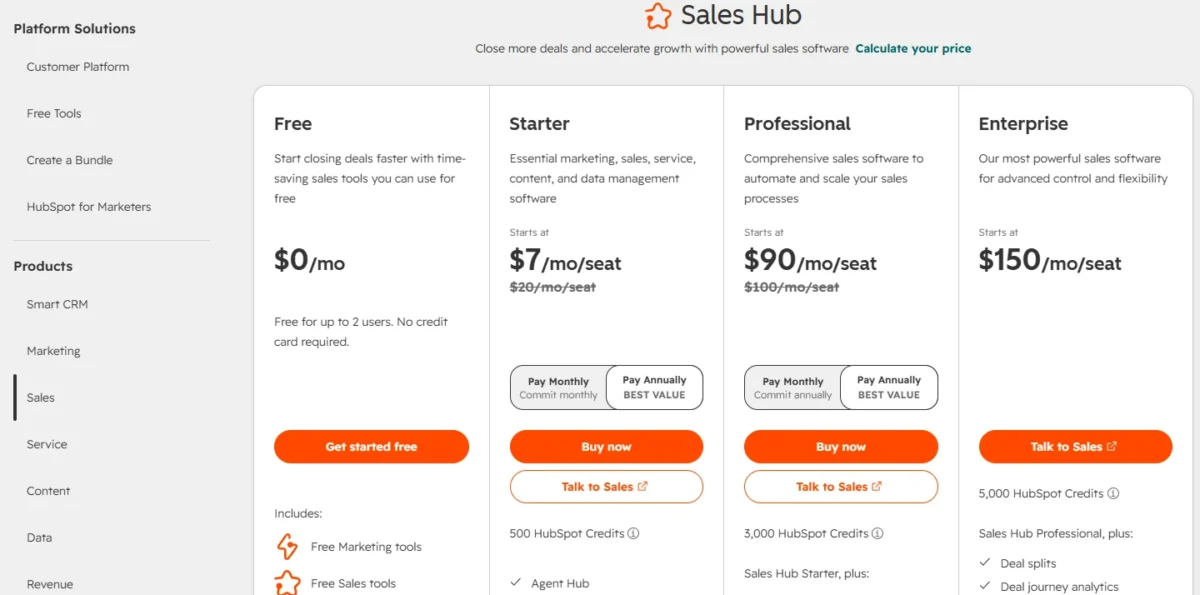
Funded team, one platform: HubSpot. Free tools cover two users, and Starter carries marketing, sales, and service on one record.
Bootstrapped team of three: Zoho CRM. Free forever for three users, and the free edition includes workflow rules rather than storage alone.
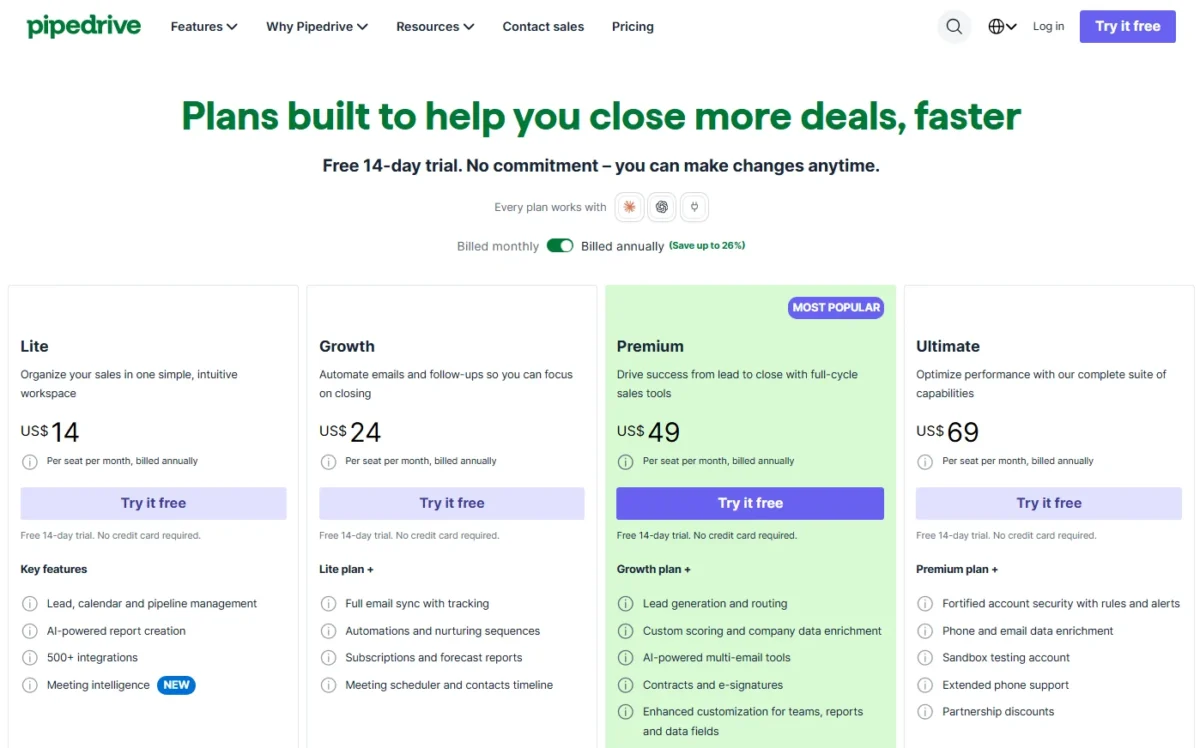
The trap to avoid: the advertised entry price. Pipedrive advertises $14 per seat, but email sync, automations, sequences, and forecasting all begin at $39.
Every price below was checked against the vendor’s own pricing page, help center, or plan comparison on 2026-08-31.
Ten of the twenty carry an evidence box naming the account type, the tasks exercised, and the date of the last check. The other ten are assessed from official documentation and labeled as such.
Quick Answers
If you are funded and want one platform: HubSpot. Note that the HubSpot for Startups discount applies to Professional and Enterprise products only, not to Starter.
If you are bootstrapped: Zoho CRM, free for three users, then $14 per user per month.
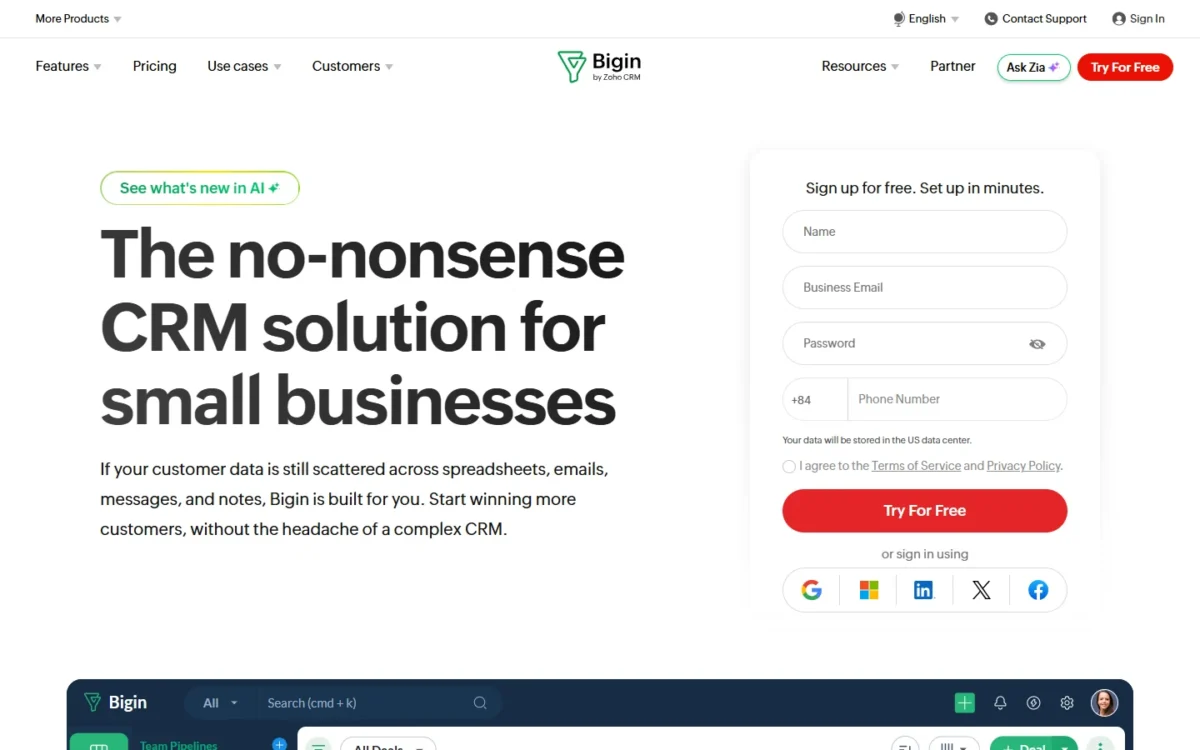
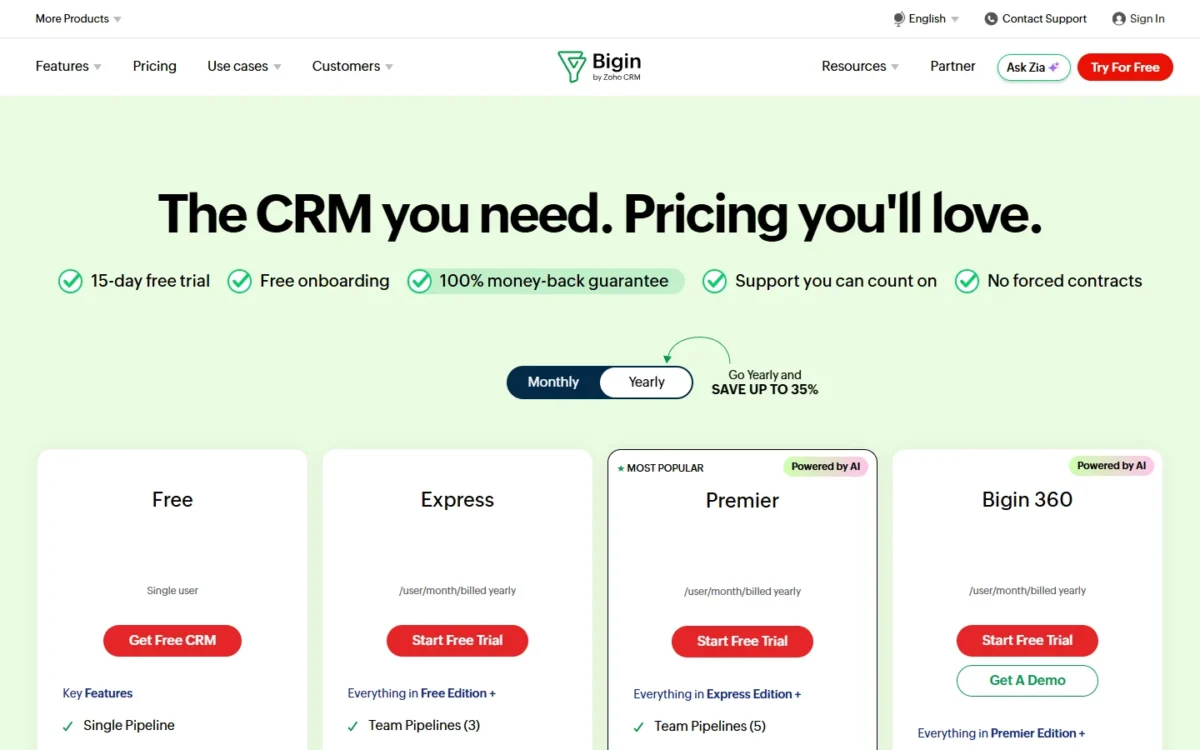
If you want the cheapest plan that covers a full sales workflow: Bigin Express at $7 per user per month, which includes 3 pipelines, 30 automations, and email integration.
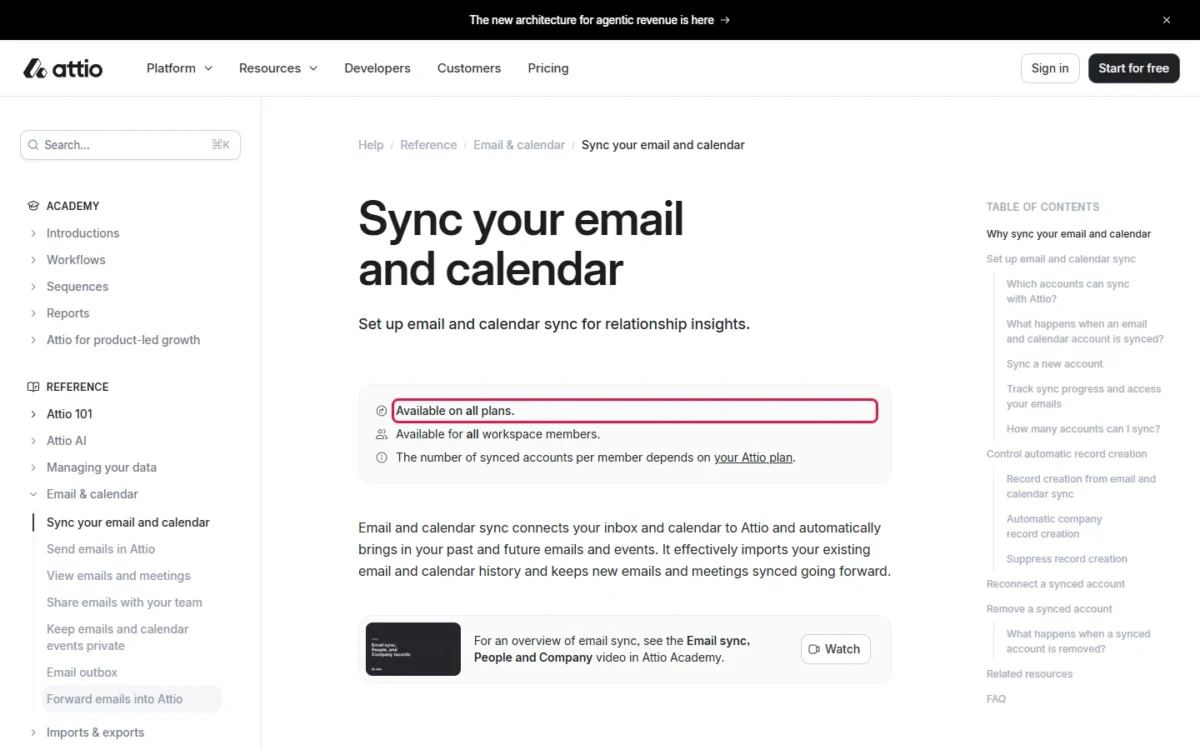
If your pipeline runs on relationships and you hate data entry: Attio, free for three seats, and it builds records from your email and calendar on every plan.
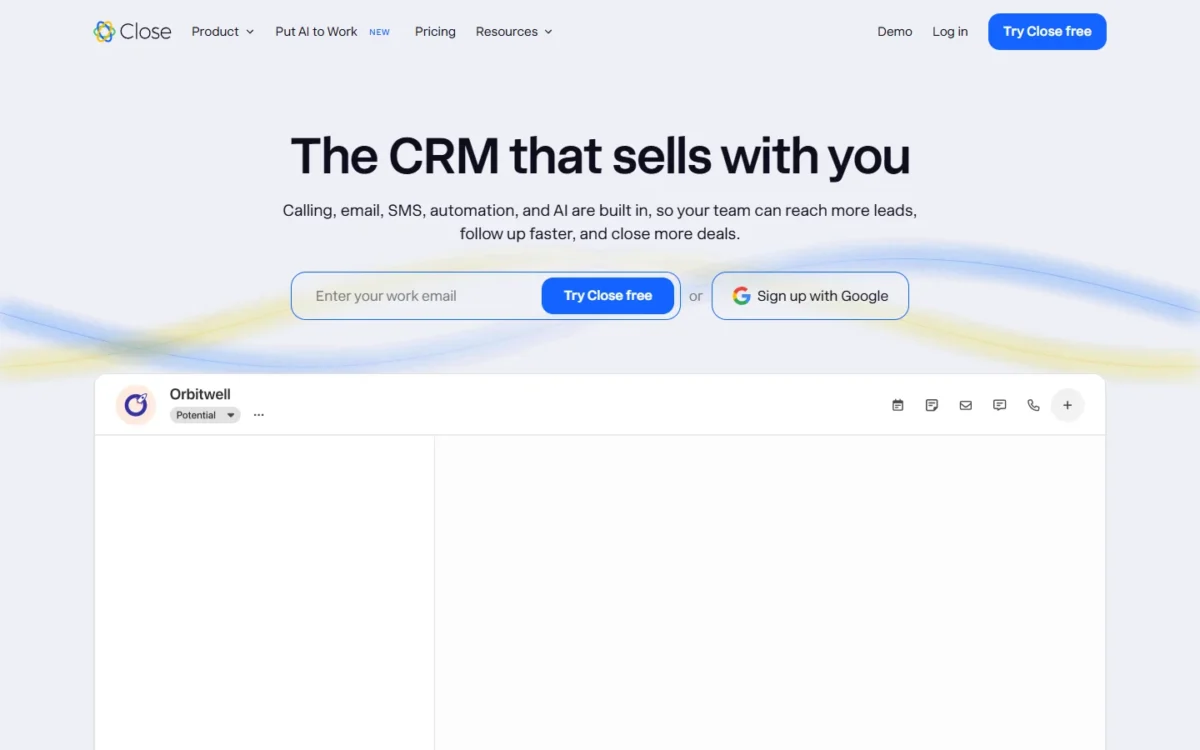
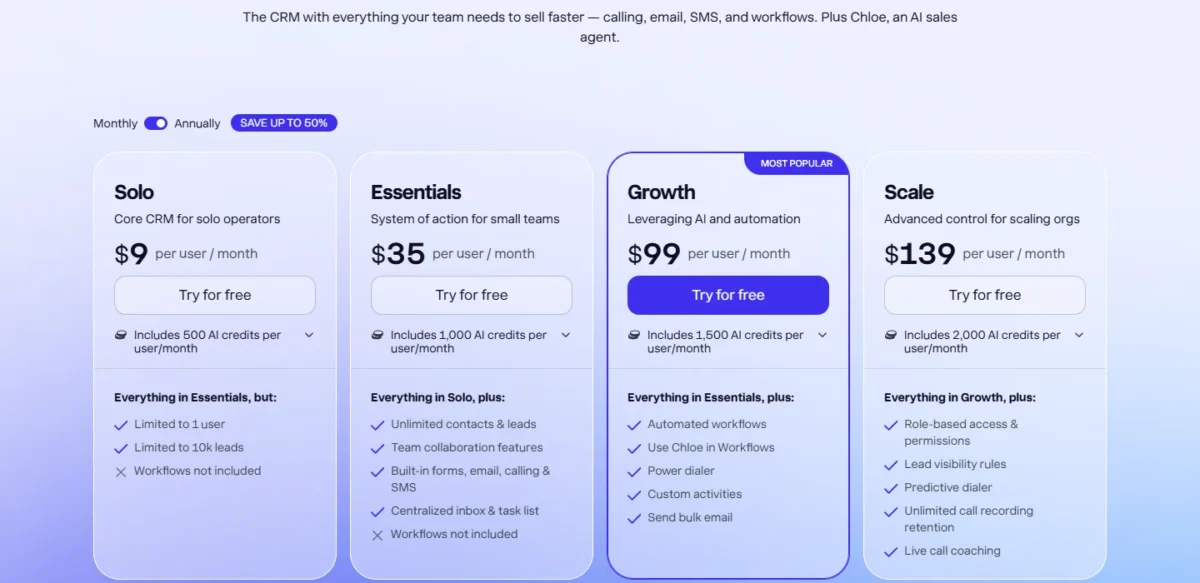
If your sales motion is the phone: Close, but budget from Growth at $99 per user per month, not from the $9 Solo plan.
Best CRM for Startups by Team Type
| Startup type | Best pick | Why it fits | Main watch-out |
|---|---|---|---|
| Pre-seed, no budget, 2 to 3 people | Zoho CRM free | Only free edition here that seats three and includes workflow rules | Free workflow rules cap at five active |
| Solo founder leaving a spreadsheet | Bigin Express | 3 pipelines, 30 automations, and email integration at $7 per user | Free Bigin tier is one user with no email integration |
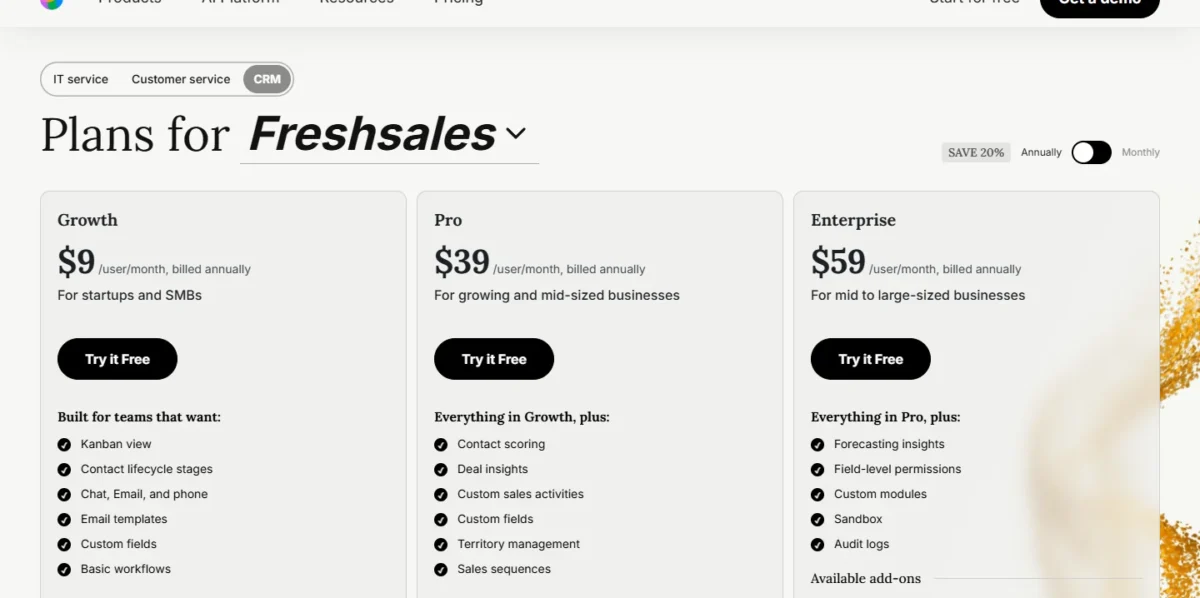
| Small team wanting phone and chat at a low rate | Freshsales | Growth at $9 per user covers the standard workflow with calling and chat included | Sequences need Pro, and the free plan is absent from the main pricing page |
| Venture-backed SaaS with an ops-minded founder | Attio | Automatic record creation on every plan, free for three seats | Automations start at Plus, and AI runs on workspace credits |
| Funded startup that wants one platform | HubSpot | Free tools for two users, then a low-cost Starter platform | Sequences require Sales Hub Professional at $90 per seat |
| Founder-led pipeline, no marketing need | Pipedrive Growth | Pipeline and stage design that stays workable under revision | Lite at $14 has no email sync or automation |
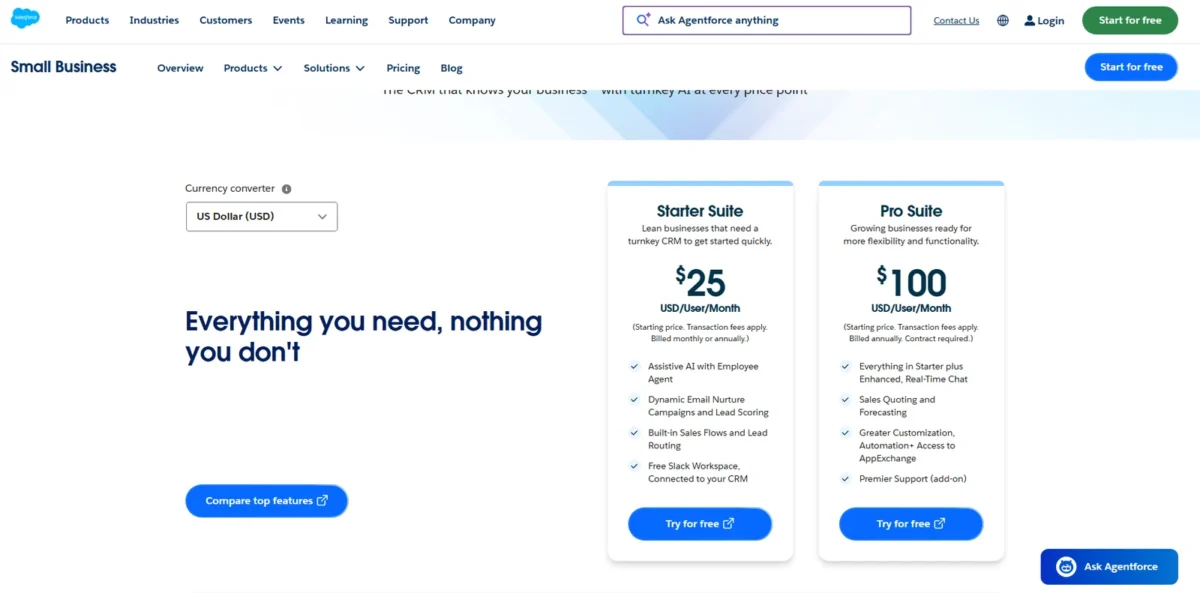
| Building toward a RevOps hire | Salesforce | Free Suite for two users, Starter Suite at $25 | Forecasting and quoting need Pro Suite at $100 |
| Sales that must hand work to delivery | monday CRM Standard | The closed deal becomes a delivery board with no export | 3-seat minimum, and Basic has no automations |
| Outbound calling team | Close Growth | Calling, sequences, and workflows are native | The tier that matters is $99, not the advertised $9 |
| Expecting to pass roughly fifteen seats | Bitrix24 Standard | One flat rate covers up to 50 users, so cost stops scaling | Poor value below roughly eight seats, and automation is not on the cheaper Basic band |
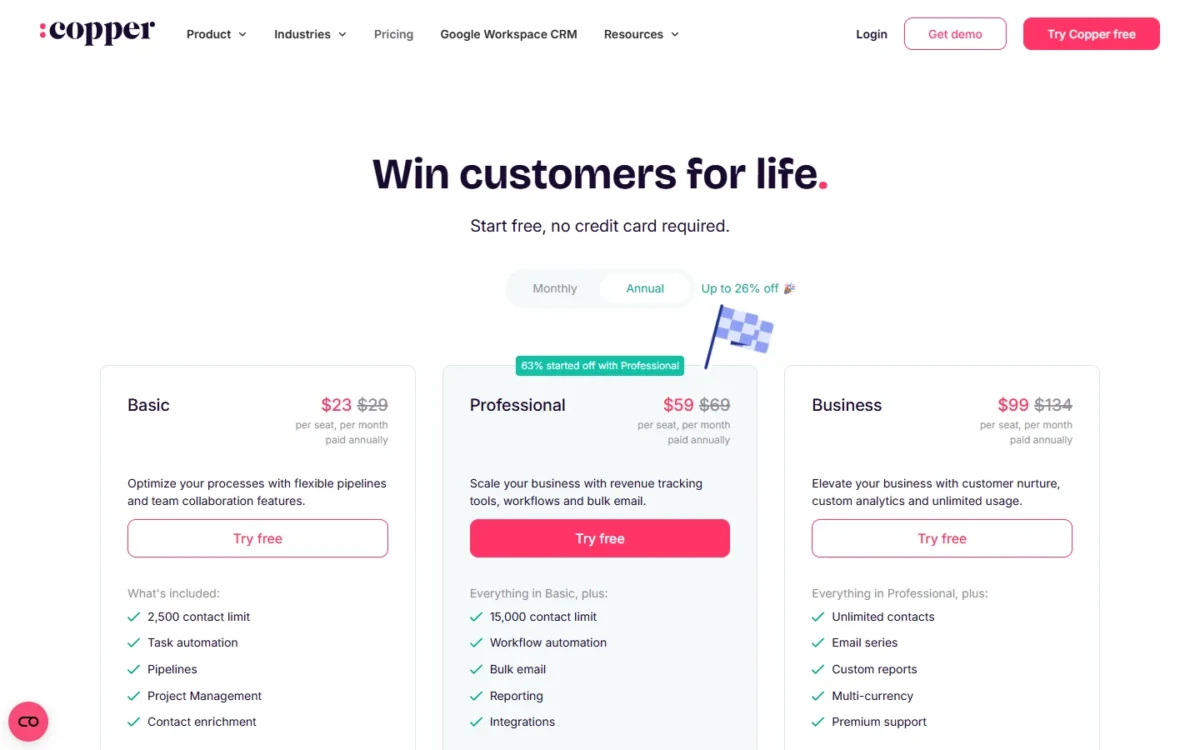
| Team living in Google Workspace | Copper Professional | Gmail and Calendar logging without a context switch | Basic at $23 has no workflow automation |
| Fundraising or investor pipeline | folk or Attio | Both model non-sales relationships as first-class records rather than as deals | Neither has a free tier that includes automation |
| Tiny team that wants no pricing decisions | Less Annoying CRM | One plan, one price, 30-day trial | No workflow automation at any tier |
Source: each vendor’s official pricing page, linked once in the comparison table below.
What Changed in This Update
This page was re-verified end to end on 2026-08-31. Nine published claims changed, and the table below gives each one its source.
| Product | Previous version said | Verified 2026-08-31 | Effect |
|---|---|---|---|
| HubSpot for Startups | Up to 90% off treated as applying to Starter, roughly 72 dollars for three seats in year one | “Applicable to net-new Professional or Enterprise level products only” | The $72 figure is removed. Discount modeled on Sales Hub Professional instead |
| Streak | Annual billing costs more than monthly | $49 per user annually, $59 monthly, against Streak’s stated 20% annual discount | Claim reversed and removed |
| Freshsales free plan | No free plan exists | Official pages conflict. The comparison page lists Free at $0 for up to 3 users; the main pricing page shows no free plan | Freshsales moves back up, with the conflict disclosed |
| Copper | Basic at $23 treated as a working tier | Workflow automation and reporting begin at Professional, $59 annually | Real cost more than doubles |
| Insightly | Plus at $29 treated as a working tier | Complete workflow automation begins at Professional, $49 annually | Real cost rises to $49 per seat |
| Bigin | Free plan suitable for a small team | Free is one user, 500 records, and no email integration. Express at $7 includes 30 automations and email | Bigin moves up on paid value |
| Attio | AI treated as included in the tier price | Workspace credits are metered, with packs from $70 to $475 per month | Added to hidden costs |
| Bitrix24 | Free plan with unlimited users | Free plan is 1 to 2 users | Ranking rationale rewritten |
| Keap | From $249 per month | From $299 per month, 2 users included, $39 per extra user | Rank held at the bottom |
Promotional and discounted rates are labeled separately from standard and renewal prices throughout this article, and every promotional rate here is re-verified on the publish date: 2026-08-31. Where a discount steps down in later years, the renewal price is stated alongside it.
The numeric scores that appeared on the previous version are gone. A decimal score requires a published weighting and a reproducible calculation for every dimension, and this ranking does not publish one.
Qualitative fit labels replace them.
How I Ranked These Startup CRMs
These rankings are based on official pricing pages, vendor plan comparisons, help center documentation, and first-hand use of ten of the twenty products. Pricing, plan limits, and free-tier caps were checked on 2026-08-31.
Each product was assessed against the same standardized startup workflow: three users, contact and deal management, a usable sales pipeline, two-way email sync, basic workflow automation, and sales reporting a founder can act on. The ranking asks which tier delivers that workflow, not which tier appears first on the pricing page.
Greater weight went to factors that change a purchase. Those are the cost of the tier that actually works, the gate that blocks the first workflow a founder builds, seat minimums, metered costs such as AI credits and calling, and discount programs that alter year-one spend.
Brand size, market share, and affiliate relationships carried no weight.
Claims that could not be verified against a vendor source were excluded rather than softened. Where two official vendor pages disagree, the article says so at the point of the claim, and promotional pricing is labeled separately from standard pricing.
First-hand coverage is 10 of 20 products, each named in its own evidence box.
Best CRM for Startups at a Glance
| Rank | CRM | Entry price | Tier that meets the standard workflow | Free plan |
|---|---|---|---|---|
| 1 | HubSpot | $7 to $20 per seat | Starter Customer Platform | 2 users, 1,000 contacts |
| 2 | Zoho CRM | Free, then $14 | Standard $14 | 3 users, forever |
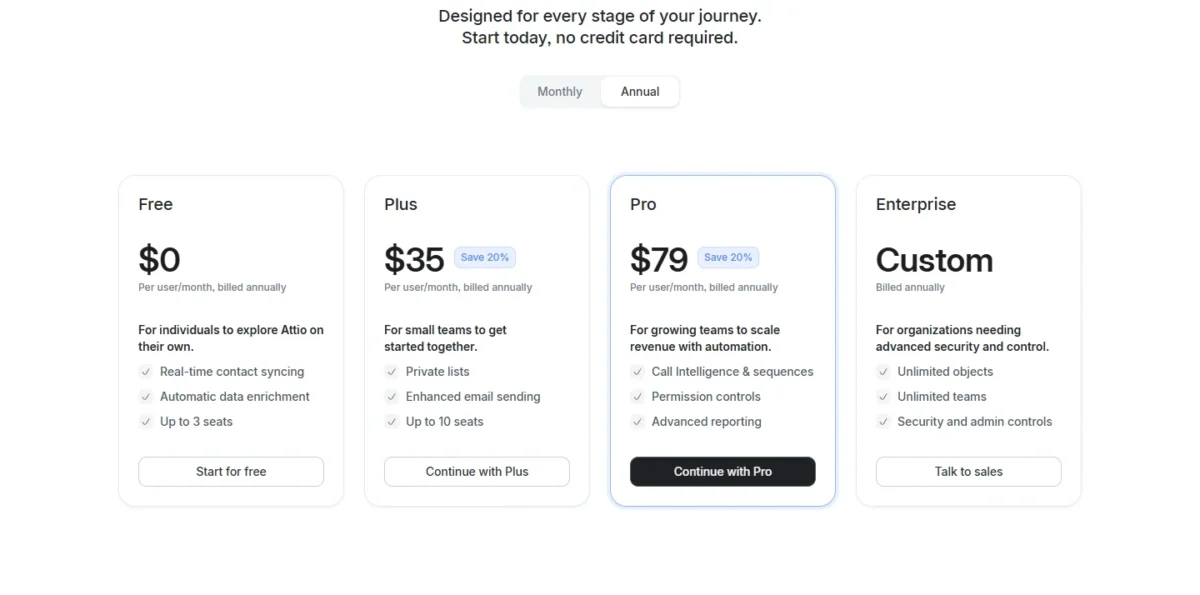
| 3 | Attio | Free, then $35 | Plus $35 | 3 seats, 50,000 records |
| 4 | Freshsales | $9 | Growth $9 | Disputed, see below |
| 5 | Bigin | $7 | Express $7 | 1 user, 500 records |
| 6 | Pipedrive | $14 | Growth $39 | None, 14-day trial |
| 7 | Salesforce | Free, then $25 | Starter Suite $25 | 2 users |
| 8 | monday CRM | $12, 3-seat minimum | Standard $17 | None |
| 9 | Close | $9, 1 user | Growth $99 | None, 14-day trial |
| 10 | Less Annoying CRM | $15 flat | No tier qualifies, no automation | None, 30-day trial |
| 11 | Capsule | $18 | Growth $36 | 2 users, 250 contacts |
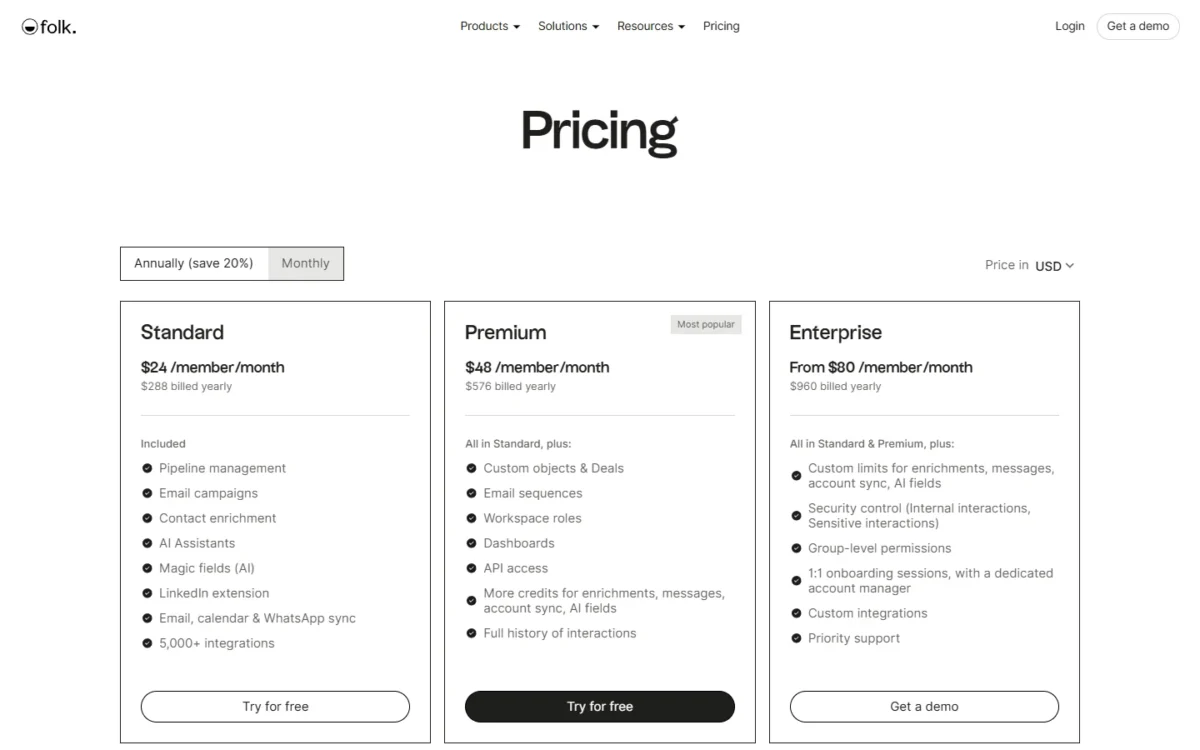
| 12 | folk | $24 | Premium $48 | None, 2-week trial |
| 13 | Copper | $23 | Professional $59 | None |
| 14 | Bitrix24 | Free, then $49 per org | Standard $99 per org | 1 to 2 users |
| 15 | Insightly | $29 | Professional $49 | None, 14-day trial |
| 16 | Apptivo | $15 | Premium $25 | None |
| 17 | Nimble | $24.90 flat | $24.90, the single plan | None |
| 18 | ActiveCampaign | $15 per month | Pro $79 plus an unpriced CRM add-on | None |
| 19 | Streak | $49 | Pro+ $69 | Email tools only |
| 20 | Keap | $299 per month | $299 per month | None |
All figures are per user per month on annual billing unless the cell says otherwise, verified against each vendor’s own pricing page on 2026-08-31.
HubSpot is the exception. Its $20 rate is the monthly-billing rate, used here as the durable planning number because the cheaper $7 figure appears on one HubSpot page as the annual rate and on another under a limited-time offer.
The 20 Best CRMs for Startups in 2026
Products are ordered by startup fit on the criteria above, not by price alone. Each block states the tier that meets the standard workflow, the limit that arrives first, and what the entry plan leaves out.
1. HubSpot: Best Overall for Funded Startups

Best for: Funded startups that want marketing, sales, and service on one record model.
Avoid if: You need sequences at the entry price, or you want a pipeline and nothing else.
Starting price: $20 per seat per month is the standard Starter Customer Platform rate.
HubSpot also displays $7 per seat, shown on its Sales Hub pricing page as the annual rate and on the Starter page under a limited-time new-customer banner. Those two framings conflict, so treat $20 as the durable number.
Practical tier: Starter Customer Platform for the standard workflow. Sales Hub Professional at $90 per seat per month once sequences matter.
Free plan: 2 users, 1,000 contacts, 2,000 marketing email sends per month.
First limit that bites: The 2-user free ceiling. A third person forces the paid step.
Better than Attio: Breadth. Marketing email, forms, and service tickets share one contact record with no integration to maintain.
Worse than Pipedrive Growth: Focus. A founder who wants a pipeline and a forecast configures past several modules they will not use.
Setup difficulty: Low to medium. The property model rewards a naming decision before the first import.
Hidden costs: Sequences sit on Sales Hub Professional, not on free tools and not on Starter.
HubSpot’s Sales Hub pricing page states the Professional price “does not include the required, one-time Professional Onboarding for a fee of $1,500,” with Enterprise onboarding at $3,500. Starter carries no onboarding requirement.
Contact tier upgrades also apply as the database grows.
Evidence status: Paid account on my own pipeline plus client implementations, focused on automation and sequence configuration.
Evidence box: HubSpot
Evidence type: First-hand use
Account: Paid account on my own sales pipeline, plus client implementations
Data and workflow: My own live pipeline data, and imported client datasets
Areas exercised: Workflow automation, sequence configuration
Not covered: Service ticketing, CMS, payments
Last hands-on check: August 2026
Hands-on finding: In August 2026, on a paid account, I built automation and sequence configurations for my own pipeline and for client implementations. The configuration work sat with the automation and sequence tooling rather than with the underlying records.
That is worth knowing, because the record model is not what consumes the setup time. The gating is.
HubSpot holds first place on the shape of the ramp rather than the entry price. Free tools give two people a working CRM with email integration, and Starter adds marketing email, forms, and payment links on the same records.
The correction that matters for this update concerns the startup program. HubSpot for Startups is not a way to make Starter cheap.
Its own eligibility page states the pricing is “applicable to net-new Professional or Enterprise level products only.” The discount is a lever for buying Sales Hub Professional early, not for discounting the tier most startups begin on.
| Pros | Cons |
|---|---|
| Free tools are a working CRM for two users, not a trial | Sequences require Sales Hub Professional |
| One record model across marketing, sales, and service | The startup discount excludes Starter entirely |
| Large hiring pool and integration library | Professional onboarding is required, not optional |
| Starter covers the standard workflow without an add-on | HubSpot’s own pages disagree on whether the lower rate is annual or promotional |
Verdict: The safest first CRM for a funded startup, provided you budget Starter now and Sales Hub Professional for the month sequences become part of the job.
Related reading: the HubSpot CRM review, HubSpot pricing, and HubSpot vs Pipedrive.
2. Zoho CRM: Best Free Plan a Team of Three Can Share

Best for: Pre-seed and seed teams that need three people in a CRM at no cost and will use automation early.
Avoid if: You want the fastest first-run experience, or nobody enjoys configuration.
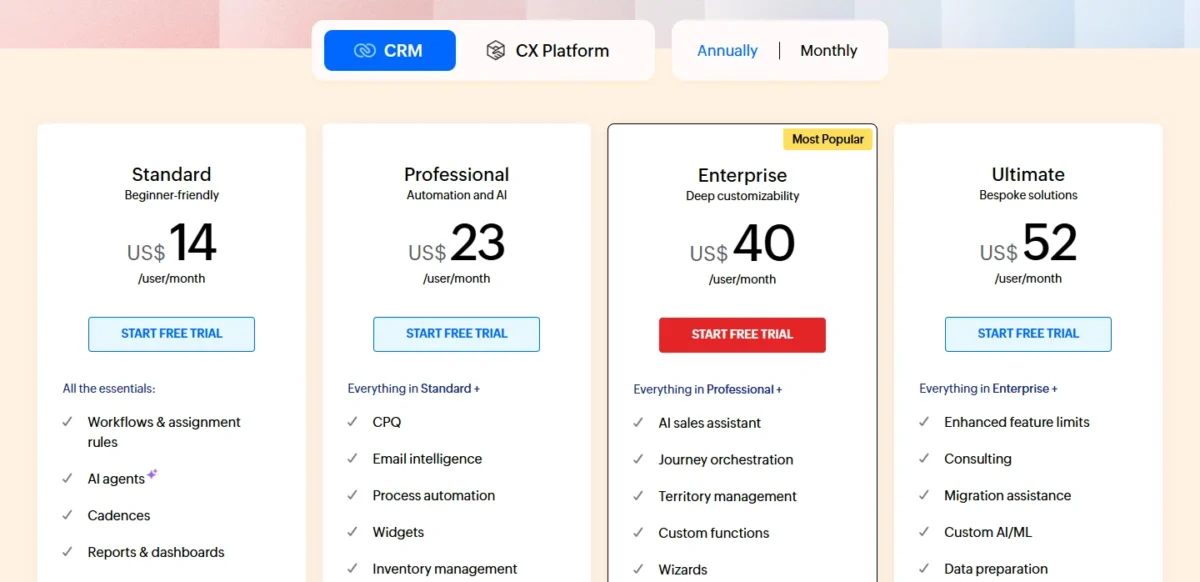
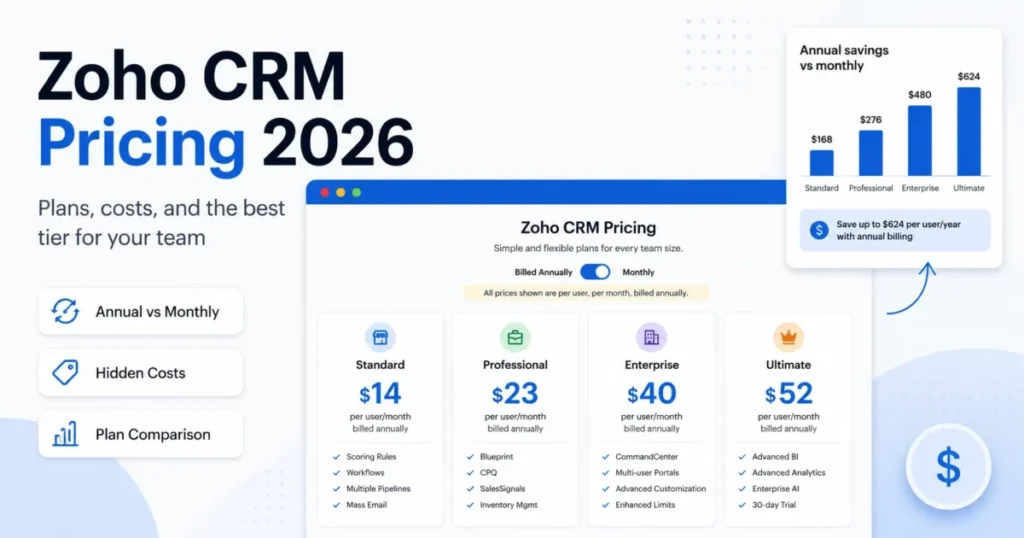
Starting price: Free for 3 users, then Standard $14, Professional $23, Enterprise $40, Ultimate $52, as Zoho CRM publishes them.
Practical tier: Standard at $14 once the free edition’s ceilings arrive.
Free plan: Free forever for 3 users, and the feature comparison documents workflow rules in the free edition at 10 rules per module with a maximum of 5 active.
First limit that bites: Those five active workflow rules, followed by template and export ceilings.
Better than HubSpot: Team size at zero cost, three users against two, with automation included.
Worse than Pipedrive: First-run clarity. Zoho asks more of whoever sets it up.
Setup difficulty: Medium. The configuration surface is why it is capable and why it is slower.
Hidden costs: Low. The main upgrade trigger is sales cadences, which move to Professional.
Evidence status: Paid account on my own pipeline plus client work, focused on workflow and assignment rules.
Evidence box: Zoho CRM
Evidence type: First-hand use
Account: Paid account on my own pipeline, plus client work
Data and workflow: My own pipeline data, plus client datasets during implementations
Areas exercised: Workflow rules, assignment rules
Not covered: Canvas design, Zia AI features, multichannel modules
Last hands-on check: August 2026
Hands-on finding: In August 2026, on a paid account, I built workflow rules and assignment rules on my own pipeline and on client implementations. The rule builder handled routing without an add-on or a higher tier, which is the practical argument for Zoho when a startup expects to route leads between two or three people from the start.
Zoho CRM sits second because of one fact no competitor in this ranking matches. The free edition puts three people into a CRM that includes workflow rules, permanently, with no trial clock.
Every other free plan here is smaller, harder-capped, or without automation.
The counterweight is the first hour. Pipedrive and Attio feel resolved sooner.
Zoho rewards a team with someone willing to configure and frustrates a team that expected defaults.
| Pros | Cons |
|---|---|
| Free forever for three users with workflow rules included | Free tier caps at five active workflow rules |
| Standard keeps the step from a usable free CRM to paid automation small | First-run experience trails Pipedrive and Attio |
| Forecasting arrives as early as Standard | Sales cadences require Professional |
| A 20-app suite behind the same login | Non-Zoho integrations take more setup effort |
Verdict: The best zero-cost starting point for a three-person team, and a small step up to Standard when the free edition’s limits arrive.
Related reading: the Zoho CRM review and Zoho CRM pricing.
3. Attio: Best for Teams That Shape Their Own CRM

Best for: Venture-backed SaaS teams and ops-minded founders who want the data model to follow the go-to-market motion.
Avoid if: Nobody on the team enjoys designing a system, or your AI usage will be heavy and unbudgeted.
Starting price: Free for 3 seats, then Plus $35 per user per month annually, Pro $79, as Attio publishes them.
Practical tier: Plus at $35, because workflows begin there. The free plan syncs and reports but does not automate.
Free plan: 3 seats, 50,000 records, 250 workspace credits per month plus 100 seat credits per user.
First limit that bites: Workspace credits, then the 10-seat cap on Plus.
Better than HubSpot: Automatic capture. Attio’s sync documentation states that email and calendar sync is “available on all plans” and that with default settings it “creates records for every person you email and every person on your calendar,” along with their companies.
Worse than Zoho CRM: Predictable cost. Zoho’s automation is included in the seat price; Attio’s AI draws on a metered pool.
Setup difficulty: Medium. The flexibility that makes it good is why a team debates object design in week one.
Hidden costs: Workspace credit packs, priced from $70 per month for 5,000 extra credits up to $475 per month for 50,000 on annual billing. Call recording sits on Pro.
Evidence status: Paid account on my own pipeline plus client work, focused on email and calendar sync and automatic record creation.
Evidence box: Attio
Evidence type: First-hand use
Account: Paid account on my own pipeline, plus client work
Data and workflow: My own live pipeline, plus client data during implementations
Areas exercised: Email and calendar sync, automatic record creation
Not covered: Workflows, call intelligence, sequences, reporting depth
Last hands-on check: August 2026
Hands-on finding: In August 2026, on a paid account, I connected email and calendar sync and worked with automatic record creation on my own pipeline and on client data. Records were created from the mailbox and calendar rather than by manual entry, which is what keeps a two-person startup’s CRM current instead of stale by month two.
That capture behavior is documented as plan-independent, and it is the strongest argument for starting a founding team here. A free workspace that builds its own contact graph from the inbox is a different starting position from a free tier that hands you an empty database and a data-entry job.
Two things keep it at third rather than higher. Automations are not on the free plan, so the standard workflow costs the Plus rate per seat.
The AI layer is also metered, which makes Attio the hardest CRM here to forecast a bill for.
| Pros | Cons |
|---|---|
| Email and calendar capture documented on all plans | Workflows require Plus |
| Free plan covers three seats and 50,000 records | AI and enrichment run on metered workspace credits |
| Data model bends to a non-standard motion | Credit packs add a metered cost on top of seats |
| Startup program offers 80% off Pro in year one | Plus caps at ten seats, forcing the Pro step |
Verdict: The strongest free plan here for automatic capture, though only Zoho’s free edition automates. Model the credit consumption before committing.
4. Freshsales: Best Low-Cost CRM With Built-In Phone and Chat

Best for: Budget-conscious teams that want email, phone, and chat plus basic automation at one of the lowest paid rates here.
Avoid if: Sequences are part of the week-one plan, or you need certainty about the free tier before signing up.
Starting price: Growth at $9 per user per month annually, $15 monthly, then Pro $39, Enterprise $59, as Freshsales publishes them.
Practical tier: Growth at $9, which covers the standard workflow. Pro at $39 once sequences matter.
Free plan: Officially disputed. Freshworks’ plan comparison page lists “Free, $0 for upto 3 users” as its first column.
A help center article documents activating it through Admin Settings, under Plans and Billing, with a 3-user limit.
The main Freshsales pricing page shows no free plan at all, only Growth, Pro, Enterprise, and a 21-day trial.
Two official sources say it exists. The page buyers actually land on does not mention it.
First limit that bites: Sales sequences, which begin at Pro.
Better than Pipedrive Lite: Inclusion. Chat, email, phone, and basic workflows are present on Growth, where Pipedrive’s Lite tier has no email sync.
Worse than Zoho CRM: Confidence. Zoho publishes its free edition prominently, and Freshworks does not.
Setup difficulty: Low to medium.
Hidden costs: Branded documents at $19 per user, on a billing unit Freshworks’ own page states inconsistently, and the Freddy AI Agent at $49 per 100 sessions, both listed as add-ons on every tier. Forecasting insights sit at Enterprise.
Evidence status: Trial account only, focused on the built-in dialer.
Evidence box: Freshsales
Evidence type: First-hand use, trial account
Account: Trial account, not a paid subscription
Data and workflow: Sample pipeline data created inside the trial
Areas exercised: The built-in dialer
Not covered: Sequences, AI lead scoring, territory management
Last hands-on check: August 2026
Hands-on finding: In August 2026, in a trial account, I used the built-in dialer against sample pipeline data. Calling was available without adding a telephony integration, which is the inclusion worth weighing against Pipedrive Lite when comparing entry tiers.
The previous version of this article stated flatly that Freshsales no longer has a free plan. That was too confident.
Two current official Freshworks sources document the Free plan for three users, while the primary pricing page omits it.
Freshsales Free remains documented by Freshworks, but it is not surfaced on the primary pricing page.
The help center documents activating it through Plans and Billing, which in practice means arriving at it by changing plan rather than by signing up for it.
What is not in dispute is that Growth covers the standard workflow, which makes it the second-cheapest qualifying paid tier in this ranking, behind Bigin Express.
| Pros | Cons |
|---|---|
| Growth covers pipeline, email, phone, and basic workflows | Official pages disagree on whether a free plan exists |
| Phone and chat included rather than integrated | Sales sequences gated to Pro |
| Add-on prices published rather than quote-only | Freddy AI is billed by session, not included |
| Buy a single seat if that is all you need | Smaller integration marketplace than HubSpot |
Verdict: The strongest low-cost pick for a small team that wants calling and chat in the box, held back only by a free-plan story its own pricing page contradicts.
Related reading: the Freshsales review and Freshsales pricing.
5. Bigin by Zoho CRM: The Lowest Price That Still Covers the Whole Workflow

Best for: Solo founders and small teams leaving a spreadsheet who want a complete basic CRM at the lowest possible rate.
Avoid if: You need complex multi-stage automation, deeper reporting, or a CRM that can stay the system of record as the sales operation matures.
Starting price: Express at $7 per user per month annually, $9 monthly, then Premier $12, Bigin 360 $18, as Bigin by Zoho CRM publishes them.
Practical tier: Express. It carries 3 team pipelines, 50,000 records, 30 automations, and email integration.
Free plan: One user, 500 records, 3 automations, and no email integration.
First limit that bites: The free plan’s single seat, then the 30-automation ceiling on Express once processes get multi-stage.
Better than Less Annoying CRM: Automation. Bigin includes 30 automations on its entry tier; Less Annoying has none at any tier.
Worse than Zoho CRM: Ceiling. Bigin is a stepping stone by design.
Setup difficulty: Low, on the documented import path from a spreadsheet into a single pipeline.
Hidden costs: Few. AI credits appear only from Premier upward.
Evidence status: Documentation-based, assessed from Zoho’s published pricing and plan pages rather than first-hand use.
Bigin rises this update because the standardized workflow test rewards it. Express is the cheapest plan in this ranking that covers pipelines, records, automation, and email integration in one tier, and the upgrade path into Zoho CRM is documented rather than theoretical.
The correction attached is that the free tier is not the story. One user, 500 records, and no email integration is an evaluation, not a workspace.
A founder who has outgrown a CRM spreadsheet template should plan to pay for Express rather than sit on the free tier.
| Pros | Cons |
|---|---|
| Express covers 3 pipelines, 50,000 records, and 30 automations | Free plan is one user with no email integration |
| Documented upgrade route into Zoho CRM | Automation depth is shallower than full Zoho CRM |
| Fast import from a spreadsheet | Smaller integration library than the tools above it |
| Email and WhatsApp integration included at the entry tier | Not a long-term platform by design |
Verdict: The cheapest honest way for a small team to run a real sales process, and the clearest value per dollar in this ranking. It sits fifth rather than higher because it is a stepping stone by design, and the ceiling arrives sooner than on the four above it.
6. Pipedrive: Best Founder-Led Pipeline, Once You Skip the Entry Plan

Best for: Founder-led sales teams that want a visual pipeline and a forecast and will budget from Growth.
Avoid if: Your budget stops at the advertised price, or you need marketing in the same tool.
Starting price: Lite $14 per seat per month annually, then Growth $39, Premium $59, Ultimate $79, as Pipedrive publishes them.
Practical tier: Growth at $39. This is the entry point for a working sales setup, not Lite.
Free plan: None. A 14-day trial.
First limit that bites: Lite itself. Pipedrive’s plan comparison shows Lite without email sync, email templates, email tracking, scheduler, automations, sequences, or the forecast view.
All of them begin at Growth.
Better than monday CRM: Sales-specific reporting. Win rates and pipeline velocity are native rather than assembled from board columns.
Worse than HubSpot: Everything outside the pipeline. No native marketing suite, no service desk.
Setup difficulty: Low. Pipeline and stage design is among the least demanding here.
Hidden costs: The Lite-to-Growth step, a 2.8x increase over the price the buyer first saw, plus paid add-ons on top of the seat rate.
Evidence status: Paid account on my own pipeline plus client work, focused on pipeline and stage design.
Evidence box: Pipedrive
Evidence type: First-hand use
Account: Paid account on my own pipeline, plus client work
Data and workflow: My own pipeline data, plus client pipelines during implementations
Areas exercised: Pipeline design, stage design
Not covered: Sequences, the AI assistant, marketplace add-ons
Last hands-on check: Q3 2026
Hands-on finding: In Q3 2026, on a paid account, I designed pipelines and deal stages for my own pipeline and for client work. Stage design stayed workable under repeated revision, which is the part of Pipedrive that earns its reputation, and it is why the Lite gate deserves naming rather than burying.
Pipedrive sits sixth on the plan gate rather than on product quality. A founder who reads the advertised Lite rate and plans to run sales from their inbox will find email sync is not on that plan.
The tool people describe when they recommend Pipedrive is Growth.
| Pros | Cons |
|---|---|
| Pipeline and stage design stays quick under revision | Lite excludes email sync, automation, sequences, forecasting |
| Sales reporting is native, not assembled | The working tier costs several times the advertised price |
| Clean upgrade path across four tiers | No native marketing or service tooling |
| Large integration marketplace for calling and email | No permanent free tier |
Verdict: Buy Growth or do not buy Pipedrive. At the Growth rate it is the cleanest founder-led sales CRM here, and at the Lite rate it is not the product people are recommending.
Related reading: the Pipedrive CRM review, Pipedrive pricing, and Pipedrive vs Zoho CRM.
7. Salesforce: Best If You Are Hiring RevOps Within a Year

Best for: Startups that expect to hire experienced sales operations people and stay on one platform through Series B.
Avoid if: Your team is two founders and nobody wants to own configuration.
Starting price: Free Suite for up to 2 users, then Starter Suite $25 per user per month, Pro Suite $100, as Salesforce publishes them.
Practical tier: Starter Suite, which includes email integration with Gmail or Outlook, built-in sales flows and lead routing, and reporting.
Free plan: Free Suite, 2 user licenses.
First limit that bites: Marketing email volume, at 2,000 sends per month, with additional sends billed in bundles.
Hiring advantage: Salesforce skills are widely available in the revenue operations market, which reduces the chance that a future admin hire has to learn the platform from scratch.
Worse than Attio: Time to a working system. Salesforce asks for object and layout decisions before it earns its keep.
Setup difficulty: High. This is the configuration-heaviest option in the ranking.
Hidden costs: Email send bundles, and the Starter-to-Pro Suite step at four times the price once forecasting and quoting are needed.
Evidence status: Client production only, focused on object, field, and layout configuration.
Evidence box: Salesforce
Evidence type: First-hand use
Account: Client production environments only, not a personal account
Data and workflow: Client data in live client orgs
Areas exercised: Object configuration, field configuration, page layout configuration
Not covered: Agentforce, CPQ, Marketing Cloud
Last hands-on check: Q3 2026
Hands-on finding: In Q3 2026, in client production orgs, I configured objects, fields, and page layouts. That configuration work was the substantial part of getting a usable screen in front of a seller, which means a startup buying Starter Suite is buying that work as well as the license, and the license is the smaller number.
Salesforce ranks seventh because the Free Suite is a genuine entry point and Starter Suite covers the standard workflow. It does not rank higher because the cost that matters at this stage is setup time, and early-stage time is scarcer than early-stage money.
| Pros | Cons |
|---|---|
| Free Suite gives two users a real Salesforce org | Highest configuration burden in this ranking |
| Starter Suite includes email, sales flows, and reporting | Forecasting and quoting require Pro Suite |
| Reporting depth beyond startup-tier CRMs | Marketing email is capped, then billed in bundles |
| Salesforce skills are common in the RevOps hiring market | Agentforce is priced separately, not bundled |
Verdict: Right for a startup that has already decided to build a sales operation. Wrong for a founding team that wants to be selling this week.
Related reading: the Salesforce CRM review and Salesforce pricing.
8. monday CRM: Best When the Deal Has to Become Delivery

Best for: Startups where the handoff from closed deal to delivered work is what breaks.
Avoid if: You are two people, because the seat minimum sets a floor you cannot go under.
Starting price: Basic $12 per seat per month annually with a 3-seat minimum, then Standard $17, Pro $28, as monday CRM publishes them.
Practical tier: Standard, where automations and the CRM AI agents begin.
Free plan: None for monday CRM.
First limit that bites: Basic caps at 1 workspace, 1 dashboard, 1,000 active contacts and deals, and 5 columns per board.
Better than Pipedrive: Continuity. The deal that closes becomes a delivery board without an export.
Worse than Pipedrive: Sales-specific reporting maturity.
Setup difficulty: Low to medium, and it stays low only if one person owns the board design.
Hidden costs: The 3-seat minimum, which sets the real monthly floor at Standard, plus AI credits allocated by tier.
Evidence status: Client production only, focused on automations.
Evidence box: monday CRM
Evidence type: First-hand use
Account: Client production environment only
Data and workflow: Client deal and delivery data
Areas exercised: Automations
Not covered: Dashboards, quotes and invoices, AI agents
Last hands-on check: August 2026
Hands-on finding: In August 2026, in a client production environment, I built automations against client deal and delivery data. Automation authoring sat in the same board structure as the pipeline itself, which is the reason to look at monday when the problem is the handoff rather than the pipeline.
The correction to carry: the advertised Basic seat rate is real, but the 3-seat minimum plus the automation gate means the standard workflow costs 51 dollars per month. A two-person startup pays for three seats.
| Pros | Cons |
|---|---|
| Deal to delivery continuity without an export | Not sold to a one or two person team |
| Board design adapts to non-standard workflows | Basic has no automations |
| Automations are approachable once on Standard | Basic caps at 1,000 active contacts and deals |
| Broad integration library | Sales reporting trails dedicated sales CRMs |
Verdict: The right pick when the sales-to-delivery handoff is the actual problem, and only from Standard upward.
Related reading: the monday.com review and monday.com pricing.
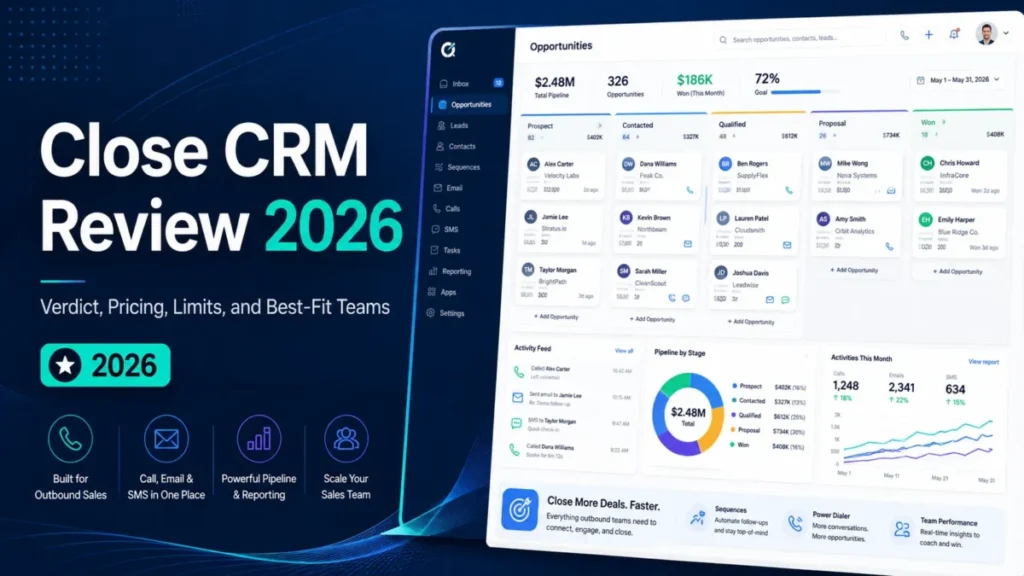
9. Close: Best for Startups Whose Sales Motion Is the Phone

Best for: Outbound teams whose day is calls, email follow-up, and SMS.
Avoid if: You budget from the Solo price and expect the dialer, or your motion is inbound and product-led.
Starting price: Solo $9 per user per month annually, limited to 1 user, then Essentials $35, Growth $99, Scale $139, as Close publishes them.
Practical tier: Growth, because workflow automation, email sequences, and the power dialer all begin there.
Free plan: None. A 14-day trial.
First limit that bites: The Solo plan’s single-user cap, then the automation and dialer gate at Growth.
Better than Pipedrive: Calling. The phone is part of the product rather than an integration.
Worse than HubSpot: Everything after the sale. No marketing suite, no service desk.
Setup difficulty: Low.
Hidden costs: Calling is charged on usage beyond included credits, and the Essentials-to-Growth step nearly triples the seat price.
Evidence status: Client production only, focused on the dialer for an outbound team.
Evidence box: Close
Evidence type: First-hand use
Account: Client production environment only
Data and workflow: Client outbound pipeline data
Areas exercised: The dialer for an outbound team
Not covered: Reporting, workflow automation, SMS
Last hands-on check: August 2026
Hands-on finding: In August 2026, in a client production environment, I used the dialer with an outbound team. Calling ran inside the CRM rather than through a separate telephony tool, which is the whole argument for Close and also why the Growth price matters more than the Solo price.
Close ranks ninth because the version people mean when they recommend it is Growth. Solo is a real product for a founder doing their own calling, and Essentials adds seats without adding the automation.
The three capabilities that define Close all sit behind the same gate.
| Pros | Cons |
|---|---|
| Calling, email, and SMS are core, not add-ons | Automation, sequences, and dialer all start at Growth |
| Solo suits a founder doing their own calling | Solo is capped at a single user |
| Outbound teams get a coherent workspace | Calling usage is billed outside the subscription |
| Startup program runs 30% to 60% off for 12 months | No marketing, service, or project tooling |
Verdict: The best outbound CRM here, priced honestly only if you budget from Growth.
Related reading: the Close CRM review.
10. Less Annoying CRM: Best Pricing Transparency in the Ranking

Best for: Teams of one to five who want no tiers, no upsell path, and no pricing decisions.
Avoid if: You need workflow automation, because no tier has it.
Starting price: $15 per user per month, one plan, as Less Annoying CRM publishes it.
Practical tier: The same single plan. There is nothing else to buy.
Free plan: None, but the trial runs 30 days, the longest here.
First limit that bites: Automation. It is the ceiling rather than a limit you reach by volume.
Better than Capsule: Commercial simplicity. One price, no feature gates.
Worse than Bigin: Capability per dollar, because Bigin includes 30 automations at less than half the rate.
Setup difficulty: Low.
Hidden costs: None found in this check.
Evidence status: Documentation-based, assessed from the published pricing page and plan documentation.
Less Annoying CRM is the only product here with no workflow automation at any tier, so no plan of theirs meets the standard workflow.
ActiveCampaign also fails the scenario, for a different reason. That is a deliberate design choice rather than a gate, and for a two-person consultancy tracking twenty relationships it is not a problem.
The 30-day trial is long enough to test with real data rather than sample data, which is the failure mode that ruins 14-day evaluations.
| Pros | Cons |
|---|---|
| One plan, one price, no gates | No workflow automation at any tier |
| 30-day trial, the longest in this ranking | Migration becomes likely the moment a workflow needs automating |
| Unlimited pipelines and contacts at every seat | No marketing or campaign tooling |
| Responsive human support | The same money buys automation elsewhere |
Verdict: The right answer when a founder wants a CRM decision to stay made and does not need automation.
Related reading: the Less Annoying CRM review.
11. Capsule CRM: Best Calm CRM for a Small Service Team

Best for: Small service startups that want structure without a configuration project.
Avoid if: Automation is part of the week-one plan.
Starting price: Starter $18 per user per month annually, then Growth $36, Advanced $54, as Capsule CRM publishes them.
Practical tier: Growth, where workflow automations, multiple pipelines, and advanced sales reporting begin.
Free plan: 2 users, 250 contacts, 1 pipeline, 5 custom fields.
First limit that bites: The free plan’s 250 contacts, then the automation gate at Growth.
Better than Less Annoying CRM: Room to grow, with tiers to move into.
Worse than Zoho CRM: Price for capability. Zoho Standard costs less with automation included.
Setup difficulty: Low.
Hidden costs: The Starter-to-Growth doubling, and a separately priced marketing add-on.
Evidence status: Documentation-based, assessed from Capsule’s published pricing and plan detail.
Starter is more generous than its price suggests, carrying 30,000 contacts, email templates, and a shared mailbox. What it does not carry is automation, so the tier that meets the standard workflow is Growth at twice the money.
| Pros | Cons |
|---|---|
| Starter includes 30,000 contacts and a shared mailbox | Workflow automation begins at Growth |
| Free plan for two users with a real pipeline | Free plan caps at 250 contacts |
| Project boards alongside sales pipelines from Growth | Reporting is basic below Growth |
| Xero, Mailchimp, and Google Workspace integrations | Marketing is a separately priced add-on |
Verdict: A calm, fairly priced CRM for a small service team, once you accept that automation sits one tier up.
Related reading: the Capsule CRM review.
12. folk: Best for Relationship-Led Pipelines
Best for: Founder-led teams whose pipeline runs on relationships, introductions, and network warmth.
Avoid if: You need a free plan or your motion is high-volume outbound.
Starting price: Standard $24 per user per month annually, $30 monthly, then Premium $48, Enterprise from $80, as folk publishes them.
Practical tier: Premium, because sequences and the automation features arrive there rather than on Standard.
Free plan: None. A two-week trial, after which the workspace is blocked.
First limit that bites: The trial cutoff, then monthly credit allowances of 1,000 email finds and 5,000 AI fields on Premium.
Better than Nimble: Tiering. folk separates a working tier from a heavier one instead of charging one rate for every team size.
Worse than Attio: Free entry. Attio starts a three-seat team at zero.
Setup difficulty: Low.
Hidden costs: Enrichment and AI field credits are monthly allowances rather than unlimited.
Evidence status: Documentation-based, assessed from folk’s published pricing page.
folk replaces Agile CRM in this ranking. The case for it is a modern contact graph with enrichment included in the plan price.
The case against it is that the tier meeting the standard workflow is Premium, which puts it above Pipedrive Growth without the sales reporting depth.
| Pros | Cons |
|---|---|
| Enrichment credits included in the plan price | Sequences and automation require Premium |
| Clean separation between Standard and Premium | No free plan, and the trial blocks the workspace |
| Suits introduction-led and network-led pipelines | Credit allowances cap monthly enrichment |
| Modern interface with low setup cost | Smaller ecosystem than the top five here |
Verdict: A credible modern pick for relationship-led founders who have budget from the outset.
13. Copper: Best for Teams That Live Inside Google Workspace

Best for: Startups that run everything in Gmail and Google Calendar and want logging to happen without anyone remembering.
Avoid if: You are not on Google Workspace, or the Basic tier is your ceiling.
Starting price: Basic $23 per seat per month annually, $29 monthly, then Professional $59, Business $99, as Copper publishes them.
Practical tier: Professional, because workflow automation and reporting begin there.
Free plan: None.
First limit that bites: Basic’s 2,500-contact cap, and the absence of automation on that tier.
Better than Streak: Value. Copper is a full CRM with Google integration at a lower rate than Streak’s automation tier.
Worse than Attio: Portability. Copper’s advantage disappears the day you leave Google Workspace.
Setup difficulty: Low, if the team is already on Google Workspace.
Hidden costs: The Basic-to-Professional step, which more than doubles the seat price, and platform dependency itself.
Evidence status: Paid account, my own use, focused on the Gmail integration and the Chrome extension.
Evidence box: Copper
Evidence type: First-hand use
Account: Paid account, my own use only, no client implementations
Data and workflow: My own contact and pipeline data
Areas exercised: Gmail integration, Chrome extension
Not covered: Reporting, workflow automation, higher-tier features
Last hands-on check: August 2026
Hands-on finding: In August 2026, on a paid account of my own, I used the Gmail integration and the Chrome extension against my own contact and pipeline data. CRM actions ran from inside the Gmail window rather than a separate tab, which removes the context switch that is the usual reason CRM data goes stale.
Copper drops this update on cost accuracy rather than product quality. The tier that meets the standard workflow is Professional, not Basic, which moves Copper from mid-pack value to one of the more costly options here.
| Pros | Cons |
|---|---|
| Gmail and Calendar logging is close to automatic | Workflow automation and reporting begin at Professional |
| CRM actions happen without leaving the inbox | Basic caps at 2,500 contacts |
| Strong relationship tracking across mail and meetings | Value collapses outside Google Workspace |
| Low setup cost for a Workspace-native team | No free plan |
Verdict: Still the best full CRM for a Google Workspace team, at a real cost of Professional rather than the Basic rate the pricing page leads with.
Related reading: the Copper CRM review and Copper CRM pricing.
14. Bitrix24: Best Flat-Rate Value as Headcount Grows

Best for: Cost-driven startups that expect to keep hiring and want CRM, tasks, and communication under one flat organization price.
Avoid if: You want a low-noise interface, or you were planning around an unlimited free plan.
Starting price: Free for 1 to 2 users, then Basic $49 per organization per month annually including 5 users.
Standard is $99 including 50 users and Professional $199 including 100, as Bitrix24 publishes them.
Practical tier: Standard, because sales automation begins there rather than on Basic.
Free plan: 1 to 2 users with basic CRM only, and no sales pipelines.
First limit that bites: The free plan’s user cap, then the automation gate at Standard.
Better than most per-seat tools past roughly eight seats: Cost stops rising, because one organization rate covers up to 50 users.
Measured against the seat rates in the cost-as-you-hire table, it overtakes HubSpot Starter at roughly 5 seats, Zoho at 8, Freshsales at 12 and Bigin at 15.
Worse than Pipedrive: Focus. The surface area is a workspace, not a sales tool.
Setup difficulty: Medium to high, driven by how many features arrive switched on.
Hidden costs: Low in money, high in attention.
Evidence status: Documentation-based, assessed from Bitrix24’s published pricing page.
The old headline claim is gone: the free plan now states 1 to 2 users, not unlimited. What replaced it is a narrower but more honest argument.
Flat organization pricing wins on a curve rather than at a single headcount. It passes HubSpot Starter at about five seats, Zoho at about eight, Freshsales at about twelve, and Bigin only at about fifteen.
Below about eight seats most per-seat tools are cheaper, and Bigin and Freshsales stay cheaper to roughly twelve to fifteen.
| Pros | Cons |
|---|---|
| One flat rate covers a large team on Standard | Flat rate is poor value for a small team |
| Pipelines, email, and telephony included from Basic | Sales automation requires Standard |
| Self-hosted option for data residency needs | Feature density creates noise for small teams |
| Tasks, chat, and calls in one workspace | Interface trails modern competitors |
Verdict: The right economics for a team that expects to double, and the wrong economics for a team of three. The cost is paid in interface noise rather than money.
Related reading: the Bitrix24 CRM review.
15. Insightly: Best Record Model When the Project Inherits the Deal

Best for: Implementation and services startups that need the project to inherit the deal.
Avoid if: You want a cheap entry point or a pure sales pipeline.
Starting price: Plus $29 per user per month annually, then Professional $49, Enterprise $99, as Insightly publishes them.
Practical tier: Professional at $49, because complete workflow automation begins there.
Free plan: None. A 14-day trial.
First limit that bites: The automation gate at Professional, which lifts the real entry one tier above Plus.
Better than monday CRM: Record linking. Contacts, organizations, and projects relate natively.
Worse than monday CRM: Flexibility of the delivery layer.
Setup difficulty: Medium.
Hidden costs: Substantial on the bundled path. Insightly’s pricing page lists required guided onboarding at $1,500, Premier support at 20% of license cost with a $3,000 annual minimum, and AppConnect technical setup at $3,000 on its bundled plan.
Evidence status: Documentation-based, assessed from Insightly’s published pricing and plan pages.
Insightly has the right shape for a services startup and the wrong price for a pre-revenue one. Once the automation gate moves the working tier to Professional and the bundled path adds four-figure setup and support fees, the commitment arrives well before a startup has validated the workflow.
| Pros | Cons |
|---|---|
| Native project delivery alongside CRM | Workflow automation requires Professional |
| Relationship linking across contacts, orgs, and projects | Bundled path adds four-figure onboarding and support fees |
| AppConnect integration platform available | Sequences and calling trail Close and Pipedrive |
| Clear three-tier structure | No free plan |
Verdict: The right record model for a services startup, at a total cost that asks for confidence you probably do not have in month one.
Related reading: the Insightly CRM review.
16. Apptivo: Broadest Module Coverage for the Money

Best for: Operationally complex startups that want CRM, invoicing, and project modules under one subscription.
Avoid if: You want a polished sales-first experience or a strong integration marketplace.
Starting price: Lite $15 per user per month annually, $20 monthly, then Premium $25, Ultimate $40, as Apptivo publishes them.
Practical tier: Premium, for a team using automation across several modules.
Free plan: None. A 14-day trial on the Ultimate tier.
First limit that bites: Module depth rather than a usage cap.
Better than Bitrix24: Per-user clarity, since Apptivo prices per user rather than per organization band.
Worse than Zoho CRM: Polish and ecosystem at a similar price.
Setup difficulty: Medium, because breadth means more to configure.
Hidden costs: Low. The tier structure is simple.
Evidence status: Documentation-based, assessed from Apptivo’s published pricing page.
The entry price is better than the previous version of this article stated, because the higher figure is the monthly rate and the lower one is annual. Apptivo still trades depth for breadth in every module, which is the right trade only if you genuinely need the modules.
| Pros | Cons |
|---|---|
| Annual Lite rate covers CRM plus operational modules | No module leads its category |
| Invoicing and project management reduce tool count | Interface trails Pipedrive, HubSpot, and Attio |
| Simple three-tier pricing | Smaller integration marketplace |
| Customization available across modules | Lower brand recognition affects hiring |
Verdict: Reasonable for an operationally broad startup on a tight budget, and not a sales-first choice.
Related reading: the Apptivo CRM review.
17. Nimble: Best for Founders Who Sell Through Their Network

Best for: Consultative founders whose pipeline comes from relationships rather than volume.
Avoid if: You want tiering, or your team size makes a flat rate poor value.
Starting price: $24.90 per user per month annually, $29.90 monthly, one plan, as Nimble publishes it.
Practical tier: The same single plan, which lists customizable workflows and action-based triggers.
Free plan: None.
First limit that bites: Headcount rather than features, because every seat pays the same flat rate.
Better than folk: Bundling. Contact intelligence and email marketing sit in one rate.
Worse than Attio: Data modeling, because Nimble’s object structure is fixed.
Setup difficulty: Low.
Hidden costs: None found in this check.
Evidence status: Paid account, my own use, focused on contact management and Prospector enrichment.
Evidence box: Nimble
Evidence type: First-hand use
Account: Paid account, my own use only, no client implementations
Data and workflow: My own contact data
Areas exercised: Contact management, Prospector enrichment
Not covered: Email marketing campaigns, pipeline reporting
Last hands-on check: August 2026
Hands-on finding: In August 2026, on a paid account of my own, I used contact management and the Prospector enrichment feature against my own contact data. Enrichment ran from the contact record rather than from a separate data tool, which keeps a network-driven pipeline in one place.
The single flat rate that helps a solo founder works against a growing team. Everyone pays the same whether they close deals daily or open the CRM twice a week.
| Pros | Cons |
|---|---|
| One rate covering CRM, contacts, and email marketing | Flat rate is poor value as headcount grows |
| Unlimited pipelines and two-way email sync included | Reporting depth trails dedicated sales CRMs |
| Browser extension suits founder-led prospecting | Pipeline view is less fluid than Pipedrive |
| No pricing decisions to make | No free plan and no lower tier |
Verdict: Good for a founder selling through a network, weak as soon as that founder hires.
Related reading: the Nimble CRM review.
18. ActiveCampaign: A Marketing Platform Where the CRM Is an Add-On

Best for: Lifecycle-led startups whose growth engine is email automation and whose pipeline is secondary.
Avoid if: You want a sales CRM, because the pipeline module is not included at the tiers a startup buys.
Starting price: Starter from $15 per month at 1,000 contacts, including 1 user, then Plus $49 with 1 user, Pro $79 with 3 users, Enterprise $145 with 5 users, as ActiveCampaign publishes them.
Practical tier: Pro for a three-person team, plus the CRM add-on.
Free plan: None. A 14-day trial.
First limit that bites: Users. The Starter tier is a single seat, and contact growth raises every tier.
Better than a standalone email tool: Automation depth in the builder.
Worse than every CRM above it: Pipelines. ActiveCampaign lists Pipelines and sales engagement as an available add-on on Starter, Plus, and Pro rather than as an included feature.
Setup difficulty: Medium to high.
Hidden costs: The CRM add-on itself, whose price is not published on the pricing page, plus contact-band increases.
Evidence status: Documentation-based, assessed from ActiveCampaign’s published pricing and plan comparison.
Describing ActiveCampaign as a platform with a native CRM overstates what the entry tiers include. Any year-one figure here is a base subscription only, because the CRM add-on pricing is not publicly disclosed.
| Pros | Cons |
|---|---|
| Automation builder is strong for the price band | Pipelines and sales engagement are a paid add-on |
| Marketing and contact data live in one system | Starter includes a single user |
| Deliverability and campaign management are mature | Add-on pricing is not published |
| Clear four-tier structure | Pricing rises with contact volume, not seats |
Verdict: Buy it as a marketing automation platform. Do not buy it as your startup’s CRM.
Related reading: the ActiveCampaign review and ActiveCampaign pricing.
19. Streak: Deepest Gmail Integration, at a Price

Best for: Solo founders who will not leave Gmail and want deal tracking inside the thread.
Avoid if: Capability per dollar matters, or anyone on the team is not on Gmail.
Starting price: Pro $49 per user per month billed annually, $59 billed monthly, then Pro+ $69 annually and $89 monthly.
Enterprise is $129 annually and $159 monthly, as Streak publishes them.
Practical tier: Pro+, because integrations and automations begin there rather than on Pro.
Free plan: No CRM free tier. Streak offers a set of free email power tools separately from the CRM subscription.
First limit that bites: Automation, which sits one tier above the plan most buyers price.
Better than Copper: Depth of the Gmail integration itself. The CRM is the inbox.
Worse than Copper: Cost of the working tier, since Pro+ sits above Copper Professional.
Setup difficulty: Low. There is no separate application to learn.
Hidden costs: The Pro-to-Pro+ step, and AI credits allocated per tier.
Evidence status: Documentation-based, assessed from Streak’s published pricing page.
A correction to the previous version of this article: Streak’s annual billing is cheaper than monthly, at a stated 20% discount, and the earlier claim that annual cost more was wrong.
What is true is that the tier most comparisons quote, Pro, carries no automations. Those arrive at Pro+.
| Pros | Cons |
|---|---|
| The deepest Gmail-native workflow available | Automations require Pro+ |
| Mail merge and tracking are well executed | Costly per unit of capability |
| No separate app to learn | Entirely dependent on Gmail |
| Free email power tools without a CRM subscription | Reporting depth is limited |
Verdict: For a solo founder who will never leave the inbox, and only with Pro+ in the budget.
Related reading: the Streak CRM review.
20. Keap: Priced for Established Small Businesses, Not Startups

Best for: Established service businesses that need CRM, marketing automation, scheduling, and payments in one package.
Avoid if: You are an early-stage startup with runway to protect.
Starting price: From $299 per month including 2 user licenses, with additional users at $39 per month each, as Keap publishes them.
Practical tier: The same entry plan, rising with contact volume.
Free plan: None.
First limit that bites: The price, before any product limit is reached.
Better than Bitrix24: Automation maturity for client follow-up sequences.
Worse than every tool above it: Year-one cost for an early-stage team.
Setup difficulty: Medium to high, and implementation services are part of the model.
Hidden costs: Implementation and migration services, plus contact-tier increases.
Evidence status: Documentation-based, assessed from Keap’s published pricing page.
At the published entry rate before implementation, the first-year subscription exceeds what several tools above it cost across three years. The product is capable, and the buyer it is built for has revenue rather than runway.
| Pros | Cons |
|---|---|
| Mature automation for client lifecycle sequences | Entry cost exceeds three years of several rivals |
| CRM, scheduling, invoicing, and payments in one system | Two users included, then a per-user charge |
| Suits established service businesses | Implementation services add one-time cost |
| Contact-tier pricing is published | Wrong buyer profile for early-stage teams |
Verdict: A real product for an established small business, and the wrong purchase for a startup.
Related reading: the Keap CRM review.
Free Plan Reality Check
“Has a free plan” is the least useful column in a CRM comparison. What decides a startup’s choice is the specific wall the free plan puts up and how soon a founding team reaches it.
| CRM | Free seats | Cap that arrives first | Automation on the free tier | What the free plan is for |
|---|---|---|---|---|
| Zoho CRM | 3 users | 5 active workflow rules | Yes, workflow rules included | Running a real three-person pipeline |
| Attio | 3 seats | 250 workspace credits per month | No, workflows begin at Plus | Building a contact graph from your mailbox |
| Freshsales | 3 users, disputed | Not published consistently | Not documented | Uncertain, see the vendor conflict section |
| HubSpot | 2 users | 1,000 contacts, 2,000 email sends | No | Two people with marketing tools attached |
| Salesforce | 2 users | Seat count | Limited | Standing up a real Salesforce org early |
| Capsule | 2 users | 250 contacts, 1 pipeline | No, automation begins at Growth | Testing the record model before paying |
| Bigin | 1 user | 500 records, no email integration | 3 automations | Evaluating before paying the $7 |
| Bitrix24 | 1 to 2 users | Basic CRM only, no sales pipelines | No | Evaluating the workspace before upgrading |
Source: each vendor’s official pricing or plan-comparison page, linked once in the comparison table above.
Only one free plan in this ranking seats three people and includes automation, and that is Zoho CRM. Attio seats three but does not automate.
Bigin’s free tier has no email integration, which removes the point of a CRM for most founders.
For a wider view of zero-cost options, see the best free CRM software guide.
Entry Gates: What the Advertised Price Leaves Out
| CRM | Advertised entry | Real minimum spend | Seat rule | The entry plan excludes |
|---|---|---|---|---|
| Close | $9, Solo | $9 for one seat | Solo capped at 1 user | Workflow automation, sequences, power dialer |
| monday CRM | $12, Basic | $36, because of the seat floor | 3-seat minimum | Automations, AI agents, more than 1,000 contacts and deals |
| Pipedrive | $14, Lite | $14 for one seat | None | Email sync, automations, sequences, forecast view |
| ActiveCampaign | $15 per month, Starter | $15 at 1,000 contacts | Starter includes 1 user | Pipelines and sales engagement, sold as an add-on |
| Capsule | $18, Starter | $18 for one seat | None | Workflow automations, multiple pipelines |
| HubSpot | $7 to $20, Starter | $20 for one seat at the standard rate | None | Sequences, which require Sales Hub Professional |
| Copper | $23, Basic | $23 for one seat | None | Workflow automation, reporting, more than 2,500 contacts |
| Insightly | $29, Plus | $29 for one seat | None | Complete workflow automation |
| Attio | $35, Plus | Free for 3 seats without automation | Plus capped at 10 seats | Call intelligence, sequences on the free tier |
| Streak | $49, Pro | $49 for one seat | None | Integrations and automations |
| Bitrix24 | $49 per organization, Basic | $49 for up to 5 users | 5 users in the band | Sales automation, which begins at Standard |
| Keap | $299 per month | $299, 2 users included | 2 users, then $39 each | Nothing material; the price is the gate |
Source: each vendor’s official pricing page, linked once in the comparison table above.
Four rows here change a purchase on their own. Pipedrive Lite has no email sync, so a founder running sales from their inbox cannot use it. monday CRM’s 3-seat minimum makes a two-person team pay for three.
Close’s dialer, the reason to choose Close, is two tiers above the advertised price.
And Copper’s entry plan has no automation at all.
Plan Gate Comparison: Where the Capabilities Actually Start
This table is built from vendor plan comparisons and help center documentation rather than marketing feature grids, because marketing pages rarely state the tier.
| CRM | Two-way email sync | Workflow automation | Sequences or cadences | Forecasting or sales reporting |
|---|---|---|---|---|
| HubSpot | Free tools | Starter | Sales Hub Professional | Not stated on the pages checked |
| Zoho CRM | Standard, as email integration with Gmail and Outlook | Free edition, capped at 5 active rules | Professional, as cadences | Standard |
| Attio | All plans, including free | Plus | Plus | Reports from the free plan, expanded on Plus and Pro |
| Freshsales | Growth | Growth, as basic workflows | Pro | Enterprise, as forecasting insights |
| Bigin | Express | Express, 30 automations | Not offered as a native sequence tool | Premier |
| Pipedrive | Growth | Growth | Growth | Growth |
| Salesforce | Starter Suite | Starter Suite, as sales flows and lead routing | Starter Suite, as email nurture | Pro Suite |
| monday CRM | Not stated on the pages checked | Standard | Not stated on the pages checked | Not stated on the pages checked |
| Close | Solo | Growth | Growth | Growth |
| Capsule | Starter, as shared mailbox and templates | Growth | Not offered as a native sequence tool | Growth, as advanced sales reporting |
| Copper | Basic | Professional | Professional | Professional |
| Insightly | Plus | Professional | Professional | Professional |
| Streak | Pro | Pro+ | Pro+ | Pro+, as advanced reports |
| Bitrix24 | Basic | Standard, as sales automation | Not stated on the pages checked | Not stated on the pages checked |
| folk | Standard | Premium | Premium | Not stated on the pages checked |
Source: each vendor’s official pricing page, plan comparison, or help center documentation. Pricing pages are linked once in the comparison table above; the two help center articles are linked in the rows that rest on them.
Every cell naming a tier is the lowest plan on which that vendor’s own pricing page, plan comparison, or help center article documents the capability. Cells reading “not stated” are exactly that: the vendor publishes the feature without publishing which plan carries it.
That is a pricing-transparency finding in itself, and a question worth asking sales before signing.
Read this table by column. The workflow automation column is where the money is.
It moves Copper, Insightly, Streak, Close, and folk each up at least one tier from the price their pricing pages lead with.
Year-One Cost for a Three-Person Startup
Every CRM below is priced on the same scenario: three users, contact and deal management, a usable sales pipeline, two-way email sync, basic workflow automation, and sales reporting. The tier listed is the lowest one that delivers all of it, not the cheapest one the vendor sells.
| CRM | Lowest tier meeting the workflow | Year-one cost, 3 seats | Notes |
|---|---|---|---|
| Bigin | Express $7 | 252 dollars | 30 automations and email integration included |
| Freshsales | Growth $9 | 324 dollars | Sequences would move this to 1,404 dollars at Pro |
| Zoho CRM | Standard $14 | 504 dollars | Standard lists email integration, Gmail and Outlook integration, and sales forecasting |
| monday CRM | Standard $17 | 612 dollars | 3-seat minimum already met at this size |
| HubSpot | Starter Customer Platform $20 | 720 dollars | Twelve months at the $20 monthly-billing rate. The $7 rate, which one HubSpot page presents as annual and another as a limited-time offer, brings this to 252 dollars |
| Nimble | Single plan $24.90 | 896.40 dollars | Lists customizable workflows, action-based triggers, unlimited pipelines and two-way email sync |
| Salesforce | Starter Suite $25 | 900 dollars | Forecasting would require Pro Suite at 3,600 dollars |
| Apptivo | Premium $25 | 900 dollars | Lite at $15 does not carry automation |
| Bitrix24 | Standard $99 per organization | 1,188 dollars | Covers up to 50 users at the same price |
| Attio | Plus $35 | 1,260 dollars | Excludes credit packs, which start at 840 dollars per year |
| Capsule | Growth $36 | 1,296 dollars | Starter at $18 has no automation |
| Pipedrive | Growth $39 | 1,404 dollars | Lite at 504 dollars does not meet the workflow |
| folk | Premium $48 | 1,728 dollars | Standard at $24 has no sequences or automation |
| Insightly | Professional $49 | 1,764 dollars | Excludes bundled onboarding and support fees |
| Copper | Professional $59 | 2,124 dollars | Basic at $23 has no automation |
| Streak | Pro+ $69 | 2,484 dollars | Pro at $49 has no automations |
| Close | Growth $99 | 3,564 dollars | Excludes calling usage beyond included credits |
| Keap | Entry plan $299 per month | 4,056 dollars | 2 users included, third at $39 per month |
| Less Annoying CRM | Does not qualify | Not applicable | No workflow automation at any tier, so no plan meets the scenario. The single plan costs 540 dollars for three seats |
| ActiveCampaign | Cannot be calculated | Not applicable | Pipelines and sales engagement are an Enhanced CRM add-on whose price is not published. The base Pro subscription alone is 948 dollars |
Source: each vendor’s official pricing page, annual-billing rates, linked once in the comparison table above.
Per-seat tools are the annual rate multiplied by three seats and twelve months. Bitrix24 and Keap are priced per organization or per plan rather than per seat and are calculated on that basis.
Two products carry no year-one figure on purpose. Less Annoying CRM has no workflow automation at any tier, so no plan of theirs meets the scenario.
ActiveCampaign sells the pipeline layer as a separate add-on and does not publish its price, so the full workflow cannot be costed.
The spread is the finding. Among the eighteen products that qualify, the same workflow ranges from the Bigin Express figure to the Keap figure.
What sets that range is where each vendor puts its automation gate, so the ordering barely resembles the ordering of advertised entry prices.
Cost as You Hire: 1, 3, 5, and 10 Users
Monthly cost at the tier that meets the standard workflow, so these are comparable to each other rather than to entry prices.
Less Annoying CRM appears for reference at its single rate even though no tier of it qualifies. ActiveCampaign is absent because the add-on that would make it qualify has no published price.
| CRM | 1 user | 3 users | 5 users | 10 users | Main cost trigger |
|---|---|---|---|---|---|
| Bitrix24 Standard | $99 | $99 | $99 | $99 | Flat organization pricing to 50 users |
| Bigin Express | $7 | $21 | $35 | $70 | Automation and record ceilings |
| Freshsales Growth | $9 | $27 | $45 | $90 | Sequences at Pro, $39 |
| Zoho CRM Standard | $14 | $42 | $70 | $140 | Cadences at Professional, $23 |
| HubSpot Starter | $20 | $60 | $100 | $200 | Sequences at Sales Hub Professional, $90 |
| Less Annoying CRM | $15 | $45 | $75 | $150 | Does not qualify; list price shown for reference |
| monday CRM Standard | $51 | $51 | $85 | $170 | 3-seat minimum |
| Nimble | $24.90 | $74.70 | $124.50 | $249 | Flat rate with no volume relief |
| Salesforce Starter Suite | $25 | $75 | $125 | $250 | Pro Suite at $100 for forecasting |
| Apptivo Premium | $25 | $75 | $125 | $250 | Module depth |
| Attio Plus | $35 | $105 | $175 | $350 | 10-seat cap on Plus, then Pro at $79 |
| Capsule Growth | $36 | $108 | $180 | $360 | Contact and pipeline ceilings |
| Pipedrive Growth | $39 | $117 | $195 | $390 | Add-ons priced on top of the seat rate |
| folk Premium | $48 | $144 | $240 | $480 | Enrichment credit allowances |
| Insightly Professional | $49 | $147 | $245 | $490 | Bundled onboarding and support fees |
| Copper Professional | $59 | $177 | $295 | $590 | 15,000-contact cap, then Business at $99 |
| Streak Pro+ | $69 | $207 | $345 | $690 | Per-seat only, no volume relief |
| Close Growth | $99 | $297 | $495 | $990 | Calling usage on top |
| Keap | $299 | $338 | $416 | $611 | $39 per user above the two included |
Source: calculated from the annual-billing seat rates on each vendor’s official pricing page, linked once in the comparison table above.
Two patterns matter to a founder planning headcount. Per-seat pricing rises linearly, so the cheapest option at one user is usually still the cheapest at ten, and Bigin stays lowest across this entire table.
The non-per-seat models move on a different curve. Bitrix24 costs the same at one user as at fifty, so it is poor value at three seats, where nine per-seat tools here cost less.
It only becomes the cheapest in this table from about fifteen seats.
Keap rises more slowly than its entry price suggests, because its base already includes two seats.
Startup Discount Programs, and the Year-Two Cliff
Four vendors here run a formal startup program. Eligibility is stricter than the headline suggests, and the tier restrictions matter more than the percentage.
| Program | Discount | Applies to | Who qualifies |
|---|---|---|---|
| HubSpot for Startups | 90% year one, 50% year two, 25% year three | Net-new Professional or Enterprise products only, not Starter | Pre-seed, Seed, or Series A funding verified via Crunchbase or Pitchbook, or an approved partner affiliation. A separate 30% tier requires an approved entrepreneurial organization |
| Attio Startup Program | 80% off annual Pro year one, 30% year two | Pro plan | Venture-backed, or affiliated with a listed partner |
| Close Startups | 30% to 60% off for 12 months | Subscription charges only | Accelerator, VC, or partner network membership, under $2M raised, under $1M revenue, new customers only |
| Zoho for Startups | Wallet credits valid 360 days | Zoho products broadly | Registration through a Zoho collaborator, or DPIIT certification, in one of 22 countries |
Source: each vendor’s own startup-program page, linked in the table above.
The correction that matters most in this update: HubSpot’s program does not make Starter cheap. Its eligibility page, linked above, states the pricing is “applicable to net-new Professional or Enterprise level products only.” A funded startup cannot apply 90% to the $20 Starter seat.
What the program actually buys is early access to Sales Hub Professional.
Here is what that looks like on the same three-person team, using HubSpot’s published Sales Hub Professional rate of $90 per seat per month annually, sourced in the quotation below.
| Year | Discount | Cost for 3 seats | What changes |
|---|---|---|---|
| Year one | 90% off | 324 dollars, plus the $1,500 required onboarding | 1,824 dollars of actual outlay |
| Year two | 50% off | 1,620 dollars | Subscription multiplies fivefold |
| Year three | 25% off | 2,430 dollars | Approaching list price |
| Year four | None | 3,240 dollars | Full rate |
Three years of subscription on the program total 4,374 dollars against 9,720 dollars at list. The program is genuinely valuable, and two things belong in the model beside the headline percentage.
First, onboarding. HubSpot’s Sales Hub pricing page states the Professional price “does not include the required, one-time Professional Onboarding for a fee of $1,500.”
HubSpot does not say whether the startup program discounts that fee. Confirm it with sales before purchasing.
Second, the step-down. Year two costs five times year one on the same seats, and that is the number to model before signing rather than after.
A bootstrapped startup with no accelerator, no VC, and no partner relationship qualifies for none of the first three programs, and for Zoho’s only through DPIIT certification or a listed collaborator.
Every ranking position in this article assumes list pricing for exactly that reason.
The Metered Cost Layer: AI, Credits, and Calling
Seat pricing is no longer the whole bill. Several CRMs here meter capabilities that founders assume are included.
| CRM | What is metered | Published cost |
|---|---|---|
| Attio | Workspace credits for AI and enrichment | Free 250 per month, Plus 1,500, Pro 10,000. Packs from $70 per month for 5,000 extra up to $475 for 50,000 on annual billing |
| Salesforce | Agentforce, not included in Free or Starter Suite | Flex Credits at $500 per 100,000, or $2 per conversation, or a $125 per user per month add-on |
| Freshsales | Freddy AI Agent, and branded documents | $49 per 100 sessions, and $19 per user for branded documents on a disputed billing unit |
| HubSpot | HubSpot Credits for agents | 500 credits with Starter, 3,000 with Professional |
| monday CRM | AI credits by tier | Allocated per tier, with agents from Standard |
| Close | Calling beyond included credits | Charged on usage |
| folk | Email finds and AI fields | 1,000 and 5,000 per month on Premium |
Attio and Salesforce are the two to model before committing. Attio’s credit packs can add 840 to 5,700 dollars a year on top of seats.
Salesforce’s Agentforce is not bundled into the small business suites at all, so a startup on Starter Suite that expects agents is buying a credit pool or a per-user add-on.
The practical guidance for an early-stage team: do not choose a CRM for its AI layer in 2026. Choose on the record model, the plan gates, and the seat cost, then price the AI when you have a workflow worth automating.
For a category view, see the best AI CRM software guide.
Where Official Vendor Pages Disagree
Three vendors in this ranking publish conflicting information about their own products. This is not a criticism of the products, but it changes how much confidence a buyer should place in a headline number.
Freshsales, on whether a free plan exists. Two official sources say yes and one says nothing.
The plan comparison page lists “Free, $0 for upto 3 users” as its first column. A help center article documents activating it with a 3-user limit through Plans and Billing.
The main pricing page shows only Growth, Pro, and Enterprise with a 21-day trial. Until Freshworks resolves this, do not build a plan around the free tier.
HubSpot, on whether $7 is an annual rate or a promotion. The Sales Hub pricing page presents $7 per seat as the annual-billing rate against $20 monthly.
The Starter page shows the same figures beneath a banner reading: “Save up to 65% on Starter… New customers only. Select offers available for a limited time.”
Those are different commercial mechanisms. Budget on $20 and treat $7 as upside.
Freshsales, on add-on billing units. The same Freshsales pricing page lists branded documents at “$19/user/annually” on the Growth tier and “$19/user/month” on Pro and Enterprise.
One of those is a typographical error, and the difference is twelve times the cost.
If a comparison table still shows Freshsales with a confirmed free plan, or applies HubSpot’s startup discount to Starter, verify it against the vendor page before budgeting.
Setup and Migration Difficulty
| CRM | Difficulty | The reason |
|---|---|---|
| Bigin, Less Annoying CRM, Pipedrive | Low | A single pipeline and a mapped import are the whole setup |
| Copper, folk, Streak, Nimble | Low | The workspace or inbox the team already uses is the interface |
| HubSpot, Freshsales, Capsule, monday CRM | Low to medium | Quick to start, and the property or column model rewards a naming decision before the first import |
| Attio, Zoho CRM, Insightly | Medium | The data model is a decision rather than a default |
| Apptivo, Bitrix24, Keap | Medium to high | Breadth means more modules to configure before the CRM is usable |
| Salesforce | High | Objects, fields, and page layouts are configured before a seller sees a usable screen |
Setup difficulty is the cost startups underestimate. A tool that saves $20 per seat and costs a founder several evenings of configuration has not saved anything.
If you are moving from an existing system rather than a spreadsheet, the exit-risk section below covers what a CSV export does and does not carry across.
Data Portability and Exit Risk
Most CRM comparisons answer whether a tool scales. The other half of the question is what happens if it does not, and it is the least covered dimension on this topic.
| CRM | Standard export | Documented limits | API access |
|---|---|---|---|
| HubSpot | CSV, XLS or XLSX, on all products and plans | Export permission required; up to 300 exports per rolling 24 hours; download links expire after 30 days | Yes |
| Attio | CSV export of lists and views, plus a full workspace backup to CSV | Not published on the pages checked | Yes |
| Zoho CRM | Zipped CSV per module, via Setup then Data Administration | Up to 200,000 records per module per request, and a daily export cap by edition: 10 on Free, 100 on Standard, 250 on Professional, 500 on Enterprise | Yes |
| Pipedrive | Excel or CSV, by item type or filtered list view | Global admins and permissioned users only; exported files remain available for 28 days | Yes |
| Salesforce | Data Export Service produces zipped CSV; Data Loader also available | Scheduled exports run weekly on Enterprise, Performance and Unlimited, and monthly only on Professional and Developer; the zip stays available for 48 hours | Yes |
Every row above is based on vendor documentation checked on 2026-08-31.
Products not listed were not verified for export behavior in this pass, and their absence is not a judgment about their portability.
Two rows carry a practical consequence. Zoho’s daily export cap scales with the edition you pay for, so the free edition that makes Zoho attractive at the start is also the edition with the tightest exit door at ten exports a day.
And Salesforce’s scheduled export cadence depends on the edition, which matters if you intend to keep a rolling backup rather than a one-off dump.
What no vendor’s export covers is the part that actually costs time in a migration: automations, custom properties, permission structures and integration mappings do not travel in a CSV. Rebuilding those is the real switching cost, and it grows with every workflow you add.
That is the argument for keeping configuration simple until a sales process settles, and it is also why the CRM migration guide is worth reading before a move rather than during one.
How to Choose the Right CRM for Your Startup
There is no single best CRM for every startup. Five questions settle it, in this order.
1. What tier does your first workflow sit on? Write down the first thing you will build: a routing rule, a follow-up sequence, a forecast for a board update.
Find that capability in the plan gate comparison above. That tier is your real price.
2. How many people need a seat, including non-sellers? Ops, support, and founders all end up in the CRM.
Per-seat pricing punishes that, and the cost-as-you-hire table shows where the ordering flips.
3. Is the free plan a starting point or an evaluation? A free tier seating three with automation, like Zoho’s free edition, is a starting point.
A free tier capped at a few hundred contacts, one seat, or no email integration is an evaluation. Both are useful, and they are not the same purchase.
4. Are you eligible for a startup program, and on which tier? Check before signing at list price, and check what the discount applies to. HubSpot’s excludes Starter entirely.
Then model year two, when the discount steps down.
5. What is metered rather than included? AI credits, enrichment, and calling are now real line items.
Attio, Salesforce, Freshsales, and Close all bill something outside the seat price.
Common Mistakes Startups Make When Buying a CRM
Budgeting from the advertised tier. Four of the entry prices in this ranking buy a plan that excludes the reason you were buying the tool, and the entry-gate table lists what each one leaves out.
Assuming a startup discount applies to the plan you want. HubSpot’s 90% offer covers Professional and Enterprise only. Reading the percentage without reading the tier restriction is how a budget gets built on a number that does not exist.
Ignoring year two. A 90% discount that steps to 50% multiplies the bill fivefold on the renewal date. Model three years, not one.
Treating the CRM as storage. A CRM your team updates after the fact is a database. This is why automatic capture matters more than feature count at this stage.
Committing annually before validating. Start monthly or on a free plan. Annual savings mean nothing if you switch in month four.
Over-configuring an unstable process. Heavy customization on a sales process that changes weekly creates debt inside the CRM. Keep it simple until the process settles.
When Does a Startup Actually Need a CRM?
Not every startup needs one yet. The trigger is behavioral rather than numeric, and these are the signals that matter:
- More than one person needs the same deal context
- Follow-ups are starting to slip
- Ownership of a relationship is unclear
- Activity history is hard to reconstruct before a call
- Forecasting requires manual assembly
- Contacts live across several tools
- Investors or leadership need pipeline reporting you can trust
As a rough rule of thumb, a solo founder tracking a couple of dozen relationships in a well-kept sheet is not behind. Workflow complexity matters far more than row count: two people sharing twenty deals need a CRM sooner than one person tracking two hundred.
A Google Sheets CRM template covers the earlier stage honestly.
Products I Evaluated But Did Not Rank
Every exclusion below rests on a product reason. Publishing schedule, internal linking, and review inventory are not reasons to leave a CRM out of a ranking.
- Agile CRM: removed this update. Development pace and interface age now trail the field at the same price point, and folk covers the same relationship-led buyer with a current product. See the Agile CRM review.
- Microsoft Dynamics 365 Sales: the licensing model and configuration weight assume an existing Microsoft estate and an admin to run it. See the Dynamics 365 Sales review.
- Zendesk Sell: a competent sales CRM whose positioning assumes an existing Zendesk support estate, which few startups have at this stage. See the Zendesk Sell review.
- SugarCRM: packaging targets established sales organizations, and the entry commitment sits well above what a pre-seed team can justify. See the SugarCRM review.
- Salesflare: strong automatic capture, but its entry pricing sits above Attio’s free tier while its data model is narrower, so it loses at both ends of the same comparison.
- OnePageCRM: the next-action model is genuinely distinctive, but the reporting and automation ceiling arrives before a startup finishes its first year of growth.
- Nutshell: a solid SMB CRM whose per-seat pricing and feature mix land closer to an established small business than a pre-seed team.
- Notion and Airtable: viable as a first pipeline tracker and genuinely cheaper, but neither syncs email or logs calls, so they compete with a spreadsheet rather than with the tools above.
Final Verdict
HubSpot takes first place for funded startups, because free tools are a working CRM for two people and Starter carries the standard workflow without an add-on. Budget on the standard seat rate rather than the discounted one, and know that the startup program applies to Professional and Enterprise only.
Zoho CRM is the answer for a bootstrapped team. Three users free, permanently, with workflow rules included, and a small step up to Standard when the free edition’s five active rules run out.
No other free plan here does that.
Attio is the pick for a venture-backed team with someone who enjoys system design. It builds the contact graph from your mailbox on every plan, which is one of the most useful capabilities a two-person startup can have.
Model the credit consumption before committing.
Bigin Express is the best value in this ranking on pure capability per dollar.
Freshsales Growth is close behind, if you can live with a free-plan story its own pricing page contradicts.
Pipedrive Growth remains the cleanest founder-led sales CRM, at the Growth rate rather than the Lite rate the marketing implies.
And the one to walk past: Keap, whose entry plan covers two users at a first-year cost exceeding what several tools above it cost across three years.
If your shortlist is wider than startups specifically, the best CRM for small business and best CRM for sales teams rankings apply different criteria to an overlapping product set.
Frequently Asked Questions
These are the questions the tables above do not fully settle.
What is the best CRM for a startup in 2026?
HubSpot for a funded startup that wants marketing, sales, and service on one record, and Zoho CRM’s free edition for a bootstrapped team that needs three people in a CRM at no cost.
If the deciding factor is capability per dollar, Bigin Express covers pipelines, automation, and email integration in the cheapest qualifying tier here.
What is the best free CRM for a startup?
Zoho CRM. It is the only free plan in this ranking that seats three users and includes workflow rules, capped at five active.
Attio is free for three seats with automatic email and calendar capture but no automations.
HubSpot and Salesforce are free for two users.
How much does a CRM cost for a three-person startup?
Between 252 dollars and 4,056 dollars in year one for the same workflow, depending on where each vendor places its automation gate.
Bigin is the cheapest qualifying list-price option at 252 dollars.
HubSpot matches that only under the $7 rate, which one HubSpot page presents as annual and another as a limited-time offer. Its standard rate is 720 dollars.
Pipedrive Growth costs 1,404 dollars and Keap starts at $299 per month at the top. The year-one cost table earlier in this article shows every product.
Does the HubSpot startup discount apply to the Starter plan?
No. HubSpot’s eligibility page states the pricing is “applicable to net-new Professional or Enterprise level products only.”
The 90% year-one discount applies to products such as Sales Hub Professional, not to the Starter Customer Platform.
Why is Pipedrive Lite not enough for most startups?
Pipedrive’s own plan comparison shows Lite without email sync, email templates, email tracking, scheduler, automations, sequences, or the forecast view. All begin at Growth.
A founder budgeting from the Lite rate is budgeting for a deal tracker rather than a CRM.
Which CRM captures contacts automatically without data entry?
Attio. Its documentation states that email and calendar sync is available on all plans and that, with default settings, it creates records for every person you email and every person on your calendar, along with their companies.
Copper offers comparable automatic logging inside Google Workspace, from its Basic tier.
Can bootstrapped startups get CRM startup discounts?
Rarely. HubSpot’s 90% tier requires verified pre-seed, seed, or Series A funding, and its 30% tier requires an approved entrepreneurial organization.
Attio requires venture backing or a listed partner, and Close requires accelerator or VC affiliation plus funding and revenue ceilings.
A bootstrapped startup with none of those pays list price.
What is the cheapest CRM for five users?
Bigin Express at 35 dollars per month for five seats, which is the lowest qualifying figure at that headcount. Freshsales Growth is next at 45 dollars.
Bitrix24 Standard is not the answer at five seats, because its flat organization rate is higher than both. It becomes the cheapest option in this ranking from about fifteen users, where the same flat rate still applies.
Is Close a $9 CRM for a team?
No. The Solo plan is limited to a single user.
Essentials adds seats but not automation, and the workflow automation, email sequences, and power dialer that define Close all begin on Growth.
Does Freshsales still have a free plan?
Freshworks’ own pages disagree. The plan comparison page and a help center article both document a free plan for up to three users, while the main Freshsales pricing page shows only paid tiers and a 21-day trial.
Freshsales Free is still documented, but it is not surfaced where buyers look, so do not build a plan around it.
Which CRM is easiest to migrate into?
Bigin, Less Annoying CRM, and Pipedrive present the smallest setup surface, because a single pipeline and a mapped import are effectively the whole job. Salesforce sits at the other end, since objects, fields, and page layouts are configured before a seller sees a usable screen.
When should a startup move from a spreadsheet to a CRM?
When more than one person needs the same deal context, when follow-ups start slipping, when relationship ownership becomes unclear, or when pipeline reporting has to be trusted by someone outside the founding team. The trigger is shared context, not a row count.