ActiveCampaign is worth paying for when your email program runs on behavior: a form fill starts a nurture, a pricing-page visit changes the next message, and a purchase ends a reminder sequence. It is an email marketing and automation platform with an optional sales CRM, and most of its value sits in the automation builder.
It fits B2B SaaS, service businesses and lifecycle marketers who will build branching workflows and keep contact data tidy. It is a weak fit for newsletter-only senders, anyone who needs a free plan, and Shopify-first stores that want SMS and revenue reporting in one place.
The strongest reason to buy is automation depth from the Plus plan up, where If/Else branches, webhooks, custom events and site tracking work together in one builder. The strongest reason to hesitate is cost structure: Starter ($15 a month for 1,000 contacts, billed annually) caps each automation at five actions with no If/Else step, and pipelines are a paid add-on.
One billing rule changes the math for new buyers. Accounts created on or after November 3, 2025 pay for every contact on the list, including unsubscribed, unconfirmed and bounced ones, so I would budget from Plus and from total contacts, not active subscribers.
In This Article (21 sections)
How This ActiveCampaign Review Was Researched
Review type: Hands-on tested (free trial) plus documentation. An ActiveCampaign free-trial account with Professional-level features, one user and the Pipelines and Sales Engagement add-on was tested on September 24, 2026 in a Chromium 152 browser on Windows, covering contact counting, AI automation building, the automation builder, Deals CRM and MCP settings.
Pricing, plan limits and add-on prices were checked on September 23, 2026 against ActiveCampaign’s pricing page, checkout configurator and Help Center. Each plan was assessed on automation depth, contact-based cost, CRM scope, AI, ecommerce fit, deliverability evidence, setup effort and documented limits.
Greater weight went to factors that change the bill or block a workflow, such as plan gates, contact-counting rules and add-on prices. Starter-only limits are reported from ActiveCampaign’s documentation, and examples labeled hypothetical are illustrations, not customer results.
Claims that could not be verified were excluded, and temporary promotions are labeled separately from standard pricing. This article contains no affiliate links, and the full process is in the SaaS CRM Review methodology.
Screenshots come from the trial account on September 24, 2026, with personal account details removed, and the pricing image is a capture of ActiveCampaign’s public pricing page.
Quick Verdict: ActiveCampaign at a Glance
| Item | ActiveCampaign (checked September 23, 2026) |
|---|---|
| Review basis | Hands-on free-trial test on September 24, 2026, plus official documentation |
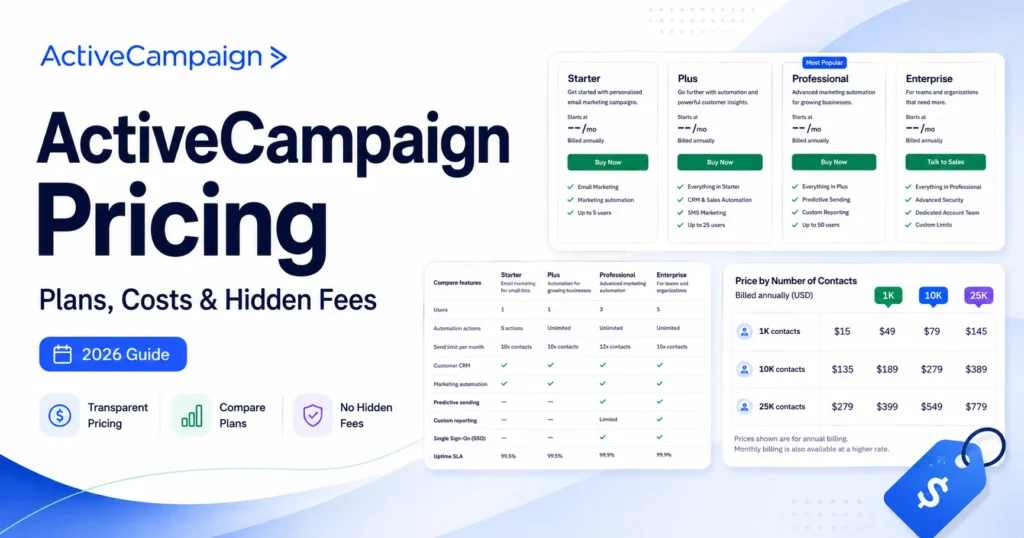
| Starting price | $15/month for Starter at 1,000 contacts, billed annually ($19 month-to-month) |
| Plans | Starter, Plus, Pro and Enterprise |
| Free plan | None. A 14-day free trial includes up to 100 email sends and 1 user |
| How you are billed | By contact tier. Accounts opened on or after November 3, 2025 pay for all contacts, active or not |
| Starter automation limit | 5 actions per automation, with no If/Else, webhook or notification steps |
| CRM | Contact records on every plan. Pipelines, deals and lead scoring need the Enhanced CRM add-on (Plus and up, from $39/month) |
| AI | Active Intelligence on every plan, limited on Starter and Plus. AI content generation starts on Plus |
| Claude and ChatGPT | Official connectors through the ActiveCampaign MCP Server, listed on every plan |
| SMS and WhatsApp | Paid add-ons on Plus and up (SMS from $16.83/month) |
| Ecommerce | Shopify, WooCommerce and Square on every plan. BigCommerce, Magento and Shopify Plus on Pro and Enterprise |
| Integrations | 1,000+ by ActiveCampaign’s count, plus API access and Zapier on every plan |
| Best for | B2B, SaaS and service teams running behavior-based nurture and lifecycle automation |
| Not ideal for | Newsletter-only senders, free-plan seekers, and teams with nobody to own the automations |
Sources: ActiveCampaign pricing page, ActiveCampaign checkout configurator, and the Help Center article on free trial capabilities, all checked September 23, 2026.
What a Hands-On Trial Showed
These findings come from a free-trial account created on September 23, 2026 and tested on September 24, 2026. The trial runs Professional-level features with one user, so the results reflect Pro-plan behavior rather than Starter’s limits.
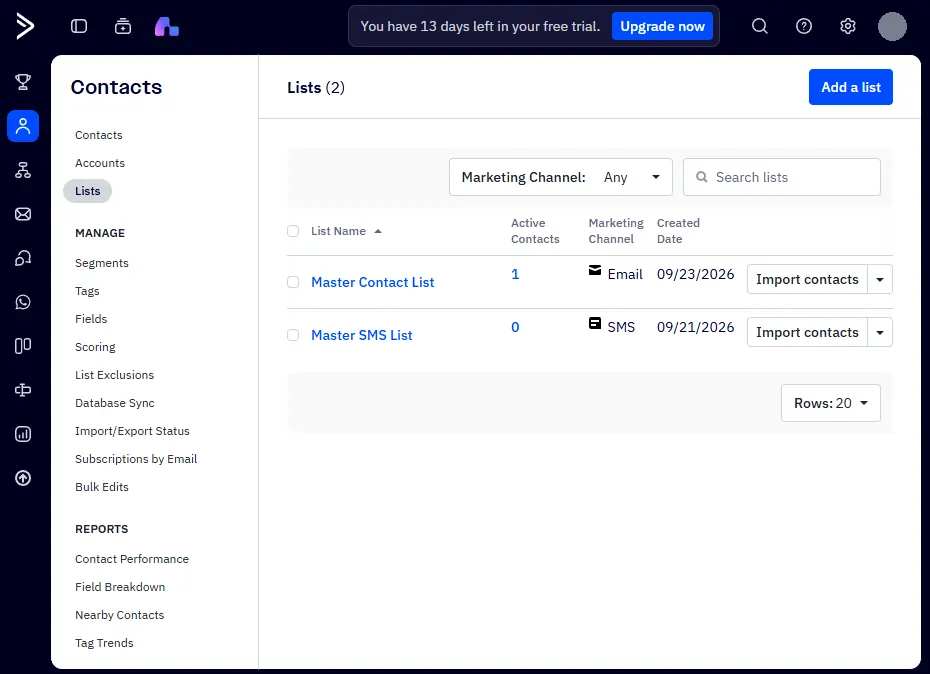
Contact counting. Three test contacts were added, then one was set to Unsubscribed and another to Bounced. The Master Contact List dropped to 1 active contact, but Billing > Usage still read “4 of 5,000,000 used”, which confirms in practice that new accounts pay for inactive contacts.
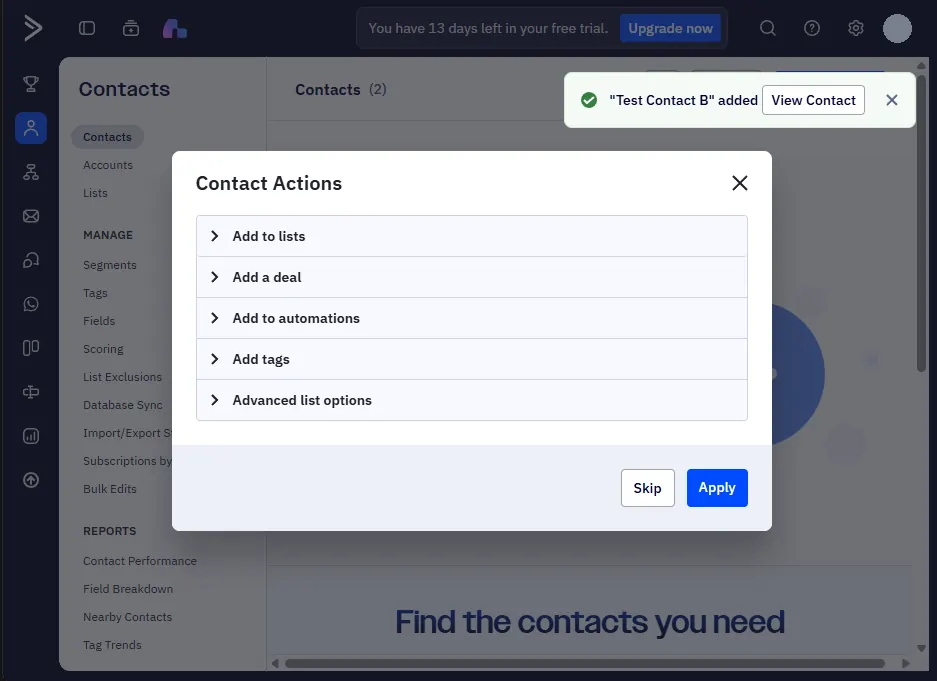
AI automation building. One plain-English prompt asked Active Intelligence for the welcome flow described later in this review: a welcome email, a two-day wait, an If/Else on the open, then a tag or a follow-up. It returned the finished automation and two drafted emails in under a minute, and saved the automation as Inactive, so nothing sends until someone reviews and activates it.
Deals CRM. A new pipeline arrived with three default stages (To Contact, In Contact, Follow Up), and the deal form includes a Forecasted Close Date field. The deal record showed Win Probability as “Calculating” and offered AI prompts such as “What’s the next best action?”, and the Deals reports include a Deal Forecast report.
Claude and ChatGPT setup. Settings > Developer in the trial account showed a Remote MCP section with a copyable URL, next to guides for connecting ChatGPT and Claude. The Active Intelligence composer also carries a “Connect to MCP services” button.
Trial terms. The Usage page listed the current plan as “Trial” with one user and a 5,000,000-contact ceiling, and the banner counted 13 days left one day after signup.
What Changed in ActiveCampaign Since Late 2025
These dated changes affect cost, AI and day-to-day workflow. Several of them reverse advice that still circulates in older reviews.
| Date | Change | What it means for buyers |
|---|---|---|
| October 21, 2025 | Active Intelligence opened to all plans, and the remote MCP Server launched | AI help is no longer limited to Pro and Enterprise, though Starter and Plus get limited access |
| November 3, 2025 | New accounts pay for every contact, regardless of list status | Unsubscribed, unconfirmed and bounced contacts now cost money on new accounts |
| November 6, 2025 | Official ActiveCampaign connector added to Claude’s directory | Admins can report on campaigns and update contacts from a Claude chat |
| February 4, 2026 | 30-day money-back guarantee introduced | First-time paid subscribers get a refund window, with conditions (terms rechecked September 23, 2026) |
| February 24, 2026 | Claude and ChatGPT connectors gained Deals CRM access | Deals can be listed, created and updated by prompt |
| August 27, 2026 | Active Intelligence 3.0 (Wavelength) released | Proactive drafts, web search, competitor and brand monitoring, and scheduled tasks |
Sources for each row, checked September 23, 2026:
- ActiveCampaign’s AI access press release
- The Help Center’s contact counting rules
- The Claude connector release note
- The money-back guarantee terms
- The Deals CRM connector note
- The Wavelength release notes
ActiveCampaign Pricing in 2026
ActiveCampaign prices each plan by contact tier, and its public pricing page shows annual billing only. The checkout configurator adds month-to-month pricing for Starter and Plus, while Pro and Enterprise are sold on annual commitments.
Price at 1,000 Contacts
| Plan | Annual billing | Month-to-month | Users included | Monthly email sends |
|---|---|---|---|---|
| Starter | $15/mo | $19/mo | 1 (2 maximum) | 10x contacts |
| Plus | $49/mo | $59/mo | 1 | 10x contacts |
| Pro | $79/mo | Annual commitment only | 3 | 12x contacts |
| Enterprise | $145/mo | Annual commitment only | 5 | 15x contacts |
Source: ActiveCampaign pricing page and checkout configurator, USD, checked September 23, 2026. Starter’s two-user maximum comes from ActiveCampaign’s plans overview, which also calls Pro by its older name, Professional.
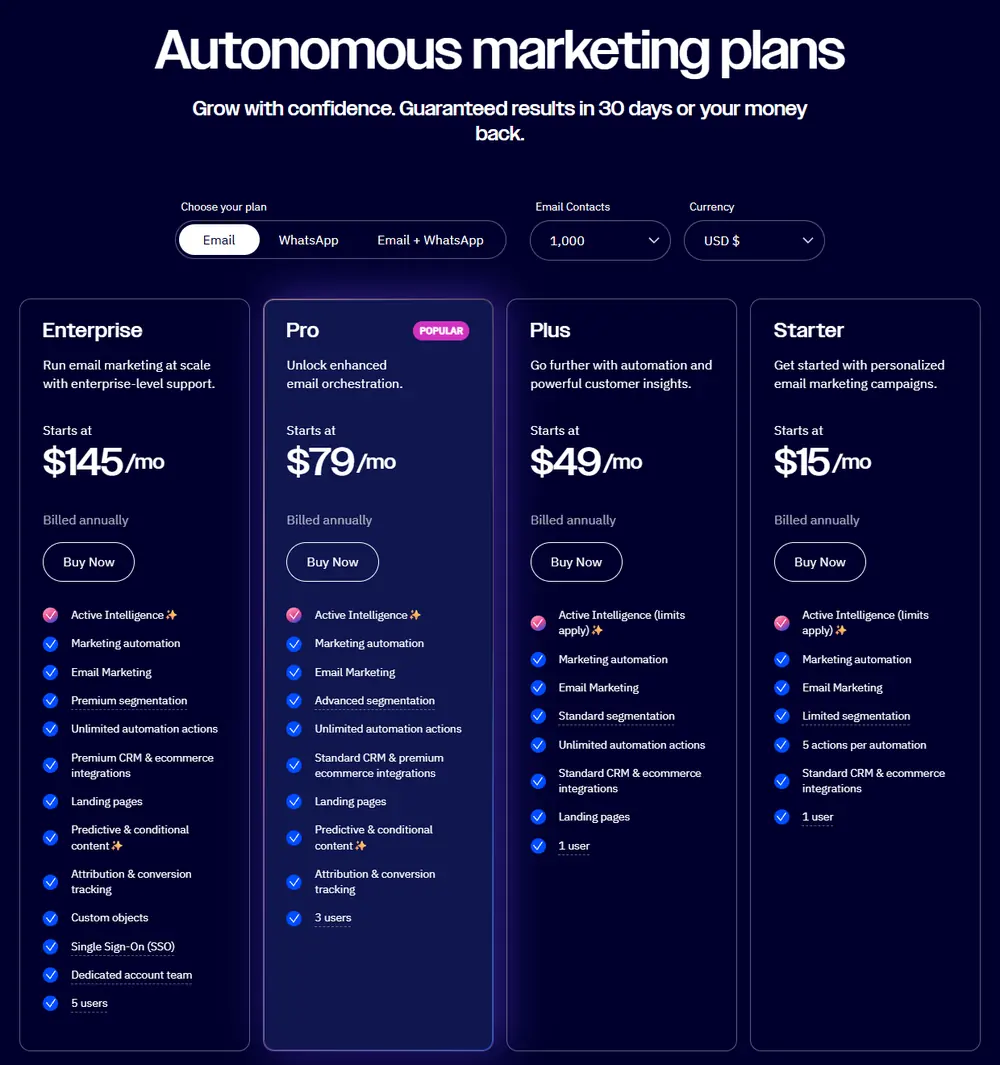
The jump from Starter to Plus is $34 a month at this size, and it buys the automation steps most workflows need. Plus still includes only one user, so a two-person team pays for a seat on top.
How the Price Moves as Your List Grows
| Contacts | Starter | Plus | Pro | Enterprise |
|---|---|---|---|---|
| 1,000 | $15 | $49 | $79 | $145 |
| 2,500 | $39 | $95 | $149 | $255 |
| 5,000 | $79 | $145 | $205 | $375 |
| 10,000 | $149 | $189 | $375 | $589 |
| 25,000 | $391 | $389 | $629 | $879 |
Source: ActiveCampaign pricing page contact selector, monthly price billed annually, USD, checked September 23, 2026.
The Starter-to-Plus gap shrinks as the list grows: $34 at 1,000 contacts, $40 at 10,000, and at 25,000 contacts the calculator lists Starter at $2 more than Plus. Starter also tops out at 25,000 contacts, so a list heading past 10,000 has little reason to stay on it.
Pro is where the curve steepens. At 10,000 contacts Pro costs $375 against $189 for Plus, so Pro has to earn its price through named features such as predictive sending, conditional content, automation split tests and attribution.
Every contact tier, add-on and billing scenario is broken down in the full ActiveCampaign pricing guide.
What a 10-User Team Pays
Seats matter more than the headline price suggests. On annual billing, each extra user costs $12 a month on Plus, $24 on Pro and $32 on Enterprise, and Starter allows only one extra seat.
| Plan | Users included | Monthly cost for 10 users at 1,000 contacts |
|---|---|---|
| Starter | 1 | Not possible (2-user maximum) |
| Plus | 1 | $157 ($49 + 9 extra users at $12) |
| Pro | 3 | $247 ($79 + 7 extra users at $24) |
| Enterprise | 5 | $305 ($145 + 5 extra users at $32) |
Source: ActiveCampaign checkout configurator, annual billing, USD, checked September 23, 2026.
Add the Enhanced CRM add-on for a sales team and a 10-user Plus account rises to at least $196 a month, since that add-on starts at $39 on Plus. At this team size the gap between Plus and Pro is $90 a month before add-ons, which makes Pro’s three included seats and automation split testing easier to justify.
Limitations and Pricing Traps to Check Before You Buy
- Every contact counts on new accounts. For accounts created on or after November 3, 2025, all contacts count toward the limit regardless of list status, while older accounts count only active contacts. In a hypothetical list of 8,000 active and 3,000 unsubscribed contacts, a new account needs the 15,000-contact tier, which is $265 a month on Plus instead of $189 at 10,000.
- Hitting the limit stops email. Once an account reaches its contact limit, campaigns do not send and automations skip their “Send an email” steps until you upgrade, unless auto-upgrade is switched on, per ActiveCampaign’s article on reaching your contact limit. Forms and the API still add contacts, so a list can keep growing past the limit while sends are blocked.
- Send overages are billed. Sends above the plan’s multiple of contacts cost $0.005 each, and sending turns off for the month if overage reaches three times the limit, according to the send limit and overage rules.
- Pipelines cost extra. Deals, pipelines, account records and lead scoring sit in the Enhanced CRM add-on, which starts at $39 a month on Plus, $68 on Pro and $95 on Enterprise in the checkout, and Starter cannot add it.
- AI actions are metered. The AI Actions library and AI translations consume purchased activities, unused activities do not roll over, and contacts skip the AI step once the monthly limit runs out, per the activities billing article.
- Annual plans renew automatically. The checkout states that annual plans renew automatically and that a mid-term cancellation takes effect at the end of the current term.
- Refunds are narrow. ActiveCampaign’s refund policy offers no partial or full refunds, and the 30-day money-back guarantee applies only to first-time paid subscribers who cancel within 30 days and file a support request, with SMS and WhatsApp credits excluded.
- Existing customers cannot move to Starter. The plans overview states that existing customers do not qualify for Starter, so a Plus customer cannot drop back to it later.
Starter vs Plus: Where the Real Upgrade Happens
The five-action cap gets the attention, but the bigger Starter limit is which actions exist at all. According to ActiveCampaign’s automation actions documentation, Starter can send an email, wait, subscribe or unsubscribe a contact, archive a contact, add or remove a tag, and run AI actions, up to five per automation.
If/Else branches, Go to and Jump To steps, webhooks, internal notification emails, contact updates and score adjustments start on Plus. Split paths, starting or ending another automation, and date or math formatting start on Pro.
A Simple Welcome Workflow, Step by Step
Here is a hypothetical welcome flow a small business might build:
- Trigger: a contact submits the signup form
- Send the welcome email
- Wait two days
- If/Else: did the contact open the welcome email?
- Yes branch: add the tag “Engaged”
- No branch: send a follow-up with a different subject line
On Starter, this flow stops at step 4 because If/Else is not available, even though it uses only five actions. The Starter version is a straight line (email, wait, email, wait, email), which spends all five actions and cannot react to what the contact did.
In the trial test, Active Intelligence produced exactly this flow from a single prompt. Its draft depends on an If/Else step, which ActiveCampaign’s documentation reserves for Plus and above.
Starter works for one linear welcome or reminder sequence. Move to Plus the day you need a single branch, a webhook to your app or an alert to a salesperson, and move to Pro when you need split tests inside automations or one automation that starts another.
Automation Actions by Plan
| Plan | Automation steps available | What you still cannot build |
|---|---|---|
| Starter | Send email, wait, subscribe, unsubscribe, archive, add or remove tags, AI actions, up to 5 per automation | Any branch, webhook, sales alert or contact update |
| Plus | Adds If/Else, Go to, Jump To, webhooks, internal notifications, contact updates and score changes, with unlimited actions | Split paths, one automation starting another, A/B tests inside automations |
| Pro | Adds split paths, start or end another automation, date and math formatting, and automation A/B tests | Salesforce actions |
| Enterprise | Adds Salesforce actions (create contact, create lead, add to campaign) | None of the gates listed here |
Source: ActiveCampaign’s automation actions documentation and pricing page, checked September 23, 2026.
Marketing Automation: What ActiveCampaign Does Well
The automation builder is the reason to choose ActiveCampaign, and the trigger list shows why. Every plan can start an automation from a form, a list subscription, an email open, click, reply or forward, a tag change, a web page visit, a purchase, an abandoned cart, or a new or updated order, per the automation triggers documentation.
Plus adds triggers for contact field changes, score changes, date-based and RSS-based starts, and custom events recorded from your app. Pro adds conversion and recurring-payment triggers, and the Pipelines add-on adds deal stage, value and owner triggers.
Waits are more flexible than a timer. A contact can wait a set period, wait until a specific date and time, wait until a custom date field matches, or wait until conditions are met, such as clicking a link.
Two documented behaviors trip up new builders. Triggers are not retroactive, so contacts who met the condition before the automation went live must be added by hand, and a trigger set to run multiple times can enroll the same contact up to 10 times in 24 hours.
On Plus, the usual way to connect automations is a tag: one automation adds a tag, and that tag starts the next automation. Pro adds a direct “Start an automation” step and an automations map, which matters once a team runs more than a handful of connected journeys.
ActiveCampaign’s own guidance is to build several smaller automations rather than one large one. I treat that as a design rule: one automation per job, named consistently, with a written list of the tags each automation adds or removes.
Where this pays off in practice:
- B2B nurture that changes course after a pricing-page visit tracked by site tracking
- SaaS onboarding driven by product events sent to ActiveCampaign as custom events (Plus and up)
- Post-purchase sequences that stop as soon as a new order is created
Every plan also includes the AI automation builder and 950+ automation recipes, which shorten the first build. If the concept is new to your team, start with how marketing automation works before mapping journeys.
CRM and Sales Automation: Where the Built-In CRM Ends
Every plan includes contact profiles, custom fields, tags and lists, with Starter limited to five lists. That is a contact database, not a sales CRM.
The Deals CRM lives in the Enhanced CRM add-on, sold in two tiers on Plus and above. Pipelines covers pipeline management, deal and account records and lead scoring, and Sales Engagement adds automated 1:1 email and win probability, according to the plan comparison on the pricing page.
With the add-on, automations can create deals, move stages, assign owners and add tasks, and deal changes can trigger automations. That closed loop is the real CRM value: marketing activity creates and advances deals without syncing a second system.
Scoring is where the documentation gets confusing. The pricing page places lead scoring in the Pipelines add-on, but the automation documentation offers an “Adjust a contact score” step on Plus and above, so ask sales which scoring you get without the add-on before planning a lead handoff around it.
If scoring is new to your team, this explainer on how lead scoring works covers the models. ActiveCampaign’s CRM is enough for a small sales team working inbound leads through a few pipeline stages, with marketing and sales sharing one contact record.
The Deals CRM does include a Deal Forecast report built on the Forecasted Close Date each deal owner enters, and it tracks forecast accuracy by owner. A dedicated CRM still makes more sense when quoting or territory management runs the sales process, because the public plan comparison lists neither.
Those teams can keep Salesforce CRM through the Enterprise-only Salesforce and Microsoft Dynamics integrations, or connect Pipedrive CRM, Zoho or Freshsales through the standard CRM integrations on any plan.
AI in ActiveCampaign: Active Intelligence, Claude, ChatGPT and MCP
ActiveCampaign’s AI now comes in two forms: Active Intelligence inside the app, and connectors that let Claude or ChatGPT work with your account from outside it. They solve different problems, and they are gated differently.
Active Intelligence
Active Intelligence is ActiveCampaign’s in-app assistant for building campaigns and automations and analyzing results. From a single prompt it drafts a campaign with a subject line, preheader, layout, images, copy and call to action, and it can build a multi-email automation for a person to review and activate.
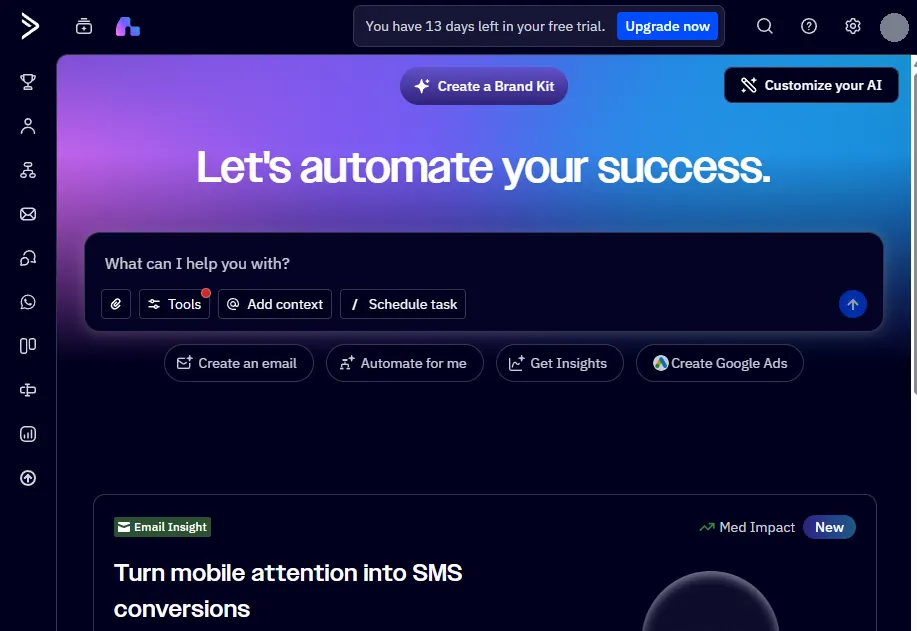
It also works in the background. Each week it analyzes the last 365 days of campaign sends for content patterns, compares open and click rates with industry medians, and shows admins Autonomous Insights cards covering campaigns, automations, contacts and deals.
The August 27, 2026 Wavelength release added proactive campaign drafts, web search with citations, competitor and brand monitoring based on your Brand Kit, and scheduled tasks such as a weekly performance summary. ActiveCampaign states that it does not use customer data or marketing content to train AI models.
Plan limits matter here. Pro and Enterprise get unlimited access to the Active Intelligence workspace and sidebar, Starter and Plus get limited access that the pricing page does not quantify, AI content and image generation start on Plus, and predictive sending starts on Pro.
Several agents, including segments, forms and goals, are still labeled beta in the Help Center. I would judge them on your own data during the trial rather than on launch announcements.
Claude and ChatGPT Connectors
ActiveCampaign has official connectors for both assistants, built on its MCP Server. The Claude connector has been in Claude’s directory since November 2025, and the ChatGPT version installs from ChatGPT’s plugin directory.
According to the Claude setup guide, connected users can search and analyze campaign performance, track email activity, see which contacts engaged, add or remove contacts from automations, view and update contacts, and view, create and manage deals. The ChatGPT setup guide lists the same core actions, plus automation performance and segmentation.
Documented example requests show the practical range:
- List this month’s campaigns with their performance metrics
- List the open deals in the second stage of the sales pipeline
- Move a named contact’s deal to the next stage
- Add a contact to a re-engagement automation, or create a new tag
Setup is short but gated. Only ActiveCampaign account administrators can connect Claude, a company Claude workspace needs its own admin’s approval (ChatGPT says the same may apply), and the Remote MCP URL appears only when ActiveCampaign branding is turned on.
On plans, ActiveCampaign says the Claude connector works on all ActiveCampaign and Claude plans, while the ChatGPT connector requires a paid ChatGPT plan, per its February 2026 connector note. The pricing page lists the Claude and ChatGPT connection as included on every plan rather than as an add-on.
The practical win is speed on small jobs: checking last week’s campaign, finding engaged contacts for a sales follow-up, or updating a deal after a call. Because the connection can write to live contacts, automations and deals, I would connect it through an admin account, test on low-risk records first, and decide who is allowed to use it.
What the MCP Server Can and Cannot Do
The MCP Server guide says the connection manages contacts, lists, tags and custom fields, moves contacts in and out of automations, and retrieves campaign performance. ActiveCampaign’s developer tool list shows 50 tools across contacts, lists, tags, fields, campaigns, automations, deals, pipelines, activities and custom objects.
That list has no tool for creating or sending a campaign, building or editing an automation, creating a segment, or deleting records, even though the help article mentions creating and sending campaigns. Until the two sources agree, treat Claude and ChatGPT as a fast way to read data and update records, and keep campaign sends and automation edits inside ActiveCampaign.
Email Design and Segmentation
Every plan includes the drag-and-drop designer, 250+ templates, campaign A/B testing, spam checks and AI-suggested segments. Starter gets one AI brand kit and five lists, while the other plans get five brand kits.
Personalization is where the plans split. Conditional content, which swaps blocks inside one email based on contact data, starts on Pro along with predictive sending, and inbox preview testing is capped at five tests a month on Plus and Pro, with unlimited tests on Enterprise.
Segmentation is labeled Limited, Standard, Advanced and Premium from Starter to Enterprise, without a public definition of each level. The free trial runs on Professional-plan features, so a segment that works during the trial can still be unavailable after you buy Plus.
Ecommerce: Shopify, WooCommerce and When Klaviyo Fits Better
Shopify, WooCommerce and Square integrations, abandoned cart automation and ecommerce triggers are included on every plan, Starter included. Product catalog blocks and coupons start on Plus, and BigCommerce, Magento, Shopify Plus and recurring-payment triggers start on Pro.
Integration depth differs by platform and plan. ActiveCampaign’s Shopify connection guide notes that historical order sync is not available on Starter, so a Starter store begins with no past purchase data to segment on.
For a Shopify-first store that sells mainly through email and SMS, Klaviyo is the more natural choice, as the Klaviyo review details. It bills on active profiles plus email volume and does not count suppressed profiles, per Klaviyo’s billing documentation.
Klaviyo’s pricing page also lists per-message US SMS pricing and a free plan for up to 250 active profiles.
ActiveCampaign makes more sense when the store also runs lead nurture or B2B sales, needs deals next to orders, or sells through WooCommerce or Square alongside Shopify. Its SMS add-on starts at $16.83 a month on Plus and above, and the platform is compared with other store-focused options in the roundup of CRMs for ecommerce.
Deliverability: What Independent Testing Shows
The most recent independent seed-list test that includes ActiveCampaign is EmailToolTester’s January 2024 round, where ActiveCampaign placed first with 94.2% deliverability, according to its deliverability test results. In the same round, MailerLite scored 89.8%, Mailchimp 89.5%, Brevo 88.3% and HubSpot 77.7%.
The method used about 80 seed addresses across 28 providers over five tests, and it counted Gmail’s Promotions tab as delivered. EmailToolTester has since stopped publishing seed-list tests, citing inconsistent results, so no newer comparable figure exists from that source.
Treat the 2024 result as a positive signal about ActiveCampaign’s sending setup at that time, not as a forecast for your list. Inbox placement depends heavily on domain authentication, list quality and sending patterns, and the new contact-counting rule gives new accounts one more reason to remove dead addresses.
High-volume senders can request a dedicated IP on any plan, but ActiveCampaign’s dedicated IP article requires 100,000 or more engaged contacts and lists a cost of $750 per IP.
Ease of Use, Setup and Migration
The free trial runs 14 days with Professional-plan features, one user and up to 100 email sends. Paid plans include free onboarding, delivered as a live session or an AI course depending on the plan.
ActiveCampaign’s migration service moves up to 10 objects for free, including lists, forms, templates and automations, from tools such as Mailchimp, HubSpot and Keap. Automation steps with no matching ActiveCampaign function are excluded, so budget time to rebuild the complex ones.
My judgment on the learning curve: simple campaigns are straightforward, and the difficulty arrives with branching logic, naming conventions and contact data hygiene. Capterra reviewers give ease of use their lowest sub-rating (4.2 out of 5) and features their highest (4.5), which fits that pattern.
Before buying, name one person who owns automations, tags and list cleanup. The 30/90-day test I would use: after 30 days, the welcome and nurture automations run without manual fixes, and after 90 days, contact counts and send volume still match the tier you budgeted.
Integrations, Security and Support
ActiveCampaign lists 1,000+ integrations, with API access, Gmail, Outlook and Zapier’s no-code connectors on every plan. Slack, Calendly, Stripe, PayPal and ad-platform audiences start on Plus, as does the webhook automation step, while the premium Salesforce and Microsoft Dynamics integrations are Enterprise only.
The security page points to a Trust Center with self-service access to its SOC 2 report and a penetration-test attestation. HIPAA support and single sign-on are Enterprise-only features on the pricing page.
Starter and Plus get basic email and chat support, and Pro and Enterprise get priority support. Only Enterprise includes a dedicated account team and an uptime SLA.
What Users Praise and Criticize
Capterra and Trustpilot disagree sharply about ActiveCampaign. On September 23, 2026, ActiveCampaign rated 4.6 out of 5 from 2,569 Capterra user reviews and 2.7 out of 5 from 1,441 reviews on its Trustpilot profile, where 44% of reviews are five-star and 25% are one-star.
Praise centers on the automation builder, segmentation and integrations. Capterra’s features score (4.5) is ActiveCampaign’s highest sub-rating there, with customer support at 4.4 and value for money at 4.3.
A read of the 40 most recent Trustpilot reviews (June to September 2026) found the same complaints repeating. The recurring themes were support moving toward AI assistants, price increases, slow pages, AI features that are hard to switch off, and billing disputes around auto-renewal and refunds.
The split makes sense once you see what each platform collects. Capterra reviews weigh product capability, while Trustpilot draws account, billing and support experiences, which is why the renewal and refund terms above deserve a careful read before an annual commitment.
ActiveCampaign Pros and Cons
| Pros | Cons |
|---|---|
| Branching automation (If/ | Starter allows 5 actions per automation and no If/Else, so most real workflows start at Plus |
| Site tracking, abandoned cart and the AI automation builder are included even on Starter | Accounts opened on or after November 3, 2025 pay for unsubscribed, unconfirmed and bounced contacts |
| Official Claude and ChatGPT connectors on every plan, including deal management | Deals, pipelines and lead scoring are a paid add-on from $39/ |
| Placed first (94.2%) in EmailToolTester’s last seed-list deliverability round, January 2024 | Plus includes one user, so 10 users on Plus cost $157/ |
| Standard CRM and ecommerce integrations (Pipedrive, Zoho, Shopify, WooCommerce) on every plan | A Trustpilot rating of 2.7 out of 5 reflects recurring support and billing complaints |
Sources: ActiveCampaign pricing page, checkout configurator and automation actions documentation (checked September 23, 2026), EmailToolTester’s January 2024 deliverability test, and Trustpilot (checked September 23, 2026).
ActiveCampaign Alternatives
Pick an alternative by the job it has to do. Contact counting is the sharpest difference: ActiveCampaign (on new accounts) and Mailchimp, under its contact billing rules, charge for unsubscribed contacts, while Klaviyo, Kit and MailerLite exclude them.
| Tool | Choose it when | Entry paid plan | Billing basis |
|---|---|---|---|
| ActiveCampaign | You need branching automation with an optional CRM | Starter $15/mo (1,000 contacts, annual) | Contact tier, all contacts on new accounts |
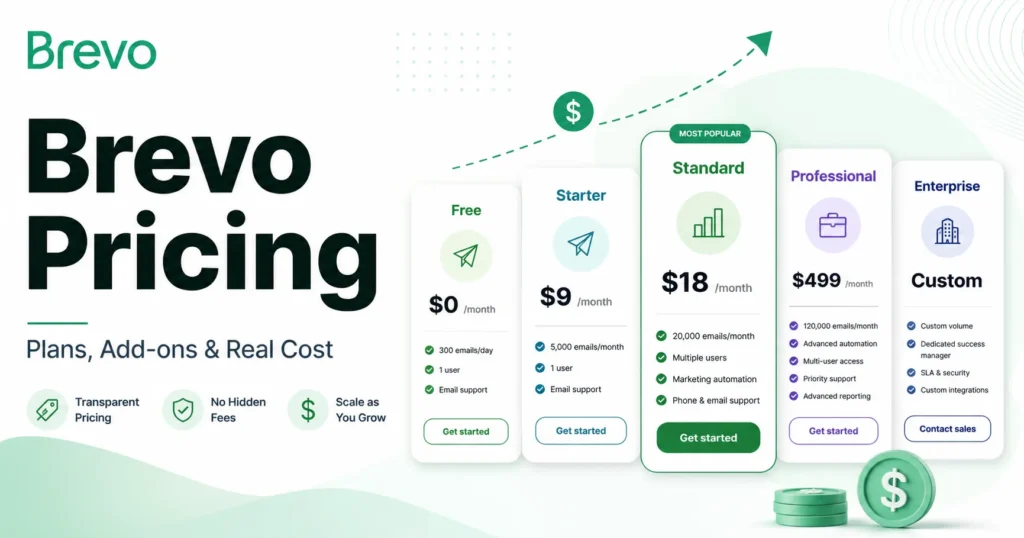
| Brevo | You send high volume on a tight budget | Starter from $9/mo (5,000 emails, 500 contacts) | Email volume, with a contact cap per tier |
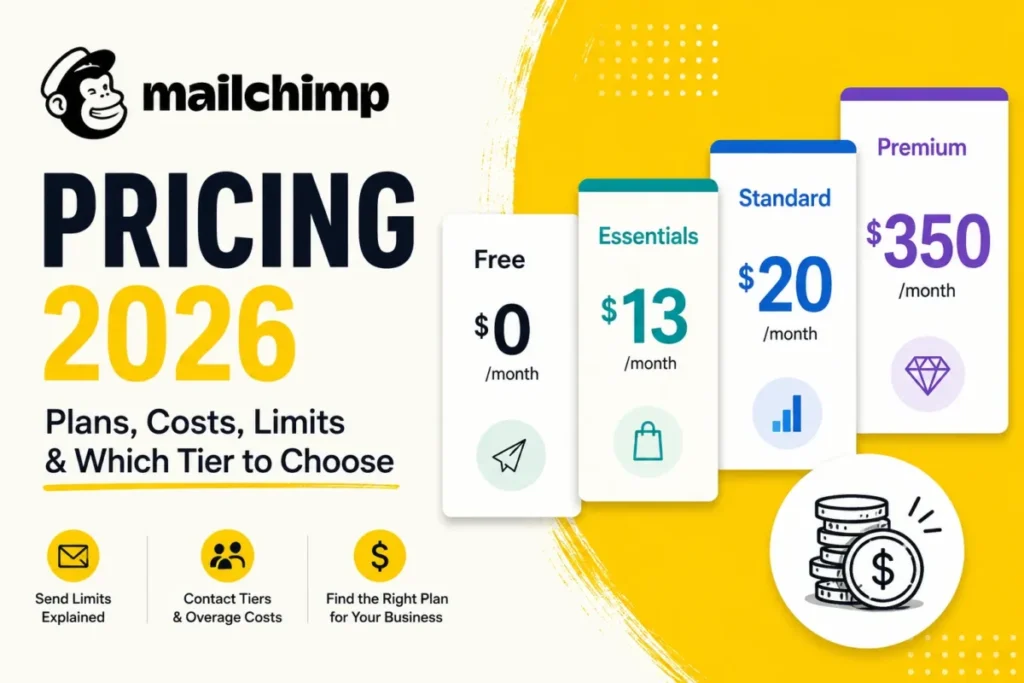
| Mailchimp | You want simple campaigns and a free start | Essentials from $13/mo (500 contacts) | Contacts, unsubscribed included |
| HubSpot | Sales and marketing must share one full CRM | Starter $20 per seat/mo standard price ($7 new-customer offer when checked September 23, 2026) | Seats plus marketing contacts |
| Klaviyo | Your store is Shopify-first and sells through SMS | Email from $20/mo (500 active profiles) | Active profiles plus sends, suppressed excluded |
| Kit | You run a creator newsletter | Creator $39/ | Active subscribers, unsubscribed excluded |
| MailerLite | You want low-cost newsletters with basic automation | Comfort $12/ | Subscribers plus sends, unsubscribed and bounced excluded |
Sources: each vendor’s official pricing page and billing documentation, checked September 23, 2026 and linked in the recommendations below.
Choose Brevo, covered in the Brevo review, when volume matters more than automation depth: its free plan stores up to 100,000 contacts with 300 sends a day, per Brevo’s free plan limits. Starter begins at $9 a month on Brevo’s pricing page but keeps a 2,000-contact automation cap in its feature comparison.
Choose Mailchimp when campaigns matter more than journeys, a trade-off the Mailchimp review explores. Essentials caps automation flows at four steps and branching starts on Standard, per Mailchimp’s plan comparison, and Standard costs $45 a month at 501 to 1,500 contacts on Mailchimp’s pricing page.
Choose HubSpot when the CRM is the priority and marketing sits on top of it, as the HubSpot CRM review explains. Its Starter tier allows up to 10 automated actions, and omni-channel workflows start on Professional at $800 a month plus a required $3,000 onboarding fee, per HubSpot’s marketing pricing.
Choose Klaviyo for a Shopify-first store whose revenue runs through email and SMS, as covered in the ecommerce section above.
Choose Kit when you publish a newsletter and sell digital products, the use case the Kit (ConvertKit) review focuses on. Kit’s pricing page shows a free plan for up to 10,000 subscribers without automations, and its billing help confirms unsubscribed subscribers are not billed.
Choose MailerLite when cost per subscriber is the main constraint. MailerLite’s pricing page lists a free plan with 250 subscribers and three automations of up to five steps, and states that unsubscribed or bounced subscribers do not count toward billing.
For a wider shortlist, compare the best email marketing platforms and the best marketing automation tools.
Who Should Use ActiveCampaign
- B2B SaaS and software teams that send product events to ActiveCampaign and run onboarding or trial-conversion flows. Custom event triggers start on Plus, so budget from Plus.
- Service businesses and agencies that nurture inbound leads and hand them to a small sales team. Plus with the Enhanced CRM add-on covers pipelines and lead handoff without a second system.
- SMB lifecycle marketers who run several journeys with branching, site tracking and goals. Pro earns its price when split tests, predictive sending or attribution drive decisions.
- Mixed ecommerce and lead-generation businesses on WooCommerce, Square or Shopify that also sell B2B or book consultations. Deals and orders can live in one account.
- Teams already working in Claude or ChatGPT that want quick reporting and record updates by prompt. The connectors are listed on every plan.
Who Should Skip ActiveCampaign
- Newsletter-only senders. Kit and MailerLite cost less for a plain newsletter and do not bill unsubscribed subscribers.
- Anyone who needs a free plan. ActiveCampaign has none, while Brevo, Mailchimp, HubSpot, Klaviyo, Kit and MailerLite all offer free tiers.
- Shopify-first stores built around SMS. Klaviyo’s profile-based billing and store-focused features fit that model more directly.
- New accounts with large, uncleaned lists. Every contact is billed on accounts opened since November 3, 2025, so clean the list before importing or choose a platform that excludes unsubscribes.
- Teams that need a full sales CRM. If quoting or territory management runs the sales process, start with a CRM-first shortlist such as the best CRM for marketing automation and connect email to it.
- Teams with nobody to own automations. Branching workflows break quietly when tags and lists drift, and the platform’s value depends on someone maintaining them.
Final Verdict: Is ActiveCampaign Worth It?
Yes, for teams whose revenue depends on behavior-based email and who will use Plus-level branching from day one. At $49 a month for 1,000 contacts, Plus buys If/Else logic, webhooks, custom events and landing pages, which is where ActiveCampaign separates from simpler tools.
No, if you mainly send newsletters, need a free plan, or would stay on Starter. Starter’s five-action, no-branch automation is a trial-sized version of the product, and at 10,000 contacts it costs $149 against $189 for Plus.
My plan recommendation: start on Plus, add Enhanced CRM only when a salesperson works the pipeline, and move to Pro when you can name the Pro feature you need. Automation split tests, predictive sending, conditional content, attribution and three included seats are the usual reasons.
Before renewal, answer one question: did the automations built in the first 90 days produce pipeline or revenue you can trace, at the contact count you are now billed for? If not, a cheaper newsletter tool is the better second-year decision.
ActiveCampaign FAQ
Is ActiveCampaign free?
No. There is no free plan, only a 14-day trial with up to 100 email sends and one user, and paid plans start at $15 a month for Starter at 1,000 contacts on annual billing.
How much does ActiveCampaign cost?
At 1,000 contacts on annual billing, Starter is $15, Plus $49, Pro $79 and Enterprise $145 per month. Prices rise with each contact tier, and add-ons such as Enhanced CRM and extra users are billed on top.
Does ActiveCampaign charge for unsubscribed contacts?
It depends on when the account was created. Accounts created on or after November 3, 2025 count all contacts, including unsubscribed, unconfirmed and bounced ones, while older accounts count only active contacts.
What happens if I go over my contact limit?
Campaigns stop sending and automations skip their email steps until you upgrade, unless auto-upgrade is on. Contacts can still be added through forms and the API in the meantime.
Does ActiveCampaign have a CRM?
It has contact management on every plan and a Deals CRM with pipelines and lead scoring through the Enhanced CRM add-on on Plus and above. It includes a Deal Forecast report but no quoting tools in the public plan comparison, so it is lighter than a dedicated sales CRM.
Does ActiveCampaign integrate with Claude and ChatGPT?
Yes, through official connectors built on the ActiveCampaign MCP Server and listed on every plan. The ChatGPT connector requires a paid ChatGPT plan, and only ActiveCampaign admins can connect Claude.
Is ActiveCampaign better than Mailchimp?
For branching automation, yes: ActiveCampaign Plus includes If/Else branches at $49 a month for 1,000 contacts, while Mailchimp requires its Standard plan for branching. Mailchimp is the simpler choice for plain campaigns and offers a free plan.
Does ActiveCampaign integrate with Shopify?
Yes, on every plan, including abandoned cart automation. Shopify Plus stores need Pro or Enterprise, and historical order sync is not available on Starter.
Is ActiveCampaign good for beginners?
It suits beginners who are willing to learn automation, since the AI builder and recipes shorten the first setup. Beginners who only want to send a newsletter will find simpler, cheaper tools.
Can I get a refund from ActiveCampaign?
Only under the 30-day money-back guarantee, which covers first-time paid subscribers who cancel within 30 days and file a support request. Outside that guarantee, ActiveCampaign’s refund policy offers no partial or full refunds, and annual plans renew automatically.