
Klaviyo is worth it for a Shopify or WooCommerce store that will run automated flows and segments on its order data. Email starts at $20 a month and Email + SMS at $35 a month, billed monthly. The catch is billing: the Email plan is priced on active profiles, so the bill tracks the size of your list.
For this Klaviyo review I read the pricing page, the product pages and the billing help articles in October 2026, then priced what a new store pays and what raises the bill first.
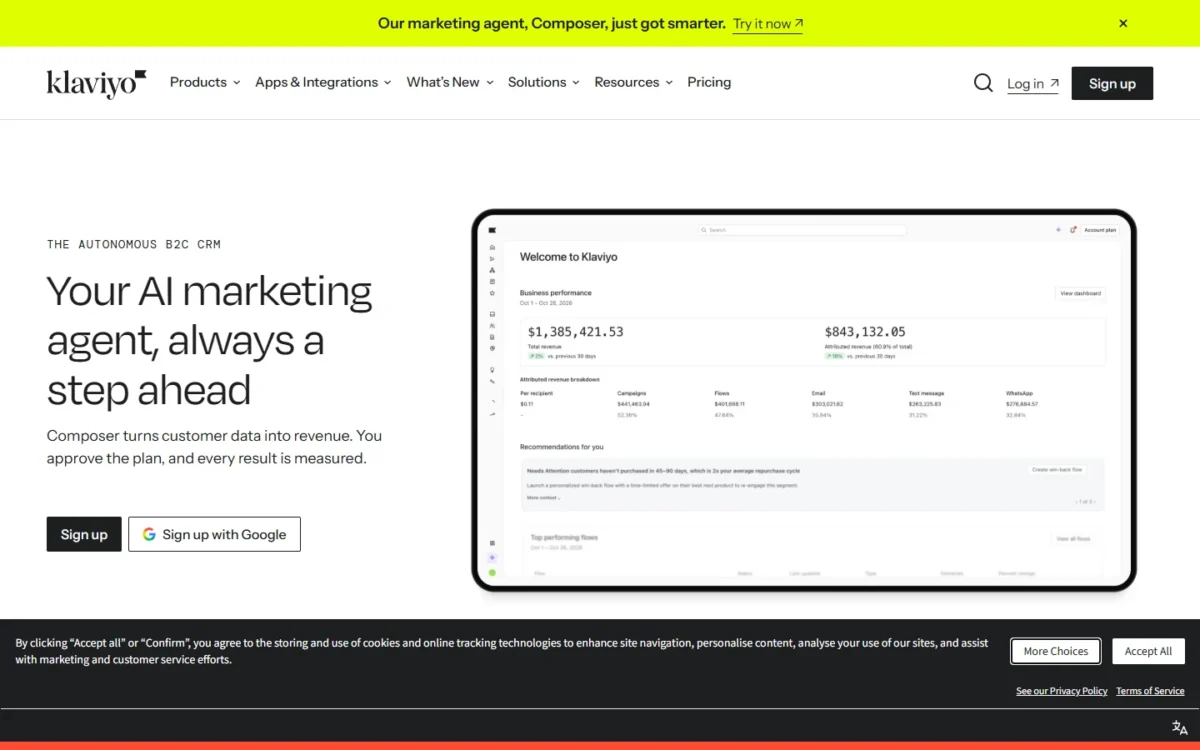
Quick verdict
Klaviyo is worth it for a Shopify or WooCommerce store that will run welcome, abandoned cart and post-purchase flows and segment on purchase data. Skip it if your list is large and rarely opens, since every emailable profile counts toward the plan, or if you want SMS-first conversations.
Its main strength is store data behind every message, with 70+ pre-built flows plus predicted lifetime value, next order date and churn risk for targeting.
Its biggest limit is billing. Pass your tier’s active profiles and the plan moves up at the next cycle; cleaning the list later lowers nothing until you pick a lower plan or turn on auto-downgrade.
Price basis: free up to 250 active profiles, Email from $20 a month, Email + SMS from $35 a month, all billed monthly.
In This Article (13 sections)
Klaviyo at a Glance
- Category: email and SMS marketing platform for ecommerce brands
- Best for: Shopify and WooCommerce stores that run automated flows
- Starting price: Email $20/month, Email + SMS $35/month, monthly billing
- Free plan: up to 250 active profiles, 500 email sends, $5 of mobile messages and $5 of Composer usage a month
- Billing unit: active profiles (contacts you can email) and email volume
- Integrations: 350+
- Main limitation: the plan upgrades when active profiles pass the tier
Two numbers decide most stores’ bill: the active profile count and whether SMS joins the plan. The strengths below have to earn a price that grows with the list.
Klaviyo Pros and Cons
Pros
- 70+ pre-built flows and 160+ email templates shorten the build of welcome, cart and post-purchase series for a small team
- Predicted lifetime value, next order date and churn risk feed segments, which helps stores with repeat buyers time winback offers
- Email, SMS, WhatsApp and push share one customer profile, so one flow can switch channel per customer
- 350+ integrations, including Shopify, WooCommerce, BigCommerce and Wix, and the free plan can connect to them
- A paid Email plan removes Klaviyo branding from email footers and adds chat support
Cons
- A paid plan moves up when active profiles pass the tier, which hurts stores with large, quiet lists
- SMS is a separate Mobile Messaging budget, and unused dollars expire at the end of each month
- Free-plan email support ends 60 days after sign-up, so a store that needs help later has to pay
- Revenue credit defaults to Last touch; accounts with Personalization or Advanced KDP can also use Linear attribution, which shares credit across touchpoints
- Reviews, Customer Hub, Helpdesk, Customer Agent and Marketing Analytics are billed separately, with starting prices between $10 and $100 a month
Klaviyo’s weaknesses are mostly billing ones: a plan that rises with the list, a separate SMS budget and paid add-ons. Its strengths rest on a handful of features, and each one sits behind a different gate.
Klaviyo Features
Five features decide whether Klaviyo earns its price for a store: flows, segmentation with predictions, SMS on its own Mobile Messaging plan, attribution with Last touch as the default model, and Reviews as a paid add-on.
Flows and pre-built automations
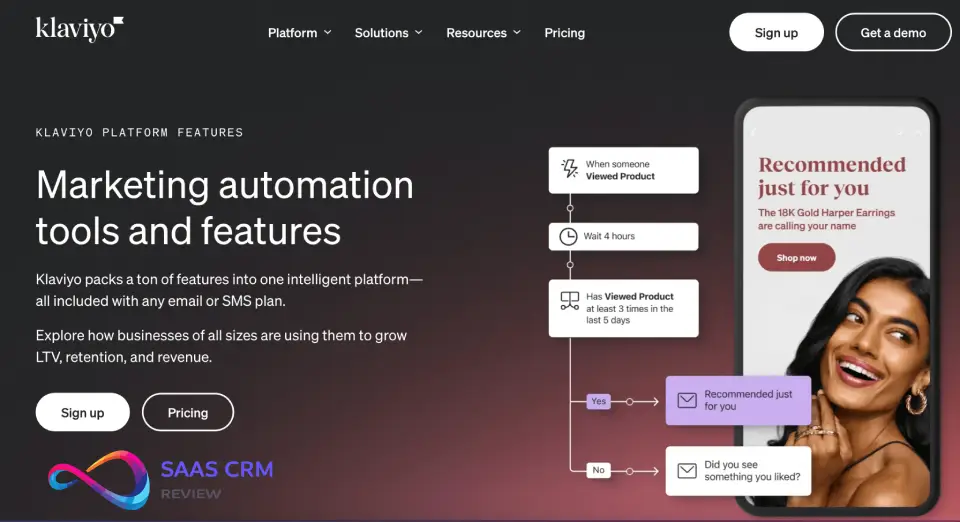
Yes, Klaviyo automates welcome series, abandoned cart reminders and post-purchase follow-ups, and it ships 70+ pre-built flows to start from. A flow can combine email, SMS and mobile push, and the free plan lets a store build flows before it pays.
Flows are Klaviyo’s form of marketing automation: an event, such as a cart left behind, starts a timed series of messages to that one customer.
Take an illustrative new store with 200 active profiles on the free plan. In one month its welcome series sends 3 emails to 60 new subscribers (180 sends), its cart flow sends 2 emails to 40 shoppers (80 sends) and its post-purchase flow sends 1 email to 50 buyers (50 sends).
That is 180 + 80 + 50 = 310 sends, inside the free plan’s 500. One campaign to all 200 profiles brings the month to 310 + 200 = 510 sends, past the cap.
At the free cap, sending stops until the next billing cycle and flow emails can be skipped. A store that wants its flows and a weekly campaign should expect to move to Email before it reaches 250 profiles.
Segmentation and predictive analytics
Klaviyo builds segments from purchase history and browsing behavior, and adds AI-predicted lifetime value, next order date and churn risk to target on. Product recommendations in emails draw on the same browsing and purchase data.
For a store with repeat buyers, next order date is the prediction I would use first: a winback message can follow each customer’s own buying rhythm instead of one fixed delay for everyone.
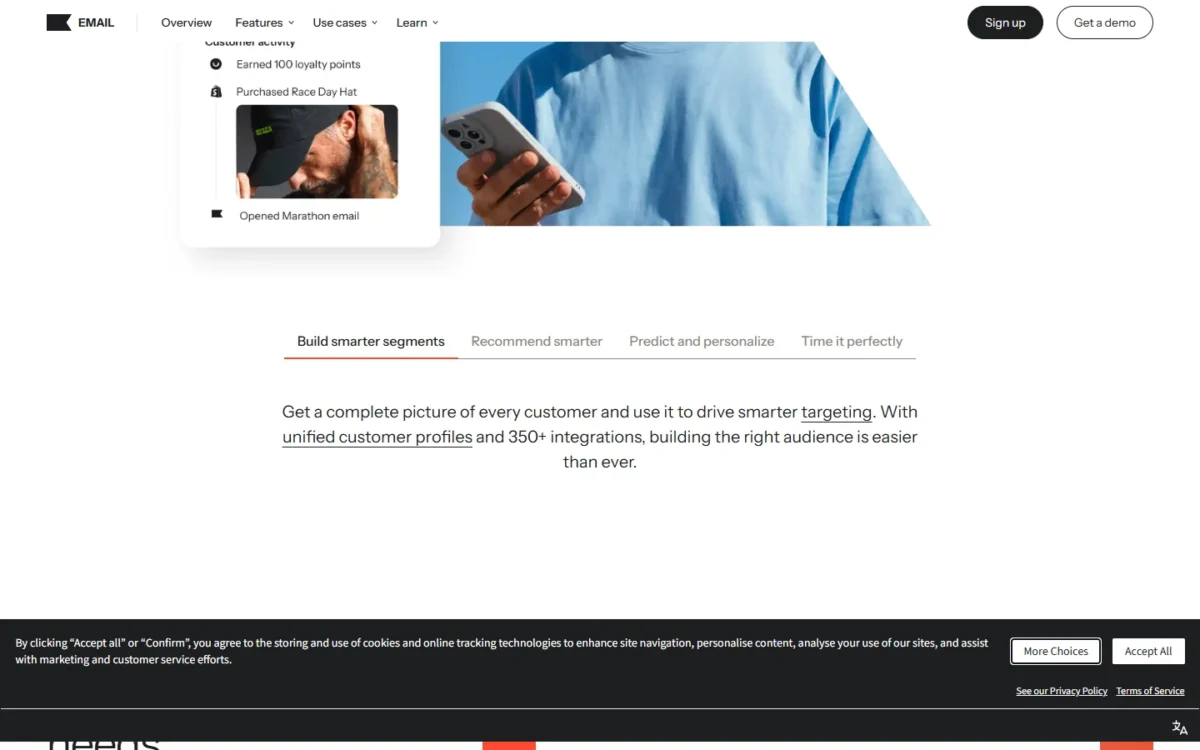
The free plan’s feature list says “Basic customer segmentation”, so confirm in your account that predicted lifetime value, next order date and churn risk appear before you plan winbacks around them. To check a predicted value against your own order history, the customer lifetime value calculator does the same math by hand.
SMS and mobile messaging
Klaviyo sends SMS, MMS and WhatsApp from a Mobile Messaging plan that is separate from the Email plan. SMS is available in 20+ countries, among them the US, Canada, the UK, Australia, New Zealand and Mexico.
Consent for marketing texts and for transactional texts is collected separately, and a Compliance Hub tracks SMS compliance health. The free plan includes $5 of mobile messages a month, a dollar amount whose reach depends on region and carrier.
For a US store the practical point is that texting never rides on the Email price. It is its own dollar budget, priced by channel and recipient country, and the pricing section below shows how it resets.
Attribution and reporting
Klaviyo credits revenue with a Last touch model by default: the most recent eligible email, SMS or push touch inside the window gets the sale. New accounts start with 5-day windows for email opens and clicks and for SMS clicks, 12 hours for SMS deliveries and 24 hours for push opens.
Accounts with Personalization or Advanced KDP can also use Linear attribution, which shares credit across eligible touchpoints. Attribution settings can change up to 3 times in 30 days, and each change rewrites historical data too.
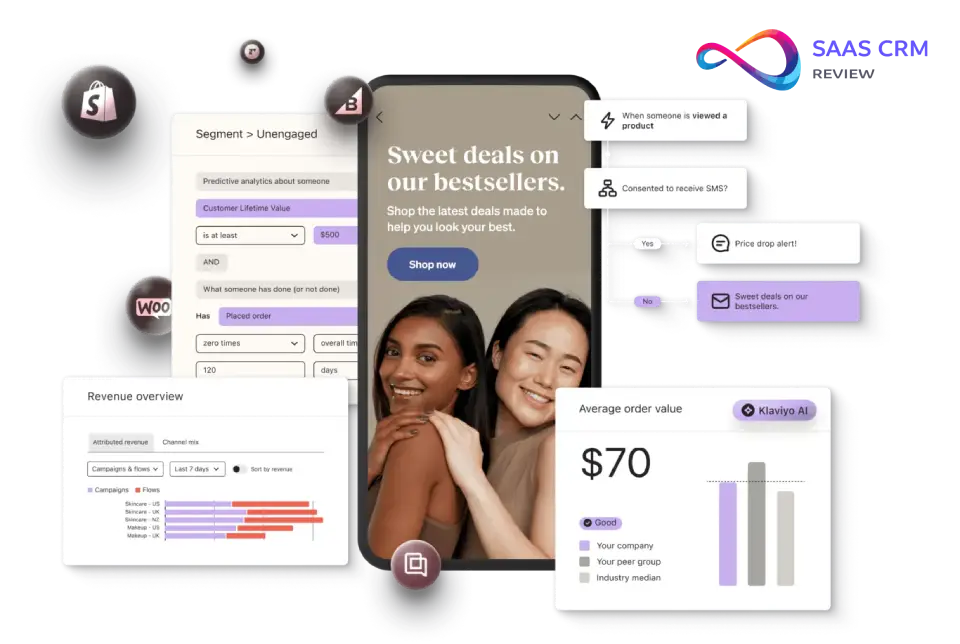
Klaviyo’s totals will not match Google Analytics. The two use different event sources, models and windows, so an email opened on a phone can earn Klaviyo credit for a laptop purchase that Google Analytics books elsewhere. I would use Klaviyo’s revenue to rank flows and campaigns against each other, not as email’s total contribution.
Klaviyo Reviews add-on
Klaviyo Reviews costs from $25 a month for 250 orders a month, and only paid Klaviyo Email customers can use it. It is billed monthly on store orders; when the allowance runs out, review requests pause for the rest of that billing cycle.
Reviews runs on Shopify and WooCommerce stores only. It collects reviews through pre-built email, SMS, push and WhatsApp flows and imports existing ones by CSV.
Collected reviews sync to Google Shopping, Shopify, the Shop app and Meta stores, and the reporting tracks response rates and rating trends.
The gate matters for a free-plan store. Adding Reviews means paying for Email first, so the real entry cost is $20 + $25 = $45 a month.
Klaviyo Ease of Use
Klaviyo’s documentation points to a template-first start: 160+ customizable email templates, 70+ pre-built flows, 70+ sign-up form templates and a drag-and-drop editor that needs no coding. The free plan lets a store sync its contacts, connect its store and build flows, segments and reports before paying.
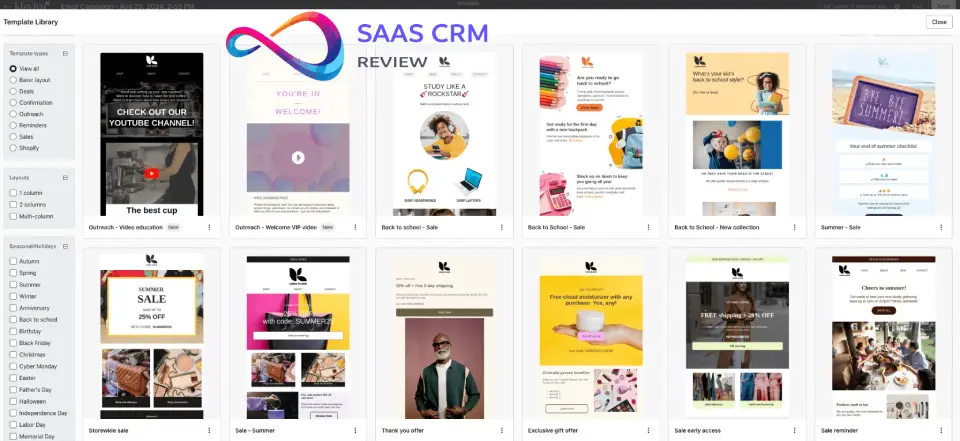
A store that already sends from another tool has three more jobs in Klaviyo’s migration guide: replace every sign-up form, import suppressions and rebuild each old automation as a flow.
Help has a clock on the free plan. Email support ends 60 days after sign-up; after that, free users rely on the Community, Academy courses and the Help Center. Once the flows run, the question becomes what the store pays each month.
Klaviyo Pricing
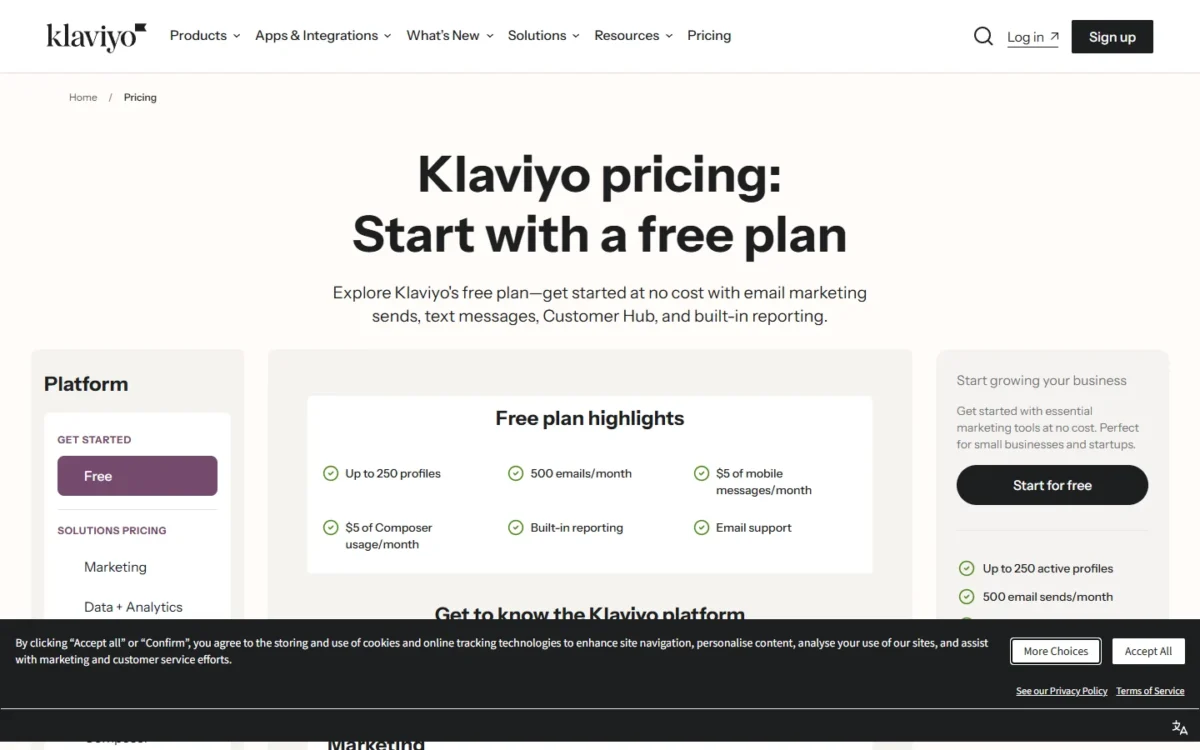
Klaviyo is free up to 250 active profiles and 500 email sends a month. Paid Email starts at $20 a month and Email + SMS at $35 a month, both billed monthly on active profiles and email volume, with SMS as a separate dollar budget.
For a new store that means a low first bill and a plan that grows with every contact it can email.
On the free plan, crossing a cap stops sending. On a paid plan, passing the profile limit moves the Email plan up a tier, and sends above the allowance are sold as overage, upgraded or stopped, depending on your billing preference.
Paid Email starts at $20 a month for 500 active profiles, and the SMS calculator prices 1,000 mobile messages at $15 a month.
| Plan | Price | Billing | Key limit |
|---|---|---|---|
| Free | $0 | No charge | Sending stops above 250 active profiles or after 500 emails a month |
| From $20 per month (500 active profiles) | Monthly | Moves up a tier when active profiles pass the plan | |
| Email + SMS | From $35 per month | Monthly | Unused mobile messaging dollars do not carry over |
| Reviews add-on | From $25 per month (250 orders) | Monthly | Needs a paid Email plan; requests pause at the order limit |
Sources: Klaviyo pricing, Klaviyo email marketing page, Klaviyo SMS page, Klaviyo Reviews page and How Klaviyo billing works, checked October 2026.
The $35 Email + SMS entry price matches the $20 Email entry plus the SMS page’s $15 default ($20 + $15 = $35). I read it as 500 profiles and 1,000 mobile messages, though what those messages buy depends on recipient country.
My plan pick is simple. Stay free while you test flows under 250 emailable contacts and 500 sends a month, move to Email at $20 when you pass either one, and add SMS only when a flow needs a text.
The illustrative flows example in the features section shows how early one campaign can push a small store past the send cap.
For the Email price above 500 active profiles, use the “Build my plan” builder on Klaviyo’s email page, or Billing > Change plan once you have an account, at the profile count you expect in six months.
Other modules bill on their own meters:
- Customer Hub from $20 a month for up to 10,000 active profiles
- Helpdesk from $10 a month for up to 50 tickets
- Customer Agent from $50 a month for up to 75 conversations
- Marketing Analytics from $100 a month for up to 13,500 active profiles
What raises the bill
Three rules push a Klaviyo bill up without you clicking Upgrade. First, a paid Email plan must cover your active profiles; pass the limit and the plan moves to a tier that covers them for the next billing cycle.
Klaviyo’s own example: a store on a plan for up to 65,000 active profiles grows from 64,000 to 69,000 and moves to the 70,000-profile plan. Suppressing or deleting 4,000 or more before renewal keeps it on the current plan.
An active profile is one that can receive email, not one that opened or bought recently. Unsubscribing from SMS alone does not take an emailable profile out of the count.
Second, the plan does not come back down by itself. Klaviyo states it plainly:
Billing note
“Reducing your active profile count does not by itself lower your email subscription price.” After a cleanup, choose a lower plan in Billing, or turn on profiles auto-downgrade, which works with the Flexible overages or None email preference but not with Automatically upgrade.
After a large cleanup, the billing count can take up to 72 hours to refresh. Flexible sending and auto-downgrade arrived with the February 18, 2025 billing changes, which apply to customers who pay by credit card, and neither is switched on for you.
Third, extra sending costs extra. With Flexible overages, Klaviyo sells a block of capacity at the plan’s overage rate. In its example, an $80 plan with 35,000 emails needs 10,000 more, gets a 15,000-email block, and pays 15,000 x ($2.29 / 1,000) = $34.35.
Mobile Messaging works differently. A dollar-based plan is paid upfront, for example $15 or $25, resets monthly, and unused dollars do not carry over. Flexible sending for texts starts at plans of $490 a month (dollar-based) or $495 a month (55,000 credits), so a smaller SMS plan either upgrades or stops at its limit, depending on your billing preference.
Cost for a real store
A store with 500 active profiles that wants SMS pays $35 a month, or $35 x 12 = $420 a year. Adding Reviews makes it $35 + $25 = $60 a month, or $60 x 12 = $720 a year.
| Setup | Monthly cost | Yearly cost |
|---|---|---|
| Free plan, up to 250 active profiles | $0 | $0 |
| Email, 500 active profiles | $20 | $20 x 12 = $240 |
| Email + Reviews (250 orders) | $20 + $25 = $45 | $45 x 12 = $540 |
| Email + SMS (1,000 mobile messages) | $35 | $35 x 12 = $420 |
| Email + SMS + Reviews | $35 + $25 = $60 | $60 x 12 = $720 |
Sources: Klaviyo pricing, Klaviyo SMS page and Klaviyo Reviews page, checked October 2026. Assumptions: monthly billing, US prices, tax excluded, SMS at the calculator’s 1,000-message default.
Month one is cheap. What changes the bill is growth past 500 profiles, which the plan follows automatically, so the number to model is next season’s list, not today’s.
Klaviyo Integrations and Support
Klaviyo connects to 350+ apps, including Shopify, WooCommerce, BigCommerce, Adobe Commerce (Magento), Salesforce Commerce Cloud and Wix. The free plan can use the standard integration library, so a store can connect before it pays.
Paid users get email and chat support, and chat availability varies by location and plan type. An Onboarding Specialist or Customer Success Manager is assigned automatically only on the highest-tier plans.
Branding follows the Email plan. A paid profile/email plan removes Klaviyo branding from email footers automatically; paying only for SMS does not. Branding on pop-up, flyout and full-page forms goes away with a paid email or SMS plan.
Who Should Use Klaviyo?
Klaviyo fits a store that will run flows and segments on purchase data and accepts a bill that follows its list. It does not fit a store whose list fills with contacts who never buy, or a brand that wants texting to be the main conversation.
Choosing between Klaviyo and a free email tool built into your store? Klaviyo’s free plan settles it cheaply. Build your welcome, cart and post-purchase flows on real orders under 250 active profiles, then decide whether those flows are worth $20 a month.
Best for
- A Shopify or WooCommerce store that will run welcome, cart and post-purchase flows on order data
- A team that wants email, SMS and WhatsApp on one customer profile
- A new store under 250 active profiles that wants to build flows before paying
- A brand that texts customers in the 20+ countries where Klaviyo offers SMS
Not ideal for
- A store with a large list that rarely opens, since every emailable profile counts until you suppress it
- An SMS-first brand that wants conversational texting as its main channel
- A B2B team that needs sales pipelines next to its email automation
- A team that needs vendor support after day 60 without paying
SMS-first brands should start from my SMS marketing tools compared instead.
B2B teams that need pipelines are better served by a CRM-led tool; my ActiveCampaign review covers one.
Klaviyo vs Competitors
Every rival below lists a lower entry figure than Klaviyo’s $20, but each meters something different (contacts, sends, yearly billing), so compare them at your own list size.
| Software | Best for | Starting price | Key difference | Main trade-off |
|---|---|---|---|---|
| Klaviyo | Shopify and WooCommerce stores running flows on order data | $20/ | Predicted lifetime value, next order date and churn risk for segments | Plan moves up as active profiles grow |
| Omnisend | Ecommerce stores that want support on every plan | Standard $11.20/ | 24/7 live chat and email support on every plan, including free | Standard caps sending at 6,000 emails a month |
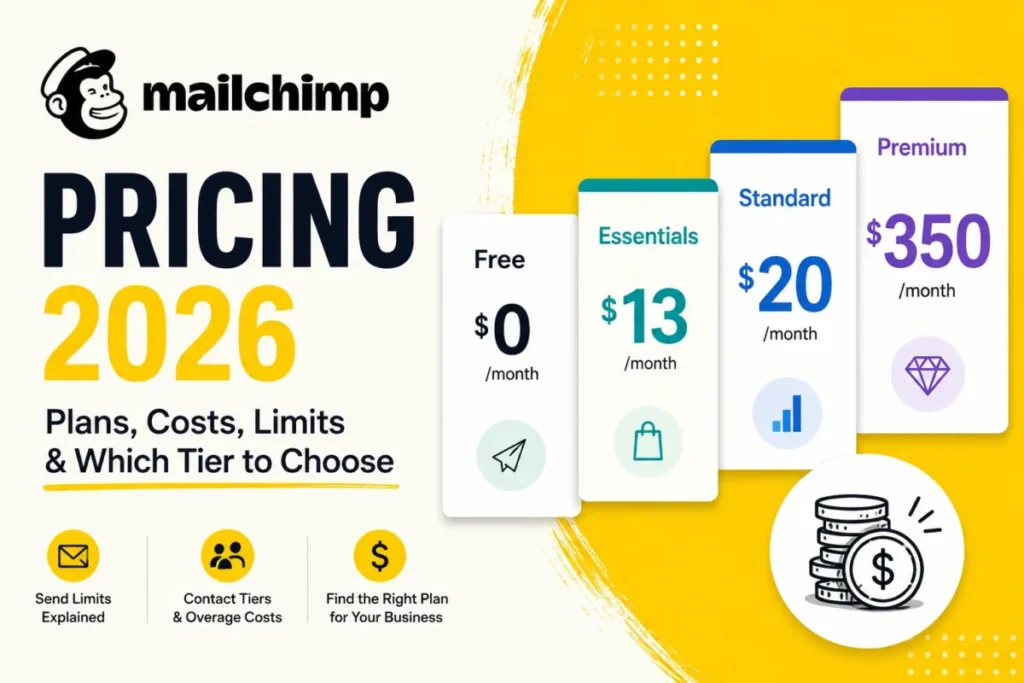
| Mailchimp | Businesses that want a general email tool | Essentials from $13/ | 14-day free trial of Essentials or Standard before billing starts | Predictive segments only on Standard or Premium |
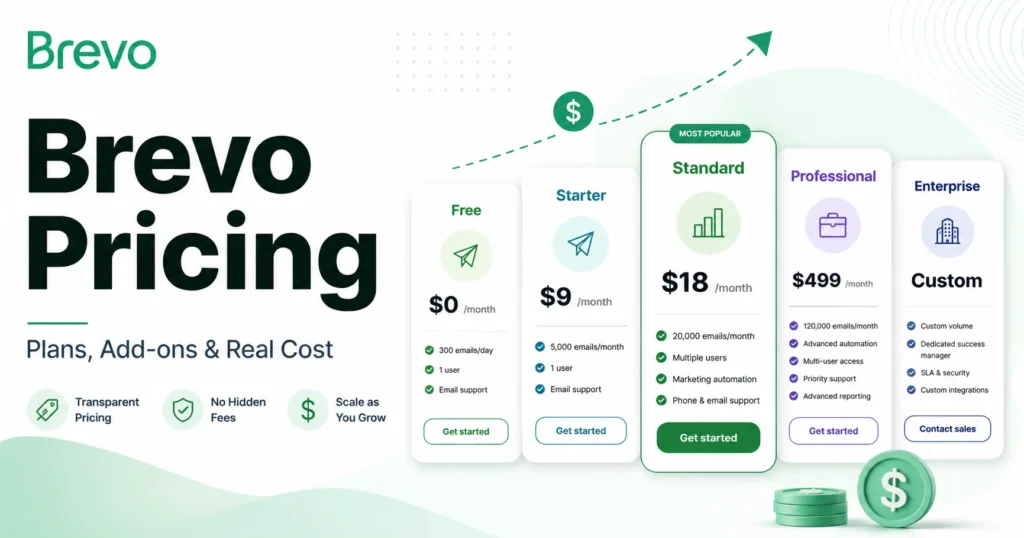
| Brevo | Budget email priced by send volume | Starter $9.00/ | Starter includes 500 contacts; SMS credits sold separately | Marketing automation starts on Standard, not Starter |
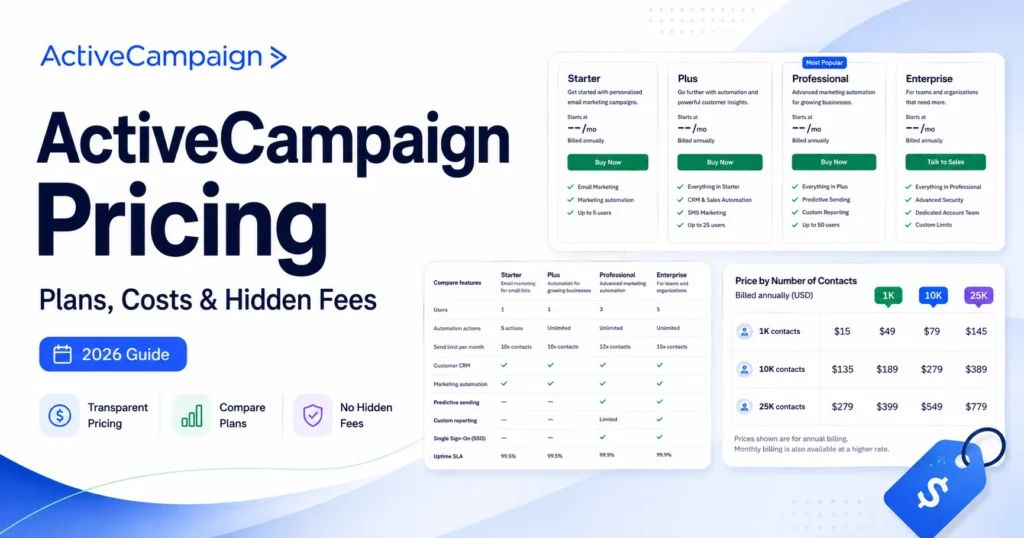
| ActiveCampaign | B2B teams that need a CRM with automation | Starter $15/ | Pipelines CRM add-on from the Plus plan | Starter allows 5 actions per automation |
Sources: Klaviyo pricing, Omnisend pricing, Mailchimp pricing, Brevo pricing and ActiveCampaign pricing, checked October 2026.
What Klaviyo charges for is segments built on store data, with predicted lifetime value, next order date and churn risk named on its email page; what it costs is a bill tied to every emailable contact. If you already send from Mailchimp, my Mailchimp review shows what you would give up by staying.
Mailchimp gates predictive segments behind Standard, so a fair comparison prices Standard at your contact count, which Mailchimp’s plans by list size lay out.
Brevo’s Standard plan is the one with automation, and my Brevo review weighs it as an email-and-SMS option.
Klaviyo Alternatives
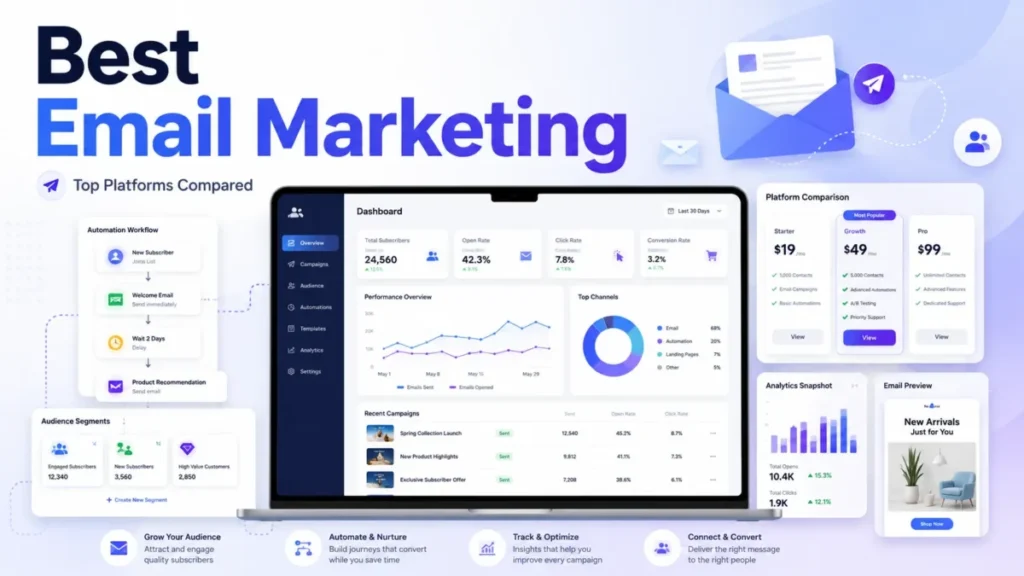
Look elsewhere if texting is your main channel, if you sell B2B and need a CRM, or if you would rather pay by email volume than by profile. For the broadest shortlist, my ranking of the best email marketing platforms compares Klaviyo with the other main tools.
A store that sends rarely can price Brevo’s send-based pricing, where the plan is sized by monthly emails, from 5,000 on Starter. Starter’s plan summary also shows 500 contacts, so check the contact allowance at your list size before you count on the savings.
A team that needs pipelines and automation together should start from the CRMs with marketing automation I compared. If Klaviyo is still the pick, the next job is moving your data.
Switching to Klaviyo: Migration Checklist
Klaviyo’s migration guide comes down to eight steps, from choosing the import route to closing the old account:
- Pick the route. Klaviyo has built-in integrations that sync lists from Mailchimp, Campaign Monitor and Mad Mimi, dedicated guides for Mailchimp, Constant Contact, Campaign Monitor, HubSpot, Listrak, Sailthru and Salesforce Marketing Cloud, and CSV import for the rest.
- Clean the list first. Use the old platform’s open, bounce and engagement data to drop invalid and inactive addresses; every emailable profile you import counts toward your Klaviyo plan.
- Protect your welcome series. CSV imports can trigger list-based flows, so follow Klaviyo’s welcome-series import guidance if that flow is already live.
- Import suppressions. Check which unsubscribes and hard bounces your integration moves; Campaign Monitor, for example, syncs unsubscribes but not bounced subscribers.
- Replace every sign-up source. Swap embedded forms for Klaviyo forms, point tools such as Wufoo or Facebook forms at Klaviyo, sync checkout opt-ins, then watch the old lists for a few days for stragglers.
- Rebuild automations as flows. Import reusable designs as custom HTML templates, recreate each autoresponder as a flow, test it, and turn off the old automation to avoid duplicate messages.
- Send to engaged subscribers first. Daily senders keep to the engaged list or segment for the first week; senders who mail more than once a week, for the first 2-3 campaigns.
- Close the old account last. Save the reports you want, confirm contacts and suppressions arrived, test forms and flows, then stop sending from the previous platform.
If you would rather hand the move to an agency, a listing in Klaviyo’s partner directory shows the agency’s service capabilities, such as platform migration, and the ecommerce platforms it works with. My ranking of email marketing agencies for ecommerce brands shows which kind of store each agency suits.
Sticky Digital is one listed option: Klaviyo’s directory shows it as a “Platinum Master” partner offering platform migration and Klaviyo implementation, with Shopify and Shopify Plus among its ecommerce platform expertise. Sticky Digital says it manages email and SMS programs, including segmentation strategy, flow infrastructure and campaign cadence, for DTC brands on Shopify doing $5M–$100M+ in annual revenue.
How I Evaluated Klaviyo
This review rests on Klaviyo’s own pages, read on October 28, 2026: the pricing page and its plan data, and the email, SMS and Reviews product pages. It also uses help center articles on billing, the February 2025 billing changes, free versus paid plans, attribution and migration.
I read the four rivals’ pricing pages the same day.
Facts appear as those pages state them. The cost math, the plan pick and the fit calls are my judgments from those facts. The agency details come from Klaviyo’s partner directory and the agency’s own site.
Two numbers need your own inputs. Klaviyo says SMS and MMS cost depends on the country of the recipient and tells you to check the rates tied to your plan in the account:
- SMS rates by country: in the account, under the mobile usage view’s View text message ratios
- Email prices above 500 active profiles: the plan builder on Klaviyo’s email page, or Billing > Change plan in the account
FAQ
Is Klaviyo legit?
Yes. Klaviyo says it is trusted by 205,000+ brands, a figure from its own email marketing page. It also runs a public help center whose billing articles carry update dates, and a partner directory where agencies list their services.
Why is Klaviyo so expensive?
Klaviyo’s bill climbs because the Email plan follows every profile you can email and upgrades when you pass the tier. SMS is a separate monthly budget, and Reviews and Marketing Analytics are add-ons. One detail helps: a profile with only a phone number does not count toward the Profiles and Email plan.
Does Klaviyo work with WooCommerce?
Yes. WooCommerce is one of the store platforms Klaviyo lists among its 350+ integrations, and its free-plan FAQ names Shopify, WooCommerce and Wix stores. Klaviyo Reviews also runs on WooCommerce, so a WooCommerce store gets the same reviews add-on as a Shopify store.
Klaviyo Review: Final Verdict
Klaviyo is worth paying for if your store will run flows and segments on its order data.
Start free, and move to Email at $20 a month when you pass 250 active profiles or near 500 email sends a month; the illustrative flows example shows how a single campaign can trip the second one. Move to the Email + SMS plan, from $35 a month, only when a flow needs a text.
Before your list grows, set your billing preferences and price the plan in the plan builder at the profile count you expect. The plan follows the list up but not down, which is the biggest trade-off of this platform.
- Skip it if:
- most of your list never opens, because you pay for every emailable profile.
Pick Brevo if you send rarely and want a plan sized by email volume, once you have checked its contact allowance at your list size. Pick ActiveCampaign if you need pipelines, or a dedicated SMS tool if texting leads. For everyone else, the free plan is the honest test.