AI video generators are now a core part of the AI tools for content creation stack, and the fastest way to overpay for one is to budget from the sticker price. Most of these tools bill in credits or video minutes, and the pricing page rarely tells you how many usable clips that buys.
That gap is where buyers get burned: a cheap plan can run out of minutes in week two or gate the export you need behind a higher tier.
Evidence basis: official pricing and documentation, checked October 2, 2026.
This guide ranks eleven AI video generators, the generative AI tools that turn text and footage into finished clips, by workflow fit and total cost, not feature-list length.
For most creative teams making short cinematic clips and ads, Runway is the safest starting point. If you want Kling, Seedance and Veo behind one credit balance, Higgsfield is the multi-model pick.
For presenter-led training video, Synthesia and Colossyan fit better. For multilingual avatar marketing, look at HeyGen, and for repurposing recorded footage, Descript.
In This Article (32 sections)
Key Takeaways
- The unit that decides this category is a second of finished video, not a monthly price, and avatar video costs a fraction of what generated cinematic footage costs per second.
- Runway remains the safest default for cinematic clips, because its pricing page names the credit rate per second, so you can price a clip before you make it.
- Higgsfield is the most direct way to reach Kling, Seedance and Veo from one subscription, but its Unlimited switch has fine print and its terms let it train on your content.
- Training teams should shortlist Colossyan, HeyGen Business and Synthesia Enterprise, and should know that Colossyan caps SCORM at five exports a month on Professional.
- The headline price is rarely the production price: 4K starts a tier above entry on Descript, and watermark removal starts a tier above free on Runway.
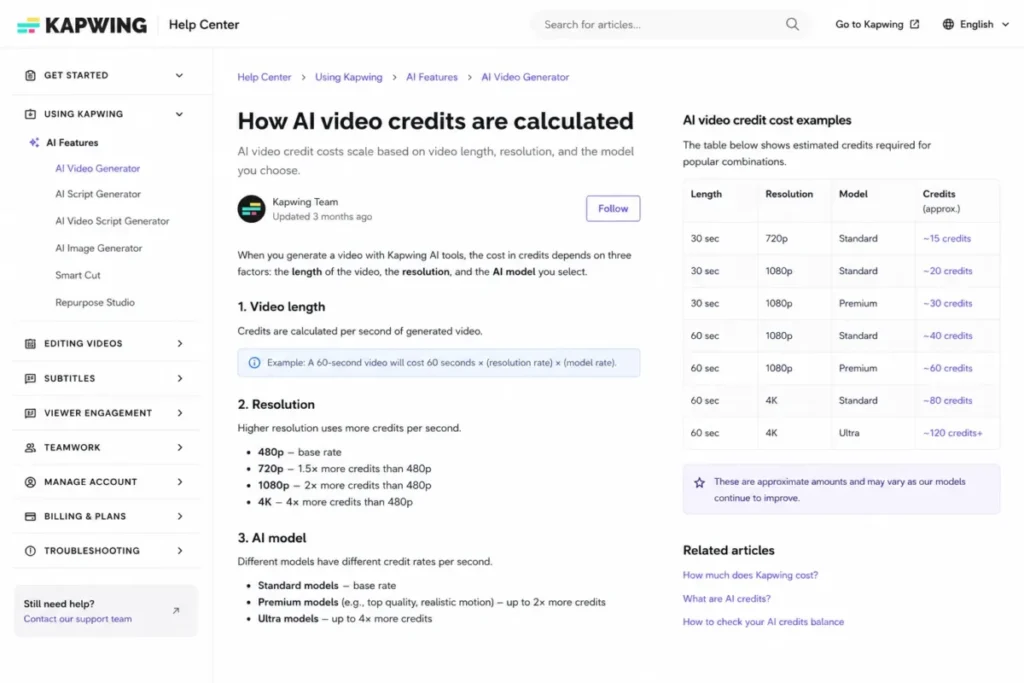
- VEED and Kapwing publish credit allowances without publishing what a credit buys in seconds, so neither can be forecast against a real content calendar.
Quick Verdict: Best AI Video Generators by Use Case
Pick by the job you are hiring the tool to do, then confirm the plan gate before you buy.
| Use case | Best pick | Why it fits |
|---|---|---|
| Best all-round pick for creative teams | Runway | Prompt and image-to-video with a published credit rate per second |
| Best for enterprise training video | Synthesia | Presenter avatars and brand governance, with SCORM and SSO on Enterprise |
| Best for many models on one credit balance | Higgsfield | Kling, Seedance and Veo Fast in one plan table, each with a listed credit rate |
| Best for multilingual avatar marketing | HeyGen | 175+ languages from Creator, 4K on Pro, SCORM and LMS on Business |
| Best for editing recorded footage | Descript | Text-based editing, AI clips and captions in one timeline |
| Best for blog and script repurposing | Pictory | Script-to-video and URL-to-video with stock media |
| Best for multi-scene campaigns | invideo Agent | One project context carried across many briefs, with the timeline editor always included |
| Best browser-based social video | VEED | Auto subtitles and translation in the browser |
| Best for testing frontier models side by side | getimg.ai | Veo, Sora and Kling models behind one balance |
| Best for SCORM training at scale | Colossyan | SCORM export from Professional, 120+ languages, data residency on Enterprise |
| Best lightweight AI workspace | Kapwing | Collaborative browser editor with AI generation and subtitles |
Sources: Runway plans, Synthesia plans, Higgsfield plans, HeyGen plans, Descript plans, Pictory plans, invideo plans, VEED plans, getimg pricing, Colossyan plans and Kapwing plans, checked October 2, 2026.
Runway is the only product here I would call a safe default across creative use cases. Every other pick is strongest in one lane, so confirm that its lane matches your job before you compare its price.
The Three Video Lanes: Match the Tool to the Job
Before comparing prices, decide which of three jobs you are buying for. Treating the three as one category makes it easy to buy a cinematic model for a training-video job it was not built for.
The first lane is prompt-to-video and cinematic generation. You describe a scene or feed an image, and the model renders new footage.
Runway and the model aggregators (Higgsfield, invideo Agent, getimg.ai) live here. This lane is priced in credits per few seconds, so it is the most expensive per finished minute and the hardest to budget.
The second lane is avatar and training generation. A digital presenter reads a script you type, which is ideal for onboarding, compliance, and localized explainers.
Synthesia, HeyGen, and Colossyan lead this lane. It is priced in video minutes or credits that map to minutes, and the buyer risks are minute caps, editor-seat limits, and SCORM or SSO locked to the top tier.
The third lane is editing and repurposing. You start from recorded footage, a blog post, or a script (often drafted in an AI chatbot) and turn it into finished clips.
Descript, Pictory, VEED and Kapwing sit here. This lane is the cheapest entry point, but free tiers usually carry watermarks or minute ceilings that make them trial tiers, not production tiers.
| Lane | What you start from | Best picks | Priced in | Biggest buyer risk |
|---|---|---|---|---|
| Cinematic generation | A text prompt or image | Runway, Higgsfield, invideo Agent, getimg.ai | Credits per few seconds | Burning through credits on every clip |
| Avatar and training | A typed script | Synthesia, HeyGen, Colossyan | Video minutes or credits | Minute caps, SCORM and SSO gates |
| Editing and repurposing | Footage, a blog, or a script | Descript, Pictory, VEED, Kapwing | Media minutes or AI credits | Watermarks and export limits on free tiers |
Sources: billing units from Runway plans, Higgsfield plans, invideo plans, getimg pricing, Synthesia plans, HeyGen plans, Colossyan plans, Descript plans, Pictory plans, VEED plans and Kapwing plans, checked October 2, 2026.
If you cannot name your lane in one sentence, you are not ready to compare pricing yet. The wrong lane is a more expensive mistake than the wrong plan inside the right lane.
If prompt-to-clip generation is the only job, my best text-to-video AI generators guide covers that narrower lane in more depth.
How We Chose the Best AI Video Generators
These eleven tools were evaluated from official product documentation, feature specifications and pricing pages. Every plan in this guide was read again on October 2, 2026, from Vietnam, so a US visitor may see different local offers.
Each tool was assessed against the same buyer criteria: real cost per finished output, plan gates that block core work, admin and compliance readiness (SCORM, SSO, data residency), localization depth, and honest limitations that change the decision.
Greater weight was given to cost that can be forecast before you generate. A tool that ranks well on visual quality but hides its practical cost behind credits was marked down for budget risk, and brand popularity or affiliate payout played no part.
Claims that could not be verified from the official pages were cut or labelled with their date. Nine of the eleven tools were not tested hands-on for this guide, so their entries rest on those official pages and do not score output quality.
Two entries, Higgsfield and getimg.ai, add results from tests in the author’s own accounts, each labelled and dated in its own section.
Best AI Video Generators Compared
Here is the shortlist view before the full reviews, so you can narrow to two or three tools first.
| Rank | Tool | Best for | Entry paid price | Free plan | Key limitation |
|---|---|---|---|---|---|
| 1 | Runway | Cinematic prompt-to-video | Standard, $15 monthly or $12/mo on annual billing | Yes | Credits burn fast on premium models |
| 2 | Synthesia | Enterprise avatar training | Starter, $29 monthly or $18/mo on annual billing | Yes (Basic) | SCORM and SSO are Enterprise-only |
| 3 | Higgsfield | Many video models on one credit balance | Starter, $15/mo | No standing free plan card | Credits expire each cycle; Starter lacks Veo and full Seedance |
| 4 | HeyGen | Multilingual avatar marketing | Creator, $29 monthly or $24/mo on annual billing | Yes | SSO, SCORM, and LMS need Business |
| 5 | Descript | AI-assisted editing | Hobbyist, $24 per person, monthly | Yes | Not a standalone cinematic generator |
| 6 | Pictory | Script and blog repurposing | Starter, $29 monthly or $25/mo on annual billing | Trial | Unused minutes do not roll over |
| 7 | invideo Agent | Multi-scene and multi-version work | Basic, $9/seat/mo on annual billing | Yes | Seedance 2.5 is locked out of Basic |
| 8 | VEED | Browser-based social video | Creator, $10/ | Yes | Credits are not converted into seconds |
| 9 | getimg.ai | Many video models on one credit meter | Entry, $15/mo on annual billing ($180 per year) | No | Entry reaches only selected models |
| 10 | Colossyan | SCORM training at scale | Professional, $59/mo on annual | Yes | Custom avatars and extra editors both cost more |
| 11 | Kapwing | Lightweight AI workspace | Pro, $16/mo on annual billing | Yes | An AI video can cost 20+ credits |
Sources: official pricing pages, checked October 2, 2026 from Vietnam: Runway plans, Synthesia plans, Higgsfield plans, HeyGen plans, Descript plans, Pictory plans, invideo plans, VEED plans, getimg pricing, Colossyan plans, Kapwing plans and Kapwing credits help.
Kapwing, invideo, Colossyan and VEED are quoted on annual billing only, so read their figures as the floor. VEED says paying yearly saves up to 51%.
Colossyan’s Professional card shows Yearly -34%. Kapwing charges more on monthly billing.
invideo says annual billing saves money per seat on Pro, while Basic shows no difference compared to monthly.
The cheapest plan is rarely the right comparison point. For each tool below, I flag the first tier that gives you production-ready output so you compare like for like, not headline for headline.
1. Runway: Best AI Video Generator Overall for Cinematic Clips

- Best for:
- small creative teams producing cinematic short clips, concept videos, and AI-assisted ads.
- Not best for:
- learning-and-development teams that need SCORM-native training or long avatar-led compliance videos.
Runway, covered in depth in my Runway ML review, is a prompt-to-video and image-to-video platform for teams that want frontier-style generation without a research budget. It earned the top rank by pairing its own current models with the clearest per-second credit math here.
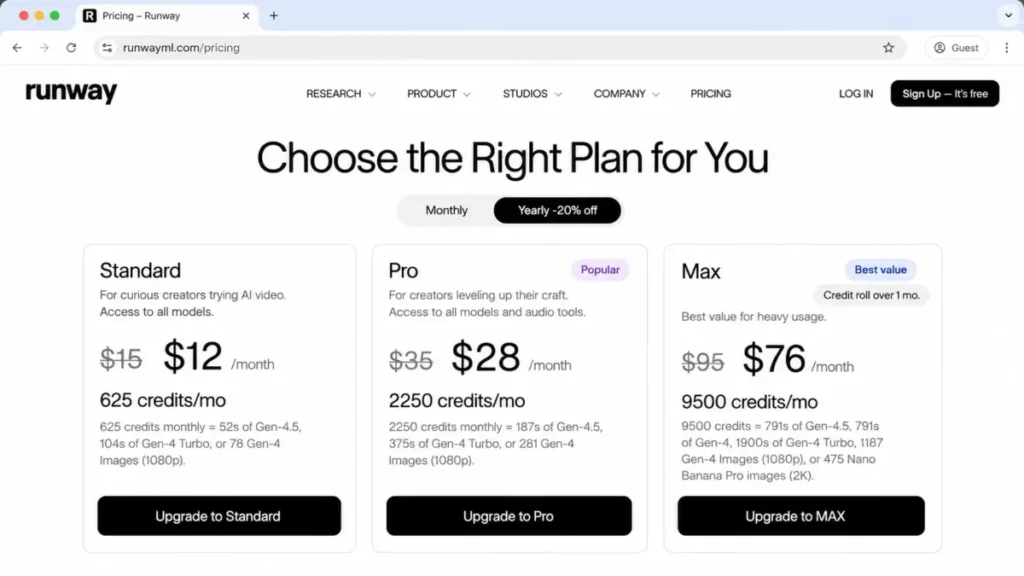
Pricing starts with a free tier of 125 one-time credits. Standard is $15 a month on monthly billing, or $12 a month on annual billing, with 625 credits a month, as the Runway ML pricing breakdown lays out.
Every figure here comes from Runway’s pricing page, checked October 2, 2026.
The practical tier for brand work is Standard, because it removes the watermark and adds 4K upscaling. Pro at $35 monthly (or $28 a month on annual billing) adds 2,250 credits, one custom voice clone and top-up credits at any time.
Max costs $76 a month on annual billing (more if you pay month to month) and adds 9,500 credits plus up to one month of credit rollover.
Rollover is the detail to read twice. On Standard and Pro, monthly credits do not roll over, so an uneven month wastes them, and Runway’s minimum extra purchase is 1,000 credits.
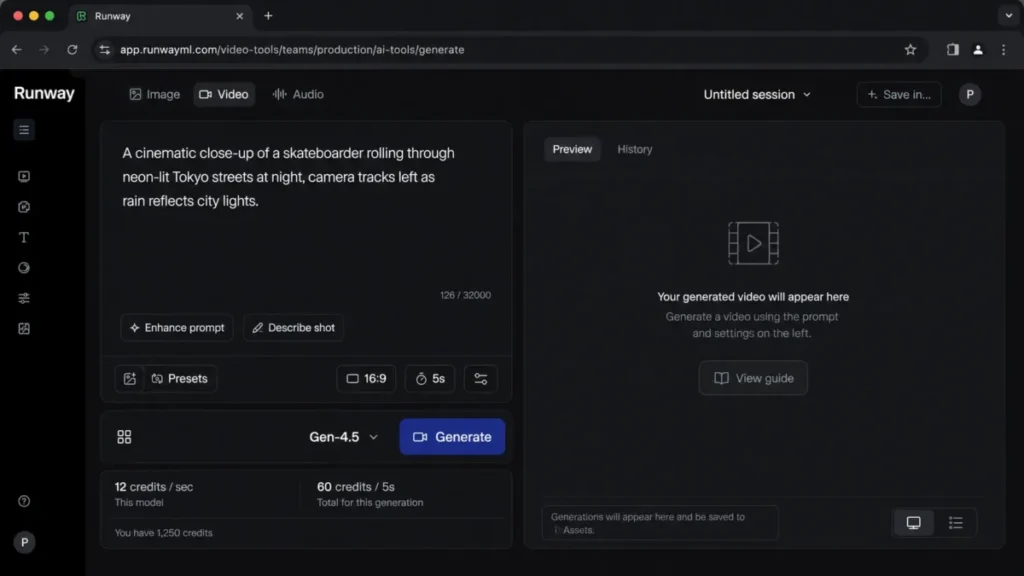
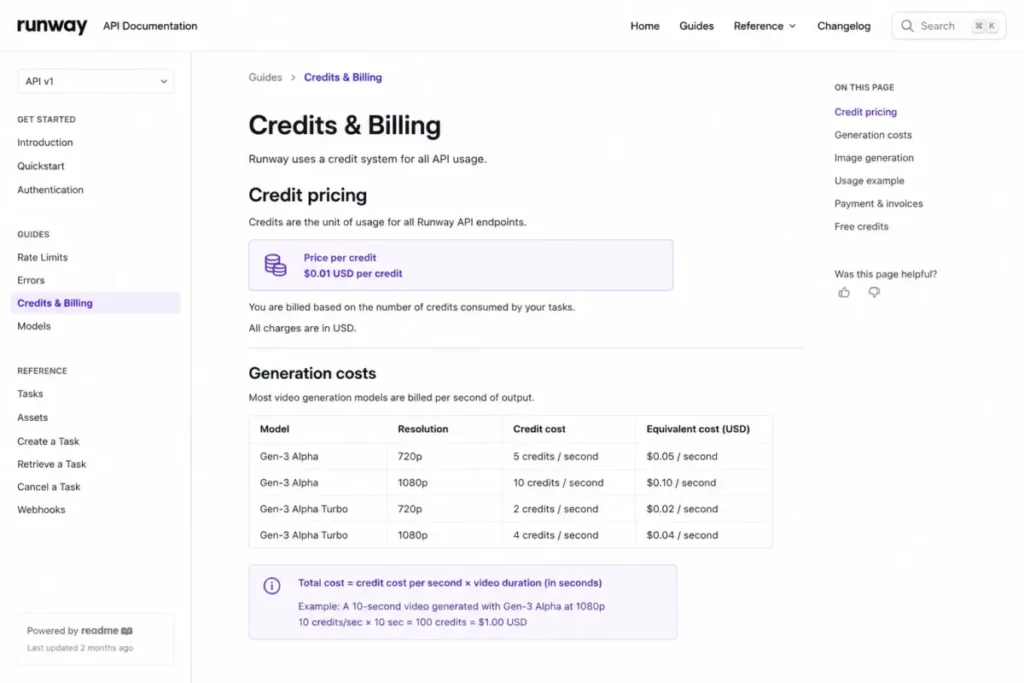
The strongest reason to choose Runway is budget predictability, because the pricing page names the rate: Gen-4.5 uses 12 credits for every second of video. At Max’s annual-billing price of $76 a month for 9,500 credits, that is about $0.096 a second.
At $15 for 625 credits on Standard, the same second costs about $0.29. The main trade-off is that premium models burn credits fast on short clips, so a heavy month can exhaust Standard credits.
Against HeyGen or Synthesia, Runway is better at original footage but weaker at scripted presenter video.
| Pros | Cons |
|---|---|
| Watermark removed from the Standard tier | Premium models consume credits quickly |
| Published per-second credit rate for budgeting | No SCORM or native LMS export |
| One-month credit rollover on the Max plan | Short clip durations suit ads, not long training |
- Verdict:
- Choose Runway if you generate original cinematic clips and want to budget by credits. Skip it if your core job is scripted training video.
2. Synthesia: Best AI Video Generator for Enterprise Avatar Training

- Best for:
- revenue enablement, HR, and L&D teams making repeatable presenter-led videos with brand governance.
- Not best for:
- creators who need cinematic generated scenes rather than avatar-led explainers.
Synthesia is an avatar platform where a digital presenter reads a script you type. It earned second place as the strongest fit for regulated training and internal video, where consistency matters more than visual novelty.
According to Synthesia’s pricing page, checked October 2, 2026, the free Basic plan includes 10 minutes of video and 500 credits every month, with a Synthesia watermark. Starter is $29 a month billed monthly with 1,250 credits a month, or $18 a month on annual billing with 15,000 credits a year.
The tier this guide used to call Creator is now named Pro: $89 a month billed monthly with 6,000 credits a month, or $64 a month on annual billing with 72,000 credits a year. Enterprise is custom.
Credits now set the allowance. A typical finished minute uses about 100 credits, so Starter adds roughly 12 minutes a month on top of the free 10, or up to about 150 extra minutes a year on yearly billing.
Dubbing uses 80 credits per minute with lip-sync and 40 without.
Starter adds downloads, logo removal, 3 guests and 125+ stock avatars, with 1 editor. Pro adds 5 personal avatars, branded video pages, interactive videos and 5 guests.
SAML/SSO, Brand Kits, SCORM export, unlimited video minutes and a dedicated CSM are listed on Enterprise, so the features training teams need sit behind a custom quote.
One mismatch on the page is worth knowing about, and it sits in the yearly view.
There, the plan recommender shows Starter at $29 a month with 72,000 credits a year, which contradicts the Starter card.
This guide uses the plan card figures, so confirm the yearly quote at checkout.
The main trade-off is that enterprise features are heavily plan-gated, and Synthesia’s FAQ says unused video minutes do not roll over into the next month, so the real budget for a training team is usually Enterprise, not Starter.
My own read: if SCORM is the reason you are weighing Synthesia against Colossyan, compare the plan each one needs for it before you compare avatars.
| Pros | Cons |
|---|---|
| Strong brand governance and admin controls | Starter adds only about 12 minutes a month |
| Free Basic plan covers 10 minutes of video a month | SCORM and SSO are Enterprise-only |
| Personal avatars and interactive video from Pro | Real cost for training teams is a custom quote |
- Verdict:
- Choose Synthesia if you need governed, presenter-led training at scale. Skip it if your minutes fit in Starter and you never need SCORM.
3. Higgsfield: Best Multi-Model AI Video Generator for Kling, Seedance and Veo
- Best for:
- creators and small studios who want Kling, Seedance and Google Veo behind one credit balance, and who will pick a model per shot.
- Not best for:
- teams that need SCORM, avatar presenters, or a subscription whose credits carry over.
Higgsfield is the multi-model pick in this guide. Instead of building one model, it sells access to several and charges each clip from a single credit balance.
Its plan table lists Seedance 2.0, Kling 3.0 and Google Veo 3.1 Fast side by side, which is the job it does better than anything else here.
It is also one of two entries in this ranking that carry results from the author’s own test. The Higgsfield test ran on October 1 and 2, 2026 in the author’s Higgsfield Ultra workspace: Claude, an AI assistant, performed the clicks at the author’s request, and the author reviewed the clips and approved the notes.
The test covered three prompts on three models at 720p, plus Cinema Studio and one Soul ID run. The full results are in my Higgsfield AI review.
Prices need care. Higgsfield’s pricing page, captured logged out from Vietnam on October 2, 2026, listed Starter at $15 monthly for 200 credits.
Plus was $49 monthly, or $39 a month on annual billing, for 1,000 credits, and Ultra was $129 monthly, or $99 a month on annual billing, for 3,000 credits. The author’s own logged-out screenshots the same day showed Starter and Plus at higher prices with more credits, while Ultra matched, so the page shows different offers to different sessions.
Prices exclude VAT and local taxes, which are calculated at checkout.
The plan gates matter more than the price. Starter reaches only Seedance 2.0 Fast and 2.0 Mini and runs 2 videos in parallel; Plus opens every Seedance model and 6 parallel videos; Veo 3.1 Fast is not included on Starter.
Subscription credits do not roll over and expire at the end of each credit cycle.
| Model in the test (720p) | Clip length | Credits charged | Cost per clip at Ultra’s $129 for 3,000 credits |
|---|---|---|---|
| Kling 3.0, audio on | 5 seconds | 10 | $0.43 |
| Seedance 2.0 | 5 seconds | 22.5 | $0.9675 |
| Google Veo 3.1 Fast | 8 seconds | 32 | $1.376 |
Source: credit charges from the test account’s usage history, October 1, 2026; plan price and credits from the Ultra card on the Higgsfield pricing page.

Each render took about 2 to 2.5 minutes, every clip came back as a 1280×720 MP4 with an audio track and no visible watermark, and up to five video jobs were accepted at once. Seedance gave the most convincing motion, Veo Fast tracked the camera most closely but turned the subject’s head away on the rain prompt, and Kling garbled the brand text on a watch dial.
Two traps cost money: Kling’s resolution reset to 4K (30 credits) each time the page reloaded, and the Unlimited switch was off when the generator loaded.
Read the terms of use before you upload client footage. They let Higgsfield use your content, inputs and outputs to train its AI models, unless you sign an Enterprise agreement.
| Pros | Cons |
|---|---|
| Kling, Seedance and Veo Fast on one credit balance | Credits expire at the end of each cycle |
| Cost of each generation shows on the button before you submit | Prices shown vary by session; confirm at checkout |
| Commercial use included on every individual plan | Terms allow training on your content outside Enterprise |
- Verdict:
- Choose Higgsfield if you want to pick the right model per shot from one bill and you will watch the credit meter. Skip it if you need credits that carry over or a contract that keeps your footage out of model training.
4. HeyGen: Best AI Video Generator for Multilingual Avatar Marketing

- Best for:
- small marketing teams making avatar-led social, sales, and localized video in many languages.
- Not best for:
- teams that mainly need timeline editing or original cinematic generation.
HeyGen is an avatar platform with a marketing tilt, built around custom digital twins and localization. It ranks fourth because it turns one script into avatar video across 175+ languages and dialects from its Creator plan.
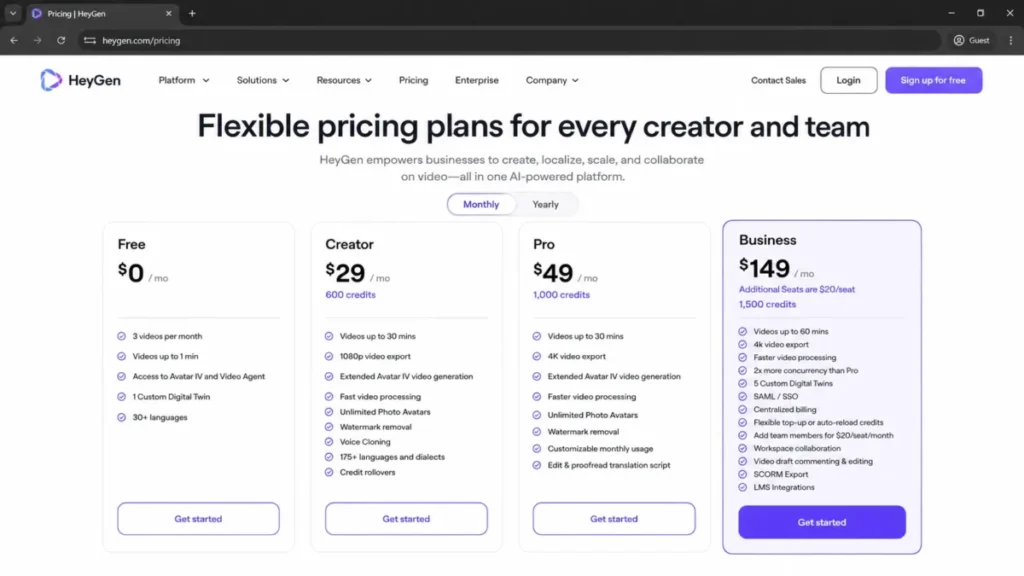
On HeyGen’s pricing page, checked from Vietnam on October 2, 2026, the plans start with a free plan. Creator is $29 monthly, or $24 a month on annual billing, and Pro is $49 monthly.
Business is $149 a month, each extra seat adds $20 a month, and Enterprise is sold through sales.
Free gives up to 3 videos a month, each capped at 1 minute. Creator adds 600 credits, videos up to 30 minutes, 1080p export, watermark removal and voice cloning, and Pro starts at 1,000 credits a month with 4K export.
Business is the real team tier: 1,500 credits, 60-minute videos, SAML/SSO, SCORM export, LMS integrations and workspace collaboration, with each extra seat billed at $20 a month. So a marketing team that wants both 4K and SSO is choosing between two different tiers.
HeyGen also now states its rollover policy plainly: monthly subscribers’ unused credits roll over for one more month, and annual subscribers’ credits accumulate until their renewal date. That makes it gentler on an uneven calendar than most tools here.
The main trade-off is that collaboration, SSO, SCORM, and LMS all sit on the $149 Business plan, so small teams pay a step-up to reach admin basics.
| Pros | Cons |
|---|---|
| 175+ languages and dialects from Creator | SSO, SCORM, and LMS require Business |
| Top-resolution export available on Pro | Each extra seat adds to the Business bill |
| Unused credits roll over | Free plan limited to a few one-minute videos |
- Verdict:
- Choose HeyGen if multilingual avatar marketing is the core job. Skip it if you need admin controls but cannot justify the Business tier.
5. Descript: Best AI Video Editor for Podcast and YouTube Footage

- Best for:
- podcasters, YouTubers, and content teams turning recorded media into polished clips.
- Not best for:
- buyers who want standalone cinematic text-to-video as the main workflow.
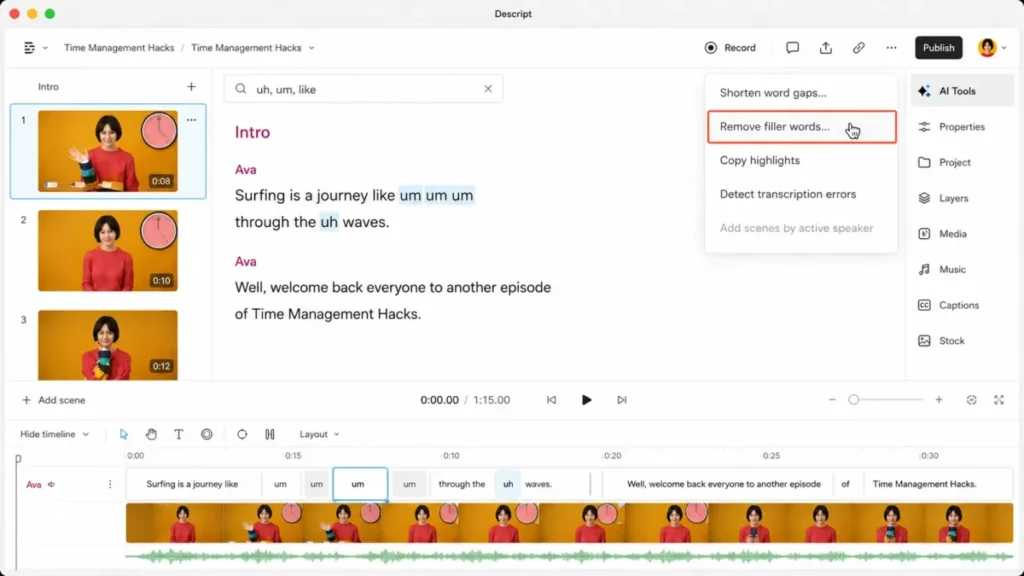
Descript is an editor first and an AI generator second. You edit video by editing a transcript, which is why it ranks fifth for teams whose raw material is recordings rather than prompts.
Descript’s pricing page lists a free plan, then Hobbyist at $24 per person a month, Creator at $35 and Business at $65, with Enterprise custom. Pricing checked October 2, 2026.
The page also has a discounted view that it describes as saving up to 35% over the monthly plan; this guide quotes the monthly list prices.
Plan value is governed by media hours and AI credits, and both are counted per editor: 10 hours and 400 credits a month on Hobbyist, 30 hours and 800 credits on Creator, 40 hours and 1,500 credits on Business. The gate that catches teams is resolution, because local export is 1080p on Hobbyist and 4K starts on Creator.
Translation got cheaper to reach. Audio dubbing is included from Hobbyist, while the translation proofread step, where you review the translated script against the original, is included only on Business.
The strongest reason to choose Descript is speed on footage, because cutting a filler word is as easy as deleting text. The main trade-off is that its generation is a feature of an editor, so it will not replace Runway for cinematic scenes.
Against Pictory, Descript is stronger for polishing footage, while Pictory is stronger at turning a blog or script into a new video.
| Pros | Cons |
|---|---|
| Text-based editing removes timeline friction | AI generation is secondary to editing |
| Watermark-free HD export from Hobbyist | Top export resolution starts on Creator, not on Hobbyist |
| Dubbing included from Hobbyist | Not a cinematic generator like Runway |
- Verdict:
- Choose Descript if your source is recordings and you want editing without a timeline. Skip it if you need prompt-to-video as the output.
6. Pictory: Best AI Video Maker for Turning Blog Posts Into Video

- Best for:
- solo marketers and small teams turning scripts, URLs, and webinars into short marketing videos.
- Not best for:
- teams needing cinematic prompt generation or deep avatar realism as the primary workflow.
Pictory turns text you already have, a script, a blog URL, or a long recording, into a short video with stock footage and voiceover. It ranks sixth because it is a fast content-repurposing engine, not a frontier generator.
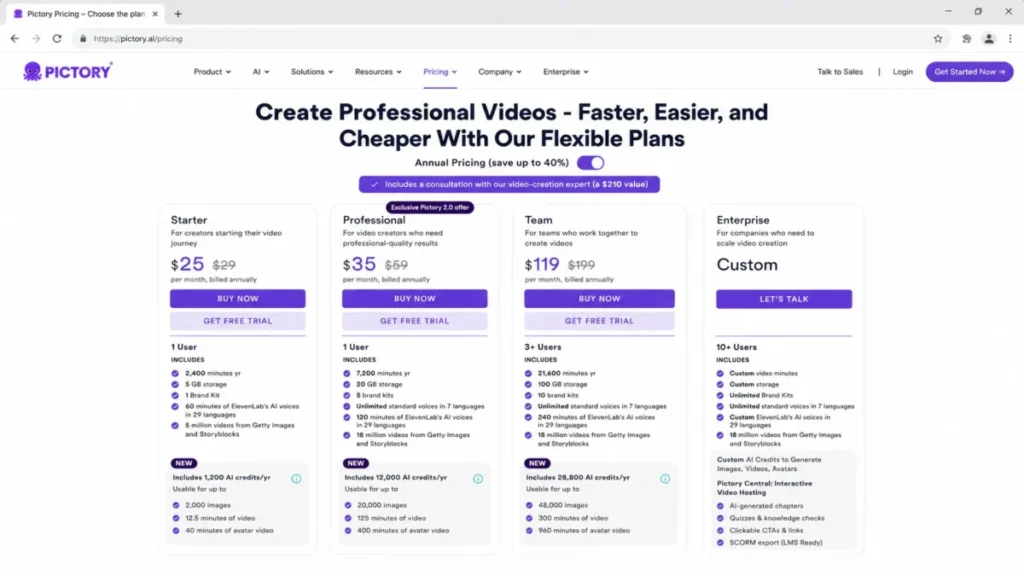
Pictory’s pricing page shows an annual and a monthly view. Starter is $25 a month billed annually (or $29 a month), Professional is $35 billed annually (or $59), and Team is $119 billed annually (or $199), checked October 2, 2026.
In the monthly table, Starter includes 200 video minutes a month for 1 user, Professional 600, and Team 1,800 for 3+ users, shared among all team members. Starter already exports at 1080p with no watermark.
Two caveats change the budget. Unused video minutes do not roll over, because the quota resets on the first of every month, and video projects are permanently deleted on cancellation unless you download them first.
The strongest reason to choose Pictory is turning owned content into video without filming. The main trade-off is that an uneven calendar wastes capacity, and the trial is a 14-day pass rather than a standing free plan.
My suggestion: if your starting material is text you already own, trial Pictory first; if it is footage, compare it with VEED before you commit.
| Pros | Cons |
|---|---|
| Script-to-video and URL-to-video in minutes | Unused video minutes do not roll over |
| No watermark and full HD from Starter | Projects deleted after cancellation unless downloaded |
| Annual plans load the full year of minutes upfront | Team minutes are shared, not per user |
- Verdict:
- Choose Pictory if you repurpose blogs and scripts on a steady cadence. Skip it if your output is lumpy and you would lose unused minutes.
7. invideo Agent: Best AI Video Generator for Multi-Scene Films and Campaign Variants

- Best for:
- filmmakers, brand studios, agencies, and performance teams producing multi-scene or multi-version work, where the same characters, products, and visual rules have to survive across every shot, episode, market, and cutdown.
- Not best for:
- one-off clips, and any budget that needs a fixed, forecastable cost per finished minute.
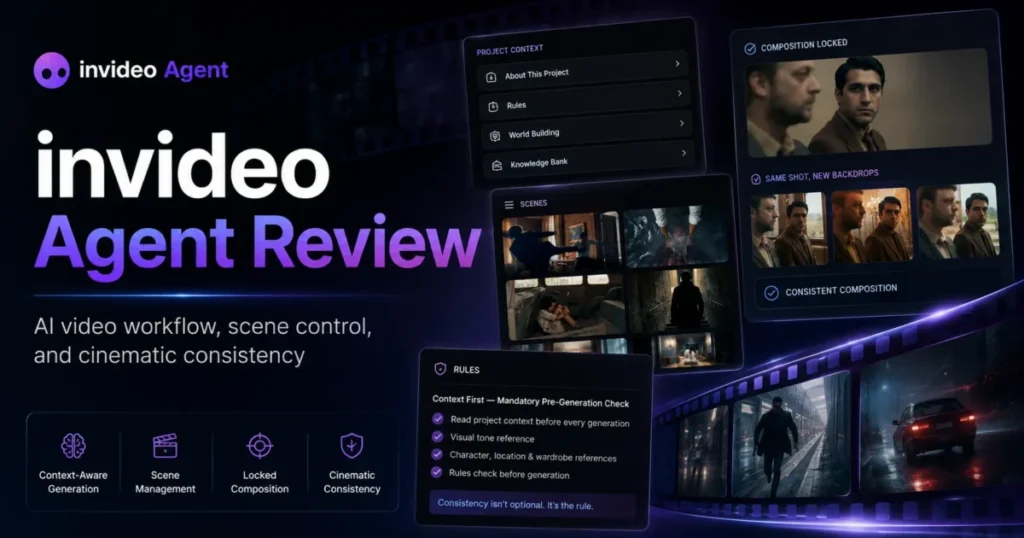
invideo Agent is a production agent you direct, not a generator you prompt. You bring the objective, audience, brand, references, and taste, and the agent turns that direction into scripts, storyboards, shots, assets, and edits.
Every project has a Context, the shared source of truth for what stays constant: characters, products, locations, brand guidelines, approved assets and prior decisions. Inside it you create a Brief for each deliverable, so a team running fifteen campaign variations from one creative system briefs the system once, not fifteen times.
For close work there are Notebooks, a hands-on workspace where you go model by model and prompt by prompt on a single asset, with frame-level annotations, character sheets, product references, and locked reference collections. Work done manually stays in the project Context.
Now the number that decides the budget: you pay for attempts, not for output. invideo cut its prices sharply since my last update, according to its pricing page, checked October 2, 2026.
Basic is $9 a seat each month on annual billing with 190 credits, and Pro is $18 a month on annual billing with 1,000 credits. Ultra carries 3,000 credits, and the page shows both Pro and Ultra against higher struck-through prices.
The rate card is still quoted in five-second blocks: about 30 credits for five seconds of Seedance 2.0 Fast at 720p and about 50 for Seedance 2.5 at 1080p, which is not available on Basic at all. A rejected take costs exactly what an approved one costs, so three discarded attempts at Seedance 2.5 before a keeper turn a 50-credit clip into 200.
Plan structure is generous on the editing side. Multiplayer editing runs to 5 seats on Basic, 10 on Pro and 20 on Ultra, storage runs 100, 300 and 800 GB, and the full timeline with colour, audio and 3D is on every plan. invideo’s help center confirms that manual timeline editing consumes no credits, and credits are not spent on downloads either.
That splits the product in two for budgeting: the editor is a flat cost, and every generated second is variable. Unused credits do not roll over to the next month, and invideo reserves the right to update credit costs at any time without prior notice, so a cost model built on this month’s rate card is a snapshot rather than a contract.
I would not sign off on invideo Agent without a two-week credit burn log. Count attempts per approved minute rather than minutes delivered, because that ratio is the entire budget.
For the full plan-gate, seat, and export breakdown, see my invideo Agent review.
| Pros | Cons |
|---|---|
| Project Context holds characters, products, brand rules, and locked assets across every deliverable | Rejected takes cost the same as approved ones, so iteration drives the bill |
| Briefs let one creative system produce many versions without re-briefing the tool | Seedance 2.5 is locked out of the Basic plan |
| Timeline editing and downloads use no credits | Monthly plan credits reset with no rollover |
| Pro and Ultra now cost far less per seat than before | Credit costs can change without notice |
- Verdict:
- Choose invideo Agent if your work is multi-scene or multi-version and continuity is the thing that keeps breaking. Skip it if the work is one-off, or if finance needs one fixed number per finished video.
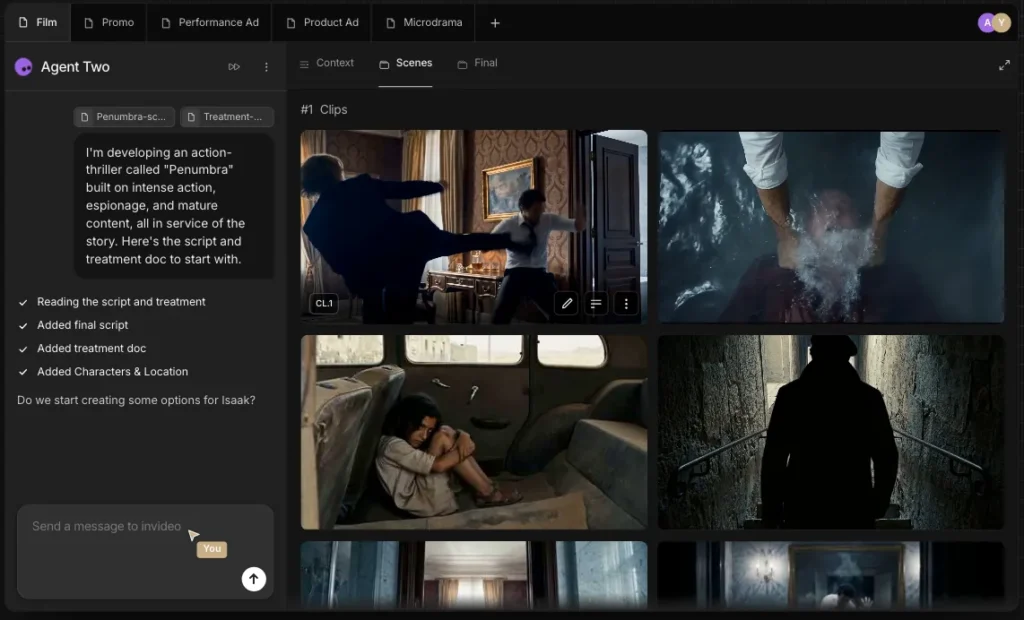
8. VEED: Best Browser-Based AI Video Generator for Social Clips and Subtitles

- Best for:
- social media teams making talking-head clips, subtitles, and translated videos in the browser.
- Not best for:
- buyers who need transparent, model-by-model credit forecasting from a static pricing page.
VEED is a browser-based editor and AI workspace aimed at fast social output. It ranks eighth because it covers subtitles, translation, AI voice and a Gen-AI studio without a desktop install.
On VEED’s pricing page, checked October 2, 2026, Creator is $10 per user a month on annual billing, billed yearly as $116. Pro is $21 per user a month on annual billing ($257 a year), and Studio is $35 per user a month on annual billing ($414 a year), with Enterprise on custom pricing.
The page says paying yearly saves up to 51%. Its monthly toggle did not switch during the October 2 check, so this guide does not quote month-to-month prices for VEED.
Credits are now shown per year: 6,000 on Creator (about 1,500 AI videos), 30,000 on Pro and 180,000 on Studio. Creator removes the watermark, and translation into 50+ languages starts on Pro.
The trade-off has not moved: the plan price is published, but the credit conversion is not. VEED describes an allowance in “AI videos” without saying how long an AI video is or which model makes it, so you cannot price a clip the way you can on Runway or Higgsfield.
Credits do not carry over, and plans are charged per seat, multiplied by the number of editors in the workspace.
Against Kapwing, VEED leans into subtitles and translation, while Kapwing leans into collaborative editing.
| Pros | Cons |
|---|---|
| Auto subtitles and no watermark from Creator | Credits convert to “AI videos” with no stated clip length or model |
| Translation into 50+ languages on Pro | Credits do not carry over |
| No desktop install for the team | Per-seat billing multiplies the cost |
- Verdict:
- Choose VEED if browser-based subtitling and translation is the core job. Skip it if you need to forecast the cost of one generated clip before you make it.
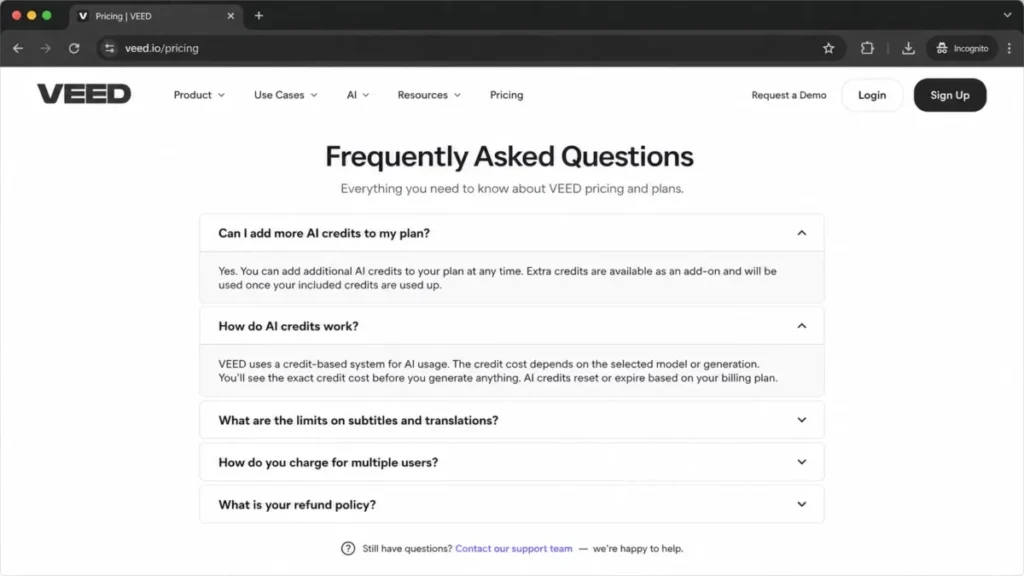
9. getimg.ai: Best AI Video Generator for Veo, Sora and Kling on One Plan

- Best for:
- small creative and marketing teams that want to put several frontier video models against the same brief on one bill.
- Not best for:
- training teams, anyone who needs SCORM, SSO or dubbing, and anyone who cannot start paying before they have tested the output.
getimg.ai, examined in full in my getimg.ai review, is a multi-model studio whose video side bills every model from one monthly credit balance. Its text-to-video page advertises 17 video models, naming Google Veo 3.1, Sora 2, Sora 2 Pro, Kling 3.0 Pro, Kling 2.6 Pro and Kling O3 among the ones that generate sound natively.
Pricing changed since my last update, and it went up at the entry level. On the getimg pricing page, checked October 2, 2026, Entry is $15 a month on annual billing, or $180 per year, for 8,000 credits a month, with access to selected models.
Core is $26 a month on annual billing ($312 per year, against a struck-through $35 monthly price) for 19,000 credits. Core, Plus and Ultra reach all models.
Plus is $59 a month on annual billing ($708 per year, against a struck-through $79 monthly price) for 42,500 credits. Ultra is $149 a month on annual billing, against a struck-through $199 monthly price, for 107,500 credits.
The number of credits a clip needs depends on the model you choose, and getimg’s FAQ says the cost shows just above the action button before you confirm. Its public pages no longer state the per-model rates, so I do not repeat the per-second figures this guide used to carry.
What one clip actually cost in the author’s test. On or before September 17, 2026, a run on the author’s paid Plus account took the default path. It used Auto mode, 16:9, five seconds and one prompt for a slow dolly shot along a cafe counter. The balance moved from 9,240 credits to 8,640, so the clip cost exactly 600 credits, which matches 120 credits a second. It returned a 2,560 by 1,440 file lasting 5.17 seconds, and it took 5 minutes 41 seconds to render. getimg.ai has since changed its plan prices and credits, so read that run as a dated data point, not as a current rate.
The pricing page’s own plan comparison is the best planning signal left: it lists 13 Auto videos a month on Entry’s 8,000 credits, so a single Auto clip takes a large slice of an Entry month.
Veo 3.1 renders only 8-second clips at 1080p, while Sora 2 and Sora 2 Pro generate 4-, 8- or 12-second clips, so the shortest clip you can buy differs by model. Commercial rights are included on every paid plan, and top-up credits are sold only on Plus and Ultra, once less than 10% of the monthly credits remain.
| Pros | Cons |
|---|---|
| Credit cost shows before you generate | No free plan, so evaluation starts with a card |
| Veo 3.1, Sora 2 and Kling models on one balance | Entry reaches only selected models |
| Commercial rights on every paid plan | Per-model rates are no longer published outside the studio |
| Up to 10 clips queued at once on Ultra | Top-ups only on Plus and Ultra |
- Verdict:
- Choose getimg.ai if you want to put several frontier video models against the same brief on one bill and you are willing to price each model yourself. Skip it if you need a free trial, a training workflow, or a forecastable cost per finished minute.
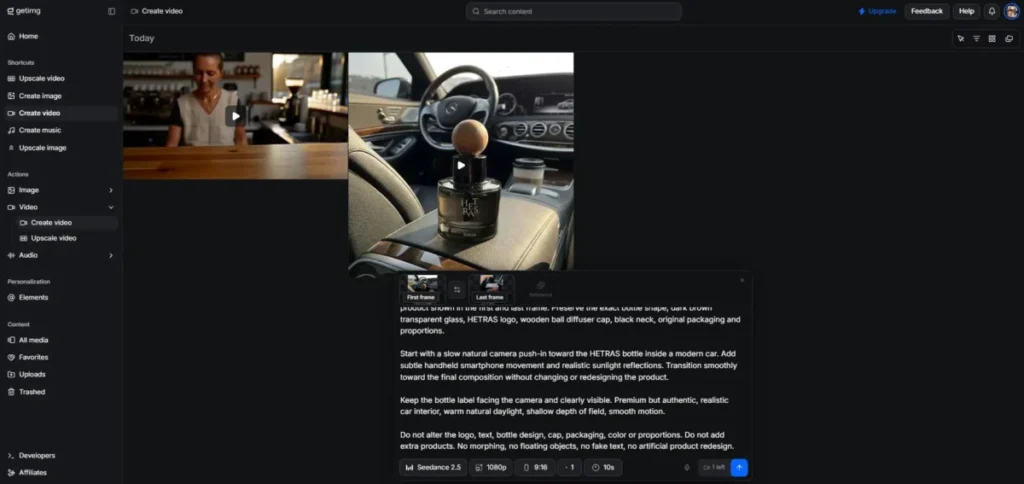
10. Colossyan: Best AI Video Generator for SCORM Training Courses

- Best for:
- L&D teams building avatar-led training, compliance, onboarding, and localized course video.
- Not best for:
- solo creators looking for the cheapest tool for casual social clips.
Colossyan is an avatar platform for learning teams. It ranks tenth overall but is the strongest pick for training, because SCORM export and LMS compatibility are core, not afterthoughts.
Colossyan’s pricing page, checked October 2, 2026, starts with a free Starter plan carrying 20 NEO minutes a month. Professional is $59 a month on the annual plan plus $30 monthly for each additional member, with Enterprise through sales. Annual buyers receive the whole year of minutes on purchase.
The gates are training-specific. Professional adds 10 NEO2 minutes a month, AI image generation, watermark removal and SCORM export capped at 5 exports a month in streaming format.
It scales to 3 editors, but each extra member costs $30 a month. Enterprise opens unlimited minutes, unlimited SCORM in both streaming and self-contained formats, SSO, data residency and a dedicated CSM.
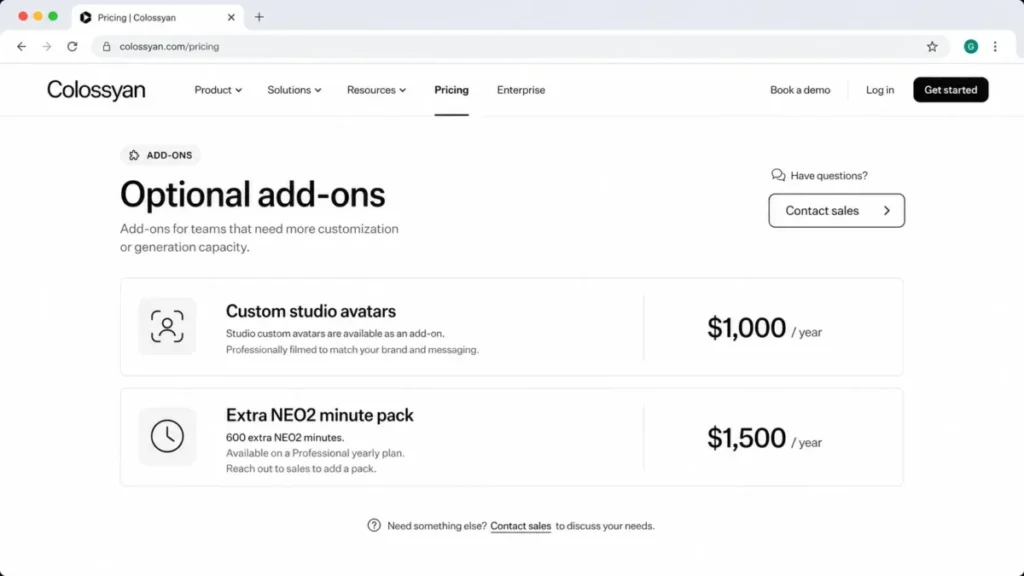
The hidden costs are where budgets slip. Studio custom avatars are an add-on at $1,000 a year, add-on minute packs cost $1,500 a year for 600 extra NEO2 minutes, and unused minutes do not roll over.
So a branded, high-volume training program can cost far more than the $59 Professional headline.
The strongest reason to choose Colossyan is that a training team can publish straight into an LMS, with SOC 2 Type II, GDPR and EU or US data residency on Enterprise. Colossyan also states that it does not train AI models on customer content.
Against Synthesia, Colossyan reaches SCORM at a lower tier, Professional rather than Enterprise, but five exports a month is a pilot allowance rather than a production one.
| Pros | Cons |
|---|---|
| SCORM export from the Professional tier, with a monthly export cap | Custom studio avatars are a paid annual add-on |
| 120+ languages for localized courses | Extra NEO2 minutes are a paid annual pack |
| No AI training on customer content | Unused minutes do not roll over |
- Verdict:
- Choose Colossyan if SCORM training and localization are non-negotiable. Skip it if you only need short social clips.
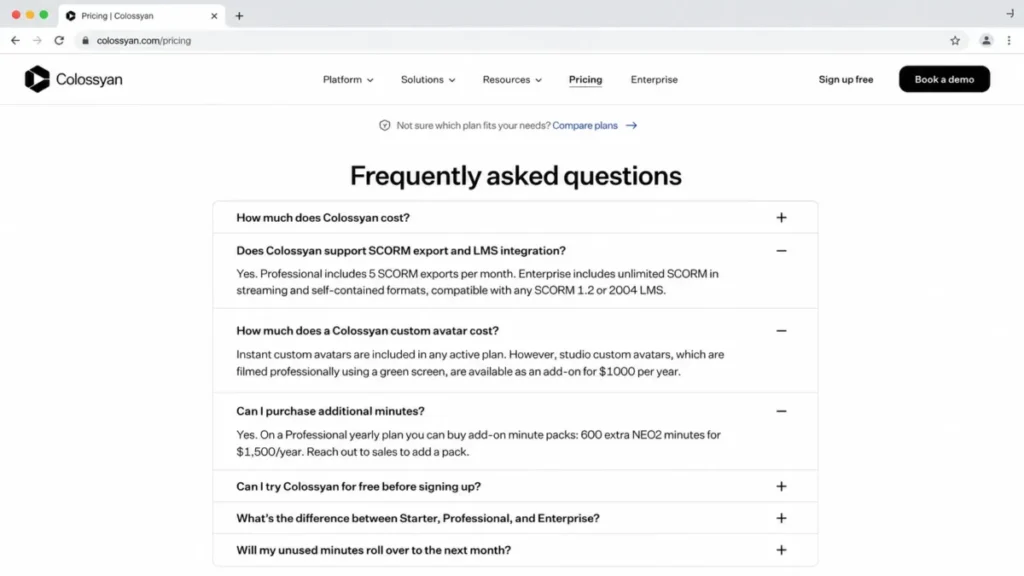
11. Kapwing: Best Lightweight AI Video Maker for Small Teams

- Best for:
- small content teams editing, subtitling, clipping, and generating quick AI videos in a browser.
- Not best for:
- teams needing enterprise avatar and LMS workflows or the highest-fidelity cinematic control.
Kapwing is a collaborative browser workspace that blends editing with light AI generation. It ranks eleventh as a generalist: handy for a small team that wants one flexible tool, not a specialist engine.
Kapwing’s pricing page lists a free plan with 10 credits. Pro is $16 per member a month on annual billing and Business is $50 per member a month on annual billing, with higher prices on monthly billing. Pro carries 1,000 credits a month and Business 4,000. Pricing checked October 2, 2026.
The cost driver is credits, not seats. Kapwing’s help center says an AI video would be 20+ credits depending on length, resolution, and model, and that the Pro plan comes with 1,000 credits a month.
At 20 credits per AI video, that is at most 50 AI videos a month, before the subtitling and other AI tools draw on the same pool.
Kapwing’s subscription FAQ says unused credits do not roll over to the following months, and there is no free trial on paid plans, so evaluate on the free plan before you commit a card.
The strongest reason to choose Kapwing is flexible collaboration, with editing, subtitles, and generation in one shared browser project. The main trade-off is that AI credits scale with output quality, so a team leaning on 4K will spend quickly.
| Pros | Cons |
|---|---|
| Collaborative browser editing and generation | An AI video can cost 20+ credits |
| Pro removes the watermark and exports in 4K | No free trial on paid plans |
| Usage limits are pooled per workspace | Unused credits do not roll over |
- Verdict:
- Choose Kapwing if you want one lightweight tool for editing and light generation. Skip it if you need enterprise avatar or LMS workflows.
Pricing and Usage Limits Compared
Most of these tools bill in credits, Pictory and Colossyan bill in video minutes, and Descript mixes media hours with AI credits. Comparing headline prices across those models is how buyers pick the wrong tool, so this matrix normalizes on the thing that actually runs out.
| Tool | Free plan | Entry tier and price | Billed in | Rollover of unused capacity |
|---|---|---|---|---|
| Runway | Yes, 125 one-time credits | Standard, $15 monthly or $12/mo annual | Credits (625/mo on Standard) | Yes, one month, Max plan only |
| Synthesia | Yes, Basic | Starter, $29 monthly or $18/mo annual | Credits (1,250/mo on monthly Starter) | No, stated in the pricing FAQ |
| Higgsfield | No free plan card | Starter, $15/mo | Credits (200/mo on Starter) | No, credits expire each cycle |
| HeyGen | Yes, 3 videos/mo | Creator, $29 monthly or $24/mo annual | Credits (600 on Creator) | Yes, one extra month on monthly plans |
| Descript | Yes | Hobbyist, $24 per person, monthly | Media hours + AI credits, per editor | Not stated |
| Pictory | Trial | Starter, $25/mo annual ($29 monthly) | Video minutes (200/mo on Starter) | No, resets monthly |
| invideo Agent | Yes | Basic, $9/seat/mo on annual billing | Credits (190/ | No |
| VEED | Yes | Creator, $10/ | Credits (6,000/yr on Creator) | No, credits do not carry over |
| getimg.ai | No | Entry, $15/mo annual ($180 per year) | Credits (8,000/mo on Entry) | Credits renew each month |
| Colossyan | Yes | Professional, $59/mo annual | Video minutes (NEO and NEO2) | No, unused minutes expire |
| Kapwing | Yes, 10 credits | Pro, $16/mo annual | Credits (1,000/mo on Pro) | No |
Sources: Runway plans, Synthesia plans, Higgsfield plans, HeyGen plans, Descript plans, Pictory plans, invideo plans, VEED plans, getimg pricing and its credit renewal FAQ, Colossyan plans, Kapwing plans and Kapwing FAQ, read October 2, 2026.
Rollover is where the list splits. HeyGen and Runway Max carry unused credits forward, and every tool marked “No” turns an uneven publishing month into wasted capacity, which favors steady producers and penalizes teams with lumpy campaign calendars.
What credits and minutes actually buy
Credits are not comparable across platforms, and that is the most expensive misunderstanding in this category. A Runway credit prices a slice of a second of generation, a Synthesia credit maps to avatar video length, and a Kapwing AI video is priced in credits that vary with resolution and model.
Runway publishes the clearest conversion for budgeting. Its developer API pricing (see what an API is for the basics) sells credits at a fixed per-credit rate.
Its plans page also prices generations in credits per second, so you can estimate a clip before you render it.
Kapwing sits at the other end, where one high-resolution AI video can consume a chunk of a monthly plan.
Here is the buyer rule. Before you subscribe to any credit-based tool, divide the monthly credit allowance by the credit cost of your most common output, then confirm that number covers your real content calendar with room for revisions.
Which AI Video Generators Are Free, and What the Free Plan Really Gives You
Most of these eleven tools have something free. Very few of those free tiers produce a file you could publish without paying, and that is the distinction most free AI video generator lists skip.
| Tool | Free plan | What the free plan gives you | What it holds back |
|---|---|---|---|
| Runway | Yes | 125 one-time credits, enough to see the output | No watermarks starts at Standard, $15 a month |
| Synthesia | Yes, Basic | 10 minutes of video and 500 credits a month | Watermark on; downloads and logo removal start at Starter |
| Higgsfield | Sign-up offer only | 50 credits for signing in with a business email | No free plan card; Starter is the cheapest plan |
| HeyGen | Yes | 3 videos a month, up to 1 minute each | Watermark removal and 1080p start at Creator |
| Descript | Yes | 720p export and 60 media minutes a month | Watermark-free export starts at Hobbyist, 4K at Creator |
| Pictory | Trial only | A 14-day trial with 15 video minutes | Everything, once the trial ends |
| invideo Agent | Yes | A free allowance that resets weekly, no card needed | Enough to judge output, not cost |
| VEED | Yes | A free start in the browser | No-watermark export and credits start at Creator |
| getimg.ai | No | Nothing. There is no free tier at any level | Evaluation starts with a card |
| Colossyan | Yes, Starter | 20 NEO minutes a month and the full 300+ avatar library | Watermark removal and SCORM start at Professional |
| Kapwing | Yes | 10 credits and watermarked exports up to 4 minutes at 720p | Watermark removal and 4K start at Pro |
Sources: Runway plans, Synthesia plans, Higgsfield plans and sign-up page, HeyGen plans, Descript plans, Pictory plans, invideo help center, VEED plans, getimg pricing, Colossyan plans and Kapwing plans, read October 2, 2026.
The pattern is consistent enough to use as a rule. Free plans in this category are built to show you the output, not to give you the output.
The thing they withhold is almost always the thing you need to publish: the watermark on Runway, Synthesia and Kapwing, the download on Synthesia, the resolution on Descript and HeyGen.
Higgsfield deserves a precise note, because its sign-up page promises you can “generate for free”. In the author’s own Higgsfield sign-up test with a new email account on October 2, the account showed “Free Plan” with no credits left, and no payment card was needed to reach the creation screen.
getimg.ai is the outlier in the other direction, and buyers should treat it as a real cost. There is no free tier at any level, so the cheapest way to see whether its frontier models handle your brief is the Entry plan.
If your only goal is to test whether AI video suits your workflow at all, start on Synthesia Basic for a scripted explainer or Kapwing for an edit, because both let you finish something. If your goal is to test a frontier generative model, accept that you will pay, because none of the standing free tiers here reach one.
What One Second of Generated Video Costs
Every list in this category compares monthly prices. Almost none of them compare the thing a buyer actually consumes, which is a second of finished video.
Five of these tools publish enough to work it out, and the answer is not close.
| Plan priced | Model or output type | Published unit | Cost per second of finished video | Can you price a clip before making it? |
|---|---|---|---|---|
| Runway Max on annual billing, $76 a month for 9,500 credits | Gen-4.5 | 12 credits per second | About $0.096 | Yes |
| Runway Standard, $15 for 625 credits | Gen-4.5 | 12 credits per second | About $0.29 | Yes |
| Higgsfield Ultra, $129 for 3,000 credits | Kling 3.0 at 720p | About 7 credits per 5 seconds | About $0.0602 | Yes |
| Higgsfield Ultra, $129 for 3,000 credits | Google Veo 3.1 Fast at 720p | About 16 credits per 4 seconds | About $0.172 | Yes |
| Higgsfield Ultra, $129 for 3,000 credits | Seedance 2.0 at 720p | About 22 credits per 5 seconds | About $0.19 | Yes |
| invideo Pro, $18 a month on annual billing for 1,000 credits | Seedance 2.5 at 1080p | About 50 credits per 5 seconds | About $0.18 | Yes |
| Synthesia Starter, $29 for 10 free minutes plus about 12 more | Avatar video | About 100 credits per minute | About $0.022 | Yes, for avatar output |
| Synthesia Starter, $18 a month on annual billing | Avatar video | About 100 credits per minute | About $0.013 | Yes, for avatar output |
| Colossyan Professional, $59 for 30 NEO minutes | Avatar video | Video minutes | About $0.0328 | Yes, for avatar output |
| VEED Creator, $10 a month for 6,000 credits a year | Not named | About 4 credits per “AI video” | Not calculable | No, no clip length published |
| Kapwing Pro, $16 for 1,000 credits | Not named | 20+ credits per AI video | Not calculable | No, length and model both vary |
Sources: Runway plans, Higgsfield plans, invideo plans, Synthesia plans, Colossyan plans, VEED plans, Kapwing plans and Kapwing help center, read October 2, 2026; each rate is divided by the plan price and credits on the same page.
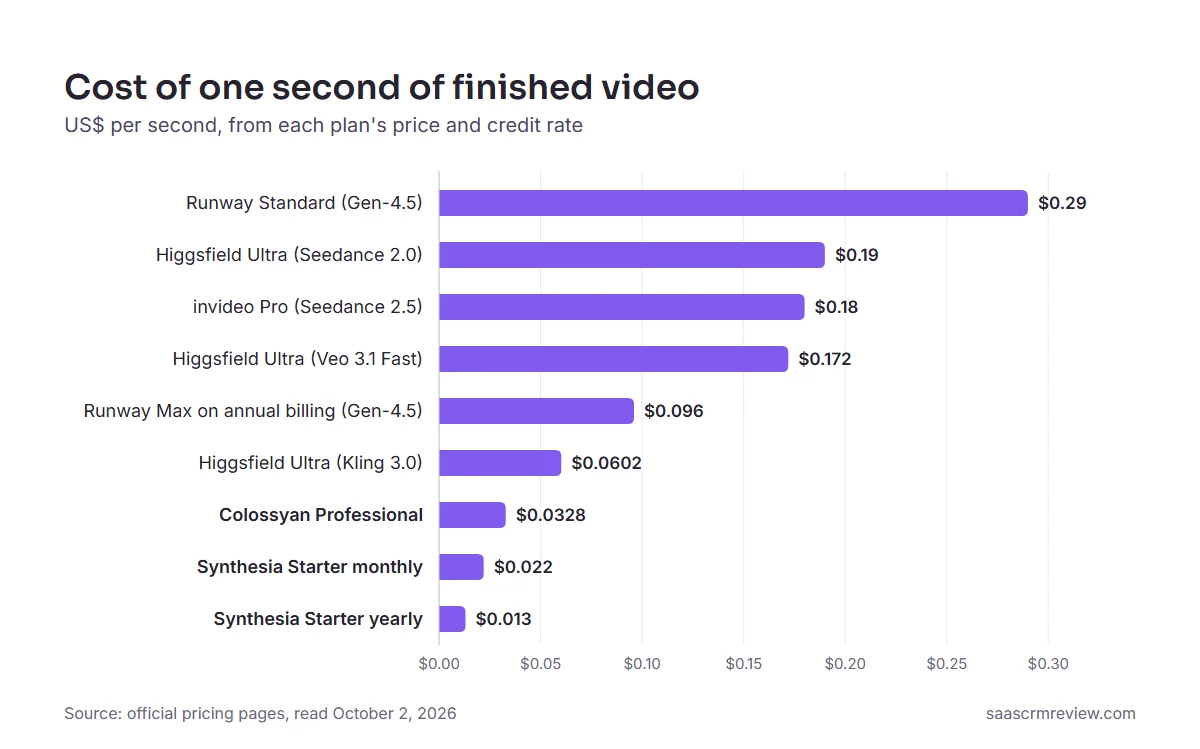
Three things fall out of that table, and all three change a shortlist.
First, cinematic generation costs several times what avatar video costs per second. If the job can be done by a presenter reading a script, the generative route is the expensive way to do it, and no feature table shows that.
Second, the model you pick inside an aggregator moves the cost as much as the product you pick.
On Higgsfield’s rate table, Seedance 2.0 at about 22 credits per 5 seconds costs about three times Kling 3.0 at about 7 credits per 5 seconds, on the same subscription. In my own test, the account’s usage history showed a narrower gap. Five seconds of Kling 3.0 with audio on was charged 10 credits, against 22.5 for Seedance 2.0.
The model picker, not the plan picker, is where that budget is decided.
Third, two of the tools here cannot be priced this way at all. VEED and Kapwing both publish credits and both describe an output in credits, but neither states the clip length or the model behind the number, so an “AI video” is not a unit you can budget against.
That is the difference between a forecast and a guess.
getimg.ai is missing from the table on purpose: its per-model rates now show only inside the signed-in studio, not on its public pages.
HeyGen and Descript are missing for a plainer reason. HeyGen’s pricing page says the credits a video uses vary with the model, duration and complexity, and gives no per-second rate.
Descript’s pricing page lists AI credits per plan without saying how many a second of video uses. Pictory is left out because it assembles stock footage and voiceover rather than generating new frames.
My rule from this table is short. Before you compare two tools, convert both to dollars per second of the output you actually publish.
If one of them cannot be converted, that is your answer about which one you can plan a budget around.
Clip length and render time
Pricing pages say little about speed, so the only render times in this guide come from the two dated author tests.
| Tool | Clip length stated or used | Render time |
|---|---|---|
| getimg.ai | Veo 3.1 renders 8-second clips at 1080p; Sora 2 and Sora 2 Pro make 4-, 8- or 12-second clips | 5 minutes 41 seconds for one five-second Auto clip, on or before September 17, 2026 |
| HeyGen | Videos up to 1 minute on Free, 30 minutes on Creator and Pro, 60 minutes on Business | Not verified |
| Kapwing | Free exports up to 4 minutes at 720p | Not verified |
| Runway | Standard’s 625 monthly credits cover about 52 seconds of Gen-4.5 | Not verified |
Sources: getimg text-to-video page, HeyGen plans, Kapwing plans and Runway plans, read October 2, 2026; the getimg.ai render time is from the author’s dated test.
The Higgsfield render times from the author’s test are in the Higgsfield section above. This guide has no verified clip-length or render-time figure for the other six tools, so test a real brief on the free plan or trial before you plan a deadline around one.
Which AI Video Model Sits Behind Each Tool
If you came here looking for a specific model, such as Veo or Kling, what you need to know is where you can run it.
The two are not the same thing: a model generates the footage, and a generator is the product that sells you access to it, wraps an interface around it and decides what a second costs.
Runway builds its own model. Synthesia, HeyGen and Colossyan are covered here for avatar video, not for model access.
Higgsfield, invideo and getimg.ai are, to some degree, storefronts for other people’s models.
| Model | Who builds it | Reachable in this guide through | Published cost signal |
|---|---|---|---|
| Google Veo 3.1 / Veo 3.1 Fast | Higgsfield (Veo 3.1 Fast, Plus and up); getimg.ai (Veo 3.1, 8-second clips at 1080p) | About 16 credits per 4 seconds of Veo 3.1 Fast on Higgsfield | |
| Kling 3.0 | Kuaishou | Higgsfield (every plan); getimg.ai (Kling 3.0 Pro, Kling 2.6 Pro, Kling O3) | About 7 credits per 5 seconds on Higgsfield |
| Seedance 2.0 and 2.5 | ByteDance | Higgsfield (Seedance 2.0, Plus and up); invideo (Seedance 2.0 Fast on Basic, 2.5 from Pro); getimg.ai (Seedance 2.5 counts on Core and up) | About 22 credits per 5 seconds on Higgsfield; about 50 credits per 5 seconds of Seedance 2.5 on invideo |
| Sora 2 / Sora 2 Pro | OpenAI | getimg.ai (4-, 8- or 12-second clips); Higgsfield lists Sora 2 rates | About 10 credits per 4 seconds of Sora 2 on Higgsfield’s rate table |
| Gen-4.5 | Runway | Runway | 12 credits a second |
Sources: Higgsfield rate table, text-to-video model page and plan counts on getimg.ai, invideo plan comparison and Runway pricing, read October 2, 2026.
Two consequences follow, and both are buying advice rather than trivia.
The first is that model access is not a reason to pick a storefront on its own, because the same model costs different money in different storefronts and on different plans. If you know which model you want, price that model in each product rather than comparing subscriptions.
The second is that a listed rate is not a guarantee the model is in the picker. Higgsfield’s rate table lists Sora 2, yet Sora did not appear in its video model picker during the author’s October 1 test.
Confirm the model is live before you buy for it.
What “Unlimited” Really Includes
“Unlimited” is the most misread word on AI video pricing pages. Higgsfield is the clearest example, because its pricing page spells out the conditions in its FAQ, and they change what you are paying for.
- Slower queue. Unlimited generations run in the standard queue, while credit-based generations always run in the priority queue.
- Personal use only. The fair-use rule says the feature is for personal, human use only; automation tools, credential sharing and reselling access are prohibited.
- Web app only. Unlimited models and free generations work only on higgsfield.ai, not on MCP/CLI, Canvas or Supercomputer.
The switch itself is a trap in practice. In the author’s October test, it was off when the generator loaded even though the account held an active Unlimited pass, and the button showed a credit cost; with the switch on, the button read Unlimited and no credits were deducted.
Check the button before every render.
Elsewhere, unlimited means something narrower. Synthesia’s plan cards and Colossyan’s plans reserve unlimited video minutes for Enterprise, so a buyer comparing “unlimited” across tools is often comparing a queue condition with a custom contract.
Can the Vendor Train AI on Your Videos?
If you upload client footage, brand assets or a real person’s likeness, the training clause matters as much as the price. Two vendors in this guide state their position plainly, and they sit at opposite ends.
Higgsfield’s terms of use, last updated July 26, 2026, say your content, inputs and outputs may be used to train and improve its AI models. Under an Enterprise agreement, the terms say Higgsfield does not use the customer’s content to train or improve its models. The same terms do not claim ownership of your outputs or restrict their commercial use.
Colossyan’s pricing page states that it does not train AI models on customer content, and it pairs that with SOC 2 Type II, GDPR compliance and EU or US data residency on Enterprise.
For the other nine tools, this guide has no verified training statement, so ask the vendor in writing before you upload anything confidential. Higgsfield’s terms also require you to hold the rights and consents for any real person’s name, likeness or voice in your content, which applies to avatar work everywhere.
L&D and Enterprise Readiness
Creator-focused lists skip the features that decide enterprise and training purchases. If you publish into a learning management system or answer to IT, these gates matter more than visual quality.
| Tool | SCORM export | SSO / SAML | LMS integration | Data residency | Plan that enables it |
|---|---|---|---|---|---|
| Synthesia | Yes | Yes | Not detailed on the pricing page | Not detailed on the pricing page | Enterprise (custom) |
| HeyGen | Yes | Yes | Yes | Not publicly detailed | Business, $149/mo + seats |
| Colossyan | Yes, capped at 5 exports/ | Yes | Via SCORM 1.2 or 2004 packages | Yes (Enterprise) | Professional for streaming SCORM; Enterprise for unlimited SCORM, SSO and residency |
| Higgsfield | Not listed | Yes | Not listed | Not publicly detailed | Scale and Enterprise for SSO |
| Others | Not verified for this guide | Varies | Varies | Not verified | N/A |
Sources: Synthesia plans, HeyGen plans, Colossyan plans, Higgsfield plans and Higgsfield sign-up page, read October 2, 2026.
Among the tools verified here, Colossyan is the only one that exposes SCORM export at a mid tier (Professional), while Synthesia and HeyGen reserve their full admin stack for Enterprise or Business. For a compliance-training buyer, that difference can be the deciding factor, because SCORM plus data residency is a hard requirement, not a nice-to-have.
If your training has to be tracked in an LMS, the verified shortlist here is Colossyan, HeyGen Business, and Synthesia Enterprise, and Colossyan needs a second look because Professional caps SCORM at five exports a month.
HeyGen lists SCORM export on Business without stating a monthly export limit. Synthesia lists SCORM export on Enterprise, also without a stated limit, so ask whether a cap applies before you plan a course catalogue.
Hidden Costs That Change the Budget
The subscription is rarely the final number. Custom avatars, extra minutes, and per-seat charges are where a cheap headline becomes a four-figure annual commitment, and most SERP lists never show them.
| Hidden cost | Tool | Published price |
|---|---|---|
| Studio custom avatars | Colossyan | $1,000 per year |
| Add-on minute packs (600 extra NEO2 minutes) | Colossyan | $1,500 per year |
| Studio Avatar | Elai (comparator) | $500 per year |
| Selfie avatar | Elai (comparator) | $199 per year |
| Voice cloning | Elai (comparator) | $200 per year |
| Extra editor seat | Colossyan Professional | $30 per member per month |
| Extra seat | HeyGen Business | $20 per seat per month |
| One-time pack of 500 credits | Kapwing Business | $50 |
| Top-up credits when the month runs out | getimg.ai | Sold on Plus and Ultra only |
Sources: Colossyan pricing FAQ, Elai pricing, HeyGen seat pricing, Kapwing credits help and top-up rules, read October 2, 2026.
A branded training program that standardizes on one spokesperson avatar is the clearest trap. On Colossyan, one custom studio avatar plus one extra minute pack adds $2,500 a year on top of the Professional subscription, which reframes the whole comparison against Synthesia or HeyGen.
I would treat any “custom avatar” line as a separate budget line, not an included feature. Ask the vendor for the annual add-on price before you compare base plans, because the base plan is not the number you will actually pay.
Localization and Dubbing Compared
Language counts and translation features differ by tool and by plan, so check both against the markets you publish in.
| Tool | Language reach | Translation or dubbing | Plan note |
|---|---|---|---|
| HeyGen | 175+ languages and dialects | Voice cloning on Creator | Creator and up |
| Colossyan | 120+ languages | Localization for courses | Listed for the platform |
| Synthesia | Dubbing billed in credits | 80 credits per minute with lip-sync, 40 without | The 10 free minutes can be used for dubbing |
| VEED | 50+ languages | Translation | Pro and up |
| Descript | 30+ languages | Dubbing from Hobbyist; translation proofread on Business | Business for proofread |
Sources: HeyGen plans, Colossyan plans, Synthesia plans, VEED plans and Descript plans, read October 2, 2026.
HeyGen leads on raw language count, Colossyan is built for localized training specifically, and Descript now includes dubbing well below its top tier. For a global marketing team, HeyGen is the natural first look; for global compliance training, Colossyan and Synthesia fit better.
The buyer question is not “how many languages,” it is “how many languages on the plan I can afford.” A 175-language claim on a tier you will not buy does not help your rollout.
Cost at Scale: A Three-Editor Team
Single-user prices hide the real number. Here is a rough monthly picture for a small content team of three editors, using published seat and plan data where it exists and flagging where you must confirm with sales.
| Tool | 3-editor monthly cost (indicative) | Basis |
|---|---|---|
| Kapwing Business | $150/mo | $50 per member on annual billing, per official pricing |
| HeyGen Business | $189/mo | $149 base plan plus two extra seats at $20 each |
| Colossyan Professional | $119/mo | Professional base of $59 plus $30 per additional member, for two more |
| Higgsfield Team | $207/mo (3 x $69) | Monthly price per seat, 1,000 credits per seat; the page says the seat price renews higher |
| VEED Creator | $30/mo (3 x $10) | Per-seat billing, annual price |
| Synthesia | Custom / verify | Editors and guests are plan-gated |
Sources: Kapwing plans, HeyGen plans, Colossyan plans, Higgsfield plans, VEED plans and Synthesia plans, read October 2, 2026.
Colossyan used to be the outlier here, and it is not any more. Professional is $59 for one editor plus $30 a month for each additional member, so a three-person training team pays $119.
HeyGen, Kapwing, VEED and Higgsfield all scale by seat too, so their real cost climbs with headcount in a way the entry price hides.
Kapwing is the one where the seat math is kinder than it looks: its subscription FAQ says usage limits are a total per workspace, not per seat. Runway and getimg.ai do not state a per-seat basis on their pricing pages, so confirm the team model before you multiply.
Do not treat “custom” as missing. For a team standardizing a workflow, a custom quote is often the honest comparison point, not the advertised entry tier.
Setup and Learning Curve
The setup ratings below are editorial judgements based on what each product asks you to configure, not timed tests.
- Low: Kapwing, which is template-driven, browser-based and needs minimal configuration.
- Low to medium: Pictory, VEED and HeyGen, where you set up scripts and assets and make some model and voice choices.
- Medium: Descript, because its editor concepts and media management take learning.
- Medium: Runway, Higgsfield, invideo Agent and getimg.ai, because prompt craft and model selection affect both output and spend.
- Medium: Synthesia and Colossyan, because of avatar and branding setup and, for training, SCORM and LMS setup.
On the avatar training platforms, brand kits, voice setup and LMS connections are extra configuration steps, so plan time for them before a first rollout. On Higgsfield, getting started is quick: in the author’s own test of the email sign-up, it took about four minutes from opening the form to the image-creation screen.
Which AI Video Generators to Avoid, and When
No tool here is bad, but several are the wrong buy for specific teams. These are disqualifiers, not criticisms.
Avoid Runway if your core output is scripted training video, because it has no SCORM export and its short clips do not suit long explainers. Avoid Synthesia Starter as a production plan for a training team, because SCORM and SSO sit on Enterprise.
Avoid credit-based aggregators like invideo Agent if finance needs a fixed cost per video, because credit costs can change and unused credits expire. Avoid Higgsfield for client or brand footage unless you can sign an Enterprise agreement, because its standard terms allow training on your content.
Avoid getimg.ai if you need to try before you pay, because it sells no free plan at any level.
Avoid free tiers on HeyGen and Pictory as production tools, because one-minute caps and trial limits make them trial tiers. Avoid Colossyan for casual social clips, because its value is training-specific and its add-ons are priced for L&D budgets.
Avoid Kapwing and VEED for enterprise avatar programs, because neither is built for LMS-native compliance workflows.
How to Choose the Right AI Video Generator
Start with these seven questions before you compare prices, because the answers narrow the list faster than any feature table.
First, which lane are you in: cinematic generation, avatar and training, or editing and repurposing? Second, what is your real monthly output in clips or minutes, not your best month?
Third, which plan reaches production-ready output, meaning no watermark and the export resolution your channels need? Fourth, do you need SCORM, SSO, LMS export, or data residency, and if so, which tool exposes them at the lowest tier?
Fifth, how many editors need access, and does the tool bill per seat or include a small team? Sixth, will unused credits or minutes roll over, and does that match your calendar?
Seventh, what is the fully loaded annual cost including custom avatars, extra minutes, and seats? Answer these, and the shortlist usually collapses to two tools, which is the point of the exercise.
If your workflow starts with a written script, draft it in a dedicated writing tool first, and my ChatGPT review covers the most common option for that step. Once you have picked a tool, my guide on how to make AI videos walks through the production workflow.
Common Mistakes When Buying AI Video Tools
The most common mistake is budgeting from the entry price. The practical tier that removes the watermark or adds 4K is usually one step up, so the real budget is higher than the headline.
The second mistake is treating credits as interchangeable. A credit on one platform buys a slice of a second of cinematic footage, on another it buys a share of an avatar minute, so credit counts mean nothing without the cost per output.
The third mistake is ignoring rollover and deletion rules. Non-rollover minutes punish uneven calendars, and Pictory permanently deletes projects after cancellation unless you download them first.
On minute-based tools, ask the vendor whether re-rendering an edited video draws on your minutes again before you plan revision rounds.
The fourth mistake is assuming custom avatars are included. On Colossyan a studio avatar is a separate annual add-on, and on comparators like Elai the avatar and voice-cloning add-ons stack on top of the base plan.
The fifth mistake is assuming “unlimited” means priority or team use. On Higgsfield it means a slower queue, personal use only and the web app only.
Final Verdict
For most creative teams, Runway is the one to start with, because it pairs its current models with a published per-second credit rate, so a clip can be priced before it is made. It is the safe default when the job is original cinematic clips and ads.
If you want several frontier models behind one bill, Higgsfield is the multi-model pick, as long as you watch the credit meter, read the Unlimited fine print and keep client footage away from its standard training terms.
For presenter-led training and internal video, Synthesia and Colossyan are the stronger buys, with Colossyan the value pick because it exposes SCORM on Professional rather than reserving it for Enterprise. For multilingual avatar marketing, HeyGen’s language reach and 4K on Pro make it the natural choice, as long as you can justify the Business tier for SSO and LMS.
For teams whose raw material is recordings, Descript is the right tool, and for turning owned blogs and scripts into video, Pictory fits. The rest, invideo Agent, VEED, getimg.ai, and Kapwing, are strong situational picks for multi-version campaigns, browser subtitling, frontier model access, and lightweight collaboration.
My one operating rule holds across all eleven: name your lane, divide the credit or minute allowance by your real output, and confirm the fully loaded annual cost before you commit. Do that, and none of these tools will surprise you at renewal.
If your production also needs still images, my roundup of the best AI image generators covers the adjacent tools for thumbnails and social graphics.
For cleaning up those stills before they go into a video, the guide to AI photo editors pairs well with any tool on this list.
FAQ
What is the best AI video generator in 2026?
Runway is the strongest default for most creative teams, because it pairs current generation models with a published per-second credit rate. For scripted training video, Synthesia and Colossyan are stronger, for multilingual avatar marketing HeyGen leads, and for many models on one bill Higgsfield is the pick.
The best choice depends on your lane: cinematic generation, avatar training, or editing and repurposing.
Which AI video generator is best for beginners?
In my view, beginners should start with an editor rather than a generator, and Kapwing and VEED are the two I would look at first, because editing footage you already have is easier to learn than prompting a model.
Expect the free tiers to carry watermarks or limits, so plan to move to a paid plan for production-ready, brand-safe output.
Can AI video generators make videos from text?
Yes. Text-to-video is the core feature across this list, though it works two ways.
Runway and model aggregators like Higgsfield and invideo Agent generate original footage from a prompt, while Synthesia, HeyGen, and Colossyan generate an avatar that reads your typed script. Pictory turns an existing script or blog URL into a video assembled from stock media and voiceover.
Which AI video generator has the most realistic avatars?
This guide does not score avatar realism, because its evidence for the avatar tools is their official documentation. Synthesia, HeyGen and Colossyan are the three avatar platforms on the list.
HeyGen emphasizes custom digital twins and language reach, Synthesia emphasizes brand governance and translations, and Colossyan emphasizes training with SCORM export.
For cinematic characters rather than presenters, Runway and Higgsfield generate original scenes instead of scripted avatars.
Is there a free AI video generator with no watermark?
Not among the standing free plans here. Runway removes the watermark on its Standard plan, not on the free tier, and Synthesia’s free Basic plan carries a watermark.
Kapwing’s free exports are watermarked too, and getimg.ai sells no free plan at all. Budget for the first paid tier if you need clean, publishable output.
Which AI video generator is best for YouTube and social media?
For repurposing recordings into clips, Descript is the strongest fit, and for turning scripts or blogs into social video, Pictory works well. VEED and Kapwing are strong browser-based options for subtitling, translation, and quick edits.
For avatar-led social posts in many languages, HeyGen is the better choice on its Creator or Pro plans.
How much do AI video generators cost in 2026?
Entry plans in this guide start low, but the production tier is usually a step up:
- invideo Basic: $9 a seat a month on annual billing.
- Runway Standard: $15 a month on monthly billing.
- Higgsfield Starter: listed at $15 a month.
- Kapwing Pro: $16 a member a month on annual billing.
- HeyGen Creator: $29 a month on monthly billing.
- Colossyan Professional, the training-focused pick: $59 a month on annual billing, plus $30 monthly per additional member.
Enterprise tiers and custom-avatar add-ons push real costs far higher, so verify the fully loaded annual price rather than the headline.
Can AI video generators make training videos with SCORM export?
Yes, but only a few. Colossyan exposes SCORM export on its Professional plan, capped at 5 exports a month.
HeyGen includes SCORM and LMS integrations on its $149 Business plan. Synthesia lists SCORM export on Enterprise.
If you must publish tracked courses into an LMS, start with those three, because they are the tools in this guide whose SCORM export has been verified.
What is the difference between AI video generation and AI video editing?
AI video generation creates new footage from a prompt, script, or image, as Runway, Higgsfield, Synthesia, and HeyGen do. AI video editing improves footage you already have, as Descript, Kapwing, and VEED do with transcript editing, subtitles, and clipping.
Some tools blend both, so decide first whether your raw material is a prompt or footage you already have.
Do AI video generators support commercial use?
Two vendors in this guide state it plainly. Higgsfield’s plan table includes commercial use on every individual plan its logged-out pricing page shows: Starter, Plus and Ultra.
Its terms of use also say it does not claim ownership of your outputs or restrict their commercial use. getimg.ai includes commercial rights on every paid plan, from Entry to Ultra, according to its text-to-video page.
This guide has not verified a commercial-use clause for the other nine tools, so read each vendor’s terms, and the terms of any third-party model, before you publish client or paid work.
Which AI video generator gives access to Google Veo, Sora and Kling in one subscription?
Higgsfield and getimg.ai are the two to compare.
Higgsfield’s plan table puts Kling 3.0, Seedance 2.0 and Google Veo 3.1 Fast on one credit balance, with Veo Fast and full Seedance from Plus up.
getimg.ai lists Veo 3.1, Sora 2, Sora 2 Pro and several Kling models on one balance, with all models from Core up.
How much does one second of AI video cost?
It depends far more on the model than on the subscription. A second of Runway Gen-4.5 costs about $0.096 on Max with annual billing and about $0.29 on Standard.
On Colossyan Professional, a second of NEO avatar video costs about $0.0328. Work in seconds rather than months, because a plan that looks cheap can hold surprisingly few usable clips.
What is the best free AI video generator?
Synthesia Basic is the most useful free plan here if you need a finished scripted video, because it includes 10 minutes of video a month, though with a watermark.
Kapwing is useful if you need to edit, with watermarked exports up to 4 minutes.
Colossyan Starter is free and gives 20 NEO minutes a month. No standing free plan in this guide reaches a frontier generative model, so testing those costs money.
Use a free plan to judge the output, then shortlist one or two tools for your job and budget and start on the plan that removes the limit you would hit first.