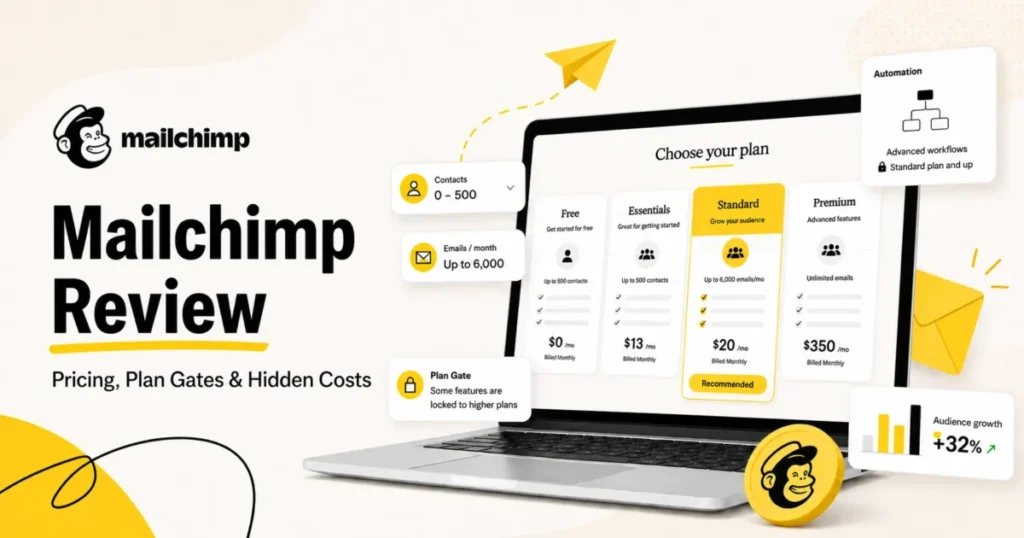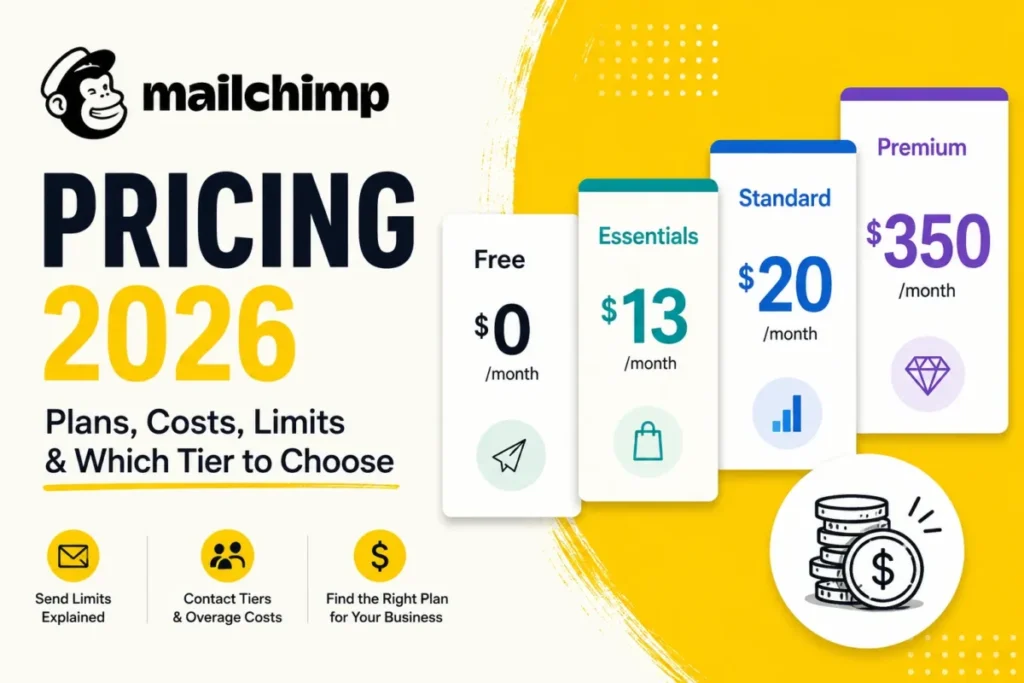
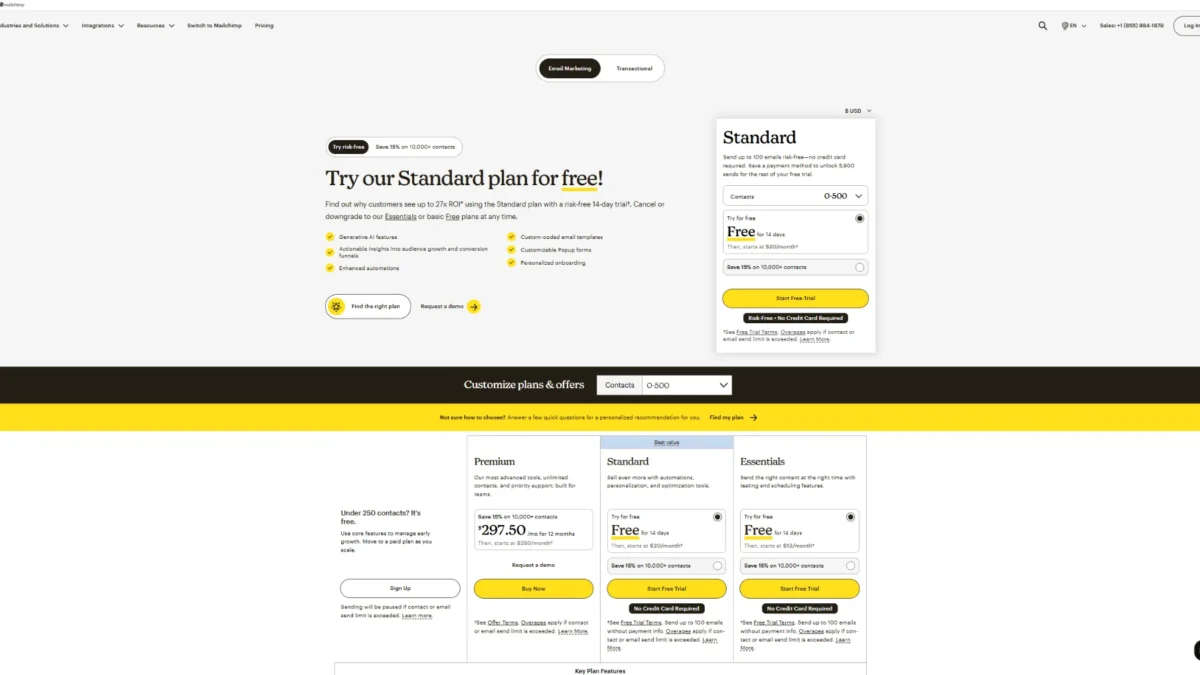
Mailchimp advertises four Marketing plans, and the published entry prices are Free at $0, Essentials at $13, Standard at $20 and Premium at $350 per month. Each of those numbers is a floor, not a budget.
Three things the pricing page keeps out of the headline decide what you actually pay. They are the highest contact total reached during a billing cycle, a send allowance set as a multiple of that contact count, and whether the workflow you need is gated above the tier you picked.
I would treat the advertised figure as a deposit on a bill that moves with list hygiene, seat count, and add-ons. This guide separates the advertised price from the real one, then names the tier worth buying at each stage of growth.
In This Article (18 sections)
Quick Pricing Verdict
| Buyer question | Short answer |
|---|---|
| Starting price | Free at $0 per month, then Essentials from $13, Standard from $20, and Premium from $350 per month |
| Free plan or trial | A permanent Free plan capped at 250 contacts and 500 sends per month, plus a 14-day trial on paid plans |
| Best plan for most teams | Standard, because deeper automation, advanced segmentation, and custom reports begin there |
| Plan to avoid | Essentials for any team whose automation already needs more than four flow steps |
| Biggest hidden cost | Add-on contact blocks, billed against the peak contact total in the cycle rather than the closing total |
| Best alternative if the bill gets uncomfortable | MailerLite for subscriber-priced sending, Brevo when volume is metered by emails sent |
| Team-size breakpoint | Six or more people needing accounts pushes you to Premium on seat count alone |
Source: prices from the official Marketing pricing page, limits from Mailchimp’s pricing plan documentation. Gates from the published plan comparison, overages from the additional-charge documentation. US market, USD, monthly billing, checked: 2026-08-28.
The Advertised Price vs the Real Price
The gap between the two is not a discount trick. It is the difference between a price quoted per plan and a bill calculated per contact tier, per send multiplier, and per add-on block.
| Plan | Advertised entry price | What that price actually covers | What moves the bill first |
|---|---|---|---|
| Free | $0 per month | 250 contacts, 500 sends per month, one seat | Crossing 250 contacts stops sending entirely |
| Essentials | $13 per month | Up to 500 contacts, three seats, three audiences | A fourth teammate, or a flow that needs a fifth step |
| Standard | $20 per month | Up to 500 contacts, five seats, five audiences | A sixth teammate, or contact growth into the next tier |
| Premium | $350 per month | 10,000 contacts, unlimited seats and audiences | Contact growth past 10,000, then add-on blocks |
| Pay As You Go | Credits, with no monthly price | Essentials features, one credit per email sent | Credits expire after 12 months |
Source: plan prices and included contacts from Mailchimp Marketing pricing; seat, audience and send limits from the plan limits documentation. Credit terms from the Pay As You Go page. Verified 2026-08-28, US, USD.
Two of those rows are the ones that surprise buyers. Free does not degrade gracefully, and Premium is priced for a list twenty times larger than the tier where Essentials and Standard start.
Mailchimp Pricing Plans Compared
Sending capacity is not a separate line item on any paid plan. It is a multiple of the contact tier you buy, which means a small list with heavy send frequency runs out of allowance before a large list with monthly sends does.
| Plan | Monthly list price | Contacts at the entry tier | Monthly send allowance | Seats and audiences | Best for |
|---|---|---|---|---|---|
| Free | $0 | 250 | 500 per month, 250 per day | 1 seat, 1 audience | Testing the editor and a first list |
| Essentials | $13 | 500 | 10 times the contact limit | 3 seats, 3 audiences | Simple campaigns, short sequences |
| Standard | $20 | 500 | 12 times the contact limit | 5 seats, 5 audiences | Lifecycle automation and segmentation |
| Premium | $350 | 10,000 | 15 times the contact limit | Unlimited seats and audiences | Larger teams needing phone support |
Source: prices from the Marketing pricing page; contact, send, seat, and audience limits from Mailchimp’s documented plan limits. US pricing in USD, monthly billing, verified 2026-08-28.
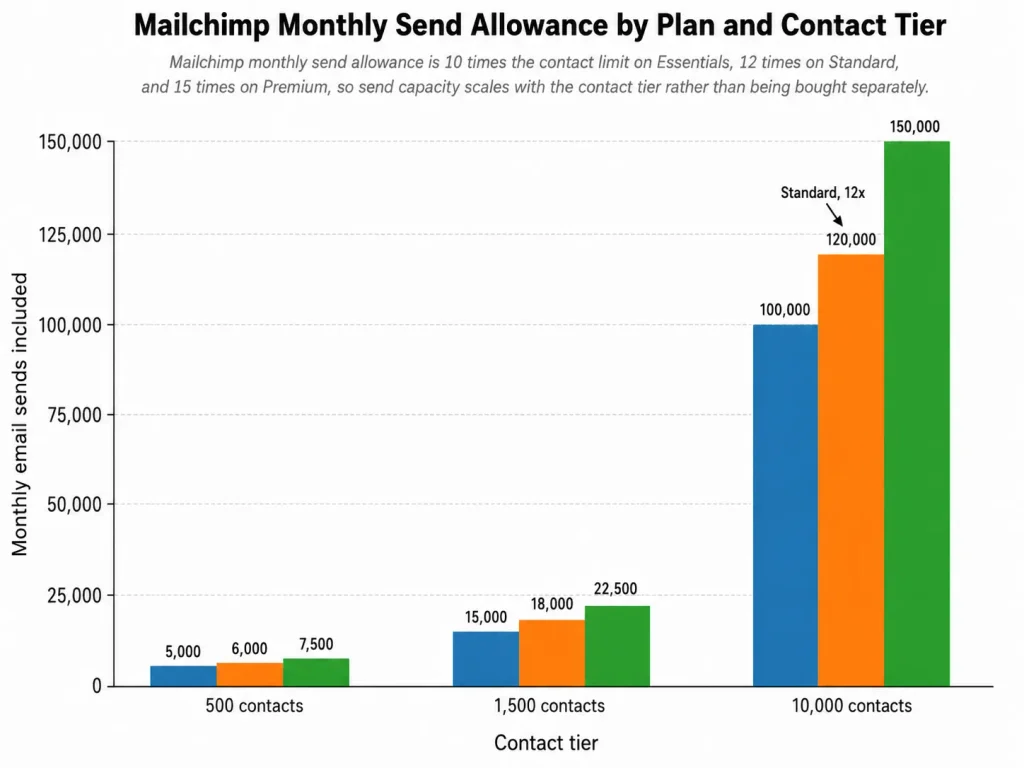
The multiplier matters most for frequent senders. At 1,500 contacts the Essentials multiplier of 10 times the contact limit works out to 15,000 sends a month, which a list mailed four times a week is already over.
The ceilings above the entry tier matter as much. Mailchimp documents storage limits of 50,000 contacts on Essentials, 100,000 on Standard and 200,000 on Premium, with anything larger handled as a customised plan.
What Each Mailchimp Plan Includes
Each plan below is judged on what its price covers, what it gates, and the trigger that ends up forcing the next tier.
Free: fine for testing, brittle for a business
Free supports one audience and one seat, which rules it out the moment a second person needs an account. The harder limit is behavioural rather than numeric.
Exceeding the contact ceiling on Free does not trigger a charge. It triggers a stop: a hold is placed on sending live or test emails until the account upgrades or the contact total comes back down.
Avoid Free if a campaign date is committed. A list that grows past the cap the week of a launch takes the launch with it.
Essentials: the plan most teams outgrow on capability, not size
Essentials adds scheduling, more seats, and round-the-clock email and chat support. The ceiling that bites is the automation one.
Mailchimp’s plan comparison caps Essentials at up to four flow steps in Marketing Automation Flows, and leaves advanced segmentation off the plan entirely. A welcome series with a branch, a reminder, and a re-engagement path is already past that ceiling.
Essentials is the right buy for a two-person team sending campaigns and short sequences to a list under a few thousand. It is the wrong buy for anyone who has already sketched a lifecycle flow on a whiteboard.
Standard: the tier the automation actually lives on
Standard is where the capability set changes shape rather than growing by a notch. Advanced segmentation, dynamic content, custom reports, send time optimization, and multivariate testing all sit on Standard and above in Mailchimp’s published plan comparison.
The seven-dollar gap at the entry tier makes this look like a minor upgrade. It is the single largest capability jump in the lineup, and it is the reason I would not buy Essentials for a team that intends to run lifecycle marketing.
Standard is also the first tier where the paid add-ons that matter to technical teams become available, which is covered further down.
Premium: bought for people and support, not for features
Premium’s base price includes 10,000 contacts, which is twenty times the Essentials and Standard entry tier, and its own feature additions are modest next to that price step. What it buys is organisational: unlimited seats, unlimited audiences, and phone support.
Buy Premium when seat count, audience count, or support escalation is the binding constraint. Do not buy it as a general upgrade path from Standard, because contact growth alone can be handled by moving up contact tiers inside Standard.
Feature Gates: What You Actually Get by Plan
| Capability | Free | Essentials | Standard | Premium |
|---|---|---|---|---|
| Marketing Automation Flows | Free preview only | Up to 4 flow steps | Full flows | Up to 200 flows |
| Advanced segmentation | Not on plan | Not on plan | On plan | On plan |
| Dynamic content and custom reports | Not on plan | Not on plan | On plan | On plan |
| Send time optimization and multivariate testing | Not on plan | Not on plan | On plan | On plan |
| Customer support | Email for first 30 days | 24/7 email and chat | 24/7 email and chat | Phone and priority |
| Personalized onboarding | None | None | One 60-minute consultation | Up to four consultations |
| Transactional Email add-on | Not eligible | Not eligible | Eligible | Eligible |
| SMS Marketing credits | Not eligible | Eligible | Eligible | Eligible |
Source: feature, seat and support rows from the official plan comparison; onboarding from Mailchimp onboarding documentation. Add-on eligibility from Transactional Email documentation and SMS credit documentation. Verified 2026-08-28.
Read that table as an upgrade-trigger list rather than a feature inventory. Four of the eight rows change at exactly one boundary, and that boundary is Essentials to Standard.
The Five Hidden Costs Nobody Mentions
None of these five is an obscure clause. Each one is documented, and each one changes the number on the invoice.
1. Contacts you are not allowed to email still count
Mailchimp’s contact model separates the right to store a record from the right to market to it, and the paid total follows storage.
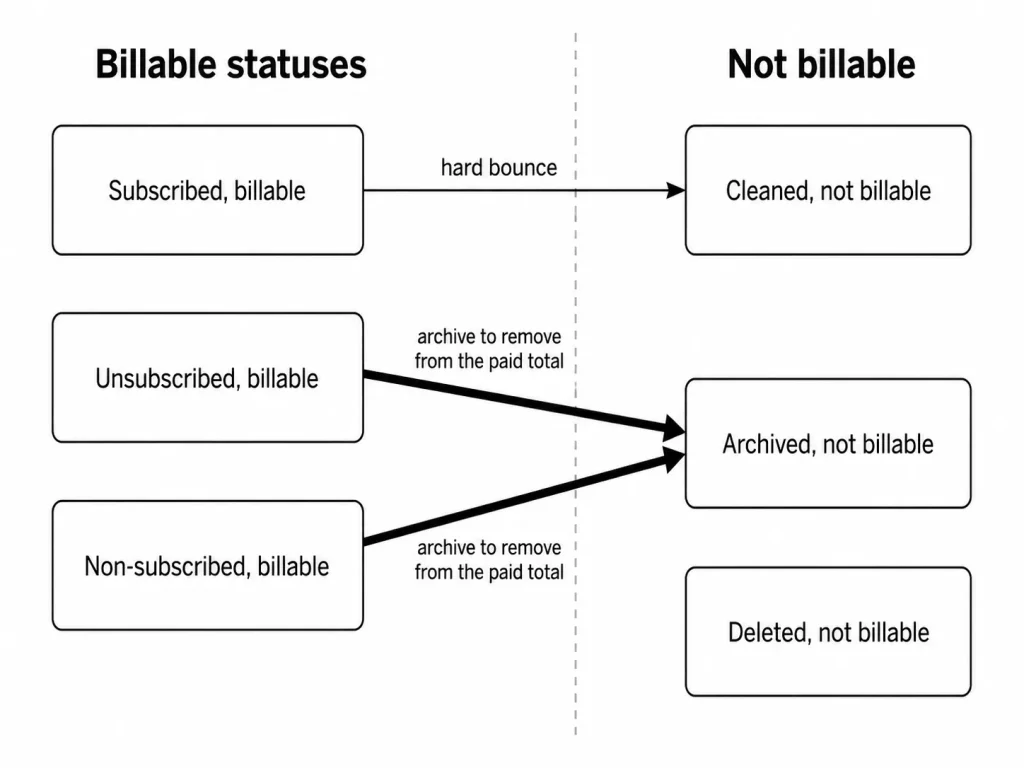
Subscribed, unsubscribed, and non-subscribed contacts all count toward the contact limit, while cleaned, archived, and deleted contacts do not. An unsubscribed contact can only receive ads and transactional email, and it is still billable.
That produces a specific and avoidable cost. A list carrying two years of churn pays a contact tier sized by people who legally cannot receive the campaign.
The fix is archiving rather than ignoring. Archiving removes a record from the billable total while keeping it out of the deletion decision, which matters when consent records are involved.
2. The bill follows the peak, not the closing balance
Cleaning a list at the end of the month is a habit that saves nothing on the invoice it was meant to save on.
Mailchimp calculates the monthly bill from the plan, the pricing tier and the peak contact total during the billing period. A total that falls later in the cycle still bills at the highest number stored that month.
Crossing the tier is what triggers the charge. Going over the contact or send limit adds an add-on contact block whose price and size depend on the plan and the pricing tier, and going far enough over adds multiple blocks.
The practical rule is a calendar rule. Import large lists at the start of a cycle only after the tier has been sized for them, and run the archive pass before the import rather than after the invoice.
3. Transactional Email is a second recurring bill
Order confirmations and password resets do not run on the Marketing plan allowance. They run on a separate product with its own block pricing.
Transactional Email is sold in blocks of 25,000 emails that are purchased automatically at the start of each monthly cycle and expire at the end of it, with no rollover. The entry rate is $20 per block for the first 20 blocks, falling to $10 per block above 160 blocks, and a dedicated IP adds $29.95 per month.
Eligibility is itself a gate. Transactional Email is an add-on for the Standard plan or higher, so an Essentials buyer who needs transactional sending is pricing a Standard plan plus blocks.
At one block a month, Transactional Email costs 240 dollars a year at the entry block rate of $20 before the Marketing plan underneath it. Low or uneven transactional volume pays for capacity that expires unused.
4. SMS credits expire on the same clock
SMS Marketing is available from the Essentials plan or higher as a paid credit add-on, and the credits behave like the transactional blocks.
Unused SMS credits do not roll over month to month, so a campaign-driven sender who buys for a peak month pays for the quiet months too. A US text message consumes one credit and a US multimedia message consumes three, which makes the burn rate campaign-shaped rather than steady.
Size SMS credits for the median month, not the launch month. Anyone whose texting is genuinely seasonal should compare dedicated SMS marketing platforms compared before adding credits here.
5. Seats and audiences force an upgrade before contacts do
Contact count gets the attention because it is on the pricing slider. Seat count is the limit that moves teams between plans without any list growth at all.
Essentials stops at three seats and three audiences, Standard at five and five, and only Premium is unlimited on both. A six-person marketing team on a 1,000-contact list is a Premium customer on team size alone, at a price set for a 10,000-contact list.
That is the least obvious economics in the lineup. It is also the first thing I would check before choosing between Standard and Premium.
When the Free Plan Stops Working
Free is a genuine plan rather than a trial, and it fails in a way that is worth planning around.
The ceilings are 250 contacts, 500 sends per month, and 250 sends per day. Any one of them is reachable by a modest B2B list mailed weekly.
Sending stops rather than overflowing into a charge, which is the opposite of the paid-plan behaviour. On a paid monthly plan the overage becomes an add-on block; on Free the campaign does not go out at all.
The other Free constraint is support. Email support covers the first 30 days on Free, after which the account has the assistant chatbot and the help centre.
Move off Free when a launch date exists, when a second person needs an account, or when the list is closing on that ceiling with growth still coming. The full Mailchimp review covers what the product does once those limits are behind you.
Real Cost Scenarios: 5, 10, and 20 Users
Seat limits, not list size, decide most of these. The list sizes below assume the entry contact tier so the team size effect is visible on its own.
| Team scenario | Seats needed | Plan that fits | Monthly list price | First cost to plan for next |
|---|---|---|---|---|
| Solo operator, small list | 1 | Free, then Essentials | $0, then $13 | The 250-contact ceiling stopping a send |
| Small team, simple campaigns | 3 | Essentials | $13 | A fourth seat or a fifth flow step |
| 5 users, lifecycle marketing | 5 | Standard | $20 | Contact growth into the next pricing tier |
| 10 users, multi-brand marketing | 10 | Premium | $350 | Add-on blocks past 10,000 contacts |
| 20 users, larger marketing organisation | 20 | Premium | $350 | Custom pricing at larger configurations |
Source: seat limits per plan from Mailchimp plan documentation; monthly tier prices from the official pricing page. Costs exclude taxes, add-on blocks, SMS, and Transactional Email.
Two twelve-month figures are worth holding onto. Standard at its $20 entry tier works out to 240 dollars over a year at list price.
Premium at its $350 entry configuration works out to 4,200 dollars over a year at the published monthly rate, and that total cost does not move between ten seats and twenty.
That step from five users to ten is a 3,960 dollar annual difference driven by seat count rather than by contacts, sends, or features.
The practical upgrade trigger here is a plan gate on seats rather than a usage ceiling. You outgrow Standard when a sixth person needs an account, not when the list grows.
If two of those ten people only need to read reports, a Standard seat plan and an exported report may be the cheaper design.
Monthly vs Annual Billing
Three different things get called a discount here, and only one of them is annual billing.
The list price is the monthly figure shown at your contact tier, and the introductory offer is a promotional monthly price. The annual plan is a separate contract that Mailchimp does not publish a full price table for.
Mailchimp’s own offer terms describe a 15% discount on qualifying Premium, Standard, or Essentials monthly plans at 10,000 or more contacts for the first 12 months, covering the base price and add-on contact blocks. After that period the account bills at the standard price for its contacts and sends, and dropping below 10,000 contacts terminates the discount.
Offer terms re-verified on the publish date: 2026-08-28.
Annual plans exist but are sales-led. The pricing page states that annual plans are available for Premium and Standard 10,000+ contact plans and directs buyers to contact sales. No public annual tier price was verified for this guide.
Treat any article that presents a 15%-reduced monthly figure as the annual price with suspicion. It is an introductory monthly rate that renews at full list price in month 13.
Which Mailchimp Plan Should You Choose?
Choose Free if the list sits under the 250-contact ceiling on that tier, one person runs it, and no campaign date depends on it.
Choose Essentials if two or three people send campaigns and short sequences, and nobody has asked for branching logic or advanced segments yet.
Choose Standard if lifecycle automation, advanced segmentation, custom reports, or send time optimization is part of the plan, or if a fourth and fifth teammate need accounts. This is the tier I would default to for any team treating email as a revenue channel rather than a newsletter.
Choose Premium if six or more people need accounts, if more than five audiences are genuinely separate, or if phone escalation is a procurement requirement. Larger lists move to custom pricing, so treat the published $350 Premium entry tier as the start of a sales conversation rather than the ceiling.
For a wider view of how these tiers sit against other platforms, the best email marketing platforms roundup compares the category on the same buyer criteria.
Which Mailchimp Plan Should You Avoid?
Essentials is the plan to avoid for most teams that are shopping seriously, and the reason is specific rather than general.
Its four-step automation ceiling and the absence of advanced segmentation mean the upgrade to Standard arrives as soon as marketing gets ambitious. Paying the $13 Essentials monthly rate for six months and then $20 for Standard anyway costs more than starting on Standard, because the migration of half-built flows costs time nobody budgets.
The exception is real. A team that sends a monthly newsletter and one welcome email to a small list will never touch the ceiling, and Essentials is the honest cheaper answer for them.
Premium is the second plan to avoid, for the mirror-image reason. Buying it for feature depth rather than seats, audiences, or support pays a 10,000-contact price for capability that Standard already carries.
Mailchimp Pricing vs Competitors
The comparison that matters is not sticker against sticker. It is what each platform meters, because that determines which buyer overpays.
| Platform | What the price meters | Verified entry paid price | Overage behaviour | When it beats Mailchimp |
|---|---|---|---|---|
| Mailchimp | Contacts stored, with sends as a multiple | $13 per month, Essentials at 500 contacts | Add-on contact blocks, price varies by plan and tier | Broad integration and template needs |
| MailerLite | Subscribers stored | Comfort plan, priced by subscriber tier | Not shown on the pricing page | Small lists where unlimited sending matters |
| Constant Contact | Contacts stored, with sends as a multiple | $10.20 per month billed annually, Lite plan | A published per-send rate over the allowance | Buyers who want a published overage rate |
| Brevo | Emails sent, not contacts stored | Not shown on the public pricing page | Credit-based, one credit per email | Large stored lists mailed infrequently |
Source: Mailchimp from its Marketing pricing page and add-on charge documentation. MailerLite from the MailerLite pricing page, Constant Contact from the Constant Contact pricing page, Brevo from the Brevo pricing page. Verified 2026-08-28, US, USD.
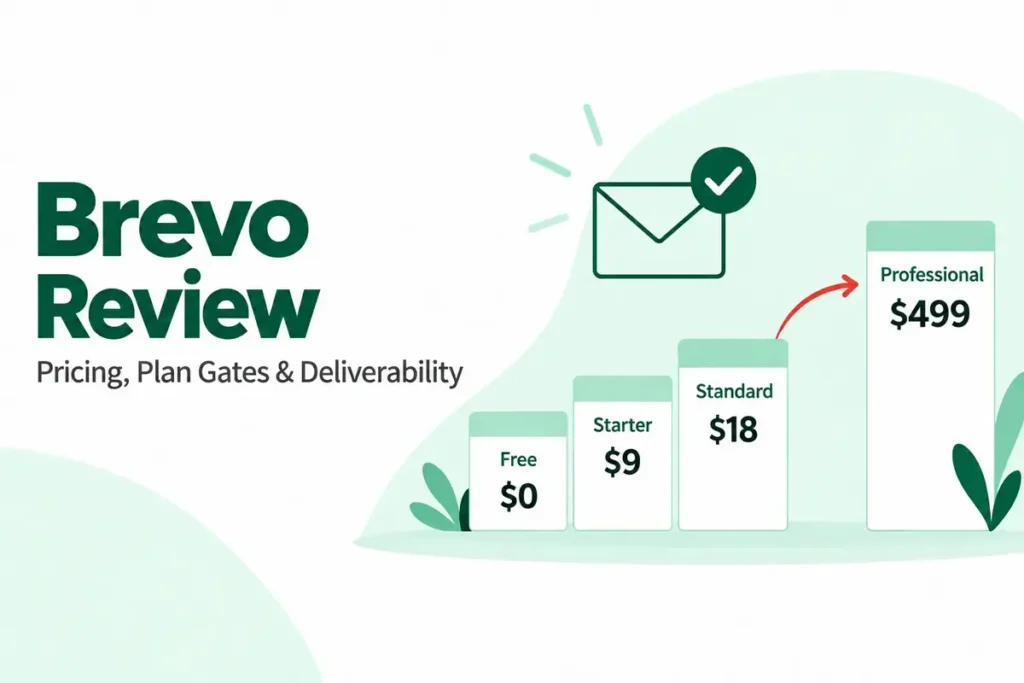
Brevo is the structural alternative rather than the cheaper one. A large stored database mailed once a quarter is expensive under contact-based pricing and cheap under send-based pricing, and that single fact reroutes more buyers than any feature comparison does.
The Brevo pricing breakdown covers how that model scales.
Constant Contact is the useful contrast on transparency. It publishes a rate of $0.002 for additional sends over the allowance.
Mailchimp’s add-on block price depends on the plan and pricing tier, so a Mailchimp buyer cannot model the worst case from public information alone.
Teams that need automation depth closer to a CRM should also price the ActiveCampaign pricing guide before settling, since the automation ceiling is where Mailchimp buyers most often escalate.
Is Mailchimp Worth the Price?
Mailchimp is worth it when the buyer values a mature template and integration ecosystem, wants support that answers, and runs a list whose size is predictable. All four plans list access to 300 or more integrations, which is a genuine reason to stay inside the ecosystem rather than assemble one.
It stops being worth it in two situations. The first is a large stored database mailed rarely, where contact-based pricing charges for records that generate no sends.
The second is a small team pushed onto Premium by seat count, paying a 10,000-contact price for a 1,000-contact list.
Mailchimp has been owned by Intuit since its 2021 acquisition, and the platform now sits inside a wider business suite. For buyers already standardised on Intuit products, that is a point in favour; for everyone else it is neutral.
On compliance, Mailchimp publishes SOC 2 and ISO 27001 information, and states that its servers are located in the United States. The EU standard contractual clauses are incorporated through its data processing addendum, so buyers with data-residency requirements should treat that as a qualifying question rather than a footnote.
How to Avoid Overpaying for Mailchimp
Audit before you buy, not after. Count subscribed, unsubscribed, and non-subscribed records together, because that combined number is what the pricing slider is asking about.
Archive the records that cannot be marketed to. Archiving takes them out of the billable total, and it is reversible in a way deletion is not.
Time the cleanup before the peak. Because billing follows the highest contact total in the cycle, an archive pass on the 28th does nothing for the invoice covering that month.
Buy the tier your workflow needs, not the tier your list needs. The Essentials-to-Standard decision is a capability decision, and getting it wrong costs a migration rather than a price difference.
Count seats before you count contacts. A sixth account holder is a Premium trigger, and a reporting-only stakeholder can often be served with an exported report instead of a seat.
Size add-ons for the median month. Transactional blocks and SMS credits both expire monthly, so buying for the peak month funds capacity that disappears.
Downgrade at the cycle boundary, and pause instead of cancelling. A downgrade takes effect at the start of the next billing cycle, and an eligible paid plan can be paused for 3 or 6 months while the data stays in place.
Price Pay As You Go if sending is genuinely occasional. It carries the Essentials feature set and charges one credit per email sent to one contact, with credits expiring after 12 months.
Ask sales for the annual quote in writing, with the renewal price beside the first-year price. The public promotional rate is a first-year monthly rate, and the renewal number is the one your finance team will see in month 13.
Migration and API Limits Worth Checking Before You Commit
Two constraints sit outside the pricing table and still change the decision for technical teams.
Contact imports accept CSV or tab-delimited TXT files, and files above roughly 200MB or about one million contacts should be split into batches. Undoing an import is only a partial reversal: it removes contacts added by that import but does not revert field data updated on existing contacts.
Consolidating audiences to save money carries a larger risk. Combining audiences is permanent and cannot be undone, and it does not carry over opens and clicks, member rating, opt-in time stamps, signup source, or GDPR permissions for individual contacts.
Account exports have their own gaps. Billing statements, deleted audiences, and the content of landing pages, ads, and websites are not included in an account export, which matters when the switching decision arrives.
For integration teams, the Marketing API allows 10 simultaneous connections per user with no per-customer increase available, and a 120-second call timeout. A high-concurrency sync has to be queued, cached, and batched around that ceiling, and no plan tier lifts it.
Anyone moving a database in from another platform should work through a CRM migration checklist before the first import, because the rollback boundary above is narrower than most teams assume.
Methodology
Pricing, plan limits, feature availability, add-on terms, and documented constraints were taken from official Mailchimp pricing pages, help-center documentation, legal offer terms, developer documentation, and security pages. Volatile pricing facts were verified on 2026-08-28 in the US market.
Every plan was assessed against the same buyer-focused criteria: entry price, what the entry price includes, send allowance, seat and audience capacity, automation depth, support access, and the cost of scaling.
Greater weight was given to factors that change a purchase decision rather than a feature count: upgrade triggers, billing mechanics, add-on exposure, and the point at which a cheaper plan forces a migration.
Claims that could not be verified from official evidence were excluded, and temporary offers are labeled separately from standard pricing.
FAQ
These are the questions the body above leaves a buyer most likely to ask next.
How much does Mailchimp cost per month?
Mailchimp costs $0, $13, $20 and $350 a month on Free, Essentials, Standard and Premium at their published entry prices. Every paid price rises as the contact tier rises, so the entry figure is a starting point rather than a quote.
Is Mailchimp still free?
Yes. The Free plan supports up to 250 contacts with a monthly limit of 500 sends and a daily limit of 250, and it is a permanent plan rather than a trial.
Does Mailchimp charge for unsubscribed contacts?
Yes. Subscribed, unsubscribed, and non-subscribed contacts all count toward the paid contact total that sets your pricing tier, while archived, cleaned, and deleted contacts do not.
What happens if I exceed my Mailchimp contact limit?
On a paid monthly plan, going over the contact or send limit adds an add-on contact block whose price and size depend on the plan and pricing tier. On Free, sending is put on hold until the account upgrades or the contact total drops.
What is the difference between Essentials and Standard?
Essentials caps Marketing Automation Flows at four steps and excludes advanced segmentation, dynamic content, custom reports, send time optimization, and multivariate testing. Standard includes all of them, which is why the choice between the two is about workflow rather than the monthly price gap.
Does Mailchimp offer annual billing?
Annual plans are available for Premium and Standard configurations at 10,000 or more contacts, and Mailchimp directs buyers to sales for pricing and eligibility. No complete public annual price table was available to verify, so the annual figure has to come from a quote.
How much is Mailchimp Transactional Email?
Transactional Email starts at $20 per block of 25,000 emails on the monthly cycle, falls to $10 per block above 160 blocks, and adds an optional dedicated IP at $29.95 per month. Blocks are bought monthly and expire at the end of the cycle, and the add-on requires a Standard plan or higher.
Is Mailchimp Pay As You Go cheaper for occasional senders?
Pay As You Go carries the Essentials feature set and charges one credit per email sent to one contact, with credits expiring after 12 months rather than at the end of a monthly cycle. For a quarterly newsletter it usually beats a monthly plan, because a monthly plan bills for capacity in months with no campaign.
Which Mailchimp plan includes advanced automation?
Standard is the lowest tier with full Marketing Automation Flows and advanced segmentation, and Premium extends flows further. Essentials is limited to four flow steps, which is the practical trigger for the upgrade.
Bottom Line
The decision is not the sticker price. It is choosing the lowest Mailchimp tier that covers your contact volume, your sending volume, the automation depth you need, team access and support.
For most teams that is Standard, because the automation and segmentation gates open there and five seats cover a small marketing function.
Move to Premium when a sixth person needs an account or when phone support is a procurement requirement, and treat the entry figure as the start of a sales conversation.
Select an alternative when the scaling economics stop working: a large stored list mailed rarely belongs on a send-metered platform rather than a contact-priced one.