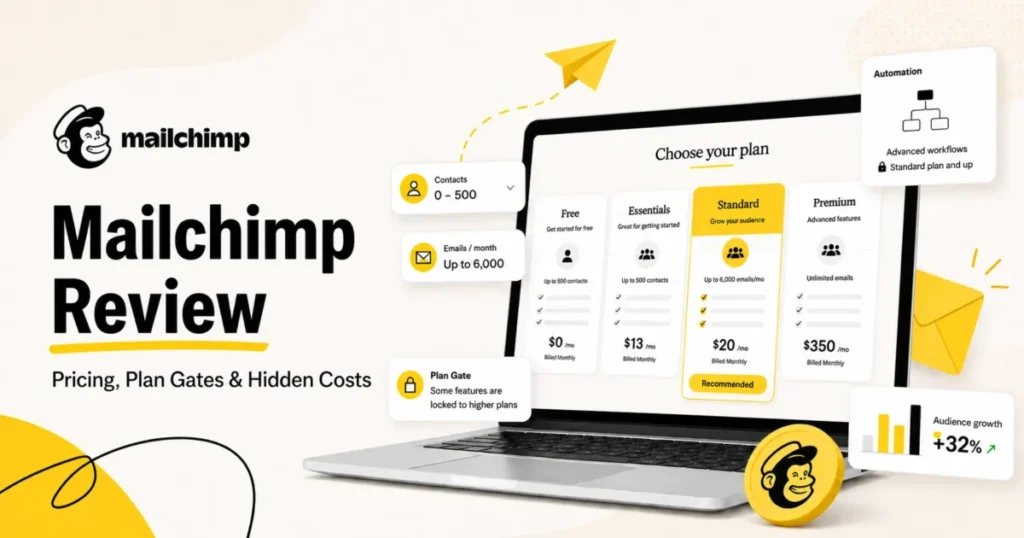
Mailchimp is still the fastest way for a small team to get a decent-looking campaign out the door without a designer. It is also one of the easiest platforms to overpay for, because the bill is driven by how many contacts sit in the account rather than how many people you actually email.
That gap is the whole decision. On the Free plan you get 250 contacts and 500 sends a month, and on paid plans you are billed for subscribed, unsubscribed and non-subscribed contacts alike (Mailchimp pricing plans documentation, checked 26 August 2026).
My verdict: Mailchimp earns 3.5 out of 5 and stays a reasonable buy for solo senders, small stores and nonprofits. I would not buy it for a team of ten, because seats stop at five below the $350 tier.
Still shortlisting? Weigh it against the other best email marketing platforms, and settle first how much marketing automation you need.
In This Article (20 sections)
Quick Verdict: Mailchimp at a Glance
| Quick verdict | Mailchimp |
|---|---|
| Best for | Solo senders, small ecommerce stores, nonprofits, teams of five or fewer |
| Not ideal for | Marketing teams above five seats, B2B lead nurturing, accounts with large dormant lists |
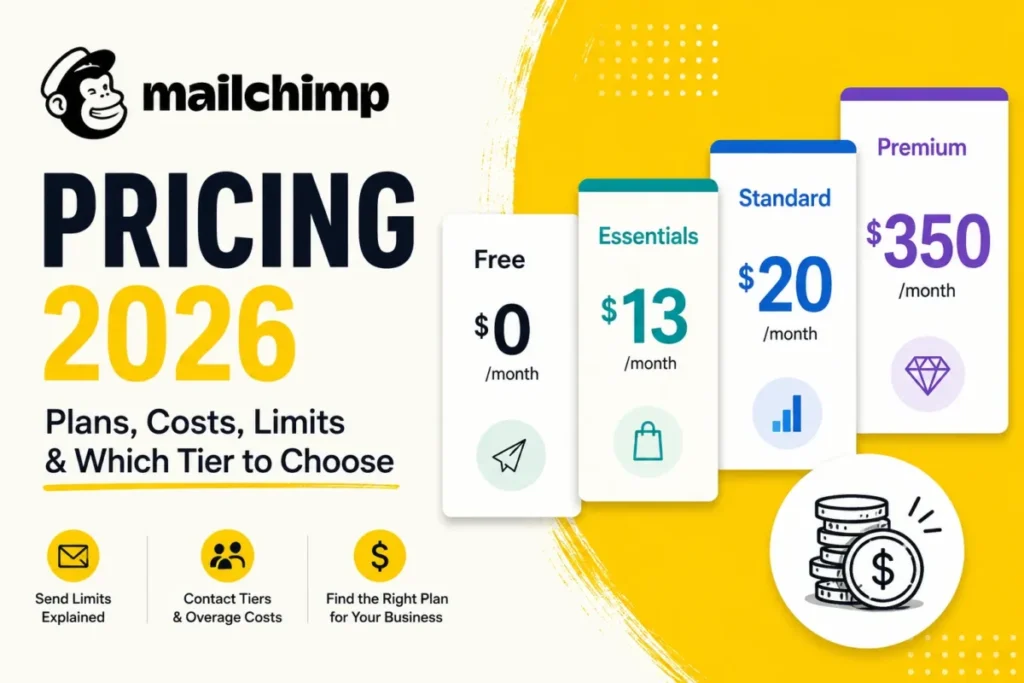
| Starting price | $0 Free with 250 contacts and 500 sends a month. Essentials from $13.00 a month for 12 months at the entry contact tier |
| Practical plan | Standard, which is where automation flows, custom reports and generative AI start |
| Free plan and trial | Free plan with no expiry date, plus a 14-day trial on Essentials and Standard |
| Setup difficulty | Low for a first campaign, moderate once tags, audiences and journeys are involved |
| Main strength | Campaign build speed and template quality without design help |
| Main limitation | Contact-based billing that charges for people you are not mailing |
| Best alternative | Brevo for send-based billing, Klaviyo for ecommerce depth, ActiveCampaign for automation |
Every price, plan limit and feature gate in this table comes from Mailchimp’s Marketing plan pricing page and was checked on 26 August 2026.
Mailchimp Pros and Cons
| Pros | Cons |
|---|---|
| Campaign build speed is the most praised trait in my 155-record review sample, with 90 positive mentions, more than double any other theme | Contacts stay billable until archived, cleaned or deleted, so an unsubscribe does not lower the bill |
| Standard includes generative AI at no extra cost, plus Analytics AI for conversational reporting since May 2026 | Essentials caps automation at four flow steps, which is not enough for an abandoned-cart or re-engagement sequence |
| 300+ integrations, with a first-party site tracking pixel now covering Shopify, Wix and WooCommerce | Seats are capped at 3 on Essentials and 5 on Standard, so a ten-person team is pushed to the $350 Premium tier |
| SMS marketing now reaches 37 countries and territories, including 24 new European markets added in February 2026 | Prices above the entry contact tier appear only inside the interactive selector, which makes forward budgeting harder than it should be |
| Free plan never expires and is usable for testing a template and a list import | Support outweighed pricing as the recurring Trustpilot complaint in my sample, and account-restriction reports recur there |
| Transactional email, dedicated IP and SMS are all available without leaving the platform | Overages are billed automatically when you cross a contact or send limit, with no published ceiling |
What Is Mailchimp?
Mailchimp is an email marketing and multichannel campaign platform owned by Intuit. The product covers email campaigns, automation journeys, SMS, landing pages, forms, ecommerce data capture and reporting, sold on four Marketing plans plus a separate transactional email product.
It is not a CRM in the sales sense. There is no pipeline, no deal stage and no lead-scoring engine, which is why B2B teams tend to pair it with something else rather than replace anything with it.
The buyer question in 2026 is narrower than whether Mailchimp is good. It is whether the billing model and the plan gates below still work at the list size you expect twelve months from now.
How This Mailchimp Review Was Built
This analysis draws on Mailchimp’s official pricing page, its help-center billing documentation, its product release notes, and clearly labeled third-party review data. Volatile facts were checked on 26 August 2026.
Mailchimp was assessed against the same buyer-focused criteria applied to every platform in this category: usable entry pricing, billing mechanics, plan-gated workflows, automation depth, reporting, integration coverage, seat and audience limits, support access, and the cost of scaling a list.
Greater weight was given to factors that change a purchase decision rather than a demo impression. Billing mechanics, upgrade triggers and seat caps carry more weight here than template count, because those are what a finance team asks about at renewal.
Claims that could not be verified from reliable evidence were excluded. Temporary rates are labeled separately from standard rates, and user-review data is presented as third-party evidence rather than as a product fact.
My Mailchimp Score: 3.5 out of 5, and How It Is Calculated
Scoring methodology. Seven criteria are scored out of 5 against verified evidence, then multiplied by a fixed weight. The weights favor what changes a purchase decision over what impresses in a demo, and the weighted total is shown so a reader can reproduce the calculation.
| Criterion | Weighting | Score out of 5 | Per-criterion evidence | Weighted result |
|---|---|---|---|---|
| Ease of use and campaign build | 20% | 4.5 | Largest praise theme in my review sample, with 90 positive mentions across four platforms | 0.90 |
| Pricing transparency and cost control | 20% | 2.5 | Entry rates published, higher tiers render only inside the selector, unsubscribed and non-subscribed contacts billed, overages charged automatically | 0.50 |
| Automation depth and plan gates | 15% | 3.0 | Essentials capped at 4 automation flow steps, up to 200 flows requires Standard | 0.45 |
| Reporting and AI | 15% | 4.0 | Analytics AI, custom reports, dynamic content and segment-level reporting, all Standard and above | 0.60 |
| Integrations and ecosystem | 10% | 4.5 | 300+ integrations, site tracking pixel for Shopify, Wix and WooCommerce, Claude and ChatGPT apps, Google Workspace | 0.45 |
| Support and account reliability | 10% | 2.0 | Free plan support ends after 30 days, and support drew 32 negative mentions in the 155-record review sample below | 0.20 |
| Sending limits and volume headroom | 10% | 3.5 | Send allowance is 10x, 12x and 15x your contact limit by plan, and test plus transactional sends count against it | 0.35 |
| Checkable calculation | 100% | Sum of the weighted column: 0.90 + 0.50 + 0.45 + 0.60 + 0.45 + 0.20 + 0.35 | 3.45 |
Each criterion score is multiplied by its weight, so 4.5 x 20 percent = 0.90 on the first row, and the weighted total = 3.45. Rounded to the nearest half point, that is 3.5 out of 5, with pricing transparency and support pulling hardest against the campaign-build score.
The Three Problems Mailchimp Solves Well
Three jobs are where Mailchimp still beats the alternatives for a small team. Each one is a speed advantage rather than a depth advantage.
Getting a campaign out without a designer
The template library and drag-and-drop editor are why Mailchimp keeps winning first-time buyers. Ease of use drew 90 positive mentions in my 155-review sample, more than double any other praise theme.
Standard and Premium add custom-coded templates you can both create and send, plus the ability to remove Mailchimp branding. On Essentials you can build a custom template but need an upgrade to send it, which is an easy gate to miss during a trial.
Generative AI is included at no additional cost from Standard upward. Copy and layout assistance therefore does not arrive as a separate credit line on the invoice, which is unusual at this price.
Capturing ecommerce data without a developer
Mailchimp’s first-party site tracking pixel now covers Shopify, Wix and WooCommerce (Mailchimp product updates). The pixel is what feeds behavioural segmentation without a custom integration build, and it is the part of the product that improved most in the last year.
For a store owner who is not going to hire a developer, that removes the usual blocker. If ecommerce is your whole business, still compare Mailchimp against a purpose-built ecommerce CRM before committing.
Reporting a non-analyst can read
Analytics AI, announced on 28 May 2026, is a conversational reporting agent connecting campaign, audience and revenue performance and suggesting a next step (Intuit Mailchimp newsroom). Mailchimp’s product update notes list it for Standard and Premium.
I treat this as the strongest genuinely new reason to sit on Standard rather than Essentials in 2026. It did not exist when most Mailchimp reviews were last revised.
The Three Problems Mailchimp Creates
Three structural problems follow the product wherever your list goes. None of them is a bug, and none of them is solved by choosing a different plan.
You pay for contacts you are not mailing
Mailchimp’s billing documentation is explicit that subscribed, unsubscribed and non-subscribed contacts all count toward your contact total, while archived, cleaned and deleted contacts do not. A list that looks small in your reporting can still be billed at a much larger tier.
This showed up in my review sample as a specific, repeated grievance. Eight of 155 reviewers described being billed for contacts they were not actively mailing, and one described being charged for 500 extra subscribers on a list they considered to be 2,500.
The mitigation is procedural rather than clever. Archive rather than unsubscribe when a contact is genuinely finished, and audit the billable count before each renewal rather than after the invoice.
The plan you evaluate is not the plan you can operate
Seats are the harder gate, and the one no workaround touches. Free and Essentials allow 1 and 3 seats, Standard allows 5, and unlimited seats arrive only on Premium at $350.00 a month for 12 months.
A ten-person marketing team therefore has no mid-tier option, no matter how few contacts it holds. That single cap is the most expensive line in this review.
500 sends per month,
one sender
automation flow steps?
or multivariate testing,
or predictive segmentation?
Support is the failure mode, not the feature list
On the Free plan, email support runs for the first 30 days only. Essentials and Standard get 24/7 email and chat, and phone plus priority support starts at Premium.
That gating is what my review sample kept surfacing. Support drew 32 negative mentions across 155 reviews, and on Trustpilot it outweighed pricing as the recurring complaint in the reviews I read.
The pattern inside those reviews is worth naming precisely. Individual agents were praised by name in short positive reviews, while the long negative reviews described the escalation process rather than any single person.
Mailchimp Pricing in 2026: What Is Actually Published
Mailchimp publishes less pricing detail than most buyers assume. This section separates what the official page states from what you have to work out yourself.
The published plans
| Plan | Published rate | What that rate covers | Monthly send allowance | Seats | Audiences |
|---|---|---|---|---|---|
| Free | $0, no expiry | Up to 250 contacts | 500 a month, with a 250 a day cap | 1 | 1 |
| Essentials | From $13.00 a month for 12 months | Entry contact tier, 14-day trial | 10x your contact limit | 3 | 3 |
| Standard | From $20.00 a month for 12 months | Entry contact tier, 14-day trial, up to 6,000 sends at that tier | 12x your contact limit | 5 | 5 |
| Premium | From $350.00 a month for 12 months | Contact tier not labeled beside the price, published allowance of up to 150,000 sends | 15x your contact limit | Unlimited | Unlimited |
Source: rates, seat and audience limits from Mailchimp’s Marketing plan pricing page, and the send multipliers from its billing documentation, both checked 26 August 2026. A 15% discount applies on accounts of 10,000 contacts or more, and a separate 15% discount is available to nonprofits and charities.
The promotional rate is not the renewal rate
The $13.00, $20.00 and $350.00 figures are promotional rates that run for 12 months. That time boundary is stated on the pricing page, and it is the single most misquoted fact about Mailchimp.
Mailchimp does not publish the standard price that applies once those 12 months end. Re-verified on the publish date: 2026-08-26, and that absence is itself the finding.
I would not sign a 12-month plan without asking sales in writing what the renewal price becomes in month 13. Any review quoting one Mailchimp monthly figure without saying whether it is the promotional or the standard price is quoting half a number.
The number no review shows you, and why
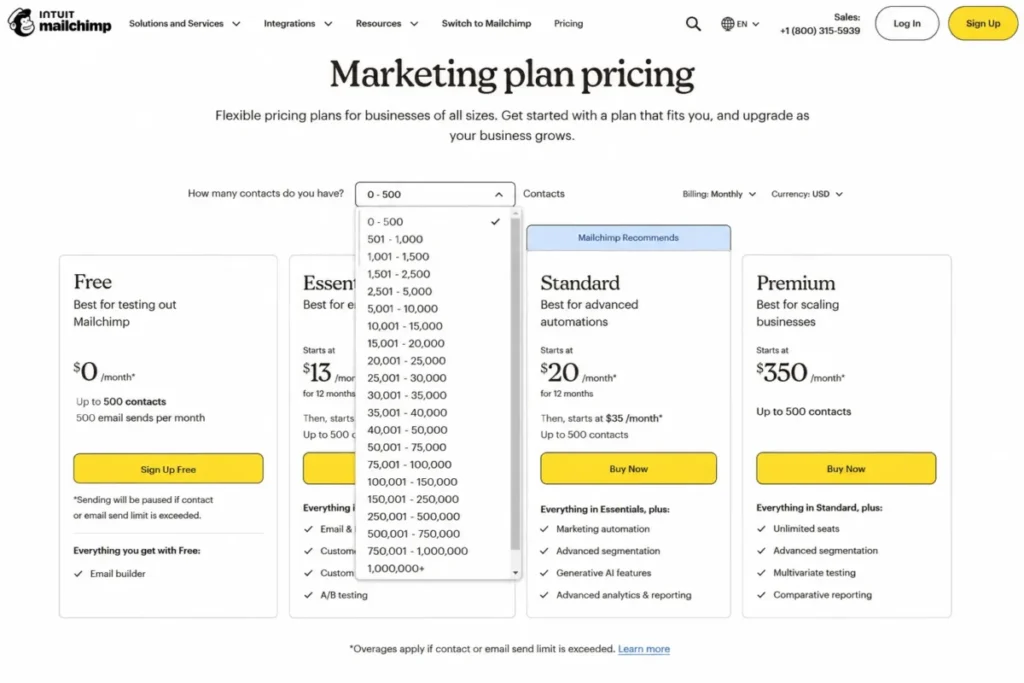
Mailchimp’s pricing page carries a contact-tier selector with 20 ranges, from 0-500 up to 1,000,000 and above. Prices for every tier above the entry range render only after you pick a tier in that selector.
That is why the figures quoted for a 10,000-contact or 25,000-contact account differ from one review site to the next. None of them are reading a published table, because there is not one.
I would not budget from a third-party figure here, including one from this page. Open the selector, choose the tier matching the contact count you expect in twelve months, and screenshot the result before you sign.
How the bill actually grows
Three mechanics decide your real cost, and none of them is the headline rate. The first is the contact meter set out above, which bills on stored contacts rather than mailed ones.
The second is the send allowance, a multiple of your contact limit at 10x on Essentials, 12x on Standard and 15x on Premium. Test emails and transactional emails both count against that allowance, which catches teams that test heavily before a launch.
Overages are automatic. Hitting a contact or sending limit triggers a bill for the overage rather than a stop, and no ceiling is published on the same billing page, checked 26 August 2026.
The add-ons that change the number
| Add-on | Published cost | Plan requirement | What to watch |
|---|---|---|---|
| Transactional email | Blocks of 25,000 emails at $20 a block for the first 20 blocks, falling to $10 a block above 160 blocks | Standard or Premium only | Unused emails inside a block do not roll over month to month |
| Dedicated IP | $29.95 a month | Transactional add-on | Only worth it at sustained volume |
| SMS and MMS | Credits bought in blocks as a monthly add-on | Paid Marketing plan, available in 37 countries and territories | Unused credits expire monthly |
| Pay-as-you-go email credits | Credit purchase instead of a monthly plan | Alternative to a plan | Suited to infrequent senders, not to a growing list |
| Custom pricing | Not published | 200,000+ contacts | Requires contacting sales |
Add-on costs, block sizes and the Standard-or-Premium requirement come from Mailchimp’s transactional email pricing page, checked 26 August 2026. The Essentials exclusion is the one that surprises people, because transactional email is often the reason a developer wanted Mailchimp in the first place.
What a ten-seat team pays
Because of the seat caps set out earlier, a ten-person team starts at Premium: $350.00 a month for 12 months on Mailchimp’s plan comparison. That is the floor before a single extra contact, and before SMS or transactional email.
Shopping on the headline Essentials rate hides this entirely. For a tier-by-tier walkthrough, see the dedicated Mailchimp pricing guide.
Feature Gates: What Each Plan Unlocks
| Gate | Free | Essentials | Standard | Premium |
|---|---|---|---|---|
| Automation ceiling | None | 4 flow steps | 200 flows | 200 enhanced flows |
| Role-based access roles | None | 2 | 4 | 5 |
| Custom templates | Not available | Create only, upgrade to send | Create and send | Create and send |
| Mailchimp branding | Always shown | Always shown | Removable | Removable |
| Generative AI | Not available | Not available | Included at no extra cost | Included at no extra cost |
| Reporting depth | Campaign metrics only | Campaign metrics only | Custom reports, dynamic content, segment filters | Custom reports plus predictive segmentation |
| Multivariate testing | Not listed | Not listed | Not listed | Included |
| SMS and transactional add-ons | Not available | Not available | Both available | Both available |
| Email scheduling | Not available | Included | Included | Included |
| Support channel | Email, first 30 days only | 24/7 email and chat | 24/7 email and chat | Phone and priority |
| Onboarding and migration | None | None | 1 personalized session | 4 sessions, a dedicated specialist, and premium migration in the first 30 days |
Source: Mailchimp’s published plan comparison, a page of official plan and feature limits, checked 26 August 2026.
Read that as an upgrade-trigger map rather than a feature list. Branding removal, dynamic content and any real automation all sit on the same line, which is why Standard is the practical plan for most buyers rather than Essentials.
What Changed in Mailchimp in 2026
Two release waves matter for a 2026 buying decision, and both landed after the last dated update on many Mailchimp reviews.
The February 2026 release focused on ecommerce data. It brought the first-party site tracking pixel for Shopify, review-platform connections for Yotpo and Judge.me, and an omnichannel dashboard covering email, SMS, automation and ecommerce events.
The same release added a unified transactional messaging API and migration tooling for switching customers. It also took SMS coverage to 37 countries and territories, including 24 new European markets.
The May 2026 release, dated 18 May 2026 in Mailchimp’s product updates, focused on AI and reporting. It added Analytics AI for Standard and Premium, plus a Claude connector so campaigns can be built from Claude or ChatGPT.
The same entry lists site tracking pixel support for Wix and WooCommerce, and a Google Workspace integration covering Docs, Gmail and Gemini. It also lists SMS age gating for alcohol brands, Meta Lead Ads phone capture feeding SMS automations, and custom reports filtered by saved segment.
The practical read: Mailchimp spent 2026 closing its ecommerce data gap and its reporting gap, not its pricing gap. If your objection to Mailchimp was cost structure, nothing in these releases answers it.
Ease of Use and Setup: What Mailchimp Is Like in Real-World Use
Every plan gate named below comes from the official plan feature list on Mailchimp’s Marketing pricing page, checked 26 August 2026.
Feature lists make Mailchimp look simpler than it becomes once campaigns, contacts and automations start interacting. The product is easiest at the start of the workflow, and the complexity arrives later, around audience structure, segmentation and automation.
Setup difficulty is low for a first campaign and moderate once tags, multiple audiences and journeys are involved. Standard includes one personalized onboarding session, and Premium includes four plus a dedicated specialist.
The campaign builder is the strongest usability advantage
The drag-and-drop editor is built around assembling a usable campaign quickly rather than giving advanced users unrestricted design control. Templates carry most of the structure, so the initial learning curve is low for a first newsletter or promotional send.
The trade-off appears once requirements move past a conventional marketing email. Email scheduling starts at Essentials, while sending custom-coded templates and removing Mailchimp branding require Standard.
The trap inside that: on Essentials you can build a custom template and then find you cannot send it. Decide the template question at purchase, not at launch.
That gap is why I score campaign creation highly without treating ease of use as a platform-wide strength.
Audience structure is where the mental model gets harder
Mailchimp organizes contacts through audiences, tags, groups and segments rather than treating them as interchangeable. Audiences are separate contact databases, while tags, groups and segments organize people inside one audience (Mailchimp audience documentation, checked 26 August 2026).
Audiences are capped at 1 on Free, 3 on Essentials, 5 on Standard and unlimited on Premium. That cap is the structural quirk that trips up agencies and multi-brand teams.
That distinction is a billing decision, not only an administrative one. Mailchimp’s documentation states that audiences do not share contact data, so one address stored in two audiences is counted as two contacts.
The structural advice follows directly. One audience with several tags or segments is easier to reason about and cheaper to run than an account that spawns a new audience for every campaign, brand or customer group.
Automation looks simple until a workflow needs branching
The visual automation builder makes triggers and actions easier to follow than a rules table or a code-based workflow. The useful question is not whether Mailchimp has automation, but how much of it the plan you selected actually allows.
A basic welcome sequence fits anywhere. A lifecycle workflow combining a trigger, a delay, a condition, a branch and a follow-up can easily exceed the Essentials ceiling of four flow steps.
For anyone planning abandoned-cart, re-engagement or conditional nurture sequences, Standard is the first plan I would treat as a real automation tier.
The buying order matters more than the comparison table. Build the workflow you actually intend to run, then pick the plan that holds it, rather than buying Essentials and trying to compress the workflow into four steps.
Reporting is approachable, but the useful layer sits above the entry plans
The reporting interface leads with familiar campaign metrics, which keeps basic analysis open to a marketer who does not want to build dashboards. Custom reports, dynamic content, segment-filtered reporting and Analytics AI all require Standard or Premium.
One caveat on Analytics AI: it reads the data Mailchimp already holds, so without the ecommerce pixel installed the revenue side of its analysis has nothing to work with.
That split matters because seeing campaign statistics and knowing what to do next are different jobs. Entry-plan reporting answers what happened, while custom reports, segment-level analysis and Analytics AI aim at why it happened and what to do about it.
This is another reason Standard is the more realistic version of Mailchimp for a business using it as more than a newsletter sender.
Multichannel adds cost lines rather than features
SMS is a paid add-on with credits that expire monthly, available across 37 countries and territories. Transactional email is a separate block-based product limited to Standard and Premium.
The limit worth knowing: both are metered separately from your plan, so a multichannel setup carries three cost lines rather than one. If SMS is the main channel rather than a supplement, compare dedicated SMS marketing tools first.
Mailchimp is easiest before the account gets complicated
The reputation for simplicity is deserved and conditional. Ease of use drew 90 positive mentions in my sample, the largest of any theme, and also 42 negative ones once reviewers described larger or more complicated setups.
The conclusion is not that Mailchimp becomes difficult. Its strongest usability advantage sits at the same stage where its pricing is most attractive, so small lists, simple campaigns and small teams get both, and both weaken together as the account grows.
Integrations and Ecosystem
Mailchimp publishes 300+ integrations on every plan including Free, listed on its official plan feature page. Shopify, WooCommerce, Wix, Salesforce and the major CMS platforms are all covered.
Getting that whole catalogue on the free tier is unusual at this price.
The 2026 additions are the interesting part. A Google Workspace integration connects Docs, Gmail and Gemini, Meta Lead Ads phone numbers now flow into SMS automations, and Claude and ChatGPT apps allow campaigns to be drafted outside the Mailchimp interface.
Where a native connector does not exist, the usual bridge is an automation platform. That route is covered in the Zapier review if you need to connect Mailchimp to something outside its catalogue.
Security, Support, and Admin Controls
Role-based access is the clearest admin gate. Free has none, Essentials has 2 roles, Standard has 4 and Premium has 5, per Mailchimp’s published plan features checked on 26 August 2026.
Support access tracks the same ladder. Free gets email support for 30 days, Essentials and Standard get 24/7 email and chat, and phone plus priority support is Premium only.
Premium also includes premium migration services during the first 30 days. That is the one plan-gated item which materially changes a switching decision, so price it against the tier difference if you are moving a large list in.
One pattern from the review sample is worth separating out. The harshest support records described trouble resolving account or billing problems, not trouble using the campaign editor, so support quality here is a billing-and-access risk rather than a usability one.
What 155 Mailchimp User Reviews Across Four Platforms Say
Aggregate ratings for Mailchimp disagree sharply from one platform to the next. Checked on 26 August 2026: Capterra 4.5 out of 5 from 17,676 reviews, and G2 reviews 4.3 out of 5 from 12,988.
The other two sit far apart. TrustRadius gives 8.4 out of 10 from 2,881 reviews, while Trustpilot gives 2.6 out of 5 from 1,496.
That spread of 1.6 to 1.9 points between Trustpilot and the software directories is not noise. One possible explanation is population differences, although I could not verify enough about each platform’s collection methodology to attribute the rating gap to that cause.
What is observable without that attribution is the content itself. The complaints concentrated on Trustpilot are not the complaints concentrated on the directories, so reading only one of them gives an incomplete picture.
To see which, I coded 155 review records across those four platforms. I call them records rather than reviews because for most of them the retrieved text was the pros and cons fields rather than the full original wording, which the sampling note below sets out.
| Theme | Positive mentions | Negative mentions | Total |
|---|---|---|---|
| Ease of use | 90 | 42 | 132 |
| Pricing and plan limits | 14 | 74 | 88 |
| Reliability and performance | 22 | 33 | 55 |
| Customer support | 22 | 32 | 54 |
| Setup and learning curve | 25 | 13 | 38 |
| Collaboration workflow | 1 | 1 | 2 |
A single review can carry more than one theme, and a review that praised and criticised the same theme was counted in both columns, so the totals exceed 155.
Positive vs. negative mentions across 155 review records
learning curve
performance
workflow
plan limits
support
Three findings changed my view of the product.
Reliability came out net negative at 22 positive against 33 negative, which the standard easy-but-expensive summary does not predict. Deliverability complaints, rendering inconsistency across email clients, and Intuit account login problems all recurred.
Support, not price, is what produces the harshest reviews. Pricing generated the most complaints overall, but the pricing complaints I read were mostly grumbles inside otherwise positive reviews, while the support complaints came from people who had given up.
Account restrictions appeared often enough in my sample to flag for buyers, in 7 of the 155 records, in most cases after payment had been taken. That is a signal worth checking rather than a measure of how often it happens across the customer base.
The Mailchimp pricing plans help page I checked on 26 August 2026 describes no grace period and no escalation timeline for billing-related suspension.
User sentiment: in my sample of 155 recent reviews from Capterra, G2, TrustRadius and Trustpilot, users most often praised ease of use. The most repeated complaint was pricing and plan limits. This feedback sharpens the documentation-based finding above, because support failure rather than price is what sat inside the harshest reviews I read.
How I sampled and coded the reviews
155 review records were collected and coded on 26 August 2026: 50 on Capterra, 46 on G2, 39 on Trustpilot and 20 on TrustRadius. The Trustpilot reviews ran from 29 June to 26 August 2026, TrustRadius from 13 March to 25 August 2026, Capterra from 31 August 2025 to 20 August 2026, and G2 from February 2025 to August 2026.
Every review was coded into six fixed themes: ease of use, setup and learning curve, reliability and performance, collaboration workflow, pricing and plan limits, and customer support. A review can carry several themes, so the columns do not sum to the sample size.
Four limits are worth stating. Capterra, G2 and TrustRadius were not sorted chronologically, so those samples reflect each platform’s default ordering rather than pure recency.
Trustpilot pagination stopped at page two, which caps that sample at roughly two months. For 116 of the 155 reviews the retrieved text was a condensed rendering of each review’s pros and cons fields rather than the full original wording, so no review is quoted verbatim anywhere on this page.
Collaboration workflow returned only two mentions because none of these platforms prompt for it. Treat that row as an artefact of the survey instrument rather than a finding.
Public review platforms are self-selected samples. This data validated or challenged the documentation-based findings above, and it did not determine the score on its own.
Mailchimp Limitations
Billing ignores engagement. Contacts stay billable until archived, cleaned or deleted, so list hygiene is a cost-control job as well as a deliverability one.
Seats stop at five below Premium. That is the hard ceiling for any team past a two-person marketing function.
Automation on Essentials is not automation. Four flow steps will not hold a branch, a wait and a follow-up, so the entry paid tier cannot run the sequences most buyers are shopping for.
Tier pricing is not published as a table. Everything above the entry contact range requires interacting with the selector, which makes forward budgeting and finance approval harder than it needs to be.
Transactional email excludes Essentials. Teams wanting both marketing and developer-triggered email start at Standard, plus the separate block cost.
Overages have no published ceiling. Crossing a contact or send limit triggers automatic billing rather than a stop, and no maximum is disclosed.
Who Should Use Mailchimp
Solo senders and newsletter writers with small lists. The Free plan never expires, and the Essentials entry rate is low enough that upgrading from free is not a budget decision.
Small ecommerce stores on Shopify, Wix or WooCommerce. The first-party pixel and the 2026 ecommerce releases removed the main reason these stores used to need a developer.
Nonprofits and charities. A 15% discount plus a usable free tier makes the economics work at list sizes where paid platforms usually do not.
Teams of five or fewer that want generative AI included. Standard bundles AI at no extra cost, which is not true of every competitor at this price.
Businesses wanting email, SMS and transactional from one vendor. All three exist inside Mailchimp, which has real value for a team that does not want three contracts.
Who Should Avoid Mailchimp
Marketing teams of six or more. Premium is forced regardless of list size, which is rarely the best use of the budget.
B2B teams that need lead scoring. There is no pipeline, no deal stage and no native scoring engine, so Mailchimp sits beside a CRM rather than replacing one. Start from the HubSpot CRM review if that is your requirement.
Accounts carrying large dormant lists. Billing on non-engaged contacts penalises exactly the account shape that ecommerce and media businesses tend to accumulate.
Teams where a failed send is a business emergency. Support access is plan-gated, phone support is Premium only, and support outweighed pricing as the recurring complaint in the Trustpilot reviews I read.
Anyone whose main channel is SMS. SMS is an add-on with monthly-expiring credits and 37-country coverage, which makes it a supplement rather than a foundation.
Mailchimp Alternatives
Each row below states the Mailchimp constraint the alternative is meant to relieve, and the one thing to verify on that vendor’s own pricing page before you switch. The verification column exists because a competitor’s billing model is not a Mailchimp fact and is not sourced on this page.
| Alternative | Look at it when Mailchimp fails you on | Verify on the vendor’s pricing page before switching |
|---|---|---|
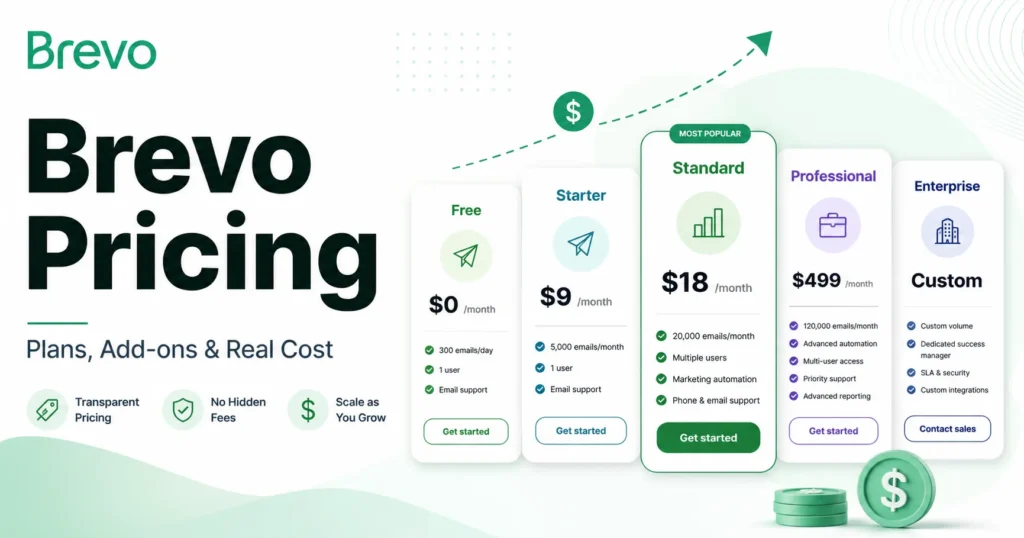
| Brevo | Paying for stored contacts you are not mailing | Whether its meter is emails sent rather than contacts stored, and what the send tiers cost at your volume |
| Klaviyo | Ecommerce revenue attribution Mailchimp reporting does not give you | How its contact tiers price at your list size, and which attribution reports need which plan |
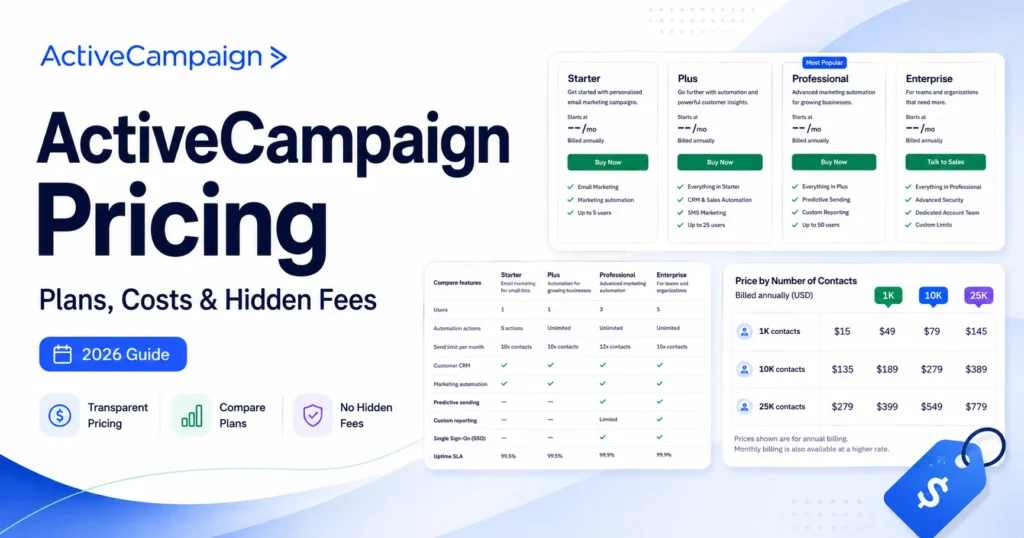
| ActiveCampaign | Automation depth and conditional logic beyond 200 flows | Where its automation ceiling sits, and whether seats or contacts drive its upgrade trigger |
| ConvertKit | Newsletter and subscriber tooling rather than campaign design | How it counts a subscriber, and whether duplicate list membership is billed twice |
Brevo answers the billing model, so start from the Brevo review. The others answer capability gaps: the Klaviyo review if attribution is the gap, the ActiveCampaign review if conditional logic is, the ConvertKit review if you publish a newsletter.
If you move, plan the export properly. Contacts and tags migrate cleanly while automation logic and historical reporting generally do not, and the same discipline applies as in any CRM migration.
Final Verdict: Is Mailchimp Worth It in 2026?
Mailchimp is worth it if your list is small, your team is small, and your requirement is speed. At 3.5 out of 5 it remains the default recommendation for a solo sender, a small store, or a nonprofit that needs a campaign out this week.
Buy Standard, not Essentials. Automation flows, custom reports, dynamic content, branding removal and generative AI all sit above the Essentials line, and Essentials without them is a scheduling tool with a template library.
The decision chain is short. Mailchimp’s official documentation puts automation flows, custom reports and generative AI above the Essentials line, and caps seats at five on Standard.
The operating consequence is that a growing marketing team of six or more, or any team running a branched sequence, cannot work on the tier its budget points at. That plan gate is the trade-off it pays for the build speed, and no plan choice works around it.
So I recommend Standard for teams of five or fewer, and I would avoid Mailchimp for a team of ten unless Premium is already budgeted, for a large dormant list, or where lead scoring is the requirement.
The renewal question I would want answered before year two: has the billable contact count grown faster than the engaged contact count? If it has, the platform is charging you for the part of the list that is not working, and a send-based competitor deserves a serious look.
Frequently Asked Questions
Six questions the sections above leave genuinely open for a buyer.
Is Mailchimp still free in 2026?
Yes, and the Free plan has no expiry date, but it is capped at 250 contacts and 500 emails a month with a 250-a-day limit. It includes 1 seat, 1 audience, no automation flows, no email scheduling and no generative AI, and email support runs for the first 30 days only (Mailchimp plan comparison, checked 26 August 2026).
Why is my Mailchimp bill higher than my subscriber count suggests?
Because unsubscribed and non-subscribed contacts are billable while archived, cleaned and deleted ones are not. Archiving, not unsubscribing, is the action that actually reduces the bill.
Can I use Mailchimp for transactional email?
Yes, but only on Standard or Premium. Transactional email is a separate add-on sold in blocks of 25,000 emails starting at $20 a block, and a dedicated IP costs $29.95 a month.
Unused emails inside a block do not roll over (Mailchimp transactional pricing, checked 26 August 2026).
What does Mailchimp cost for 10,000 or 25,000 contacts?
Mailchimp does not publish a static table for those tiers. Rates above the entry range render only inside the contact selector on the pricing page, so the reliable answer is to select your expected tier there and record the figure rather than trusting any third-party number, including this one.
Does Mailchimp work for B2B lead nurturing?
Only for the email layer. There is no pipeline, no deal stage and no native lead scoring, so a B2B team running scored nurture sequences needs a CRM alongside it or a platform that includes scoring natively.
Is Analytics AI available on every Mailchimp plan?
No. Mailchimp’s product update notes list Analytics AI for Standard and Premium, alongside the Claude and ChatGPT connectors, so Free and Essentials accounts do not get conversational reporting.