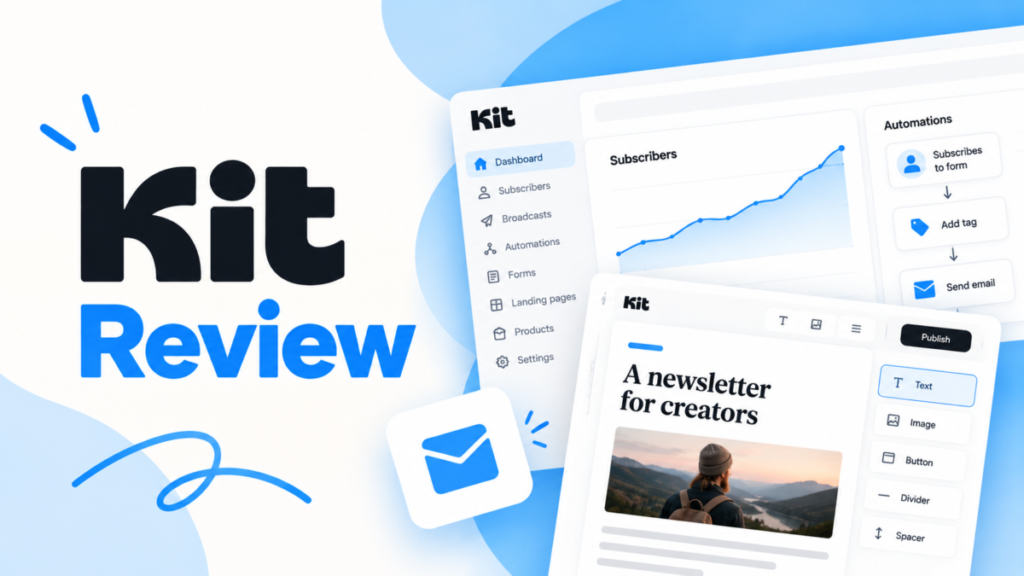
Kit, the email platform formerly called ConvertKit, is worth paying for when you sell digital products or run automated launches from one list. A newsletter that only sends broadcasts can stay on its Free plan up to 10,000 subscribers. Paid plans start with Creator at $33 a month for 1,000 subscribers, billed yearly as $390.
This ConvertKit review covers the current Kit product and its Free, Creator and Pro plans as Kit’s own pages showed them in October 2026. It shows what each plan holds back, the limit that forces each upgrade, and what a creator pays in year one and after Pro’s limited-time offer ends.
Quick verdict
Kit (ConvertKit) is the pick for creators who earn from their list, and a free starting point for newsletters that only broadcast.
- Worth it for: authors, coaches and course creators who sell from their list and want welcome or launch sequences, which start on Creator.
- Skip it if: you need automations on a free plan, which MailerLite’s Free plan includes up to 250 subscribers, or a team of three on a Creator budget.
- Main strength: a Free plan up to 10,000 subscribers that already sells digital products and joins Kit’s Creator Network.
- Biggest limit: Visual Automations and email sequences need a paid plan, and Creator stops at 2 users.
- Price basis: at 1,000 subscribers, Free is $0, Creator is $33/mo billed yearly, and Pro is $50/mo for the first year on a limited-time offer ($66/mo without it).
In This Article (12 sections)
Kit (ConvertKit) at a Glance
Kit is ConvertKit’s current name. The company describes the product as “Kit (formerly ConvertKit)”, an email marketing and newsletter platform for creators, and its site footer reads “ConvertKit is now Kit”.
- Category: email marketing and newsletter platform for creators
- Best for: creators who sell digital products, paid newsletters or courses from their list
- Starting price: Free at $0 up to 10,000 subscribers; Creator at $33/mo for 1,000 subscribers, $390 billed yearly
- Free plan or trial: Free plan up to 10,000 subscribers; 14-day free trial of Creator and Pro, no credit card required
- Users: 1 on Free, 2 on Creator, unlimited on Pro
- Commerce fee: 3.5% + 30c per sale, card processing included
- Main limitation: no Visual Automations or email sequences on Free
- Checked: October 2026
Kit sends two kinds of email. Broadcasts are one-time campaigns or newsletters, unlimited from the Free plan up.
Sequences are automated series, such as a run of welcome emails, and they start on Creator. That split decides most plan choices.
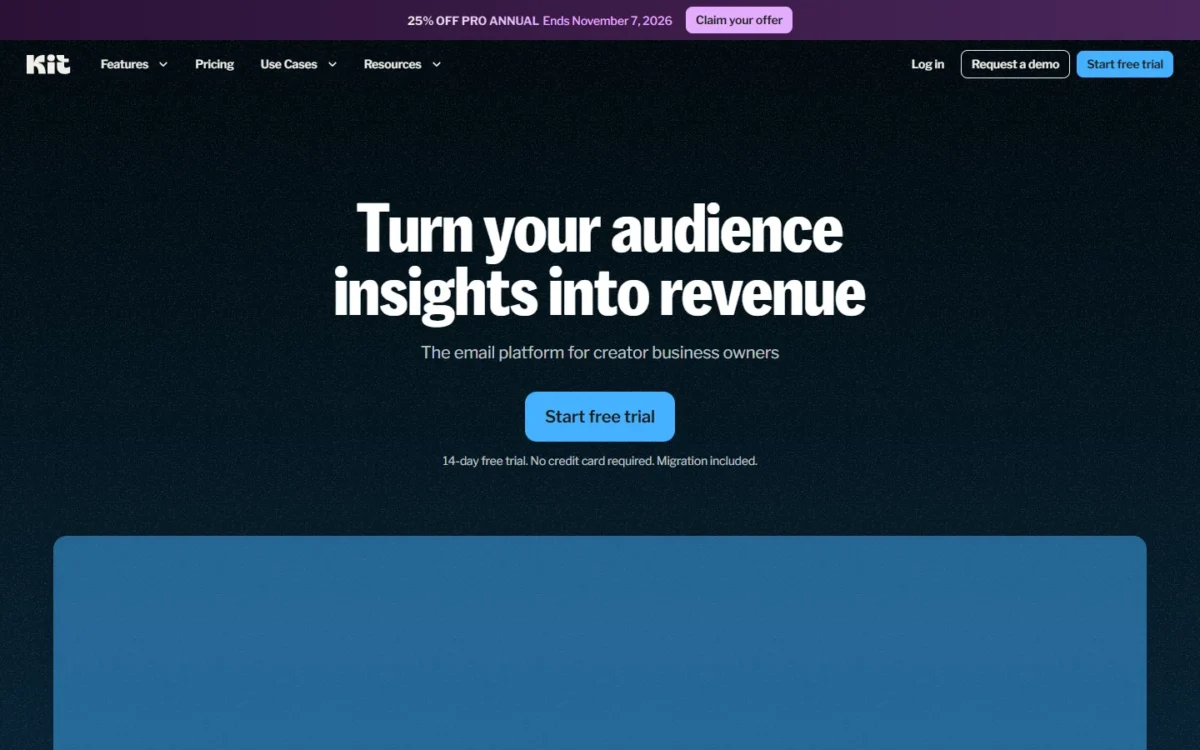
Two items on Kit’s October 2026 pricing page carry a “NEW” label: Kit MCP, which connects AI tools such as Claude, ChatGPT and Gemini to your account, and Subscriber Signals, Pro’s audience data. Kit’s help center still calls the top plan “Creator Pro”, while the pricing page calls it Pro.
ConvertKit Pros and Cons
Kit’s strengths are a large Free plan, selling built into the Free plan, and visual automations for launches; its limits are automations locked to paid plans, a 2-user cap on Creator and analytics reserved for Pro.
Pros
- Free covers up to 10,000 subscribers with unlimited broadcasts, forms and landing pages, enough for a newsletter without automations
- Digital products and subscriptions sell from the Free plan up at 3.5% + 30c per sale, card processing included, so a small creator needs no separate store
- Creator adds unlimited branched Visual Automations with templates for welcomes, launches and course delivery, the core of a launch funnel
- The Creator Network can recommend your newsletter from signup, Free included, with paid plans getting priority
- Paid plans include a free migration in which Kit’s team moves subscribers, tags, segments, automations and forms
Cons
- Free cannot create automations, sequences or RSS campaigns, so even a welcome series needs Creator
- Creator allows 2 users, so a team of three pays for Pro
- Content A/B tests, deliverability reporting and Facebook custom audiences sit on Pro, not Creator
- Pro’s $50/mo is a limited-time first-year price ($66/mo without the offer); the plan renews at the standard rate after year one
- Kit keeps 23.5% of Paid Recommendations earnings, per its pricing page, and earning them needs a paid plan
Each item traces back to a plan gate, so the features below say which plan holds what.
ConvertKit Features
Six Kit features change the buying decision. Automations and sequences need Creator, Pro holds the audience analytics, and the other four (tags and segments, Recommendations, Commerce, landing pages and forms) already work on Free, with Recommendations earnings reserved for paid plans.
Visual Automations and sequences (Creator and Pro)
Kit automates welcome series and launches on Creator and Pro; the Free plan cannot create Visual Automations or email sequences. A workflow starts when someone signs up, clicks a link, buys a product or goes inactive. Each step then sends an email, applies a tag, adjusts a segment or waits.
Branched workflows like these are the heart of what marketing automation does for a one-person business: one trigger, then a path that changes with each subscriber’s behavior.
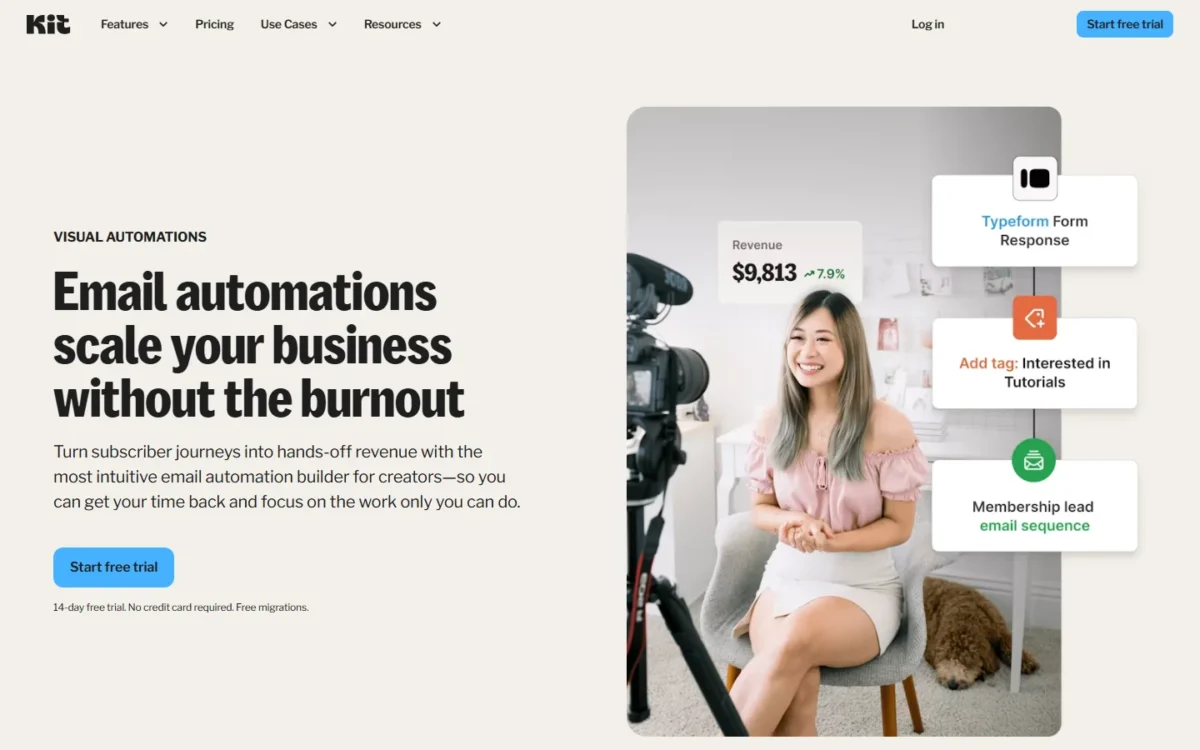
Take a course creator as a scenario. A lead-magnet form tags new subscribers by topic, a welcome sequence follows, and a purchase tag moves buyers out of the sales emails and into course delivery. Kit’s template library has pre-built workflows for welcomes, launches, evergreen funnels and course delivery, so that funnel starts from a template.
Rules and RSS campaigns, which email your list when your blog’s feed updates, are paid features too. After a downgrade to Free, existing automations and sequences stay in the account but stop running until you upgrade again.
Creator also adds Kit MCP, which lets Claude, ChatGPT or Gemini answer questions about your list, tag subscribers, draft emails and schedule sends. Kit says nothing happens until you approve it, which matters if several people share the account.
Tags, segments and one subscriber list
Kit keeps one subscriber list and organizes it with tags and segments, so a person who joins through three different forms lands on the same list. You tag subscribers by entry point, interest or action, then segment them by location, interests, purchases, signup source and engagement.
That model matters for the bill. Kit counts a subscriber only if they are unique and active, so one reader tagged five ways is still one billable subscriber.
On Pro, subscriber scoring rates each subscriber’s engagement on a scale of 1–5. Kit pitches it for picking subscribers for sponsor deals, VIP offers or re-engagement campaigns.
Creator Network Recommendations
A Kit account joins the Creator Network at signup, Free included, so other creators can recommend your newsletter in their sign-up flows and you can recommend theirs. Free gets five Smart Recommendation slots that fill automatically with similar creators. Paid plans get priority and a larger share of recommendations.
Kit’s Creator Network page claims “2x newsletter list growth” for creators who recommend each other. Treat it as Kit’s own claim, not a forecast for your list.
Paid Recommendations pay you to recommend other creators, but earning needs a paid plan and Kit keeps 23.5% of those earnings. You can switch Recommendations off in your Creator Network settings without changing anything else about your plan.
Pro adds a free SparkLoop plan for a reward referral program, which Kit values at $99/mo.
For a newsletter starting from zero, free enrolment in the network is a growth lever that costs nothing, and Kit’s help center calls it “one of the quickest ways to build a list from scratch”. For a creator planning to earn from recommendations, the 23.5% fee is the number to weigh.
Commerce: digital products, paid newsletters and tips
You can sell from Kit on the Free plan as well as on paid plans, and Kit’s pricing table lists the same fee for all three: 3.5% + 30c per sale, inclusive of card processing. Kit says it keeps 0.6% of that; the rest covers card processing.
Products range from ebooks, courses, presets and coaching to paid newsletters billed monthly, quarterly or annually, recurring memberships and tip jars. Buyers pay by card, Apple Pay, Google Pay, Affirm or Link, and each buyer is tagged at purchase, so an automation can take over the follow-up.
For store sales, Kit’s pricing table lists Abandon checkout, which turns abandoned checkouts on Shopify, Fourthwall and Wix into recovered sales. Its homepage also names abandoned cart emails among the sequences you can build in Visual Automations, which start on Creator.
Kit also runs newsletter sponsorships, matching creators with brands while you approve every ad.
The fee is a percentage, so it grows with revenue. The pricing section works out what it comes to on a real launch.
Landing pages, forms and templates
You do not need a separate landing-page builder to grow a list: every Kit plan includes unlimited landing pages and forms. Kit offers 20+ landing page templates, a free yourname.kit.com domain or your own, custom CSS, and forms that embed as a modal, sticky bar, slide-in or inline block.
Email templates come from Kit’s template library or from your own HTML and CSS. Free keeps Kit branding on landing pages, emails and product pages; Creator lets you switch it off. For a creator whose public brand matters, that branding toggle is a small but real reason to pay.
Pro analytics: Subscriber Signals, scoring and deliverability reporting
Pro’s higher price buys audience data and diagnosis, not more sending. It adds Subscriber Signals, engagement scoring and analytics, an insights dashboard, deliverability reporting, A/B tests of up to five subject lines or of content, and quarterly audits from Kit’s Growth Concierge team.
Subscriber Signals shows the income, demographics and social influence of your subscribers. Kit marks it “available once your paid Pro plan begins”, so budget for it as a paid feature, not something to judge during a trial.
Deliverability reporting shows which email providers or segments underperform. That set earns its price for a sponsor-funded newsletter, where audience data is what you sell. I would not pay for it as a solo creator selling one ebook: Creator’s automations already run the welcome and launch sequences that sell the ebook.
ConvertKit Ease of Use
Kit’s setup for a solo creator comes down to a form or landing page, a tag plan and one automation built from a template. Paid plans hand the move from another platform to Kit’s migration team.
Kit says that team moves your subscribers, tags, segments, automations and forms, checks that every active subscriber arrived, and estimates your part at about an hour.
The one-list model removes a common chore: there are no duplicate lists to merge or keep in sync. Kit’s help center groups its articles by job, from Getting Started With Kit (16 articles) to Switching to Kit (12 articles) and Automate (35 articles).
On Free you can open the Visual Automations and Email Sequences pages and look around; the upgrade options appear when you try to create one. The 14-day trial of Creator or Pro needs no credit card. Use it to build one automation from a template and import a sample of your list before you pay.
For a team, the user cap decides the plan: Free has 1 user, Creator 2 and Pro unlimited. Pro also adds collaborative editing, where several people work on the same email at once. Paid plans also add the free migration and the automation template library, which Free lacks.
Kit (ConvertKit) Pricing
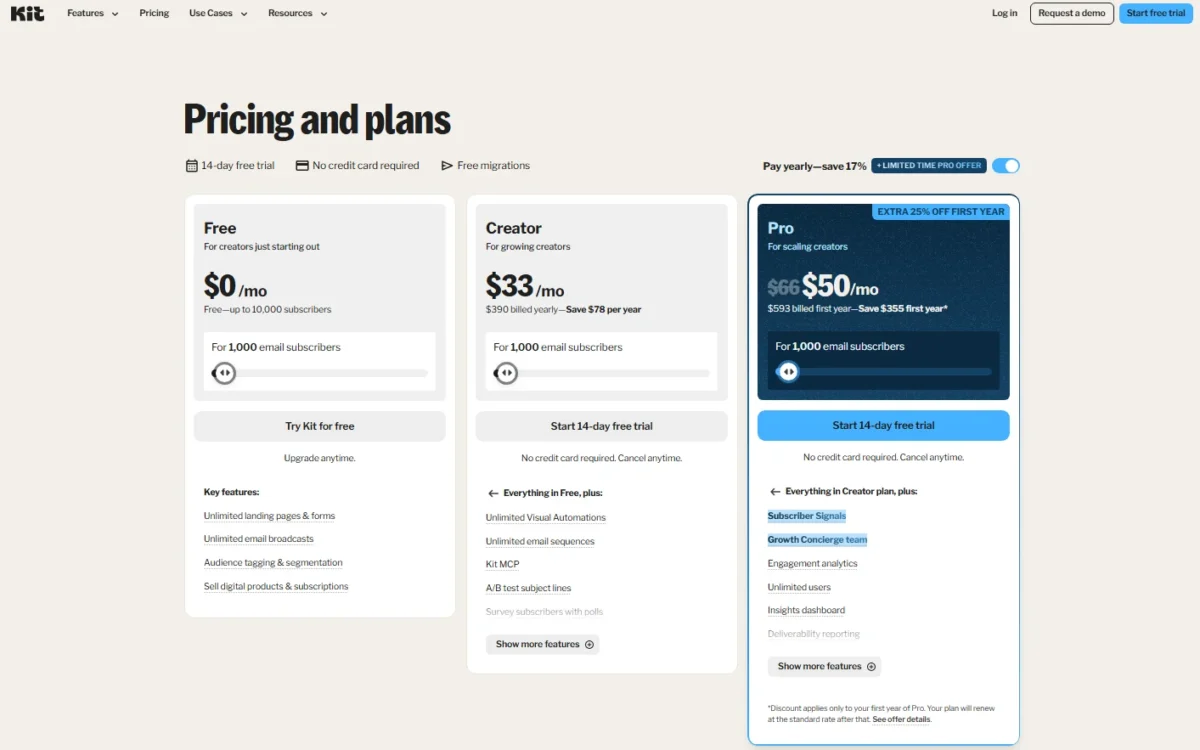
At 1,000 subscribers on yearly billing, Kit costs $0 on Free, which cannot automate, and $33 a month on Creator. Pro costs $50 a month in its first year ($593 billed first year) on a limited-time offer, against the $66 it shows without the offer.
Kit prices paid plans by active subscribers, not emails sent, and never charges for unsubscribers. The table shows US-dollar prices for 1,000 subscribers on yearly billing, the pricing page’s default view.
Kit says yearly billing saves 17%, and on Creator at 1,000 subscribers the page puts the saving at $78 a year. For a larger list or the monthly price, the slider on Kit’s pricing page shows your exact price.
| Plan | Price at 1,000 subscribers | Billing | Users | Key limit |
|---|---|---|---|---|
| Free | $0/mo | No charge up to 10,000 subscribers | 1 | No automations or sequences |
| Creator | $33/mo | $390 billed yearly | 2 | A third user needs Pro |
| Pro | $50/mo first year; $66/mo without the offer | $593 billed first year | Unlimited | Discount covers the first year only |
Sources: Kit pricing page and Kit Free plan help article, checked October 2026.
Pro first-year offer
Pro’s $50 a month is a promotion. The discount applies only to your first year of Pro, and the plan renews at the standard rate after that. Budget year two at the $66 the page shows without the offer.
The Free plan: 10,000 subscribers, no automations
Yes, ConvertKit is really free up to a point: Kit’s Free plan costs $0 a month for as long as you stay under 10,000 subscribers. It includes unlimited broadcasts, forms and landing pages, tagging and segmentation, A/B tests of two subject lines, product sales and API access.
The catch is what it holds back. Visual Automations, the automation template library, email sequences, Rules, RSS campaigns, AI Connectors, paid App Store apps and Paid Recommendations earnings all need a paid plan.
Free also means 1 user, Kit branding on your pages and emails, and automatic enrolment in Recommendations, which you can turn off. Support answers Free accounts within 24 hours, in the order requests arrive. Past 10,000 subscribers you must upgrade to keep sending, and everything you built stays in place.
For a weekly newsletter with no funnel behind it, Free is a real plan, not a trial. The first welcome email you want to automate is where it stops being enough.
Creator vs Pro: what forces an upgrade
The first automation or sequence forces Creator, a third team member or Pro’s analytics forces Pro, and passing 10,000 subscribers forces a paid plan of either kind.
| What you need | Plan it forces | What the lower plan lacks |
|---|---|---|
| A welcome sequence or any Visual Automation | Creator | Free cannot create automations or sequences |
| RSS campaigns, paid App Store apps or Paid Recommendations earnings | Creator | Free lists them as paid features |
| Kit branding removed from pages and emails | Creator | Free keeps the branding |
| More than 10,000 subscribers | Creator or Pro | Free stops sending past 10,000 |
| A third user | Pro | Creator allows 2 users |
| Content A/B tests or up to 5 subject lines | Pro | Creator tests 2 subject lines |
| Deliverability reporting, engagement scoring or Subscriber Signals | Pro | Creator does not include them |
| Facebook custom audiences or the SparkLoop referral plan | Pro | Creator does not include them |
Sources: Kit pricing page and Kit Free plan help article, checked October 2026.
For a solo creator the first row usually comes first, because a welcome series is the simplest funnel there is. Pro’s rows describe a team of three or more or a sponsor-funded list. I would move up only when one of them costs you money every month.
What Kit costs at 1,000 subscribers
At 1,000 subscribers, Creator costs $390 a year on yearly billing. Pro costs $593 in its first year, then $66 x 12 months = $792 a year at the rate the page shows without the offer.
Over two years, Creator comes to $390 x 2 = $780, against $593 + $792 = $1,385 for Pro. The year-two gap, $792 – $390 = $402, is the real price of Pro’s analytics, unlimited users and concierge. The limited-time offer narrows it to $593 – $390 = $203 in year one, which is why Pro looks closer to Creator than it is.
Both figures grow with the list, because Kit bills by unique, active subscribers. When your count drops below a lower tier, Kit shows the option to switch in your billing settings, so pruning cold subscribers can lower the bill.
Take an illustrative launch: you sell 200 copies of a $25 ebook (invented numbers), so sales come to 200 x $25 = $5,000.
At 3.5% + 30c per sale, the fees come to 3.5% x $5,000 + 200 x $0.30 = $235, about 4.7% of sales.
The fee is the same on Free and on paid plans. A creator on Free pays only that fee; on Creator, it comes on top of the yearly subscription.
Price and plan are half the fit. Integrations, support and data safety decide whether Kit can run the business day to day.
Kit Integrations, Support and Security
Kit connects to 100+ direct apps through the Kit App Store, and API access starts on the Free plan. Named integrations include Shopify, Thinkific, Calendly, Mighty and Linktree for automations, and Wix and Fourthwall for sales data.
The App Store files apps under categories such as CRM, e-Commerce, Memberships & Courses and Webinar Services. Free keeps the free apps; paid apps need Creator or Pro.
Support runs on every Kit plan. Free accounts get answers within 24 hours, Creator adds 24/7 email and chat, and Pro gets 24/7 priority support. Kit says its AI assistant handles most questions first and passes the rest to its team.
For a creator switching platforms, the help center has migration guides from Mailchimp, MailerLite, Flodesk, beehiiv, AWeber, ActiveCampaign, GetResponse and Substack. Paid plans add the free migration described above.
Kit’s security and delivery figures are its own claims. Its homepage says SPF, DKIM and one-click unsubscribes run automatically and that “healthy IPs and anti-abuse policies” protect sender reputation. It also says creators across Kit see a 99.8% delivery rate and 40% average open rates.
Kit publishes no method behind those rates, and its homepage and pricing page name no security certification. Your own delivery depends on your list and sending habits, so send a test broadcast to your own Gmail and Outlook addresses during the trial.
Who Should Use ConvertKit?
Kit fits creators who sell digital products or run launches from a list, and a newsletter under 10,000 subscribers that only broadcasts can use it free.
Best for
- A newsletter under 10,000 subscribers that only sends broadcasts: Free covers it at $0
- An author or course creator running welcome and launch funnels: Creator holds unlimited Visual Automations and sequences
- A creator selling ebooks, a paid newsletter or memberships from the list: Commerce runs from the Free plan up at 3.5% + 30c per sale
- A sponsor-funded newsletter that needs audience data: Pro adds Subscriber Signals and engagement scoring
Not ideal for
- An online store whose email program runs mainly on cart and order flows: Kit’s use cases are creators such as authors, coaches and podcasters
- A B2B team that needs a sales pipeline: Kit’s App Store treats CRM as an app category to connect
- A team of three or more on a Creator budget: Creator caps the account at 2 users
- A list under 250 that wants free automations: MailerLite’s Free plan includes them
A store whose email program runs mainly on cart and order flows is better served, in my view, by a store-first platform, and my Klaviyo review weighs that option for ecommerce email and SMS.
If you are also weighing ActiveCampaign, my ActiveCampaign review covers it. For creators, the closest rivals are four other email platforms.
ConvertKit vs Competitors
Kit’s Free plan covers up to 10,000 subscribers, against 2,500 on beehiiv’s Free plan and 250 on Mailchimp’s and MailerLite’s, while Flodesk’s Free plan sends no email. Kit’s catch is that, like beehiiv’s, its free tier has no automations.
| Software | Best for | Starting price | Key difference | Main trade-off |
|---|---|---|---|---|
| Kit | Creators selling products from one list | Free up to 10,000 subscribers; Creator $33/mo billed yearly at 1,000 | Commerce from Free up at 3.5% + 30c per sale | No automations on Free; Creator has 2 users |
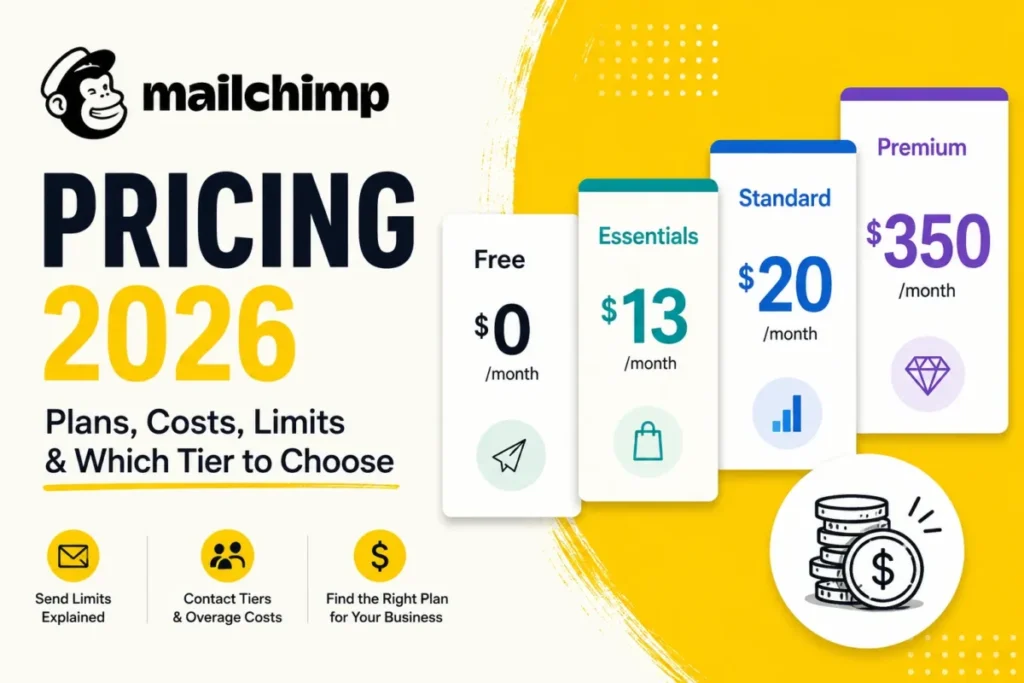
| Mailchimp | Small lists testing email on a free plan | Free up to 250 contacts; Essentials starts at $13/ | Contact and email send limits, with overages | Free stops at 250 contacts |
| beehiiv | Newsletters earning from paid subscriptions | Free up to 2,500 subscribers; Lite $49/ | 0% take on paid subscriptions and digital products | Automations start on Lite |
| MailerLite | Small lists that need automations free | Free up to 250 subscribers; Comfort starting $12/ | Automations and 2 user seats on Free | Free caps sending at 2,500 emails a month |
| Flodesk | Design-led creators with one welcome flow | Free (no sending); Lite $19/ | Lite costs $25/ | Lite is limited to 1 workflow automation |
Sources: Kit pricing, Mailchimp pricing, beehiiv pricing, MailerLite pricing, Flodesk pricing, checked October 2026.
Between Mailchimp and ConvertKit, list size and sending limits decide. Mailchimp’s Free plan stops at 250 contacts and its plans carry contact and send limits with overages, while Kit lets you send unlimited emails. For a creator past 250 contacts who sells from the list, I would pick Kit; my full Mailchimp review covers the businesses Mailchimp suits better.
Flodesk or Kit is a question of how many automations you run. Flodesk Lite costs $19/month billed annually at 1,000 subscribers, $14 a month less than Kit Creator’s $33, but Lite is limited to 1 workflow automation. A creator with one welcome flow saves with Flodesk; one who runs several launches needs Kit.
beehiiv takes 0% of paid subscription and digital product revenue and passes on Stripe’s 2.9% + $0.30 per transaction.
Against Kit’s 3.5% + 30c per sale, beehiiv’s rate is 0.6 percentage points lower, and the 30 cents per sale is the same on both. The gap therefore grows with revenue, not with the number of sales.
On fees alone beehiiv wins, but its automations start on Lite at $49/mo billed yearly at 1,000 subscribers, $16 a month more than Kit Creator’s $33. MailerLite is the cheaper route to automations on a small list: its Free plan includes them with 2 user seats for up to 250 subscribers, and Comfort starts at $12 a month.
Best ConvertKit Alternatives
Look beyond Kit in three cases, each tied to a plan fact above:
- a store whose email program runs mainly on cart and order flows, while Kit’s use cases name creators, not shops
- automations on a list under 250 subscribers, which MailerLite’s Free plan includes and Kit’s does not
- a newsletter paid for by subscriptions, where beehiiv takes no cut of subscription revenue and Kit charges its per-sale fee
For the first two, my ranking of the best email marketing platforms sorts the category by job.
For a publication, the best newsletter tools list weighs newsletter-first platforms such as beehiiv.
How I Evaluated ConvertKit for This Review
This review rests on Kit’s own pages. I read its pricing page from the Internet Archive’s copy of October 17, 2026, and its help center articles on the Free plan, billing and migration on October 20, 2026. I also read its feature pages for automations, Recommendations, Commerce and landing pages, and its homepage, on the same day.
Competitor figures come from the pricing pages of Mailchimp, beehiiv, MailerLite and Flodesk, read on October 20, 2026. The page uses two kinds of evidence: Kit’s documentation, stated as fact and linked, and my analysis of it, such as the upgrade triggers and the year-one and year-two costs.
For security, Kit’s help center files its data security and GDPR articles under Managing Your Account. Kit’s prices for larger lists sit behind the pricing page’s slider, and offers change, so confirm your own figure on Kit’s pricing page before you pay.
Frequently Asked Questions
Is Kit the same as ConvertKit?
Yes. Kit is ConvertKit’s new name for the same email marketing and newsletter platform, now at kit.com, and the company documents the switch in a video series called Rebranding in Public. Today’s lineup is Free, Creator and Pro, though parts of the help center still say Creator Pro.
Is Kit.com safe to use?
Kit’s own safety claims cover sending: automatic SPF, DKIM and one-click unsubscribes, plus anti-abuse policies, as the security section above describes.
The company also says 550,000+ creator business owners trust it. Its help center keeps billing, data security and GDPR articles under Managing Your Account. If you collect subscribers in the EU, read those GDPR articles before you import your list.
Does Kit charge for unsubscribed or unconfirmed subscribers?
No. Kit bills paid plans by unique, active subscribers, and unconfirmed and complained subscribers do not count toward the billing total. A “complained” subscriber is one who marked one of your emails as spam, so a spam complaint removes that person from your bill as well as from your audience.
What happens if I downgrade from a paid plan to Free?
You keep paid features until the end of your current billing period, and everything you built stays in the account. Visual Automations and sequences stop running on Free and come back when you upgrade. A trial works differently: switching to Free during a trial ends access to paid features at once.
Final Verdict: Is ConvertKit Worth It?
Yes, Kit is worth it for a creator who will use automations and sell from the list. Creator, at $390 a year for 1,000 subscribers, buys the sequences and launch funnels that Free holds back. Free is the right start for a newsletter under 10,000 subscribers that only sends broadcasts, and it costs nothing until your first automation.
Pro makes sense when a third team member, sponsor-ready audience data or the Growth Concierge pays for itself at $66 a month, not only at the first-year $50.
The biggest trade-off is that Kit charges for automations that MailerLite gives away on lists up to 250 subscribers. Pick beehiiv instead if paid subscriptions are your income, and a store-first platform such as Klaviyo if you run a shop.
Before you commit, use the 14-day trial to check three things: your price at your own subscriber count on the pricing slider, one automation built from a template, and a test sale through Kit Commerce.