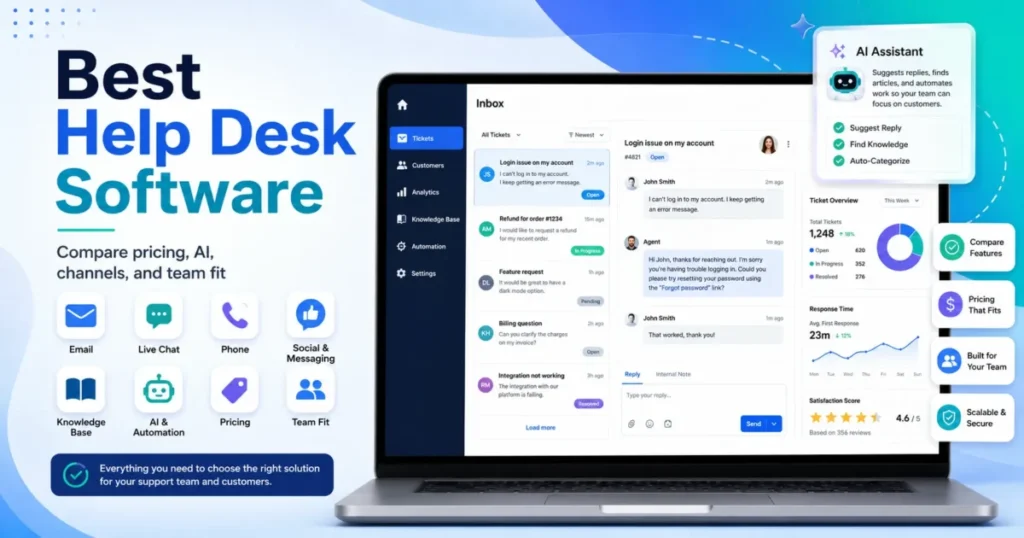
The headline price on a help desk pricing page is almost never the number your finance team ends up approving. Seats, AI resolution fees, ticket overages, channel gates, and add-on packs decide the real bill, and most of the top-ranking best help desk software lists skip that math entirely.
This guide ranks 20 tools across customer support, ecommerce, Gmail-based support, CRM-led service, and IT service desk use cases.
For most support teams, Zendesk Suite is the safest scalable pick, Help Scout is the better fit for small human-first teams, and Freshdesk gives the strongest ticketing value under $60 per agent.
If you sell on Shopify, Gorgias changes the answer completely, and if support runs inside your CRM, HubSpot or Salesforce can beat a standalone desk despite higher cost.
In This Article (19 sections)
Quick Verdict: Best Help Desk Software by Use Case
Here is the fast answer before the detail. Prices were checked on official pages on July 7, 2026.
| Use case | Best pick | Why it fits |
|---|---|---|
| Best overall for scaling support | Zendesk Suite | Deepest ecosystem and omnichannel routing at 25+ agents |
| Best simple human support | Help Scout | Email-first, low setup, clean shared inbox for 5-50 people |
| Best ticketing value | Freshdesk | Strong automation and AI under Zendesk-level cost |
| Best AI-first platform | Intercom | Fin AI Agent plus in-app messaging for product-led SaaS |
| Best for Shopify/ | Gorgias | Order context, macros, and ticket-volume pricing |
| Best Gmail-based desk | Hiver | Support workflows inside Google Workspace, low training |
| Best for HubSpot CRM users | HubSpot Service Hub | Native customer context, free for 2 users |
| Best IT/DevOps service desk | Jira Service Management | ITSM workflows for Atlassian-native teams |
| Best budget all-in-one | LiveAgent | Ticketing, chat, and call center from $15/ |
| Best flat-rate pricing | Crisp | Predictable per-workspace cost, not per seat |
Zendesk wins on scale, not on simplicity, so the smallest teams should look lower on this list. The rest of the guide shows where each entry price stops being the real budget.
How We Chose and Ranked These 20 Tools
We evaluated 20 tools based on a detailed analysis of official product documentation, feature specifications, pricing pages, and verified customer sentiment. Pricing was verified in July 2026 on each vendor’s official page or, for marketplace-listed tools, on the official app listing.
We did not rank tools by brand popularity or affiliate payout.
This is not a hands-on test package. I did not sign up, click through trials, or run tickets through each platform.
Instead, I read every pricing page the way a buyer reads a contract: what changes after you add seats, connect channels, turn on AI, and ask finance to approve renewal.
The ranking weighs pricing model and total cost at scale, plan gates on channels and automation, AI cost visibility, implementation effort, integration fit, and recurring reviewer complaints. Where a vendor uses dynamic or sales-led pricing, I flag it as a pricing status rather than inventing a number.
One limitation to state upfront: some enterprise totals, exact security gates, and dynamically rendered prices need a final check at the moment of purchase. Treat the prices here as a shortlist starting point, not a quote.
Best Help Desk Software at a Glance
This table sorts the field by entry price, pricing model, and setup effort so you can shortlist before reading the full reviews.
| Tool | Entry price | Pricing model | Setup effort |
|---|---|---|---|
| Zendesk Suite | $19 or $55/ | Per agent, tiered | High |
| Freshdesk | $19/ | Per agent, tiered | Medium |
| Help Scout | $25/ | Per user, tiered | Low |
| Intercom | ~$29/ | Seat plus usage | Medium-High |
| Zoho Desk | Free, then paid tiers | Per agent, tiered | Medium |
| HubSpot Service Hub | Free, then $7-$20/ | Per seat, tiered | Medium |
| Jira Service Management | Free, then calculator | Per agent, tiered | High |
| Salesforce Service Cloud | $25/ | Per user, tiered | High |
| LiveAgent | $15/ | Per agent, tiered | Low-Medium |
| Gorgias | $10/mo (50 tickets) | Ticket volume | Medium |
| Front | $25/ | Per seat, tiered | Low-Medium |
| Hiver | Free, then $55/ | Per user, tiered | Low |
| HelpDesk | $19/ | Per user plus AI packs | Low |
| Tidio | Free, then modular | Modular plus usage | Low |
| Crisp | Free, then flat-rate | Per workspace | Low |
| Kayako | Sales-led + $1/resolution | Custom plus AI usage | Medium |
| Freshservice | $19/ | Per agent, tiered | Medium-High |
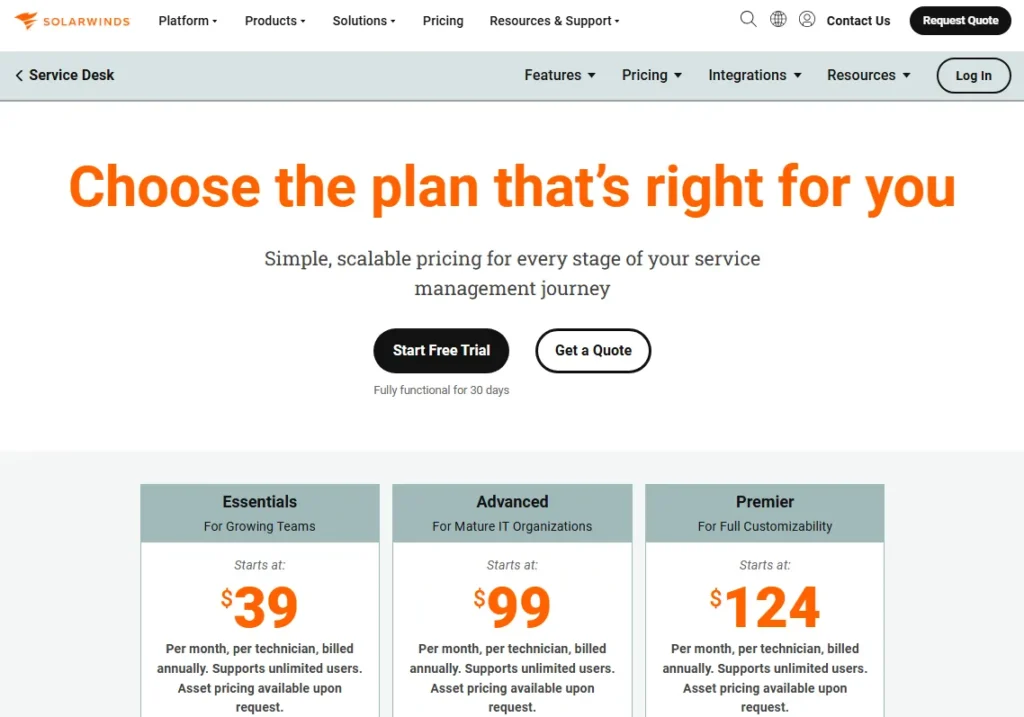
| SolarWinds Service Desk | $39/mo per technician | Per technician | High |
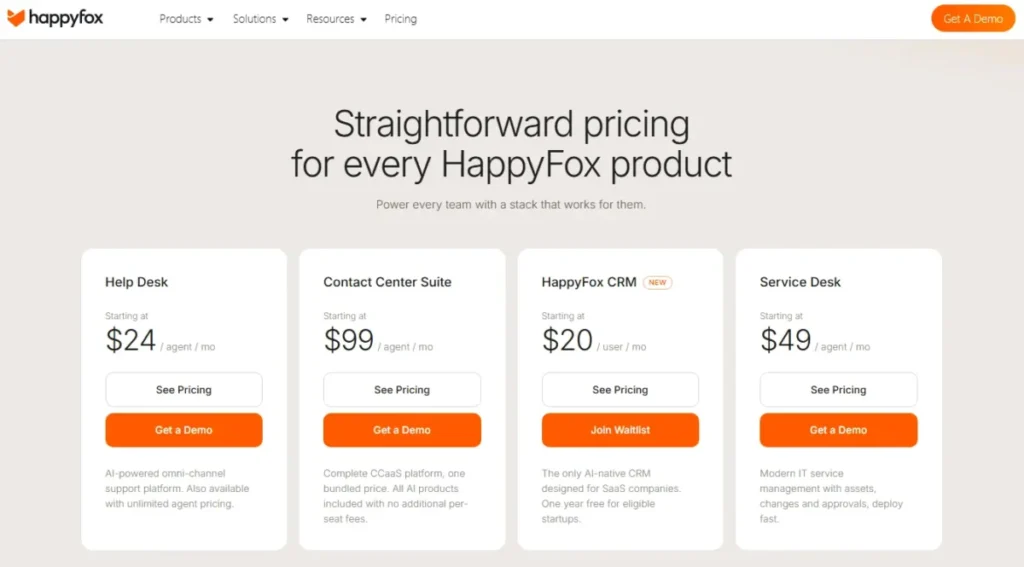
| HappyFox | ~$29/ | Agent-based, mixed | Medium |
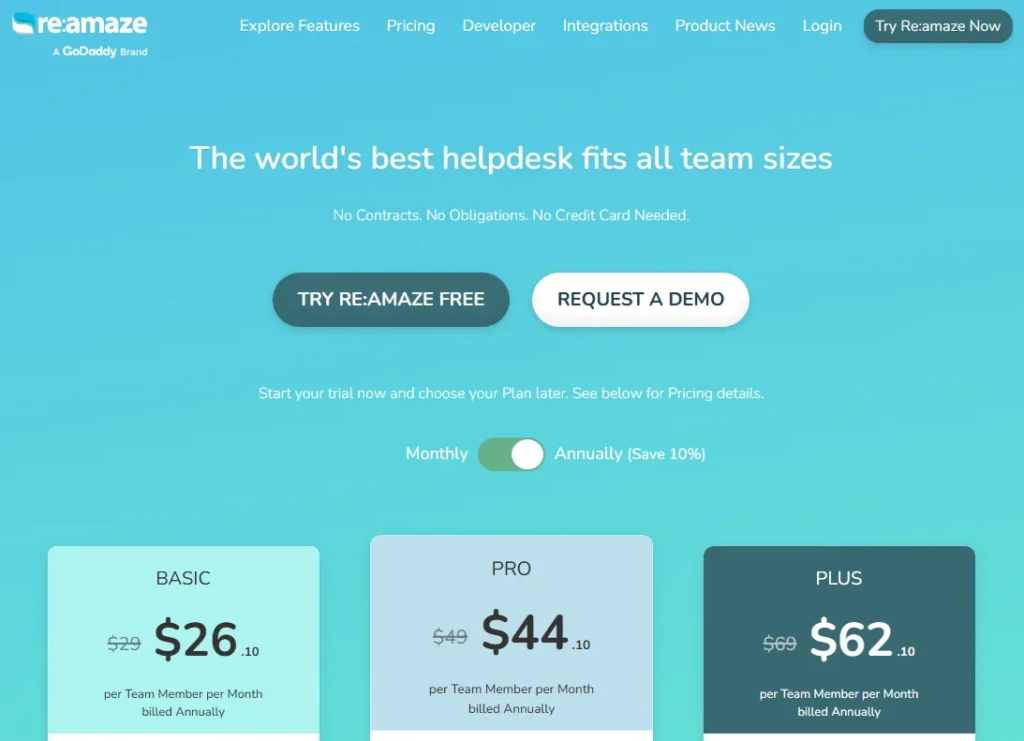
| Re:amaze | $29/mo | Per month plus staff | Low |
Setup effort is the column most competitor lists drop, and it is the one that decides whether you launch this month or next quarter. The high-effort tools (Zendesk, Jira, Salesforce, SolarWinds) reward large teams and punish small ones, while the low-effort desks get a five-person team live in days.
What 25 Support Agents Actually Cost
Entry prices hide the real number. A per-seat difference of $30 becomes $750 a month at 25 agents, so the cheap-looking plan is not always the cheap plan.
This table computes the monthly cost of the first realistic paid tier at 25 agents, and marks tools that do not price per seat.
| Tool | Practical tier | Cost at 25 agents/mo | Model note |
|---|---|---|---|
| Freshdesk | Growth $19 | $475 | Per agent |
| HelpDesk | Essential $19 | $475 | Per user, AI extra |
| Freshservice | Starter $19 | $475 | Per agent (ITSM) |
| HubSpot Service Hub | Starter ~$20 monthly | ~$500 | Per seat |
| Help Scout | Standard $25 | $625 | Per user |
| Salesforce Service Cloud | Starter Suite $25 | $625 | Entry only, editions rise |
| LiveAgent | Medium $29 | $725 | Per agent |
| SolarWinds Service Desk | $39/ | $975 | Per technician |
| Hiver | Pro $55 | $1,375 | Per user |
| Zendesk Suite | Suite Team $55 | $1,375 | Per agent |
| Front | Professional $65 | $1,625 | Starter caps at 10 seats |
| Intercom | Advanced $85 + Fin usage | $2,125+ | Seat plus per-resolution AI |
| Gorgias | Volume-based | Not per seat | Priced by tickets |
| Zoho Desk | Verify USD tier | Verify at checkout | Currency selector |
| Kayako | Sales-led | Custom quote | Talk to sales |
| Tidio | Modular | Varies by module | Customer Service + AI + Flows |
| Crisp | Flat-rate workspace | Verify tier | Per workspace, not per seat |
Front is the clearest trap here: Starter looks cheap at $25, but it caps at 10 seats and single-channel support, so a 25-agent team is really buying Professional at $65 and $1,625 a month. Intercom and Gorgias cannot be compared on this table at all, because Intercom adds per-resolution Fin costs on top of seats and Gorgias bills by ticket volume, not headcount.
AI Pricing Is the New Hidden Cost in 2026
AI is where a predictable help desk bill turns variable. Some vendors bake AI into the seat price, some sell it per resolution, and some ship a monthly allowance and then charge for overage packs.
The billing model matters more than the feature list.
| Tool | AI fee type | Included allowance | Caveat |
|---|---|---|---|
| Intercom (Fin) | Per resolution/ | None baked in | $0.99 per resolution, scales with volume |
| Kayako (Kay AI) | Per resolution | None stated | $1 per resolution on official pricing |
| HelpDesk | Allowance + packs | Plan allowance | Extra resolutions in $49.50 packs |
| Gorgias | Per automated resolution | Tier-dependent | AI Agent resolutions billed on top of tickets |
| Zendesk | Add-on | Not in base suite | Advanced AI and QA priced separately |
| Tidio (Lyro) | Modular/ | Trial then limits | Lyro and Flows can be separate cost drivers |
| Re:amaze | Add-on resolutions | Tier-dependent | AI resolutions affect total on higher plans |
Usage-based AI is a budgeting risk, not a discount. If your automation deflects 2,000 tickets a month, Intercom Fin at $0.99 each is close to $2,000 on top of seats, which can double a mid-market bill.
I would model AI at your real monthly resolution volume before comparing any two tools on seat price alone.
Channel Coverage by Plan
Omnichannel is the most oversold word in this category. Most desks support email on the entry tier, then gate live chat, voice, social, and WhatsApp behind higher plans.
This matrix shows what the practical tier covers.
| Tool | Live chat | Voice | Social/ | Knowledge base | |
|---|---|---|---|---|---|
| Zendesk Suite | Yes | Suite Team | Add-on/ | Higher tiers | Yes |
| Freshdesk | Yes | Omni line | Omni line | Omni line | Yes |
| Help Scout | Yes | Yes | No native | Limited | Docs (add-on) |
| Intercom | Yes | Yes | Add-on | Higher tiers | Yes |
| Front | Starter: 1 channel | Professional+ | Add-on | Professional+ | Yes |
| Hiver | Yes | Omni | Omni | Omni | Higher tiers |
| Gorgias | Yes | Yes | SMS/ | Yes | Yes |
| Tidio | Yes | Yes | No | Messenger/IG/WhatsApp | Limited |
| Re:amaze | Yes | Yes | VoIP higher tier | Yes | Yes |
| LiveAgent | Yes | Yes | Call center | Higher tiers | Yes |
Front’s Starter plan is single-channel, which means a team that needs email plus chat plus social is buying Professional from day one. If your buyers reach you on Instagram and WhatsApp, Gorgias, Tidio, and Re:amaze cover those natively while several enterprise suites gate them, so channel need often decides the plan before feature depth does.
Ticket-Volume vs Per-Seat Pricing
Two pricing models dominate this list, and comparing them directly is where buyers go wrong. Per-seat tools (Zendesk, Freshdesk, Help Scout, Front, Hiver) charge by agent count.
Volume tools (Gorgias, parts of Re:amaze) charge by ticket count and often include unlimited users.
Volume pricing wins when you have many light-touch agents and stable, predictable ticket counts. A 40-person ecommerce team with 1,500 tickets a month can be cheaper on Gorgias than on a per-seat suite, because Gorgias does not bill each agent.
Seat pricing wins when ticket volume is spiky or high per agent. If 8 agents handle 5,000 tickets a month, a ticket-metered plan with overages can cost more than 8 predictable seats.
I would map your tickets-per-agent ratio first, then pick the model that does not punish your busiest month.
Match the Tool to Your Team Shape
Company size is a weak predictor. Team shape is better.
This grid maps the exact buyer to the tool that fits, which is the decision most best-of lists never make explicit.
| Team shape | Best fit | Why |
|---|---|---|
| First support hire leaving shared Gmail | Help Scout or Hiver | Low setup, keeps email habits, no heavy admin |
| 5-person product-led SaaS team | Intercom or Zoho Desk | In-app messaging or low-cost ticketing with AI |
| Shopify/ | Gorgias or Re:amaze | Order context, social channels, macros |
| 25-agent customer support team | Zendesk or Freshdesk | Routing, SLAs, reporting at scale |
| Internal IT/DevOps team | Jira Service Management or Freshservice | ITIL workflows, asset and change management |
| Salesforce or HubSpot-first stack | Salesforce Service Cloud or HubSpot Service Hub | Native customer data, fewer integrations |
The pattern here is simple: buy the desk that matches your channel mix and your existing stack, not the one with the longest feature list. A Shopify brand on Zendesk and a SaaS team on Gorgias are both spending money in the wrong place.
The 20 Best Help Desk Tools in 2026
Each review below covers what the tool is, who it fits, who should avoid it, pricing status, setup effort, and a verdict. Prices were checked on official pages on July 7, 2026.
1. Zendesk Suite: Best Overall for Scaling Support
Zendesk Suite is the strongest help desk software for support teams between 25 and 500 agents that need omnichannel routing, deep integrations, and mature reporting. It is the category benchmark, and most competitors define themselves against it.
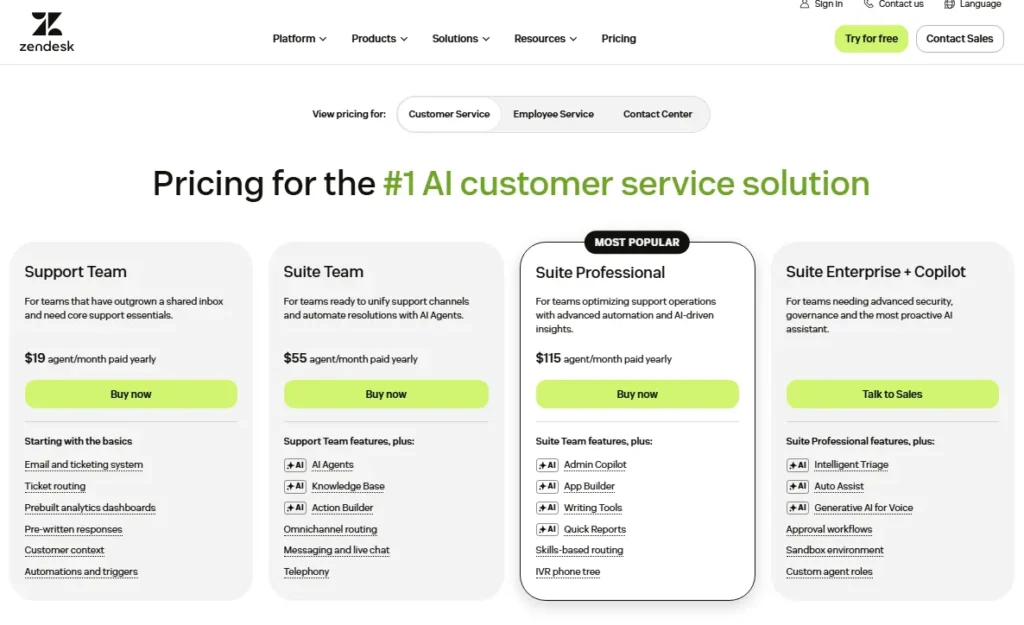
Support Team starts at $19 per agent per month billed yearly, but that plan is ticketing only. The practical tier for real omnichannel support is Suite Team at $55 per agent per month, with Suite Professional at $115.
At 25 agents, Suite Team is $1,375 a month before add-ons.
The budget pressure point is add-ons. Advanced AI, quality assurance, and workforce management are priced on top of the suite, so the sticker price understates a mature deployment.
What it does well:
- Deepest integration ecosystem in the category
- Omnichannel routing across email, chat, voice, and social
- Reporting and automation that scale past 100 agents
Where it falls short:
- High setup effort for small teams
- AI, QA, and WFM add real per-agent cost
| Pros | Cons |
|---|---|
| Scales cleanly from 25 to 500+ agents | Suite Team at $55/ |
| Strong knowledge base and self-service | AI and QA are paid add-ons |
| Mature routing and SLA management | Overbuilt for simple shared-inbox teams |
Best for: 25-500 agent support teams needing omnichannel scale.
Not best for: a 5-person team that only needs a shared inbox.
Setup difficulty: High.
Verdict: Choose Zendesk if you are scaling past 25 agents and can staff the setup. You can dig deeper in our Zendesk review.
2. Freshdesk: Best AI-Assisted Ticketing Value

Freshdesk is the best value for growing support teams that want strong ticketing, automation, and AI without Zendesk-level pricing. It sits one step below Zendesk on ecosystem depth and well below it on cost.
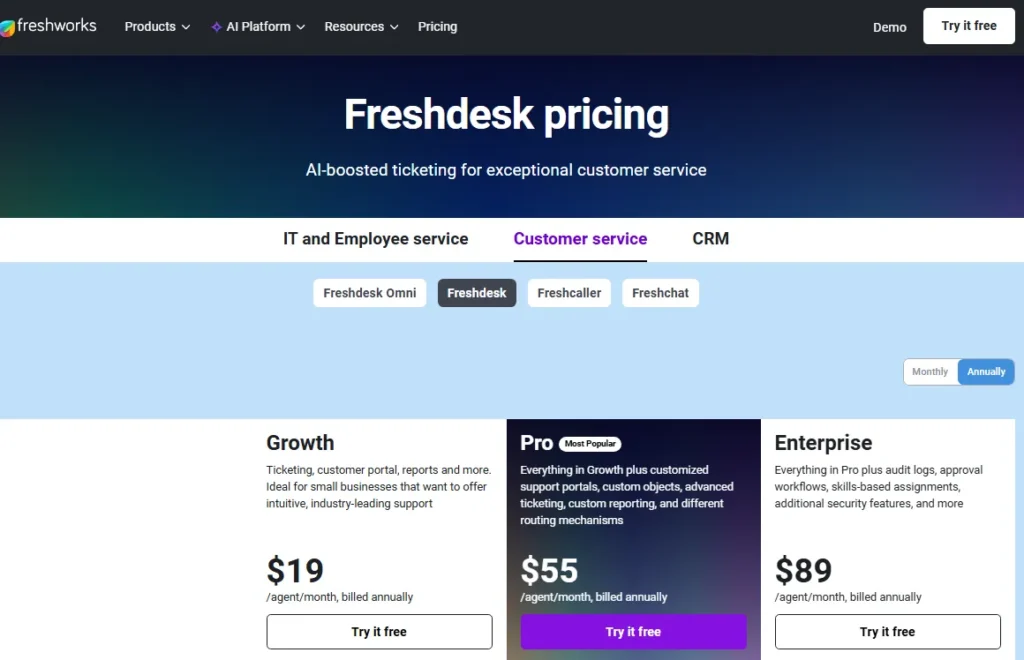
Growth starts at $19 per agent per month billed annually, Pro at $55, and Enterprise at $89. The trap is product lines: Freshdesk Support Desk and Freshdesk Omni are priced differently, with Omni starting around $29 for Growth and $79 for Pro because it bundles omnichannel.
Buyers who compare the wrong product line get the wrong budget.
At 25 agents, Growth is $475 a month, which undercuts Zendesk Suite Team by nearly $900. Freddy AI, advanced routing, and custom objects sit on higher tiers, so automation-heavy teams should price Pro, not Growth.
What it does well:
- Feature-rich ticketing at a mid-market price
- Freddy AI and automation built in
- Clear upgrade path from Growth to Enterprise
Where it falls short:
- Support Desk vs Omni pricing confuses buyers
- Simplest shared-inbox teams get more than they need
| Pros | Cons |
|---|---|
| Growth at $19/ | Two product lines complicate pricing |
| Solid automation and AI at Pro | Advanced reporting gated to higher tiers |
| Customer portal and SLA included | Admin setup heavier than Help Scout |
Best for: growing teams wanting ticketing depth under $60 per agent.
Not best for: teams needing the simplest possible shared inbox.
Setup difficulty: Medium.
Verdict: Choose Freshdesk if you want most of Zendesk for less. See our Freshdesk review for the plan-by-plan detail.
3. Help Scout: Best for Simple Human Support

Help Scout is the best help desk for 5-50 person SaaS or service teams that prioritize email-first, human support over heavy workflow customization. It hides the ticketing machinery and keeps the inbox feeling like email.
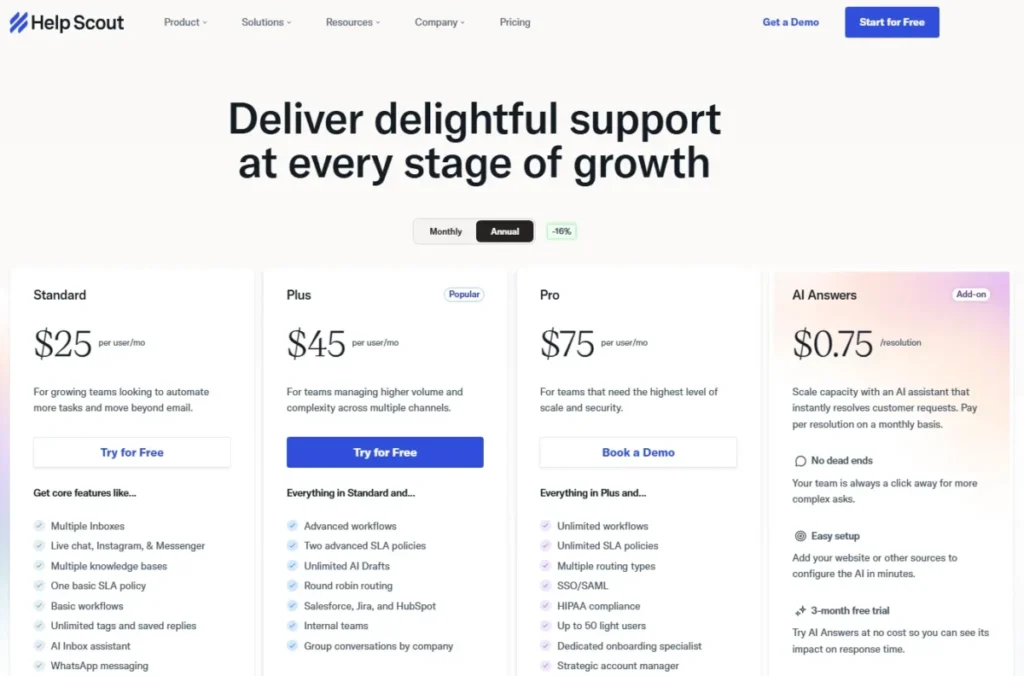
Standard starts at $25 per user per month billed annually, Plus at $45, and Pro at $75. At 25 users, Standard is $625 a month.
The catch most buyers miss is add-on cost: extra inboxes and additional Docs knowledge base sites carry separate monthly fees, and the free plan is limited.
Setup is the lowest of any tool in this tier, which is exactly why first support hires pick it. Based on official pricing, the AI inbox assistant and Docs sit alongside the core plan rather than replacing the need for careful plan selection.
What it does well:
- Clean, low-training shared inbox
- Fast setup for small support teams
- Docs knowledge base and saved replies included on core plans
Where it falls short:
- Extra inboxes and Docs sites add cost
- Limited for multi-brand or WFM-heavy operations
| Pros | Cons |
|---|---|
| Email-first UI, near-zero training | Additional inboxes cost extra |
| Standard at $25/ | Thin for complex enterprise routing |
| Strong customer-experience focus | No native voice channel |
Best for: 5-50 person teams that want human support, not a control panel.
Not best for: complex enterprises needing deep workflow and WFM.
Setup difficulty: Low.
Verdict: Choose Help Scout if simplicity beats configurability for your team. Our Help Scout review covers the add-on math.
4. Intercom: Best AI-First Customer Service Platform

Intercom is the best fit for product-led SaaS teams that need in-app messaging, a help center, and an AI agent handling front-line resolutions. It is a customer engagement platform first and a ticketing tool second.
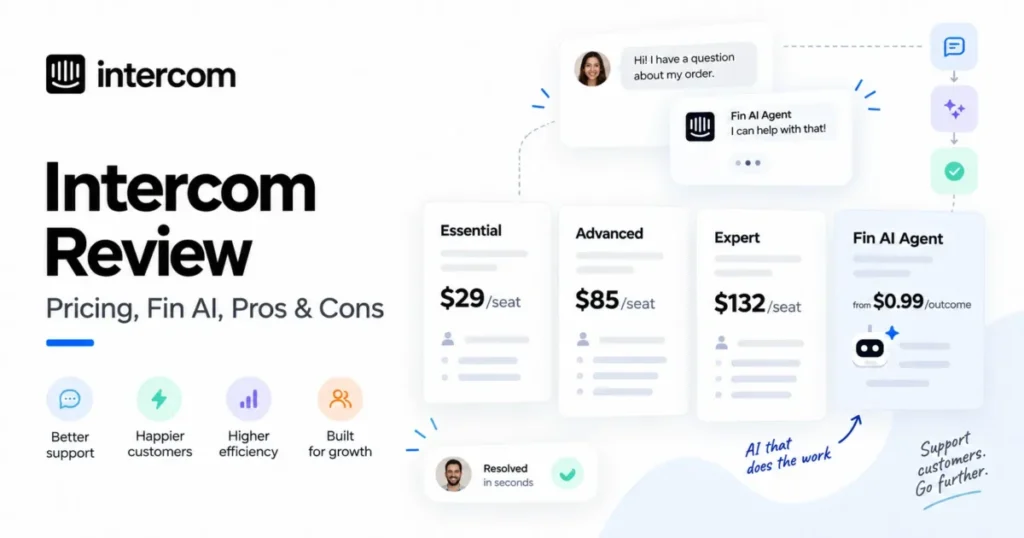
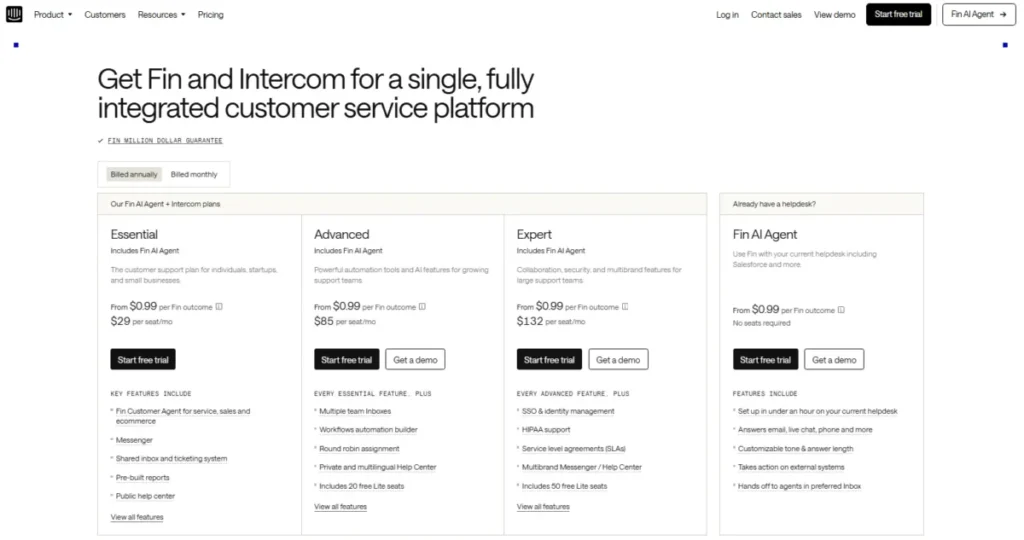
Pricing is seat plus usage. Third-party 2026 trackers list Essential around $29 per seat annually, Advanced at $85, and Expert at $132, while the official page uses a calculator.
The number that reshapes the budget is Fin AI Agent at $0.99 per resolution or outcome.
That usage model is the whole story. At 25 seats on Advanced plus 2,000 Fin resolutions, you are near $4,000 a month, not $2,125.
Expert adds SSO, HIPAA support, SLAs, and multi-brand. I would not budget Intercom from seat price alone.
What it does well:
- Fin AI Agent deflects front-line tickets
- Messenger and in-app engagement for SaaS
- Multilingual help center and workflows
Where it falls short:
- Per-resolution Fin cost makes bills variable
- Predictable flat-cost teams will dislike the model
| Pros | Cons |
|---|---|
| Strong AI and in-app messaging | Fin billed per resolution |
| Good product-led SaaS fit | Total cost hard to predict |
| Expert tier adds enterprise controls | Higher entry than plain ticketing tools |
Best for: product-led SaaS teams wanting AI-first support.
Not best for: teams that need a predictable flat monthly bill.
Setup difficulty: Medium-High.
Verdict: Choose Intercom if AI deflection and in-app support justify variable cost. Our Intercom review breaks down the Fin math.
5. Zoho Desk: Best Value for Zoho Ecosystem Teams

Zoho Desk is the best-value ticketing tool for budget-conscious teams, and the obvious pick for anyone already inside the Zoho ecosystem. It offers a genuine free plan and a strong feature-to-price ratio.
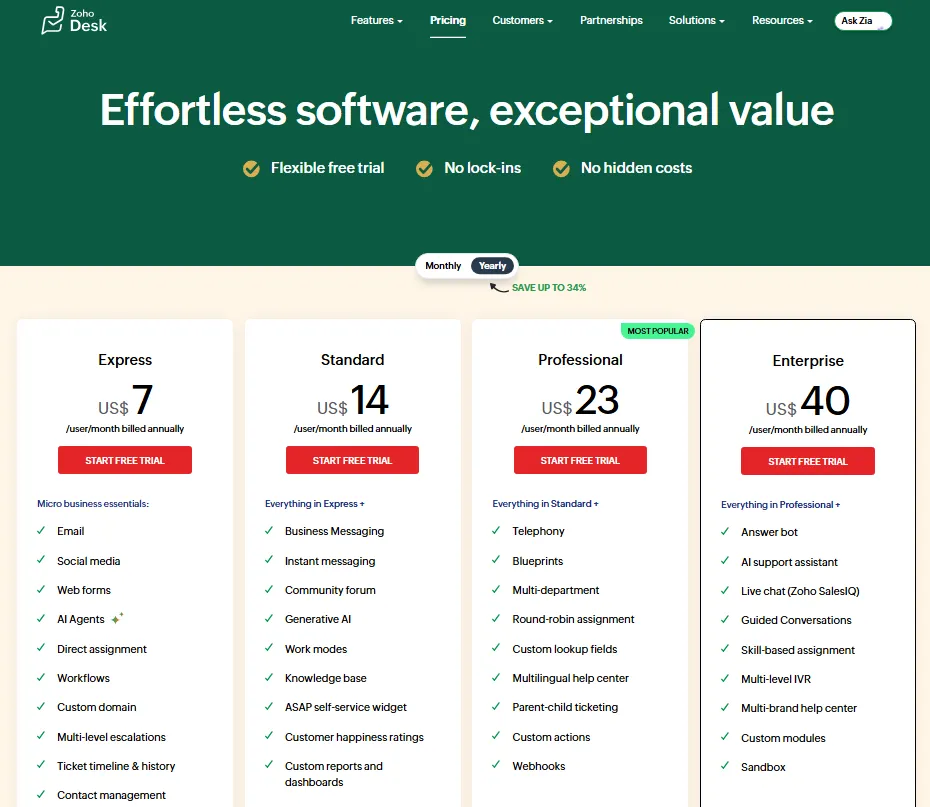
The official pricing page confirms a free plan for up to three users, with paid Express, Standard, Professional, and Enterprise tiers displayed through a regional currency selector. Because prices render by region, I would verify the exact USD figure at checkout rather than quote a possibly stale number.
Zia AI, richer automation, live chat, and advanced analytics are paid-tier features, so the free plan is a real starting point but not a long-term home for a scaling team. Based on official documentation, the trade-off is interface polish: the setup can feel less intuitive than Help Scout.
What it does well:
- Free plan for up to three users
- Strong price-to-feature ratio across paid tiers
- Native fit with Zoho CRM and Zoho apps
Where it falls short:
- Interface less intuitive than simpler desks
- Advanced automation and Zia gated to higher tiers
| Pros | Cons |
|---|---|
| Genuine free tier for tiny teams | USD prices vary by currency selector |
| Deep feature set for the money | UX learning curve |
| Tight Zoho ecosystem integration | Best value only if you use Zoho |
Best for: budget teams and existing Zoho customers.
Not best for: teams wanting the most polished enterprise UX.
Setup difficulty: Medium.
Verdict: Choose Zoho Desk if budget and Zoho integration lead your decision. Our Zoho Desk review covers the tier gates.
6. HubSpot Service Hub: Best for HubSpot CRM Users
HubSpot Service Hub is the best help desk for sales-led teams that already run on HubSpot and want support tickets tied to CRM context. The value is customer data, not standalone ticketing.
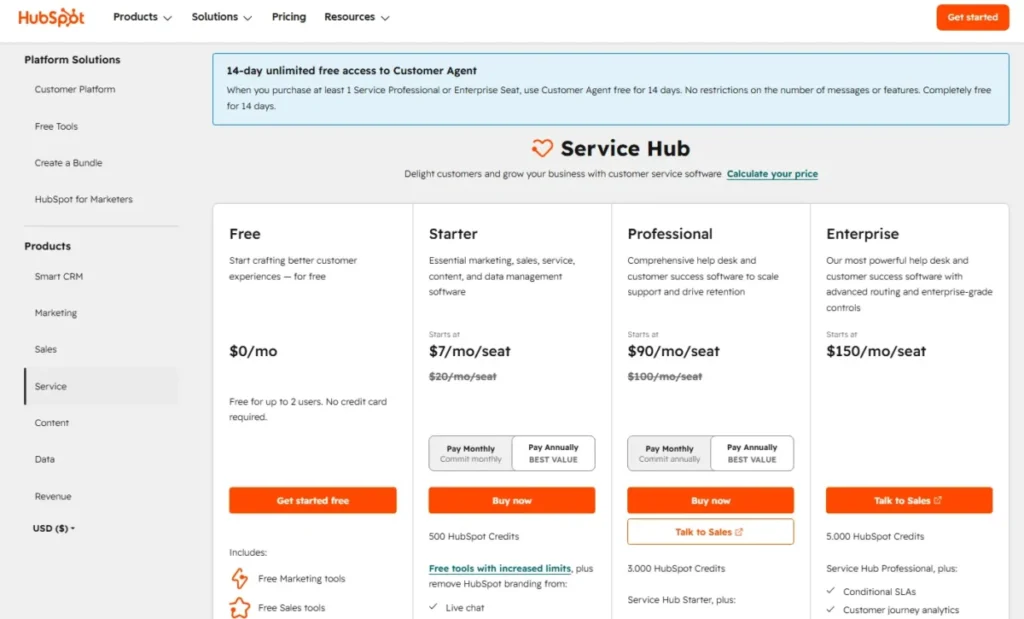
The pricing page lists a free tier for up to two users, with Starter from about $7 per seat monthly on promotional annual pricing or $20 per seat on monthly display. At 25 seats on the monthly figure, Starter is roughly $500 a month.
The budget pressure appears when you move into Professional and Enterprise Service Hub tiers, where cost rises sharply.
The reason to buy it is a single record of the customer across sales and service. If you do not use HubSpot CRM, that advantage disappears and a cheaper standalone desk wins.
What it does well:
- Native CRM context on every ticket
- Free tier for two users
- Shared inbox, live chat, and automation
Where it falls short:
- Weak value without HubSpot CRM
- Professional and Enterprise cost jumps are steep
| Pros | Cons |
|---|---|
| Support tickets inside your CRM | Costs climb fast above Starter |
| Free for 2 users to start | Overkill without HubSpot CRM |
| Reporting ties to sales data | Knowledge base gated to higher tiers |
Best for: teams already standardized on HubSpot CRM.
Not best for: teams that only need standalone ticketing.
Setup difficulty: Medium.
Verdict: Choose Service Hub if HubSpot is already your system of record. Compare cost tiers in our HubSpot CRM review.
7. Jira Service Management: Best for IT and DevOps Service Desks

Jira Service Management is the best help desk choice for IT, engineering, and internal service teams already living in Atlassian. It is an ITSM platform, not a customer support desk, and that distinction decides fit.
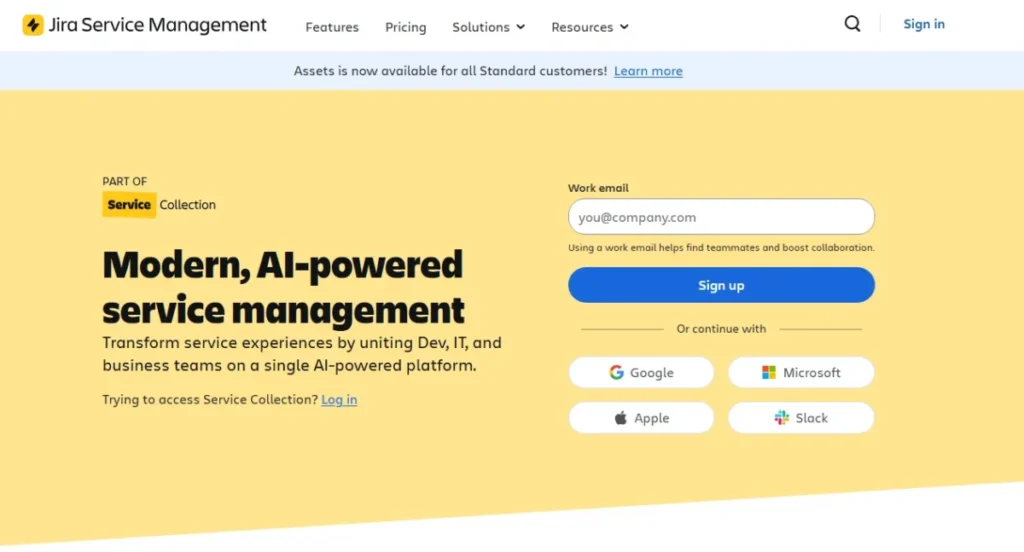
Atlassian offers a free plan for up to three agents, with Standard and Premium priced through a user-count calculator rather than a flat per-seat sticker. Third-party 2026 summaries describe paid tiers scaling by agent count, and Premium and Enterprise add stronger incident, automation, and analytics capability.
The strength is native ITIL-style request, incident, and change management with Confluence knowledge base. The limitation is the mirror image: for external ecommerce or simple SaaS support, it feels overbuilt and slower to launch.
What it does well:
- Incident, request, and change management
- Deep Jira and Atlassian integration
- Free tier for up to three agents
Where it falls short:
- Overbuilt for external customer support
- Pricing requires the Atlassian calculator
| Pros | Cons |
|---|---|
| Best ITSM fit for Atlassian teams | Not built for ecommerce support |
| Free for 3 agents | Higher setup effort |
| Strong automation and SLAs | Calculator-based pricing to model |
Best for: IT, DevOps, and internal service teams on Atlassian.
Not best for: customer-facing ecommerce or simple SaaS support.
Setup difficulty: High.
Verdict: Choose Jira Service Management for internal ITSM, not customer support. See our Jira review for workflow depth.
8. Salesforce Service Cloud: Best for Salesforce-First Enterprises

Salesforce Service Cloud is the best fit for mid-market and enterprise companies that already run sales and customer data on Salesforce and want service on the same platform. Customer context and workflow depth justify the cost, not the sticker price.
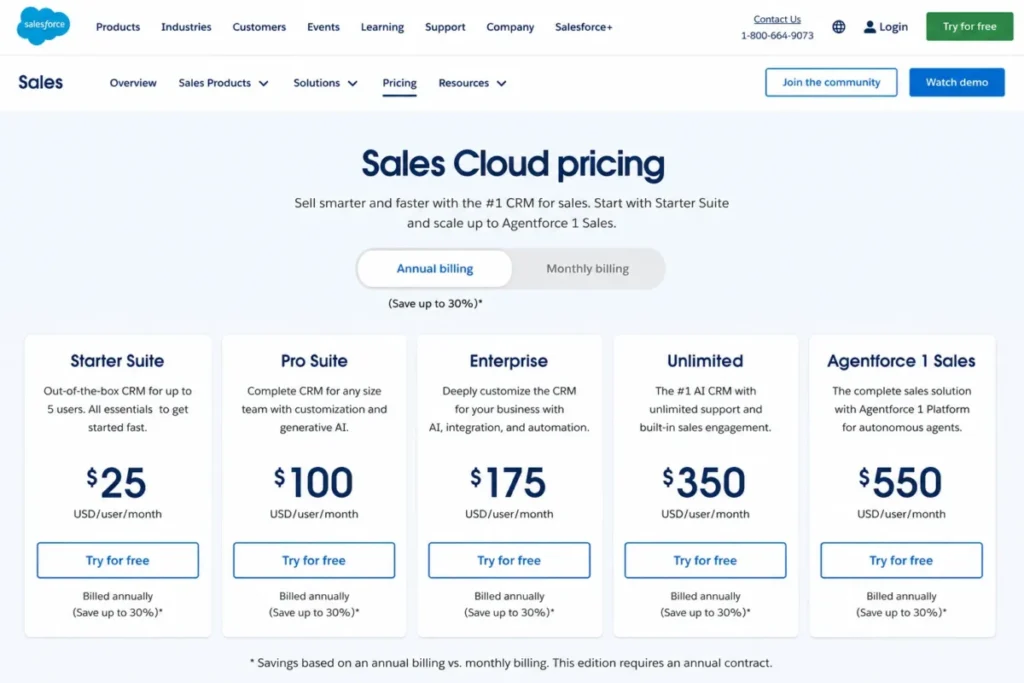
Starter Suite begins at $25 per user per month, with Service Cloud editions ranging upward by edition and add-on. At 25 users, Starter Suite is $625 a month, but that entry figure rarely reflects a real enterprise deployment.
Enterprise controls, advanced automation, Agentforce AI, and premium support push total cost and implementation effort well higher.
The reason to buy is a unified CRM and service platform with AppExchange extensibility. Based on official pricing and third-party context, I would not quote an enterprise total without a Salesforce quote, because implementation is a material line item.
What it does well:
- Case management inside the Salesforce platform
- Omnichannel routing and knowledge
- AppExchange and Agentforce AI ecosystem
Where it falls short:
- High total cost and implementation effort
- Too heavy for small support teams
| Pros | Cons |
|---|---|
| Deep CRM-native service | TCO climbs fast above Starter |
| Enterprise workflow and automation | Implementation is a real project |
| Huge integration ecosystem | Quote-driven for higher editions |
Best for: Salesforce-first mid-market and enterprise teams.
Not best for: small teams needing a lightweight desk.
Setup difficulty: High.
Verdict: Choose Service Cloud if Salesforce is already your platform of record. Our Salesforce CRM review covers edition costs.
9. LiveAgent: Best Affordable All-in-One Support Desk

LiveAgent is the best budget pick for small to mid-size teams that want ticketing, live chat, and call-center basics in one platform. It packs more channels per dollar than most tools on this list.
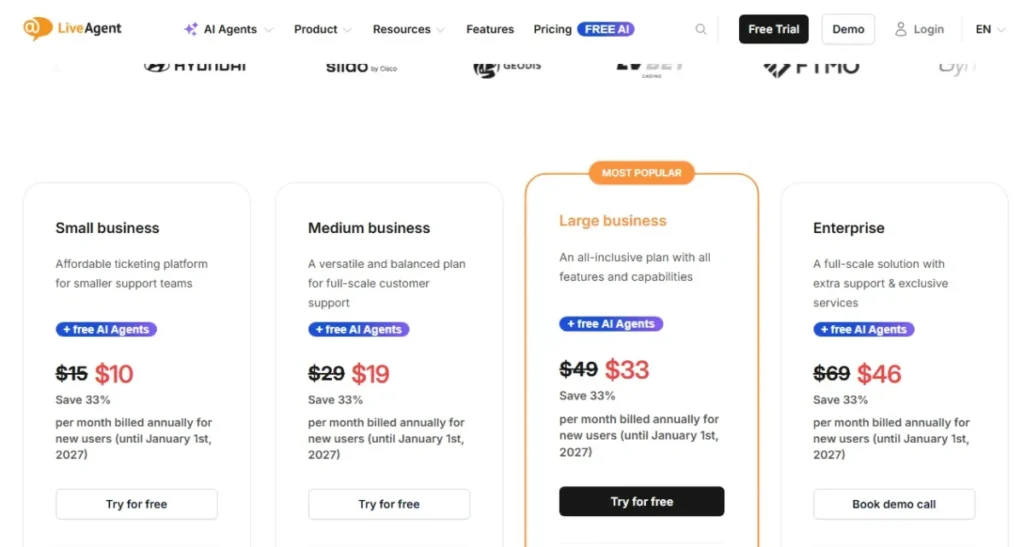
Pricing runs Small at $15 per agent per month, Medium at $29, and Large at $49, with a 30-day free trial. At 25 agents, Medium is $725 a month, which keeps a multi-channel desk under four figures.
Higher tiers expand channel and feature limits, so teams needing WhatsApp or advanced social should confirm the tier before buying.
The trade-off is modernity. Based on third-party review sentiment, the interface feels dated next to newer AI-first tools, and performance is a recurring note.
For buyers who value breadth over polish, that is an acceptable exchange.
What it does well:
- Ticketing, chat, and call center in one
- Low entry price from $15 per agent
- Broad channel coverage for the cost
Where it falls short:
- Interface feels dated versus AI-first rivals
- Advanced channels need higher tiers
| Pros | Cons |
|---|---|
| Strong feature breadth for price | Older interface and UX |
| Built-in call center | AI features lag newer tools |
| 30-day trial to evaluate | Social/ |
Best for: small to mid teams wanting all-in-one channels cheaply.
Not best for: teams prioritizing a modern AI-native experience.
Setup difficulty: Low-Medium.
Verdict: Choose LiveAgent if channel breadth per dollar matters more than polish.
10. Gorgias: Best for Shopify and Ecommerce Support

Gorgias is the best help desk for 5-50 agent ecommerce brands with high order-related support and Shopify workflows. It is built around commerce, and its pricing model reflects that.
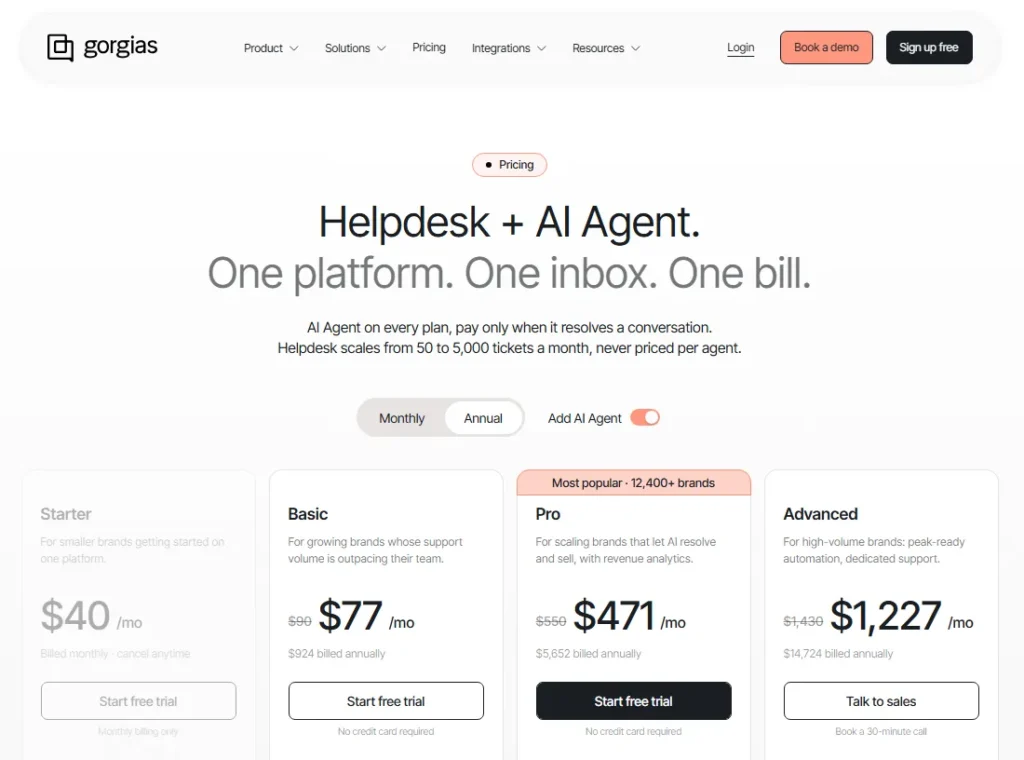
Pricing is ticket-volume based: Starter from $10 a month for 50 tickets, Basic from $60 for 300 tickets, and Pro from $360 for 2,000 tickets, with overages when you exceed the allotment and unlimited users included. That model rewards teams with many light-touch agents and stable ticket counts.
The budget risk is overage plus AI. Ticket overages and AI Agent resolutions bill separately, so a brand that spikes during a sale can see cost climb outside the plan.
Based on official pricing, I would size the ticket tier to your busiest month, not your average.
What it does well:
- Deep Shopify and ecommerce integration
- Order and customer context in the ticket
- Unlimited users on ticket-volume plans
Where it falls short:
- Ticket overages raise cost as volume grows
- AI Agent resolutions billed on top
| Pros | Cons |
|---|---|
| Best-in-class ecommerce workflows | Ticket overages can surprise buyers |
| Macros and automation for orders | AI resolutions add cost |
| Unlimited agents | Weak fit for B2B SaaS support |
Best for: 5-50 agent Shopify and ecommerce brands.
Not best for: B2B SaaS teams without ecommerce needs.
Setup difficulty: Medium.
Verdict: Choose Gorgias if you run high-volume ecommerce support. Our Gorgias review details the ticket-volume math.
11. Front: Best Shared Inbox for Customer Operations

Front is the best shared inbox for customer operations teams that need ticketing, collaboration, and cross-team workflows in one place. It blends email, ticketing, and internal discussion better than most.
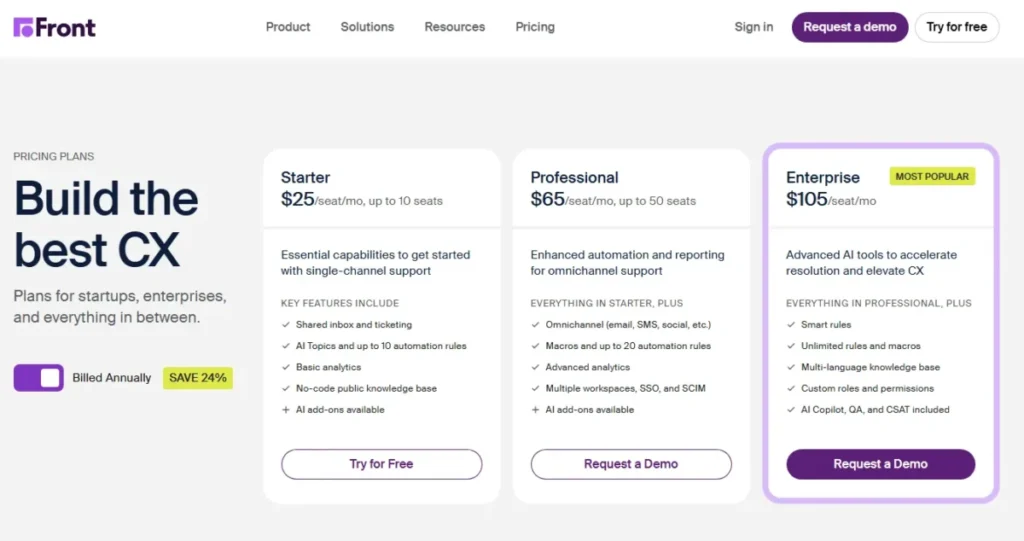
Starter begins at $25 per seat per month billed annually, but it caps at 10 seats and single-channel support. Professional at $65 adds true omnichannel, advanced automation, and analytics, and Enterprise runs $105.
A 25-agent team cannot use Starter, so the real entry is Professional at $1,625 a month.
That seat cap is the budget pressure point most buyers miss. Based on official pricing, AI features and onboarding can add cost, and the jump from Starter to Professional is where teams feel it.
Front is worth it when collaboration across teams is the core need.
What it does well:
- Shared inbox with strong collaboration
- Ticketing plus internal comments
- Analytics and automation on Professional
Where it falls short:
- Starter capped at 10 seats and one channel
- Professional jump is a real cost step
| Pros | Cons |
|---|---|
| Excellent team collaboration | Starter caps at 10 seats |
| Omnichannel on Professional | Single-channel entry tier |
| Clean analytics | AI and onboarding add cost |
Best for: customer operations teams that collaborate across departments.
Not best for: teams needing cheapest multi-channel from day one.
Setup difficulty: Low-Medium.
Verdict: Choose Front if cross-team collaboration is your primary workflow.
12. Hiver: Best Gmail-Based Help Desk

Hiver is the best help desk for Google Workspace teams that want support workflows without forcing agents into a separate tool early. It layers ticketing onto Gmail, which keeps training near zero.
Hiver Omni offers a free plan, with Pro at $55 per user per month annually and Elite at $85. At 25 users, Pro is $1,375 a month.
Advanced AI, routing, and enterprise controls sit in higher tiers, and the Omni line adds chat, voice, and Slack alongside email.
The main constraint is the strength turned upside down. Gmail-native fit reduces onboarding friction, but it can become a limit as support operations mature and need deeper omnichannel workflows outside email.
I would treat Hiver as the on-ramp, not the destination, for a fast-scaling team.
What it does well:
- Support workflows inside Gmail
- Near-zero training for Workspace teams
- Free Omni plan to start
Where it falls short:
- Gmail-native fit constrains mature ops
- Advanced routing and AI gated to higher tiers
| Pros | Cons |
|---|---|
| Lowest training burden for Gmail teams | Ceiling as support matures |
| Free plan on Omni | Pro at $55/ |
| Email collaboration built in | Deep omnichannel needs Elite |
Best for: Google Workspace teams and first support hires.
Not best for: complex omnichannel or enterprise teams.
Setup difficulty: Low.
Verdict: Choose Hiver if your team lives in Gmail and wants to stay there.
13. HelpDesk: Best Straightforward AI-Powered Ticketing

HelpDesk, by Text, is the best pick for small teams that want ticketing, a shared inbox, workflows, and AI in one simple package without a heavy setup project. It keeps the feature list focused.
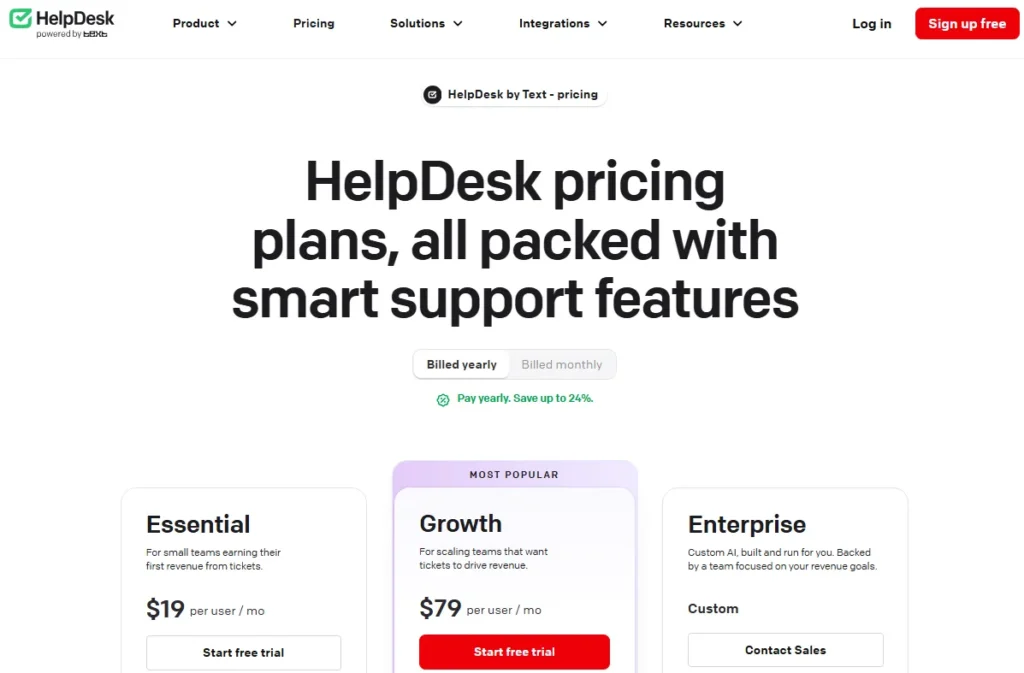
Essential starts at $19 per user per month billed annually or $25 month-to-month, with Growth at $79 and a 14-day trial. At 25 users, Essential is $475 a month.
AI Agent allowances are included, and extra AI resolutions come in $49.50 packs, so heavy automation adds a predictable but real line item.
Growth adds more AI resolutions, advanced reporting, and chat and ticket summaries. Based on official pricing, the honest caveat is AI overage: once you exceed the plan allowance, packs kick in, so I would estimate monthly resolution volume before committing.
What it does well:
- Simple, focused ticketing and inbox
- AI Agent included in the plan
- Low setup effort
Where it falls short:
- AI resolution overages after allowance
- Limited enterprise breadth and no ITSM
| Pros | Cons |
|---|---|
| Clean packaging with AI included | Extra AI resolutions cost $49.50/ |
| Essential at $19/ | Thin for enterprise suites |
| 14-day trial | No mature ITSM workflows |
Best for: small teams wanting simple AI-assisted ticketing.
Not best for: enterprises needing suite breadth or ITSM.
Setup difficulty: Low.
Verdict: Choose HelpDesk if you want AI ticketing without complexity.
14. Tidio: Best Chat-First Help Desk for Small Ecommerce Sites

Tidio is the best chat-first tool for small ecommerce sites that want live chat, chatbots, and lightweight ticketing in one widget. It leads with conversation, not tickets.
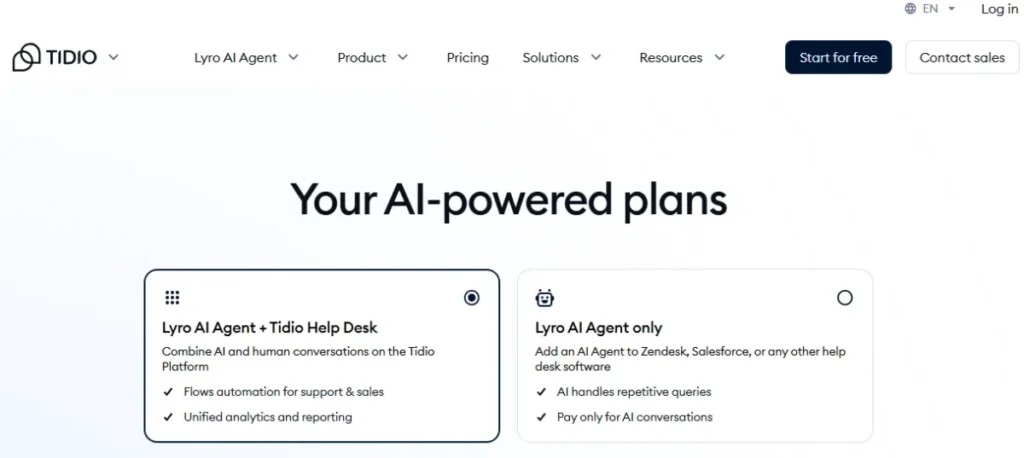
There is a free plan and a 7-day full-feature trial, then paid Customer Service pricing that varies by the modules you select. Third-party 2026 sources describe Starter, Growth, and Plus tiers, plus separate Lyro AI Agent and Flows modules.
Because pricing is modular, the final bill depends on which pieces you turn on.
That modularity is the main friction. Lyro AI, Flows, and Customer Service can be priced separately, which makes total cost harder to predict than a flat per-seat desk.
For a small store that mostly needs chat and a chatbot, that complexity is manageable; for a deep B2B workflow, it is not.
What it does well:
- Fast live chat and chatbot setup
- Messenger, Instagram, and WhatsApp channels
- Free plan to start
Where it falls short:
- Modular pricing is confusing
- Thin for deep B2B ticket workflows
| Pros | Cons |
|---|---|
| Quick chat and automation | Separate modules complicate cost |
| Social channel coverage | Limited advanced SLAs |
| Free plan and trial | Not built for complex support |
Best for: small ecommerce sites needing chat-first support.
Not best for: complex B2B teams needing deep workflows.
Setup difficulty: Low.
Verdict: Choose Tidio if chat and chatbots are your main support channel.
15. Crisp: Best Flat-Rate Workspace Pricing

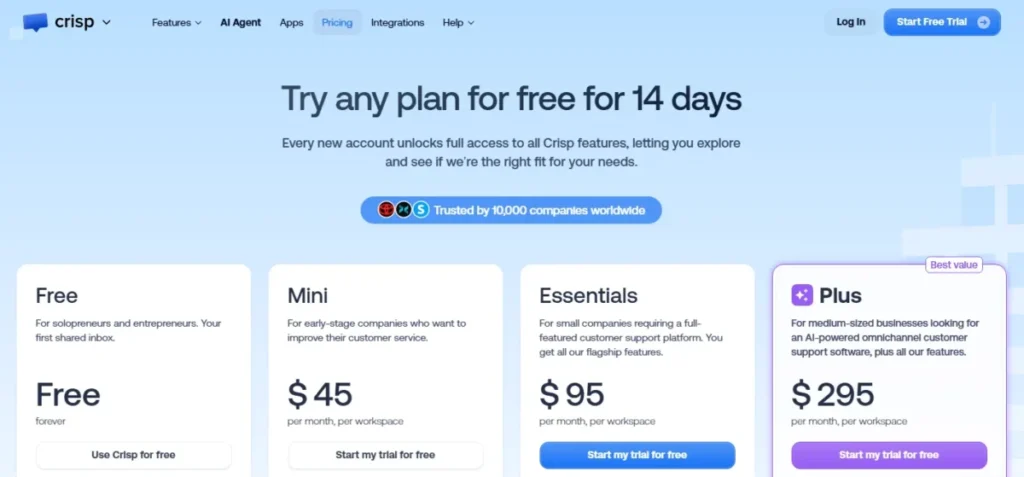
Crisp is the best pick for small teams that want live chat, a shared inbox, and a help center with predictable pricing that does not scale by seat. The flat-rate model is its differentiator.
The official pricing page describes flat-rate workspace pricing with a free plan and paid workspace tiers, so cost is tied to the workspace rather than agent count. That makes Crisp attractive for a growing team that would otherwise pay per seat, though advanced AI and automation limits depend on plan and credits.
The trade-off is depth. Based on official pricing, Crisp is predictable and affordable but not equivalent to enterprise help desks for complex SLA, routing, or workforce management.
For a small team adding agents, flat-rate pricing can be the deciding factor.
What it does well:
- Predictable per-workspace pricing
- Live chat, inbox, and help center in one
- Free plan and chatbot features
Where it falls short:
- Not as deep as enterprise desks
- AI and automation limited by credits
| Pros | Cons |
|---|---|
| Flat-rate cost, not per seat | Shallow for complex ITSM/ |
| Good for growing small teams | AI credits cap automation |
| Campaigns and help center included | Enterprise routing missing |
Best for: small teams wanting predictable flat pricing.
Not best for: large teams needing complex enterprise workflows.
Setup difficulty: Low.
Verdict: Choose Crisp if per-seat pricing is your budget problem.
16. Kayako: Best AI Help Desk With White-Glove Onboarding

Kayako is the best fit for support leaders who want an AI help desk transformation paired with hands-on onboarding rather than self-serve setup. It sells guidance alongside software.
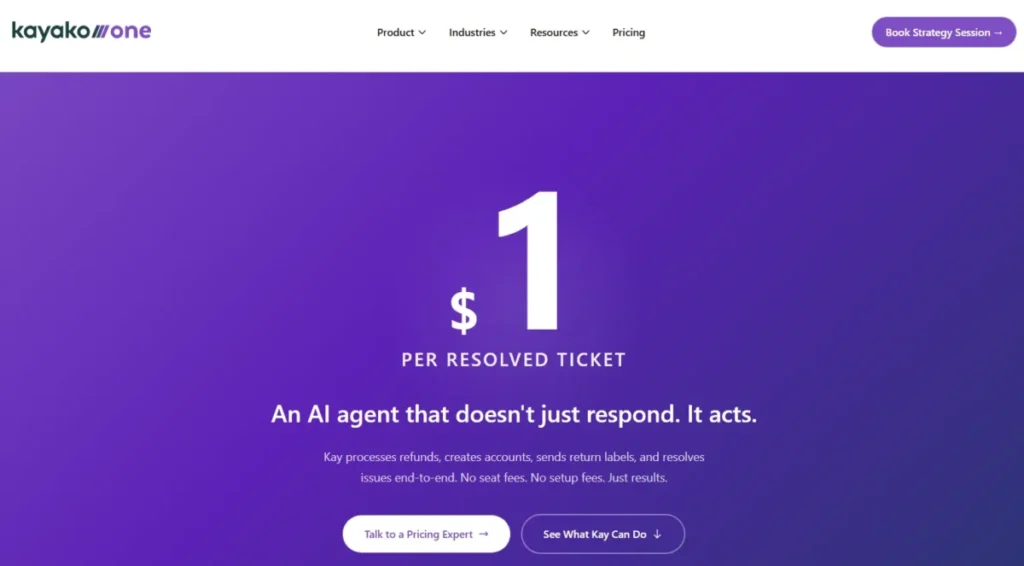
Pricing is split. Kayako One, the full platform, is sales-led with no public per-seat sticker, while Kay AI is publicly listed at $1 per resolution.
That means AI cost is transparent but the platform cost requires a sales conversation, which slows evaluation for teams that want to buy online.
The strength is the combination of a unified inbox, ticketing, knowledge base, and AI agent with onboarding support. The limitation is transparency: compared with self-serve tools on this list, opaque full-platform pricing is a real friction for finance-led buyers.
I would ask for a written quote before shortlisting it.
What it does well:
- AI agent plus white-glove onboarding
- Unified inbox and knowledge base
- Transparent $1-per-resolution AI pricing
Where it falls short:
- Full platform pricing is sales-led
- Slower to evaluate than self-serve tools
| Pros | Cons |
|---|---|
| Guided onboarding for support leaders | Kayako One pricing not public |
| Clear AI resolution cost | Requires sales conversation |
| Full help desk feature set | Harder to compare on price |
Best for: support leaders wanting AI plus onboarding help.
Not best for: teams wanting transparent self-serve per-seat pricing.
Setup difficulty: Medium.
Verdict: Choose Kayako if guided AI onboarding outweighs pricing transparency.
17. Freshservice: Best Affordable IT Service Desk

Freshservice is the best affordable IT service desk for teams moving from a shared inbox to ITIL-aligned service management. It is an ITSM product, not a customer support tool, and buying it for external support is a category mistake.
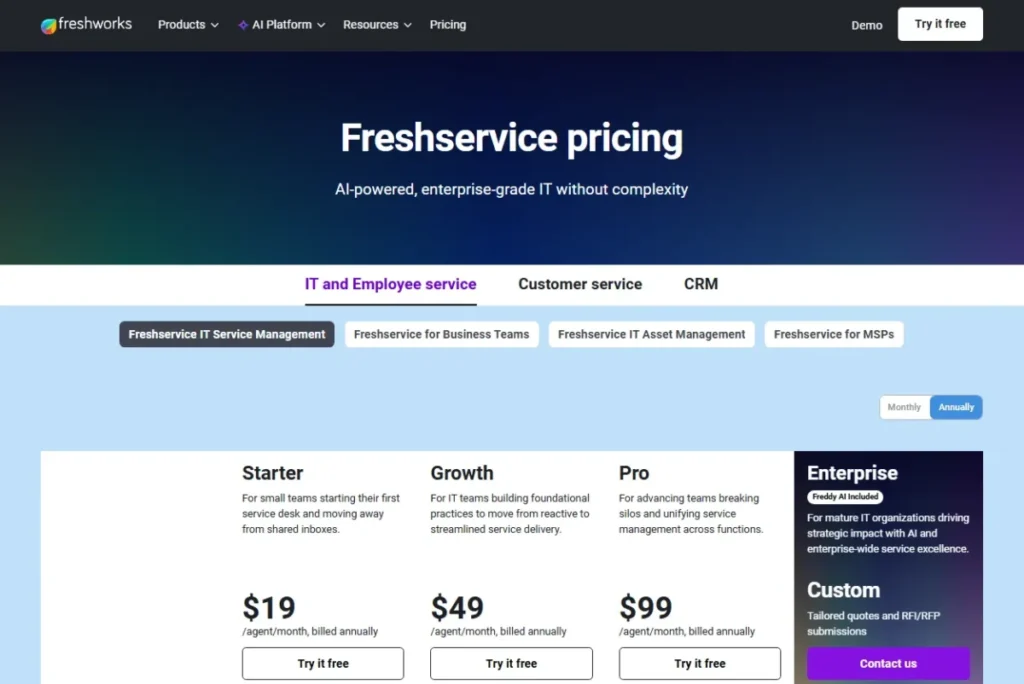
Starter begins at $19 per agent per month annually and Growth at $49, with Pro and Enterprise above. At 25 agents, Starter is $475 a month, which is low for genuine ITSM.
Change and release management, advanced automation, asset management, and enterprise controls require higher tiers, so a maturing IT team should price Growth or above.
The strength is ITSM value at an accessible entry price. The limitation is the same boundary as Jira: for external customer support without ITIL needs, Freshservice is overbuilt.
Based on official positioning, it belongs in IT and internal business-service use cases.
What it does well:
- Incident, service catalog, and asset management
- ITIL-aligned workflows at low entry cost
- Clear upgrade path to enterprise ITSM
Where it falls short:
- Overbuilt for simple customer support
- Advanced ITSM features gated to higher tiers
| Pros | Cons |
|---|---|
| Strong ITSM value from $19/ | Not a customer support desk |
| Asset and change management | Change/ |
| Clean internal service workflows | Learning curve for non-IT teams |
Best for: IT teams adopting ITIL-aligned service management.
Not best for: external customer support without ITSM needs.
Setup difficulty: Medium-High.
Verdict: Choose Freshservice for internal IT service, not customer support.
18. SolarWinds Service Desk: Best ITSM With Asset Management Depth

SolarWinds Service Desk is the best fit for IT teams that need a service desk plus strong asset and configuration management in one platform. It leans harder into asset depth than most ITSM tools.
Service Desk starts at $39 per month per technician with a 30-day free trial. At 25 technicians, that is $975 a month, and there is no free plan.
Advanced and Premier tiers expand automation, CMDB, and enterprise ITSM depth, so asset-heavy environments should expect to move above the entry package.
The strength is incident management combined with asset management and a CMDB. The limitation is orientation: it is an ITSM platform, not a chat-first customer support tool, so ecommerce and CRM-service buyers are in the wrong aisle.
Based on official pricing, the per-technician model suits IT departments, not customer-facing support.
What it does well:
- Service desk plus asset and CMDB depth
- Per-technician pricing with unlimited users
- Strong incident and catalog management
Where it falls short:
- No free plan and ITSM-only orientation
- Wrong tool for ecommerce or CRM service
| Pros | Cons |
|---|---|
| Deep asset and configuration management | No free plan |
| Per-technician model | Not for customer support |
| Mature incident workflows | Higher setup effort |
Best for: IT teams needing service desk plus asset management.
Not best for: ecommerce, chat, or CRM-service teams.
Setup difficulty: High.
Verdict: Choose SolarWinds for asset-heavy IT service management.
19. HappyFox Help Desk: Best for Configurable Workflows

HappyFox is the best fit for mid-sized teams that need configurable queues, workflow automation, and multi-brand support. Its strength is depth of configuration rather than low price.
Pricing is mixed. Public third-party 2026 data lists agent-based plans starting around $29 per agent per month, while the official page is demo and sales oriented.
Because sources differ, I would treat exact pricing as sales-confirmed and use the third-party figure only as a caveat, not a quote.
The budget risk is add-on stack. Live chat, AI, workflows, business intelligence, and chatbot capabilities can require separate subscriptions or higher tiers, which makes total cost harder to forecast.
For teams that value smart rules and multi-brand routing, the configurability earns its place; for cost-sensitive small teams, the opacity is a drawback.
What it does well:
- Configurable queues and smart rules
- Multi-brand help desk support
- Workflow automation depth
Where it falls short:
- Add-on stack complicates total cost
- Pricing is sales and demo oriented
| Pros | Cons |
|---|---|
| Strong workflow customization | Live chat, AI, BI may cost extra |
| Multi-brand routing | Pricing not fully transparent |
| Mature ticketing rules | Harder to forecast total spend |
Best for: mid-sized teams needing configurable, multi-brand workflows.
Not best for: cost-sensitive small teams wanting transparent pricing.
Setup difficulty: Medium.
Verdict: Choose HappyFox if configurability matters more than pricing clarity.
20. Re:amaze: Best Affordable Ecommerce Support Suite

Re:amaze is the best affordable ecommerce support suite for small teams that want email, chat, FAQ, social, and automation in one low-cost platform. It targets stores that outgrew a shared inbox but cannot justify enterprise pricing.
The Shopify listing shows Basic at $29 a month or $313.20 a year with a 14-day free trial, plus additional staff or user pricing on top of the base. That model means cost scales with staff added, so a growing team should model the per-staff add-on before committing.
I would verify direct Re:amaze pricing against the Shopify listing at purchase.
Pro and Plus tiers add multistore, advanced reporting, SMS and VoIP, roles, and SSO. The limitation is depth: Re:amaze is affordable and broad but less advanced than enterprise platforms for complex reporting and workflow.
For a small store, that trade is usually right.
What it does well:
- Email, chat, FAQ, and social in one
- Low entry cost for ecommerce
- AI resolutions and macros included
Where it falls short:
- Less advanced than enterprise suites
- Staff add-ons raise total cost
| Pros | Cons |
|---|---|
| Affordable ecommerce coverage | Weaker enterprise reporting |
| Social and SMS channels | Per-staff pricing adds up |
| Chatbots and automation | Advanced features need Pro/ |
Best for: small ecommerce teams wanting affordable multi-channel support.
Not best for: enterprise teams needing WFM or complex ITSM.
Setup difficulty: Low.
Verdict: Choose Re:amaze if you run a small store on a tight budget.
Pricing Comparison: Entry Price vs Practical Tier
Entry price and practical tier are rarely the same number. This matrix pairs the cheapest plan with the tier most teams actually need, plus the hidden cost that reshapes the budget.
| Tool | Entry price | Practical tier | Notable add-on cost |
|---|---|---|---|
| Zendesk Suite | $19/ | Suite Team $55/ | AI, QA, WFM add-ons |
| Freshdesk | $19/ | Pro $55/ | Omni line starts higher |
| Help Scout | $25/ | Standard $25/ | Extra inboxes and Docs |
| Intercom | ~$29/ | Advanced $85 + Fin | $0.99 per Fin resolution |
| Zoho Desk | Free (3 users) | Verify USD tier | Zia and automation gates |
| HubSpot Service Hub | Free (2 users) | Starter ~$20/ | Pro/ |
| Jira Service Management | Free (3 agents) | Calculator-based | Premium/ |
| Salesforce Service Cloud | $25/ | Edition-dependent | Agentforce and implementation |
| LiveAgent | $15/ | Medium $29/ | Higher-tier channels |
| Gorgias | $10/mo (50 tickets) | Basic/ | Overages and AI resolutions |
| Front | $25/ | Professional $65/ | Starter 10-seat cap |
| Hiver | Free (Omni) | Pro $55/ | Elite $85 for advanced |
| HelpDesk | $19/ | Essential $19/ | $49.50 AI packs |
| Tidio | Free | Modular paid | Lyro AI and Flows |
| Crisp | Free | Flat-rate workspace | AI credits |
| Kayako | Sales-led | Kayako One (custom) | $1 per AI resolution |
| Freshservice | $19/ | Growth $49/ | Change/ |
| SolarWinds Service Desk | $39/ | Advanced/ | CMDB and asset depth |
| HappyFox | ~$29/ | Agent-based (mixed) | Live chat, AI, BI add-ons |
| Re:amaze | $29/mo | Pro/ | Per-staff pricing |
The cheapest plan is rarely the right comparison point. For each tool, compare the first tier that includes the features and channels your team actually uses, then add the one add-on most likely to hit your bill.
Feature Gate Comparison
Feature gates decide which plan you really buy. Automation, reporting, AI, and knowledge base access often begin above the entry tier, so the sticker price buys less than the marketing implies.
| Tool | Automation | Advanced reporting | AI | Knowledge base |
|---|---|---|---|---|
| Zendesk Suite | Higher suite tiers | Suite Professional | Add-on | Yes |
| Freshdesk | Pro+ | Pro/ | Freddy, tiered | Yes |
| Help Scout | Core plans | Plus/ | AI assist | Docs (add-on) |
| Intercom | Advanced+ | Advanced+ | Fin usage | Yes |
| Zoho Desk | Paid tiers | Professional+ | Zia, paid | Yes |
| HubSpot Service Hub | Pro+ | Pro/ | Higher tiers | Higher tiers |
| Gorgias | All plans | Higher tiers | AI Agent usage | Yes |
| Front | Up to 10 rules Starter | Professional+ | AI add-on | Yes |
| HelpDesk | All plans | Growth | Included allowance | Yes |
| Freshservice | Growth+ | Pro/ | Freddy, tiered | Yes |
Basic automation on the entry plan is not the same as advanced workflow automation, and that gap is a common upgrade trigger. If routing, SLAs, or advanced reporting are non-negotiable, price the tier that includes them rather than the headline plan.
Setup and Migration Difficulty
Implementation time is a hidden cost that most best-of lists ignore. A tool you can launch in a week is worth more to a small team than a heavier platform that takes a quarter.
| Setup effort | Tools | What to expect |
|---|---|---|
| Low | Help Scout, Hiver, HelpDesk, Tidio, Crisp, Re:amaze | Live in days, minimal admin |
| Medium | Freshdesk, Zoho Desk, HubSpot, Gorgias, Front, Kayako, HappyFox | Config and routing take a week or two |
| High | Zendesk, Intercom, Jira, Salesforce, Freshservice, SolarWinds | Multi-week rollout, admin resource needed |
The high-effort tools reward scale and punish small teams that just need tickets moving. If you are a first support hire, setup effort should weigh as heavily as price, because a stalled implementation costs more than a slightly higher seat.
Help Desk vs CRM-Led Service vs ITSM
Three tool categories hide inside the same search, and buying across the boundary creates workflow mismatch. Knowing which one you need narrows 20 tools to a shortlist fast.
A standalone customer support desk (Zendesk, Freshdesk, Help Scout, Gorgias) handles external customer tickets across email, chat, and social. It is the right default for most support teams.
A CRM-led service tool (HubSpot Service Hub, Salesforce Service Cloud) puts support inside your customer database. It wins when the CRM is already central and customer context beats a lower sticker price, which is common for sales-led teams.
If you want to understand the underlying system, our explainer on what CRM software does sets the context.
An IT service management tool (Jira Service Management, Freshservice, SolarWinds) handles internal requests, incidents, change, and assets under ITIL. It is built for IT and DevOps, not ecommerce or customer support, so buying it for external tickets adds process you do not need.
When to Leave Gmail for a Real Help Desk
Gmail-based support works until it does not, and the transition point is predictable. Hiver exists precisely to delay that jump, but even it has a ceiling.
Stay in a Gmail-based setup if your team is under about five agents, ticket volume is low, you mostly handle email, and you do not need SLAs, routing, or reporting. The training savings are real and the tooling is cheap.
Leave Gmail once you need SLA tracking, automated routing, a customer-facing knowledge base, or multi-channel support across chat and social. Those needs signal that shared-inbox habits are now costing you response time, and a dedicated desk pays back the migration.
The renewal question I would ask before staying: can we still measure first-response time and CSAT accurately next quarter? If the answer is no, the shared inbox has already become the bottleneck.
Which Help Desk Tools to Avoid (and When)
Every tool here is good for someone and wrong for someone else. Negative fit is the highest-value advice in a best-of list, so here are the clear avoid rules.
Avoid Zendesk, Salesforce Service Cloud, and SolarWinds if you are a five-person team that just needs tickets moving. The setup effort and cost outrun the benefit at that size.
Avoid Gorgias and Re:amaze if you run B2B SaaS support with no ecommerce workflows. Their ecommerce depth and, for Gorgias, ticket-volume pricing do not match your use case.
Avoid Jira Service Management, Freshservice, and SolarWinds for external customer support. They are ITSM tools, and the ITIL structure becomes friction rather than help.
Avoid Front’s Starter plan for any team above 10 agents or with more than one channel, because the seat cap and single-channel limit force an immediate upgrade. And avoid sales-led tools like Kayako One if procurement needs a transparent price before evaluation.
How to Choose the Right Help Desk Software
Work through these steps in order, and the field narrows quickly.
First, identify your category: external customer support, CRM-led service, or internal ITSM. This single choice removes most of the list.
Second, map your channels. Email-only teams have many cheap options, while chat, voice, social, and WhatsApp needs push you toward specific tiers and tools.
Third, pick your pricing model. Choose per-seat pricing for spiky or high-per-agent volume, and consider ticket-volume pricing for many light-touch agents with stable counts.
Fourth, model AI cost at your real monthly resolution volume, not at zero. Usage-based AI can double a mid-market bill.
Fifth, weigh setup effort against your timeline. A first support hire should favor low-effort tools even at a slightly higher seat.
Sixth, check the practical tier, not the entry price, and add the one add-on most likely to hit your budget before you commit.
Common Mistakes When Choosing Help Desk Software
These are the errors that turn a good tool into a bad purchase.
Budgeting from the entry price is the most common. The practical tier and add-ons, not the headline plan, decide your real monthly cost.
Ignoring AI pricing model comes next. Treating AI as a feature instead of a per-resolution cost leaves teams exposed to variable bills.
Comparing ticket-volume tools against per-seat tools on the same table produces wrong conclusions, because the models scale differently.
Buying an ITSM tool for customer support, or a customer desk for internal IT, creates workflow mismatch that no configuration fully fixes.
Overbuying for future scale is the quiet one. A five-person team on an enterprise suite pays for setup complexity and features it will not touch for a year.
Final Verdict
For most scaling support teams, Zendesk Suite is the safest overall pick because it scales cleanly from 25 to 500-plus agents, though I would budget at Suite Team and above, not at the $19 entry plan. Freshdesk is the value alternative that delivers most of the depth for less.
By buyer type: choose Help Scout or Hiver as a first support tool, Intercom for AI-first product-led SaaS, Gorgias or Re:amaze for ecommerce, HubSpot or Salesforce when support must live inside your CRM, and Jira Service Management, Freshservice, or SolarWinds for internal IT service. LiveAgent and Crisp win on budget and pricing predictability.
The single decision that matters most is category: pick the desk that matches your channels and your existing stack, then verify the practical tier and AI cost before you sign. This analysis reflects Macedona’s buyer-risk review for SaaS CRM Review, based on official pricing pages checked on July 7, 2026.
FAQ
What is the best help desk software in 2026?
Zendesk Suite is the best overall for scaling support teams because it handles omnichannel routing and reporting from 25 to 500-plus agents. For small teams, Help Scout and Hiver are better fits, and Freshdesk gives the strongest ticketing value under $60 per agent. The right pick depends on your channels, stack, and team size.
What is the best free help desk ticketing system?
Zoho Desk offers a genuine free plan for up to three users, and HubSpot Service Hub and Jira Service Management both include free tiers (two users and three agents respectively). Free plans work for tiny teams but cap agents, channels, or features, so most teams upgrade once they need SLAs, routing, or reporting.
Which help desk software is best for small business?
Help Scout, Hiver, and HelpDesk suit small businesses because they launch in days with low admin overhead. Help Scout keeps support email-first, Hiver stays inside Gmail, and HelpDesk bundles AI at $19 per user. Avoid enterprise suites like Zendesk or Salesforce until your team and ticket volume grow.
Is Zendesk better than Freshdesk?
Zendesk has the deeper ecosystem and scales further, while Freshdesk delivers most of the same ticketing depth for less, with Growth at $19 per agent versus Zendesk Suite Team at $55. Choose Zendesk if you are scaling past 25 agents and need its integrations. Choose Freshdesk if value and a lower bill matter more.
What is the difference between help desk software and CRM?
Help desk software manages customer support tickets across channels like email and chat. A CRM manages the full customer relationship across sales, marketing, and service. CRM-led service tools such as HubSpot Service Hub and Salesforce Service Cloud blend both, putting support tickets inside the customer database for teams that already run on a CRM.
How much does help desk software cost?
Entry prices range from $10 a month (Gorgias, 50 tickets) to $55 per agent (Zendesk Suite Team), but the practical tier is what you pay. At 25 agents, expect roughly $475 to $2,000 a month depending on the tool, plus AI resolution fees and add-ons that can reshape the budget.
What is the best help desk software for ecommerce?
Gorgias is the strongest for Shopify and high-volume ecommerce because of order context, macros, and ticket-volume pricing with unlimited users. Re:amaze is the affordable alternative for smaller stores, covering email, chat, social, and SMS. Both fit commerce workflows far better than general-purpose desks built for B2B SaaS.
Which help desk tools include AI agents?
Intercom (Fin), Gorgias, Kayako (Kay AI), HelpDesk, Tidio (Lyro), and Re:amaze all ship AI agents, but the pricing differs. Intercom charges $0.99 per resolution and Kayako $1 per resolution, HelpDesk includes an allowance then sells packs, and Zendesk sells AI as an add-on. Model AI at your real resolution volume before comparing.
Which help desk software is best for IT support?
Jira Service Management is best for Atlassian and DevOps teams, Freshservice offers affordable ITIL-aligned service management from $19 per agent, and SolarWinds Service Desk adds deep asset and configuration management. These are ITSM tools for internal support, not customer-facing desks, so match them to IT workflows rather than ecommerce or SaaS support.
Should I stay in Gmail or move to a help desk?
Stay in a Gmail-based setup if you are under five agents, handle mostly email, and do not need SLAs or routing. Move to a dedicated desk once you need automated routing, a customer-facing knowledge base, SLA tracking, or multi-channel support. Hiver is a useful bridge that adds help desk workflows without leaving Gmail.