Coda is still worth paying for when two or three people build the docs and everyone else works inside them. This Coda review covers the 2026 product, now sold as Superhuman Docs: Pro costs $12 per Doc Maker a month billed annually, and editors pay nothing.
The catch is AI. Generating new content with Docs AI is a Doc Maker ability, so a team that wants everyone drafting with AI pays for everyone. At that point the price edge over Notion or ClickUp disappears.
In This Article (12 sections)
Coda Review: Quick Verdict
| Question | Answer |
|---|---|
| Best for | Ops and product teams where a few builders set up docs and many people update them |
| Skip it if | Most of the team needs to create pages or generate content with Docs AI |
| Starting price | Free; Pro at $12 per Doc Maker a month billed annually, $15 billed monthly |
| Practical plan | Business at $33 per Doc Maker a month billed annually, for unlimited automations and version history |
| Main strength | Editors are free and can still add tables, formulas, automations and Packs |
| Main limitation | AI pricing is unsettled: the credit system is paused while Docs AI is in beta |
| Best alternative | Notion for teams that mostly write pages; Airtable when the dataset matters more than the doc |
Sources: Superhuman Docs pricing page and roles in Superhuman Docs, checked October 2026.
Read the table as one rule: Coda gets cheaper as the ratio of editors to Doc Makers grows, and Docs AI is the feature that now pushes that ratio the wrong way.
What Changed in 2026: Coda Is Now Superhuman Docs
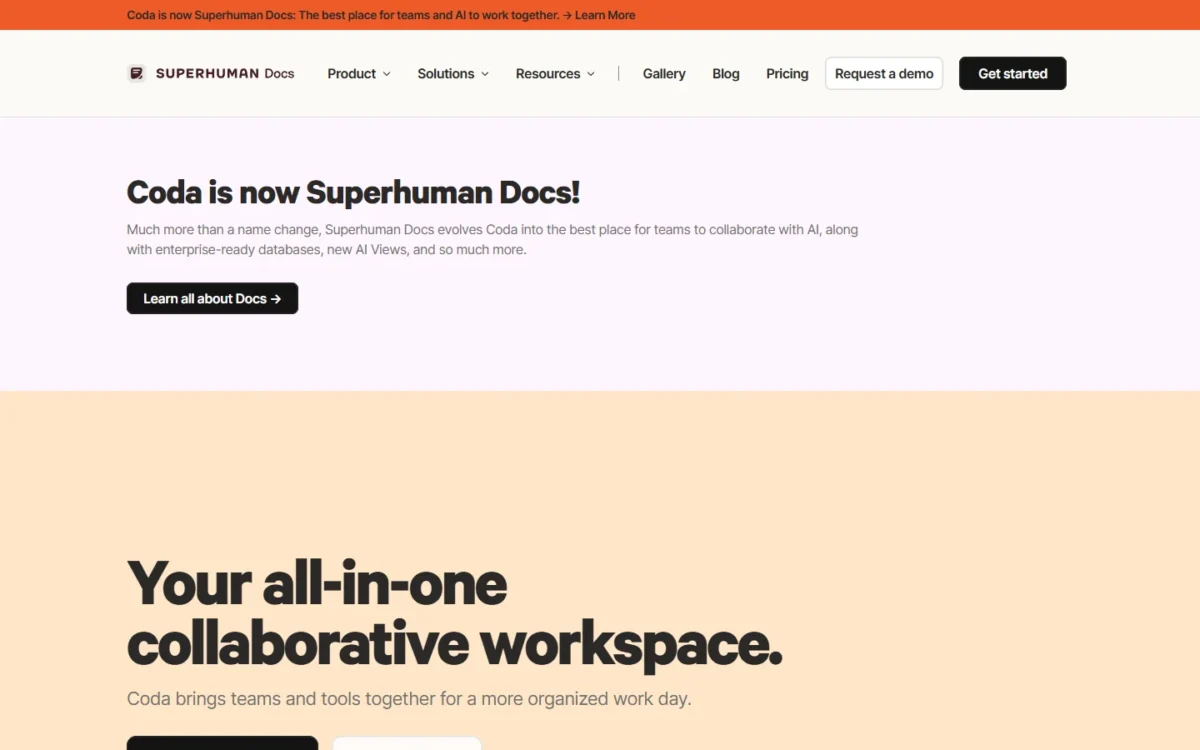
In October 2025 Grammarly became Superhuman, and Coda joined its product suite. On July 8, 2026, Coda itself became Superhuman Docs. Docs, tables, Packs, automations and formulas carried over, and no features were removed.
What changed for a buyer:
- Plan names and prices. The Team plan is now called Business. Pro is $12 and Business $33 per Doc Maker a month on annual billing.
- AI. The old Coda AI credit system and its add-on packages are paused. Paid Doc Makers get Docs AI “with generous limits” during the beta.
- How new customers buy. New subscribers get Docs inside the Superhuman suite at the tier they buy, so other suite products come with it.
- New capabilities. A Docs AI chat panel, full-page tables and a Mac desktop app. A Windows app is “in development”.
- In closed beta. Superhuman Databases (up to a million rows) and AI Views.
- Gone. Publishing new docs to the Coda gallery stopped on July 8.
One of these matters more than the new name. AI is generous today partly because it is unpriced: Superhuman says it is still “exploring how Docs AI will be monetized once it exits beta.” A purchase that depends on Docs AI is a bet on a price nobody has published yet.
What Is Coda?
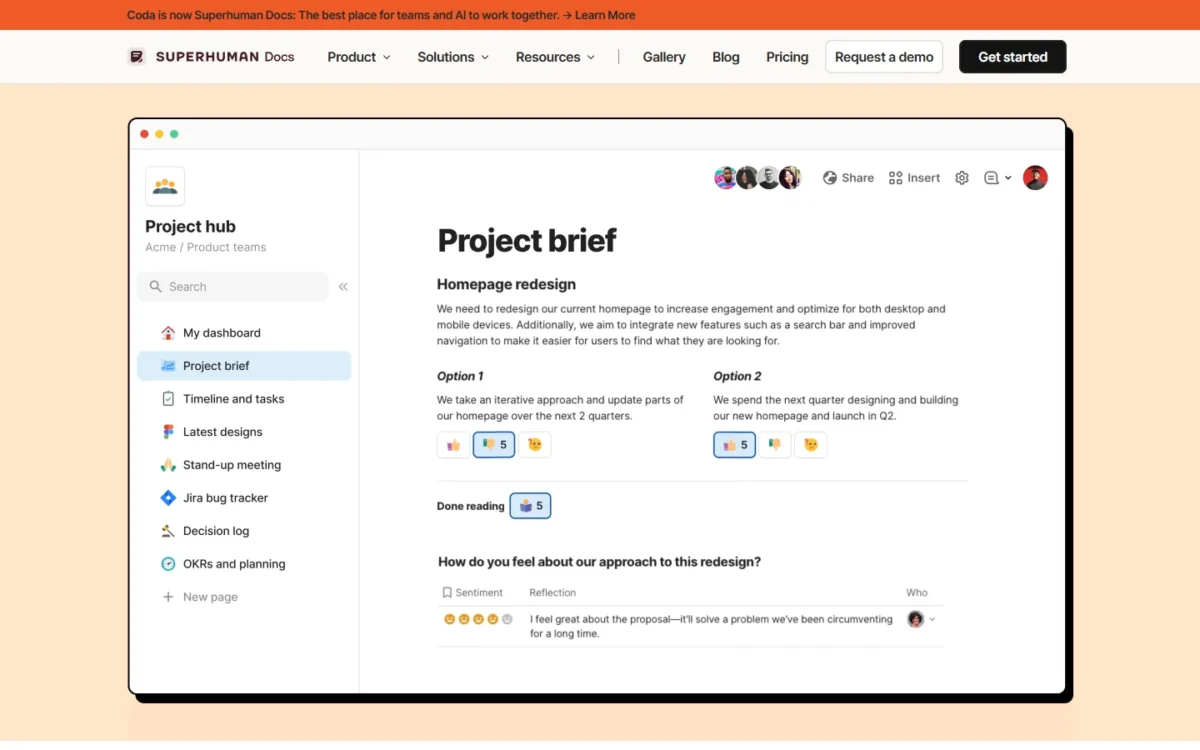
Coda is a doc that holds working tables. Pages of text sit next to tables that connect to each other, and its homepage calls the result “familiar like a doc and engaging like an app.”
That design decides who it suits. Teams that run processes in their docs (intake, approvals, roadmaps, trackers) get the most from it. Teams that only store pages pay for builder features they will not touch, and dedicated knowledge base software serves them better.
Coda Core Features Breakdown
Tables, formulas and buttons
Tables live inside pages, so a roadmap, a task list and a meeting page can read from the same data. Since July, a table can also get a full page of its own, which gives bulk editing more room.
Buttons and automations are what separate Coda from a wiki. Coda’s homepage says anyone can design “a time-saving solution with a formula, button, or automation.” For an ops team, that means an approval flow can live in the same doc as the policy it enforces.
Packs and integrations
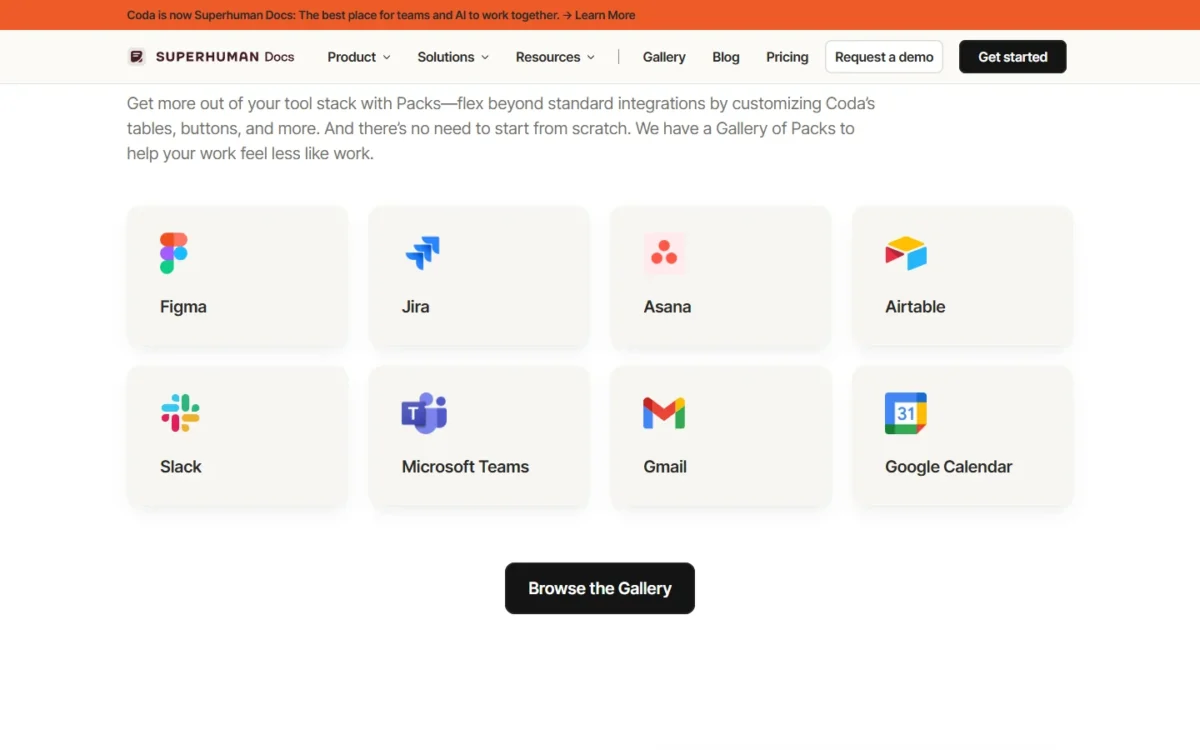
Packs pull data from other tools into tables and push actions back out. Coda’s homepage counts 600+ integrations. The Packs page names Figma, Jira, Asana, Airtable, Slack, Microsoft Teams, Gmail and Google Calendar among them.
The plan decides how fresh that data is. Free refreshes Pack sync tables manually, Pro adds a daily refresh, and Business and Enterprise add hourly refresh. A Jira table refreshed once a day is a report; refreshed hourly, a standup can run on it.
Security is handled at the Pack level: each Pack runs in a sandbox, and Pack developers do not have access to customer credentials or data, according to Coda’s security page.
Automations
An automation starts on a schedule, a changed row, a submitted form or a webhook, then runs one or more actions. One rule to know: automations cannot trigger other automations, so a chain of steps has to live in a single rule.
Quotas are per doc, per month: Free gets 35 time-based and 100 event-based runs, Pro gets 100 and 500, and Business and Enterprise are unlimited. Event-based runs are the quota to watch. If 20 editors each change 5 rows a workday, that is 20 x 5 = 100 runs a day, and Pro’s 500 last one working week.
Docs AI and MCP
Docs AI is a chat panel that can draft content, build and update tables, organize data and resolve comments across a doc. The older AI columns and AI blocks still work alongside it.
The pricing is the open question. While Docs AI is in beta, paid Doc Makers get it with generous limits and Free users and editors get a limited trial. Superhuman expects “to introduce a new credit system in the coming months.”
Two rules shape the decision. Only Doc Makers can use Docs AI to generate new content, so AI adoption is also a seat decision. And outside Enterprise, admins cannot switch Docs AI off for the workspace.
The Docs MCP connects docs to AI tools such as Claude, ChatGPT and Cursor. Teams that already use Claude as a daily assistant can ask it questions about a doc or request updates instead of pasting content back and forth. Pro lists “Create with Claude and more via MCP”; Free gets a limited trial.
Coda Pricing 2026
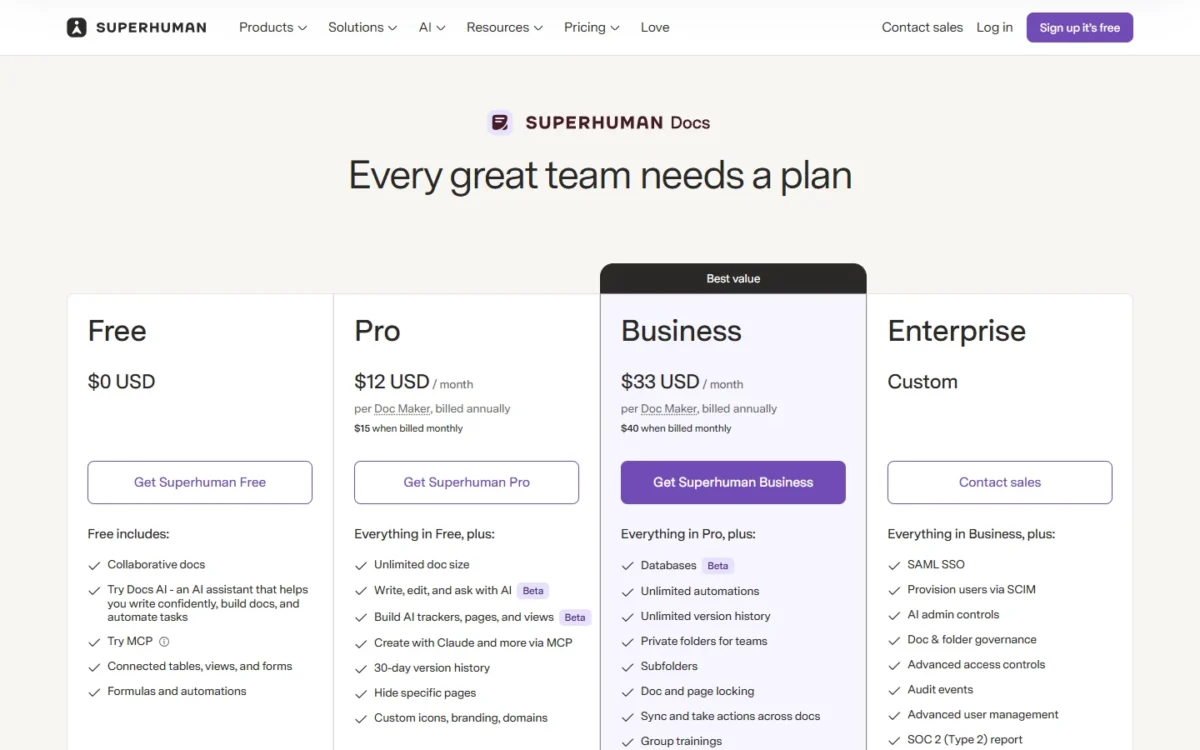
Coda costs $0 on Free, $12 per Doc Maker a month on Pro and $33 per Doc Maker a month on Business, both billed annually. Monthly billing raises those to $15 and $40, and Enterprise is priced by sales. Editors are free.
| Plan | Price per Doc Maker | What the plan adds |
|---|---|---|
| Free | $0 | Collaborative docs, connected tables, views and forms, formulas and automations, a Docs AI trial |
| Pro | $12 a month billed annually, $15 billed monthly | Unlimited doc size, Docs AI (beta), MCP, 30-day version history, hidden pages, custom icons, branding and domains |
| Business | $33 a month billed annually, $40 billed monthly | Databases (beta), unlimited automations, unlimited version history, private folders for teams, subfolders, doc and page locking, cross-doc sync and actions |
| Enterprise | Custom | SAML SSO, SCIM provisioning, AI admin controls, audit events, SOC 2 (Type 2) report, HIPAA compliance |
Sources: Superhuman Docs pricing page, checked October 2026.
Paying monthly adds $15 – $12 = $3 per Pro Doc Maker a month, or $3 x 12 months = $36 a year. On Business it adds $40 – $33 = $7 a month, or $7 x 12 months = $84 a year. Pay monthly while you evaluate, then switch.
Doc Maker vs. editor billing explained
Coda charges only for Doc Makers. Workspace admins are a type of Doc Maker, so each admin is billed too, per the billing guide.
The line between the roles sits further out than the name suggests:
- Doc Makers (paid): create and delete docs, add pages, create folders, publish docs, and generate new content with Docs AI.
- Editors (free, unlimited): edit existing pages, add rows, and add tables, views, formulas, Packs, automations and forms.
So one Doc Maker can create the pages and let editors build working trackers inside them. That is where Coda’s economics come from.
One trap sits in Free workspaces: anyone who creates a doc is made a workspace admin automatically. Clean up roles before you upgrade, or every one of those admins becomes a paid Doc Maker.
What Coda costs at real team sizes
| Team | Doc Makers | Pro, billed annually | Business, billed annually |
|---|---|---|---|
| 10 people | 2 | 2 x $12 x 12 = $288 a year | 2 x $33 x 12 = $792 a year |
| 25 people | 5 | 5 x $12 x 12 = $720 a year | 5 x $33 x 12 = $1,980 a year |
| 50 people | 10 | 10 x $12 x 12 = $1,440 a year | 10 x $33 x 12 = $3,960 a year |
| 50 people, all using Docs AI | 50 | 50 x $12 x 12 = $7,200 a year | 50 x $33 x 12 = $19,800 a year |
Sources: Superhuman Docs pricing page, checked October 2026.
The last row is the one to plan around. On Business, the same 50-person team pays 10 x $33 x 12 = $3,960 a year with 10 builders, or 50 x $33 x 12 = $19,800 if all 50 need Docs AI generation. Decide who really needs AI drafting before you sign an annual plan.
The limits that force an upgrade
| Limit | Free | Pro | Business and Enterprise |
|---|---|---|---|
| Shared doc size | 50 objects, 1,000 table rows | Unlimited | Unlimited |
| Automations per doc, per month | 35 time-based, 100 event-based | 100 time-based, 500 event-based | Unlimited |
| Version history | 7 days, doc level only | 30 days | Unlimited |
| Attachments per doc | 1 GB, 10 MB per file | 5 GB, 250 MB per file | Unlimited, 250 MB per file |
| Rows per Pack sync table | 100 | 10,000 | 10,000 |
| Pack sync refresh | Manual | Manual and daily | Manual, daily and hourly |
Sources: Superhuman Docs doc limits, checked October 2026.
The Free cap arrives first. A shared tracker that passes 1,000 rows or 50 objects (pages, tables, views, buttons, formulas) is over the limit, and the workspace gets two weeks to upgrade or scale back. For a team tracker, that makes Free a trial rather than a plan.
Some limits no plan lifts. Every doc has a 325 MB formula calculation limit: above it, formulas, buttons, automations and syncs pause. A doc over 125 MB loses developer API access and cannot become a new Cross-doc source, so archive or split big docs before they get there.
A Pack sync table also stops at 10,000 rows on every paid plan. For a team syncing a large Jira project, that ceiling arrives before any price tier does, and Superhuman Databases, the million-row answer, is still in closed beta.
The Superhuman bundle: what new and existing customers get
New subscribers now get Docs inside the Superhuman suite. Pro also includes Superhuman Go, and Grammarly on annual billing; Business adds Superhuman Mail.
Existing Coda customers keep their plan and price unless they connect to the bundle. But if an eligible workspace upgrades its Docs plan, it moves into the bundle with no Docs-only option, according to the upgrade guide.
Two costs hide in that switch. Legacy discounts (student, teacher, nonprofit and referral credits) cannot be applied to a bundle. The bundle also does not support a la carte Pack subscriptions, so paid Packs must be removed before upgrading.
One wording gap matters for budgeting. The Docs pricing page charges Pro and Business per Doc Maker, while the suite page shows the same $12 and $33 “per member.” The billing guide still says only Doc Makers are charged, so I would budget on Doc Makers and check the amount on the checkout screen before committing a year.
Coda Pros & Cons (Evidence-Based)
What Coda does better
- Free editors who can still build. Editors add tables, formulas, automations and Packs at no cost. A 10-person team with 2 Doc Makers pays 2 x $33 x 12 = $792 a year on Business.
- Processes live inside the doc. Buttons, automations and Packs let an intake form, an approval or a Jira dashboard sit next to the plan it serves.
- Hourly sync on Business. Pack sync tables refresh hourly, which makes a live dashboard practical for a daily standup.
- AI without a meter, for now. Paid Doc Makers use Docs AI while the credit system is paused.
- An enterprise security file. ISO 27001, 27017 and 27018 certificates, SAML SSO and SCIM, plus HIPAA compliance on Enterprise.
Where Coda falls short
- AI turns editors into paid seats. Editors get only a limited Docs AI trial. A team that wants AI drafting for everyone loses the Doc Maker advantage.
- Year-two AI cost is unknown. Credits are paused, and a new credit system is expected “in the coming months.” That hurts teams that need a fixed annual budget.
- Hard ceilings for data-heavy teams. 10,000 rows per Pack sync table and a 325 MB formula calculation limit per doc, with Databases still in closed beta.
- Pro’s automation quota. 500 event-based runs per doc a month is tight for a busy shared tracker.
- No AI off-switch below Enterprise. Regulated teams that must disable AI need the custom-priced plan.
- Bundle friction for existing customers. Discounts and a la carte Packs do not move into the bundle.
- No Windows desktop app yet. The Mac app shipped on July 8; Windows teams use the web app until the Windows version arrives.
Coda Use Cases by Persona
Who it fits
- Operations teams running intake, approvals and trackers, where one to three people design the process and many people fill it in.
- Product teams that want Jira, GitHub and Figma data next to specs and roadmaps. Business lists syncing data from those tools into docs.
- Teams standardizing on an AI assistant that want Claude or ChatGPT to read and update their docs through the MCP.
Who should skip it
- Teams where almost everyone creates pages or needs AI drafting. Ten Doc Makers on Business cost 10 x $33 x 12 = $3,960 a year, so per-member tools become the simpler buy.
- Teams whose main need is a wiki. A team that mostly needs a knowledge base for answers and policies pays for builder features it will not use.
- Data-heavy teams. Anything that must sync more than 10,000 rows per source belongs in a database-first tool until Superhuman Databases leaves beta.
- Regulated teams below Enterprise budget. Docs AI cannot be switched off outside Enterprise.
- Existing customers on a legacy discount or paid Packs. Stay on the a la carte plan; the bundle drops both.
How We Evaluated Coda (Methodology)
This update checks every Coda price, plan name and limit against the Superhuman Docs pricing page, the Superhuman suite pricing page and the Superhuman help center, all read in October 2026. Rival prices come from each vendor’s own pricing page.
No test account was used. The review judges Coda on its plan rules, limits and prices, and makes no claims about speed or ease of use.
Coda vs. Top Alternatives
The cleanest comparison is a 10-person team in which 2 people build and 8 update, priced on yearly billing.
| Tool and plan | Who is billed | 10-person team, billed yearly |
|---|---|---|
| Coda Pro, 2 Doc Makers | Doc Makers only | 2 x $12 x 12 = $288 a year |
| Coda Business, 2 Doc Makers | Doc Makers only | 2 x $33 x 12 = $792 a year |
| ClickUp Unlimited | Every user | 10 x $7 x 12 = $840 a year |
| Notion Plus | Every member | 10 x $10 x 12 = $1,200 a year |
| Fibery Standard | Every user; observers and guests are free | 10 x $12 x 12 = $1,440 a year |
| Airtable Team | Users with edit permissions | 10 x $20 x 12 = $2,400 a year |
Sources: Superhuman Docs pricing, ClickUp pricing, Notion pricing, Fibery pricing and Airtable pricing, checked October 2026.

Coda wins this table only because 8 of the 10 people are editors. Make all 10 of them Doc Makers on Business and the bill is 10 x $33 x 12 = $3,960 a year, more than any row above.

Coda vs Notion
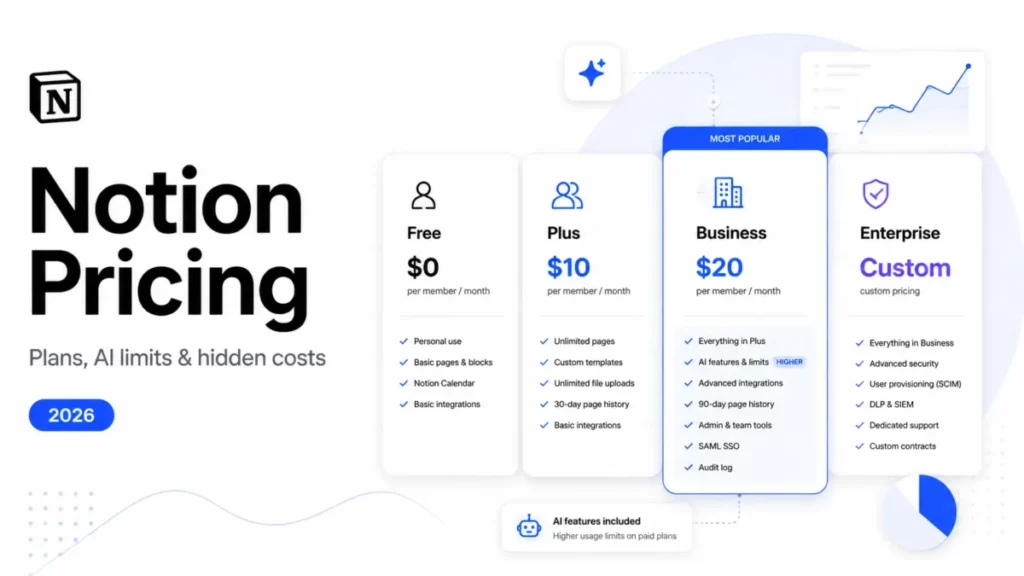
Notion is the better buy when most of the team writes pages. It bills per member: Plus is $10 a month on yearly billing ($12 paid monthly), and Business is $20 ($24 monthly). Its AI agents are free to try, then $10 per 1,000 monthly Notion credits.
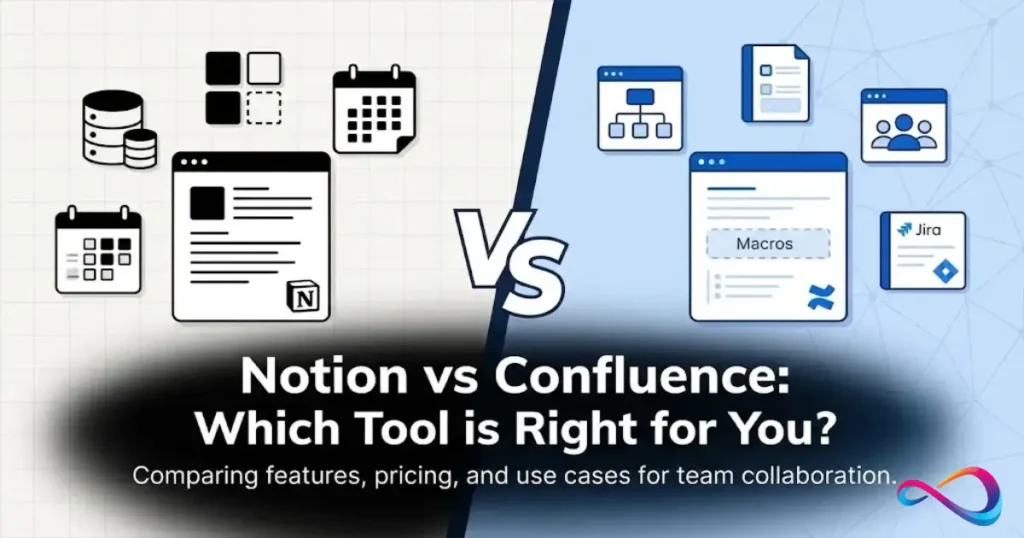
Choose Coda when docs must run processes with buttons, automations and synced Packs. Choose Notion when the job is writing and finding pages, and when you would rather count members than police Doc Maker roles.
Coda vs Airtable
Airtable bills every user with edit permission on a base: Team is $20 a month and Business $45, both billed annually. Read-only collaborators are free, but anyone who updates records counts.
I would shortlist Airtable when the dataset is the product and the doc is secondary, because Coda’s own large-data answer is still in closed beta. For a team that mostly updates records, though, Airtable costs more than Coda with its free editors.
Coda vs ClickUp
ClickUp is the cheapest per-seat option in the table: Unlimited is $7 per user a month billed yearly ($10 monthly), and Business is $12 ($19 monthly). Unlimited already includes unlimited Gantt charts.
Choose ClickUp when tasks, assignees and timelines are the center of the work and docs support them. Choose Coda when the doc is the center and tasks are rows in it.
Coda vs Fibery
Fibery is the closest match to Coda’s builder style. Its Free plan covers up to 10 users and 10 databases, and Standard is $12 per user a month billed annually, with AI included and observers and guests free.
Pick Fibery when a small team wants connected databases without per-builder rules. Pick Coda when the work starts as a document and the tables serve it.
Getting Started with Coda
Which plan to start with
| Situation | Plan | Why |
|---|---|---|
| One person, private docs | Free | Docs that aren’t shared have no page or object limits |
| A shared tracker under 1,000 rows | Free | Shared Free docs allow 50 objects and 1,000 table rows |
| One or two builders, light automation | Pro, $12 per Doc Maker a month billed annually | Unlimited doc size, 30-day history, Docs AI during the beta |
| Busy shared tables, live Jira or GitHub data | Business, $33 per Doc Maker a month billed annually | Unlimited automations, hourly sync, cross-doc actions |
| SSO, SCIM, AI controls or HIPAA | Enterprise, custom | Adds SAML SSO, AI admin controls and HIPAA compliance |
Sources: Superhuman Docs pricing page and doc limits, checked October 2026.
I would go from Free straight to Business once a shared tracker carries daily work. Pro fits a single builder whose docs see little traffic.
FAQ: Coda Review 2026
Is Coda going away now that it is Superhuman Docs?
No. Coda was renamed, not shut down, and existing docs keep working. Old coda.io links redirect to docs.superhuman.com, and API endpoints such as coda.io/apis/v1/docs still work. The App Store listing now reads Superhuman Docs but still appears when you search “Coda.”
Is Coda free?
Yes. The Free plan costs $0, and docs you keep private have no page or object limits. Free has narrower limits elsewhere: Pack sync tables stop at 100 rows and refresh manually, version history covers 7 days at the doc level, and Docs AI and the MCP are limited trials.
What happened to Coda AI credits?
They are paused. Superhuman stopped the Coda AI credit system and its add-on packages when Docs AI launched. Workspaces that bought add-on credits had that subscription paused and receive a pro-rated account credit, and admin controls such as daily AI caps are paused until a new credit system launches.
Do editors cost anything in Coda?
No. Editors are free, a workspace can have as many as it wants, and there is no separate viewer role. You can also share a doc with people outside the workspace: they can edit or view only the docs shared with them, without browsing the rest of the workspace.
Is Coda secure enough for enterprise use?
On paper, yes. Coda lists ISO 27001, 27017 and 27018 certificates and a SOC 2 Type 2 report for enterprise customers. It encrypts data at rest with AES-256 and in transit with TLS 1.2+, and Enterprise admins can pull 12 months of audit logs through its Audit APIs.
Final Verdict: Coda Review 2026
Choose Coda if a few builders run processes that many people update. With 2 Doc Makers, Business costs 2 x $33 x 12 = $792 a year for the whole team, and editors can still add tables, formulas and automations. Start on Pro only if 500 event-based automation runs per doc cover your busiest table.
Skip Coda, or price it per head, if most of the team needs Docs AI or creates pages. Then Notion is the simpler buy for writing-heavy teams, Airtable for data-first teams and ClickUp for task-first teams.
Already a Coda customer with a legacy discount or paid Packs? Stay on your a la carte plan until Superhuman publishes Docs AI pricing.