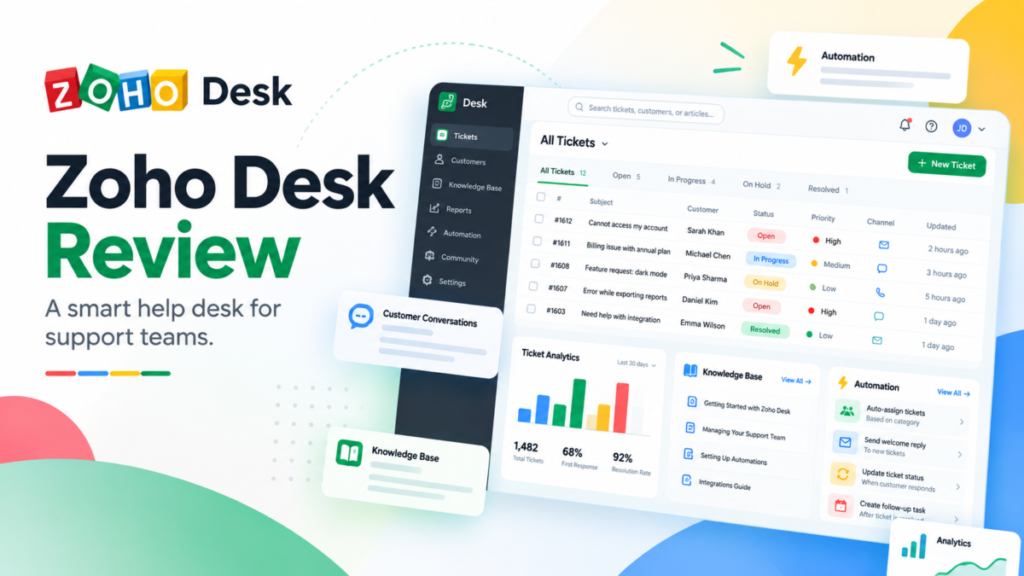
Zoho Desk is worth it for budget-led support teams of 3 to 25 agents that can pay annually. Most of them need Professional, at $23 per user per month billed annually, because Blueprints, Zia AI and telephony start there.
This Zoho Desk review prices all five editions in US dollars, names the gate that forces each upgrade, and costs a 10-agent team against Freshdesk and Zendesk. Skip Zoho Desk if a simple shared inbox matters more to you than enforced process.
Quick verdict
- Worth it for: Zoho Desk pays off for support teams of 3 to 25 agents that commit annually and need Blueprint-enforced processes on Professional.
- Skip it if: you need visitor live chat or skill-based routing but none of the rest of Enterprise.
- Main strength: Professional bundles Blueprints, Zia’s native generative AI and telephony for $23, under half of Freshdesk Pro’s $55.
- Biggest limit: every gate is an edition. Express stops at 5 users and 1 workflow rule, and the public knowledge base starts on Standard.
- Price basis: per user per month, $7 to $40 billed annually or $9 to $50 billed monthly, plus local taxes. A Free edition covers 3 users.
In This Article (14 sections)
Zoho Desk at a Glance
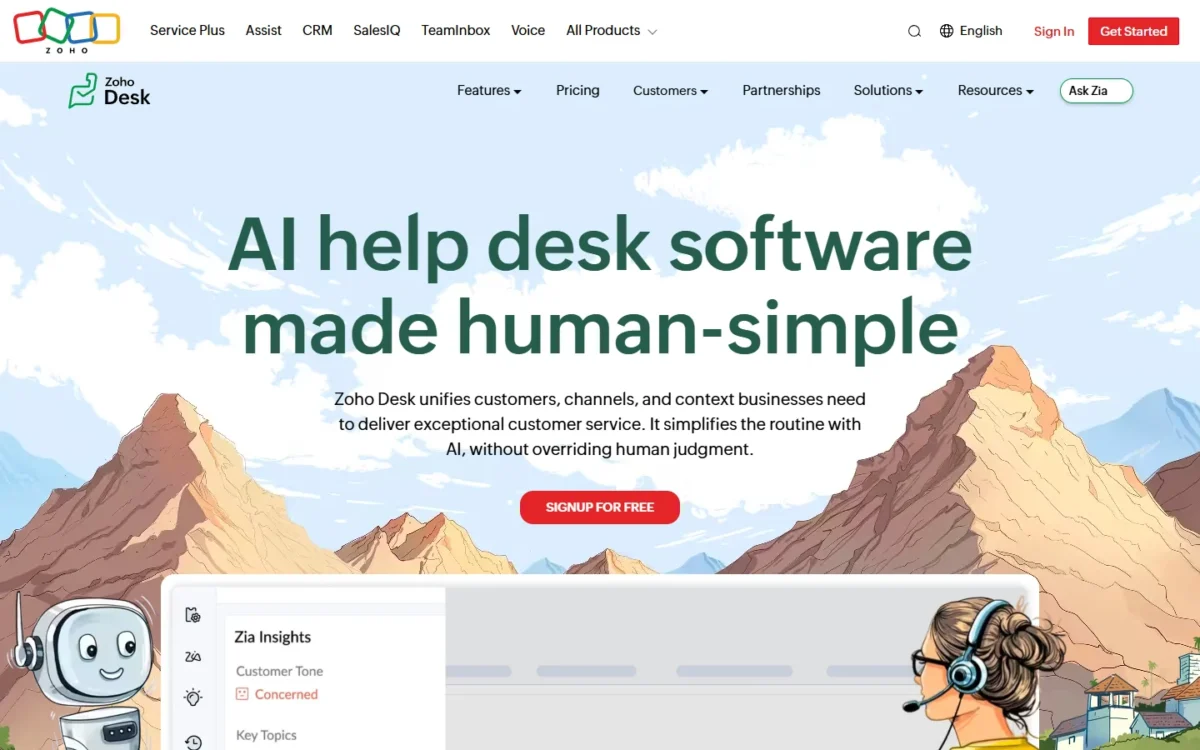
Zoho Desk is Zoho Corporation’s help desk for omnichannel ticketing, self-service and automation, sold in five editions priced per user per month.
- Category: help desk with tickets from email, phone, instant messaging, social media, live chat and web forms
- Best for: cost-led support teams of 3 to 25 agents, and teams already on Zoho CRM
- Starting price: $7 per user per month billed annually, $9 billed monthly (Express)
- Free plan: Free edition for 3 users at $0
- Trial: 15 days on any edition, no credit card
- Main limitation: public knowledge base from Standard, Blueprints from Professional
- Mobile: the Zoho Desk app for agents and the Radar app for metrics
The entry price is low because Express is narrow, as the pros and cons below show.
Zoho Desk Pros and Cons
The main disadvantages of Zoho Desk are its edition gates: the 5-user cap on Express, the public knowledge base on Standard and visitor chat on Enterprise. Its advantages are price and process control on Professional.
Pros
- Professional at $23 per user per month billed annually holds Blueprints, Zia AI and telephony, which suits cost-led teams of 5 to 25 agents
- Zia’s native generative AI costs nothing extra on Professional and Enterprise, so drafting help adds no per-resolution bill
- The Free edition gives 3 users email ticketing at $0, enough for a pilot before anyone pays
- Enterprise includes 50 free light agents, useful when sales, finance or engineering staff comment on tickets
- Zoho CRM, Jira, Slack and Salesforce connect from Standard, so other teams see ticket context
Cons
- Express caps a team at 5 users and 1 workflow rule, so a growing team outgrows the $7 edition fast
- No public knowledge base, community or Answer bot until Standard at $14 per user per month billed annually
- Monthly billing on Professional costs $35 instead of $23 per user per month
- Skill-based assignment exists only on Enterprise at $40 per user per month billed annually
- Professional runs 1 active Blueprint per department, so several enforced processes push a team to Enterprise
- Light agents cost $6 per light agent per month on Standard and Professional
Those downsides are plan gates, so the real question is which features justify paying for the gate.
Zoho Desk Features
These five features carry the biggest price gates, and each section below opens with the edition where the feature starts, because that edition sets your price.
Omnichannel ticketing
Email, social media and web forms work from Express, instant messaging and Business Messaging start on Standard, telephony on Professional, and visitor live chat through Zoho SalesIQ on Enterprise. Zoho’s features page says agents manage 10+ channels from one unified interface.
Every channel lands in the same ticket queue, which is how a ticketing system works at its core. The channel counts matter more than the channel list.
- Express connects 2 email channels and one brand each on X, Facebook and Instagram.
- Business Messaging and WhatsApp each get 1 channel on Standard, 10 on Professional and 50 on Enterprise, and WhatsApp applies its own usage-based charges.
- Telephony means integrating a telephony provider and a toll-free number, from Professional up.
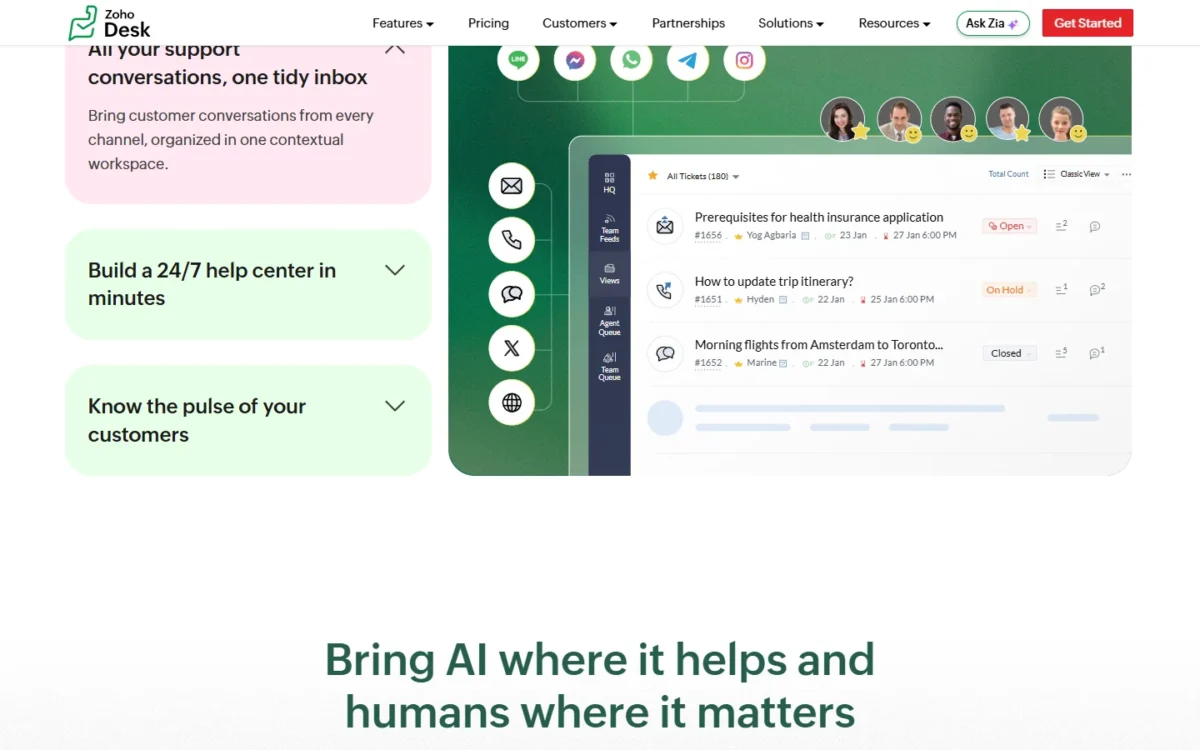
Business Messaging is a live chat widget for logged-in customers on your site or app, which suits SaaS support behind a login.
Chat with anonymous visitors needs SalesIQ on Enterprise, so a pre-sales chat team should compare dedicated live chat software before paying $40 per agent.
Automation: workflows and Blueprints
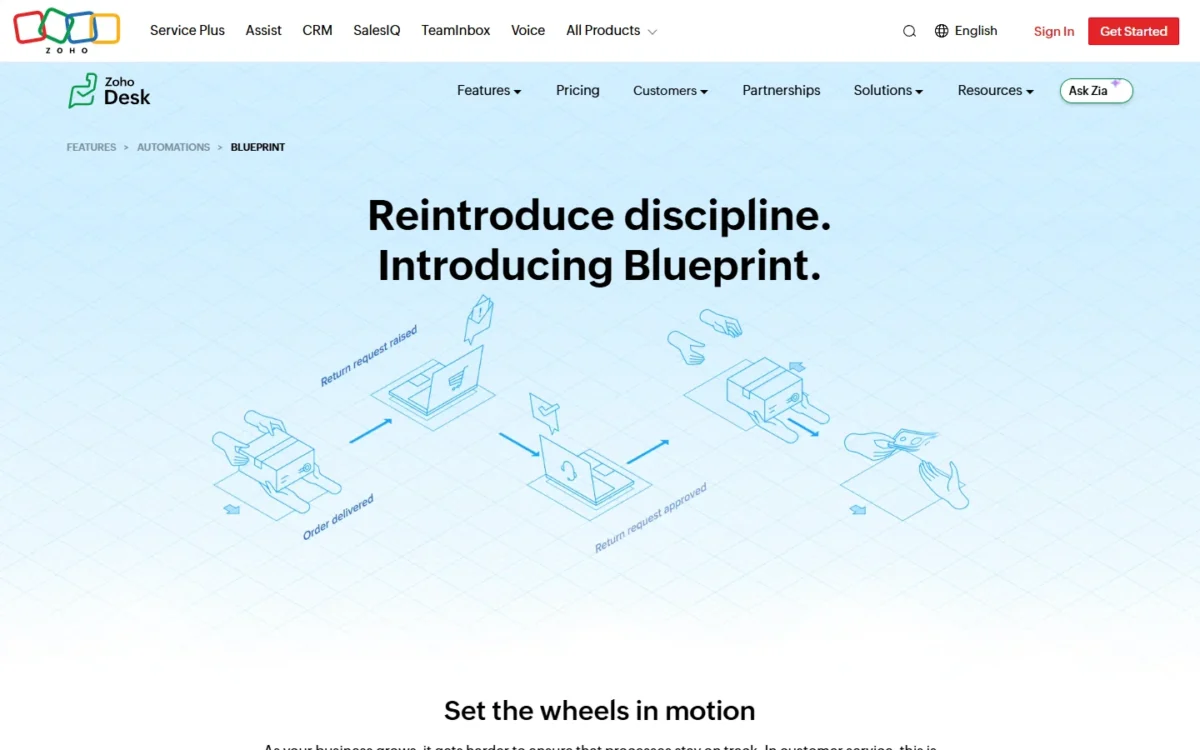
Workflows run from Express, but Blueprint, the feature that forces every ticket through a fixed process, starts on Professional.
A workflow fires email alerts, task assignments and field updates when a rule triggers. A Blueprint takes a ticket from state to state until it is resolved, and agents cannot move on until their mandatory actions are done.
The rule counts set the real edition. Express holds 1 workflow rule on the ticket module, Standard 5 per module, and Professional 15 per department per module.
Blueprints have their own caps. Professional runs 1 active Blueprint per department with 20 transitions each; Enterprise allows 20 per department and 100 transitions. State-level SLAs start on Professional, while the Blueprint dashboard is an Enterprise item in Zoho’s plan comparison.
Take an illustrative refund process: an agent verifies the order, a team lead approves, and finance issues the refund.
A workflow can alert the lead when a refund ticket arrives, but it cannot stop an agent from skipping the approval. A Blueprint can, because each person sees only their own actions and cannot move on until the mandatory ones are done.
For one department with one process that must never be skipped, Professional’s single Blueprint is enough. A department that wants refunds, escalations and onboarding as separate enforced processes hits that cap and is really shopping for Enterprise.
Zia AI and AI Agents
AI starts on Express, but Zia’s own generative AI waits for Professional. Express and Standard use generative AI with your own key (BYOK). Professional and Enterprise add Zia’s native generative AI, which Zoho says comes “at no additional cost” on its Zia page.
Zia auto-tags tickets, summarizes threads, analyzes tone, suggests knowledge base articles, writes replies on request and flags unusual ticket activity. Field predictions start on Professional, so Zia is not an Enterprise-only feature.
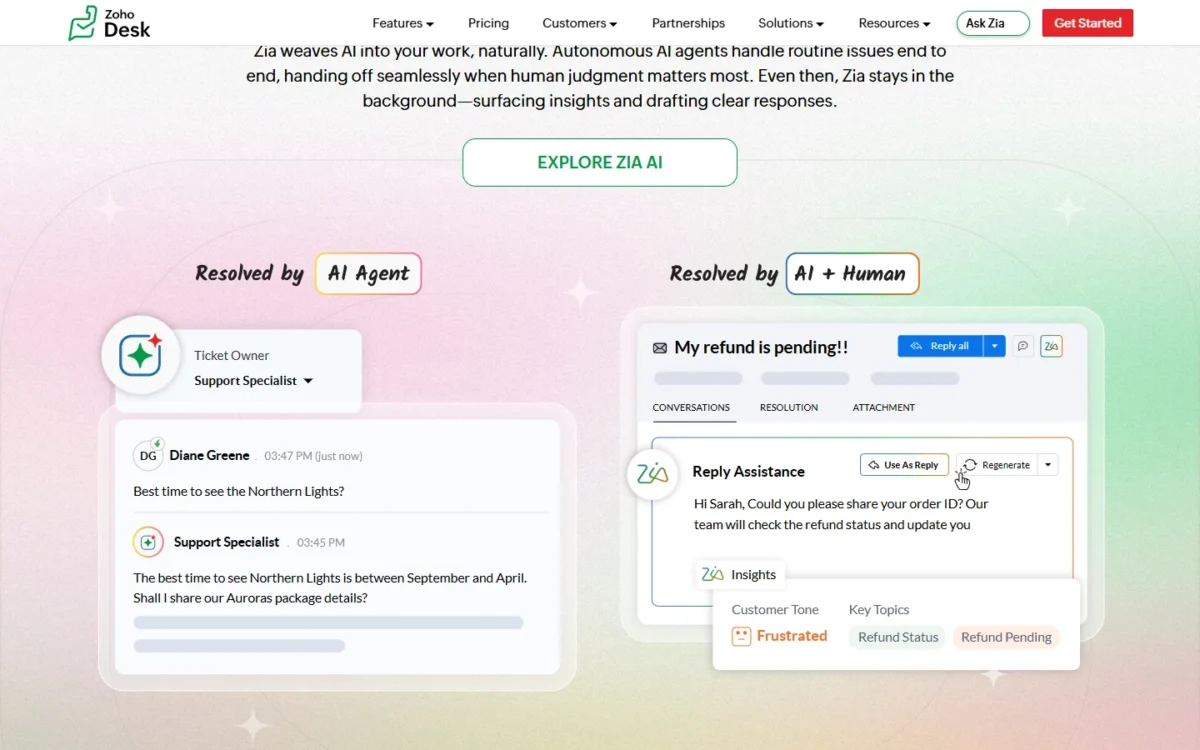
The Express card lists AI Agents, and every higher edition includes everything in Express. That card lets you build agents with your own key or Zoho’s LLM, with up to 30M free tokens a month.
The plan comparison lists the same allowance for Zia Agent Studio, “Zoho’s in-house LLMs: up to 30 million tokens/month”, but marks the pre-built Zoho Desk AI Agents for Enterprise only.
That model differs from the three rivals in this review:
- Freshdesk’s Growth, Pro and Enterprise plans include 500 free Freddy AI Agent sessions, once per account, then Freshdesk charges $49 per 100 sessions.
- Zendesk bills committed automated resolutions at $1.50 and pay-as-you-go resolutions at $2.00.
- Help Scout charges $0.75 per AI Answers resolution.
Zoho’s agents draw on a monthly allowance of up to 30 million tokens. The plan comparison lists that allowance and gives no price for usage past it.
If you are still deciding which jobs an AI agent should take, my guide to AI customer service workflows sorts them by task.
Knowledge base, help center and community
Every edition includes a private knowledge base for agents, but the public knowledge base, community forum and Answer bot start on Standard. Professional adds a multilingual help center: Zoho’s pricing page says it publishes articles in over 40 languages, and its features page says 50+.
Enterprise adds a multi-brand help center that gives each brand its own help center, service channels, SLAs and knowledge base articles. Auto-translation of articles and Answer bot inside the ASAP widget are Enterprise items too.
For self-service, Standard is the real entry edition: $14 per user per month billed annually is what a public help center costs at Zoho. A team that only needs public articles and email should price Help Scout’s Free plan, which includes 1 Docs site.
Reporting and dashboards
Zoho lists 30+ built-in reports and 10+ built-in dashboards, with predefined reports from Express. Standard adds 50 custom reports and 10 custom dashboards, and Professional makes both unlimited.
SLA dashboards start on Professional. Scheduled reports, the Blueprint dashboard and the Zia dashboard are Enterprise items. A manager who wants SLA dashboards needs Professional; one who wants reports to run on a schedule needs Enterprise.
Those gates also decide how much setup each edition asks of your admin.
Zoho Desk Ease of Use
The 15-day trial is the fastest way to judge setup effort. It runs on any edition without a credit card, lets you switch editions mid-trial, and drops to the Free edition when it ends.
Zoho also offers a one-hour demo by web conference and free help migrating from another help desk.
Setup work grows with the edition. Free and Express use default profiles and roles you cannot edit, Standard allows 5 of each, and Professional 25. Blueprints, departments and custom modules each add configuration, and Enterprise includes 3 sandboxes to test changes before agents see them.
Zoho’s pricing page claims Zoho Desk “can be implemented 50% faster than competitors” and publishes no method behind the figure. Treat it as the vendor’s claim.
Use the trial to rebuild one live process on the edition you would buy: a workflow rule, an SLA and, on Professional, one Blueprint.
Once the trial ends, the edition you buy decides the bill.
Zoho Desk Pricing
Zoho Desk costs $0 for 3 users on Free, then $7, $14, $23 and $40 per user per month billed annually for Express, Standard, Professional and Enterprise. Billed monthly, the same editions cost $9, $20, $35 and $50. I read these US-dollar prices on Zoho’s US pricing page on October 20, 2026.

| Plan | Billed annually | Billed monthly | Key limit |
|---|---|---|---|
| Free | $0 | $0 | 3 users, email ticketing |
| Express | $7 per user/ | $9 per user/ | 5 users, 1 workflow rule, no public knowledge base |
| Standard | $14 per user/ | $20 per user/ | No Blueprints, telephony or native Zia AI |
| Professional | $23 per user/ | $35 per user/ | 1 active Blueprint per department, no skill-based assignment |
| Enterprise | $40 per user/ | $50 per user/ | Highest seat price; 50 free light agents included |
Sources: Zoho Desk pricing page, Yearly and Monthly views, and Zoho Desk plan comparison, checked October 2026.
Pricing note
Zoho adds applicable local taxes to every price above. The page advertises savings of up to 34% for yearly billing, and Professional shows the widest gap: $35 – $23 = $12 per user per month.
Most 5 to 25 agent teams should buy Professional on annual billing. Standard fits a team that needs a public help center and WhatsApp but no enforced process. Express fits only a team that will stay at 5 users with one rule.
Enterprise earns its $40 only when one of its own features is a requirement, not a wish. Zoho also lists a “Request a price quote” option and special pricing for non-profits and educational institutions.
What forces each upgrade
Each step up the table is forced by one kind of need: more people, public self-service, enforced process, or multiple brands and visitor chat. The 5-user cap on Express is the first paid-edition limit a growing team meets.
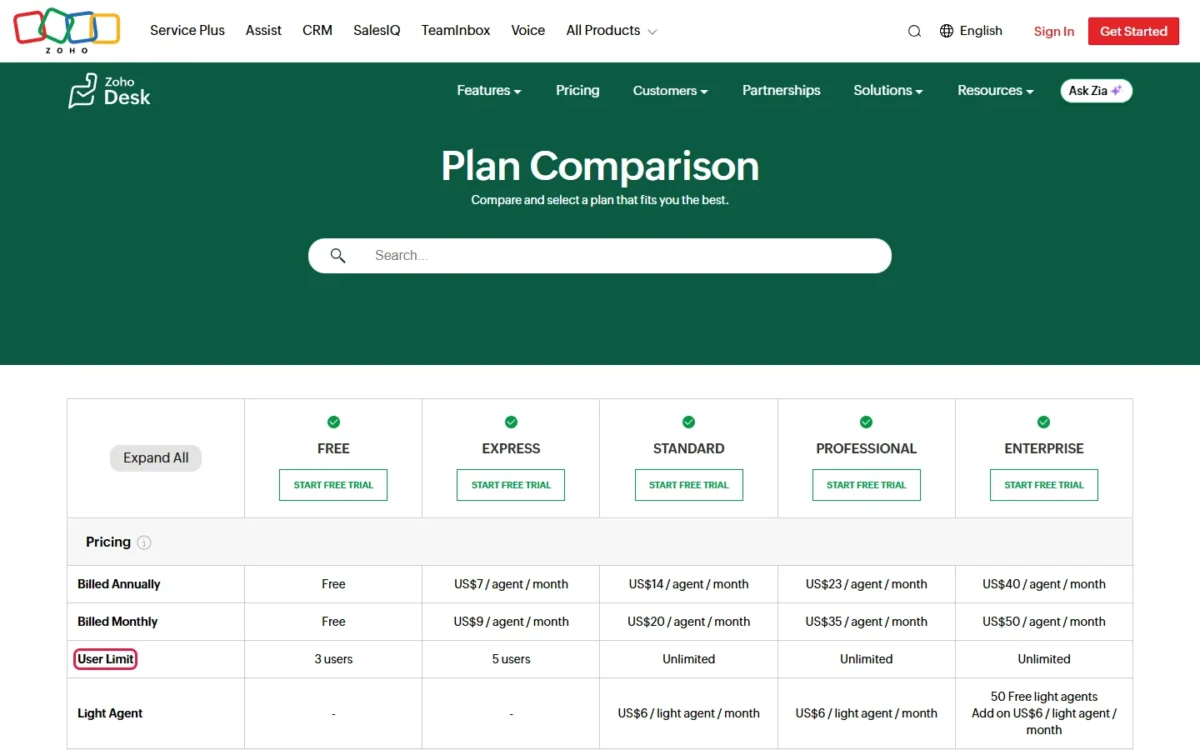
| Move | You need it when | What the higher edition adds | Annual price step |
|---|---|---|---|
| Free to Express | a 4th or 5th agent, social channels, a first rule | up to 5 users, X, Facebook and Instagram, 1 workflow rule, phone support from Zoho | $0 to $7 |
| Express to Standard | a 6th agent, a public help center, WhatsApp | unlimited users, public knowledge base, community, Answer bot, Zoho CRM, Slack and Jira | $7 to $14 |
| Standard to Professional | an enforced process, phone calls, several departments | Blueprints, telephony, native Zia AI, up to 10 departments, round-robin, webhooks, chat support from Zoho | $14 to $23 |
| Professional to Enterprise | visitor chat, skill routing, several brands, safe testing | SalesIQ live chat, skill-based assignment, multi-brand help center, 20 Blueprints per department, sandbox, audit log | $23 to $40 |
Sources: Zoho Desk plan comparison (Expand All view) and Zoho Desk pricing page, checked October 2026.
The Standard-to-Professional step is the one most teams in this range should plan for from day one. Buying Standard and moving later means rebuilding rules as Blueprints once the process breaks.
What a support team really pays
A 10-agent team pays $23 x 10 agents x 12 months = $2,760 a year on Professional with annual billing, against $35 x 10 agents x 12 months = $4,200 billed monthly. The table prices the seat licenses only, before tax and add-ons.
| Team and edition | Annual billing per year | Monthly billing per year |
|---|---|---|
| 3 agents on Free | $0 | $0 |
| 5 agents on Express | $7 x 5 x 12 = $420 | $9 x 5 x 12 = $540 |
| 5 agents on Standard | $14 x 5 x 12 = $840 | $20 x 5 x 12 = $1,200 |
| 10 agents on Professional | $23 x 10 x 12 = $2,760 | $35 x 10 x 12 = $4,200 |
| 25 agents on Professional | $23 x 25 x 12 = $6,900 | $35 x 25 x 12 = $10,500 |
| 25 agents on Enterprise | $40 x 25 x 12 = $12,000 | $50 x 25 x 12 = $15,000 |
Sources: Zoho Desk pricing page, Yearly and Monthly views, checked October 2026.
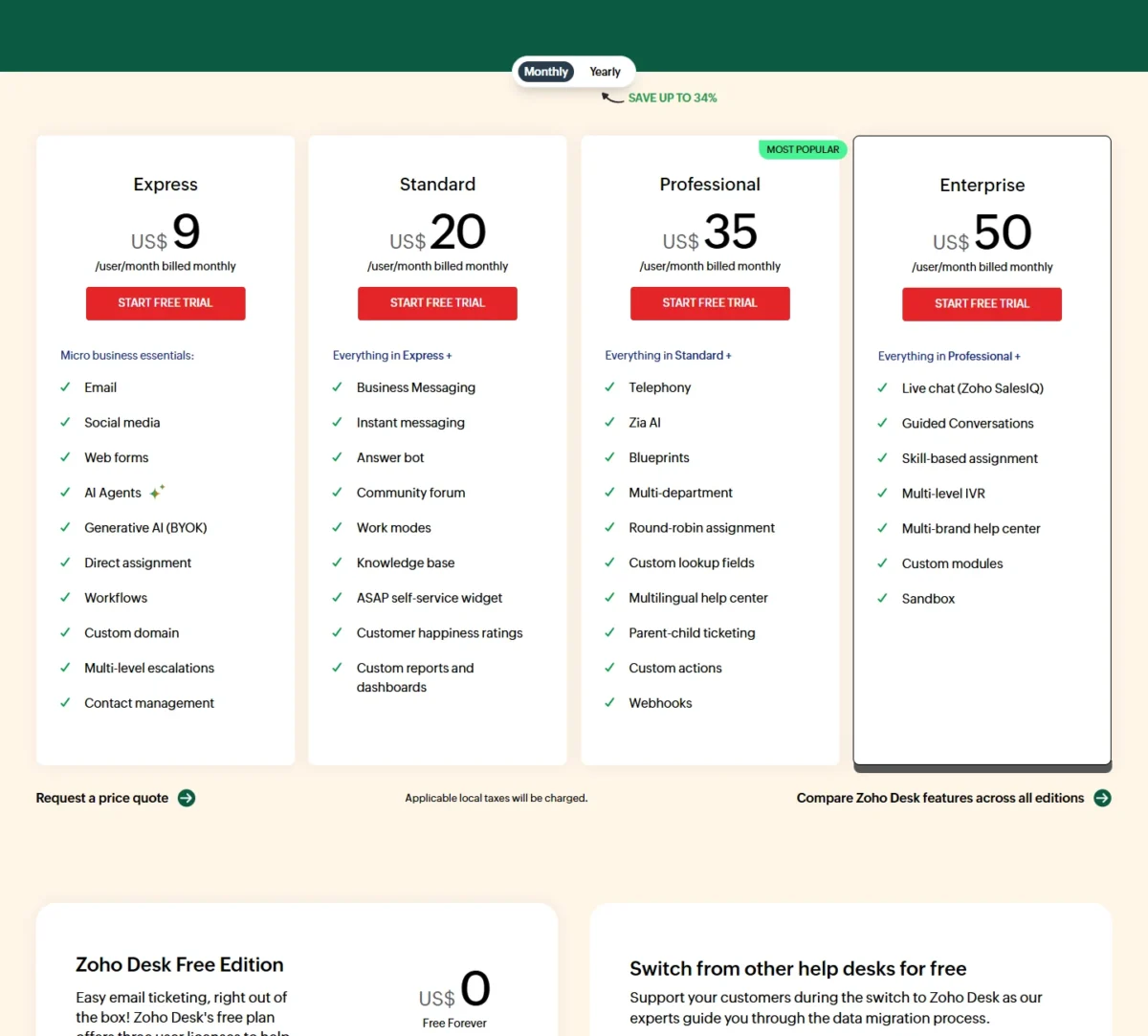
At 25 agents, Enterprise costs $12,000 a year against $6,900 on Professional. Its 50 free light agents would cost $6 x 50 x 12 = $3,600 a year on Professional, so they cover part of the gap, not all of it. Zoho does not say which billing term the $6 light-agent price applies to.
Pay monthly only for the first few months while you confirm the edition.
Costs beyond the seat price
The seat price leaves out four costs a budget should hold:
- Applicable local taxes, which Zoho charges on top of the list price.
- Light agents at $6 per light agent per month on Standard and Professional: 10 of them cost $6 x 10 x 12 = $720 a year. Zoho does not say which billing term the $6 applies to, and Enterprise includes 50.
- WhatsApp’s usage-based charges on your WhatsApp channels.
- Optional paid support plans for faster, round-the-clock help.
Integrations, Customization and Scalability
Zoho CRM is the integration that changes the decision: it connects the Zoho Desk and Zoho CRM accounts so sales and customer service teams can coordinate on the same customers.
The plan comparison lists Zoho CRM, Slack, Jira, Salesforce and Microsoft Teams from Standard, so Express connects to none of them.
Zoho’s integrations page also names GitLab, HubSpot, Pipedrive, Asana and Power BI, and prints no total integration count. If the CRM side is still open, my Zoho CRM review weighs the CRM side of that pairing.
Customization scales by edition:
- Custom fields: 10 per module on Express, 50 on Standard, 150 on Professional, 230 on Enterprise.
- Webhooks: 5 active on Professional, 10 on Enterprise.
- Custom modules and Deluge custom functions: Enterprise only.
- Departments: up to 10 on Professional and 50 on Enterprise, with multi-brand help centers on Enterprise.
APIs, mobile SDKs and custom functions form Zoho’s developer toolkit, with mobile SDKs from Professional. A team that expects to add brands or build its own modules should price Enterprise now, not after the data model is set.
Support, Security and Reliability
Paid editions get Zoho’s Classic support, with optional paid support plans for faster responses and round-the-clock help. The plan comparison lists email support on every edition, phone support from Express and chat support from Professional.
Zoho’s compliance page states SOC 2 Type 2, ISO/IEC 27001, 27017, 27018 and 27701 certification, and a SOC 2 + HIPAA Type 2 report that lists Zoho Desk. These are Zoho-wide claims, not Desk-specific audits.
Zoho’s security page describes SAML single sign-on and 256-bit AES encryption for sensitive data at rest. After you terminate an account, data leaves the active database at the next clean-up, run every 6 months, and leaves backups 3 months later.
Inside Zoho Desk, help center SAML sign-on and multi-factor authentication start on Standard, ePHI field labeling on Professional, and field encryption and the audit log on Enterprise. Zoho does not publish an uptime figure on its security or compliance pages.
What Users Say About Zoho Desk
Gartner Peer Insights showed Zoho Desk at 4.5 from 2,500 ratings when I checked on October 20, 2026. The two reviews Gartner features split on the interface.
One Gartner Peer Insights reviewer, a Director of Marketing at a media company, titled a review “Strong core ticketing and organization, but interface can feel outdated”. Another Gartner Peer Insights headline praises an “intuitive interface” for quick support delivery.
G2’s AI agent evaluation, checked on October 20, 2026, ranks Zoho Desk 6 of 9 evaluated CX agents, with 64% for accuracy and 92% for relevance. Those are G2’s scores under G2’s method, not a measure of your tickets.
TrustRadius Insights, a summary of reviewer sentiment, says users value Zoho Desk’s customization, integration through simple widget codes, and browser-based, cross-platform access.
Who Should Use Zoho Desk?
Zoho Desk fits a support team that knows its process, can pay a year up front, and lives inside Professional’s features. It fits poorly where the deciding feature sits on Enterprise or where simplicity matters more than control.
Best for
- A team on Zoho CRM that wants sales and support coordinated: the Zoho CRM integration starts on Standard
- A 1 to 3 agent team starting at $0 on the Free edition’s 3 users
- A 5 to 25 agent team that needs enforced processes: Blueprints start on Professional at $23 per user per month billed annually
- A company running several brands from one help desk: the multi-brand help center is on Enterprise
Not ideal for
- A team of 6 or more that hoped to stay on the $7 edition: Express caps at 5 users
- An email-only team that wants a public knowledge base for free: Help Scout’s Free plan includes 1 Docs site
- A team that needs skill-based routing without paying $40 per agent: it is an Enterprise feature
For an email-first team of a few agents, my Help Scout review covers the simpler route.
Zoho Desk vs Competitors
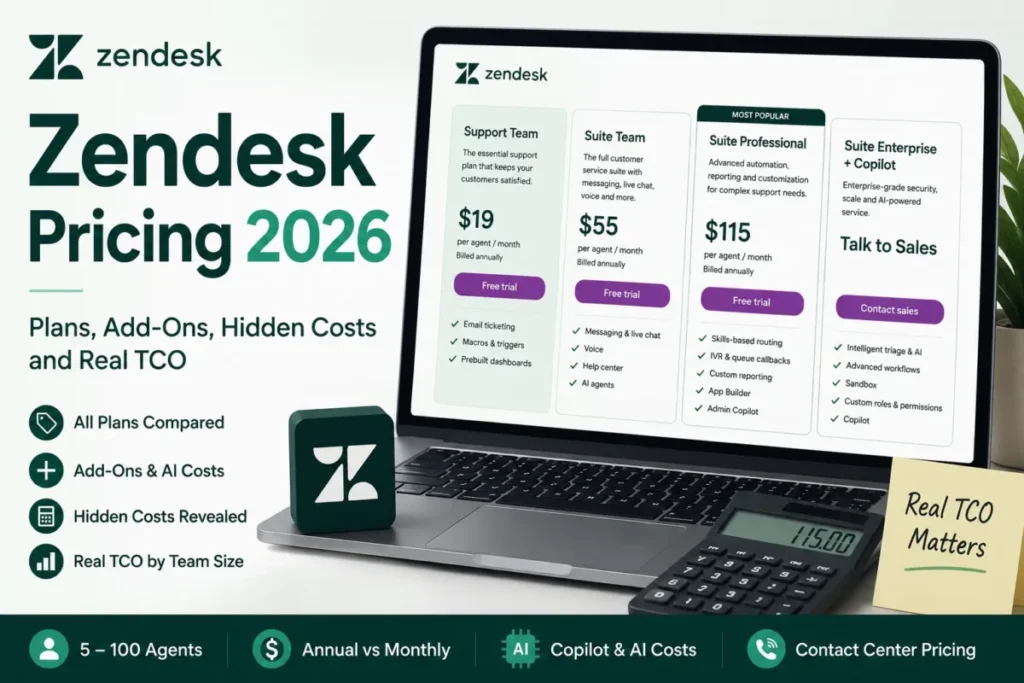
Zoho Desk is the cheapest of these four at the mid-to-upper tier, on annual billing. Ten agents cost $23 x 10 x 12 = $2,760 a year on Professional and $55 x 10 x 12 = $6,600 on Freshdesk Pro. Zendesk Suite Professional costs $115 x 10 x 12 = $13,800.
| Software | Best for | Starting price | Key difference | Main trade-off |
|---|---|---|---|---|
| Zoho Desk | Budget-led teams, Zoho CRM users | Free for 3 users; $7 per user/ | Blueprints, Zia and telephony on the $23 Professional edition | Express caps at 5 users; skill routing only on Enterprise |
| Freshdesk | Teams that want an AI agent from the entry paid plan | $19 per agent/ | 500 Freddy AI Agent sessions from Growth, once per account, then $49 per 100 | Pro costs $55 per agent/ |
| Zendesk | Larger teams paying for AI agents and Suite channels | $19 per agent/ | 5 automated resolutions per agent/ | Suite Professional costs $115 per agent/ |
| Help Scout | Small email-first teams | Free for 5 users, 1 Inbox, 1 Docs site | Standard at $25 per user/ | AI Answers billed at $0.75 per resolution |
Sources: Zoho Desk pricing, Freshdesk pricing, Zendesk pricing and Help Scout pricing, checked October 2026.
Freshdesk is the closest rival in depth, and its Freddy AI Copilot adds $29 per agent per month billed annually. My Freshdesk review covers where its higher Pro price buys more.
Zendesk is the premium benchmark: Suite Professional costs $149 per agent per month on monthly billing. Its AI resolutions are billed per outcome, which my full Zendesk review prices plan by plan.
Help Scout prices Standard, Plus and Pro at $30, $54 and $90 per user per month on monthly billing, and Pro requires at least 10 users.
Best Zoho Desk Alternatives
Look past Zoho Desk if you want email-first simplicity or a ranked shortlist before you commit. My list of the best help desk software for small teams ranks the wider field by price, AI fees and fit.
A team that only needs tickets, without a help center or AI, should compare help desk ticketing systems priced for that narrower job.
How I Evaluated Zoho Desk
I built this review from Zoho’s US pricing page in both its Yearly and Monthly views and its plan comparison with every row expanded, all read on October 20, 2026. I also read Zoho’s features, Zia, Blueprint, help center, integrations, security and compliance pages.
Rival prices come from the Freshdesk, Zendesk and Help Scout pricing pages, read the same day. User opinion comes from Gartner Peer Insights, G2 and TrustRadius, named where quoted.
Prices are US-dollar list prices before tax. Zoho does not publish an integration count on its integrations page or a billing basis for the $6 light-agent price.
FAQ
Is Zoho a Chinese or Indian company?
Zoho Corporation’s Gartner Peer Insights profile points to India and the US, not China: it lists the head office in Chennai, India, and names headquarters in Austin, Texas. For data location, Zoho lists Zia as available in its US data center among others.
Does Zoho Desk have live chat?
Yes, in two forms. Business Messaging, a chat widget for logged-in customers, gives Standard 1 channel, Professional 10 and Enterprise 50, the same counts the plan comparison gives WhatsApp. Live chat with anonymous website visitors runs through Zoho SalesIQ, which Zoho Desk includes only on Enterprise.
What happens when the Zoho Desk trial ends?
Your account drops to the Free edition after the 15-day trial, with its 3-user limit. To keep the paid features you tried, you buy a paid edition on monthly or yearly billing.
Zoho takes Visa, MasterCard, American Express and PayPal, plus bank transfer or check for yearly plans.
Is Zoho Desk HIPAA compliant?
Zoho lists Zoho Desk among the services covered by its SOC 2 + HIPAA Type 2 report, and states that its responsibility is limited to acting as a Business Associate. Zoho Desk adds ePHI field labeling from Professional and field encryption on Enterprise. Ask Zoho for its business associate terms before storing patient data.
Zoho Desk Review: Final Verdict
Sign up for Zoho Desk Professional on annual billing if your team has 5 to 25 agents and one enforced process per department. Email, phone and messaging should be its main channels. At $23 per user per month, Professional is where Zoho Desk’s price advantage and its feature depth meet.
Skip it if you run a small email-only team that values a simple setup over control; Help Scout fits that case better. A team whose deciding need is website live chat should price Enterprise against Zendesk Suite Team at $55 per agent per month paid yearly, a Suite plan Zendesk equips with messaging and live chat.
The biggest trade-off is depth against gates: Zoho Desk holds the features, but each sits on a named edition. Before you pay, confirm three things in the trial: the knowledge base you need exists on your edition, your telephony provider connects, and your light-agent count.