

For a US small business, the best accounting software depends on what you sell. QuickBooks Online fits inventory, FreshBooks client billing, Wave free freelancer invoicing and Zoho Books teams that start free.
The deciding factor is whether the plan you would actually buy includes bank feeds, inventory and enough users, because the entry plan often does not. I ranked 10 tools from each vendor’s US pricing and product pages, read in October 2026, and priced the plan each business type needs.
Quick verdict
For owners of a 1-25 person US business, the cheapest plan rarely does the whole job: Wave imports bank transactions only on Pro. Plus is the first QuickBooks Online plan that lists inventory; Simple Start and Essentials can add it for $40 a month.
- Product business: QuickBooks Online Plus, Zoho Books Professional on a tighter budget, or Kashoo for one flat $30 monthly price with unlimited users
- Service business: FreshBooks when client billing drives the work, Xero when bills and payroll do
- Freelancer: Wave’s free Starter plan, or QuickBooks Solopreneur Lite for Schedule C and mileage
- Growing team: QuickBooks Online Advanced, then Sage Intacct or NetSuite

QuickBooks Online
Best for: product businesses tracking inventory
Plus adds inventory, 5 users and 40 classes and locations.
Limit: inventory sits in Plus at $140 a month, or a $40 add-on below it

FreshBooks
Best for: service businesses billing clients
Time tracking, proposals and retainers sit beside the invoices.
Limit: Lite stops at 5 billable clients

Wave
Best for: freelancers who want free invoicing
Starter creates unlimited estimates, invoices and bills at $0.
Limit: automatic bank import needs Pro

Zoho Books
Best for: small teams that start free and grow
The free plan reconciles bank accounts; paid plans add users and inventory.
Limit: the free plan ends above $50K revenue a year
| Software | Best for | Starting price | Recommended plan | Free plan or trial | Key limitation |
|---|---|---|---|---|---|
| QuickBooks Online | Product businesses | $38 per month | Plus, $140 per month | 30-day trial; free plan | Inventory in Plus, or a $40 add-on |
| Xero | Bills and payroll | $27 per month | Growing, $59 per month | 90% off for 6 months offer shown | Early caps 20 invoices, 5 bills |
| FreshBooks | Client billing | $23 per month | Plus, $43 per month | 30-day trial | Lite caps 5 clients |
| Zoho Books | Start free, grow | $0 | Standard, $15 per month billed annually | Free plan; 14-day trial | Bank feeds start on Standard |
| Wave | Free invoicing | $0 | Pro, $190 per year | Free plan | Bank import only on Pro |
| QuickBooks Solopreneur | Schedule C filers | $0 | Lite, $10 per month | Free plan | 1 user, no accountant access |
| Odoo | Business suite | $0 | Standard, $31.10 per user per month billed yearly | Free plan | Every user billed on Standard |
| Kashoo | Unlimited users | $30 per month | The one plan | 14-day trial | Payroll only via integration |
| Sage Intacct | Multi-entity companies | Custom quote | Custom quote | Request pricing | Annual subscription |
| NetSuite | Move to an ERP | Annual license | Annual license | Contact NetSuite | Implementation fee |
Sources: QuickBooks pricing, Xero pricing, FreshBooks pricing, Zoho Books pricing, Wave pricing, QuickBooks Solopreneur plans, Odoo pricing, Kashoo pricing, Sage Intacct, NetSuite accounting, checked October 2026.
In This Article (17 sections)
Accounting Software by Business Type
| Business type | Tools to shortlist | The plan gate that decides |
|---|---|---|
| Freelancer | Wave, QuickBooks Solopreneur, FreshBooks Lite | Bank import on the cheap plan |
| Service business | FreshBooks, Xero | Client and invoice limits, payroll add-on cost |
| Product business | QuickBooks Online Plus, Zoho Books Professional, Odoo, Kashoo | Which plan first lists inventory |
| Growing team | QuickBooks Online Advanced, Zoho Books, Sage Intacct, NetSuite | Users per plan and multiple entities |
How I Chose These Accounting Tools
I considered the picks below and the tools under Also Considered. Each had to offer invoicing, a bank connection on at least one plan, and US-dollar pricing or a US quote path.
I ranked them on seven criteria, in order: bank feeds on the plan you would buy, that plan’s regular price, invoicing limits, users and accountant access, inventory, payroll cost and the growth ceiling.
The ranking rests on official documentation and pricing pages, checked October 2026. The QuickBooks Online and Odoo price lists come from Internet Archive copies of October 2026, because the live QuickBooks pricing page blocked the fetch and Odoo’s live page showed a regional price. QuickBooks Solopreneur prices come from its live plans page, read on October 27, 2026.
QuickBooks Online ranks first because Plus holds inventory in the base plan with 5 users and 2 accountant seats, and Advanced takes the same ledger to 25 users. Xero ranks second for bills and payroll, but sells inventory as an add-on and states no user count on its US pricing page. FreshBooks ranks third because its client caps limit growth.
Bank-feed reliability depends on your own bank, so connect it during a free trial and reconcile one real month before you pay.
1. QuickBooks Online: Best for Product Businesses Tracking Inventory
- Best for: product businesses that work with an accountant
- Plan this job needs: Plus, for inventory and 5 users
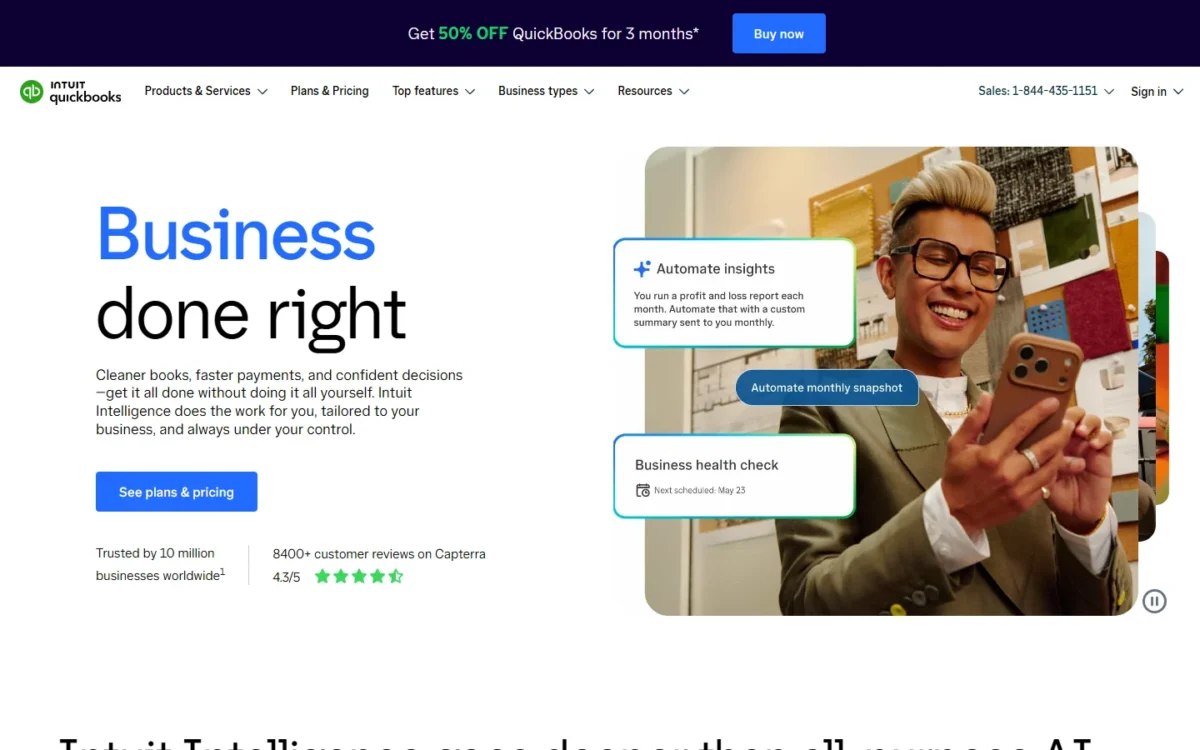
QuickBooks Online earns the top spot for a business that sells physical goods: inventory, project profitability and classes and locations arrive together on Plus. The trade-off is that the plan holding inventory is the expensive one.
For a seller, stock then sits in the ledger the accountant already closes. Simple Start, Essentials and Plus include access for 2 accountants and Advanced for 3, so a CPA who works in QuickBooks joins without a paid seat.
That is the edge over Xero, the second pick: Plus holds inventory and 5 users in the base plan, while Xero sells inventory as an add-on. When the team passes 5 people, Advanced keeps the same books for up to 25 users. The QuickBooks Online review weighs Simple Start against Plus for teams that hold no stock.
Plus costs $140 x 12 = $1,680 a year at the regular price; the 50% discount QuickBooks shows covers only the first 3 months. My QuickBooks Online pricing breakdown prices each plan at more team sizes.
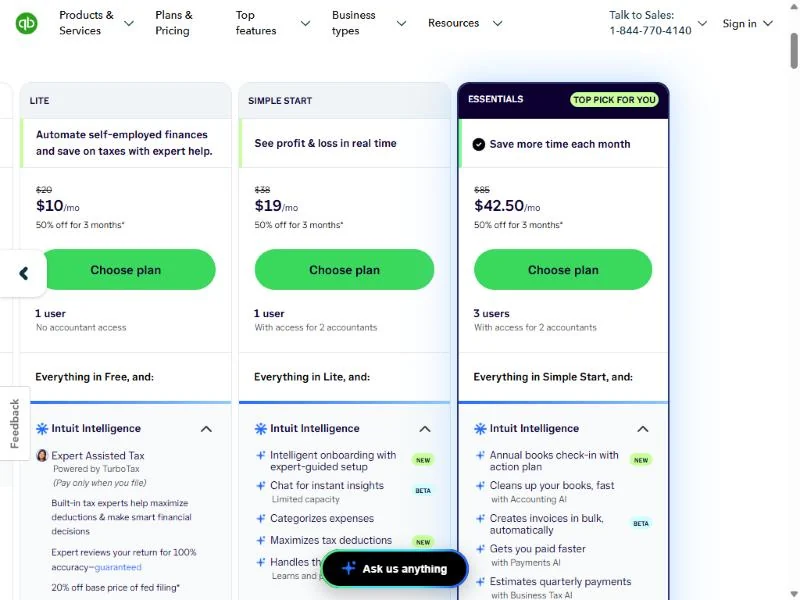
| Plan | Price | Users |
|---|---|---|
| Simple Start | $38 per month | 1, plus 2 accountants |
| Essentials | $85 per month | 3, plus 2 accountants |
| Plus | $140 per month | 5, plus 2 accountants |
| Advanced | $340 per month | 25, plus 3 accountants |
Sources: QuickBooks pricing page (Internet Archive copy), checked October 2026.
Pros
- Inventory, budgets and project profitability on one plan
- Accountant access on every paid plan, 3 seats on Advanced
- Advanced adds custom permissions and automated workflows
Cons
- Inventory below Plus is a paid add-on
- Simple Start includes one user
- QuickBooks Free has no mobile app or third-party integrations
- Skip it if:
- you have 5 or fewer people and price decides: Zoho Books Professional lists inventory and the same 5 users for less.
2. Xero: Best for Service Teams Paying Bills and Payroll From the Ledger

- Plan this job needs: Growing
- Payroll: Xero Payroll, powered by Gusto, $36 a month plus $6 per employee or contractor
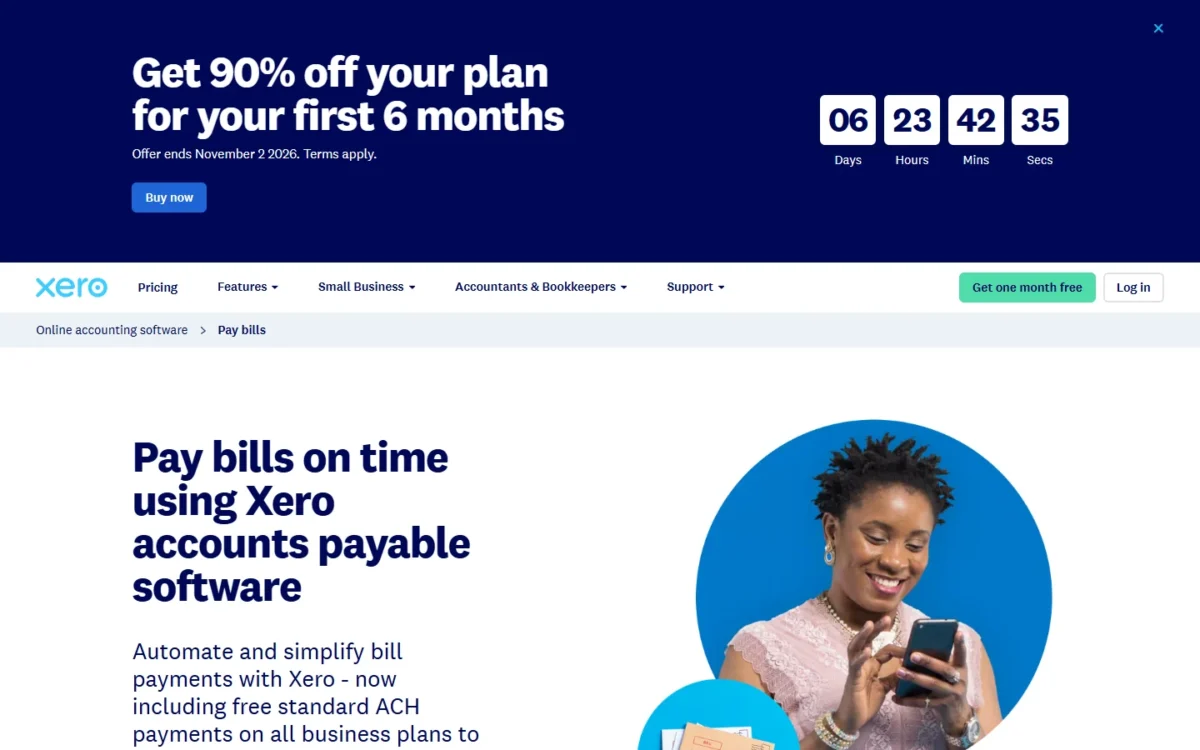
Xero suits a service business whose money moves out as often as it comes in: vendor bills, contractors and payroll. Growing fits, because it removes Early’s caps of 20 invoices and 5 bills and adds auto-reconciliation; inventory is only an add-on.
Standard ACH bill payments are included on all three plans, while QuickBooks charges $0.50 per standard ACH transaction over its monthly allotment.
Payroll runs inside Xero through Gusto, which files payroll taxes; my Gusto payroll review judges the provider.
To compare dedicated payroll tools, read my guide to the best payroll software for small business.
Established adds multiple currencies for firms that bill abroad. The Xero review covers the plan limits in depth.
Growing costs $59 a month and Established $97, billed monthly and excluding tax. New US customers who buy until November 2, 2026 get 90% off for 6 months; the Xero pricing guide shows each plan’s cost after it.
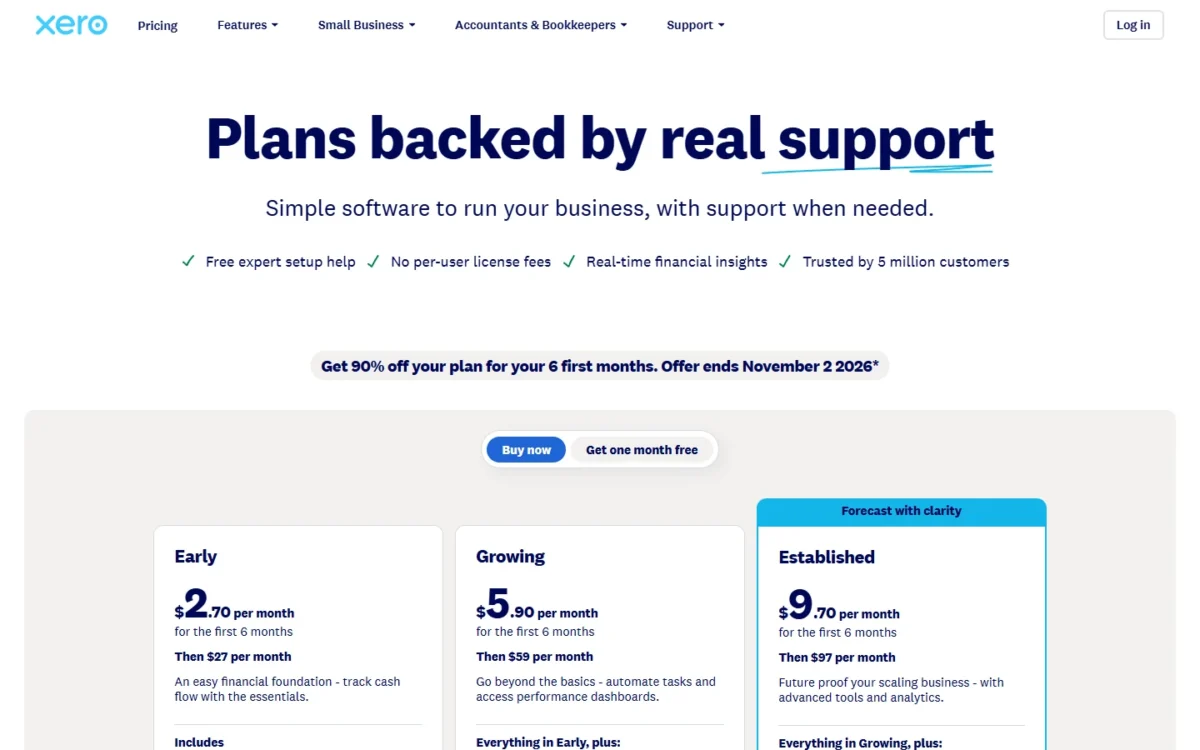
| Plan | Price | Key limit or addition |
|---|---|---|
| Early | $27 per month | 20 invoices, 5 bills |
| Growing | $59 per month | Auto-reconcile |
| Established | $97 per month | Multiple currencies, projects |
Sources: Xero US pricing page, checked October 2026.
Pros
- Standard ACH bill payments included on every plan
- Payroll powered by Gusto inside the ledger
- Free onboarding with a product specialist for 90 days
Cons
- Early caps 20 invoices and 5 bills
- Users per plan not stated on the US pricing page
- Inventory Plus is an add-on with no price printed beside it
- Skip it if:
- you sell stock and want inventory inside the base plan: QuickBooks Online Plus lists inventory tracking.
3. FreshBooks: Best for Service Businesses Billing Clients

- Best for: consultants and agencies billing clients by time or project
- Plan this job needs: Plus, for 50 clients and bank reconciliation
FreshBooks is designed around the client: its plans are capped by billable clients (5, 50 or unlimited), not users. Plus is the real entry plan, because Lite lists no bank reconciliation or accountant access.
The client cap counts active and archived clients, so a designer who keeps more than 5 clients on file needs Plus; deleting a past client frees a spot. Unlimited time tracking comes on every plan, Plus adds proposals and retainers, and Premium adds project profitability for fixed-fee agencies.
Next to Xero Growing at $59, FreshBooks Plus at $43 costs $16 less a month but caps you at 50 clients.
Plus costs $43 a month at the regular price, after the 80% off for 4 months FreshBooks shows. Each team member adds $11 a month, so an owner plus two staff pay $43 plus $11 x 2 = $22, which is $65 a month.
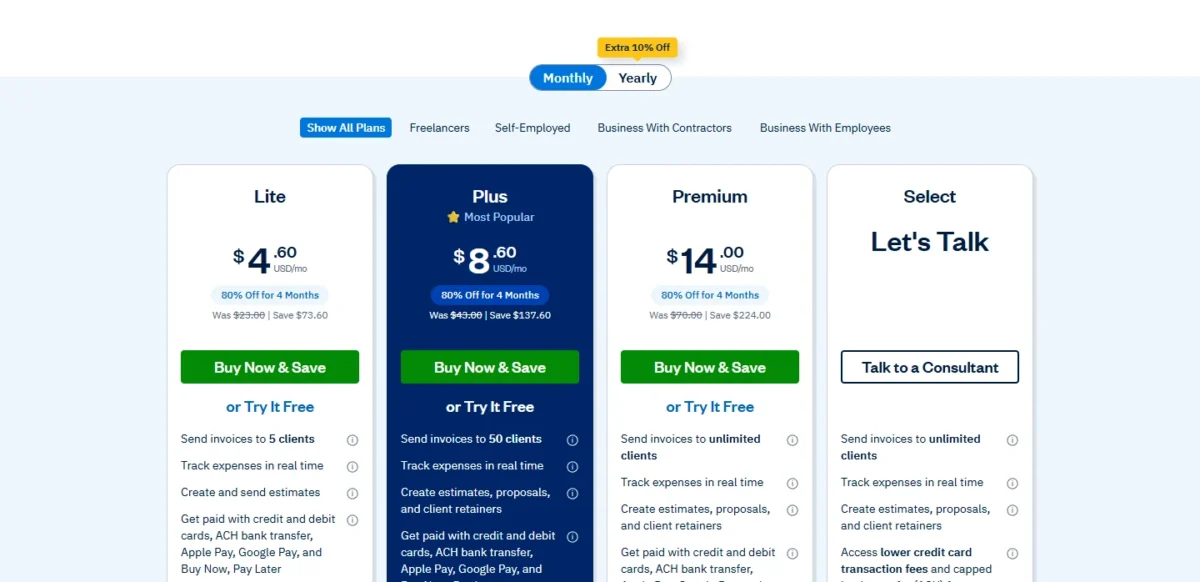
| Plan | Price | Billable clients |
|---|---|---|
| Lite | $23 per month | 5 |
| Plus | $43 per month | 50 |
| Premium | $70 per month | Unlimited |
Sources: FreshBooks pricing page, including its See all Features table, checked October 2026.
Pros
- Unlimited time tracking on every plan
- Proposals and client retainers from Plus
- Lite already imports bank transactions automatically
Cons
- Lite caps 5 billable clients, archived ones included
- Bank reconciliation and accountant access start on Plus
- Each extra team member costs $11 a month
- Skip it if:
- you bill more than 50 clients but need no project tools: Xero Growing has no client cap on its pricing page.
4. Zoho Books: Best for Small Teams That Start Free and Grow

- Plan this job needs: Standard for bank feeds; Professional for inventory
- Free plan or trial: free while revenue stays at or under $50K a year; 14-day trial
Zoho Books is the pick for a small team that wants to start at $0 and grow into users and inventory without changing tools. Its free plan is a working ledger with bank reconciliation and 1,000 invoices a year, but bank feeds start on Standard.
Users scale from 3 on Standard to 15 on Ultimate. Professional adds inventory, purchase orders and multi-currency; Elite adds warehouses and up to 2 Shopify stores.
Compared with QuickBooks Online Plus, Zoho Books Professional covers the same 5 users with inventory for $40 a month billed annually.
Prices are per organization, so 5 users on Professional pay the same as one.
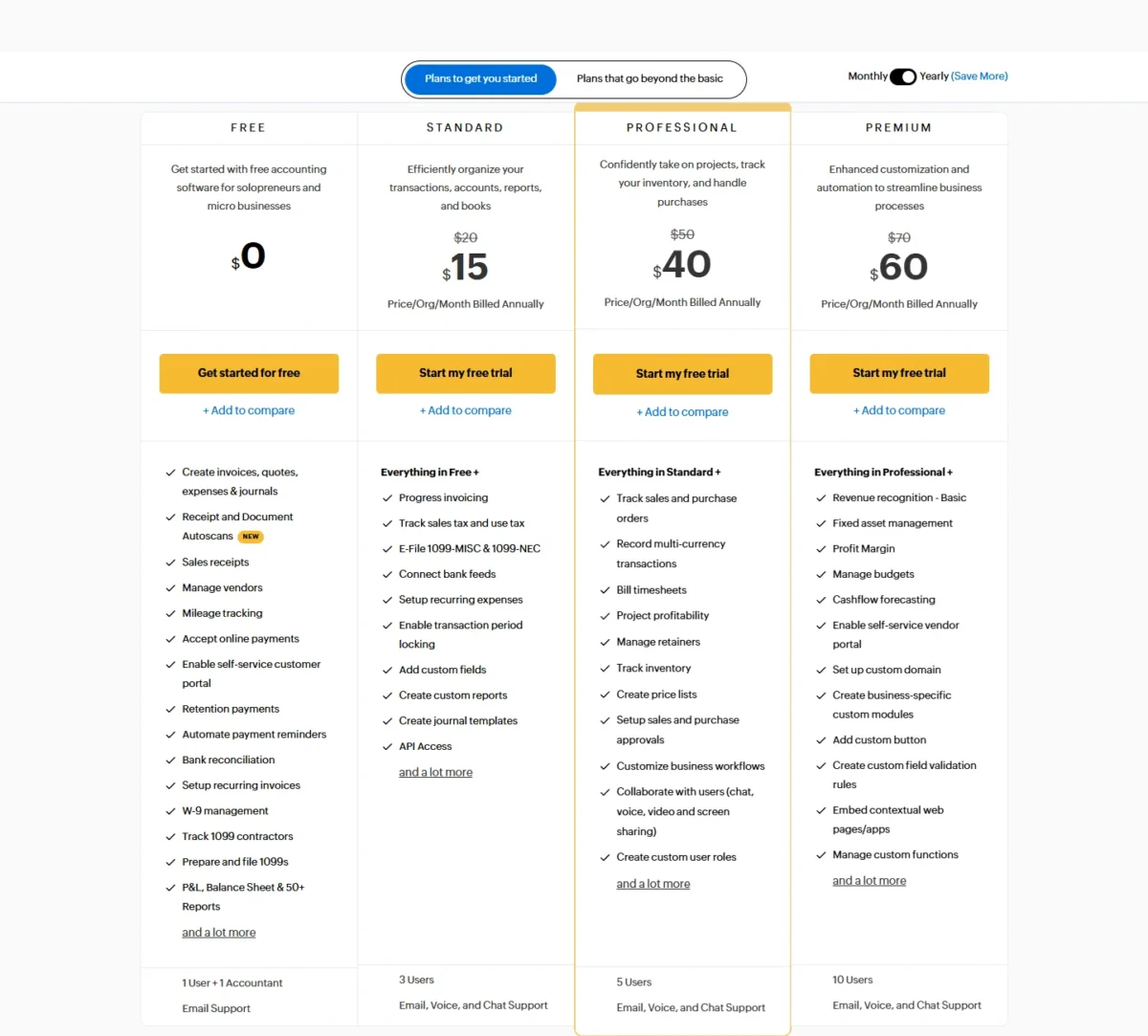
| Plan | Billed annually | Billed monthly | Users |
|---|---|---|---|
| Free | $0 | $0 | 1 + 1 accountant |
| Standard | $15 per month | $20 per month | 3 |
| Professional | $40 per month | $50 per month | 5 |
| Elite | $120 per month | $150 per month | 10 |
Sources: Zoho Books pricing page, monthly and yearly views, checked October 2026.
Pros
- Free plan includes bank reconciliation and 1,000 invoices a year
- Inventory, purchase orders and multi-currency on Professional
- Free migration and migration assistance listed
Cons
- The free plan ends at a yearly revenue limit
- Bank feeds start on Standard
- Shopify and marketplace channels need Elite
- Skip it if:
- your accountant works only in QuickBooks and expects free accountant access on every plan: QuickBooks Online.
5. Wave: Best for Freelancers Who Want Free Invoicing

- Plan this job needs: Pro, for automatic bank imports
- Payroll (US): $40 base fee plus $6 per active employee and $6 per independent contractor paid
Wave keeps a freelancer’s invoicing free without a monthly cap: Starter creates unlimited estimates, invoices, bills and bookkeeping records. Starter does not pull in bank transactions, so the real choice is free with manual entry or Pro with imports. QuickBooks Free, by contrast, caps invoices at 2 a month.
Pro adds bank imports through Plaid and late-payment reminders. It also drops the $0.60 per-card fee on the first 10 transactions a month, so a freelancer paid by card 10 times saves $0.60 x 10 = $6 a month.
If you only need to send invoices, see my guide to the best invoicing software.
Pro costs $19 a month billed monthly or $190 a year billed annually, a $38 saving.

| Plan or add-on | Price |
|---|---|
| Starter | $0 |
| Pro | $19 per month or $190 per year |
| Payroll (US) | $40 per month + $6 per active employee + $6 per independent contractor paid |
Sources: Wave pricing page, Wave payroll pricing (US view), checked October 2026.
Pros
- Unlimited estimates, invoices and bills on the free plan
- Pro waives the $0.60 card fee on the first 10 transactions a month
- Payroll files state and federal payroll taxes
Cons
- Starter has no automatic bank import
- Payroll is extra, from a $40 monthly base fee
- The payroll tax service excludes 1099 filings
- Skip it if:
- you want mileage and Schedule C tax tools: QuickBooks Solopreneur Lite tracks unlimited mileage and receipts.
6. QuickBooks Solopreneur: Best for Sole Proprietors Filing Schedule C

- Plan this job needs: Lite, on monthly billing
- Users: 1; no accountant access on Free or Lite
For a sole proprietor, QuickBooks Solopreneur centers the books on one owner’s tax return rather than on a team. Lite pairs unlimited invoices with mileage, receipts and Expert Assisted Tax. The trade-off is isolation: no accountant access until Simple Start.
Mileage and receipts decide this pick: Free caps you at 5 trips, 2 receipts and 2 invoices a month, and Lite makes all three unlimited. Set beside Wave, Solopreneur trades unlimited free invoicing for tax tools.
Lite’s list price is $10 a month on monthly billing, or $10 x 12 = $120 a year at the regular price; QuickBooks shows 50% off for the first 3 months. On October 27, 2026, QuickBooks’ main pricing page listed the same Lite plan at $20 per month, so confirm the price at checkout.

| Plan | Price | Limits |
|---|---|---|
| Free | $0 per month | 2 invoices, 5 trips, 2 receipts a month |
| Lite | $10 per month | Unlimited invoices, receipts and mileage |
| Simple Start | $38 per month | Adds accountant access |
Sources: QuickBooks Solopreneur plans, Monthly billing view, read on October 27, 2026.
Pros
- Unlimited invoices, receipts and mileage on Lite
- Expert Assisted Tax on Lite, paid only when you file
- The free plan connects one bank account
Cons
- One user on every Solopreneur plan
- No accountant access on Free or Lite
- No team or inventory features
- Skip it if:
- you plan to hire this year: Wave’s payroll add-on pays and files state and federal payroll taxes from a $40 monthly base fee.
7. Odoo: Best for Running Accounting Inside a Full Business Suite

- Plan this job needs: Standard, all apps, billed per user
- Free plan: One App Free, one app for unlimited users
When accounting should be one app inside the system that also runs inventory, sales and the shop counter, Odoo fits. Its free plan runs Accounting for unlimited users while it is your only app, but the pricing page places bank synchronization in the Standard plan. Add Inventory and every user is billed on Standard, so cost follows headcount.
Standard includes Accounting, Inventory, Sales, CRM and point of sale for one per-user fee, and an outside accountant who works in your Odoo is a paying user. At the regular yearly price, five users pay $31.10 x 5 = $155.50 a month, above QuickBooks Online Plus for the same 5 users.
Standard’s regular price is US$31.10 per user per month on yearly billing, and Odoo shows a discount on it for the first 12 months for the initial users.
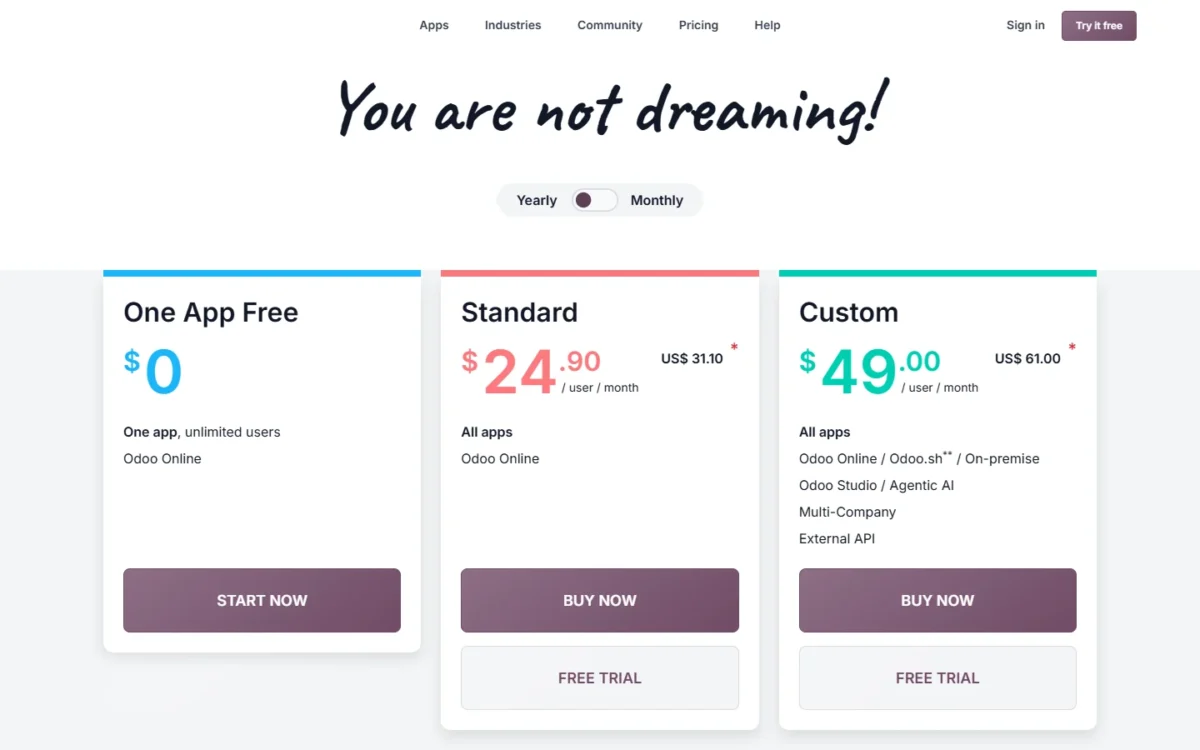
| Plan | Regular price, billed yearly | What it adds |
|---|---|---|
| One App Free | $0 | One app, unlimited users |
| Standard | $31.10 per user per month | All apps, Odoo Online |
| Custom | $61.00 per user per month | Multi-company, Studio, External API |
Sources: Odoo pricing page (Internet Archive copy of the US-dollar page), checked October 2026.
Pros
- Accounting free for unlimited users as your only app
- Standard includes Inventory, point of sale and CRM
- Hosting, upgrades and support included
Cons
- A second app bills every user on Standard
- An outside accountant counts as a paying user
- Implementation services cost extra
- Skip it if:
- you need only accounting with inventory and a ledger your bookkeeper already knows: QuickBooks Online.
8. Kashoo: Best Flat Price With Unlimited Users
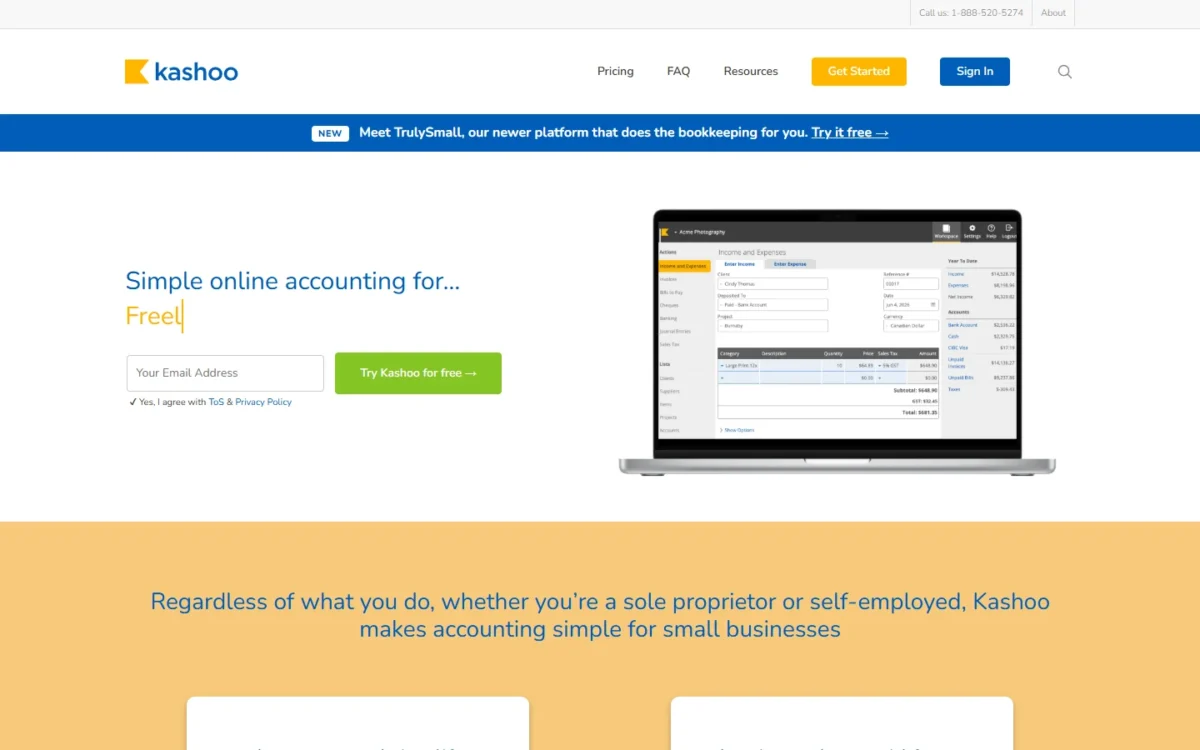
- Included: bank feeds, items (inventory), multi-currency, projects, unlimited users
- Payroll: PaymentEvolution integration
Kashoo removes the plan decision entirely: bank feed sync, items for inventory, multi-currency and unlimited users all sit on one plan. A team of several people gets a budget line that does not grow with headcount. The trade-off is payroll, which runs only through a PaymentEvolution integration.
Kashoo says accountants, bookkeepers and employees join at no extra cost, where Zoho Books charges for users beyond each plan’s count.
Kashoo costs $30 a month, with a 14-day free trial. Because users are unlimited, a 6-person team pays the same $30 x 12 = $360 a year as a solo owner.
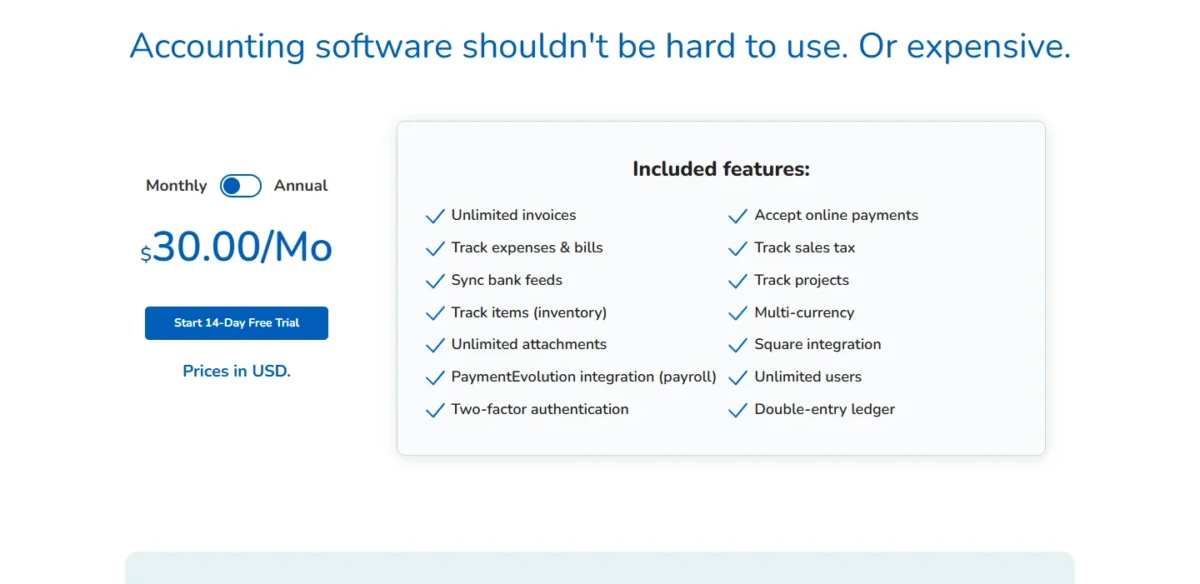
- One plan: $30 per month, prices in USD
- Users: unlimited
Sources: Kashoo pricing page, checked October 2026.
Pros
- Bank feeds, items and multi-currency on one plan
- Unlimited users at no extra cost
- Square and Stripe integrations
Cons
- Payroll only through PaymentEvolution
- No free plan, only a 14-day trial
- A solo user pays $30 a month, more than Wave Pro’s $19
- Skip it if:
- you need payroll inside the ledger: Xero, whose Gusto-powered payroll runs in the same books.
9. Sage Intacct: Best for Multi-Entity Companies Outgrowing Small-Business Tools
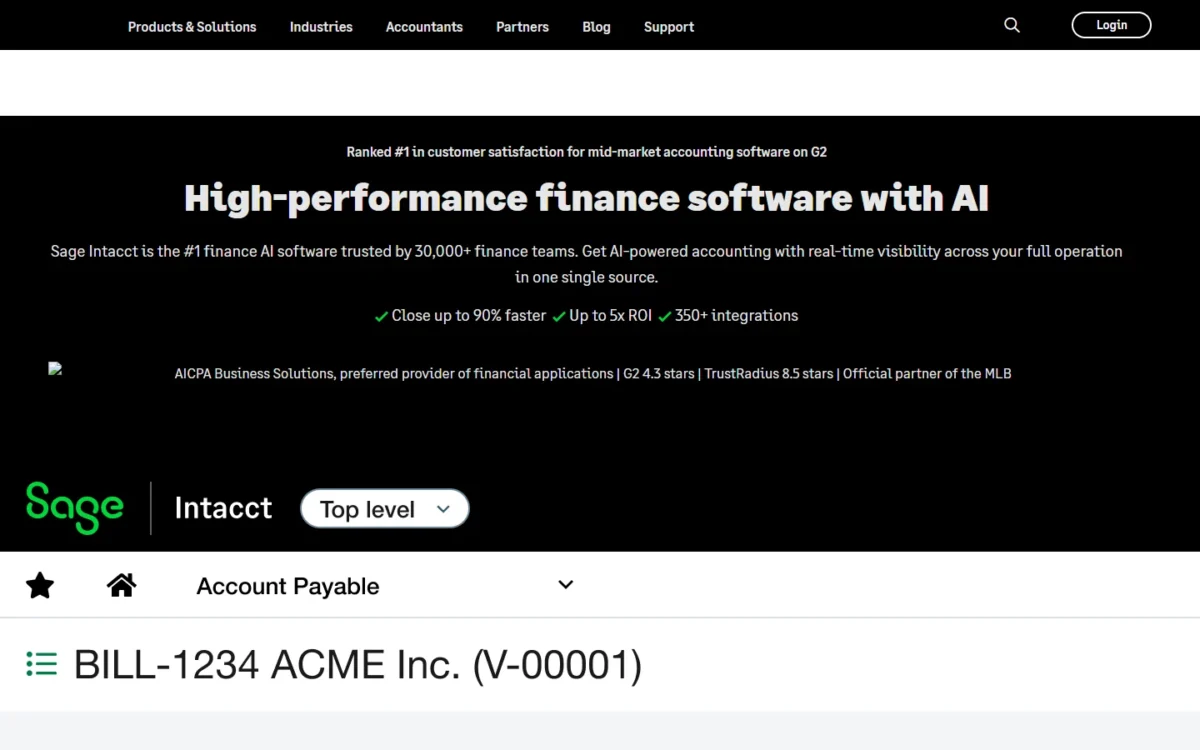
- Best for: companies with several entities, typically over $4 million in revenue or 20+ employees
- Pricing: custom quote, annual subscription
Sage Intacct is where a business goes when small-business accounting stops fitting, not a tool to start on. Sage positions it for businesses typically above $4 million in annual revenue or more than 20 employees.
Intacct consolidates entities across currencies and automates intercompany eliminations, and its AP Automation agent matches bills to purchase orders. It stays finance-first, while NetSuite also replaces inventory and order systems.
Sage does not publish Intacct prices: the page asks you to request pricing, and Intacct is sold as an annual subscription. Budget for implementation too, which Sage says typically takes 3 to 6 months.
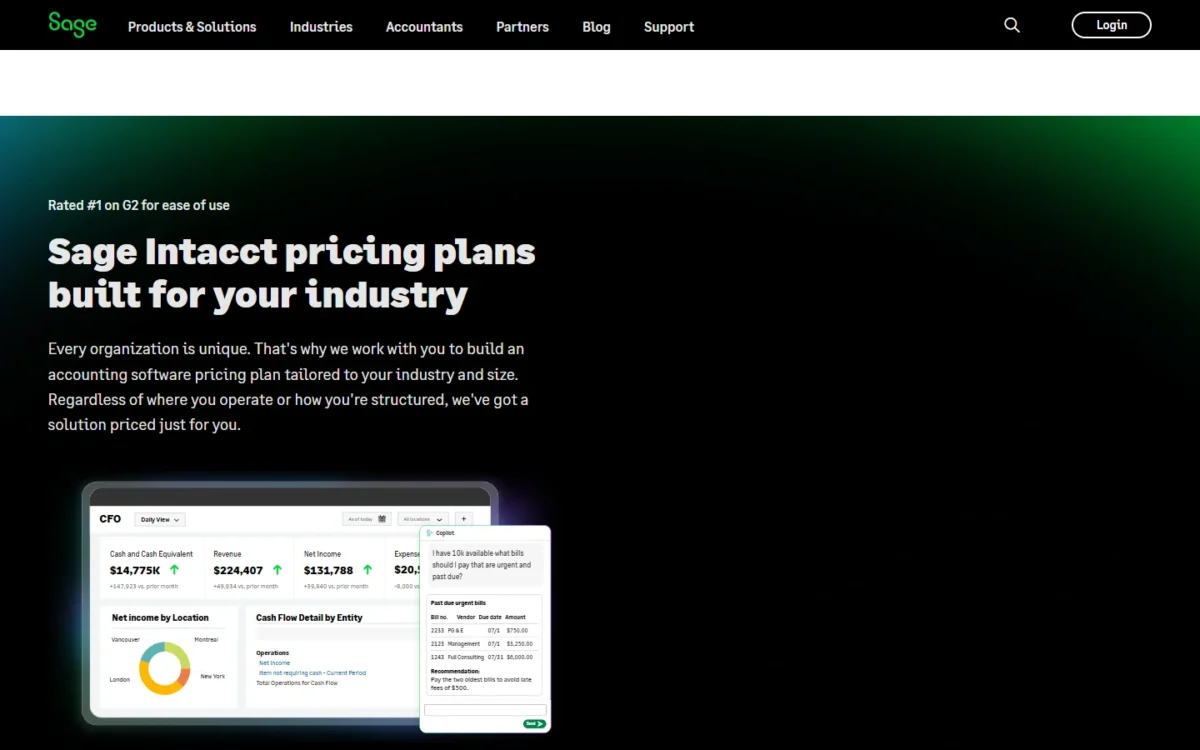
- Price: custom quote through Sage’s sales team
- Billing: annual subscription
Sources: Sage Intacct page, checked October 2026.
Pros
- Multi-entity consolidation and intercompany eliminations
- AI agents for close, payables and journal anomalies
- HR and payroll through Sage Human Capital Management
Cons
- No published price
- Annual subscription
- Implementation typically takes 3 to 6 months
- Skip it if:
- you run one entity with fewer than 20 people: QuickBooks Online Advanced covers 25 users at a published $340 a month.
10. NetSuite: Best for Product Companies Moving to a Full ERP
- Best for: product companies replacing accounting, inventory and order systems together
- Pricing: annual license plus a one-time implementation fee
NetSuite is the jump for a product company whose accounting, stock and orders have outgrown separate tools, because it replaces them together. The trade-off is the buying process: a license built from platform, modules and users, plus a one-time implementation fee.
Accounting sits on one platform with inventory and order management, HR and ecommerce, and reconciliation is automated across bank, inventory and intercompany accounts. Compared with Sage Intacct, NetSuite covers the warehouse and the order desk, not only finance.
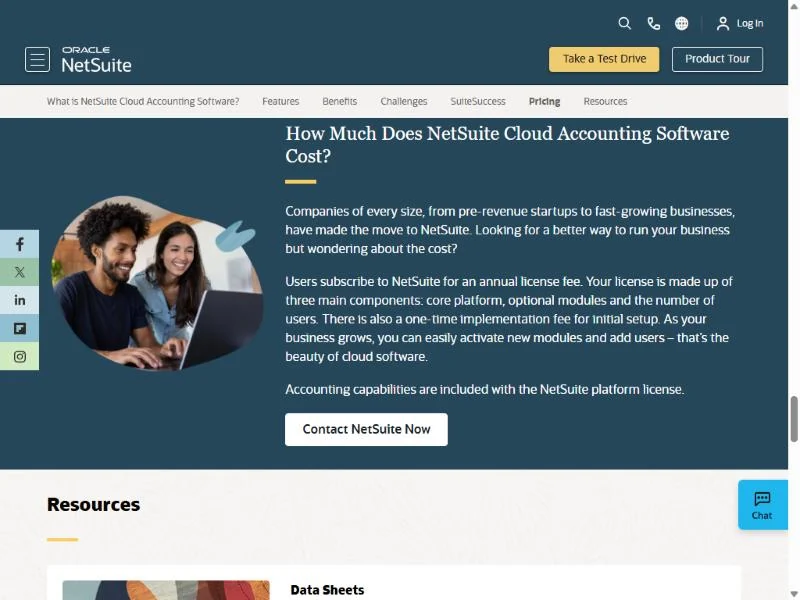
NetSuite sells an annual license built from the core platform, optional modules and the number of users, with accounting included in the platform license. The cost section of its accounting page ends with a Contact NetSuite Now button, so the quote starts with sales.
- License: annual, platform plus modules plus users
- Setup: one-time implementation fee
Sources: NetSuite accounting page, checked October 2026.
Pros
- Accounting included in the platform license
- Inventory and order management in the same suite
- Free license for your accountant through SuiteAccountants
Cons
- Cost starts with contacting NetSuite
- One-time implementation fee
- Each module and user raises the license
- Skip it if:
- accounting is the only system you need to replace: QuickBooks Online Advanced or Sage Intacct.
What Each Option Costs for a Real Small Business
At regular list prices, a freelancer who wants bank feeds pays from $10 x 12 = $120 a year on QuickBooks Solopreneur Lite to $23 x 12 = $276 on FreshBooks Lite. FreshBooks Plus adds bank reconciliation at $43 a month.
A 5-user product business pays from $30 x 12 = $360 on Kashoo to $31.10 x 5 x 12 = $1,866 on Odoo. The tables exclude promotions, tax and card fees.
| Tool | Plan | Billing | Yearly cost |
|---|---|---|---|
| QuickBooks Solopreneur | Lite | Monthly | $10 x 12 = $120 |
| Zoho Books | Standard | Annual | $15 x 12 = $180 |
| Wave | Pro | Annual | $190 |
| FreshBooks | Lite | Monthly | $23 x 12 = $276 |
Sources: Zoho Books pricing, Wave pricing, QuickBooks Solopreneur plans, FreshBooks pricing, checked October 2026.
QuickBooks Solopreneur’s row starts at Lite because Free, though it connects one bank, sends 2 invoices, logs 5 trips and saves 2 receipts a month.
| Tool | Plan | Billing | Yearly cost |
|---|---|---|---|
| Kashoo | One plan | Monthly | $30 x 12 = $360 |
| Zoho Books | Professional | Annual | $40 x 12 = $480 |
| QuickBooks Online | Plus | Monthly | $140 x 12 = $1,680 |
| Odoo | Standard | Yearly | $31.10 x 5 x 12 = $1,866 |
Sources: Kashoo pricing, Zoho Books pricing, QuickBooks pricing, Odoo pricing, checked October 2026.
Kashoo and Zoho Books price the organization, QuickBooks a band of users, and Odoo every user. Kashoo lists inventory on its one plan at $30 a month; Zoho Books Professional costs more but adds purchase orders and a free plan to start on.
| Payroll add-on | Monthly cost for 5 employees |
|---|---|
| Xero Payroll, powered by Gusto | $36 plus $6 x 5 = $30, which is $66 |
| FreshBooks Payroll | $40 plus $6 x 5 = $30, which is $70 |
| Wave Payroll (US), 5 active employees | $40 plus $6 x 5 = $30, which is $70 |
| Patriot Full Service Payroll | $37 plus $5 x 5 = $25, which is $62 |
Sources: Xero pricing, FreshBooks pricing, Wave payroll, Patriot pricing, checked October 2026.
Promotions change only the first months: QuickBooks shows 50% off for 3 months, FreshBooks 80% off for 4 months, and Xero 90% off for 6 months for new US customers until November 2, 2026.
How to Choose the Best Accounting Software for Your Small Business
Buy the plan that includes bank feeds and the one feature your business type needs, not the entry plan.
| Software | Bank import and reconciliation | Inventory | Users on the plan I’d buy | Accountant access | Payroll add-on |
|---|---|---|---|---|---|
| QuickBooks Online | Free connects 1 bank | Plus; $40 add-on below | 5 (Plus) | 2 seats, 3 on Advanced | Optional |
| Xero | Early | Add-on | Not listed on the pricing page | Not listed on the pricing page | Gusto-powered |
| FreshBooks | Lite imports; Plus reconciles | Not listed on the pricing page | Owner plus paid members | From Plus | Yes |
| Zoho Books | Free reconciles; Standard feeds | Professional | 5 (Professional) | 1 on Free | Not listed on the pricing page |
| Wave | Bank import: Pro | Not listed on the pricing page | Added users on Pro | Admin, editor or viewer on Pro | Yes |
| QuickBooks Solopreneur | Free connects 1 bank | Not listed on the plans page | 1 | From Simple Start | Simple Start attaches payroll |
| Odoo | Bank synchronization: Standard; reconciliation not named | Standard | Paid per user | As a paying user | Not named in the plan list |
| Kashoo | Bank feeds: One plan | One plan | Unlimited | No extra cost | Integration |
Sources: QuickBooks pricing, Xero pricing, FreshBooks pricing, Zoho Books pricing, Wave pricing, QuickBooks Solopreneur plans, Odoo pricing, Kashoo pricing, checked October 2026.
Bank feeds split the cheap plans most: Wave Starter imports nothing and Zoho Books lists feeds from Standard, while FreshBooks Lite imports automatically and Kashoo syncs bank feeds on its one plan.
Invoice and client caps come next: Xero Early stops at 20 invoices and 5 bills, FreshBooks Lite at 5 clients and QuickBooks Free at 2 invoices a month.
Setup help differs too. Xero includes 90 days of onboarding with a product specialist, and QuickBooks lists expert-guided setup on Simple Start.
Switching Without Losing Your Books
Pick a start date at a month or quarter boundary, import opening balances and lists, then reconnect bank feeds. A business leaving QuickBooks mid-year follows the same steps from that start date; the FAQ below matches the replacement to the job. Two picks publish help for the move:
- Zoho Books’ pricing page links to free migration, migration assistance and a guide to migrate from QuickBooks.
- FreshBooks Select includes data migration with Easy Switch.
Also Considered
Patriot Accounting pairs books with payroll from one US vendor. Accounting Basic costs $20 a month with automatic bank imports, account reconciliation and unlimited users. Full Service Payroll costs $37 a month plus $5 per worker paid and files your state payroll taxes.
Patriot sits here on invoicing, one of the seven criteria behind the ranking: estimates and recurring invoices need Premium at $30 a month, while FreshBooks Lite sends estimates at $23 and Wave Starter creates unlimited estimates at $0.
Its Full Service Payroll is the lowest figure in the payroll table above, so an owner who bills without estimates should price Patriot beside Xero.
- Akaunting: a low-cost cloud ledger, left out because bank feeds start on its Premium plan at $36 a month, above Wave Pro’s $19 a month with bank imports.
- Sage 50: Sage describes it as a desktop, on-premises accounting product, and this list ranks cloud tools.
Sources: Patriot pricing, Akaunting pricing, Sage Intacct page, checked October 2026.
FAQ
What are people replacing QuickBooks with?
Match the replacement to the job QuickBooks did: Xero for a service business paying bills and staff, Zoho Books Professional for a seller, and Odoo for stock, sales and books in one system. Zoho Books’ pricing page links to a guide to migrate from QuickBooks.
What is the best accounting software for a small business with no employees?
QuickBooks Solopreneur Lite fits a Schedule C filer who drives for work, with unlimited mileage and receipts. Wave Starter fits an owner who mostly invoices, at $0, and Zoho Books Free fits while revenue stays at or under $50K a year.
Is there small business accounting software without a subscription?
Yes: Wave Starter, Zoho Books Free, QuickBooks Free and Odoo One App Free cost nothing. Wave’s lacks bank imports, Zoho’s lacks bank feeds, QuickBooks Free sends 2 invoices a month, and Odoo stays free while Accounting is your only app, with bank synchronization listed on Standard.
Final Verdict
Match the pick to your business type and budget:
- Product business: QuickBooks Online Plus if your accountant works in QuickBooks, Zoho Books Professional if price leads, Kashoo for one flat $30 monthly price with unlimited users, Odoo for a full suite.
- Service business: FreshBooks Plus for client billing, Xero Growing for bills and payroll.
- Freelancer: Wave Starter for free invoicing, Wave Pro once bank imports are worth $190 a year, or QuickBooks Solopreneur Lite if mileage and Schedule C decide.
- Growing team: QuickBooks Online Advanced up to 25 users, then Sage Intacct for several entities or NetSuite for a full ERP.






Pingback: 10 Best Payroll Software for Small Business (2026 Costs)
Pingback: Xero Review 2026: Plans, Payroll, Limits, Pros and Cons