

Zoho Invoice is the best invoicing software for free billing with reminders, FreshBooks for service businesses billing time and retainers, Square Invoices when clients also pay in person, and Stripe Invoicing when you want no subscription.
Payment fees come on top of the plan price, so the fee section below sets every printed rate side by side.
I ranked 12 tools for US freelancers and small teams from each vendor’s pricing, fee and feature pages, read on October 27, 2026. The ranking weighs payment fees, ACH caps, free-plan limits and the plan that automates reminders.
Quick verdict
For a US freelancer or small team that wants to get paid online, start with Zoho Invoice: $0, up to 500 invoices a year, with automated reminders and recurring invoices.
- Billing hours, deposits and retainers: FreshBooks Plus, $43 a month for up to 50 billable clients.
- Card sales in person too: Square Invoices, free to start; Square Plus at $49 a month per location caps ACH fees at $10.
- No subscription: Stripe Invoicing, a 0.4% fee per paid invoice on top of payment processing.
- Books already in QuickBooks Online or Xero: invoice there and keep one ledger.
- The trade-off: free plans cap volume (Zoho Invoice) or hold automatic reminders back (Invoice Ninja Free), and the tools that print rates charge a fee on each card payment.

Zoho Invoice
Best for: free invoicing software
Reminders, recurring invoices and a customer portal come in the $0 plan.
Limit: 500 invoices a year and 2 users

FreshBooks
Best for: service businesses billing time and retainers
Retainers, deposits on estimates, late fees and time-to-invoice sit in one workflow.
Limit: Lite caps billable clients at 5

Square Invoices
Best for: businesses that also take in-person payments
Invoices and card-reader sales share one Square account, with recurring invoices on the free plan.
Limit: the Square Free card fee is 3.3% + 30¢ per invoice

Stripe Invoicing
Best for: pay-per-invoice pricing with no subscription
The fee is 0.4% per paid invoice, and ACH Direct Debit stops at $5.00.
Limit: the invoice fee grows with the invoice amount
In This Article (19 sections)
Invoicing Software Comparison Table
The Recommended plan column matters more than the starting price: for nine of the twelve, the plan that does the job is not the cheapest one.
| Software | Best for | Starting price | Recommended plan | Card fee on invoices | Key limitation |
|---|---|---|---|---|---|
| Zoho Invoice | Free invoicing | $0 | Free | Not on Zoho’s pages | 500 invoices a year |
| FreshBooks | Time and retainer billing | Lite, $23 a month | Plus, $43 a month | 2.9% + $0.30 | Lite: 5 billable clients |
| Square Invoices | In-person and invoice payments | Square Free, $0 | Square Plus, $49 a month per location | 3.3% + 30¢ on Free | No ACH cap on Free |
| Stripe Invoicing | No subscription | 0.4% per paid invoice | Starter | 2.9% + 30¢ | Fee grows with the invoice |
| QuickBooks Online | Invoices posted to your books | Free, $0 a month | Essentials, $85 a month | 2.99% | Free: 2 invoices a month |
| Wave | Unlimited free invoices | Starter, $0 | Pro, $19 a month | 2.9% + $0.60 | Reminders need Pro or online payments |
| PayPal Invoicing | PayPal and Venmo payers | Per transaction | Pay per transaction | 2.99% + 0.49 USD | 3.49% on PayPal and Venmo |
| Xero | Multi-currency in a suite | Early, $27 a month | Established, $97 a month | Not on Xero’s pages | Early: 20 invoices |
| Invoice Ninja | Your own gateway | Free, $0 | Ninja Pro, $14 a month | Not on Invoice Ninja’s pages | Free: 5 clients |
| HoneyBook | Proposals and contracts | Starter, $29 a month billed yearly | Essentials, $49 a month billed yearly | 2.9% + 25¢ in the plan table, from 2.7% + 10¢ in the FAQ | ACH fee 1.5% |
| Harvest | Team time billing | Free, 1 seat | Teams, $9 per seat a month billed annually | Not on Harvest’s pages | Free: 2 projects |
| Invoice2go | Free ACH payments | Starter, $79.99 a year | Premium, $449.99 a year | 3.5% on Starter | Starter: 30 invoices a year |
Sources: pricing pages of Zoho Invoice, FreshBooks, Square, Stripe, QuickBooks and its payment rates, Wave, PayPal, Xero, Invoice Ninja, HoneyBook, Harvest and Invoice2go, checked October 2026.
How I Chose These Invoicing Tools
I considered the invoicing tools ranked below and those under Also Considered, and ranked them by job rather than overall, from vendor pages checked October 2026.
Two must-haves removed tools first: clients must be able to pay an invoice online, and the vendor must publish a US price or fee schedule. The rest were ranked on these criteria, in order:
- Total cost to get paid: card and ACH fees and caps
- Price of the plan with automated reminders
- Caps on invoices, clients and users
- Recurring invoices, autopay and late fees
- Time billing and multi-currency
- Accounting fit
No pricing page shows how fast payouts arrive.
Before you commit, send a small invoice to yourself on the free plan or trial and pay it by card and bank. You will see the real fee, the payout time and your client’s payment page.
1. Zoho Invoice: Best Free Invoicing Software
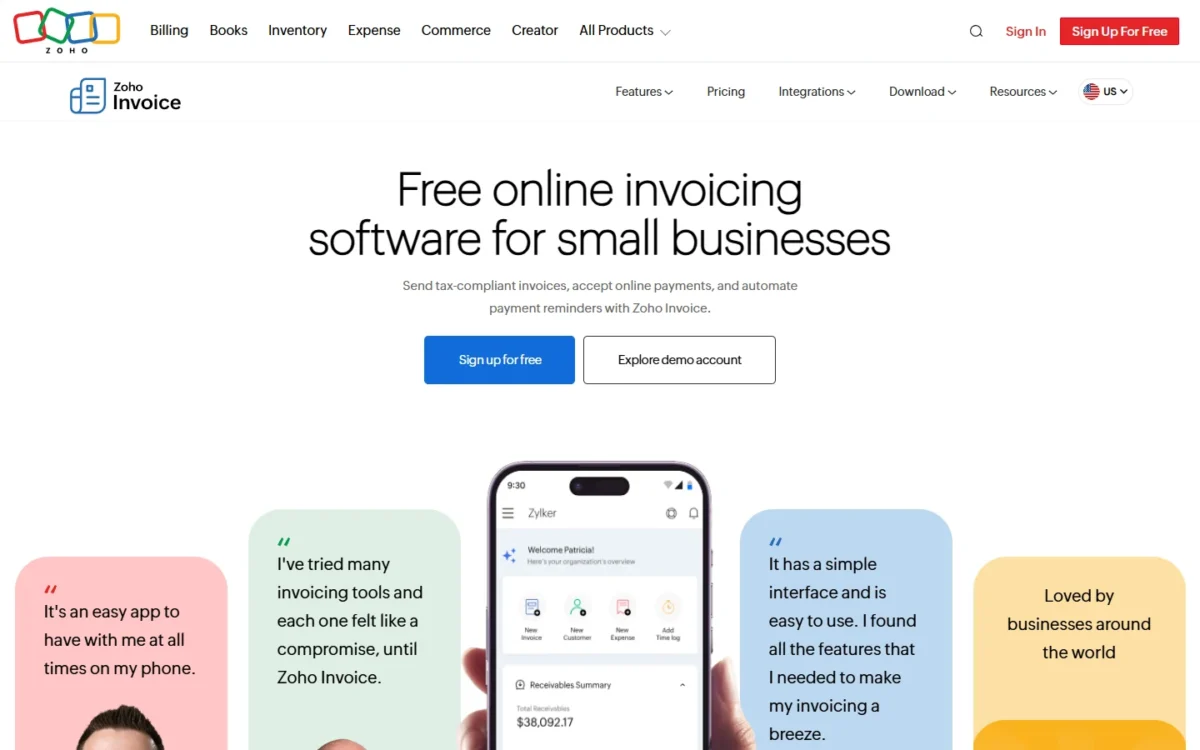
Zoho Invoice gives away the automation that Invoice Ninja’s Free plan holds back, which makes it my pick when the invoicing budget is zero. Reminders, recurring invoices and a customer portal all sit in the $0 plan.
The catch is volume and branding: 500 invoices a year, two users, and “Powered by Zoho Invoice” on what you send.
Square Free also has reminders and recurring invoices at $0, so Zoho’s edge is payments. You pick from over 10 payment gateways, where Square Free charges 3.3% + 30¢ per invoice card payment and an uncapped 1% on ACH.
A retainer client is billed on schedule, a late payer is chased automatically, and a saved card can be charged on each recurring invoice. Project hours become invoice lines, up to three projects.
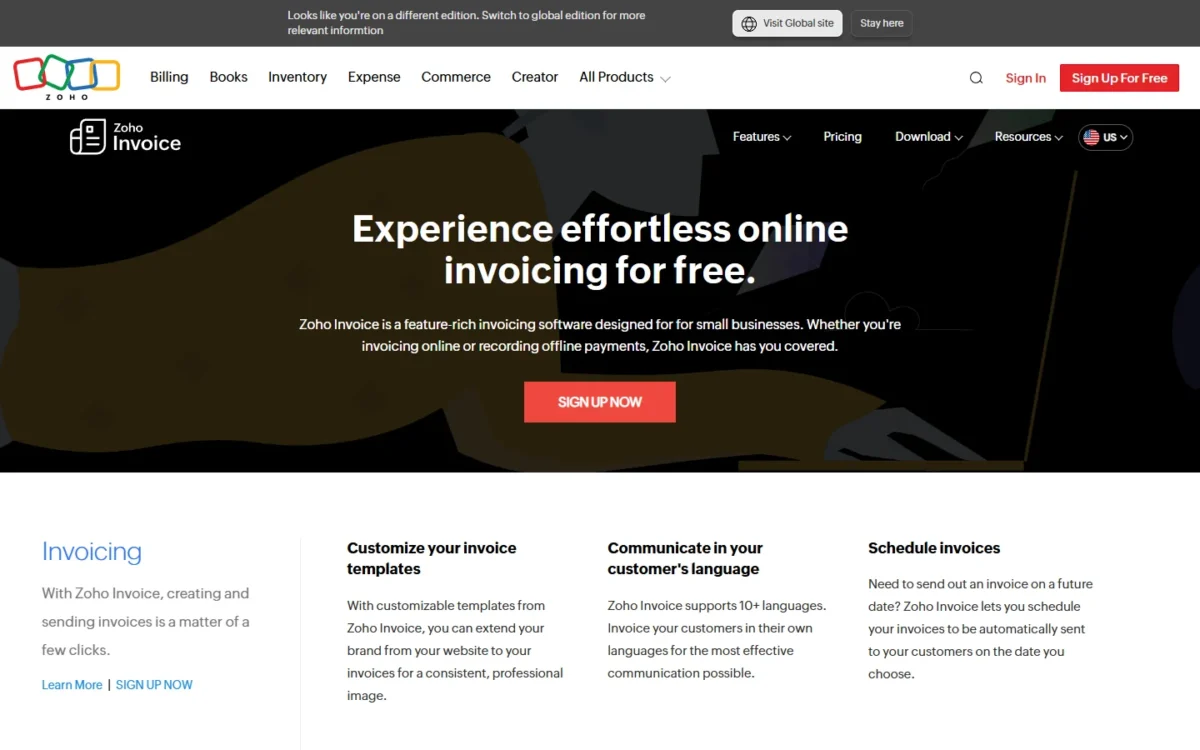
Data of a user inactive for over 180 days is deleted in the following 20 days, after a notice.
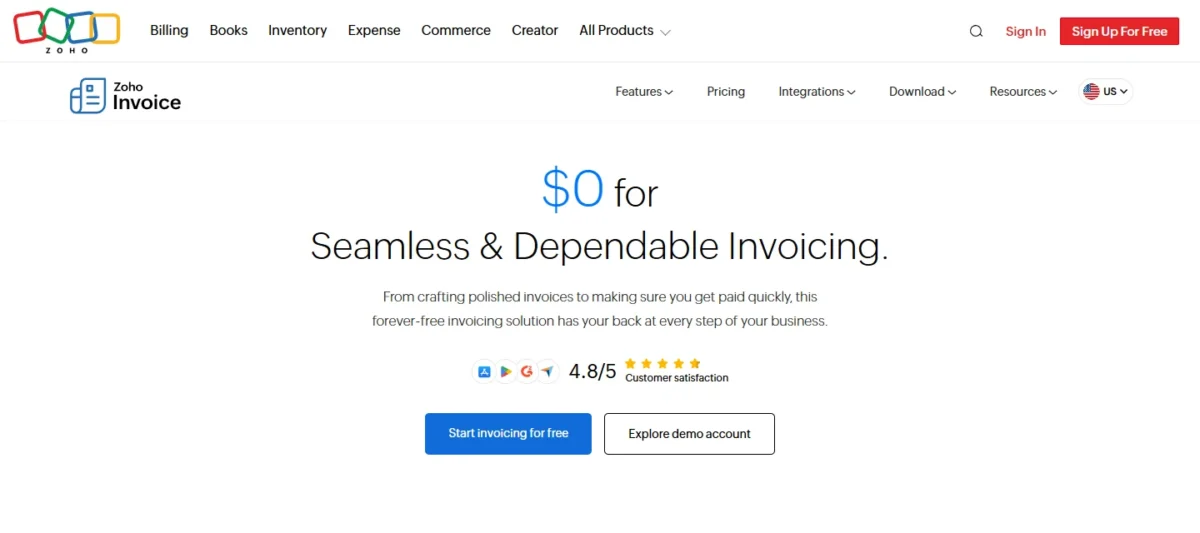
Zoho Invoice costs $0 and its pricing page lists no paid tier. The cap is about 41 invoices a month (500 / 12 = 41.67), and a business past it is asked to contact Zoho.
| Plan | Price | Key limit |
|---|---|---|
| Free | $0 | 500 invoices a year, 2 users, 3 projects |
Sources: Zoho Invoice pricing page and Zoho Invoice features, checked October 2026.
Pros
- Automated reminders and recurring invoices at $0
- Saved cards charged on recurring invoices
- 24/5 email and voice support
Cons
- 500 invoices a year and 2 users at most
- “Powered by Zoho Invoice” branding included
- Data deleted after 180 days of inactivity
- Skip it if:
- you send more than 500 invoices a year or need more than two users. Wave Starter puts no cap on invoices; for a larger team, Invoice2go allows unlimited team members on every plan, with unlimited invoices on Premium.
2. FreshBooks: Best for Service Businesses Billing Time and Retainers
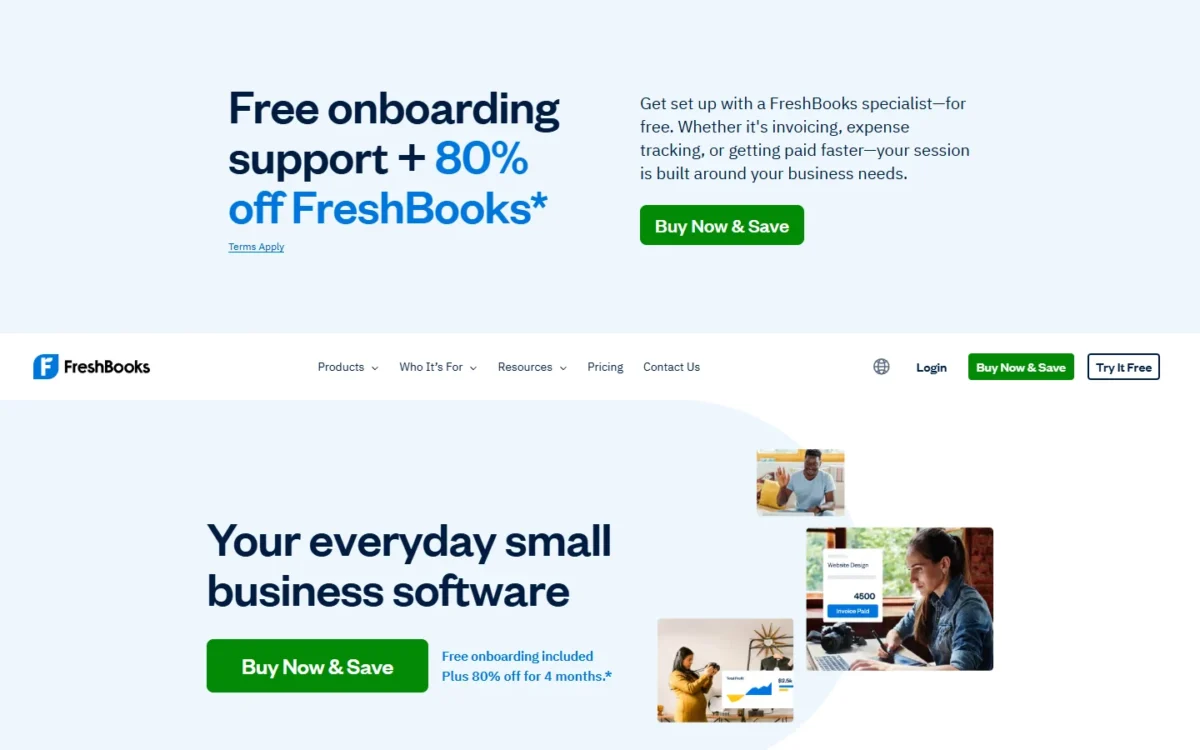
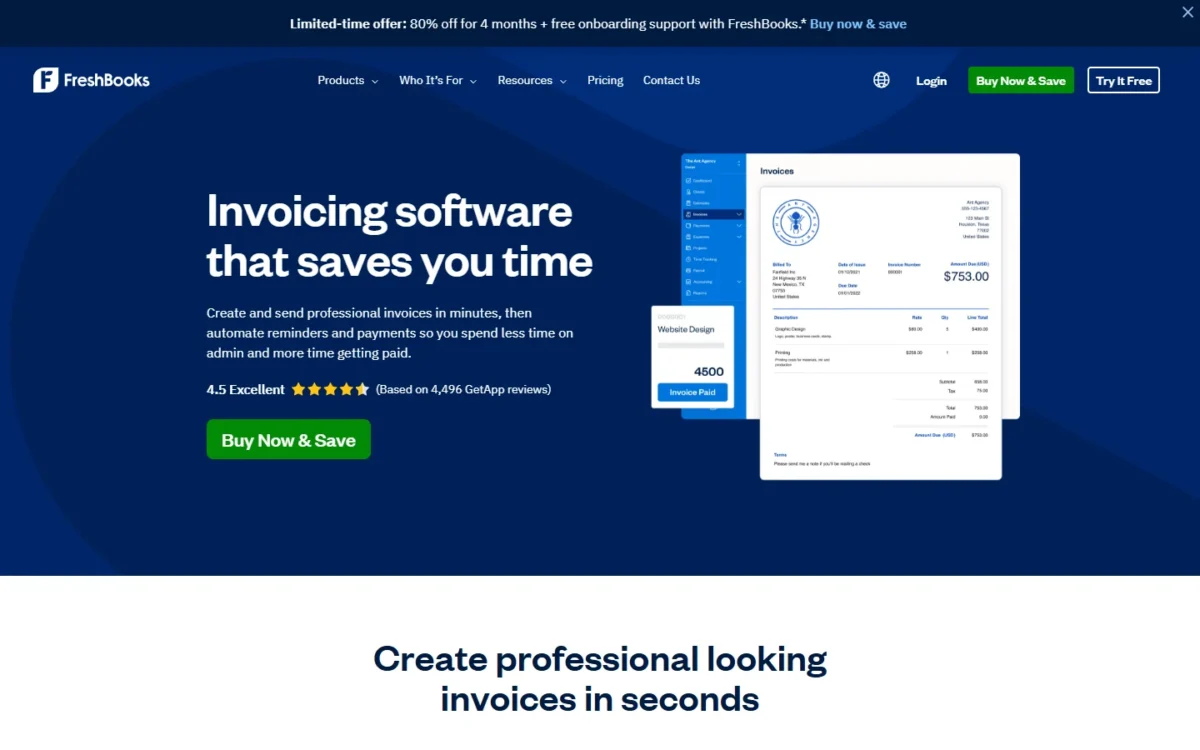
A consultant who bills retainers, deposits and hours gets more from FreshBooks than from Zoho Invoice, because the whole client-service cycle sits in one tool. The trade-off is the client cap: plans are priced by billable clients, archived ones included, and Lite stops at five.
Retainers set a fixed amount and an hour budget for a period, and tracked hours become invoice lines. Deposits on estimates start projects with money in hand; late fees and saved cards handle collection.
FreshBooks lists Lite at $23, Plus at $43 and Premium at $70 a month, with 80% off the first 4 months. A freelancer with six clients needs Plus: $43 x 12 = $516 a year at list price.
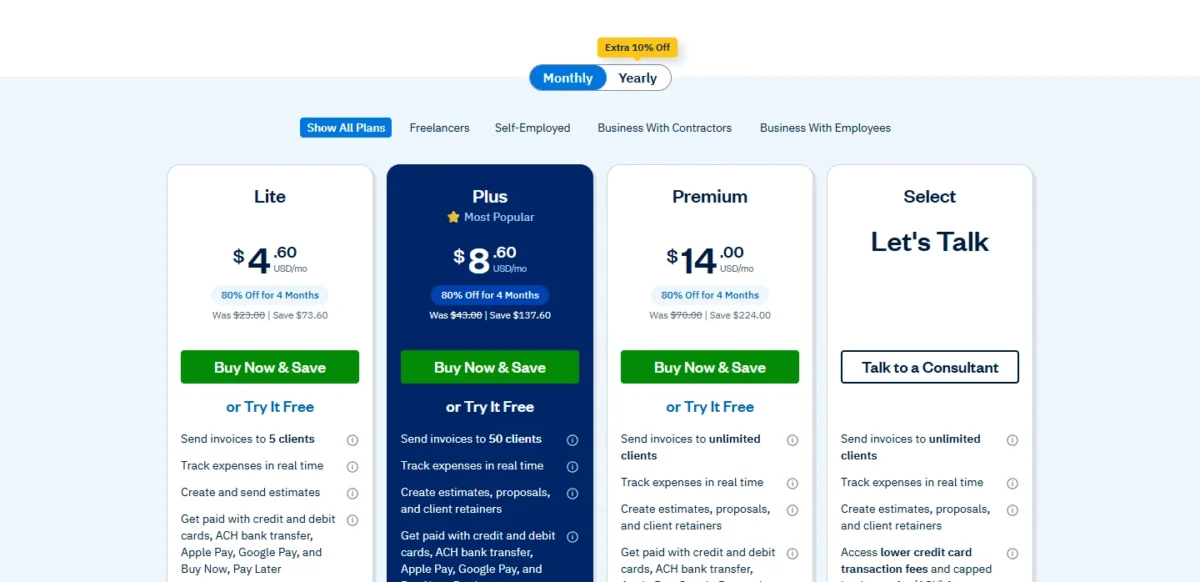
| Plan | List price | First 4 months | Billable clients |
|---|---|---|---|
| Lite | $23 a month | $4.60 a month | 5 |
| Plus | $43 a month | $8.60 a month | 50 |
| Premium | $70 a month | $14.00 a month | Unlimited |
Sources: FreshBooks pricing page and FreshBooks invoicing features, checked October 2026.
Pros
- Retainers with hour budgets and summary reports
- Deposits on estimates and Buy Now, Pay Later
- Late fees and card-on-file payments
Cons
- Lite allows 5 billable clients
- The 80% offer covers 4 months; list prices are $23, $43 and $70 a month
- Lower payment rates only on Select, priced on request
- Skip it if:
- you send a handful of invoices a year (Zoho Invoice costs $0) or bill a team’s hours per person (Harvest prices by seat).
3. Square Invoices: Best for Businesses That Also Take In-Person Payments
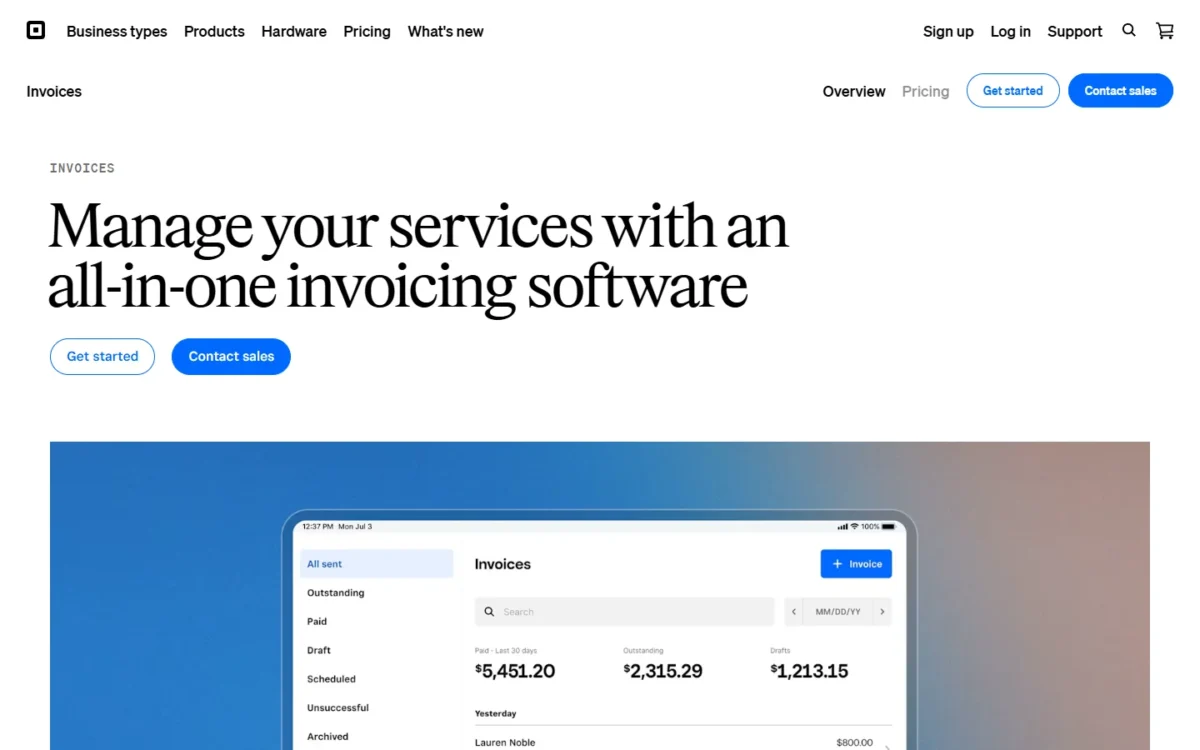
Square includes invoicing in every Square plan next to tap, dip or swipe card payments, so a contractor who bills some clients and taps cards for others needs one provider for both. Square Free includes unlimited and recurring invoices; its weak spot is a higher card fee and no ACH cap.
Automatic reminders go out before, on or after the due date, and Square Plus adds milestone payment schedules.
The $49 for Plus buys two fee changes. The card fee on invoices drops from 3.3% to 2.9%, which covers the plan only from $49 / 0.004 = $12,250 of card invoices a month.
For large bank payments, Plus caps the ACH fee on invoices at $10, where Free’s 1% has no cap.
Square Free costs $0 a month and Square Plus $49 a month per location.
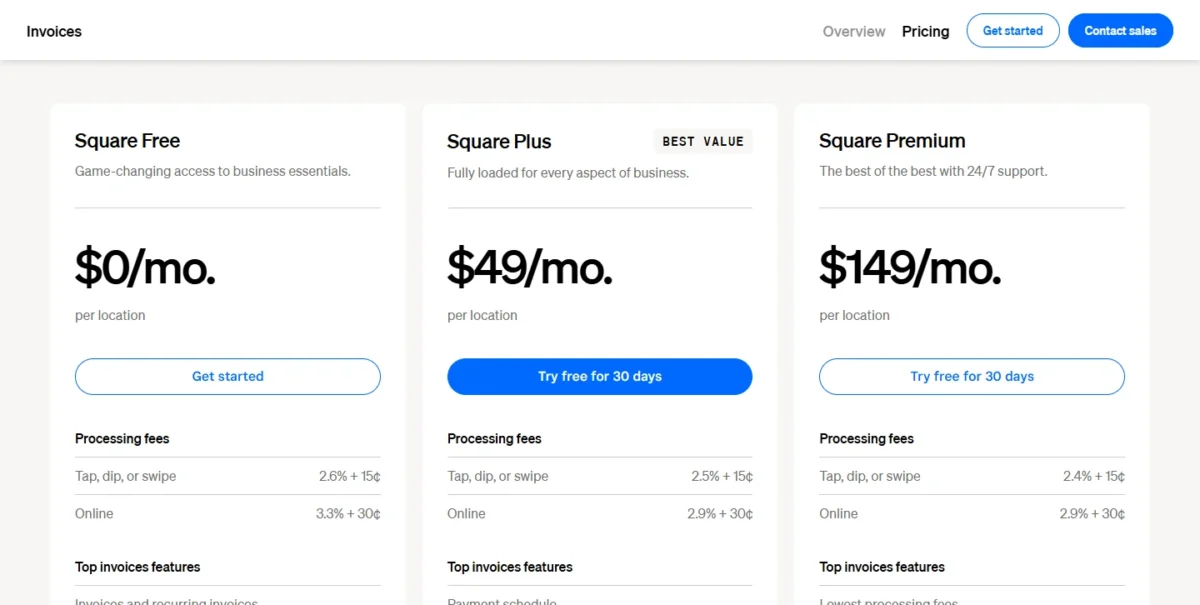
| Plan | Price | Card fee on invoices | ACH fee via invoice |
|---|---|---|---|
| Square Free | $0 a month | 3.3% + 30¢ | 1%, $1 min |
| Square Plus | $49 a month per location | 2.9% + 30¢ | 1%, $10 fee cap |
| Square Premium | $149 a month per location | 2.9% + 30¢ | 1%, $10 fee cap |
Sources: Square Invoices pricing page, checked October 2026.
Pros
- Unlimited and recurring invoices on Square Free
- $10 ACH fee cap on Plus and Premium
- One account for card-reader and invoice payments
Cons
- No ACH fee cap on Square Free
- Milestone payment schedules need Plus
- The monthly fee is charged per location
- Skip it if:
- you never take a card in person and send few invoices. Stripe Invoicing charges nothing until an invoice is paid, and Zoho Invoice costs $0.
4. Stripe Invoicing: Best for Pay-Per-Invoice Pricing With No Subscription
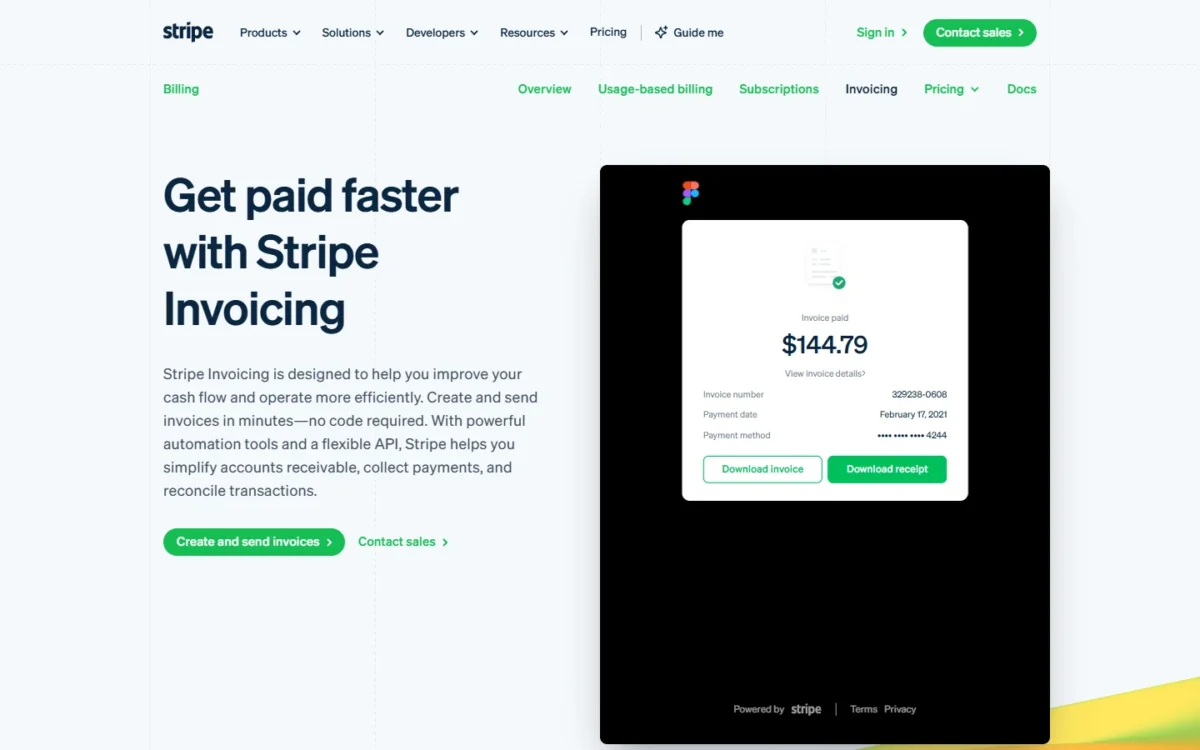
Stripe Invoicing suits a business that would rather pay a percentage than a subscription, since nothing is due until a client pays. The catch: Starter takes 0.4% of each paid invoice on top of the Stripe Payments fee.
Smart retries and automatic email reminders chase late payments on Starter, and ACH credit and wire payments reconcile automatically.
ACH Direct Debit costs 0.8% with a $5.00 cap, but the 0.4% invoice fee sits outside that cap. The pricing page prints no cap for it and sends businesses with large invoice amounts to sales.
Recurring subscriptions belong to Stripe Billing, a separate product, and international cards add a 1.5% fee.
Stripe Invoicing has no fixed fees or setup costs: Starter takes 0.4% and Plus 0.5% of each paid invoice, with Stripe Payments fees on top.
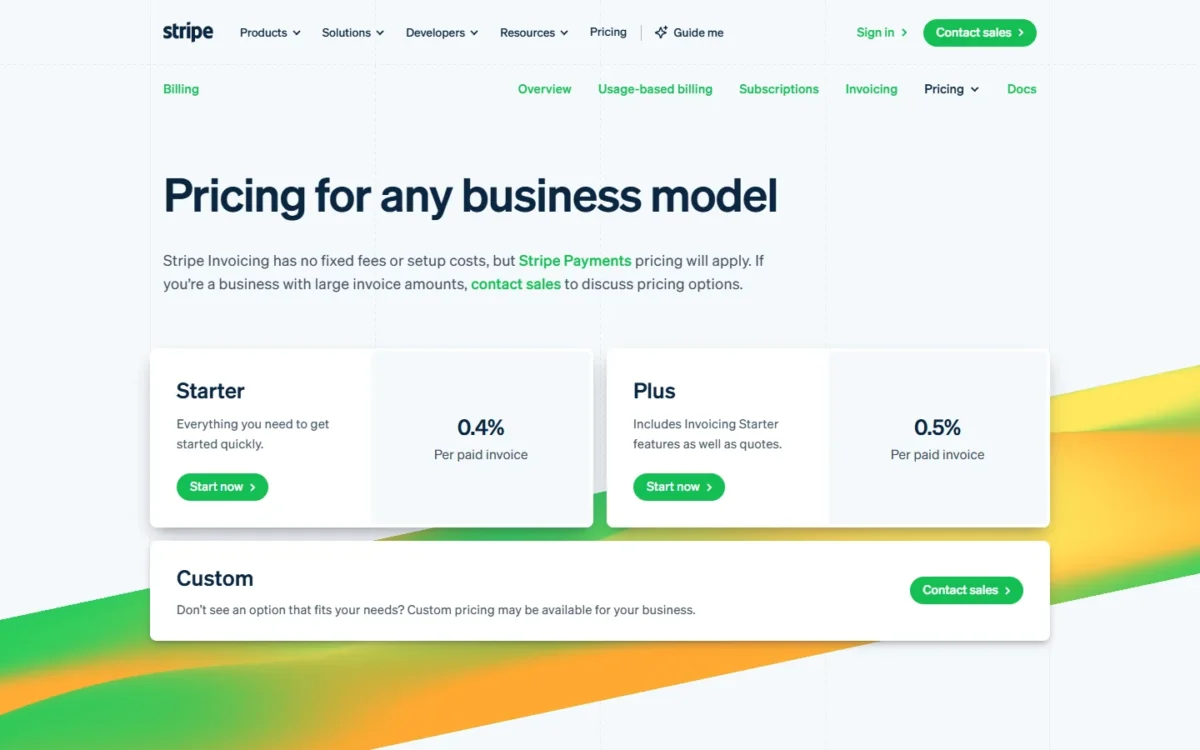
| Plan | Invoice fee | What it adds |
|---|---|---|
| Starter | 0.4% per paid invoice | Hosted invoice page, customer portal, automatic collection |
| Plus | 0.5% per paid invoice | Quotes |
| Custom | Contact sales | Custom pricing |
Sources: Stripe Invoicing pricing and Stripe pricing and fees, checked October 2026.
Pros
- No monthly fee: you pay only on paid invoices
- ACH Direct Debit fee capped at $5.00
- Smart retries and email reminders on Starter
Cons
- A 0.4% fee per paid invoice on top of payment fees
- Quotes need the Plus plan at 0.5%
- No time tracking or proposals
- Skip it if:
- you want proposals, contracts and time tracking next to your invoices. FreshBooks and HoneyBook cover that client workflow.
5. QuickBooks Online: Best When Invoices Must Post to Your Books
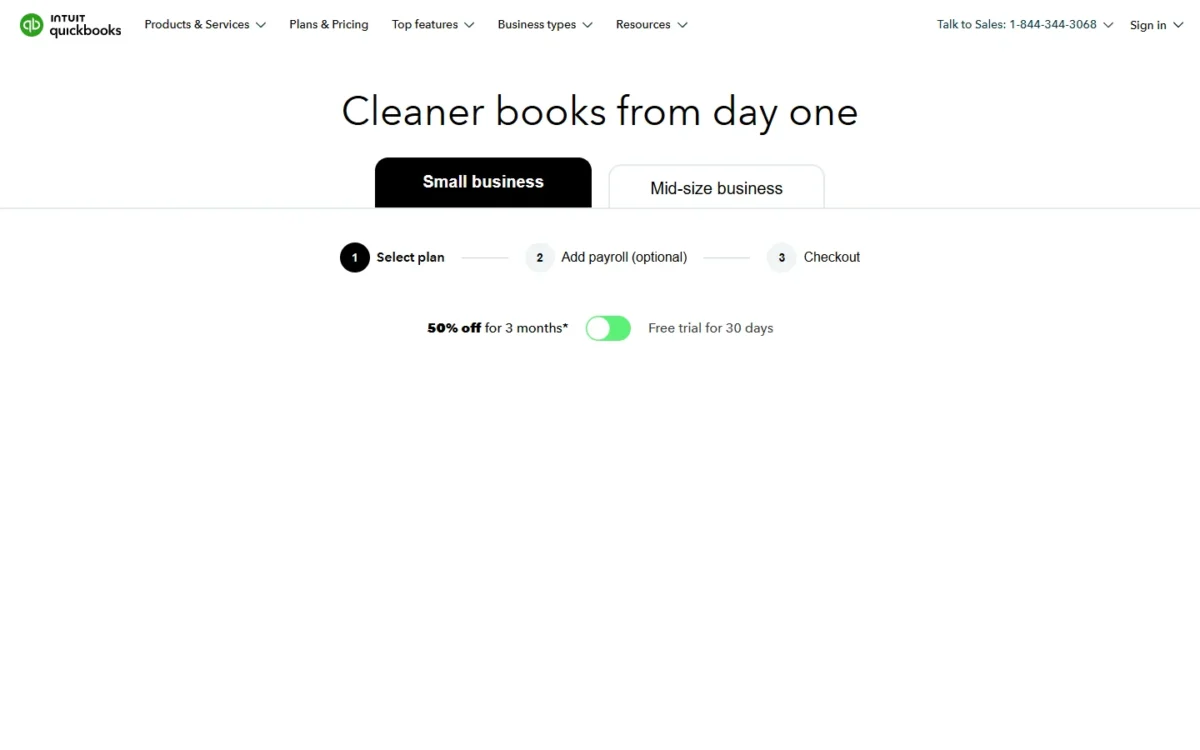
QuickBooks Online makes sense for invoicing only when your books already live there: Simple Start lists “Invoice and get paid” next to automated bookkeeping, with access for 2 accountants. Judged on invoicing alone, it costs more than Zoho Invoice or Wave. The free plan stops at 2 invoices a month.
Essentials adds employee time on invoices, multiple currencies and Invoicing on Autopilot, a beta that drafts invoices and sends reminders by your rules. Card and wallet payments on invoices carry a 2.99% fee, PayPal and Venmo included, so clients who prefer those wallets pay you without a second tool.
Essentials costs $85 a month for 3 users, and my QuickBooks Online pricing breakdown covers every plan and the August 2026 change.
| Plan | Price | Users | What it adds for invoicing |
|---|---|---|---|
| Free | $0 a month | 1 | 2 invoices a month |
| Lite | $20 a month | 1 | Unlimited invoices and estimates |
| Simple Start | $38 a month | 1 | Recurring payments |
| Essentials | $85 a month | 3 | Employee time on invoices, multiple currencies |
Sources: QuickBooks pricing page, Self-employed and Small Business tabs, and QuickBooks payment rates, read October 27, 2026.
Pros
- Invoicing and automated bookkeeping in one plan from Simple Start
- Lite at $20 a month sends unlimited invoices
- PayPal and Venmo accepted on invoices at the 2.99% card fee
Cons
- Free sends only 2 invoices a month
- Reminder automation is a capacity-limited beta
- No ACH fee cap printed for QuickBooks Payments
- Skip it if:
- you only need invoicing, not books: Zoho Invoice or Wave do that for $0. As accounting software, my full QuickBooks Online review judges it.
6. Wave: Best for Unlimited Free Invoices
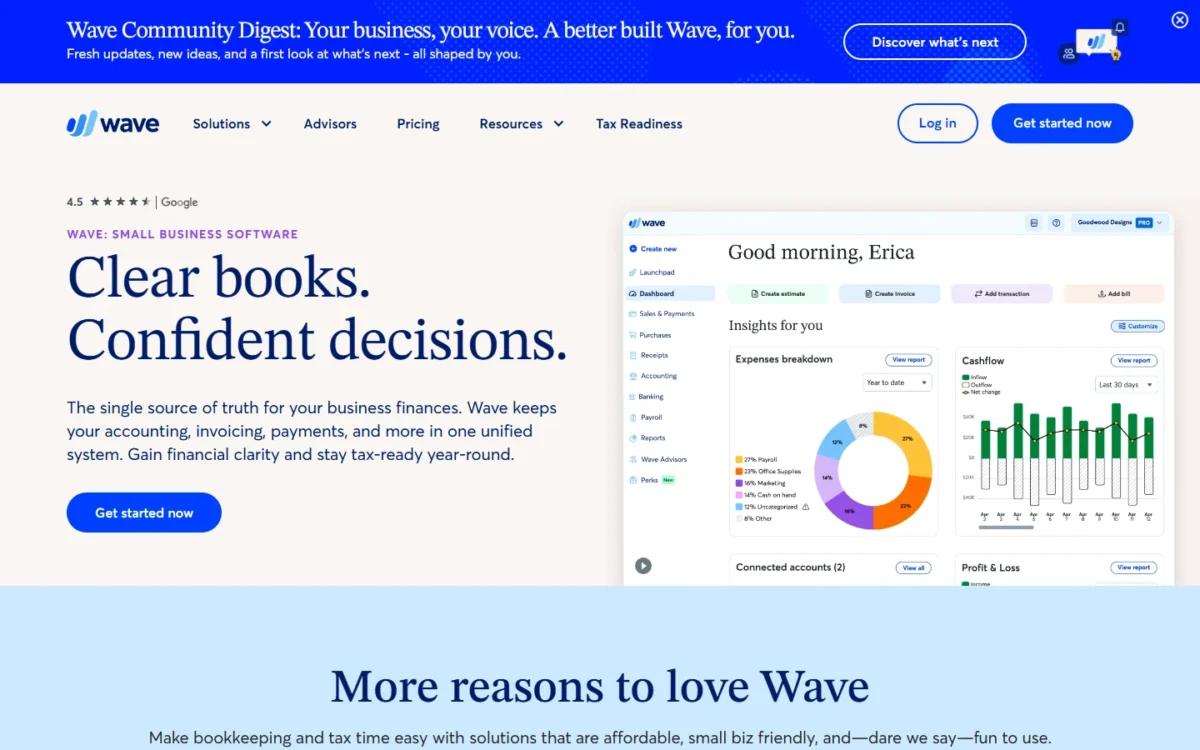
For volume at $0, Wave Starter is the plan to beat: it puts no cap on invoices, where Zoho Invoice stops at 500 a year. Starter automates late-payment reminders only once online payments are on, where Pro lists them on its card. A sole trader who follows up by hand loses little.
Pro sends reminders 3, 7 and 14 days after the due date, and annual billing brings it to $190 / 12 = $15.83 a month.
The fixed card fee is where Wave costs more than it looks: $0.60 is twice the 30¢ Stripe and Square charge, though Pro waives it on 10 card transactions a month. Online payments need approval, including a credit review.
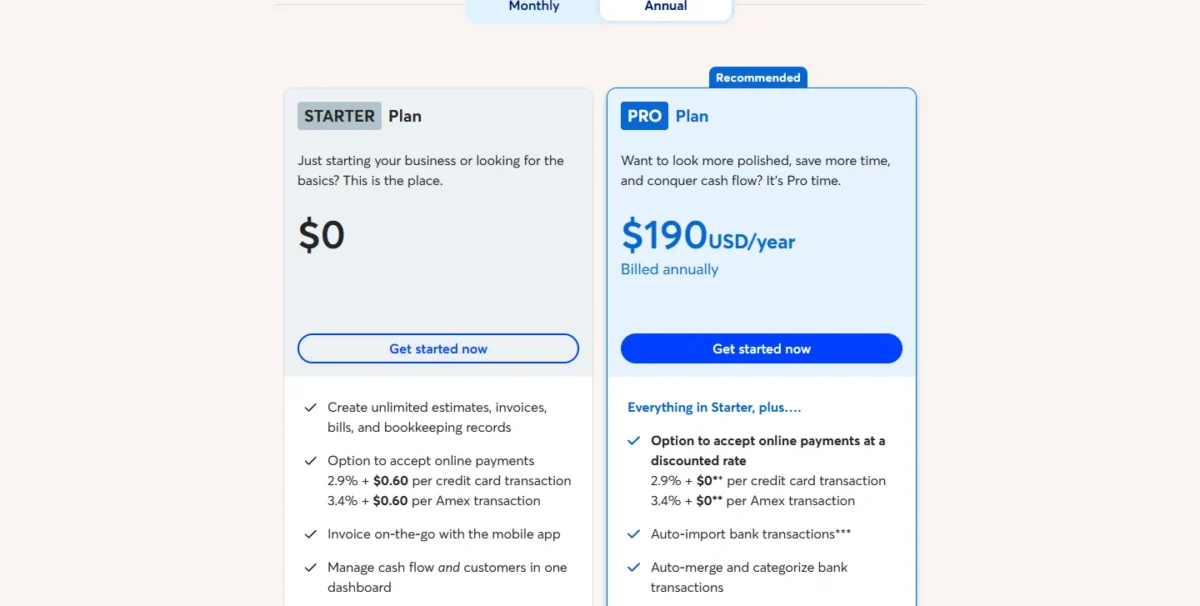
Wave Starter costs $0 and Wave Pro $19 a month billed monthly or $190 a year billed annually. Bank payments cost 1% with a $1.00 minimum fee and no cap printed.
| Plan | Price | Card fee |
|---|---|---|
| Starter | $0 | 2.9% + $0.60 |
| Pro | $19 a month billed monthly, $190 a year billed annually | 2.9% + $0 on the first 10 card transactions a month |
Sources: Wave pricing page and Wave payments page, checked October 2026.
Pros
- Unlimited invoices, estimates and bills on Starter
- Reminders at 3, 7 and 14 days on Pro
- Pro waives the fixed card fee on 10 transactions a month
Cons
- Automated late-payment reminders need Pro or online payments
- $0.60 fixed fee per card payment
- No cap printed on the 1% bank fee
- Skip it if:
- you take many small card payments every month. Stripe’s 30¢ fixed fee is half of Wave’s $0.60.
7. PayPal Invoicing: Best When Clients Pay With PayPal or Venmo

PayPal Invoicing earns its place when clients already pay through PayPal or Venmo and would hesitate at a card form. A PayPal or Venmo payment on an invoice costs 3.49% plus 0.49 USD.
The fee page also lists an Invoicing Subscription at 14.99 USD per month, which applies if you subscribe; it does not say what the subscription adds.
QuickBooks Online also takes PayPal and Venmo on invoices at 2.99%, but inside a QuickBooks plan: Free sends 2 invoices a month, and Lite costs $20 a month. PayPal charges per invoicing transaction instead.
For large invoices, the Pay by Bank fee is 1%, capped at $10.00, the cap Square charges $49 a month for on Plus. International invoicing transactions add a 1.50% fee.
PayPal keeps its fee when you refund: making the refund costs nothing, but the fees you paid to receive the payment are not returned. For reminders on top, Invoice Ninja can use PayPal as its gateway.
PayPal’s US fee page prices each invoicing transaction at a percentage plus a fixed 0.49 USD, except Pay by Bank.
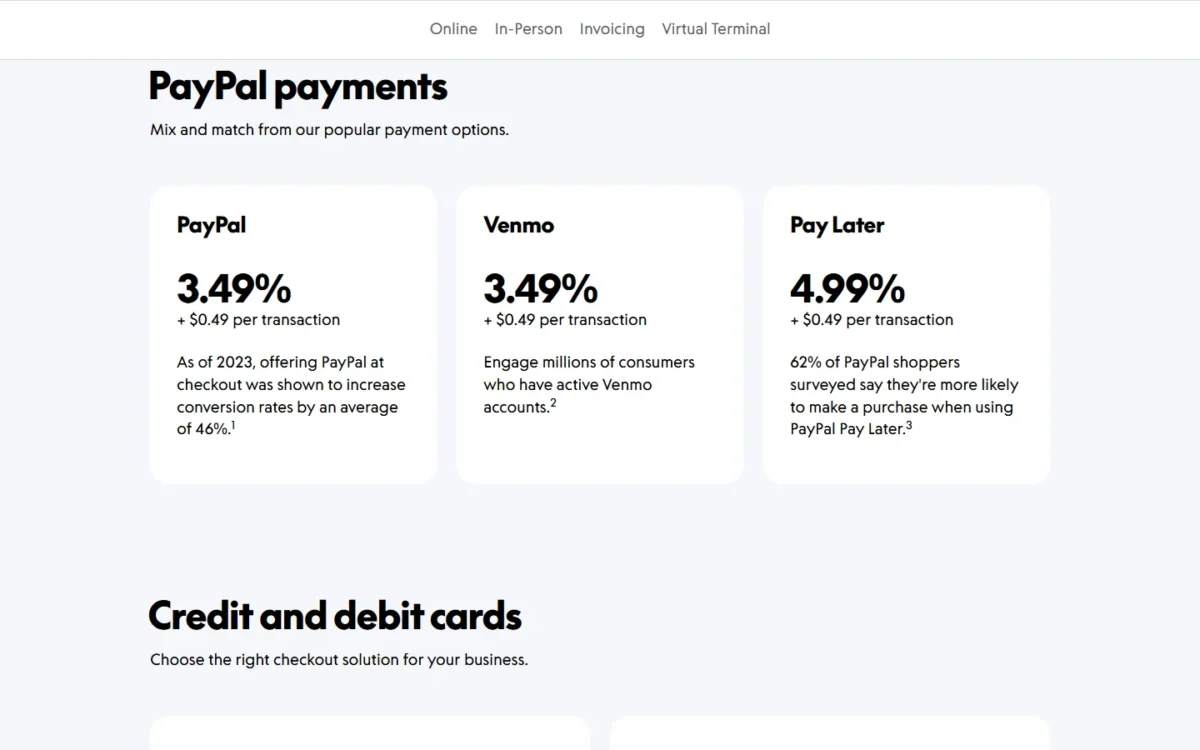
| Payment type | Fee per invoicing transaction |
|---|---|
| PayPal Checkout, Venmo, Guest Checkout | 3.49% + 0.49 USD |
| Cards, Apple Pay, other wallets | 2.99% + 0.49 USD |
| PayPal Pay Later | 4.99% + 0.49 USD |
| Pay by Bank (ACH) | 1%, capped at $10.00 |
Sources: PayPal merchant fees page, checked October 2026.
Pros
- Per-transaction fees; the 14.99 USD monthly subscription only if you subscribe
- PayPal, Venmo and Pay Later on one invoice
- Pay by Bank fee capped at $10.00
Cons
- A 3.49% + 0.49 USD fee on PayPal and Venmo payments
- A 1.50% fee added on international invoicing transactions
- Fees are not returned on refunds
- Skip it if:
- most clients pay by card and your card volume justifies a plan. Square Plus charges 2.9% + 30¢ on invoice card payments for $49 a month per location, against PayPal’s 2.99% + 0.49 USD.
8. Xero: Best for Multi-Currency Invoicing in an Accounting Suite
Multiple currencies on the Established plan make Xero an accounting-suite pick for foreign clients. On a budget, the gate is Early: quotes and 20 invoices, a cap that counts approving as well as sending.
QuickBooks Online Essentials also lists multiple currencies, at $85 a month against Established’s $97, so the ledger your accountant uses decides: Xero when the books are in Xero, QuickBooks Online Essentials when they are in QuickBooks.
My Xero review judges it as full accounting software; here only invoicing counts, and app-partner transactions can count toward Early’s limit.
Pay now routes clients to Stripe for cards, Klarna and ACH Debit, or to GoCardless for recurring ACH Direct Debit. Xero prints no payment fee rate, so price that processor before comparing Xero with Square.
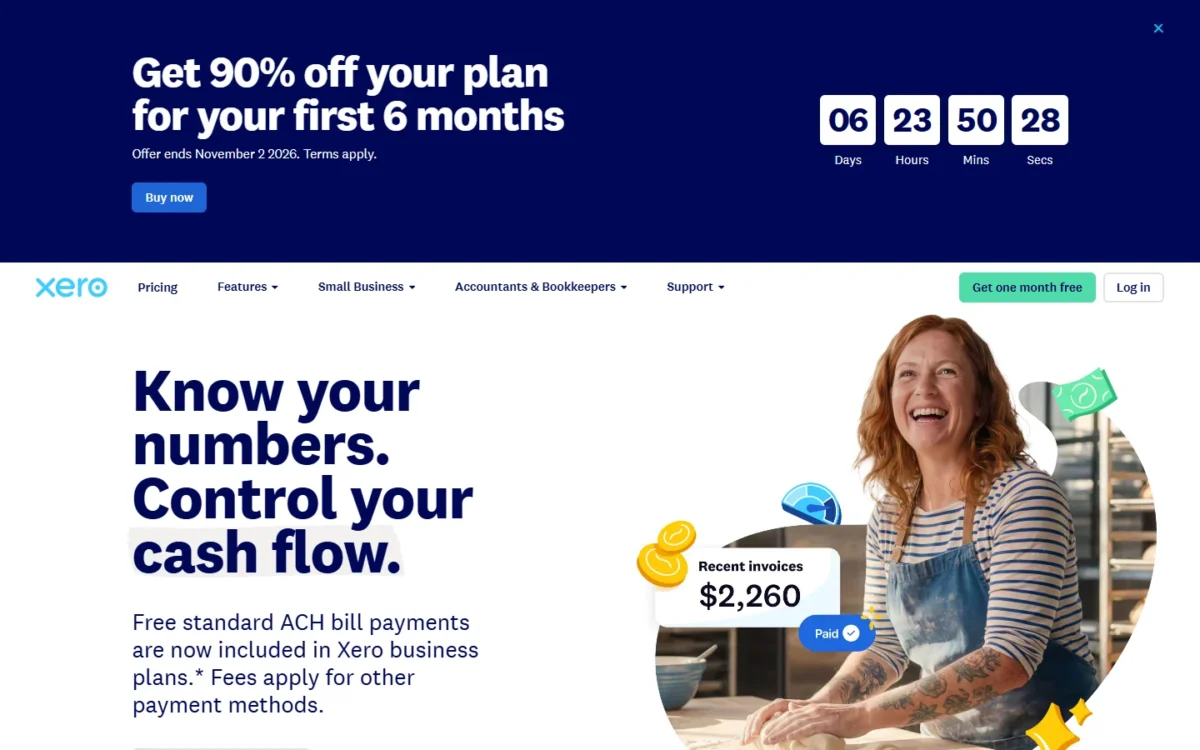
Early costs $27, Growing $59 and Established $97 a month. Until November 2, 2026, new US customers pay $2.70, $5.90 and $9.70 a month for six months; my Xero pricing guide has the offer terms.
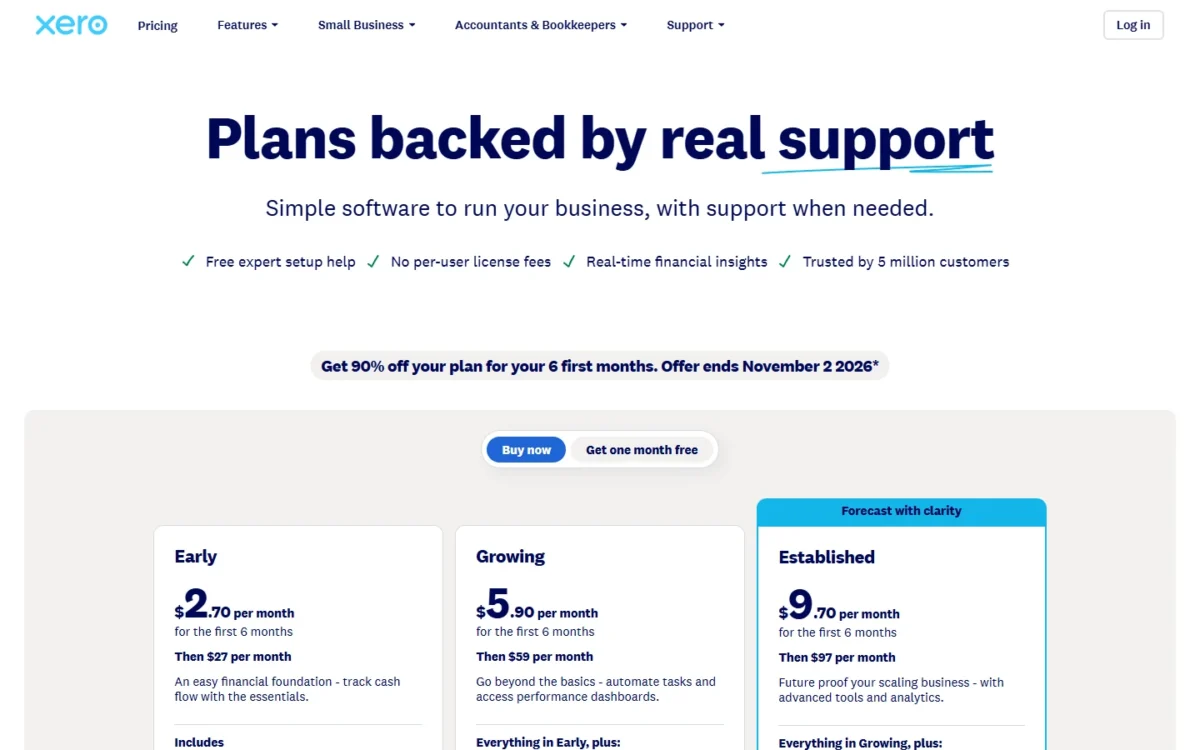
| Plan | Regular price | First 6 months | Invoicing limit |
|---|---|---|---|
| Early | $27 a month | $2.70 a month | Quotes and 20 invoices |
| Growing | $59 a month | $5.90 a month | No cap printed |
| Established | $97 a month | $9.70 a month | Adds multiple currencies |
Sources: Xero pricing page and Xero online payments, checked October 2026.
Pros
- Multiple currencies on Established
- Pay now through Stripe or GoCardless
- 90% off for six months until November 2, 2026
Cons
- Early allows quotes and 20 invoices, approvals included
- Payment fee rate not printed on Xero’s pricing page
- Multi-currency needs the $97 Established plan
- Skip it if:
- you need more than Early’s 20 invoices on a small budget. Wave Starter puts no cap on invoices, and Zoho Invoice allows 500 a year, both at $0.
9. Invoice Ninja: Best for Choosing Your Own Payment Gateway
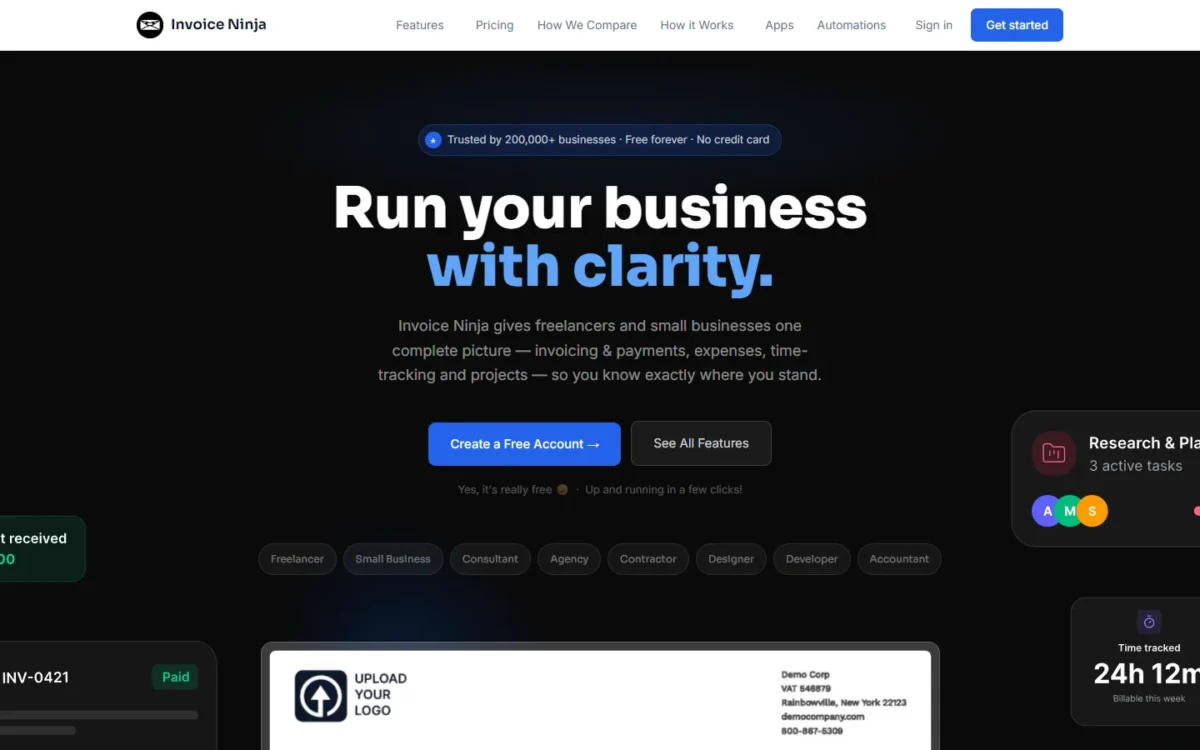
Keep the payment processor you already have: that is Invoice Ninja’s case. You connect Stripe, PayPal, Square or GoCardless, and clients see a Pay Now button in the portal. The free plan carries many features but stops at 5 clients, and automatic reminders start on Ninja Pro.
Recurring invoices with auto-billing, billable project time and automatic currency conversions are all in Free. Zoho Invoice is the closest free rival, trading the client cap for a 500-invoice yearly cap.
Ninja Pro removes the client limit and Invoice Ninja’s branding and adds reminder emails; Enterprise adds user permissions and PEPPOL e-invoicing.
Ninja Pro is $14 a month billed monthly or $140 billed annually, and Enterprise runs from $18 a month for 1–2 users to $300 a month for 51–100 users, billed monthly.
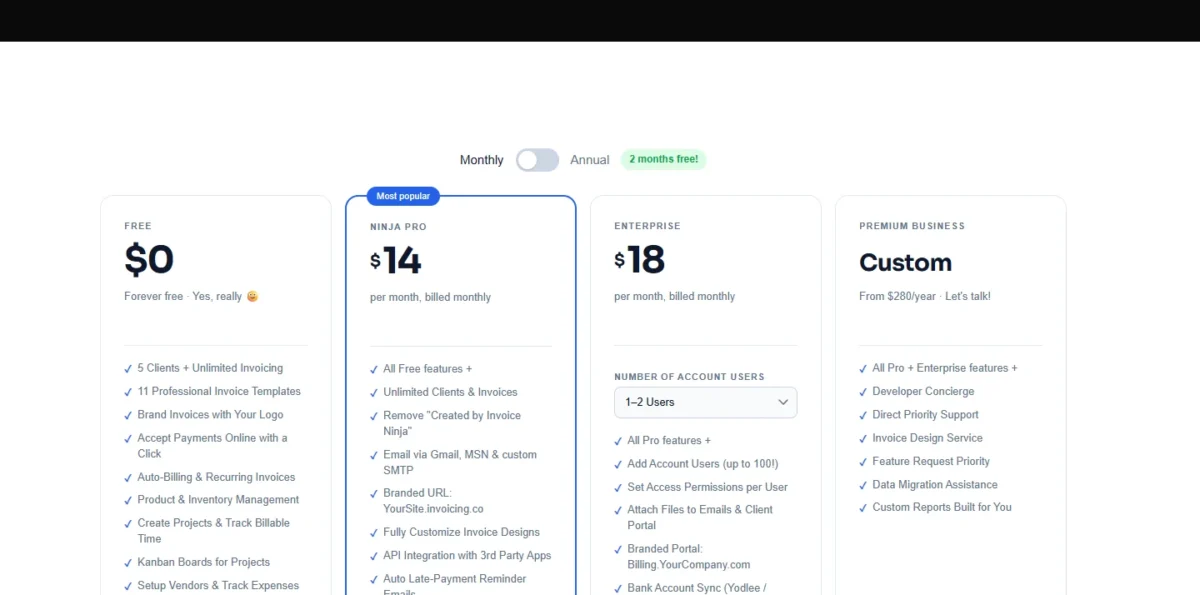
| Plan | Billed monthly | Billed annually | Clients |
|---|---|---|---|
| Free | $0 | $0 | Up to 5 |
| Ninja Pro | $14 a month | $140 a year | Unlimited |
| Enterprise, 1–2 users | $18 a month | $180 a year | Unlimited |
Sources: Invoice Ninja pricing page, monthly and annual views, checked October 2026.
Pros
- Connects Stripe, PayPal, Square, GoCardless and more
- Recurring invoices and auto-billing on Free
- Ninja Pro at $140 a year removes the client cap
Cons
- Free allows only 5 clients
- Automatic reminders start on Ninja Pro
- No payment rate of its own printed; you connect a payment gateway
- Skip it if:
- you want one company to handle fees, payouts and support together. Square and Stripe bundle invoicing and processing.
10. HoneyBook: Best for Creative Services That Sell With Proposals and Contracts
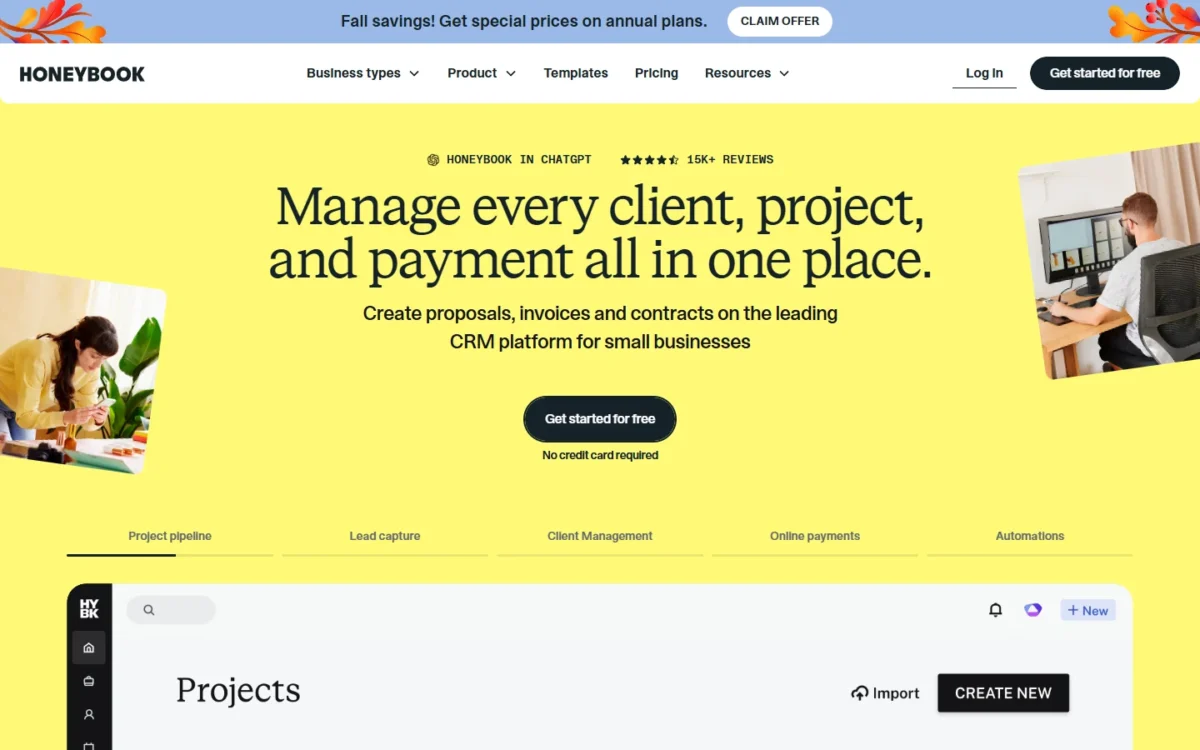
HoneyBook treats the invoice as the last step of a sale: a client books, signs and pays from one proposal file. That suits creatives and consultants whose deal closes on a contract, where FreshBooks centers on the accounting after the sale.
HoneyBook lists payment reminders, autopay, payment plans and late fees under Payments, and any plan allows as many clients and projects as you need. Starter reminds by email only; Essentials adds SMS reminders, QuickBooks Online sync and 2 team members.
The plan table gives a card fee from 2.9% + 25¢, and the FAQ from 2.7% + 10¢. Bank transfers hurt large invoices: HoneyBook prints a 1.5% ACH fee with no cap.
HoneyBook costs $29 a month for Starter, $49 for Essentials and $109 for Premium, each billed yearly. The Essentials and Premium prices are promotional, marked 25% off $59 and $129. Starter is a $29 x 12 = $348 yearly commitment.
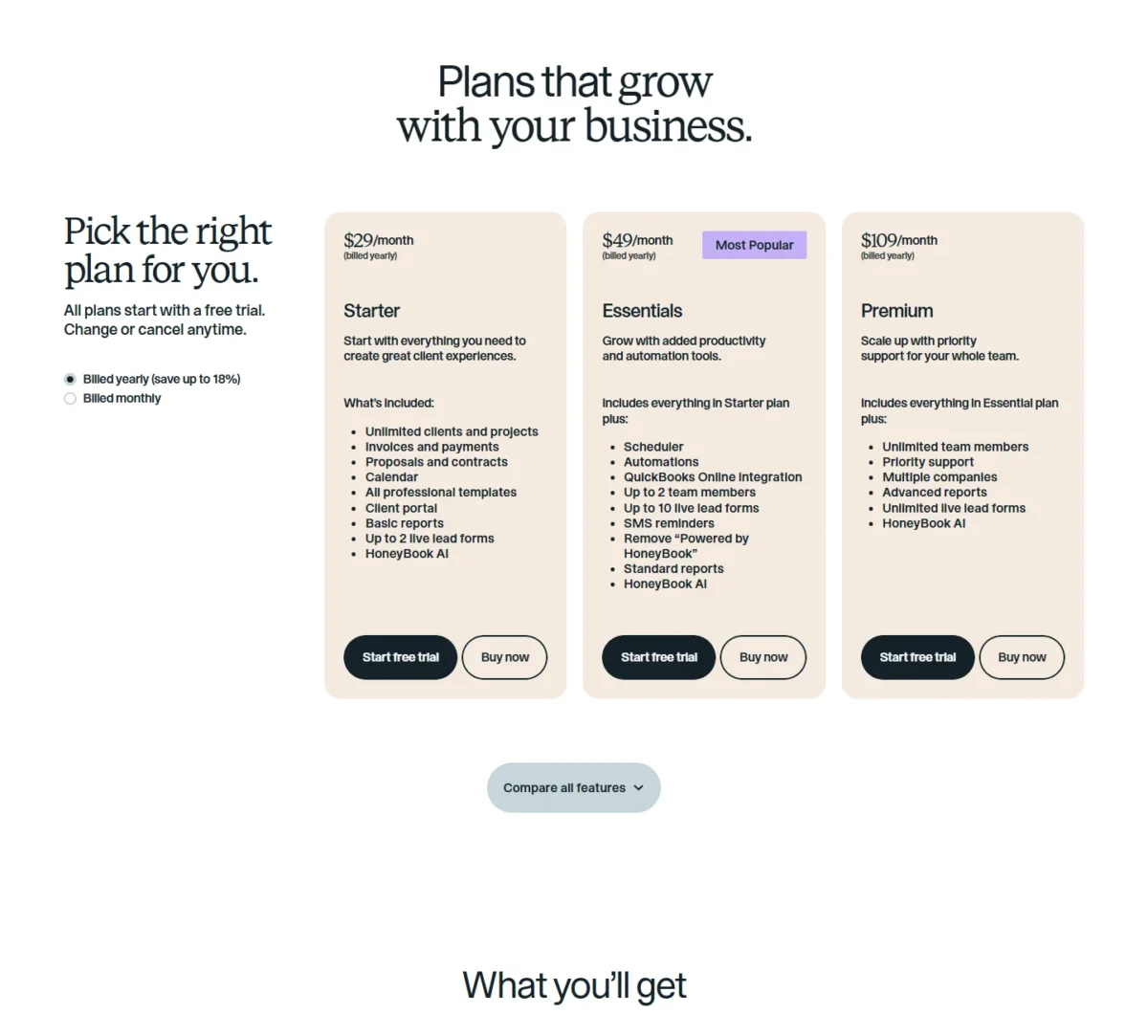
| Plan | Price, billed yearly | Reminders | Team |
|---|---|---|---|
| Starter | $29 a month | Email only | Not listed |
| Essentials | $49 a month | Email and SMS | Up to 2 members |
| Premium | $109 a month | Email and SMS | Unlimited |
Sources: HoneyBook pricing page, checked October 2026.
Pros
- Proposal, contract and invoice in one client file
- Payment reminders, autopay and late fees listed under Payments
- Unlimited clients and projects on every plan
Cons
- A 1.5% fee on ACH bank transfers
- Two different card fee rates on one pricing page
- SMS reminders need the Essentials plan
- Skip it if:
- clients pay large invoices by bank transfer. Square Plus caps its ACH fee on invoices at $10 and PayPal caps Pay by Bank at $10.00, where HoneyBook takes a 1.5% fee.
11. Harvest: Best for Teams Billing Tracked Hours
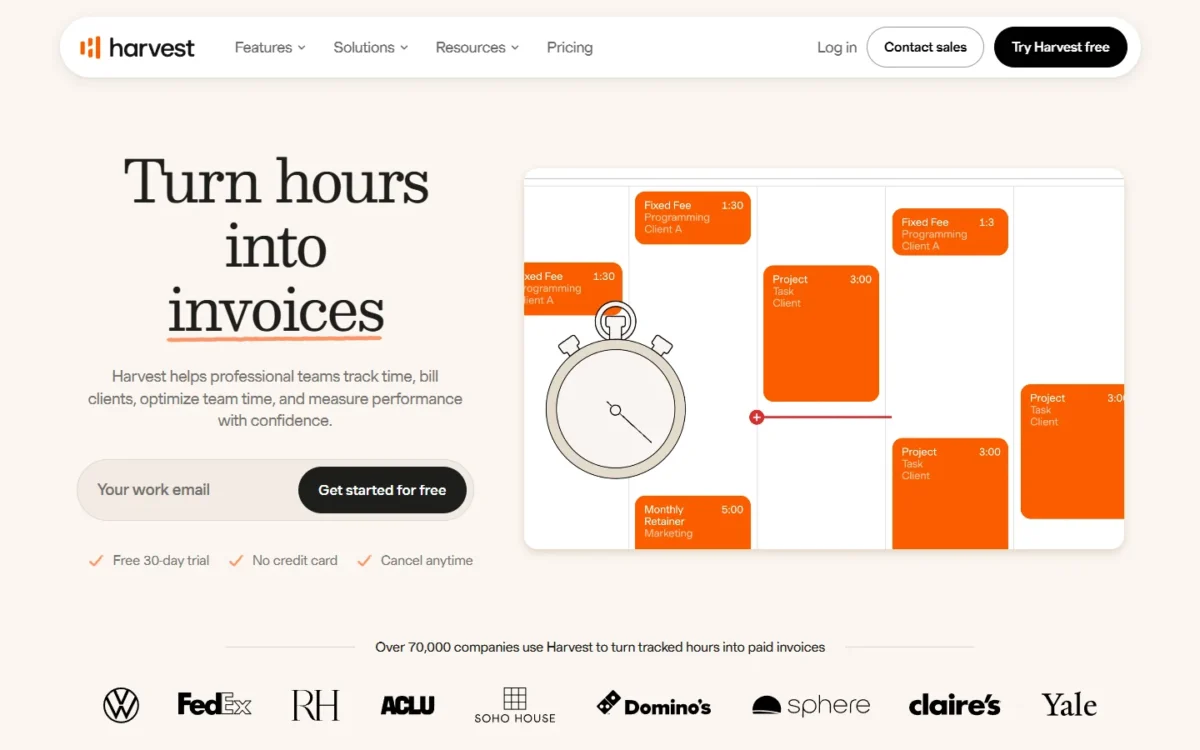
Harvest builds Teams for teams that need to track, analyze and invoice their time, which fits an agency where five people log hours against client projects. The trade-off is that payment and accounting integrations start on Teams, not Free.
Teams sets billable rates per person, so a senior’s hour bills at a different rate from a junior’s. Extra invoices, projects and clients are billed on usage, at prices the page does not print.
A five-person team pays $108 x 5 = $540 a year on annual billing, or $11 x 5 x 12 = $660 billed monthly, so paying upfront saves $660 – $540 = $120.
Harvest Free costs $0 for 1 seat. Teams is $9 per seat a month, $108 per seat billed annually, or $11 per seat a month billed monthly.
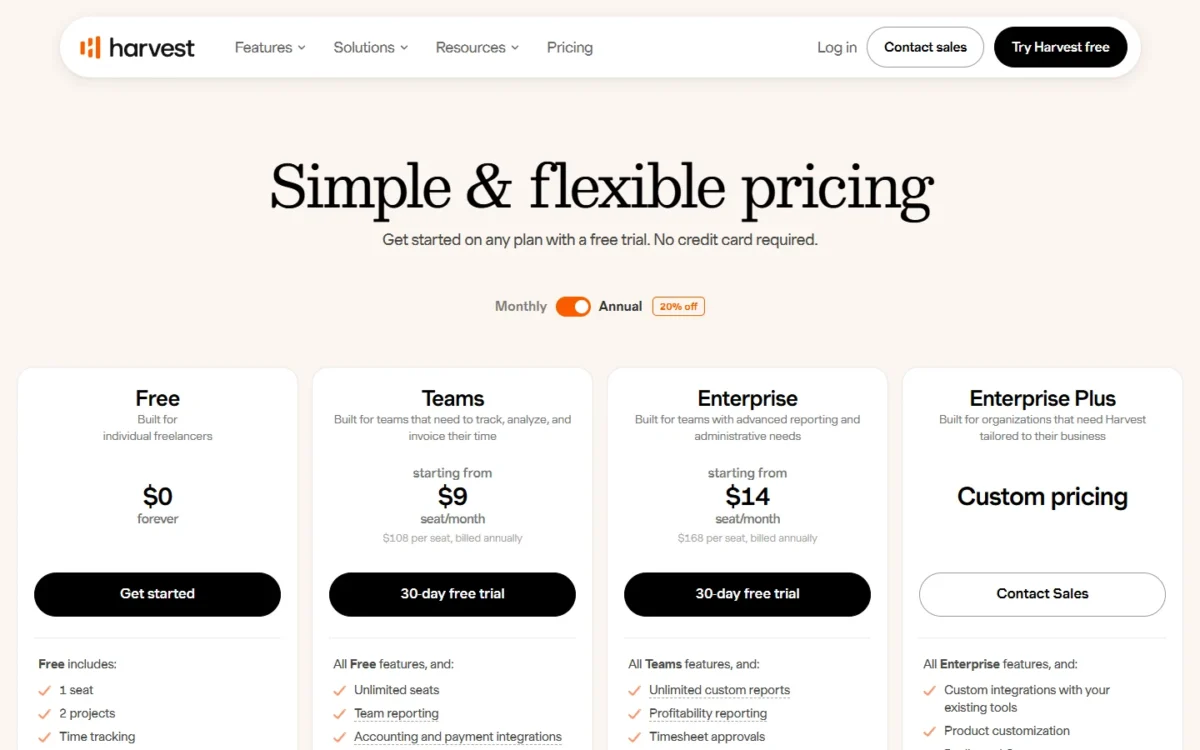
| Plan | Billed annually | Billed monthly |
|---|---|---|
| Free | $0 | $0 |
| Teams | $108 per seat a year | $11 per seat a month |
| Enterprise | $168 per seat a year | $17.50 per seat a month |
Sources: Harvest pricing page, annual and monthly views, checked October 2026, all prices in USD.
Pros
- Timesheets turn into invoice lines for the whole team
- Billable and cost rates per person on Teams
- Sync with QuickBooks Online, Xero and Stripe
Cons
- Free has 1 seat, 2 projects and no payment integrations
- Usage-billed extras without published prices
- Timesheet approvals need Enterprise
- Skip it if:
- you work alone on fixed-price projects. Zoho Invoice bills time on up to 3 projects for $0, and FreshBooks adds retainers.
12. Invoice2go: Best for Contractors Who Want Free Bank-Transfer Payments
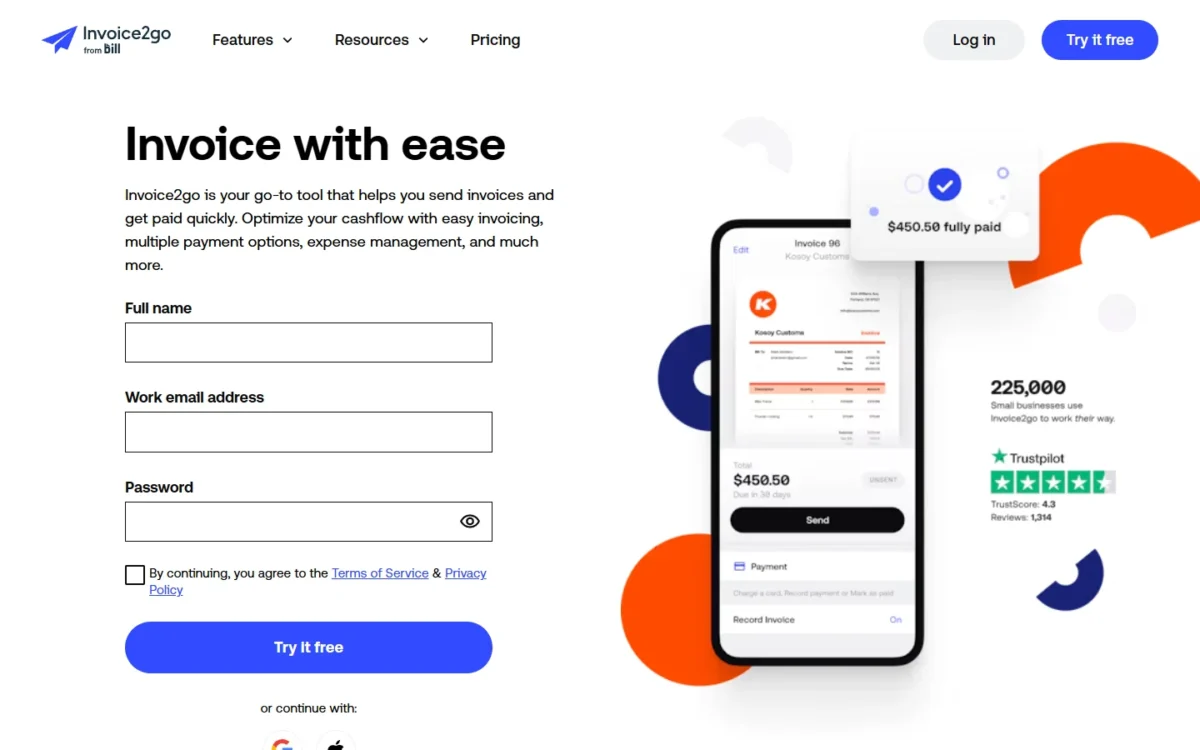
Clients who pay big invoices by bank transfer make Invoice2go worth a look, because every plan lists free ACH bank transfers. The trade-off is low invoice caps and a 3.5% card fee on Starter.
Every plan includes unlimited clients and team members, invoice and payment reminders, and a time-tracking timer, so a crew can share one account. Invoice2go has iOS and Android apps, as do Zoho Invoice, FreshBooks and Invoice Ninja.
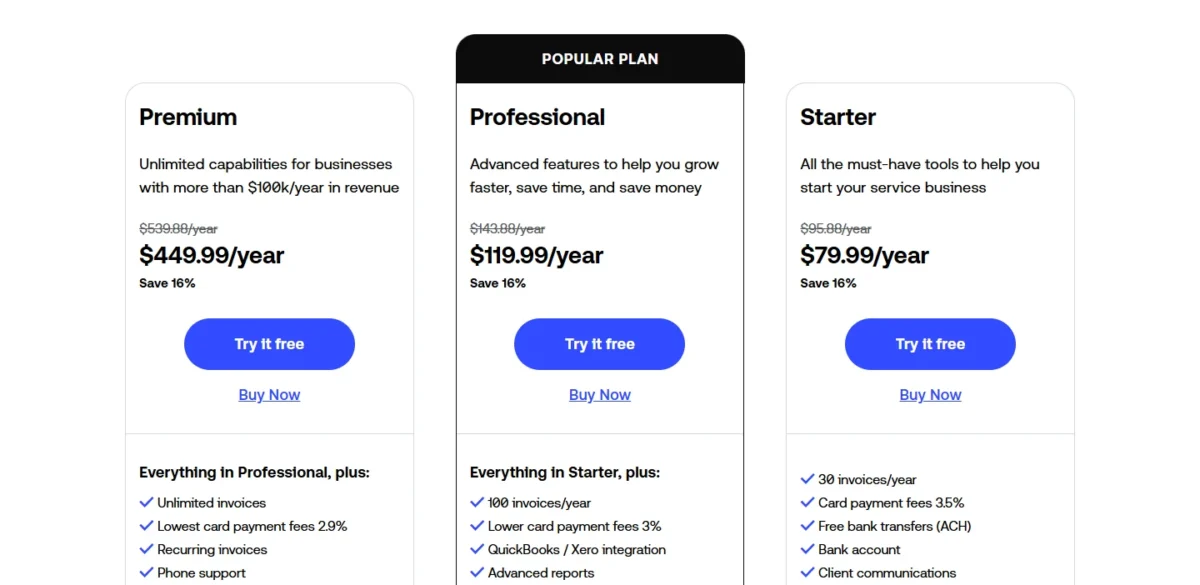
Recurring invoices need Premium at $449.99 a year, where Square Free includes them at $0. Starter’s 30 invoices a year is 2.5 a month (30 / 12 = 2.5), a side-business volume.
Invoice2go lists Starter at $79.99, Professional at $119.99 and Premium at $449.99 a year on annual billing, with no additional monthly or add-on costs. The 30-day trial asks for a credit card.
| Plan | Price, billed annually | Invoices | Card fee |
|---|---|---|---|
| Starter | $79.99 a year | 30 a year | 3.5% |
| Professional | $119.99 a year | 100 a year | 3.0% |
| Premium | $449.99 a year | Unlimited | 2.9% |
Sources: Invoice2go pricing page, checked October 2026.
Pros
- Free ACH bank transfers
- Unlimited team members and clients on every plan
- 24-hour support Monday to Saturday
Cons
- Starter allows 30 invoices a year
- A 3.5% card fee on Starter
- Recurring invoices only on Premium
- Skip it if:
- you send more than 100 invoices a year on a small budget. Square Free and Wave Starter put no cap on invoices for $0.
Payment Fees on a Card Payment and a Bank Transfer
Card rates sit close together, while bank-transfer fees split wide: Invoice2go lists free ACH, Square Plus and PayPal cap the ACH fee at $10, and HoneyBook prints an uncapped 1.5%.
| Software and plan | Card rate on invoices | Fixed fee per card payment | ACH rate | ACH fee cap |
|---|---|---|---|---|
| FreshBooks Payments | 2.9% | $0.30 | 1% | None printed |
| Square Invoices, Square Free | 3.3% | 30¢ | 1%, $1 min | None printed |
| Square Invoices, Square Plus | 2.9% | 30¢ | 1%, $1 min | $10 fee cap |
| Stripe Invoicing, Starter | 2.9% + 0.4% per paid invoice | 30¢ | 0.8% + 0.4% per paid invoice | $5.00 on the 0.8% fee only |
| QuickBooks Payments | 2.99% | None listed | 1% | None printed |
| Wave, Starter | 2.9% | $0.60 | 1%, $1.00 minimum | None printed |
| PayPal Invoicing, cards | 2.99% | 0.49 USD | 1% Pay by Bank | $10.00 cap |
| HoneyBook | 2.9% (plan table), from 2.7% (FAQ) | 25¢ (plan table), from 10¢ (FAQ) | 1.5% | None printed |
| Invoice2go, Starter | 3.5% | None listed | Free ACH | No fee to cap |
Sources: Stripe Invoicing pricing, Stripe pricing and fees, QuickBooks payment rates, Wave payments, PayPal fees, Square Invoices pricing, FreshBooks pricing, HoneyBook pricing, Invoice2go pricing, checked October 2026.
Zoho Invoice, Invoice Ninja, Xero and Harvest are left out because their pages print no card or ACH rate.
Worked Example: One Card Payment and One Bank Transfer
Take an illustrative $1,000 card payment and $10,000 bank transfer, amounts invented for this example. Match your tool’s row in the table above to a line below.
On the $1,000 card payment:
- A 2.9% + 30¢ card fee: $1,000 x 0.029 = $29, plus $0.30.
- A 2.99% card fee: $1,000 x 0.0299 = $29.90, plus any fixed fee.
- A 3.5% card fee with no fixed fee: $1,000 x 0.035 = $35.
- A 0.4% per-paid-invoice fee on top: $1,000 x 0.004 = $4 more.
On the $10,000 bank transfer:
- Free ACH: $0.
- A capped ACH fee pays its cap at this size: $10 under a $10 cap, $5.00 under a $5.00 cap.
- A 0.4% per-paid-invoice fee outside the cap: $10,000 x 0.004 = $40 more.
- An uncapped 1% ACH fee: $10,000 x 0.01 = $100.
- An uncapped 1.5% ACH fee: $10,000 x 0.015 = $150.
The bank lines spread far wider, so when clients pay by large bank transfer, weigh the ACH cap and any per-invoice fee outside it above the plan price.
How to Choose Invoicing Software
Answer three questions in order: do you need full books or invoicing only, how do your clients pay, and how many invoices do you send a year.
Books or invoicing only. If your accountant works in QuickBooks Online or Xero, invoice there; otherwise a standalone app costs less, and full bookkeeping is a separate software decision. Read my best accounting software guide.
How clients pay. Cards in person point to Square Invoices, and large bank transfers to Invoice2go, Square Plus or PayPal’s capped Pay by Bank. PayPal and Venmo payers point to PayPal Invoicing, and an existing processor to Invoice Ninja.
Volume. Under 500 invoices a year, Zoho Invoice costs nothing; with no cap, Wave Starter and Square Free do. Billing by client count favors FreshBooks, and a team’s hours favor Harvest.
| Software | Recurring invoices | Automated reminders | Time billing | Multi-currency | ACH fee cap |
|---|---|---|---|---|---|
| Zoho Invoice | Free | Free | Free | Not listed | Not listed |
| FreshBooks | Listed | Listed | Listed | Not listed | Not listed |
| Square Invoices | Square Free | Square Free | Not listed | Not listed | Square Plus |
| Stripe Invoicing | Stripe Billing | Starter | Not listed | Yes, with a conversion fee | Yes |
| QuickBooks Online | Recurring payments: Simple Start | Essentials (beta) | Essentials | Essentials | Not listed |
| Wave | Pro Plan or online payments | Pro Plan or online payments | Not listed | Not listed | Not listed |
| PayPal Invoicing | Not listed | Not listed | Not listed | Yes, with an international fee | Yes |
| Xero | Through GoCardless | Listed | Established | Established | Not listed |
| Invoice Ninja | Free | Ninja Pro | Free | Free | Not listed |
| HoneyBook | Listed | Listed | Not listed | Not listed | Not listed |
| Harvest | Not listed | Not listed | Free | Not listed | Not listed |
| Invoice2go | Premium | Starter | Starter (timer) | Not listed | Free ACH |
Sources: Zoho Invoice features, FreshBooks invoicing, Square, Stripe Invoicing, QuickBooks, Wave, Xero payments, Invoice Ninja, HoneyBook, Harvest, Invoice2go, checked October 2026.
“Listed” means the vendor names the feature without tying it to a plan. Read the reminders column first: Zoho Invoice and Square Free include them, Wave ties them to Pro or online payments, and Invoice Ninja starts them on Ninja Pro.
Also Considered
- Bonsai: invoices start on Essentials at $19 per user per month billed annually, and the Basic plan has none; HoneyBook covers that job without a per-user price.
- Paymo: the free plan allows unlimited invoices but 1 user, 1 client and 2 projects inside a project-management suite; Harvest covers team time billing more directly.
- Invoicely: the free plan sends 5 invoices a month to 3 saved clients and takes online payments through PayPal only, narrower than Zoho Invoice’s free plan.
FAQ
Is QuickBooks free for invoicing?
Yes, within a narrow limit: QuickBooks Free costs $0 a month and sends 2 invoices a month for 1 user. Unlimited invoices and estimates start on Lite at $20 a month. For unlimited invoicing at $0, Wave Starter or Square Free fit better.
What is the best free invoicing software?
The answer turns on which cap you hit first. Zoho Invoice allows 500 invoices a year with reminders and recurring invoices. Wave Starter has no invoice cap and automates reminders only with online payments, and Invoice Ninja’s Free plan includes auto-billing for up to 5 clients.
Are payment processing fees included in the subscription?
No. The tools that print payment rates charge a fee on each card payment, separate from the plan price, and Invoice2go lists free ACH. Zoho Invoice and Invoice Ninja publish no rate; payments run through a gateway you connect. Some plans lower the card rate: the Invoice2go card fee falls from 3.5% on Starter to 2.9% on Premium.
Should I use a free invoice generator instead?
For a one-off invoice, yes, and Zoho lists a free invoice generator among its tools. Software earns its place once you bill repeatedly: it adds a pay-online link, reminders and a record of what each client owes.
Final Verdict
- By job: Zoho Invoice for automation at $0, FreshBooks Plus for retainers and hours, Square Invoices for in-person sellers, and Harvest Teams for a team’s timesheets.
- By budget: Zoho Invoice under 500 invoices a year and Wave Starter above it; Stripe Invoicing if you would rather pay a fee per paid invoice than a monthly plan.
- By special need: Invoice2go or Square Plus for large bank-paid invoices, Invoice Ninja for your own processor, and HoneyBook for proposals and contracts.
- By ledger: QuickBooks Online Essentials when your books are in QuickBooks, and Xero Established for foreign currencies when they are in Xero.






Pingback: Xero Review 2026: Plans, Payroll, Limits, Pros and Cons