QuickBooks Online is worth paying for when a US business has 2 to 5 people in the books and works with an outside accountant. Past 5 users it gets expensive fast, because the next plan, Advanced, costs $340 a month.
This QuickBooks Online review covers Intuit’s US edition as its pricing pages stood on October 21, 2026. Paid plans run $38 to $340 a month per company, billed monthly, with 50% off the first 3 months for new customers.
QuickBooks Desktop, Solopreneur and Intuit Enterprise Suite are separate products and are not covered here.
Quick verdict
Worth it for: QuickBooks Online fits a 2-5 person US business that works with an accountant and needs inventory, project costing or payroll in one ledger. Plus covers 5 users and 2 accountant logins.
- Skip it if:
- you invoice alone (Wave Starter is $0) or you are a team of 6 to 10 that needs only basic books, where Advanced buys mostly user seats.
Main strength: books, payroll, invoice payments and bill pay sold by one vendor, with free accountant access on every paid plan.
Biggest limit: user caps of 1, 3, 5 and 25 force plan jumps, and the 50% price lasts only 3 months.
In This Article (13 sections)
QuickBooks Online at a Glance
QuickBooks Online is Intuit’s cloud accounting software, and its US edition sells a Free plan plus four paid plans priced per company, not per user.
- Category: cloud accounting software, US edition
- Best for: 2-5 person US businesses that share their books with an accountant
- Starting price: $38 per month for Simple Start (1 user), billed monthly, no annual contract
- Free plan or trial: a $0 Free plan, or a 30-day free trial of a paid plan
- Payroll: QuickBooks Workforce from $50 per month + $7 per employee
- Integrations: over 1,500, none on the Free plan
- Main limitation: user caps of 1, 3, 5 and 25 users by plan
The Free plan is a ledger for one person who barely invoices: 1 user, 1 bank connection, 2 invoices a month and chat support. It has no accountant access, mobile app or integrations. A business that sends a third invoice in a month has outgrown it.
Whether the paid plans are worth it depends on which strengths and limits hit your team.
QuickBooks Online Pros and Cons
The main downside to QuickBooks Online is cost as a team grows: the full price after 3 months and the user caps. Its strengths are free accountant access and one vendor for books, payroll and payments.
Pros
- Every paid plan includes 2 accountant logins (3 on Advanced), so a bookkeeper never takes a paid user seat
- Plus puts inventory, project profitability, budgets and 40 classes or locations into one plan for up to 5 users
- Over 1,500 integrations on paid plans, for a business that already runs a store, time tracker or CRM
- Invoice payments and ACH bill pay are built into paid plans, and Workforce payroll adds on at checkout
- Monthly billing with no annual contract, and plans can be switched or cancelled at any time
Cons
- The 50% discount lasts 3 months; from month 4 the plans bill at $38 to $340 a month
- A 4th user forces Plus and a 6th user forces Advanced, the biggest price step in the line-up
- Custom user permissions and workflow automation exist only on Advanced
- Payroll adds $7 to $17 per employee each month, and the intro discount never covers those fees
- Workforce Payroll, the cheapest payroll tier, does not offer local tax payments and filings
- Free sends 2 invoices a month and has no mobile app or integrations
Most of these cons are plan gates, so the next question is which features sit behind which plan.
QuickBooks Online Features
Four features decide the plan: bookkeeping automation and invoicing with payments on every paid plan, inventory and project profitability from Plus, and permissions and workflows only on Advanced.
Automated bookkeeping and bank feeds
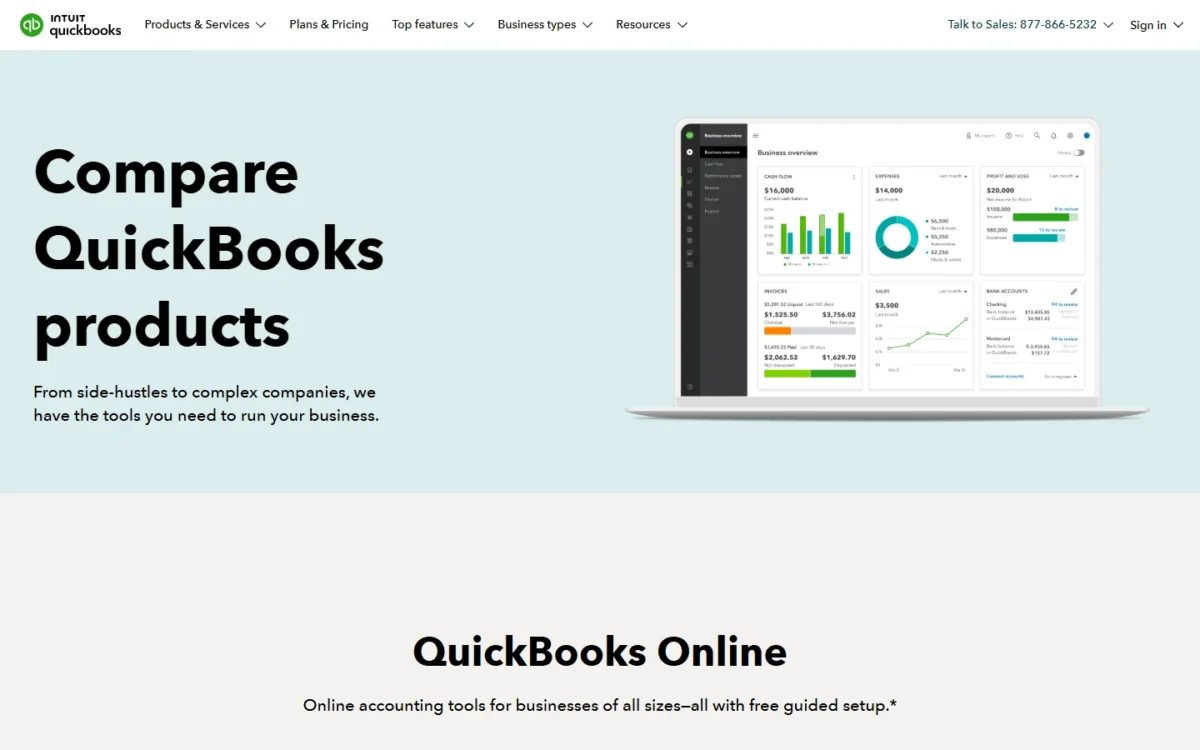
Every paid plan includes automated bookkeeping and AI expense categorization, starting with Simple Start. Plus adds the reconciliation layer: AI that reconciles your books, auto-categorizes and verifies transactions, and finds and fixes anomalies.
Several of these AI items carry a BETA tag, and beta features have very limited availability. I would not buy Plus for reconciliation help alone; buy it for inventory or projects.
Categorization quality depends on your own bank data, so connect your real accounts during the trial and review a month of matched transactions.
Invoicing and QuickBooks Payments
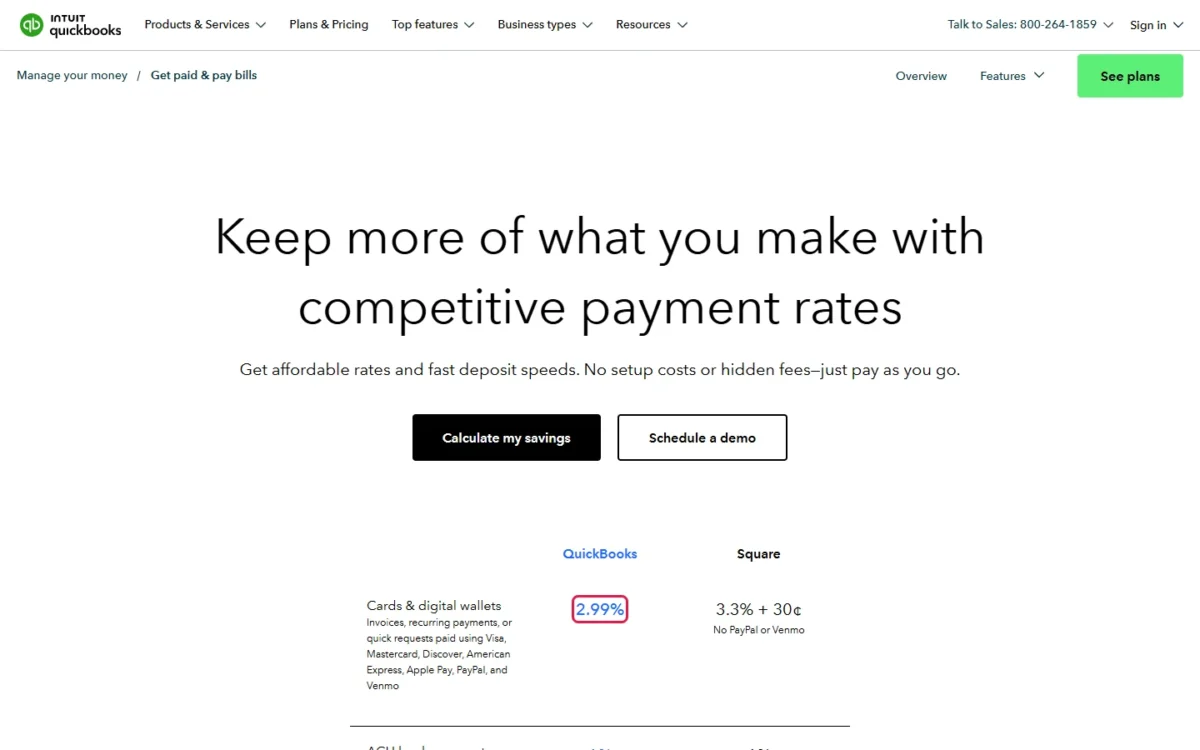
Yes, customers can pay invoices directly from Simple Start up: QuickBooks Payments accepts cards and bank transfers inside the invoice. On the QuickBooks payment rates page, cards and digital wallets cost 2.99% per transaction and ACH bank payments 1%.
Essentials adds employee time to invoices, which matters to a firm that bills hours. Advanced adds batch invoices and expenses, with uploads of up to 1,000 invoice transaction lines at one time.
Reports, budgets and class tracking
Report depth rises with the plan: general reports on Simple Start, enhanced reports on Essentials, and the fullest set on Plus, which also adds budgets and 40 classes and locations.
Advanced lifts the cap with unlimited classes, locations and custom KPIs. A business with two shops or three departments fits inside Plus; one that tags every job, region and salesperson can pass 40.
Inventory and project profitability
Yes, product sellers and project firms need Plus: inventory tracking and project profitability first appear there, not on Essentials.
That gate makes Plus the default plan for anyone who sells physical stock or quotes fixed-price jobs. Intuit publishes no item limit or costing method on its pricing page, so load a sample of your catalog during the trial.
Advanced: user permissions, workflows and Excel sync
Advanced is the only plan with custom user permissions and pre-defined roles, automated workflows and two-way sync with Excel. It also adds Bill Pay Elite with free 1099 e-filing and approval workflows, Priority Circle support for US customers, 25 users and 3 accountant logins.
I would pay for Advanced when approvals or role-based access are a control requirement. A 6-person team that only needs books pays the jump mostly for the 6th seat.
Features matter less if setup stalls, so the next question is how much help a small team gets.
QuickBooks Online Ease of Use
QuickBooks Online gives a new account guided setup from Simple Start; the Free plan has chat support only, and phone support starts with Simple Start. Simple Start includes intelligent onboarding with expert-guided setup, and phone support is included with any current paid subscription.
Intuit’s own FAQ claims it takes about five minutes to get running once bank or card transactions sync. That covers the first sync, not a cleaned-up chart of accounts.
Your accountant joins free on every paid plan, so the person who knows the books can do the setup. The mobile app comes with paid plans only.
The fastest way to judge ease of use is the 30-day trial: connect your bank, send a real invoice and run a month-end report. The trial and the 50% discount cannot be combined (see the FAQ). To see a bank feed at no cost, use the Free plan’s 1 bank connection.
Once setup is settled, the question becomes which plan the team pays for every month.
QuickBooks Online Pricing
QuickBooks Online costs $38, $85, $140 or $340 a month per company for Simple Start, Essentials, Plus and Advanced, billed monthly with no annual contract. New customers who choose the intro offer pay half the base price for the first 3 months.
The price covers the company, not each person: Essentials at $85 a month includes 3 users, so a 3-person team pays the same as one user on that plan.

| Plan | Price per month | First 3 months (50% off) | Users | Accountant logins | What it adds |
|---|---|---|---|---|---|
| Free | $0 | Not applicable | 1 | 0 | 2 invoices a month, 1 bank |
| Simple Start | $38 | $19 | 1 | 2 | Invoicing with Payments, ACH bill pay |
| Essentials | $85 | $42.50 | 3 | 2 | Enhanced reports, time on invoices |
| Plus | $140 | $70 | 5 | 2 | Inventory, projects, budgets, 40 classes |
| Advanced | $340 | $170 | 25 | 3 | Permissions, workflows, Excel sync |
Sources: QuickBooks Online pricing page, US prices in US dollars, checked October 2026.
Headcount sets the plan first and what you sell sets it second. A solo owner buys Simple Start and a team of 2 or 3 buys Essentials. A product seller or project firm with up to 5 users buys Plus, and one with 6 or more buys Advanced.
The limit that forces an upgrade is the user cap: a 4th user moves a team to Plus and a 6th to Advanced. The discount covers the base price only, and from month 4 the plan bills at the then-current price.
What a real team pays in year one
A team’s first year costs less than its second because of the 3-month discount; the table shows both, for the subscription alone.
| Team | Plan | Year one with the 3-month discount | Each later year at today’s list price |
|---|---|---|---|
| 1 user | Simple Start | $19 x 3 = $57 plus $38 x 9 = $342, $399 in all | $38 x 12 = $456 |
| 3 users | Essentials | $42.50 x 3 = $127.50 plus $85 x 9 = $765, $892.50 in all | $85 x 12 = $1,020 |
| 5 users | Plus | $70 x 3 = $210 plus $140 x 9 = $1,260, $1,470 in all | $140 x 12 = $1,680 |
| 10 users | Advanced | $170 x 3 = $510 plus $340 x 9 = $3,060, $3,570 in all | $340 x 12 = $4,080 |
Sources: QuickBooks Online pricing page and its offer terms, checked October 2026.
The step from 5 to 10 users is the number to notice: the yearly subscription more than doubles while the team only doubles. None of these totals include payroll or card fees.
The list price is only the base; payroll and card fees decide the real monthly bill.
Payroll and Payments: The Add-On Costs
Payroll is a separate QuickBooks Workforce subscription at $50, $88 or $134 a month plus $7, $13 or $17 per employee, and card payments on invoices cost 2.99% each.
| Workforce plan | Base per month | Per employee per month | What it adds |
|---|---|---|---|
| Workforce Payroll | $50 | $7 | Full-service payroll, auto payroll, next-day direct deposit, 1099 e-file |
| Workforce Premium | $88 | $13 | Same-day direct deposit, time tracking, hiring and HR tools, expert setup review |
| Workforce Elite | $134 | $17 | Expert setup, tax penalty protection, personal HR advisor |
Sources: QuickBooks Workforce pricing and payroll bundles, checked October 2026.
The bundles save nothing at list price: Workforce Payroll + Essentials is $135 + $7 per employee, which equals $85 + $50.
Payroll fees moved this month. Intuit’s payroll page as archived on October 10, 2026 listed $10 per employee on Workforce Premium + Plus; the live page on October 21 lists $13. The bundle’s base price changed too, from $203 to $228 a month.
A 10-employee business on Workforce Premium + Plus pays $228 plus $13 x 10 = $130, which is $358 a month at list price.
Discount note
The 50% intro discount and the 30-day trial apply to the monthly base price only. Per-employee fees, per-contractor fees and state tax filing fees for QuickBooks Workforce are charged in full from the first month.
Payroll taxes are automated for state and federal only, and Workforce Payroll does not offer local tax payments and filings. Automatic state new-hire filings come only with Premium and Elite.
Card fees are the other variable cost. QuickBooks Payments charges no monthly fee: ACH costs 1%, in-person cards 2.5%, keyed-in cards 3.5% and instant deposit 1.75% per transaction. Against 2.99% for cards, steering B2B clients to ACH cuts the fee on each invoice by about two thirds.
A business processing over $2,500 a month could also qualify for up to 25% off transaction costs.
ACH bill payments are free within monthly allotments and $0.50 per standard ACH transaction above them. Intuit does not publish the allotment size.
Costs climb with headcount, which raises the next question: which limit pushes a team to the next plan?
Limits That Force a QuickBooks Online Upgrade
User count forces most upgrades: the 2nd, 4th and 6th user each push a team up one plan, and inventory, projects or approvals can force the same move earlier.
| What you need | Move | Monthly change at list price |
|---|---|---|
| A 3rd invoice in a month, a 2nd bank, an accountant login or the mobile app | Free to Simple Start | $38 – $0 = $38 more |
| A 2nd user | Simple Start to Essentials | $85 – $38 = $47 more |
| A 4th user, inventory tracking or project profitability | Essentials to Plus | $140 – $85 = $55 more |
| A 6th user, a 41st class or location, custom permissions or approval workflows | Plus to Advanced | $340 – $140 = $200 more |
Sources: QuickBooks Online pricing page, checked October 2026.
A service firm that costs its jobs meets the project gate at Plus, and a product seller meets the inventory gate there too. Accountants use their own free logins, so a 3-person team plus its bookkeeper still fits Essentials.
You can switch plans at any time, so start low and move up when the trigger arrives rather than buying Advanced in advance.
Knowing the triggers, the fit becomes clear.
Who Should Use QuickBooks Online?
QuickBooks Online fits 2-5 person US businesses that work with an accountant, sell products or bill by project, and want payroll from the same vendor. It does not fit a solo owner who only invoices.
Best for
- A 2-5 person service firm that bills by project and shares books with an outside accountant (Plus)
- A product seller with up to 5 users that needs inventory in the ledger (Plus)
- A small employer adding payroll in the same account (Workforce Payroll)
- A team of 6 to 25 that needs role-based permissions and approval workflows (Advanced)
Not ideal for
- A solo owner who sends a few invoices a month: Wave’s Starter plan is $0 with unlimited invoices
- A 6-10 person team that needs only core books: Zoho Books Premium covers 10 users for $70 a month, billed monthly
- A freelancer billing up to 5 clients: FreshBooks Lite is $23 a month
- An employer that wants local payroll taxes filed automatically: Workforce automates state and federal filings only
If QuickBooks Online fits only partly, a rival may cover the gap for less.
QuickBooks Online vs Competitors
QuickBooks Online lists the highest paid entry price of the five products below: $38 a month for Simple Start against $19 to $27 for the rivals’ lowest paid plans. What it buys is payroll, payments and accountant logins from one vendor.
| Software | Best for | Starting price | Key difference | Main trade-off |
|---|---|---|---|---|
| QuickBooks Online | 2-5 person US firms with an accountant | $38 a month (Simple Start, 1 user) | Payroll, payments and accountant logins from one vendor | User caps force plan jumps |
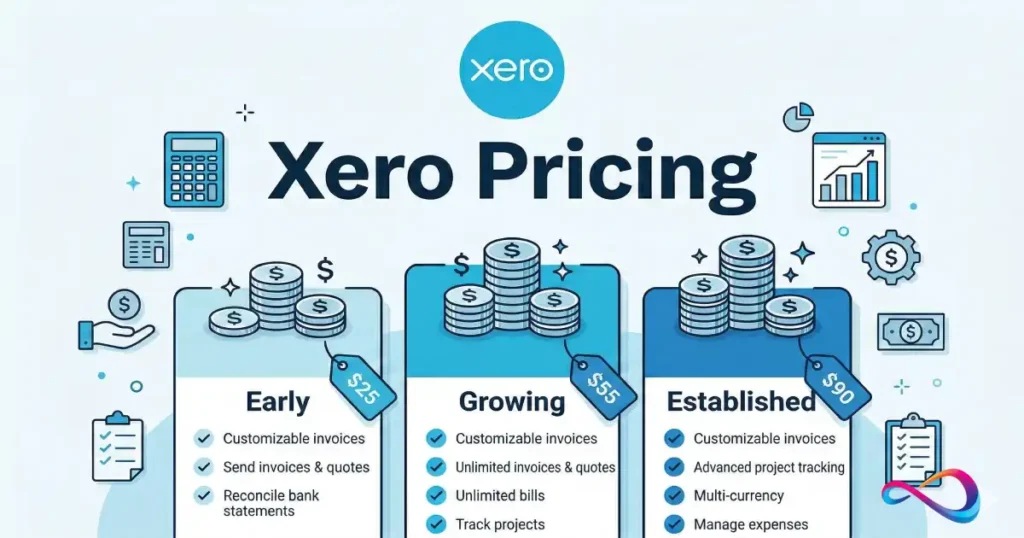
| Xero | Small businesses that want a lower list price | $27 a month (Early) after the intro offer | Lower list price at each step: Growing $59 vs Essentials $85, Established $97 vs Plus $140 a month | Early caps 20 invoices and 5 bills |
| Zoho Books | Cost-sensitive teams with several users | $0 (Free); Standard $20 a month | Professional covers 5 users, inventory and projects for $50 a month | Free plan only under $50K revenue |
| FreshBooks | Service freelancers who mostly invoice | $23 a month (Lite) | Plans priced by billable clients | Lite caps 5 billable clients |
| Wave | Solo owners on a $0 budget | $0 (Starter) | Unlimited invoices and bookkeeping records for free | Auto-import of bank transactions is listed on Pro, $19 a month |
Sources: QuickBooks Online pricing, Xero US pricing, Zoho Books pricing, FreshBooks pricing and Wave pricing, checked October 2026.
Xero sells three tiered plans, Early, Growing and Established, and my Xero review covers where it fits.
Before you compare plan by plan, check Xero’s plan prices, since Early’s 20-invoice limit decides whether you can start there.
Zoho Books is the value pick for headcount, with inventory and projects on a cheaper plan than Plus. FreshBooks and Wave suit owners whose main job is invoicing.
Best QuickBooks Online Alternatives
The right alternative depends on which part of QuickBooks Online you pay for and do not use.
If payroll is the main need and the books are simple, I would read my Gusto review before adding a Workforce plan.
If the problem is user count, Zoho Books Premium covers 10 users for $70 a month, billed monthly, where 10 users on QuickBooks Online need Advanced at $340 a month. A solo owner who mostly sends invoices gets that job done on Wave’s free Starter plan.
How I Evaluated QuickBooks Online
This review rests on Intuit’s own US pages, read on October 21, 2026. They are the QuickBooks Online pricing page with its offer terms, the Workforce payroll pricing and the payment rates page.
I also read the QuickBooks Online Advanced page and Internet Archive copies of the pricing page (October 18, 2026) and the payroll page (October 10, 2026). Rival prices come from each vendor’s US pricing page, read the same day.
The analysis is my own cost math: the year-one table, the payroll example and the upgrade triggers. Prices are US list prices; the QuickBooks pricing pages do not state whether tax is included.
Intuit’s pricing pages give no size for the Bill Pay ACH allotments (“Allotments may vary”) and no amount for the Workforce state filing fees. I did not find an inventory item limit on the pages I read. Bank feed categorization depends on your own accounts, which the trial lets you check.
FAQ
Can I combine the 50% discount with the 30-day free trial?
No. Offers for the same product cannot be combined, so a new customer on a monthly plan picks one. On Essentials the trial saves one $85 month, while the discount saves $42.50 x 3 = $127.50, so take the trial only if you are still unsure.
Why do some CPAs not like QuickBooks Online?
The documented friction is about access. The Free plan gives an accountant no access, paid plans include 2 accountant logins (3 on Advanced), and custom user permissions exist only on Advanced. Ask your accountant which plan they need you on before you buy.
Why are people leaving QuickBooks?
The documented cost drivers are the full price from month 4, plan jumps at the 4th and 6th user, and per-employee payroll fees outside any discount. Zoho Books lists a $0 plan for businesses under $50K in revenue, and Wave’s Starter plan is $0.
QuickBooks Online Review: Final Verdict
Yes, QuickBooks Online is worth it for a 2-5 person US business that works with an accountant. Buy Essentials for 2 or 3 users, or Plus for 4 or 5 users or once you track inventory or projects.
It is not worth it for a solo invoicer, who can start on Wave’s free plan. A 6-10 person team that needs only basic books would pay mostly for Advanced’s seats.
The biggest trade-off is the user cap: the bill does not grow smoothly with the team. Before you sign up, count users for the next 12 months, employees on payroll, and the share of invoices paid by card.