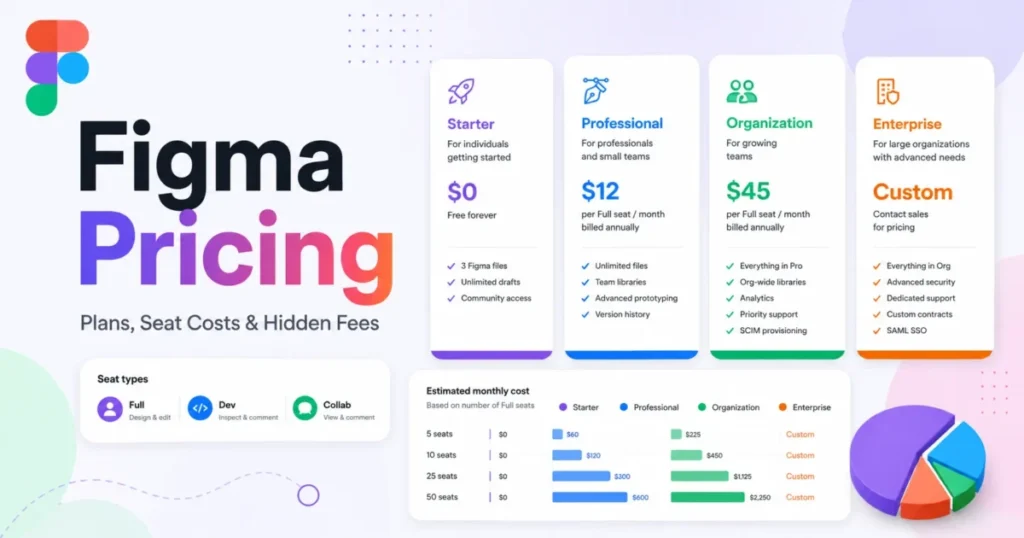
Figma Professional is the best UI/UX design tool for a cross-functional product team, at $16 per Full seat per month on annual billing. Penpot is the free choice for teams of up to 8 members.
Beyond those two, the best UI/UX design tools split by the artifact you ship: a Mac file, a live site, a coded or sensor prototype, a wireframe or an AI mockup. I ranked 10 tools by that job and by what five editors pay per year, with prices checked on October 17, 2026.
Quick verdict
For most product teams, Figma Professional is the pick over free Penpot. Each Full seat, $16 per month on annual billing, adds 3,000 AI credits a month and the MCP Server; Penpot’s free plan stops at 8 members and lists no AI credits.
Sketch fits Mac-only teams at $12 per editor per month billed yearly, and Framer fits teams whose design is the website.
The trade-off: UXPin Core ($29), ProtoPie Pro ($47) and Axure RP Team ($49) cost $29 to $49 per seat per month in each vendor’s annual view for one specialist job, so buy them for that job only.

Figma
Best for: cross-functional product teams
Professional adds team libraries and Dev Mode, which the free Starter plan lacks.
Limit: Starter stops at 3 Figma Design and Sites files

Penpot
Best for: the free option for small teams
Professional costs $0 per user for up to 8 members with unlimited viewers.
Limit: 7 days of autosave versions on the free plan

Framer
Best for: designs that ship as a live website
The design publishes as the site, with CMS and hosting from $10 a month on yearly billing.
Limit: on paid plans, each additional editor is billed per seat

Uizard
Best for: AI mockups without design skills
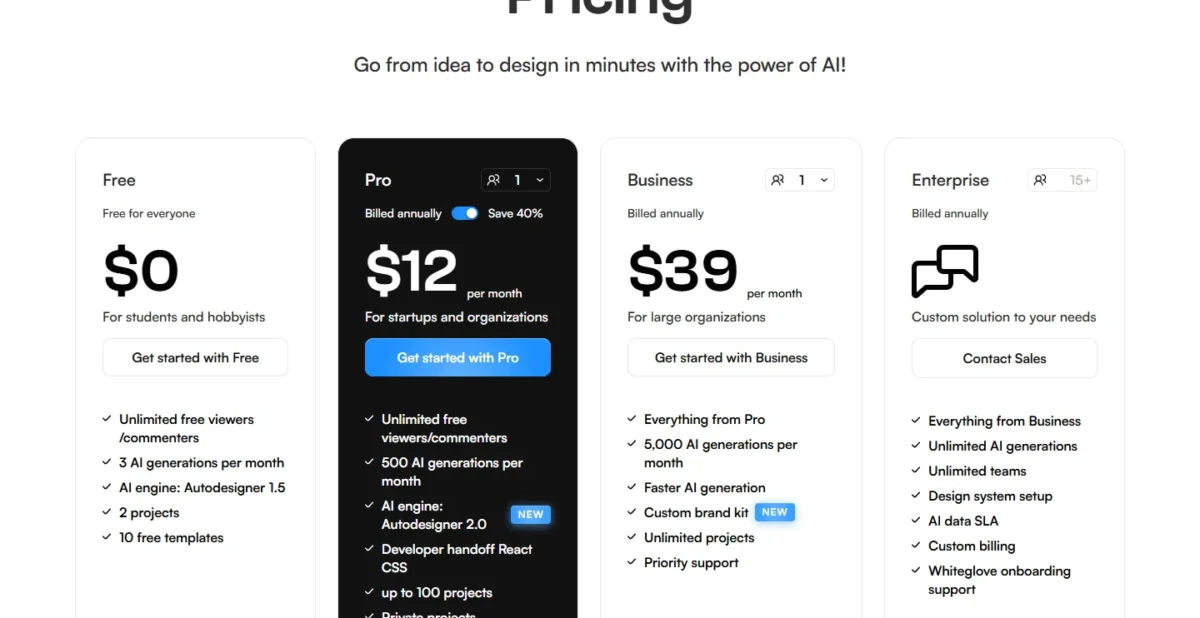
Pro includes 500 AI generations a month for $12 a month, billed annually.
Limit: no whole-project export to HTML or JavaScript
| Software | Best for | Starting price | Free plan or trial | Standout feature | Key limitation |
|---|---|---|---|---|---|
| Figma | Cross-functional teams | $16 per Full seat per month, billed annually | Starter free plan | Dev Mode, team libraries | Starter: 3 design and Sites files |
| Penpot | Free option for small teams | $0 per user per month | Free plan | Design tokens, Inspect code | 7 days of versions free |
| Sketch | Mac-only teams | $12 per editor per month, billed yearly | 30-day trial | Native Mac app | Design runs in the Mac app |
| Framer | Live websites | $10 per month (Basic), yearly billing | Free plan | Design publishes as the site | Editors billed per seat |
| UXPin | Coded React prototypes | $29 per seat per month, billed annually | Free plan; 14-day trial | Built-in coded libraries | Own library on Enterprise |
| Axure RP | Documented logic prototypes | $29 per user per month, Annual view | Free education license | Unlimited reviewers | Checked-out pages lock |
| ProtoPie | Sensor and multi-device prototypes | $25 per month, Yearly view (Basic) | Free plan | Native device sensors | Basic is 1 seat only |
| Balsamiq | Low-fidelity wireframes | $16 per editor per month, billed annually | 14-day trial | Unlimited reviewers | Starter: 10 projects |
| Uizard | AI mockups for non-designers | $12 per month, billed annually | Free plan | Screens from text | No whole-project code export |
| UX Pilot | AI-generated screens | $19 per month, billed annually (Pro) | Free plan | Design export and GitHub code sync | Free has no design or code export |
Sources: Figma pricing, Penpot pricing, Sketch pricing, Framer pricing, UXPin pricing, Axure RP pricing, ProtoPie plans, Balsamiq pricing, Uizard pricing, UX Pilot plans, checked October 2026.
In This Article (17 sections)
How I Chose the Best UI/UX Design Tools
I considered the 10 tools ranked below plus the 4 under Also Considered (10 + 4 = 14), each checked on its own pricing and documentation pages in October 2026.
Two must-haves removed tools first: the tool edits UI screens (not only whiteboards or research studies), and its vendor publishes a price. I then ranked by job fit, cost for five editors, the working plan’s first limit, handoff output and the AI allowance.
The evidence is the vendors’ official pricing pages and documentation, plus my analysis; no tool was used in an account for this list.
| Software | Free plan | Free reviewers | Developer handoff | AI on the entry paid plan |
|---|---|---|---|---|
| Figma | Starter | Paid plans | Professional (Dev Mode) | 3,000 credits per Full seat |
| Penpot | Professional | Professional | Inspect (user guide) | Not listed |
| Sketch | 30-day trial | Standard | Standard | Not listed |
| Framer | Free | Viewers free | Publishes the site | Basic: 1,000 credits |
| UXPin | Free | Not listed by plan | Not listed by plan | Core: 200 credits |
| Axure RP | Education license | RP Pro | Not listed | Not listed |
| ProtoPie | Free | Not listed | Basic (1 handoff recording) | Basic, amount not listed |
| Balsamiq | 14-day trial | Starter | Not listed | Starter: 500 per editor |
| Uizard | Free | Free | Pro (React, CSS) | Pro: 500 generations |
| UX Pilot | Free | Not listed | Pro (design and code export) | Pro: 750 credits |
Sources: the pricing pages linked under the comparison table, plus Figma’s Starter plan overview, checked October 2026.
1. Figma: Best for Cross-Functional Product Teams
- Starting price: $16 per Full seat per month, billed annually
- Standout feature: advanced Dev Mode inspection and the MCP Server on Professional
- Integrations: REST API and MCP connectors
Figma leads because its first paid plan closes the two gaps a shared workflow hits on the free plan. Figma’s Starter overview lists no team libraries and no Dev Mode on Starter.
Professional adds team-wide design libraries, advanced Dev Mode inspection and the MCP Server. On any paid plan, others can view and comment without extra seats, so a PM or client reviewer who only views and comments needs no seat.
Free Penpot also documents libraries and Inspect, so the case for paying rests on two lines of the pricing pages. Each Figma Professional Full seat carries 3,000 AI credits a month, while Penpot’s pricing page lists no AI credits and its free plan stops at 8 team members.
Figma Make is the AI layer: what it builds is code-backed and visually editable, and Make kits sync npm packages and library styles. My Figma review covers the editor and Dev Mode in more depth.
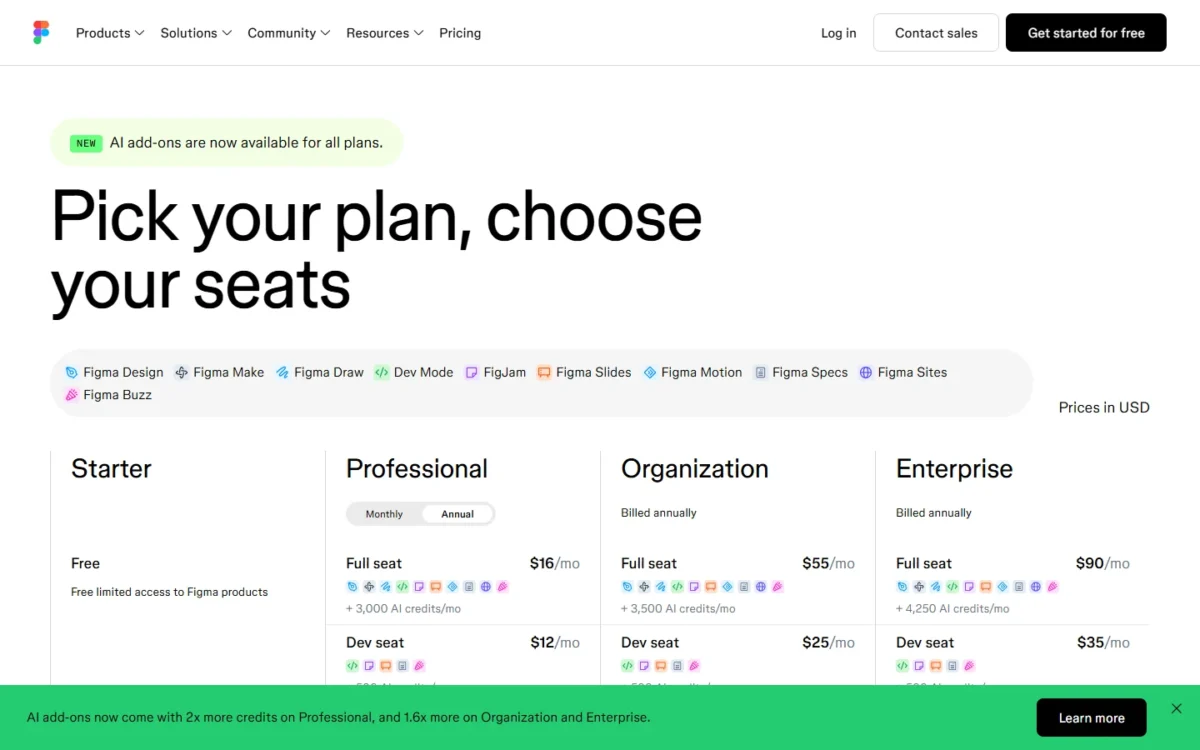
A Full seat is $16 per month on annual billing or $20 monthly, and an engineer who only inspects can take a $12 Dev seat.
The $3 Collab seat adds full access to FigJam, Figma Slides, Figma Buzz and Figma Specs; a reviewer who only views and comments does not need it. Five Full seats cost 5 × $16 × 12 = $960 a year on annual billing.
| Plan | Price | Billing | Key limit |
|---|---|---|---|
| Starter | $0 | Free | 3 Figma Design and Sites files |
| Professional, Full seat | $16 per seat per month | Annual ($20 monthly) | 3,000 AI credits a month |
| Professional, Dev seat | $12 per seat per month | Annual ($15 monthly) | 500 AI credits a month |
| Professional, Collab seat | $3 per seat per month | Annual ($5 monthly) | Adds FigJam, Slides, Buzz and Specs |
| Organization, Full seat | $55 per seat per month | Billed annually | Admins approve new paid seats |
| Enterprise, Full seat | $90 per seat per month | Billed annually | Downgrades go through sales |
Sources: Figma pricing, annual and monthly views, checked October 2026.
The Figma pricing guide works out the Full, Dev and Collab mix for teams past five seats.
Pros
- Reviewers view and comment free on paid plans
- Team libraries and Dev Mode on the entry paid plan
- Engineers can take a $12 Dev seat instead of a $16 Full seat
Cons
- Starter stops at 3 Figma Design and Sites files in one folder
- Monthly billing raises the Full seat from $16 to $20
- Starter keeps only 30 days of version history
- Skip it if:
- you are one or two designers on a $0 budget, because Starter caps the shared folder at 3 design files, while Penpot’s free plan lists no file limits within its 10GB for up to 8 members.
2. Penpot: Best Free Option for Small Teams
- Starting price: $0 per user per month (Professional)
- Standout feature: design tokens and an Inspect mode with production-ready code
- Integrations: open source, with a self-host option
Penpot Professional is a free plan with no file limits for up to 8 team members, so a small team can skip the seat bill. Files count only against its 10GB of storage, viewers are unlimited, and every plan carries the same core features.
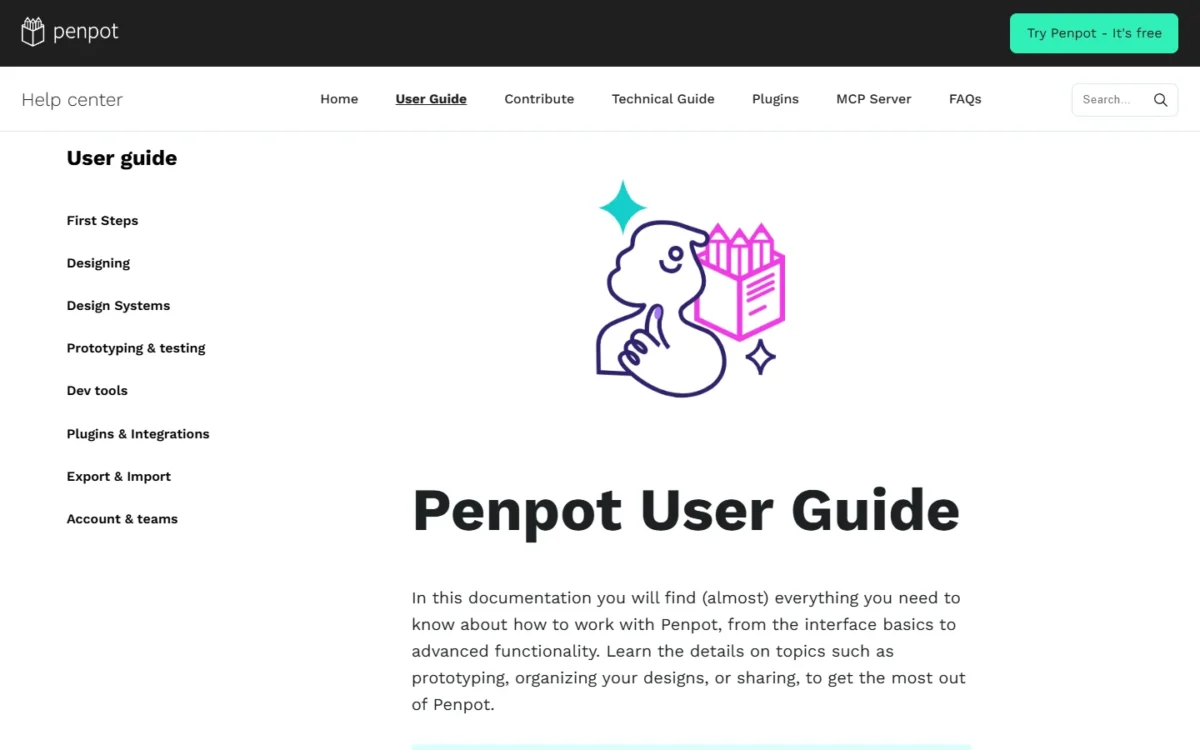
The Penpot user guide documents flexible layouts, components, variants, design tokens, prototyping, libraries and Inspect, which gives developers production-ready code.
The free plan’s real limit is recovery. Professional keeps 7 days of autosave versions and file recovery inside 10GB, so a mistake found after a week cannot be rolled back from Penpot’s history.
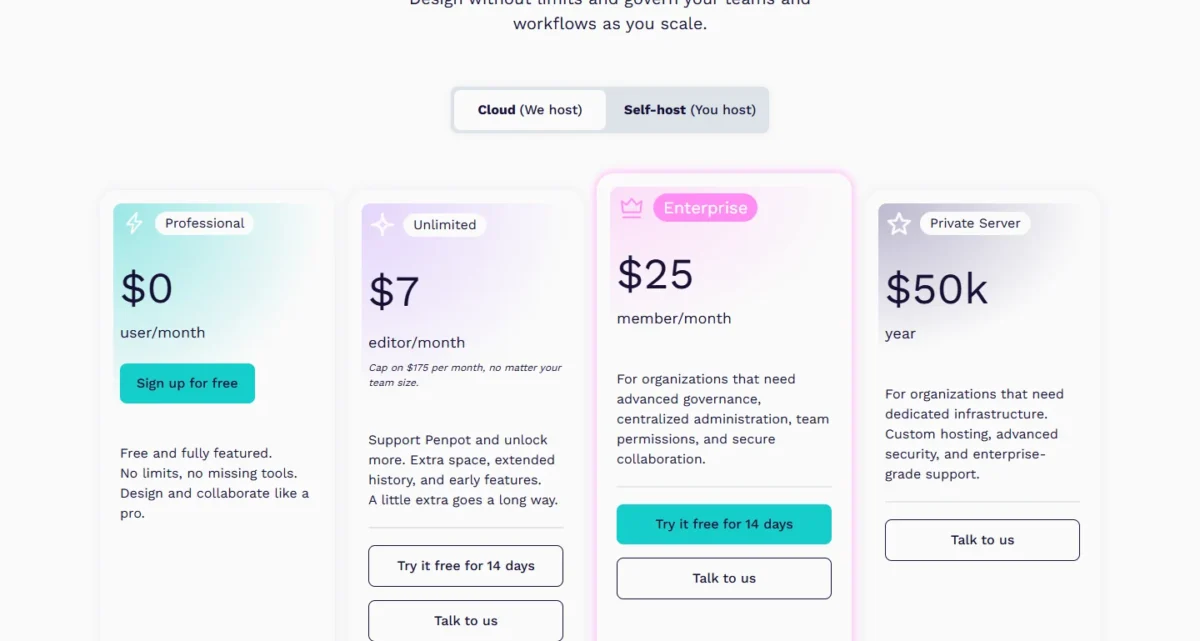
Unlimited costs $7 per editor per month, capped at $175 a month whatever the team size, so the cap saves money only above 25 editors (25 × $7 = $175). Five editors on Unlimited pay 5 × $7 × 12 = $420 a year for 25GB and 30 days of versions.
| Plan | Price | Unit | Key limit |
|---|---|---|---|
| Professional | $0 per user per month | Per user | 8 members, 10GB, 7 days of versions |
| Unlimited | $7 per editor per month | Capped at $175 per month | 25GB, 30 days of versions |
| Enterprise | $25 per member per month | Per member | Advanced governance |
| Private Server | $50k per year | Per year | Dedicated infrastructure |
Sources: Penpot pricing, checked October 2026.
Pros
- $0 for up to 8 team members with unlimited viewers
- The same core features on every plan, per the pricing page
- Unlimited’s $175 monthly cap holds whatever the team size
Cons
- 7 days of autosave versions and file recovery on Professional
- 10GB of storage on the free plan
- A ninth team member means a paid plan
- Skip it if:
- you need more than 7 days of version history, because that starts on Unlimited at $7 per editor per month.
3. Sketch: Best for Mac-Only Design Teams
- Starting price: $12 per editor per month, billed yearly (Standard)
- Standout feature: a native Mac app for offline or real-time design
- Integrations: plugins and the MCP Server in the website build
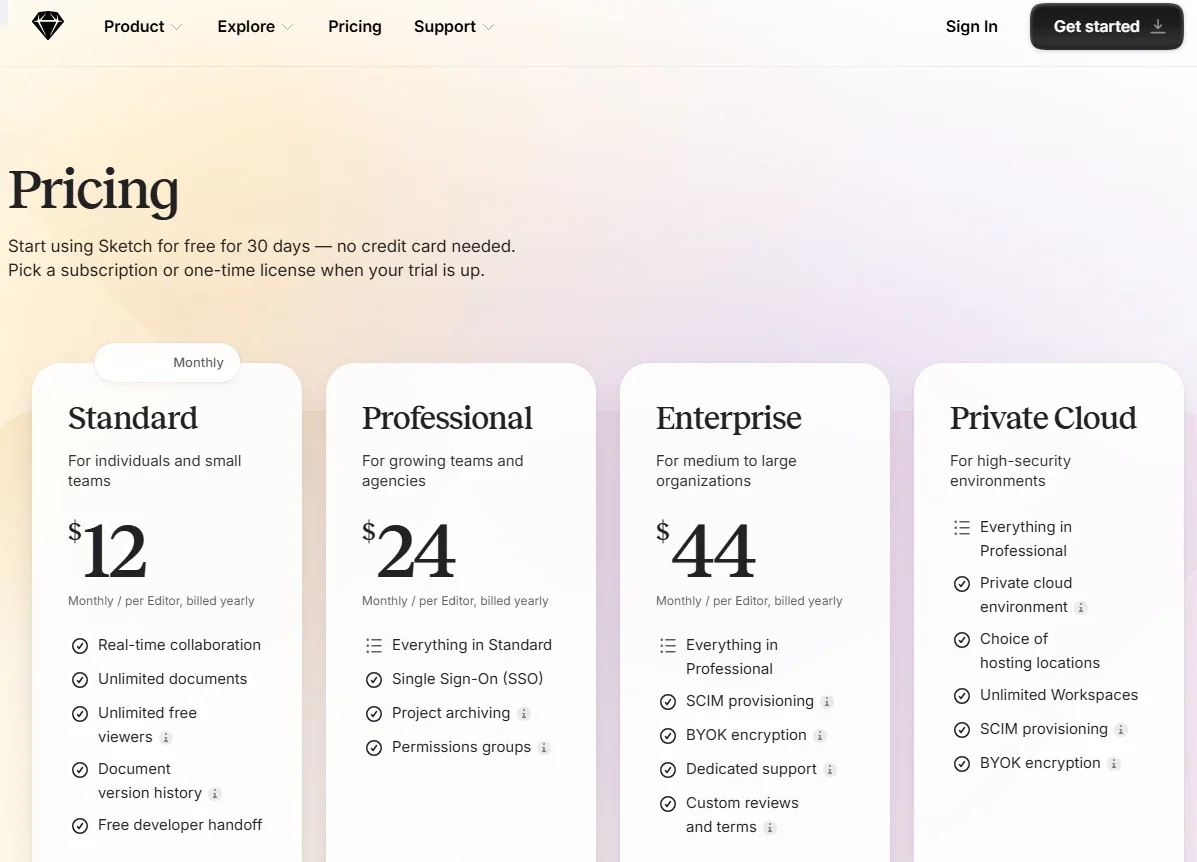
Sketch’s buying question is which build you install, not only which plan you pay for. Standard includes real-time collaboration, unlimited documents, unlimited free viewers and free developer handoff. Viewers inspect files and download assets in a browser, so an engineer on Windows gets handoff without an editor seat.
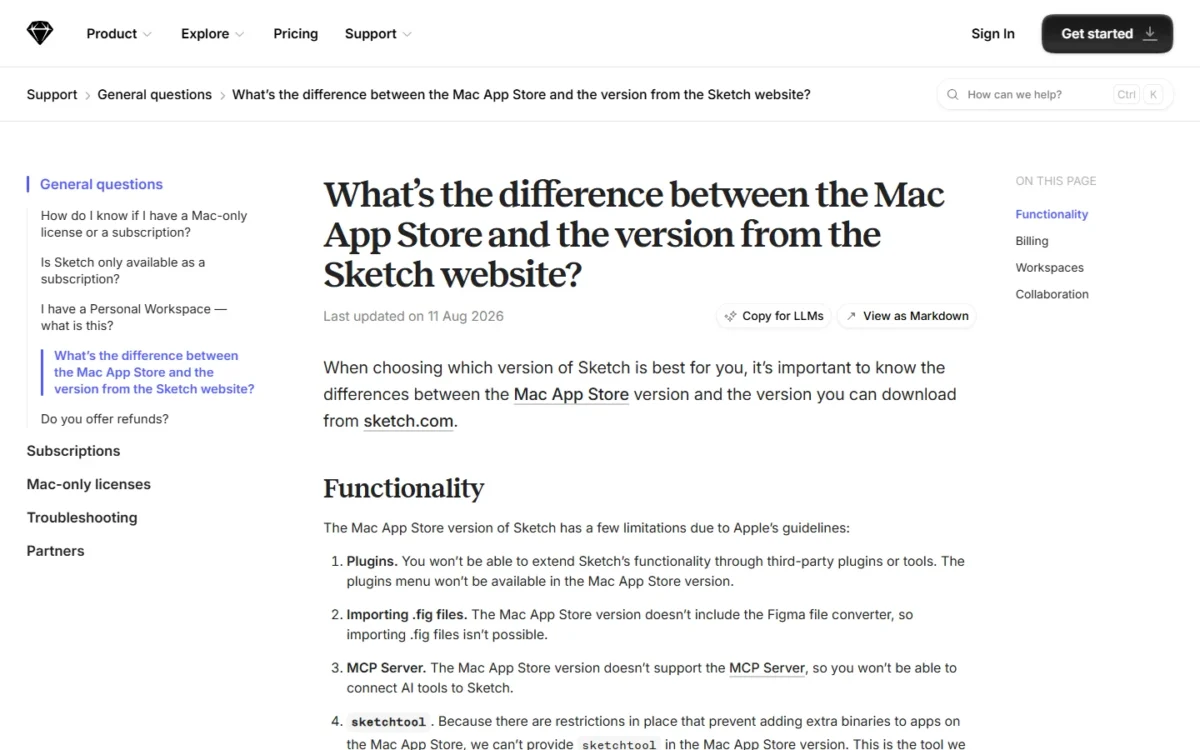
The trap is the Mac App Store build. Sketch’s support page, updated 11 Aug 2026, says that build has no plugins, no .fig import and no MCP Server. A subscription started there allows only one Editor per Workspace.
Billed monthly, Standard is $14 per editor instead of $12. Professional at $24 adds SSO and permission groups, and Enterprise at $44 adds SCIM and BYOK encryption, per editor per month billed yearly.
Five editors on Standard pay 5 × $12 × 12 = $720 a year on yearly billing.
| Plan | Price | Billing | What changes |
|---|---|---|---|
| Standard | $12 per editor per month | Billed yearly ($14 billed monthly) | Free viewers and handoff |
| Professional | $24 per editor per month | Billed yearly | Adds SSO |
| Enterprise | $44 per editor per month | Billed yearly | Adds SCIM, BYOK encryption |
| Mac-only license | $120 per seat | One year of updates | No collaborative features |
Sources: Sketch pricing, Yearly and Monthly views in US dollars, checked October 2026.
Pros
- Unlimited free Viewers who inspect files and download assets
- A native Mac app for offline design and prototyping
- A 30-day trial with no credit card
Cons
- No free plan, by Sketch’s stated policy
- The App Store build allows one Editor per Workspace
- SSO starts on Professional at $24 per editor per month
- Skip it if:
- anyone who designs works on Windows or Linux, because Sketch lists design in its native Mac app and the browser for Viewers.
4. Framer: Best for Designs That Ship as a Live Website
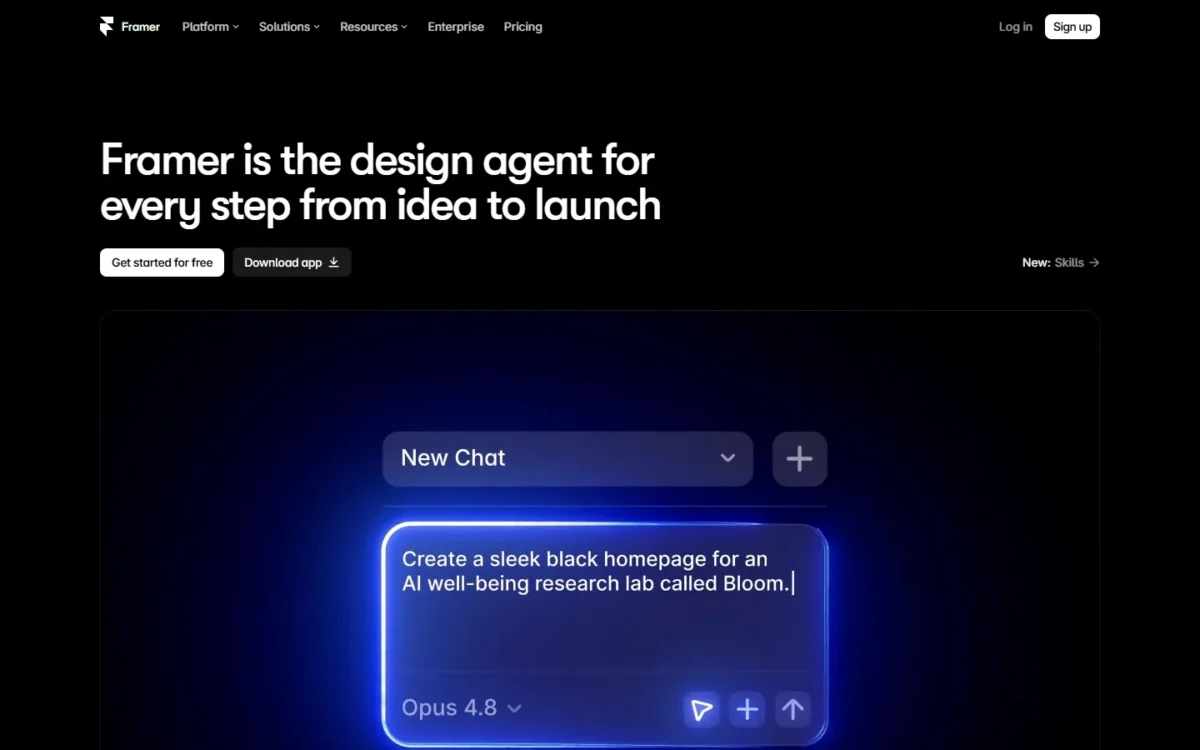
- Starting price: $10 per month for Basic, yearly billing
- Standout feature: the design publishes as the site, with CMS and hosting
- Seats: up to 10 with edit access on Basic and Pro
Framer removes the rebuild step: the page you design is the page Framer hosts. That makes it right when the output is a marketing site.
A Framer workspace without a subscription supports collaboration with up to three editors; on paid plans, each additional editor is billed per seat.
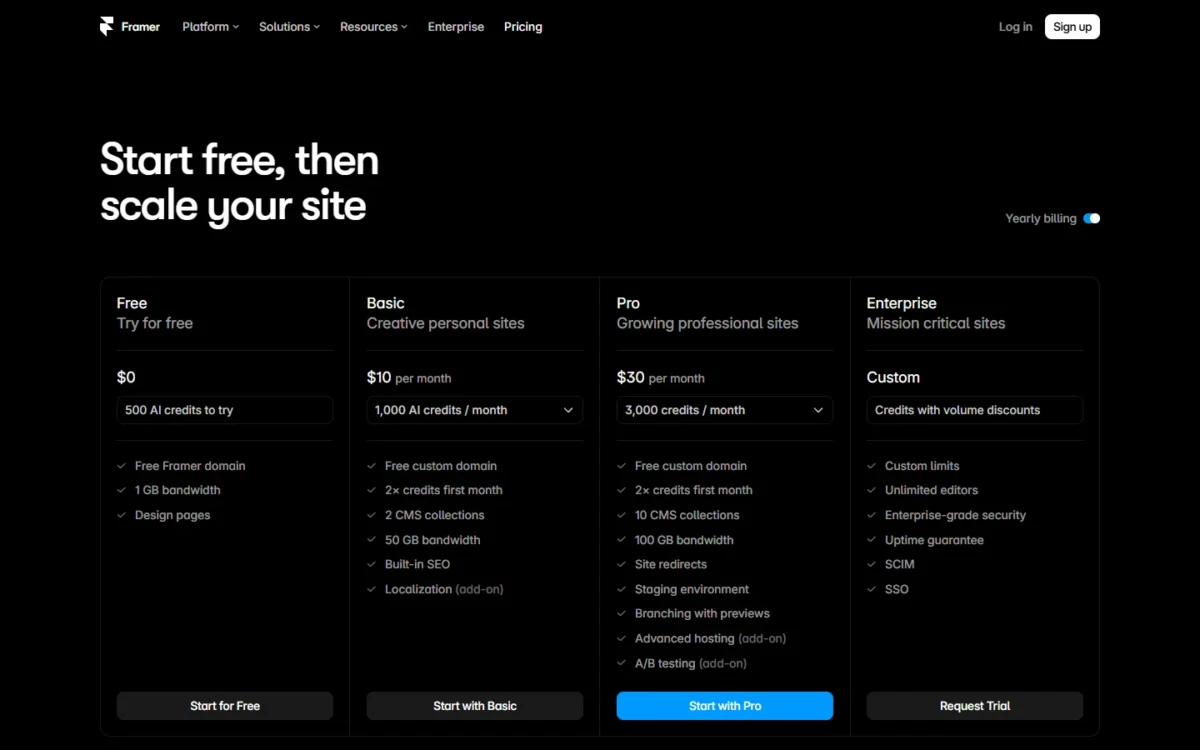
Basic covers 30 pages, 2 CMS collections and 50 GB of bandwidth; Pro raises that to 150 pages, 10 collections and 100 GB, and adds staging and branching.
Bandwidth is the limit to watch. Framer’s bandwidth help article says ongoing overages may bring an automatic upgrade or an overage fee.
Basic is $10 and Pro $30 per month on yearly billing. Additional editors cost $20 a month each on yearly billing; viewers and the workspace owner are free. Four extra editors add 4 × $20 × 12 = $960 a year.
| Plan | Price | Billing | Key limit |
|---|---|---|---|
| Free | $0 | No charge | 1 GB bandwidth, Framer domain |
| Basic | $10 per month | Yearly ($15 monthly) | 30 pages, 50 GB bandwidth |
| Pro | $30 per month | Yearly ($45 monthly) | 100 GB, then $40 per 100 GB |
| Additional editor | $20 per editor per month | Yearly ($30 monthly) | Viewers are free |
Sources: Framer pricing, yearly and monthly views, checked October 2026.
If the site will outgrow Basic, price Pro’s limits first with my Framer pricing breakdown.
Pros
- Design, CMS and hosting in one tool
- Viewers comment for free
- 1,000 AI credits a month on Basic for Agents and Localization
Cons
- Basic stops at 30 pages and 2 CMS collections
- Ongoing bandwidth overage can trigger an automatic upgrade
- A custom domain needs a paid plan
- Skip it if:
- your engineers rebuild screens in a React or native codebase, because Framer publishes a hosted site.
5. UXPin: Best for Prototypes Built From Coded React Components
- Starting price: $29 per seat per month, billed annually (Core)
- Standout feature: MUI, Bootstrap, Tailwind and Ant Design components on Core
- Integrations: Figma plugin, Sketch import, Storybook, Git, Slack and Jira
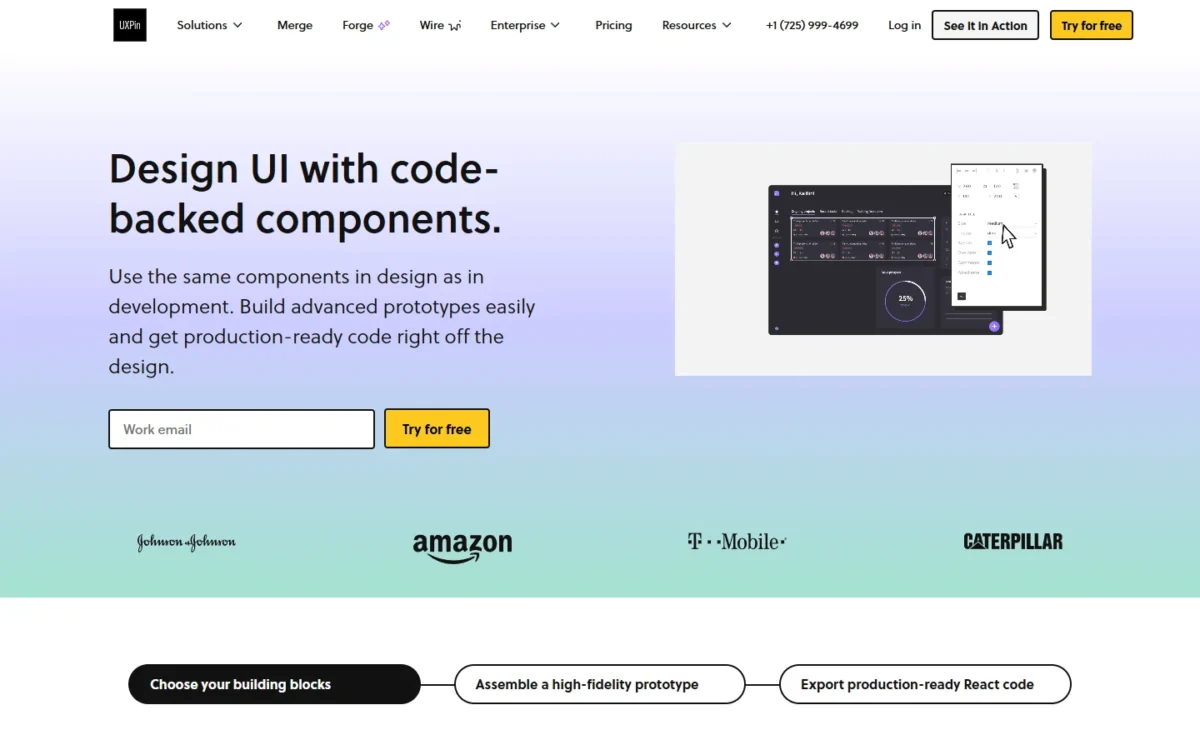
UXPin Core already ships coded libraries, but the reason to shortlist UXPin, designing with your own components from Git or Storybook, sits on Enterprise.
Core adds conditional logic, variables and expressions, 200 AI credits a month and 7-day version history. Growth adds Storybook integration, SSO and 2FA, and 30-day history.
UXPin Merge imports coded React components from a Git repository and keeps them synchronized with the source code, so a prototype uses the components developers already ship.
Core is $29 and Growth $40 per seat per month on annual billing, or $49 and $69 on monthly billing; Enterprise is a custom price. Five seats on Core cost 5 × $29 × 12 = $1,740 a year.
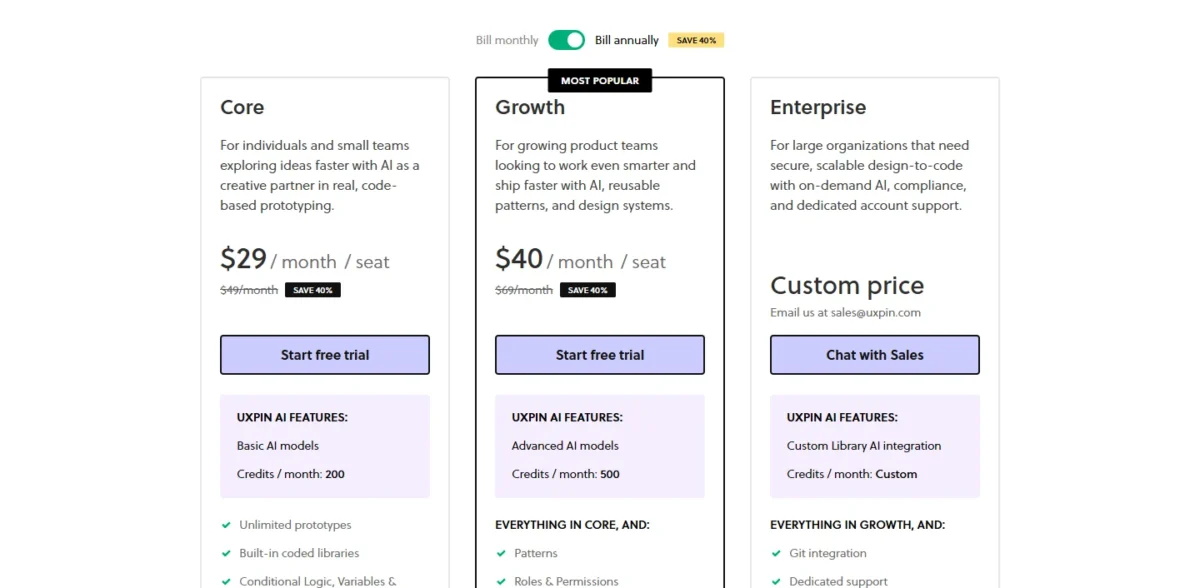
| Plan | Price | Billing | Key limit |
|---|---|---|---|
| Free | $0 | After the 14-day trial | 2 prototypes, 50 AI credits |
| Core | $29 per seat per month | Annual ($49 monthly) | 7-day version history |
| Growth | $40 per seat per month | Annual ($69 monthly) | No custom library sync |
| Enterprise | Custom price | Sales | Own library from Git or Storybook |
Sources: UXPin pricing, checked October 2026.
Pros
- Four coded libraries on Core, not only on the top plan
- Merge syncs React components from Git
- A 14-day trial of all features without a card
Cons
- Your own component library is Enterprise-only
- Monthly billing raises Core from $29 to $49 per seat
- The Free plan stops at 2 prototypes
- Skip it if:
- you need your own design system in the editor but cannot buy Enterprise, because Core and Growth stop at UXPin’s built-in libraries.
6. Axure RP: Best for Logic-Heavy, Documented Prototypes
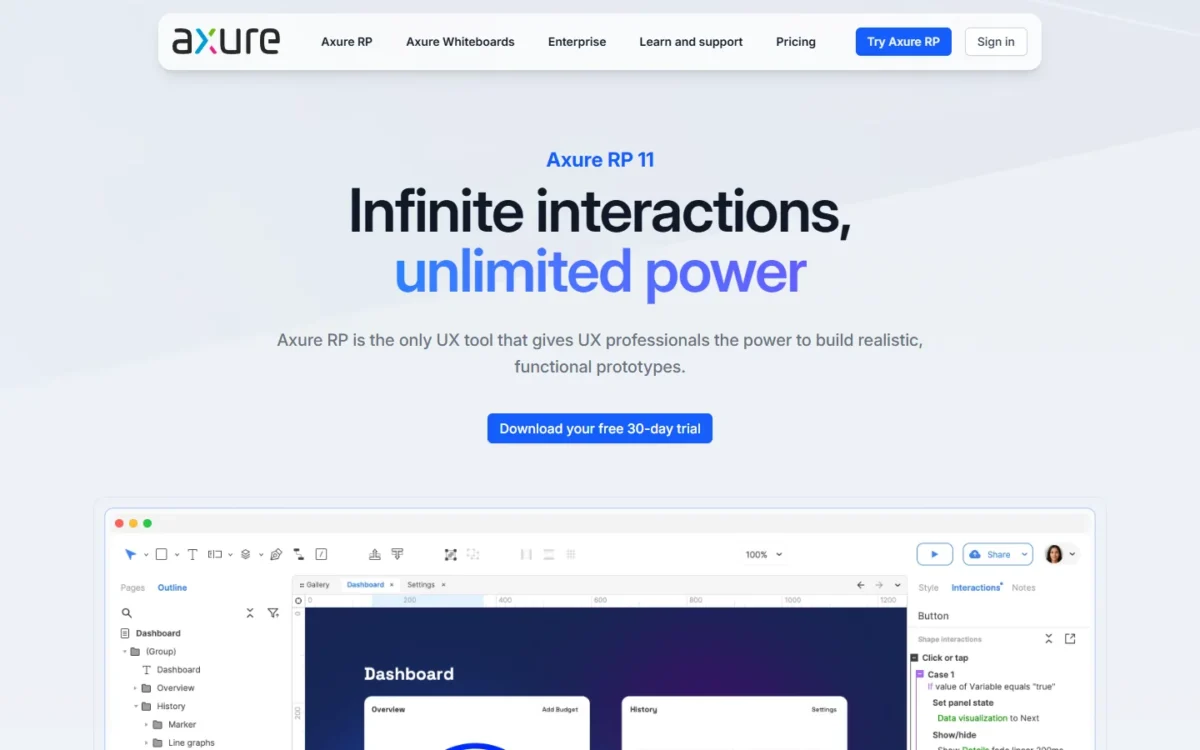
- Starting price: $29 per user per month in the Annual view (Axure RP Pro)
- Standout feature: functional no-code prototypes with wireframes, diagrams and documentation
- Free access: a free Team license for qualified students and educators
Axure RP is built for the prototype that doubles as a specification. RP Pro includes unlimited prototypes, unlimited reviewers and unlimited projects on Axure Cloud, with wireframes, diagrams and documentation in the same file.
Collaboration is where the edition matters. Team projects need RP Team or Enterprise, and Axure’s team projects overview says a checked-out page cannot be edited by anyone else until it is checked back in.
RP Pro is $29 and RP Team $49 per user per month in the pricing page’s Annual view, or $34 and $57 in its Monthly view. Axure no longer offers perpetual licenses, and nonprofits and educational institutions get a 60% discount.
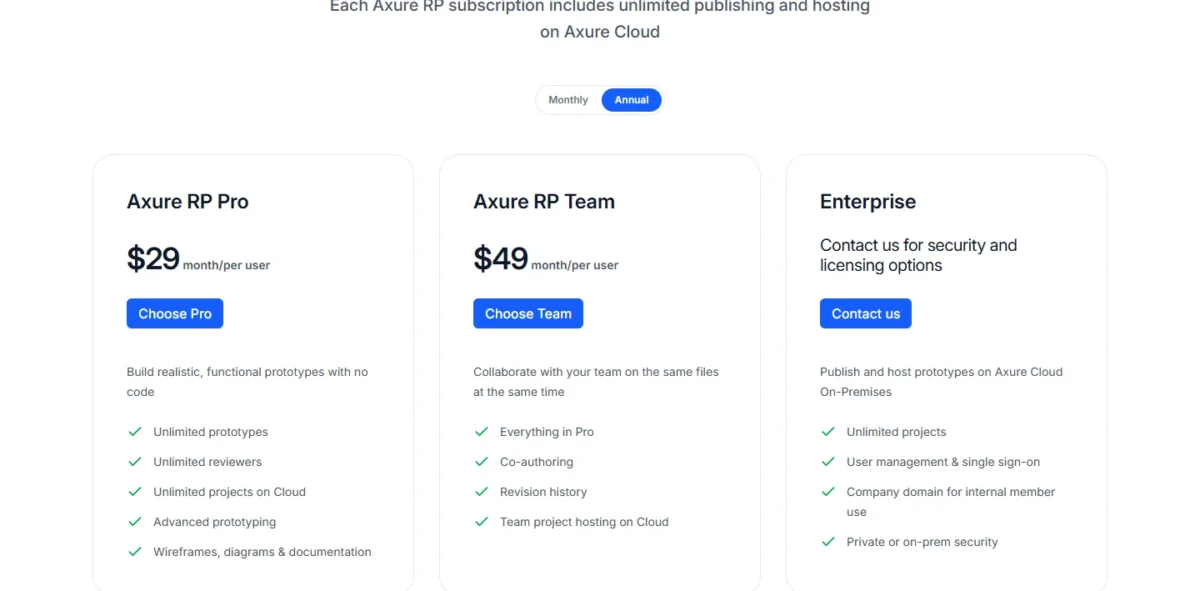
| Plan | Price | Billing | Key limit |
|---|---|---|---|
| RP Pro | $29 per user per month | Annual view ($34 Monthly) | No co-authoring |
| RP Team | $49 per user per month | Annual view ($57 Monthly) | Checked-out pages lock |
| Enterprise | Quote on request | Quote | On-premises Cloud and SSO |
Sources: Axure RP pricing, Annual and Monthly views, checked October 2026.
Pros
- Unlimited reviewers on RP Pro
- Wireframes, diagrams and documentation in one file
- One subscription runs on any number of PCs and Macs
Cons
- Co-authoring and revision history need RP Team at $49
- A checked-out page is locked for everyone else
- No perpetual licenses
- Skip it if:
- your team iterates visual UI together in real time, because team projects lock each checked-out page.
7. ProtoPie: Best for Device, Sensor and Multi-Screen Interactions
- Starting price: $25 per month for Basic, 1 seat only (Yearly view)
- Standout feature: native device sensors, voice and camera in prototypes
- Integrations: Figma, Sketch, Adobe XD and Arduino
ProtoPie is a second tool, not a replacement for Figma or Sketch, and it earns its seat only when the prototype must behave like hardware. Its plans include native device sensors (voice, camera, dynamic text input), prototypes across smartwatch, TV, Arduino and tablet, and interactions with external data and APIs.
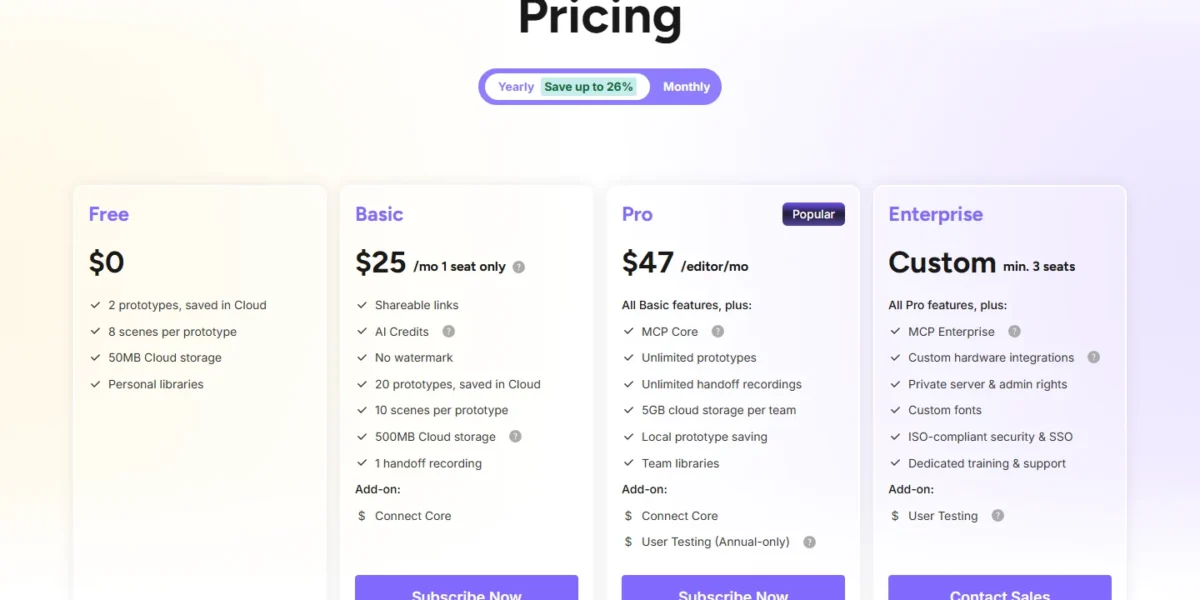
Basic, at $25 a month in the Yearly view, covers 1 seat only and 20 prototypes, so a team needs Pro at $47 per editor per month Yearly, with unlimited prototypes and team libraries. Five Pro editors cost 5 × $47 × 12 = $2,820 a year.
| Plan | Price | Billing | Key limit |
|---|---|---|---|
| Free | $0 | Free | 2 prototypes, 8 scenes, 50MB |
| Basic | $25 per month | Yearly view ($29 Monthly) | 1 seat only, 20 prototypes |
| Pro | $47 per editor per month | Yearly view ($59 Monthly) | 5GB cloud storage per team |
| Enterprise | Custom | Contact sales | Minimum 3 seats |
Sources: ProtoPie plans, Yearly and Monthly views, checked October 2026.
Pros
- Voice, camera and dynamic text input in prototypes
- Multi-device prototypes, including smartwatch, TV and Arduino
- Integrations with Figma, Sketch and Adobe XD
Cons
- Basic is 1 seat only, so a team needs Pro
- The Free plan caps each prototype at 8 scenes
- The User Testing add-on on Pro is annual-only
- Skip it if:
- your prototypes are click-through screen flows, because Figma Professional already lists advanced prototyping tools.
8. Balsamiq: Best for Low-Fidelity Wireframes
- Starting price: $16 per editor per month, billed annually (Starter)
- Standout feature: drag-and-drop wireframing with AI wireframes and prototypes
- Integrations: Slack and the Balsamiq MCP server
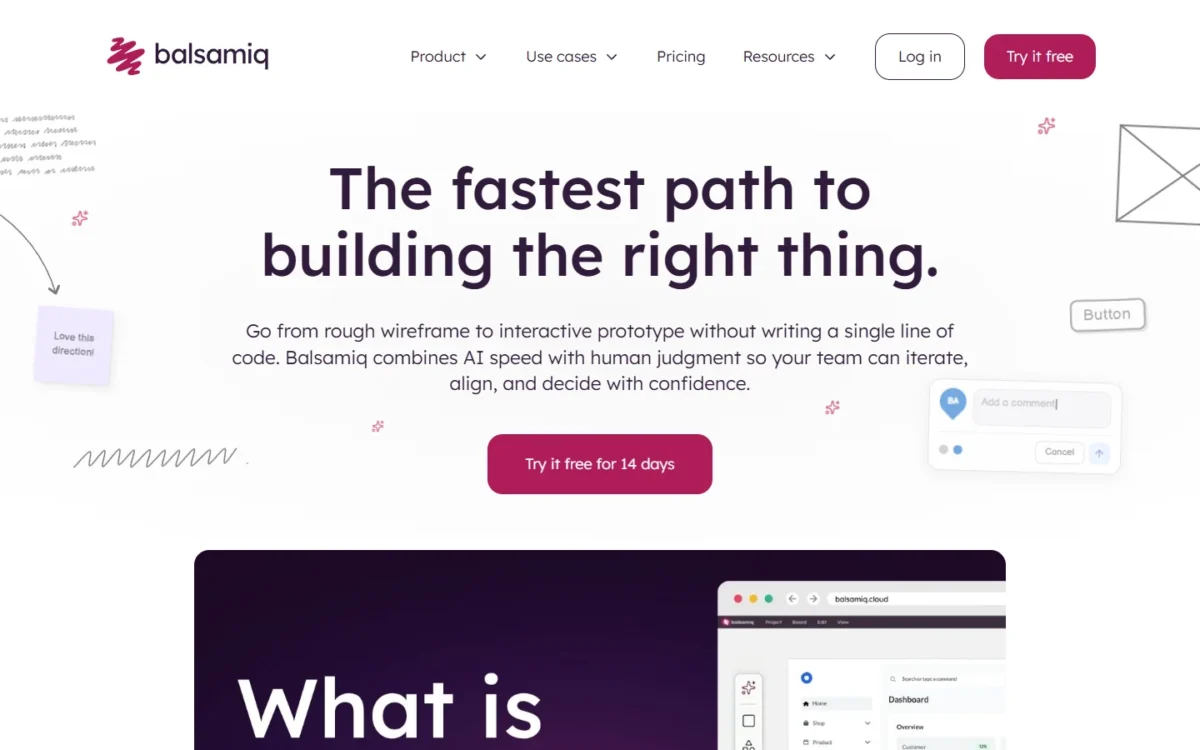
I rank Balsamiq for discovery work because a deliberately rough wireframe keeps a review on flow and content rather than polish. Every plan includes unlimited reviewers at no extra cost, so a client or stakeholder group adds nothing to the bill.
AI is metered per editor: Starter includes 500 AI credits a month, which Balsamiq says covers around 31 wireframes, and top-ups cost $15 per 500 credits.
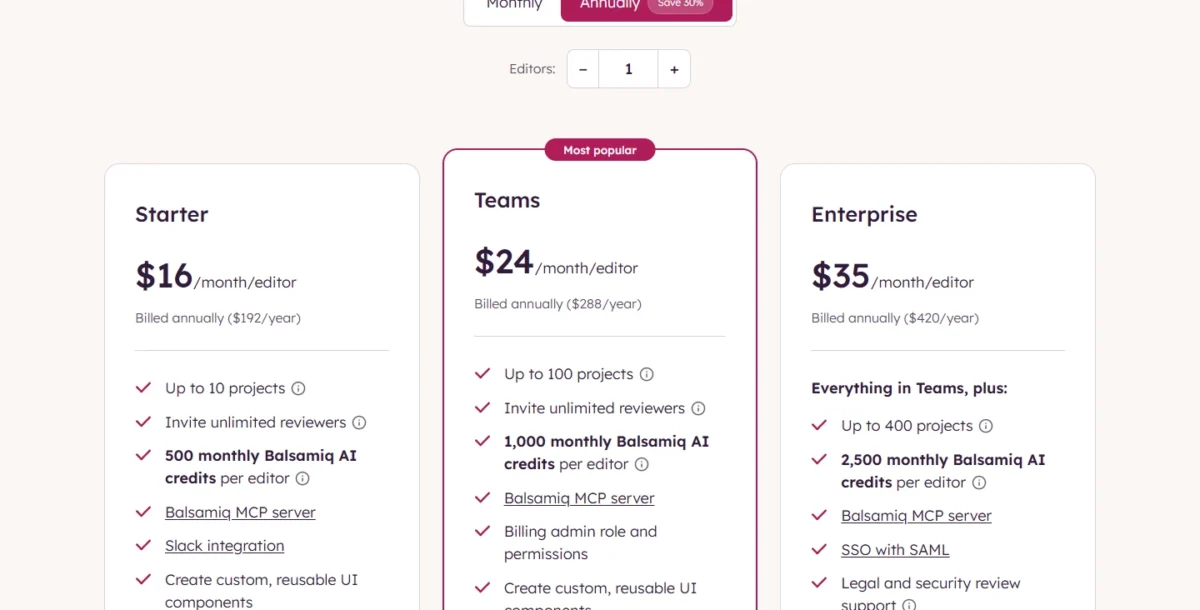
Starter is $16 per editor per month billed annually ($192 a year) for up to 10 projects. A project holds one flow or major feature, so a consultant with more than 10 client flows moves to Teams at $24 ($288 a year).
| Plan | Price | Billing | Key limit |
|---|---|---|---|
| Starter | $16 per editor per month | Billed annually ($192/ | 10 projects |
| Teams | $24 per editor per month | Billed annually ($288/ | 100 projects |
| Enterprise | $35 per editor per month | Billed annually ($420/ | 400 projects, SAML SSO |
Sources: Balsamiq pricing, checked October 2026.
Pros
- Unlimited reviewers on every plan
- A 14-day trial without a credit card
- 500 AI credits per editor per month on Starter
Cons
- Starter stops at 10 projects
- AI top-ups cost $15 per 500 credits
- SAML SSO needs Enterprise at $35 per editor per month
- Skip it if:
- you need polished UI for developer handoff, because Balsamiq lists export to PDF or image. My list of best wireframing tools covers higher-fidelity options.
9. Uizard: Best for AI Mockups Without Design Skills
- Starting price: $12 per month, billed annually (Pro)
- Standout feature: Autodesigner generates projects and screens from text
- Free plan: 2 projects and 3 AI generations a month
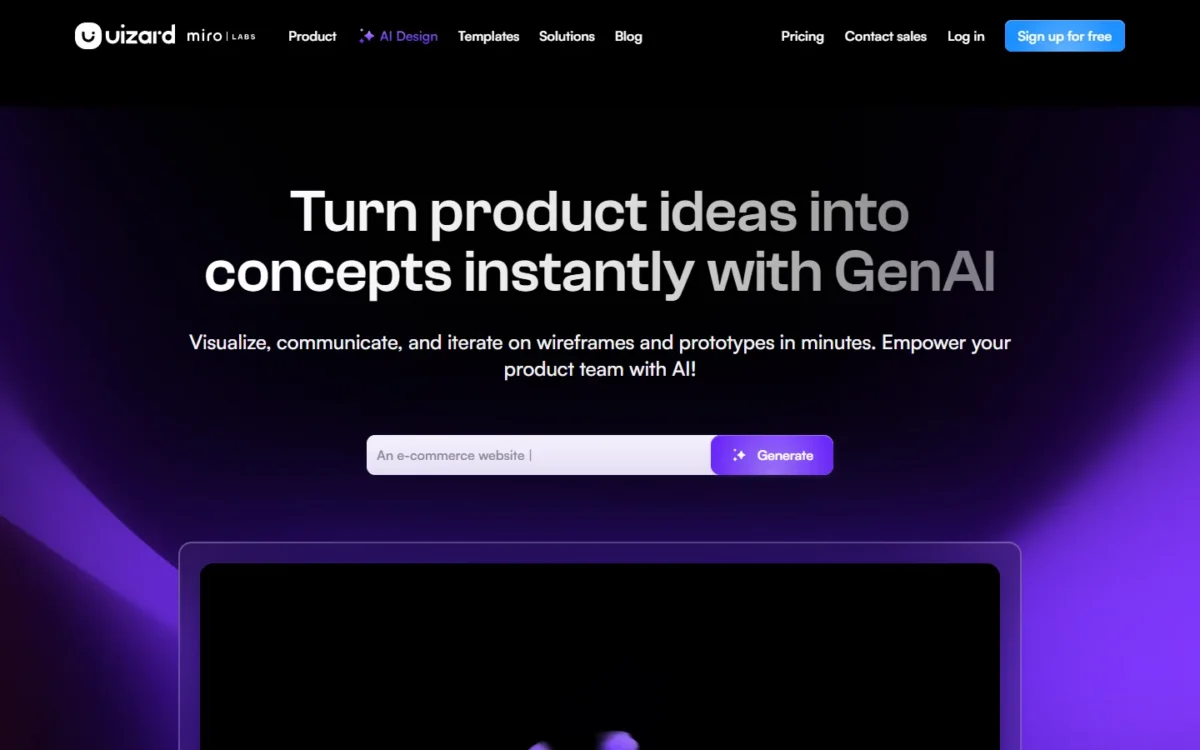
Uizard gets a non-designer to editable screens, but not to shippable code. Its AI generates projects, screens and themes from text, and it scans screenshots and hand-drawn wireframes into editable mockups.
Export is the limit to know before paying. Uizard’s export help article says CSS or React code comes one component at a time on Pro and above, and a whole project cannot be exported to HTML or JavaScript.
The plan table lists unlimited creators per organization, so Pro’s $12 per month, billed annually, reads as an account price: $12 × 12 = $144 a year.
| Plan | Price | Billing | Key limit |
|---|---|---|---|
| Free | $0 | Free | 2 projects, 5 screens each |
| Pro | $12 per month | Billed annually | 100 projects, 500 generations a month |
| Business | $39 per month | Billed annually | 5,000 generations a month |
| Enterprise | Custom | Billed annually | Unlimited generations |
Sources: Uizard pricing, checked October 2026.
Pros
- Screens generated from text on every plan
- Unlimited free viewers and commenters on every plan
- React and CSS component code on Pro
Cons
- No whole-project export to HTML or JavaScript
- Code copies one component at a time
- Free exports only at 1x resolution
- Skip it if:
- you plan to ship the export as your app’s front end, because whole projects cannot export to HTML or JavaScript.
10. UX Pilot: Best for AI-Generated Screens You Finish in Figma
- Starting price: $19 per month, billed annually (Pro)
- Standout feature: a two-way Figma connection and GitHub code sync
- Integrations: Figma and GitHub
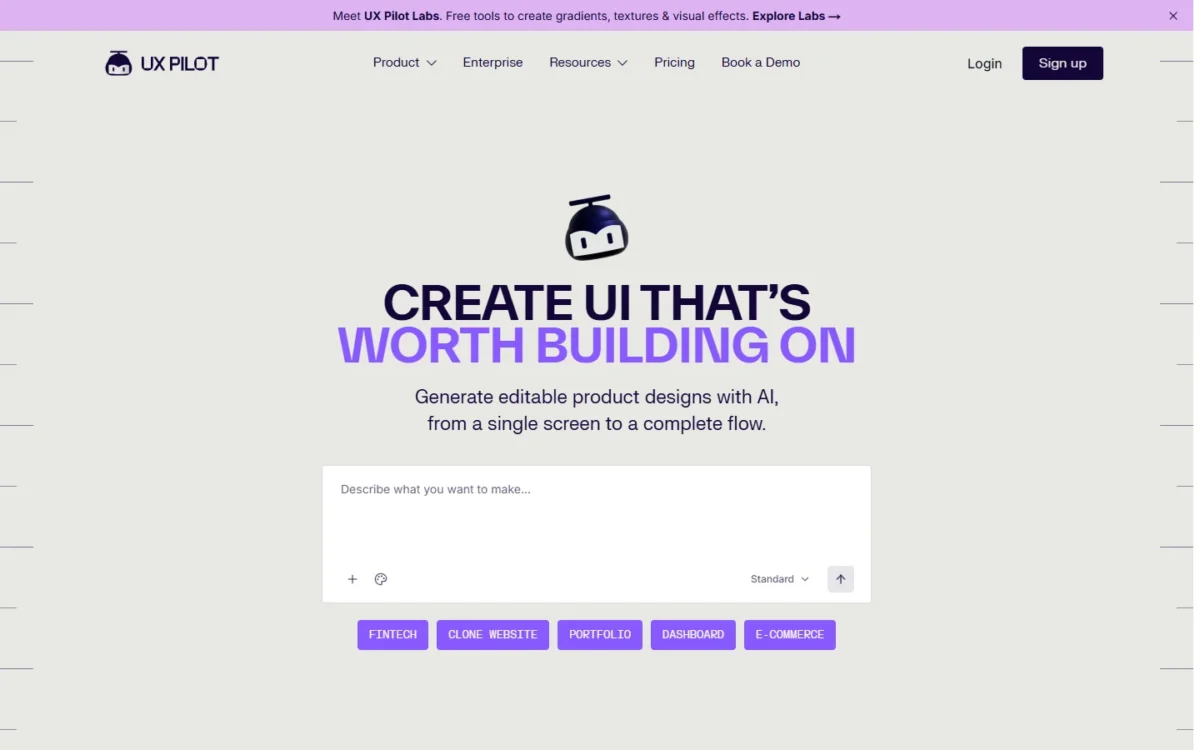
UX Pilot works beside Figma rather than instead of it: it drafts the screens, and Figma stays where the team finishes them. It generates low- to high-fidelity wireframes and screens from a sketch, an idea or an imported PRD, and imports Figma components so drafts follow an existing system.
Finished designs pull into Figma, and code syncs to GitHub repositories. The plans page puts both exports on Pro and above: Free includes every design feature but neither export.
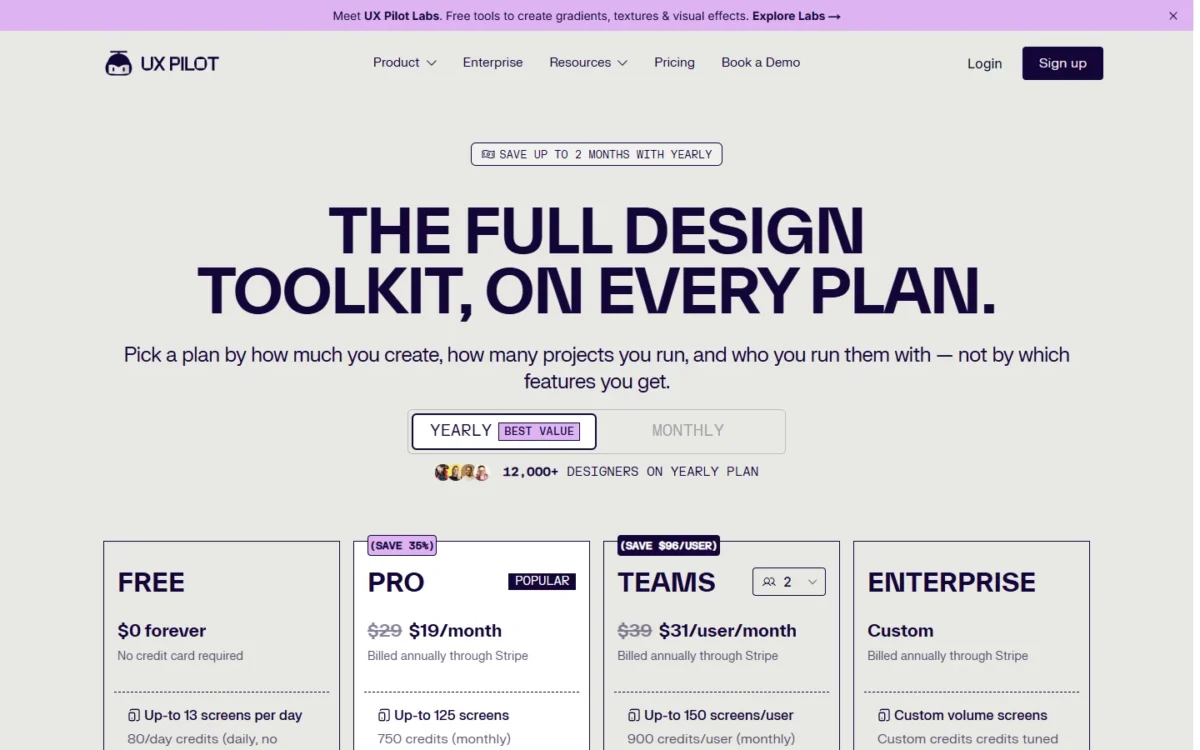
Pro, the first plan with design and code export, is $19 a month billed annually ($29 monthly). Teams, at $31 per user per month billed annually, adds a shared credit pool, seats, roles and real-time collaboration.
Five designers on Teams pay 5 × $31 × 12 = $1,860 a year on annual billing.
| Plan | Price | Billing | Key limit |
|---|---|---|---|
| Free | $0 forever | No credit card required | 60 credits a month, up to 10 screens a month, 1 project |
| Pro | $19 per month | Billed annually ($29 monthly) | 750 credits a month, up to 125 screens, 5 projects |
| Teams | $31 per user per month | Billed annually ($39 monthly) | 900 credits per user a month, 2 to 15 seats |
| Enterprise | Custom | Get in touch | SSO and SCIM |
Sources: UX Pilot plans, Yearly and Monthly views, checked October 2026.
If you are deciding between Free and Pro, start with my UX Pilot review.
Pros
- A $0 Free plan with no credit card required
- Imports Figma components to match an existing system
- Code syncs to GitHub repositories
Cons
- Free has no design or code export
- Free credits (60 a month) do not roll over
- Monthly billing raises Pro from $19 to $29
- Skip it if:
- your team already pays for Figma Professional and needs only occasional AI drafts, because each Full seat carries 3,000 AI credits a month.
What a Team of Editors Pays per Year
For an illustrative team of 5 editors, Penpot Professional costs $0 a year and Axure RP Team costs the most, 5 × $49 × 12 = $2,940.
| Software | Plan | Billing | Editors (example assumption) | Yearly cost for 5 users | What it leaves out |
|---|---|---|---|---|---|
| Figma | Professional, Full seat | Annual | 5 users | 5 × $16 × 12 = $960 | Dev and Collab seats |
| Penpot | Professional | Free | 5 users | $0 | Teams over 8 members |
| Penpot | Unlimited | Per editor | 5 users | 5 × $7 × 12 = $420 | Nothing under the cap |
| Sketch | Standard | Billed yearly | 5 users | 5 × $12 × 12 = $720 | SSO on Professional |
| Framer | Basic plus 4 editors | Yearly | 5 (1 + 4) | $10 × 12 = $120 plus 4 × $20 × 12 = $960 | Bandwidth overage |
| UXPin | Core | Annual | 5 users | 5 × $29 × 12 = $1,740 | Storybook, own library |
| Axure RP | RP Team | Annual view | 5 users | 5 × $49 × 12 = $2,940 | Enterprise SSO |
| ProtoPie | Pro | Yearly view | 5 users | 5 × $47 × 12 = $2,820 | User Testing add-on |
| Balsamiq | Starter | Billed annually | 5 users | 5 × $192 = $960 | AI top-ups |
| Uizard | Pro | Billed annually | 5 users on one account | $12 × 12 = $144 for the account | Business generations |
| UX Pilot | Teams | Billed annually | 5 users | 5 × $31 × 12 = $1,860 | SSO and SCIM on Enterprise |
Sources: Figma pricing, Sketch pricing and the other pricing pages linked under the comparison table, checked October 2026. Illustrative example team of 5 editors; totals exclude sales tax.
Figma Professional (5 × $16 × 12) and Balsamiq Starter (5 × $192) land on the same yearly total. Figma’s seat also buys Dev Mode and team libraries, so Balsamiq wins only when rough wireframes are the whole job.
AI Features Compared: What Each Plan’s Credits Buy
Seven picks list metered AI, and across the free and entry paid plans in this table the allowances run from 3 Uizard generations a month on Free to 3,000 Figma credits a month per Full seat on Professional.
| Software | Free-tier AI | Entry paid plan AI | What it generates | Limit that matters |
|---|---|---|---|---|
| Figma | 150 credits a day, up to 500 a month | 3,000 credits a month per Full seat | Code-backed prototypes in Figma Make | Dev and Collab seats get 500 |
| Framer | 500 credits to try | 1,000 credits a month on Basic | Agents and Localization | Shared across the workspace |
| UXPin | 50 credits | 200 credits a month on Core | Designs and AI Chat Agent actions | Credits reset monthly |
| Balsamiq | 14-day trial | 500 credits per editor a month | Wireframes, prototypes, images | Top-ups at $15 per 500 credits |
| Uizard | 3 generations a month | 500 generations a month on Pro | Projects, screens, themes | Free runs Autodesigner 1.5 |
| UX Pilot | 60 credits a month | 750 credits a month on Pro | Wireframes and high-fidelity screens | Free credits do not roll over |
| ProtoPie | Not listed on Free | Basic AI credits, amount not listed | ProtoPie AI | Amount not published |
Sources: Figma pricing, Framer pricing, UXPin pricing, Balsamiq pricing, Uizard pricing, UX Pilot plans, ProtoPie plans, checked October 2026.
Penpot, Sketch and Axure RP list no AI credits.
Credit counts do not compare across vendors. Balsamiq turns 500 credits into around 31 wireframes, while Figma says the credits a request uses vary, so judge each allowance by the output it buys. For an AI app builder rather than a design editor, see my ranking of AI prototyping tools.
How to Choose the Right UI/UX Design Tool
Pick by the artifact you ship first, then by the number of editors, then by the first limit the cheapest workable plan hits.
| Your priority | Tool to consider | Reason | Trade-off |
|---|---|---|---|
| Product UI shared with engineers | Figma Professional | Dev Mode and team libraries | $16 per Full seat per month, annual |
| The same, at $0 | Penpot Professional | Up to 8 members free | 7 days of versions |
| A live marketing site | Framer | The design is the site | Editors billed per seat |
| Prototypes from coded components | UXPin | Coded libraries from Core | Own library on Enterprise |
| Specification-grade logic | Axure RP | Wireframes, diagrams, docs in one file | Checked-out pages lock |
| Sensors and several devices | ProtoPie | Native device sensors | A second tool to pay for |
| Rough structure or AI drafts | Balsamiq, Uizard or UX Pilot | Unlimited reviewers or AI generation | Balsamiq Starter: 10 projects; Uizard Free: 3 generations a month; UX Pilot Free: no design or code export |
Sources: Figma pricing, Penpot pricing and the other pricing pages linked under the comparison table, checked October 2026.
Design review on a shared whiteboard is a separate purchase, covered in my list of design collaboration tools.
From Idea to First Screen: Which Tool Is Easiest for a Beginner?
For structure, Balsamiq offers drag-and-drop wireframing and a 14-day trial with no credit card. For an AI draft, Uizard Free generates screens from text 3 times a month. For learning on real files, Figma Starter includes UI kits, templates and unlimited drafts at no cost.
Best Free Option for a Team
Penpot Professional is the free plan here built for a team: $0 for up to 8 members with unlimited viewers. Figma Starter caps the team folder at 3 Figma Design and Sites files, UXPin Free at 2 prototypes, Uizard Free at 2 projects, and Framer’s free workspace at three editors.
Moving Files Between Figma, Sketch and Adobe XD
ProtoPie lists integrations with Figma, Sketch and Adobe XD, and UXPin lists Sketch import and a Figma plugin. Sketch’s website build imports .fig files; the Mac App Store build has no .fig converter, so it cannot.
Also Considered
Marketing graphics are a separate job, covered in my list of graphic design software.
- Marvel fits a solo designer who wants user tests built in: Pro is $12 a month billed yearly for 1 user with 3 active user tests, but Free holds 1 project and Team starts at 3 users (Marvel pricing).
- Justinmind puts data simulation, user flows and HTML export on Professional at $29 per editor per month (Justinmind pricing); Axure RP covers that logic job.
- Miro works in boards on a shared canvas rather than UI screens; Starter is $8 per member per month billed yearly (Miro pricing).
- Maze is a research and testing platform; Free runs 1 study a month and Starter is $99 per month (Maze pricing).
FAQ
Is UI/UX design being replaced by AI tools?
The vendors’ pages describe AI that drafts and edits, not AI that ships a finished product. Figma Make builds code-backed prototypes you refine on the canvas, and Uizard cannot export a whole project to HTML or JavaScript. UXPin adds that its core design and prototyping features work without AI.
Is there free UI/UX design software to download?
Yes. Justinmind offers a free download with 1 project, and Penpot’s pricing page offers a self-host option beside its free cloud plan.
Sketch is a download too, but free only for a 30-day trial (free Viewers and education aside); after that, a subscription or a $120 Mac-only license applies.
Final Verdict
Buy Figma Professional if designers, PMs and engineers share files: $16 per Full seat per month on annual billing buys team libraries, Dev Mode and free reviewers. Professional also lists the MCP Server and 3,000 AI credits a month per Full seat, while Penpot’s pricing page lists no AI credits or MCP Server.
Choose Penpot if the team has 8 members or fewer and needs $0, accepting 7 days of version history.
By budget, Sketch Standard costs a Mac-only team of five $720 a year on yearly billing.
By job, pick Framer when the design is the website, UXPin when prototypes must use coded React components, Axure RP for specification-grade logic and ProtoPie for sensors. Balsamiq fits wireframes reviewers comment on for free, Uizard a non-designer’s first mockups, and UX Pilot AI drafts finished in Figma.
For the wider stack decision, my ranking of team collaboration tools is the next step.