Figma is still the safest default for product teams that design interfaces together and hand them to developers. This Figma review finds that the real cost is the seat mix, not the sticker price.
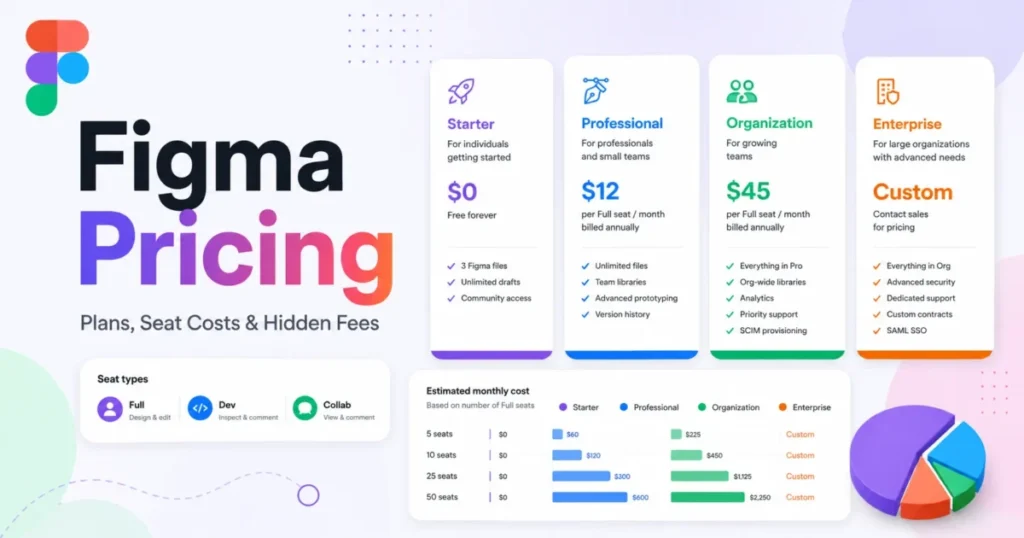
A Full seat costs Professional $16; Organization $55; Enterprise $90 a month, billed annually.
Buy it for collaborative UI work and developer handoff. Skip it if you design offline for long stretches or need SSO on a small budget. The sections below show where each plan breaks and what three real team sizes pay.
In This Article (12 sections)
Figma Review: The Short Verdict
| Criteria | Assessment |
|---|---|
| Best for | Product teams whose designers and developers work in the same files |
| Skip it if | You need full offline editing, or SSO is required and the budget is tight |
| Starting price | Free Starter plan; the cheapest paid seat is the Collab seat on Professional |
| Practical plan | Professional: $16/mo per Full seat billed annually, $20/mo billed monthly |
| Main strength | One live file for design, review and handoff; free viewers on paid plans can inspect and copy code |
| Main limitation | The Full seat costs more than three times as much on Organization as on Professional, and SSO or branching forces that move |
| Best alternative | Sketch for Mac teams that work offline; Penpot for open source and self-hosting |
Sources: Figma Pricing, checked October 2026.
The row that moves the bill most is the main limitation. An IT requirement for SSO alone moves every designer to the Organization price, whether or not the team wants anything else on that plan.
Methodology: How We Evaluated
This is a documentation-based review. In October 2026 we read Figma’s pricing page in both billing views and the plan comparison and feature articles in Figma Help. We also read the AI credit and MCP server documentation and Figma’s security page.
For the alternatives, we read the official pricing pages of Sketch, Penpot and Framer the same month. Every total below shows its math.
Macedona does not score products, so there is no star rating here. Each judgment names the plan, limit or price it rests on. This article contains no affiliate links.
Should You Choose Figma? (Decision Tree by Role)
UI and product designers. Yes. Variables, team libraries and advanced prototyping cover the whole interface workflow. Only a Full seat edits Figma Design files, so every designer needs one; start on Professional and stay there until security rules push you up.
Developers. Often no paid seat at all. On a paid plan, a free viewer can view measurements, copy CSS, iOS and Android code, and export assets. Buy a Dev seat when the developer needs full Dev Mode or more than 20 MCP server tool calls a month.
PMs and stakeholders. Free view-and-comment access covers design reviews. A Collab seat earns its cost only for people who run FigJam workshops or build decks in Figma Slides.
Design ops and IT. Expect Organization or Enterprise. SSO, activity logs and branching start on Organization, while SCIM seat assignment and workspaces need Enterprise. Budget the seat jump before the security review, not after it.
What Is Figma in 2026 (What’s Included)
Figma is now a suite: one subscription, nine products, and a seat type that decides which ones each person can open. Its homepage calls it “The full-stack creative canvas” and offers an AI agent that can add motion, document design systems and implement feedback.
| Product | What it is for | Seats with full access |
|---|---|---|
| Figma Design | Interface design: components, auto layout, variables, prototypes | Full |
| Dev Mode | Inspection, code snippets, ready-for-dev statuses, MCP server | Full, Dev |
| FigJam | Whiteboarding, diagrams and workshops | Full, Dev, Collab |
| Figma Slides | Presentations that can embed live Figma Design prototypes | Full, Dev, Collab |
| Figma Make | Functional prototypes and web apps generated from a prompt | Full |
| Figma Draw | Illustration: vector brushes, shape builder, text on a path | Full |
| Figma Sites (beta) | Design and publish websites to a subdomain or custom domain | Full |
| Figma Motion (beta) | Timeline animation with keyframes | Full |
| Figma Buzz (beta) | Beta product available on all seats | Full, Dev, Collab |
The seat decides which products a person can open. A Dev seat on Enterprise still does not include Figma Make, and a Collab seat only views and comments in Figma Design files.
How Figma Works Day to Day
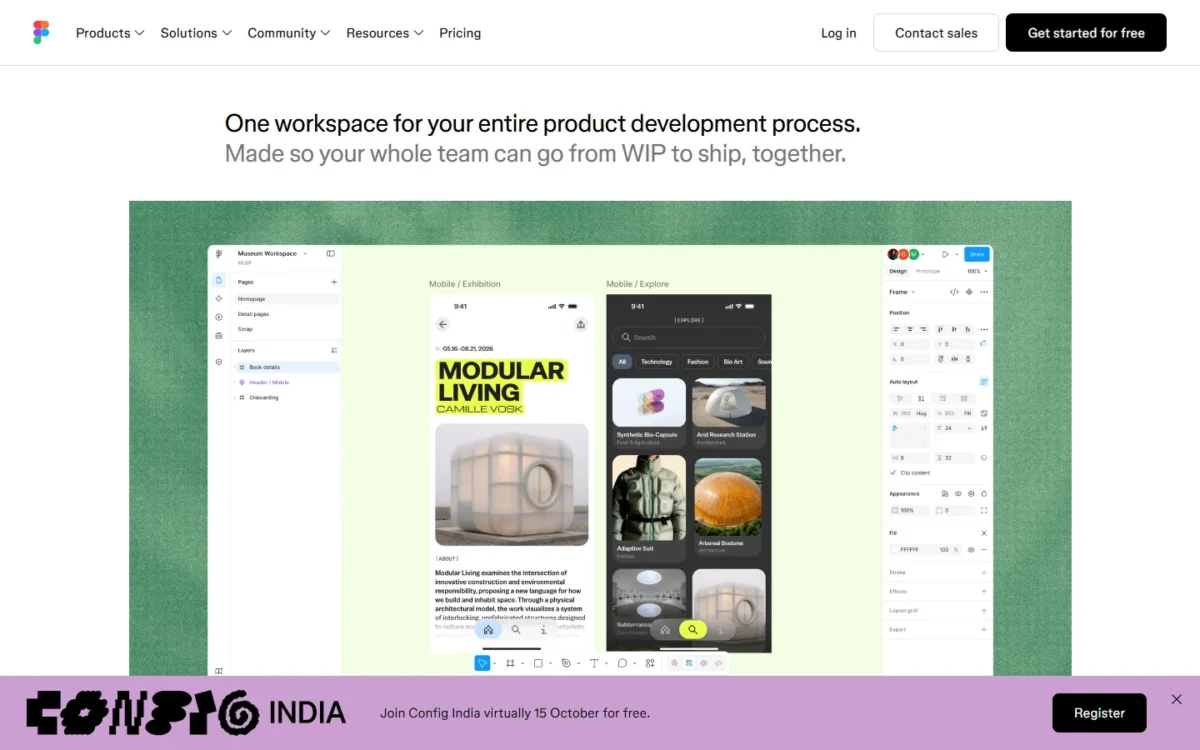
Figma keeps one live file per design in the cloud, and everyone works in it at once. Multiple editors live edit the same file, and autosave creates a version every 30 minutes, so nobody asks which export is final.
The price of that model is the connection. Figma’s offline help page says real-time collaboration is at the heart of the product and that it has no plans for a fully featured offline mode.
Offline, you can create one new file, change layer properties, use components from the current file and play preloaded prototypes. You cannot search libraries, view version history or see collaborators.
Offline changes stay in the browser for up to 30 days, or 7 days in Safari, and cannot be reached from another device. Clearing the browser cache deletes them. A designer who often works without a connection should treat Figma as online-only.
Version history is the other daily difference between plans. Starter keeps 30 days; Professional, Organization and Enterprise keep unlimited history. For client work that gets reopened months later, that alone justifies the first paid seat.
Figma Plans at a Glance
My Figma pricing guide goes deeper on seats and team sizes; this table only shows where each plan starts and who it fits.
| Plan | Billing | Who it fits |
|---|---|---|
| Starter | Free | Solo designers and students working in drafts plus one team folder with 3 files |
| Professional | Annual or monthly; monthly billing costs more per seat | Teams of designers and developers that need unlimited files, team libraries and Dev Mode |
| Organization | Billed annually | Teams where IT requires SSO, or that need branching and libraries shared across teams |
| Enterprise | Billed annually | Large organizations that need SCIM seat assignment, workspaces or several brands |
Sources: Figma Pricing, annual and monthly views, checked October 2026.
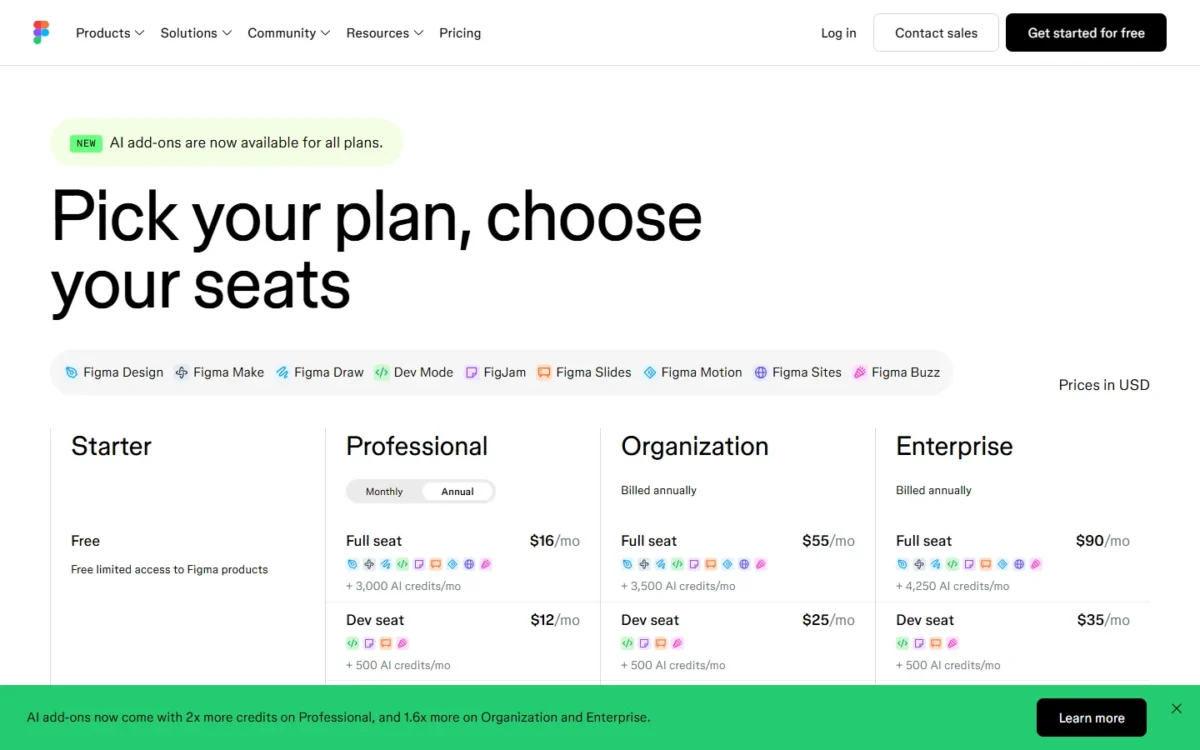
You pick one plan for the team, then a seat type for each person. Only a Full seat edits Figma Design files; Dev and Collab seats view and comment there, and free viewers on a paid plan get basic Dev Mode inspection.
The seat mix, not the plan name, drives the bill. The Full seat costs more than three times as much on Organization as on Professional once SSO or branching moves a company there, while developers who only inspect specs can stay free viewers.
Features (Grouped by Real-World Jobs-to-Be-Done)
Only the features that change a workflow or a plan choice are covered here.
Design & UI Production
Components and auto layout are on every plan, including Starter. What separates the plans is reuse: Professional adds libraries for components, styles and variables, and Organization shares them across teams.
Variable modes, which drive light, dark and brand themes, are capped per collection below Enterprise. Enterprise lifts the cap through extended collections, built to scale design systems across multiple brands and products.
Figma Draw adds illustration tools to the same file: vector brushes, shape builder, variable-width strokes and text along a path. For a team that also makes marketing illustrations, that removes one reason to keep a separate vector app, but only Full seats get it.
Prototyping & User Flows
Interactive prototypes work on every plan. Variables, expressions and conditional logic in prototypes start on Professional, as does video in prototypes.
That line is the practical reason a solo UX designer pays. A checkout flow that remembers a cart total, or a form that checks its input, needs variables and if/else logic, and Starter cannot build it.
For motion beyond transitions, Figma Motion (beta, Full seats) adds a full timeline with keyframes. It exports MP4, GIF, WebM or SVG, and developers can copy the animation as CSS, JSON or React from Dev Mode.
Collaboration & Feedback
Comments pin to a prototype or a file, cursor chat handles quick notes, and observation mode lets a reviewer click a user to see their screen. Audio conversations run inside Figma and FigJam files on paid plans.
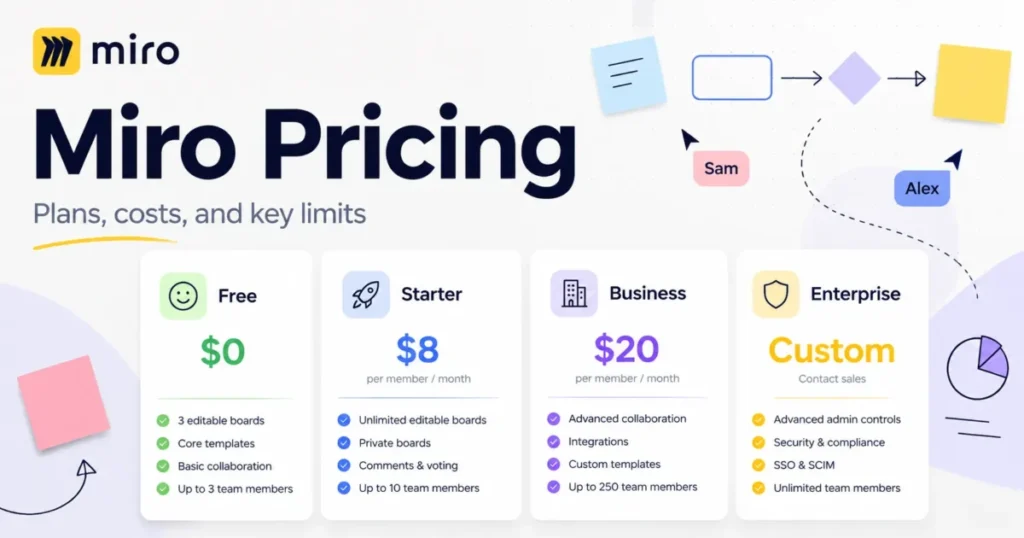
FigJam covers workshops with stickies, voting, timers and diagrams, and summarizing or clustering stickies with AI costs no credits. Teams that need a whiteboard for people outside the design org can weigh FigJam against the standalone option in our Miro review.
Design Systems & Governance
Branching and merging, on Organization and Enterprise, is the feature design-system teams upgrade for. A branch is a controlled copy where you change components and merge when ready, so a half-finished library update never reaches product files.
Creating a branch requires a Full seat, and anyone without edit access to the main file must request a review before merging. That review step is what makes branching useful with several contributors.
Organization also adds shared fonts and in-app library analytics. Enterprise adds SCIM seat assignment, workspaces with their own administration, and multi-brand design systems.
Developer Handoff (Dev Mode)
Dev Mode is where Figma charges developers, and the line between free and paid is clearer than the seat names suggest.
Free viewers on a paid plan get basic inspection: measurements, property values, code and asset export. A Dev seat costs less than a Full seat on every paid plan and adds full Dev Mode:
- ready-for-dev statuses in a consolidated feed, with notifications when designs change
- compare changes between versions of a frame
- a component playground and focus view
- Dev Mode inside VS Code
- higher MCP server limits
Code Connect maps design components to production components so new code uses your actual system.
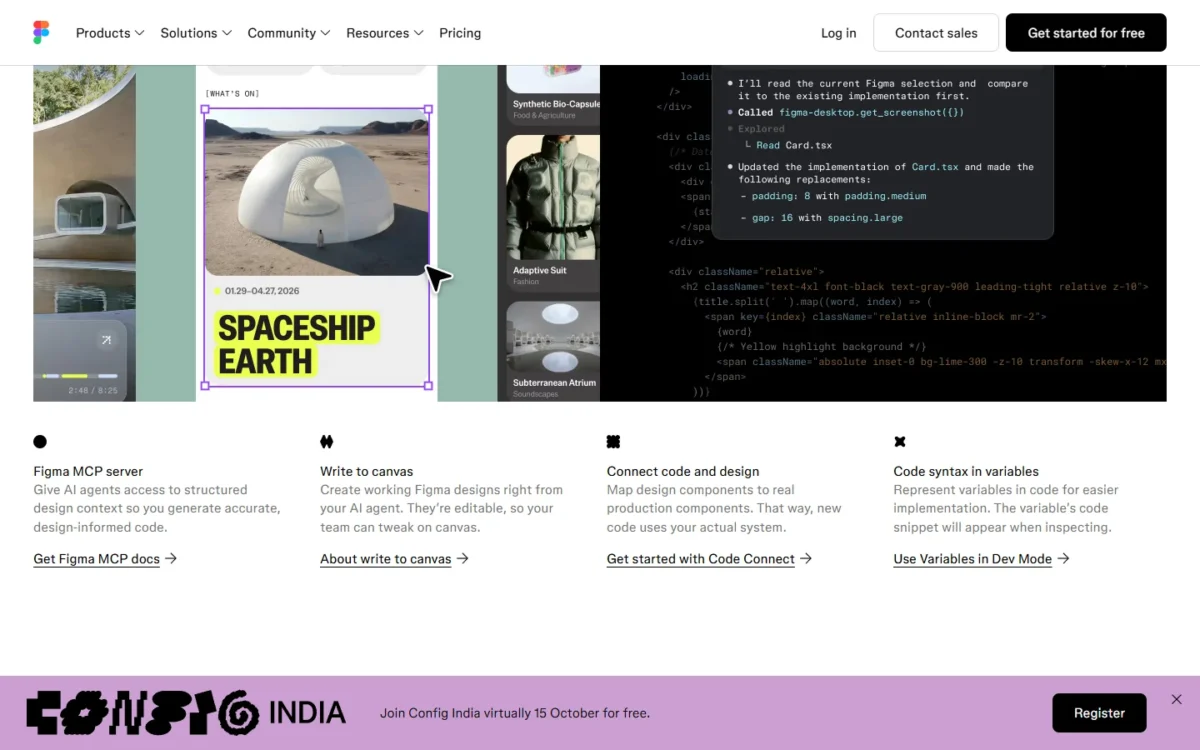
The Figma MCP server gives AI coding agents structured design context. The remote server works on all seats and plans; the desktop server needs a Dev or Full seat on a paid plan. Tool call limits are the real gate:
| Plan | View and Collab seats | Dev and Full seats |
|---|---|---|
| Starter | Up to 20 a month | Up to 20 a month |
| Professional | Up to 20 a month | Up to 200 a day, 10 a minute |
| Organization | Up to 20 a month | Up to 200 a day, 15 a minute |
| Enterprise | Up to 20 a month | Up to 600 a day, 20 a minute |
Sources: Figma MCP server plans and rate limits, checked October 2026.
Twenty calls a month is a trial, not a workflow. A developer who generates code from designs every day needs a Dev seat, which makes the MCP server a stronger reason to buy one than inspection.
Agents can also write to the canvas, building frames, components and variables in Figma files. Figma says that feature is free during its beta and will eventually be a usage-based paid feature, so do not build a budget on it staying free.
Integrations & Ecosystem
Figma integrates with Slack, Notion, Jira and Google Workspace, and community plugins and widgets work on every plan. In Dev Mode, developers link GitHub files, Jira tickets and Storybook stories directly to layers.
Organization adds private plugins and widgets with plugin management, and Enterprise adds a REST API for variables and the Activity Logs API. REST API rate limits vary by seat, plan and endpoint, so automation-heavy teams should check them before choosing seats.
AI Capabilities (2026 Update)
Figma AI runs on credits, and the allowance belongs to each seat, not the team.
| Seat | Starter | Professional | Organization | Enterprise |
|---|---|---|---|---|
| Full seat | 500 a month | 3,000 a month | 3,500 a month | 4,250 a month |
| Dev, Collab or View seat | 500 a month | 500 a month | 500 a month | 500 a month |
Sources: How Figma AI credits work, checked October 2026.
Starter users and View seats also have a daily limit of 150 credits. Seat credits reset monthly, do not roll over, and cannot be shared or transferred.
That is the economic catch. A designer who burns through 3,000 credits in Figma Make cannot borrow a colleague’s unused allowance. Extra capacity comes from an AI credits subscription pooled at plan level or pay-as-you-go billing up to a monthly spending limit.
What credits buy, at Figma’s rates as of October 6, 2026:
| AI action | Credits per use |
|---|---|
| AI search, rename layers, summarize or cluster stickies | Free |
| Remove background | 1-5 per image |
| Boost resolution, erase, isolate or expand an image | 5-10 per image |
| Add interactions | 20 per use |
| Figma Make: change the font | About 30+ |
| Figma Make: make an attached design interactive | About 75+ |
| Figma Make: generate an app from scratch | About 100+ |
Sources: How Figma AI credits work, checked October 2026.
Read it as a budget. At about 100+ credits per app generated from scratch, a Professional Full seat’s 3,000 credits cover roughly 30 such builds a month, and fewer when chats carry long history. Image cleanup barely dents the allowance; Make is what drains it.
Figma Make generates a functional prototype or web app from a prompt. You can attach existing Figma designs, connect Supabase for user authentication and data, publish the result to a dedicated URL, and turn a Make preview into editable design layers.
That round trip is the useful part for product teams. A PM with a Full seat can prototype a flow with real logic, and a designer can pull it onto the canvas to refine it. It is also the bridge to vibe coding, where non-developers go from mockup to running code.
Figma’s Make page lists building in your own codebase as coming soon. Until that ships, treat Make output as a prototype to hand to engineers, not production code.
Figma Pros & Cons (Tied to Scenarios)
Pros
| Pro | Why it matters |
|---|---|
| One live file for design, review and handoff | Stakeholders comment and developers inspect in the file designers edit, with no export step |
| Free viewers on paid plans can inspect and copy code | Developers who only need specs can get CSS, iOS and Android code without a paid Dev seat |
| Free Starter plan with unlimited drafts | A solo designer can learn and do personal work at no cost until the 3-file team cap |
| Design system tooling that grows with the team | Libraries on Professional, branching and analytics on Organization, multi-brand on Enterprise |
| MCP server for AI coding agents | Dev and Full seats on paid plans get up to 200 to 600 tool calls a day |
| Security documentation on record | SOC 2 Type 2 report and ISO/ |
Sources: Figma Pricing, Figma security, checked October 2026.
Cons
| Con | Who it hurts, and the workaround |
|---|---|
| No fully featured offline mode | Designers without reliable internet; offline edits sit in the browser for up to 30 days |
| Full seat price more than triples on Organization | Teams pushed up only by SSO; the same designers cost more than three times as much each month |
| Mid-term seats on annual Professional bill at the monthly price | Growing teams; move new seats onto the annual subscription |
| AI credits are per seat and cannot be shared | Heavy Figma Make users; budget a credits subscription or a pay-as-you-go limit |
| Make, Draw, Sites and Motion need a Full seat | PMs and marketers on Collab seats, which cover FigJam, Slides and Buzz |
| Organization and Enterprise changes go through Sales | Teams that may shrink; Professional can downgrade or cancel in the Admin Dashboard |
Sources: Figma Pricing, What can I do offline in Figma?, checked October 2026.
Best Use Cases (and Worst Use Cases)
Figma fits best when:
- several designers and developers ship one product from shared components
- a distributed team reviews in the file instead of in exported PDFs
- a design system needs reviewable changes, which branching provides on Organization
- a product team wants prototypes with real logic, through advanced prototyping or Figma Make
Who should skip Figma
- Designers who work offline for long stretches. Figma has no plans for a fully featured offline mode, and Sketch’s Mac app works offline.
- Solo Mac designers who never collaborate. Sketch also sells a Mac-only license instead of a subscription.
- Small teams with an SSO mandate. SSO starts on Figma Organization, where the Full seat costs more than three times as much as on Professional.
- Teams that must self-host. Penpot’s pricing page offers a self-host option and open-source code.
- Marketing teams making quick social graphics. Full seats pay for design-to-code tooling that work never uses; our Canva AI review covers the template-first option.
Best Alternatives to Figma (and When They Win)
| Tool | Best for | Starting price | Key trade-off vs Figma |
|---|---|---|---|
| Sketch | Mac teams that want native, offline-capable editing | $12 per editor/mo billed yearly; $120 Mac-only license | Design happens in the Mac app; the web app covers viewing and handoff |
| Penpot | Open-source and self-hosting teams | $0 (Professional plan) | Your team migrates files and retrains on a different tool |
| Framer | Creative personal sites and growing professional sites | $0; Basic $10/mo on yearly billing | Plan limits cap pages, CMS items and bandwidth, and additional editors are $20 a month |
Sources: Sketch pricing, Penpot pricing, Framer pricing, checked October 2026.
Sketch: Best for Mac Teams and Offline Work
Sketch has closed much of the collaboration gap. Its Standard plan costs $12 per editor per month billed yearly and includes real-time collaboration, unlimited free viewers and free developer handoff.
Five designers pay 5 x $12 = $60 a month, against 5 x $16 = $80 on Figma Professional billed annually.
Its stronger case is offline work. The $120 Mac-only license, per seat with one year of updates, works privately offline but drops collaborative features and online sharing. Choose Sketch if every designer is on a Mac; skip it if anyone designs on Windows.
Penpot: Best Free, Open-Source Option
Penpot’s Professional plan costs $0, which Penpot describes as free and fully featured, and the product is open source with a self-host option. Its Unlimited plan is $7 per editor per month, capped at $175 a month whatever the team size.
For 12 designers, that is 12 x $7 = $84 a month on Penpot Unlimited against 12 x $55 = $660 on Figma Organization. Choose Penpot when budget or data control decides; skip it if your developers depend on Figma’s Dev Mode and MCP workflow.
Framer: Best for No-Code Websites
Framer is a site builder first. On yearly billing, Basic costs $10 a month and Pro $30 a month, and additional editors are $20 a month while viewers are free.
Choose it when the deliverable is a live marketing site. If you already pay for Figma Full seats, try Figma Sites (beta) first, since it publishes sites to a subdomain or custom domain at no extra seat cost.
For team tools beyond design, our ranking of the best team collaboration tools compares the wider options.
FAQ – Figma Review
Is Figma really that good?
For collaborative product design, yes. Figma’s homepage says 95% of the Fortune 500 uses Figma, based on March 2025 data, so contractors and new hires often know it already. The weak spots are offline work and the price jump when SSO forces a team onto Organization.
What are the disadvantages of Figma?
The biggest are that Figma says it has no current plans for a fully featured offline mode, a Full seat that costs more than three times as much on Organization as on Professional, and AI credits included with each seat that can’t be shared or transferred. One more to note: Figma’s pricing page says included AI credits are subject to change, so today’s allowance is not a contract term.
Which is better, Canva or Figma?
Figma, when the output is a product interface developers will build, because Dev Mode, logic-driven prototypes and the MCP server exist for that handoff. For quick marketing graphics made by non-designers, a Full seat buys tooling the work never touches, so compare a template-first tool from my Canva alternatives ranking before paying for one.
Which Figma plan is worth paying for?
Stay on Starter if you work alone: it includes unlimited drafts, UI kits and templates, and one team with one folder and 3 files. Move to Professional when a team needs unlimited files and team libraries, to Organization when IT requires SSO or the team needs branching, and to Enterprise for SCIM seat assignment or several brands. The Figma pricing guide has the seat prices and team totals.
Eligible students and educators get free access through Figma for Education, and my list of free collaboration tools covers options for a whole team.
Does Figma work offline?
Only partly. You can keep editing files already open, create one new file and play preloaded prototypes, and Figma Slides decks can be preloaded to present offline. As a last resort you can save a .fig copy to your computer, but it leaves out comments and version history.
Is Figma secure for enterprise use?
Yes, on paper. Figma has SOC 2 Type 2 and SOC 3 reports and ISO/IEC 27001:2022 and ISO/IEC 27018:2019 certification, per its security page. SAML SSO and activity logs start on Organization; SCIM seat assignment and Governance+ require Enterprise.
How do I migrate from Sketch to Figma?
Figma imports .sketch files, along with PNG and JPG files, so existing documents open as Figma files. Budget time to republish shared components as a Figma team library, which needs the Professional plan or above, before other teams can subscribe to it.
Final Verdict
Figma remains the right purchase for product teams where designers, developers and reviewers work on the same interface. The money question is the seat mix.
Keep developers as free viewers until they need full Dev Mode or daily MCP use. Keep stakeholders as viewers unless they run FigJam workshops or build Slides decks.
Choose by situation:
- Solo designers and students: Starter until the 3-file cap or 30-day history bites, then one Professional Full seat.
- Startups with fewer than 10 designers: Professional on annual billing, with developers as free viewers by default.
- Teams with an SSO mandate: Organization, budgeting Organization $55 minus Professional $16 = $39 more per designer per month, billed annually.
- Large organizations that need SCIM or several brands: Enterprise.
- Mac designers who work offline: Sketch. Teams that need open source or self-hosting: Penpot.