


The best AI for coding is a tool form before it is a model. GitHub Copilot gives in-IDE help from $10 a month, Claude Code and OpenAI Codex run as terminal agents inside $20-a-month chat plans, and Cursor or Windsurf rebuild the editor around the agent.
Anthropic, OpenAI and Google each point coding work to their own model, so the tool decides which one you reach. This list ranks 12 tools for developers and small dev teams by job, model access and seat pricing, with the yearly bill for a team of five.
I built it from each vendor’s pricing, docs and model pages, read on October 26, 2026.
Quick verdict
For AI help inside the editor you already use, GitHub Copilot Pro is the pick: unlimited completions, and agent mode in five major IDEs.
To hand whole tasks to an agent, choose by model family: Claude Code for Claude, OpenAI Codex for GPT. For an editor built around the agent, Cursor adds cloud agents and Bugbot reviews, while Windsurf includes Claude, GPT and Gemini in its Pro quota.
The trade-off everywhere is metering: credits, five-hour windows, weekly allowances or API list prices decide the real bill.

GitHub Copilot
Best for: AI help inside the IDE you already use
Completions never spend credits on paid plans, and the agent works where you already edit.
Limit: chat, agents and code review draw down GitHub AI Credits

Claude Code
Best for: terminal agent for delegating multi-file tasks on Claude
It searches the repository on its own, runs your tests and opens pull requests.
Limit: Claude models only, sharing one usage pool with Claude chat

Cursor
Best for: agentic IDE with cloud agents and AI code review
Premium adds cloud agents, automations and Bugbot reviews in one editor.
Limit: third-party models cost extra at API list price

OpenAI Codex
Best for: ChatGPT subscribers and OpenAI-first teams
ChatGPT Plus already includes Codex across web, CLI, IDE and iOS.
Limit: the five-hour message range is narrowest on GPT-6 Astra
| Software | Best for | Tool form | Starting paid price | Free plan or trial | Key limitation |
|---|---|---|---|---|---|
| GitHub Copilot | Help in your current IDE | IDE assistant, CLI | $10 per month (Pro) | Free: 2,000 completions a month | Agents spend credits |
| Claude Code | Multi-file changes | Terminal agent | $17 per month billed annually (Claude Pro) | Not in Claude Free | Claude models only |
| Cursor | Cloud agents and code review | Agentic IDE | $30 per month (Premium, recommended); Plus $8 | Free, limited requests | Third-party models extra |
| OpenAI Codex | ChatGPT subscribers | Terminal agent, IDE | $8 per month (Go, desktop app); $20 (Plus) for CLI and IDE | Free, GPT-6 Luna | GPT models only |
| Windsurf | Three model families | Agentic IDE | $20 per month (Pro) | Free: unlimited Tab | Teams platform fee |
| Gemini Code Assist | Google Cloud teams | IDE assistant, CLI | $19 per user per month, annual | Antigravity for individuals | Daily agent cap |
| JetBrains AI | JetBrains IDE users | IDE assistant | $100 per user per year (AI Pro) | AI Free; 30-day trial | Few credits on AI Pro |
| Amazon Q Developer | AWS Java and .NET upgrades | IDE assistant, CLI | $19 per user per month (Pro) | Free: 50 agentic requests | Capped transformation |
| Kiro | Spec-driven development | Agentic IDE, CLI | $20 per user per month (Pro) | Free: 50 credits | Credits reset monthly |
| Augment Code | One team budget | Team platform | $20 per month flat (Standard) | Trial terms not published | Fee on LLM usage |
| Cline | Your own API keys | VS Code agent | Free; you pay inference | Free open source | No included usage |
| Aider | Git-tracked edits | Terminal agent | You bring your own API key | Apache-2.0 license | Model usage billed by your provider |
Sources: GitHub Copilot plans, Claude pricing, Cursor pricing, Codex pricing, Windsurf pricing, Gemini Code Assist, JetBrains AI pricing, Amazon Q Developer pricing, Kiro pricing, Augment Code pricing, Cline pricing, Aider and its GitHub repository, checked October 2026.
In This Article (20 sections)
Which AI Model Is Best for Coding: Claude, GPT or Gemini?
Each vendor names its own coding model: Anthropic points coding work to Claude Opus 5.5, OpenAI to GPT-6 Astra, and Google to Gemini 3.8 Flash. So the deciding question is which tool gives you which model, at what price.
- Claude Opus 5.5: Anthropic’s model “for long-running agentic coding and knowledge work”, with a 1M-token context window, at $4 per million input tokens and $20 per million output tokens.
- GPT-6 Astra: OpenAI’s flagship “for complex reasoning and coding”, with a 1.05M context window, at $10 input and $50 output per million tokens.
- Gemini 3.8 Flash and Gemini 4 Argon: 3.8 Flash is “engineered for long-horizon software engineering”, and Argon is Google’s flagship reasoning model with a 1M context window and no API price on the model page.
Sources: Claude models overview, OpenAI models, Gemini API models, checked October 2026.
Those list prices matter in the picks that bill model use at API rates: Cursor and JetBrains AI for third-party models, Augment Code plus its fee, and Windsurf for usage past the quota. Cline sells inference at cost or runs on your own key.
If you want a general chat assistant instead, see my ranking of the best AI chatbots.
IDE Assistant, Terminal Agent or Agentic IDE: Which Kind of Tool Do You Need?
An AI coding tool is software that writes or edits code with a language model, and it comes in three main forms:
- IDE assistant inside your current editor: GitHub Copilot, JetBrains AI, Gemini Code Assist, Amazon Q Developer and the Cline extension.
- Terminal agent that edits files and runs commands: Claude Code, the Codex CLI, Aider and the Kiro CLI.
- Agentic IDE built around the agent, with cloud agents in the background: Cursor, Windsurf and Kiro.
| Software | Claude | GPT | Gemini | Other models or BYOK | At the usage cap |
|---|---|---|---|---|---|
| GitHub Copilot | Offered in Copilot, uses credits | Offered in Copilot, uses credits | Offered in Copilot, uses credits | Also offers xAI Grok, Kimi K3 | Monthly reset, or paid usage on a dollar budget you set |
| Claude Code | Included | Not listed | Not listed | Console API account | Five-hour reset, or API credits |
| Cursor | Not named on plan page | Not named on plan page | Not named on plan page | Grok in plan; third-party models at API list price | Top-offs, or wait for the refresh |
| OpenAI Codex | Not listed | Included | Not listed | API key mode | Plus: wait, or buy credits; Pro: no five-hour limit |
| Windsurf | Included in Pro quota | Included in Pro quota | Included in Pro quota | SpaceXAI, SWE-2 | Daily and weekly refresh, or extra usage at API pricing |
| Gemini Code Assist | Not offered | Not offered | Included | Not listed | Agent mode and CLI stop until the daily reset; quota adjustment via Google Cloud console |
| JetBrains AI | Works with Claude Agent, credits | Works with Codex, credits | Works with Gemini, credits | BYOK connects your Anthropic, OpenAI or Google key | Credits renew every 30 days, or top-up credits |
| Amazon Q Developer | Works with Claude models | Not listed | Not listed | Not listed | Transformation: $0.003 per extra line |
| Kiro | Works with Claude models, uses credits | Works with GPT-5.6, uses credits | Not listed | Also works with Auto and open-weight models | Resets each billing month, or add-on credits at $0.04; plan credits do not roll over |
| Augment Code | Not named on pricing page | Not named on pricing page | Not named on pricing page | LLM at API list price plus a fee | Pooled top-ups |
| Cline | Your key or Cline provider | Your key or Cline provider | Your key or Cline provider | OpenRouter, Bedrock, Vertex | Your provider’s usage bill |
| Aider | Your API key | Your API key | Not named on home page | Almost any LLM, local too | Your provider’s usage bill |
Sources: the vendor pages linked under the comparison table, plus the Claude Code, checked October 2026.
GitHub Copilot and Windsurf put all three families in the plan’s own allowance, and JetBrains AI reaches them through credits at API rates. Elsewhere, another family usually means a second bill, an API key or a different tool.
Copilot, Kiro, JetBrains AI, Claude Code, Cursor, Windsurf and Codex Plus list both a reset and paid extra usage. Gemini Code Assist’s agent mode and CLI stop until the daily reset, and its quotas page points to a quota adjustment in the Google Cloud console.
Ease of Use: How Each Tool Installs and Signs In
Ease of use here means the steps between you and a first edit: where the tool installs, and what you sign in with.
| Software | Install form | Sign-in or account |
|---|---|---|
| GitHub Copilot | Extension for VS Code, Visual Studio, JetBrains IDEs, Xcode and more; CLI | Free plan: no credit card |
| Claude Code | Terminal; VS Code and JetBrains extensions; desktop app | Paid Claude plan or Console account |
| Cursor | Its own editor, downloaded from cursor.com | Not described on the pricing page |
| OpenAI Codex | Web, CLI, IDE extension and iOS | Sign in with ChatGPT, or an API key |
| Windsurf | Devin Desktop, downloaded from the Free plan card | Not described on the pricing page |
| Gemini Code Assist | Extensions for VS Code and JetBrains IDEs; Gemini CLI | Your Code Assist license |
| JetBrains AI | Inside JetBrains IDEs | Existing provider accounts for 25+ agents |
| Amazon Q Developer | IDE plugins and CLI | AWS Builder ID for Free in the IDE |
| Kiro | Kiro IDE and CLI; Kiro Web on paid plans | Social login or AWS Builder ID |
| Augment Code | CLI on Standard and Business, plus Cosmos | Sign-in on augmentcode.com; Enterprise via sales |
| Cline | VS Code extension and CLI | Your API key or the Cline provider |
| Aider | python -m pip install aider-install | Your provider’s API key |
Sources: the vendor pages linked under the comparison table, plus Claude Code, checked October 2026.
How I Chose These AI Coding Tools
I considered the 12 picks below and the tools under Also Considered. Each pick had to write or edit code rather than only review it, publish a price, a no-charge plan or an open-source license, and serve developers rather than no-code app building.
The rest were ranked, in order, on tool form, model access, usage limits and cap behavior, seat pricing for a team of five, repository workflow, then team controls and training terms.
| Software | Cloud agent or PR creation | AI PR review |
|---|---|---|
| GitHub Copilot | Pro | Pro |
| Claude Code | Pro | Team |
| Cursor | Premium | Premium |
| OpenAI Codex | Plus | Plus |
| Windsurf | Pro | Not listed |
| Gemini Code Assist | Not listed | GitHub app; plan not named |
| Kiro | Pro | CI/CD reviews; plan not named |
| Augment Code | Cloud Agents not tied to a plan | Standard |
Sources: the vendor pages linked under the comparison table, checked October 2026.
Whether a tool’s edits pass your tests depends on your own repository, which the free tiers listed under How to Choose let you check before you pay.
1. GitHub Copilot: Best for AI Help Inside the IDE You Already Use
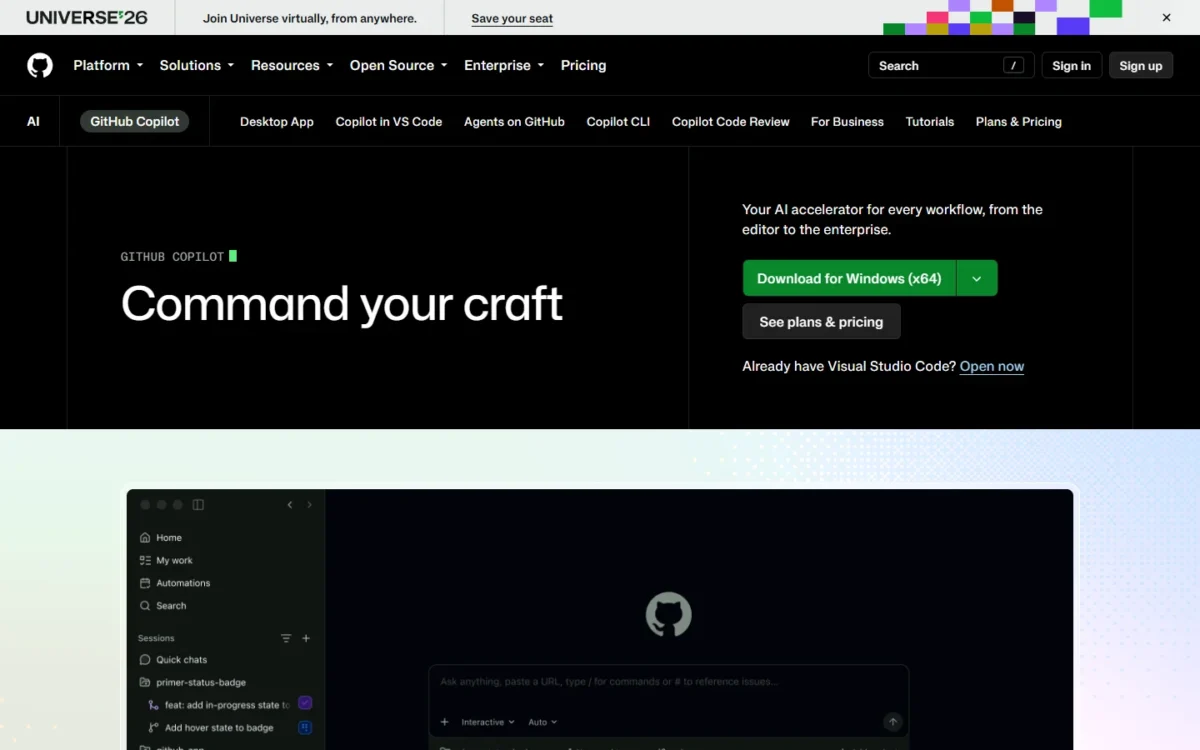
- Tool form: IDE assistant, plus Copilot CLI and a cloud agent on GitHub
- Free plan: 2,000 completions a month, limited chat and agent use
- Models: Claude, GPT, Gemini, Grok and others, paid in GitHub AI Credits
Copilot is the low-friction pick for a developer who wants AI inside the editor already open. Agent mode runs in VS Code, Visual Studio, JetBrains IDEs, Eclipse and Xcode, and paid plans never charge credits for completions. The trade-off is metering: chat, agents and code review spend GitHub AI Credits, so the bill tracks how much you delegate.
On Pro, you can assign work to Copilot and get a pull request back, and Copilot reviews pull requests on GitHub.
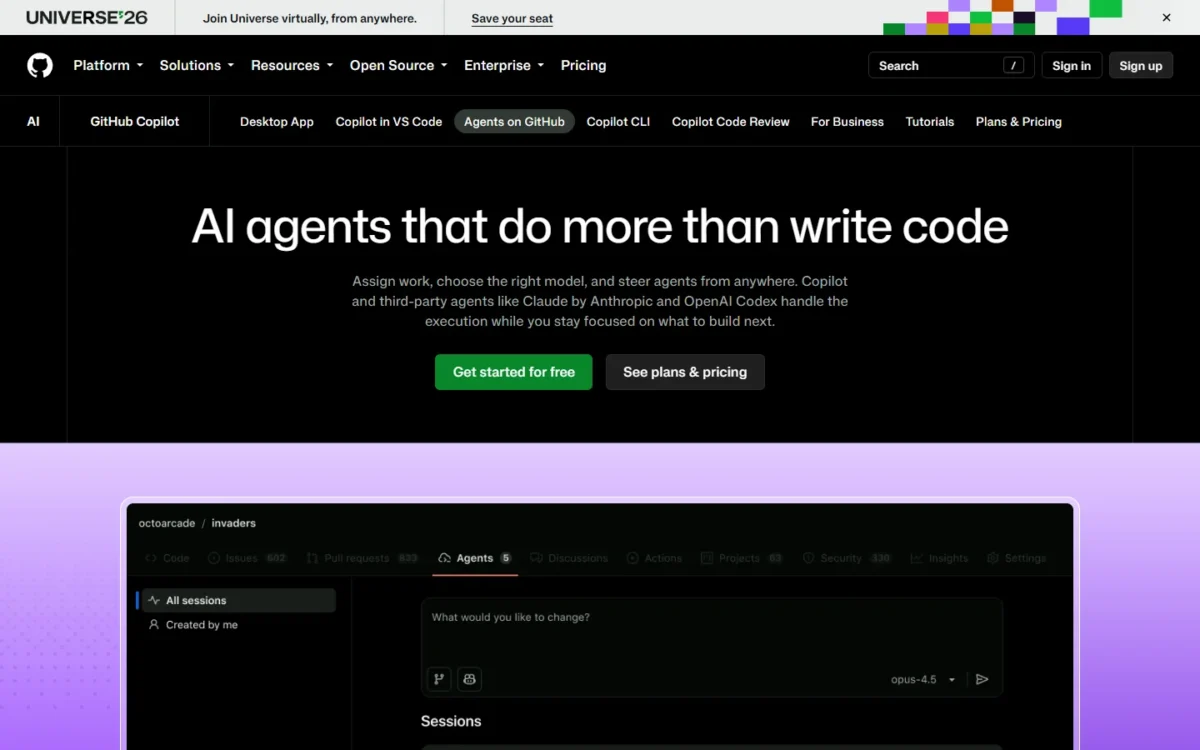
The Pro model picker lists Claude Opus 5.5, GPT-6 Astra and Gemini 4 Argon. Where Cursor bills third-party models at API list price on top of its plan, Copilot draws them from credits you already pay for.
For $10 per month, Pro includes $15 of GitHub AI Credits a month ($10 base + $5 flex), at 1 credit = $0.01. Business is $19 per user per month, with credits pooled across the organization and admin spending limits.
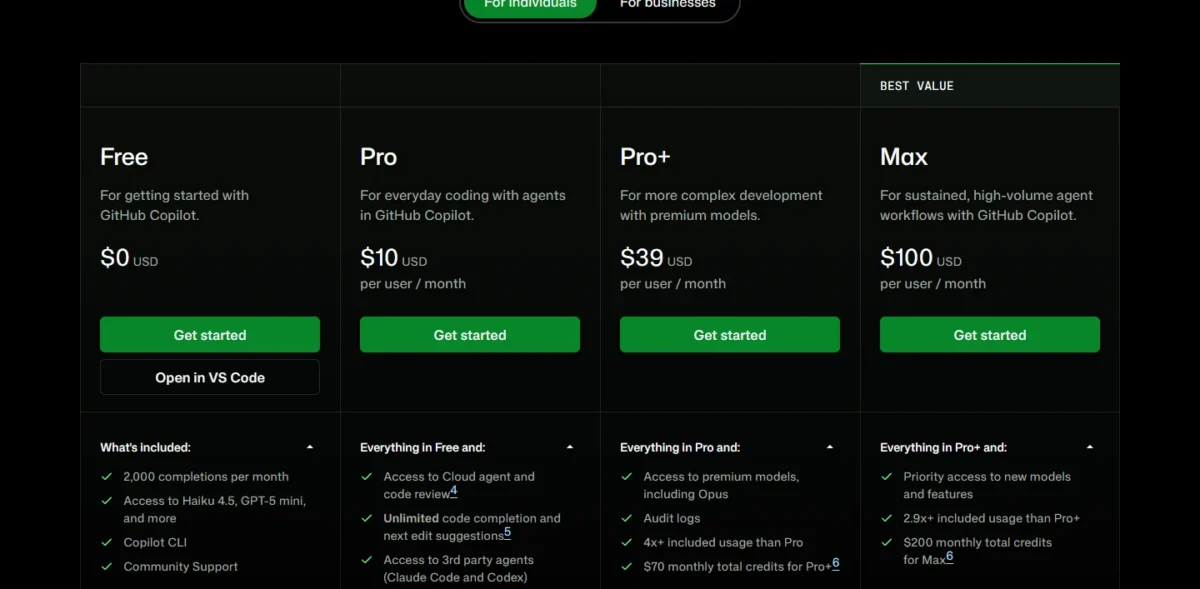
| Plan | Price | Billing | Key limit |
|---|---|---|---|
| Free | $0 | n/a | 2,000 completions a month |
| Pro | $10 | Per month | $15 of AI Credits a month |
| Business | $19 | Per user per month | 1,900 credits per user, pooled |
Sources: GitHub Copilot plans, individual and For businesses views, checked October 2026.
Pros
- Unlimited completions on paid plans, with no credits spent
- Issue-to-pull-request agent and PR reviews from Pro
- Claude, GPT and Gemini paid from one credit balance
Cons
- Credit use per interaction varies by model and task
- Individual plans may use your prompts for training unless you opt out
- Code review also consumes GitHub Actions minutes
- Skip it if:
- you want the editor itself rebuilt around an agent; Cursor or Windsurf fit that better.
2. Claude Code: Best Terminal Agent for Delegating Multi-File Tasks on Claude

- Tool form: terminal agent, with VS Code and JetBrains extensions, web, desktop and Slack
- Free plan: Claude Free does not include Claude Code
- Models: Claude models only
Hand Claude Code a whole task, not a single line: a bug fix, a test suite, a migration across many files. It comes with every paid Claude plan, so a Claude subscriber already owns it. The catch is scope: Claude models only, drawing on the same usage pool as your Claude chats.
It reads a repository with agentic search, so you do not pick context files by hand. For a developer new to a large codebase, the agent finds where code lives before it edits, then runs your tests and opens pull requests through GitHub or GitLab.
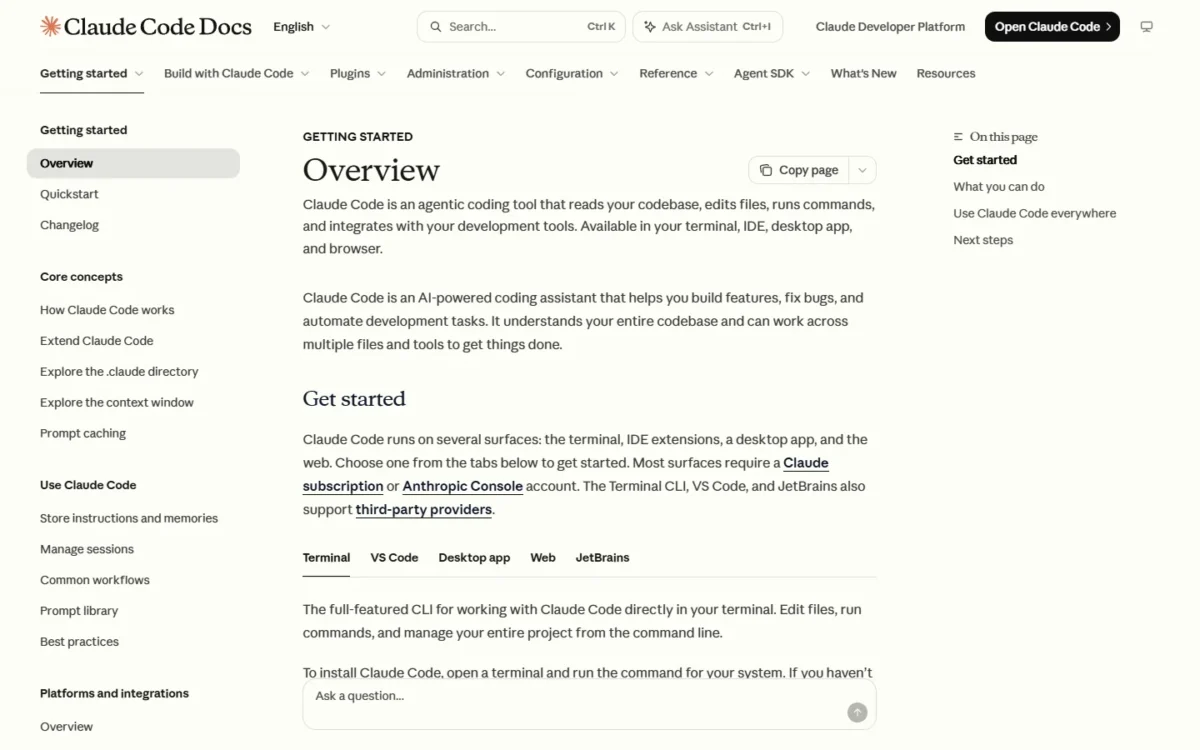
The VS Code extension also runs in Cursor and Devin Desktop, so it does not force an editor switch. Limits reset on a rolling five-hour window, paid plans add weekly limits, and heavy sessions can switch to pay-as-you-go API credits.
Codex is the same idea on GPT, and its CLI and IDE extension start with ChatGPT Plus at $20 a month. Aider also maps a codebase, but Claude Code adds a plan with included usage and the pull request step. For Claude beyond code, see my Claude review.
Claude Code comes with Claude Pro: $17 a month with annual billing ($200 up front) or $20 billed monthly. Move to Max only when the five-hour window runs out on most days; my breakdown of Claude plans and limits covers each tier.

| Plan | Price | Billing | Key limit |
|---|---|---|---|
| Pro | $17 per month | Annual ($200 up front); $20 monthly | Shares usage with Claude chat |
| Max | From $100 per month | Monthly | 5x or 20x Pro’s usage |
| Team Standard | $20 per seat per month | Annual; $25 monthly | More usage than Pro; teams of 2 to 150 |
Sources: Claude pricing and Claude Code, checked October 2026.
Pros
- Included in every paid Claude plan
- Agentic search maps a repository without hand-picked files
- Works in the terminal, VS Code, JetBrains, web, desktop and Slack
Cons
- No GPT or Gemini option
- Coding and chat share five-hour and weekly limits
- Code Review sits on Team and Enterprise, not Pro
- Skip it if:
- you need GPT models (go to OpenAI Codex) or one quota covering Claude, GPT and Gemini (go to Windsurf).
3. Cursor: Best Agentic IDE With Cloud Agents and AI Code Review

- Tool form: agentic IDE with cloud agents and automations
- Recommended plan: Premium, $30 per month
- Third-party models: billed at API list price, outside the plan
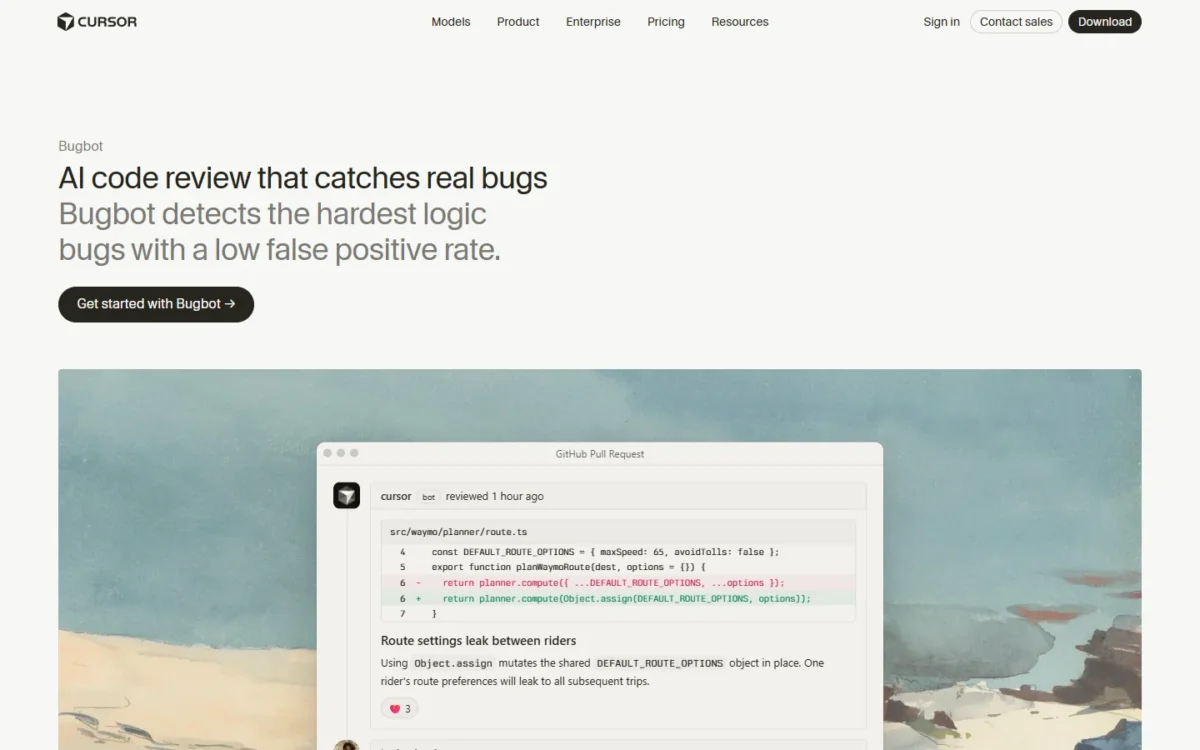
Cursor sells the editor, cloud agents, automations and AI code review as one product, and Premium is the plan it recommends for new AI users. Plan usage covers Grok models, and any third-party model you pick in Cursor is billed separately at API list price.
Premium adds cloud agents and automations, code hosting through Origin and AI code reviews through Bugbot. That is the step from an assistant you watch to agents that keep working while you review.
The allowance refreshes weekly, and it is one pool across Cursor and Grok: Grok Chat, Imagine, Voice and Bot spend the same allowance as your coding.
Premium runs $30 a month with 4x the usage of Plus, and Teams starts at $30 per user per month with SAML/OIDC SSO. Plus is cheaper, but it runs Grok models only and lacks cloud agents and Bugbot, so I would not buy it for coding.

| Plan | Price | Billing | Key limit |
|---|---|---|---|
| Plus | $8 | Per month | Grok models only |
| Premium | $30 | Per month | 4x Plus usage |
| Teams | $30+ | Per user per month | 4-50x Plus usage, SSO |
Sources: Cursor pricing, checked October 2026.
Pros
- Cloud agents, automations and Bugbot reviews on Premium
- Allowance refreshes weekly, not monthly
- Privacy mode keeps code data out of training by Cursor and its model providers
Cons
- No plan includes an allowance for third-party models
- The pool is shared with Grok Chat, Imagine, Voice and Bot
- Repository, model and MCP access controls sit on Enterprise
- Skip it if:
- Claude, GPT or Gemini must be covered by one flat fee; Windsurf Pro or GitHub Copilot include them.
4. OpenAI Codex: Best for ChatGPT Subscribers and OpenAI-First Teams

- Tool form: Codex CLI, IDE extension, cloud tasks on the web and the desktop app
- Free plan: GPT-6 Luna in the desktop app, subject to rollout
- Models: GPT models only
If you already pay for ChatGPT Plus, you already own a coding agent. Plus includes Codex on the web, in the CLI, in the IDE extension and on iOS, which makes it the default for OpenAI-first teams. The limit to plan around is the model, because the five-hour message range shrinks sharply on the flagship.
OpenAI estimates 5-45 local messages per five hours on Plus with GPT-6 Astra, and 350-3,000 with GPT-6 Luna. Run routine edits on Luna and save Astra for the hard bug, or the window closes early.
Plus adds automatic code review on GitHub pull requests and a Slack integration, which API-key mode drops. My Codex vs Claude Code comparison sets the two agents side by side.
Go at $8 a month runs GPT-6 Luna in the desktop app; the full Codex on the web, CLI and IDE starts with ChatGPT Plus at $20 a month.
Business is $20 per user per month billed annually for 2+ users, or $25 billed monthly, and adds SAML SSO with no training on business data by default. The full lineup is in my guide to ChatGPT plan prices.

| Plan | Price | Billing | Key limit |
|---|---|---|---|
| Go | $8 | Per month | GPT-6 Luna in the desktop app |
| Plus | $20 | Per month | 5-45 GPT-6 Astra messages per 5 hours |
| Pro | From $100 | Per month | No five-hour limit |
| Business | $20 per user | Per month, billed annually | Same ranges as Plus |
Sources: Codex pricing, checked October 2026.
Pros
- Included in ChatGPT Plus across web, CLI, IDE and iOS
- GitHub code review and Slack on Plus
- Pro removes the five-hour limit
Cons
- GPT models only
- Narrow message range on GPT-6 Astra
- API-key mode drops the cloud features
- Skip it if:
- your team works on Claude models (go to Claude Code) or needs completions as you type (go to GitHub Copilot).
5. Windsurf (Devin Desktop): Best Agentic IDE With Claude, GPT and Gemini in One Quota
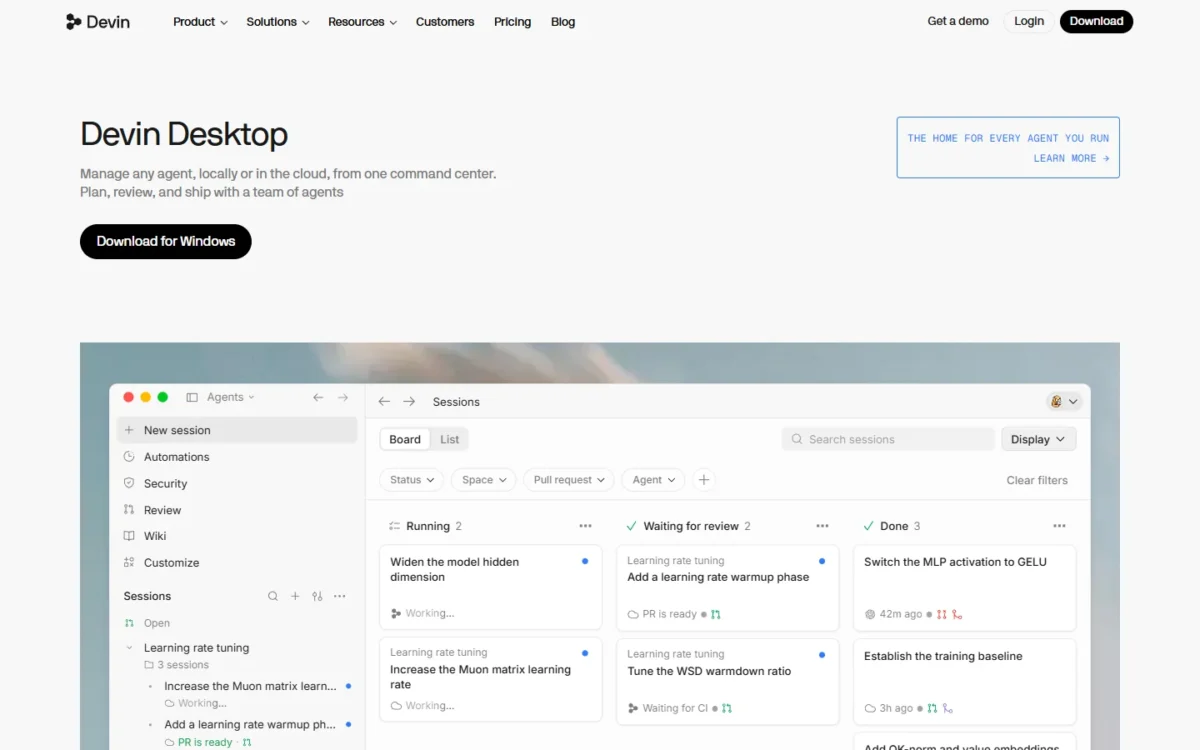
- Tool form: Devin Desktop, an agentic IDE, with Devin Cloud agents
- Free plan: unlimited Tab completions and inline edits, light agent quota
- Integrations: Slack, Teams, Linear, Jira, GitHub, GitLab, Bitbucket
Windsurf puts Claude, GPT and Gemini in the plan instead of on a second bill. Expect a brand shift, too: the pricing page carries the Devin name, and the editor ships as Devin Desktop.
The allowance refreshes daily and weekly, and usage past it is bought at API pricing. The plan also includes Devin Cloud agents and free use of Windsurf’s own SWE-2 model.
Pro is $20 a month. Teams charges $80 a month for the team plan plus $40 a month per full dev seat, up to 200 users.

| Plan | Price | Billing | Key limit |
|---|---|---|---|
| Pro | $20 | Per month | Quota refreshes daily and weekly |
| Teams | $80 plus $40 per full dev seat | Per month | Up to 200 users |
Sources: Windsurf pricing, checked October 2026.
Pros
- Three big model families without an API bill
- Free plan with unlimited Tab completions
- Devin Cloud agents and free SWE-2 on Pro
Cons
- Teams adds an $80 monthly platform fee
- Usage beyond the quota bills at API pricing
- Enterprise pricing is not published
- Skip it if:
- you run a small team and want per-seat pricing with no platform fee; GitHub Copilot Business charges $19 per user per month.
6. Gemini Code Assist: Best for Teams on Google Cloud

- Tool form: Gemini CLI agent plus IDE assistance
- Agent quota: 1,500 agent mode and Gemini CLI requests per user per day on Standard
- Free option for individuals: Google Antigravity, $0 a month
Google Cloud teams get the most from Gemini Code Assist. Beyond the IDE and Gemini CLI, it works inside Firebase, BigQuery, Apigee and Application Integration, and Google’s IP indemnification covers licensed users. Individuals should note the June 18, 2026 change: the unpaid tier and its Gemini CLI were replaced by Antigravity.
Local codebase awareness grounds answers in a 1M-token context window, which suits cross-file changes. The catch is the daily cap: once a user’s agent and CLI requests hit it, no more go through until the quota resets.
Google says customer code, inputs and recommendations do not train shared models.

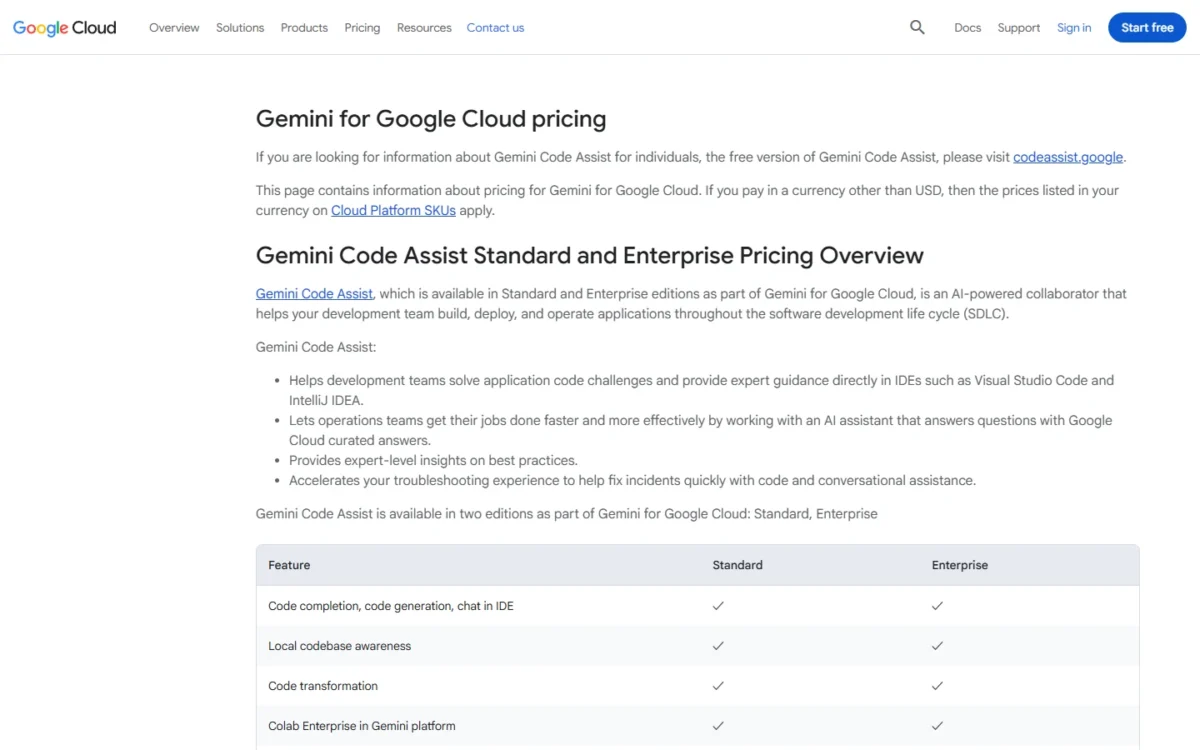
On an upfront annual commitment, Standard is $19 per user per month; monthly terms raise it to $22.80. Enterprise raises the daily agent cap to 2,000 requests per user.
| Plan | Price | Billing | Key limit |
|---|---|---|---|
| Standard | $19 per user per month | Annual commitment | 1,500 agent requests per user per day |
| Standard | $22.80 per user per month | Monthly | Same quota |
| Enterprise | $45 per user per month | Annual commitment | 2,000 agent requests per user per day |
Sources: Gemini Code Assist, Gemini Code Assist quotas, Antigravity pricing, checked October 2026.
Pros
- Gemini CLI and agent mode included on Standard
- 1M-token local codebase awareness
- Works in Firebase, BigQuery and Apigee
Cons
- The daily request cap pauses agents until reset
- Agent mode is still in preview
- No Claude or GPT option listed
- Skip it if:
- your code does not run on Google Cloud and you want several model families; Windsurf or GitHub Copilot fit better.
7. JetBrains AI (Junie): Best for Developers Who Work in JetBrains IDEs

- Tool form: coding agents and completion inside JetBrains IDEs
- Free plan or trial: AI Free with unlimited completion and 3 credits a month; 30-day AI Pro trial
- Agents: Junie, Claude Agent, Codex and Gemini, plus 25+ via the Agent Client Protocol
For a developer who lives in IntelliJ IDEA or PyCharm, JetBrains AI removes the reason to leave the IDE. AI Pro runs Junie, Claude Agent, Codex and Gemini agents there, and BYOK takes your own Anthropic, OpenAI or Google keys. The constraint is credit math: JetBrains sizes AI Pro’s 10 monthly credits for occasional agent use.
One AI credit equals USD 1.00 of use, and third-party models bill at public API rates with no surcharge. That pricing is transparent, and for frequent coding agent use JetBrains points to AI Ultimate instead.
Copilot runs in JetBrains IDEs too; JetBrains AI’s edge is several vendors’ agents on one credit balance.
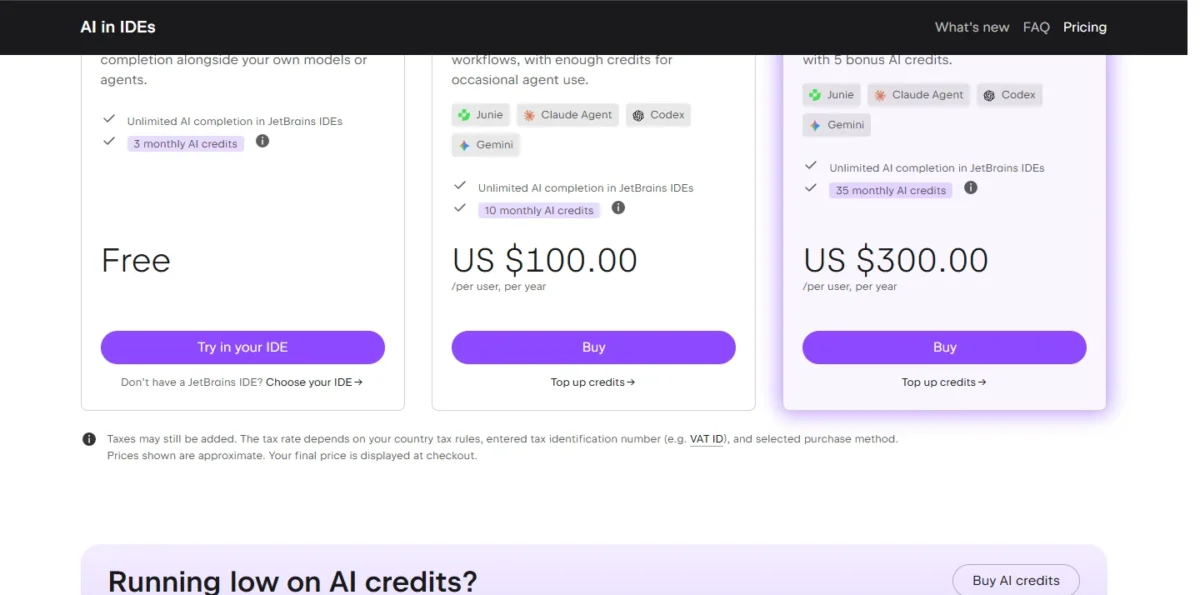
JetBrains bills AI Pro at $100 per user per year with 10 monthly AI credits, and AI Ultimate at $300 per user per year with 35. JetBrains marks these prices as approximate, with the final price at checkout.
| Plan | Price | Billing | Key limit |
|---|---|---|---|
| AI Pro | $100 per user | Per year | 10 AI credits a month |
| AI Ultimate | $300 per user | Per year | 35 AI credits a month |
Sources: JetBrains AI pricing, yearly billing view, checked October 2026.
Pros
- Four vendors’ agents in one JetBrains plan
- Third-party models at API rates, no surcharge
- Credits included with All Products Pack and dotUltimate
Cons
- Unused monthly credits do not roll over
- AI Free excludes IntelliJ IDEA without Ultimate and PyCharm without Pro
- Organizations buy credits, not fixed seats
- Skip it if:
- you edit in VS Code; GitHub Copilot or Cline fit that editor.
8. Amazon Q Developer: Best for AWS Teams Upgrading Java and .NET Apps
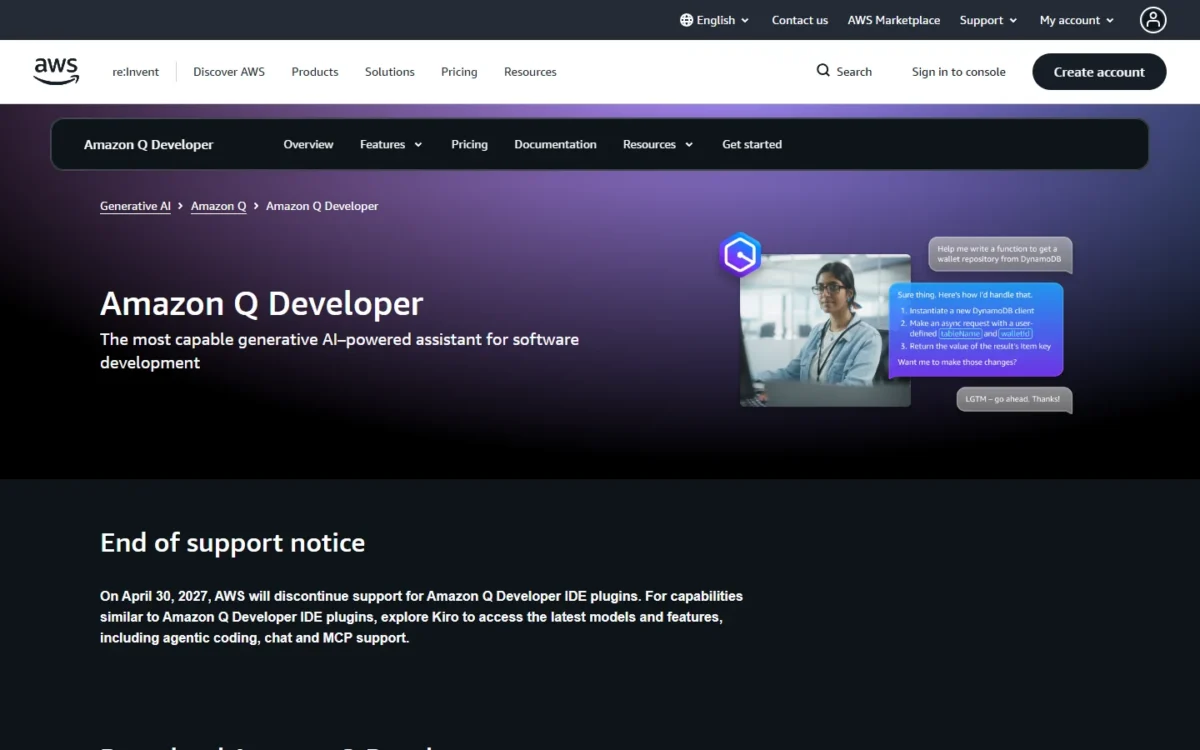
- Tool form: IDE and CLI agent, plus chat in the AWS console
- Free tier: 50 agentic requests and 1,000 lines of code transformation a month
- Models: latest Claude models
Old Java and .NET code is where Amazon Q Developer earns its seat. Pro raises the limits for Java and .NET app transformation and pools the line allowance across the AWS payer account. Everyday help is thinner on Free, which stops at 50 agentic requests a month.
A user’s fee starts when they request agentic coding, a transformation plan or completions, not when they sign in or download the toolkit. Kiro, by contrast, asks you to adopt its own IDE and specs, while Q Developer stays inside your existing IDE and CLI.
Each Pro seat is $19 per user per month, and transformation beyond the pooled lines costs $0.003 per line submitted.

| Plan | Price | Billing | Key limit |
|---|---|---|---|
| Free | $0 | n/a | 50 agentic requests; 1,000 lines of transformation |
| Pro | $19 per user | Per month | 4,000 lines per user, pooled |
Sources: Amazon Q Developer pricing, checked October 2026.
Pros
- Java and .NET transformation with pooled allowances
- Pro users are automatically opted out of data collection
- IP indemnity on Pro
Cons
- Free IDE use needs an AWS Builder ID
- No refund for a mid-month cancellation
- Pro’s request limit is published only as “Included (with limits)”
- Skip it if:
- you want an agent-first IDE; Kiro or Cursor build the editor around the agent.
9. Kiro: Best for Spec-Driven Development on Credit-Based Plans

- Tool form: spec-driven IDE plus Kiro CLI and Kiro Web
- Free plan: 50 credits, open-weight models and Claude Sonnet 4.5
- Models: Auto, Claude, GPT-5.6 and open-weight models
Kiro bets that agents work better from a written spec than from a chat thread. Spec mode covers spec refinement and task execution, next to a looser vibe mode and agent hooks. The price of that structure is metering: every prompt, refinement and hook run spends credits.
Vibe mode is the prompt-and-iterate style in my explainer on what vibe coding means; spec mode is the brake on it, and the reason to pick Kiro for reviewable plans.
A task run on Claude Sonnet 4.6 costs 1.3x the credits it costs in Auto. Kiro’s $20 seat buys a fixed credit count that does not roll over, while Amazon Q Developer’s $19 Pro seat publishes its request limit only as “Included (with limits)”.
Kiro Pro buys 1,000 credits for $20 per user per month, and add-on credits cost $0.04 each.
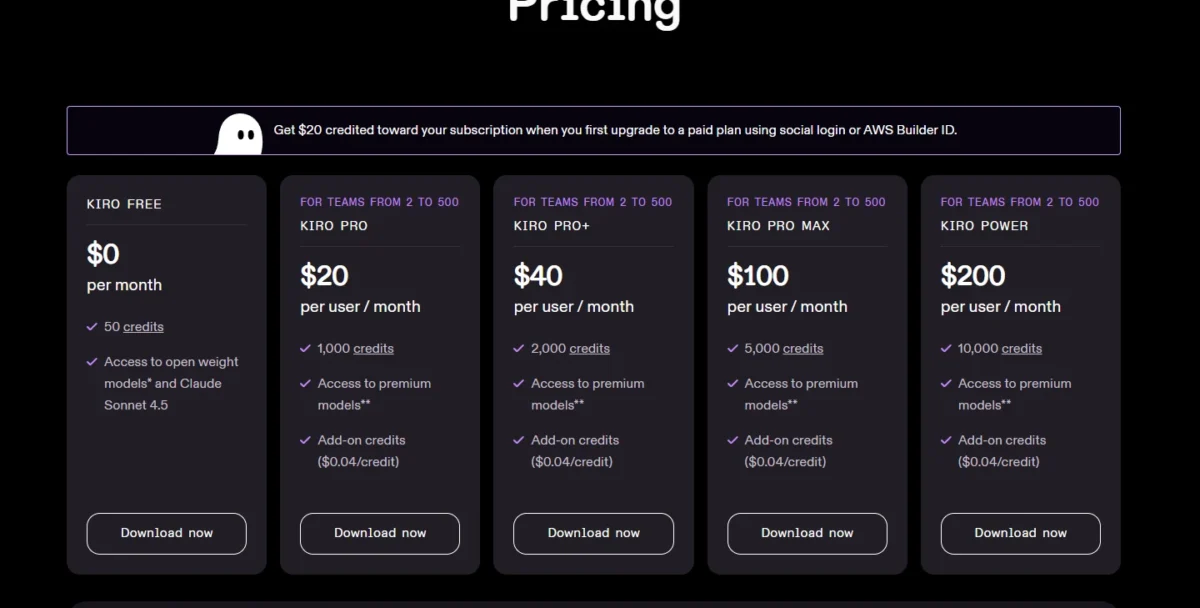
| Plan | Price | Billing | Key limit |
|---|---|---|---|
| Free | $0 | n/a | 50 credits |
| Pro | $20 per user | Per month | 1,000 credits |
| Power | $200 per user | Per month | 10,000 credits |
Sources: Kiro pricing, checked October 2026.
Pros
- Spec mode, vibe mode and agent hooks in one tool
- One credit balance across IDE, CLI and Web
- Claude and GPT-5.6 on paid plans
Cons
- Monthly credits do not roll over
- A spec task typically costs more than one credit
- Each developer needs their own subscription
- Skip it if:
- unmetered completions for a flat fee matter more (go to GitHub Copilot), or an assistant in your current IDE (go to Amazon Q Developer).
10. Augment Code: Best Flat-Priced Plan for Teams of Up to 50 Developers
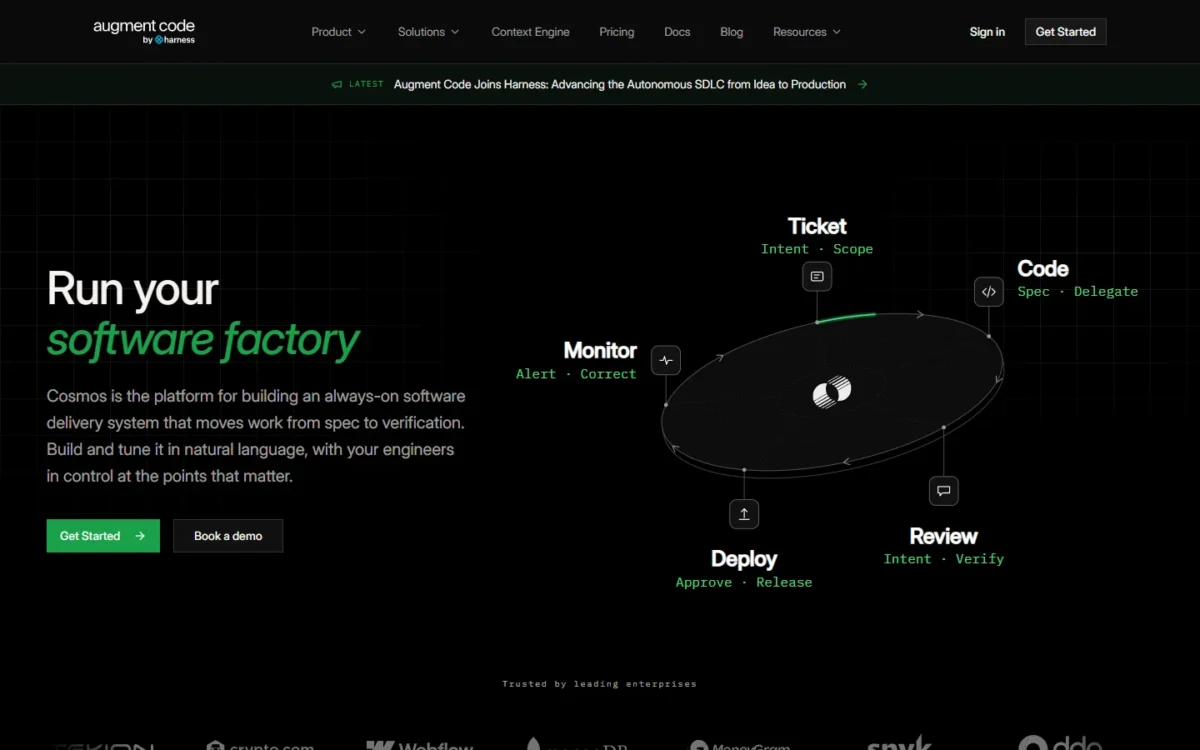
- Tool form: team agent platform with Context Engine, coding agent, CLI and Cosmos
- Usage billing: LLM inference at provider API list price, plus a flat 40% service fee
- Compliance: SOC 2 Type II; ISO 42001 on Enterprise
Augment Code prices the team, not the seat: up to 50 people share one flat plan and one usage balance. The flat fee is the floor, not the bill, because model usage costs API list price plus a 40% fee.
Usage and top-ups pool across the team, so nobody pays for an idle seat. Code Review for GitHub pull requests is on every plan, and paid plans exclude AI training on your data.
Windsurf Teams charges $40 per full dev seat; Augment charges nothing per seat, so usage becomes the variable.
A Standard workspace pays $20 a month flat with $20 of usage included, and Business pays $100 a month flat with $100 of usage, both for up to 50 seats. The 40% fee applies to LLM usage only, not compute.
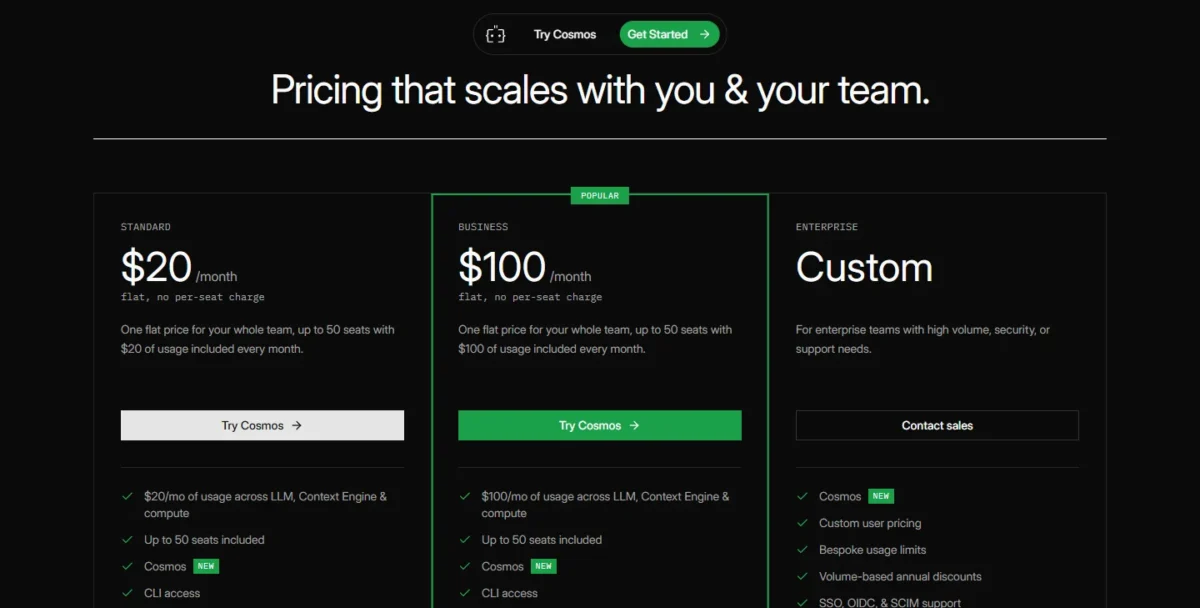
| Plan | Price | Billing | Key limit |
|---|---|---|---|
| Standard | $20 flat | Per month | $20 of usage, up to 50 seats |
| Business | $100 flat | Per month | $100 of usage, up to 50 seats |
| Enterprise | Custom | Contact sales | Unlimited users |
Sources: Augment Code pricing, checked October 2026.
Pros
- One flat plan for up to 50 seats
- Usage and top-ups pooled across the team
- GitHub pull request reviews on every plan
Cons
- A 40% service fee on LLM usage
- Standard includes $20 of usage for the whole team
- Trial terms are not published
- Skip it if:
- every developer runs heavy agent sessions all day. A Windsurf Teams seat includes that user’s own quota, and a Claude Team Standard seat carries more usage than Pro. Windsurf usage past the quota still bills at API pricing.
11. Cline: Best Open-Source VS Code Agent for Your Own API Keys

- Tool form: open-source VS Code agent extension and CLI
- Providers: Anthropic, Gemini, OpenAI, OpenRouter, AWS Bedrock, GCP Vertex and more
- Enterprise: custom price; adds the JetBrains extension and SSO
Cline removes the subscription between you and the model. The open-source extension is free for individual developers, and you choose the provider, from your own Anthropic, OpenAI or Google key to OpenRouter. The trade-off mirrors that freedom: no included usage, so your monthly cost is your provider bill.
BYOK makes model choice a cost lever: send routine edits to a low-cost model and keep a flagship for hard bugs.
Augment adds a 40% fee on LLM usage, and Cursor bills third-party models on top of a plan. Cline charges no seat fee, and you can switch providers anytime.
The open-source version has no subscription or seat fee: you buy inference at cost through the Cline provider or pay your own provider. Enterprise is custom-priced.
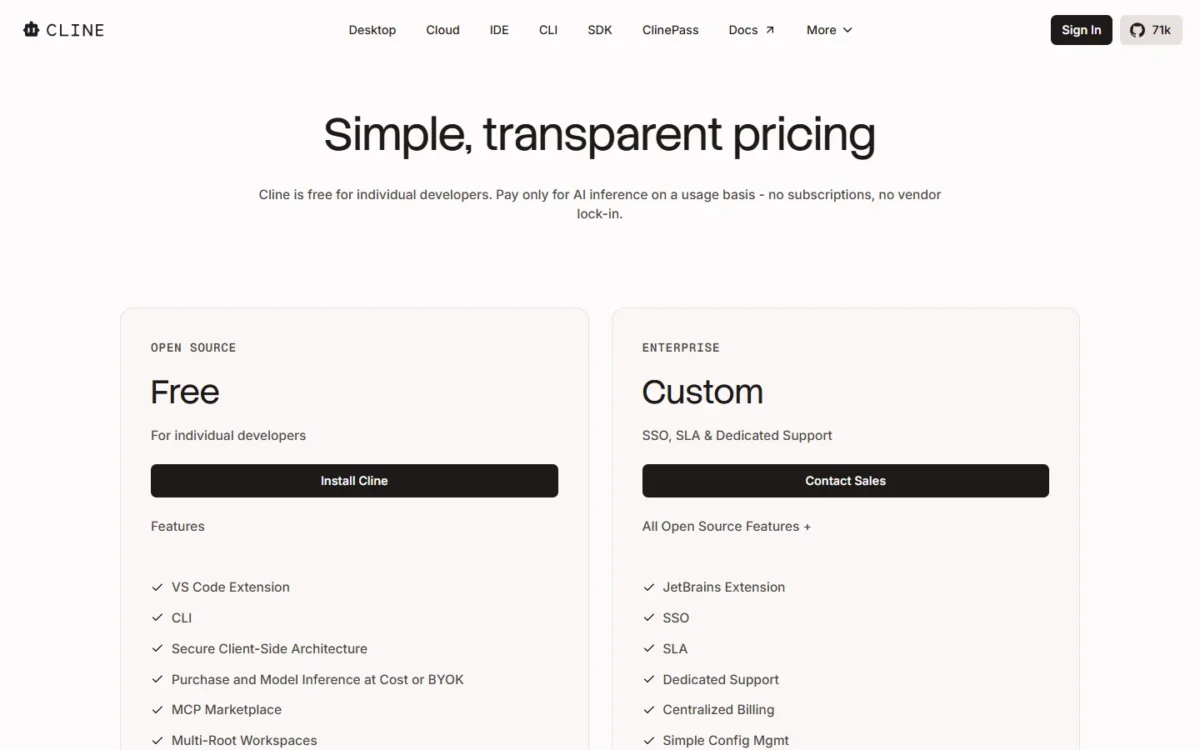
| Plan | Price | Billing | Key limit |
|---|---|---|---|
| Open Source | Free | n/a | Inference paid separately |
| Enterprise | Custom | Contact sales | Adds JetBrains extension, SSO |
Sources: Cline pricing, checked October 2026.
Pros
- Free open-source extension, no seat fee
- Your own keys, or inference at cost
- CLI and MCP Marketplace included
Cons
- No included usage
- The JetBrains extension is Enterprise-only
- SSO and team management need Enterprise
- Skip it if:
- a predictable monthly bill matters more; GitHub Copilot Pro or Windsurf Pro charge a flat fee.
12. Aider: Best Terminal Pair Programmer for Any Model, With Git Auto-Commits
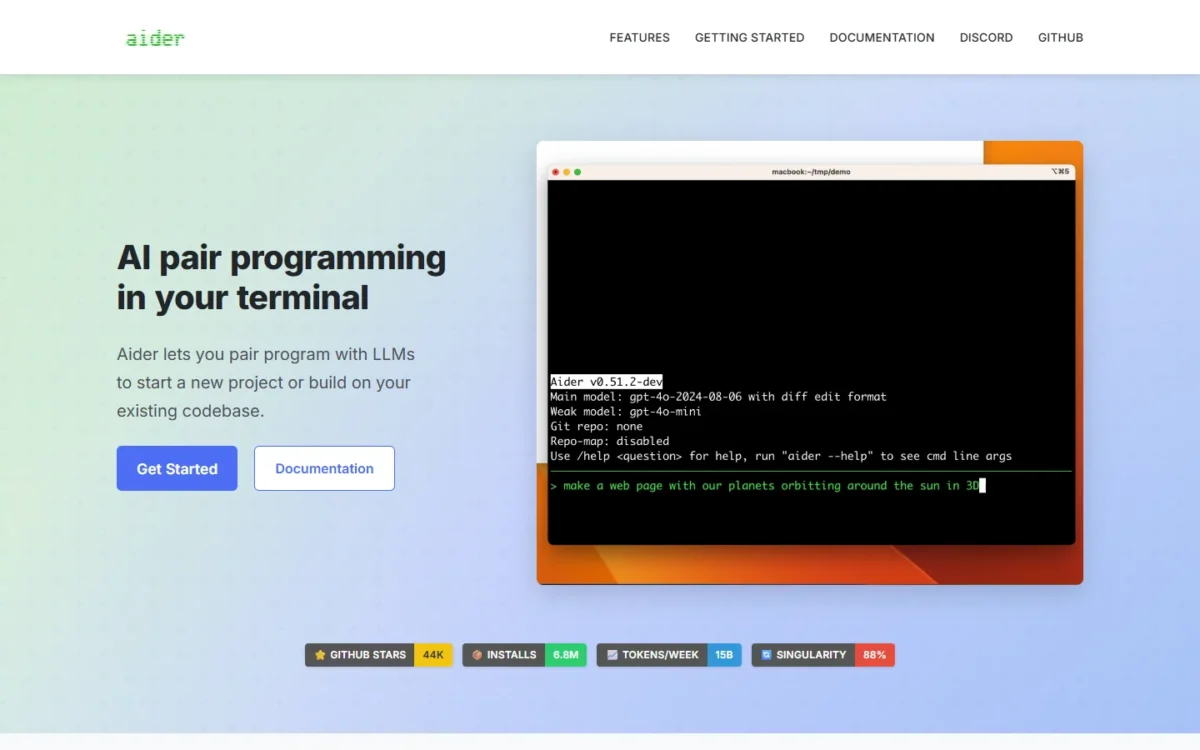
- Tool form: terminal pair programmer
- Standout: automatic git commits with sensible commit messages
- IDE use: add a comment in your editor and Aider picks it up
Every change Aider makes lands as a git commit, which suits a developer who wants to diff and undo AI edits with familiar tools. It connects to almost any LLM, local models included, and maps the codebase for larger projects.
Aider can lint and test the code after each change, then fix what your linters and test suites flag, so a broken edit is caught before you read the diff.
Claude Code also lives in the terminal, but it runs Claude models inside a plan, while Aider runs whatever model you point it at.
Aider is licensed Apache-2.0 and runs on your own API key. You install it with pip and pay your model provider directly.

- Software: Apache-2.0 license; installs with pip; you bring your own API key
- Models: your key for Anthropic, OpenAI, DeepSeek or another provider, or a local model
Sources: Aider home page and Aider GitHub repository, checked October 2026.
Pros
- Works with local models as well as cloud LLMs
- Every change committed to git with a message
- Lints and tests after each change
Cons
- No managed plan or included usage
- The home page still recommends older models such as Claude 3.7 Sonnet
- No cloud agent listed on the home page
- Skip it if:
- a managed plan with included usage suits you better; Claude Code or OpenAI Codex bundle the agent and the model.
What a 5-Person Team Pays per Year on Each Tool’s Team Plan
For a 5-person team, the yearly software bill among paid plans runs from $20 x 12 = $240 on Augment Code Standard to $80 x 12 = $960 plus $40 x 5 x 12 = $2,400, which is $3,360, on Windsurf Teams.
| Software | Plan | Billing | Yearly cost for 5 seats | Not included |
|---|---|---|---|---|
| GitHub Copilot | Business | Per user per month | $19 x 5 x 12 = $1,140 | Extra credits, Actions minutes |
| Claude Code | Claude Team Standard | Annual | $20 x 5 x 12 = $1,200 | Usage past limits |
| Cursor | Teams | Per user per month | $30 x 5 x 12 = $1,800 or more | Third-party models |
| OpenAI Codex | ChatGPT Business | Annual, 2+ users | $20 x 5 x 12 = $1,200 | Extra credits |
| Windsurf | Teams | Per month | $80 x 12 = $960 plus $40 x 5 x 12 = $2,400, which is $3,360 | Usage at API pricing |
| Gemini Code Assist | Standard | Annual commitment | $19 x 5 x 12 = $1,140 | Requests past the cap |
| JetBrains AI | AI Pro, individual licenses | Per year | $100 x 5 = $500 | Top-up credits; organizations buy credits instead |
| Amazon Q Developer | Pro | Per user per month | $19 x 5 x 12 = $1,140 | Lines past the pool |
| Kiro | Pro | Per user per month | $20 x 5 x 12 = $1,200 | Add-on credits |
| Augment Code | Standard | Flat per month | $20 x 12 = $240 | Usage past the plan |
| Cline | Open Source | n/a | $0 | All inference |
| Aider | Apache-2.0 license | n/a | You pay your model provider through your own API key | Model usage |
Sources: GitHub Copilot plans, Claude pricing, Cursor pricing, Codex pricing, Windsurf pricing, Gemini Code Assist, JetBrains AI pricing, Amazon Q Developer pricing, Kiro pricing, Augment Code pricing, Cline pricing, Aider, checked October 2026. Totals exclude tax, overage and API usage.
The cheap end is misleading. Augment’s flat plan includes only $20 of usage a month for the whole team, and Cline’s $0 moves the entire cost to the model bill.
Three per-seat plans share a $19 per user per month price: Copilot Business, Gemini Code Assist Standard on annual commitment and Amazon Q Developer Pro. There, the stack decides.

How to Choose the Best AI for Coding
Match your first priority to one row, then check its trade-off.
| Your priority | Tool to consider | Reason | Trade-off |
|---|---|---|---|
| In-IDE help in five major IDEs | GitHub Copilot | Unlimited completions on Pro | Agents spend credits |
| A terminal agent on Claude | Claude Code | Included in Claude Pro | Shares limits with chat |
| A terminal agent on GPT | OpenAI Codex | Included in ChatGPT Plus | Narrow range on GPT-6 Astra |
| Three model families in one editor plan | Windsurf | Pro quota covers all three | Teams platform fee |
| Cloud agents and PR reviews in the editor | Cursor | Premium adds both | Third-party models extra |
| A stack on Google Cloud | Gemini Code Assist | Firebase, BigQuery, Apigee | Daily agent cap |
| JetBrains IDEs | JetBrains AI | Several vendors’ agents | Small credit allowance |
| AWS with Java or .NET upgrades | Amazon Q Developer | Pooled transformation lines | Tight Free tier |
| Agents that work from specs | Kiro | Spec mode and hooks | Credits do not roll over |
| One budget for a team | Augment Code | Flat plan, pooled usage | Service fee on LLM usage |
| No subscription | Cline or Aider | Your keys, any provider | No included usage |
Sources: the vendor pages linked under the comparison table, checked October 2026.
Two combinations are worth pricing. A GitHub team can pair Copilot Business for editor help with Claude Code or Codex for delegated tasks, and a solo developer can pair Windsurf Free’s Tab completions with Cline on their own key.
If your job reaches beyond code, my guide to the best AI tools by category maps the other jobs.
Free Tiers Worth Starting With
Unlimited free completion exists, but every free agent quota is capped:
- GitHub Copilot Free: 2,000 completions a month
- Cursor Free: limited agent and chat requests
- Codex Free: GPT-6 Luna, desktop app only
- Windsurf Free and Google Antigravity: unlimited Tab completions, with a light agent quota or basic weekly rate limits
- JetBrains AI Free: 3 credits a month, plus a 30-day AI Pro trial
- Kiro Free: 50 credits
- Amazon Q Developer Free: 50 agentic requests a month
- Cline and Aider: Cline is free for individual developers and Aider carries the Apache-2.0 license; model use is paid to your provider
Give one open issue from your repository to your top two. The one whose result needs fewer corrections earns the paid seat.
Also Considered
These tools came up in the research and stay off the ranked list:
- Tabnine: tabnine.com and its pricing page redirected to Tricentis pages on October 26, 2026, with no Tabnine plan or price published.
- Replit Agent: Core is $18 a month billed annually, and its plans count projects, collaborators and viewers, which fits building apps in Replit’s own workspace.
- Lovable, Bolt and similar app builders: left off this list; readers weighing them can start with my guide to the best AI prototyping tools.
FAQ
Which AI is best for C# and .NET?
GitHub Copilot fits most C# developers: agent mode runs in Visual Studio, and Pro includes app modernization for Java and .NET. AWS teams can add Amazon Q Developer Pro for higher .NET transformation limits. JetBrains users on dotUltimate get 10 JetBrains AI credits every 30 days at no extra cost.
Can I use Claude models inside Cursor, Copilot or JetBrains?
In Copilot and JetBrains AI, yes. Copilot Pro lists Claude Opus 5.5 and pays for it from AI Credits, and JetBrains AI runs Claude Agent on credits or your own Anthropic key.
In Cursor, third-party models run at API list price outside the plan, but the plan page does not name Claude, so confirm it in Cursor’s model picker.
Does my code train the AI model?
It depends on the plan. GitHub may use Copilot Free, Pro and Pro+ interaction data for training unless you opt out in settings. Claude Team uses no content for training by default, and Cursor with privacy mode on, Augment’s paid plans and ChatGPT Business also keep code out.
Final Verdict
Pick by job first: for help inside your current editor, GitHub Copilot Pro is my pick. For handing over whole tasks, choose Claude Code on Claude or OpenAI Codex on GPT, whichever chat plan you already pay for. For an agent-first editor, Cursor is the pick for cloud agents and reviews, Windsurf for included models.
Then pick by budget. At $0, start with Copilot Free, Windsurf Free or Cline. At $10 to $20 a month per developer on individual plans, choose Copilot Pro, Claude Code, Codex, Windsurf Pro or Kiro Pro; for one flat team budget, Augment Code.
Let the stack break ties: Google Cloud teams should price Gemini Code Assist, AWS teams with Java or .NET upgrades Amazon Q Developer, and JetBrains users JetBrains AI.






Pingback: 10 Claude Alternatives (2026): Prices, Team Costs, Who Fits