

The best LMS for a small team is TalentLMS, which starts free and costs $1,428 a year for up to 40 users on Core. iSpring LMS fits 100 to 500 active learners who build their own courses.
360Learning fits when your own experts write the training, and Docebo suits 250+ learners across employees, customers and partners.
I ranked ten LMS platforms for US businesses on the prices, billing rules and plan limits each vendor publishes, checked October 15, 2026. Each pick shows its published yearly cost at 40 and 100 learners, or says it is quote only, and the condition that rules it out.
Quick verdict
This list is for HR, L&D and enablement leads choosing one LMS for employee, customer or partner training.
- Under 100 learners: TalentLMS. Its Free plan never expires, and Core costs $1,428 a year for 40 users with SSO included.
- 100 to 500 active learners who build their own courses: iSpring LMS, with its authoring tool in every plan, at $6.91 per user a month for 100 users.
- Experts write the courses: 360Learning Team, $8 per user a month, billed monthly with no annual commitment.
- 250+ learners across several audiences: Docebo, by quote, on a contract of at least one year.
- The trade-off: six of the ten vendors publish no price, so those shortlists start with a sales call.
In This Article (19 sections)
Quick Picks: The Best LMS by Training Job
TalentLMS
Best for: small teams that want to start free
A Free plan with no time limit, then $1,428 a year for 40 users on Core, with SSO already included.
Limit: 1 branch (training portal) on Core

iSpring LMS
Best for: 100 to 500 active learners who build their own courses
$6.91 per active user a month at 100 users, and the iSpring Suite AI authoring tool comes with every plan.
Limit: no list price under 100 users

360Learning
Best for: collaborative courses written by your own experts
Co-authoring on the Team plan at $8 per user a month, billed monthly with no annual commitment.
Limit: Team stops at 100 users
Docebo
Best for: enterprises training employees, customers and partners together
Docebo puts its typical fit at 250+ learners across audiences and supports over 400 integrations.
Limit: quote only, with a one-year minimum contract
The other six picks each win a narrower job, from customer education (LearnUpon) to managed open-source Moodle (Open LMS). The table below sets all ten side by side.
LMS Comparison: Price, Free Option and the Limit That Rules Each Out
Four of the ten publish a price list or a price floor (TalentLMS, iSpring LMS, 360Learning and Litmos); the other six quote only.
| Software | Best for | Starting price | Free plan or trial | Standout feature | Key limitation |
|---|---|---|---|---|---|
| TalentLMS | Small teams starting free | $119 a month for 1-40 users, billed yearly | Free plan: 5 users, 10 courses | SSO, custom domain and API on Core | 1 branch on Core; unlimited only on Enterprise |
| iSpring LMS | 100-500 active learners | $6.91 per user a month at 100 users ($8,286 a year) | 30-day trial, no credit card | AI authoring tool in every plan | No list price under 100 users |
| 360Learning | Courses written by in-house experts | $8 per user a month (Team), billed monthly | 30-day free trial | Co-authoring | Team capped at 100 users |
| Docebo | 250+ learners across audiences | Quote only | No trial published | 400+ integrations | One-year minimum contract |
| Absorb LMS | AI course creation plus a catalog | Quote by learner band | Free trial, length not published | 20,000+ pre-built courses | No published price |
| LearnUpon | Customer education | Quote only; Customer Education from 300 users | No trial published | Implementation Consultant in every plan | Not for under 100 users, on-premise or HIPAA data |
| Litmos | Compliance content | From $8K a year (Foundation) | No trial published | SCORM, xAPI and AICC import | Premium content libraries are add-ons |
| Rippling LMS | Companies on Rippling HR | Quote only | No trial published | Assigns courses from the employee record | Works from Rippling’s employee data |
| CYPHER Learning | Several organizations or brands | Quote only | No trial published | Independent site per organization (Enterprise) | Multi-org setup needs Enterprise |
| Open LMS | Moodle without running servers | Quote, per active user | No trial published | Managed Moodle-based SaaS on AWS | Most rollouts take 2-3 months |
Sources: TalentLMS pricing, iSpring LMS pricing, iSpring LMS trial page, 360Learning pricing, Docebo pricing, Absorb LMS pricing, LearnUpon pricing, Litmos pricing, Rippling pricing, CYPHER Learning pricing, Open LMS pricing, checked Oct 2026.
For the six quote-only vendors, the last column is the screening tool: it tells you whether a sales call is worth booking at all. Which rows matter depends on the kind of LMS your training job needs.
Which Kind of LMS Do You Need?
Most business buyers need one of six kinds of LMS, and the kind narrows the shortlist before price does. An LMS assigns, delivers and tracks training; the kinds differ in who learns and who writes the courses.
- Self-serve employee LMS (TalentLMS, iSpring LMS, 360Learning): published prices and a free plan or trial, for internal training you can start this month.
- Enterprise multi-audience LMS (Docebo, Absorb LMS, CYPHER Learning): one system for employees, customers and partners, priced by quote.
- Customer education LMS (LearnUpon): a product line built to onboard customers, with HubSpot and Salesforce integrations.
- Compliance-content LMS (Litmos): the course library matters as much as the platform.
- HR-suite LMS (Rippling LMS): training assigned straight from the HR record.
- Managed open-source LMS (Open LMS, built on Moodle): open-source code run as a managed cloud service, with no servers for you to host.
Course-selling platforms such as Teachable and Thinkific serve creators who sell to the public, so they sit under Also Considered.
How I Chose These 10 LMS Platforms
I considered fifteen tools: the ten picks below and the five under Also Considered. Two must-haves removed tools, and four criteria ranked the rest, with a distinct training job as the tiebreaker.
The must-haves:
- Built for business training. School LMSs (Canvas LMS) and course-selling platforms (Teachable, Thinkific) went out because they serve a different buyer.
- Documented buying terms. The vendor’s own pages state a price, a user minimum, a user model or a contract rule I can cite.
The ranking criteria, in order: a published price somewhere between 40 and 500 learners, a free plan or trial, the plan that includes SSO, and AI course creation. Each pick then had to win a job no other pick wins.
The evidence comes in three classes:
- Official pricing and documentation pages, saved October 14, 2026 and re-checked October 15, 2026.
- Vendor claims attributed by name, such as customer counts and Absorb’s Forrester mention.
- My own cost analysis at 40 and 100 learners, with the math shown.
No product was set up in an account or demoed for this list, and none gets a score or star rating. Six vendors publish no price, and Litmos does not publish how many learners its floors cover.
| Product | Published price | Free plan or trial | SSO | AI course creation |
|---|---|---|---|---|
| TalentLMS | Yes | Free plan | Core | Free (to test); Core 5,000 one-time credits |
| iSpring LMS | From 100 users | 30-day trial | Enterprise | All plans |
| 360Learning | Team | 30-day trial | Not listed by plan | Team |
| Docebo | Not listed | Not listed | Yes (integration) | Yes (Docebo Creator) |
| Absorb LMS | Not listed | Free trial | Not confirmed | Yes (Aura Create) |
| LearnUpon | Not listed | Not listed | Yes | Yes (Create+) |
| Litmos | Foundation floor | No trial published | Yes | AI Content Authoring listed; plan not shown |
| Rippling LMS | Not listed | Not listed | Not listed | Not listed |
| CYPHER Learning | Not listed | Not listed | Yes | Enhanced |
| Open LMS | Not listed | Not listed | Yes | Yes (AI-Assisted Editor) |
Sources: TalentLMS features per plan (PDF), iSpring LMS pricing, 360Learning pricing, Docebo homepage, Absorb LMS homepage, Absorb LMS features, LearnUpon homepage, Litmos pricing, Rippling LMS, CYPHER Learning pricing, Open LMS homepage, checked Oct 2026.
TalentLMS ranks first because it meets the first three criteria on its entry plans: published prices, a Free plan and SSO on Core.
iSpring LMS ranks second even with SSO on Enterprise. It publishes rates from 100 to 500 users, falling to $3.97 per user a month at 500, and includes AI authoring in every plan. 360Learning ranks third because its published Team price stops at 100 users.
Docebo leads the quote-only group because its pricing page documents the fit size, three user models, the contract length and the overage rule.
1. TalentLMS: Best for Small Teams That Want to Start Free
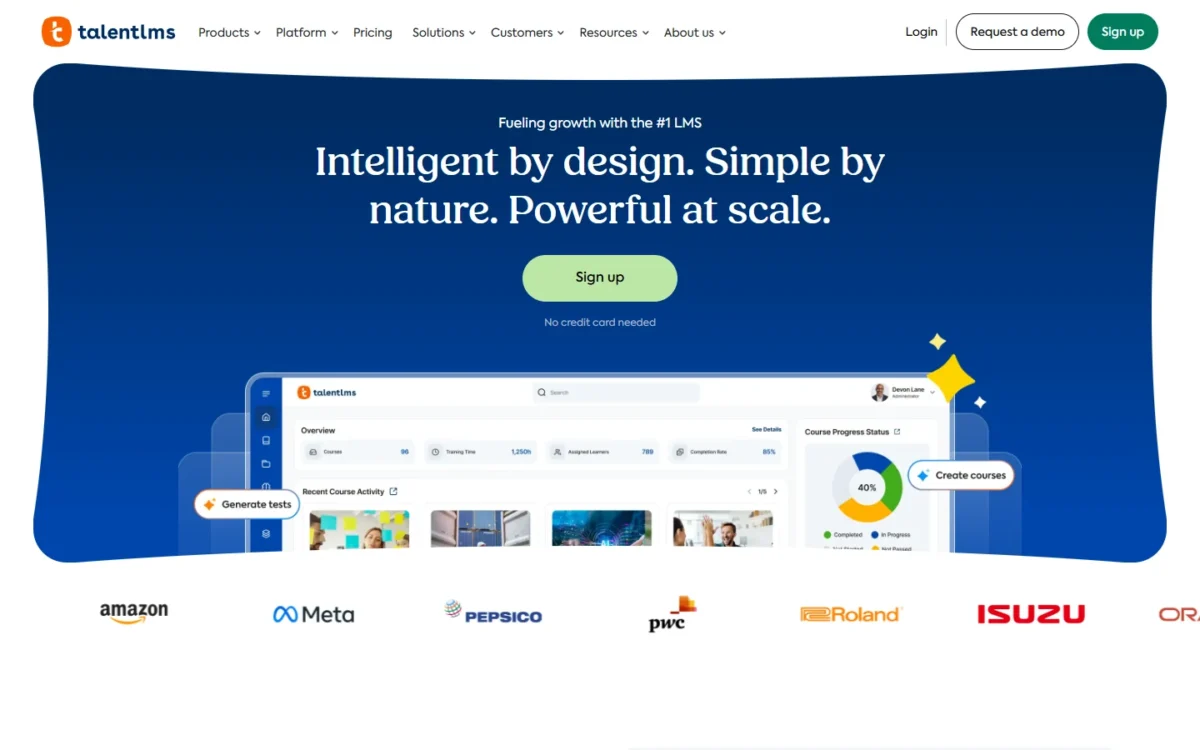
- Best for: teams under 100 learners running internal training
- Starting price: $119 a month for 1-40 users on Core, billed yearly
- Free plan or trial: Free plan for up to 5 users and 10 courses, with no time limit
- Standout feature: SSO, a custom domain and the API on the entry plan
- Integrations: no official count; ADP and Salesforce from Grow, HubSpot from Pro, plus BambooHR, Sage People and Workday (beta)
TalentLMS lets a small team run real training before it pays anything. The Free plan holds 5 users and 10 courses, needs no credit card and has no time limit, so a pilot can run until the first courses are ready.
Core stretches to 100 users at $219 a month, or $2,628 a year ($219 x 12 months), billed yearly. Single sign-on (SAML2.0, LDAP and OpenID Connect), a custom domain with SSL and the API already sit on Core, so an IT sign-off does not force an upgrade.
Custom reports, analytics, LTI 1.3 and the ADP and Salesforce integrations start on Grow. Automations, the HubSpot integration, AI course translation into over 40 languages and the AI Coach start on Pro.
A team that wants enrollment to run itself is therefore a Pro buyer at any headcount.
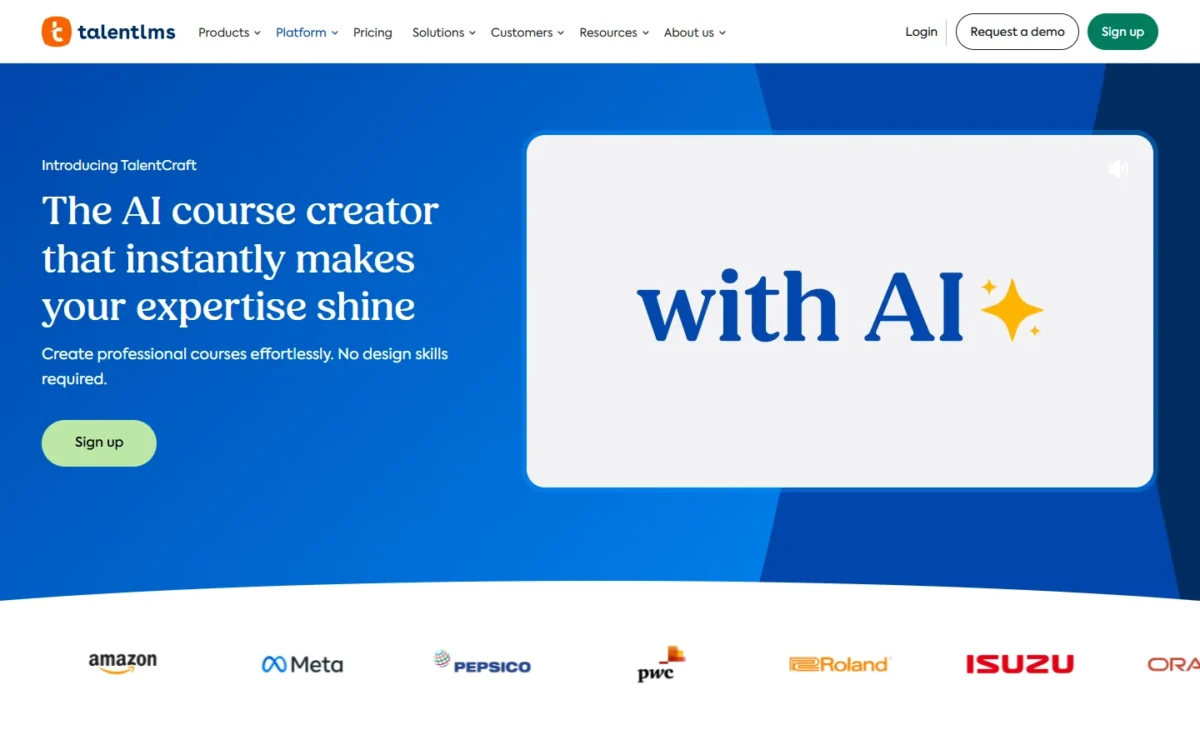
AI course building runs on TalentCraft credits: 5,000 one-time credits on Core, 10,000 a month on Grow, 15,000 a month on Pro and 25,000 a month on ProFlex. Core’s credits do not renew, so a team that plans to draft most courses with AI should budget for Grow.
The tradeoff is portals. A branch is a separate training portal for a team, department or audience. Core includes 1 branch, Grow 3 and Pro 15; unlimited branches come only with Enterprise, which starts at 1,000 users.
Ready-made courses cost extra. TalentLibrary, a collection of over 1,000 courses, is an add-on on every plan and bracket. The plan-by-program verdicts are in my TalentLMS review.
TalentLMS says yearly billing is a 20% discount on monthly pricing. Core’s 1-40 tier costs $149 a month billed monthly, or $1,788 a year, $360 more than the $1,428 yearly price ($1,788 – $1,428). Brackets above 100 users are in my TalentLMS pricing by user bracket.
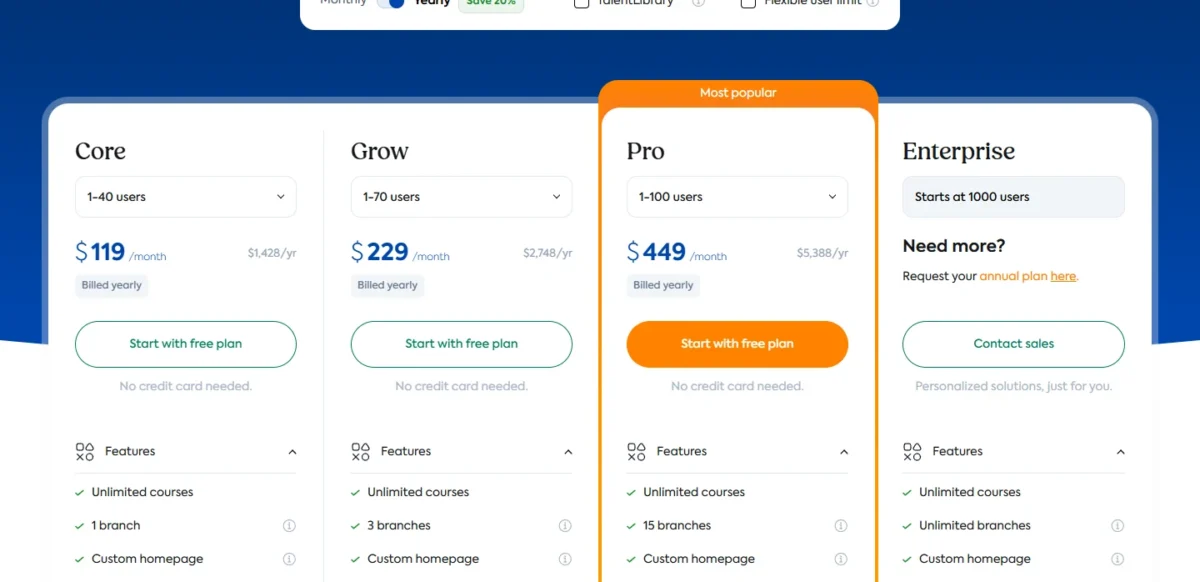
| Plan | Price | Billing | Key limit |
|---|---|---|---|
| Free | Free, up to 5 users | No time limit | 10 courses |
| Core, 1-40 users | $119 a month ($1,428 a year) | Yearly | 1 branch; 5,000 one-time AI credits |
| Core, 71-100 users | $219 a month ($2,628 a year) | Yearly | 1 branch |
| Grow, 1-70 users | $229 a month ($2,748 a year) | Yearly | 3 branches |
| Grow, 71-100 users | $299 a month ($3,588 a year) | Yearly | 3 branches |
| Pro, 1-100 users | $449 a month ($5,388 a year), plus $6 per additional user | Yearly | 15 branches |
| Enterprise | Quote; starts at 1,000 users | Annual | Unlimited branches |
Sources: TalentLMS pricing, TalentLMS features per plan (PDF), checked Oct 2026.
Pros
- A free pilot that never expires
- No upgrade needed for SSO or the API
- Published bracket prices on Core, Grow and Pro
- No setup fees, and 20% off the annual plan for registered nonprofits
- Support on every plan, including Free
Cons
- 1 branch on Core and 3 on Grow
- Core’s 5,000 AI credits are one-time
- Automations and the HubSpot integration start on Pro
- TalentLibrary courses cost extra
Choose TalentLMS if you train fewer than 100 employees and want SSO without an enterprise contract. It is not ideal when every client or partner needs its own portal, because branches stop at 15 below Enterprise.
- Skip it if:
- you need more than 15 separate portals before you reach Enterprise’s 1,000-user starting point.
2. iSpring LMS: Best for 100 to 500 Active Learners Who Build Their Own Courses
- Best for: 100 to 500 active learners whose courses are written in-house
- Starting price: $6.91 per user a month at 100 users, an $8,286 annual price
- Free plan or trial: 30-day trial, no credit card required
- Billable user: anyone who logs in at least once during a month
- Integrations: an API on every plan, SSO and unlimited APIs on Enterprise; iSpring gives no integration count
iSpring LMS gets cheaper per learner as the program grows. The Business rate falls from $6.91 per user a month at 100 users to $4.46 at 300 and $3.97 at 500.
You pay only for active users: anyone who logs in at least once in a month. A company can register every employee and contractor and pay only for those who show up.
At 100 learners, iSpring LMS costs $5,658 a year more than TalentLMS Core ($8,286 – $2,628). The premium buys the iSpring Suite AI authoring tool, which every plan includes for HTML5/SCORM courses, interactive quizzes, role-play simulations, training videos and text to speech.
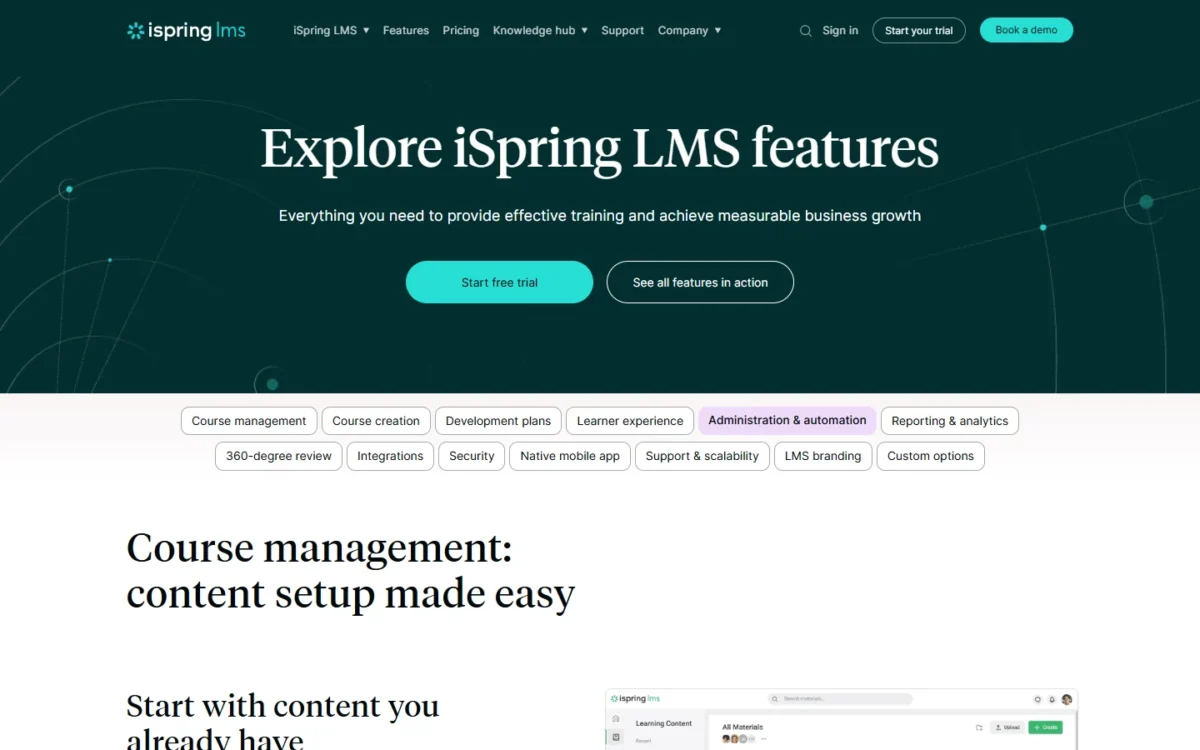
That bundle is why iSpring ranks second for teams that write their own courses: authoring comes inside the subscription, not as a second tool to buy.
Every plan also includes mobile apps with offline learning, 360° feedback, unlimited performance review sessions, scheduled reports and 24/7 live tech support. Those extras put iSpring closer to a small talent suite than a course player.
Enterprise is the plan for scale and IT control: SSO, unlimited APIs, on-premise installation and support for up to 150,000 users, all by custom quote.
iSpring publishes Business prices at 100, 300 and 500 users as annual prices and asks teams under 100 users to request pricing. Its subscriptions carry no government, nonprofit or academic discounts, and iSpring offers a money-back guarantee.
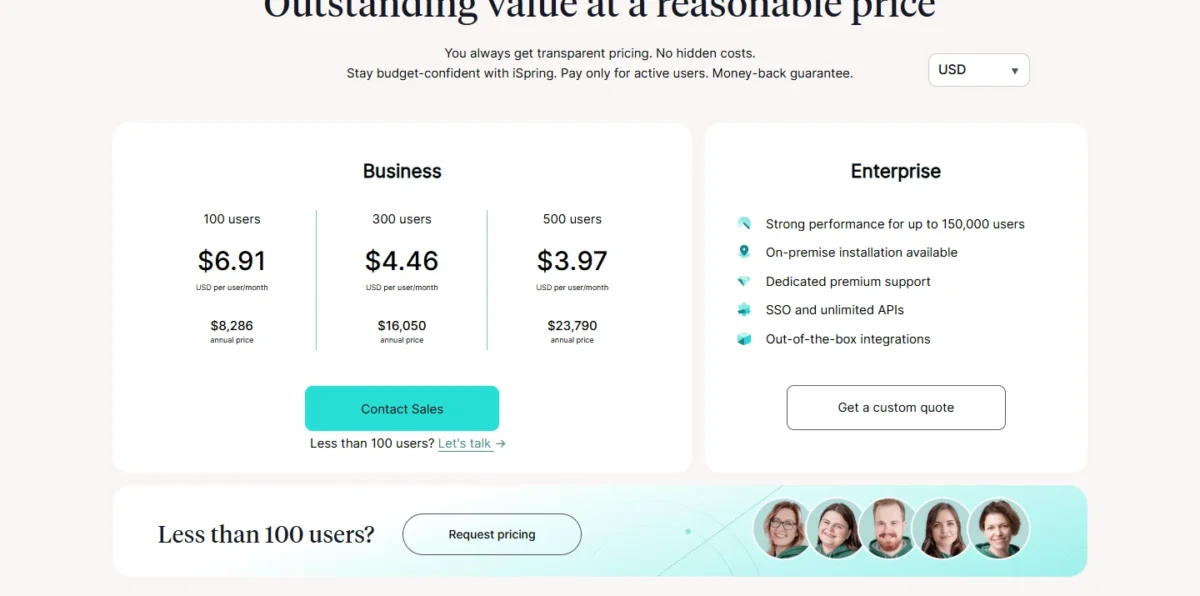
| Plan | Price | Billing | Key limit |
|---|---|---|---|
| Business, 100 users | $6.91 per user a month | $8,286 annual price | Active users only |
| Business, 300 users | $4.46 per user a month | $16,050 annual price | Active users only |
| Business, 500 users | $3.97 per user a month | $23,790 annual price | Active users only |
| Under 100 users | Request pricing | Not published | No list price |
| Enterprise | Custom quote | Not published | Up to 150,000 users |
Sources: iSpring LMS pricing, checked Oct 2026.
Pros
- Billing counts only users who log in during the month
- iSpring Suite AI authoring tool in every plan
- Mobile apps with offline learning
- 24/7 live tech support
Cons
- No list price under 100 users
- SSO appears only on the Enterprise card
- No government, nonprofit or academic discounts
- Integration count not published
Choose iSpring LMS if 100 or more people will log in each month and your team builds its own courses. A nonprofit loses the most here, because TalentLMS gives registered nonprofits 20% off and iSpring gives none.
- Skip it if:
- you have fewer than 100 learners and want a list price, or you are a nonprofit counting on a discount.
3. 360Learning: Best for Collaborative Courses Written by Your Own Experts
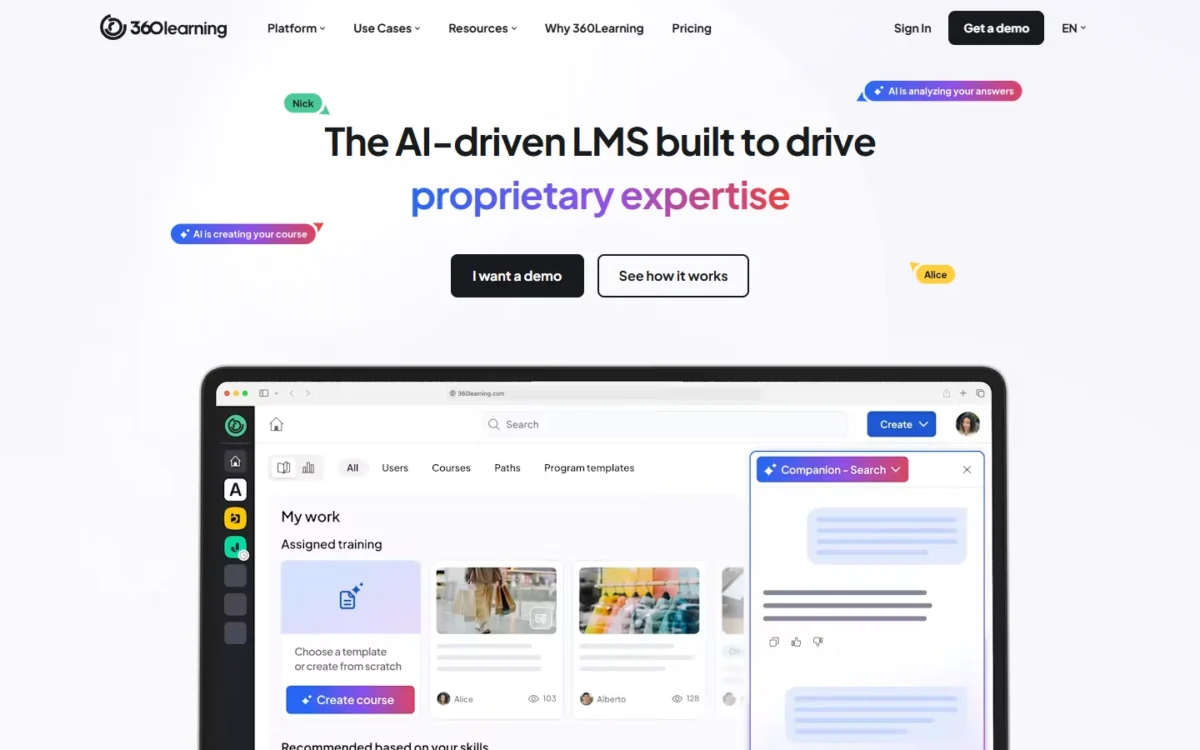
- Best for: teams whose subject-matter experts write the training
- Starting price: $8 per user a month on Team, billed monthly
- Free plan or trial: 30-day free trial; no minimum number of users
- Security: complies with GDPR, SOC 2 and ISO 27001, by its own account
- Integrations: Workday, SAP, BambooHR, Slack, Salesforce, Oracle and 80+ more
360Learning assumes your best trainers sit outside L&D. Co-authoring and AI-assisted authoring turn subject-matter experts into course creators, and continuous feedback is how 360Learning says training stays relevant.
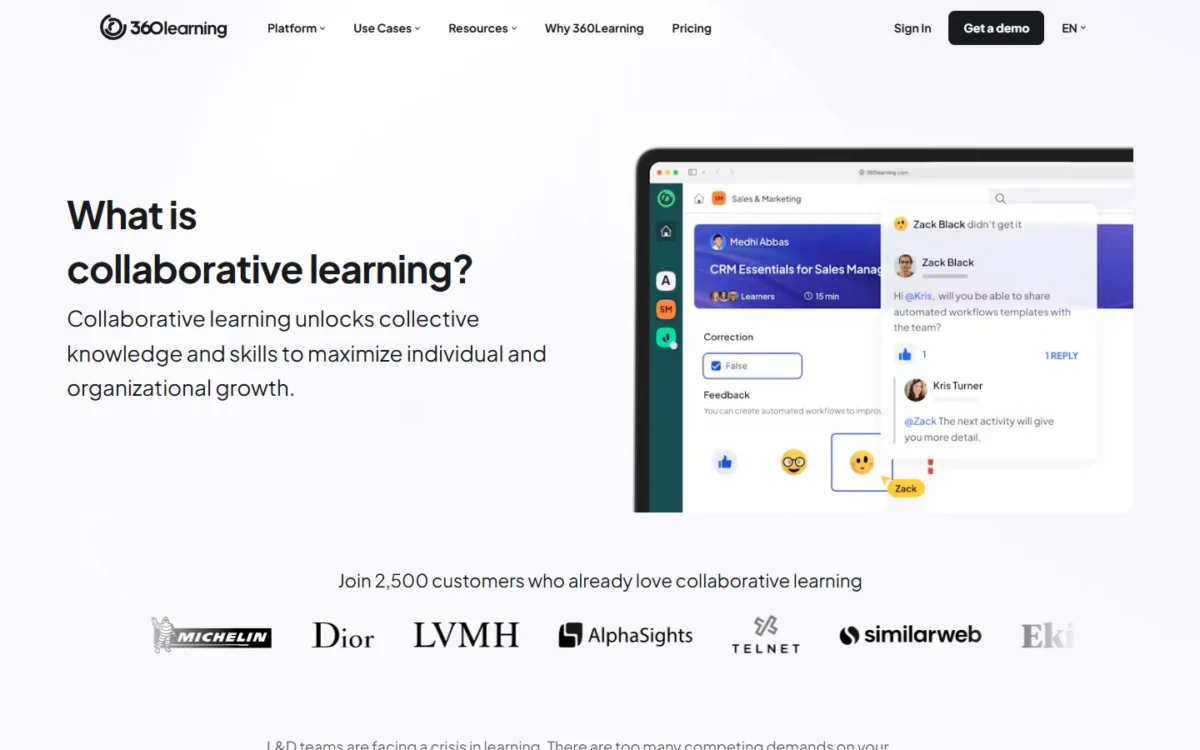
In my reading, that model moves course writing to the people who know the subject, and the premium over TalentLMS pays off only if that shift happens.
HR data does the enrollment work: 360Learning can use it to auto-enroll users in relevant courses, syncing with Workday, SAP, BambooHR and 80+ other tools. 360Learning says most teams launch their first training programs in a few weeks.
One detail to settle in writing: the pricing table lists single sign-on (SSO) with an asterisk the page never explains. Ask whether SSO is in your Team contract before IT signs off.
Team costs $3,840 a year at 40 users ($8 x 40 users x 12 months) and $9,600 at 100 users ($8 x 100 users x 12 months). Above 100 users, Business and Enterprise are custom-priced, generally on annual contracts.
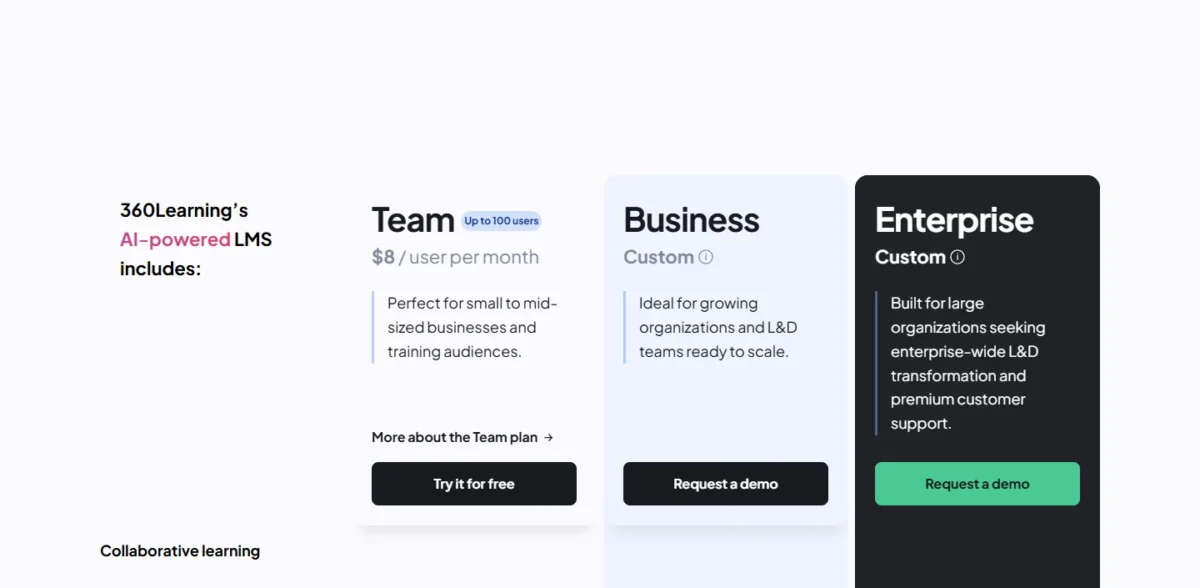
| Plan | Price | Billing | Key limit |
|---|---|---|---|
| Team | $8 per user a month | Monthly, cancel anytime | Up to 100 users |
| Business | Custom | Generally annual | Registered and monthly active users in one contract |
| Enterprise | Custom | Generally annual | Adds premium onboarding and dedicated support |
Sources: 360Learning pricing, 360Learning homepage, checked Oct 2026.
Pros
- Team is billed monthly with no annual commitment
- No minimum number of users
- Co-authoring and AI-assisted authoring in the core LMS
- HR data can auto-enroll users in courses
- Security certifications a buyer’s IT team can check
Cons
- Team stops at 100 users
- $9,600 a year at 100 users on Team
- Business and Enterprise prices are not published
- The SSO asterisk is not explained on the pricing page
Choose 360Learning when experts outside L&D will write most of the courses and you want to cancel monthly while you prove it. At 100 users, Team’s $8 rate is above iSpring’s $6.91, a premium wasted if one central team writes everything.
- Skip it if:
- you expect to pass 100 users within a year, or one central team writes all your courses.
4. Docebo: Best for Enterprises Training Employees, Customers and Partners Together
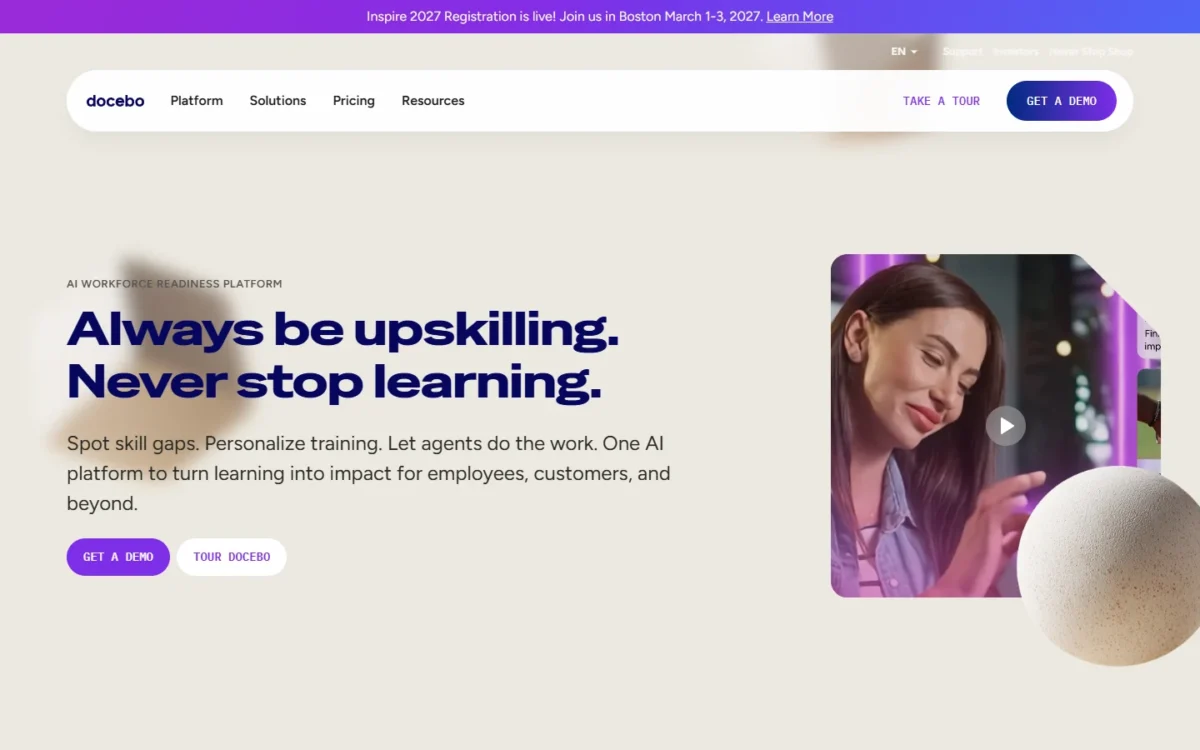
- Best for: 250+ learners across customers, partners and employees
- Starting price: quote only, on the Elevate or Enterprise tier
- Free plan or trial: none published
- Billable user: monthly, yearly or registered active users (MAU, YAU or RAU)
- Integrations: over 400, including authoring tools, HRIS, SSO and CRM systems
Size decides whether Docebo belongs on your shortlist, and Docebo says so itself. Its pricing FAQ puts the typical fit at 250+ learners, counted across customers, partners and employees.
Pricing comes from two tiers, Elevate and Enterprise, and a user model you choose. Under MAU, people count only in months they are active; under YAU, any activity in the contract year counts; under RAU, licenses can be deactivated and reassigned.
Ask for quotes on two models, because a customer audience that logs in twice a year counts very differently under each.
Docebo Creator, its AI content creation tool, builds interactive learning, and its marketplace holds over 30,000 courses and certifications. Docebo Federal, a FedRAMP authorized platform, serves the US federal government.
Docebo says 3,500+ global organizations trust it. If your shortlist is down to TalentLMS and Docebo, my TalentLMS vs Docebo comparison weighs the two by team size and audience.
Docebo publishes no price, and the contract is the bigger commitment. Docebo’s pricing FAQ sets a one-year minimum, says most customers sign for three to five years, and suggests the next tier at about 30% overage.
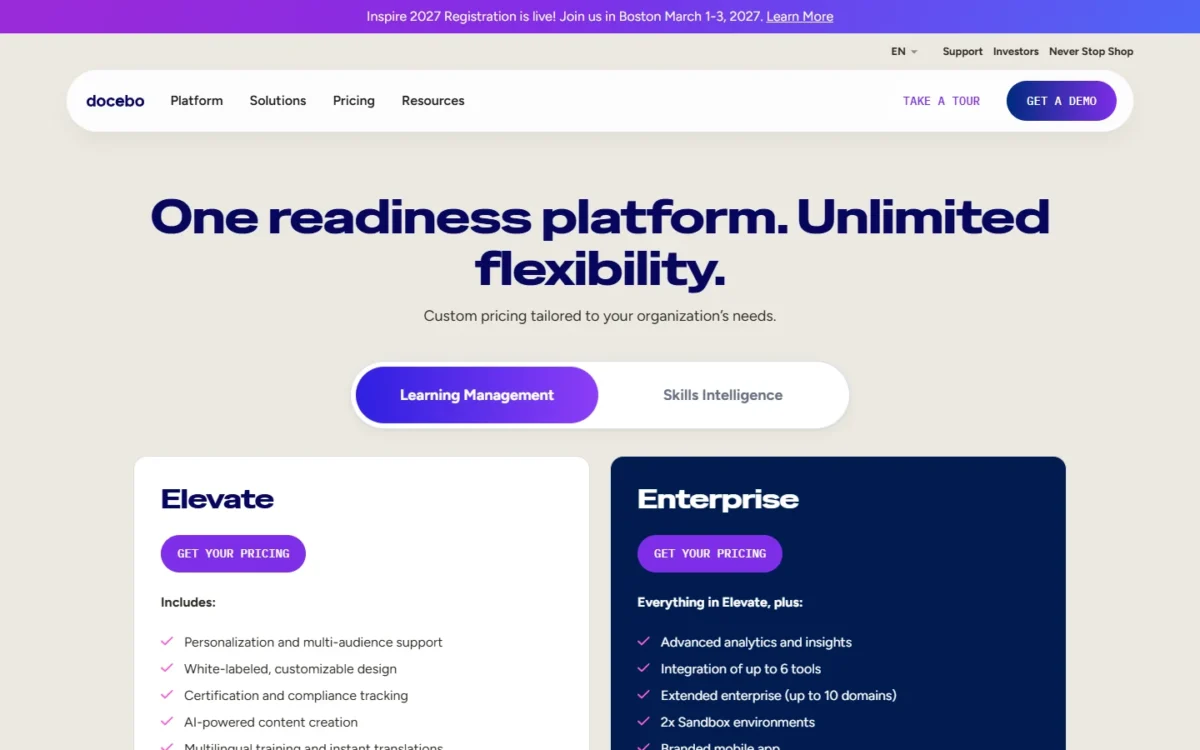
| Plan | Price | Billing | Key limit |
|---|---|---|---|
| Elevate | Quote | MAU, YAU or RAU | One-year minimum contract |
| Enterprise | Quote | MAU, YAU or RAU | One-year minimum contract |
| Overage | Charged per extra user | Within the contract | Next tier suggested at about 30% overage |
Sources: Docebo pricing, checked Oct 2026.
Pros
- One platform for employees, customers and partners
- Over 400 integrations, including HRIS, SSO and CRM
- Choice of MAU, YAU or RAU user models
- Docebo Creator for AI content creation
- FedRAMP authorized option through Docebo Federal
Cons
- No published price or trial
- One-year minimum; most customers sign for three to five years
- Onboarding fees are scoped in the sale
- Overage is billed per extra user
Choose Docebo when one platform must serve several audiences and you can commit to a year or more. Below 250 learners, the quote process and the contract length work against you.
- Skip it if:
- you train fewer than 250 learners or cannot commit to a contract of at least a year.
5. Absorb LMS: Best for AI Course Creation With a Large Ready-Made Catalog
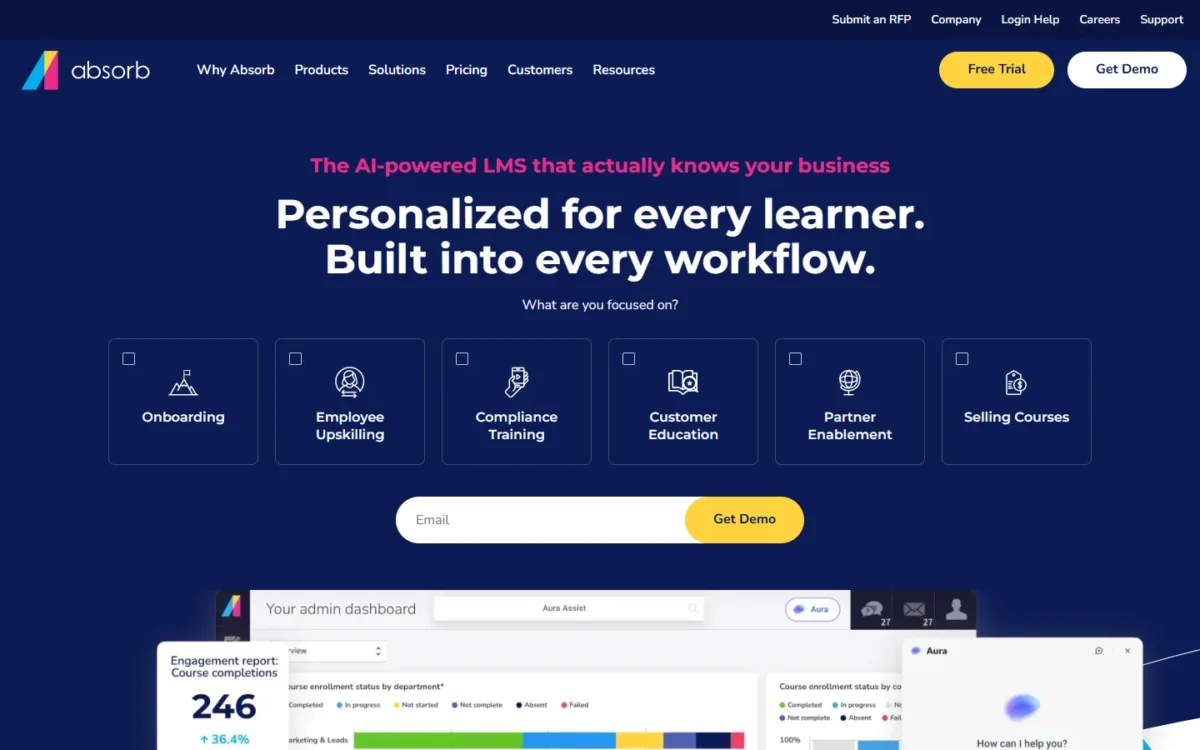
- Best for: companies with many learners and few course writers
- Starting price: quote by learner band, from 1–50 to 25,000+
- Free plan or trial: free trial offered, length not published
- Standout feature: 20,000+ pre-built courses and 12,000+ job skills
- Integrations: ADP, Workday, Salesforce and 40+ more systems
With 20,000+ pre-built courses, Absorb LMS fits a company that needs training content faster than it can write it. Training is auto-assigned by role, department, location, goals and skill gaps, and learners are assessed against 200+ competencies.
When the catalog falls short, Aura Create turns an updated policy or product document into a draft course in under an hour, with an outline, content and assessments for review. That suits compliance teams, whose courses change every time a regulation does.
Aura Learn answers learners’ questions from their assigned courses, in the LMS or Microsoft Teams. For partner training, Absorb runs vendors, franchisees, distributors and resellers in secure, separated portals.
Absorb also sells courses through a PCI-compliant eCommerce platform that takes no commission. Absorb says it was named a leader in the 2025 Forrester Wave for learning management systems.
The catch is the catalog’s price. Pre-built courses come through Absorb Amplify, and the homepage does not say whether they are in the base price, so ask for the catalog as its own line in the quote.
Absorb publishes no prices. Its pricing page asks one question first, how many learners you have, and then routes you to sales.
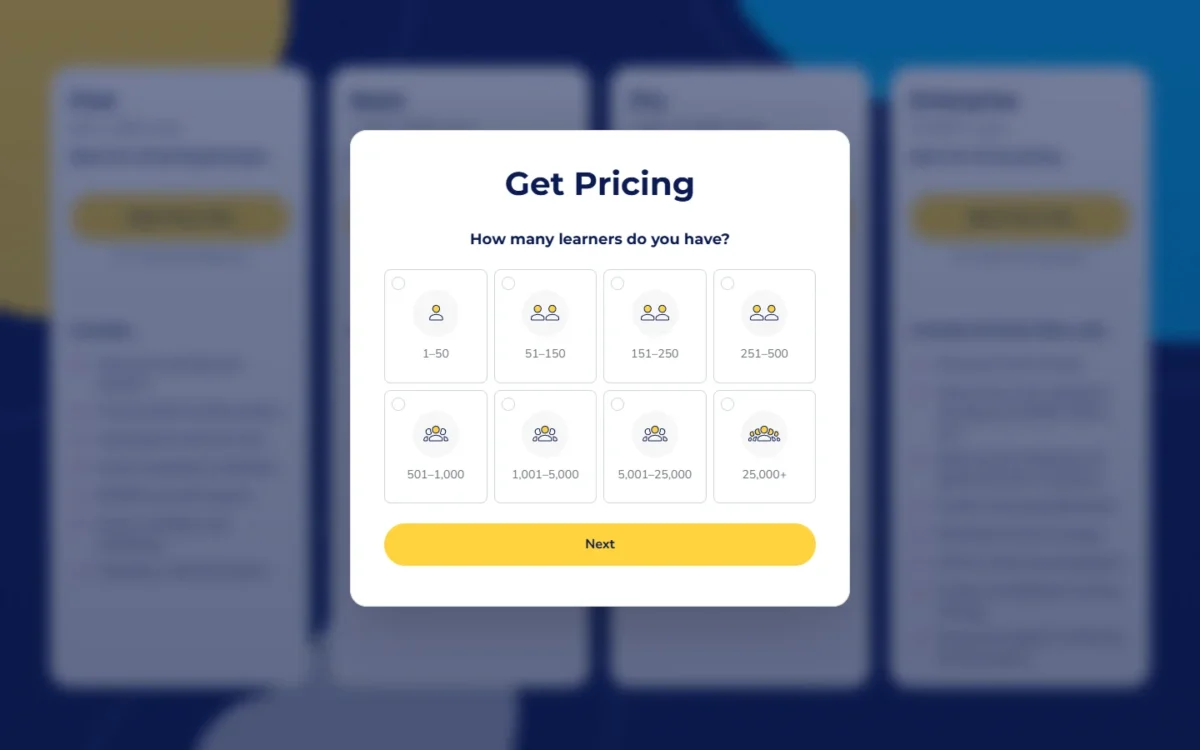
- Price: quote only, by learner count
- Form: eight learner bands, the smallest 1–50 and the largest 25,000+
- Catalog: Absorb Amplify’s place in the quote not stated
Sources: Absorb LMS pricing, Absorb LMS homepage, checked Oct 2026.
Pros
- A catalog large enough to skip writing common courses
- Fast redrafts when a policy or product changes
- Secure, separated portals for partners
- Course sales with no commission to Absorb
- ADP, Workday and Salesforce integrations
Cons
- No published price
- Catalog inclusion in the base price not stated
- Trial length not published
Choose Absorb LMS when content volume is your bottleneck and a sales call is acceptable. A team that already writes its own courses would pay for a catalog it never opens.
- Skip it if:
- you need a price before a sales call, or your team already writes its own courses and will not use a catalog.
6. LearnUpon: Best for Customer Education Programs
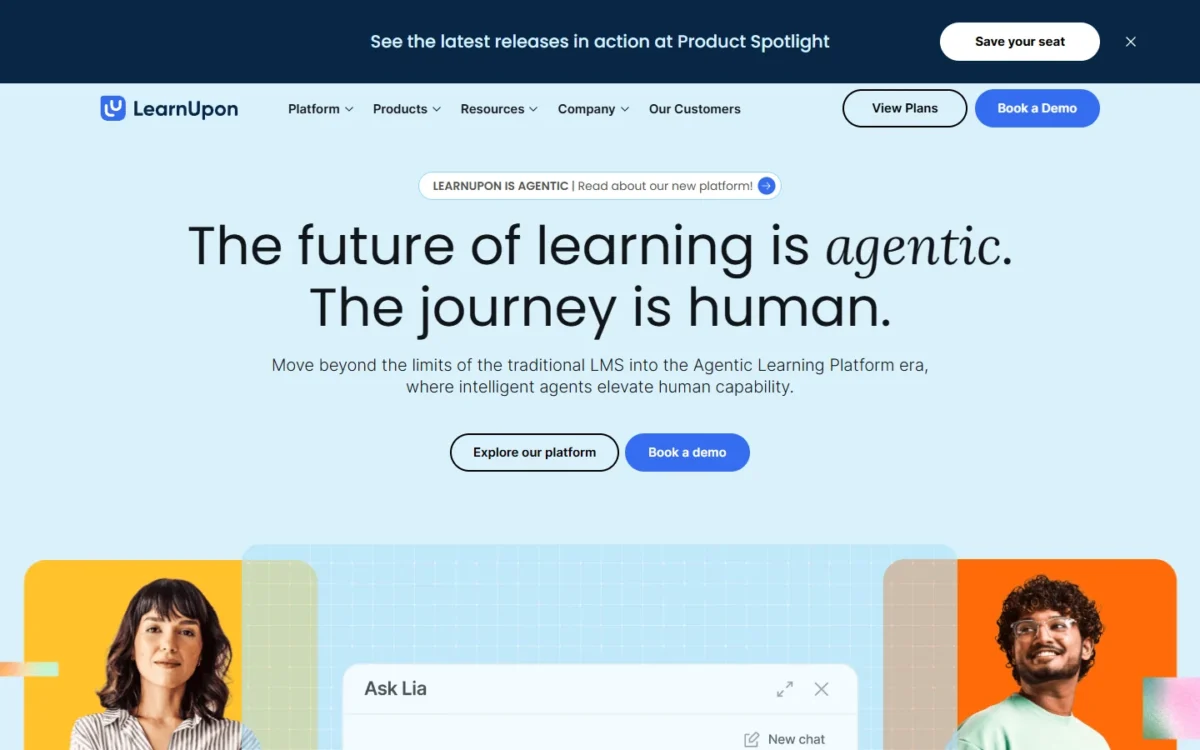
- Best for: customer academies with 300 or more customer learners
- Starting price: quote only; Customer Education from 300 users, Employees from 100, Associations from 150
- Free plan or trial: none published
- Standout feature: an Implementation Consultant in every plan
- Integrations: HubSpot, Salesforce, Zapier, HRIS integrations, a two-way API and webhooks (no total published)
LearnUpon sells customer education as its own product, and the minimum shows who it is for. LearnUpon for Customer Education starts at 300 users and is built to onboard customers and keep data connected with HubSpot and other integrations.
The Customer Education card lists white labelling, eCommerce and group branding under an Enterprise plan, so ask which plan a branded academy needs. Learning Portals, LearnUpon’s multi-tenancy feature, give employees, customers and associations separate branded environments with their own catalogs and reports.
Create+ is LearnUpon’s AI course creation tool. The plan comparison also lists SCORM and xAPI support, SSO, certification and re-certification, and reporting and analytics.
Every plan includes an Implementation Consultant who helps configure, integrate and launch the platform.
The tradeoff is a hard floor. LearnUpon’s own FAQ says it is not a fit below 100 users, for on-premise deployments, or for companies that need HIPAA compliance to process health or sensitive personal data in the LMS.
LearnUpon publishes no prices: each product leads to a demo booking, and the user minimums are the only figures tied to price on the pricing page.
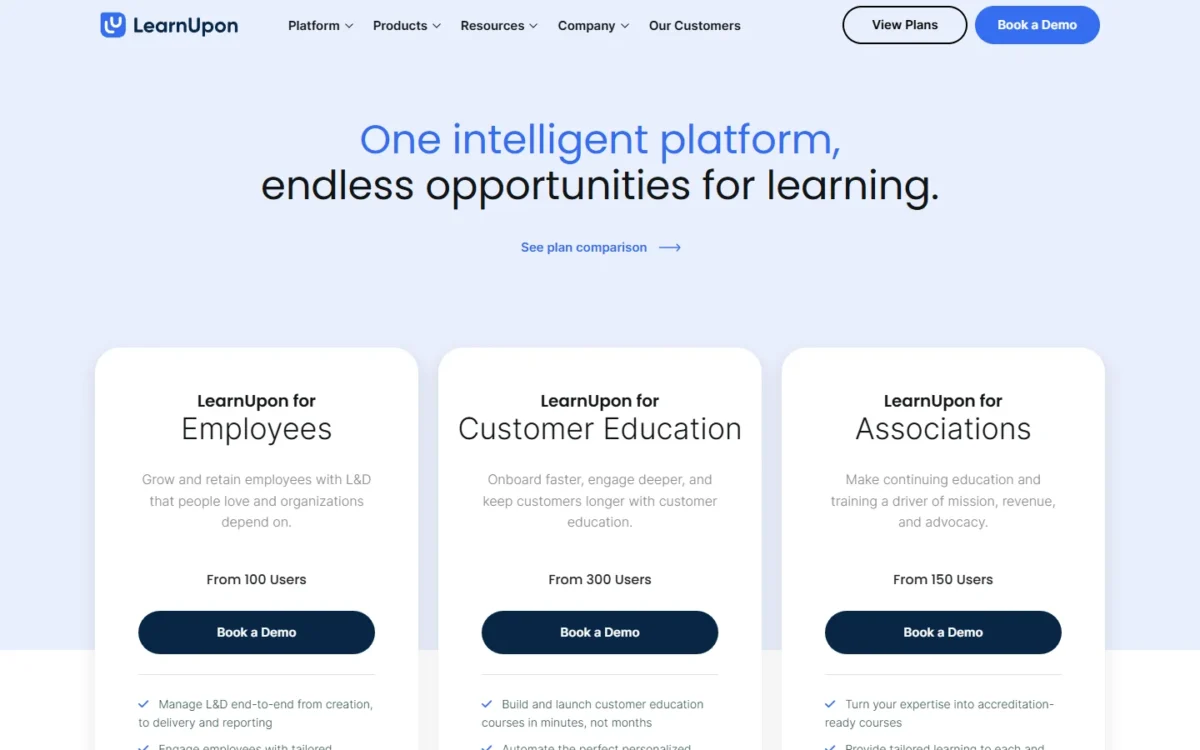
- LearnUpon for Employees: from 100 users, quote only
- LearnUpon for Customer Education: from 300 users, quote only; white labelling, eCommerce and group branding listed under an Enterprise plan
- LearnUpon for Associations: from 150 users, quote only
Sources: LearnUpon pricing, LearnUpon homepage, checked Oct 2026.
Pros
- A Customer Education product with HubSpot and Salesforce integrations
- Launch help and Customer Success at no extra line item
- 24/7 technical support, 365 days a year
- Learning Portals for separate audiences
- Create+ for AI course creation
Cons
- No published prices
- Not a fit under 100 users
- No on-premise option and no HIPAA-covered data
- White labelling is listed under the Enterprise plan
Choose LearnUpon when the learners are your customers and you want launch help included rather than bought. K-12 and higher-education student audiences are also outside its fit, by LearnUpon’s own FAQ.
- Skip it if:
- you have fewer than 300 customer learners (100 for the employee product), need on-premise hosting, or must process HIPAA-covered data in the LMS.
7. Litmos: Best for Compliance Training With Ready-Made Content
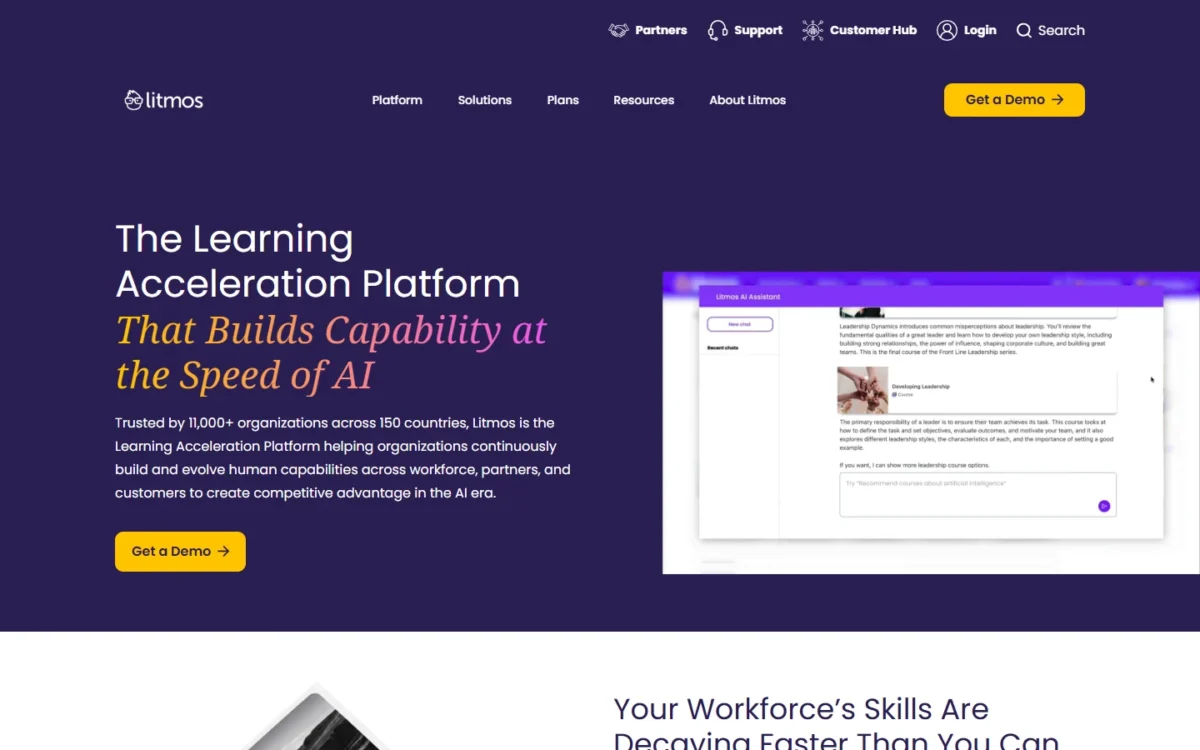
- Best for: compliance-heavy training that needs governed course content
- Starting price: Foundation starting at $8K per year
- Free plan or trial: none published
- Standout feature: import of SCORM, xAPI and AICC content
- Integrations: Salesforce AppExchange, with additional API packages as an add-on; no total published
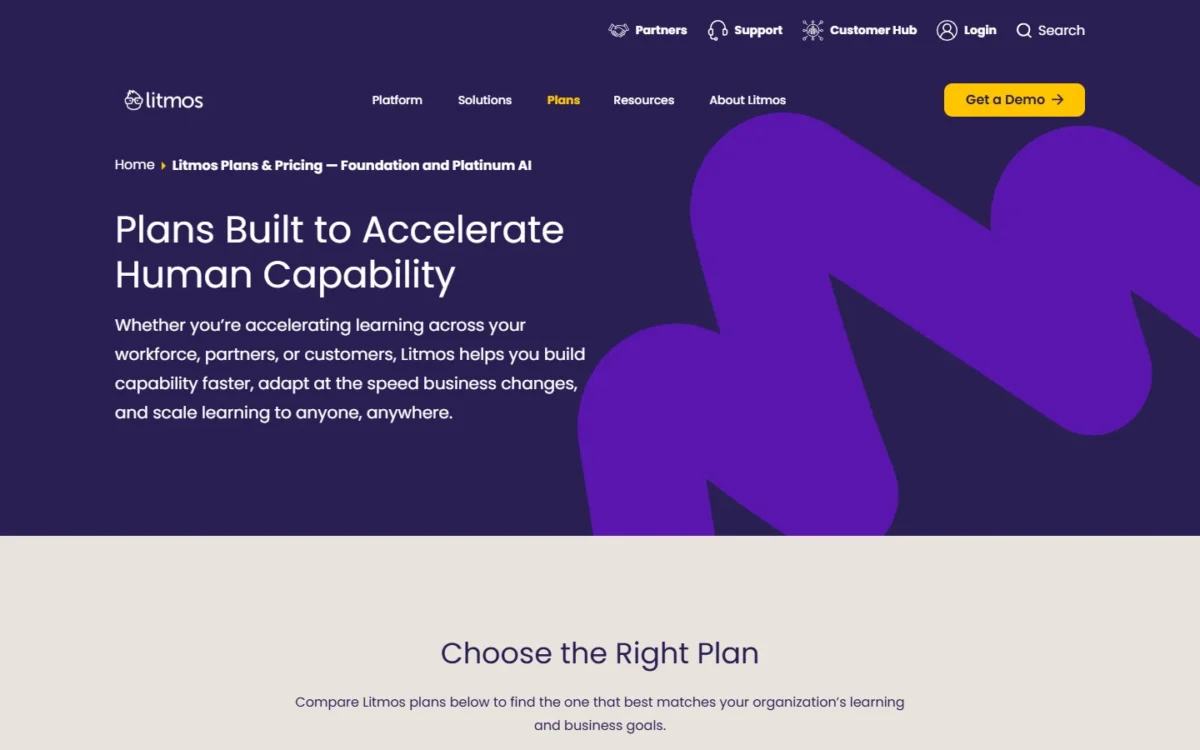
Unlike Docebo, Absorb LMS and LearnUpon, Litmos publishes a floor price. Foundation starts at $8K a year and Platinum at $15K a year, while Platinum AI is priced by sales.
Platinum adds advanced administration, authoring, compliance and engagement capabilities. Platinum AI adds embedded AI for faster course creation, skill-gap analysis and insights.
The compliance workflow is documented: assessments, e-signatures, surveys, learner uploads, and enrollment approvals with escalations. Litmos says 11,000+ organizations across 150 countries trust it.
The compliance catalog sits outside the floor. Litmos Premium Content Libraries, its own compliance and capability content, are add-ons on all three plans, and partner content libraries are add-ons too. Budget the floor plus the library you came for.
Litmos does not publish how many learners either floor covers, so the floor is a minimum budget, not a quote. Additional tenants for separate brands or business units, extra API packages, sandboxes and business intelligence are add-ons as well.
| Plan | Price | Billing | Key limit |
|---|---|---|---|
| Foundation | Starting at $8K per year | Yearly | Learner count not published |
| Platinum | Starting at $15K per year | Yearly | Learner count not published |
| Platinum AI | Talk to sales | Not published | Price not published |
| Premium Content Libraries | Add-on | Not published | Extra on all three plans |
Sources: Litmos pricing, checked Oct 2026.
Pros
- Published floor prices for Foundation and Platinum
- SCORM, xAPI and AICC import
- E-signatures and enrollment approvals with escalations
- Native SCORM authoring with the Litmos Content Authoring Tool
- Salesforce AppExchange app
Cons
- Premium compliance libraries are add-ons
- Learner count behind each floor not published
- Platinum AI priced only by sales
- Additional tenants cost extra
Choose Litmos when a governed compliance library is the reason you are buying and the Foundation floor fits your budget. A small team that only needs a course player pays for a floor sized for something larger.
- Skip it if:
- your training budget is under $8K a year, or you need the compliance library priced before the first sales call.
8. Rippling LMS: Best for Companies Already Running HR on Rippling
- Best for: companies whose employee records already live in Rippling
- Starting price: LMS price not published; Rippling plans start at $8 per employee per month, plus a monthly base fee
- Free plan or trial: none published
- Standout feature: course assignment from role, department or tenure
- Integrations: 650+ integrations on the Rippling platform
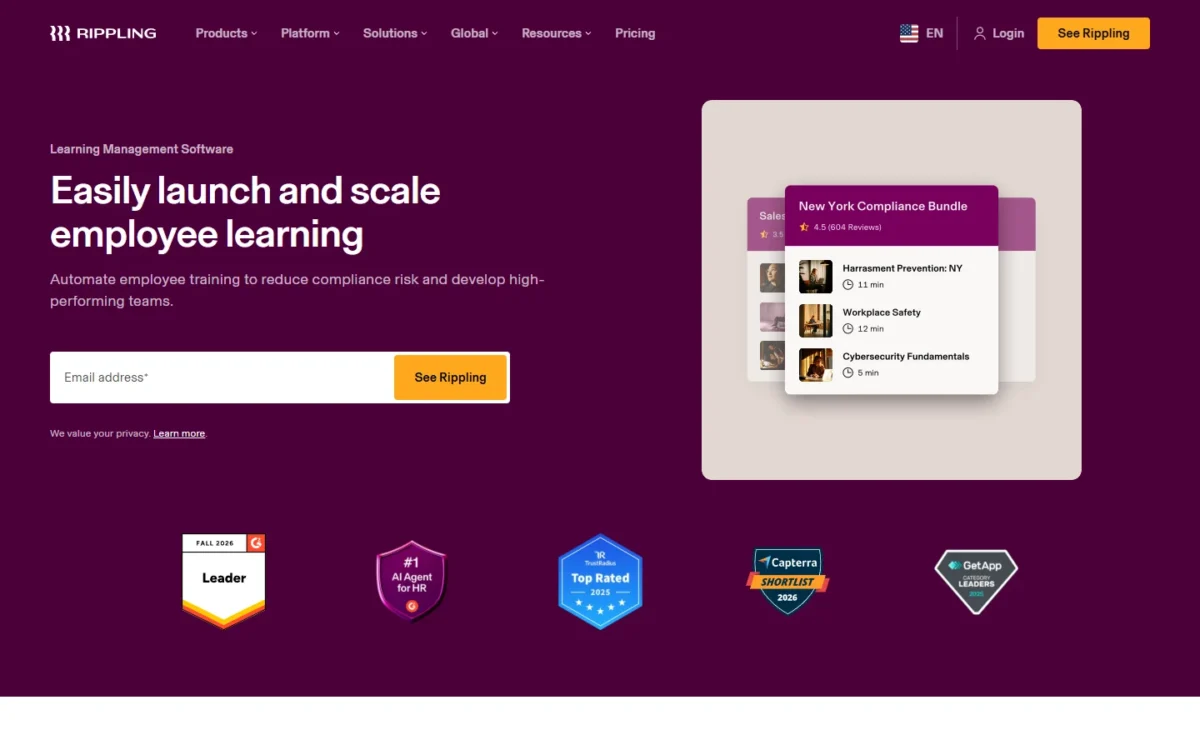
Rippling LMS reads the employee record you already keep in Rippling, so assigning courses by role, department or tenure needs no separate HR sync. Enrollment and reminders run automatically from that employee data.
Compliance is where that automation pays off. Rippling offers ready-to-use course bundles for US and global compliance, enrolls people by location, and helps track state and federally required training such as anti-harassment courses.
The content side is broad: 80,000+ pre-built courses from partner Go1, a course builder for videos, images and quizzes, mobile access and support for 15+ languages. Real-time reporting tracks completions and overdue training.
The trade-off is dependence. Rippling describes the LMS as integrated with the broader Rippling platform, and it does not publish whether the LMS is sold without that platform.
Rippling publishes no LMS price. Its plans start at $8 per employee per month with a monthly base fee, and most products are priced per employee per month. If the LMS follows that model, its cost tracks total headcount rather than active learners.
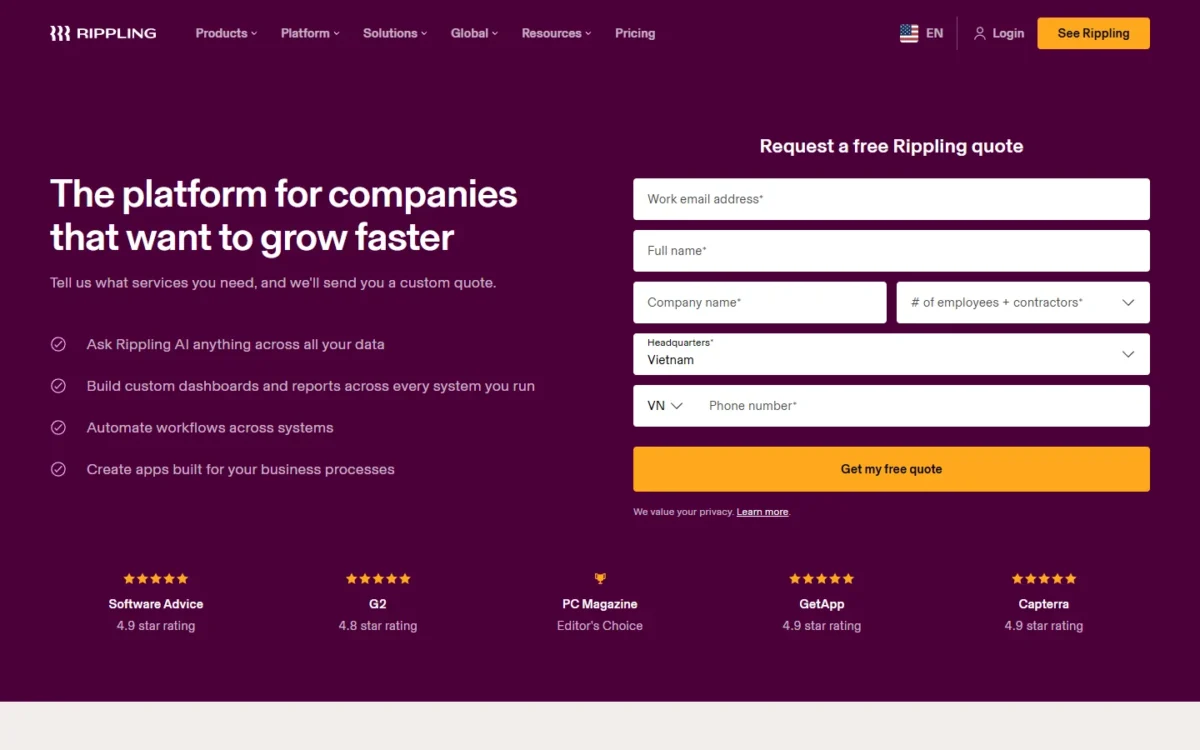
- Rippling plans: start at $8 per employee per month, plus a monthly base fee
- LMS price: custom quote based on the products you select and your employee count
- Standalone LMS purchase: not published
Sources: Rippling pricing, Rippling LMS, checked Oct 2026.
Pros
- Courses assign from the HR record with no separate sync
- Location-based compliance enrollment
- 80,000+ Go1 courses
- Support for 15+ languages and mobile access
Cons
- No published LMS price
- Value depends on Rippling’s employee data
- Standalone purchase not published
- Built for employee training, not customer academies
Choose Rippling LMS if Rippling already runs your HR and your training audience is your own staff. Everyone else would be buying an HR platform’s module without the data that makes it work.
- Skip it if:
- your HR system is not Rippling, or the people you train are customers or partners rather than employees.
9. CYPHER Learning: Best for Training Across Several Organizations or Brands
- Best for: franchisors, dealer networks and associations that train other organizations
- Starting price: quote only, for the Enhanced and Enterprise packages
- Free plan or trial: none published
- Standout feature: independent sites for multiple organizations on Enterprise
- Integrations: 30+ built-in, 300+ via LTI, and a Zapier connector
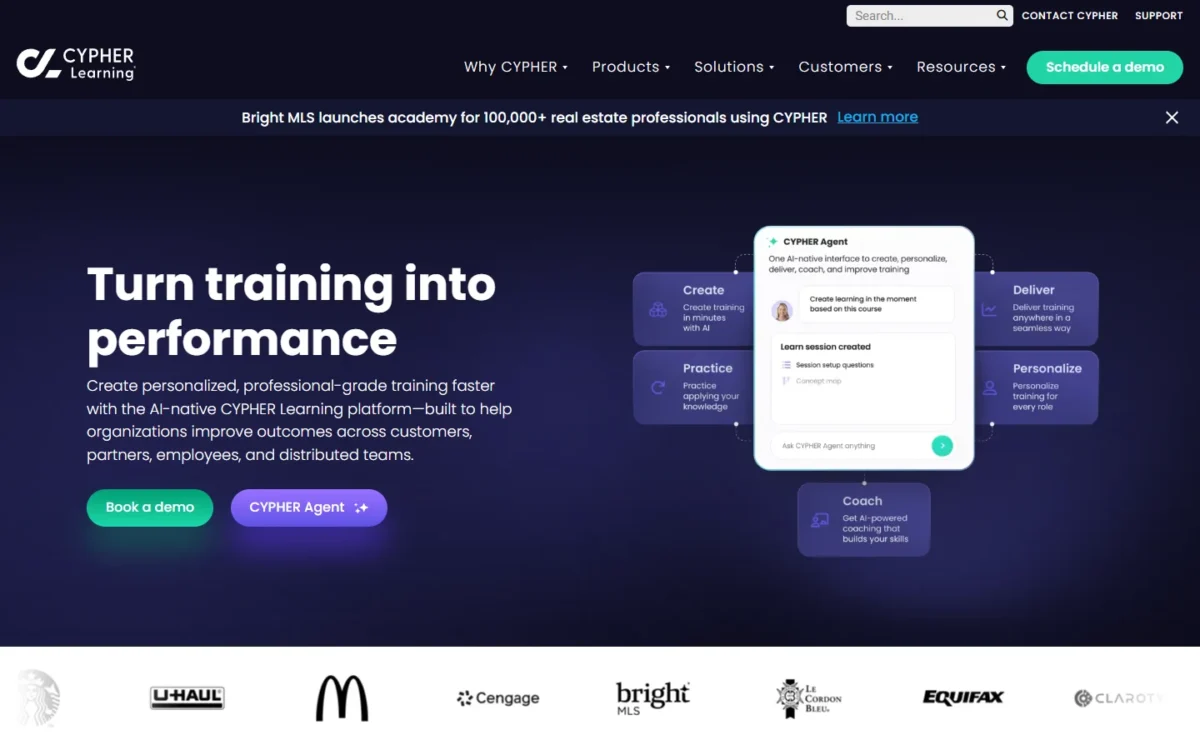
An organization that trains other organizations is the buyer CYPHER Learning’s Enterprise package is built for. Each organization gets an independent site, its own portal experience, its own API settings and its own SSO setup.
CYPHER says it trains partners, customers, franchisees, dealers, brokers, agents, contractors and member organizations. In my reading, a franchisor could use that structure to give each franchisee its own site.
The Enhanced package carries the core LMS: over 15 assessment, assignment and survey styles, compliance management, skills management, a mobile app for learners and admins, and fully customizable reporting. The feature table adds 55+ pre-built reports. Both packages include 100 AI credits per user per year for AI course creation and assessments.
Standards support has one gap to check. CYPHER lists a SCORM 1.2 and 2004 course player and an AICC content server, while its xAPI content player is marked “coming soon”.
CYPHER publishes no price for either package; both lead to a “Get your pricing” form. A single company with one audience would pay for multi-org structure it never uses on Enterprise.
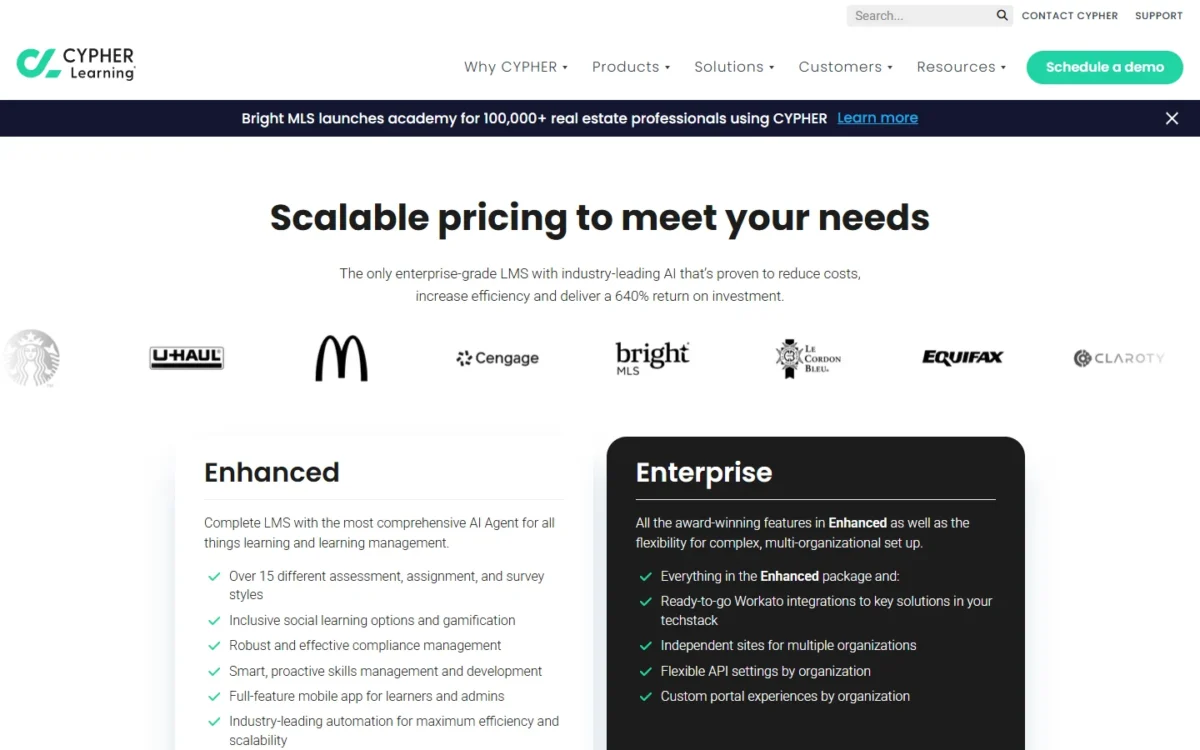
- Enhanced: quote only; the complete LMS with the CYPHER AI agent
- Enterprise: quote only; adds Workato integrations, independent sites, API settings and custom portals by organization, and white-labeling
- AI credits: 100 per user per year on both packages
Sources: CYPHER Learning pricing, checked Oct 2026.
Pros
- Independent sites, portals, API and SSO settings per organization on Enterprise
- 30+ built-in integrations and 300+ via LTI
- 55+ pre-built reports
- White-labeling to resell under your own brand
Cons
- No published price for either package
- Multi-org features need Enterprise
- xAPI content player still “coming soon”
- AI use metered at 100 credits per user per year
Choose CYPHER Learning when your learners belong to other organizations that each need their own space. One company training its own staff gets nothing from that structure.
- Skip it if:
- you train one organization and want a list price before a demo.
10. Open LMS: Best for Teams That Want Open-Source Moodle Without Running Servers
- Best for: teams that want Moodle-based open source without hosting it
- Starting price: quote only; the Corporate plan charges per active user
- Free plan or trial: none published
- Security: ISO 27001 and SOC 2 Type 2 certified
- Integrations: HRIS, SIS and SSO providers, plus LTI Advantage and xAPI; no total published
Open source does not have to mean running your own servers. Open LMS is a Moodle-based LMS delivered as a fully managed cloud SaaS on AWS, so servers, updates and platform security are Open LMS’s job, not your IT team’s.
The Corporate plan, for HR and L&D teams, lists multitenancy, custom theme and branding, a mobile app with offline learning and in-app authoring with H5P. Multitenancy keeps distinct learning environments for different audiences under one LMS.
Its Reports Engine lets you create, edit and export reports without waiting on a developer. For content, an AI-Assisted Editor drafts summaries, translations and course text, and a TeacherMatic partnership adds over 70 AI generators.
Open LMS gives every client 24/7 support at no added cost and says a move from self-hosted Moodle keeps existing course structures and user data. Open LMS reports that over 1,000 organizations in more than 120 countries use it.
The tradeoff is time to launch. Open LMS says most implementation projects finish within two to three months, so a deadline inside two months is a poor fit.
Open LMS publishes no price. Ask for each premium add-on below as its own quote line before you compare it with published prices.
- Corporate: get a quote; pay per active users
- Premium add-ons: seat-based pricing, custom platform training, ecommerce, and partner plug-ins such as OpenSesame, Kaltura and TeacherMatic
- Support: 24/7, at no added cost
Sources: Open LMS pricing, Open LMS homepage, checked Oct 2026.
Pros
- Moodle-based open source without servers to run
- ISO 27001 and SOC 2 Type 2 certified program, with GDPR and CCPA tools
- Migration from self-hosted Moodle keeps courses and user data
- 24/7 support at no added cost
- WCAG 2.1 Level AA accessibility
Cons
- No published price
- Most implementations take two to three months
- Ecommerce and partner plug-ins are paid add-ons
Choose Open LMS if you already run Moodle or want its open code, and you would rather pay for hosting than staff it. A team that needs training live next month should start with a self-serve pick instead.
- Skip it if:
- training must go live in under two months, or you want a price list before a sales call.
What 40 and 100 Learners Cost Per Year
At published prices, 100 learners cost $2,628 a year on TalentLMS Core, $8,286 on iSpring LMS Business and $9,600 on 360Learning Team ($8 x 100 users x 12 months). Six vendors quote only, so the table prices the four that publish a number.
| LMS and plan | 40 learners per year | 100 learners per year | Billing basis |
|---|---|---|---|
| TalentLMS Core | $1,428 ($119 x 12 months, 1-40 users) | $2,628 ($219 x 12 months, 71-100 users) | Billed yearly |
| TalentLMS Grow | $2,748 ($229 x 12 months, 1-70 users) | $3,588 ($299 x 12 months, 71-100 users) | Billed yearly |
| TalentLMS Pro | $5,388 ($449 x 12 months, 1-100 users) | $5,388 ($449 x 12 months, 1-100 users) | Billed yearly |
| 360Learning Team | $3,840 ($8 x 40 users x 12 months) | $9,600 ($8 x 100 users x 12 months) | Billed monthly, no annual commitment |
| iSpring LMS Business | Request pricing | $8,286 annual price | Active users, annual price |
| Litmos Foundation | From $8K a year | From $8K a year | Learner count not published |
| Docebo, Absorb LMS, LearnUpon, Rippling LMS, CYPHER Learning, Open LMS | Quote only | Quote only | LearnUpon starts at 100 users |
Sources: TalentLMS pricing, 360Learning pricing, iSpring LMS pricing, Litmos pricing, LearnUpon pricing, checked Oct 2026.
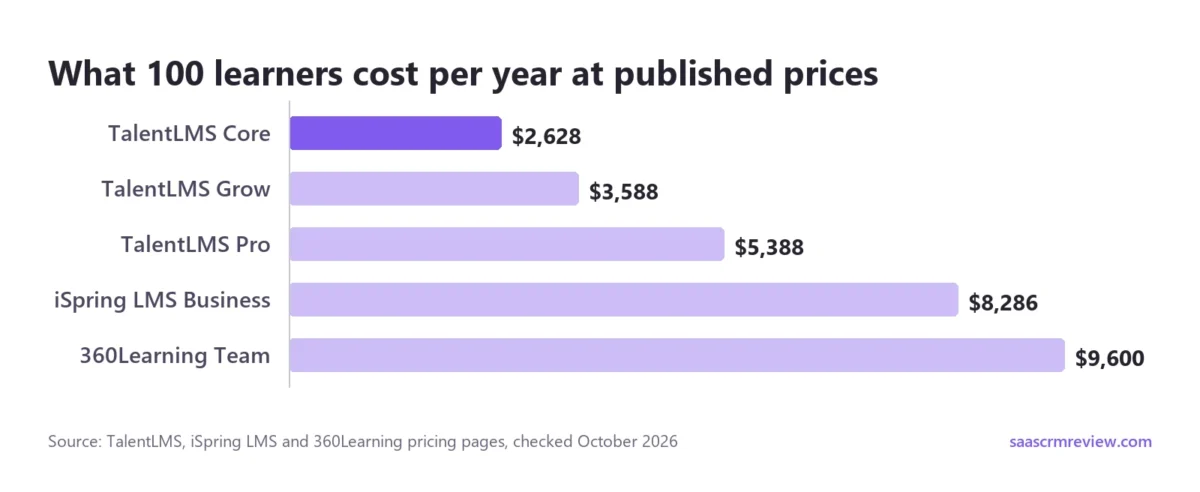
TalentLMS Core has the lowest plan price in both columns. Its gap to Pro narrows from $3,960 a year at 40 learners ($5,388 – $1,428) to $2,760 at 100 ($5,388 – $2,628). Pro’s automations get easier to justify as the team grows.
360Learning moves the other way, because Team bills per user while TalentLMS prices a bracket. At 40 learners, Core costs $2,412 less ($8 x 40 users x 12 months = $3,840, minus $1,428).
At 100 learners, the gap is $6,972 ($8 x 100 users x 12 months = $9,600, minus $2,628).
Billing cadence moves these totals too. TalentLMS Pro costs $579 a month billed monthly, or $6,948 a year, $1,560 more than yearly billing ($6,948 – $5,388). 360Learning bills Team monthly with no annual commitment, so its total stops the month you cancel.
Setup costs differ as well. TalentLMS advertises no setup fees, and LearnUpon includes an Implementation Consultant in every plan. 360Learning prices Professional Services as an investment rather than a flat fee, and Docebo scopes onboarding fees during the sale.
The price you pay also depends on who the vendor counts as a user.
How each vendor counts a billable user
Vendors count users in four ways: by plan bracket, by monthly login, by yearly activity, or by registration. Absorb LMS quotes by learner band and CYPHER Learning’s quote form asks how many learners use it per month, while Litmos and LearnUpon do not publish their count.
| LMS | Who counts as a billable user | Minimum or cap | Contract |
|---|---|---|---|
| TalentLMS | Users in your plan’s bracket; with Flex (Pro, up to 500 users), unique users who log in each month | Free up to 5 users; Enterprise from 1,000 | Monthly or yearly; cancel any time |
| iSpring LMS | Users who log in at least once in a month | Priced at 100, 300 and 500 users | Annual price |
| 360Learning | Registered users, monthly active users, or a mix | No minimum; Team up to 100 users | Team monthly; Business and Enterprise generally annual |
| Docebo | Monthly, yearly or registered active users (MAU, YAU, RAU) | Overage billed per extra user | One-year minimum; most sign 3-5 years |
| Absorb LMS | Quote by learner band | Bands from 1–50 to 25,000+ | Not published |
| LearnUpon | Not published | From 100, 150 or 300 users by product | Not published |
| Litmos | Not published | Not published | Prices start per year |
| Rippling LMS | Most Rippling products: per employee per month | Not published | Custom quote |
| CYPHER Learning | Quote form asks for learners per month | Not published | Not published |
| Open LMS | Active users on the Corporate plan; seat-based pricing is an add-on | Not published | Not published |
Sources: TalentLMS pricing, iSpring LMS pricing, 360Learning pricing, Docebo pricing, Absorb LMS pricing, LearnUpon pricing, Litmos pricing, Rippling pricing, CYPHER Learning pricing, Open LMS pricing, checked Oct 2026.
For an audience that logs in rarely, such as customers or seasonal staff, a login-based count (iSpring LMS, or TalentLMS Flex on Pro up to 500 users) keeps idle accounts off the bill.
How to Choose an LMS for Your Team
Three rules settle most LMS decisions. Under 100 learners, buy from a published price (TalentLMS or 360Learning). Between 100 and 500 active learners who build their own courses, shortlist iSpring LMS for its bundled authoring tool; if you will not author, ask TalentLMS for its bracket price at your size.
For customers, partners or several organizations, shortlist LearnUpon, Docebo or CYPHER Learning. The matrix below then separates finalists on the checks IT and finance will ask about.
| Product | SCORM or xAPI | HRIS sync | External audience portals | Ecommerce | Security certification stated |
|---|---|---|---|---|---|
| TalentLMS | All plans | Yes; ADP from Grow | Grow (3 branches) | Paid plans | Not listed |
| iSpring LMS | All plans (SCORM) | Yes (BambooHR connector) | Not listed | Not listed | Not listed |
| 360Learning | All plans (SCORM player) | Yes | Not listed by plan | Yes (BigCommerce) | SOC 2, ISO 27001 |
| Docebo | Not listed | Yes | Yes | Not listed | FedRAMP (Docebo Federal) |
| Absorb LMS | Not listed | Yes | Yes | Yes | Not listed |
| LearnUpon | Yes | Yes | Yes (Learning Portals) | Yes; under Enterprise for Customer Education | Not listed |
| Litmos | All plans (import) | Not listed | Yes; extra tenants are an add-on | Not listed | Not listed |
| Rippling LMS | Not listed | Built in | Not listed | Not listed | Not listed |
| CYPHER Learning | Yes (SCORM, AICC) | Not listed | Enterprise | Yes | Not listed |
| Open LMS | Yes (xAPI) | Yes | Corporate (multitenancy) | Add-on | ISO 27001, SOC 2 Type 2 |
Sources: TalentLMS features per plan (PDF) and the vendor pages linked under the ranking-criteria and billable-user tables above, checked Oct 2026.
“Not listed” means the vendor’s pages do not state it, not that the product lacks it; ask for it in writing.
Three mistakes are easy to avoid: paying for registered users when a login-based count is on offer, missing a minimum such as LearnUpon’s 100 users, and signing a multi-year contract before a pilot.
Under 100 learners: start with a published price
For a team under 100 learners, run a pilot on TalentLMS’s Free plan, then move to Core, or to 360Learning’s Team plan if your own experts will write the courses.
LearnUpon starts at 100 users and Docebo describes its fit as 250+ learners, so neither targets this size. iSpring LMS asks teams under 100 users to request pricing.
Training customers or partners
Four picks build for external learners, each with a condition: LearnUpon Customer Education from 300 users, Docebo at 250+ learners, Absorb LMS with separated partner portals, and CYPHER Learning with a site per organization on Enterprise.
On a smaller budget, TalentLMS branches give each audience its own portal (3 on Grow, 15 on Pro). 360Learning’s Business and Enterprise plans can mix registered and monthly active users in one contract.
Checks before you sign: SSO, SCORM, HRIS and security
Confirm five things in writing before you sign: the plan that includes SSO, the e-learning standards the player supports, the HR system that syncs, the certifications the vendor holds, and any on-premise need.
- SSO: TalentLMS includes it from Core, while iSpring LMS lists it on Enterprise; 360Learning’s SSO asterisk needs an answer.
- Standards: TalentLMS plays SCORM 1.2, Tin Can and cmi5 on all plans, while CYPHER Learning’s xAPI player is still “coming soon”.
- On-premise: iSpring LMS lists on-premise installation on its Enterprise card; LearnUpon does not offer it, and Open LMS runs only as managed cloud SaaS.
The matrix above covers HRIS sync and security certifications product by product.
AI features worth paying for
Course generation and translation are the AI features that change who can build training, and their limits sit in credits and plan tiers.
- TalentLMS meters generation in TalentCraft credits (one-time on Core), and AI course translation starts on Pro.
- iSpring LMS includes its AI authoring tool in every plan, so there is no separate AI fee to plan for.
- CYPHER Learning meters AI at 100 credits per user per year and lists additional AI credits separately.
- Litmos prices Platinum AI, with skill-gap analysis, only through sales.
- Open LMS lists TeacherMatic, the partner behind its 70+ AI generators, among its premium add-ons.
Before you pay for a higher tier to get an AI feature, check whether a cheaper plan already includes it, and how its usage is capped.
Shortlists by Team and Job
If your finalists are TalentLMS and Docebo, the TalentLMS vs Docebo head-to-head settles it by team size and audience.
If TalentLMS fits except for branches or AI credits, my TalentLMS alternatives start from those two limits.
Also Considered
Five well-known tools did not make the ten, each for a sourced reason:
- Moodle (MoodleCloud): MoodleCloud does not allow plugins, and its Medium plans bill a custom domain in Australian dollars. Plugins need Moodle LMS or Moodle Workplace through a Certified Partner’s quote; Open LMS is the managed Moodle-based route.
- Skilljar: built for customer and partner academies, but it publishes no plan prices; you pay an annual plan plus an active-user fee, and add-ons start at $10k. LearnUpon covers the same job with published minimums.
- Teachable: built to “launch, sell, and scale your online business”, from $29 a month billed annually ($39 monthly), aimed mainly at creators selling courses.
- Thinkific: aimed at subject matter experts expanding their revenue, from $54 a month billed monthly or $40 a month billed annually.
- Canvas LMS: built for schools, districts and institutions, with grading and student tools a business buyer does not need.
Sources: MoodleCloud, Skilljar pricing, Teachable pricing, Thinkific pricing, Canvas LMS, checked Oct 2026.
FAQ
What is the best free LMS?
For a business pilot, TalentLMS Free is the best start on this list: up to 5 users and 10 courses, no credit card and no time limit, with a chance to test its generative AI.
Open source is not the same as free: Open LMS is a paid managed service, and MoodleCloud’s free option is a trial of its starter plan.
Which LMS is most popular?
No neutral market share appears on these vendors’ pages, and their counts use different units. iSpring says over 61,000 customers trust it.
Docebo says 30M+ learners trust it.
Absorb says 3,700+ companies trust it. Customers, companies and learners are different units, so these figures cannot rank the platforms.
What is the easiest LMS to use?
The vendor pages give setup facts rather than ease scores. TalentLMS needs no credit card to start, 360Learning says most teams launch their first programs in a few weeks, and LearnUpon includes an Implementation Consultant in every plan. Open LMS, by contrast, puts most implementations at two to three months.
Final Verdict
No pick here wins every job; the right one follows your learner count and audience. Under 100 learners, buy TalentLMS: pilot on Free, then move to Core.
Between 100 and 500 active learners who write their own courses, choose iSpring LMS. Its AI authoring tool comes in every plan, and you pay only for users who log in.
When subject-matter experts will write the courses, 360Learning Team earns its per-user price while you stay under 100 users. Past 250 learners across employees, customers and partners, get a Docebo quote.
For narrower jobs:
- Absorb LMS when you need a ready-made catalog more than course writers.
- LearnUpon for a customer academy of 300 users or more.
- Litmos for compliance content, if the floor plus the library fits.
- Rippling LMS only if Rippling already runs your HR.
- CYPHER Learning when each partner organization needs its own site.
- Open LMS for Moodle without servers, if you can wait two to three months.
Six of these ten vendors show no price before a sales call, so price the three published price lists (TalentLMS, iSpring LMS, 360Learning) first and use them as the benchmark in every quote.





