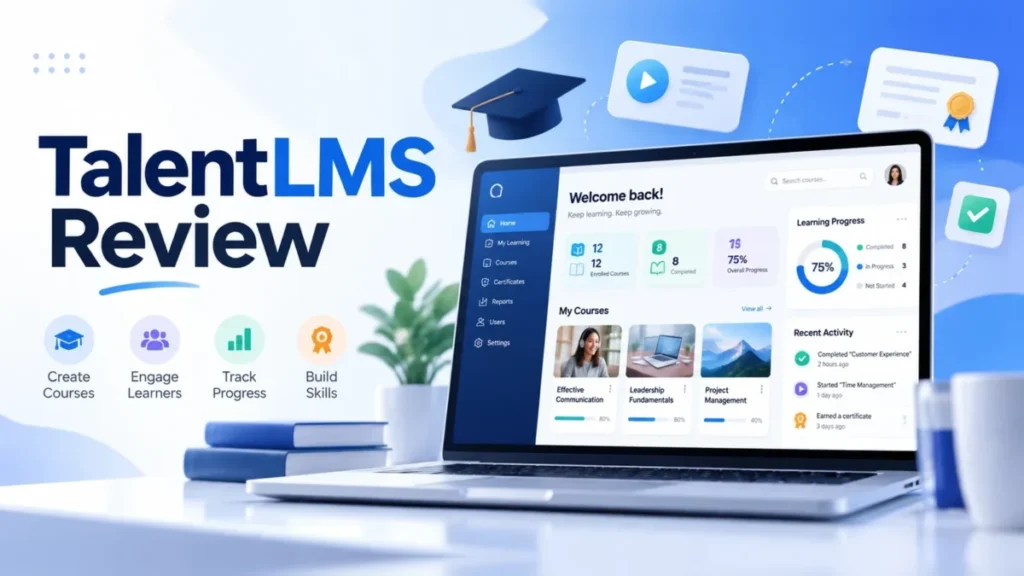
TalentLMS fits US small and mid-size teams that want a self-serve LMS with published prices. Grow is the practical plan once training spans more than one audience or needs role tracks. Grow costs $229 a month billed yearly for 1-70 users and raises Core’s 1 branch to 3.
This TalentLMS review is for training, HR and customer-education leads who would own the account. It covers the jobs TalentLMS carries, the caps that force an upgrade, and the yearly bill at 25, 60 and 100 users.
In This Article (9 sections)
TalentLMS Review: Verdict at a Glance
Shortlist TalentLMS if you train up to 100 people across one to three audiences, then check TalentLMS pricing for your headcount. Skip it if your security review demands a SOC 2 report, you need more than three branded portals on a small budget, or you must edit or export off-the-shelf courses.
| Question | Verdict |
|---|---|
| Best for | US teams of up to 100 learners training employees, partners or customers |
| Skip if | Procurement requires SOC 2, you need 4+ portals on a Grow budget, or you must edit or export ready-made courses |
| Starting price | Core: $119 a month billed yearly ($1,428 a year) or $149 billed monthly, for 1-40 users |
| Practical plan | Grow: $229 a month billed yearly, 1-70 users, 3 branches, 5 learning paths |
| Main strength | BambooHR enrolls new hires in training, ADP Workforce Now creates learners automatically, and SCORM 1.2, xAPI and cmi5 come on all plans |
| Main limitation | Portal and path caps: 1 branch on Core; 3 branches and 5 learning paths on Grow |
| Alternative to compare | Docebo, if you reach 1,000 learners, where TalentLMS Enterprise starts on an annual quote |
Sources: TalentLMS pricing page, checked October 2026.
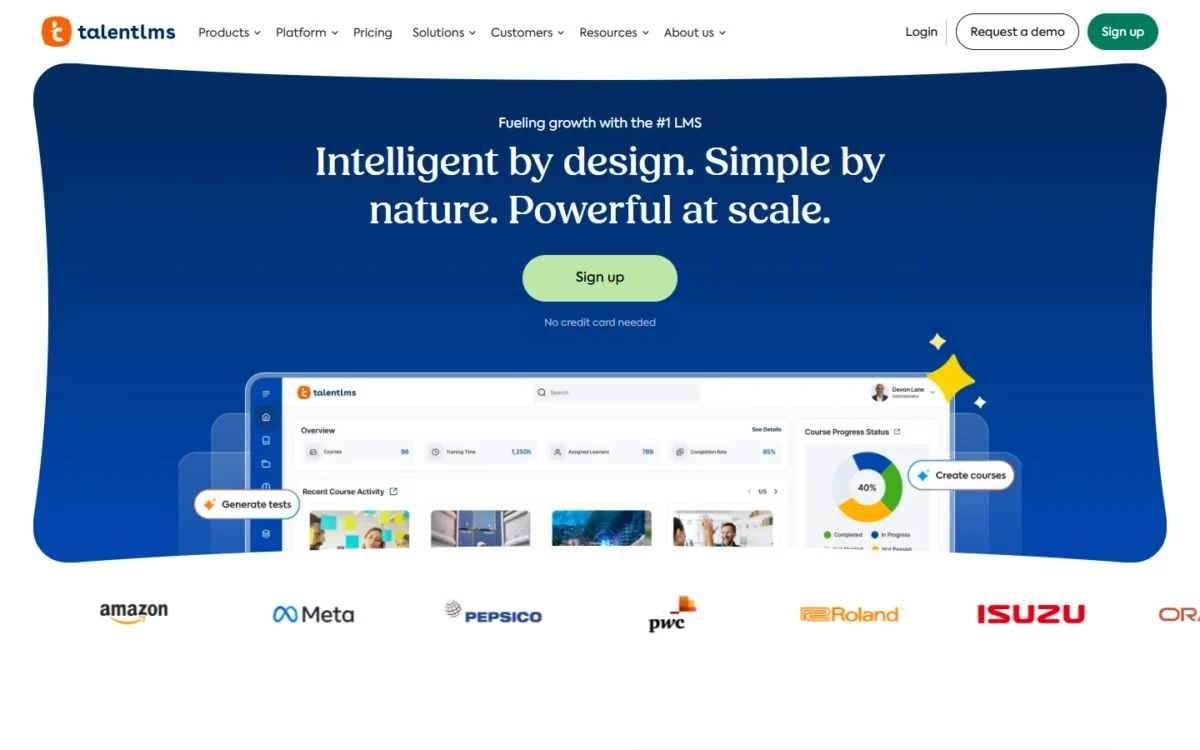
TalentLMS is a cloud LMS that runs employee, partner and customer training from separate portals managed in one account.
That verdict rests on the training jobs TalentLMS handles, so the next question is whether it carries yours.
What TalentLMS Does Well, by Training Job
TalentLMS’s pages document tools for four training jobs: onboarding, compliance, customer or partner portals, and AI-assisted course building. The table sets each job beside the capacity and first limit those pages list for it.
| Training job | What carries it | Capacity by plan | First cap you hit |
|---|---|---|---|
| Employee onboarding | Learning paths, BambooHR or ADP Workforce Now sync, automations | Grow: 5 learning paths; Pro and Enterprise: unlimited | 5 learning paths on Grow |
| Compliance training | SCORM 1.2, xAPI and cmi5 on all plans; Course Store; certificates | Unlimited storage on all plans | 600MB per file on paid plans, SCORM and xAPI packages included |
| Customer or partner training | Branches, course sales, Salesforce and HubSpot integrations | Core: 1 branch; Grow: 3; Pro: 15; Enterprise: unlimited | 1 branch on Core |
| AI course building | TalentCraft, AI test creation, AI course translation | Core: 5,000 credits (one-time); Grow: 10,000 a month; Pro: 15,000 a month; Enterprise: 80,000 a month | Core’s credits do not renew |
Sources: TalentLMS pricing page, TalentLMS integrations directory and TalentLMS upload limits, checked October 2026.
Read the last column first. The first cap your program hits can decide the plan before your learner count does.
Course creation, AI tests and the TalentCraft course creator
TalentCraft builds full course sections, images, charts, flashcards and quiz questions from a prompt, and your plan sets how much of it you can use. TalentLMS says simple TalentCraft courses take under an hour and fuller ones a few hours.
For a one-person L&D team, both renewal and allowance differ by plan: Core’s 5,000 credits are spent once, while Grow’s 10,000 renew every month.
The pricing page does not say how many credits one course consumes, so measure a single build during the trial before you weigh one against the other.
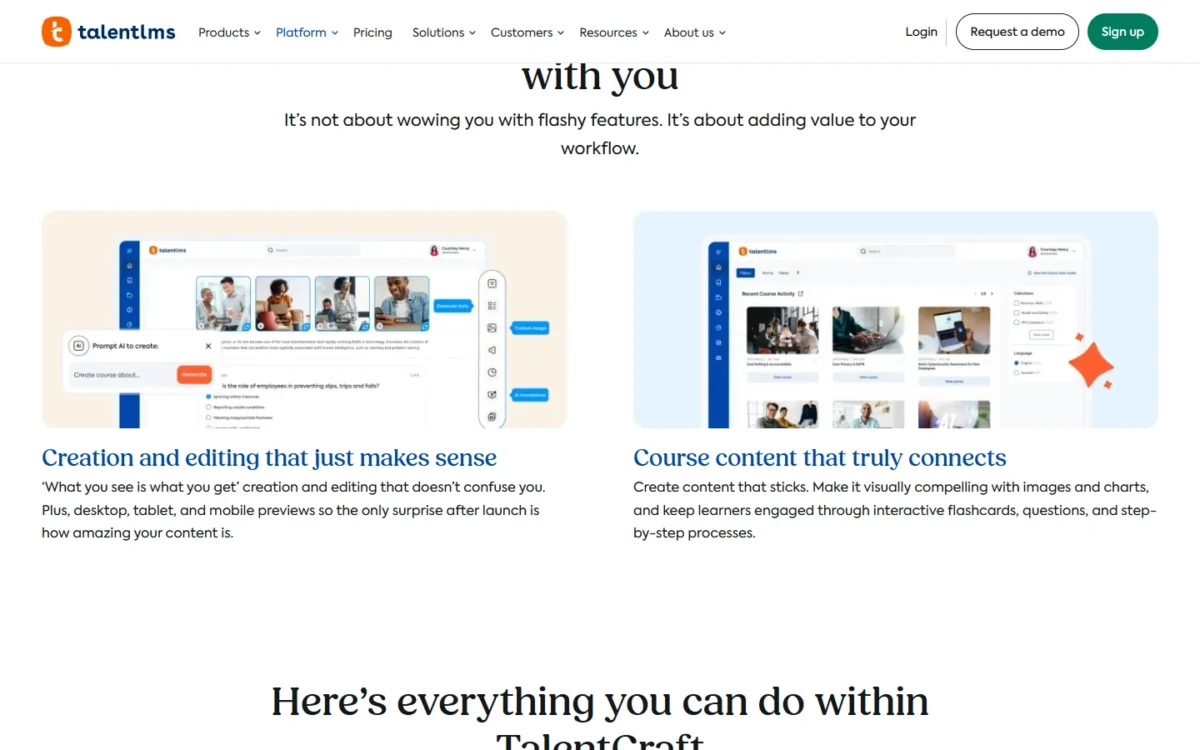
Around the course creator, AI test creation turns content units or a prompt into tests. AI Coach gives learners real-time guidance, summaries and practice inside a course.
Translation comes in two sizes. AI course translation clones whole courses into more than 40 languages, while TalentCraft’s in-editor translate covers 15. A team localizing a finished compliance course needs the first.
Employee onboarding and compliance training
Yes, TalentLMS can automate new-hire training when your HRIS is BambooHR: the integration creates accounts from employee records and enrolls new hires in training. ADP Workforce Now syncs employee data and creates learners automatically, with filters that control who gets added.
After enrollment, TalentLMS’s automations take over the repeats, triggering actions on completions, expirations or inactivity. An expiring certification can then start the next compliance assignment without an admin, and scheduled reports email progress weekly or monthly.
For content, the Course Store carries provider courses on compliance and safety, including options that meet specific state training requirements. TalentLibrary adds 1,000+ CPD-accredited courses of about 15 minutes each, covering topics such as cybersecurity and workplace safety, as an add-on.
Frontline staff get TalentLMS’s iOS and Android apps, which download offline-compatible courses and sync progress once the device is back online. Live sessions run through Zoom or Microsoft Teams with attendance tracked automatically, so instructor-led safety briefings land in the same records.
Managers can follow their own teams as Group Supervisors without full admin access. Pro covers up to 10 supervised groups and Enterprise unlimited groups, which matters once each store or site manager needs a view of only their people.
Customer and partner training
Yes: each branch is a separate portal with its own content and users, and PayPal, Stripe, Shopify or WooCommerce let you charge for courses. TalentLMS pitches separate portals for employees, partners and customers, and those three audiences fill Grow’s branches exactly.
A fourth portal, such as one per reseller, moves you to Pro. PayPal supports multiple currencies and a different PayPal account per branch, so a partner academy and a paid customer course can settle into separate accounts.
Salesforce embeds the learning portal inside the CRM with single sign-on, so account managers track customer training without leaving Salesforce. HubSpot syncs contacts into TalentLMS for enrollment; triggering HubSpot campaigns from course completions is announced as coming “soon”.
If HubSpot is your system of record for customers, see my HubSpot CRM review before you build customer training on top of it.
Integrations that change the workflow
TalentLMS signs users in through SAML 2.0, LDAP or Active Directory, and OpenID Connect. With Okta or OneLogin, it creates the account at first login, which removes the import step for new hires.
The native integrations group by job:
- Identity: SAML 2.0 (SP- and IdP-initiated), Okta, OneLogin, plus Google, LinkedIn and Facebook sign-in
- HR systems: BambooHR, ADP Workforce Now, Sage People, TalentHR
- CRM and chat: Salesforce, HubSpot, Intercom, Zendesk Chat
- Live sessions: Zoom, Microsoft Teams, GoTo, BigBlueButton
- Content: LTI 1.3 tools, an external LRS such as Watershed or SCORM Cloud, OpenSesame, LinkedIn Learning
- Everything else: Zapier (1,000+ apps) and a REST API
The HR and identity rows do the most work for a small team, because they replace manual user imports. The pricing page lists Single Sign On, API, LTI 1.3 support, Automations and HubSpot Integration on every plan card, Core to Enterprise.
The directory entries for BambooHR and ADP Workforce Now name no plan, so confirm both with sales before you count on them.
Where TalentLMS Falls Short
Five documented limits decide whether TalentLMS keeps fitting your program, and each one hurts a specific kind of team.
- Branch caps hit multi-audience programs first. Core runs one portal and Grow three, so a fourth audience forces Pro: $5,388 – $2,748 = $2,640 more a year at the yearly-billed base brackets. Map your portals before you pick a plan.
- Five learning paths cap role-based onboarding on Grow. A company with six roles, each on its own onboarding track, outgrows Grow on paths long before it reaches 70 users. Merge tracks that share most courses, or budget for Pro’s unlimited paths.
- Ready-made and AI-built content stays inside TalentLMS. TalentLibrary courses are “ready to use as they are”, and TalentLMS says they cannot be uploaded to another LMS. TalentCraft courses are “designed to work within TalentLMS”, so keep courses you must own as SCORM packages built elsewhere.
- The branded mobile app is Android-only and costs extra. The standard TalentLMS app runs on iOS and Android, but the custom white-label app is available only for Android devices, at an additional cost. A field team on company iPhones gets the TalentLMS-branded app.
- Some plan contents are still moving. Learning Playground carries a PROMO tag on Core and Grow with the note “This feature may move to a higher plan in the future.” The TalentCraft page names Pro and Enterprise for the course creator while the pricing page lists credits on Core and Grow, so confirm your AI allowance with sales.
One cost arrives without a plan change. With Pro’s Flex add-on, users past the plan limit are billed at “+ $6 per additional user”, up to 500 users. Flex counts unique users who log in each month, and TalentLMS does not block logins at the limit.
That soft limit suits seasonal hiring, but an unplanned spike shows up on the invoice, not at the login screen. TalentLMS does not state the billing period for the $6.
Buyers who need a SOC 2 report face one more gap, covered in the security section. Most of these limits are plan gates, so the next question is what the plan that clears yours costs a year.
TalentLMS Pricing and Value: What a 25-, 60- or 100-User Team Pays
A 25-person team pays $1,428 a year on Core, a 60-person team $2,748 on Grow, and a 100-person team $5,388 on Pro, all billed yearly at each plan’s base bracket.
| Plan | Base bracket | Per month, billed yearly | Per month, billed monthly | Per year, billed yearly | Per year, billed monthly |
|---|---|---|---|---|---|
| Core | 1-40 users | $119 | $149 | $1,428 | $1,788 |
| Grow | 1-70 users | $229 | $299 | $2,748 | $3,588 |
| Pro | 1-100 users | $449 | $579 | $5,388 | $6,948 |
| Enterprise | From 1,000 users | Custom quote | Not published | Custom quote | Not published |
Sources: TalentLMS pricing page, yearly and monthly views, checked October 2026.
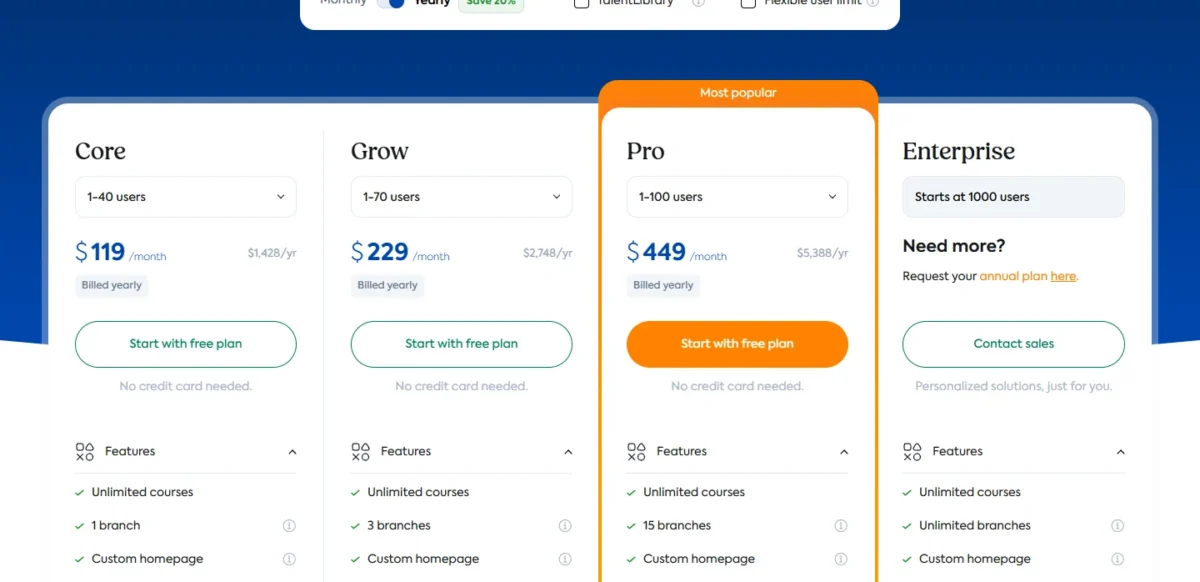
Each bracket is one flat price, so the cost per learner depends on how full your bracket is. Core works out to $1,428 / 25 = $57.12 per user a year at 25 users, but $1,428 / 40 = $35.70 at 40 users.
Grow at 60 users comes to $2,748 / 60 = $45.80 per user a year, and Pro at 100 users to $5,388 / 100 = $53.88. A 25-person team with two audiences pays the Grow premium for the extra branches, not for seats it uses.
Paying monthly costs $1,788 – $1,428 = $360 more a year on Core, $3,588 – $2,748 = $840 on Grow and $6,948 – $5,388 = $1,560 on Pro.
TalentLMS advertises “Save 20%”, and the real cut is $149 to $119 (20%) on Core, $299 to $229 (23%) on Grow and $579 to $449 (22%) on Pro.
Monthly billing still wins for a short pilot. On Core, 9 months x $149 = $1,341, under the $1,428 yearly price, while 10 months x $149 = $1,490 costs more.
Grow and Pro cross over at the same point: 9 months x $299 = $2,691 against $2,748, and 9 months x $579 = $5,211 against $5,388. If the program might end within nine months, pay monthly.
The Free plan (5 users, 10 courses, no time limit) is a sandbox for building a pilot course, not a way to run a program.
Add-ons sit outside the table: TalentLibrary is sold as an add-on on all plans, and bundles with TalentHR or TalentCards are quoted through “Get bundled pricing”. I cover add-on costs in more detail in my TalentLMS pricing and add-ons page.
Above the base brackets, each plan card’s user selector lists larger brackets up to 801-1000 users. Enterprise starts at 1,000 users on an annual plan by request, so TalentLMS’s published-price advantage ends there.
The price buys software; how much help you get turning it into a live program depends on the plan and on paying yearly.
Onboarding, Support and Ease of Setup
Onboarding help grows with the plan and is listed only with yearly billing. Phone support runs weekdays from 11 a.m. to 7 p.m. Eastern (8 a.m. to 4 p.m. Pacific) in daylight saving time.
| Plan | Onboarding package listed with yearly billing |
|---|---|
| Core | Onboarding Discovery: ready-made guides and one expert-led consultation call |
| Grow | Onboarding Starter: two weeks of guided onboarding with two expert-led sessions |
| Pro | Onboarding Advanced: one month of weekly expert-led sessions, then two months of on-demand support |
| Enterprise | Onboarding Premium: unlimited onboarding support from a dedicated Account Manager |
Sources: TalentLMS pricing page, yearly view, checked October 2026.
Core’s single consultation call suits an admin who has run an LMS before. A first-time LMS admin gets more from Grow’s two weeks and two sessions, which can justify Grow on its own for a first rollout.
Support tickets are open on all plans, Free included.
Priority email promises a first response within 1 hour on weekdays from 6 a.m. to 11 p.m. UTC. That window closes at 7 p.m. Eastern and 4 p.m. Pacific in daylight time, which covers an East Coast workday but not a West Coast one.
Phone support runs 3 p.m. to 11 p.m. UTC on weekdays. From early November to mid-March, phone hours on US clocks become 10 a.m. to 6 p.m. Eastern and 7 a.m. to 3 p.m. Pacific.
West Coast teams lose phone support by mid-afternoon all year, so schedule rollout calls and SSO cutovers for the morning.
TalentLMS says customers go live 2x faster than the industry average. The documented setup path is short: sign-up needs no credit card and the Free plan has no time limit, so an admin can build a pilot before talking to sales.
Before anyone signs, procurement will ask whether employee data is safe there.
Is TalentLMS Legit and Secure Enough for US Buyers?
Yes for most small and mid-size security reviews: TalentLMS holds ISO/IEC 27001:2022 certification, is registered at STAR Level 1, and complies with GDPR.
Its security page lists no SOC 2 report, so a buyer whose procurement requires one should raise it with sales before the 14-day trial ends.
TalentLMS is hosted exclusively on AWS, with AES-256 encryption on all AWS servers and daily backups stored across multiple availability zones. It aims for 99.9% uptime, publishes an SLA and a status page, runs frequent penetration tests and keeps a bug bounty program.
Admins get controls that matter for employee data: registration restricted to specific domains, watermarks on uploaded content, and an emergency account lock. For accessibility-sensitive buyers, TalentLMS says the platform meets WCAG 2.1 accessibility standards.
With the evidence on the table, what remains is whether your team is the buyer TalentLMS suits.
Who Should Use TalentLMS, and Who Should Skip It
Use TalentLMS if you train up to 100 people across one to three audiences and want published prices; skip it if one of the five conditions below applies.
TalentLMS is the right shortlist pick when:
- You train employees plus one or two outside audiences, have under 100 learners, and want BambooHR to enroll new hires, or ADP Workforce Now to create learners automatically.
- You are a one-person L&D team that needs AI to draft courses every month, on Grow or higher, where TalentCraft credits renew; confirm Grow’s TalentCraft access with sales first.
- Your learners work in the field and need courses on their phones, including offline.
Skip it, or compare elsewhere first, when:
- Procurement requires a SOC 2 report: shortlist vendors that publish one.
- You need four or more branded portals on a Grow-sized budget: compare portal limits across LMS vendors before comparing seat prices.
- You must edit or export off-the-shelf courses: buy a content library delivered as SCORM files you keep.
- Your field team carries iPhones and needs a branded app: look for a vendor with a white-label iOS app.
- You run 1,000+ learners: TalentLMS Enterprise starts at 1,000 users on an annual quote, so compare TalentLMS with Docebo before you request it.
If any of those conditions applies to you, my TalentLMS alternatives page is where to look next.
If you are on the use side, the remaining choice is which plan to trial and what to check before paying.
Final Verdict: Which TalentLMS Plan to Trial First
Trial Grow unless your audience count, role-track count or learner count points elsewhere, because those three numbers decide the TalentLMS plan:
- One audience and up to 40 learners: Core, at $119 a month billed yearly.
- Two or three audiences, or up to five role-based learning paths, up to 70 learners: Grow, at $229 a month billed yearly.
- 70 to 100 learners, four to 15 portals, or more than five role-based learning paths: Pro, at $449 a month billed yearly, with Flex for overflow up to 500 users.
- 1,000 learners or more: Enterprise, on an annual quote.
These ranges sit at each plan’s base bracket. With more than 100 learners, read the larger brackets on each plan card before you choose.
Then run the 14-day premium trial against your real program:
- Sign up without a card; signing up starts the premium trial.
- Build one learning path from your actual onboarding track.
- Import one SCORM or xAPI package you already use.
- Connect your identity provider, BambooHR or ADP, and add one test hire.
- Generate one course in TalentCraft and note the credits it used.
- Check your plan’s feature list on the pricing page for SSO, the API, automations and Group Supervisor.
- Pay yearly once the pilot works, so the onboarding package comes with the plan.
TalentLMS FAQ
Is TalentLMS free?
Yes. TalentLMS has a Free plan for up to 5 users and 10 courses, with no time limit and no credit card.
Its per-file upload limit is lower than the 600MB on paid plans and the Premium Trial, though no plan caps total portal storage.
Can you cancel TalentLMS at any time?
Yes. TalentLMS lets you upgrade, downgrade or cancel at any time, and a cancelled portal stays active until the end of the billing cycle. On yearly billing that cycle is the paid year, so cancelling stops the renewal rather than ending access early.
Does TalentLMS offer a nonprofit discount?
Yes. Registered nonprofits get a 20% discount on the annual plan. To claim it, sign up for a Free plan first, then send TalentLMS your portal name, your nonprofit status documentation and a link to your organization’s website.