

For most small US agencies, the best CRM for recruiters is a bundled ATS + CRM that manages candidates and clients on its entry plan: Recruiterflow or Recruit CRM. A sourcing-heavy agency should price Loxo Professional. In-house talent teams fit Gem or Zoho Recruit better, and a solo recruiter can start on Zoho Recruit’s Free plan at $0.
Loxo Professional is sold by demo, with no published price.
In 2026 the bigger difference is where AI sits: Recruit CRM meters AI sourcing in pooled credits, while Loxo and Recruiterflow keep their AI agents on plans sold by quote.
In This Article (18 sections)
Best CRM for Recruiters: Quick Picks
I grouped these 10 recruiting CRMs by kind and ranked each group by how much recruiting work the entry plan covers, from client business development to outreach and automation. Three lead the list:
- Recruiterflow for search firms that want ATS and CRM, multichannel sequences and sales automation on the base plan.
- Recruit CRM for small agencies that want candidates, client deals and invoicing on one seat.
- Loxo for agencies whose bottleneck is finding candidates outside their own database.
The full list, each linked to its section:
- Recruiterflow: search firms that run outreach sequences
- Recruit CRM: small agencies that bill clients from the same system
- Loxo: agencies that source outside their own database
- Crelate: two-recruiter boutiques
- Bullhorn: staffing firms planning to grow past a few desks
- Manatal: budget ATS + CRM for agencies and in-house teams
- Gem: in-house talent teams that keep their ATS
- Zoho Recruit: a free starting point
- SmartRecruiters: enterprise corporate hiring
- HubSpot: solo recruiters who mainly sell to clients
These ten are not one kind of tool, so the first decision is which kind your team needs.
Agency CRM, Candidate CRM or Sales CRM: Which Kind Do You Need?
Recruiting CRMs come in three kinds: agency ATS + CRM suites, candidate CRMs for in-house teams, and general sales CRMs used only for client business development.
| Kind | The job it does | Picks on this list |
|---|---|---|
| Agency ATS + CRM | Candidates, jobs and clients in one system, often with deal pipelines, placements and billing | Recruiterflow, Recruit CRM, Loxo, Crelate, Bullhorn, Manatal (lists CRM and client reports; no client deal pipeline listed) |
| Candidate CRM for in-house teams | Sourcing and nurture on top of applicant tracking, with no client to bill | Gem, Zoho Recruit (Corporate pricing), SmartRecruiters |
| General sales CRM | Client prospecting and deals; applicant tracking through a connected ATS | HubSpot |
Bullhorn’s own definition explains why the first kind exists. It describes recruitment CRM as built for the “three-way relationship between candidates, jobs, and clients,” which a general sales CRM handles only with workarounds.
That third party is the difference from what a CRM does in a sales team, where one buyer and one seller share a deal. An agency sells to the client and recruits the candidate at the same time.
CRM vs ATS for Recruiters
Yes, an agency needs both, and every agency pick on this list bundles applicant tracking and a recruiting CRM into one system. Recruit CRM, Loxo and Bullhorn all describe their core product as an ATS + CRM.
In-house teams have a second route. Gem sells a “Gem + Your ATS” option that adds sourcing, outreach and CRM on top of an existing ATS with no migration. HubSpot goes the other way: its CRM connects to ATS tools through its integration marketplace.
Knowing the kind narrows the list; the next table shows what each pick costs to start and where its entry plan stops.
Recruiting CRMs Compared: Price, Free Option and Key Limit
The table compares each pick’s starting price, its free option, and the limit most likely to force an upgrade.
| Tool | Best for | Starting price | Free plan or trial | Key limit |
|---|---|---|---|---|
| Recruiterflow | Search firms running sequences | $119 per user/ | No trial published; demo only | AI agents only on the custom AIRA Plan |
| Recruit CRM | Small agencies billing clients | Per user/ | 30-day free trial, no free version | Pro allows 1 hiring pipeline and 1 sequence |
| Loxo | Sourcing-heavy agencies | $149 per user/ | 7-day trial of Professional, no card | 850M+ profile sourcing only on Professional (quote) |
| Crelate | Two-recruiter boutiques | $85 per user/ | Free trial, length not published | Essentials: up to 2 users and 20k contacts |
| Bullhorn | Growing staffing firms | $99 per user/ | No trial published | Recruitment CRM sales pipeline starts at Pro (quote) |
| Manatal | Budget teams | $15 per user/ | 14-day trial, no card | Professional: 15 jobs and 10,000 candidates |
| Gem | In-house teams with an ATS | Custom, by company FTE count | Under 30 employees: All-in-One free for six months | No list price for larger companies |
| Zoho Recruit | A free start | $0 Free; $25 per recruiter/ | Free plan and 15-day trial | Free: 1 active job per recruiter license |
| SmartRecruiters | Enterprise corporate hiring | Starting at $14,995 (billing basis not published) | No trial published | AI Talent Matching from Professional (quote) |
| HubSpot | Solo client BD | $0 Free | Free for up to 2 users | Free: 1 pipeline per object type |
Sources: Recruiterflow pricing, Recruit CRM pricing, Loxo pricing, Crelate pricing, Bullhorn pricing, Manatal pricing, Gem pricing, Zoho Recruit pricing, SmartRecruiters pricing, HubSpot pricing, HubSpot product catalog, checked October 2026.
Recruiterflow and Loxo cost several times more per seat than Manatal or Zoho Recruit, so the real question is what each entry plan leaves out, which my Recruiterflow pricing review examines in detail.
How I Chose These Recruiting CRMs
I built this list from documentation, with no hands-on test. I considered the picks below plus the tools under Also Considered, and saved the official pages listed under each table, checked in October 2026.
Two must-haves excluded tools before ranking:
- Candidate records plus a client or hiring pipeline in one system.
- A published price on the vendor’s own page; a starting price or a startup price counts.
The ten picks are grouped by kind, as in the kinds table above: agency suites first (#1 to #6), then in-house recruiting tools (#7 to #9), then a general sales CRM (#10). Within each group, tools are ranked by these criteria, in this order:
- Client business development on the entry plan: a client deal pipeline or sales automation
- Outreach sequences, and how close to the entry plan they start
- Workflow automation
- How AI sourcing is priced (included, credits or quote)
- A free plan or trial
Each cell names the cheapest plan that includes the feature.
| Tool | Client deals or sales automation | Sequences | Workflow automation | AI sourcing | Free plan or trial |
|---|---|---|---|---|---|
| Recruiterflow | Platform Plan (sales automation) | Platform Plan | Platform Plan | Not listed | Not listed |
| Recruit CRM | Pro | Business (Pro: 1 sequence) | Pro, uses credits | Pro, uses credits | 30-day trial |
| Loxo | Not listed (Core: recruiting CRM) | Professional | Not listed | Professional | 7-day trial |
| Crelate | Business Plus (custom) | Business Plus (custom) | Business Plus (custom) | Essentials | Free trial |
| Bullhorn | Pro (quote) | Not listed (Max: multi-step AI outreach) | Pro (quote) | Pro (quote) | Not listed |
| Manatal | Not listed | Not listed | Enterprise | Listed, plan not stated | 14-day trial |
| Gem | Not listed | Standard seat | Standard seat | AI-powered seat | Startups: six months free |
| Zoho Recruit | Not listed | Not listed | Enterprise | Enterprise (AI matching) | Free plan |
| SmartRecruiters | Not listed | Not listed | Not listed | Professional | Not listed |
| HubSpot | Free (deals, 1 pipeline) | Sales Hub Professional | Starter (50 workflows) | Not listed | Free plan |
Sources: the vendor pricing pages and HubSpot product catalog linked under the comparison table above, checked October 2026.
The table shows the split that decides most agency purchases. Recruit CRM puts a client deal pipeline on the entry plan and Recruiterflow puts sales automation there.
Crelate and Bullhorn place their business development tooling in tiers sold by quote. Loxo’s Core plan lists a recruiting CRM but no client deal pipeline.
Recruiterflow ranks first because its base Platform Plan also carries sequences and workflow automation; Recruit CRM Pro stops at one sequence and meters automation in credits.
The second criterion orders the next three. Sequences start on Loxo Professional, the plan above Core, and on Crelate Business Plus, two plans above Essentials. Bullhorn’s pricing pages do not mention sequences; its Max plan, three plans above Starter, lists multi-step AI outreach, so Bullhorn sits below Crelate on this criterion.
With the gates mapped, the next question is what each tool costs a real team.
What a 5-Recruiter Team Pays in Year One
Five recruiters pay from $900 a year on Manatal Professional to $9,900 on Bullhorn Core, before add-ons, on published seat prices (seat price x 5 seats x 12 months). Swap in your own team size, and see Bullhorn’s pricing for what each edition costs.
| Tool | Plan five recruiters need | Seat price | Year one, 5 seats x 12 months | What still costs extra |
|---|---|---|---|---|
| Manatal | Professional (15 jobs or fewer) | $15, billed annually | $900 | Workflow automation needs Enterprise |
| Zoho Recruit | Standard (10 active jobs per license) | $25, billed annually | $1,500 | Add-ons such as Vendor Portal and video interviews |
| Manatal | Enterprise (unlimited jobs) | $35, billed annually | $2,100 | API and SSO need Enterprise Plus |
| Recruit CRM | Pro | US price not verified | Not computed | Credits beyond the included pool |
| Bullhorn | Starter | $99 | $5,940 | Recruitment CRM sales pipeline needs Pro (quote) |
| Crelate | Business (Essentials stops at 2 users) | $119 | $7,140 | Data Sync Service, texting and eSignature fees; BD workflows, automation and sequences need Business Plus (custom) |
| Recruiterflow | Platform Plan | $119, billed annually | $7,140 | Paid white-glove migration; AI agents need the custom AIRA Plan |
| Loxo | Core | $149, billed annually | $8,940 | Sourcing on Professional is quote-only |
| Bullhorn | Core | $165 | $9,900 | Recruitment CRM sales pipeline needs Pro (quote) |
Sources: Manatal pricing, Zoho Recruit pricing, Recruit CRM pricing, Bullhorn pricing, Crelate pricing, Recruiterflow pricing, Loxo pricing, checked October 2026. Gem, SmartRecruiters and HubSpot are left out for lack of a comparable published seat price.
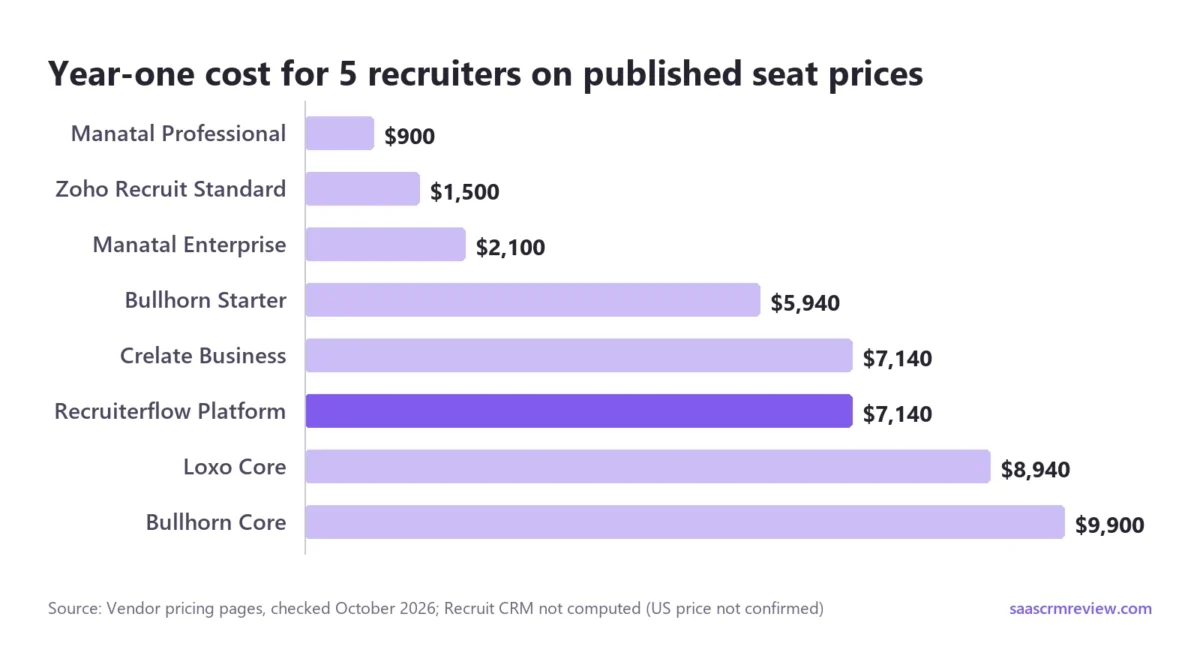
The three rows at or under $2,100 price an ATS, and none of those plans lists a client deal pipeline. The middle rows are where agencies land.
Recruit CRM Pro, with client deal pipelines and invoicing, belongs in that comparison too. Confirm its current US price on its pricing page and treat it as a floor, since credits can add to it.
The cheapest row is not always the right one, so each pick below says what it trades for its price.
1. Recruiterflow: Best for Search Firms That Run Outreach Sequences
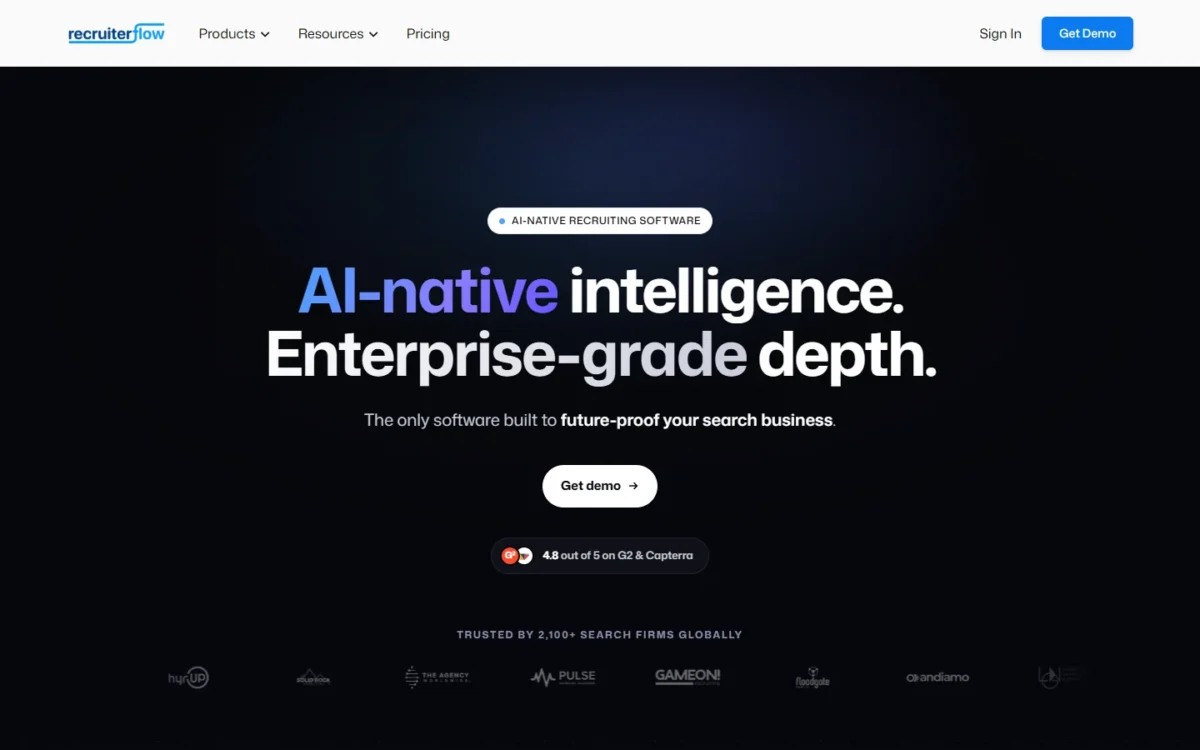
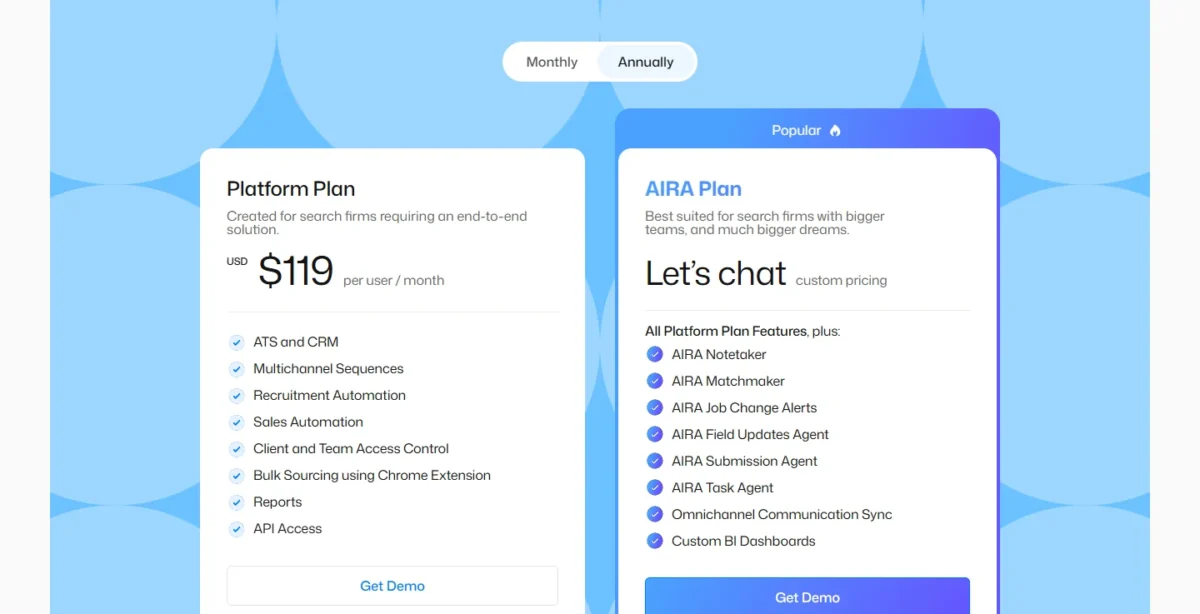
Recruiterflow is my top pick because its base seat covers the first three ranking criteria: sales automation for client business development, sequences and recruitment automation. Its Platform Plan includes ATS and CRM, candidate and client management, multichannel sequences, recruitment automation, sales automation and API access, all on one published price.
Sales automation on the same seat changes the business development routine. Emails to hiring managers run from the system that holds the candidates, so a search consultant does not keep a second tool for client prospecting.
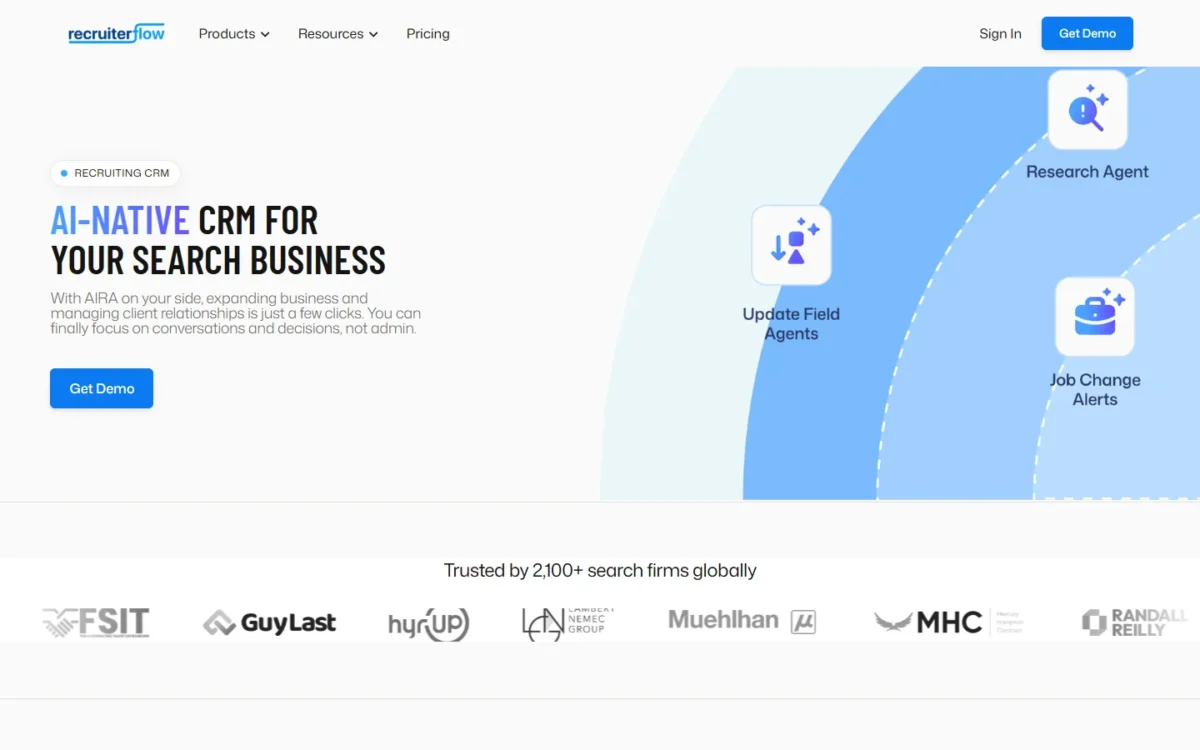
The AI is a separate purchase. AIRA Notetaker, Matchmaker, Submission Agent and the other AIRA agents come only with the AIRA Plan, which has custom pricing.
Recruiterflow sells no add-ons, so the Platform price covers every Platform feature. Integrations are listed by type rather than count: LinkedIn imports, Chrome sourcing, and email, calls, text and LinkedIn synced in one place.
The tradeoff. Recruiterflow publishes no trial, and every plan button leads to a demo. Switching also costs time: self-serve CSV import is free, while white-glove migration is paid and typically takes 6–8 weeks.
- Pricing:
- The Platform Plan costs $119 per user per month billed annually, or $149 billed monthly. Five seats come to $7,140 a year on annual billing and $8,940 month to month, so flexibility costs that team $1,800 a year.
- Skip it if:
- you want to test the product before a sales demo, or you need AI agents at a published price.
If invoicing clients matters more to your desk than sequences, Recruit CRM keeps billing on its entry plan.
2. Recruit CRM: Best for Small Agencies That Bill Clients From the Same System
Recruit CRM is the pick for a small agency that wants billing in the same system, because its entry Pro plan already holds the client side of the business. Pro includes companies, contacts and deal pipelines, client submissions with feedback, and invoicing.
That puts placements and billing in the same system as the candidate record. Timesheets and contractor billing are on Pro too, though they consume credits per active contractor each month, which matters for a contract desk with dozens of active contractors.
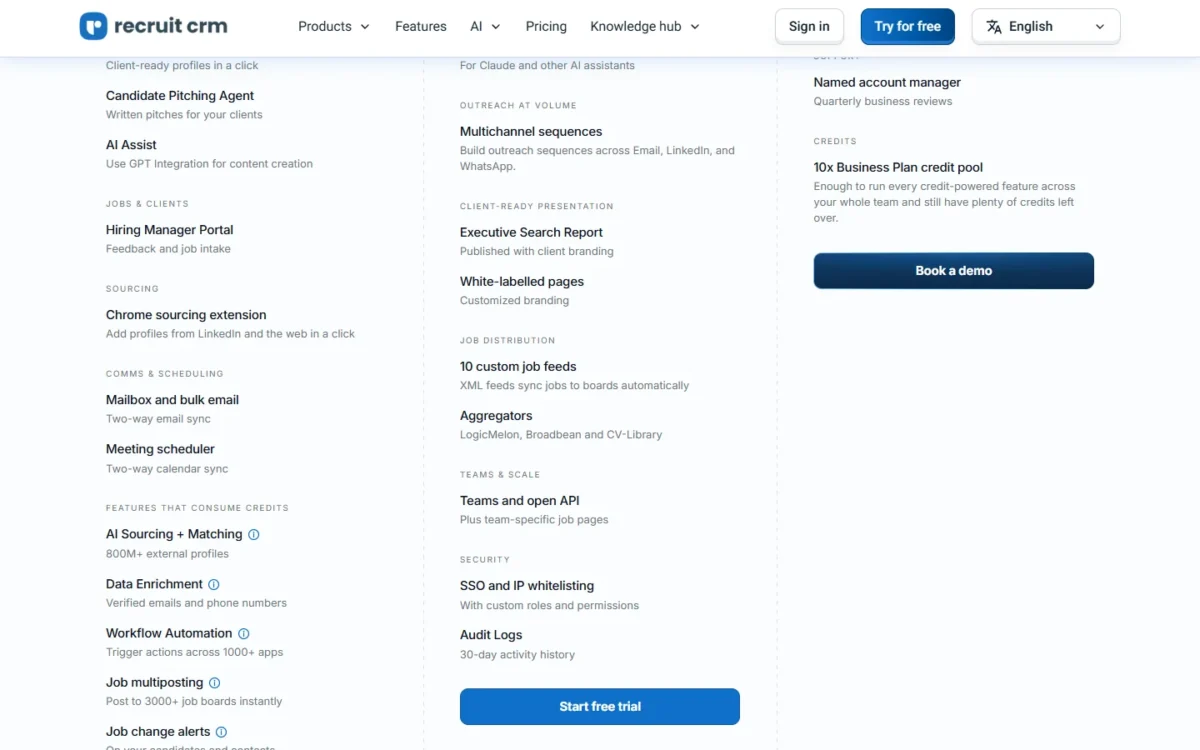
Credits are the second thing to understand before buying. AI sourcing across 800M+ external profiles, data enrichment, SMS, calling and workflow automation all draw on one credit pool shared across the account. Each plan includes a monthly credit allowance per user, pooled at the account level, and extra credits can be purchased.
Integrations are broad on paper: workflow automation reaches 1,000+ apps, Zapier integrations are included in Pro, and GDPR tools sit on every plan. Open API access does not; it starts at Business.
The tradeoff. Pro allows 1 hiring pipeline and 1 outreach sequence. Business raises that to 100 pipelines and 1,000 sequences with 500 active enrolments, and adds SSO, custom roles and audit logs.
- Pricing:
- Recruit CRM sells three plans, Pro, Business and Enterprise, each priced per user per month and billed monthly or annually. Annual billing is charged upfront for the whole year, and Recruit CRM’s pricing page says it saves up to 19%. Details on Recruit CRM pricing and what to confirm before the trial are in my full review.
Recruit CRM offers a 30-day free trial instead of a free version. Two captures of its pricing page showed different price lists, so confirm the current US price on the page before you budget a team.
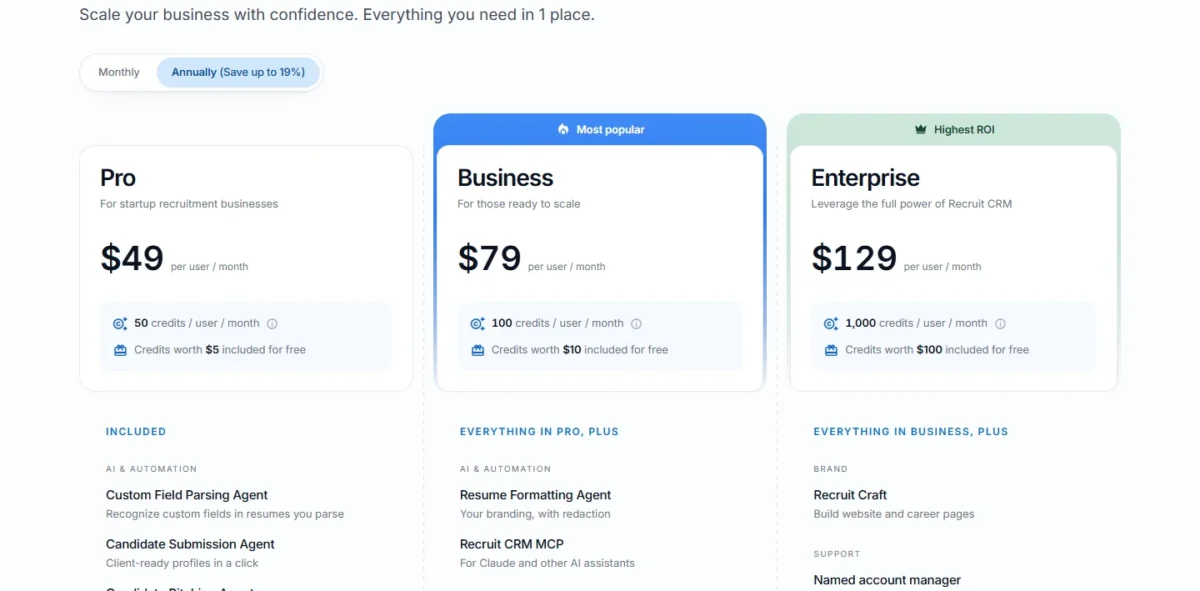
Recruit CRM ranks second: like Recruiterflow, it covers client business development on the entry plan, here with deal pipelines, but Pro stops at one sequence. It ranks above Loxo, whose Core plan lists no client deal pipeline.
- Skip it if:
- your desk runs on email and LinkedIn sequences and you will not pay for Business, because Pro stops at one sequence.
What if the bottleneck is finding candidates rather than following up with them? That is Loxo’s case.
3. Loxo: Best for Agencies That Source Outside Their Own Database
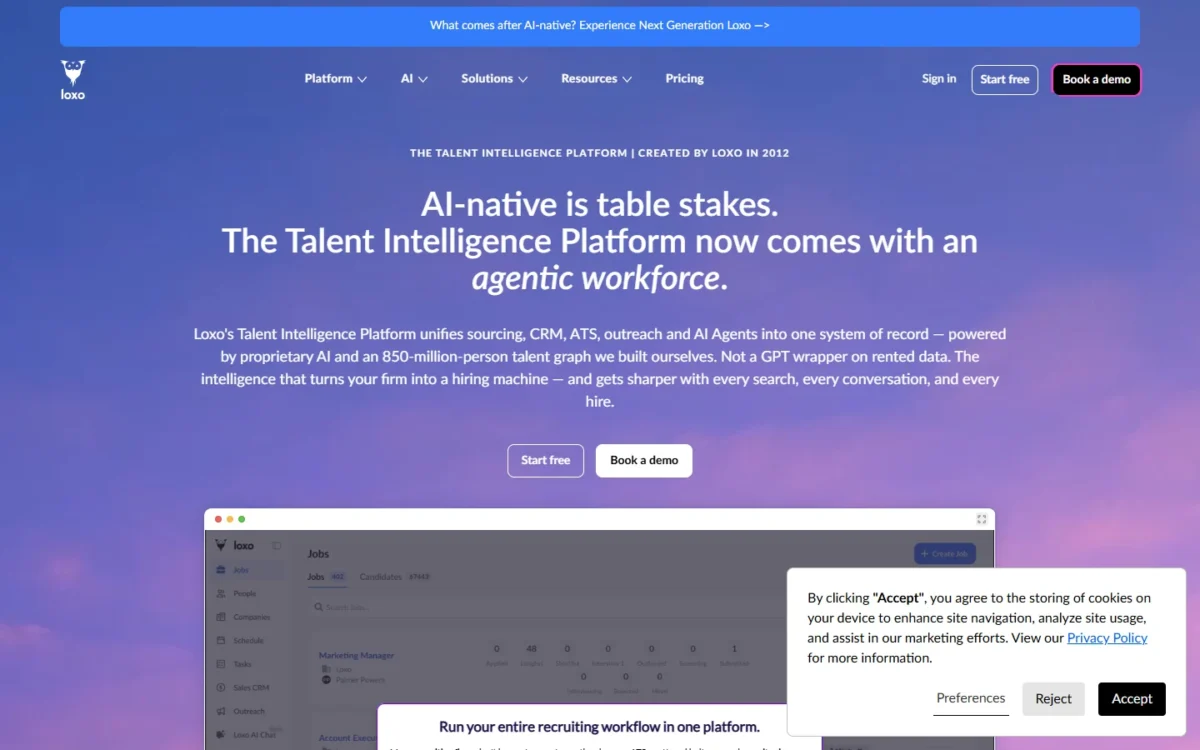
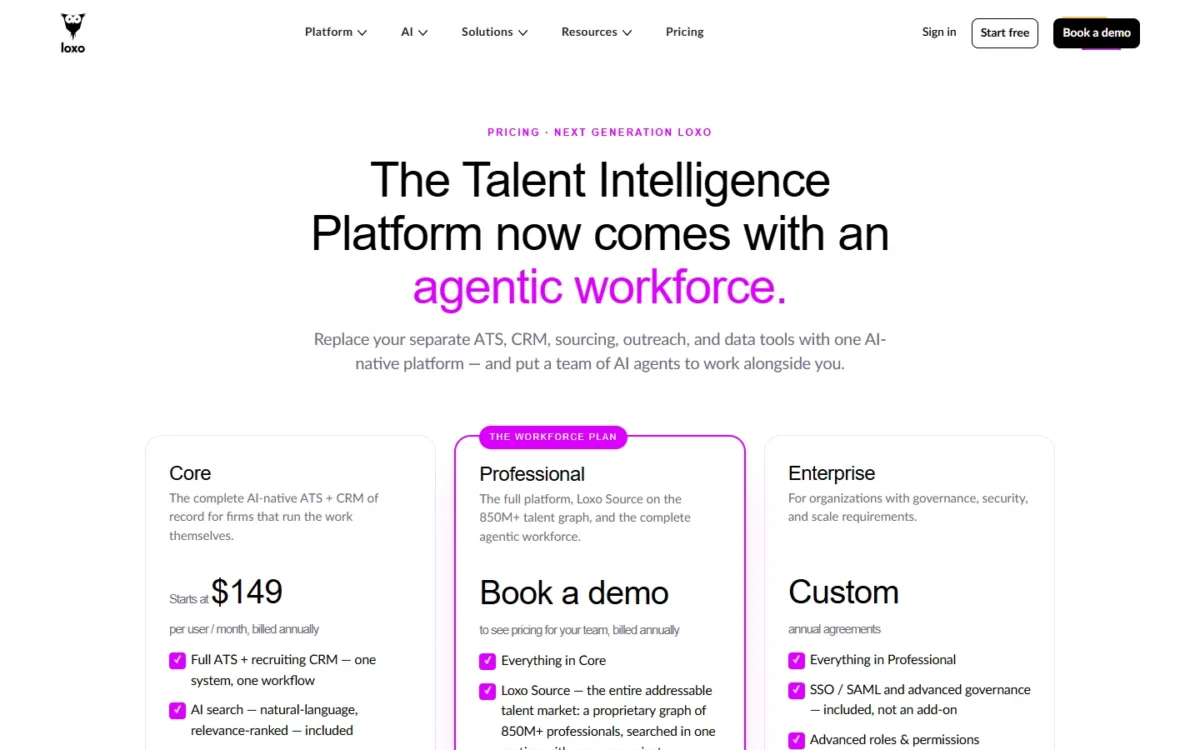
Loxo’s Core seat is not the reason to buy Loxo. Core is a full ATS + recruiting CRM with AI search, unlimited jobs, candidates and companies, pipelines, email and calendar sync, and a Chrome extension.
That is a complete system of record, but Core’s plan list does not include sequences. Loxo’s multi-channel sequences come from its Outreach + Pursuit agent, part of the agentic workforce on Professional. Professional is quote-only, while Recruiterflow lists Multichannel Sequences on its published Platform Plan.
The reason to buy is Professional. It adds Loxo Source, a talent graph of 850M+ professionals searched together with your own database. It also adds the full agentic workforce, API access, and 2,500 credits per seat per month, pooled across the team; credits meter the workforce’s output.
Loxo’s pricing page asks you to book a demo to see the Professional price. Enterprise adds SSO/SAML and advanced governance on custom annual agreements.
The tradeoff. The 7-day free trial is the full Professional platform, with no credit card. That shows the expensive plan, so the trial answers whether sourcing justifies a quote, not whether Core is enough.
Migration favors teams of three or more: it is free for Core teams of 3+ seats, with guided self-serve below that. Professional and Enterprise migrations are scoped as fixed packages before you sign.
- Pricing:
- Core starts at $149 per user per month, billed annually and paid up front. Five seats come to $8,940 a year, due at signing rather than spread across the year.
- Skip it if:
- you plan to stay on Core, because Recruiterflow’s base seat costs less and includes sequences.
For a two-person boutique, Crelate prices the agency suite more tightly.
4. Crelate: Best for Two-Recruiter Boutiques
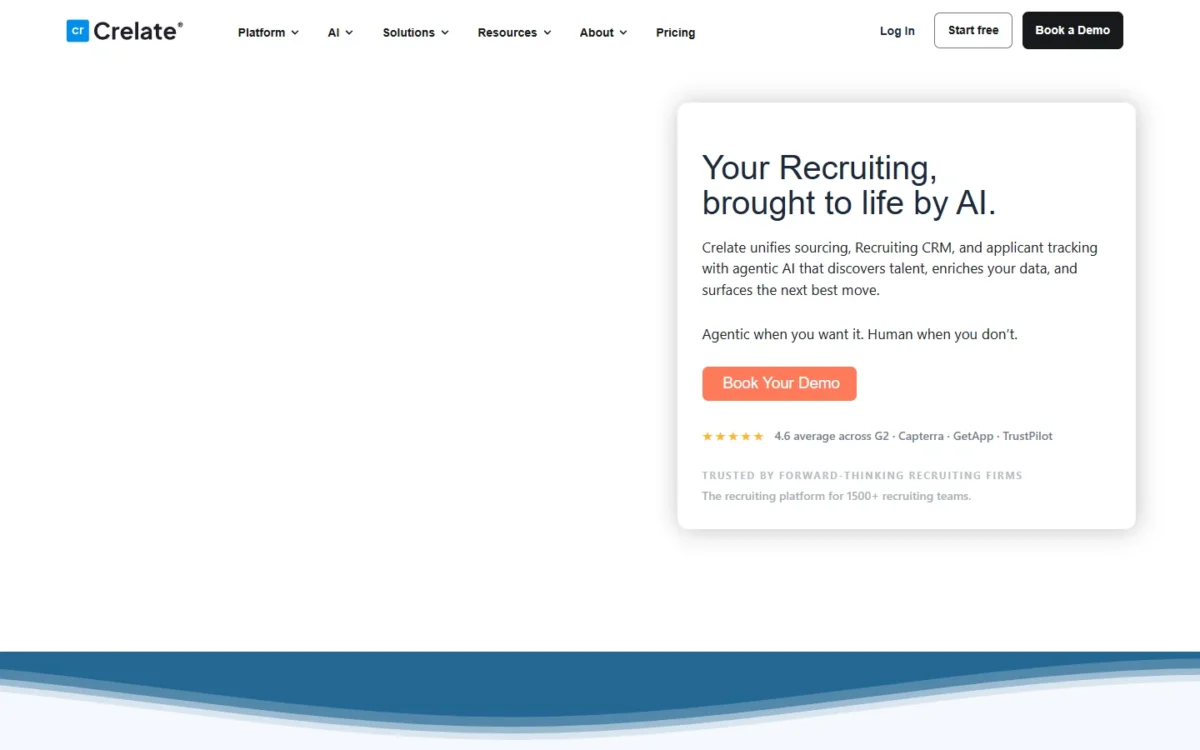
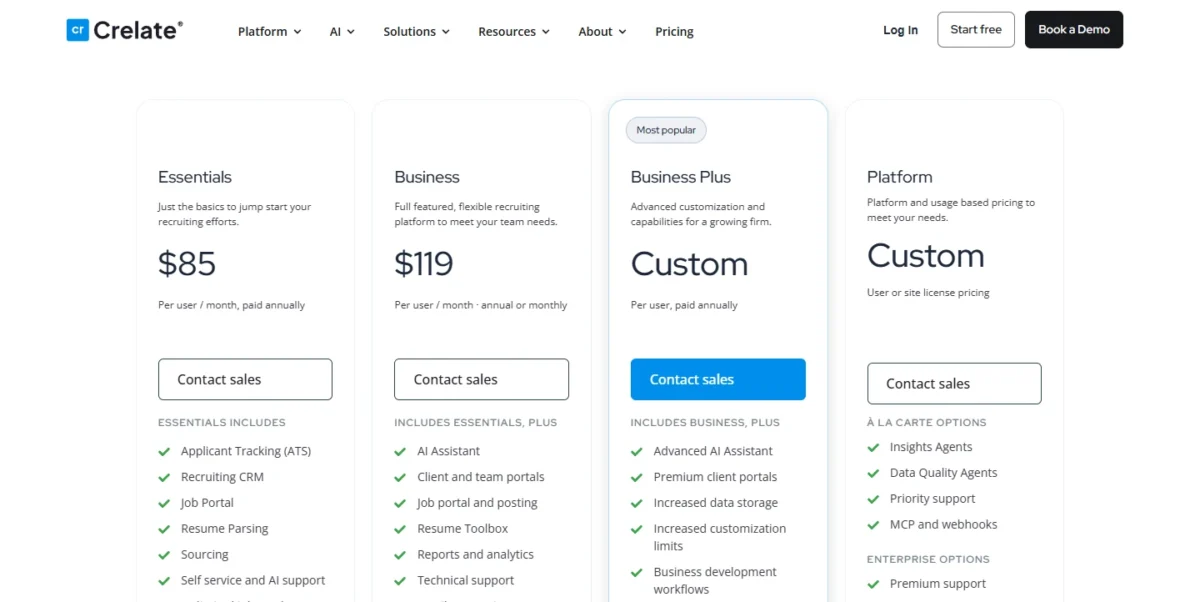
Crelate’s Essentials plan is priced for exactly two recruiters, and the third one changes the bill. Essentials covers applicant tracking, a recruiting CRM, a job portal, resume parsing and sourcing, with unlimited jobs and companies, for up to 2 users and 20k contacts.
Crelate says Essentials ships with AI sourcing, and the pricing page names no credit meter for it. Business adds an AI Assistant, client and team portals, reports and email connections.
Business development workflows, automation and sequences, and the full API sit on Business Plus, which has custom pricing. That is the plan gate an agency feels once outreach volume grows.
Integrations include Zapier, an Outlook extension with calendar sync, RingCentral VoIP and Indeed, Dice and CareerBuilder. Syncing with HubSpot or Salesforce runs through the Crelate Data Sync Service, priced on volume and frequency.
The tradeoff. Crelate offers a free trial without a sales call, but does not publish its length. Text messaging, eSignature and email campaigns carry additional fees.
- Pricing:
- Essentials costs $85 per user per month paid annually; Business costs $119 per user per month, annual or monthly. Two recruiters on Essentials pay $85 x 2 x 12 = $2,040 a year, while three on Business pay $4,284 (3 seats x 12 months).
Hiring the third recruiter more than doubles the annual bill, so plan the upgrade before the hire.
- Skip it if:
- you need sequences at a published price, since they start on custom-priced Business Plus.
Larger staffing firms ask a different question: will the system scale with desks, partners and contractors?
5. Bullhorn: Best for Staffing Firms Planning to Grow Past a Few Desks
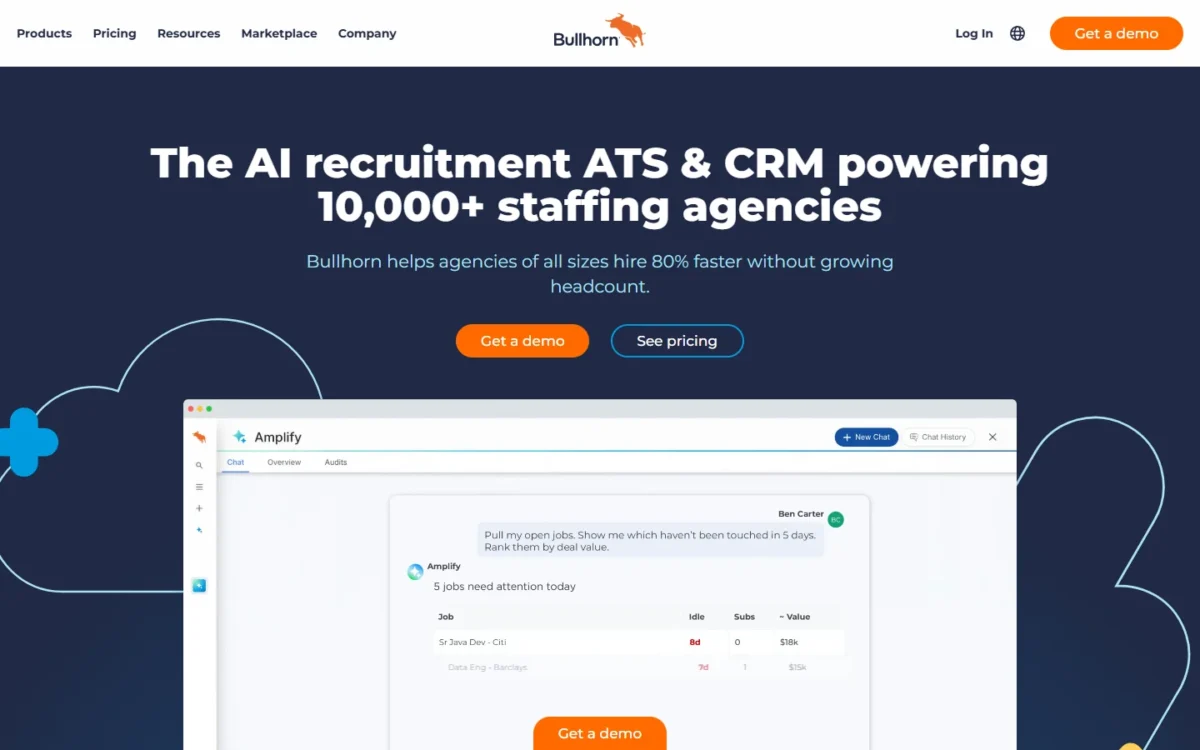
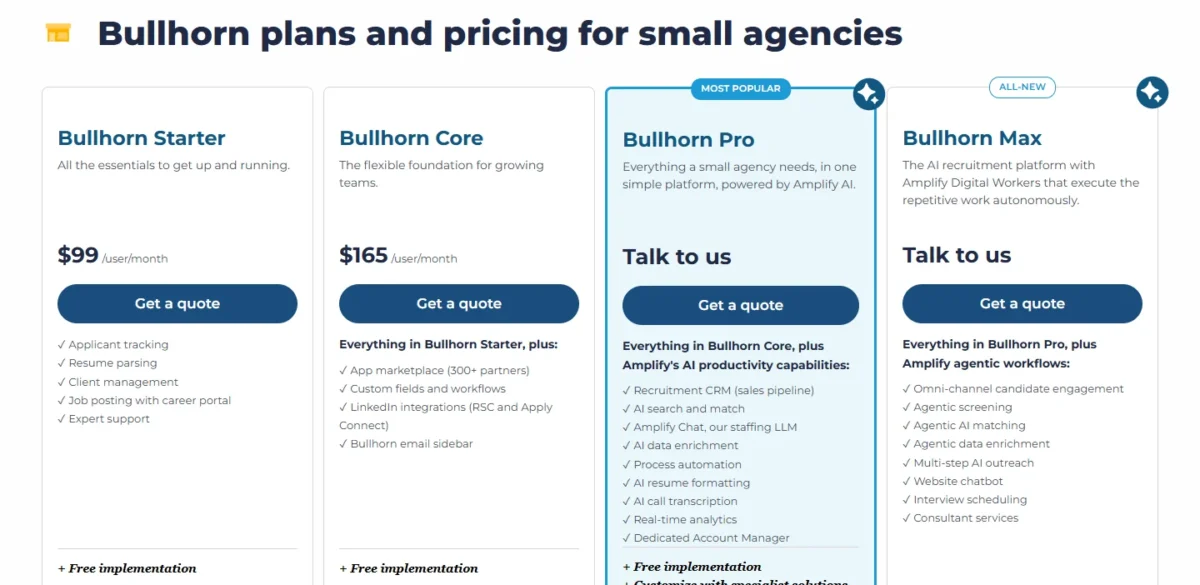
Bullhorn publishes two prices, and neither buys the recruitment CRM sales pipeline. Starter at $99 per user per month covers applicant tracking, resume parsing, client management and job posting with a career portal.
Core at $165 per user per month adds the app marketplace of 300+ partners, custom fields and workflows, LinkedIn integrations (RSC and Apply Connect) and the Bullhorn email sidebar. Both include free implementation.
The “Recruitment CRM (sales pipeline)” line appears first on Bullhorn Pro, alongside AI search and match, Amplify Chat and process automation. Pro is quote-only, and so is the all-new Max tier with agentic screening and multi-step AI outreach.
The case for Bullhorn is the growth path, the part to check against Bullhorn alternatives before signing. Its larger-agency plans add middle-office timesheets and invoicing, and Bullhorn Recruitment Cloud runs on Salesforce for firms that want one platform across the business.
Over 4,500 of Bullhorn’s customers are agencies with fewer than 10 users, by the company’s own count, and Bullhorn puts small-agency go-live at under two weeks.
The tradeoff. You buy the client CRM through a sales conversation, not a pricing page. The page also does not state whether the $99 and $165 seat prices are billed monthly or annually.
- Pricing:
- The published seats put a five-person desk at $5,940 a year on Starter or $9,900 on Core, both before the quote that adds the sales pipeline.
- Skip it if:
- you want the client CRM at a published price, or a two-person team will never need 300+ marketplace partners.
If price per seat matters more than agency depth, Manatal starts far lower.
6. Manatal: Best Budget ATS + CRM for Agencies and In-House Teams
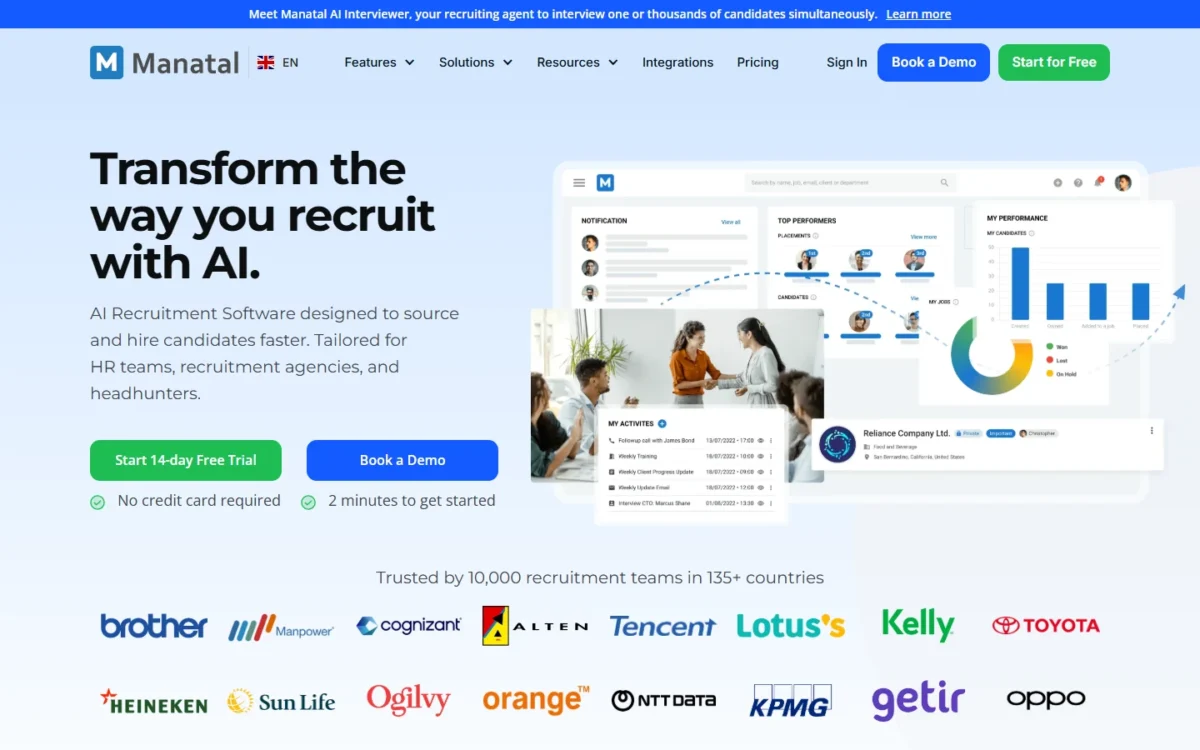
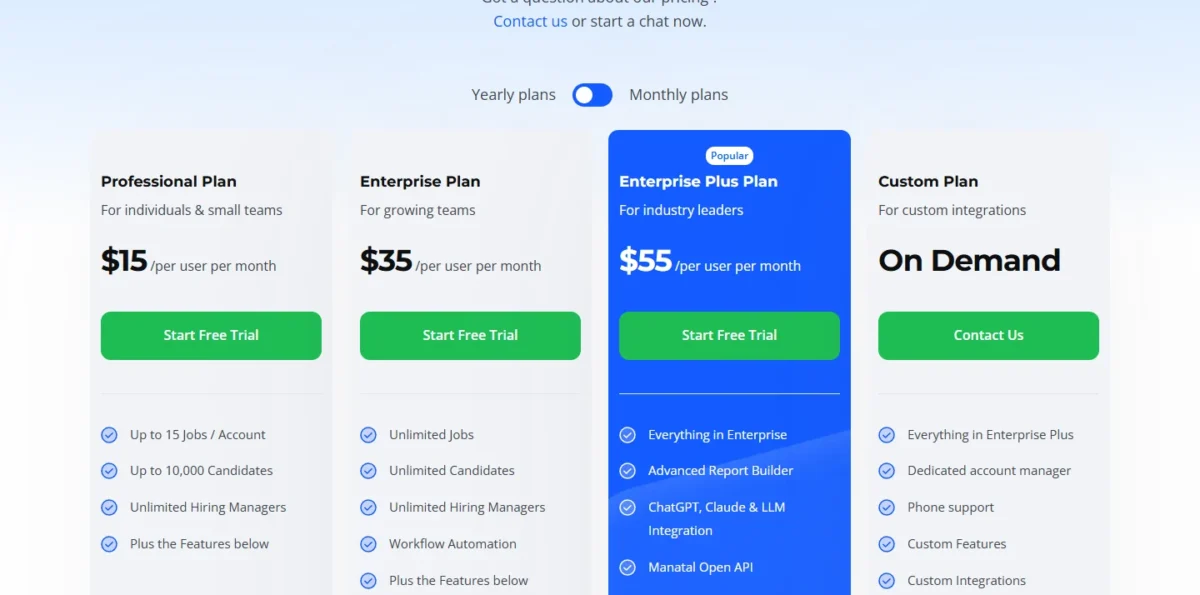
At $15 a seat, Manatal Professional gives up two things an agency notices fast: open jobs and automation. Professional caps the account at 15 jobs and up to 10,000 candidates, and workflow automations start on Enterprise.
Enterprise adds unlimited jobs and candidates, and Enterprise Plus adds SSO, user groups, API access and priority support.
The feature table lists a CRM module, client reports, Outlook and Gmail integration, and Zapier and n8n integration. Imports cover candidates, jobs, contacts and clients through CSV or JSON files.
The tradeoff. The 14-day free trial needs no card, but it excludes job board posting, mass emailing, email automations and the GDPR consent request tool. The features an agency tests first are partly missing from the trial.
- Pricing:
- Professional, Enterprise and Enterprise Plus cost $15, $35 and $55 per user per month billed annually, or $19, $39 and $59 billed monthly. For a five-person team on Enterprise, the bill is $35 x 5 x 12 = $2,100 a year.
- Skip it if:
- your agency runs more than 15 open jobs and wants to stay on the $15 seat; the cap forces Enterprise.
The next three picks serve in-house talent teams, starting with teams that already have an ATS they like.
7. Gem: Best for In-House Talent Teams That Keep Their ATS
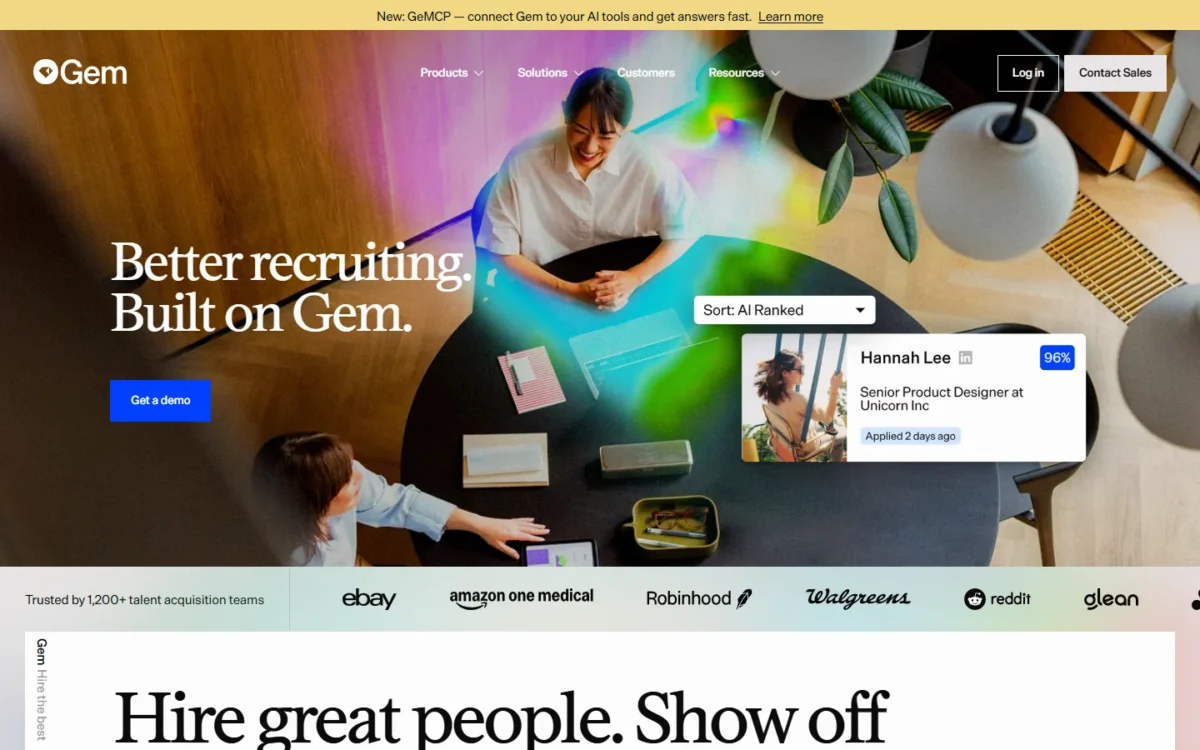
Gem lets an in-house team keep its ATS. The “Gem + Your ATS” option connects to the existing system and adds AI sourcing, outreach, scheduling and analytics with no migration.
A Standard seat covers the CRM work: 1-click adds from 20+ sourcing sites, unlimited email-finding, talent pools, multi-channel sequences, saved search automations and bi-directional ATS sync. An AI-powered seat adds sourcing agents that search 800M+ profiles and AI talent rediscovery.
Gem All-in-One is the other route, bundling the ATS itself with sourcing, CRM, analytics and scheduling.
The tradeoff. Gem prices by your company’s FTE count and publishes no list price for larger teams, so budgeting starts with a sales call.
- Pricing:
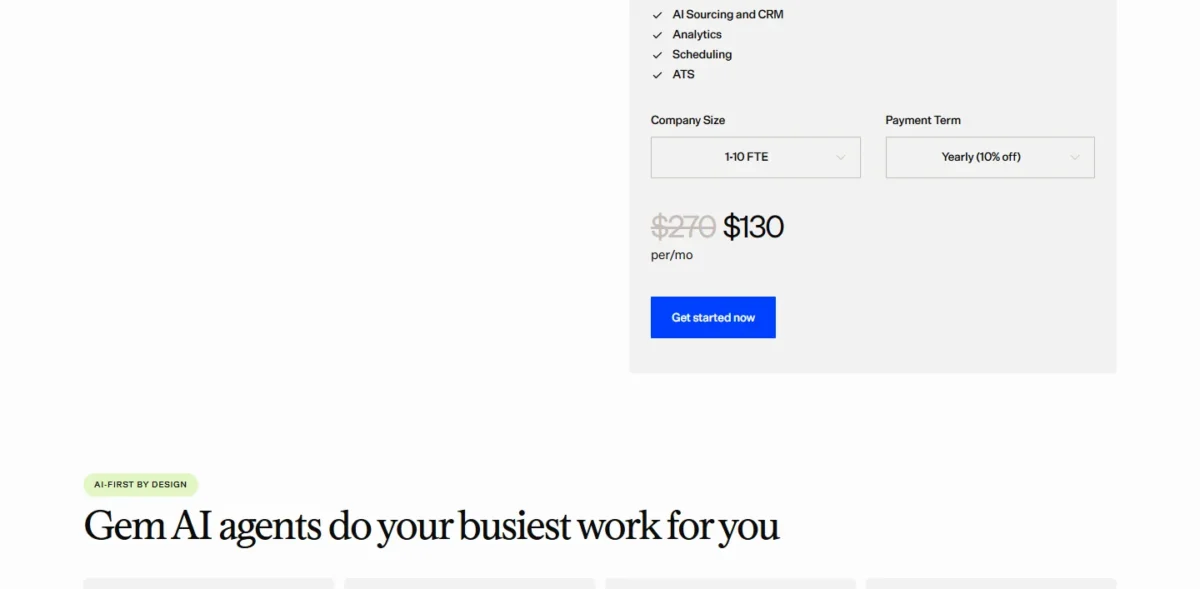
- Companies under 30 employees get Gem All-in-One free for six months, then 50% off a paid plan; teams of 30–100 employees get reduced rates. Gem’s startup calculator shows $130 per month for a 1-10 FTE company paying yearly (10% off), next to a crossed-out $270.
- Skip it if:
- you are an agency billing clients; Gem prices by your own headcount and lists no client deal pipeline.
An in-house team that wants a free starting point instead has Zoho Recruit.
8. Zoho Recruit: Best Free Starting Point
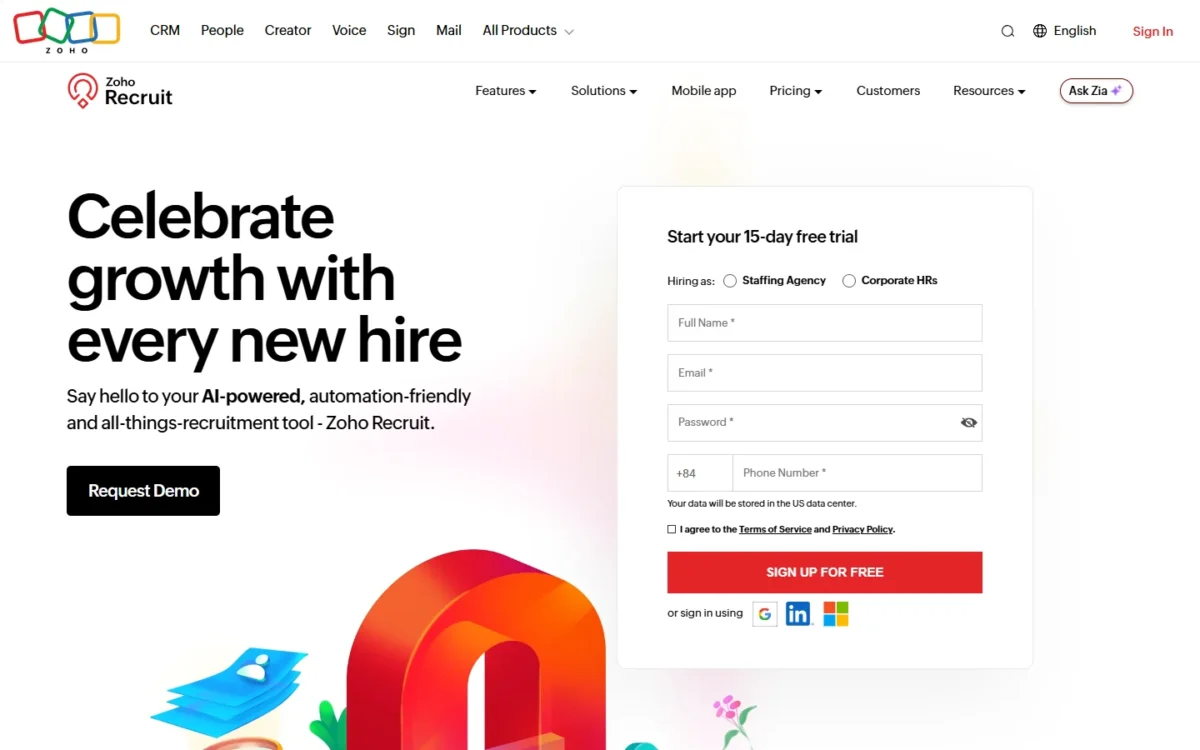
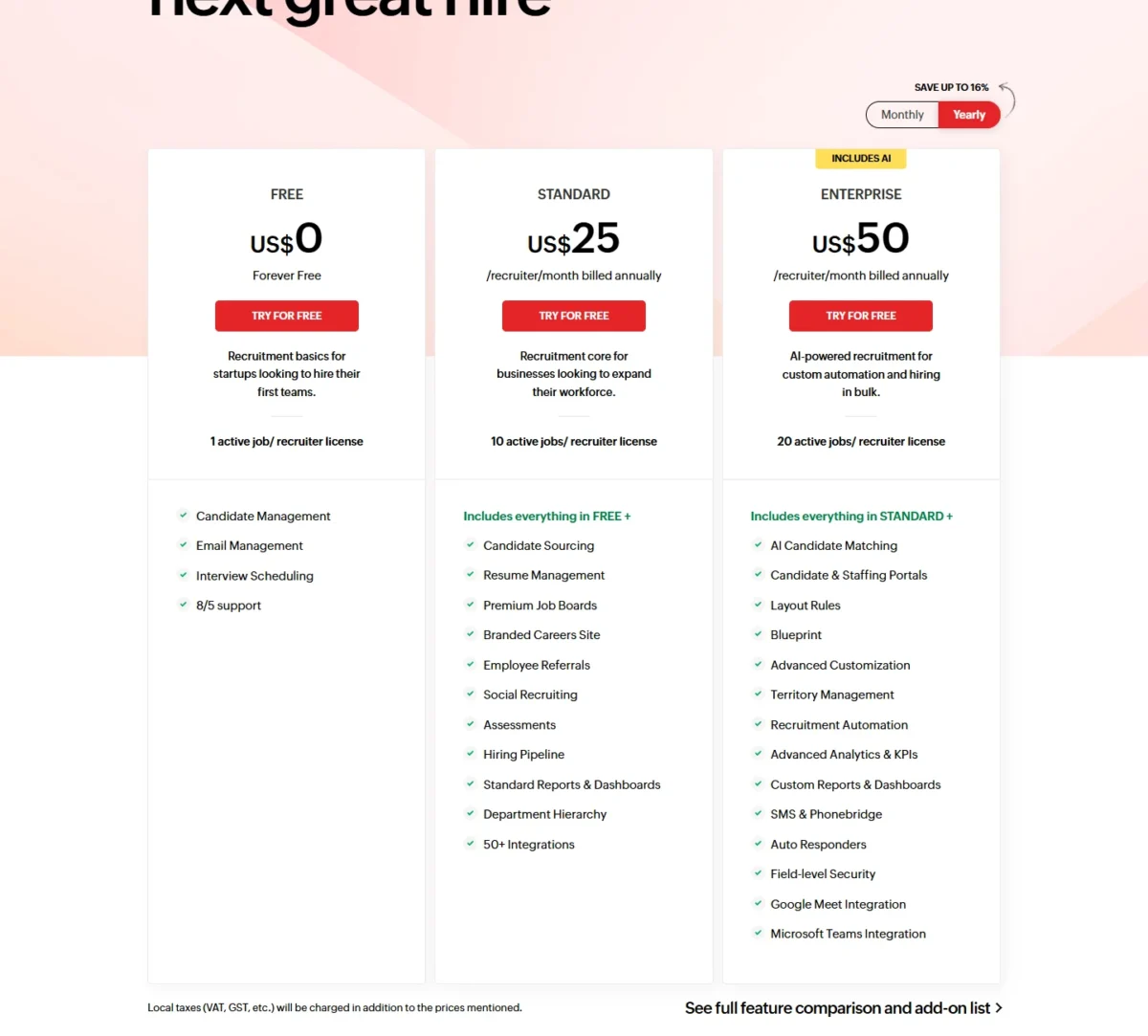
Yes, Zoho Recruit has a usable free plan, with one condition: Free costs $0 but allows 1 active job per recruiter license. That fits a solo recruiter working one search at a time, with candidate management, email management and interview scheduling.
Standard raises the limit to 10 active jobs per license and adds candidate sourcing, premium job boards, a hiring pipeline and 50+ integrations. Enterprise raises it to 20 active jobs and adds AI candidate matching, candidate and staffing portals, recruitment automation and SMS.
These are the prices on Zoho Recruit’s Corporate pricing page. Local taxes are charged on top, and add-ons are not available on the Free edition.
The tradeoff. Zoho Recruit prices per recruiter license, and the active-job cap travels with each license. A recruiter running 12 searches on Standard needs Enterprise or a second license.
Low-risk testing is the other strength. The 15-day free trial opens all Enterprise features, then moves the account to Free, and paid plans carry a 45-day money-back guarantee.
- Pricing:
- Standard costs $25 per recruiter per month billed annually ($30 monthly); Enterprise costs $50 ($60 monthly). Standard for a team of five comes to $25 x 5 x 12 = $1,500 a year.
- Skip it if:
- you are an agency that needs client deal pipelines, which the Corporate plan cards do not list.
At enterprise scale, the corporate buyer usually wants one suite.
9. SmartRecruiters: Best for Enterprise Corporate Hiring
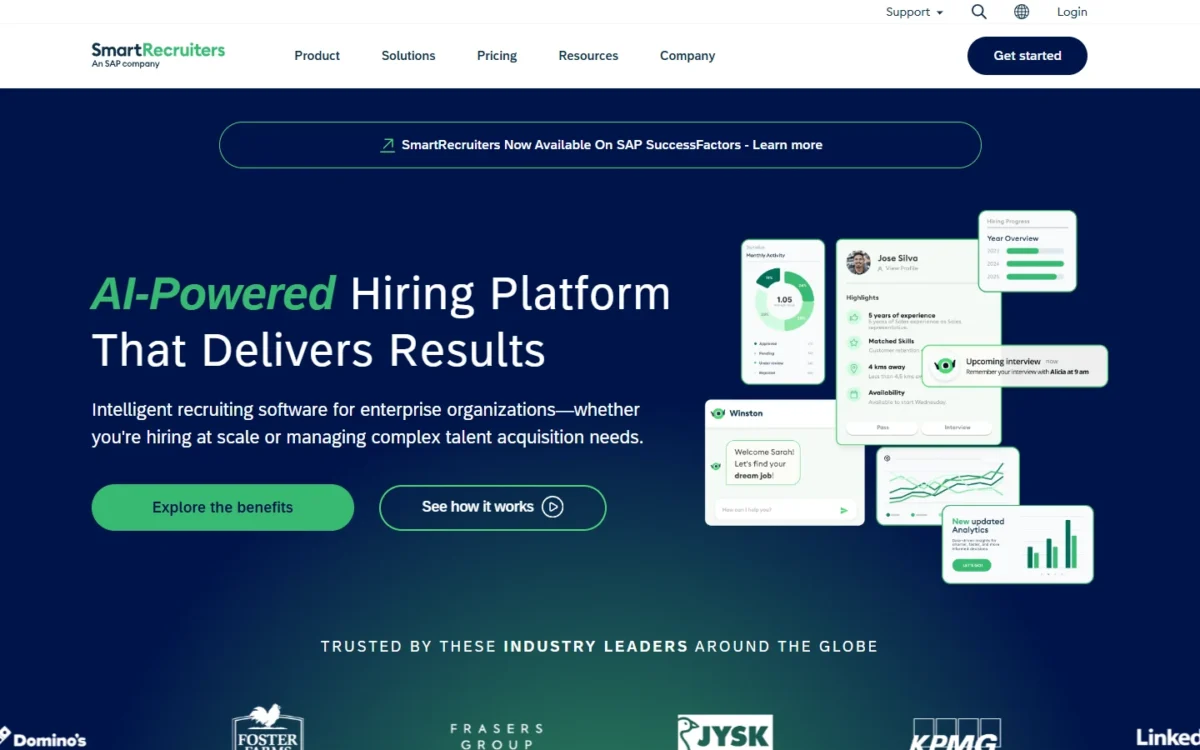
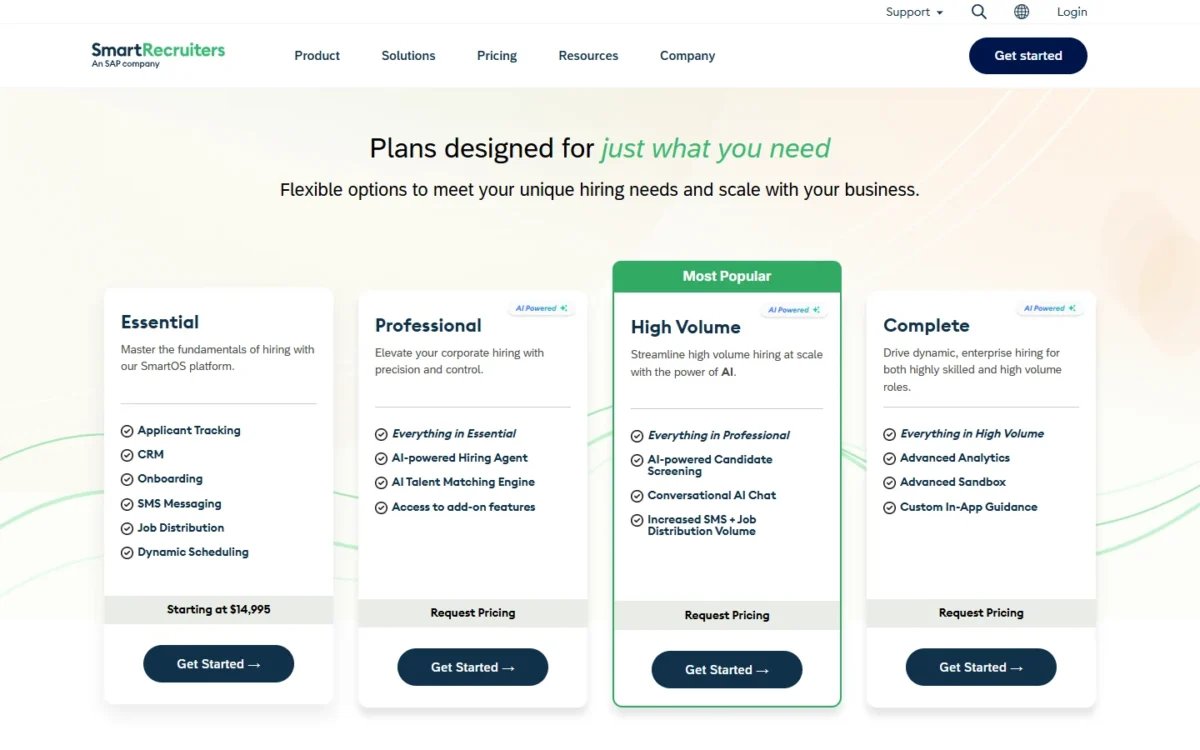
SmartRecruiters’ Essential plan starts at $14,995 and includes candidate relationship management with applicant tracking, onboarding, SMS messaging, job distribution and dynamic scheduling. That entry point is not quoted per seat.
Professional adds the AI-powered Hiring Agent and the AI Talent Matching Engine, and High Volume adds AI candidate screening and conversational AI chat. Every plan above Essential is priced on request.
The plan table also lists an Agency Portal. I read that as a sign of who SmartRecruiters serves: employers who manage outside agencies, rather than the agencies themselves.
The tradeoff. SmartRecruiters does not say whether $14,995 is a yearly figure or what headcount it covers, so the starting price cannot be compared per seat.
- Pricing:
- Essential starts at $14,995; Professional, High Volume and Complete require a quote.
- Skip it if:
- you run an agency, or your talent team has only a few recruiters.
And the solo recruiter who mostly sells to clients needs none of that.
10. HubSpot: Best for Solo Recruiters Who Mainly Sell to Clients
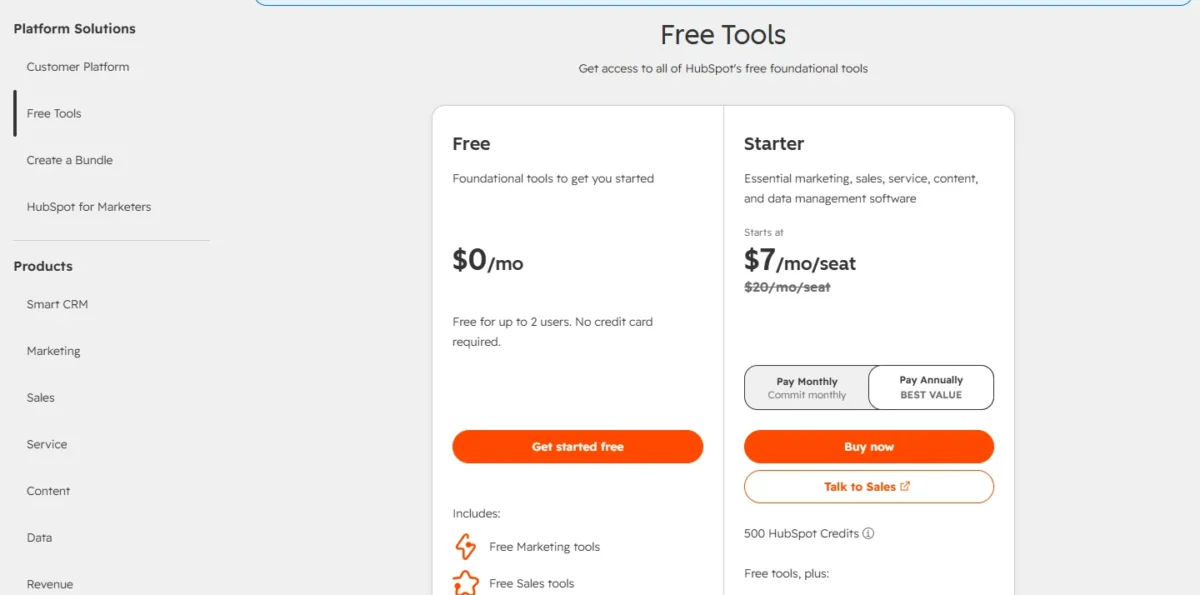
HubSpot gives a solo recruiter a free CRM for the client side, with no built-in applicant tracking. HubSpot’s product catalog lists deals, companies and 1 HubSpot-provided pipeline per object type in its free tools, for up to two free users.
The free plan needs no credit card, and its sales tools handle prospecting hiring managers. Starter raises the limit to 15 total pipelines per account and adds up to 50 workflows.
HubSpot’s recruiting guide says the CRM can manage candidate relationships and connects to ATS tools via its integration marketplace for structured applicant tracking. For an agency, I read that as a two-tool setup: candidates live as contacts, which breaks down past a handful per job.
Free limits show up quickly: 1-to-1 email carries HubSpot branding, the account gets up to 3 email templates, and meeting scheduling allows 1 personal link. If you want other free options for client work, my list of free CRM plans compared covers them.
The tradeoff. The free edition stops at two users and one HubSpot-provided deal pipeline, so a desk that wants separate pipelines, say retained and contingent searches, needs a paid edition.
- Pricing:
- Free costs $0 for up to 2 users. What Starter costs a growing team, and where its limits bite, is the subject of my HubSpot CRM review.
Before paying for a second pipeline, my HubSpot pricing breakdown shows what each paid edition costs, which is the number to weigh against an agency suite’s seat.
- Skip it if:
- you track more than a handful of candidates per job, or you place contractors you need to bill.
With ten options mapped, the last step is matching one to your team.
How to Choose a CRM for Recruiters
Pick by the job your team does most, then confirm the plan that holds it:
- Search firm living in sequences: Recruiterflow, with ATS and CRM, sequences and sales automation on the Platform Plan.
- Agency billing clients from the CRM: Recruit CRM, whose Pro plan includes deal pipelines and invoicing; Bullhorn if you expect to grow into middle-office timesheets and a 300+ partner marketplace.
- Sourcing-heavy desk: Loxo Professional, for the 850M+ profile graph and 2,500 credits per seat.
- One or two recruiters: Crelate Essentials, or Zoho Recruit Free for one active job per license.
- Tight budget with 15 or fewer open jobs: Manatal Professional.
- In-house team with an ATS you like: Gem + Your ATS.
- Enterprise corporate hiring: SmartRecruiters.
- Solo recruiter selling to clients: HubSpot Free, with deals in one pipeline for up to two users; if client sales is the main job, my ranking of the best CRM software overall covers sales-first options.
Before signing, run three checks:
- Credits versus included AI. Recruit CRM and Loxo Professional both meter AI work in pooled credits, so price the credits you will use, not just the seat.
- Migration cost. Recruiterflow charges for white-glove migration; Loxo migrates Core teams of 3+ free. Plan the switch with a guide on how to roll out a CRM.
- The plan that holds business development. On Crelate it is Business Plus (business development workflows) and on Bullhorn it is Pro (the recruitment CRM sales pipeline), both priced by quote.
If you hold EU candidates, check data protection tools too: Recruit CRM lists GDPR tools on every plan, and Crelate lists GDPR compliance management. Legal requirements for your hiring are a question for counsel, not a CRM pricing page.
A solo recruiter not ready to pay can track candidates and clients in Google Sheets CRM templates first, then move to Zoho Recruit Free once one active job per license is enough.
Also Considered
Three well-known tools did not make the ten, each for a sourced reason:
- JobAdder: a recruitment platform whose Lite plan includes a business development pipeline and which integrates with over 200 applications. JobAdder’s pricing page publishes plan names and user bands but no prices, so it fails the published-price must-have.
- Workable: Standard costs $299 per month ($3,588 per year) for companies with 1–20 employees, priced by company headcount, with a Talent CRM database and a 15-day trial. Workable’s pricing is built for employers hiring for themselves, not agencies billing clients.
- Salesforce: a general CRM rather than a recruiting product; Bullhorn’s Recruitment Cloud is built on Salesforce for larger firms. Before building a recruiting setup on it, check Salesforce pricing and plan gates.
FAQ
What is the best free CRM for recruiters?
Zoho Recruit Free is the best free option for candidates: it costs $0 and allows 1 active job per recruiter license. HubSpot Free covers contacts, companies and deals in 1 pipeline for up to two users, with applicant tracking through connected ATS tools.
Companies under 30 employees can also get Gem All-in-One free for six months.
What CRM do most recruiting agencies use?
Agencies mostly use bundled ATS + CRM tools built for staffing rather than general sales CRMs. Bullhorn’s homepage says it serves more than 10,000 customer firms, and it is built only for staffing and recruitment. In-house teams more often pair an ATS with a candidate CRM such as Gem.





