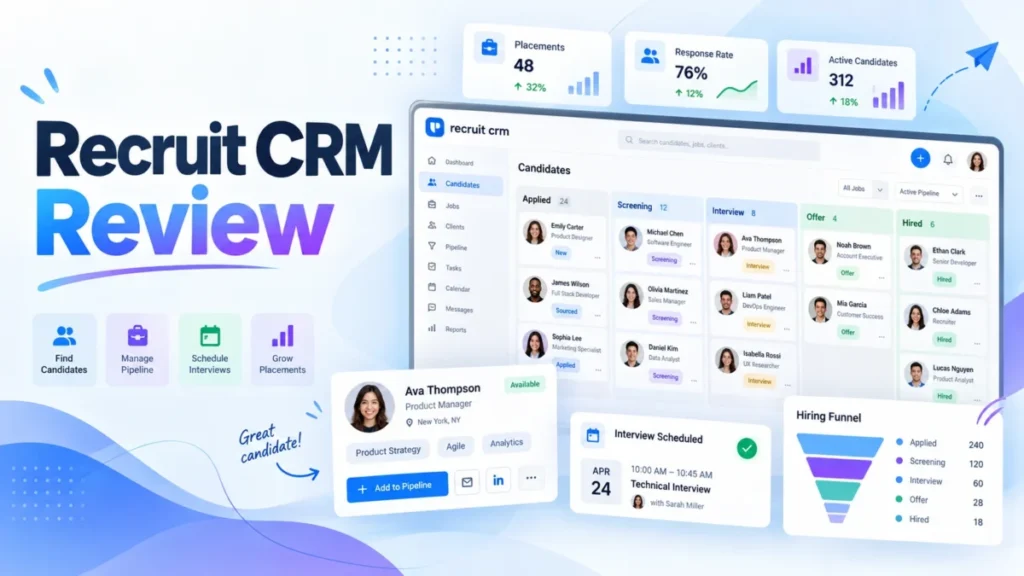
Recruit CRM fits small and mid-size US recruiting agencies that want sourcing, candidates, clients and placements in one ATS + CRM. My call in this Recruit CRM review: trial it on Business, not Pro, if you run more than one desk.
The reason is structural: Pro allows 1 hiring pipeline, 15 custom fields and 1 mailbox per user. Budget with care, too: two captures of the official pricing page on October 14, 2026 showed different price lists, so confirm the current US price before you commit.
In This Article (9 sections)
Recruit CRM Review Verdict: Who It Fits and Which Plan to Trial
Trial Recruit CRM on Business if you run more than one hiring pipeline or need the API, SSO or custom roles; Pro holds a single-process desk.
It fits a perm, contract or executive search desk that wants sourcing, client CRM and invoicing in one system. Skip it if you need a free plan or an outreach bill that stays flat.
| Question | Short answer |
|---|---|
| Best for | US agencies that want the ATS and the client CRM in one database |
| Skip if | You need a free plan, or outreach costs that do not grow with volume |
| Price basis | Per user per month plus a monthly credit allowance; confirm the US list |
| Practical plan | Business, once you need more than 1 hiring pipeline or 15 custom fields |
| Main strength | Sourcing, pipeline, client submissions, deals and invoicing on every plan |
| Main limitation | Enrichment, LinkedIn messaging, SMS and automation consume credits |
| Compare with | Bullhorn, Loxo, Zoho Recruit |
Sources: Recruit CRM pricing page, checked October 2026.
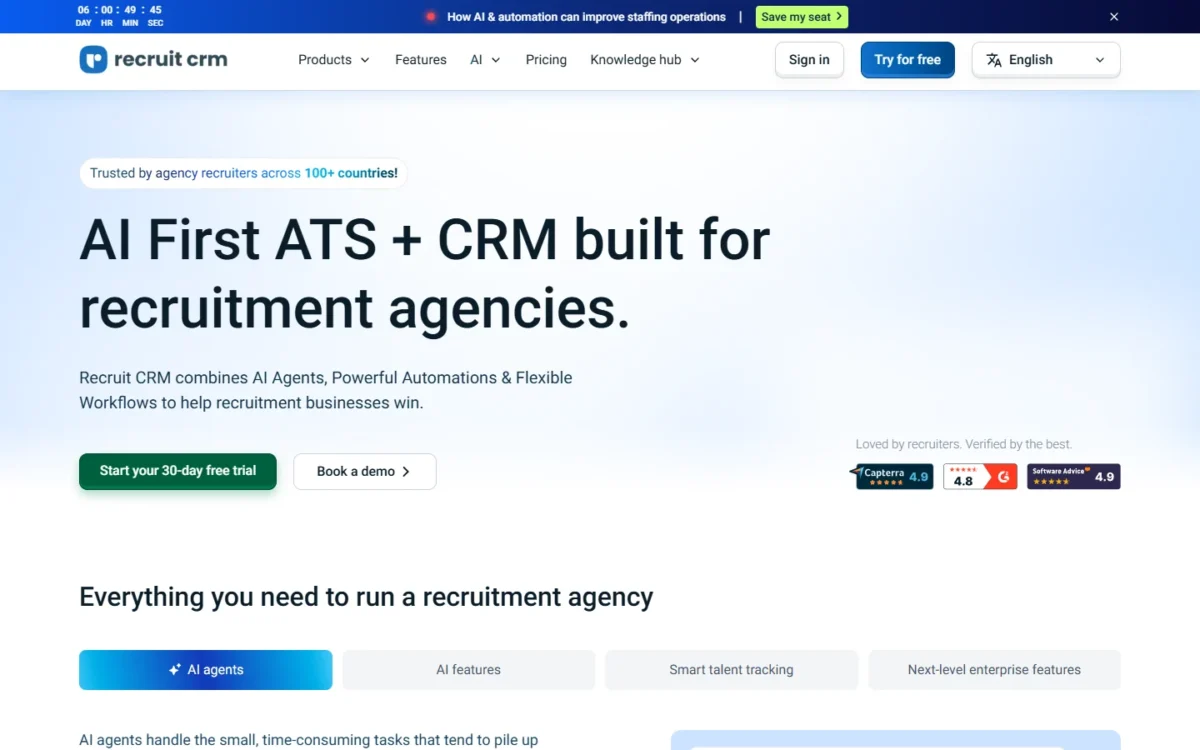
Recruit CRM is a subscription applicant tracking system (ATS) and CRM for recruitment agencies and executive search firms. In October 2026 its site menu listed self-updating profiles, an AI meeting notetaker and WhatsApp under “We recently shipped”.
What Recruit CRM Does Well for Recruiting Agencies
Most daily agency work runs on every plan, Pro included; the catch is which jobs consume credits.
| Agency job | What Recruit CRM does | Minimum plan | Uses credits |
|---|---|---|---|
| Profile capture | Chrome extension adds LinkedIn and web profiles in a click | Pro | No |
| AI sourcing | Searches 800M+ external profiles | Pro | Yes |
| Contact data | Enriches emails and phone numbers | Pro | Yes, none if nothing is found |
| Candidate pipeline | Kanban view, hotlists, AI resume parsing | Pro | No |
| Client work | Submissions with feedback, hiring manager portal, deal pipelines | Pro | No |
| Billing | Invoicing; timesheets and contractor billing | Pro | Timesheets only |
| Email and reporting | Two-way email and calendar sync, bulk email with open tracking, full reporting suite | Pro | No; advanced analytics does |
Sources: Recruit CRM pricing page, checked October 2026.
For a perm desk, profile capture, the candidate pipeline, client submissions and bulk email cost nothing beyond the seat. AI sourcing, enrichment and LinkedIn, WhatsApp or SMS messaging draw on credits.
Sourcing from LinkedIn: Chrome extension and project sync
Yes, recruiters can source from LinkedIn without copy-pasting on every plan: the Chrome sourcing extension adds LinkedIn and web profiles in a click. It also turns Xing and ZoomInfo profiles into structured candidate records (features page).
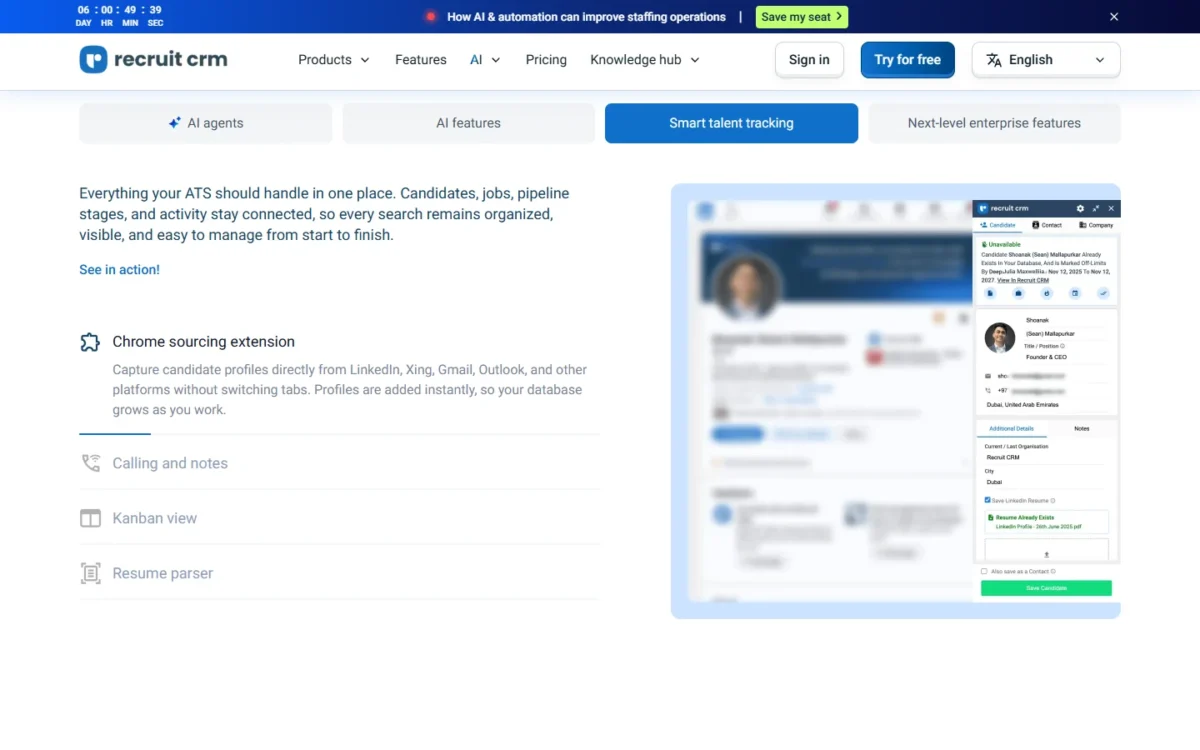
LinkedIn Messaging and Project Sync sends messages, InMails and connection requests and syncs hiring projects, on credits. So a LinkedIn-heavy desk gets capture with the seat, while message volume, not headcount, sets its credit spend.
Candidates, clients and placements in one record
For most agencies, yes, it replaces a separate client CRM and placement tracker. Companies, deal pipelines, client submissions and invoicing sit on every plan, with unlimited jobs, candidates and contacts.
The client half works like what a CRM does for a sales team: deals link to multiple contacts, jobs and candidates. Unlimited records mean database size never drives the bill; seats and credits do.
Contract staffing: timesheets and billing
Yes, it handles contractor hours on every plan: contractors log hours, managers approve, and approved time flows into invoicing. Contractor and client portals come with Timesheets.
Timesheets consume credits per active contractor each month, in tiers, and each tier’s rate applies only to the contractors inside it. The per-contractor rates are not printed beside the tiers, so get them before moving a contractor book across.
AI agents and workflow automation
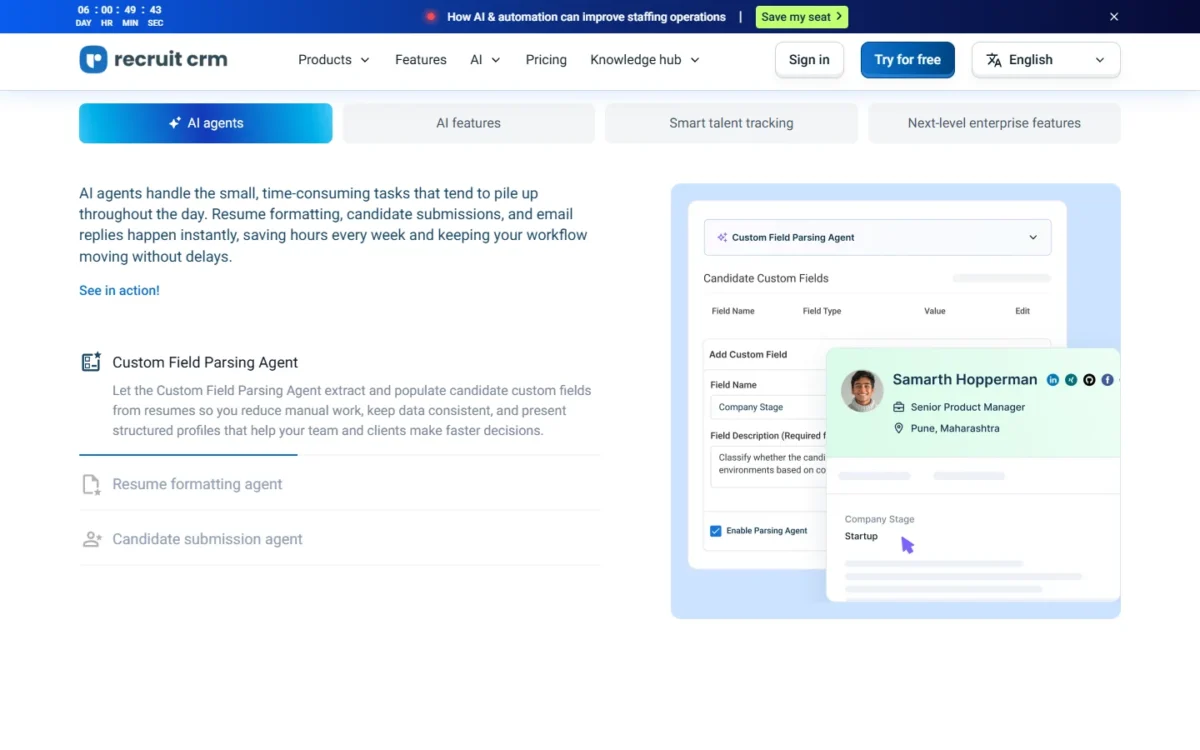
Pro includes the Custom Field Parsing, Candidate Submission and Candidate Pitching agents without a credit charge, plus GPT integration. The Resume Formatting Agent starts at Business and consumes credits.
Recruit CRM’s workflow automation reaches 1,000+ apps on every plan but draws on credits. Zapier (5,000+ apps), Integrately (950+) and Pabbly (2,000+) connect too (integrations page), so a Zapier user can keep light automations off the pool.
The open API and Recruit CRM MCP, for Claude and other AI assistants, need Business. Those caps and meters are where agencies feel the limits.
Where Recruit CRM Falls Short
Five limits hurt specific agencies, each at a predictable point:
- Pro’s structure caps. Pro allows 1 hiring pipeline and 15 custom fields; Business allows 100 of each. An agency running perm and contract desks in one account outgrows Pro first.
- Credits meter outreach. Enrichment, LinkedIn messaging, WhatsApp, SMS, calling, automation and multiposting consume credits, with no per-action rates printed. Calling consumption “varies by country and region”, so outbound-heavy desks cannot forecast spend.
- Security sits on Business. SSO, IP whitelisting, custom roles and 30-day audit logs are not in Pro, which matters to agencies answering client security questionnaires.
- Assisted migration is paid. Import is free; assisted migration is quoted before you commit. Switchers from Bullhorn or years of spreadsheets carry that cost.
- Mixed signals on the page. Anyone budgeting from the pricing page meets them, on top of the two differing price captures in the pricing section. The plan cards put the named account manager under Enterprise, while the comparison table marks it included in Pro. Job board reach reads 3,000+ channels on the pricing page and 5,000+ boards on the homepage.
| Agency type | First limit it hits | Fix |
|---|---|---|
| Solo or 2-person perm desk | Credit pool, once outreach moves to LinkedIn or SMS; Pro lists 1 multichannel sequence | Extra credits; confirm the sequence cap (trial step 4) |
| 5 to 15 recruiter multi-desk agency | 1 hiring pipeline, 15 custom fields | Business |
| Contract staffing firm | Timesheet credits per active contractor | Tier rates in writing |
| Executive search boutique | Executive search reports not in Pro | Business |
| Agency with enterprise clients | SSO and audit logs not in Pro | Business |
Sources: Recruit CRM pricing page, checked October 2026.
Most of these are plan gates and credit meters, so the next question is what fixing them costs.
Recruit CRM Pricing: Plans, Credits, and the Price to Confirm
Recruit CRM sells three paid plans priced per user per month, Pro, Business and Enterprise, and each seat adds a monthly credit allowance to one account-wide pool. Pro and Business start with a 30-day free trial; Enterprise is sold through a demo.
Two captures of the official pricing page on October 14, 2026 showed different price lists and different credit allowances. Neither list is labelled as the US price, so confirm the current US price on the page or in a quote.
| Plan | One capture: annual billing, per user per month | Same capture: monthly billing, per user per month | Same capture: credits per user per month |
|---|---|---|---|
| Pro | $49 | $59 | 50 |
| Business | $79 | $89 | 100 |
| Enterprise | $129 | $159 | 1,000 |
Sources: Recruit CRM pricing page, captured October 14, 2026.
That capture’s toggle marked annual billing “Save up to 19%”.
The other capture that day listed a higher per-user price for every plan, with no billing period stated. Its credit allowances were 100, 200 and 2,000 per user per month, double those in the table. Treat both as what the page displayed, not as your quote.
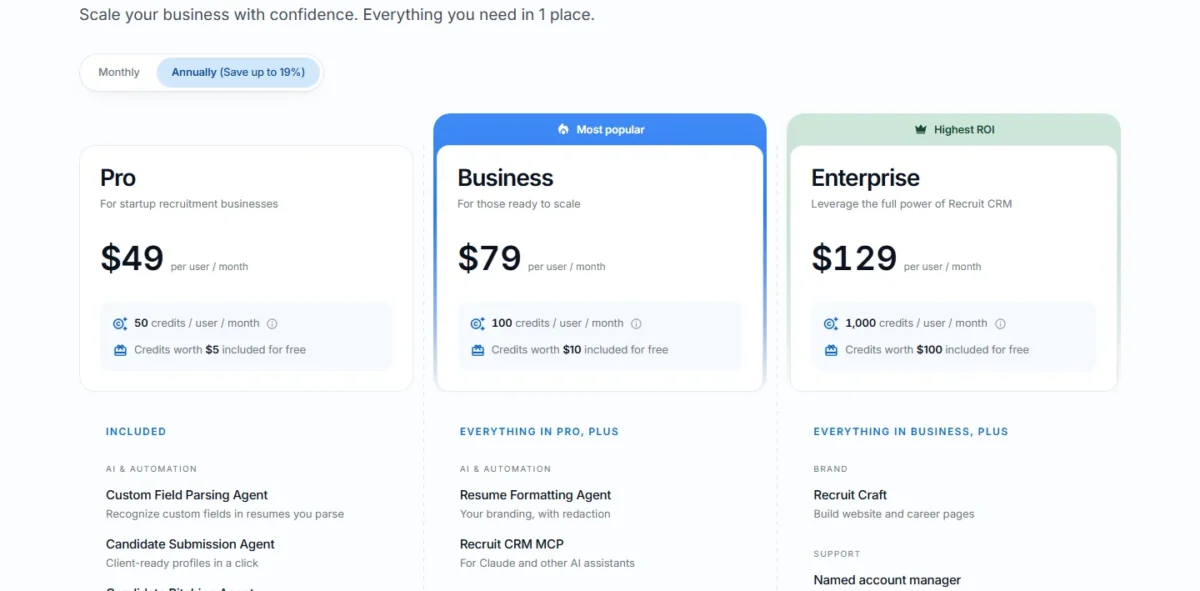
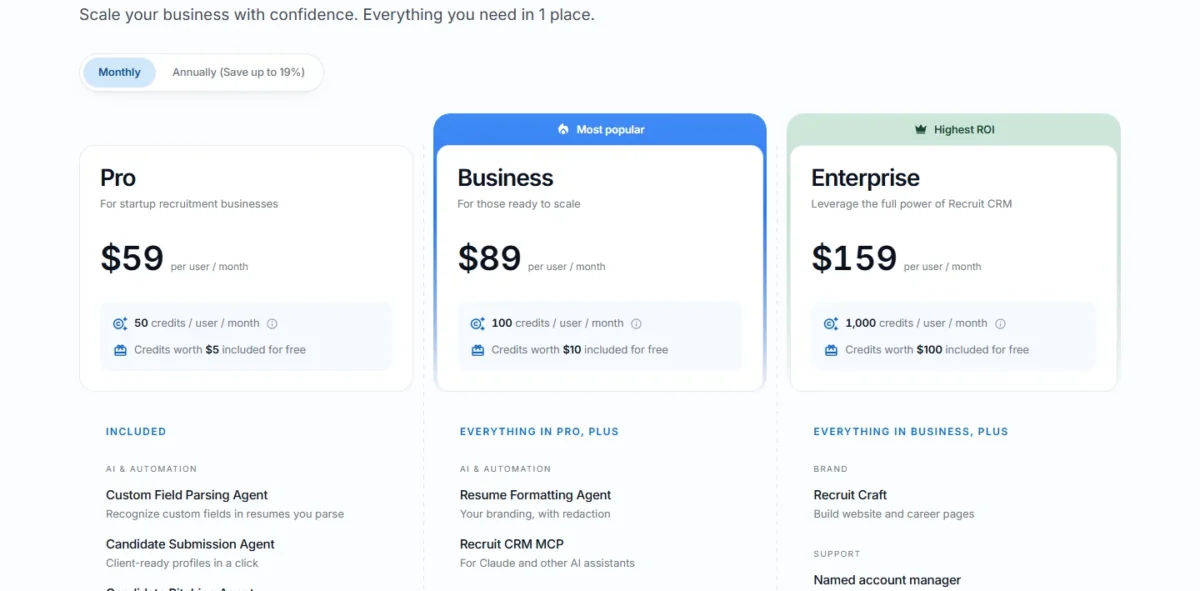
The plan gates read the same in both captures, and they decide more than the list price.
Which plan an agency actually needs
Pro holds a single-process desk. Business is the practical plan once an agency needs a second pipeline, a 16th custom field, two inboxes per recruiter, the API, SSO or custom roles.
| Plan | Hiring pipelines | Custom fields | Mailboxes per user | API, SSO, custom roles | What the plan adds |
|---|---|---|---|---|---|
| Pro | 1 | 15 | 1 | No | Submission, pitching and field-parsing agents, GPT, Chrome extension, Zapier |
| Business | 100 | 100 | 2 | Yes | Resume Formatting Agent, MCP, executive search reports, white-labelled pages, 10 custom XML job feeds, LogicMelon, Broadbean, CV-Library |
| Enterprise | 100 | 100 | 2 | Yes | Recruit Craft website and career pages, quarterly business reviews, 10x Business credit pool |
Sources: Recruit CRM pricing page, checked October 2026.
For a team of 5 with perm and contract desks, Pro’s single pipeline decides the plan, so compare Business with rivals’ quotes for the same needs. Pro lists 1 multichannel sequence; the Business cells read “1,000” and “500 active enrolments”, so ask which cap applies.
Enterprise adds Recruit Craft, quarterly business reviews and a 10x Business Plan credit pool. Recruit Craft is priced separately on Pro and Business, so I would price Enterprise only for an agency that would buy Recruit Craft or burn through Business credits anyway.
How the shared credit pool works
Each seat adds a monthly allowance to one account-level pool, and every user’s credit features draw from it. Enterprise’s allowance is a “10x Business Plan credit pool” in both captures.
Credits pay for:
- AI sourcing, matching, enrichment and job change alerts
- LinkedIn Messaging and Project Sync, WhatsApp, SMS and calling
- workflow automation, multiposting, advanced analytics and timesheets
In the capture above, Business’s 100 credits are “worth $10” and Pro’s 50 “worth $5”. Extra credits can be purchased for any credit feature, but neither credits per action nor the extra-credit price is printed.
Pooling helps uneven teams: one heavy sourcer can spend what a quieter colleague leaves unused. Outreach volume, not headcount, is what grows this line.
What a team of 5 would pay
A team of 5 pays for 5 seats at the confirmed per-user monthly price for 12 months, plus extra credits and any assisted migration.
On the one capture in the table above, 5 Business seats cost 5 x $79 = $395 a month on annual billing, a 5 x $79 x 12 = $4,740 yearly commitment. On monthly billing, 5 seats cost 5 x $89 = $445 a month. Those are that capture’s figures, not a US quote.
| Cost line | Formula for 5 seats | What sets it |
|---|---|---|
| Seats | 5 seats x confirmed per-user monthly price x 12 | Plan and US quote |
| Included credits | 5 seats x credits per user per month, pooled | Plan allowance |
| Extra credits | Credits beyond the pool x extra-credit price | Outreach volume |
| Migration | Quoted before you commit | Free import or paid assist |
Sources: Recruit CRM pricing page, checked October 2026.
On the same capture, Business includes 100 credits per user per month worth $10, so 5 seats pool 5 x 100 = 500 credits a month, worth 5 x $10 = $50. Ask for that allowance in the written quote, because the other capture showed a different one.
The CRM cost calculator holds the remaining lines, such as credit top-ups and seat growth over a year.
Is Recruit CRM Legit? Company, Support Resources, and Data Protection
Yes, Recruit CRM is a legitimate commercial vendor. Its site names Workforce Cloud Tech, Inc., 28 Mohawk Avenue, Norwood, NJ 07648, as the company behind it, serving agencies in over 100 countries.
Its footer links a data processing agreement, data security, GDPR, incident response and vulnerability disclosure pages, plus a status page. GDPR tools come with every plan.
Every plan includes 24/7 live chat, a help centre, training and webinars. Recruit CRM says its multilingual team answers in under 2 minutes.
Legitimacy settles whether to trust it; whether to buy it is a question of price against rivals.
Recruit CRM Alternatives Agencies Compare It With
The three tools I would price against Recruit CRM are Bullhorn, Loxo and Zoho Recruit. My ranked shortlist, with the reasoning for each pick, sits in the guide to the best CRM for recruiters.
- Bullhorn. A customer quoted on Recruit CRM’s integrations page switched from Bullhorn ATS & CRM; compare it if your back office runs on Bullhorn.
- Loxo. Quote it for the same seat count and needs (pipelines, SSO, API) as Recruit CRM Business.
- Zoho Recruit. Price it if your agency already runs other Zoho apps.
How to Use the 30-Day Trial Before You Buy
Use the 30-day trial to answer five questions. The trial covers core features, while “certain features are available on paid plans”, so first ask which credit features are active.
- Rebuild your real desks: every hiring pipeline and custom field. A second pipeline or a 16th field means Business.
- Run one week of sourcing and outreach, then read the credit balance.
- Get the US per-seat price, billing period and credit allowance in writing.
- Confirm the sequence cap and named-account-manager coverage for your plan, and whether client security reviews need Business’s SSO and audit logs.
- Get the assisted migration quote before the trial ends.
Final Verdict
Buy Recruit CRM on Business if you run more than one desk. Trial Pro only for a single-process perm desk, and skip it if you need a free plan or a fixed outreach bill.
- Small single-desk perm agency. Pro, with a credit budget for LinkedIn, WhatsApp and SMS outreach; Pro lists 1 multichannel sequence, so confirm that cap first (trial step 4).
- Multi-desk agency, perm plus contract. Business, for 100 hiring pipelines and 100 custom fields.
- Agency facing client security reviews. Business, for SSO, IP whitelisting and audit logs.
- Agency wanting a branded career site. Price Enterprise against Business plus Recruit Craft bought separately.
- Agency needing a free plan or fixed outreach cost. Skip it.
Whichever plan you pick, the per-seat number in your budget should come from a US quote, not a screenshot.
Recruit CRM FAQ
Does Recruit CRM have a free plan?
No. Recruit CRM lists three paid plans, and none is free. Pro and Business carry a “Start free trial” button for the 30-day trial, while Enterprise carries “Book a demo”, so an Enterprise buyer starts with a sales call rather than a self-serve account.
Can you switch Recruit CRM plans later?
Yes. You can move to a different Recruit CRM plan as your team or requirements change, so you can buy for today’s needs rather than next year’s. The gates that force a move from Pro to Business include a second hiring pipeline and the security features.
Does Recruit CRM have a mobile app?
Yes. Recruit CRM has a mobile app for Android and iOS, included on every plan, Pro among them. The platform is also optimized for mobile use, so recruiters can manage recruitment tasks on the go between client calls.