

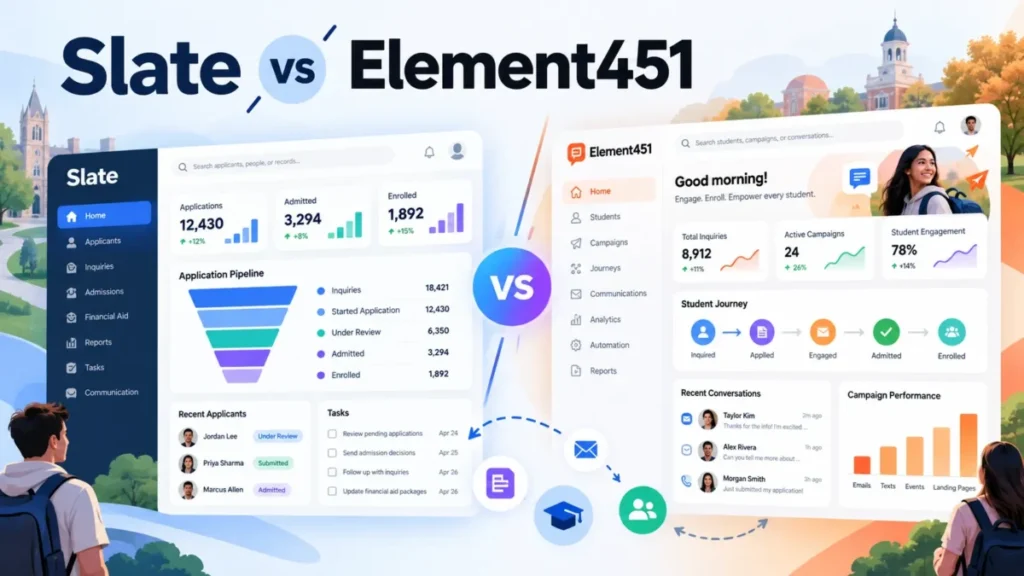
In Slate vs Element451, pick Slate if a staff member will own and build the system; its license costs $30,000 a year under 1,500 applications. Pick Element451 if a lean team wants the vendor to run onboarding and support; its plans start at $20,000 a year, priced by enrolled students.
At 6,000 applications a year, Slate’s license is $50,000 for one database, while Element451 publishes only its $20,000 floor and quotes your size. A Slate office has a third path: Element451’s Bolt agents deploy alongside an existing CRM, without a migration.
In This Article (10 sections)
Slate vs Element451: The Short Answer
Higher education admissions and enrollment offices with an in-house system owner should pick Slate; lean teams without one should pick Element451. The table splits the edge cases.
| Your office | Pick | Why |
|---|---|---|
| Under 1,500 applications, no one to own the CRM | Element451 | Plans start at $20,000 a year; onboarding, 24/7 chat and an account manager come with every plan |
| 1,500 to 7,500 applications, an in-house builder | Slate | One $50,000 annual license covers the platform; help comes from the knowledge base, forums and partners |
| Heavy Common App, Coalition or Liaison CAS volume | Slate | Direct, automated data and document feeds; each separately run program is priced by its own volume |
| Slate in place, staff stretched | Slate plus Bolt | Bolt agents run alongside an existing CRM without a migration |
| Public institution in Texas or Virginia | Element451, or get papers from Technolutions | Element451 publishes TX-RAMP and VITA certification; Technolutions’ security pages do not list them |
Sources: Technolutions licensing and pricing, Element451 pricing, checked October 2026.
If Element451 quotes its floor, a sub-1,500-application office saves $30,000 – $20,000 = $10,000 a year against Slate’s first tier. Staffing, not license price, is what separates the two at that size.
Slate and Element451 Side by Side
Slate prices by applications and expects your team to run it; Element451 prices by enrolled students and support tier and runs onboarding for you.
| Product | Pricing basis | Published price | Support model | AI layer | Hosting and certifications |
|---|---|---|---|---|---|
| Slate | Submitted applications per year, per database | $30,000 to $175,000 a year; over 100,000 applications on request | Knowledge base, Learning Lab, community forums, client success team; Platinum, Gold and Silver implementation partners | Slate AI included: Reader AI, AI Identity Verification, AI Dashboards, AI Knowledge Base, AI Tasks, AI Insights | US, Canada, Europe or Asia; PCI DSS; 99.99% availability per calendar year |
| Element451 (Bolt agents on an existing stack, or Element, the AI-native CRM) | Currently enrolled students plus support tier | From $20,000 a year; quote for your size | Onboarding, 24/7 chat, account manager; Standard, Dedicated or Premium support | Bolt agents that answer students, read applications and flag fraud | US-only AWS hosting; SOC 2 Type II, TX-RAMP, VITA; 99.9% uptime SLA |
Sources: Technolutions security, Slate AI, Element451 support plans, Element451 security, checked October 2026.
Read the table as a staffing choice: Slate’s price buys software and a peer community, while Element451 folds vendor-side help into the quote.
What Each Costs per Year, All-In
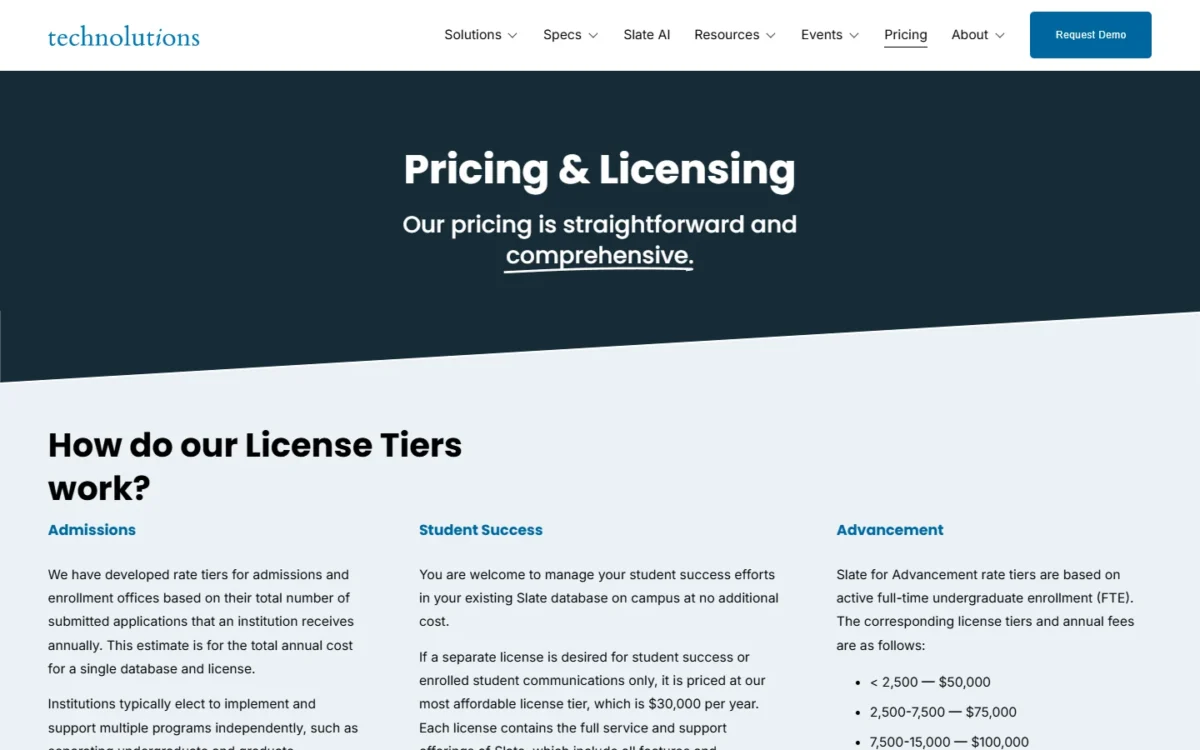
Slate’s admissions license runs $30,000 to $175,000 a year by application volume, and Technolutions says “most clients pay $50,000 USD per year.” Student success work in the existing Slate database adds no cost; a separate student-success-only license is $30,000 a year. Element451 starts at $20,000 a year and quotes everything above that.
The bases differ, so the numbers do not compare dollar for dollar. Slate counts submitted applications per database; Element451 counts currently enrolled students and adds a support tier. Its calculator offers Dedicated or Premium support and returns a formal proposal rather than a figure.
For what Slate’s license buys module by module, the full Slate by Technolutions review goes deeper than this head-to-head.
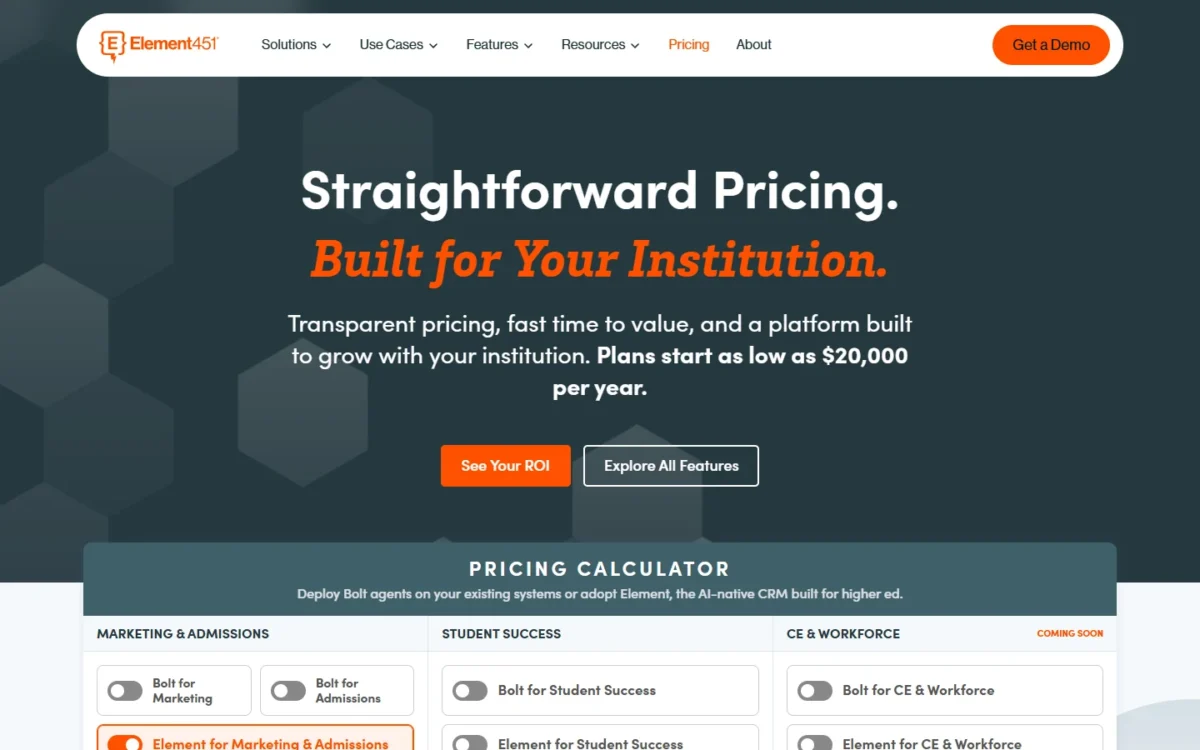
Slate at three application volumes
Take three illustrative offices: the application counts below are invented for this example.
The license column applies Slate’s published tiers (full table below). Technolutions prices each separately implemented program by its own application volume. Element451 publishes only its $20,000 floor, so each of these offices would get a quote.
| Illustrative office | Applications a year | License a year at the matching tier |
|---|---|---|
| Small college | 1,200 | $30,000 |
| Regional university | 6,000 | $50,000 |
| University, one database | 12,000 undergraduate + 2,000 graduate = 14,000 | $75,000 |
| University, undergraduate and graduate run separately | 12,000 and 2,000 | $75,000 + $50,000 = $125,000 |
Sources: tier prices from Technolutions licensing, checked October 2026; office sizes are an illustrative example.
The last row is the trap: the same 14,000 applications cost $125,000 – $75,000 = $50,000 more a year when undergraduate and graduate admissions run apart.
The pricing bases also favor different schools. A selective college that receives many applications per enrolled student pays Slate by the larger number and Element451 by the smaller one.
What the license leaves out
Slate’s license leaves out usage fees and implementation help; Element451 bundles onboarding but sells extra support seats and services.
- Slate Credits. Telephony, print, postage and texting fees “fall outside of your license agreement” (Slate Credits documentation). Credits cost $1 each from a 100-credit minimum, do not expire and cannot be refunded; Identity Verification draws on them too.
- Slate implementation partners. The licensing page lists Platinum, Gold and Silver implementation partners and publishes no partner fees.
- Element451 live support seats. Dedicated support includes 5 seats and Premium 10; additional seats cost $150 per seat annually. An office where 8 staff need live help on Dedicated pays 3 x $150 = $450 a year for the extra seats.
- Element451 services. Dedicated includes 5 professional service credits and Premium 15, valid for 12 months; more credits and Managed Services cost extra, at prices Element451 does not publish.
- Element451 texting. SMS and voice are native Element451 channels, and Element451 publishes no per-message rate.
Technolutions’ admissions page promises “no add ons, no hidden costs,” and for software features that holds. Usage fees live in the credits ledger instead.
I would add staff time to either quote. Because Slate’s support starts with self-service, I would budget for someone on staff to build its queries, rules and portals. A CRM cost calculator puts license, credits, services and staff hours in one budget.
The thresholds that raise the bill
On Slate, crossing 1,500 applications moves the license from $30,000 to $50,000, a $20,000 jump. Crossing 7,500 moves it from $50,000 to $75,000, a $25,000 jump, and each later step is the same size.
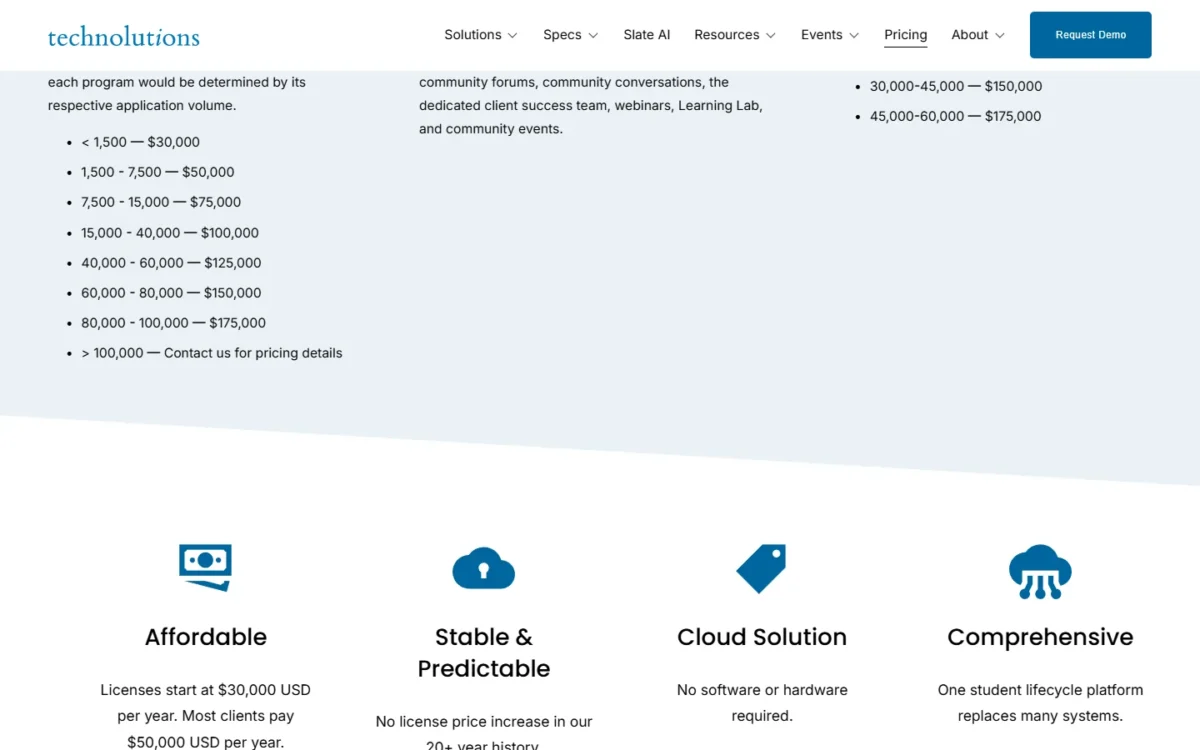
| Submitted applications a year | Slate license a year | Increase over the tier below |
|---|---|---|
| Under 1,500 | $30,000 | Not applicable |
| 1,500 to 7,500 | $50,000 | $50,000 – $30,000 = $20,000 |
| 7,500 to 15,000 | $75,000 | $75,000 – $50,000 = $25,000 |
| 15,000 to 40,000 | $100,000 | $100,000 – $75,000 = $25,000 |
| 40,000 to 60,000 | $125,000 | $125,000 – $100,000 = $25,000 |
| 60,000 to 80,000 | $150,000 | $150,000 – $125,000 = $25,000 |
| 80,000 to 100,000 | $175,000 | $175,000 – $150,000 = $25,000 |
| Over 100,000 | Contact Technolutions | Not published |
Sources: Technolutions licensing and pricing, checked October 2026.
The tiers are wide, so small growth rarely moves the bill, but a tier line does. An office near 7,500 applications should forecast next cycle before signing. Technolutions states it has made “no license price increase” in its 20+ year history, a vendor statement worth writing into the contract.
Element451’s quote moves with enrolled students and support tier, with no published amount for either step. Support can move from Standard to Dedicated or Premium at any time. For many offices, who runs the system matters more than the license.
Who Owns the System: Staffing, Setup and Support
Slate assumes an in-house owner who builds the system, backed by self-service, a peer community and implementation partners. Element451 sells a no-code platform with its own onboarding team, 24/7 chat and an account manager.
Technolutions calls its Knowledge Base and Learning Lab “your first port of call” and its forums “the heart of our support model” (community support page). Its technical experts answer there, near-daily Community Conversations take questions, and the license adds a dedicated client success team and webinars.
That model points to a staffing need: self-service and forums reward an office with a person who reads, asks and builds, and an office without that person turns to a partner. HCE lists staff augmentation, Huron offers “rapid unlimited troubleshooting support,” and OculusIT runs a 24×7 managed services model.
Element451 calls itself “a 100% no-code platform” and says many of its partners “have never used a CRM before.” Every plan includes step-by-step onboarding, 24/7 chat support, a resource center and dedicated account managers.
The support tier sets how much human help you get:
- Standard: 1 live support seat (Monday to Friday, 9am to 5pm ET), issue resolution within 3 business days and an assigned account manager.
- Dedicated: 5 live support seats, a pooled Product Adoption Expert and 5 professional service credits.
- Premium: 10 live support seats with priority assistance, an assigned Product Adoption Expert and same-day resolution.
Element451 says “most institutions are up and running in days,” with implementation run on a weekly milestone rhythm. For the plan gates behind those tiers, my Element451 review goes further.
My read is that user experience follows from staffing. Element451’s comparison page says its pre-built workflows let a wider range of staff handle common admissions tasks without specialized training. On Slate, I expect front-line staff to work inside whatever their system owner configures.
That choice decides who builds the review and outreach workflows, which is where automation comes in.
Application Review, Automation and AI Agents
Slate gives reviewers a configurable Reader with AI summaries and ID checks; Element451 sells agents that answer students, read applications and flag fraud as the product itself.
Slate’s Reader lets staff assess, annotate and rate applications, with review forms tied to bins and batch decision release. Reader AI summarizes recommendation letters and essays, following a directive set for a queue or bin.
Other Slate AI tools, included in the Admissions, Student Success and Advancement solutions:
- AI Identity Verification checks government IDs from over 120 countries and matches ID photos with applicant selfies.
- AI Dashboards summarize contact reports and analyze emails using OpenAI’s GPT-4o model.
- AI Knowledge Base answers user questions by searching the Knowledge Base, and AI Tasks creates a task when a user asks.
- AI Insights answers questions about the record on screen.
- AI Queries, AI Rules and AI Voice are listed as forthcoming.
For student engagement, Slate’s automation is built by your team: drip marketing, event landing pages and as many chatbots as the institution wants.
Bolt for Admissions answers questions 24/7, reads applications and catches fraud. In Element, Element451’s AI-native CRM, the Element for Admissions & Marketing agents also evaluate transcripts.
Element451’s comparison page adds that Bolt agents answer in over 100 languages at any hour across email, SMS, web chat, voice and WhatsApp, personalizing messages by student behavior and funnel stage.
The difference is where AI sits: Slate’s Reader AI summarizes application documents for reviewers, while Element451’s agents take conversations off the team. If your bottleneck is file review, Slate’s Reader fits it; if it is inbound questions at night, Element451’s agents target that.
One caution for buyers reading vendor comparison pages: check each claim about a rival against the rival’s own documentation. Technolutions’ IT administrators page lists SMS text and chatbots among Slate’s native capabilities. Automation also depends on the data feeding it.
Integrations, Reporting and Data Access
Yes, both sync with major student information systems. Slate also documents direct Common App, Coalition and Liaison CAS feeds; Element451’s pricing page says its agents connect to an SIS, LMS or existing CRM.
Slate takes automated data and document feeds from the Common App and Coalition, loads ApplyUC and ApplyTexas, and loads Liaison CAS services such as NursingCAS and PTCAS (Slate integrations). Its SIS integrations are bi-directional with Banner, Colleague, PeopleSoft, PowerCampus, Jenzabar and homegrown systems.
For payments, Slate has built-in Slate Payments plus direct integrations with 18 named providers, including CASHNet, TouchNet and Nelnet. Element451 states that it is PCI-DSS compliant, and I would ask which payment gateway it connects to before committing.
For IT, any Slate query can run as a web service (JSON, XML, Excel or CSV) or a scheduled push (JSON or XML). Web service calls are limited to 300 requests per 5 minutes per database. For reporting and analytics, Slate has the Query tool, Data Explorer pivot tables and charts, and natural language querying.
Element451’s connectors include a REST API, Salesforce, real-time two-way Banner and Colleague sync through Ellucian Ethos, the Canvas, Brightspace, Blackboard and OpenLMS learning systems, and Zapier. Bolt agents connect directly to an SIS, LMS or existing CRM without middleware.
Element451’s analytics center on real-time dashboards, campaign ROI tracking and Bolt Insights, which flags where engagement lags.
A graduate school taking NursingCAS or PTCAS files has a documented path into Slate today. With Element451, get the CAS or Common App connector in writing before signing, because IT and procurement ask next where that data lives.
Security and Procurement Checks for Public Institutions
On paper, Element451 is the easier file for a Texas or Virginia public institution. It holds SOC 2 Type II, TX-RAMP and VITA certification and hosts all data in the US on AWS.
Element451 also encrypts with TLS 1.2+, supports MFA and SAML 2.0 single sign-on, keeps audit logs and meets FERPA, PCI-DSS and 508 requirements. Its SLA guarantees 99.9% uptime.
Slate encrypts data at rest and in transit, supports SAML and CAS single sign-on and MFA, is PCI DSS compliant and gives each institution a private database. Technolutions also names NACHA, FERPA, GDPR, Section 508 and WCAG 2.0. Its security and IT pages do not list SOC 2, TX-RAMP or VITA, so a state reviewer should request them.
Two differences cut the other way: Slate hosts data in the United States, Canada, Europe or Asia, which suits non-US residency rules. Its security page states 99.99% availability during a calendar year; ask whether that is a contractual SLA like Element451’s.
Who Should Pick Slate, Who Should Pick Element451, and Who Should Skip Both
Each pick below names the condition that decides it.
- Pick Slate if a named owner will build queries, rules and portals, and most files arrive through the Common App, Coalition or Liaison CAS.
- Skip Slate if no one can own it and there is no partner budget, or if undergraduate and graduate must run as separate programs that each trigger a tier.
- Pick Element451 if a lean team needs vendor onboarding, 24/7 chat and agents that answer students after hours, or TX-RAMP and VITA on file now.
- Skip Element451 if you need a published price at your size before a demo, documented Common App or CAS feeds today, or data hosted outside the US.
- Skip both if you are not a college: for a business sales team, my ranking of the best CRM software covers the wider shortlist.
Picking one is not permanent, and the next section prices a move.
Switching, or Keeping Slate and Adding Bolt
There are three paths, and in my estimate only the third avoids a rebuild:
- Slate to Element451. Export records through Slate web services (any query as JSON, XML, Excel or CSV). Element451’s professional service credits can be applied to data setup, and its in-house team works alongside yours at every step.
- Element451 to Slate. Element451 says your data “can be exported by your institution at any time.” Slate imports it through Upload Dataset, which maps fields, can save a reusable source format and dedupes on first name, last name, email and birthdate.
- Keep Slate and add Bolt. Element451 says Bolt “deploys alongside your existing stack” for institutions not ready to migrate.
Before you rely on either export path, I would ask each vendor what an export carries beyond records, and budget time to rebuild rules, portals, reader workflows, review forms and communication flows. Slate says most imports process in 10 to 15 minutes, which suggests the data move is the short part.
The third path stacks two licenses. Element451 says its plans start at $20,000 a year, so a 6,000-application Slate office adding Bolt pays at least $50,000 + $20,000 = $70,000 a year before Slate Credits. That makes sense when inbound questions, not file review, are what overwhelms the team.
Frequently Asked Questions
Is Slate a CRM or an SIS?
Slate is a CRM and admissions platform, not a student information system, and it syncs bi-directionally with SIS platforms such as Banner and Colleague. It can also act as an identity provider, so on-campus systems authenticate applicants with Slate credentials. For the line between the two categories, see what a CRM is.
Is Slate a good CRM?
Yes, for an admissions office with a dedicated owner and Common App-scale volume; it is a poor fit for a team that cannot staff it. Technolutions’ IT page says 2,000 colleges and universities trust Slate. The Slate review gives the full verdict, module by module.
Does Element451 offer community college pricing?
Yes. Element451 has special pricing for community colleges on inquiry, and its formal proposal includes “any eligible discounts.” Slate has a Community & Technical College solution but no separate license tier, so a community college prices Slate from the same application-volume tiers as any admissions office.





