The best AI for research is Perplexity for cited web and market research, Consensus or Elicit for peer-reviewed papers, and Gemini Notebook for answers drawn from your own sources. Google Gemini is the free start I would pick, because its Free plan lists Deep Research.
Each pick below gives its plan limits, its yearly price for one researcher and for a five-person team, and who should skip it.
In This Article (18 sections)
Quick Picks: The Best AI for Each Research Job
- Perplexity for cited web and market research: Pro, $17 a month billed annually.
- ChatGPT for deep research if you already pay for Plus: Plus, $20 a month billed monthly.
- Google Gemini for free deep research: AI Plus, $4.99 a month.
- Claude for research across your own files and work apps: Pro, $17 a month billed annually.
- Gemini Notebook for answers grounded in your own sources: free for 50 sources per notebook.
- Consensus for evidence answers from peer-reviewed studies: Pro, $12 a month billed annually.
- Elicit for systematic literature reviews: Pro, $49 per user a month billed annually.
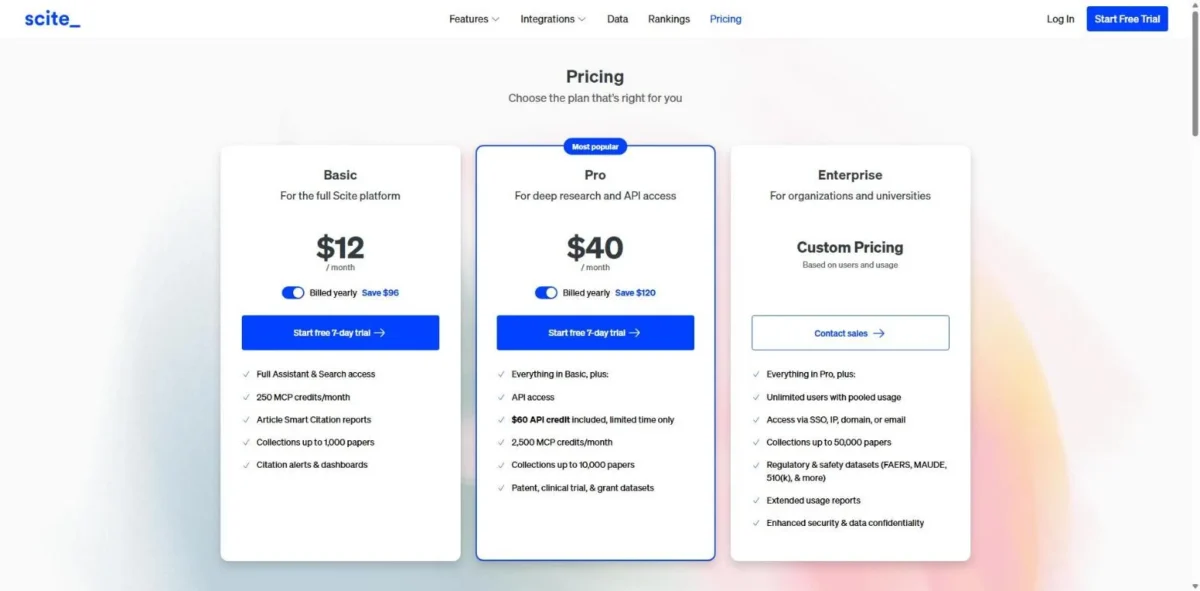
- Scite for checking whether a cited claim holds up: Basic, $12 a month billed yearly.
- ResearchRabbit for free citation mapping: RR+, $10 a month on the annual plan.
- Julius for analyzing research data: Plus, $16 a month with Annual Billing or $20 billed monthly.
These ten fall into four kinds of tool, and the kind matters more than the brand.
Four Kinds of AI Research Tools and the Job Each Does
Your research job decides the kind of AI tool you need.
| Kind of tool | Picks | Research job it fits | Limit to know |
|---|---|---|---|
| Web answer engine or deep-research assistant | Perplexity, ChatGPT, Google Gemini, Claude | Market, competitor and open-web research | No scholarly index named on its plan page |
| Scholarly search engine | Consensus, Elicit, Scite, ResearchRabbit | Finding, screening and checking literature | Index sizes are in the criteria table |
| Source-grounded notebook | Gemini Notebook | Answers from documents you add | Knows what you add, plus what its source search finds |
| Data workspace | Julius | Analysis, charts and reports from datasets | Not a scholarly index |
Most vendors gate deep research (Research, in Claude) by plan: Limited on ChatGPT Free and Go, off Claude Free, listed on Perplexity Pro. Google Gemini is the exception, with Deep Research on its Free plan.
Comparison Table: Price, Free Plan and Key Limit
Nine of the ten picks have a free plan; Scite has a 7-day free trial instead.
| Tool | Best for | Entry paid plan | Free option | Key limit |
|---|---|---|---|---|
| Perplexity | Cited web research | Pro, $17/mo billed annually | Free plan | Pro and Max are for personal use only |
| ChatGPT | Deep research on Plus | Go (see OpenAI’s pricing page); Plus, $20/mo billed monthly | Free plan | Deep research is Limited on Free and Go |
| Google Gemini | Free deep research | AI Plus, $4.99/mo | Free plan | AI Pro is sold as 4x the Free usage |
| Claude | Research across your files | Pro, $17/mo billed annually | Free plan | Research is not on Free |
| Gemini Notebook | Your own sources | Google AI Plus, $4.99/mo | Free plan | 50 sources per notebook on Free |
| Consensus | Peer-reviewed answers | Pro, $12/mo billed annually | Free plan | 3 Deep reviews a month on Free |
| Elicit | Systematic reviews | Pro, $49/ | Free plan (Basic) | Pro’s review workflow screens 5,000 papers |
| Scite | Citation checks | Basic, $12/mo billed yearly | 7-day free trial | Basic collections hold 1,000 papers |
| ResearchRabbit | Citation mapping | RR+, $10/mo on the annual plan | Free plan | 50 seed articles on Free |
| Julius | Research data analysis | Plus, $16/mo with Annual Billing | Free plan | 2,000 credits a month on Plus |
Sources: Perplexity Pro, OpenAI help center on ChatGPT Plus, Google AI plans, Claude pricing, Gemini Notebook plans, Consensus pricing, Elicit pricing, Scite pricing, ResearchRabbit pricing, Julius pricing, checked October 2026.
How I Chose These 10 Tools
I considered nineteen AI research tools: the ten ranked here and the nine under Also Considered. No hands-on test sits behind this list; every price, limit and plan gate comes from official pages saved on October 14, 2026.
Three must-haves cut the field:
- The tool does a research job: web or deep research, literature search or screening, or data analysis.
- Its official page publishes a US price or a free plan.
- A reader can start on a free plan or a free trial.
The tools that passed were ranked on five criteria, in order: fit to one research job, source grounding, report output, capacity per plan, and yearly spend. SciSpace missed the ten on the first criterion, because its literature job overlaps Elicit and Consensus.
Performance here means documented capacity (Deep reviews, sources per notebook, papers screened, credits), not speed.
Nine of the ten publish no integration count; Perplexity’s Enterprise page lists 400+ app connectors.
Criteria Table: Which Plan Unlocks Each Research Feature
Each cell names the cheapest plan whose official page lists the feature; “Not listed” means the plan page I saved does not name it.
| Tool | Cites sources | Deep research or reports | Works on your own files | Scholarly index | Free plan |
|---|---|---|---|---|---|
| Perplexity | Every answer | Pro | Pro (higher file upload limits) | Not listed | Yes |
| ChatGPT | Not listed | Free (Limited), Plus (Expanded) | Free (Limited uploads) | Not listed | Yes |
| Google Gemini | Not listed | Free (Deep Research) | Free (Gemini Notebook) | Not listed | Yes |
| Claude | Not listed | Pro (Research) | Free (connectors) | Not listed | Yes |
| Gemini Notebook | Not listed | Deep Research and Reports, no plan named | Free (50 sources) | Not listed | Yes |
| Consensus | Pro (cited AI analysis) | Free (3 Deep reviews a month) | Not listed | 400M+ papers | Yes |
| Elicit | Free (view sources) | Free (limited reports) | Pro (uploaded papers) | 138M+ papers | Yes |
| Scite | Basic (Smart Citation reports) | Pro (deep research) | Not listed | 1.6B+ citations | 7-day trial |
| ResearchRabbit | Not listed | Not listed | Free (library uploads) | 310M+ articles | Yes |
| Julius | Answers with citations | Reports and dashboards | Plus (analyze files) | Not listed | Yes |
Sources: Perplexity Enterprise pricing, ChatGPT pricing, Google AI plans, Claude pricing, Consensus pricing, Elicit pricing, Scite pricing, ResearchRabbit pricing, Julius pricing, checked October 2026.
If you must cite peer-reviewed work, the four scholarly tools are the rows that state an index size. If your sources are your own files, ChatGPT Free (limited uploads), Gemini Notebook (50 sources per notebook) and ResearchRabbit’s free tier (library uploads) take them.
1. Perplexity: Best for Cited Web and Market Research
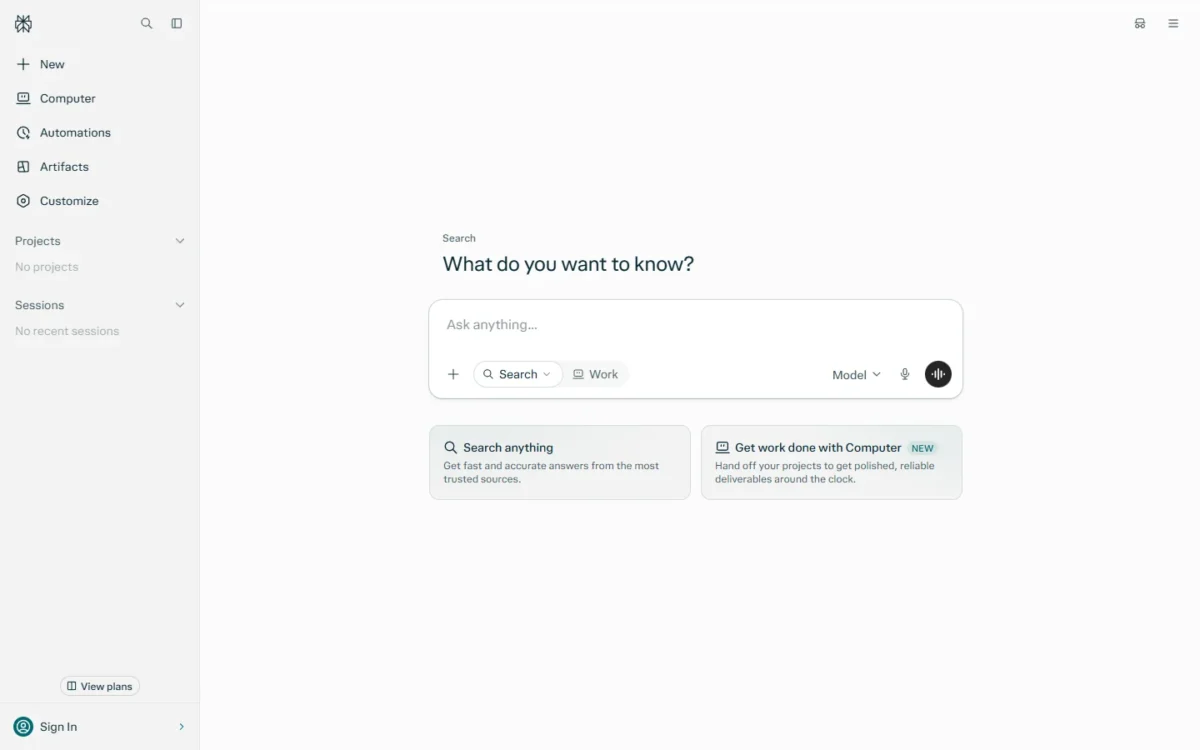
Perplexity is where I would start market and competitor research, because its Pro page states that every answer includes inline citations. When a number lands in a client deck, that citation is the page you open before you repeat it.
Pro adds deep research and a choice of AI models from OpenAI, Google, Anthropic, Moonshot AI, Z.ai and xAI. For team research, the integrations that matter sit on Enterprise Pro: search across the web, files and apps, plus SSO.
It ranks ahead of ChatGPT and Google Gemini because the citation promise sits on the plan page itself. Pro also costs $17 x 12 months = $204 a year, against $20 x 12 months = $240 for ChatGPT Plus. My Perplexity review walks through every plan gate.
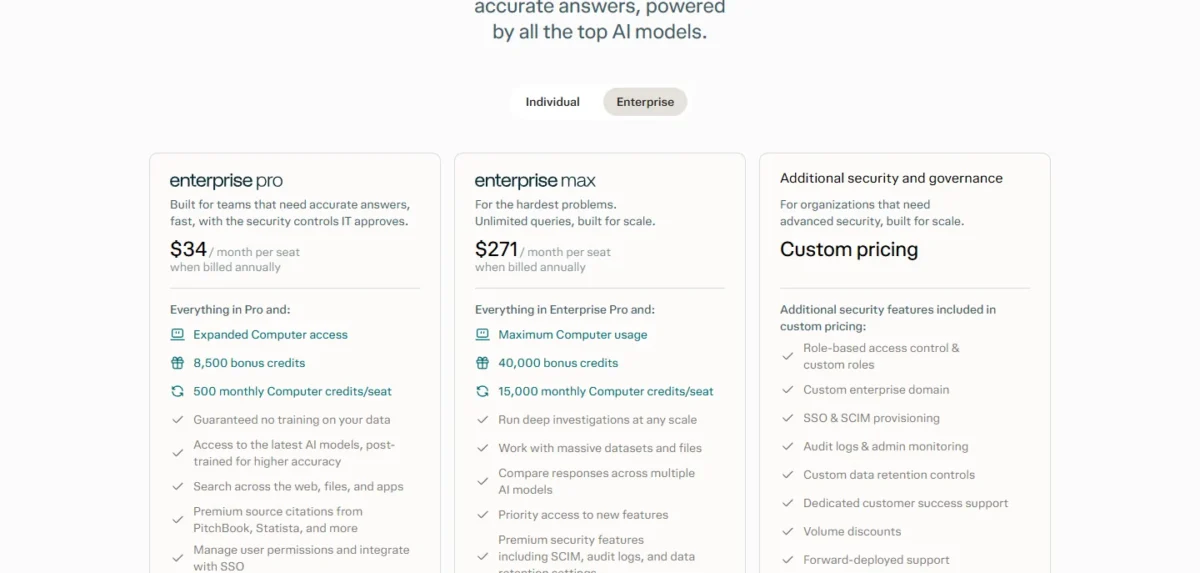
The tradeoff. Perplexity sells Pro and Max “for personal use only”. A team that shares research needs Enterprise Pro at $34 per seat per month, billed annually, double the Pro rate.
- Pricing:
- Pro costs $17 a month or equivalent, billed annually. Max costs $167 a month billed annually, a $167 x 12 = $2,004 commitment that pays off only if Pro’s limits stop your work every week.
Weighing monthly billing against annual is the next question, and my breakdown of Perplexity pricing and plan limits answers it.
- Skip it if:
- you need only peer-reviewed sources, or several colleagues expect to share one Pro licence.
2. ChatGPT: Best for Deep Research If You Already Pay for Plus
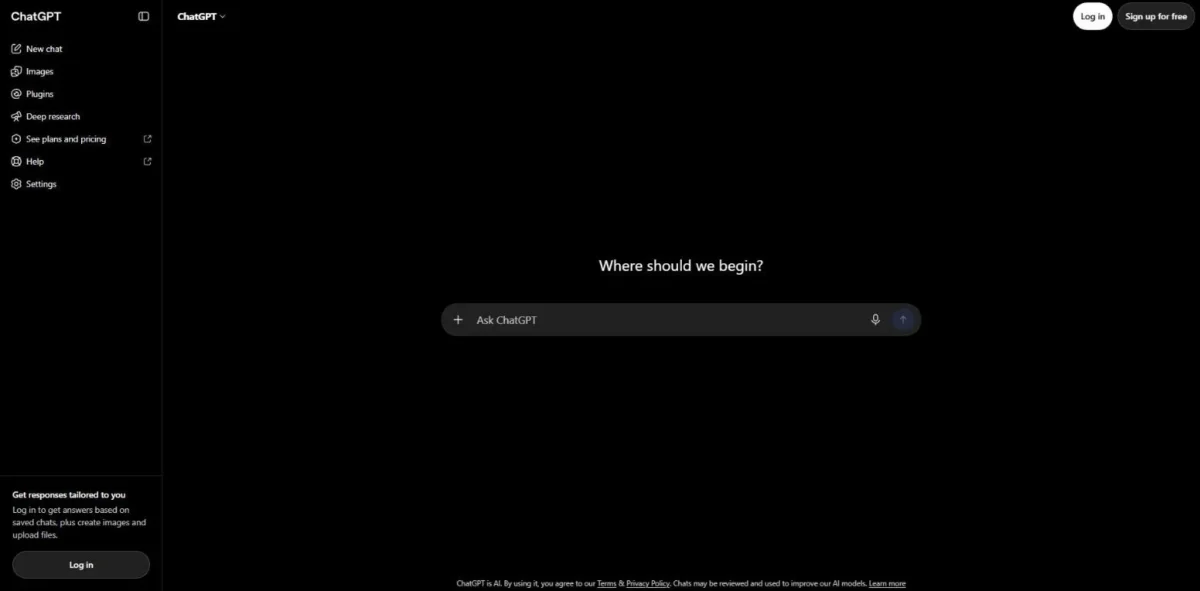
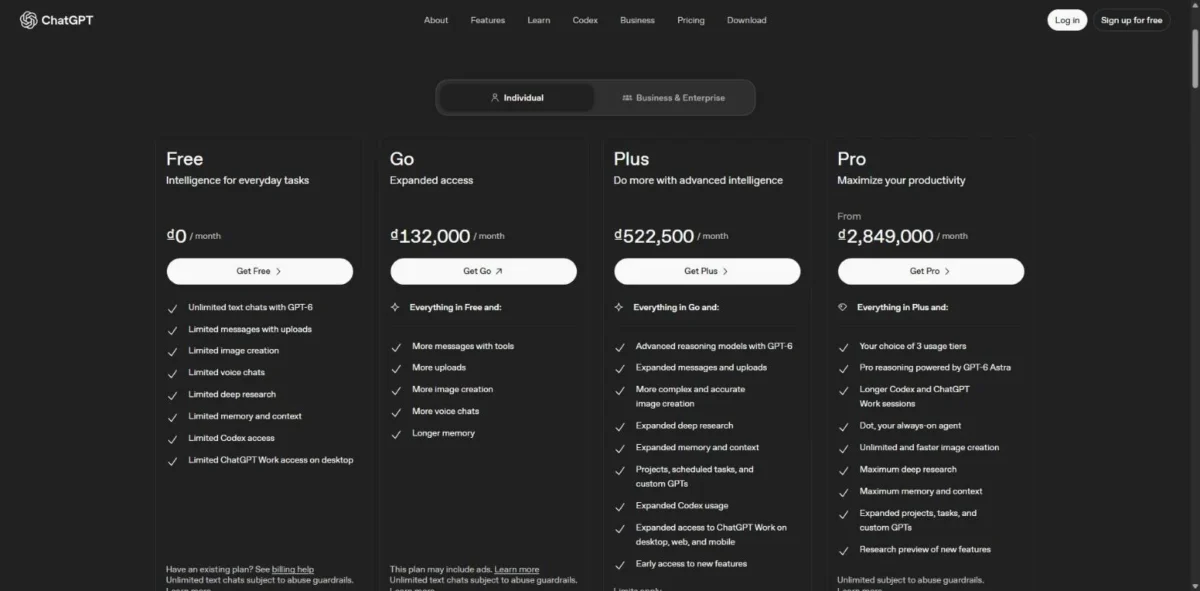
If you already pay for ChatGPT Plus, you already own a deep research tool. Deep research is Limited on Free and Go, Expanded on Plus and Maximum on Pro, the plan OpenAI sells in three usage tiers.
Input room is where Plus pays off. Go and Plus accept about 320 pages of text in a reasoning chat and Pro about 680, so a long brief fits before the report runs. OpenAI gives no integration count, but the extensions for Excel, Word, PowerPoint and Google Sheets put research output where analysts work.
ChatGPT sits second because OpenAI sells deep research by tier rather than promising a citation in every answer. I rank it above Google Gemini for Plus subscribers. Plus lists Expanded deep research and Apps for deep research, with no second subscription to buy.
The top tiers cost far more: Pro 500 costs $500 a month and Pro 200 $200, billed monthly only.
The tradeoff. OpenAI’s help center calls Go a low-cost plan, but the pricing page says it “may include ads”, and deep research stays Limited there. For research you plan to cite, Plus is the floor.
- Pricing:
- Plus costs $20 a month, billed monthly. Business needs at least 2 seats, at $20 per user per month billed annually or $25 billed monthly for a Standard seat.
The full plan-by-plan verdict is in my ChatGPT review.
If research is only one of its jobs for you, the ranking of best AI chatbots compared weighs it against general-purpose rivals.
- Skip it if:
- you want deep research for $0 (Google Gemini) or a citation promise on every answer (Perplexity).
3. Google Gemini: Best Free Deep Research
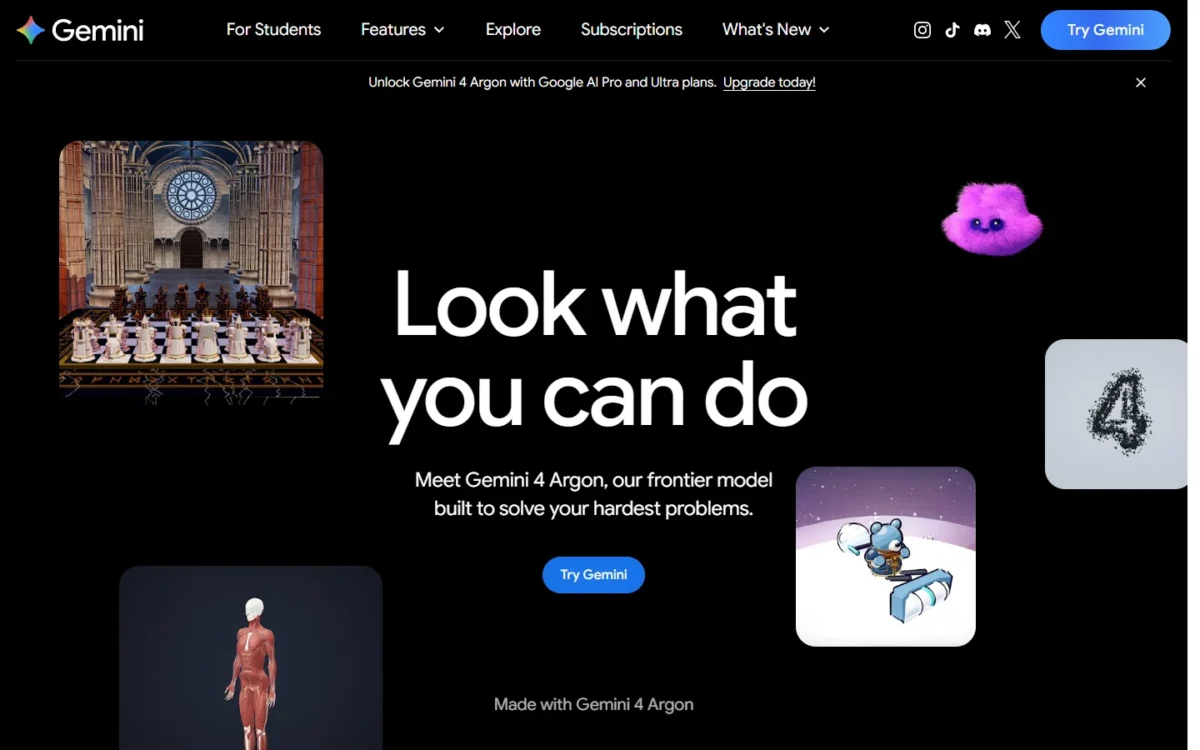
Yes, you can run deep research without paying: Gemini’s Free plan lists Deep Research and Gemini Notebook at $0 a month. It ranks third, below ChatGPT, because Google sells its paid tiers as usage multiples while ChatGPT Plus names an Expanded deep research tier.
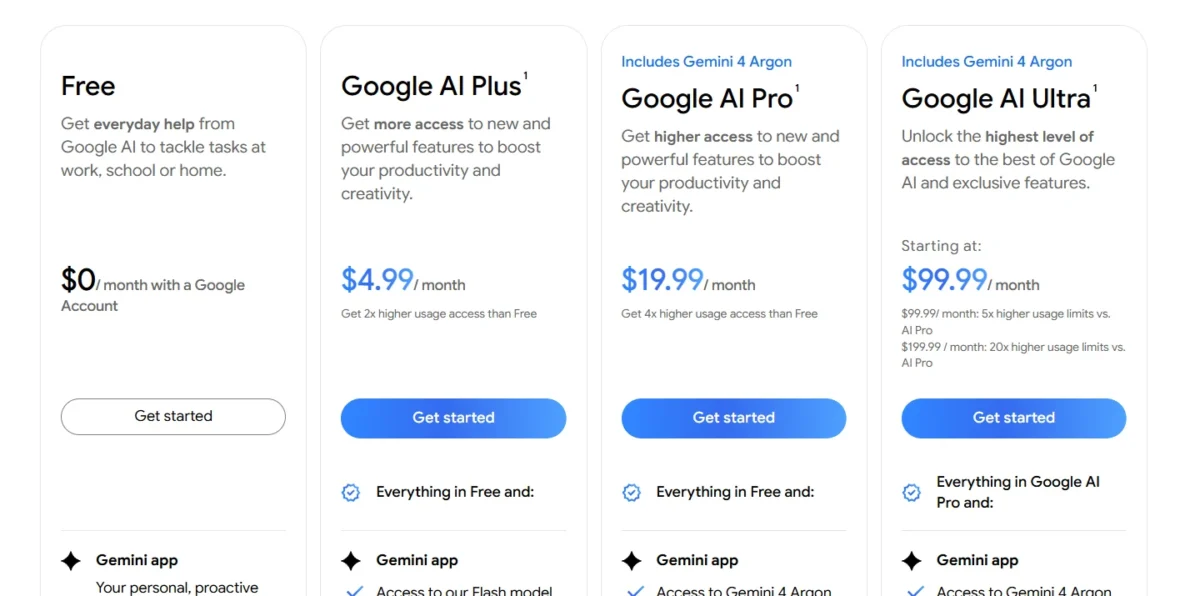
The paid plans buy higher usage and more models and features. AI Plus is sold as 2x the Free usage with the Flash model and video generation; AI Pro as 4x, with the Pro model and Gemini 4 Argon.
Gemini’s integrations are Google’s own apps (no count published): Gmail and Vids on AI Plus, with Docs added on AI Pro. As of October 2026, Google’s plan page offers Gemini 4 Argon on AI Pro and AI Ultra.
Teams can buy Google Workspace instead: Business Standard lists $14 per user per month with Gemini Notebook expanded access. Google shows new customers an introductory $8.40 for the first 20 users for 12 months, so budget on $14.
The tradeoff. Every paid tier is sold as a multiple of the Free allowance, so daily users hit the Free ceiling first. My Gemini review covers where each tier’s limits bite.
- Pricing:
- AI Plus costs $4.99 a month and AI Pro $19.99 a month. AI Ultra starts at $99.99 a month.
- Skip it if:
- your organization runs on Microsoft 365: Gemini’s paid perks sit in Gmail and Docs, while Claude Pro lists Microsoft 365.
4. Claude: Best for Research Across Your Own Files and Work Apps
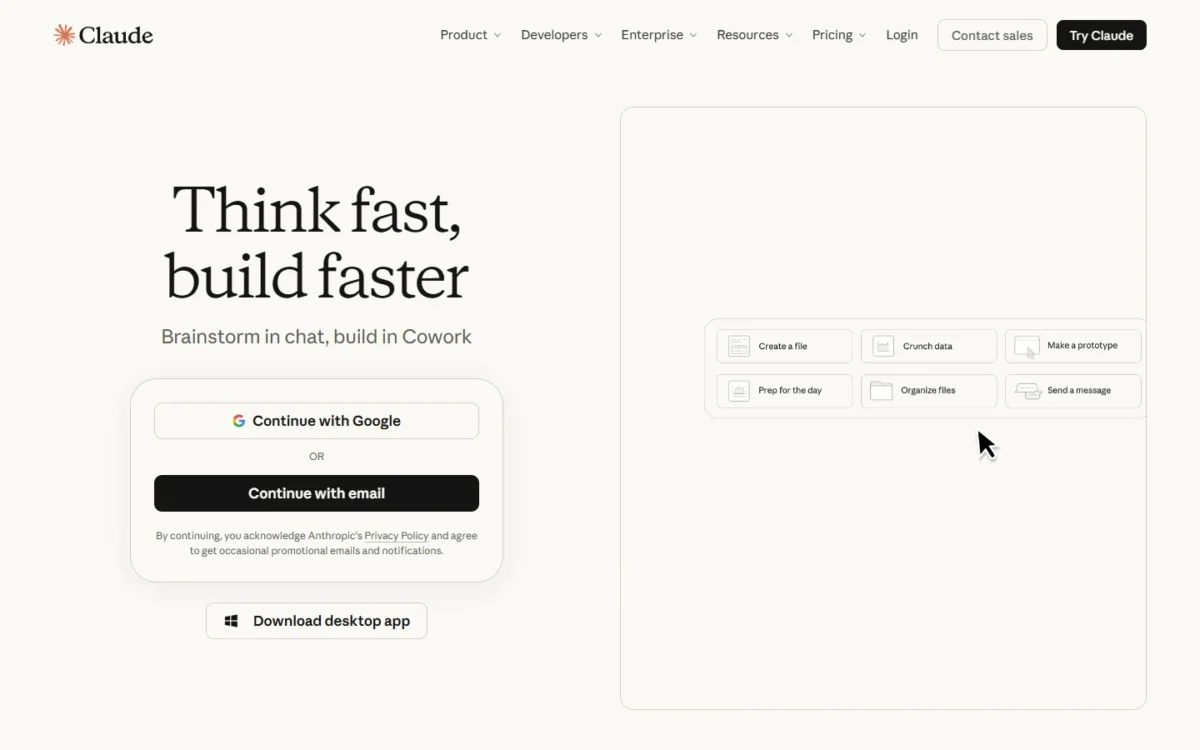
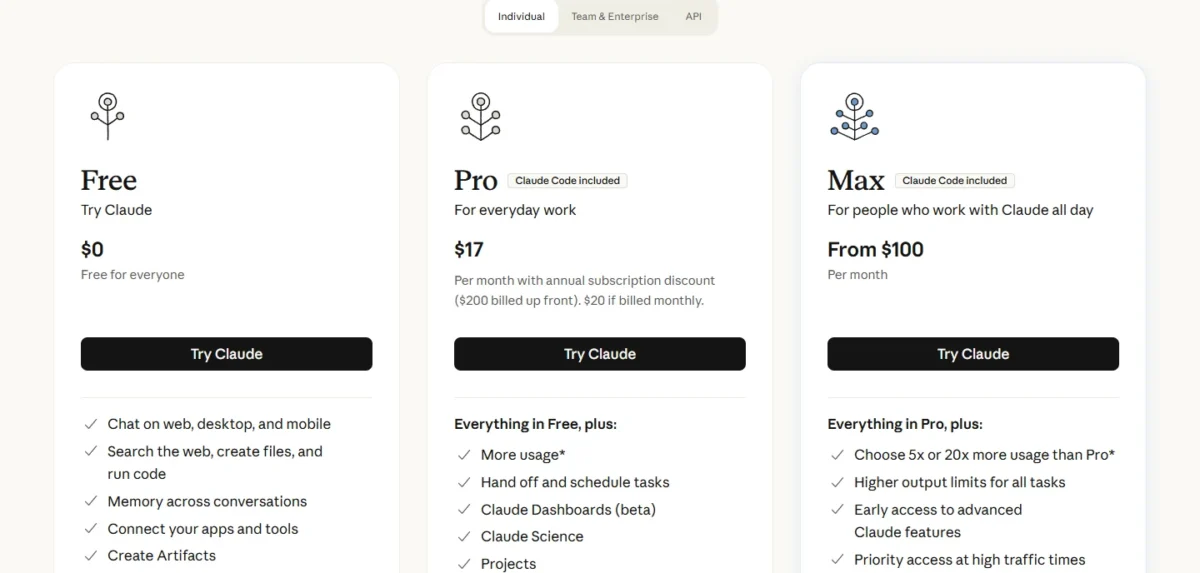
Claude earns its place for research that lives in your own files and work apps rather than on the open web. Anthropic lists connectors on every plan, and Pro adds Claude in Chrome and Microsoft 365.
Research itself is paid: Claude’s plan table marks it No on Free and Yes on Pro and Max. The context window reaches up to 1M tokens, varying by model, which leaves room for long reports and transcripts in one conversation.
Integration count: not published. Pro also lists Claude for Microsoft Outlook.
The tradeoff. You pay before you can use Research at all, and heavy users move to Max, from $100 a month, for 5x or 20x Pro usage.
- Pricing:
- Pro costs $17 a month with annual billing ($200 billed up front) or $20 billed monthly. A year of monthly billing comes to $20 x 12 = $240, $40 more than paying up front.
For a group, Team runs from 2 to 150 people, with standard seats matching ChatGPT Business at $20 a month on annual billing. My Claude review covers the plan differences in full.
- Skip it if:
- you want deep research for $0, or your research is mostly public web facts you must cite.
5. Gemini Notebook (Formerly NotebookLM): Best for Answers Grounded in Your Own Sources
Gemini Notebook works from the sources you add: up to 50 per notebook free, 100 with Google AI Plus, 300 with AI Pro and 600 with AI Ultra. Google says NotebookLM is now Gemini Notebook as of July 2026, and existing notebooks remain fully accessible.
Grounding is the point. Google says it speeds up a lit review by synthesizing hundreds of sources and generates Reports to connect them. When your sources run out, Source Discovery and Deep Research find new material inside the notebook.
Google says it never uses an organization’s data to train Gemini Notebook, and an individual’s data only if that person shares feedback. No integration list is published for Gemini Notebook; organizations plug it in through Google Workspace, Workspace for Education or Google Cloud.
The tradeoff. The notebook knows only what you add or what its source search finds, so it does not replace a scholarly index.
- Pricing:
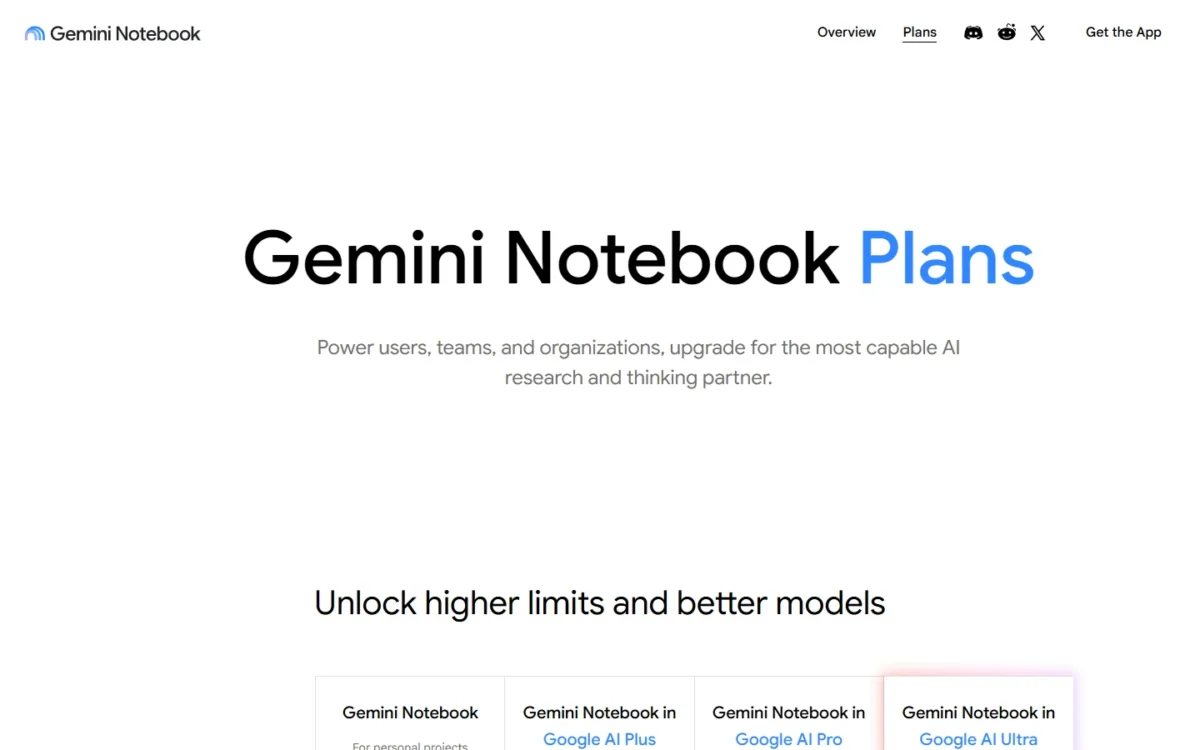
- the free plan costs nothing. More sources come with Google AI Plus at $4.99 a month or AI Pro at $19.99, the same subscriptions that upgrade the Gemini app.
- Skip it if:
- you need peer-reviewed search across a scholarly index; start in Consensus or Elicit, then bring the papers you keep here.
6. Consensus: Best for Evidence Answers From Peer-Reviewed Studies
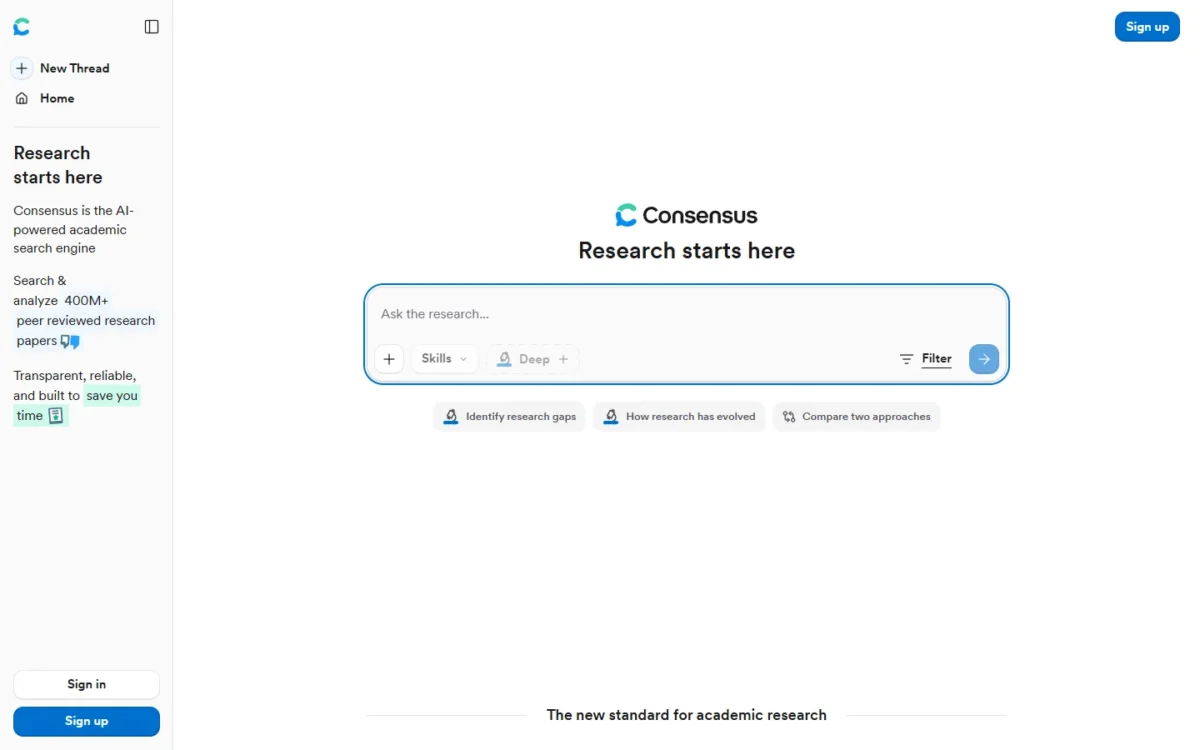
Consensus is the tool for “what does the research say?” questions: it searches 400M+ peer-reviewed research papers, by its own count. The free plan gives 10 Pro messages and up to 3 Deep reviews a month, enough to test a few questions.
Pro adds unlimited Pro messages and 15 Deep reviews a month; Deep raises that to 200. Its integration route is API and MCP access rather than a published integration count: 500 uses a month on Pro and 2,000 on Deep.
The per-review math favors Deep only for heavy users. Pro works out to $144 / (15 x 12) = $0.80 per Deep review, and Deep to $540 / (200 x 12) = $0.225 if you use every review.
The tradeoff. Consensus answers from papers, so a question about a market or a competitor falls outside what it searches.
- Pricing:
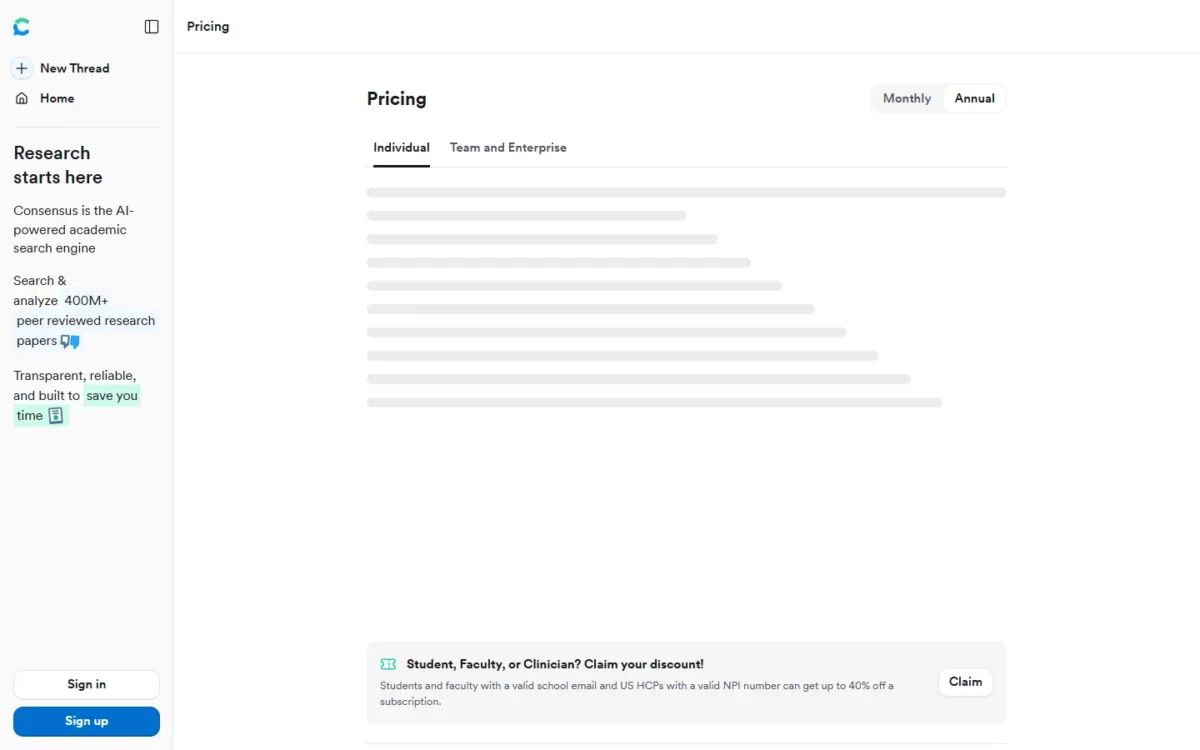
- Pro costs $12 a month, billed $144 annually; Deep costs $45 a month, billed $540 annually. Students and faculty with a school email, and US clinicians with an NPI number, can get up to 40% off.
- Skip it if:
- your research question is about markets or companies rather than published studies.
7. Elicit: Best for Systematic Literature Reviews
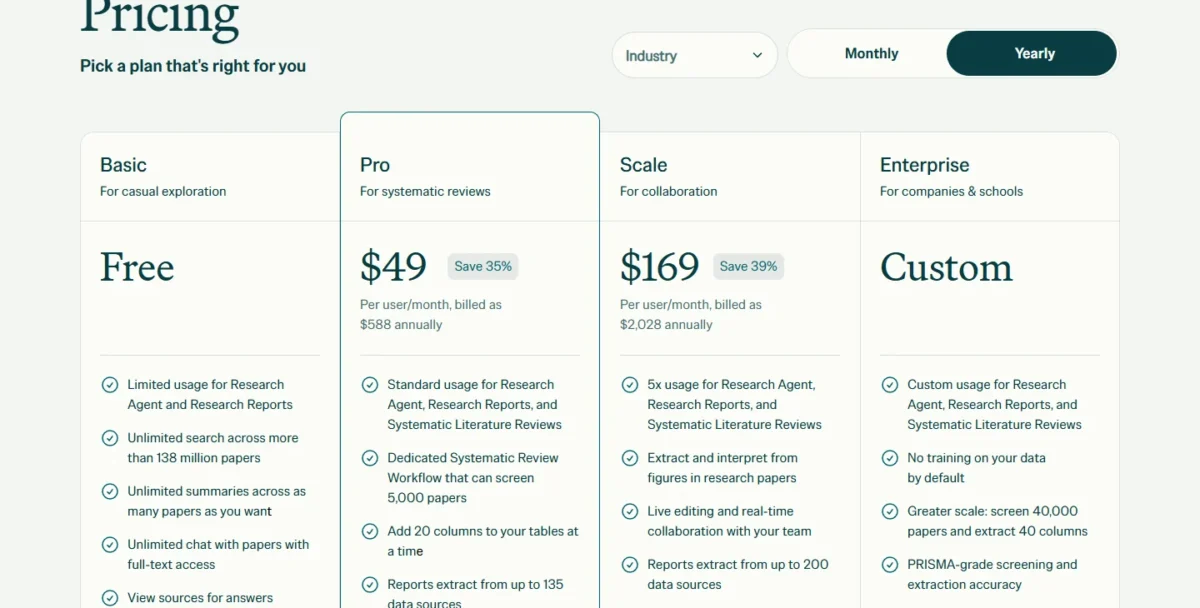
Elicit Pro includes a dedicated Systematic Review Workflow that can screen 5,000 papers, which makes it my pick for a formal systematic review. Enterprise raises that to 40,000 papers and 40 columns, with PRISMA-grade screening.
The free Basic plan earns its keep before any formal review. It covers unlimited search across more than 138 million papers, unlimited summaries, chat with full-text papers and import from Zotero.
For integrations, Elicit names Zotero import on Basic and API access on Pro; no overall count is published.
A second lineup on the same page prices Plus at $11, Pro at $39 and Scale at $89 per user a month, billed annually. Its Plus adds export to RIS, CSV, BIB, PDF and DOCX and search across more than 500 thousand clinical trials.
The tradeoff. Elicit prices for formal reviews, not occasional questions. Pro billed monthly costs $75 per user a month, so a year runs $75 x 12 = $900, and $900 – $588 = $312 more than annual billing.
- Pricing:
- Pro costs $49 per user a month, billed $588 annually. Scale adds live collaboration and an admin panel for $169 per user a month, billed $2,028 annually.
- Skip it if:
- you need a few evidence answers a month; Consensus Free covers that for $0.
8. Scite: Best for Checking Whether a Claim Holds Up
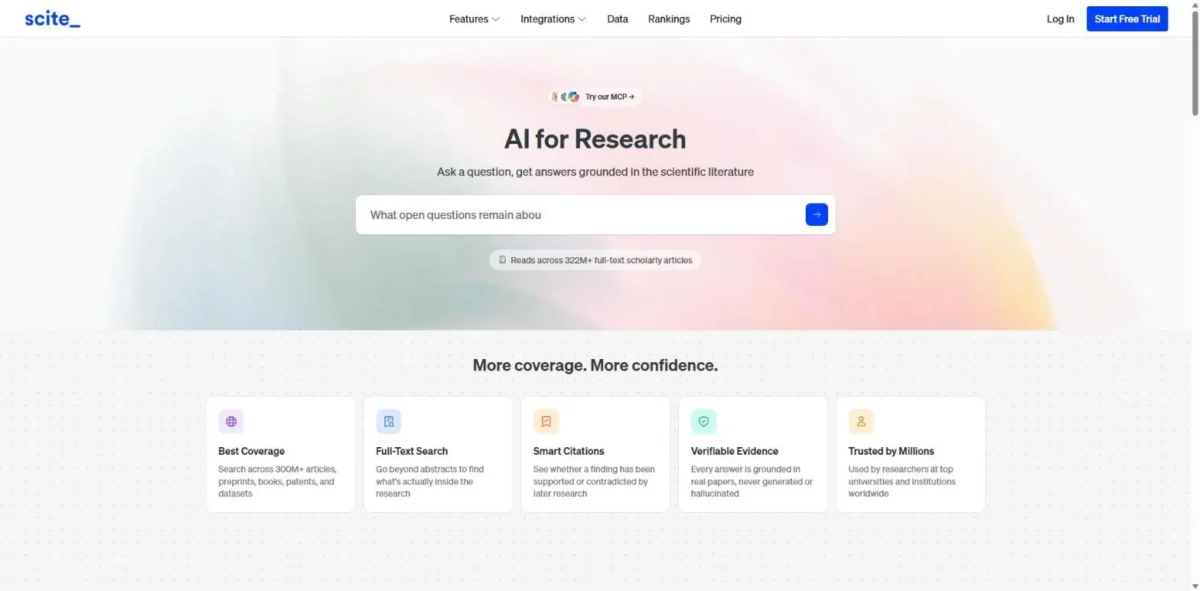
Scite answers the question that comes after you find a paper: did later studies support or contradict it? It shows how a paper has been cited by others, drawing on 1.6B+ citations and 300M+ scholarly sources.
That check protects the claim you quote, because a finding later contradicted weakens any review that cites it. Basic includes Smart Citation reports, citation alerts, collections up to 1,000 papers and 250 MCP credits a month. Pro, which Scite labels “For deep research and API access”, adds API access, 10,000-paper collections and patent, clinical trial and grant datasets.
Scite’s integrations run through those MCP credits and, on Pro, the API; no integration count is published.
The tradeoff. Scite lists no free plan. The 7-day free trial enrolls you in the plan you picked when it ends, so cancel before then if you only wanted a look.
- Pricing:
- Basic costs $12 a month and Pro $40 a month, both billed yearly. Scite says students and academics get a discount code if they recommend Scite to their institution.
- Skip it if:
- you need a tool you never pay for, or your sources are web pages rather than papers.
9. ResearchRabbit: Best Free Citation Mapping
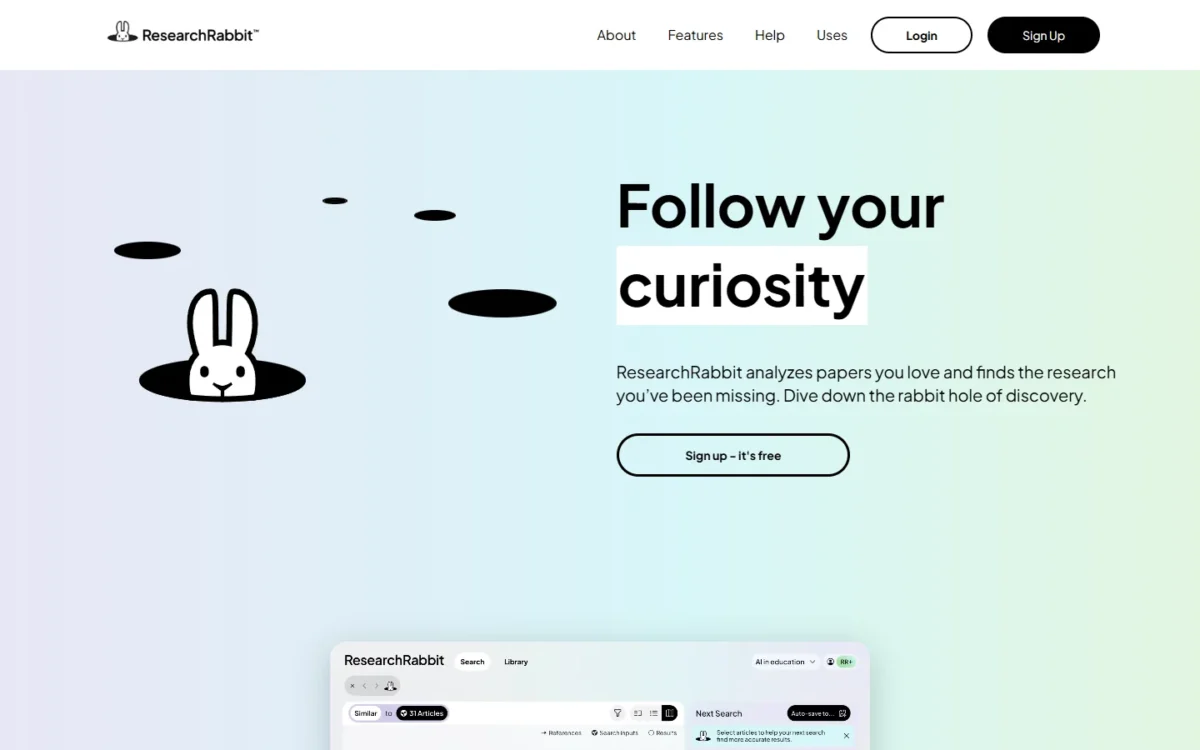
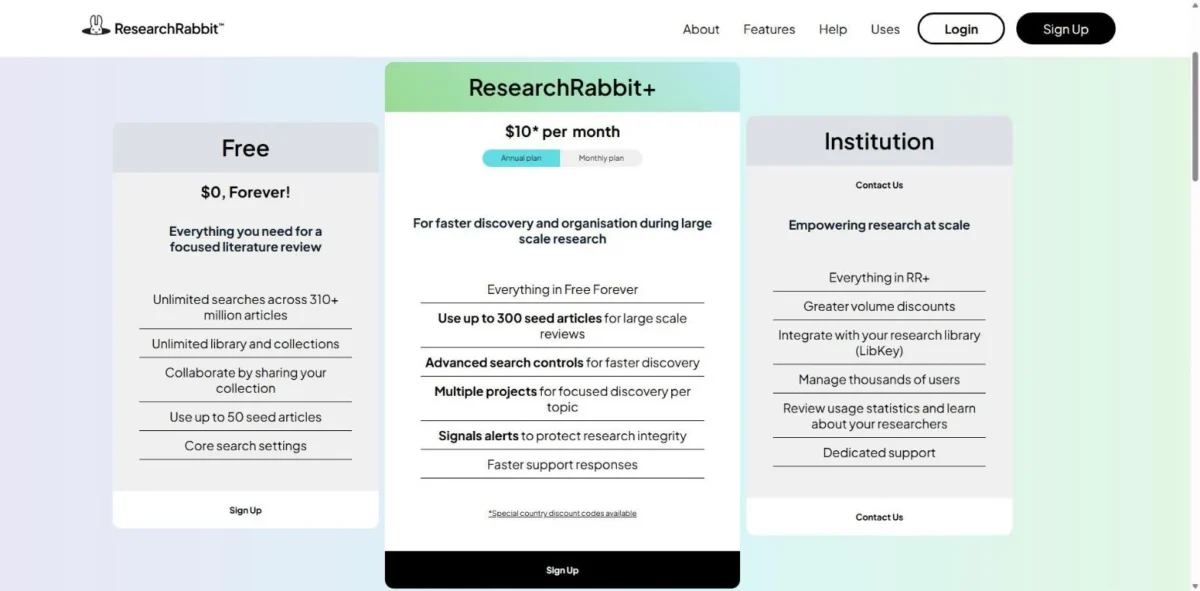
ResearchRabbit’s free plan is the one on this list I would keep running beside any paid tool. It includes unlimited searches across 310+ million articles, unlimited collections, sharing and up to 50 seed articles, at $0 forever.
RR+ raises the cap to 300 seed articles for large-scale reviews and adds advanced search controls, multiple projects and Signals alerts.
The integration its pricing page names is LibKey, on the Institution plan, for connecting a research library; no integration count is published.
The tradeoff. The plan list names searches, collections, seed articles and alerts, not summaries or reports. ResearchRabbit finds the papers and leaves the reading to you, or to Elicit.
- Pricing:
- RR+ costs $10 a month on the annual plan or $12.50 on the monthly plan.
- Skip it if:
- you want written answers; pair it with Consensus or Elicit instead of relying on it alone.
10. Julius: Best for Analyzing Research Data
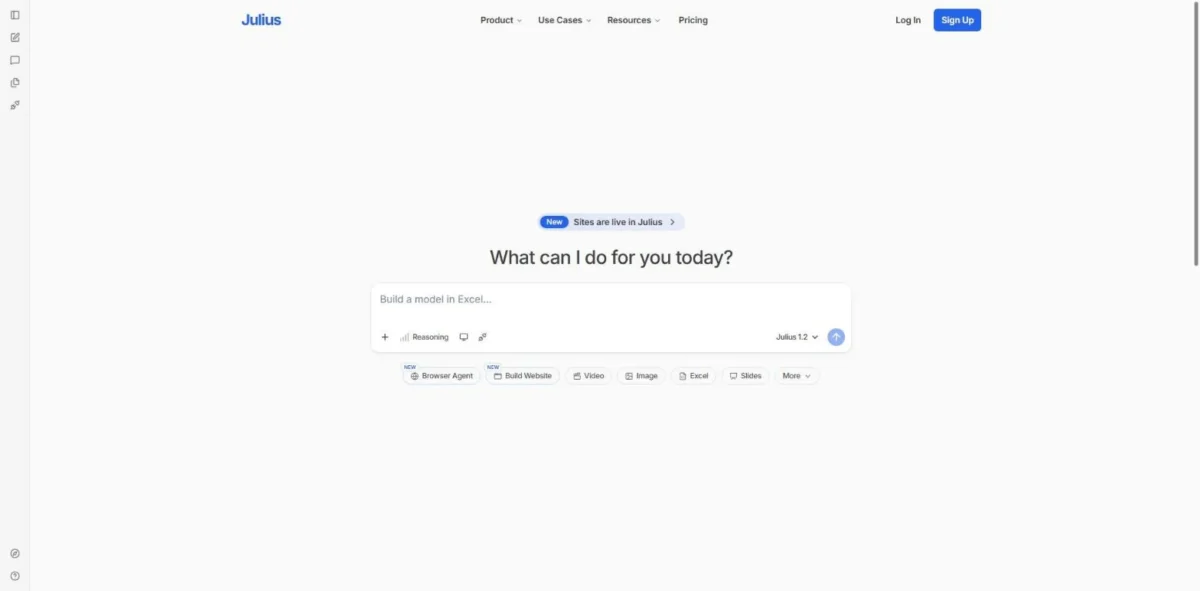
Julius belongs on this list for research that ends in a spreadsheet: survey exports, experiment results or a warehouse table. It lists file analysis, charts, reports and dashboards, and answers with citations.
Plus adds browser and parallel agents for research, so web context sits next to the numbers. Julius states it is SOC 2 Type II compliant.
Julius publishes no integration count, but its data integrations are the reason a team buys it. Plus, Pro and Business list Snowflake, BigQuery and Postgres connectors, and the FAQ adds MySQL, SQL Server, Google Drive, OneDrive and SharePoint.
The tradeoff. Credits are the meter: Plus includes 2,000 a month and Pro 5,000, so heavy analysis moves you up a plan before features do.
- Pricing:
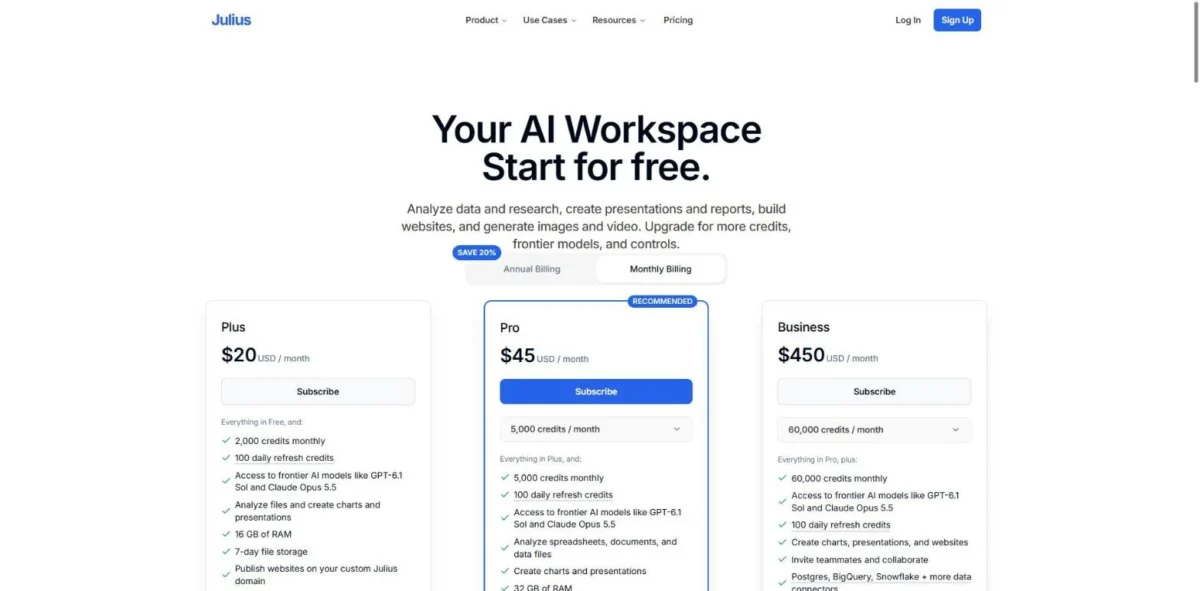
- Free costs $0 with daily credits. With Annual Billing selected, Plus shows $16 a month, Pro $37 and Business $375; on monthly billing they cost $20, $45 and $450 a month. Business covers up to 50 team members.
- Skip it if:
- your research is reading literature, not working with numbers.
What AI Research Costs per Year: One Researcher vs a 5-Person Team
One researcher pays between $59.88 and $588 a year for the plans below; a five-person team pays between $600 and $2,940.
| Tool | One researcher, per year | Five-person team, per year |
|---|---|---|
| Perplexity | Pro, annual: $17 x 12 = $204 | Enterprise Pro, annual: $34 x 5 x 12 = $2,040 |
| ChatGPT | Plus, monthly: $20 x 12 = $240 | Business Standard seats, annual: $20 x 5 x 12 = $1,200 |
| Google Gemini and Gemini Notebook | AI Plus: $4.99 x 12 = $59.88 | Workspace Business Standard: $14 x 5 x 12 = $840 |
| Claude | Pro, billed up front: $200 | Team standard seats, annual: $20 x 5 x 12 = $1,200 |
| Consensus | Pro, annual: $144 | Five Pro plans: $144 x 5 = $720 |
| Elicit | Pro, annual: $588 | Pro: $588 x 5 = $2,940 |
| Scite | Basic, yearly: $12 x 12 = $144 | Five Basic plans: $144 x 5 = $720 |
| ResearchRabbit | RR+, annual: $10 x 12 = $120 | Five RR+ plans: $120 x 5 = $600 |
| Julius | Plus, annual: $16 x 12 = $192 | Five Plus plans, annual: $16 x 5 x 12 = $960 |
Sources: Perplexity Enterprise pricing, OpenAI help center on ChatGPT Business, Google Workspace pricing, Claude pricing, Consensus pricing, Elicit pricing, Scite pricing, ResearchRabbit pricing, Julius pricing, checked October 2026.
Team size changes the order. Perplexity’s personal-use rule doubles its seat price, while Claude Team and ChatGPT Business tie at $1,200 for five annual seats.
Julius Business ($375 x 12 = $4,500 a year with Annual Billing) adds teammate invites, 60,000 credits a month and up to 50 members. Plus already lists the warehouse connectors, so five researchers who work alone can stay on it.
Take an illustrative five-person marketing team: all five research competitors on the open web, and two also read clinical studies to back product claims.
- Perplexity Enterprise Pro for all five: $34 x 5 users x 12 months = $2,040 a year.
- Consensus Pro for the two who read studies: $144 x 2 users = $288 a year.
- Total: $2,040 + $288 = $2,328 a year.
Claude Team standard seats instead cost $20 x 5 users x 12 months = $1,200. With the same two Consensus plans ($144 x 2 users = $288), that stack totals $1,200 + $288 = $1,488 a year.
The two Consensus plans cost the same in both stacks, so the gap is $2,040 – $1,200 = $840 a year. That buys Perplexity’s inline citations on every answer; for a team that publishes claims, I would pay it.
How to Choose the Right AI Research Tool
Choose by the source your answer must come from:
- Market or competitor research on the open web: Perplexity Pro, or Google Gemini Free on a $0 budget.
- “What do studies say” questions: Consensus.
- A formal systematic review: Elicit Pro.
- Checking that a cited finding still stands: Scite Basic.
- Your own documents: Gemini Notebook, or Claude Pro if the files sit in Microsoft 365 or connected apps.
- Survey or experiment data: Julius.
Then let budget settle ties: under $150 a year, one person can buy Google AI Plus, Consensus Pro, Scite Basic or ResearchRabbit RR+.
The best free research stack
A $0 stack covers a literature review from discovery to questions. Map the field in ResearchRabbit Free, then search and summarize in Elicit Basic.
Load the papers you keep into Gemini Notebook Free, and run Deep Research in Gemini Free for the open-web side. Semantic Scholar, a free index of over 200 million academic papers from Ai2, fills gaps in any of them.
How much can you trust an AI research answer?
An AI research answer is as reliable as your ability to trace it to a source you can open. Scite adds a second check: whether later papers supported or contradicted a cited one.
Open the cited source before you quote it, because a summary can misstate a study even when the citation is real. If the research ends in a paper you submit, my ranking of AI detectors covers the check that comes after the writing.
Also Considered
Nine more tools made my long list, each out for a stated reason:
- SciSpace, for discovering, analyzing and writing scientific literature: its literature review and chat-with-PDF tools overlap Elicit and Consensus.
- Semantic Scholar: a free search index, so it sits in the free stack.
- Jenni AI, a workspace where researchers read, write and cite: a writing job, covered in the best AI writing tools.
- Paperpal, an AI writing tool built for academic research: it drafts and checks the paper.
- ResearchPal, a research and writing workspace: its search overlaps Elicit and its drafting the writing tools.
- Keenious, a research companion inside Microsoft Word and Google Docs: its discovery job overlaps ResearchRabbit.
- Litmaps, literature review software for discovering and visualizing papers: the same citation-map job as ResearchRabbit.
- ChatPDF, whose free plan analyzes 2 documents every day: Gemini Notebook takes 50 sources per notebook free.
- Scholarcy, which summarizes papers into flashcards: single-document summaries that Gemini Notebook covers.
FAQ
Is ChatGPT the best AI for research?
ChatGPT is the best fit for deep research if you already pay for Plus, where OpenAI lists deep research as Expanded. It is not the best for every job: peer-reviewed questions fit Consensus or Elicit, and Google Gemini puts Deep Research on its Free plan.
What is a better AI than ChatGPT for research?
The better tool depends on the source your answer needs. Perplexity suits web facts because its Pro page promises inline citations, Consensus suits questions about studies, and Gemini Notebook suits work built on your own uploaded files.
Can AI do a literature review for me?
AI can do the screening and extraction, not the judgment. Elicit Pro’s workflow screens 5,000 papers, and ResearchRabbit maps related work for free. Deciding which studies are sound, and writing the synthesis your name goes on, stays with you.