An AI detector returns a probability, not a verdict. Seven of the ten vendors say so in their own documentation, and one refuses to print a number below 20% because false positives cluster there.
Independent researchers say something sharper. Across seven studies from 2023 to 2026, the same detector scores 52% in one benchmark and 100% in another. Turnitin classified 45% of documents correctly in a dentistry study and 0% of full-length AI-written papers in a Belgian one. Neither is wrong. They measured different corpora, models and document lengths.
So accuracy is not a property a detector carries around. It belongs to a detector paired with a kind of text. That puts three other questions in charge of the purchase: will the tool accept the text you check, what does it cost at team size, and what happens when it is wrong about someone’s work.
This guide answers those three for ten detectors, reading every accuracy claim against the research rather than vendor marketing, inside the SaaS CRM Review coverage of the best AI tools for content creation.
In This Article (13 sections)
Quick Verdict: Best AI Detector by Use Case
| Use case | Best pick | Why it fits |
|---|---|---|
| Long-form work where a wrong call is costly | Pangram | The only detector above 65% strict accuracy on full-length AI papers in the Van Vlasselaer study, and 92.5% on humanised text |
| Classroom and academic review on a small budget | GPTZero | Essential at $8.33 per month on annual billing, 150,000 words |
| Publisher and agency content screening | Originality.ai | 2,000 credits a month covers roughly 200,000 words in one workflow |
| Multilingual and multi-seat organisations | Copyleaks | Pro includes 25 seats and 30-plus AI-detection languages in one price |
| Free plan pick for students | Scribbr AI Detector | Unlimited checks with no daily cap, at 1,200 words each |
| Free detection inside a writing suite | QuillBot AI Detector | Six free scans a day alongside paraphrasing and grammar tools |
| Shareable PDF reports, OCR, and image checks | Winston AI | Elite covers unlimited team members at $26 per month on annual billing |
| Embedding detection in your own product | Sapling AI Detector | Documented API plus 100,000 characters per paid query |
| Universities already licensed for Turnitin | Turnitin AI Writing Detection | Sits inside the workflow instructors already use, as a license add-on |
| Detection inside an existing writing workflow | Grammarly AI Detector | Runs in Google Docs and the desktop clients a team already has open |
Budget pick: GPTZero Essential at $8.33 per month on annual billing.
Enterprise pick: Copyleaks Pro, because its user seats are already inside the plan price.
Free pick: Scribbr, because nothing here caps how many times a day you can check.
Evidence pick: Pangram, on the strength of two independent studies rather than its own benchmark.
What Seven Independent Studies Actually Found
Every vendor in this category publishes an accuracy figure. Almost none of those figures were produced by anyone other than the company selling the product. The research below was not.
The same detector, four different scores
This is the single most useful table in this guide, and it is useful precisely because the numbers disagree.
| Detector | Scribbr 2026, 30 texts, vendor | JAIT 2026 baseline, 44 texts, peer-reviewed | Dentistry 2026, 120 manuscripts, peer-reviewed | Van Vlasselaer 2026, 40 AI papers, strict, peer-reviewed |
|---|---|---|---|---|
| GPTZero | 52% | 100% | 99% | 0% |
| Originality.ai | 76% | 100% | 98% | Not tested |
| Copyleaks | 66% | 100% | 98% | 0% |
| Turnitin | Not tested | 93.2% | 45% | 0% |
| Pangram | Not tested | Not tested | Not tested | 65% |
| QuillBot | 78% | 95.5% | Not tested | Not tested |
| Sapling | 68% | 97.7% | Not tested | Not tested |
| ZeroGPT | 64% | 95.5% | Not tested | Not tested |
| Grammarly | Not tested | 90.9% | Not tested | Not tested |
Two cautions before reading it. The 0% column is strict accuracy on full-length papers, not a claim that the tool detected nothing; the paragraph below explains what those tools did return. And do not average this table. The four columns do not measure the same quantity. Scribbr scores against a graded rubric on 1,000 to 1,500 character passages, and JAIT reports aggregated accuracy across 24 AI and 20 human texts. The dentistry study reports the share of 120 manuscripts correctly classified at a 60% threshold. Van Vlasselaer reports strict accuracy on 40 full-length papers written by GPT-4o with Deep Research.
The divergence is the finding. A buyer who reads one benchmark and treats it as the detector’s accuracy has learned almost nothing about how the tool will behave on their own content.
Sources for this table, editorial tier: Scribbr’s 2026 comparison.
Peer-reviewed tier: Makhmutova and colleagues in JAIT 2026 and Villa and colleagues in Research Integrity and Peer Review, 2026.
Also peer-reviewed: Van Vlasselaer and colleagues in the International Journal for Educational Integrity, 2026.
Finding 1: accuracy is not a fixed property of a detector
GPTZero is the clearest case. It scored 52% in Scribbr’s rubric test, 100% on the JAIT baseline, 99% correct classification in the dentistry corpus, and 0% strict accuracy on full-length AI-generated academic papers in the Van Vlasselaer study.
Read the fourth column carefully, because 0% does not mean the tool did nothing. In that study GPTZero returned a false negative on 70% of the fully AI-generated papers and a partial false negative on the remaining 30%, which is why its inclusive accuracy was 30% and its strict accuracy was zero. The tool detected something in a third of cases and never enough to classify the paper correctly under the strict criterion.
The practical consequence is that a vendor’s headline figure tells you how the tool performed on the corpus the vendor chose. It is not portable to yours.
Finding 2: mixed human and AI writing is now the hard case
Clean AI output and clean human writing have both become comparatively easy for the leading tools. Text that a person drafted and a model tidied, or that a model drafted and a person rewrote, has not.
Hadra and colleagues tested Turnitin and Originality.ai on 192 texts split evenly across four groups, and the collapse is specific to one of them.
| Measure | Turnitin | Originality.ai |
|---|---|---|
| Overall accuracy | 61% | 69% |
| Macro-average F1 | 0.51 | 0.54 |
| Recall on human writing | 93% | 96% |
| Recall on AI writing | 29% | 83% |
| Recall on hybrid writing | 31% | 2% |
Originality.ai identified 83% of AI texts and 2% of hybrid ones. That is not a small weakness at the edge of the product. Hybrid authorship is how most people write in 2026, and on that group the better AI detector of the two performed worse than the weaker one.
Van Vlasselaer found the same shape at full paper length. Turnitin managed 60% strict accuracy on hybrid papers against 0% on fully AI-generated ones, which is the reverse of what most buyers expect, while GPTZero returned 0% on both.
Finding 3: rankings invert when the text is transformed
The JAIT team ran nine detectors against output from ChatGPT, DeepSeek, Gemini and Grok, then repeated the test on paraphrased, back-translated and non-native-style versions of the same material.
At baseline the field looks tight. Copyleaks, Originality.ai and GPTZero all reached 100%; Turnitin reached 93.2% and Grammarly 90.9%.
The non-native-style condition breaks the field apart. Turnitin returned 0.0% on the ChatGPT, Gemini and Grok versions and 14.7% on the DeepSeek version. Grammarly returned 0.0% on three of four and 8.3% on the fourth. Copyleaks held between 83.3% and 100% across all four, and GPTZero between 66.4% and 100%.
A detector that looks equal to its rivals on clean output can be an order of magnitude worse once the surface of the language changes. Note the sample size before you lean on this: 44 texts per tool, 24 AI and 20 human.
Finding 4: the model that wrote the text matters as much as the detector brand
The dentistry study is the cleanest evidence for this, because it held the detector constant and varied the generator.
| Detector | GPT-4.5 | GPT-4o | DeepSeek-R2 |
|---|---|---|---|
| Aidetector | 100% | 100% | 100% |
| GPTZero | 96.7% | 100% | 100% |
| Copyleaks | 100% | 90% | 100% |
| Originality.ai | 100% | 90% | 100% |
| Turnitin | 66.7% | 10% | 3.3% |
Turnitin caught 20 of 30 GPT-4.5 manuscripts, 3 of 30 GPT-4o manuscripts and 1 of 30 written by DeepSeek-R2. The difference was statistically significant at p below 0.001.
Any accuracy figure published before a model family shipped is a statement about the models that existed when the test ran. That applies to vendor benchmarks and independent ones alike.
Finding 5: false positives are mostly a length problem, not a brand problem
This is the finding that most contradicts the category’s reputation, and it is the one worth acting on.
The 2023 Stanford study is still the most-cited work on detector bias, and its numbers are alarming. Seven detectors were run over 91 TOEFL essays written by non-native English speakers. The average false positive rate was 61.22%. All seven detectors agreed on 18 of the 91 essays, or 19.78%. Against US eighth-grade essays written by native speakers, the same detectors averaged 5.19%. When the TOEFL essays were rewritten with more literary vocabulary, the false positive rate fell to 11.77%.
The 2026 studies, run on longer documents, look nothing like that.
- In the dentistry corpus, all six detectors returned a specificity of 1.00. Not one of the 30 human-written manuscripts was flagged at the 60% threshold.
- In the Van Vlasselaer study, all four detectors classified all 40 human-written papers correctly. Zero false positives.
- In Hadra’s test, Originality.ai correctly identified 48 of 48 professional human texts and 44 of 48 texts written by EFL students. Turnitin managed 45 of 48 and 44 of 48.
The variable that separates those results from Stanford’s is not the year and not the brand. It is document length. Stanford used short exam essays. The 2026 studies used full-length manuscripts, papers and articles.
That maps directly onto what the vendors already publish about themselves. Pangram refuses to predict below 50 words. QuillBot will not scan below 80. Winston requires 500 characters. Turnitin will not generate a report below 300 words of prose. Sapling states plainly that the shorter, more general and more essay-like a text is, the more likely a false positive becomes.
So the practical rule is narrower and more useful than “detectors are biased”. Detectors are unreliable on short text, and short text is where nearly all the documented false-positive harm has occurred. If your shortest routine document is a discussion post, a cover letter paragraph or a product description, no product in this ranking is safe to act on, whatever its benchmark score.
What the studies agree on
Three conclusions survive across every study here, including the ones that disagree about everything else.
Detection degrades as human involvement increases. Weber-Wulff and colleagues measured 74% accuracy on unmodified AI text, roughly 42% on manually edited AI text and 26% on machine-paraphrased text across 16 tools and 54 test cases. Their published conclusion was that the available tools are “neither accurate nor reliable”.
Detection degrades against models the detector has not seen. RAID is the largest benchmark in this space, with more than six million generations across 11 models, eight domains, 11 adversarial attacks and four decoding strategies. It found the 12 detectors it evaluated were easily fooled by adversarial attacks, sampling changes, repetition penalties and unseen generators.
Agreement between detectors is weakest exactly where the stakes are highest. In the dentistry study, Cohen’s kappa between Turnitin and the top-performing detectors ran between 0.13 and 0.17, which the authors describe as slight agreement.
Studies referenced in this section:
- Weber-Wulff and colleagues, International Journal for Educational Integrity, 2023
- Liang and colleagues, Patterns, 2023
- Dugan and colleagues, RAID, ACL 2024
- Makhmutova and colleagues, JAIT, March 2026
- Hadra, Cambridge and Mesbah, February 2026
- Villa and colleagues, June 2026
- Van Vlasselaer and colleagues, June 2026
- Jabarian and Imas, Chicago Booth working paper
Scribbr’s 2026 comparison sits in the vendor tier, because Scribbr sells two of the twelve detectors it ranked.
How We Chose and Evaluated the Best AI Detectors
These rankings are built from official pricing pages, vendor help-centre documentation, product and feature pages, peer-reviewed research, and clearly labelled third-party evidence. Every price, plan allowance, and input limit quoted here was verified against the vendor’s own page on 8 September 2026.
Each detector was assessed against the same buyer-focused criteria. Those criteria are minimum usable input length, free-tier capacity, published price and billing basis, cost at team scale, access model, workflow fit, language and content-type coverage, and documented uncertainty.
Greater weight went to the factors that change a purchase or an outcome. Those are whether a tool accepts the length of text you need to check, whether seats are bundled or billed separately, whether an allowance carries over, and whether false-positive handling is published. Popularity, marketing accuracy percentages, and affiliate relationships did not influence the order.
How evidence is labelled in this guide
Accuracy claims in this category come from sources with very different standing, so each one is labelled.
| Tier | What it means | Used for |
|---|---|---|
| Peer-reviewed | Published in a journal with review, with a declared competing-interests statement | Primary evidence for every accuracy claim |
| Academic working paper | Written by researchers, not yet through journal review | Supporting evidence, described qualitatively |
| Editorial testing | A publication ran its own test and published the method | Supporting evidence, labelled by publisher |
| Vendor benchmark | Produced by a company selling one of the tools tested, including publishers that sell a detector | Reported as a vendor claim, never as proof |
Two categories of source were excluded rather than labelled. Benchmarks published by companies that sell AI humanisers are excluded, because a humaniser vendor has a direct commercial interest in detectors appearing to fail. Any figure that a source presents as a chart without printing the underlying number is excluded, because it cannot be quoted accurately.
Vendor benchmark results are reported as vendor claims and are never treated as independent proof. Claims that could not be verified from a primary source were left out rather than softened, and the published review methodology explains how that evidence standard is applied.
The Three Problems That Decide Which AI Detector You Need
Most comparison tables rank these tools on an accuracy percentage. The research above shows why that number is the least portable thing about them.
Three other problems decide the purchase, and all three are documented by the vendors themselves.
Problem 1: your text may be too short for the tool to answer at all
Nine of the ten publish a length below which they either refuse to run or warn that the result is less reliable. Copyleaks publishes neither, and the floors that do exist are not close to each other.
Pangram enforces a minimum length of 50 words and explains the reason plainly: the model needs enough context to make a prediction you can trust.
QuillBot requires a minimum of 80 words to scan, and Winston AI needs 500 characters. Turnitin will not produce a report below 300 words of prose text in a long-form writing format.
A discussion-board post, a cover letter paragraph, or a product description sits under several of those floors at once. If that is the content you screen, the accuracy debate is irrelevant and the floor is the whole decision. The false-positive evidence in the previous section makes this the most important row in the guide, not the most technical one.
Problem 2: the score is a screening signal, and the vendors say so
Detection models are statistical classifiers trained on the output of the same kinds of systems described in the SaaS CRM Review primer on what generative AI is, which is why their answers arrive as probabilities.
Scribbr states that no AI Detector can provide complete accuracy. QuillBot puts it more bluntly: results are probability estimates, not verdicts.
Grammarly tells its own users that scanned-text percentages may differ from those of other solutions like Turnitin, GPTZero, Copyleaks. It adds that its own writing agents will raise the score on text a human wrote and then asked Grammarly to rewrite.
Turnitin goes furthest. Between 0% and 20% it prints an asterisk instead of a number, because no score or highlights are attributed for AI detection scores above 0% and below the 20% threshold.
A vendor deliberately hiding its own output in the range where it is least reliable is the clearest statement in this category about what these numbers are worth. The kappa figures from the dentistry study say the same thing from the outside.
Problem 3: the headline price is not the price your team pays
Two pricing models sit inside this ranking and they behave differently once more than one person needs access.
Pangram Team, Sapling Enterprise, and Grammarly Pro bill per seat. Copyleaks Pro and Winston Elite bundle seats into a flat plan, so the tenth user costs nothing extra.
That reverses the ranking: the cheapest single-seat detector here is not the cheapest ten-seat detector, and the gap runs to 174 dollars a month.
Credits add a second layer. Originality.ai subscription credits carry a one-month expiry and reset each cycle, and Copyleaks warns that switching plans will override your current plan, including any remaining credits.
Both are ordinary billing mechanics, and both cost money that never appears in a starting-price table.
Best AI Detectors Compared
Products are listed in ranked order. Prices are US list prices for the entry paid plan; the annual column shows the effective monthly rate a vendor quotes for annual billing.
| Detector | Access model | Free allowance | Entry paid price | Minimum input | Independent evidence |
|---|---|---|---|---|---|
| Pangram | Self-serve, plus institutional licence | 2,000 words per day | $20 per month | 50 words, hard | Best performer in two peer-reviewed studies |
| GPTZero | Self-serve | Document scan up to 10,000 characters at a time | Essential $14.99 monthly, or $8.33 annual | 250 characters on the dashboard | Results range from 0% to 100% across four studies |
| Originality.ai | Self-serve | No free plan on the pricing page | Pro $14.95 monthly, or $12.95 annual | 100 words recommended | Strong on AI text, near zero on hybrid |
| Copyleaks | Self-serve, enterprise, education | Personal has no free plan | Personal $16.99 monthly, or $13.99 annual | Not published | Held its accuracy best under obfuscation |
| Scribbr AI Detector | Free web tool | Unlimited checks, 1,200 words each | Premium plagiarism check from $19.95 | Longer text recommended | Publisher runs its own graded test |
| QuillBot AI Detector | Free tier inside a writing suite | 1,200 words per scan, six scans per day | Premium, price not published as a stable figure | 80 words, hard | 78% in the Scribbr test, 95.5% at JAIT baseline |
| Winston AI | Self-serve, teams | 2,000 credits on a 14 day trial | Essential $18 monthly, or $10 annual | 500 characters, hard | Not covered by the peer-reviewed studies used here |
| Sapling AI Detector | Free web tool, Pro, Enterprise, API | 2,000 characters per query | Pro $25 monthly, or $12 annual | Short text raises false positives | 68% in the Scribbr test, 97.7% at JAIT baseline |
| Turnitin AI Writing Detection | Institutional licence add-on only | None | Quoted by an account manager | 300 words of prose | Weakest performer in two of three 2026 studies |
| Grammarly AI Detector | Paid feature in an existing suite | Free plan excludes the detector | Pro $30 monthly, or $12 per member annual | Shorter passages score less reliably | Lowest JAIT baseline, collapses under obfuscation |
Access and limit sources: each vendor’s own pricing page and documentation, linked at its Primary Evidence Location in the product section for that tool below. Wide tables here keep the detector name pinned in the first column and scroll horizontally on narrow screens.
Read the table by access model first, not by price. Turnitin cannot be bought by an individual at all, Scribbr and QuillBot are free tools with per-submission ceilings rather than subscriptions, and Grammarly is a feature you already half-own if your team pays for Grammarly.
Only Pangram, GPTZero, Originality.ai, Copyleaks, Winston, and Sapling compete as standalone purchases.
Language coverage is not the same as language accuracy
Pangram advertises detection in over 20 languages, and Copyleaks advertises AI detection in 30-plus languages.
Turnitin supports three: English, Spanish, and Japanese.
Those numbers describe availability, not validated performance. None of the vendor pages used here publishes per-language accuracy evidence, so a 30-language claim tells you the feature runs, not that it runs equally well in Portuguese and English.
The JAIT back-translation condition is the closest thing to a test of this, and it found real differences: Copyleaks held its accuracy through translation while Grammarly fell to an average in the high thirties.
Turnitin’s short list is worth reading the other way round. An institution that restricts its report languages to three is making a narrower promise, and a narrower promise is easier to keep.
If you screen non-English content, treat a broad language count as permission to try rather than as evidence, and pilot on documents whose authorship you already know.
AI-generated, AI-refined, and human are three different findings
The human-versus-AI binary broke as soon as writers started drafting themselves and asking a model to tidy the result. Hadra’s hybrid recall figures, 31% for Turnitin and 2% for Originality.ai, are the measured cost of that break.
Two detectors here handle it directly in the product. Scribbr reports four categories rather than two: AI-generated, AI-generated and AI-refined, human-written and AI-refined, and human-written. QuillBot returns a likelihood score with explanations rather than a pass or fail.
Grammarly sits at the awkward end of the same problem. Its own documentation warns that using its writing agents will raise the percentage score, which means a Grammarly user can push their own human draft into a higher AI band by accepting Grammarly’s suggestions.
For anyone setting policy, that is the sentence to circulate. A rule that treats any nonzero AI score as misconduct will catch people who used a grammar tool their employer or school pays for.
The 10 Best AI Detectors in 2026
Each entry below carries the same decision fields in the same order, so a price or a limit sits in the same place every time. Depth varies with rank and with how much the evidence supports.
1. Pangram: best for risk-sensitive review of long-form prose
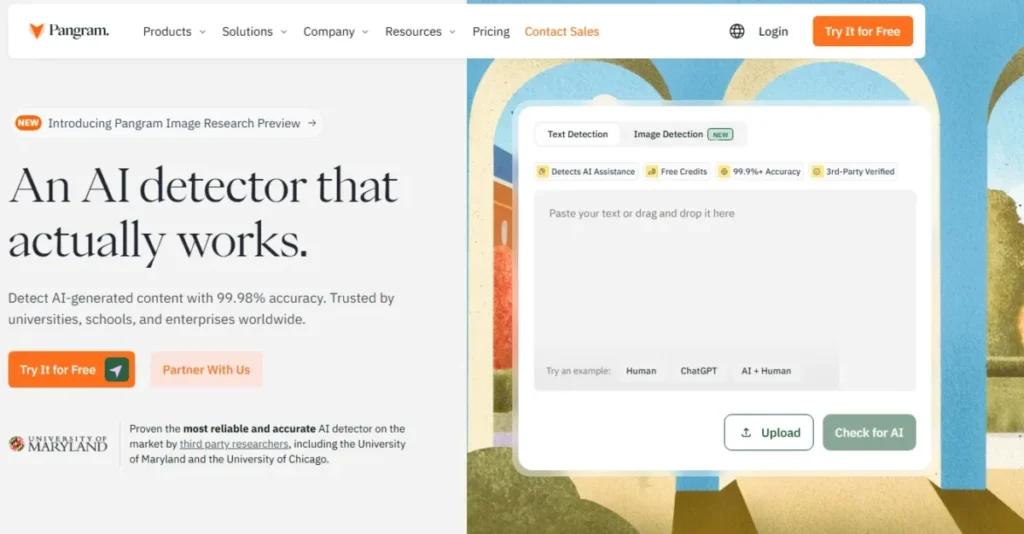
Pangram AI Detector interface with text detection, file upload, and AI-content checking options.
- Best for:
- editors, admissions reviewers, and integrity teams who care more about the cost of a wrong call than about the monthly price.
- Avoid if:
- you mostly screen text under 50 words, or you need ten seats on a tight budget.
- Starting price:
- Free plan at 2,000 words per day; Individual at $20 per month.
- Practical tier:
- Individual at $20 per month for up to 300,000 words is the first plan that supports steady review work. Professional at $65 per month raises that to 1,500,000 words and includes $200 of monthly API usage credit.
- Free plan:
- 2,000 words per day, three image detection scans daily, browser extension and Google Docs integration included.
- First limit that bites:
- the 50-word floor, then the per-seat Team price once a second reviewer needs access.
- In the independent research:
- the strongest showing of any tool covered here. In the Van Vlasselaer study it reached 65% strict and 97.5% inclusive accuracy on fully AI-generated papers. Turnitin, GPTZero and Copyleaks all scored 0% strict on the same set. On hybrid and humanised papers it reached 92.5% strict and 95% inclusive. The University of Chicago working paper reports that its false negative rate stays low even when AI passages are modified with humanisers such as StealthGPT. GPTZero’s rose to around 50% and above across most genres and models.
- Better than GPTZero:
- two independent studies place it first, and its own published minimum length is a design decision with a stated reason rather than a dashboard note.
- Worse than Copyleaks:
- Team charges $20 for each seat per month with a two-seat minimum, against a Copyleaks Pro plan that bundles 25 seats, so ten reviewers cost 200 dollars a month.
- Setup difficulty:
- Low. Browser extension, Google Docs, and web app cover most review work without admin involvement.
- Hidden costs:
- seat count on Team, and Developer API usage billed separately in prepaid tiers from $25 upward on plans below Professional.
- Evidence status:
- pricing, plan allowances, and the word floor come from Pangram’s pricing page and its minimum-word-count explainer. The accuracy figures above come from two independent research groups, not from Pangram. Pangram also publishes a 30-tool comparison in which it places itself first; that is a vendor benchmark and is not used to support any claim here.
What separates Pangram from the rest of this list is not a number it publishes but a behaviour it refuses. Below 50 words it will not give you an answer at all.
That is unusual and it is the right instinct. Every other vendor here handles short text by returning a less reliable score with a caveat attached, which puts the burden of remembering the caveat on the reviewer at exactly the moment they are least likely to.
The independent evidence has since caught up with that instinct. Two research groups working on different corpora, in different countries, using different methods, both put Pangram at the top on the hardest conditions in the category. That is a far stronger position than any self-published benchmark, and it is the reason this tool holds first place even though it is the most expensive option for a team.
The free tier is also genuinely usable rather than a demo. At 2,000 words per day, a teacher spot-checking two or three essays never has to pay, and the paid step-up is a straightforward jump to 300,000 words a month.
Where it gets expensive is scale. Pangram is the only tool in the top four that charges per seat with no bundled team allocation, so an eight-person editorial desk pays more here than at Copyleaks, Winston, or Originality.ai.
| Pros | Cons |
|---|---|
| Best performer in two independent peer-reviewed and academic studies, including on humanised text | $20 per seat per month with a two-seat Team minimum makes ten reviewers the most expensive option in this ranking |
| Publishes a hard 50-word floor and the reason for it, so short-text results cannot be misread | No published per-language accuracy evidence behind the 20-plus language claim |
| Free plan carries 2,000 words per day with no trial clock attached | Developer API is billed separately below Professional, in prepaid tiers from $25 |
| Individual covers 300,000 words a month and Professional 1,500,000, enough for a full review workload | Institutional licensing requires a sales conversation rather than self-serve signup |
Both columns above draw on Pangram’s official plan and documentation pages, and on the two independent studies named in the evidence status line.
- Verdict:
- the detector to put in front of a reviewer whose decision affects someone’s grade, byline, or job, provided the text clears 50 words and the seat count stays small.
2. GPTZero: best for education teams on a low paid entry price
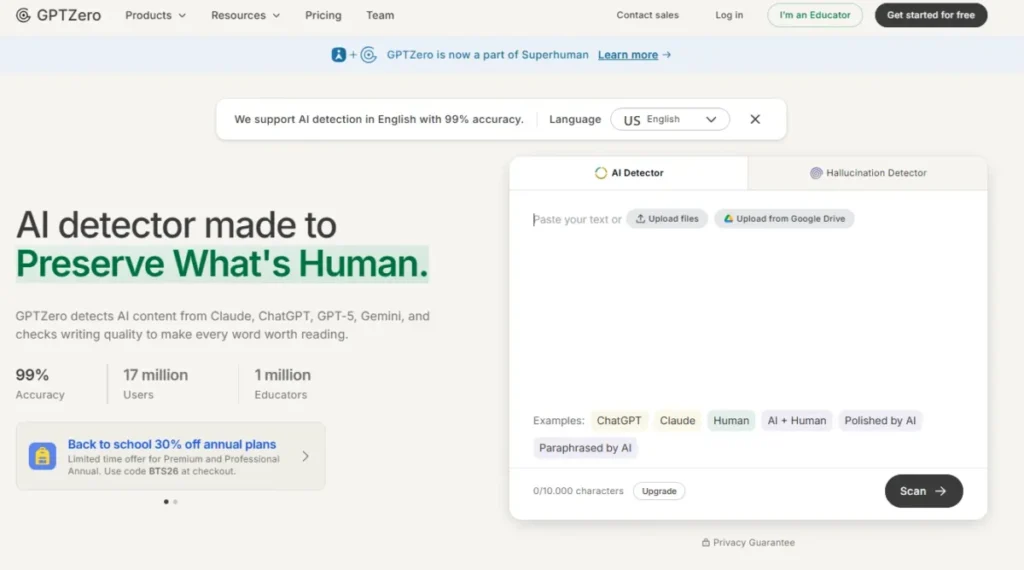
GPTZero AI Detector interface with text scanning, file upload, Google Drive import, and example inputs.
- Best for:
- teachers, academic reviewers, and small departments that want a real paid allowance without a departmental budget line.
- Avoid if:
- you screen full-length academic papers, or you need one number you can defend to a committee.
- Starting price:
- Essential at $14.99 per month billed monthly.
- Practical tier:
- Essential at $8.33 per month billed annually, with 150,000 words per month, which is the cheapest serious allowance in this ranking.
- Free plan:
- free document scanning up to 10,000 characters at a time.
- First limit that bites:
- the per-scan character ceiling. Essential and Premium allow 50,000 characters per scan; only Professional raises that to 150,000.
- In the independent research:
- the widest spread of any tool here. GPTZero scored 99% correct classification in the dentistry corpus and 100% on the JAIT baseline, both strong results. It scored 52% in Scribbr’s graded test, the lowest of the paid tools there. And in the Van Vlasselaer study it returned 0% strict accuracy on all three AI conditions, with 30% inclusive accuracy on fully AI-generated papers and 2.5% on humanised ones.
- Better than Scribbr:
- a paid plan with a monthly word budget instead of a cap of 1,200 words on every submission.
- Worse than Pangram:
- on full-length AI-written papers the gap is not marginal. Pangram reached 92.5% strict on humanised papers where GPTZero reached 2.5%.
- Setup difficulty:
- Low. Web scans need no IT involvement, and the free tier works before any purchase.
- Hidden costs:
- the jump to Professional at $24.99 per month on annual billing if long documents keep hitting the 50,000 character scan ceiling.
- Evidence status:
- prices and word allowances come from GPTZero’s pricing page. The independent figures come from the four studies named above. GPTZero also publishes its own benchmark reporting 99.3% accuracy; that is a vendor benchmark and is reported here as a vendor claim only.
GPTZero publishes more about its own testing than anyone else here, and that cuts both ways. Its published benchmark names the writing domains it covers and the models it tested against, which is more method detail than most vendors give.
Transparency about method is worth something. It is still the vendor marking its own work, and the independent record shows why that matters. On the corpus GPTZero chose, it reports 99.3%. On a corpus of full-length GPT-4o papers chosen by Belgian researchers, it classified none of them correctly under the strict criterion.
The pricing is the stronger argument, and it is a good one. At $8.33 a month for Essential on annual billing, a department can put a real allowance in front of every teacher, and 150,000 words a month covers a heavy marking period. For screening student essays of 1,000 to 2,000 words, which is the workload this tool is priced for, the dentistry and JAIT results are the more relevant ones and both are strong.
Watch the scan ceiling rather than the monthly total. A dissertation chapter of 60,000 characters does not fit in one Essential scan, and splitting long documents is exactly the behaviour that pushes results toward the short-text unreliability the research above identifies as the main source of false positives.
| Pros | Cons |
|---|---|
| Essential at $8.33 per month on annual billing is the lowest paid entry point with a substantial allowance | Returned 0% strict accuracy on every AI condition in the Van Vlasselaer full-paper study |
| 99% correct classification in the peer-reviewed dentistry corpus and 100% on the JAIT baseline | Scored 52% in Scribbr’s graded test, the lowest of the paid tools in that comparison |
| 150,000 words per month on Essential covers a full marking period for one teacher | Essential caps a single scan at 50,000 characters, so long documents must be split |
| Free scanning up to 10,000 characters at a time needs no paid plan for spot checks | Its own benchmark cannot serve as independent evidence in a dispute |
Both columns above draw on GPTZero’s official plan and documentation pages and on the four independent studies named in the evidence status line.
- Verdict:
- the sensible default for a school or department buying detection for many people on a small budget, on essay-length work, as long as nobody presents its published accuracy figures as neutral evidence.
3. Originality.ai: best for publishers and content operations
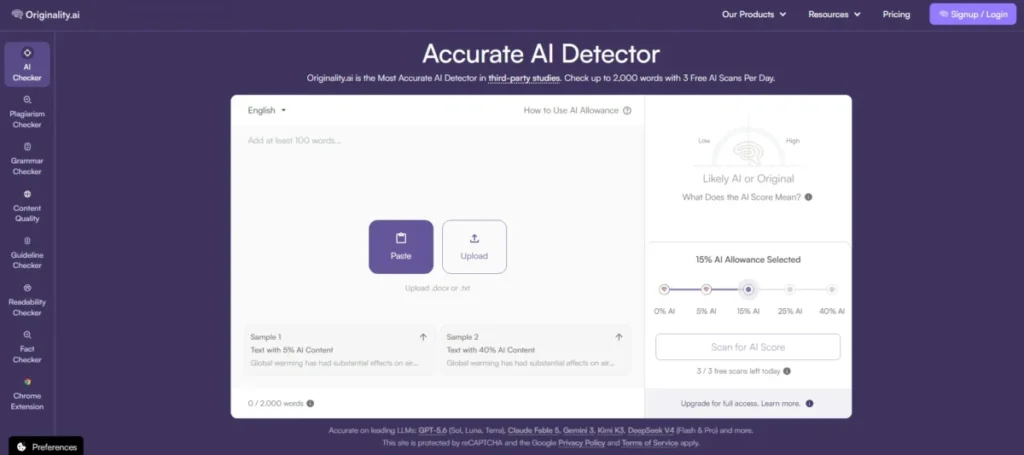
Originality.ai AI Detector interface with text paste, file upload, AI score controls, and a scan limit indicator.
- Best for:
- publishers, SEO agencies, and editorial teams screening a recurring volume of commissioned copy.
- Avoid if:
- most of what you screen is human-drafted and lightly AI-assisted, or you scan in short bursts and would rather not lose an unused monthly allowance.
- Starting price:
- Pro at $14.95 per month billed monthly.
- Practical tier:
- Pro at $12.95 per month on annual billing with 2,000 credits, where one credit equals 100 words, which works out to roughly 200,000 words a month.
- Free plan:
- none listed on the pricing page.
- First limit that bites:
- credit expiry. Subscription credits carry a one-month expiry and reset each cycle, so a quiet month is money gone.
- In the independent research:
- strong on the cases it is built for and weak on one specific case. Hadra measured 69% overall accuracy against Turnitin’s 61%, with 83% recall on AI text and 96% on human text, the best human-text figure in that study. On hybrid text it recorded 2% recall. In the dentistry corpus it reached 98% correct classification with a specificity of 1.00, and 100% on the JAIT baseline. Scribbr’s graded test placed it at 76%, first among the paid standalone tools there.
- Better than QuillBot:
- file upload, full site scans, team management, and shareable reports sit in one workflow rather than in a writing app.
- Worse than Copyleaks:
- API access is gated to Enterprise at $136.58 per month on annual billing, where Copyleaks exposes API and role controls through its enterprise track.
- Setup difficulty:
- Medium. Site scans and team management need someone to own the account and the tagging convention.
- Hidden costs:
- Enterprise is the only route to API access, at $136.58 per month on annual billing, and Pro keeps only 30 days of scan history.
- Evidence status:
- plan prices, credit mechanics, and feature gating come from the Originality pricing page. The 100-word recommendation comes from its false-positive guidance. Accuracy figures are drawn from four independent studies.
Originality.ai is the only tool here built around the shape of a content operation rather than a document. Full site scans, tags, team management, and downloadable reports are the reason to buy it, and AI detection is one component of a verification stack that also covers plagiarism, readability, grammar, and fact checking.
The hybrid result deserves a plain reading before you buy. Two percent recall on human-and-AI mixed text means that when a freelancer drafts an article and runs it through a model to tighten the prose, this tool will almost always report it as human. If your commissioning risk is undisclosed full AI generation, that is not a problem. If your risk is undisclosed AI assistance, it is close to a disqualifier, and no competitor solved it either.
The credit model rewards steady volume and punishes irregular use. Two thousand credits a month is generous for a team commissioning weekly, and worthless to an editor who checks four articles in March and forty in April, because subscription credits carry a one-month expiry.
Separately purchased credits behave differently and expire two years after purchase if unused, which is the buffer to use for uneven workloads.
The false-positive guidance is the most operationally useful thing the company publishes. It recommends scanning at least 100 words and warns that formulaic content often gets flagged as high-probability AI. It also suggests reviewing three to five works from the same author before drawing a conclusion.
That last point is a workflow instruction, not a disclaimer, and the research supports it. A publisher screening a new freelancer should be checking a body of their work, not one submission, and a tool that says so is easier to defend than one that ships a single percentage.
| Pros | Cons |
|---|---|
| Best human-text accuracy in the Hadra study at 96% recall, and 100% on professional human writing | Recall on hybrid human-and-AI text measured 2% in that same study |
| 98% correct classification in the peer-reviewed dentistry corpus with zero false positives | Subscription credits expire after one month, so irregular workloads waste the allowance |
| Full site scans, tags, and team management make it a content-operations tool rather than a single-document checker | API access is Enterprise-only at $136.58 per month on annual billing |
| Publishes concrete false-positive guidance, including the three-to-five-samples-per-author recommendation | No free plan on the pricing page, so evaluation requires payment |
Both columns above draw on Originality.ai’s official plan and documentation pages and on the independent studies named in the evidence status line.
- Verdict:
- the strongest fit for a team that screens commissioned content every week for undisclosed full AI generation, provided the monthly credit expiry matches how the work actually arrives and nobody expects it to catch light AI assistance.
4. Copyleaks: best for multilingual and multi-seat organisations
Copyleaks AI detection platform for content integrity, plagiarism checking, and responsible AI use.
- Best for:
- organisations reviewing content in several languages, or any team that needs more than five people on the same detector.
- Avoid if:
- you expect to move between plans, because unused credits do not survive the switch.
- Starting price:
- Personal at $16.99 per month billed monthly.
- Practical tier:
- Pro at $74.99 per month on annual billing, with 1,000 unified credits and 25 user seats.
- Free plan:
- the pricing page lists no free tier for Copyleaks.
- First limit that bites:
- the credit conversion. Personal’s 100 monthly credits buy roughly 25,000 words or 100 images, which a single long report can consume.
- In the independent research:
- it held its accuracy best when the text was transformed. In the JAIT study Copyleaks held 100% at baseline and stayed between 83.3% and 100% across the non-native-style condition that reduced Turnitin to 0.0% on three of four model families. It reached 98% correct classification in the dentistry corpus with a specificity of 1.00. In the Van Vlasselaer full-paper study it returned 0% strict on fully AI-generated papers, 30% on hybrid and 22.5% on humanised, well behind Pangram.
- Better than Winston AI:
- 30-plus AI-detection languages and 100-plus plagiarism languages, against Winston’s documented weakness on translated content, and independent evidence that it holds accuracy through translation.
- Worse than GPTZero:
- Personal at $13.99 against GPTZero Essential at $8.33 makes the annual entry rate about two thirds higher, and the Personal word allowance is far smaller.
- Setup difficulty:
- Medium on Pro and High on Education or Enterprise, where role-based access and data-hosting choices need administrator time.
- Hidden costs:
- extra credits bought outside the plan, and the credits forfeited whenever a plan changes.
- Evidence status:
- prices, credit conversions, seat counts, language claims, and the plan-switching rule all come from the Copyleaks pricing page. The accuracy figures come from three independent studies.
Copyleaks is the only tool in the top four where the tenth user is free. Pro includes 25 user seats inside its $74.99 annual rate, so a ten-person integrity team pays a little over a third of what the same team pays elsewhere.
The comparison is Pangram Team at $20 for each seat per month.
The obfuscation result is what earns it a place above Winston and Sapling rather than the seat count alone. A detector that keeps most of its accuracy when the surface of the language changes is doing something the others in that test were not, and for an organisation screening translated or non-native writing that property matters more than a baseline percentage.
The credit mechanics are where buyers get caught. Personal buys 100 unified credits a month, converting to about 25,000 words or 100 images, so a single long report plus a handful of image checks makes a real dent.
The plan-switching rule deserves a calendar reminder rather than a footnote. Copyleaks states that plans do not stack and that switching overrides the current plan including any remaining credits, so an upgrade timed a week into a billing cycle throws away whatever is left.
For multilingual work, treat the language count as scope rather than as a performance guarantee, and pilot each language you actually care about against documents whose authorship you already know.
| Pros | Cons |
|---|---|
| Held 83.3% to 100% accuracy in the JAIT non-native-style condition, where two rivals fell to near zero | Returned 0% strict on fully AI-generated papers in the Van Vlasselaer full-paper study |
| Pro bundles 25 user seats into one price, making it the cheapest ten-seat option among the standalone detectors | Switching plans overrides the existing plan and forfeits any remaining credits |
| 30-plus AI-detection languages and 100-plus plagiarism languages in a single scan workflow | Personal’s 100 monthly credits convert to only about 25,000 words |
| Combines AI detection, plagiarism, and AI image detection under one credit pool | No free plan on the pricing page, and no published minimum input length |
Both columns above draw on Copyleaks’s official plan and documentation pages and on the independent studies named in the evidence status line.
- Verdict:
- the pick when seat count, language coverage or transformed text drives the decision, and the one plan here where the upgrade timing is worth planning around.
5. Scribbr AI Detector: best free checks for students and individual writers
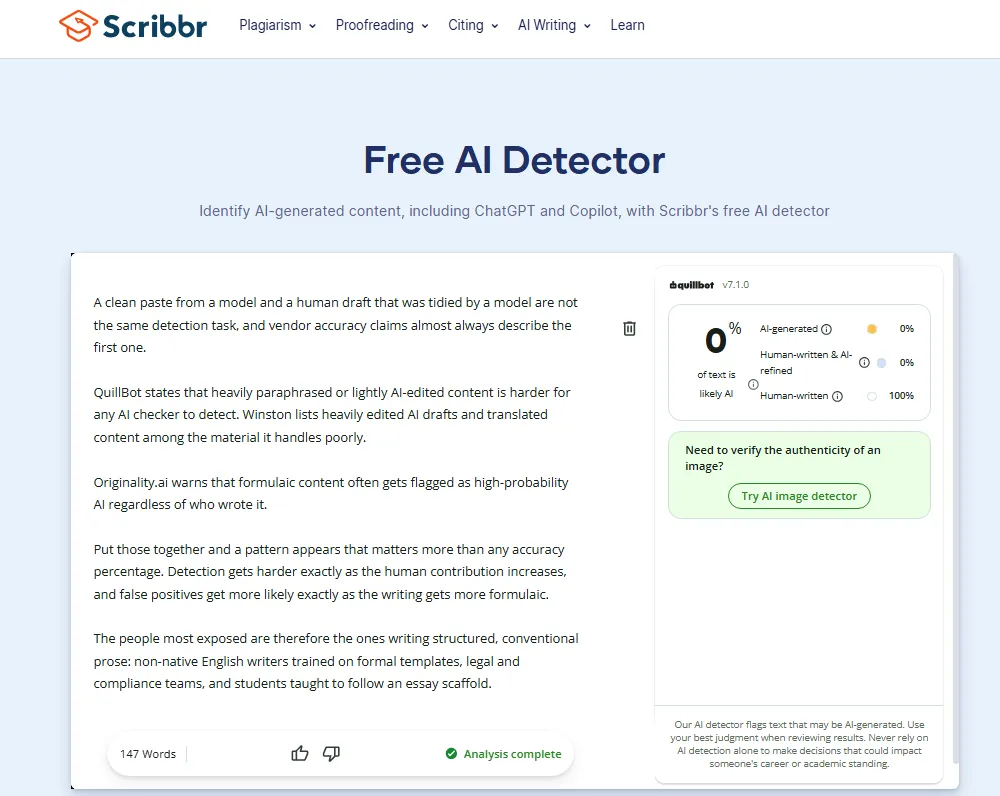
Scribbr Free AI Detector interface showing AI-generated, AI-refined, and human-written content analysis.
- Best for:
- students and individual writers who need repeated zero-cost checks on the same document.
- Avoid if:
- your documents run past 1,200 words, or you need an audit trail.
- Starting price:
- free.
- Practical tier:
- the free detector, with the premium AI Detector included free alongside a premium plagiarism check from $19.95 for a document up to 7,499 words.
- Free plan:
- unlimited free AI checks, up to 1,200 words per submission.
- First limit that bites:
- the submission cap of 1,200 words, which forces a dissertation chapter into several separate scans.
- In the independent research:
- Scribbr is the publisher of one of the tests in the cross-benchmark table rather than a subject of the peer-reviewed ones. Its own graded comparison of 30 texts across 12 detectors placed its premium detector first at 84% and its free detector joint second at 78%, with no false positives on the human samples. That is editorial testing by a company that sells the tool, and it is labelled as such throughout this guide.
- Better than QuillBot:
- no daily scan limit at all, so a student can check the same paragraph twenty times while editing.
- Worse than Originality.ai:
- no team management, no site scanning, and no exportable record of what was checked.
- Setup difficulty:
- Low. Open the page, paste, and scan.
- Hidden costs:
- none on the free detector; the premium tier is priced per document rather than per month.
- Evidence status:
- the free allowance, language list, category labels, and accuracy caveat come from the Scribbr AI detector page. Per-document pricing comes from its plagiarism-checker page.
The 84% and 78% figures come from Scribbr’s own published test, which is a vendor benchmark.
Scribbr’s pricing model is the one most often misread. There is no AI-detector subscription here: the free checker is genuinely free and unlimited, and the premium detector arrives bundled with a per-document plagiarism check rather than as a recurring charge.
That suits the actual buying pattern of a student, who needs a plagiarism report twice in a degree and a quick AI check twenty times a term. Paying $19.95 for a premium plagiarism check once at submission beats a subscription that sits idle for eleven months.
The four-category output is the other reason it earns a place. Separating AI-generated, AI-refined, and human-written text matches how people actually write in 2026, and given what the research shows about hybrid detection, a tool that reports a category rather than a single percentage is being more honest about what it can see.
The ceiling of 1,200 words is the trade. Longer work has to be split, and splitting pushes each chunk toward the short-text range where the false-positive evidence is worst.
| Pros | Cons |
|---|---|
| Unlimited free checks with no daily cap, where Pangram limits words per day and QuillBot limits scans per day | 1,200 words per submission forces long documents into multiple scans |
| Four output categories separate AI-refined text from fully AI-generated text | No team management, no exportable record, and no site scanning |
| Premium detection is bundled with a $19.95 premium plagiarism check rather than a subscription | Named language support covers only English, German, French, and Spanish |
| States plainly that no detector provides complete accuracy, on the tool page itself | Its accuracy ranking is published by the company that sells the tool |
Both columns above draw on Scribbr’s official plan and documentation pages.
- Verdict:
- the right free tool for an individual writer checking their own work, and the wrong one for anyone who needs a record of what was checked and when.
6. QuillBot AI Detector: best free detection inside a writing suite
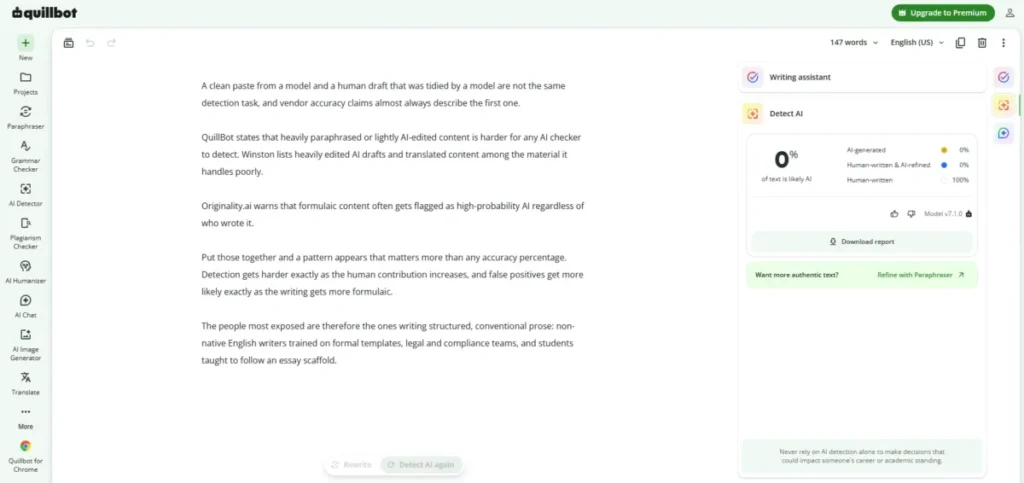
QuillBot AI Detector showing a 0% AI score and 100% human-written result for a 147-word sample.
- Best for:
- students, editors, and existing QuillBot users who want detection next to the paraphrasing and grammar tools they already open.
- Avoid if:
- you need more than six checks in a day without paying.
- Starting price:
- free.
- Practical tier:
- Premium, which removes the detector’s word limit and daily scan cap. No dollar figure for Premium is quoted in this guide, because none was verified against a QuillBot pricing page for this edition.
- Free plan:
- up to 1,200 words per scan and up to six scans per day.
- First limit that bites:
- the six-scan daily cap, which a single editing session can exhaust.
- In the independent research:
- 78% in Scribbr’s graded test, joint second there alongside Scribbr’s own free detector, and 95.5% on the JAIT baseline. It was not included in the three peer-reviewed 2026 studies used here.
- Better than Sapling:
- 1,200 words per free scan against Sapling’s 2,000 characters, which is roughly three times the free capacity.
- Worse than Scribbr:
- the daily scan cap, where Scribbr imposes none.
- Setup difficulty:
- Low. Browser-based, inside a suite most target users already have.
- Hidden costs:
- none visible on the free tier; confirm the Premium price at checkout before budgeting.
- Evidence status:
- the 80-word minimum, scan limits, reliability guidance, and probability framing all come from the QuillBot AI detector page. The paid price is omitted because this edition carries no verified QuillBot pricing source.
QuillBot writes better guidance than most vendors sell. Its detector page states that longer texts of 300 words or more produce more reliable scores than short inputs. It adds that heavily paraphrased or lightly AI-edited content is harder for any checker to detect, and that formulaic writing such as academic definitions and legal copy can score higher than expected.
Every one of those three statements is now supported by peer-reviewed work the company did not commission. Naming legal copy and academic definitions as false-positive risks is unusually specific, and it is the sentence a compliance reviewer should read before screening contract language.
There is an obvious tension in the product itself. QuillBot sells a paraphraser and a detector in the same suite, and the detector’s own page says paraphrased content is harder to detect, which is a candid thing for a vendor to publish about its neighbours on the toolbar.
For readers who want to focus on rewriting rather than detection, our AI humanizer tools guide compares dedicated options for making AI-generated or machine-like text sound more natural.
The free ceiling is generous per scan and tight per day. Six scans covers a student revising one essay and runs out fast for an editor working through a batch.
| Pros | Cons |
|---|---|
| 1,200 words per free scan with explanations attached, not just a bare percentage | Six scans per day exhausts quickly during a real editing session |
| Publishes specific false-positive risks, naming legal copy, academic definitions, and structured templates | No verified price for the Premium tier is carried in this guide |
| States that results are probability estimates rather than verdicts, on the tool page itself | The 80-word minimum rules out short-form content entirely |
| Sits beside paraphrasing and grammar tools many target users already pay for | Absent from all three peer-reviewed 2026 studies used here |
Both columns above draw on QuillBot’s official plan and documentation pages.
- Verdict:
- the better of the two free detectors for anyone already inside QuillBot, provided six checks a day covers the workload.
7. Winston AI: best for shareable reports and multi-format review
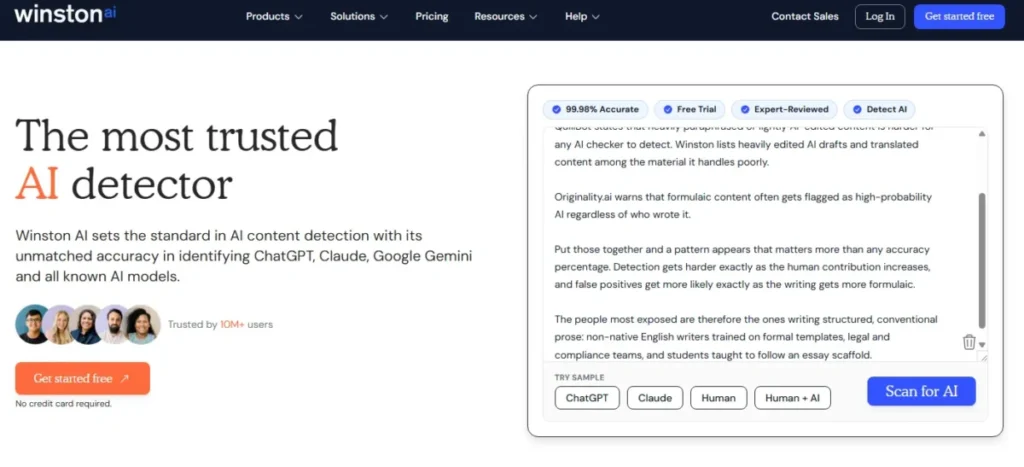
Winston AI Detector interface with text scanning and sample options for ChatGPT, Claude, human, and mixed AI-human content.
- Best for:
- publishers and review teams that need a PDF someone else can read, plus image, deepfake, and OCR checks in one place.
- Avoid if:
- you screen source code, social posts, or translated material.
- Starting price:
- Essential at $18 per month billed monthly.
- Practical tier:
- Essential at $10 per month on annual billing, billed as $120 per year, with 100,000 credits a month. Advanced at $16 on annual billing raises that to 200,000 credits and up to five team members. Elite at $26 on annual billing carries 500,000 credits and unlimited team members.
- Free plan:
- 2,000 credits on a 14 day trial rather than a standing free tier.
- First limit that bites:
- the 500-character floor, and then the five-member ceiling on Advanced if the team grows.
- In the independent research:
- not covered by any of the three peer-reviewed 2026 studies or by the JAIT obfuscation test. Winston publishes its own comparison against five rivals, which is a vendor benchmark and is not used to support any claim in this guide.
- Better than Sapling:
- shareable PDF reports, OCR, plagiarism, and AI image and deepfake detection are bundled rather than sold as separate products.
- Worse than Copyleaks:
- documented weakness on translated content, where Copyleaks has independent evidence of holding accuracy through translation.
- Setup difficulty:
- Low to Medium. Web scans and document uploads are immediate; website certification and API work need someone technical.
- Hidden costs:
- the Advanced to Elite step if more than five people need accounts, though Elite is still only $26 per month on annual billing.
- Evidence status:
- plan prices, credits, and team limits come from the Winston AI pricing page; the input floor and unsuitable content types come from its help-centre article on scannable content. No independent accuracy evidence for this tool is carried in this guide.
Winston publishes the clearest list in this category of what it cannot do well. Its help centre, cited in the evidence status above, requires at least 500 characters, recommends 300 words or more, and marks social posts, bullet lists, translated content, heavily edited AI drafts, and source code as weak or unsuitable.
A vendor that tells you which content to keep away from its product is doing you a favour, and that list happens to describe a large share of what content teams actually publish. It also lines up with the independent finding that transformed and edited text is where the whole category struggles.
The pricing is the quiet advantage. Elite at $26 per month on annual billing covers unlimited team members, which makes Winston the cheapest way in this ranking to put ten or fifty people on a detector.
Where it earns its place beyond price is format coverage. OCR, image and deepfake detection, plagiarism, and exportable PDF reports mean a review team can handle a submitted screenshot, a scanned page, and a text file in one tool instead of three.
What it lacks is outside verification. Every other tool in the top eight appears in at least one study run by someone with no stake in the result. Winston does not, and that is a real gap for a buyer who may one day need to defend the choice.
| Pros | Cons |
|---|---|
| Elite covers unlimited team members at $26 per month on annual billing, the cheapest large-team option here | No independent accuracy evidence in any study used for this guide |
| Publishes an explicit unsuitable-content list, including source code and translated material | 500-character floor rules out short-form review entirely |
| Bundles OCR, plagiarism, and AI image and deepfake detection with text detection | Advanced caps the team at five members, forcing an Elite upgrade |
| Shareable PDF reports give a reviewer something to hand to a third party | Free access is a 14-day trial with 2,000 credits, not a standing free tier |
Both columns above draw on Winston AI’s official plan and documentation pages.
- Verdict:
- the pick when a review has to produce a document someone else will read, and the one to skip if translated or list-heavy content dominates your queue or if you need third-party evidence behind the choice.
8. Sapling AI Detector: best for developers embedding detection
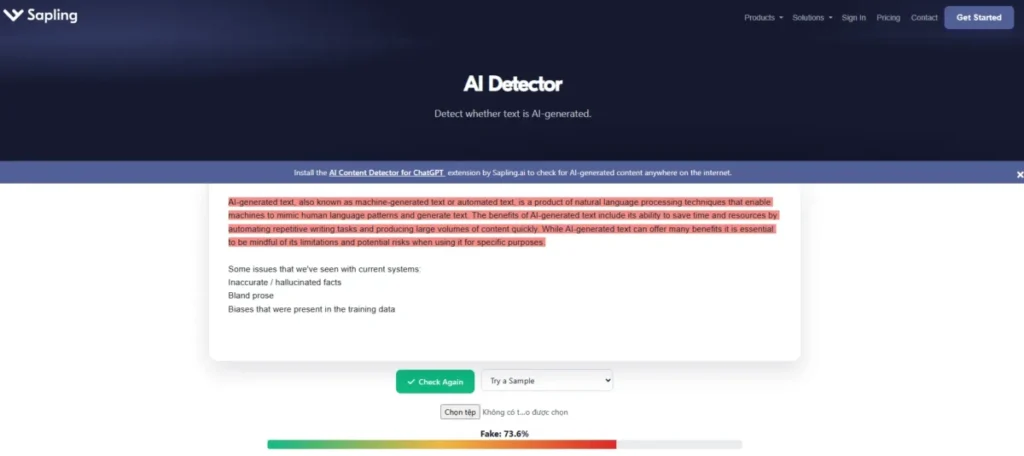
Sapling AI Detector interface showing a sample text flagged as likely AI-generated.
- Best for:
- developers and operations teams putting detection inside their own product or moderation queue.
- Avoid if:
- you want a free web tool for real documents, because 2,000 characters is roughly 400 words.
- Starting price:
- free web detector; Pro at $25 per month billed monthly.
- Practical tier:
- Pro at $12 per month on an annual subscription, which unlocks longer detector queries.
Enterprise tier: Enterprise starts at ten seats and $15 per seat per month.
- Free plan:
- 2,000 characters per query on the web detector.
- First limit that bites:
- the free 2,000-character ceiling, then the 10-seat Enterprise floor if you need admin controls.
- In the independent research:
- 97.7% on the JAIT baseline, joint fourth in that test, and 68% in Scribbr’s graded comparison. Its accuracy fell to an average around 25% in the JAIT non-native-style condition. None of the three peer-reviewed 2026 studies covered it.
- Better than Winston AI:
- detection can sit inside a product rather than a dashboard, and the documented API bills usage from a $5 minimum.
- Worse than Pangram:
- no published hard minimum, only a warning that shorter, more general, more essay-like text raises false-positive risk.
- Setup difficulty:
- Low for the web tool, Medium to High for API integration.
- Hidden costs:
- API usage billed separately from the subscription, and the 10-seat Enterprise minimum.
- Evidence status:
- plan prices and seat minimums come from the Sapling pricing page; character limits, false-positive guidance, and model coverage come from its AI detector page.
Sapling is the developer option in this list, and its most useful published detail is a limitation. Its own page states that the shorter the text is, the more general it is, and the more essay-like it is, the more likely it is to result in a false positive.
Read that carefully in an academic context. A short, general, essay-like piece of writing is a description of a student essay, which is the single most common thing people push through AI detectors. It is also, according to the research in this guide, exactly the profile where false positives concentrate.
The paid ceiling is the real differentiator. Free queries truncate at 2,000 characters while paid scans accept up to 100,000, a fifty-fold jump that turns a demo into something you can run a document through.
Sapling’s detector page documents which model families its classifier covers, read on 21 August 2026: GPT-5, Claude 4.5, Gemini 2.5, Qwen3 and DeepSeek-V3. That is more disclosure than most vendors here offer about what their model has actually seen, and given how much the generating model turned out to matter in the dentistry study, it is worth more than it looks.
Code is explicitly a work in progress. Sapling says it tries to avoid predictions for code blocks and that improved support for AI-generated code remains in development, which is a more honest position than a confident percentage on a pull request.
| Pros | Cons |
|---|---|
| Documented API with usage-based billing from a $5 minimum suits embedded moderation workflows | Free web detector truncates at 2,000 characters, roughly 400 words |
| Paid scans accept up to 100,000 characters per query, the largest single-scan window here | Enterprise requires a 10-seat minimum at $15 per seat per month |
| States plainly that short, general, essay-like text raises false-positive risk, which the research supports | No published hard minimum length, only a qualitative warning |
| 97.7% on the JAIT baseline, ahead of Turnitin and Grammarly in that test | Accuracy dropped sharply in the same study’s non-native-style condition |
Both columns above draw on Sapling’s official plan and documentation pages and on the studies named in the evidence status line.
- Verdict:
- the one to shortlist if detection has to run inside something you are building, and the wrong choice as a free desktop checker.
9. Turnitin AI Writing Detection: best for institutions already licensed
Turnitin AI checker for identifying AI-assisted writing within institutional education workflows.
- Best for:
- universities and schools already paying for Turnitin or iThenticate that want AI detection inside the workflow instructors already use.
- Avoid if:
- you are an individual. There is no consumer route to this product.
- Starting price:
- not published. Pricing comes from an account manager.
- Practical tier:
- the license add-on, which an institution’s Turnitin administrator arranges with their account manager.
- Free plan:
- none.
- First limit that bites:
- the 300-word prose floor, followed by the three supported report languages.
- In the independent research:
- the weakest performer in two of the three 2026 studies. In the dentistry corpus it classified 45% of manuscripts correctly with an AUC of 0.63, against 0.98 and 0.99 for the leaders. Its sensitivity fell from 66.7% on GPT-4.5 to 10% on GPT-4o and 3.3% on DeepSeek-R2. In the Van Vlasselaer study it returned 0% strict accuracy on fully AI-generated papers, though 60% on hybrid papers, the best hybrid figure among the four tools there. Hadra measured 61% overall accuracy. On the JAIT baseline it reached 93.2%, but fell to 0.0% on the non-native-style versions of ChatGPT, Gemini and Grok output.
- Better than every self-serve tool here:
- it reports inside the submission workflow an institution already runs, so no separate process is needed, and it suppresses its own score below 20%.
- Worse than Scribbr:
- a student cannot use it to pre-check their own work, at any price.
- Setup difficulty:
- High, in procurement terms rather than technical ones. Turnitin states that its technical support team cannot enable the feature or modify license agreements.
- Hidden costs:
- the whole price is a negotiation, so budget from a quote rather than from any figure published elsewhere.
- Evidence status:
- the license mechanics come from Turnitin’s help centre. The word range, file requirements, languages, and asterisk threshold come from its AI Writing Report guide. Its performance figures are drawn from the four independent studies named above.
Turnitin belongs in this ranking because of where it sits, not because a buyer can choose it. An instructor cannot switch it on, and neither can Turnitin’s own support team; activation runs through the institution’s administrator and account manager.
The independent record is the part that has changed most since this guide was first published, and institutions should read it carefully. Three separate research groups, working on different corpora, all placed Turnitin at or near the bottom on recent model output. The dentistry study’s model-by-model breakdown is the most specific: one detected manuscript in thirty for DeepSeek-R2, three in thirty for GPT-4o.
Two things pull the other way and both matter. Turnitin recorded a specificity of 1.00 in that same study, meaning it never flagged a human manuscript, and it posted the best hybrid result of any tool in the Van Vlasselaer study at 60%. A tool that misses AI text but never accuses an innocent student is failing in the safer direction, and that is a defensible design choice for an institution.
That access model has a consequence students ask about constantly. There is no way to run your paper through the same detector your university uses before you submit, so any self-check is a different model producing a different number.
The report requirements are strict and worth circulating to faculty. Reports need 300 to 30,000 words of long-form prose, in a .docx, .pdf, .txt, or .rtf file under 100 MB, in English, Spanish, or Japanese.
| Pros | Cons |
|---|---|
| Reports appear inside the submission workflow instructors already use, with no separate tool to adopt | Classified 45% of manuscripts correctly in the peer-reviewed dentistry study, with an AUC of 0.63 |
| Recorded a specificity of 1.00 in that study, flagging none of the 30 human manuscripts | Sensitivity fell to 10% on GPT-4o and 3.3% on DeepSeek-R2 in the same corpus |
| Best hybrid-text result of the four tools in the Van Vlasselaer study, at 60% strict | Returned 0.0% on non-native-style output from three of four model families at JAIT |
| Suppresses exact scores between 0% and 20%, reducing the chance of acting on a weak signal | No individual purchase route at any price, so students cannot pre-check |
Both columns above draw on Turnitin’s official documentation and on the independent studies named in the evidence status line.
- Verdict:
- the default for an institution already inside the Turnitin ecosystem and unwilling to risk false accusations, and a tool whose miss rate on 2026 model output should be understood by everyone who reads its reports.
10. Grammarly AI Detector: best detection inside an existing writing workflow
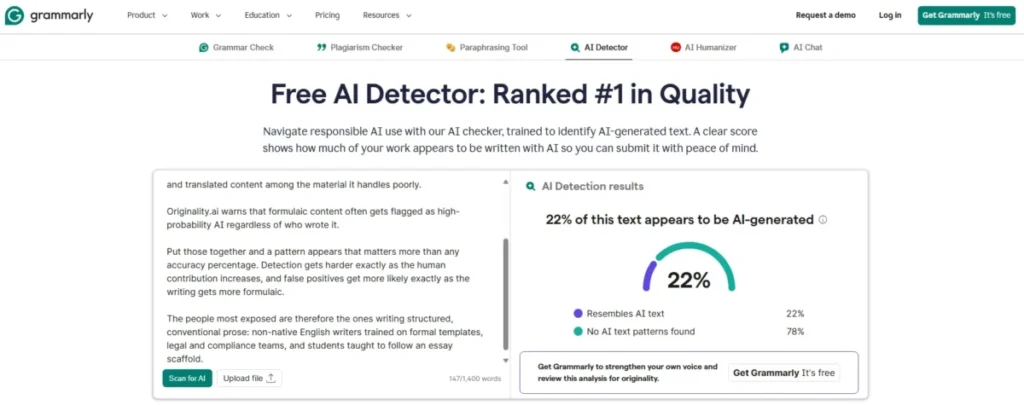
Grammarly AI Detector showing 22% of the sample text as AI-generated and 78% with no AI text patterns found.
- Best for:
- teams and schools already paying for Grammarly that want a check without adopting a second tool.
- Avoid if:
- you want a standalone detector, or your writers use Grammarly’s rewriting agents.
- Starting price:
- included with paid Grammarly plans; Pro is $30 billed monthly.
- Practical tier:
- Grammarly Pro at $12 per member per month billed annually, which is also the per-seat cost for a team.
- Free plan:
- Grammarly has one, but the detector is not part of it.
- First limit that bites:
- Grammarly’s own rewrites, which raise the AI score on text a human wrote.
- In the independent research:
- the lowest baseline accuracy of the nine tools in the JAIT study at 90.9%, and the steepest collapse under transformation. Its accuracy averaged around 40% on paraphrased text, around 38% on back-translated text, and it returned 0.0% on non-native-style output from three of four model families. No peer-reviewed 2026 study in this guide tested it.
- Better than Sapling:
- it runs where writing already happens, in Google Docs and the Mac and Windows desktop clients.
- Worse than Pangram:
- no published minimum length, only a note that shorter passages are harder to measure, and no independent evidence supporting it as a standalone detector.
- Setup difficulty:
- Low where Grammarly is already deployed, since the detector arrives with the existing browser extension and desktop clients.
- Hidden costs:
- none beyond the plan, though the detector alone rarely justifies buying Grammarly.
- Evidence status:
- Pro pricing comes from Grammarly’s Pro page. Detector availability, surfaces, score meaning, and the rewrite warning come from its AI Detector user guide. The accuracy figures come from the JAIT study.
Grammarly’s detector is a feature of a writing suite rather than a product you would buy on its own, and the independent evidence supports treating it that way rather than as a competitor to the tools above it.
The company is unusually direct about what the number means. The score represents the percentage of scanned text likely to be AI-generated, and Grammarly says its model is tuned to minimise false positives because wrongly flagging human writing is the more damaging error. The JAIT results are consistent with a tool tuned in that direction: it misses a great deal of AI text, particularly once the text has been altered.
Then comes the self-inflicted problem. Grammarly warns that using its own writing agents raises the percentage score, because the rewrites come from its LLM, so a writer who accepts Grammarly’s suggestions on their own draft moves their own work up the AI scale.
Any organisation that pays for Grammarly and also polices AI use needs to reconcile those two facts in policy before an accusation lands on someone’s desk.
| Pros | Cons |
|---|---|
| Runs inside Google Docs and the Mac and Windows desktop clients, with nothing new to deploy | Lowest baseline accuracy of the nine detectors in the JAIT study, at 90.9% |
| Pro at $12 per member per month on annual billing is competitive as a per-seat price | Returned 0.0% on non-native-style output from three of four model families |
| States that the model is tuned to minimise false positives, and explains why | Grammarly’s own rewriting agents raise the score on human-written text |
| Warns explicitly that scores may differ from Turnitin, GPTZero, and Copyleaks | The detector is not included in Grammarly’s free plan |
Both columns above draw on the Grammarly Pro plan page, the Grammarly AI Detector guide, and the JAIT study.
- Verdict:
- worth switching on if your team already pays for Grammarly, and not a reason to start paying for it.
AI Detector Accuracy: Why One Score Is Not Proof
Every detector in this ranking outputs a percentage. Almost nothing else about those percentages is comparable, and there is now peer-reviewed evidence for that rather than only vendor disclaimers.
Two detectors can disagree about the same document, and neither is broken
Different models, trained on different corpora, with different thresholds, produce different percentages for identical text. Output from a general assistant such as the one covered in the SaaS CRM Review ChatGPT review will not score the same way across two detectors.
Grammarly says so in its own help documentation, naming Turnitin, GPTZero, and Copyleaks as tools whose scores will differ from its own.
The dentistry study measured the disagreement rather than describing it. Cohen’s kappa between Turnitin and the top-performing detectors in that corpus ran between 0.13 and 0.17, which the authors classify as slight agreement. On the same 120 manuscripts, one tool classified 100% correctly and another 45%.
Community threads describing four detectors returning four different results for one unchanged essay are reporting expected behaviour, not a scandal. Those posts are anecdotes rather than evidence, and they are useful only for the question they raise: what do you do when the tools disagree.
The wrong answer is to average the scores. A 60 from one product and a 20 from another are not two measurements of the same quantity, so the mean of them measures nothing.
The right answer is to treat agreement as weak corroboration and disagreement as a reason to stop and look at the writing itself.
Turnitin’s asterisk is the most honest thing in the category
Turnitin prints an asterisk instead of a number for any AI score above 0% and below 20%, and states the reason: avoiding potential false positives.
That is a vendor deliberately withholding its own output where it trusts it least. It is also the single best argument against treating any low percentage from any tool as meaningful, because the only company here that publishes an uncertainty threshold put it at 20%.
Apply the principle even where the vendor does not. A score of 12% is closer to noise than to a finding from any detector in this list.
Edited and paraphrased text is a different problem from raw AI output
A clean paste from a model and a human draft that was tidied by a model are not the same detection task, and vendor accuracy claims almost always describe the first one.
Weber-Wulff and colleagues put numbers on the gap across 16 tools and 54 test cases: roughly 74% accuracy on unmodified AI text, roughly 42% once a human had edited it, and 26% once a machine had paraphrased it. Their conclusion was that the tools are neither accurate nor reliable for this purpose.
The 2026 studies found the same pattern with newer tools. Hadra measured hybrid recall of 31% for Turnitin and 2% for Originality.ai. Van Vlasselaer measured 22.5% to 92.5% strict accuracy on humanised papers depending entirely on which tool was used.
The vendors say it too. QuillBot states that heavily paraphrased or lightly AI-edited content is harder for any AI checker to detect. Winston lists heavily edited AI drafts and translated content among the material it handles poorly. Originality.ai warns that formulaic content often gets flagged as high-probability AI regardless of who wrote it.
Put those together and a pattern appears that matters more than any accuracy percentage. Detection gets harder exactly as the human contribution increases, and false positives get more likely exactly as the writing gets shorter and more formulaic.
Where the false positives actually are
The most repeated claim about AI detectors is that they systematically flag innocent writing. The most cited evidence for it is the 2023 Stanford study, which measured an average 61.22% false positive rate across seven detectors on 91 TOEFL essays. All seven agreed on 19.78% of them, against 5.19% on native-speaker eighth-grade essays.
Three 2026 studies on longer documents found something different. The dentistry corpus recorded a specificity of 1.00 across all six detectors on 30 human manuscripts. Van Vlasselaer recorded zero false positives across four detectors on 40 human papers. Hadra recorded 91.6% correct classification of EFL student writing by both tools tested, the same figure for both, and 100% for Originality.ai on professional human writing.
The honest reading is not that the bias disappeared. It is that the risk is concentrated in short text, which is what Stanford tested and what the 2026 studies did not. Every vendor here documents worse performance on short input, and the tools that publish a hard floor refuse to answer below it precisely because of this.
For a buyer, that turns a vague fear into a specific control. Set a minimum length below which your organisation does not run a detector at all, and set it above every published floor in this guide. The largest documented source of harm in this category is then designed out of your process rather than managed after the fact.
The evidence ladder: what a score is allowed to do
A detector score is the first rung of a review, not the last. Each rung below adds something the rung beneath it cannot supply.
- Detector output. A probability with a documented minimum length and a documented uncertainty band. It can start a review. It cannot end one.
- Human reading. Does the writing match this author’s other work, the assignment, the brief, the subject knowledge on display?
- Process evidence. Drafts, version history, revision timestamps, notes, source material. This is the only layer that speaks to authorship directly.
- Conversation. Ask the author about their argument, their sources, and their choices.
- Decision. Taken on the accumulated picture, and recorded with the reasoning.
The ladder is also a procurement argument. If your organisation cannot supply rungs two through five, buying a better detector will not fix the process, and a cheaper detector will not make it worse.
Pricing, Limits, and Minimum Text Lengths
Three numbers decide the real cost of a detector: the published price, the number of people it has to cover, and the amount of text it will accept in one go. Vendors publish the first one prominently and the other two in help articles.
Monthly and annual prices are not close together
| Detector | Billed monthly | Annual effective, per month | What the entry plan includes |
|---|---|---|---|
| Pangram Individual | $20 | $20 less $60 per year in savings | 300,000 words per month, 100 image scans |
| Pangram Professional | $65 | $65 less $240 per year in savings | 1,500,000 words per month, 500 image scans, $200 monthly API credit |
| GPTZero Essential | $14.99 | $8.33 | 150,000 words per month, 50,000 characters per scan |
| Originality.ai Pro | $14.95 | $12.95 | 2,000 credits, roughly 200,000 words |
| Copyleaks Personal | $16.99 | $13.99 | 100 credits, roughly 25,000 words or 100 images |
| Winston AI Essential | $18 | $10, billed as $120 per year | 100,000 credits per month |
| Winston AI Advanced | $29 | $16, billed as $192 per year | 200,000 credits per month, up to 5 team members |
| Winston AI Elite | $49 | $26, billed as $312 per year | 500,000 credits per month, unlimited team members |
| Sapling Pro | $25 | $12 | Detector queries up to 100,000 characters |
| Grammarly Pro | $30 | $12 per member | Paid Grammarly features including the AI Detector |
Source, published rates: each vendor’s pricing page, linked in the product section for that tool above, checked 8 September 2026. Scribbr, QuillBot and Turnitin are excluded because they are not sold as a monthly detector subscription. GPTZero renders its plan figures in the browser, so the Essential values were read from its own published plan comparison on the same date.
Annual billing roughly halves the price at GPTZero, Winston, Sapling, and Grammarly, and barely moves it at Originality.ai and Copyleaks.
That gap is worth a moment before committing to twelve months. A saving of roughly 44% justifies the lock-in far more than one of roughly 13% does.
What ten people actually cost
The starting price is a one-seat number, and detection is rarely a one-person job. Seat models diverge sharply once a team is involved.
| Detector | Seat model | Published rate | Ten people per month, US dollars |
|---|---|---|---|
| Winston AI Elite | Unlimited members in the plan | Elite at $26 per month on annual billing | 26 |
| Copyleaks Pro | 25 user seats included | Pro at $74.99 per month on annual billing | 74.99 |
| Grammarly Pro | Per member | Pro at $12 per member per month on annual billing | 120 |
| Sapling Enterprise | Per seat, ten-seat minimum | Enterprise at $15 per seat per month | 150 |
| Pangram Team | Per seat, two-seat minimum | Team at $20 per seat per month | 200 |
Plan sources: the Winston AI, Copyleaks, Grammarly, Sapling and Pangram pricing pages, each linked in its own product section above.
Read that ordering next to the single-seat table and the reversal is complete. Winston, seventh in this ranking, is the cheapest tool here for a ten-person team, and Pangram, first in this ranking, is the most expensive.
That is not an argument for buying on price. It is an argument for pricing your actual headcount before you shortlist, because the per-seat products punish exactly the organisations most likely to need detection.
It is also where the independent evidence and the budget pull against each other most sharply. Pangram costs roughly eight times what Winston costs at ten seats, and it is the only one of the two with published third-party evidence behind it. That trade is a policy decision, not a spreadsheet one.
What “free” actually buys
Five detectors here offer something free, and the five allowances are measured in five different units. Converting them into one score would invent precision that does not exist, so the units stay separate.
| Detector | Free allowance | Unit | Practical ceiling |
|---|---|---|---|
| Pangram | 2,000 words per day | Words per day | About four short essays daily, resets each day |
| Scribbr | Unlimited checks, 1,200 words each | Words per submission | No daily cap, but long work must be split |
| QuillBot | 1,200 words per scan, six scans per day | Scans per day | About 7,200 words a day, then it stops |
| Sapling | 2,000 characters per query | Characters per query | Roughly 400 words, enough to evaluate the tool |
| GPTZero | Document scan up to 10,000 characters at a time | Characters per scan | Roughly 2,000 words per spot check |
Plan sources: the Pangram, Scribbr, QuillBot, Sapling and GPTZero product pages, each linked in its own product section above.
Scribbr is the only one with no daily ceiling at all, which makes it the free tool for someone editing the same document repeatedly. Pangram is the most generous per day for someone checking several different documents.
Sapling’s free tier is a demonstration rather than a working allowance. At roughly 400 words it clears the minimums but leaves no room for a real document, which tells you it is there to show the product rather than to do a job.
Minimum input: hard gates and soft warnings are different things
Some of these tools refuse to run below a threshold. Others run and quietly return something less reliable.
Confusing the two is how a reviewer ends up acting on a score the vendor never intended them to trust, and given where the false-positive evidence points, this table carries more weight than the accuracy tables above it.
| Detector | Hard gate | Recommended length | What happens below it |
|---|---|---|---|
| Pangram | 50 words | Not published | No AI-or-human prediction is returned |
| QuillBot | 80 words | 300 words or more | The scan will not run |
| Winston AI | 500 characters | 300 words or more | The scan will not run |
| Turnitin | 300 words of prose | Long-form prose format | No report is generated |
| GPTZero | 250 characters on the dashboard | Not published | Below the documented benchmark condition |
| Originality.ai | None published | At least 100 words | Runs, with higher false-positive risk |
| Sapling | None published | Longer, less general, less essay-like | Runs, with higher false-positive risk |
| Grammarly | None published | Longer passages | Runs, scored less reliably |
| Scribbr | None published | Longer than a sentence or paragraph | Runs, with accuracy caveats |
| Copyleaks | Not published | Not published | Not documented on the pricing page |
Limit sources: Pangram’s minimum word count explainer and the QuillBot AI detector page.
Also Winston AI’s scannable-content article and the Turnitin AI Writing Report guide. The remaining rows are sourced in their own product sections above.
Match that table against your own content before anything else in this guide. A team screening short product descriptions can eliminate Winston and Turnitin immediately.
A school screening essays of 1,500 words can ignore the column entirely, and should note that the 2026 research on documents of that length and longer found no false positives at all.
Where credits expire or disappear
Two of the credit-based tools carry mechanics that cost money without appearing in any price comparison.
Originality.ai subscription credits expire after one month and reset each cycle, so an editorial team with an uneven commissioning calendar buys 2,000 credits every month and uses them in bursts.
Credits bought separately behave better and expire two years after purchase if unused, which makes them the right instrument for lumpy workloads.
Copyleaks forfeits remaining credits when a plan changes, because its plans do not stack and a switch overrides the current plan. An upgrade made mid-cycle therefore costs the unused balance on top of the new plan price.
Neither is hidden, and neither is unusual. Both are worth a note in the renewal calendar, because the fix in each case is timing rather than negotiation.
Feature Gate Comparison
Detection is bundled differently at every vendor, and the bundle is often the real purchase. Rows are products; a gate is named where a plan restricts it.
| Detector | Plagiarism | Image or deepfake | API | Institutional track | Exportable reports |
|---|---|---|---|---|---|
| Pangram | Individual and above | Free plan onward, three scans daily | Developer API tiers from $25; $200 credit on Professional | Institutional licence, quoted | Web app and extension |
| GPTZero | Not covered in sources used | Not covered in sources used | Not covered in sources used | Not covered in sources used | Not covered in sources used |
| Originality.ai | Pro and above | Not covered in sources used | Enterprise only | Not covered in sources used | Shareable and downloadable |
| Copyleaks | Personal and above | Personal and above | Enterprise track | Education and Enterprise | Saved scans and analytics |
| Scribbr | Paid per document | No | No | No | No |
| QuillBot | Separate suite tool | No | No | No | Explanations, not exports |
| Winston AI | Essential and above | Essential and above | Essential and above | Website certification on Advanced | PDF reports |
| Sapling | No | No | Usage-based API, $5 minimum | No | No |
| Turnitin | Core Turnitin product | No | Institutional integrations | Native | AI Writing Report |
| Grammarly | Not covered in sources used | No | Not covered in sources used | Grammarly for Education | In-document highlighting |
Feature sources: the vendor product and pricing pages linked in the product sections above, plus the Turnitin AI Writing Report guide cited in the Turnitin section.
Image and deepfake columns matter more than they used to, because the same teams screening text now receive assets from the best AI image generators.
Two things fall out of that grid. Winston is the only tool that puts plagiarism, image and deepfake detection, OCR, API, and PDF reports inside an Essential plan at $10 per month on annual billing.
Sapling is the only one that offers essentially nothing except detection and an API, which is precisely what a developer wants.
The gate to watch is API access. Originality.ai reserves it for Enterprise at $136.58 per month on annual billing.
Sapling sells API access usage-based from a $5 minimum, a difference of two orders of magnitude for teams whose only requirement is programmatic access.
Setup and Workflow Difficulty
Nothing here needs a migration project, but the effort to get a whole team using one consistently varies a lot.
| Detector | Setup difficulty | Why |
|---|---|---|
| Scribbr | Very low | Open the page, paste, and scan, with nothing to configure |
| QuillBot | Very low | Browser-based inside a suite most target users already have |
| Pangram | Low | Extension, Google Docs, and web app cover most review work |
| GPTZero | Low | Web app and document scans, no admin involvement |
| Grammarly | Low where deployed | Arrives with the existing extension and desktop clients |
| Winston AI | Low to medium | Scans are immediate; website certification and API need technical help |
| Sapling | Low web, high API | The web tool is instant; embedding needs developer time |
| Originality.ai | Medium | Site scans, tags, and team management need an account owner |
| Copyleaks | Medium to high | Seat administration, role-based access, and data-hosting choices take admin time |
| Turnitin | High, in procurement | Support cannot enable it; activation runs through an account manager |
Workflow sources: the vendor documentation pages cited in each product section above. Setup ratings are an editorial assessment of those documented workflows.
The pattern is that difficulty tracks governance, not technology. The tools that are hardest to set up are the ones that give an organisation seat control, audit trails, and LMS integration, and those are exactly the features that make a detector defensible when a decision is challenged.
Which AI Detector Should You Choose?
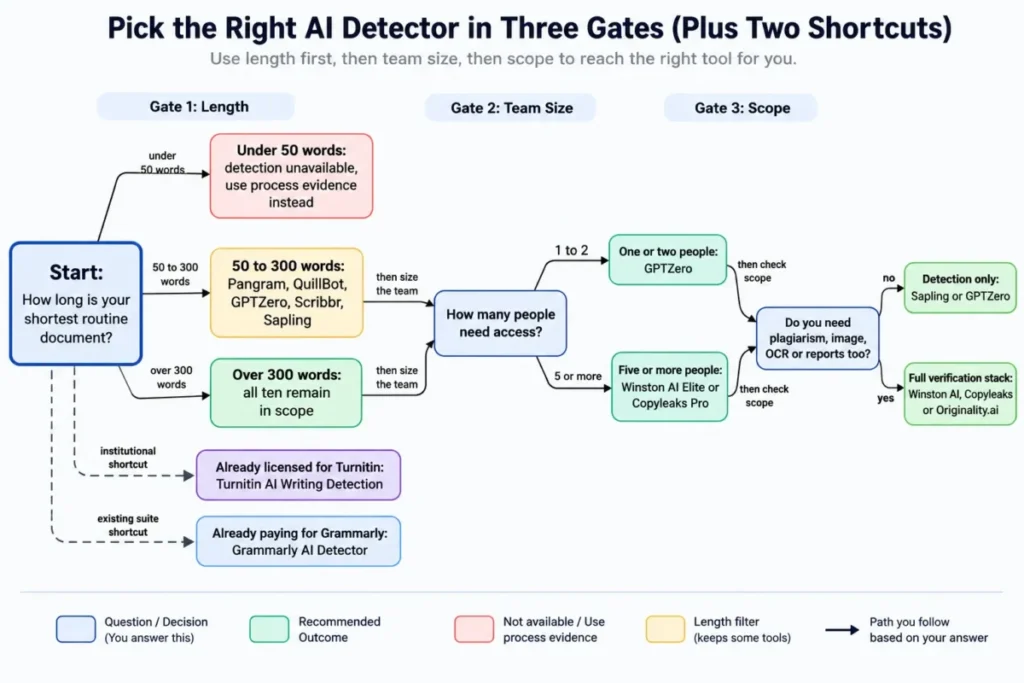
AI detector selection decision tree based on document length, team size, and verification needs.
Work through these six steps in order. Each one eliminates products, which is faster than comparing ten tools on ten dimensions.
Step one: measure your shortest routine document. Under 300 words Turnitin will not produce a report at all, and Winston falls below its own recommended length. Under 80 words QuillBot refuses the scan, and under 50 words Pangram refuses too. Below that, the tools with no published gate will still return a score their own documentation tells you not to trust, and short text is where every documented false-positive problem in the research lives.
Step two: identify what kind of AI use you are actually screening for. If the risk is undisclosed full AI generation, most of these tools perform well on long documents. If the risk is undisclosed AI assistance on a human draft, the research says you are buying into a weakness the whole category shares, and you should weight process evidence far more heavily than any score.
Step three: count the people who need access. One or two makes GPTZero the cheapest credible option. Five or more makes Winston AI Elite the cheapest option here whatever its rank, and past seven people Copyleaks Pro undercuts every per-seat plan too.
Step four: decide whether you are buying detection or a verification stack. If you also need plagiarism, image checks, OCR, or exportable reports, Winston, Copyleaks, and Originality.ai bundle them. Sapling and GPTZero do not, and cost less for that reason.
Step five: check the access model before the feature list. Turnitin cannot be bought individually. Grammarly’s detector only pays off if the suite is wanted anyway. Scribbr and QuillBot are free tools, not subscriptions.
Step six: write down what happens when the score is wrong. If a flag can affect a grade, a contract, or a job, put the evidence ladder from the accuracy section in place before the tool arrives. Weight false-positive handling and independent evidence over headline accuracy.
How each ranking reason maps to a buyer cohort
Every pick above carries one ranking reason and one cohort it serves, and the two travel together. Pangram earns its position on independent evidence for the risk-sensitive review cohort, Copyleaks on obfuscation robustness for the multilingual cohort, Winston AI on bundled seats for the multi-person cohort, and Sapling on its documented API for the developer cohort.
The disqualifier matters as much as the ranking reason. If your shortest routine document falls under a published plan gate, that product leaves your shortlist whatever its rank. The vendor’s own official documentation says the workflow will not return a usable result at that length.
So read the ranking as a set of conditional recommendations rather than a league table. The cohort decides the pick, the plan gate decides whether the pick is even available, and the workflow decides whether anyone will keep using it after month two.
Content types where detection does not work well
Some material is a poor fit for every tool here, and both the vendors and the researchers say so.
| Content type | What the evidence says | What to do instead |
|---|---|---|
| Source code | Winston marks it unsuitable; Sapling avoids predictions on code blocks | Use commit history and code review, not a text detector |
| Bullet lists and tables | Turnitin does not reliably detect them; Winston lists them as weak | Screen the surrounding prose instead |
| Poetry and scripts | Turnitin names them as non-prose it does not reliably detect | Treat detector output as unusable for these forms |
| Translated content | Winston documents limited reliability; JAIT measured large accuracy drops for most tools | Check the source-language original where one exists |
| Hybrid human and AI text | Hybrid recall measured 31% and 2% in the Hadra study | Weight drafts and version history above any score |
| Formulaic prose | Originality.ai warns it often flags as high-probability AI | Compare against three to five samples from the same author |
| Very short posts | Below every published floor, and where documented false positives concentrate | Do not run a detector at all |
Common mistakes buyers make with AI detectors
Budgeting from the starting price. The single-seat number and the ten-seat number rank the products differently, and the difference between the cheapest and dearest ten-seat plan here is 174 dollars a month.
Treating a percentage as a measurement. Detectors are classifiers with thresholds, not instruments. Averaging two vendors’ scores produces a number with no meaning, and the measured agreement between them can be as low as a kappa of 0.13.
Reading one benchmark as the detector’s accuracy. The same tool scores 52% and 100% depending on whose corpus it runs against.
Buying before checking the floor. A tool that will not accept your typical document is not a cheaper option, it is a non-option, and the floors are published in help articles rather than on pricing pages.
Ignoring credit expiry. A monthly allowance that resets is a use-it-or-lose-it budget, and an upgrade timed mid-cycle at Copyleaks costs the unused balance.
Assuming a language count means language performance. Thirty languages supported is a scope statement, and none of the vendors here publishes per-language accuracy evidence.
Screening your own AI-assisted writing with a tool from the same suite. Grammarly raises the score on text its own agents rewrote, which produces confusing results for teams that use both features.
Deploying the tool before the process. If nobody has decided what happens at scores of 15%, 45%, and 90%, the detector will make that decision by default, and it is the worst-placed participant to make it.
When not to use an AI detector at all
There are cases where the right answer is to skip detection rather than to choose better.
Skip it when the content sits below every published floor, because no product in this ranking will return a prediction it stands behind, and because that is where the documented harm is.
Skip it for code, tables, bullet lists, poetry, and scripts, where the documentation is explicit.
Skip it when the decision is adverse and you have no second and third rung of the evidence ladder, because a single probability is not a basis for an accusation and none of these vendors claims it is.
Skip it when the text came from a support or sales assistant your own organisation deployed, since tools drawn from the best AI chatbots are meant to write that copy.
Skip it when the underlying problem is a policy vacuum. If your organisation has not written down what AI assistance is permitted, a detector will measure something nobody has defined.
Final Verdict
The strongest single result in the independent record belongs to Pangram. In the Van Vlasselaer study it was the only one of four tools to classify full-length AI-written papers correctly at all under the strict criterion, and it held 92.5% on humanised text where the next best managed 50%. The University of Chicago working paper reports the same robustness to humanisers. If a wrong call costs someone a grade, a byline or a job, and the text clears 50 words, that is where the shortlist starts, and the per-seat pricing is the cost of that evidence.
For a school or department putting detection in front of many people on essay-length work, GPTZero Essential at $8.33 per month on annual billing remains the sensible default. It performed strongly in the dentistry corpus and at JAIT baseline on that kind of document. The condition is that nobody presents its self-published benchmarks as neutral evidence, and that nobody assumes those results transfer to full-length papers, because in the one study that tested that, they did not.
For a publishing or content operation screening a recurring volume, Originality.ai is the fit, because site scans, tags, and team management are the actual purchase. It also recorded the best human-text accuracy of the tools in the Hadra study, which is the number that protects your freelancers. Match the monthly credit expiry to your commissioning calendar before signing, and do not expect it to catch light AI assistance.
For multilingual or translated content, Copyleaks earned its place on measured robustness rather than on its language count, holding accuracy through the transformation condition that reduced two rivals to near zero.
For any team of five or more the ranking inverts on price. Winston AI Elite is $26 per month on annual billing with unlimited members; Copyleaks Pro is $74.99 with 25 seats included. Winston if you need reports, OCR, and image checks, with the caveat that no independent study in this guide covers it. Copyleaks if language coverage, seat administration or transformed text matter more.
For a developer embedding detection, Sapling is the only one here designed for that, with a usage-based API and 100,000-character paid queries.
For students, Scribbr is the free tool to use, with no account and no daily cap. And for anyone already inside Turnitin or already paying for Grammarly, the answer is to switch on what you have rather than buy something new, while understanding that both tools miss a great deal of 2026 model output.
The rule that applies to all ten: buy the detector that fits your text length, your headcount, and your process, then treat every number it produces as the first line of a review rather than the last word on it. The research is unusually clear that a percentage is where the work starts.
Frequently Asked Questions
Twelve questions come up again and again once the shortlist is set, and most of them turn on evidence no vendor makes public.
Which AI detector is the most accurate in 2026?
No single tool is most accurate across all conditions, and the research shows why. In four independent tests, GPTZero scored 52%, 100%, 99% and 0% depending on the corpus and the document length. The strongest showing on the hardest condition, full-length AI-written and humanised academic papers, belongs to Pangram at 65% and 92.5% strict accuracy in the Van Vlasselaer study, where three rivals scored 0%.
Choose on input length, seat cost, access model, and false-positive handling, which are verifiable, rather than on a single accuracy percentage, which is not portable between corpora.
Which AI detector has the lowest false-positive rate?
On long documents, several tools now record none at all. The 2026 dentistry study measured a specificity of 1.00 across all six detectors tested, and the Van Vlasselaer study recorded zero false positives across four detectors on 40 human-written papers.
The risk is concentrated in short text. Turnitin suppresses exact scores below its 20% threshold specifically to avoid false positives, and Grammarly states its model is tuned to minimise them. Pangram refuses to predict below 50 words, and Originality.ai publishes guidance on the content types most likely to be wrongly flagged.
Do AI detectors flag non-native English writers more often?
The most cited evidence says yes, and it is from 2023. Seven detectors run over 91 TOEFL essays produced an average false positive rate of 61.22%, against 5.19% on native-speaker eighth-grade essays; rewriting the essays with more literary vocabulary dropped the rate to 11.77%.
More recent work on longer documents is less alarming. In the 2026 Hadra study, both Turnitin and Originality.ai correctly identified 91.6% of EFL student texts. The difference between those results is document length rather than year, so the practical protection is a minimum-length rule rather than a particular brand.
Can Turnitin detect AI writing, and can a student check their own paper with it first?
Turnitin does produce an AI Writing Report, but only for institutions that have added the license, and only for 300 to 30,000 words of long-form prose in English, Spanish, or Japanese. There is no individual purchase route, and instructors cannot enable the feature themselves, so a student cannot run their own paper through the same detector before submitting.
Any self-check uses a different model and will return a different number, which is expected rather than evidence of a problem.
What is the best free AI detector?
Scribbr for repeated checks of the same document, because it imposes no daily cap, only a 1,200-word ceiling per submission. QuillBot if you want explanations alongside the score and six scans a day is enough. Pangram’s 2,000 words per day suits someone checking several different documents rather than one document repeatedly, and it is the most generous daily allowance among the free tiers here.
What do teachers actually use to detect AI?
Most schools and universities use whatever is already inside their submission workflow, which in practice means Turnitin, because it arrives as an add-on to a licence the institution already holds rather than as a separate purchase. Departments buying independently most often land on GPTZero, because $8.33 per month on annual billing covers a real allowance for one teacher.
Neither choice is supported by the independent research as the most accurate option. Both are supported as the most practical one.
Do AI detectors still work after AI text is paraphrased or edited?
Less well, and the effect has been measured. Across 16 tools, accuracy fell from roughly 74% on unmodified AI text to roughly 42% on manually edited text and 26% on machine-paraphrased text. On full-length humanised papers, tools ranged from 2.5% to 92.5% strict accuracy depending entirely on which one was used.
Treat a vendor’s headline accuracy claim as a statement about clean, unedited model output, because that is the condition those benchmarks describe.
Do AI detectors work in languages other than English?
Availability is broad and evidence is thin. Pangram advertises over 20 languages and Copyleaks advertises 30-plus for AI detection; Turnitin limits its reports to English, Spanish, and Japanese.
The closest thing to a test is the JAIT back-translation condition, where Copyleaks held its accuracy and several rivals lost a third or more of theirs. No vendor publishes per-language accuracy evidence, so treat a language count as permission to try rather than as proof of performance.
What is the difference between an AI detector and an AI humanizer?
A detector estimates the probability that text was machine-generated. A humanizer rewrites machine-generated text so that detectors return a lower score. They are opposite sides of the same technical problem, and several companies sell both.
That matters when you read accuracy claims. A benchmark published by a company that sells a humanizer has a commercial interest in detectors appearing to fail, which is why no such source is used in this guide. Our AI humanizer tools guide covers that side of the category separately.
Why do two AI detectors give different scores for the same text?
Because they are different models, trained on different data, with different thresholds. The disagreement has been measured: in the 2026 dentistry study, Cohen’s kappa between Turnitin and the top-performing detectors ran between 0.13 and 0.17, which the authors describe as slight agreement.
Averaging two scores produces a number that measures nothing. Treat agreement as weak corroboration and disagreement as a reason to read the writing itself.
Can a school or employer act on an AI detector score alone?
Nothing in the evidence used for this guide supports that. The vendors describe their outputs as probability estimates, percentages of scanned text, or scores that differ between products, and the one company that publishes an uncertainty threshold withholds its own number below 20%. The peer-reviewed work is blunter: the 2023 Weber-Wulff paper concluded that the tools available then were neither accurate nor reliable for this purpose.
A defensible process uses the score to open a review, then adds a human reading, drafting and version evidence, and a conversation with the author before any decision is recorded.
Which AI detectors do universities use?
The most common institutional deployment is Turnitin, because it integrates with the learning management systems universities already run and is licensed centrally. Some institutions add Copyleaks or Pangram through an education track, both of which offer role-based access and data-hosting choices that a central IT function will ask about.
Individual departments and instructors more often use GPTZero or a free tool, which is a different decision made under a different budget.
Choose the detector that fits your own risk tolerance and workflow, then trial or subscribe only after reviewing its input limits, access model, pricing, and false-positive caveats.