Every tool on this list is free in the sense that it costs nothing to open. That is the least useful sense of the word.
The question that decides your afternoon is narrower. Will the free path give you a full-resolution file, without a watermark, before the allowance stops, and may you put that file on a product page?
Those conditions come apart constantly. One editor gives three renewing edits a day with no account and no watermark, then restricts the output to personal use.
So this ranking scores the free path rather than the product, the way a ranking of the best AI image generators has to score output rights rather than prompt syntax.
The best free AI photo editor for you is the one whose free ceiling sits above your actual job.
In This Article (16 sections)
Quick Verdict: Best Free AI Photo Editor by Task
| Task or constraint | Best pick | Why it fits |
|---|---|---|
| A few prompt edits, no account, no watermark | Magic Hour | 3 edits a day, browser only, no sign up, no watermark on results |
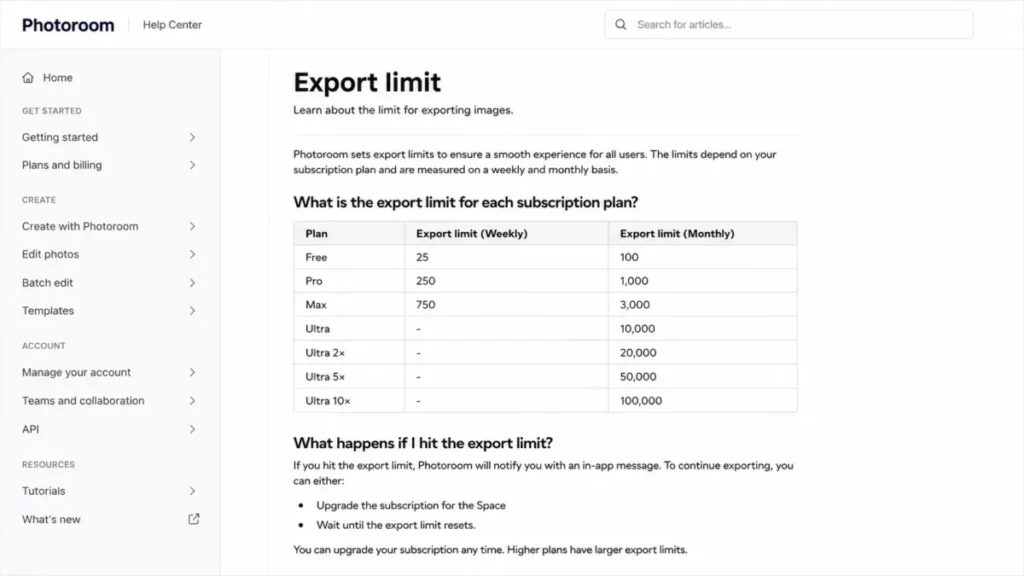
| Product cutouts for a store listing | Photoroom | Purpose-built background removal, 25 exports a week on Free |
| Edit plus a finished social post | Adobe Express | US$0.00 tier with 100,000+ templates and standard editing tools |
| Layered editing in a browser | Pixlr | Two editors plus generative fill, expand, and object removal |
| One clean cutout with no login | Fotor Background Remover | HD download, no watermark, no sign up on that specific tool |
| Casual personal edits in a Microsoft account | Microsoft Designer | Free service, restyle and background tools, account required |
| Repairing five blurry photos a day | PicWish | 5 free standard enhancements per day, batch upload on web |
| Trying many ecommerce edits in one place | insMind | Eraser, expander, replace, and enhancer in one browser suite |
| A handful of full-resolution jobs | Cutout.Pro | 5 starter credits, priced at 1 or 2 credits per image |
| Portrait repair before committing budget | YouCam Online Editor | Free credits on registration, enhancer and object remover |
| Anything a client or a store will pay you for | None of the free tiers alone | Commercial rights sit behind a paid plan on most of this list |
The last row is the one most roundups leave out, and it changes the shortlist more than any feature does.
What These Ten Tools Actually Cover
A ranked list implies ten products competing for one job. These ten do not.
| Tool | Prompt editing | Background removal | Repair or upscale | Design and templates |
|---|---|---|---|---|
| Magic Hour | Core capability | Via prompt | Not documented on the editor page | No |
| Photoroom | Limited | Core capability | Not the focus | Product-photo layouts |
| Adobe Express | Daily generations | Documented eraser | Standard editing tools | Core capability |
| Pixlr | Generative fill and expand | Free for all users | AI Super Scale, Remove Noise | Collage and sticker tools |
| Fotor | Available in the suite | Core capability | Enhancer in the suite | Templates in the suite |
| Microsoft Designer | Restyle images | Remove or blur | Crop, rotate, adjust | Design templates |
| PicWish | No | Yes | Core capability | No |
| insMind | AI Replace, Generative Fill | Core capability | AI image enhancer | AI photo filters |
| Cutout.Pro | No | Core capability | Enhancer and colorizer | No |
| YouCam Online Editor | No | Yes | Core capability | No |
The cells above are an editorial capability assessment built from each vendor’s own documented tool list, not a vendor scorecard.
Magic Hour, Pixlr, and insMind are direct competitors for prompt-driven edits, while Photoroom, Fotor, and Cutout.Pro compete on cutouts.
PicWish and YouCam Online Editor compete on repair, and Adobe Express and Microsoft Designer compete for the reader who needs a finished post rather than a finished photo.
How We Chose and Ranked These Free AI Photo Editors
These rankings are based on official pricing pages, help-center articles, product documentation, and published service terms. Pricing, quotas, and usage rights were checked 2026-08-20 for the US market in USD.
Each tool was assessed against the same buyer-focused criteria. Those criteria are the existence of a real no-cost path, the size of the free allowance, its reset cycle, watermark and resolution conditions on export, account requirements, and the permitted use of the output.
Greater weight was given to the constraints that stop work rather than to feature breadth. An allowance that renews daily outranks a larger one-time grant, a clean export outranks a preview, and published usage rights outrank an unquantified promise of generosity.
Where an official page states a limit without a number, that limit is reported as undisclosed rather than estimated. Temporary promotions are labeled separately from standard pricing.
The Free-Tier Reality Check: What Each Free Path Actually Buys
Six independent conditions decide whether a free editor finishes your job, and none of them is how good the model is at generative AI. Read this table before the reviews, because it eliminates most of the list for most readers in about thirty seconds.
| Tool | Free allowance | Reset | Export condition | Account | Free-use rights |
|---|---|---|---|---|---|
| Magic Hour | 3 edits | Daily | No watermark on results | Not required | Personal, non-commercial |
| Photoroom | 25 exports weekly, 100 monthly | Weekly and monthly | Export blocked until reset or upgrade | Required | Commercial use excluded |
| Adobe Express | Free daily generations, plus 5 lifetime presentation uses | Daily, plus lifetime caps | Standard editing included | Required | Not stated on the pricing page |
| Pixlr | Background remover free for all users; general AI credit allowance undisclosed | Undisclosed | Not stated for the free path | Not required for the free version | Not stated on the reviewed pages |
| Fotor | Limited free credits on Basic | Undisclosed | Basic exports watermarked, background remover exempt | Not required for the background remover | Not stated on the pricing page |
| Microsoft Designer | Free service, frequency ceiling undisclosed | Undisclosed | Not stated in the FAQ | Microsoft account required | Personal, non-commercial |
| PicWish | 5 standard enhancements | Daily | Free download stated on the enhancer page | Not stated on the enhancer page | Not stated on the reviewed pages |
| insMind | Varies by individual tool | Varies by tool | Varies by tool | Varies by tool | Not stated on the editor page |
| Cutout.Pro | 5 starter credits, plus unlimited previews | One-time grant, previews forever | Low-resolution downloads free, full resolution costs credits | Required | Personal use and evaluation |
| YouCam Online Editor | Free credits granted on registration | At Perfect Corp’s discretion | Not stated on the pages reviewed | Required | Commercial use requires the Pro plan |
Source: official free-tier documentation and pricing pages for Magic Hour, Photoroom, Adobe Express. Also Pixlr, Fotor, Microsoft Designer. Published service terms and help pages for PicWish, insMind, Cutout.Pro, YouCam Online Editor.
Read the table by column rather than by row, and the shape of the market appears. Three tools publish a number you can plan around, four publish a limit with no number attached, and four restrict what the free output may be used for.
The grouping, not the magnitude, is the finding. Some free tiers renew daily, some use weekly or monthly caps, some are one-time grants, and some publish no usable number at all.
renewal
monthly cap
grant
ceiling
Bars in the undisclosed band carry no length, which is the point of showing them. A ceiling you cannot see is a ceiling you cannot plan a week of work around.
The Three Problems Every Free AI Photo Editor Buyer Hits
Free photo editing fails in three specific ways, and each one has a different fix.
The first is capacity. The allowance is genuine, small, and tied to a clock, so the question is whether your weekly volume fits inside a daily or weekly reset.
The second is scope. On several of these platforms the free terms attach to an individual tool rather than to your account, so what was free in the background remover is not free in the editor next to it.
The third is rights. Downloading the file and being allowed to use the file are separate permissions, and four of these ten tools grant the first while restricting the second.
The ten reviews below are grouped by the problem each tool exposes most sharply. If you already know which of the three constraints binds you, skip to that group.
Problem 1: The Allowance Renews on a Clock You Do Not Control
These three publish a renewing free allowance. That makes them plannable, and it also makes their ceiling easy to hit.
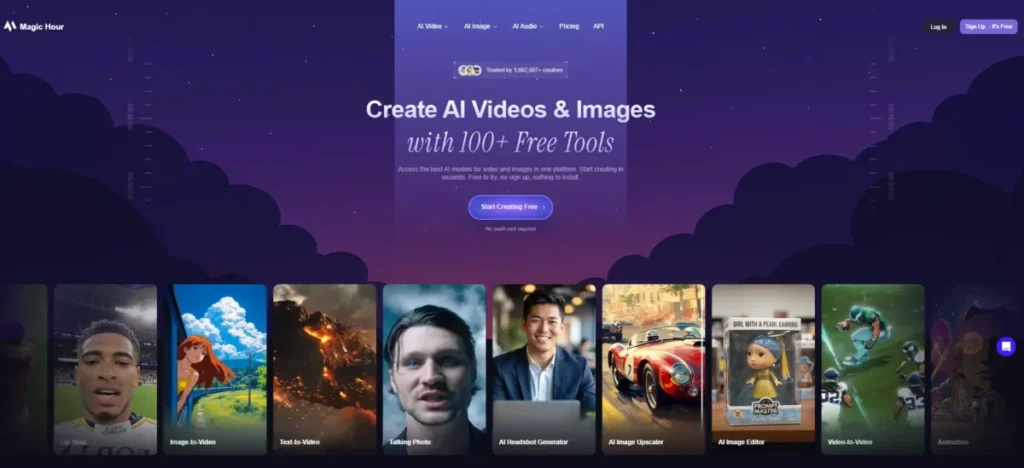
1. Magic Hour: Best for a Few Prompt Edits a Day With No Account
- Best for:
- an individual making two or three prompt-based edits a day who wants the result in the browser without creating an account.
- Avoid if:
- the edited image will appear in an ad, a store listing, or client work.
- Starting price:
- $0 with no account. Practical tier: paid access, which the same page ties to ads, social media, ecommerce listings, client work, and branding.
- Free plan:
- the AI Image Editor page states 3 free edits per day with no account needed.
- First limit that bites:
- the fourth edit of the day.
- Better than Photoroom:
- no sign-up wall between arriving and downloading a result.
- Worse than Pixlr:
- no layer stack, so a prompt that gets 80 percent of the way there cannot be finished by hand.
- Setup difficulty:
- Low. Open the page, upload, describe the change, download. Hidden costs: none on the free path, because the constraint is the license rather than an add-on. Evidence status: free allowance, account requirement, watermark status, and usage rights all confirmed on Magic Hour’s own AI Image Editor page.
Three edits is the whole story here. A prompt edit is rarely right the first time, so in practice the daily allowance is closer to one finished image than three.
The free path around that allowance is unusually clean. The editor runs in the browser with no account, no sign up, and no download, and Magic Hour states that results carry no watermark for all users, free ones included.
That reframes who this suits. Someone fixing a personal photo will finish inside the allowance, and a marketer iterating on a hero image will hit the wall before lunch.
The license is the harder constraint. Magic Hour states that free users may use outputs for personal, non-commercial purposes, and lists ads, ecommerce listings, and client work under paid access instead.
Treat that as a hard gate rather than a grey area. If the image has a commercial destination, this free tier is the wrong starting point even though it will happily produce the file.
| Pros | Cons |
|---|---|
| No account, no sign up, and no download before the first result | Three edits per day is roughly one finished image after iteration |
| No watermark on results, including for free users | Free output is restricted to personal, non-commercial use |
| Prompt-led editing with no interface to learn | No layer editing to finish what the prompt gets close to |
| Daily reset makes the allowance plannable | Commercial destinations require paid access |
- Verdict:
- the strongest free entry point on this list for personal prompt edits, and the wrong one for anything that will earn money.
2. Photoroom: Best for Occasional Product Cutouts With a Countable Ceiling
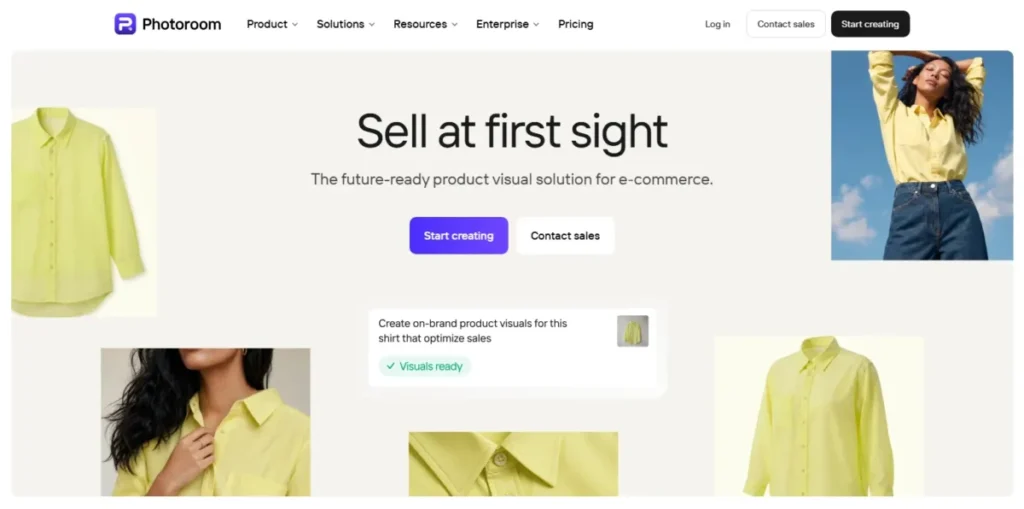
Photoroom is the only tool here that tells you exactly how many finished files the free tier will release, which is worth more to a seller than any feature comparison.
- Best for:
- a solo seller or creator producing product cutouts at a pace under roughly five listings a week.
- Avoid if:
- the images are for a business, because the Free plan documentation excludes commercial use.
- Starting price:
- $0 on the Free plan.
- Practical tier:
- Pro, the first of the three paid plans listed alongside Free.
- Free plan:
- free of charge with limited access to features.
- First limit that bites:
- the 26th export in a week, or the 101st in a month.
- Better than Fotor:
- the export ceiling is a published number rather than an unquantified credit pool.
- Worse than Magic Hour:
- an account and a Space are required before the first download.
- Setup difficulty:
- Low. Upload a photo, let the background come off automatically, edit if needed, then download. Hidden costs: none in dollars, but the AI generation allowance is separately described as low and is not quantified. Evidence status: plan structure and commercial-use restriction confirmed in Photoroom’s plans article; the export numbers come from its dedicated export-limit article.
The workflow is the shortest on this list for one specific job. Photoroom documents uploading a photo, removing its background automatically, optionally adding text, graphics, shadows, or a new background, then downloading the file in a chosen format.
The ceiling is 25 exports per week or 100 per month. Hitting it produces an in-app message offering two options, upgrading the Space or waiting for the limit to reset.
Convert that into listings and the fit becomes obvious. Twenty-five exports covers about eight products at three angles each, which is a good week for a small shop and a slow morning for a catalogue team.
Two other Free-plan constraints matter more than the export number for some readers. Photoroom’s plans article states that some features are not available at all on Free, and that AI generation carries a low limit that it does not quantify.
The restriction that decides it, though, is the license. The same article states plainly that you cannot use Photoroom for commercial use on the Free plan. That puts every paid listing, client asset, and marketplace photo outside the free tier, however many exports remain.
That is a sharper boundary than most competing roundups report, and it flips the recommendation for anyone selling. Photoroom Free is a trial of a strong commercial tool, not a free version of it.
| Pros | Cons |
|---|---|
| The only published export ceiling on this list, at 25 weekly and 100 monthly | Free plan documentation excludes commercial use outright |
| Background removal is automatic and needs no manual selection | Some features are not available at all on Free |
| Overflow behavior is documented: wait for reset or upgrade | The AI generation limit is described as low and is not quantified |
| Editing continues after removal with text, shadows, and backgrounds | An account and a Space are required before the first export |
- Verdict:
- the stronger task-specific choice for product backgrounds when the work is personal or exploratory, and a paid decision the moment the images are attached to a business.
3. Adobe Express: Best When the Edit Has to Become a Finished Post
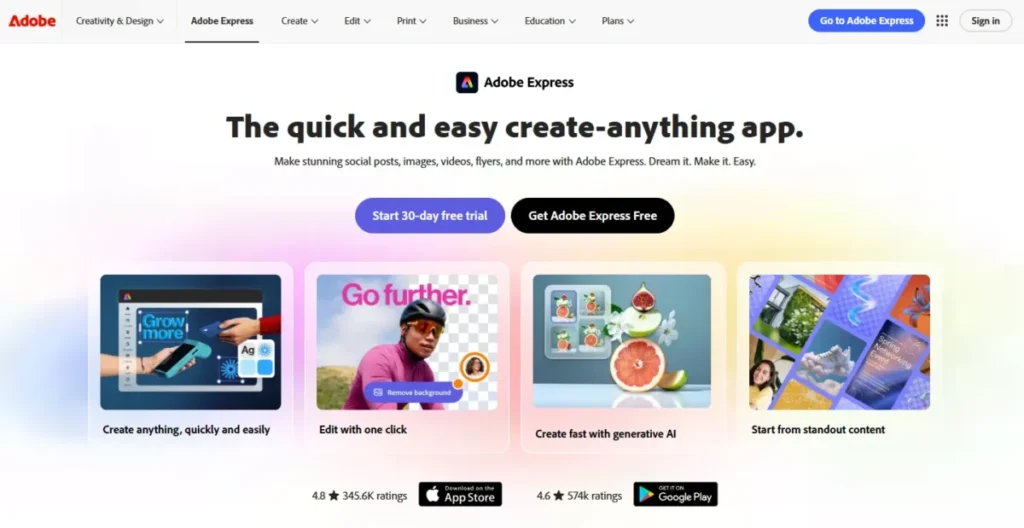
Adobe Express is the only entry here where the photo edit is the smaller half of the job.
- Best for:
- a creator or solo marketer who needs a background removed and then needs the result laid out as a social asset.
- Avoid if:
- repeated generative editing is the main workload, because the free generative allowance is daily and its size is not published.
- Starting price:
- the pricing page lists Adobe Express Free at US$0.00.
- Practical tier:
- the paid tier that replaces daily generations with a monthly credit pool of 250.
- Free plan:
- access to 100,000+ static and video templates, 1M+ Adobe Stock assets, 4,000+ fonts, standard photo, video, and document editing tools, 5GB of storage, and 10 days of version history.
- First limit that bites:
- the daily generation allowance, whose number the pricing page does not state.
- Better than Photoroom:
- the background-removed image lands inside a full template system rather than a photo editor.
- Worse than Pixlr:
- less manual control over the cutout edge once the automatic pass is done.
- Setup difficulty:
- Low to medium. Removing a background is three steps, and learning the template system takes longer.
- Hidden costs:
- two capabilities on the free tier are capped for the lifetime of the account rather than per day.
- Evidence status:
- plan price, included assets, and the generative allowances come from Adobe’s own Express pricing page; the erase workflow comes from Adobe’s background-removal feature page.
The background erase itself is documented in three steps, choosing an image where the subject is well defined, uploading it, then downloading or continuing to keep editing in Adobe Express.
The generative economics are where this tier gets interesting, and where most comparisons repeat a stale number. Adobe’s pricing page shows the Free plan receiving free daily generations for image creation and for insert and remove objects, against 250 monthly credits on the paid tier and 4,000 on the top one.
Two features are handled differently and this is the detail worth carrying away. Presentation generation on Free is capped at 5 free lifetime uses and 5-second video generation at 2 free lifetime uses, which are not allowances at all but samples.
For a photo editor that distinction rarely bites. For anyone planning to use Express as a general AI creative tool it decides the whole question, because two of its headline generative features are exhausted permanently after a handful of clicks.
The free asset library is the genuine value here. A hundred thousand templates and a million stock assets is a larger creative surface than any other free tier on this list offers, and it is the reason to accept the Adobe account.
| Pros | Cons |
|---|---|
| US$0.00 tier with 100,000+ templates and 1M+ Adobe Stock assets | The size of the free daily generation allowance is not published |
| Background removal feeds directly into a template and layout system | Presentation generation is capped at 5 uses for the life of the account |
| 4,000+ Adobe Fonts and standard editing tools included at no cost | Video generation is capped at 2 uses for the life of the account |
| 5GB of storage and 10 days of version history on the free tier | Free-tier usage rights are not stated on the pricing page |
- Verdict:
- the stronger free choice when the deliverable is a finished graphic rather than a finished photograph, provided the generative work stays occasional. Readers comparing its credit economics against Adobe’s standalone generative tool should check Adobe Firefly pricing before committing.
Problem 2: The Free Terms Belong to the Tool, Not to Your Account
The four editors below share one trait that breaks planning. Their free conditions are set per tool, so the answer to “is this free” changes as you move around the same website.
4. Pixlr: Best Browser Editor With a Genuinely Free Background Remover
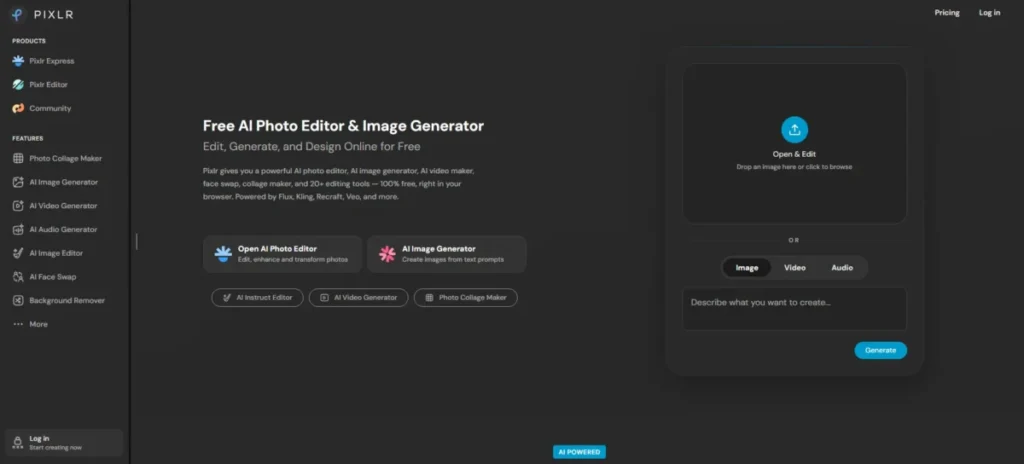
Pixlr splits into a free tool and a credit economy, and the boundary between them is the whole decision.
- Best for:
- someone who wants layer-style browser editing plus a background remover that costs nothing.
- Avoid if:
- the plan is to run generative fill or expand repeatedly, because no free credit figure is published.
- Starting price:
- $0. Pixlr describes itself as a free online AI photo editor and image generator.
- Practical tier:
- Plus at $2.49 per month billed monthly, or $1.99 per month billed yearly.
- Free plan:
- the site states the free version works without requiring an account or any charges.
- First limit that bites:
- the generative tools, where the free allowance is undisclosed while Plus lists 80 monthly AI credits.
- Better than Fotor:
- background removal is stated as free for all users rather than free on one landing page and watermarked elsewhere.
- Worse than Adobe Express:
- no template library to turn the edit into a finished asset.
- Setup difficulty:
- Medium. Two editors, Pixlr Express and Pixlr Editor, and a fine-tune workflow with Draw, Magic, and Lasso tools.
- Hidden costs:
- the AI credit ladder climbs steeply, from 80 a month on Plus to 1,000 on Premium.
- Evidence status:
- the free positioning comes from Pixlr’s own home page, the credit tiers from its pricing page, and the background-removal terms from that tool’s own page.
The background remover is the reason to keep Pixlr on a shortlist. Pixlr states that its AI Background Remover is completely free for all users, documents batch upload, and offers Draw, Magic, and Lasso fine-tuning after the automatic pass.
That fine-tune step is what separates it from single-purpose cutout services such as the one covered in the remove.bg review. A hair edge or a transparent bottle is where automatic removal fails, and Pixlr is the only free entry here that documents a manual repair path.
The generative side is the opposite story. Pixlr’s pricing page lists 80 monthly AI credits on Plus, 1,000 on Premium, and up to 10,000 on Ultra, and shows no free plan with a credit figure at all.
A repeating generative workflow has nothing published to sit on here. Use Pixlr for the free background remover and the manual editing depth, and treat generative fill as a feature to evaluate rather than to schedule.
| Pros | Cons |
|---|---|
| Background remover is stated as completely free for all users | No free AI credit figure appears on the pricing page |
| Draw, Magic, and Lasso fine-tuning after the automatic cutout | Two separate editors add a learning step |
| Batch upload for multiple background removals at once | Generative fill and expand sit inside the paid credit ladder |
| Free version works without an account or charges | Free-tier usage rights are not stated on the reviewed pages |
- Verdict:
- pick Pixlr if the job is cutouts plus manual cleanup in a browser, and look elsewhere if the job is repeated generative editing.
5. Fotor: Best for One Watermark-Free Cutout Without Signing Up
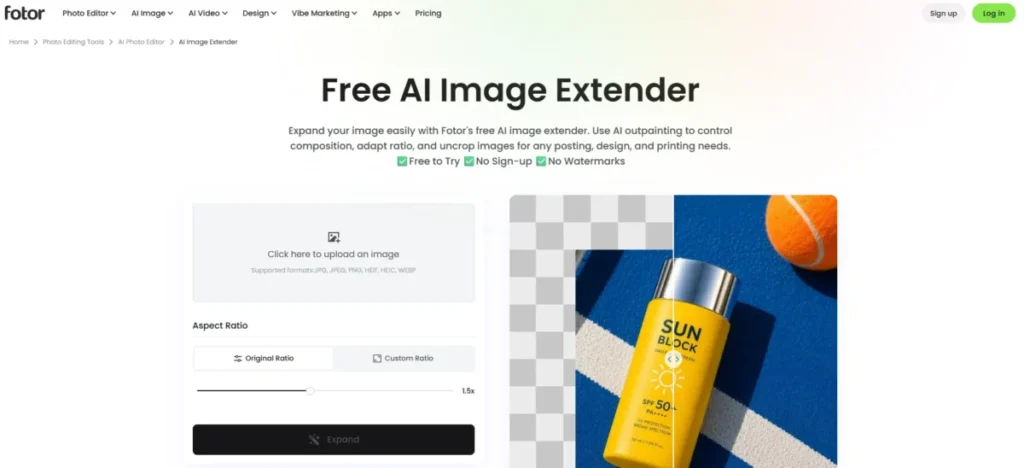
Fotor is the clearest case on this list of a plan-level rule and a tool-level exception pointing in opposite directions, and reading only one of them produces the wrong answer.
- Best for:
- a one-off transparent PNG cutout, downloaded at high resolution, with no account.
- Avoid if:
- the plan is to use Fotor generally on the free tier, where exports are watermarked.
- Starting price:
- Fotor Basic at US$ 0, described as free forever.
- Practical tier:
- the first paid tier, which is what removes the export watermark across the suite.
- Free plan:
- Basic, carrying limited free credits. First limit that bites: the watermark, on any Basic export outside the specific free tools.
- Better than Photoroom:
- no account is needed for the background remover, and its output is not counted against an export quota.
- Worse than Photoroom:
- no published number for the Basic credit pool, so heavier use cannot be planned.
- Setup difficulty:
- Low for the background remover, medium for the wider suite.
- Hidden costs:
- the watermark functions as the cost, because a watermarked JPG is not a deliverable.
- Evidence status:
- the Basic price, credit description, and watermark policy come from Fotor’s pricing page, while the exemption comes from the background remover’s own feature page.
The pricing page is blunt about Basic. It lists limited free credits and watermarked JPG, PNG, and PDF exports, which is normally where a free tier stops being useful.
The background remover carries different terms. Its own page advertises free HD download, no watermarks, and no sign-up required, and states in its FAQ that the tool is free to use with no sign up needed.
Both statements are true at different scopes, and the practical rule follows from that. Treat Fotor as a single free utility that happens to live inside a paid suite, rather than as a free suite.
The workflow is three steps: upload, automatic subject detection and removal, then download a high-resolution transparent PNG or switch to a white or custom background. Anything after that step, in the wider editor, is back under the Basic watermark rule.
| Pros | Cons |
|---|---|
| Background remover offers HD download with no watermark and no sign up | Basic exports are watermarked across JPG, PNG, and PDF |
| Basic is listed at US$ 0 and described as free forever | The Basic free credit pool carries no published number |
| Automatic subject detection with an option to swap backgrounds | The watermark-free terms cover one tool, not the account |
| Output resolution is not reduced on the free background remover | Continuing to edit after the cutout re-enters the watermarked path |
- Verdict:
- use Fotor when the deliverable is a cutout and nothing else, and read any wider free claim about the suite as applying to Basic’s watermark rule instead.
6. Microsoft Designer: Best for Casual Personal Edits Inside a Microsoft Account
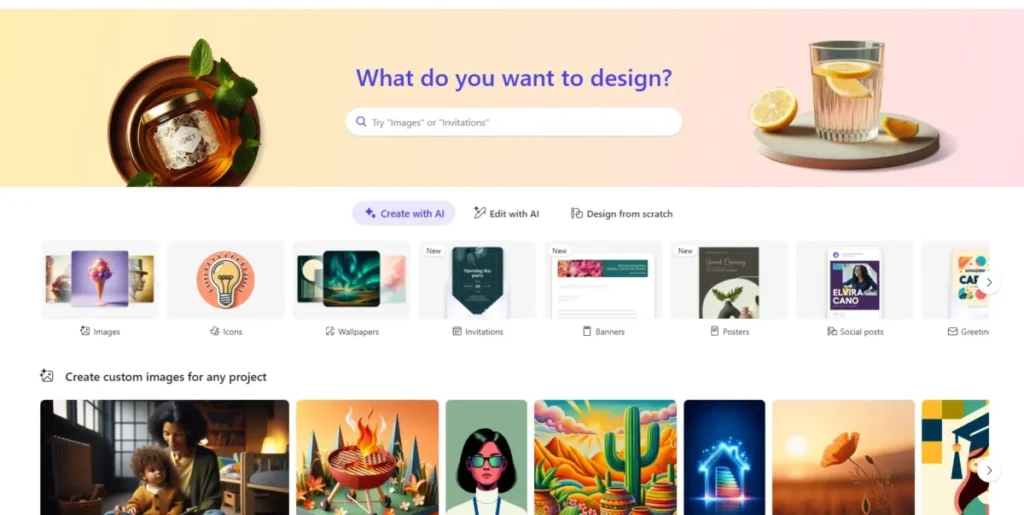
Designer is free in a way that is easy to state and hard to plan around.
- Best for:
- someone who already signs into a Microsoft account and wants occasional AI edits and social graphics at no cost.
- Avoid if:
- the output is for a business, since the license is explicit about personal, non-commercial use.
- Starting price:
- $0. Microsoft states that Designer is free to use.
- Practical tier:
- the subscription Microsoft says may be required for those who want to create more frequently.
- Free plan:
- the free service, gated behind a free Microsoft account.
- First limit that bites:
- creation frequency, which Microsoft acknowledges without quantifying.
- Better than Magic Hour:
- the account you already have removes the signup friction that a new tool imposes.
- Worse than Magic Hour:
- the frequency ceiling is invisible until you reach it.
- Setup difficulty:
- Low, assuming a Microsoft account already exists.
- Hidden costs:
- none in dollars; the cost is planning uncertainty around an unpublished ceiling.
- Evidence status:
- the free status, account requirement, and license come from Microsoft’s Designer FAQ; the editing capabilities come from Microsoft’s Designer welcome page.
Microsoft documents the image editing set directly. The welcome page describes using AI tools to restyle an image, remove or blur backgrounds, and fix individual elements with crop, rotate, and adjust, alongside filters, templates, and text.
That is a narrower documented set than Designer is often credited with. Roundups routinely attribute object removal and image upscaling to it, and neither appears in the capabilities Microsoft lists on that page.
The account requirement is unavoidable and cheap. Microsoft states you need to sign in with a Microsoft account, which is free and takes a few minutes.
The two constraints that actually decide it sit in the FAQ. Microsoft says a subscription may be required for those who want to create more frequently, and that Designer is licensed for personal, non-commercial use with your Microsoft account.
Read together, those make Designer a personal tool with a soft ceiling. It is a poor foundation for anything a company will publish, and a reasonable default for a birthday invitation.
| Pros | Cons |
|---|---|
| Free to use with no paid tier required to start | Licensed for personal, non-commercial use only |
| Uses a Microsoft account most readers already hold | Creation frequency ceiling is acknowledged but never quantified |
| Restyle, background removal or blur, and crop and adjust in one place | Object removal and upscaling are not in the documented capability list |
| Design templates and text options sit beside the photo tools | A subscription may be required to create more frequently |
- Verdict:
- a sensible free default for personal images inside an existing Microsoft account, and the wrong tool the moment the image has a commercial destination.
7. PicWish: Best for Repairing Five Photos a Day
PicWish publishes the most specific free number on this list for one job, and almost nothing about the rest.
- Best for:
- restoring or sharpening a handful of blurry or low-resolution photos each day.
- Avoid if:
- the work arrives in batches larger than five images a day, or the free download rules for other tools need to be known in advance.
- Starting price:
- $0 on the free path. Practical tier: the Pro plan, which the pricing page presents as pay as you go.
- Free plan:
- the enhancer publishes a standard daily allowance rather than a credit pool.
- First limit that bites:
- the sixth enhancement in a day.
- Better than Cutout.Pro:
- the allowance renews daily instead of arriving once as starter credits.
- Worse than Cutout.Pro:
- the credit cost of each operation is not published, so overflow behavior cannot be calculated.
- Setup difficulty:
- Low. Upload, drag, or paste, then download.
- Hidden costs:
- unclear rather than absent, since the pricing page does not render its free-plan terms.
- Evidence status:
- the daily enhancement allowance and workflow come from PicWish’s own photo enhancer page; the plan structure comes from its pricing page.
The enhancer page states that every user gets 5 free standard enhancements per day and that up to 30 images can be processed at once on the web. The workflow runs in three steps, and the enhanced image downloads for free.
Those two facts sit in tension and the resolution matters. Thirty images can be processed in one pass, while five standard enhancements per day are free, so batching speeds up the work without enlarging the allowance.
Outside the enhancer, the free picture is thinner. The PicWish pricing page presents the Pro plan as pay as you go and points to a Free and Pro comparison, but does not set out the free plan’s download terms in its page text.
The five-a-day figure does not generalize across the platform. It is documented for standard enhancement, and nothing on the reviewed pages extends it to background removal or object removal.
| Pros | Cons |
|---|---|
| 5 free standard enhancements per day, renewing daily | The allowance is documented for the enhancer only |
| Batch processing of up to 30 images at once on the web | Free-plan download terms are not set out on the pricing page |
| The enhanced image is stated to download for free | Pro pricing is pay as you go rather than a flat published tier |
| Restoration and sharpening work without a separate editor | Nothing published extends the daily figure to other PicWish tools |
- Verdict:
- a good fit for a few photo repairs a day, and a tool to verify inside the editor before planning a larger batch workflow around it.
Problem 3: Getting the File Is Not the Same as Being Allowed to Use It
The last three publish their commercial boundary more clearly than their capacity. That ordering is deliberate on their part, and it is the reason they rank here.
8. insMind: Best for Exploring Many Ecommerce Edits in One Place
insMind covers the widest set of ecommerce edits of any free-labeled suite here, and states outright that its free conditions are not uniform.
- Best for:
- an ecommerce seller trying several kinds of edit before deciding which tool to standardize on.
- Avoid if:
- a single predictable free policy is needed across a repeatable workflow.
- Starting price:
- $0 on the tools the editor labels as free.
- Practical tier:
- not published as a single figure on the editor page.
- Free plan:
- insMind states you can start from the online editor and access tools labeled as free.
- First limit that bites:
- whichever tool in the chain asks for sign-in or credits first.
- Better than Cutout.Pro:
- previews and free tools are not metered from a single depleting pool.
- Worse than Photoroom:
- no published export number anywhere on the editor page.
- Setup difficulty:
- Low per tool, medium across a chain of them.
- Hidden costs:
- the variability itself, since a workflow can stall at its third step.
- Evidence status:
- the tool list and the variable free conditions both come from insMind’s own AI photo editor page.
The tool set is the draw. AI background remover, AI Background, AI image enhancer, AI image expander, AI Replace, Magic Eraser, Generative Fill, and AI photo filters cover most of what a product listing needs.
The warning comes from insMind itself, and it is unusually candid. The page states that sign-in, credit, and export options can vary by tool, and advises checking the controls shown in the editor before starting a large batch.
Take that literally rather than as boilerplate. A cutout that was free does not make the expander free, and the only reliable check is opening the specific tool.
| Pros | Cons |
|---|---|
| Eight named AI editing tools in one browser suite | Sign-in, credit, and export conditions vary by individual tool |
| Ecommerce-shaped tools including expander and generative replace | No published export or credit figure on the editor page |
| Tools carry a visible free label inside the editor | A multi-step workflow can stall partway through |
| Free entry point with no purchase before the first edit | Free-tier usage rights are not stated on the editor page |
- Verdict:
- worth a place on the shortlist for exploring ecommerce edits, and a poor choice for a workflow that has to behave the same way every week. Sellers weighing it against a dedicated product-photo tool can compare it with the Pic Copilot review.
9. Cutout.Pro: Best for a Handful of Full-Resolution Jobs From Starter Credits
Cutout.Pro is the clearest example on this list of the difference between a free preview and a free file.
- Best for:
- an occasional user who needs a small number of full-resolution cutouts or enhancements and can plan around a fixed grant.
- Avoid if:
- the work repeats, because the starter credits do not renew.
- Starting price:
- $0 for the free account.
- Practical tier:
- purchased credits, once the starter grant is spent.
- Free plan:
- free previews forever plus 5 free credits, recommended for personal use and evaluation.
- First limit that bites:
- the sixth credit-consuming image.
- Better than YouCam Online Editor:
- the credit price of each operation is published, so the free allowance can be budgeted exactly.
- Worse than PicWish:
- nothing renews, so a busy week ends the free tier permanently.
- Setup difficulty:
- Low. Upload, preview, then spend a credit to release the full-resolution file.
- Hidden costs:
- the resolution gap, since free downloads are limited to low-resolution results.
- Evidence status:
- the credit grant, per-operation costs, and personal-use positioning come from Cutout.Pro’s image pricing page; the low-resolution free download comes from its enhancer page.
The credit arithmetic is unusually easy to do in advance. Background removal and image retouch cost 1 credit per image, while enhancer and colorizer cost 2, so five starter credits buy five cutouts or two enhancements with one credit stranded.
Free use without credits still produces something. The enhancer page describes free downloads for low resolution results, which is enough to judge quality and not enough to ship.
The positioning matches the arithmetic. The pricing page recommends the free account for personal use and evaluation, which is an honest description of a five-credit grant.
| Pros | Cons |
|---|---|
| Per-operation credit costs are published, at 1 or 2 credits per image | Five starter credits are a one-time grant that does not renew |
| Free previews are unlimited and useful for judging output quality | Free downloads are limited to low-resolution results |
| Five credits buy five cutouts or two enhancements, calculable in advance | The free account is positioned for personal use and evaluation |
| Referral credits extend the grant without payment | A single busy session exhausts the free tier permanently |
- Verdict:
- the right free tool for a small, countable number of finished files, and the wrong one for anything that recurs. The full capability picture sits in the Cutout.Pro review.
10. YouCam Online Editor: Best for Trying Portrait Repair Before Committing Budget
YouCam Online Editor ranks last here on free-tier terms rather than on output, and the terms are the most restrictive on the list.
- Best for:
- evaluating portrait repair, object removal, and color correction before deciding whether to pay.
- Avoid if:
- the output has any commercial destination, or the schedule depends on the free allowance still existing next week.
- Starting price:
- $0 after registration.
- Practical tier:
- the Pro subscription, which the service terms tie to commercial use.
- Free plan:
- the terms state that Perfect may provide a certain number of free credits upon registration.
- First limit that bites:
- the credit grant, whose size the terms leave to Perfect Corp.
- Better than Cutout.Pro:
- a broader portrait and retouch tool set aimed at faces rather than products.
- Worse than Cutout.Pro:
- no published credit figure and no published per-operation cost.
- Setup difficulty:
- Low. Registration, then upload and apply a tool.
- Hidden costs:
- the discretionary nature of the grant, which the terms allow to be suspended.
- Evidence status:
- the credit and commercial-use terms come from the YouCam Online Editor service terms; the tool names come from the product’s own photo enhancer page.
The tool set is documented on the enhancer page and is genuinely portrait-shaped. AI Photo Enhancer, AI Object Remover, AI Color Correction, and AI Image Brightener cover the repairs most personal photos need.
The terms are where this drops to tenth. Perfect Corp states that free credits shall not be used commercially and may be suspended at any time at its sole discretion, and that only the Pro subscription plan permits commercial use of output.
Pay-as-you-go credits carry the same commercial restriction unless stated otherwise. That means paying money does not by itself buy the right to use the result at work.
| Pros | Cons |
|---|---|
| Portrait-focused enhancer, object remover, and color correction | Free credits may be suspended at any time at the vendor’s discretion |
| Free credits are granted on registration with no purchase | Free credits are explicitly excluded from commercial use |
| Browser-based with no desktop install | Commercial use of output requires the Pro subscription |
| Useful for judging portrait repair quality before paying | Pay-as-you-go credits carry the same commercial restriction |
- Verdict:
- treat this as an evaluation tool for portrait repair, and assume any commercial output needs Pro.
Side-by-Side Comparison: All Ten Free AI Photo Editors
| Tool | Free ceiling | What stops you first | Who it fits |
|---|---|---|---|
| Magic Hour | 3 edits per day | Iteration, not the counter | Personal prompt edits, no account |
| Photoroom | 25 exports weekly, 100 monthly | The commercial-use exclusion | Solo sellers testing a workflow |
| Adobe Express | Free daily generations | Two lifetime-capped features | Creators who need a finished post |
| Pixlr | Free background remover for all users | The undisclosed AI credit allowance | Browser editing with manual cleanup |
| Fotor | Free HD cutouts on one tool | The Basic export watermark | A single clean cutout, no login |
| Microsoft Designer | Undisclosed creation frequency | The personal-use license | Casual edits in a Microsoft account |
| PicWish | 5 enhancements per day | The sixth photo of the day | Repairing a few images daily |
| insMind | Varies by tool | Whichever tool asks first | Exploring ecommerce edits |
| Cutout.Pro | 5 one-time credits | The sixth full-resolution file | A small, countable batch |
| YouCam Online Editor | Discretionary credit grant | The commercial-use exclusion | Evaluating portrait repair |
No row in that table repeats another, which is the argument against treating these as ten versions of one product.
Pricing Comparison: Free Entry Price vs the Practical Tier
Every tool here enters at zero, so entry price decides nothing. The practical tier, the one that removes the constraint you will actually hit, is where the money appears.
| Tool | Free entry | Practical paid tier | What the money removes |
|---|---|---|---|
| Magic Hour | $0, no account | Paid access | The personal-use restriction on output |
| Photoroom | $0 Free plan | Pro | The export ceiling and the commercial-use exclusion |
| Adobe Express | US$0.00 | Premium at 250 monthly credits | Daily generation limits and lifetime caps |
| Pixlr | $0, no account | Plus at $2.49 monthly or $1.99 yearly | The 80-credit ceiling replaces an undisclosed one |
| Fotor | US$ 0 Basic | First paid tier | The watermark on JPG, PNG, and PDF exports |
| Microsoft Designer | $0 with a Microsoft account | Subscription for frequent creation | The unpublished frequency ceiling |
| PicWish | $0 free path | Pro, pay as you go | The five-per-day enhancement cap |
| insMind | $0 on free-labeled tools | Not published on the editor page | Per-tool sign-in and export conditions |
| Cutout.Pro | $0 with 5 starter credits | Purchased credits | The low-resolution download restriction |
| YouCam Online Editor | $0 after registration | Pro subscription | The commercial-use exclusion on output |
Source: official pricing and plan documentation for Magic Hour free editor terms, Photoroom plans, Adobe Express pricing. Also Pixlr pricing, Fotor pricing, Microsoft Designer FAQ. And PicWish pricing, insMind editor, Cutout.Pro image pricing, YouCam service terms.
Two patterns run through that right-hand column. On five of these ten, the money buys capacity, and on the other five it buys permission, which is a different purchase with a different urgency.
Permission does not scale down. If the license blocks the use, a smaller workload does not help, so those five are either paid from day one or not used for that job at all.
Feature Gate Comparison: What the Free Tier Locks
Feature gates on free AI photo editors rarely hide a whole capability. They meter it, watermark it, or restrict what the result may be used for, which is harder to see from a feature list.
| Tool | Generative editing on free | Export quality on free | Batch on free | Commercial rights on free |
|---|---|---|---|---|
| Magic Hour | 3 prompt edits daily | No watermark stated | Not documented | Personal use only |
| Photoroom | Low limit, not quantified | Counted against the export cap | Not documented on Free | Excluded |
| Adobe Express | Daily generations, size undisclosed | Standard editing tools included | Not documented on Free | Not stated |
| Pixlr | Credit allowance undisclosed | Not stated for the free path | Multiple images at once | Not stated |
| Fotor | Limited credits, not quantified | Watermarked outside the free tools | Not documented on Basic | Not stated |
| Microsoft Designer | Frequency ceiling undisclosed | Not stated in the FAQ | Not documented | Personal use only |
| PicWish | Not offered | Free download on the enhancer | Up to 30 images at once | Not stated |
| insMind | Varies by tool | Varies by tool | Varies by tool | Not stated |
| Cutout.Pro | Not offered | Low resolution unless credits are spent | Not documented on free | Personal and evaluation use |
| YouCam Online Editor | Not offered | Not stated on the pages reviewed | Not documented | Excluded from free credits |
Source: official product and workflow documentation for Magic Hour editor workflow, Photoroom background remover, Adobe Express background eraser. Also Pixlr background remover, Fotor background remover, Microsoft Designer image editing. And PicWish photo enhancer, insMind tool list, Cutout.Pro image enhancer, YouCam photo enhancer.
Count the cells reading “undisclosed”, “not stated”, or “varies by tool” and a second finding appears. Eighteen of the forty cells above describe a condition the vendor has not published, which is why a free-tier comparison built from feature lists alone tends to be wrong.
That is not evidence of bad faith. It is evidence that free tiers are tuned continuously, and a published number is a commitment most vendors avoid making.
Setup and Switching Difficulty
Setup cost is low across this category, so the number that matters is how much work is stranded if the free tier stops being enough.
| Tool | Setup | Reason | Switching cost if the free tier ends |
|---|---|---|---|
| Magic Hour | Low | No account, upload and prompt | None, nothing is stored |
| Photoroom | Low | Account plus a Space, then automatic removal | Designs saved in the Space stay behind |
| Adobe Express | Medium | Template system takes longer than the edit | 5GB of assets and 10 days of version history |
| Pixlr | Medium | Two editors and a manual fine-tune workflow | Layered projects do not move to other tools |
| Fotor | Low | Three-step cutout, no account | None on the background remover |
| Microsoft Designer | Low | Microsoft account already exists for most readers | Designs stay in the Microsoft account |
| PicWish | Low | Upload, drag, or paste | None, output is downloaded per image |
| insMind | Low | Per tool, higher across a chain | Depends on which tools were used |
| Cutout.Pro | Low | Upload, preview, spend a credit | Unspent credits stay on the account |
| YouCam Online Editor | Low | Register, then upload | Granted credits stay with the account |
The two medium rows are the two worth thinking about before starting. Adobe Express and Pixlr both reward investment in a project structure, and that structure is exactly what does not travel when you leave.
How to Choose a Free AI Photo Editor in Under a Minute
Work through these in order. The first question that returns a hard answer usually settles it, because rights and account constraints eliminate faster than features do.
Step 1. Does the image have a commercial destination? If it will appear on a store listing, an ad, a client deliverable, or a company page, remove Magic Hour, Photoroom, Microsoft Designer, Cutout.Pro, and YouCam Online Editor from the list immediately. Their published terms restrict free output to personal, evaluation, or non-commercial use.
Step 2. Can you create an account? If not, the list is Magic Hour, the Fotor Background Remover, and Pixlr’s free version, which are the three that state no account is needed.
Step 3. What is the job? Cutouts point to Photoroom, Fotor, or Pixlr. Repair points to PicWish or Cutout.Pro. Prompt-based changes point to Magic Hour or Pixlr. A finished social post points to Adobe Express or Microsoft Designer.
Step 4. How many finished files this week? Under five, a daily allowance works. Between five and twenty-five, Photoroom’s weekly export cap is the only published ceiling that fits. Above that, the free tier is a trial rather than a workflow.
Step 5. Does a watermark or a low-resolution file end the job? If yes, avoid Fotor outside its background remover and treat Cutout.Pro’s free downloads as previews rather than deliverables.
Step 6. Does the allowance need to still exist next month? Daily and weekly resets are contractual in the sense that they are published. Discretionary grants, undisclosed ceilings, and per-tool conditions are not, and planning around them is the most common way this category disappoints people.
Step 7. Check the specific tool before the batch, not after. On insMind, Fotor, and Pixlr the free terms live on the individual tool page rather than in the account, so the answer changes as you move around the same site.
a commercial destination?
personal or evaluation
use are out
an account?
Magic Hour, Fotor
Background Remover, Pixlr
Photoroom, Fotor,
Pixlr
PicWish,
Cutout.Pro
Magic Hour,
Pixlr
Adobe Express,
Microsoft Designer
a daily allowance
is enough
Photoroom is the only
published ceiling that fits
the free tier is a trial,
not a workflow
The tree ends at a shortlist rather than a single name on purpose. Two tools survive most paths, and the tie is broken by whichever one you can open without creating an account.
Common Mistakes When Choosing a Free AI Photo Editor
Reading the plan page and stopping there. Fotor’s pricing page says Basic exports are watermarked and its background remover page advertises watermark-free HD downloads, and both are accurate at their own scope.
Treating a free preview as a free file. Cutout.Pro’s previews are unlimited and its full-resolution downloads cost credits, so a workflow validated on previews stops working the moment it needs deliverables.
Assuming one tool’s allowance applies to the suite. PicWish publishes five standard enhancements a day for its enhancer, and nothing on the reviewed pages extends that figure to its other tools.
Confusing a free account with free usage rights. Photoroom Free and Microsoft Designer both cost nothing and both exclude business use, which is a stricter constraint than any quota on this list.
Planning around a starter grant. Five Cutout.Pro credits and a discretionary YouCam credit allocation are one-time events, not a monthly budget.
Ignoring the reset cycle when comparing numbers. Three edits a day is 21 a week and beats a one-time grant of five within the first two days, even though five is the larger number.
Choosing on feature count. Every tool here removes backgrounds, and the differences that decide the job are the quota, the export condition, and the license.
Why Canva, Picsart, and Photopea Are Not in the Main List
Popularity is not an inclusion criterion here, and three well-known names were held out for specific reasons rather than by oversight.
Canva’s background-removal workflow is associated with its paid tier rather than its free one, which fails the test this ranking applies. Readers evaluating it as a general AI creative tool rather than a free photo editor will find the fuller picture in the Canva AI review.
Picsart markets a free editor, and the relevant background-removal path involves trial-gated paid access. A ranking built on free ceilings cannot include a tool whose decisive workflow sits behind a trial clock.
Photopea is a genuinely strong free browser editor and it is not primarily an AI photo editor, which is a different query. It belongs on a shortlist for manual layered editing rather than on this one.
The inclusion rule was the same for all ten entries: a real no-cost path to the decisive workflow, current official evidence for the free state, and at least one documented limitation. A tool that could not clear all three was left out regardless of how well known it is.
Final Verdict
The decision this article resolves is narrower than the keyword suggests. It is not which AI photo editor is best, it is which free ceiling sits above the job in front of you.
Work the ranking reason for each pick back to its own cohort and workflow, and the shortlist collapses fast, because the first disqualifier is a plan gate rather than a missing feature.
Magic Hour takes the top position for the query as most people mean it. Three renewing edits a day, no account, and no watermark is the shortest distance between a photo and a usable result on this list, and its personal-use license is the price of that.
Photoroom is the stronger pick when the job is product cutouts and the volume is countable, because 25 exports a week is the only published ceiling here you can plan against. Adobe Express wins when the photo edit is a step inside a larger design job rather than the deliverable.
The evidence that mattered most to this ordering was the published quota plus the documented license, in that order. Feature breadth mattered least, because every tool here removes a background and none of that decides anything.
So the winner by scenario changes with the cohort. A personal editor should choose Magic Hour, a seller inside the export ceiling should choose Photoroom, and a paying client on the brief makes every free tier here a disqualifier.
What the recommendation costs you is worth stating plainly. Choosing Magic Hour means accepting that nothing produced on the free tier can be sold, and choosing Photoroom Free means accepting the same restriction alongside an account requirement.
For anyone whose images have a commercial destination, the honest answer is that none of these free tiers resolves it. Five of the ten restrict commercial use explicitly, four do not state their free-use terms on the pages reviewed, and the correct next step is to price the practical tier rather than to keep testing free ones.
That is a decision the free tier can still help you make. Use it to find which tool produces the output you want, then pay for the one that does, rather than assembling a workflow from ceilings that were never designed to carry it.
Readers whose real problem turns out to be layout rather than photography should start from the best graphic design software instead.
FAQ – Best Free AI Photo Editors
These are the questions the tables above do not settle on their own, answered from the same official pages.
Which free AI photo editor works without creating an account?
Three of the ten state that no account is needed: Magic Hour’s AI Image Editor, the Fotor Background Remover, and Pixlr’s free version. Magic Hour is the only one of the three that also states its results carry no watermark.
Can I use a free AI photo editor for commercial work?
Not on most of this list without paying. Magic Hour, Microsoft Designer and Cutout.Pro all restrict free output to personal, evaluation or non-commercial use.
Photoroom’s Free plan excludes commercial use outright, and YouCam Online Editor’s terms reserve commercial use for its Pro plan.
Which free AI photo editor has no watermark?
Magic Hour states that no watermark is applied to AI Image Editor results for any user, including free users. Fotor’s Background Remover advertises watermark-free HD downloads, though Fotor’s pricing page describes Basic exports generally as watermarked, so that exemption belongs to the tool rather than to the plan.
How many images can I edit per day for free?
It depends entirely on the reset model rather than the tool. Magic Hour publishes 3 edits per day and PicWish publishes 5 standard enhancements per day, Photoroom publishes 25 exports per week or 100 per month, and Cutout.Pro grants 5 credits once rather than on a cycle.
What is the best free AI photo editor for product photos?
Photoroom for a countable weekly volume, because its export ceiling is published and its workflow is built for cutouts. Anyone selling those products commercially needs a paid plan on either tool, so the free tier is best used to confirm the output quality before that decision.
Do free AI photo editors reduce image resolution?
Some do and the article’s tools split on this. Cutout.Pro limits free downloads to low-resolution results and charges credits for full resolution, while the Fotor Background Remover advertises HD download on its free path.
Is a free AI photo editor enough for a small online store?
For under five listings a week, usually yes on quota and usually no on license. The quota question is answered by the daily and weekly allowances above, and the license question is answered by the fact that most free tiers here exclude business use.
What should I check before running a batch of images?
Open the individual tool and look at its own sign-in, credit, and export controls before starting. insMind states directly that these vary by tool, and the same pattern applies at Fotor and Pixlr, where the free terms belong to the tool rather than to the account. Anyone building repeatable prompt-driven edits should also standardize the wording first, which is what a library of AI photo editing prompts is for.