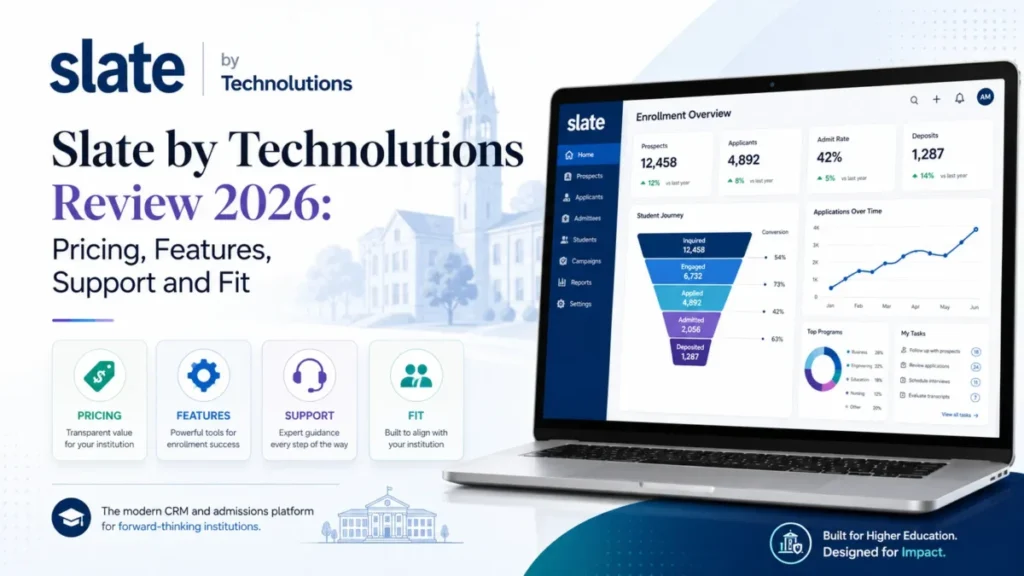
Slate by Technolutions is worth its $30,000 to $175,000 annual license for an admissions office that can name a dedicated Slate owner. It fits best from 1,500 applications a year up, and it is the wrong buy for a small office with nobody to configure it.
Technolutions prices Slate for Admissions per database by submitted applications, not per seat. I re-checked every band in October 2026, and Technolutions says it has made no license price increase in its 20+ year history. Its Slate AI Overview was last updated on June 24, 2026 and lists Summit 2026 features.
In This Article (14 sections)
Quick Verdict
| Question | Verdict |
|---|---|
| Best for | Admissions and enrollment offices with 1,500 or more applications a year and a named Slate owner |
| Not ideal for | Offices under 1,500 applications with no system owner, a this-term deadline or a need for a published support response time |
| Starting price | $30,000 per year for one admissions database under 1,500 submitted applications |
| Best practical plan | One admissions database sized to real application volume, with Student Success run inside it at no extra license cost |
| Free plan or trial | None published; evaluation starts with a demo request |
| Setup effort | The Fundamentals of Student Success learning path alone runs about 20 hours, and Technolutions lists implementation partners for full builds |
| Main strength | Unlimited user accounts and every feature in one license, with no feature tiers |
| Main limitation | Workflow rules rebuild when they run and clear records from users’ queues unless a “Do Nothing” rule protects them |
| Best alternative | Element451, with plans from $20,000 per year |
Sources: Technolutions licensing and pricing, Slate users and permissions, Student Success support resources, troubleshooting workflows and Element451 pricing, checked October 2026.
Staffing, not office size, flips this verdict. First, though, buyers want to know whether Slate is a CRM at all.
What Is Slate, and Is It a Good CRM?
Yes. Slate is a CRM built for higher education admissions, student success and advancement offices. Technolutions says Slate for Admissions “defines higher education CRM systems” and calls its Student Success and Advancement products CRM solutions too.
Slate is a good CRM for an admissions office with an owner, and a poor general sales CRM. Unlike what CRM software is in general, its core objects are applications, bins, reader queues and decisions, not deals.
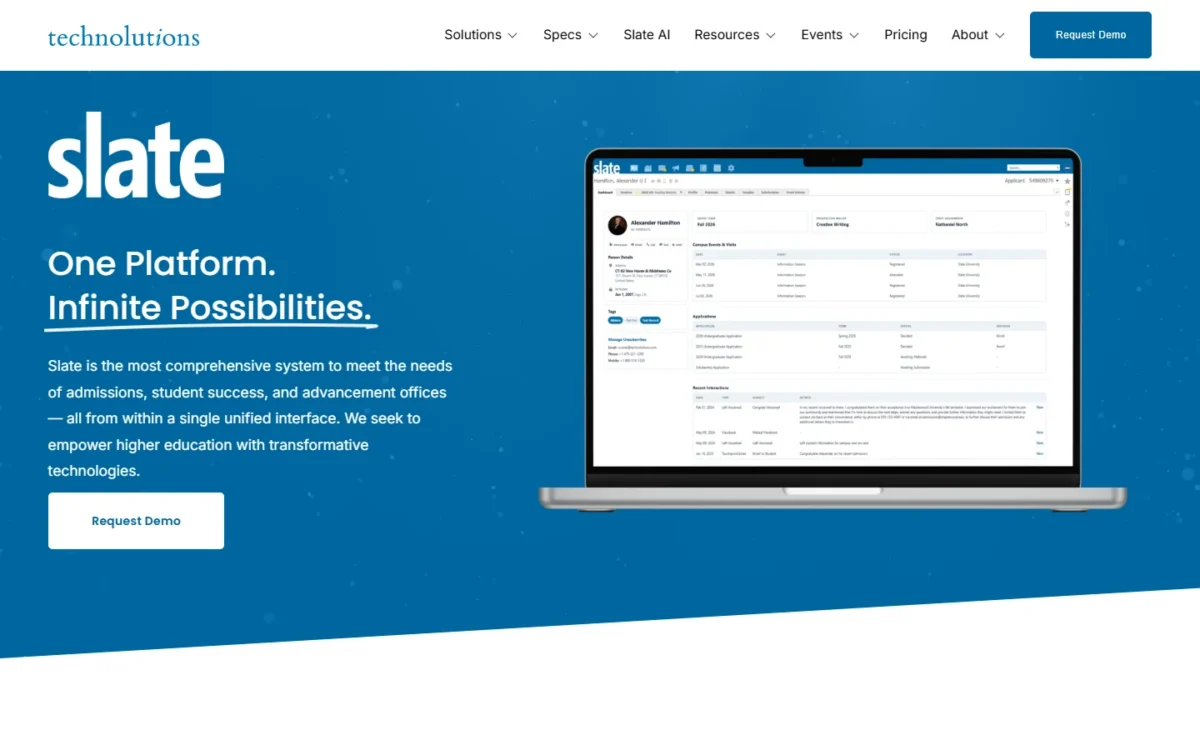
Technolutions says 2,000+ colleges and universities use Slate, and that Slate for Advancement serves over 100 advancement institutions (Technolutions homepage). A specialist CRM earns a premium only if the specialism changes daily work.
Slate by Technolutions Pros and Cons
Slate’s strengths are workflow depth and seat-free pricing; its weaknesses land on whoever administers it.
| Pros | Cons |
|---|---|
| Unlimited user accounts, so adding faculty readers adds no license cost | The entry band applies in full to an office under 1,500 submitted applications |
| One license covers reading, decisions, events, communications, portals and queries, with no feature tier | Separate undergraduate and graduate databases are each priced by their own volume |
| Every admissions band up to 100,000 applications is published, so a committee below that volume can budget before a sales call | SMS, voice and print rates sit outside the license and cannot be fixed in a contract |
| Named integrations for application services, SIS platforms and document systems, plus query web services | Web services share 300 requests and 300 seconds of processing per database every 5 minutes |
| Field-level and function-level permissions, plus populations and realms | Slate cannot query where permissions were granted, so audits need an outside register |
Sources: Technolutions licensing and pricing, Slate Credits, web services documentation and system permissions, checked October 2026.
The pros are workflows, so the next question is which admissions jobs Slate is built around.
What Slate Does Well
Slate is built around three admissions jobs: reading and deciding on applications, running events and communications on the same records, and turning queries into reports and integrations.
Application reading and decisions in one system
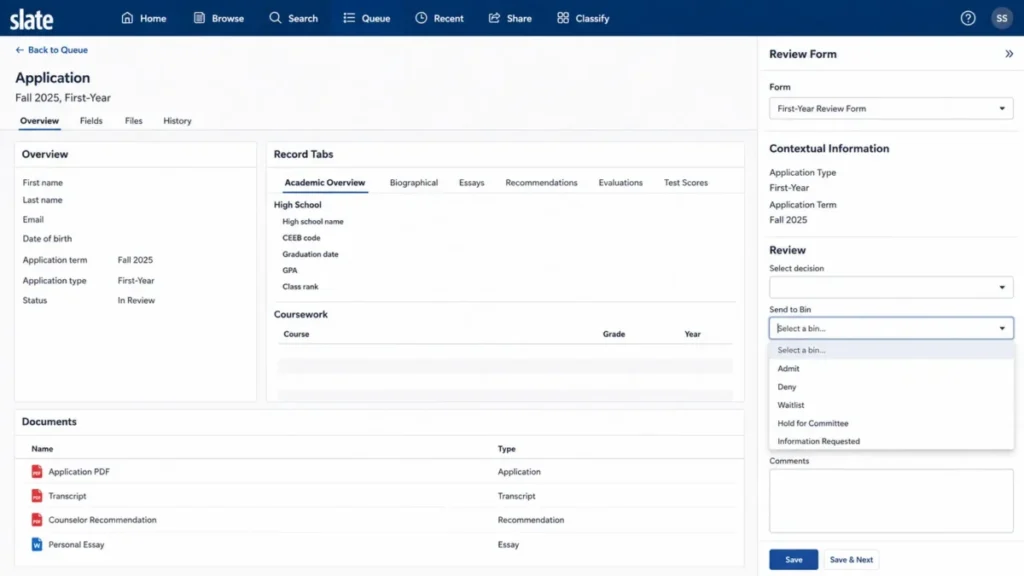
Readers work queues of applications in Reader, score them on review forms, and move each file to the next bin. Bins represent the stages of a process, and a reader can pull five random records into a queue with the +5 control (Reader overview).
Decision release runs from the same database, so a committee drops the handoff between an application vendor, a shared drive and a score spreadsheet. That is also how admissions officers read files in Slate: queues, review forms and bins, with each school setting its own rubric.
Events and communications on the same records
From any event page, Slate builds a query of all registrants and their form responses, so yield lists start from the event itself. Slate runs recurring or standalone events with invitation and reminder emails and automatic waitlists (Slate events).
Outreach mailings send from the event itself, and the Outreach tab records each recipient as Invited, Registered, Declined or Cancelled. Only users with the Deliver Send permission can send them (event invitations and RSVP), so several coordinators can build a mailing while one person approves the send.
Queries as the reporting and integration layer
Any Slate query can be called as a web service or scheduled to push data into another system. The output formats are JSON, XML, Excel and CSV/Google Sheets (web services documentation).
Web service access requires the Administrator (All Access) role, so feed building sits with whoever holds that role. The ceiling on this convenience comes later, in integrations.
Slate AI: What It Does in 2026
Slate AI drafts messages, analyzes query results, builds portal code, answers questions about the open record and reads application materials. That is the scope of Technolutions’ Slate AI Overview, updated June 24, 2026:
- An assistant on any Slate page, with typed or dictated prompts
- Portal building: CSS, HTML and Liquid markup for a portal part you describe
- Analysis of an executed query’s results
- Message drafts anywhere Slate has a text interface
- Four types of AI-enabled bots, from Q&A chat bots to agents that act in Slate
- Questions about the constituent record you have open
- Reader AI, which interprets essays, transcripts and recommendation letters and highlights passages
- AI video interviews, plus tasks created from prompts such as “Remind me to…”
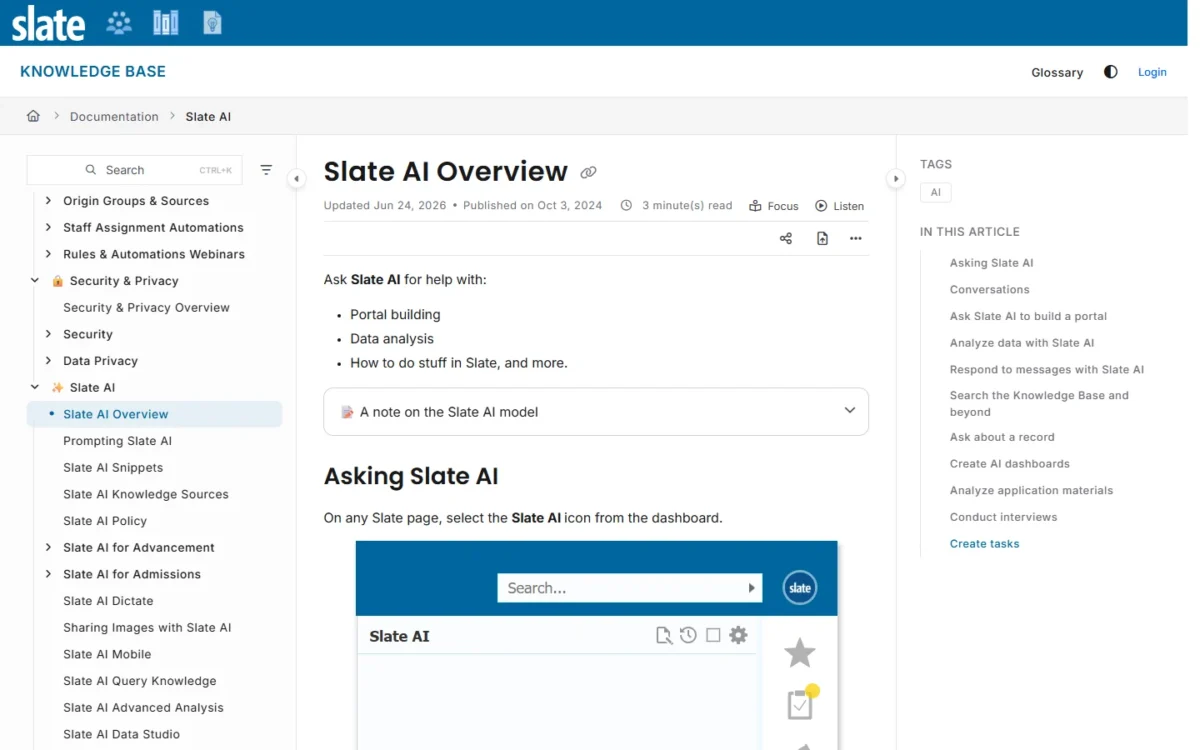
Two features are marked Summit 2026 Feature: Maximize opens Slate AI full-screen, and Conversations keeps a history synced across tabs and windows. Technolutions’ admissions page also markets generative predictive text and natural language querying.
The licensing page lists no AI fee and says each license includes all features and functionality. Technolutions does not publish whether Slate AI usage draws Slate Credits.
Reader AI carries the most decision risk. I would write a reading policy, covering what it may summarize and whether a person reads every essay, before a live cycle.
Slate Pricing and True Total Cost
Slate for Admissions costs $30,000 to $175,000 a year per database, set by submitted applications, and Technolutions says most clients pay $50,000 a year. Budget three variable lines alongside that license: Slate Credits, payment fees and partner services.
To model all of them over several years, carry them into my CRM cost calculator.
Admissions, Advancement, and Student Success Bands
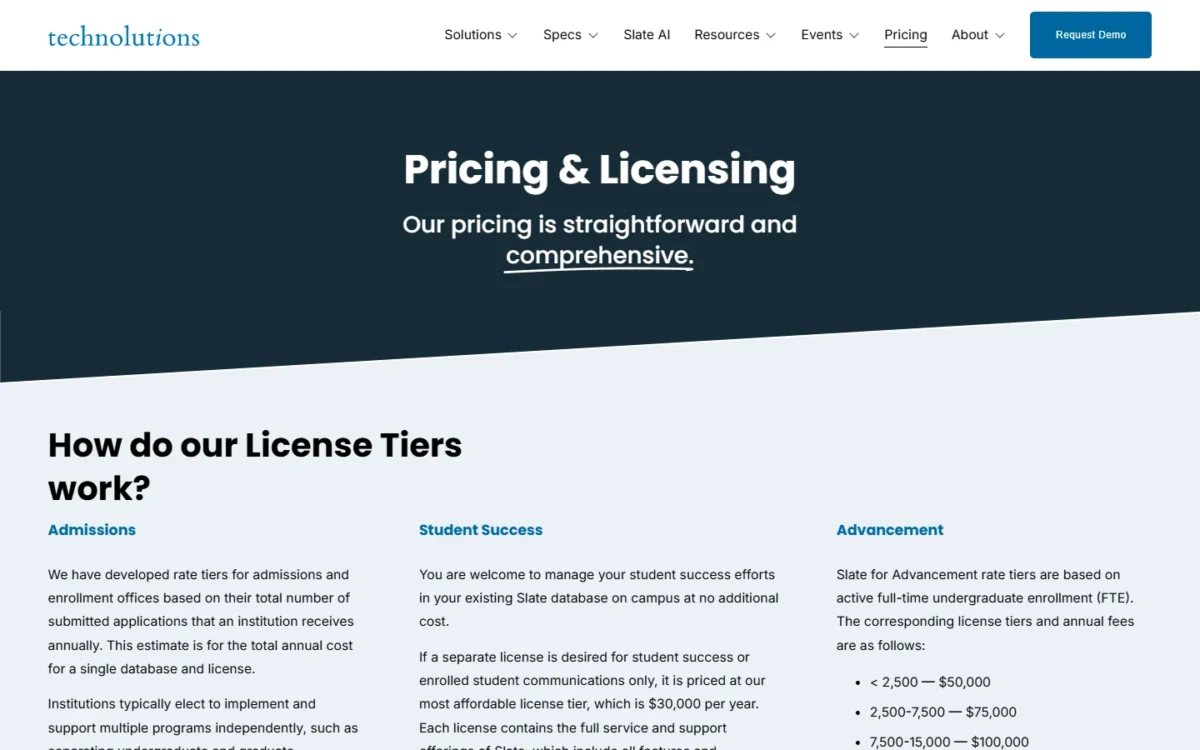
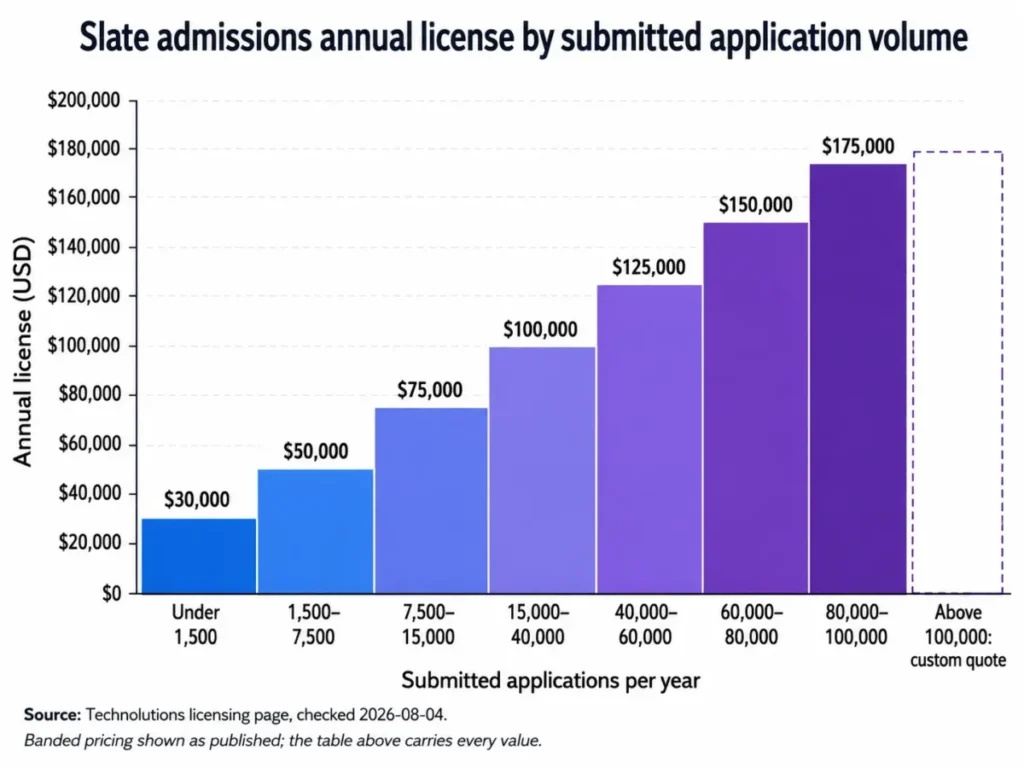
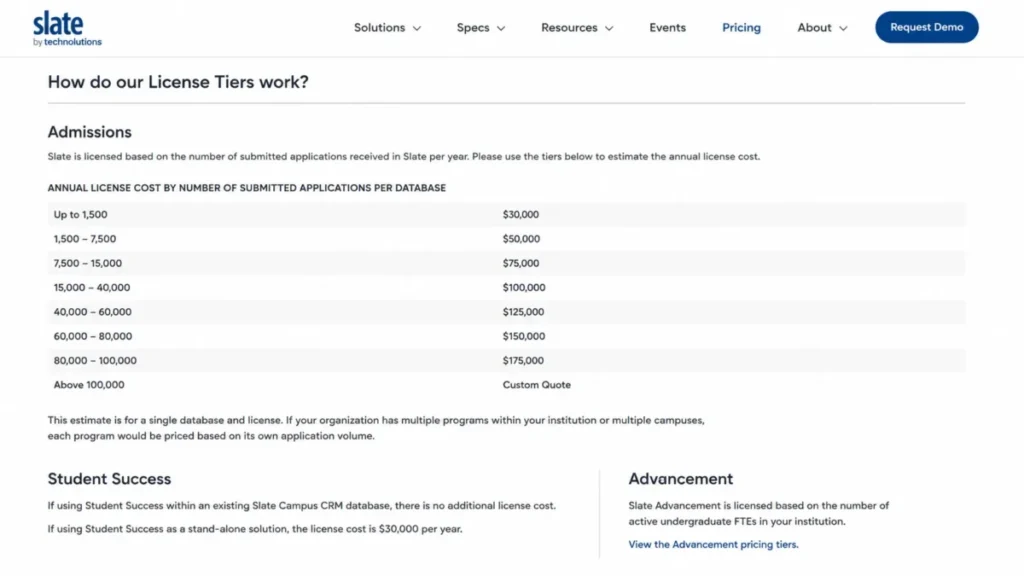
Your admissions band is set by the submitted applications your institution receives in a year, for a single database and license:
| Submitted applications per year | Annual license, one admissions database |
|---|---|
| Under 1,500 | $30,000 |
| 1,500 to 7,500 | $50,000 |
| 7,500 to 15,000 | $75,000 |
| 15,000 to 40,000 | $100,000 |
| 40,000 to 60,000 | $125,000 |
| 60,000 to 80,000 | $150,000 |
| 80,000 to 100,000 | $175,000 |
| Over 100,000 | Contact Technolutions for pricing |
Sources: Technolutions licensing and pricing, annual license per database, checked October 2026.
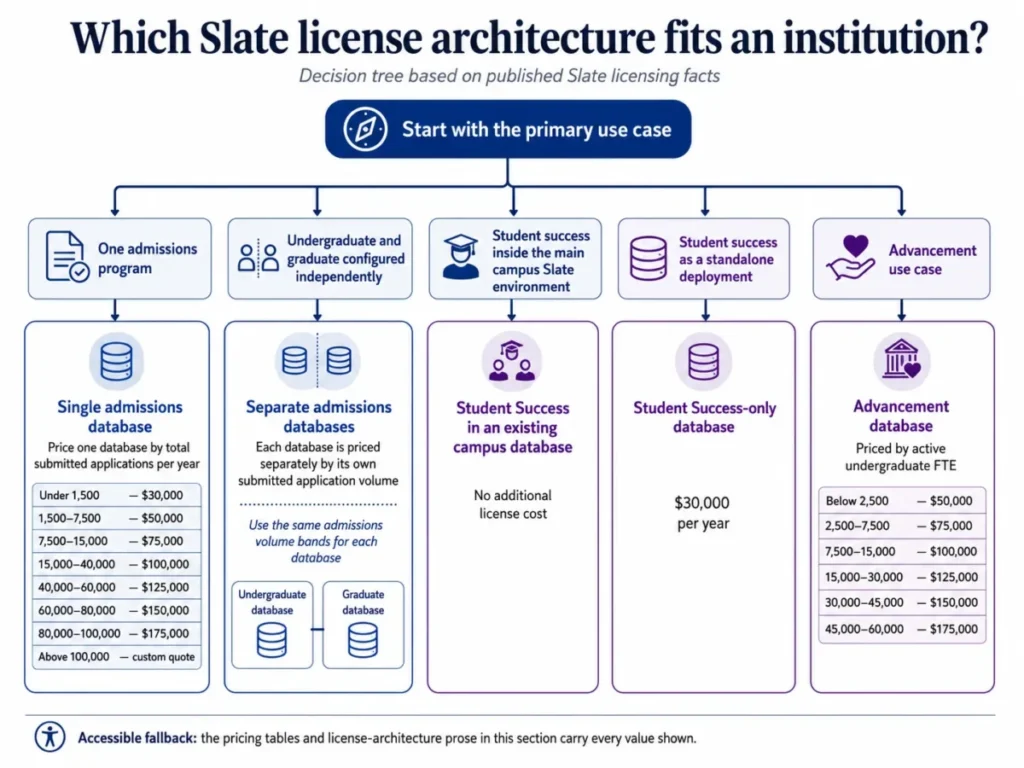
Programs implemented independently, such as separate undergraduate and graduate admissions, are each priced by their own application volume. Slate for Advancement uses a different basis, active full-time undergraduate enrollment (FTE):
| Active undergraduate FTE | Annual license, Slate for Advancement |
|---|---|
| Under 2,500 | $50,000 |
| 2,500 to 7,500 | $75,000 |
| 7,500 to 15,000 | $100,000 |
| 15,000 to 30,000 | $125,000 |
| 30,000 to 45,000 | $150,000 |
| 45,000 to 60,000 | $175,000 |
Sources: Technolutions licensing and pricing, annual fees, checked October 2026.
Student Success costs nothing extra inside an existing campus Slate database. A separate student-success-only license costs $30,000 per year, so run student success inside the admissions database unless governance forces a split.
No Per-Seat Charge
No, adding users costs nothing: Slate supports unlimited user accounts, so 10 users and 500 users pay the same license. Roles, permissions and populations control access instead of paid seats.
Two per-seat CRMs show where the $50,000 band is passed. License only, before any admissions build:
- Salesforce Education Cloud Sales & Service Core: $87 per user per month x 12 months x 48 users = $50,112 a year, billed annually
- Microsoft Dynamics 365 Sales Professional: $65 per user per month x 12 months x 65 users = $50,700 a year, paid yearly
From 48 users, Education Cloud Core costs more than that Slate band, and Dynamics Professional passes it at 65 users. Every faculty reader you add widens the gap in Slate’s favor.
Costs Outside the License
Budget three variable cost lines next to the license band:
| Cost layer | Published rate | Billing basis | Where it bites |
|---|---|---|---|
| Slate Credits | $1 per credit; minimum purchase 100 credits (100 x $1 = $100) | Credits do not expire; unused credits are not refunded | Texts, calls and print mailings, incoming and outgoing |
| Slate Payments, card | 2.6% + $0.30 per transaction | US and Canadian merchants | Application fees, deposits and event fees |
| Slate Payments, ACH | $0.25 per transaction + $1.00 for NACHA bank validation | Per transaction | Larger enrollment deposits |
| Partner implementation | Not published | Not published | Build, migration and portal work |
Sources: Slate Credits and Slate Payments overview, checked October 2026.
Technolutions will not write credits into contract language, because it says third-party communications fees can change at any time. Carry texting as a variable line, revisited every year. One emoji also cuts a text segment from 160 GSM-7 characters to 70 UCS-2 characters, so long messages can need extra segments.
Illustrative Cost Scenarios
Take an illustrative office: the application volumes and payment amounts below are assumptions, while the rates are published ones.
- One database at 5,000 submitted applications falls in the 1,500 to 7,500 band: $50,000 a year.
- Two separately licensed programs at 5,000 applications each cost 2 x $50,000 = $100,000 a year. The same 10,000 applications in one database fall in the 7,500 to 15,000 band at $75,000, a $25,000 difference.
- Take 5,000 card payments, each worth $50, so 5,000 x $50 = $250,000. Card processing comes to (0.026 x $250,000) + (5,000 x $0.30) = $6,500 + $1,500 = $8,000 a year.
The second scenario changes decisions: an undergraduate and graduate split looks like an org-chart question and is priced like an architecture question.
Upgrade Triggers With a Number Attached
Five events move next year’s Slate bill, and each has a published number:
| Trigger | Cost change | Annual impact |
|---|---|---|
| Applications rise from under 1,500 to 1,500 or more | $30,000 to $50,000 | $20,000 more |
| Applications cross 7,500 | $50,000 to $75,000 | $25,000 more |
| Applications cross 15,000 | $75,000 to $100,000 | $25,000 more |
| A program needs a separate student-success-only license | New license at $30,000 | $30,000 more |
| Purchased credits run out | Minimum purchase 100 x $1 = $100 | Variable |
Sources: Technolutions licensing and pricing and Slate Credits documentation, checked October 2026.
The bands are set by application count, so an office near 1,500 applications should budget for the $20,000 step to the next band before it happens.
The bill is predictable. The operating limits are less so, and the first one shows up in integrations.
What Does Slate Integrate With?
Slate has direct, automated data and document integrations with the Common App and Coalition for College. Technolutions lists bi-directional SIS integrations with Banner, Colleague, PeopleSoft, PowerCampus and Jenzabar (Technolutions integrations).
Document systems such as Banner Document Management/Xtender are named too. Custom campus feeds run on scheduled web services, batched file transfers or the API.
| Integration method | Typical use | Who builds it | Who maintains it |
|---|---|---|---|
| Direct application feeds | Common App and Coalition intake | Supported configuration | The office monitors imports |
| SIS integration | Banner, Colleague or PeopleSoft record sync | Institution IT or a partner | Institution IT |
| Batched file transfer | Scheduled bulk loads and extracts | Institution IT | Institution IT |
| Scheduled web service | A query published as an endpoint or scheduled push | Slate administrator | Slate administrator |
| API | Custom application integration | Developers or a partner | Developers |
Sources: Technolutions integrations page and the web services article in the Technolutions Knowledge Base, checked October 2026.
The method decides the staffing: a query web service is an operations task, while an SIS sync is an IT project. Read my primer on how CRM integration works before scoping the first feed.
The 300-Request Ceiling
Each Slate database gets 300 web-service requests and 300 seconds of request processing in any 5-minute interval, shared by every integration on that database.
Technolutions’ error reference adds that each request is rounded up to the nearest whole second, and lists status code 429 for this limit. Sub-second requests therefore hit both ceilings together at 300. Any request over one second counts at least 2 seconds, so 150 requests at just over a second use the whole 300-second budget (150 x 2 = 300).
For a real-time SIS sync, that shapes the design. Batch the pulls, speed up the queries behind each service, and build your own backoff into every feed.
Where Slate Falls Short
Slate has six documented weaknesses, and each one lands on a specific person.
The owner burden hits small offices. In my view, schema, permissions, workflows and the application feed all need an owner before the first application arrives. The Fundamentals of Student Success learning path alone runs about 20 hours (Student Success support resources). Name the owner before signing, and scope go-live with a CRM implementation guide.
Reader work can be lost to configuration. The Knowledge Base warns that multiple readers overwrite each other if their review forms map to the same system field (review forms). Workflow rules also rebuild each time they run, which clears any record in a user’s queue (troubleshooting workflows).
Committee-review offices feel both. The first documented fix is to leave a review-form field’s System Field blank unless one value should be written back. The second is a “Do Nothing” rule at the top of the exclusivity group.
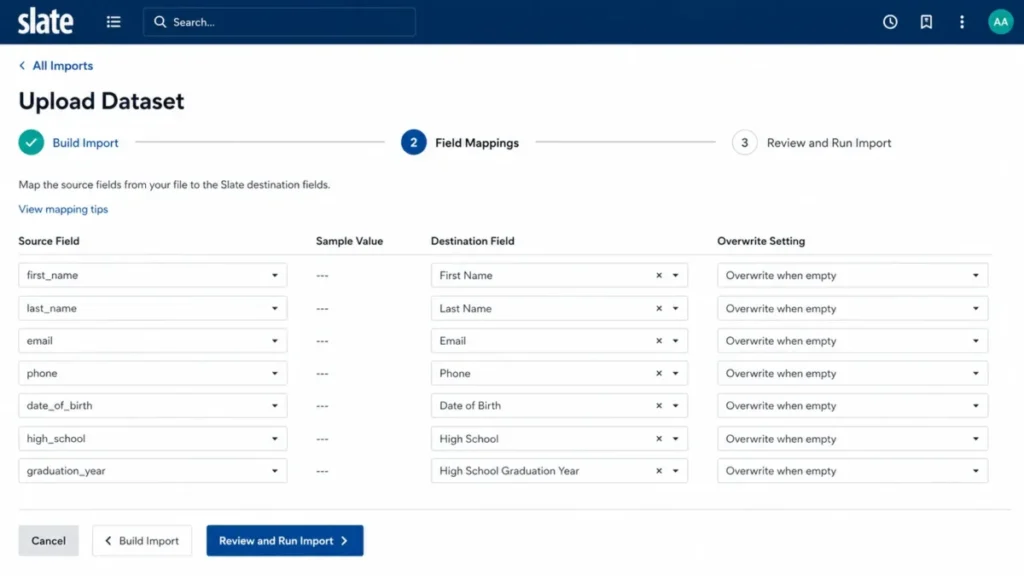
Migration repairs run on a 90-day clock. Slate keeps uploaded files for about 90 days if they have not been through the remap process. Retroactive Refresh resets values to the imported file’s, so a March repair can undo a February term change (Upload Dataset).
Migration teams should archive every source file outside Slate on upload and plan the cutover with CRM migration planning.
Slate cannot query where permissions were granted. The system permissions article states that “Slate does not have a way to query where permissions have been granted.” It can still query the users who hold given permissions, roles and realms. Compliance and IT teams carry that gap, so make an external access-grant register a go-live deliverable.
Communications rates cannot be locked. Credits sit outside the contract, and Slate may still charge for attempted texts when A2P 10DLC registration is incomplete (text messaging overview). Finance carries that risk, so test campaigns on a small set first.
The entry band ignores how small the office is. The under-1,500 band is a flat $30,000, so an office far below 1,500 applications pays the same as one just under it. For that office, Element451’s lower starting price is the comparison to run.
Two of these, the permission-grant query gap and the unlockable communications rates, are governance gaps, which raises what Technolutions covers on security and support.
Security and Support
Technolutions states that Slate encrypts all data at rest and in transit and supports SAML and CAS single sign-on and multi-factor authentication. Data is hosted in the United States, Canada, Europe or Asia (Technolutions security and performance).
The security page also claims full PCI DSS compliance, 99.99% availability during a calendar year and a multi-region AWS deployment. It names no third-party audit report beyond the PCI DSS attestation.
| Vendor statement | What to request in procurement |
|---|---|
| Encryption at rest and in transit | Key management and cipher detail |
| SAML or CAS SSO, support for MFA | Confirmation for your identity provider, and whether MFA can be enforced |
| Hosting in the US, Canada, Europe or Asia | A written data-residency commitment |
| PCI DSS compliant, by Technolutions’ attestation | The current attestation of compliance |
| One private database per institution | Tenancy and isolation detail |
| 99.99% availability during a calendar year | The contractual commitment and its remedy |
| No other audit report named | Ask which independent audit reports Technolutions can share |
Sources: Technolutions security and performance page, checked October 2026.
Support is community-first. Every license includes the knowledge base, community forums, a dedicated client success team, webinars and Learning Lab, and Technolutions calls the forums “the heart of our support model” (community support).
The same page names the forums as the best route to receiving support and publishes no response-time commitment. Support desk tickets exist: the system permissions article lists a Support Ticket Access permission for viewing tickets your institution has submitted (system permissions).
That model works for an owner who participates in the forums. A team that needs a guaranteed response time should get the support terms in writing before signing.
What Users Report About Slate
Reviewers on TrustRadius’s Slate for Admissions page (read October 2026) praise queries and reports, event management and application review. TrustRadius reviewers’ complaints cover customer service, training and user support, complex table structures and the mobile app’s layout.
One TrustRadius reviewer wrote that Slate “doesn’t automatically advance to the next application in the queue.” In my reading, the training and support complaints point to staffing, which decides who should buy.
Who Should Use Slate, and Who Should Skip It
Use Slate at 1,500 applications or more with a named owner, and skip it under 1,500 applications without one.
Use Slate if:
- Your office handles 1,500 or more applications a year and can name a Slate owner
- You run committee review with many non-staff readers, where unlimited accounts pay off
- You are consolidating admissions, student success and advancement into one database
- Your IT team can design feeds around the per-database web-service budget
Skip Slate if:
- You receive under 1,500 applications and have nobody to configure the system
- You need a working system this term
- You need a published support response-time commitment
- Finance needs a fixed all-in number, since credits and payment fees vary
For offices on the skip side, my ranking of the best CRM for higher education covers lighter options.
The Pre-Purchase Capacity Check
Answer five ownership questions before signing, with a named person for each:
- Who is the named Slate owner, and what share of their role is this?
- Who maintains the external permission-grant register, and how often is it reviewed?
- Who designs and tests workflow rules before they run against live records?
- Who owns integration backoff against the 300-request and 300-second budget?
- Who signs off on texting compliance before the first campaign?
An office that cannot name a person for all five is buying configuration capacity it will not use.
Slate Alternatives: Pricing and Fit Compared
Element451 fits a smaller college without a Slate owner; Salesforce Education Cloud and Dynamics 365 Sales fit campuses standardizing on one per-user platform.
| Alternative | Pricing basis | Published price | Choose it when | Skip it if |
|---|---|---|---|---|
| Element451 | Annual, by institution size (currently enrolled students) and support tier | Plans start as low as $20,000 per year | Fast time to value and hands-on setup matter most | A demo cannot show your committee review process |
| Salesforce Education Cloud | Per user per month, billed annually, annual contract | Core $87, Advanced $131, Max $363 | The campus standardizes on Salesforce across departments | You have 48 or more users and no Salesforce team |
| Microsoft Dynamics 365 Sales | Per user per month, paid yearly | Professional $65, Enterprise $105, Premium $150 | The campus runs on Microsoft and has developers | You lack developers to build an admissions process |
| Re-scope and stay | Current Slate band | No change | The gap is staffing, not the platform | Your volume and staffing both fit a lighter tool |
Sources: Element451 pricing, Salesforce for Education pricing and Dynamics 365 Sales pricing, checked October 2026.
Element451
Element451 is the realistic Slate replacement for a college that cannot staff a Slate owner. Its plans start as low as $20,000 per year, priced by institution size (currently enrolled students) and support tier, which leaves room for the owner Slate would need. My head-to-head comparison with Slate sets the two side by side.
Its pricing page lists 24/7 chat support among the support every plan includes, which suits an office with no Slate-style forum habit. Read my Element451 review before booking its demo.
Salesforce Education Cloud
Education Cloud wins on economics only while the user count stays small. At $87 per user per month on Sales & Service Core, 48 users already pass the $50,000 band, the one Technolutions says most clients pay. Salesforce says these prices reflect nonprofit pricing, and the editions require an annual contract.
Choose it when the whole campus standardizes on Salesforce and has platform skills; the Salesforce CRM review covers the platform.
Microsoft Dynamics 365 Sales
Dynamics 365 Sales is sold as a sales CRM, so admissions reading and decision release would be a custom build on top of it. I would shortlist it for a Microsoft-standardized campus with developers; my Dynamics 365 Sales review covers the platform itself.
For a wider field beyond higher education, my list of the best CRM software compares general platforms.
Final Verdict: Is Slate by Technolutions Worth It?
Yes, for an office of 1,500 or more applications that can name its Slate owner: every band from $50,000 a year up buys every feature and unlimited users. No, for an office under 1,500 applications with nobody to configure it.
Staffing, not size, decides it. I would rather see a small college with a dedicated administrator on Slate than a large university that expects it to run itself.
Budget three lines: the license band, credits and payment fees as variable costs, and one named person. The third line decides whether the first two were worth spending.
Frequently Asked Questions
Is there a free trial of Slate?
No. Technolutions publishes no free plan or trial, and its licensing and home pages lead to a Request Demo button instead. Salesforce, by contrast, offers a 30-day Education Cloud trial. Bring your application volume and SIS name to the Slate demo, so the band and integration path are settled in the first call.
Does Slate have a mobile app?
Partly. The Slate Payments documentation describes tap-to-pay inside the Slate mobile app, and the Slate AI documentation includes a Slate AI Mobile article. A reviewer on TrustRadius criticized the mobile app’s layout, so test phone use in the demo.
Slate or Element451 for a smaller college?
Element451, unless the college can staff a dedicated Slate owner. Element451’s plans start as low as $20,000 per year, and its pricing calculator quotes by currently enrolled students and support tier. Get a quote at your enrollment, then compare it with Slate’s entry band before deciding.