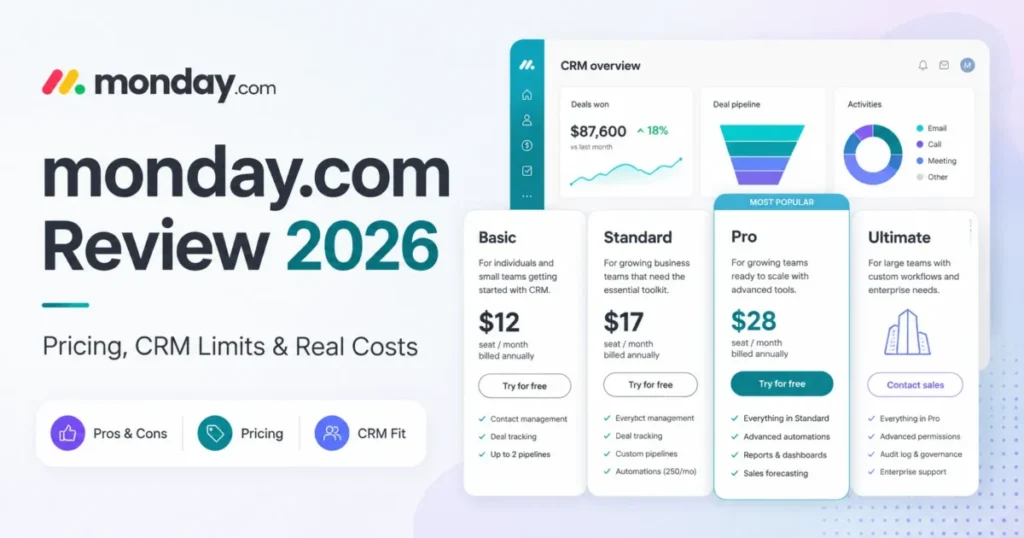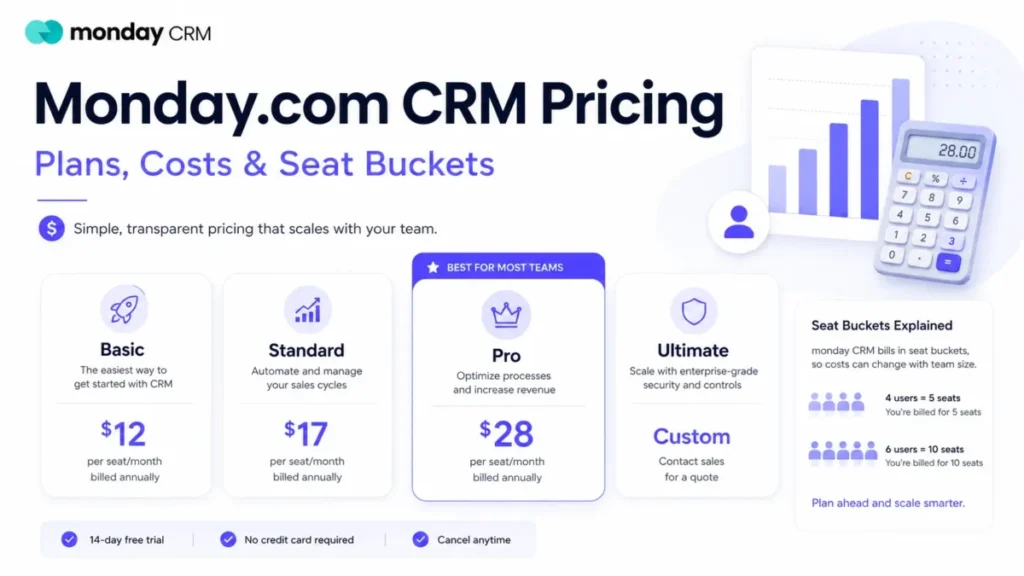
The advertised number on monday CRM is a per-seat rate. The number that lands on a purchase order is a seat bucket multiplied by twelve months, and those two figures stop matching the moment a team has four people, or six, or eleven.
That gap is the whole story of this pricing page. A four-person sales team pays for five seats, a six-person team pays for ten, and neither of those facts appears next to the headline price.
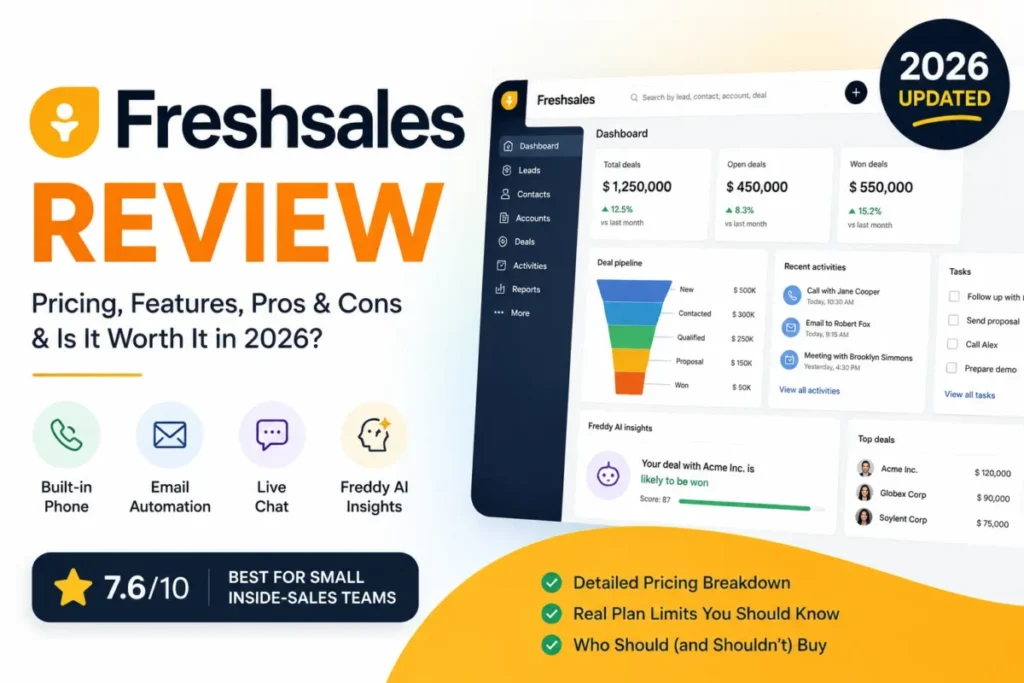
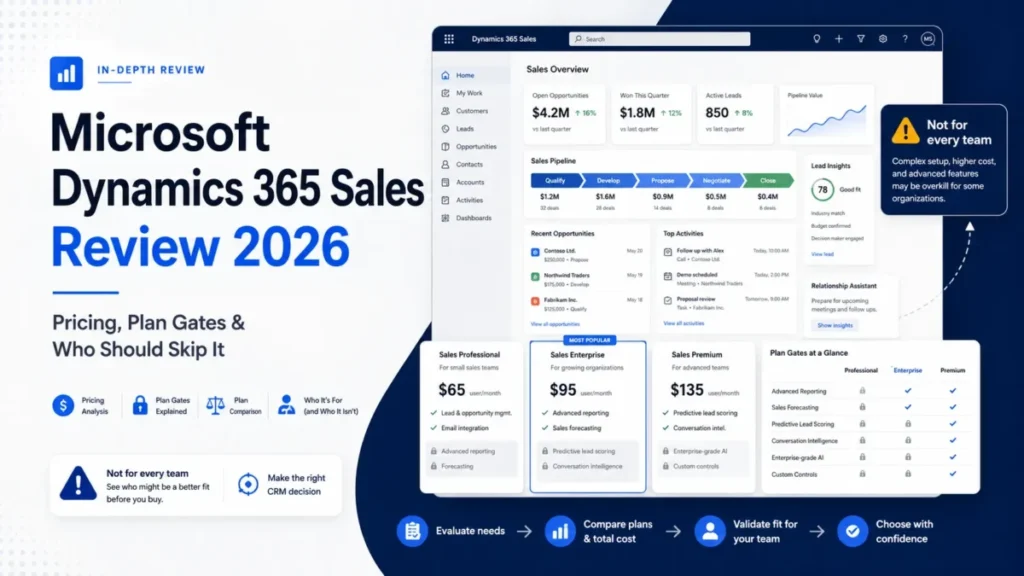
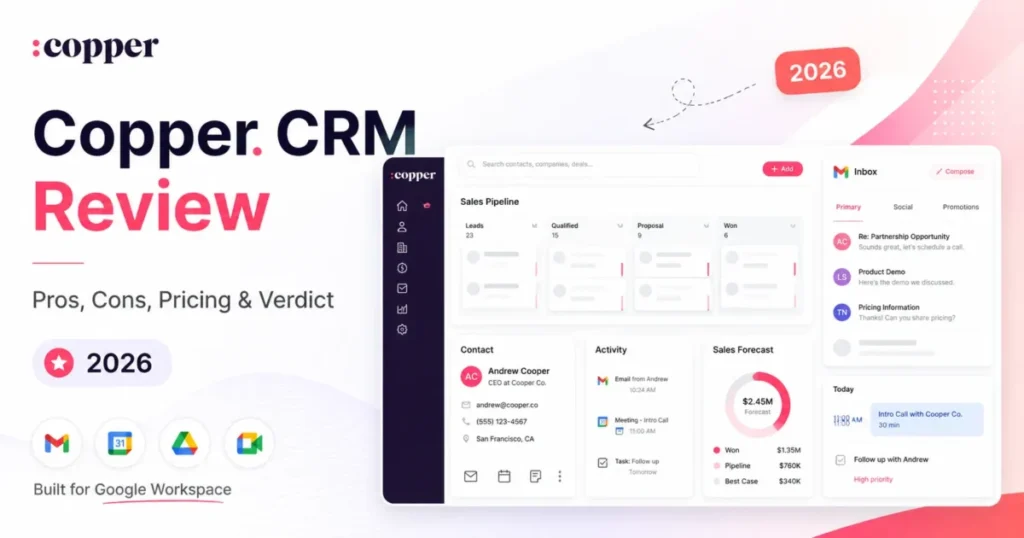
Before shortlisting, it helps to know where monday CRM sits against the rest of the CRM software shortlist.
The second gap is quota. Standard looks like the sensible middle plan until the automation allowance is read as a monthly operating budget rather than a feature checkbox.
In This Article (18 sections)
Quick Pricing Verdict
| Question | Answer |
|---|---|
| Starting price | $12 per seat/ |
| Seat minimum | 3 seats, then multiples of five |
| Free plan | None for monday CRM; a 14-day trial only |
| Best plan for most sales teams | Pro at $28 per seat/ |
| Plan to avoid | Standard works only if monthly automation use stays comfortably below 250 actions. |
| Biggest hidden cost | Seat-bucket rounding, not a disclosed onboarding fee |
| Cheapest realistic entry | $432 per year for three Basic seats |
| Best alternative between seat buckets | Pipedrive Growth at $39 per seat/ |
| Pricing verified | Checked 2026-08-24, US market, USD |
How These Prices Were Verified
This analysis is built on monday.com’s published CRM pricing page, its plan-comparison and billing help-center articles, its automation, email, import, export and API documentation, and the official pricing pages of the three platforms used as cost anchors.
Each plan was assessed against the same buyer-focused criteria: usable entry price, seat rules, active-record ceilings, automation and integration quotas, communication gates, administration controls, migration constraints, and the cost of adding seats.
Greater weight went to the factors that move a purchase order rather than a feature grid: seat minimums, bucket rounding, billing cadence, quota exhaustion behavior, and paid add-ons that sit outside the subscription.
Prices are recorded per plan with the market and billing basis attached. Figures that the official pages state as a quote rather than a rate are labeled that way and were excluded from the cost scenarios.
Executive Summary: monday CRM TCO at 5, 10, and 20 Users
Five seats on Pro is $1,680 per year. Ten seats is $3,360, and twenty seats is $6,720, all on annual billing at the published seat rate.
Those three numbers are the honest headline, and they are also the best case. They assume the team size lands exactly on a seat bucket, the plan holds for twelve months, and no add-on is bought.
Where the arithmetic breaks is between buckets. A six-person team on Pro pays the ten-seat figure, so its effective cost per working user is $46.67 per month rather than the advertised $28.
The second breakage is quota. A Standard subscription at $17 per seat/month carries 250 automation actions, which monday.com’s own documentation describes as a monthly allowance that heavier accounts consume within days.
Pro is the practical plan for any team where automation runs every day. Standard fits teams that automate occasionally and have counted what that costs in actions.
monday.com CRM Pricing 2026: Every Plan and Rate
Four plans are published for monday CRM, and only three of them carry a public price.
| Plan | Annual-effective per seat/ | Monthly billing per seat/ | Active contacts and deals | Automation actions/ | Best for |
|---|---|---|---|---|---|
| Basic | $12 | $18 | 1,000 | None published | Manual pipeline tracking |
| Standard | $17 | $25 | 10,000 | 250 | Light, occasional automation |
| Pro | $28 | $41 | 100,000 | 25,000 | Daily automation and outbound |
| Ultimate | Sales quote | Sales quote | Unlimited | Unlimited | Governance and compliance needs |
Source: monday CRM official pricing and monday.com automations and integrations pricing documentation, US market pricing in USD.
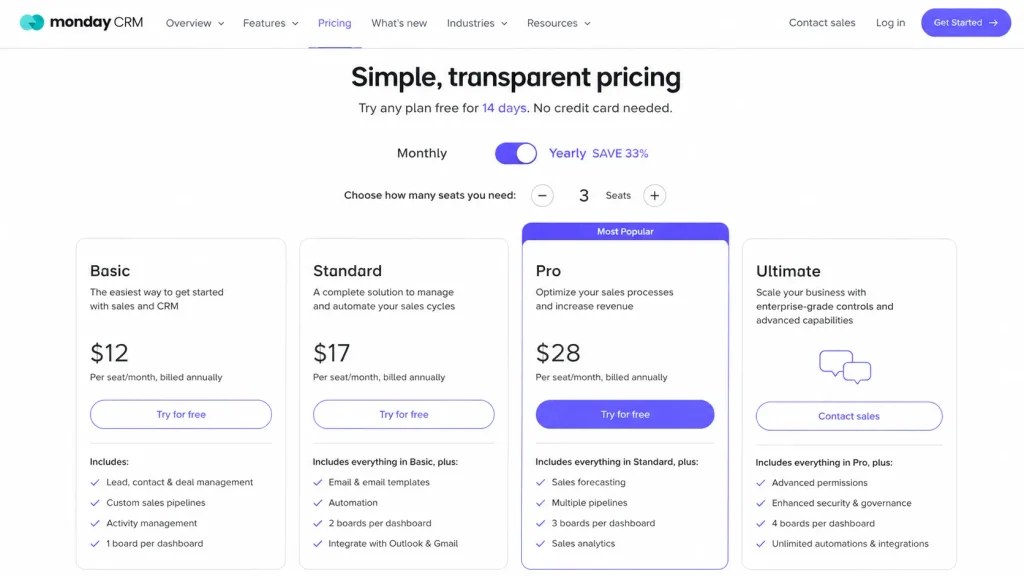
Two things in that table decide most purchases. Basic publishes no monthly automation allowance, and the record ceiling moves by a factor of ten at each paid step.
The Basic card does name custom automations, while monday.com’s automation documentation places automations and integrations on Standard and above. Until monday.com reconciles those two pages, treat Basic as carrying no usable automation budget and get the answer in writing before buying it.
A team importing a 12,000-row contact list is already outside Basic and Standard before anyone opens the feature list. That is a plan decision made by data volume rather than by workflow.
Line-Item Cost Breakdown
Every billable element of a monday CRM subscription resolves to one of five lines, and only the first is advertised.
Seats. The published rate is quoted per seat per month, so every cost model starts by multiplying that rate by paid seats and by twelve months.
The seat bucket. Plans start at a three-seat minimum and then move in multiples of five, so a team of four buys five seats and a team of six buys ten.
Billing cadence. Month-to-month billing is a different rate, not the same rate paid differently: $18, $25 and $41 against $12, $17 and $28.
Plan-gated capability. Sequences, mass emailing and any automation allowance beyond zero sit behind specific tiers, so a workflow requirement can force a plan change independently of headcount.
Add-ons. The Salesforce connector, extra API capacity and monday campaigns are priced outside the CRM subscription.
The bucket rule is the one that surprises people, and it is stated plainly in monday.com’s seat and billing documentation. Teams of four and six are the two most common shapes it penalizes.
That same page adds a constraint for anyone already running monday’s work platform. Bundled products can sit on different plans with different seat counts, but every product must share one billing cycle, so a monthly work-platform subscription and an annual CRM subscription cannot coexist.
Real Cost Scenarios: 5, 10, and 20 Users
The table below prices actual headcount rather than seats, which is the number a finance team recognizes.
| Team size | Paid seats | Basic per year | Standard per year | Pro per year | Effective Pro cost per active user/ |
|---|---|---|---|---|---|
| 3 people | 3 | $432 | $612 | $1,008 | $28.00 |
| 4 people | 5 | $720 | $1,020 | $1,680 | $35.00 |
| 5 people | 5 | $720 | $1,020 | $1,680 | $28.00 |
| 6 people | 10 | $1,440 | $2,040 | $3,360 | $46.67 |
| 10 people | 10 | $1,440 | $2,040 | $3,360 | $28.00 |
| 11 people | 15 | $2,160 | $3,060 | $5,040 | $38.18 |
| 20 people | 20 | $2,880 | $4,080 | $6,720 | $28.00 |
Every figure is this article’s arithmetic over the published annual-effective seat rates: paid seats multiplied by the rate, multiplied by twelve months. The seat-bucket column follows the documented three-seat minimum and multiples-of-five rule rather than any rate monday.com quotes directly.
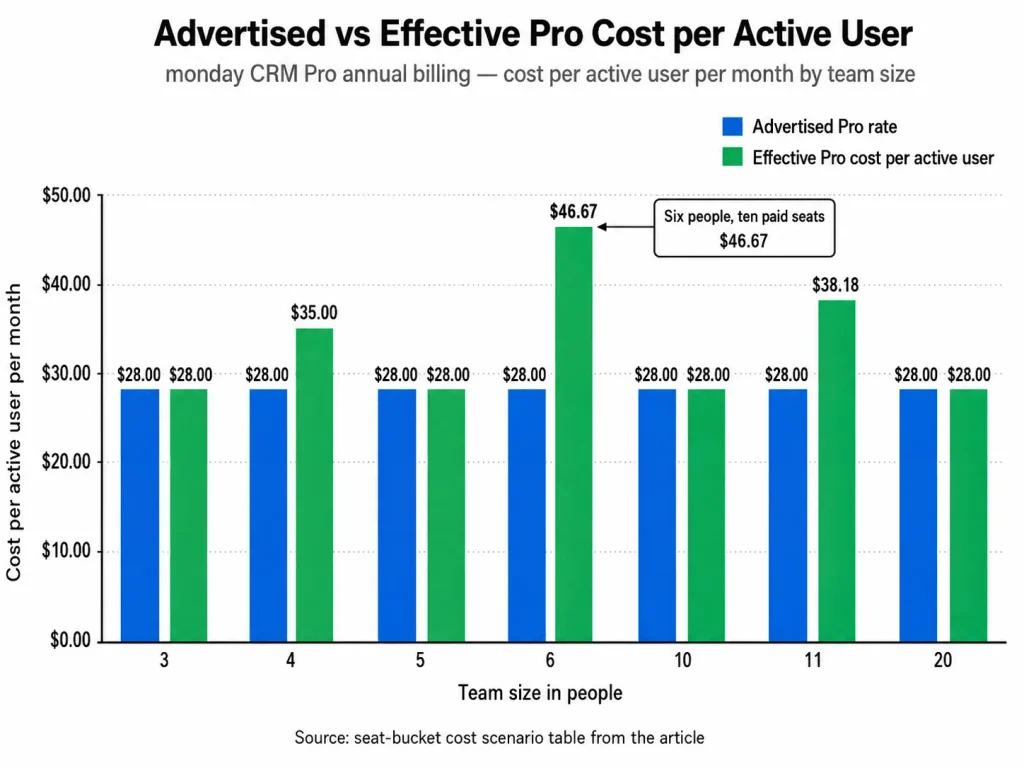
Three team sizes in that table pay a premium for seats nobody uses. Four people carry one idle seat, six people carry four, and eleven people carry four.
The mitigation is unglamorous and it works: hire into the bucket, or hold at the top of it. A team of nine that is about to become eleven should decide whether the eleventh hire is worth $1,680 per year in Pro seat cost rather than $336.
Feature Gates by Plan
Capability, not headcount, is the plan gate that forces most upgrades on this platform. Because each gate sits at a named tier, one workflow requirement becomes an upgrade trigger that changes the total cost for a team of any size.
| Capability | Basic | Standard | Pro | Ultimate |
|---|---|---|---|---|
| Custom automation actions per month | None published | 250 | 25,000 | Unlimited |
| Integration actions per month | None published | 250 | 25,000 | Unlimited |
| Sequences | Not offered | Not offered | Included | Included |
| Mass emailing | Not offered | Not offered | Included | Included |
| Quotes and invoices per month | 20 | 50 | 250 | Unlimited |
| Custom dashboards | 1 | 5 | 50 | Unlimited |
| Columns per board | 5 | 15 | 75 | Unlimited |
| Workspaces | 1 | 3 | 15 | Unlimited |
| Storage | 5 GB | 20 GB | 100 GB | 1,000 GB |
| SAML SSO, SCIM, audit log, IP restrictions | Not offered | Not offered | Not offered | Included |
Source: monday CRM plan types documentation, monday.com Sequences documentation and monday.com mass emailing limits.
The row that catches buyers is Sequences. Connecting a mailbox is not the same capability as scheduled multi-step outreach, and monday.com documents Sequences as a Pro-and-above feature.
Mass emailing sits behind the same gate, and it carries its own ceilings once unlocked: 500 emails in a single send and 2,000 emails per day, with the connected Gmail or Outlook mailbox applying its own limits on top.
When a team needs cadence management, it should not budget around Standard. That single requirement moves the per-seat rate from $17 to $28 before any other consideration.
One caveat on the Ultimate column. The CRM plan documentation describes unlimited actions, while monday.com’s cross-product automation pricing page gives its top tier 250,000 actions a month under the Enterprise name.
A buyer relying on unlimited automation at that tier should have the number confirmed in the quote.
Quotes and invoices are available on every paid plan, which reads like a non-issue until the monthly document allowance is compared with actual deal volume. A team closing more than fifty quotes a month is on Pro whether or not it wanted the automation.
What Each monday CRM Plan Includes
Each tier below carries its own verdict: what the money buys, what it does not, and the condition that should send a buyer to the next plan up.
Basic at $12 per seat/month
Basic buys structured pipeline tracking with 1,000 active contacts and deals, one dashboard, one workspace and five columns per board.
What it does not buy is a published monthly automation allowance, which makes it a manual CRM rather than an operational one. Avoid it if lead assignment, stage-change notifications or field updates need to happen without a person doing them.
Standard at $17 per seat/month
Standard raises the record ceiling to 10,000 and the dashboard allowance to five, adds three workspaces and fifteen columns per board, and turns on automations and integrations at 250 actions each per month.
That quota is the whole verdict on this plan. Avoid Standard if automations fire on every stage change, because monday.com names notifying multiple people and mapping multiple columns as the patterns that consume the allowance fastest.
Pro at $28 per seat/month
Pro is where monday CRM becomes a sales operations tool: 100,000 records, fifty dashboards, fifteen workspaces, 25,000 automation actions, 25,000 integration actions, Sequences and mass emailing.
The trade-off is that the jump from Standard is 65% on the seat rate. Avoid Pro only if the team genuinely automates rarely and will never need scheduled outreach.
Ultimate at a sales quote
The top tier removes the record, dashboard, column, workspace and action ceilings, then adds the governance layer that Ultimate exists for: lead scoring, mandatory fields, multi-level permissions, HIPAA support, SAML SSO, SCIM, IP restrictions and an audit log.
Because monday.com prices it by quote, no honest annual figure can be published here. Avoid it unless a compliance or identity-management requirement forces the tier, since the sales-led process is slower than a card checkout.
Deeper functional detail on how these tiers behave day to day sits in the monday.com review. Understanding what CRM software actually does helps if this is a first CRM rather than a replacement.
What Happens When You Hit the Automation Limit
The 250-action figure on Standard is only half the risk. The other half is what the platform does when the allowance runs out.
monday.com’s automation actions and limits documentation describes a sequence rather than a hard stop. Billing contacts are emailed and shown a board banner at 50% and again at 80% of the allowance.
At 100%, a 72-hour grace period runs before automation runs pause. The account is also blocked from editing or adding automations once the month’s actions are gone.
Two details make this worse than a simple cap. Condition steps consume quota, so a recipe that checks a field before acting is charged for the check.
And overuse rolls forward: it is possible to consume the current month’s allowance and part of the next month’s, so a bad week can start the following month already in deficit.
For a revenue team, that is not a feature limitation. It is a period where lead routing, task creation and stage notifications stop firing while pipeline keeps arriving.
Affected automations can pause after the grace period, so revenue-critical workflows should not be designed around exhausting the allowance.
That is worth naming because the people who notice first are usually not the billing contacts who get the warning emails. Whoever owns the automations should be on that notification list before the plan is bought.
The honest way to price Standard is $17 per seat/month plus the operational risk of a paused automation engine. Pro is $28 per seat/month with that risk removed for most mid-sized teams.
Annual vs Monthly: The Real Savings Math
Both cadences are offered, and the annual commitment is paid as one upfront installment rather than in twelve parts.
| Plan and seats | Annual contract per year | Monthly billing per year | Difference |
|---|---|---|---|
| Basic, 10 seats | $1,440 | $2,160 | $720 |
| Standard, 10 seats | $2,040 | $3,000 | $960 |
| Pro, 10 seats | $3,360 | $4,920 | $1,560 |
| Pro, 20 seats | $6,720 | $9,840 | $3,120 |
| Pro, 40 seats | $13,440 | $19,680 | $6,240 |
Every row multiplies the published per-seat rate by seats and by twelve months. The monthly column is annualized month-to-month spending, not a plan monday.com sells as an annual product.
One caution before treating a single saving percentage as fact. The pricing page labels its yearly toggle “SAVE 33%”, while monday.com’s billing documentation states the yearly option saves 18% against monthly billing.
The displayed rates settle it. At ten Basic seats the annual contract saves $720 against $2,160 of monthly billing, which is close to a third, and the Standard and Pro rows land in the same place.
So the toggle label is the one the published prices support, and the help-center figure looks stale. Budget from the dollar amounts anyway, because they survive whichever page monday.com updates next.
The cash-flow question is separate from the arithmetic. Twenty Pro seats means $6,720 leaving the account at once, and a team unsure whether the tool survives ninety days may prefer to lose $3,120 a year for the option to stop.
The exit terms narrow that option faster than most buyers expect. A yearly subscription cancelled within 30 days of payment earns a prorated refund, and after that window monday.com states it gives no refunds for downgrades.
Seat count and plan type can still be changed at any time by an admin. Moving up mid-term is therefore easy and moving down is not, which is the asymmetry that makes over-buying seats expensive.
Add-Ons, Overages, and Surprise Costs
No mandatory onboarding fee appears in monday CRM’s published pricing, which is a genuine advantage over parts of this market. The costs that do appear sit outside the subscription.
| Cost item | Status | What it adds to the bill |
|---|---|---|
| Unused seats in a bucket | Structural, unavoidable | Up to four paid seats nobody uses |
| monday campaigns | Separate product | From $50 per month billed annually at 2,000 marketing contacts |
| Salesforce connector | Paid add-on | Price not published; quoted by the account team |
| Extra API capacity | Optional add-on | Price not published; sold in units of 25,000 daily calls |
| Premium Support | Separate enterprise tier | Price not published |
| AI credits | 6,000 on Basic, Standard and Pro | Not stated for Ultimate, and no CRM-specific rate for extra credits appears on the pages checked |
Source: monday campaigns pricing and the Salesforce add-on note. Source: API rate limits and support tiers.
Two of those rows deserve a sentence each because they are routinely mistaken for included capability.
monday campaigns is a distinct product with its own pricing, so the CRM seat rate does not cover high-volume marketing email. A team sending campaign email to a list rather than sequenced one-to-one mail should budget it separately or keep an existing email platform.
The Salesforce connector is documented as a paid integration purchased as an add-on, with pricing handled by the account owner or support. Any plan to run monday CRM alongside Salesforce should get that number in writing before the seat count is agreed.
Support is the row that cuts the other way. monday.com advertises 24/7 support across plans, so the common assumption that responsive support requires the top tier is wrong.
Premium Support, with a dedicated technical team and SLA commitments, is described as a separate top support tier rather than a plan inclusion. Anyone who needs an SLA should price it as its own line and not assume the Ultimate quote covers it.
AI credits are worth one sentence because the table row is easy to skim past. The allowance is identical across Basic, Standard and Pro, and the plan documentation states no figure for Ultimate, so a team upgrading for AI headroom is buying seats and limits rather than credits.
One thing the documentation does not settle is what happens at the contact ceiling itself. The plan pages state the numbers without describing the behaviour on reaching them, so ask whether records are blocked, archived or met with an upgrade prompt before a database gets close.
API capacity is a real ceiling for anyone building custom integration. The published daily limits are 1,000 calls on Basic and Standard and 10,000 on Pro, with additional capacity sold in units of 25,000 daily calls.
The limits are published per plan and per day, so confirm how they apply across several integrations before designing around them. Any plan that involves a data warehouse, a billing system or a custom lead router should size the call volume before the seat count is agreed.
The API documentation labels the Pro and top-tier ceilings as soft rather than hard, which is a meaningful difference for bursty jobs. It gives the top tier 25,000 daily calls under the Enterprise name, so confirm the number against the Ultimate quote before designing around it.
Migration and Exit Costs Nobody Prices In
Import and export limits are not line items, but they are cost, because they turn into implementation hours.
Spreadsheet import into monday CRM is available on every plan and capped per file at fewer than 50 columns, 8,000 rows and 10 MB. Only one file uploads at a time per board, and an account is limited to 100 files per hour.
A 30,000-contact database is therefore four import passes with column mapping repeated each time, plus a decision on how matches are handled. That is batched work with a validation step between passes, and it belongs in the implementation estimate rather than in the first hour of setup.
The Salesforce two-way sync app is a synchronization tool and not a migration engine, a distinction monday.com’s Salesforce sync documentation makes explicit. It has no import function, does not map subitems, does not sync deletions, does not convert mismatched field types, and does not push formula, mirror or connected-board columns back to Salesforce.
A migration plan that treats that connector as a one-click move contains no step that produces the missing records. The practical route is a spreadsheet export, a cleanup pass, then batched import.
HubSpot synchronization has a smaller but real prerequisite: setup requires Super Admin rights on the HubSpot side of the integration. That is a scheduling dependency when the CRM owner and the HubSpot admin are different people.
Exit is worth checking before entry. A single board export tops out at 100,000 items, board views are not exported as rendered, and an account admin can pull the whole account as a zip archive.
Teams planning a phased move should read the seat and plan mechanics alongside a general CRM migration guide, because the sequencing matters more than the tooling.
Which monday CRM Plan Should You Choose?
Solo operators and two-person teams. The three-seat minimum makes this the wrong platform on price alone, since the cheapest possible commitment is $432 per year for capacity two people cannot use.
Three to five people running a manual pipeline. Basic at $432 to $720 per year is defensible when the workflow is genuinely manual and the contact database stays under a thousand records.
Five to fifteen people with occasional automation. Standard is the right call only when automation is deliberate and infrequent, and when someone has counted the actions a typical month consumes.
Ten to forty people running daily automation and outbound. Pro is the practical plan, and the ten-seat and twenty-seat figures of $3,360 and $6,720 per year are the numbers to budget.
Regulated or identity-managed organizations. Ultimate is the only tier carrying SAML SSO, SCIM, IP restrictions and an audit log, so a security review can decide the plan before a sales requirement does.
Above forty users, monday.com invites a quote request, so the published annual rates stop being the only number on the table.
One question belongs in the renewal file on day one: what will this cost when headcount is a third higher. For a team of fifteen on Pro that answer is $5,040 a year at fifteen seats and $6,720 at twenty, and knowing it early removes the surprise from the second invoice.
Which monday CRM Plan Should You Avoid?
Standard is the plan to avoid, and the reason is specific rather than general.
It is priced as the sensible middle option at $17 per seat/month, but it excludes Sequences and mass emailing while capping automation at 250 actions and integrations at 250 actions per month. A team that buys it for automation is buying a quota that monday.com’s own documentation says heavier accounts exhaust within days.
The failure is expensive because it is quiet. Automations pause after a grace window, work silently stops routing, and the fix is an upgrade that costs 65% more per seat than the plan originally chosen.
The exception is real, though. A team that runs monday CRM as a shared pipeline with a handful of dashboards and a few automations each week stays comfortably inside the Standard allowance.
Basic is not a plan to avoid so much as a plan to recognize. It is a tracking tool, and choosing it deliberately for manual work is a reasonable decision rather than a mistake.
monday CRM Pricing vs Competitors
Comparing entry prices across CRM platforms is close to meaningless, because the entry tiers do different jobs. The practical tier, meaning the cheapest plan a working sales team can actually run on, is the honest comparison.
| Platform | Entry price per seat/ | Practical tier | Ten-user annual cost at practical tier | Note |
|---|---|---|---|---|
| monday CRM | $12 annual | Pro at $28 | $3,360 | Seat buckets round up to multiples of five |
| Pipedrive | $14 annual | Growth at $39 | $4,680 | Published as a flat per-seat annual amount |
| HubSpot Sales Hub | from $7 annual | Professional from $90 | $10,800 | Professional onboarding is a $1,500 one-time fee |
| Salesforce Sales Cloud | $25 monthly or annual | Pro Suite at $100 | $12,000 | Enterprise edition is $175 per user/ |
Pipedrive’s per-seat rates are published as annual amounts of $168, $468, $708 and $948, which work out to $14, $39, $59 and $79 per seat/month. Full tier detail sits in the Pipedrive pricing breakdown, and the HubSpot pricing plans guide covers the onboarding fees that change HubSpot’s first-year total.
At ten users on a practical tier, monday CRM is the cheapest of the four by a wide margin. It is roughly 28% below Pipedrive Growth and roughly a third of HubSpot Sales Hub Professional before onboarding.
That advantage narrows for awkward team sizes. A six-person team pays monday CRM’s ten-seat price of $3,360, while six Pipedrive Growth seats list at $2,808, which reverses the top two positions.
That second figure assumes Pipedrive bills the six seats a team actually has, which is what its published per-seat annual price implies rather than something its pricing page states about minimums. Confirm it in a quote before treating the reversal as settled.
The buying rule that falls out of this is simple. Check the seat bucket before comparing headline rates, because bucket rounding can move monday CRM from cheapest to second cheapest without a single price changing.
Price is not the only axis, and these four tiers are not equivalent products. This is a cost comparison at a usable tier rather than a capability match, and the gap partly pays for depth that a price table cannot show.
So the table is a budget input, not a shortlist. Take the three cheapest into a trial and test each one against the specific reporting, forecasting and permission requirements the team already knows it has.
Is monday CRM Worth the Price?
monday CRM is worth the money for a sales team of ten to forty people that wants configurable pipelines, daily automation and built-in outreach without an implementation project or an onboarding fee. At $3,360 for ten Pro seats it is priced well below the comparable tiers at HubSpot and Salesforce.
It is not worth the money for a one or two-person operation, because the three-seat floor charges for capacity that cannot be used. It is also poor value for a team whose size sits just above a bucket boundary and that has no plan to grow into it.
The verdict changes on one condition more than any other. If automation is central to the sales process, the real price of monday CRM is $28 per seat/month rather than $17, and every comparison should be run at that number.
For teams where the CRM is mostly a shared record of deals, the $12 or $17 tiers are honest value and the platform is cheaper than most of its category.
How to Avoid Overpaying for monday CRM
Size the team to the bucket before quoting. Six people and eleven people each carry four idle seats, which on Pro is $1,344 a year against $336 for the single idle seat a four-person team carries.
Count actions before choosing Standard. Multiply automations by triggers per month and by actions per recipe, including condition steps, and compare the total with 250 before committing.
Separate the outreach requirement from the automation requirement. If Sequences or mass email is needed, Pro is already decided and the Standard comparison is wasted effort.
Price monday campaigns as a separate product. Marketing email volume does not belong in the CRM seat calculation, and treating it as included is the fastest way to a surprised finance team.
Get the Salesforce connector quoted early. It is a paid add-on with no published rate, so a coexistence plan without that number is an incomplete budget.
Run the annual and monthly totals side by side. At twenty Pro seats the cadence choice is worth $3,120 a year, which is large enough to justify a real decision rather than a default.
Ask for volume pricing above forty seats. monday.com invites a quote request at that size, so the published rates are worth treating as a starting position rather than a ceiling.
FAQ
These are the questions the sections above do not fully close for a buyer sizing a first subscription.
How much does monday CRM cost for 3 users?
Three seats is the smallest possible subscription: $432 per year on Basic, $612 on Standard and $1,008 on Pro, all at annual-billing rates. Month-to-month billing raises those totals to $648, $900 and $1,476.
Does monday CRM have a free plan?
No. monday.com’s free tier belongs to its work platform rather than to monday CRM, which offers a 14-day trial and then requires a paid plan.
Why does a 6-person team pay for 10 seats?
Seats are sold at a three-seat minimum and then in multiples of five, so six people fall into the ten-seat bucket. The effect is an effective Pro cost of $46.67 per active user per month instead of $28.
Can monday CRM be paid monthly instead of annually?
Yes, at a higher rate: $18, $25 and $41 per seat/month for Basic, Standard and Pro. Annual plans are charged as one upfront installment for the full year.
Is monday CRM Pro worth the upgrade from Standard?
It is worth it when automation runs daily, when scheduled outreach is needed, or when the contact database is heading past 10,000 records. It is not worth it for a team that automates a few times a week and sends mail one-to-one.
What is the difference between monday CRM and monday campaigns?
monday CRM is the seat-priced sales platform; monday campaigns is a separately priced marketing-email product starting at $50 per month billed annually for 2,000 marketing contacts. Buying one does not include the other.
Does monday CRM charge for seats nobody uses?
Effectively yes, whenever headcount sits between buckets. There is no partial-bucket option, so the only levers are hiring into the bucket or accepting the idle seats.
Teams still weighing platforms at this size will also find useful context in the roundup of CRM options for small business.