ChatGPT Free is the free AI content generator for most writers: its pricing page lists unlimited text chats with GPT-6, so a daily drafting calendar never runs into a monthly count. Claude Free is my pick for research-backed long-form, Rytr Free for short copy and Grammarly Free for the editing pass.
I read each tool’s official pricing and plan pages in October 2026. The caps come in different units, so each one is named below with the writing job it stops.
Quick verdict
For a solo writer, marketer or blogger who wants to stay at $0, start with ChatGPT Free. Text chats are unlimited; the real ceiling is a 27K context window.
Pick Claude Free when drafts start from sources, Rytr Free for captions on 10,000 characters a month, and Grammarly Free to polish a draft with 100 AI prompts a month.
The trade-off: Claude and Gemini publish no free usage number, and the tools that publish one set it low. Of the first paid steps priced in my one-year table, Google AI Plus costs least at $4.99 per month.

ChatGPT Free
Best for: everyday drafting volume
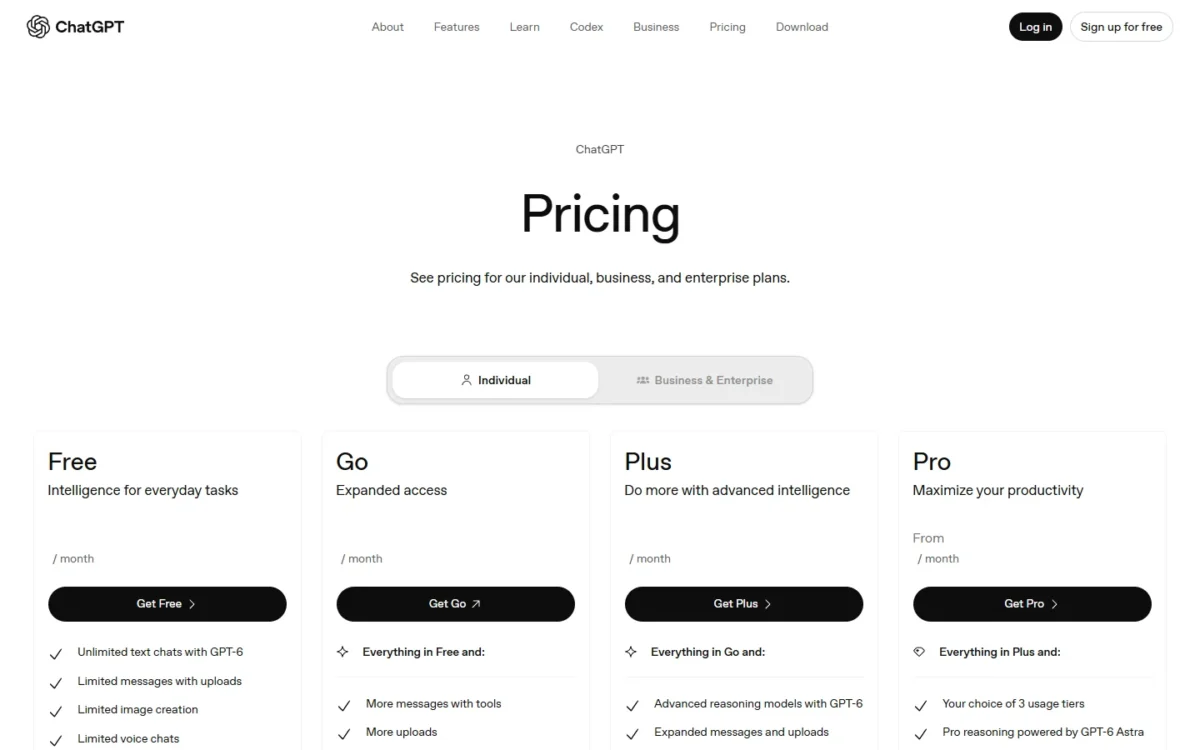
Unlimited text chats with GPT-6 come with the free plan.
Limit: a 27K context window and about 12 pages of input
Claude Free
Best for: research-backed long-form drafts
Web search, file creation and Claude Docs all sit on the free plan.
Limit: Anthropic publishes no free usage number
Rytr Free
Best for: short marketing copy on a fixed allowance
Free forever with 10,000 characters a month across 40+ writing use cases.
Limit: unlimited characters start on the paid Lite plan

Grammarly Free
Best for: editing a finished draft
Mistake and tone checks come with 100 AI prompts a month at $0.
Limit: full-sentence rewrites need Grammarly Pro
| Software | Best for | Starting price (first paid step) | Free plan or trial | Standout feature | Key limitation |
|---|---|---|---|---|---|
| ChatGPT Free | Everyday drafting volume | Go, $8 per month | Free plan | Unlimited text chats | 27K context window |
| Claude Free | Research-backed long-form | Pro, $17 per month billed annually | Free plan | Web search and file creation | No published usage number |
| Google Gemini | Research in a Google Account | Google AI Plus, $4.99 per month | Free plan with a Google Account | Deep Research on Free | Flash-Lite model on Free |
| Rytr Free | Short marketing copy | Lite, $7.50 per month billed annually | Free forever | 40+ writing use cases | 10,000 characters per month |
| Grammarly Free | Editing a finished draft | Pro, $144 per member per year | Free plan; Pro trial | Mistake and tone checks | 100 AI prompts per month |
| QuillBot Free | Paraphrasing short passages | Premium, $8.33 per month billed annually | Free plan | AI writer with no sign-up | 100 words per paraphrase |
| Wordtune Basic | Daily sentence rewrites | Advanced, $6.99 per month billed annually | Free plan; 3-day free trial of paid plans | Unlimited grammar checks | 10 rewrites per day |
| HubSpot AI Content Writer | Teams that publish from HubSpot | Paid Content Hub or Marketing Hub edition | Free, no credit card required | Drafts inside HubSpot tools | No usage cap stated |
| Canva Magic Write | Social captions in designs | Pro, $144 per year for one person | Free plan; Pro trial | Writes inside any design | Up to 20 Standard or Premium AI uses |
| Microsoft Copilot | An upgrade into Word and Outlook | Microsoft 365 Personal, $99.99 per year | Free tier; 1-month free trial of Personal | Copilot in Office desktop apps (paid) | Free-tier limits not listed |
Sources: ChatGPT pricing, Claude plans, Gemini plans, Rytr pricing, Grammarly plans, QuillBot Premium, Wordtune plans, HubSpot AI content writer, Canva pricing, Microsoft Copilot plans, checked October 2026.
In This Article (19 sections)
Free AI Writer Limits Compared: The Cap Each Free Plan Hits First
Each free plan caps a different unit, from characters a month on Rytr to rewrites a day on Wordtune. ChatGPT caps input size rather than text chats, and Claude, Gemini, HubSpot and Copilot state no number.
| Tool | Cap unit | Free allowance | First paid step that lifts it |
|---|---|---|---|
| ChatGPT Free | Context and input size | Unlimited text chats; 27K context, ~12 pages of input | Go: 54K context, ~40 pages of input |
| Claude Free | Usage per 5-hour session | No fixed message count; up to 5 projects | Pro: at least 5x the Free usage per session, Research, Opus |
| Google Gemini | Compute-based usage | Refreshes every 5 hours up to a weekly limit | Google AI Plus: 2x usage, Flash model |
| Rytr Free | Characters per month | 10,000 characters | Lite: unlimited characters per month |
| Grammarly Free | AI prompts per month | 100 prompts | Pro: 2,000 prompts per member per month |
| QuillBot Free | Words per request | 100-word paraphrase; 1,200-word summary | Premium: full paraphrasing, 6,000-word summaries |
| Wordtune Basic | Rewrites per day | 10 rewrites and suggestions a day; 3 summaries a month | Advanced: 30 a day, 15 summaries a month |
| HubSpot AI Content Writer | None stated | AI content writer features free | Paid Content Hub or Marketing Hub edition |
| Canva Magic Write | AI uses | Up to 20 Standard or Premium AI uses | Pro: 10x more AI than Canva Free |
| Microsoft Copilot | None stated | Free Copilot chat | Microsoft 365 Personal: higher usage than free |
Sources: ChatGPT, Claude, Gemini, Rytr, Grammarly, QuillBot, Wordtune, HubSpot, Canva, Microsoft, checked October 2026.
Match the unit to the job before the brand: a prompt count punishes many small edits, a character count punishes one long draft. A cap says when free ends, not whether you need an account or a card to start.
Is Any AI Content Generator Totally Free?
Yes, with conditions: QuillBot’s AI writer is free to use with no sign-up required, HubSpot’s writer needs a sign-up but no credit card, and Claude Free marks the credit card as “n/a”. You can create content with AI for free in all ten tools; what differs is the kind of free.
| Tool | Account to start | Card to start | Kind of free |
|---|---|---|---|
| ChatGPT Free | Not stated | Not stated | Free plan |
| Claude Free | Not stated | Credit card listed as n/a for Free | Free plan |
| Google Gemini | A Google Account | Not stated | Free plan |
| Rytr Free | Not stated | Not stated | Free forever plan |
| Grammarly Free | Not stated | Not stated; the Pro trial shows “$0 payment today” | Free plan; Pro trial |
| QuillBot AI writer | “No sign-up required” | Not stated | Free tool; free plan |
| Wordtune Basic | Not stated | The 3-day trial asks for payment information | Free plan; 3-day free trial of Advanced or Unlimited |
| HubSpot AI Content Writer | Sign-up | “No credit card required” | Free tool |
| Canva Magic Write | Not stated | Not stated | Free plan; Pro trial |
| Microsoft Copilot | Not stated | Not stated | Free tier; 1-month free trial of Personal |
Sources: the vendor pages listed under the comparison table, plus Grammarly AI writer and QuillBot AI writer, checked October 2026.
A free plan is a permanent $0 tier that ends at its usage limit. A free trial is paid access with an end date, and it ends with a bill. A free tool is a writer on a web page with no plan behind it.
Watch Wordtune’s trial: Wordtune offers no refunds, so a forgotten trial becomes a paid plan.
How I Chose These Free AI Writers
I considered the ranked tools plus the ones under Also Considered. The must-have was a free plan, on the vendor’s own page, that writes or rewrites text; Copy.ai, Jasper, Writesonic, Notion AI and Perplexity failed it.
The rest are ranked by four criteria in order: writing jobs covered on Free, whether Free runs the same model as the first paid tier, a published cap over none, and the yearly cost of the first paid step.
The evidence is each vendor’s official pricing, plan or help page, saved in October 2026, plus my analysis. This ranking compares plans and limits, not output quality. Jobs beyond writing, such as research, meetings and voice, are covered in my ranking of free AI tools by job.
1. ChatGPT Free: Best for Everyday Drafting Volume
- Best for: solo writers who draft every day
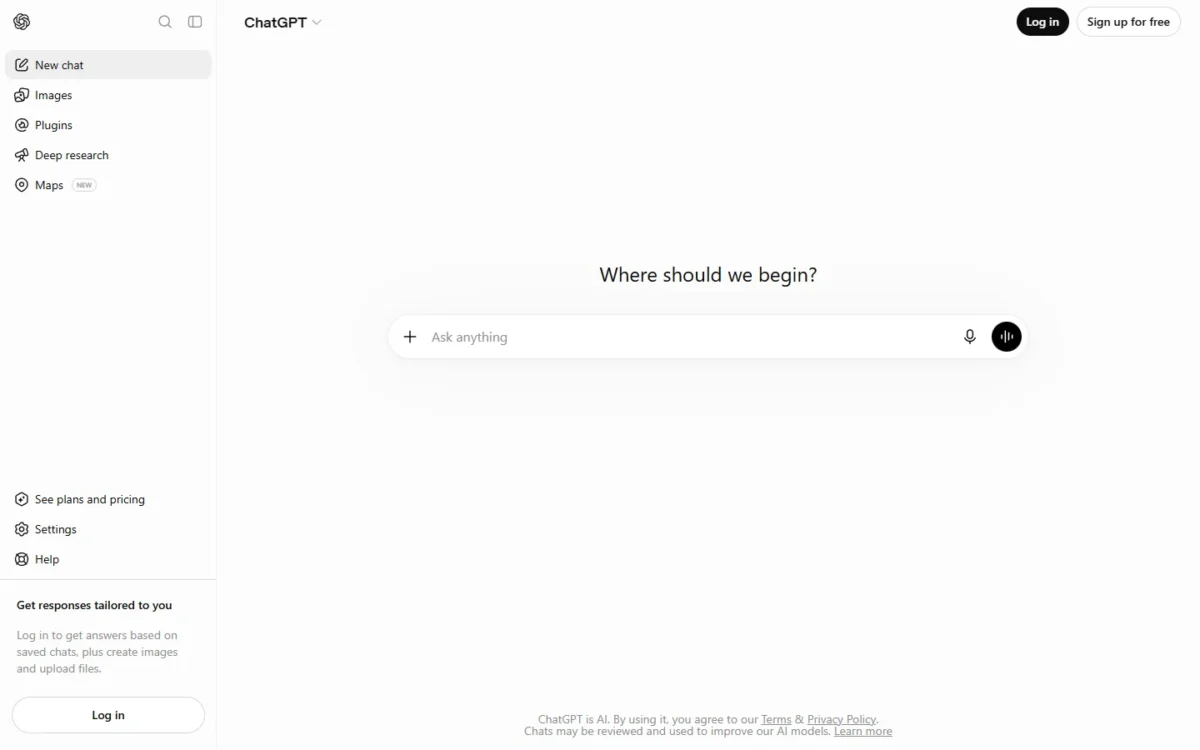
- Free plan: unlimited text chats with GPT-6, subject to abuse guardrails
- Free-plan ceiling: 27K context window, ~12 pages of input
- Integrations: Excel, Word, PowerPoint and Google Sheets extensions, limited on Free
ChatGPT Free ranks first because a drafting calendar never has to be rationed against a monthly number. Blog drafts, rewrites and outline passes all come from one unmetered pool.
The ceiling is input size. Free gets a 27K context window and about 12 pages of input, against 54K and about 40 pages on Go, so a long brief plus three source articles can fill it.
Go is the first paid step at $8 per month, and it may include ads. Plus costs $20 per month with no annual billing. My ChatGPT pricing guide budgets both tiers.
| Plan | Price | Billing | What changes for a writer |
|---|---|---|---|
| Free | $0 per month | Free plan | Unlimited text chats; 27K context |
| Go | $8 per month | Monthly | 54K context, scheduled tasks |
| Plus | $20 per month | Monthly only | Advanced reasoning, expanded deep research |
Sources: ChatGPT pricing, ChatGPT plan prices, ChatGPT Plus help article, checked October 2026.
Pros
- No monthly text-chat count to plan around
- Search and Projects at $0
- Go doubles the context window for $8 per month
Cons
- A 27K context window on Free
- Uploads, deep research and memory are rationed
- Plus cannot be prepaid for a year
- Skip it if:
- your drafts start from long uploaded files or deep research reports, since both are rationed on Free.
For the assistant beyond writing jobs, see my ChatGPT review; for sourced research at $0, Claude is the next stop.
2. Claude Free: Best for Research-Backed Long-Form Drafts
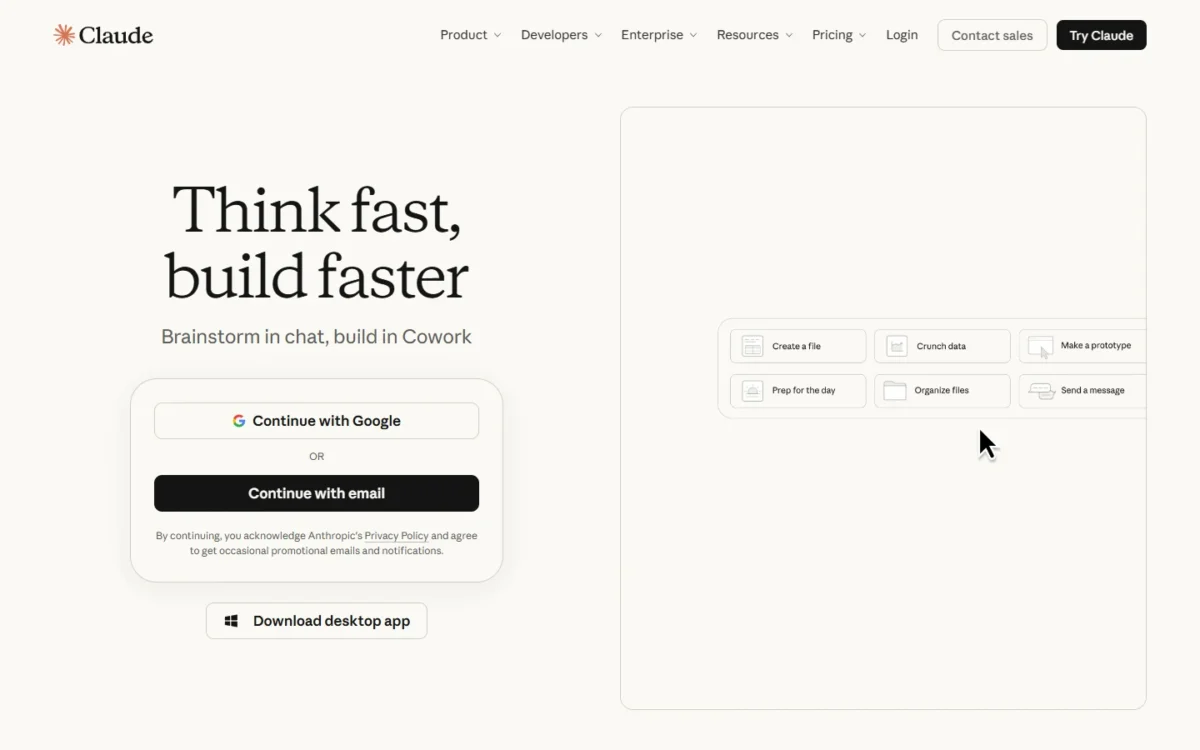
- Free plan: $0, “Free for everyone”
- Writing tools on Free: web search, file creation with code execution, Claude Docs, memory
- Models on Free: Sonnet and Haiku; Opus needs Pro
- Integrations: connectors on Free
Claude Free is my pick when a long piece starts from sources. Web search, file creation, Claude Docs and memory across conversations are all on Free, so the outline, its research and the finished file stay in one place.
The model is a reason to start here, since Sonnet runs on Free and Pro alike; that same-model free plan is why Claude ranks above Gemini.
The trade-off is planning: Anthropic sets no fixed message count on Free, only usage limits that reset on a rolling five-hour window. Research needs Pro and Free holds up to 5 projects, so a client deadline should not hang on Claude Free alone.
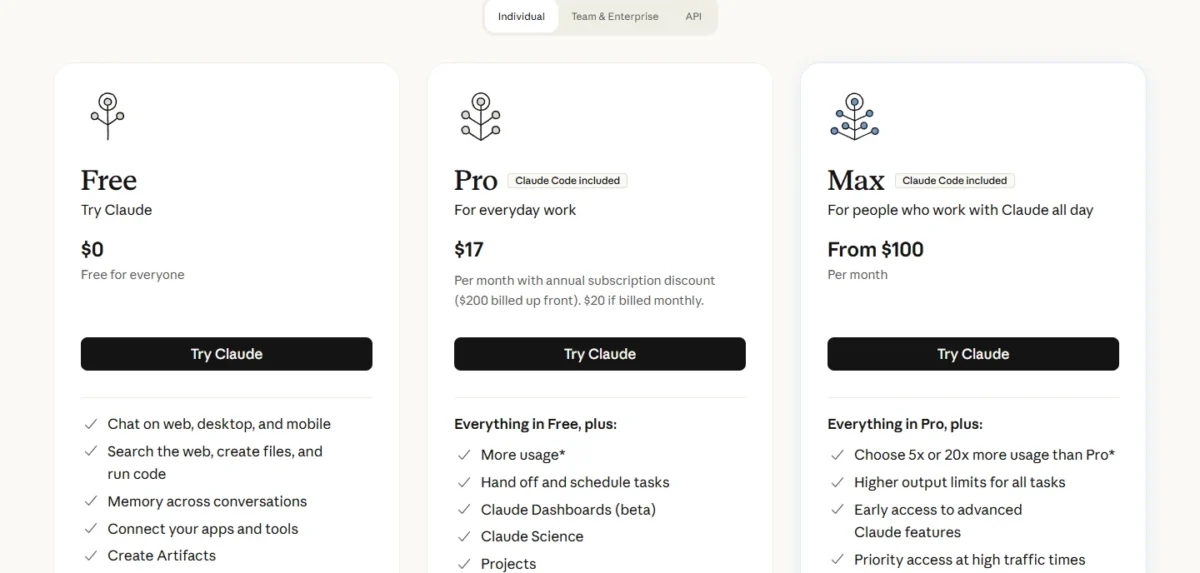
Claude Pro costs $17 per month with the annual discount, $200 billed up front, or $20 if billed monthly. A monthly year is $20 x 12 = $240, so buy annual only once Claude is your main drafting tool. Max and the team plans are in my Claude pricing guide.
| Plan | Price | Billing | What changes for a writer |
|---|---|---|---|
| Free | $0 | n/a | Sonnet and Haiku, up to 5 projects |
| Pro | $17 per month ($200 up front), or $20 monthly | Annual or monthly | More usage, Research, Opus |
Sources: Claude plans, checked October 2026.
Pros
- Web search and file creation at $0
- Sonnet on Free and Pro alike
- The pricing page lists Credit card as n/a for Free
Cons
- No published free usage number
- Research and Opus need Pro
- Up to 5 projects on Free
- Skip it if:
- a client deadline needs an allowance you can count, because Anthropic publishes none for Free.
My Claude review covers writing quality beyond the free plan.
3. Google Gemini: Best for Research and Writing in a Google Account
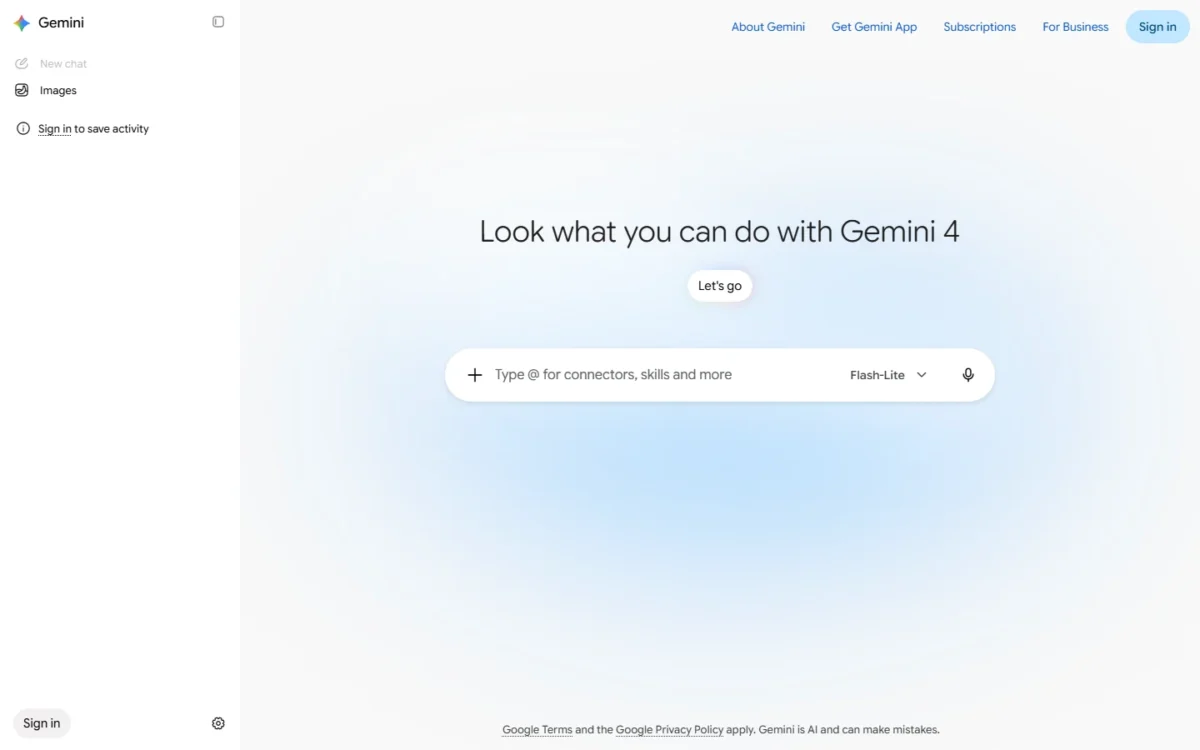
- Free plan: $0 per month with a Google Account
- Model on Free: Flash-Lite
- Writing tools on Free: Deep Research, Canvas, Gems, Gemini Notebook
- Integrations: Gemini in Gmail and Vids from Google AI Plus; in Docs from Google AI Pro
Gemini puts Deep Research, the research tool Claude keeps on Pro, on its free plan.
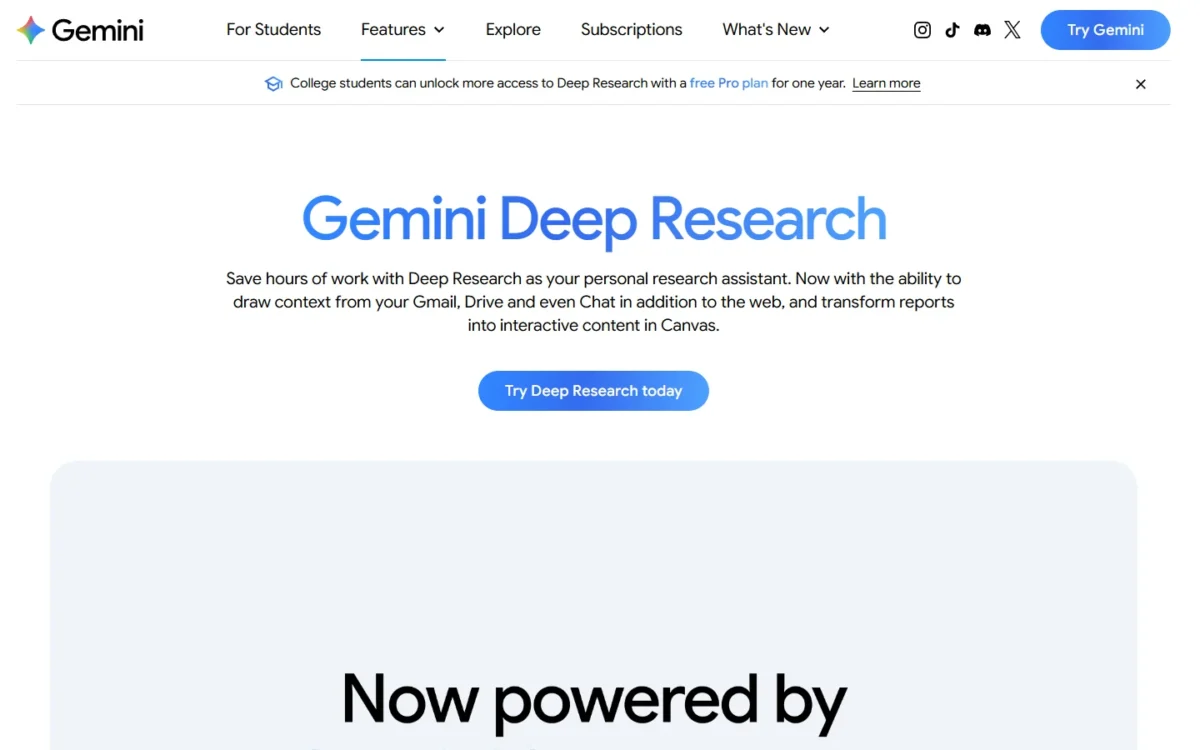
The catch is the model. The free card names Flash-Lite, while Google AI Plus moves up to Flash, so Gemini Free runs a step below Google’s own first paid plan; on my second criterion, that ranks it below Claude.
Google AI Plus costs $4.99 per month for 2x the Free usage and the Flash model. Gemini inside Docs needs Google AI Pro at $19.99 per month, which my Gemini pricing guide breaks down.
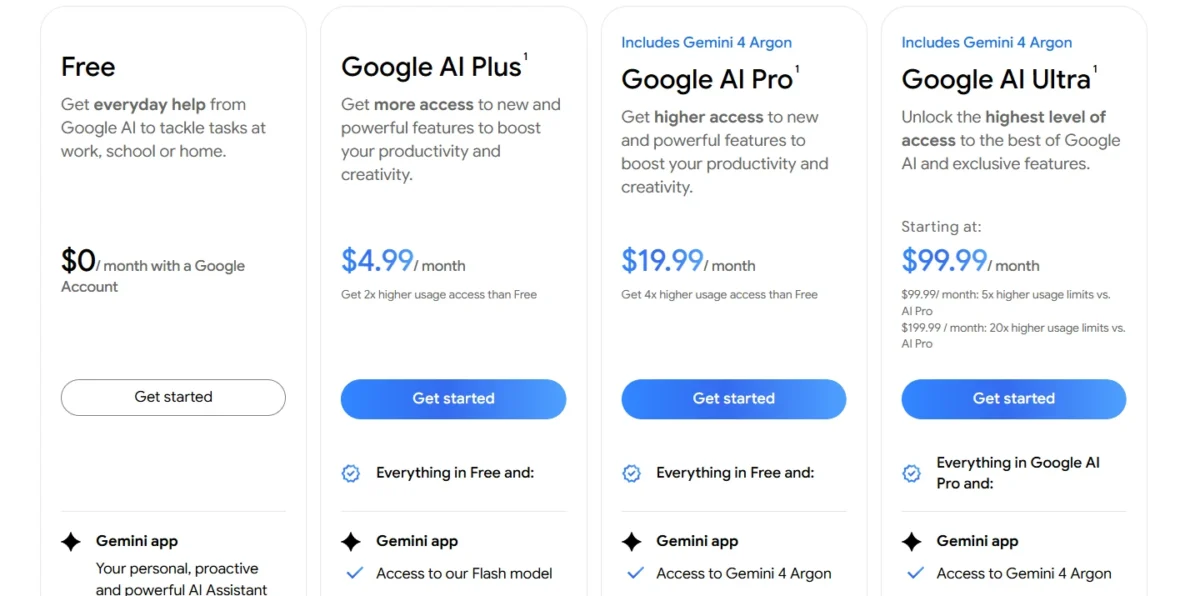
| Plan | Price | Billing | What changes for a writer |
|---|---|---|---|
| Free | $0 per month | Free plan | Flash-Lite, Deep Research, 15 GB storage |
| Google AI Plus | $4.99 per month | Monthly | 2x usage, Flash, Gemini in Gmail |
Sources: Gemini plans, checked October 2026.
Pros
- Deep Research at $0
- Canvas, Gems and Gemini Notebook on Free
- Google AI Plus costs $4.99 per month
Cons
- Flash-Lite is the only model on the free card
- Usage is compute-based, with no fixed number
- Gemini in Docs needs Google AI Pro
- Skip it if:
- you want a free plan that runs the same model as the first paid tier.
My Gemini review looks at the assistant beyond writing.
4. Rytr Free: Best for Short Marketing Copy on a Fixed Allowance
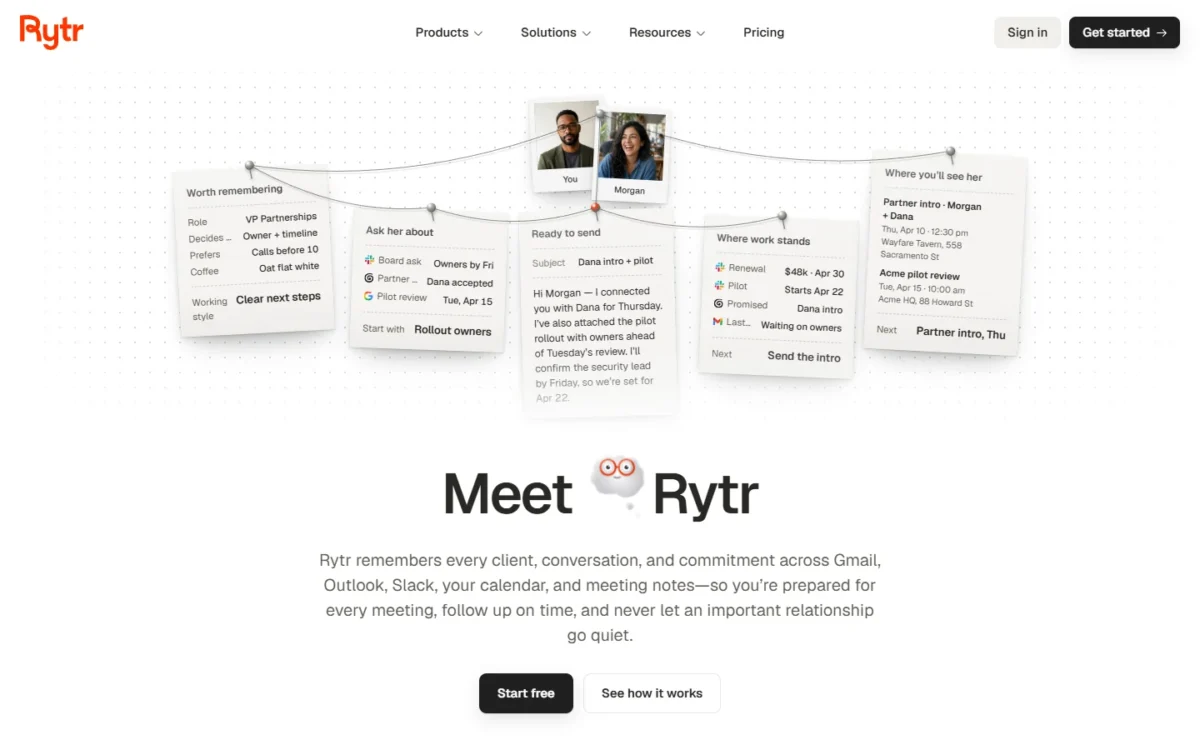
- Free plan: “Free forever”, 10,000 characters per month
- Writing tools: 40+ writing use cases in 30+ languages
- Integrations: 1 connected source on Free
A fixed number is what Rytr Free adds over the three assistants: 10,000 characters a month, free forever. That is a short-form budget, sized for captions, product blurbs and ad variations rather than articles.
Take an illustrative month of social captions at 150 characters each: 10,000 / 150 = 66 full captions, about two a day. One 1,500-word blog draft at an assumed 6 characters per word needs 1,500 x 6 = 9,000 characters, nearly the whole month.
For writing, Lite is the step that matters: Rytr says it “removes the monthly character limit”.
Lite costs $9 per month on the monthly view or $7.50 per month billed annually. A year of Lite is $7.50 x 12 = $90 on annual billing, against $9 x 12 = $108 month to month.
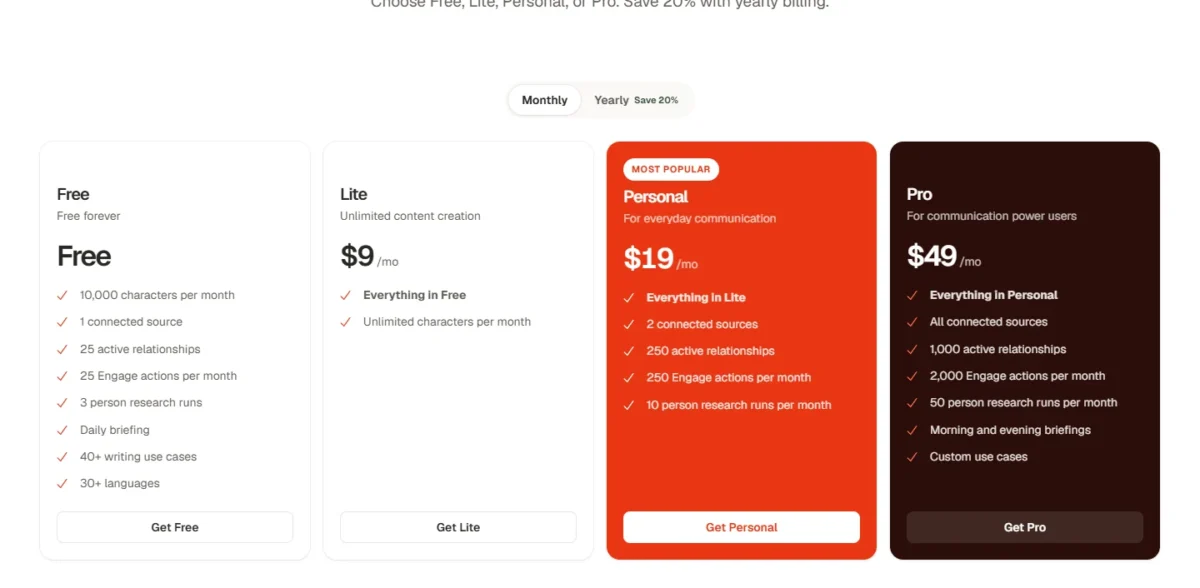
| Plan | Monthly view | Billed annually | What changes for a writer |
|---|---|---|---|
| Free | Free forever | Free forever | 10,000 characters per month |
| Lite | $9/mo | $7.50/mo | Unlimited characters per month |
Sources: Rytr pricing, monthly and yearly views, checked October 2026.
Pros
- A published allowance you can plan around
- 40+ writing use cases in 30+ languages
- Lite removes the cap for $7.50 per month billed annually
Cons
- One long blog draft can use most of a month
- Unlimited characters need the paid Lite plan
- 1 connected source on Free
- Skip it if:
- you draft blog posts, because the allowance is sized for short copy.
Templates and paid plans are in my Rytr review.
5. Grammarly Free: Best for Editing a Finished Draft
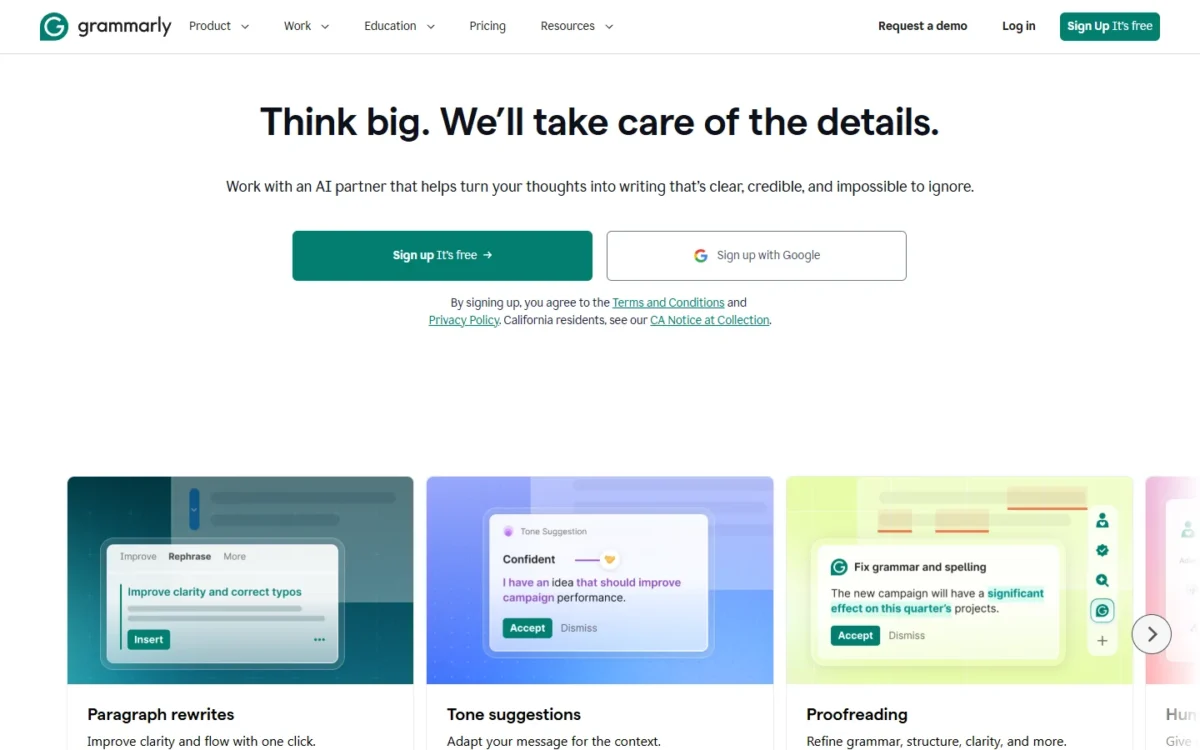
- Free plan: $0 USD per month
- AI on Free: 100 prompts per month to generate text
- Editing on Free: spelling and grammar mistakes, writing tone
- Integrations: not listed on the plans page
Grammarly Free belongs at the end of the writing process. It pairs mistake and tone checks with 100 AI prompts a month, and a writer who prompts once per paragraph would spend that on a handful of posts.
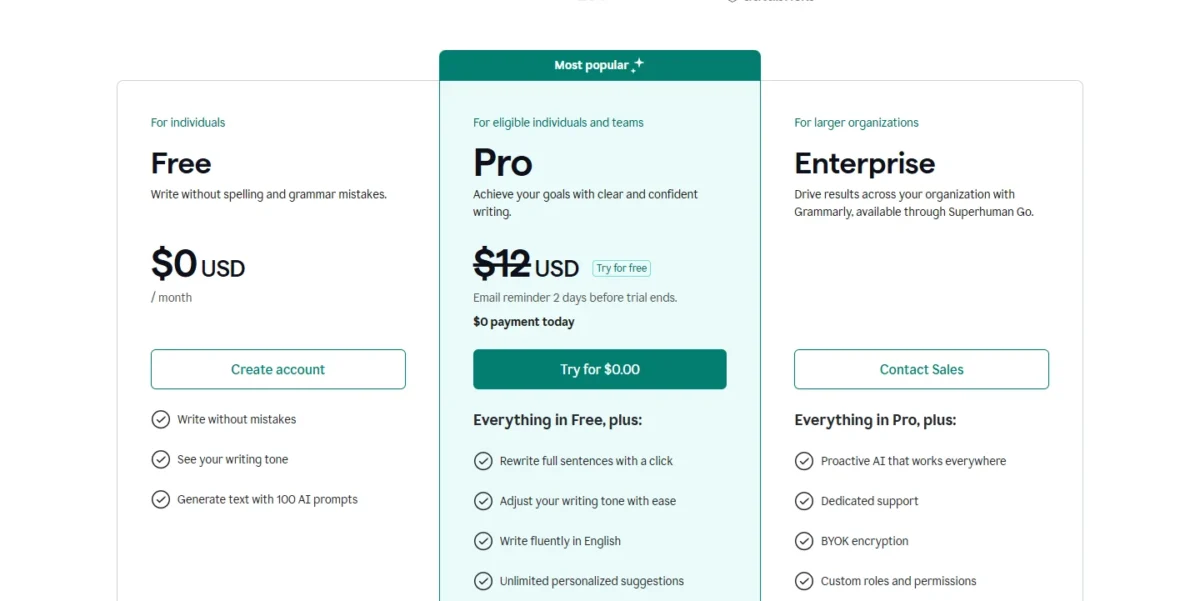
Rytr ranks above it because Rytr’s allowance writes first drafts, while Grammarly Free checks text that already exists. Full-sentence rewrites and plagiarism detection sit on Pro, whose trial shows “$0 payment today” and sends a reminder 2 days before it ends.
Grammarly Pro costs $144 USD per member per year on annual billing ($12 average per month), $60 per member every three months, or $30 per member per month.
| Plan | Price | Billing | What changes for a writer |
|---|---|---|---|
| Free | $0 USD per month | Free plan | 100 AI prompts per month |
| Pro | $144 USD per member per year, or $30 monthly | Annual or monthly | 2,000 prompts per member per month |
Sources: Grammarly plans, Grammarly Pro pricing help, checked October 2026.
Pros
- Mistake and tone checks at $0
- 100 AI prompts a month to generate text
- Pro’s annual plan averages $12 per member per month
Cons
- 100 prompts run out fast as a drafting engine
- Full-sentence rewrites need Pro
- Monthly Pro costs $360 per member a year
- Skip it if:
- you want whole sentences rewritten with a click, since Grammarly puts that on Pro.
6. QuillBot Free: Best for Paraphrasing and Summarizing Short Passages
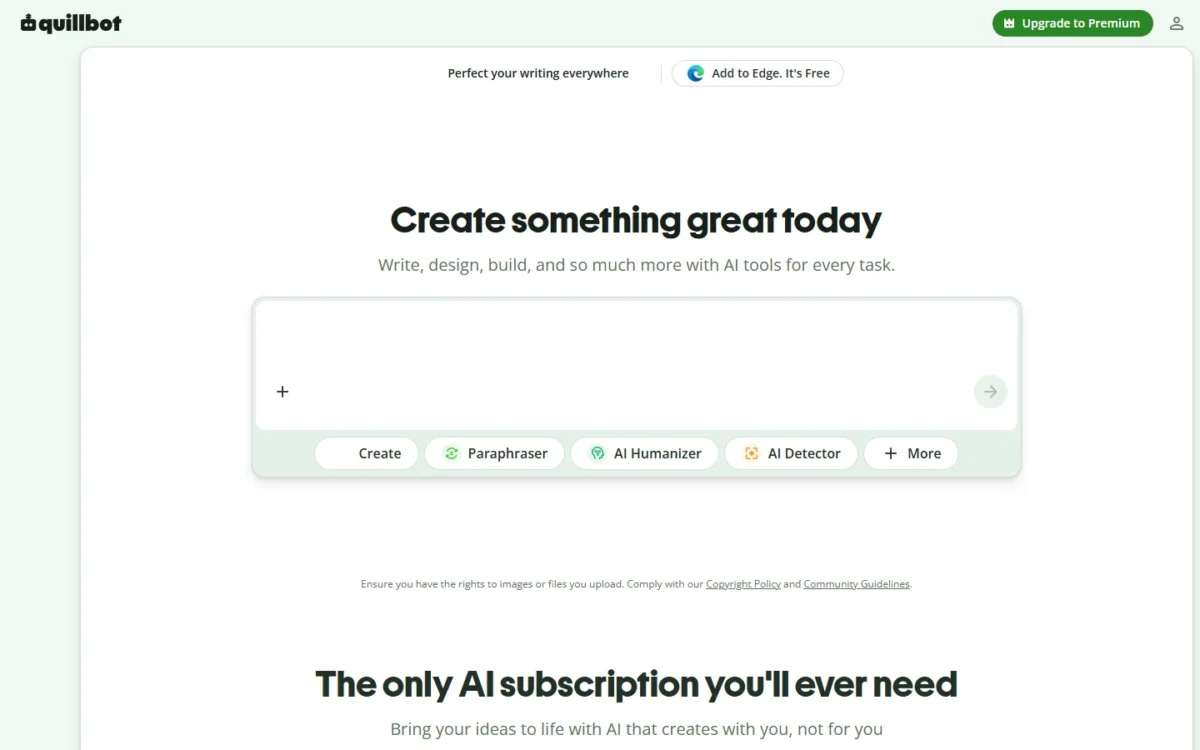
- Paraphrasing on Free: up to 100 words, Standard and Fluency modes
- Summaries on Free: up to 1,200 words
- AI writer: “Free to use with no sign-up required”
- Integrations: QuillBot lists a Google Chrome extension
QuillBot Free rewrites by the chunk: 100 words per paraphrase in two modes, plus summaries of up to 1,200 words. That covers rewording a paragraph several ways or condensing a source before drafting; Grammarly keeps full-sentence rewrites on Pro.
The 100-word window is the cost, and it grows with the length of the text.
Take an illustrative 1,000-word section: 1,000 / 100 = 10 passes, tolerable for an edit and tiresome for a rewrite.
For a first draft, QuillBot pitches its separate AI writer for professional use, to “Draft polished documents faster than ever”.
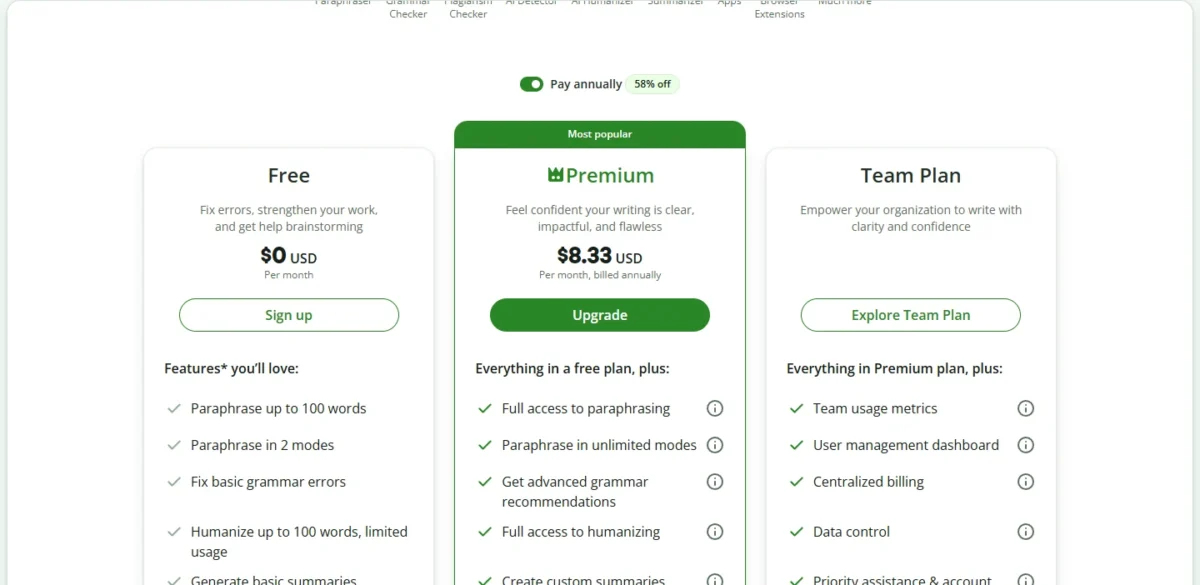
QuillBot Premium costs $8.33 USD per month, billed annually. Premium opens full paraphrasing in 9 modes, 6,000-word summaries and higher chat and writing usage.
| Plan | Price | Billing | What changes for a writer |
|---|---|---|---|
| Free | Free | Free plan | 100-word paraphrase, 1,200-word summary |
| Premium | $8.33 USD per month | Billed annually | Full paraphrasing, 6,000-word summaries |
Sources: QuillBot Premium, checked October 2026.
Pros
- Paraphrasing and long summaries at $0
- AI writer with no sign-up required
- A Google Chrome extension listed
Cons
- 100 words per paraphrase
- Two paraphrase modes on Free, 9 on Premium
- Chat and write with AI is limited usage on Free
- Skip it if:
- you rewrite whole articles, since every 100 words is a separate pass.
7. Wordtune Basic: Best for Sentence-Level Rewrites Every Day
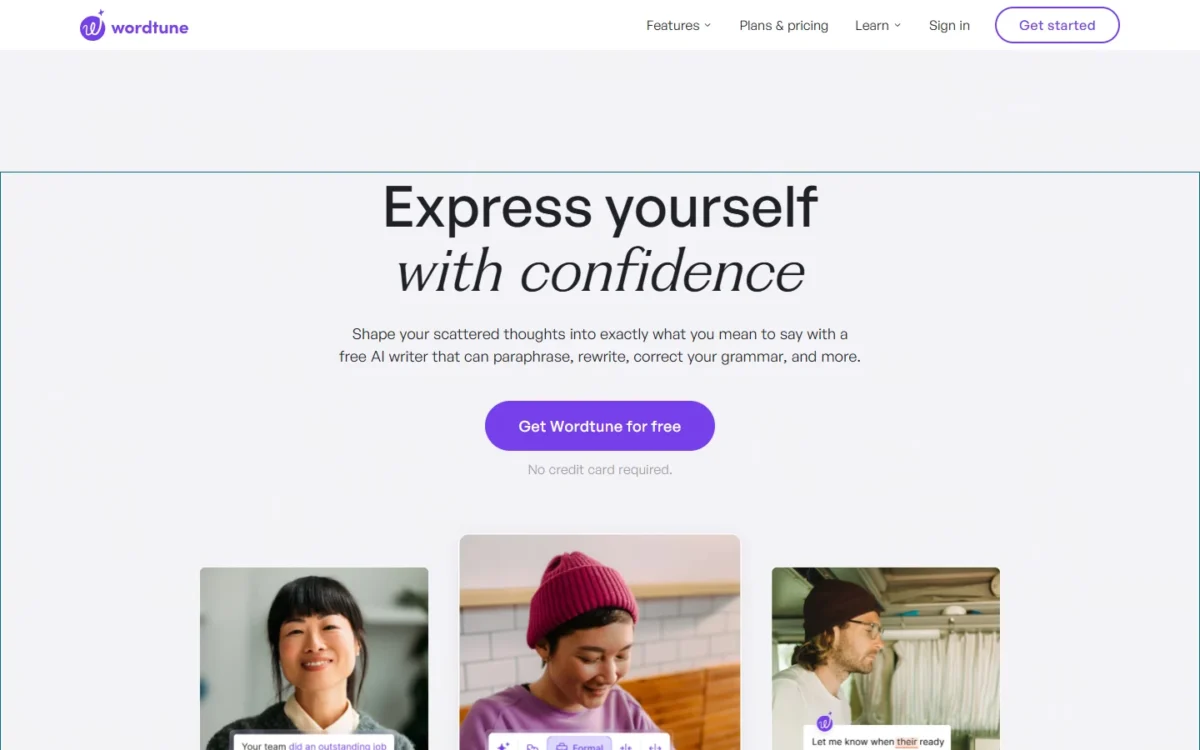
- Free plan: Basic at $0.00
- Rewrites and AI suggestions: 10 per day
- AI summaries: 3 per month
- Spelling corrections and grammar checks: unlimited
Wordtune Basic rations by the day rather than the month. For a writer who polishes an email or a few sentences daily, 10 rewrites a day never runs dry in week one the way a monthly pool can.
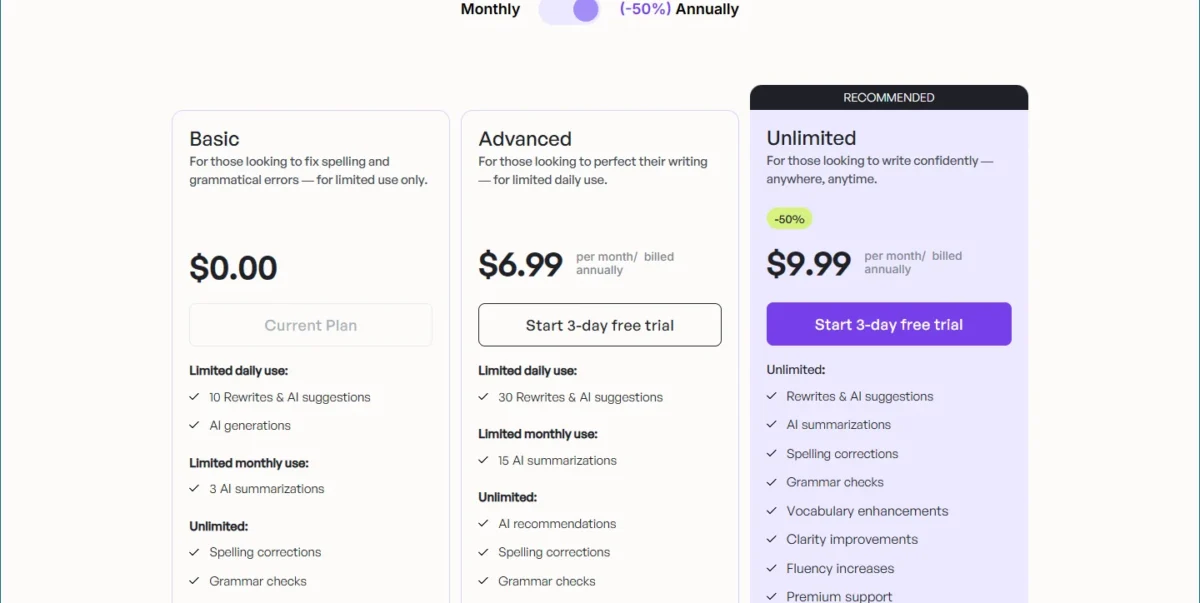
Basic is labelled “for limited use only”, and its AI generations sit under limited daily use with no number attached. It is a rewriter that drafts a little, not a drafting tool.
Wordtune Advanced costs $6.99 per month billed annually and triples the daily rewrites, which suits a writer who edits client copy every day.
| Plan | Price | Billing | What changes for a writer |
|---|---|---|---|
| Basic | $0.00 | Free plan | 10 rewrites a day, 3 summaries a month |
| Advanced | $6.99 per month | Billed annually | 30 rewrites a day, 15 summaries a month |
| Unlimited | $9.99 per month | Billed annually | Unlimited rewrites and summaries |
Sources: Wordtune plans, checked October 2026.
Pros
- A daily allowance of 10 rewrites
- Unlimited spelling and grammar checks at $0
- Advanced costs $6.99 per month billed annually
Cons
- 3 AI summaries a month on Basic
- No published number for AI generations
- No refunds once a trial converts
- Skip it if:
- you want long drafts written from a prompt, because Basic lists AI generations only as limited daily use.
8. HubSpot AI Content Writer: Best for Teams That Publish From HubSpot
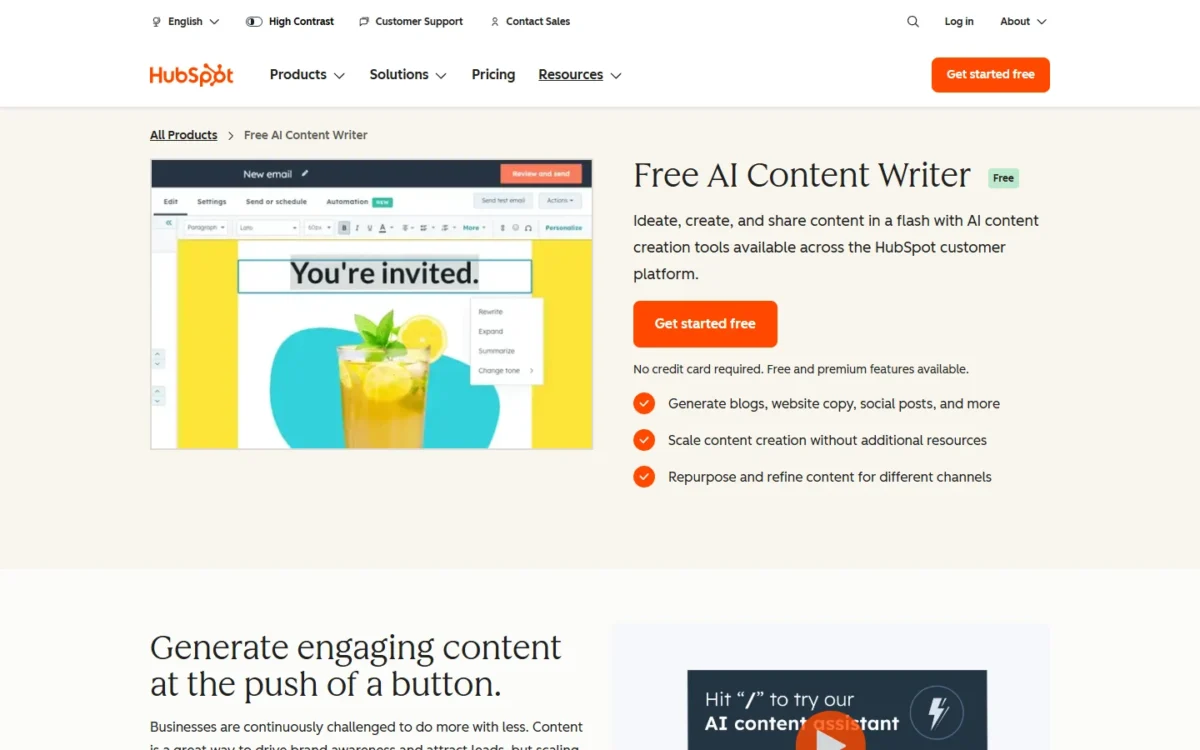
- Free terms: “No credit card required”
- What it drafts: blog posts, landing pages, website copy, social posts and prospecting emails
- Editing: slash commands and highlight-triggered rephrasing
- Integrations: HubSpot’s free social media, landing page and email marketing tools
HubSpot’s writer makes sense for one team: the one whose emails, landing pages and blog posts already go out through HubSpot. The assistant sits inside HubSpot’s marketing, sales and content tools, so a landing page is drafted in the builder that publishes it.
HubSpot states no usage cap and no paid price for the writer. The more advanced content marketing tools belong to the paid Content Hub and Marketing Hub editions, so price those before the team relies on them.
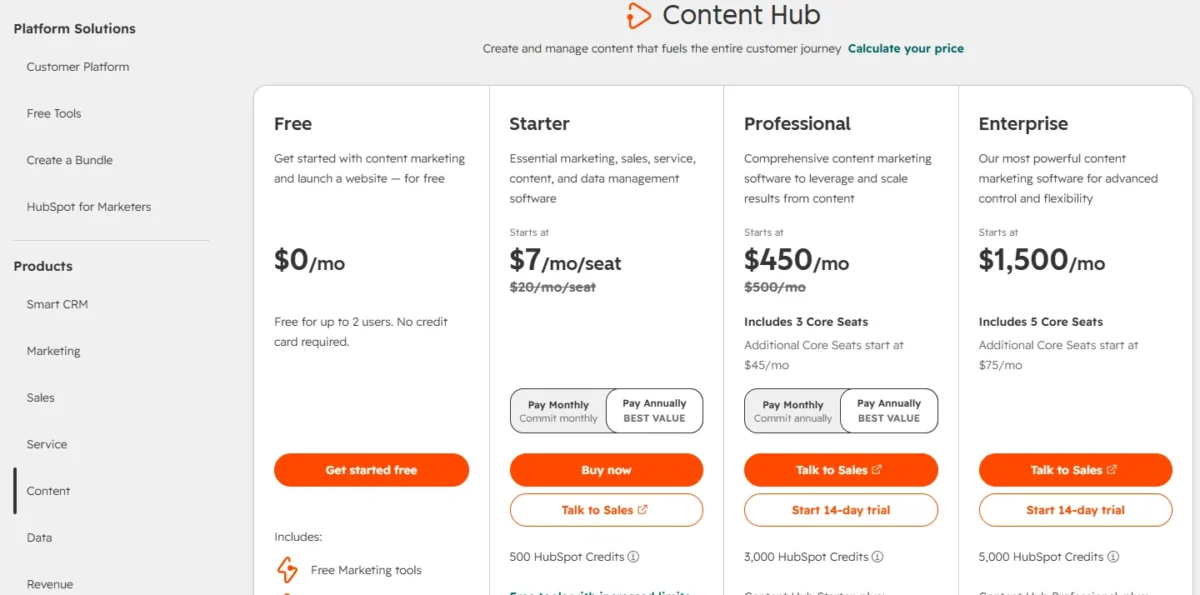
- Free: the AI content writer, with no card at sign-up
- Paid: Content Hub and Marketing Hub editions for advanced content marketing
Sources: HubSpot AI content writer, checked October 2026.
Pros
- Nothing to pay and no card to start
- Drafts blog posts, landing pages, emails and social posts
- Works inside HubSpot’s free social, landing page and email tools
Cons
- No usage cap stated for the writer
- Paid edition prices sit outside the writer page
- Little reason to use it outside HubSpot
- Skip it if:
- HubSpot is not where your team publishes; captions that live inside a design go to Canva.
9. Canva Magic Write: Best for Social Captions Inside Designs
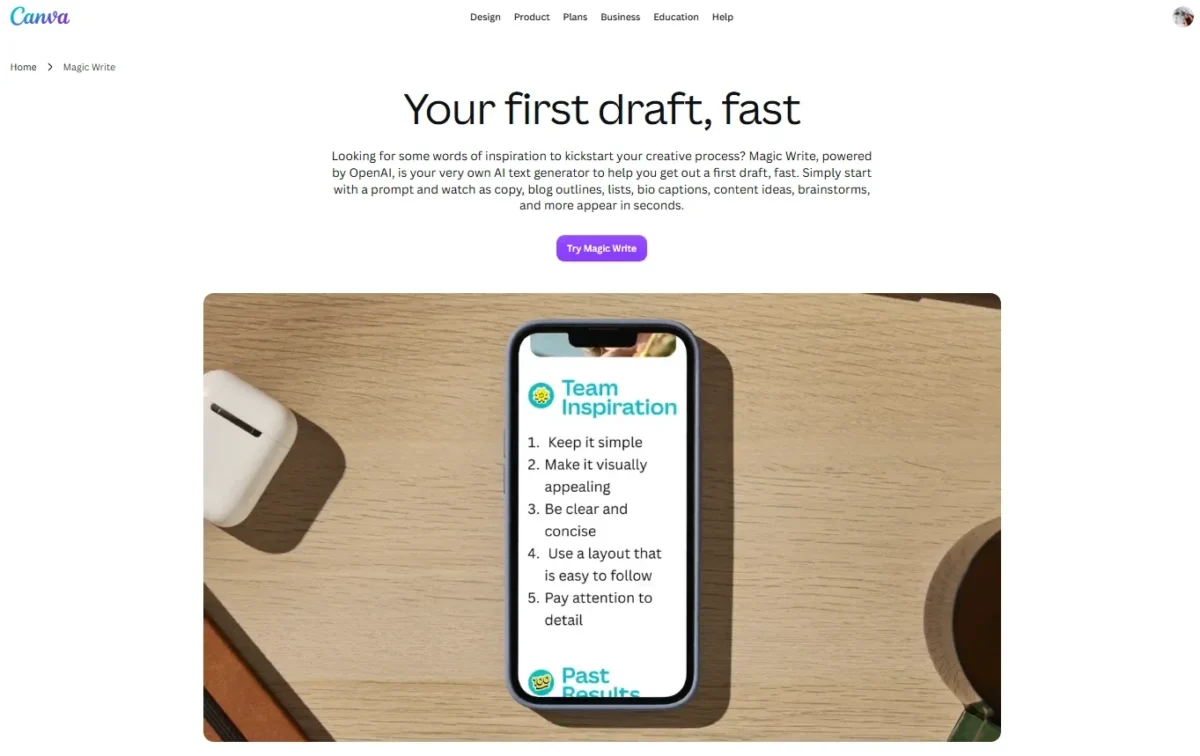
- Free AI allowance: up to 20 Standard or Premium AI uses
- Languages: 20
- Integrations: available across all Canva designs
Canva Magic Write is the pick when the words live inside a design. Instagram and Facebook post descriptions are among its named jobs, and the caption gets written in the post it belongs to.
Canva’s pricing page gives Free up to 20 Standard or Premium AI uses. Plan on a batch of captions rather than a blog calendar.
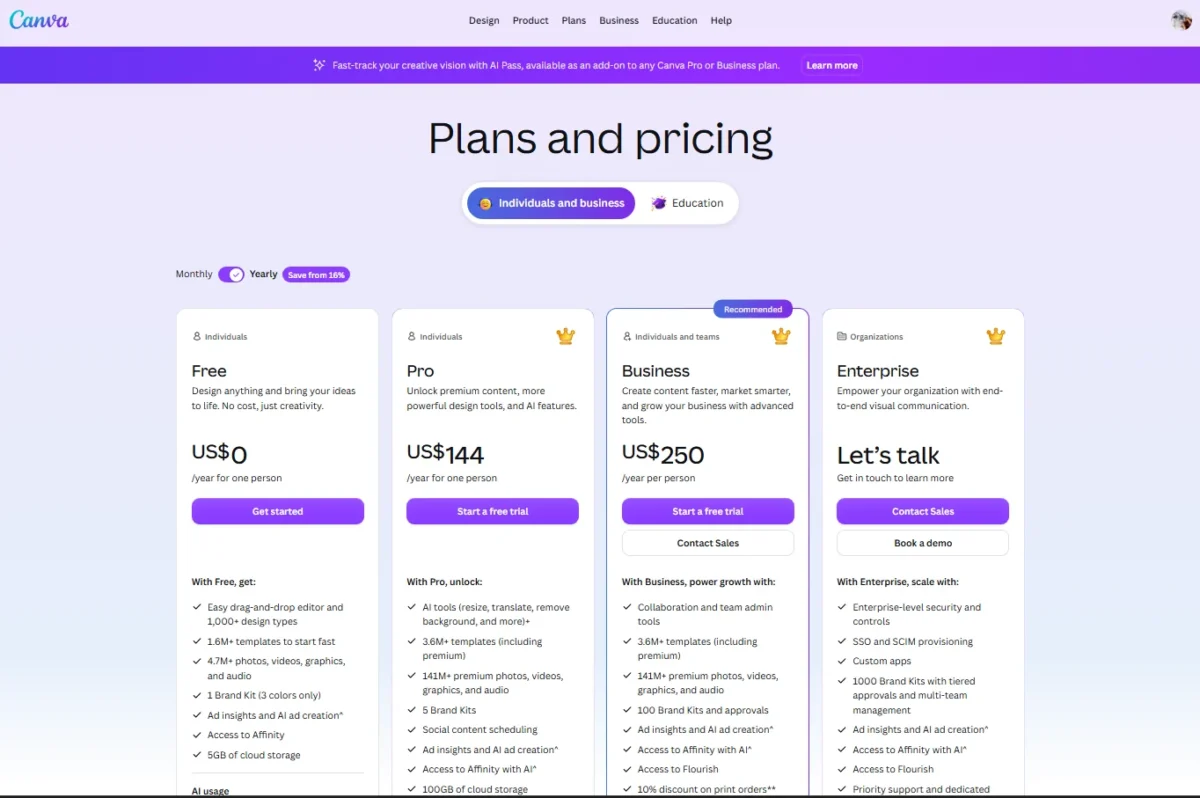
Canva Pro costs $144 per year for one person on yearly billing, and Business costs $250 per year per person; Canva notes that prices exclude applicable tax. A free trial of Canva Pro is available.
Pro lifts the allowance to 10x more AI than Canva Free, and Magic Write rises to 250 queries per month on Pro, Teams and Nonprofit accounts. That makes Pro a buy for a team that posts captions every week, since 20 free AI uses cover a batch, not a calendar.
- Free: no cost, up to 20 Standard or Premium AI uses
- Pro: $144 per year for one person, 10x more AI than Canva Free, up to 250 Magic Write queries per month
- Business: $250 per year per person, 20x more AI than Canva Free
Sources: Canva pricing (US view, yearly billing), Canva Magic Write, checked October 2026.
Pros
- Writes inside any Canva design
- Instagram and Facebook post descriptions among its jobs
- Works in 20 languages
Cons
- Free is capped at up to 20 Standard or Premium AI uses
- The 250 Magic Write queries per month sit on Pro, Teams and Nonprofit accounts, not Free
- Text-only jobs gain nothing from the design canvas
- Skip it if:
- text is the deliverable rather than a design.
When the job is the image rather than the caption, my ranking of AI image generators is the place to start.
10. Microsoft Copilot: Best for an Upgrade Path Into Word and Outlook
- Free tier: Copilot chat, with no free-tier limits listed
- What Personal adds: Word, Excel, PowerPoint and Outlook desktop apps with Microsoft Copilot, 1 TB storage
- Trial: “Try free for 1 month” on Personal and Premium
- Integrations: Word, Excel, PowerPoint, Outlook and Teams
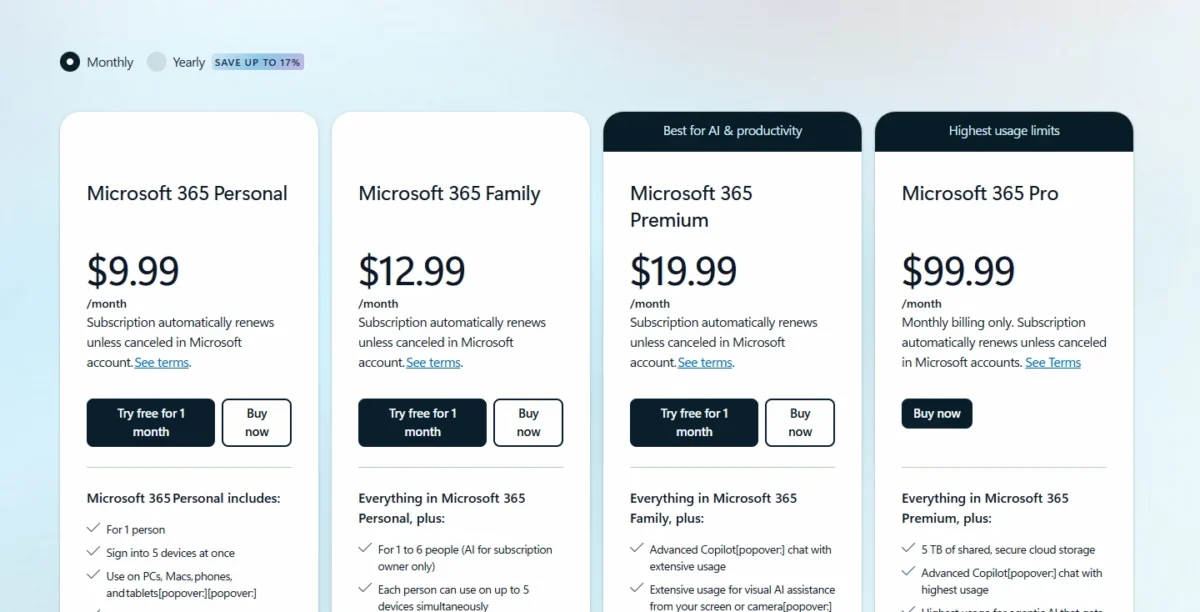
Microsoft never spells out what Copilot’s free tier includes: Personal is described as “higher usage than free”, Premium as “extensive usage” and Microsoft 365 Pro as “highest usage”. That puts Copilot last, and it earns its place for the upgrade, not the free tier.
Microsoft 365 Personal puts Copilot inside the Word, Excel, PowerPoint and Outlook desktop apps, where many writers already draft documents and email.
Microsoft 365 Personal costs $9.99 per month or $99.99 per year, and paying monthly for a year is $9.99 x 12 = $119.88. That makes the yearly bill the better buy once Copilot in Word is a habit.
| Plan | Price | Billing | What changes for a writer |
|---|---|---|---|
| Personal | $9.99 per month or $99.99 per year | Monthly or yearly | Copilot in desktop apps, higher usage than free |
| Premium | $19.99 per month or $199.99 per year | Monthly or yearly | Extensive Copilot chat usage |
Sources: Microsoft Copilot plans, checked October 2026.
Pros
- Personal puts Copilot in the Word and Outlook desktop apps
- $99.99 a year includes 1 TB of storage
- A 1-month free trial on Personal and Premium
Cons
- Free-tier limits are not listed
- Copilot on Family is for the subscription owner only
- The writing value sits behind a paid plan
- Skip it if:
- you will never pay for Microsoft 365.
What the First Paid Step Costs for a Year
The first upgrade costs from $4.99 x 12 = $59.88 a year for Google AI Plus to $30 x 12 = $360 for Grammarly Pro on monthly billing. ChatGPT Plus cannot be prepaid for a year at all.
| Tool | First paid step | Listed price and billing | One-year cost |
|---|---|---|---|
| Google Gemini | Google AI Plus | $4.99 per month | $4.99 x 12 = $59.88 |
| Wordtune | Advanced | $6.99 per month, billed annually | $6.99 x 12 = $83.88 |
| Rytr | Lite | $7.50 per month billed annually; $9 per month monthly | $7.50 x 12 = $90; $9 x 12 = $108 |
| ChatGPT | Go | $8 per month | $8 x 12 = $96 |
| QuillBot | Premium | $8.33 per month, billed annually | $8.33 x 12 = $99.96 |
| Microsoft Copilot | Microsoft 365 Personal | $99.99 per year; $9.99 per month | $99.99; $9.99 x 12 = $119.88 |
| Canva | Pro | $144 per year for one person, billed yearly | $144 |
| Grammarly | Pro | $144 per member per year; $30 per member per month | $144; $30 x 12 = $360 |
| Claude | Pro | $200 billed up front yearly; $20 per month | $200; $20 x 12 = $240 |
| ChatGPT | Plus | $20 per month, billed monthly only | $20 x 12 = $240 |
Sources: Gemini plans, Wordtune plans, Rytr pricing, ChatGPT plan prices, QuillBot Premium, Microsoft Copilot plans, Canva pricing, Grammarly Pro pricing help, Claude plans, ChatGPT Plus help article, checked October 2026.
Six of these first steps stay under $100 a year when billed the cheaper way, so outgrowing one free cap rarely calls for a $240 subscription. Billing matters most for Grammarly, where monthly Pro costs $360 per member against $144 annually.
HubSpot prices neither paid edition on its writer page, so it stays out of the table.
How to Choose a Free AI Content Generator
Name the writing job first, then pick the tool whose cap barely touches it: drafts go to ChatGPT Free, sourced long-form to Claude Free, short copy to Rytr Free and editing to Grammarly Free.
| Your writing job | Start with | Why | Skip it when |
|---|---|---|---|
| Daily blog drafts | ChatGPT Free | Unlimited text chats | Drafts start from long uploads |
| Long-form built from sources | Claude Free | Web search, files and Docs on Free | A deadline needs a counted allowance |
| Research briefs in a Google Account | Google Gemini | Deep Research on Free | You need a stronger free model |
| Captions, blurbs and ad lines | Rytr Free | A fixed monthly character allowance | The job is blog posts |
| The final polish | Grammarly Free | Mistake and tone checks | You want it to draft |
| Rewording a paragraph | QuillBot Free | Paraphrase modes on Free | You rewrite whole articles |
| A few sentences a day | Wordtune Basic | A daily rewrite allowance | You need drafts from prompts |
| Campaigns published from HubSpot | HubSpot AI Content Writer | Drafts inside HubSpot’s free tools | HubSpot is not your publisher |
| Social posts inside a design | Canva Magic Write | Writes inside any Canva design | Text is the deliverable |
| Word and Outlook drafting, paid later | Microsoft Copilot | Copilot in Office desktop apps on Personal | You will never pay for Microsoft 365 |
Free stacks by writing job
Three free pairs cover jobs one plan cannot:
- Draft and polish. Draft in ChatGPT Free, then run Grammarly Free’s mistake and tone checks on the result; it ends when briefs outgrow the context window.
- Research and rework. Draft from sources in Claude Free, then reword quotes in QuillBot Free; it ends when Claude’s usage limit stops a research day.
- Copy and design. Write captions in Rytr Free and finish them in Canva with Magic Write; it ends at whichever allowance runs out first.
Shortlists by team and job
When the job is not written content:
- Video rather than text: free AI video generators, ranked by what each free plan allows.
- Slides rather than articles: free AI presentation makers.
- A paid stack once free tools stop being enough: my picks of AI tools for content creation.
- An assistant beyond writing: the best AI chatbots, compared by job and budget.
A picked tool still produces a draft, not a publishable article.
How to Create a Professional Draft With a Free AI Writer
To generate a draft worth publishing, brief the tool like an editor, then check every price, date and product claim against the vendor’s own page before you publish. This template works in any tool here that takes a prompt:
Role: You are writing for {publication}, whose readers are {audience}.
Task: Write {content type} about {topic}, aimed at {reader goal}.
Context: {facts, sources or notes the draft must use}
Rules: {tone}, {words to avoid}, {length}, {format such as H2 sections or bullets}
Do not: invent prices, features, dates or statistics; flag anything unverified.
Output: {the structure you want}, then a list of every factual claim you made.
The last line matters most, because the draft’s own list of claims becomes your checklist:
- Check every price, plan limit, date and model name on the vendor’s own page.
- Recheck sentences that mix two products, where errors hide.
- Cut any claim no source supports, or rewrite it as labelled opinion.
More prompts by use case sit in my ChatGPT prompts library.
Also Considered
Five more tools from the top results failed the free-plan test:
- Copy.ai. Chat costs $29 per month billed monthly, with unlimited words in chat and no free plan. My Copy.ai review covers its workflow side.
- Jasper. A 7-day free trial of Pro, at $59 per month billed yearly, stands in for a free plan.
- Writesonic. Plans start at $79 per month billed annually behind a free trial, for AI search visibility rather than free writing. The paid pair meets in Copy.ai vs Writesonic.
- Notion AI. Notion’s Free plan includes a “Trial of Notion AI”, not an ongoing AI allowance.
- Perplexity. Pro costs $17 per month when billed annually, and the Free plan’s writing features are not listed.
Sources: Copy.ai pricing, Jasper pricing, Writesonic pricing, Notion pricing, Perplexity Pro, checked October 2026.
FAQ
Which free AI writer can search the web for sources?
ChatGPT Free includes Search, Claude Free includes web search, and Gemini’s free plan includes Deep Research. Claude keeps Research for Pro and ChatGPT rations deep research on Free, so at no cost I would split the job: Gemini’s Deep Research for the multi-source research brief, then Claude Free to draft the long-form piece from it.
Is there a free AI content generator for Instagram and Facebook posts?
Yes. Canva Magic Write names Instagram and Facebook post descriptions among its jobs, and HubSpot lists an AI Social Media Caption Generator among its features. Pick Canva when the post is a design, HubSpot when the team schedules posts from HubSpot, and Rytr when you only need caption text.
Is there a free AI content idea generator?
Yes. HubSpot lists a Blog Idea Generator among its writer’s resources, and Canva Magic Write lists content ideas and brainstorms among what it writes. QuillBot’s AI writer also pitches generating ideas, and it needs no sign-up to try.
Final Verdict
Pick by job, not by a “best overall” label: ChatGPT Free for drafting volume, Claude Free for research-backed long-form, Rytr Free for short copy and Grammarly Free for the editing pass.
To stay at $0, draft in ChatGPT Free and polish in Grammarly Free. When one cap bites every week, buy the first paid step of the tool whose cap it is, from the one-year table.
Google AI Plus at $4.99 per month is the lowest of those steps, but it only lifts Gemini’s cap. ChatGPT Go at $8 per month is the step when long briefs and source files outgrow Free’s 27K context window.
HubSpot teams should use HubSpot’s free writer, design-first social teams Canva Magic Write, and future Microsoft 365 subscribers Copilot.