

The best free AI tools in 2026 are ChatGPT Free for everyday chat, Perplexity for cited answers, NotebookLM for research on your own files and Otter.ai Basic for meeting notes. Each free plan ends somewhere: Otter stops a conversation at 30 minutes, NotebookLM at 50 sources per notebook.
This list matches 11 free plans to jobs (chat, writing, research, meetings, coding, voice and images), states each published cap and prices the first paid step. I built it from each vendor’s pricing and plan pages, read on October 27, 2026.
Quick verdict
For chat and quick drafts, start with ChatGPT Free; for answers you need to check, Perplexity; for your own documents, NotebookLM (Google’s plans page now titles it Gemini Notebook); for meetings, Otter.ai Basic.
Writers get more from Claude Free, Google account holders from Gemini, and builders from Google AI Studio, whose paid Gemini API prices rise on December 1, 2026 and January 1, 2027.
The trade-off: free plans cap usage, and some learn from your content. ChatGPT Free uses chats for training unless you opt out, and the Gemini API free tier uses content to improve Google’s products.

ChatGPT
Best for: everyday chat and quick tasks
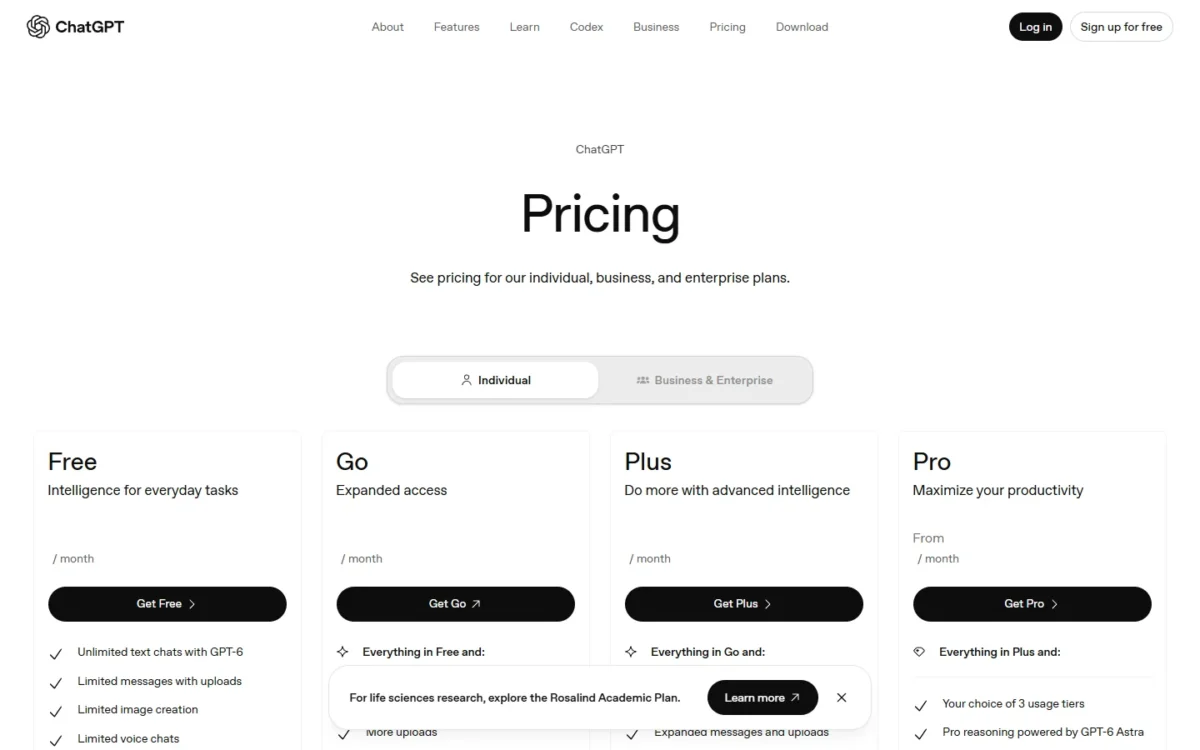
Its free plan lists unlimited text chats with GPT-6, subject to abuse guardrails.
Limit: uploads, image creation and deep research are limited on Free

Perplexity
Best for: cited web answers
Every answer carries inline citations, so you can open the source behind a claim.
Limit: deep research starts on Pro, and Free limits are not listed

NotebookLM
Best for: research on your own documents
The free tier answers from up to 50 sources per notebook that you upload.
Limit: more sources per notebook need a Google AI plan
Otter.ai
Best for: free meeting notes
Basic transcribes 300 minutes a month and joins Zoom, Teams and Meet calls.
Limit: each conversation stops at 30 minutes on Basic
| Software | Best for | Free plan includes | First limit you hit | Starting price (first paid plan) |
|---|---|---|---|---|
| ChatGPT | Everyday chat and quick tasks | Unlimited text chats, search, voice | Limited uploads and images | Go, $8 per month |
| Google Gemini | Google account holders | Deep Research, image generation | Weekly usage limit | Google AI Plus, $4.99 per month |
| Claude | Writing and documents | Files, Slides, Docs | Up to 5 Projects; no Research | Free, $0 (recommended); Pro, $17 per month billed annually |
| Microsoft Copilot | Microsoft account users | Copilot chat, image creation | Limited usage | Microsoft 365 Personal, $9.99 per month |
| Perplexity | Cited web answers | Answers with inline citations | No deep research | Pro, $17 per month billed annually |
| NotebookLM | Research on your own documents | Chat and Audio Overviews on your sources | 50 sources per notebook | Google AI Plus, $4.99 per month |
| Grammarly | Grammar and tone checks | Grammar, tone, 100 AI prompts a month | 100 AI prompts a month | Pro, $12 USD |
| Otter.ai | Free meeting notes | 300 transcription minutes a month | 30 minutes per conversation | Pro, $8.33 per user per month billed annually |
| Google AI Studio | Free coding and prototyping | Free tokens on covered models | Limited models | Paid tier, per 1M tokens |
| ElevenLabs | AI voice and audio | 10k credits a month | No Commercial License | Starter, $6 per month |
| Ideogram | Free AI image generation | Weekly credits | Images published by default | Plus, $15 per month billed annually or $20 monthly |
Sources: pricing pages of ChatGPT with ChatGPT plan prices, Google AI plans, Claude, Microsoft 365, Perplexity, Gemini Notebook, Grammarly, Otter.ai, Gemini API, ElevenLabs and Ideogram, checked October 2026.
The starting price is the entry paid plan, the step to take once the free cap interrupts your work: for Claude, Free is the plan I recommend and Pro at $17 per month billed annually is the upgrade.
In This Article (18 sections)
How I Built This List
A tool made the list only if it has a $0 plan with no trial clock that does a named job by itself.
I ranked them on six criteria, in order: the job done at $0, the first cap, free-tier data use, commercial rights, the first paid price, and account fit.
Every fact comes from the vendors’ own pricing, plan and documentation pages, read on October 27, 2026. The 11 picks below and the 4 tools under Also Considered make 15 tools considered.
| Software | Data use on the free tier | Commercial use of free output |
|---|---|---|
| ChatGPT | Training, opt-out available | Not listed |
| Google Gemini | Not listed | Not listed |
| Claude | Model training, opt-out | Not listed |
| Microsoft Copilot | Not listed | Not listed |
| Perplexity | Not listed | Not listed |
| NotebookLM | Not used unless you share feedback | Not listed |
| Grammarly | Not listed | Not listed |
| Otter.ai | Not listed | Not listed |
| Google AI Studio | Used to improve Google’s products | Not listed |
| ElevenLabs | Not listed | No; Commercial License from Starter |
| Ideogram | Not listed | Yes |
ChatGPT, Claude, Copilot and Perplexity publish no message numbers for their free chat plans, so run one real task through your top two for a week before you pay. Paid plans are ranked in my list of the best AI tools for small teams.
1. ChatGPT: Best for Everyday Chat and Quick Tasks

- Free plan: unlimited text chats with GPT-6, subject to abuse guardrails
- First cap: limited uploads, image creation, voice chats and deep research
- Long documents: about 12 pages of text per input
- Apps: web, iOS and Android
ChatGPT Free gives unlimited text chats with GPT-6, so it is the plan I would hand to someone who chats with an assistant all day. The trade-off sits around the edges: uploads, image creation and deep research are Limited, and content trains the models unless you opt out.
Search, Study mode and Projects work on Free, so a student gets a research-and-drafting setup at no cost. Input size is the cap to watch: about 12 pages per input against about 40 on Go, so a long contract goes in pieces.
Against Claude Free, ChatGPT Free promises more chat, while Claude adds Slides and Docs creation. My ChatGPT review weighs the paid tiers in full.
Go costs $8 a month and Plus $20 a month, sold as monthly plans for individuals. Go adds scheduled tasks but may include ads and keeps deep research at Limited, so I would go straight to Plus once deep research becomes daily work.
| Plan | Price | Key limit |
|---|---|---|
| Go | $8 per month | May include ads |
| Plus | $20 per month | Limits apply |
Sources: ChatGPT pricing page and ChatGPT plan prices, checked October 2026.
Pros
- Unlimited text chats on Free
- Search, Study mode and Projects at no cost
- Apps on web, iOS and Android
Cons
- About 12 pages of text per input
- Deep research and image creation are limited
- Content trains the models unless you opt out
- Skip it if:
- you work from long PDFs or a stack of research files; NotebookLM’s 50 sources per notebook fit that job better.
Go and Plus are compared plan by plan in my ChatGPT pricing guide.
2. Google Gemini: Best for Google Account Holders Who Want Research and Images
- Free plan: $0 per month with a Google Account
- Apps: web and a mobile app
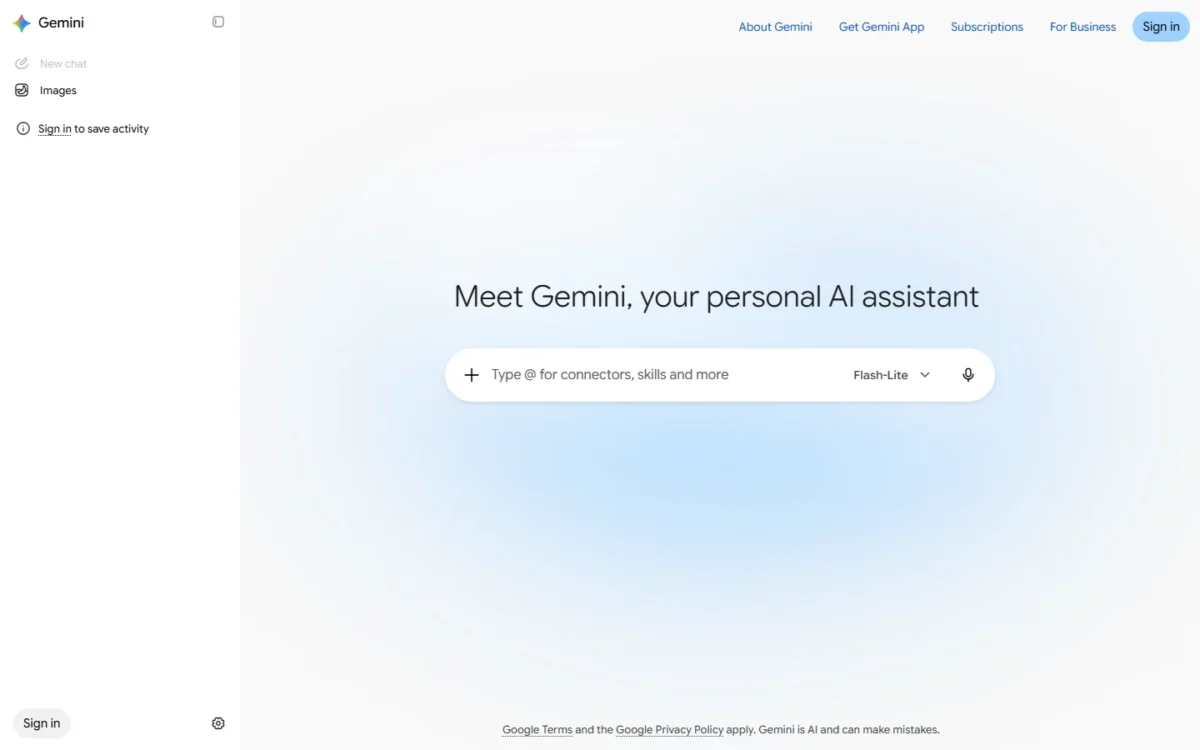
- Free includes: Flash-Lite model, image generation and editing, Deep Research, Canvas, Gems
- Storage: 15 GB across Gmail, Drive and Photos
- Limits: refresh every 5 hours until you reach a weekly limit
Gemini Free includes Deep Research and image generation and editing, where ChatGPT Free marks deep research and image creation as Limited. That makes it the free pick for a Google account holder who researches and makes visuals. The trade-off is the model: Free runs Flash-Lite.
Google meters usage by compute: prompt complexity, features and chat length all count. My Gemini review covers the app beyond the free tier.
Google AI Plus costs $4.99 a month, less than ChatGPT Go’s $8, and doubles Free’s usage limits. It adds the Flash model, video generation, Gemini in Gmail and 400 GB of storage. Google AI Pro, at $19.99 a month, brings 4x Free’s limits and Gemini 4 Argon.

| Plan | Price | Key limit |
|---|---|---|
| Google AI Plus | $4.99 per month | 2x Free’s usage limits |
| Google AI Pro | $19.99 per month | 4x Free’s usage limits |
Sources: Google AI plans page, checked October 2026.
Pros
- Deep Research and image editing on the free plan
- 15 GB of storage with the free account
- A low-cost first upgrade
Cons
- Free runs the Flash-Lite model only
- A weekly limit on top of the 5-hour refresh
- Gemini inside Gmail needs a paid plan
- Skip it if:
- your documents live in Word and Outlook; Microsoft Copilot’s paid path puts AI inside those apps.
Plus, Pro and Ultra are compared in my Gemini pricing guide.
3. Claude: Best for Writing and Working With Documents

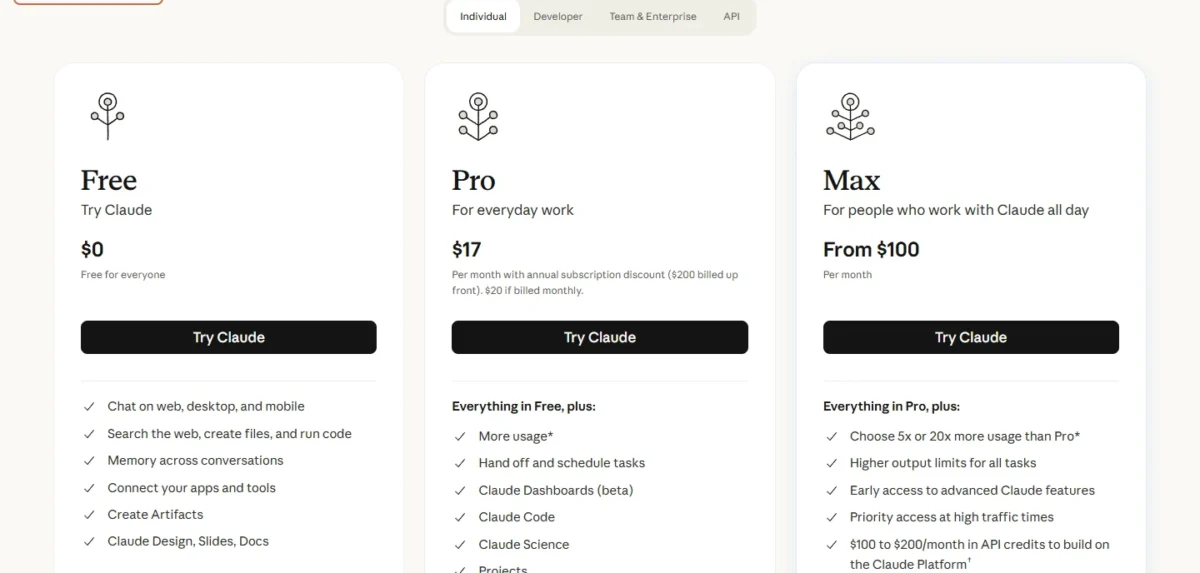
- Free plan: $0
- Apps: web, desktop, iOS and Android
- Free includes: web search, file creation, code runs, Artifacts, Slides and Docs
- Locked on Free: Research and Claude Code
- Projects: up to 5
For someone whose finished work is a file rather than a chat reply, Claude Free is my pick. It creates files, Slides and Docs and runs code at no cost, which turns a draft into something you can send. The trade-off is volume: there is no fixed message count, and usage resets in five-hour windows.
Free allows up to 5 Projects, enough for a few clients or courses. Research is off on Free, so a long sourced report is better started in Gemini. My Claude review goes through the paid plans.
Claude Pro costs $17 a month with annual billing ($200 billed up front) or $20 billed monthly. A year of monthly billing is $20 x 12 = $240, $40 more than the annual price. Pro gives at least 5x more usage per 5-hour session and adds Research and Claude Code.
| Plan | Price | Key limit |
|---|---|---|
| Free | $0 | Up to 5 Projects; no Research |
| Pro | $17 per month billed annually, or $20 monthly | Usage limits apply |
Sources: Claude pricing page, checked October 2026.
Pros
- Slides, Docs and Design creation on Free
- Code runs and file creation at no cost
- Chat on web, desktop, iOS and Android
Cons
- No Research or Claude Code on Free
- Projects capped at 5
- No fixed message count
- Skip it if:
- you need a long sourced report without paying; Gemini Free lists Deep Research and Claude Free does not.
Pro and Max are broken down in my Claude pricing guide.
4. Microsoft Copilot: Best for Microsoft Account Users
- Free version: Copilot chat and image creation, limited usage with a free Microsoft account
- Copilot in Office apps: needs Microsoft 365 Personal, Family or Premium
- Microsoft 365 Basic: no AI features
- Trial: one month free on Personal, Family and Premium
Anyone who already signs in with a Microsoft account gets Copilot chat and image creation at no cost, with limited usage and no published free caps. Its case over ChatGPT Free is the upgrade path: the same account moves to Copilot inside Word, Excel and Outlook on Personal, Family or Premium.
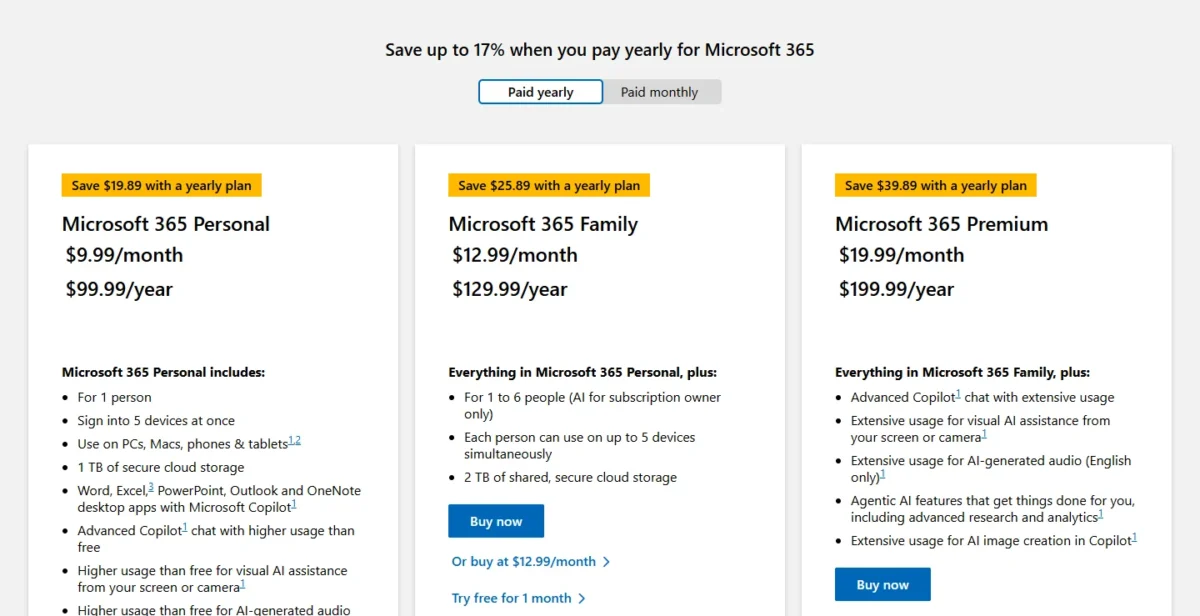
The upgrade is a bundle: Personal adds the desktop Office apps, 1 TB of storage and Copilot chat with higher usage than free. Watch the fine print: Basic has no AI features, and on Family the AI belongs to the subscription owner only.
Microsoft 365 Personal costs $9.99 a month or $99.99 a year, and the yearly plan saves $19.89. Premium costs $19.99 a month or $199.99 a year for “extensive” Copilot usage. For one person who wants Copilot in Word and Excel, I would buy Personal on yearly billing.
| Plan | Price | Key limit |
|---|---|---|
| Microsoft 365 Personal | $9.99 per month or $99.99 per year | 1 person |
| Microsoft 365 Family | $12.99 per month or $129.99 per year | AI for the subscription owner only |
| Microsoft 365 Premium | $19.99 per month or $199.99 per year | Extensive usage |
Sources: Microsoft 365 plan comparison, checked October 2026.
Pros
- Copilot chat and image creation with a free account
- Paid plans put Copilot in Word, Excel and Outlook
- Personal includes 1 TB of storage
Cons
- Free usage caps are not published
- Microsoft 365 Basic has no AI features
- Family’s AI stays with the subscription owner
- Skip it if:
- your documents live in Gmail and Google Docs; Google AI Plus adds Gemini in Gmail, and Google AI Pro adds it in Docs.
5. Perplexity: Best for Cited Web Answers
- Free plan: yes; Pro lists “Everything in Free” plus its additions
- Answers: inline citations on every answer
- Free limits: not listed on the plans page
- Plans: for personal use only
When an answer has to be checked rather than just read, Perplexity is the free tool I would open. Every answer carries inline citations, so a marketer pulling a statistic can open the source first. The catch: the Perplexity Pro page lists no Free limits, and deep research starts on Pro.
The split with NotebookLM is where the sources come from: Perplexity cites outside sources, while NotebookLM answers from files you upload.
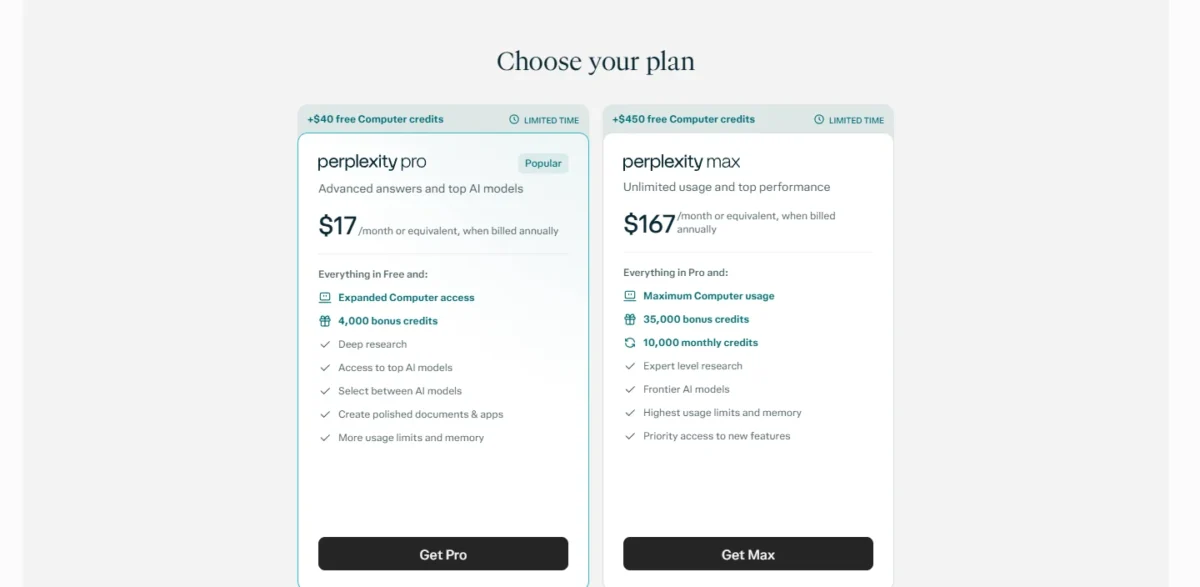
Perplexity Pro costs $17 a month, billed annually, a $17 x 12 = $204 commitment, and adds deep research, model selection and 4,000 bonus credits. Pay for it once you run deep research weekly; my Perplexity pricing guide compares Pro and Max.
| Plan | Price | Key limit |
|---|---|---|
| Pro | $17 per month, billed annually | More usage limits |
| Max | $167 per month, billed annually | Highest usage limits |
Sources: Perplexity plans page, checked October 2026.
Pros
- Inline citations on every answer
- Claims can be checked against the cited sources
- Pro lets you choose between AI models
Cons
- Free limits not listed on the Perplexity Pro page
- Deep research starts on Pro
- Plans are for personal use only
- Skip it if:
- you want answers drawn only from your own files; NotebookLM works from up to 50 sources per notebook.
My Perplexity review goes deeper before you pay.
6. NotebookLM: Best for Research on Your Own Documents
- Name: Google’s plans page now titles it Gemini Notebook
- Free limits: standard limits for chat, Slides and Audio Overviews
- Sources: up to 50 per notebook
- Data use: not used for training unless you share feedback
When the sources are yours (class notes, reports, call transcripts), NotebookLM is the free pick. Google now titles it Gemini Notebook on its plans page, and the free tier takes up to 50 sources per notebook. For an open web question, Perplexity is the closer fit.
Audio Overviews and Flashcards turn uploads into study material. An individual’s data is not used for training unless they share feedback, a stronger default than ChatGPT Free’s opt-out. My NotebookLM review covers the workflow in depth.
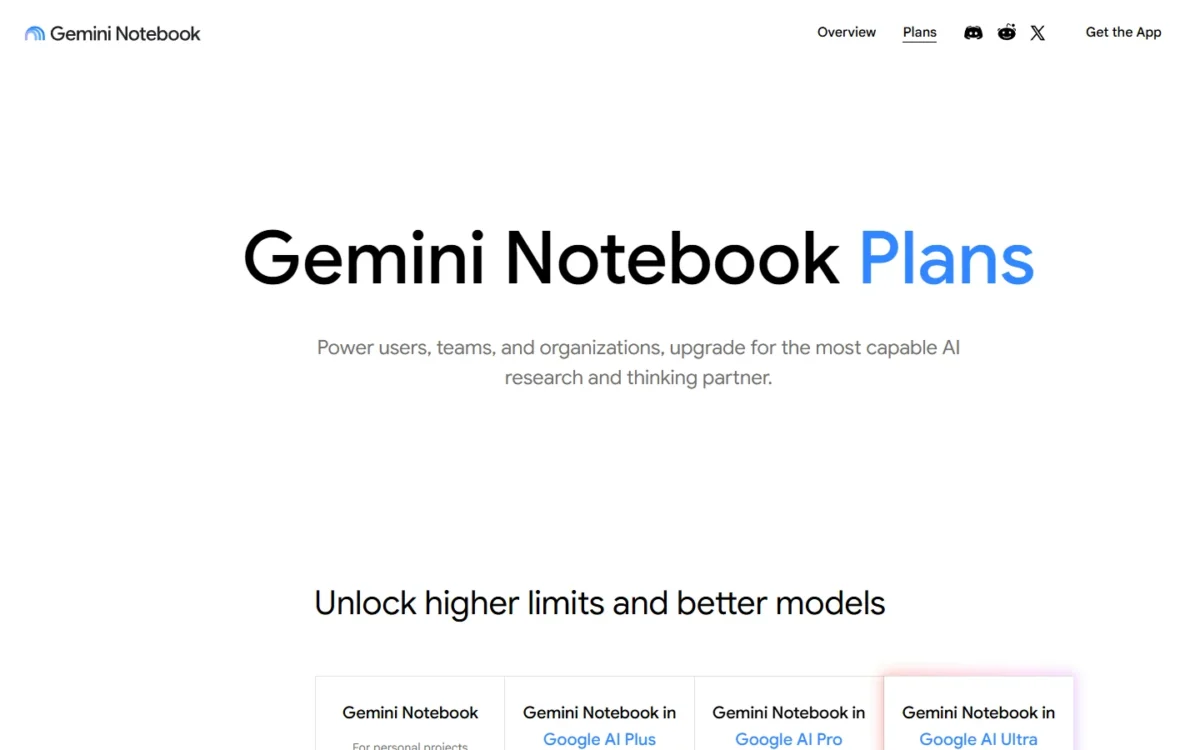
NotebookLM comes with the free Gemini plan. Google AI Plus doubles its usage limits and allows 100 sources per notebook; Pro gives four times the limits and 300 sources. Pay only when a project outgrows 50 sources.
| Plan | Price | Key limit |
|---|---|---|
| Free | $0 | 50 sources per notebook |
| Google AI Plus | $4.99 per month | 100 sources per notebook |
| Google AI Pro | $19.99 per month | 300 sources per notebook |
Sources: Gemini Notebook plans page and Google AI plans page, checked October 2026.
Pros
- 50 sources per notebook on the free tier
- Audio Overviews and Flashcards from your uploads
- Individual data kept out of training by default
Cons
- Free usage limits are not numbered
- More sources need a paid Google AI plan
- Built around uploaded material
- Skip it if:
- you need meetings captured live; Otter.ai joins the call and transcribes it.
Paid research tools are ranked in my list of AI tools for research.
7. Grammarly: Best for Grammar and Tone Checks
- Free plan: $0 USD per month
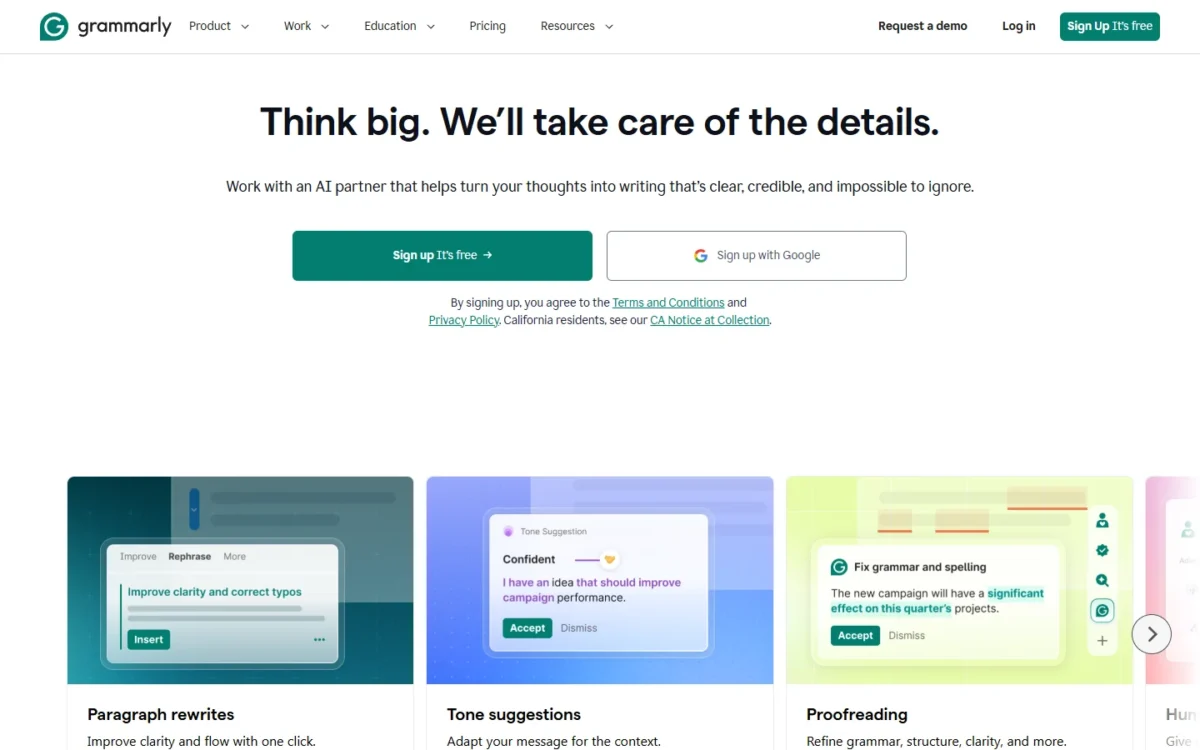
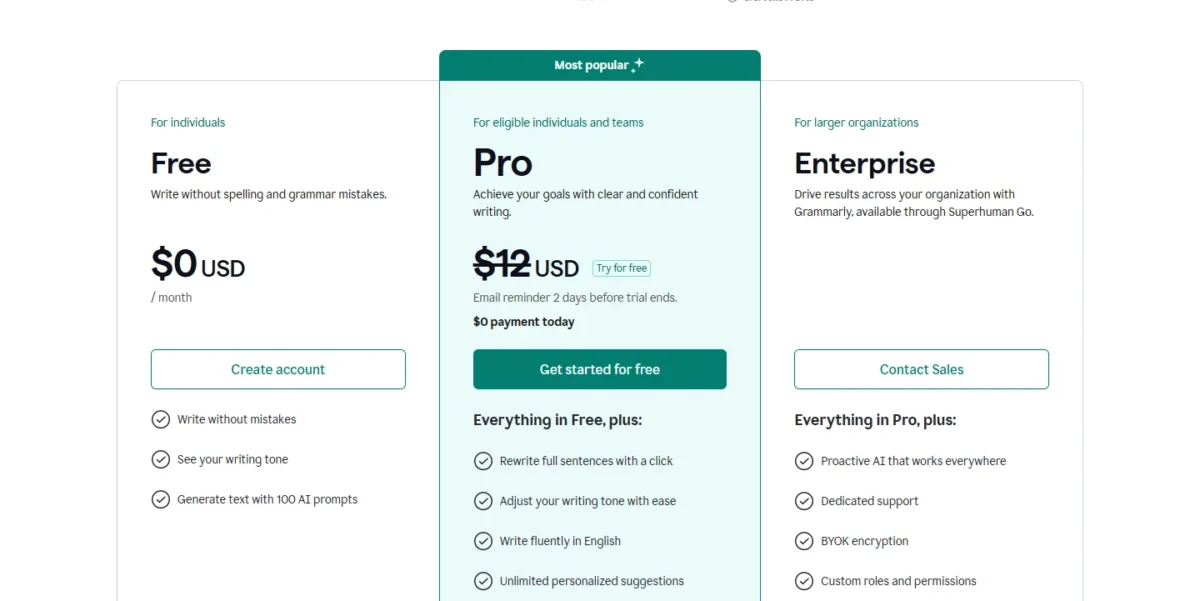
- Free includes: spelling and grammar fixes, tone detection, 100 AI prompts a month
- Pro adds: full-sentence rewrites, plagiarism and AI-text detection, 2,000 prompts per member a month
Grammarly Free mainly corrects the writing you already have, with 100 AI prompts a month for generating text, so I would keep it running beside ChatGPT or Claude. The trade-off: 100 AI prompts a month is about 3 a day over a 30-day month, and full-sentence rewrites sit on Pro.
Tone detection shows how a client email reads before it goes out. Plagiarism and AI-text detection, which students and editors need, are Pro features.
Grammarly’s plans page lists Pro at $12 USD without a billing interval, so confirm monthly or annual terms at checkout. Pro also carries a free trial, with an email reminder 2 days before it ends.
| Plan | Price | Key limit |
|---|---|---|
| Free | $0 USD per month | 100 AI prompts a month |
| Pro | $12 USD | 2,000 prompts per member a month |
Sources: Grammarly plans page, checked October 2026.
Pros
- Spelling and grammar fixes at no cost
- Tone detection on the free plan
- 100 AI prompts a month
Cons
- Full-sentence rewrites need Pro
- No plagiarism or AI-text detection on Free
- Pro’s billing interval is not printed
- Skip it if:
- you need text written from scratch rather than corrected; Claude Free creates full drafts, Slides and Docs.
8. Otter.ai: Best for Free Meeting Notes
- Free plan: Basic, free forever
- Minutes: 300 transcription minutes a month per user, no rollover
- Per conversation: 30 minutes at most
- Apps: Mac and Windows downloads, iOS and Android apps
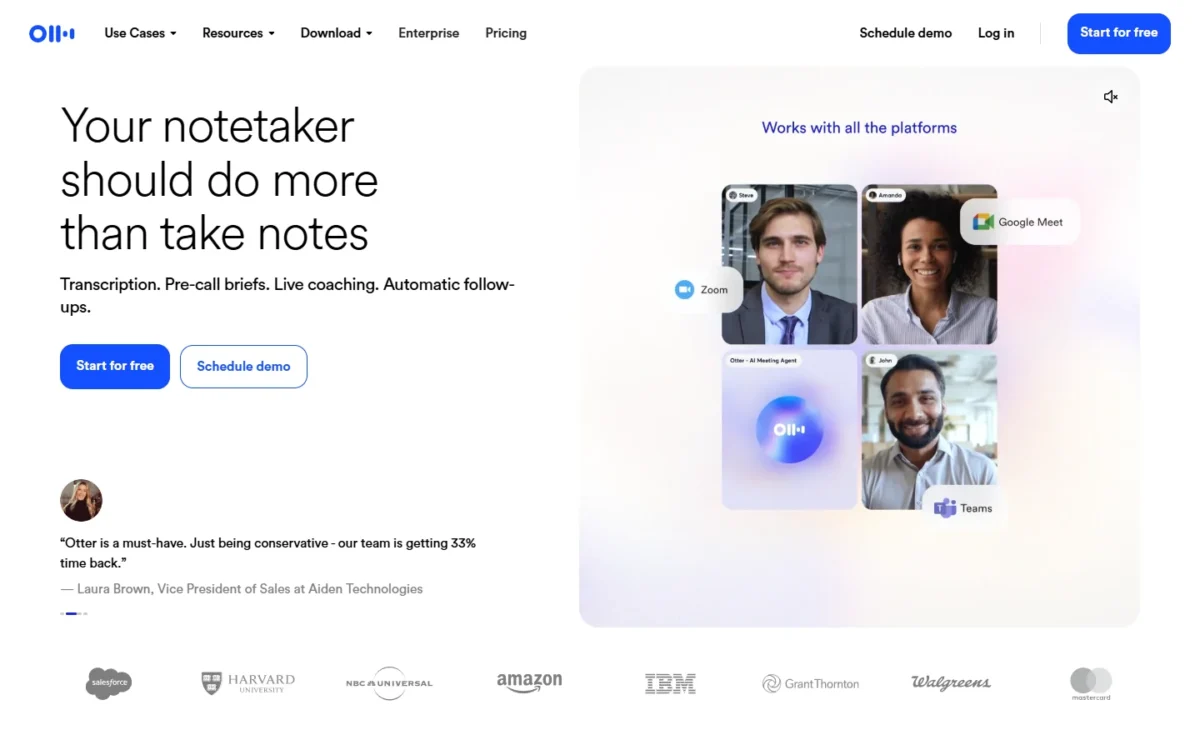
For meetings, Otter.ai Basic joins Zoom, Teams and Meet calls, transcribes live and identifies speakers at no cost. The monthly pool is 300 minutes, but each conversation stops at 30 minutes, and that second number decides more.
An hour-long team call fills its 30 minutes and leaves the second half unrecorded, so Basic suits short check-ins and interviews. Basic also keeps only the 25 most recent conversations. Where NotebookLM answers from files you upload, Otter.ai makes the record itself by joining the call.
Otter Pro costs $8.33 per user per month billed annually, or $16.99 billed monthly, and raises the limits to 1,200 minutes and 90 minutes per meeting. Students and teachers with a .edu address pay $6.67 a month on Pro Annual ($79.99 a year).

| Plan | Price | Key limit |
|---|---|---|
| Basic | Free | 30 minutes per conversation |
| Pro | $8.33 per user per month billed annually, or $16.99 monthly | 90 minutes per meeting |
Sources: Otter.ai pricing page, checked October 2026.
Pros
- Joins Zoom, Teams and Meet calls on Basic
- Live transcription and speaker identification
- Apps for Mac, Windows, iOS and Android
Cons
- Each conversation stops at 30 minutes
- 20 AI Chat queries a month per user
- Only the 25 most recent conversations kept
- Skip it if:
- your meetings run past 30 minutes and you will not pay; my list of AI note takers covers tools for longer calls.
9. Google AI Studio: Best for Free Coding and Prototyping
- Free tier: free input and output tokens on covered models, plus Google AI Studio access
- Limits: limited access to certain models
- Data use: free-tier content is used to improve Google’s products
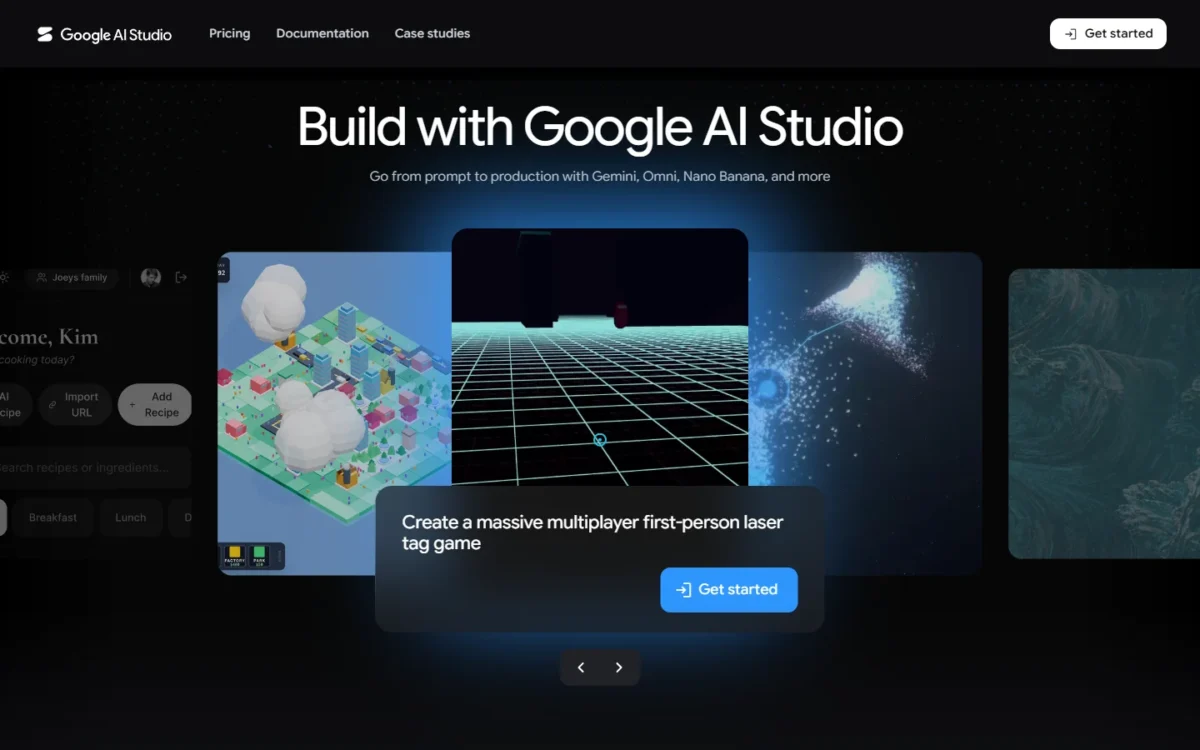
A free API rather than a chat window makes Google AI Studio the coding pick: a developer can wire Gemini into a prototype and pay nothing for tokens. The price of free is data, since Google uses free-tier content to improve its products, so client code belongs on the paid tier.
The flagship reasoning model is “Not available” on the Free Tier, while the Flash model is free of charge. Unlike ChatGPT Free’s limited Codex access, AI Studio gives Gemini Developer API access rather than a coding assistant.
Google’s pricing page dates two rises in paid input prices.
The flagship model moves from $2.00 to $4.00 per 1M tokens on December 1, 2026. The Flash model moves from $0.75 to $1.50 per 1M tokens on January 1, 2027.
The paid tier also adds the Batch API at a 50% cost reduction.

| Tier | Price | Key limit |
|---|---|---|
| Free Tier | Free of charge on the Flash model | Content used to improve products |
| Paid, Flash model | $0.75 per 1M input tokens through December 31, 2026 | $1.50 from January 1, 2027 |
Sources: Gemini API pricing page, checked October 2026.
Pros
- Free tokens on the Flash model
- Google AI Studio access at no cost
- Paid tier keeps content out of product improvement
Cons
- Client data needs the paid tier
- The flagship model is not on the Free Tier
- Paid token prices rise in December and January
- Skip it if:
- you want an assistant that writes code with you in a chat; ChatGPT Free includes limited Codex access.
10. ElevenLabs: Best for AI Voice and Audio
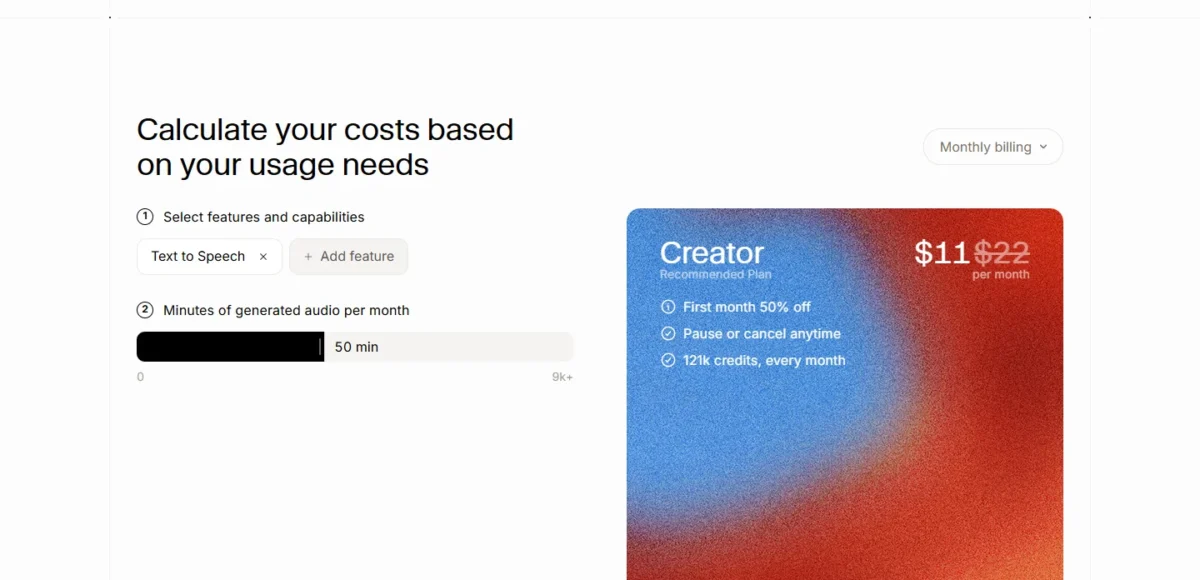
- Free plan: $0 per month, 10k credits per month
- Free covers: text to speech, speech to text, sound effects, voice design, music
- Studio: 3 projects
- Commercial License: starts on Starter
One free credit pool covering text to speech, transcription, sound effects, voice design and music makes ElevenLabs the audio pick. The limit is the license: the Commercial License starts on Starter, so I would keep free audio to personal and test projects.
Text to speech costs 1 credit per character on V2 Multilingual models, so 10,000 free credits voice about 10,000 characters a month, with no rollover on Free. Ideogram allows commercial use of images without naming a plan, where ElevenLabs keeps its license for paid plans.
Starter costs $6 a month, or $5 a month on annual billing, priced at 10 months: $6 x 10 = $60 a year. It adds the Commercial License, Instant Voice Cloning and 30k credits. A first-month promotion prices Starter at $1 until November 1.
| Plan | Price | Key limit |
|---|---|---|
| Free | $0 per month | 10k credits; no Commercial License |
| Starter | $6 per month, or $5 per month billed annually | 30k credits per month |
Sources: ElevenLabs pricing page, checked October 2026.
Pros
- One credit pool for speech, sound effects and music
- 10k credits a month at no cost
- 3 Studio projects on Free
Cons
- Commercial License starts on Starter
- No credit rollover on Free
- Instant Voice Cloning needs Starter
- Skip it if:
- the audio is for a paying client; budget for Starter from day one.
11. Ideogram: Best for Free AI Image Generation
- Free plan: weekly credits for eligible free accounts; the amount may vary
- Rights: Ideogram claims no ownership and allows commercial use
- Privacy: images are published by default
- Trials: no free trials of subscription plans
Ideogram is the free image pick for anyone who needs to use the result: it claims no ownership of generated images and allows commercial use. The trade-off is privacy, because images are published to the community by default and only Plus and Pro subscribers can generate unpublished images.
ChatGPT Free and Gemini Free also create images, but their plan pages state no commercial-use terms. AI editing features such as Image Reference need priority credits, which come only with paid plans and top-ups.
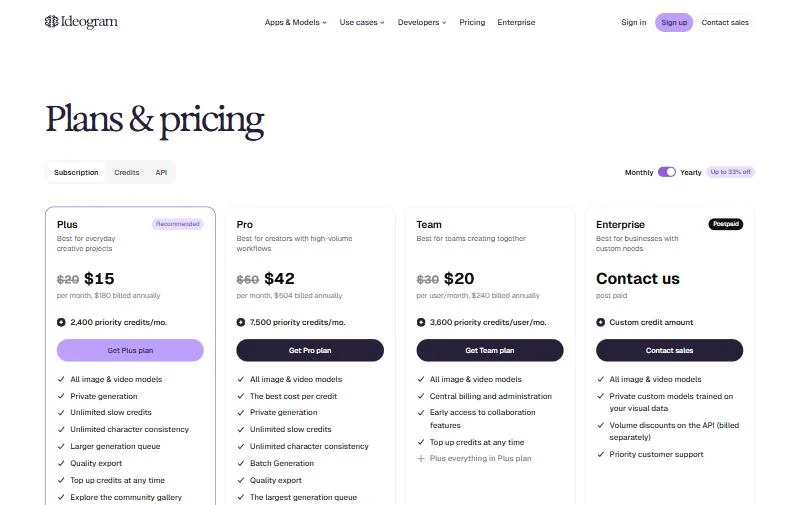
Ideogram Plus costs $20 a month, or $15 a month billed annually ($180 a year), and adds 2,400 priority credits a month and private generation. I would pay the first time a client needs images kept out of a public gallery.
| Plan | Price | Key limit |
|---|---|---|
| Free | Free | Weekly credits; images published |
| Plus | $20 per month, or $15 per month billed annually | 2,400 priority credits a month |
Sources: Ideogram pricing page, checked October 2026.
Pros
- Commercial use of generated images allowed
- Free weekly credits
- No ownership claimed over generated images
Cons
- Images are public by default on Free
- Weekly credit amount is not published
- AI editing features need priority credits
- Skip it if:
- client images must stay unpublished and you cannot pay for Plus; the free AI photo editors list in the next section covers other free image plans.
Free AI Apps for Video, Photos, Presentations and Content
These jobs each have their own free list on this site, so I name one free plan per job here.
For video, CapCut’s free plan lists free templates and basic editing tools. My free AI video generators list ranks tools by what their free plans allow.
For photos and design, Canva Free includes up to 20 Standard or Premium AI uses and 5 GB of storage. The free AI photo editors list compares quotas and usage rights.
For presentations, Gamma Free creates up to 10 slides per prompt, and its next plan removes Gamma branding (prices on the Gamma pricing page). My free AI presentation makers list covers export limits.
For blog posts and social copy, the free AI content generators list compares dedicated writing tools.
What Paying Adds: The First Paid Step for Each Tool
A free plan stops being enough when its first cap interrupts weekly work; the cheapest first upgrade is Google AI Plus at $4.99 a month.
| Tool | Cap that triggers the upgrade | First paid plan | Yearly, 1 person | Yearly, 5 people |
|---|---|---|---|---|
| ChatGPT | Limited uploads and deep research | Go | $8 x 12 = $96 | $8 x 5 x 12 = $480 |
| Google Gemini and NotebookLM | Usage limits; 50 sources per notebook | Google AI Plus | $4.99 x 12 = $59.88 | $4.99 x 5 x 12 = $299.40 |
| Claude | 5 Projects; no Research | Pro, billed annually | $200 | $200 x 5 = $1,000 |
| Microsoft Copilot | No Copilot in Office apps | Microsoft 365 Personal | $99.99 | $99.99 x 5 = $499.95 |
| Perplexity | No deep research | Pro, billed annually | $17 x 12 = $204 | $17 x 5 x 12 = $1,020 |
| Otter.ai | 30 minutes per conversation | Pro, billed annually | $8.33 x 12 = $99.96 | $8.33 x 5 x 12 = $499.80 |
| Google AI Studio | Content used to improve products | Paid tier | Usage-based | Usage-based |
| ElevenLabs | No Commercial License | Starter, billed annually | $6 x 10 = $60 | $6 x 10 x 5 = $300 |
| Ideogram | Images published by default | Plus, billed annually | $180 | $180 x 5 = $900 |
Sources: ChatGPT plan prices, Google AI plans, Claude pricing, Microsoft 365 plans, Perplexity Pro, Otter.ai pricing, ElevenLabs pricing and Ideogram pricing, checked October 2026. The five-person column counts one individual plan per person. Grammarly is not in the table: its plans page prints Pro at $12 USD with no billing interval, so no yearly cost follows from it.
Google AI Plus raises both Gemini’s and NotebookLM’s limits, so one payment covers two picks. For a team, Otter Pro is the upgrade I would make first, because the 30-minute cap breaks real meetings sooner than a chat limit does.
Claude and Perplexity cost the most for five people here, so test them hardest. Team-wide AI budgets are covered in my list of AI tools for small business.
How to Choose the Best Free AI Tool for Your Job
Pick the free tool by the job you do most, then check the cap that ends free use and the data terms.
| Your priority | Free tool to start with | Why | Trade-off |
|---|---|---|---|
| Everyday questions and drafts | ChatGPT | Unlimited text chats | About 12 pages per input |
| Answers you can verify | Perplexity | Inline citations | Free limits not listed on the Pro page |
| Research on your own files | NotebookLM | 50 sources per notebook | Paid plan for more sources |
| Meeting notes | Otter.ai | 300 minutes a month | 30 minutes per conversation |
| Documents and slides | Claude | Slides and Docs on Free | No Research on Free |
| Images for commercial use | Ideogram | FAQ allows commercial use | Images public by default |
| Building an app | Google AI Studio | Free tokens on Flash | Content improves Google’s products |
Sources: ChatGPT pricing, Perplexity Pro, Gemini Notebook plans, Otter.ai pricing, Claude pricing, Ideogram pricing and Gemini API pricing, checked October 2026.
Then run one real task, a meeting, a document or a voiceover, through your top two for a week: transcription accuracy and answer quality depend on your own material.
A $0 stack by job
- Research and writing: NotebookLM reads the sources, Claude Free drafts the report, Grammarly Free checks it.
- Meetings: Otter.ai Basic transcribes calls up to 30 minutes; Grammarly Free checks the tone of the follow-up email.
- Content with visuals: ChatGPT Free drafts the post, Ideogram makes the image, ElevenLabs Free voices a short clip.
If chat is the job and you are ready to pay, my ranking of the best AI chatbots compares the paid tiers.
Also Considered
- DeepSeek: a chatbot with an API platform; its English pages publish API token prices but no consumer plan terms or limits.
- Gamma: a presentation maker (up to 10 slides per prompt on Free); covered by the presentation makers list.
- Canva: a design tool (up to 20 Standard or Premium AI uses on Free); covered by the photo editors list.
- CapCut: a video editor with free templates and basic editing tools; covered by the video list.
FAQ
Is there any 100% free AI?
No consumer plan here is free without limits. ChatGPT Free comes closest, with unlimited text chats “subject to abuse guardrails”, but uploads and images stay limited. The Gemini API free tier charges nothing for Flash model tokens, in exchange for content Google uses to improve its products.
Which AI is best for free?
The best free AI depends on the job, because each free plan caps a different resource. ChatGPT Free fits everyday chat, Perplexity cited answers, NotebookLM your own documents and Otter.ai short meetings.
Is there a better AI than ChatGPT?
For some jobs, yes. Claude Free creates Slides and Docs, Perplexity cites every answer, and Gemini Free lists Deep Research. For a full replacement, my guide to ChatGPT alternatives compares them by job.
Do free AI tools use my content for training?
Some do. ChatGPT Free trains on content with an opt-out, Claude lists training as opt-out, and the Gemini API free tier uses content to improve Google’s products. NotebookLM does not train on an individual’s data unless they share feedback.
Can I use free AI output commercially?
Only where the vendor says so. Ideogram’s FAQ allows commercial use of generated images, while ElevenLabs lists its Commercial License from Starter. The other plan pages here state no commercial terms, so read each vendor’s terms before client work.
Which free AI tools help students?
ChatGPT Free includes Study mode, and NotebookLM turns class material into Audio Overviews and Flashcards. Otter.ai gives .edu users Pro at a student discount, and Grammarly Free checks grammar and tone in essays.
Final Verdict
There is no overall winner among free AI tools; the right pick follows the job and the cap you will hit first.
- Everyday chat: ChatGPT Free, until uploads or deep research run out.
- Google account holders: Gemini Free, then Google AI Plus.
- Writing and documents: Claude Free, then Pro past five Projects.
- Microsoft account users: Copilot, then Microsoft 365 Personal for AI in Word.
- Answers you will quote: Perplexity.
- Your own documents: NotebookLM.
- Grammar and tone: Grammarly Free.
- Meetings: Otter.ai Basic under 30 minutes, Pro beyond.
- Coding: Google AI Studio, with public data only.
- Voice: ElevenLabs Free, then Starter for client work.
- Commercial images: Ideogram.
Stay free while the cap does not interrupt your week, and pay only for the one tool whose cap you hit first.






Pingback: AI Tools for Small Business 2026: 12 Picks and Team Costs
Pingback: 10 Best Free AI Content Generators 2026: Limits & Costs