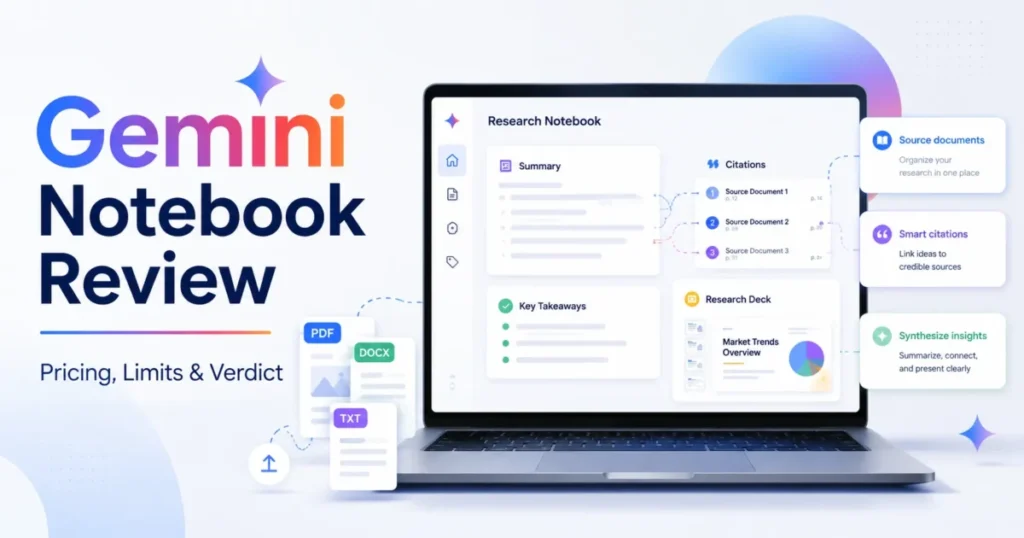
The tool most buyers still type into Google as NotebookLM has not shipped under that name since July 16, 2026, and the change went deeper than the logo. Google renamed NotebookLM to Gemini Notebook and kept it as a standalone research product with more reach into the rest of the Google stack.
The free tier, called Standard, still carries 100 notebooks and 50 sources per notebook at no cost, which is enough to test whether source-grounded research fits your work before any money moves.
My verdict: Gemini Notebook is one of the strongest options for bounded, citation-linked synthesis of documents you already own, and a poor fit as the system of record for exhaustive evidence review. Start on Standard.
Move to a paid Google AI plan only after a specific quota or a specific feature gate has blocked real work twice.
In This Article (20 sections)
Quick Verdict for Gemini Notebook
| Quick verdict | Assessment |
|---|---|
| Best for | Solo analysts, graduate students, and enablement teams working a curated set of 10 to 50 documents |
| Not ideal for | Systematic-review, legal discovery, or compliance teams that must prove every source was read |
| Starting price | $0 on Standard with an eligible Google Account |
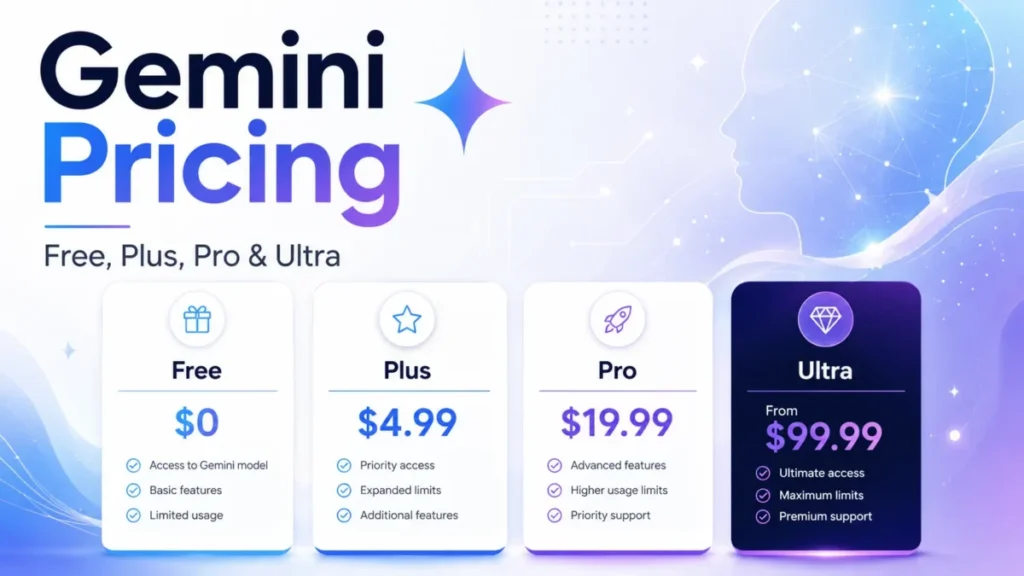
| Practical plan | Standard first, then Google AI Plus at $4.99 per month when daily limits bite |
| Free plan | Yes, 100 notebooks, 50 sources per notebook, 50 chats per day |
| Setup difficulty | Low, upload sources and ask a question in the same session |
| Main strength | Citations that open the exact passage inside the source viewer |
| Main limitation | Slide-deck revisions do not consult your sources |
| Best alternative | Perplexity for live-web research, Notion for durable team knowledge |
Source: Gemini Notebook plan limits, Google Help Center, checked August 22, 2026.
Is Gemini Notebook Worth It in 2026?
For one buyer profile it is worth it immediately, and the reason has nothing to do with the podcast feature that made the product famous. Gemini Notebook answers from the files you give it and attaches citations that jump to the quoted passage inside the source viewer, so a claim in a generated brief can be checked in about two clicks.
That single behavior is what separates it from a general assistant, and it is available on the free Standard tier.
Worth it for you if any of these are true:
- You work a defined document set, roughly 10 to 50 files, and you need traceable answers rather than fluent ones.
- You need one source set to produce several output shapes, such as a written report, an audio briefing, a quiz, and a deck.
- You already pay for a Google AI plan or hold a qualifying Workspace license, which makes the higher Notebook limits a benefit you have already bought.
Not worth it if any of these are true:
- Your output must prove that every uploaded file was examined. Citations prove traceability for the passages that were cited, not coverage of everything you uploaded.
- Your evidence lives on web pages whose value sits in charts, embedded video, or linked subpages, because URL import captures only the text of the page you specify.
- You need one continuously synchronized repository across projects rather than separate notebooks with separate source caps.
The honest summary is that Gemini Notebook is a research surface, not a knowledge base. It is very good at turning a bounded pile of documents into checkable output, and it does not manage a growing corpus over years.
What Changed Since the NotebookLM Name Retired
Five changes since the middle of 2026 invalidate most of the reviews still ranking for this keyword, and two of them change the money.
The name changed on July 16, 2026. Google announced that NotebookLM is now Gemini Notebook, describing it as the same standalone product with more reach across the Google ecosystem, and stated that more than 30 million people and over 600,000 organizations use it.
Existing notebooks were not affected by the rename, and the visible change is the product name and a new logo rather than a new workflow.
The engine changed. Google began rolling out a secure cloud computer for every notebook, which lets the product write and run code against your sources.
At the announcement the capability was live for Google AI Ultra subscribers and Workspace customers with AI Ultra Access and AI Expanded Access, with a stated extension to Google AI Pro subscribers on the web over the following weeks. Confirm what your own account exposes before you plan work around it.
Google AI Plus got cheaper before the rename, and most reviews still quote the old number. Google cut Plus from $7.99 to $4.99 per month and doubled its storage from 200 GB to 400 GB, reported on June 8, 2026, with the lower price taking effect at the subscriber’s next renewal.
The 400 GB figure is visible on Google’s own Google AI plans page, checked August 22, 2026.
Google’s own SKU history is what makes this confusing. Plus launched at $7.99, a separate 2 TB storage tier has also carried the AI Plus label at $9.99, and the current 400 GB Plus sits at $4.99, so confirm which Plus your region shows before you budget from any published figure.
Workspace picked up two features in August 2026 that consumer accounts did not. Google added a Workspace Studio step that can automatically add sources to a notebook, covering text, Drive file links, and generic YouTube or web URLs, with rollout starting August 6, 2026 for Business Starter through Plus, Enterprise Standard and Plus, and Education Fundamentals through Plus.
That is the first documented dent in the automation gap, and it is a Workspace benefit, not a consumer one.
Google also enabled copying a whole notebook including its sources and studio items on August 17, 2026, for Workspace customers and personal Google accounts alike, with no admin control attached.
One naming trap remains for buyers. Google AI Premium was renamed Google AI Plus, so any review still pricing “AI Premium” is quoting a tier label Google no longer uses.
Gemini Notebook Pros and Cons
| Pros | Cons |
|---|---|
| Citations open the quoted passage in context, so verification takes seconds | Slide revisions ignore your sources, which breaks grounding at the last step |
| Standard includes 100 notebooks and 50 sources per notebook at no cost | Web URL import captures page text only, dropping images, embeds, and linked pages |
| Source checkboxes narrow retrieval before you ask, cutting cross-source noise | A Drive file you lose access to keeps consuming your source cap while being unusable |
| One source set produces reports, audio, video, quizzes, flashcards, and decks | Paid access is a Google AI bundle, so you buy storage and unrelated tools with it |
| Qualifying Workspace and Education licenses carry a stricter no-training boundary | Quiz results cannot be exported, while flashcards download as CSV |
Source: Gemini Notebook chat behavior and slide deck revisions, Google Help Center, checked August 22, 2026.
What Is Gemini Notebook?
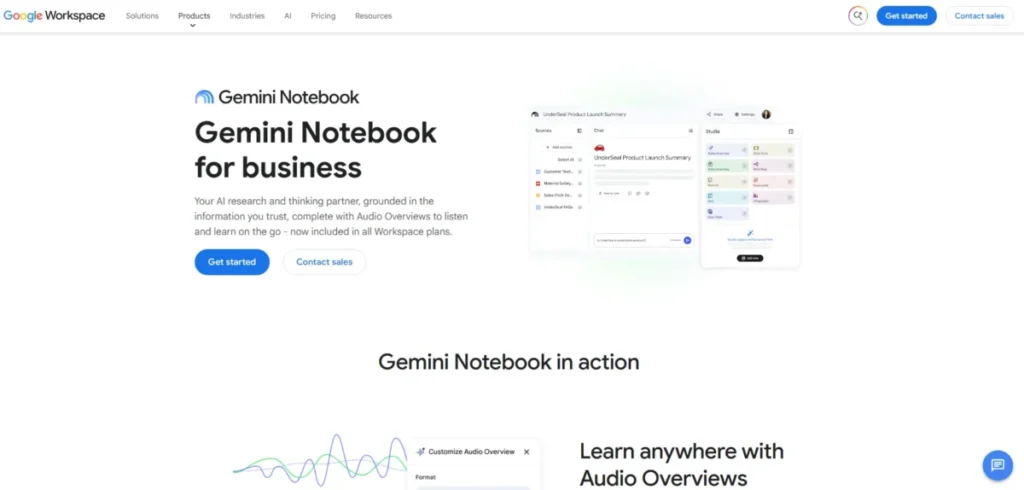
Gemini Notebook is a notebook-shaped research workspace. You create a notebook, add sources to it, and everything the product generates draws on those sources.
A source is a copy or an auto-synced version of a document you upload or import. Google supports Google Docs, Slides, and Sheets, Microsoft Word, PowerPoint, PDF, CSV, text, Markdown, ePub, images, audio files, web URLs, public YouTube URLs, pasted text, and Gemini chats.
Gemini Notebook sits in the retrieval-grounded corner of generative AI tools, where answers are constrained to material you supply.
Three panels define the workflow. The Sources panel on the left holds your material and the checkboxes that scope retrieval.
The Chat panel in the middle answers questions with citations.
The Studio panel on the right turns the same sources into artifacts: reports, mind maps, infographics, data tables, flashcards, quizzes, slide decks, Audio Overviews, and Video Overviews.
Google positions the product for business use as well as study, including executive briefings, onboarding, training, and sales enablement built on internal documents. Those are vendor positioning claims rather than measured outcomes, and the fit depends far more on your source discipline than on the marketing.
Methodology: How This Review Was Built
This analysis is based on Google’s official product pages, the Gemini Notebook Help Center, the work and school account documentation, the Google One plan pages, Google Workspace release announcements, and clearly labeled reporting on Google’s pricing changes. Plan limits and feature gates were checked on August 22, 2026.
Gemini Notebook was assessed against the same buyer criteria used for every tool on this site: cost at the tier a real user lands on, quota ceilings and their reset cycles, what each plan gate blocks, how source import handles imperfect material, and how the vendor handles uploaded content.
Greater weight was given to limits and data handling than to output novelty, because those decide whether a tool survives contact with a real project.
Claims that official documentation did not support were excluded, and community reports appear only where they are labeled as user sentiment. Google labels its usage limits subject to change, so every number here is a dated snapshot rather than a permanent fact.
Gemini Notebook Pricing Reality: Five Consumer Tiers
Standard access is free with an eligible Google Account. Every paid step up is a Google AI subscription that includes Gemini Notebook as one benefit among many, so you are never buying Notebook capacity on its own.
| Plan | Monthly, US | 12 monthly payments | Storage |
|---|---|---|---|
| Standard | $0 | $0 | 15 GB |
| Google AI Plus | $4.99 | $59.88 | 400 GB |
| Google AI Pro | $19.99 | $239.88 | 5 TB |
| Google AI Ultra 20 TB | $100 | $1,200 | 20 TB |
| Google AI Ultra 30 TB | $200 | $2,400 | 30 TB |
Source: storage allocations from Google’s Google AI plans page, checked August 22, 2026; the Plus reduction to $4.99 reported June 8, 2026; Ultra prices from Google’s I/O 2026 subscription announcement. Twelve-payment totals are simple multiplication before tax, promotions, or annual-billing discounts.
Google renders plan prices at checkout by region, so confirm your own currency and tier before you buy.
What each price buys inside Gemini Notebook:
| Plan | Notebooks per user | Sources per notebook | Chats per day | Deep Research |
|---|---|---|---|---|
| Standard | 100 | 50 | 50 | 10 per month |
| Google AI Plus | 200 | 100 | 200 | 3 per day |
| Google AI Pro | 500 | 300 | 500 | 20 per day |
| Google AI Ultra 20 TB | 500 | 500 | 2,500 | 75 per day |
| Google AI Ultra 30 TB | 500 | 600 | 5,000 | 200 per day |
Source: Upgrade Gemini Notebook, Google Help Center, checked August 22, 2026.
20 TB
30 TB
Three pricing facts change the math for most buyers.
The Plus tier is now the cheap escape hatch. At $4.99 per month it doubles your sources per notebook to 100, quadruples daily chats to 200, and turns Deep Research from 10 runs per month into 3 per day.
For a student or solo analyst hitting the Standard ceiling, that is $59.88 across twelve payments to remove the two limits that actually bite.
The Ultra tiers are a bundle decision, not a Notebook decision. Google announced the $100 AI Ultra plan with 20 TB of storage in May 2026 and reduced the top Ultra tier from $250 to $200 in the same announcement, and both include YouTube Premium, higher limits in the Gemini app and Google Antigravity, and monthly Google Cloud credits.
Notebook count also stops climbing at Pro. Standard gives 100 notebooks per user, Plus gives 200, and Pro gives 500, and both Ultra tiers give 500 as well.
Paying five or ten times more does not buy a single extra notebook, only bigger notebooks and higher daily throughput.
Ten seats means ten personal subscriptions. Google states that only personal Google Accounts can sign up for Google AI plans and that Workspace customers buy a Gemini add-on instead.
A ten-person team on Google AI Pro is therefore ten separate consumer subscriptions at $199.90 per month, or $2,398.80 across twelve payments, with no admin console, no central billing, and no enterprise data boundary.
Google does document family sharing with up to five other people on these plans, which helps a household and does nothing for a company.
Feature Gates: What Each Plan Adds
| Plan | Audio Overviews per day | Video Overviews per day | Cinematic video per day | Reports and study aids per day |
|---|---|---|---|---|
| Standard | 3 | 3 | Not listed | 10 |
| Google AI Plus | 6 | 6 | Not listed | 20 |
| Google AI Pro | 20 | 20 | 2 | 100 |
| Google AI Ultra 20 TB | 100 | 100 | 10 | 500 |
| Google AI Ultra 30 TB | 200 | 200 | 20 | 1,000 |
Source: Upgrade Gemini Notebook, Google Help Center, checked August 22, 2026. “Reports and study aids” covers reports, flashcards, quizzes, and mind maps, each carrying the same daily figure.
Two gates differ from volume limits, and one of them has moved since the rename.
Watermark removal now starts at Pro, not Ultra. Google’s current plan-limit table lists watermark removal as unavailable on Standard and Plus and available on Google AI Pro, Ultra 20 TB, and Ultra 30 TB, with a regional exception: a visible watermark is applied automatically for residents of India, South Korea, and Vietnam whatever the plan.
If you publish infographics or decks from Notebook and you sit outside those three countries, the watermark gate is a $19.99 decision rather than a $100 one.
Agentic chat stays a paid, desktop capability. Google’s rename announcement describes a secure cloud computer that writes and runs code against your sources, generating charts, documents, structured data, and spreadsheet output, with availability starting at AI Ultra and Workspace AI Ultra Access and extending to Google AI Pro on the web.
This chat mode runs with or without sources, which means it steps outside the source-grounded behavior that makes the rest of the product trustworthy. Treat any answer it produces without a source set as a general assistant answer, not a grounded one.
Deck, infographic, and data-table capacity is the one gate Google will not quantify. The plan table describes it only as Limited, More limits, High limits, Higher limits, and Highest limits, which makes capacity planning for a deck-heavy team a guess until you hit the wall.
Core Features and Where They Stop
Source Import: What Arrives and What Is Dropped
| Import path | What arrives | What is dropped |
|---|---|---|
| Web URL | Text of the HTML page you specify | Images, embedded videos, nested pages; paywalled pages unsupported |
| Google Drive files | Document body, auto-synced every few minutes | Footnotes and comments |
| YouTube URL | Caption transcript only | Everything visual and anything unspoken |
| Drive file you lose access to | Nothing usable | The source still counts against your cap and is never referenced |
Source: Add or discover new sources for your notebook, Google Help Center, checked August 22, 2026.
These four gaps are the difference between a corpus you think you uploaded and the corpus the model can actually read. A market report whose argument lives in its charts arrives as the words around the charts.
Per-source ceilings are 500,000 words and 200 MB, and no tier raises them. Oversized single documents have to be split, which pushes provenance tracking back onto you.
Studio Outputs and Study Formats
One source set produces reports, mind maps, infographics, data tables, flashcards, quizzes, slide decks, Audio Overviews, and Video Overviews.
Flashcards and quizzes accept difficulty settings and custom prompts. Flashcards track progress with “Got it” and “Missed it” marks and export as CSV, while quiz results stay inside the product with no documented export.
Audio and Video Overviews
Audio Overviews come in four shapes: Deep Dive as a two-host conversation, The Brief as a single speaker under two minutes, The Critique as an evaluation of material such as an essay or design document, and The Debate as a formal back-and-forth.
Output supports 80 or more languages, with length controls in English only, and interactive voice participation on newly generated Audio Overviews.
Video Overviews come in Cinematic, Explainer, and Short formats, with Cinematic and Short restricted to English and to users aged 18 and over. Generation sometimes takes more than 30 minutes, which matters if a deadline is the reason you are generating it.
Slide Decks and the Grounding Problem
Slide decks generate as Detailed Deck, which carries full text for reading alone, or Presenter Slides, which stay visual with talking points. Both download as PDF or PPTX.
The problem is the revision step. Google states that sources are not taken into account during revisions, so editing text, changing layouts, updating visuals, deleting slides, and reordering all happen without consulting the material the deck was built from.
Each revision also creates an entirely new deck and counts against your deck quota, which means the polishing pass costs capacity and grounding at the same time.
Ease of Use and Setup
Setup is light. Sign in with an eligible Google Account, create a notebook, add sources, ask a question.
There is no admin configuration on the consumer path, no data model to design, and no template to pick, which is why the free tier is a fair trial of the real product rather than a limited demo.
The learning curve sits in two places. The first is source scoping, because selecting every source for every question produces noisier answers than narrowing the checkboxes and naming the document in the prompt, which is Google’s own documented tip.
The second is Studio quota planning, since a few careless deck revisions or video regenerations spend a daily allowance that resets only after 24 hours.
One first-run detail that Google documents and almost nobody mentions: some users see a report, flashcards, an infographic, a slide deck, an Audio Overview, or a Video Overview generated automatically when sources are first added, and those one-time artifacts do not count against limits.
Mobile is the weak surface. Google’s help pages repeatedly note that the mobile app may have limitations for sources, chat, Audio, Video, and slide decks, so treat the browser as the primary environment and the app as a consumption device.
Integrations and Ecosystem
The integration story is Google-shaped and short. Google Drive import with automatic sync every few minutes is the strongest link, and it covers Docs, Slides, and Sheets alongside uploaded Office files.
Multiple tabs in a Docs or Sheets file arrive as one source.
Notebooks now sync across the Gemini app and Gemini Notebook, Gemini chats can be added to a notebook as context, and Google has published help material for notebooks in AI Mode in Google Search. Rollout is staged and account-dependent, so confirm what your account exposes rather than planning around the announcement.
Copying is new and useful. Since August 17, 2026 a notebook can be duplicated with its sources and its studio items, which finally gives teams a template pattern: build one notebook properly, then copy it per project.
Two caveats travel with the copy. Drive-based sources copy only for a user who already has access to the original files, and personal chat history and notes stay with the original notebook.
The remaining gap is programmatic access. No public consumer API, webhook, or bulk-migration path appears in Google’s Gemini Notebook documentation as checked on August 22, 2026, which rules out the pipeline work handled by Zapier automation workflows around other tools.
Workspace customers now have a partial answer that consumer accounts do not. The Workspace Studio step released in August 2026 can add text, Drive file links, and generic YouTube or web URLs to a notebook as part of a recurring workflow, which covers scheduled ingestion without covering export.
If your workflow depends on programmatic export, this is still a disqualifier as of the August 22, 2026 check, not a roadmap concern.
Automation, AI, and Reporting
Compared with the open-ended drafting stack covered in my AI content creation tools roundup, Notebook trades creative range for source discipline.
On Standard and Plus, the automation story is Studio generation: reports, mind maps, data tables, infographics, flashcards, quizzes, decks, audio, and video, each on a daily quota that resets after 24 hours.
On Pro and Ultra, the desktop agentic chat changes category. It searches the web, executes code in the notebook’s secure cloud computer, generates downloadable files, and versions its own artifacts, and you can expand its thinking steps to see what it did.
Google labels these functions experimental and in early development and asks for supervision to prevent unintended actions.
That is an unusually direct warning from a vendor, and it belongs in your planning: this is a capable assistant that needs a reviewer, not an unattended pipeline.
Reporting quotas are quantified and easy to miss. Reports, flashcards, quizzes, and mind maps each run at 10 per day on Standard, 20 on Plus, 100 on Pro, 500 on Ultra 20 TB, and 1,000 on Ultra 30 TB.
Data tables, infographics, and slide decks are described only qualitatively, which makes production planning for deck-heavy teams a guess.
For open-ended drafting rather than grounded synthesis, a general assistant remains the better tool, and my ChatGPT review and Claude review cover where that line falls. For everything Gemini does outside notebooks, see the Gemini review.
Security, Support, and Admin Controls
| Access path | Training boundary | Human review of feedback |
|---|---|---|
| Consumer accounts | Content is not used to directly train foundational models unless you submit feedback | Feedback is reviewed by trained teams, disconnected from your account first |
| Qualifying Workspace and Education core service | Uploads, chats, and outputs are not used to improve generative AI models | None, even when you send thumbs up or down |
| Google Cloud enterprise | Files stay in your Google Cloud project, regionalization honored | None, plus VPC Service Controls and IAM controls |
Source: Gemini Notebook privacy and terms of use, Google Help Center, checked August 22, 2026.
The feedback mechanism is the part worth reading twice. When a consumer rates a response, Google collects the associated content: prompts, customizations, sources, uploads, and the outputs received, including chats, audio and video overviews, reports, mind maps, and source discovery.
That collection extends to any Gemini chats in your notebook context even when Gemini Apps Activity is turned off, and retained feedback stays disconnected from your Google Account for up to three years.
On a qualifying Workspace or Education license the risk disappears, because uploads, queries, and model responses are not human reviewed even when you send feedback.
The operating rule is simple: never rate a response containing client material on a consumer account.
Workspace and Education Access Is a Different Quota Ladder
Most reviews compress business access into one SKU called “NotebookLM Business” or “NotebookLM Plus”. Neither is the current model.
Gemini Notebook is now a core service for Workspace and Workspace for Education, and access sits on a separate ladder with its own numbers.
| Access level | Example editions | Sources per notebook | Chats per day |
|---|---|---|---|
| Standard, additional service | Business Base, Essentials Starter, Workspace Individual, G Suite, Cloud Identity | 50 | 50 |
| Standard, core service | Business Starter, Enterprise Essentials, Frontline, Nonprofits, Education Fundamentals and Standard | 50 | 50 |
| More access | Education Plus, Teaching and Learning add-on | 100 | 200 |
| Higher level access | Business Standard and Plus, Enterprise Standard and Plus, Google AI Pro for Education | 300 | 500 |
| Expanded level access | AI Expanded Access add-on | 400 | 1,000 |
| Highest level access | AI Ultra Access add-on | 600 | 5,000 |
Source: Use Gemini Notebook with a work or school Google account, Google Help Center, checked August 22, 2026. Deep Research follows the same ladder: 10 runs per month at both Standard levels, 3 per day at More access, 20 per day at Higher level, 30 per day at Expanded level, and 200 per day at Highest level.
Two details in that table decide real deployments.
The Expanded level is not the Ultra tier in a work suit. It carries 400 sources per notebook and 1,000 chats per day against the consumer Ultra 20 TB figures of 500 sources and 2,500 chats.
An organization that budgets by copying consumer marketing numbers will over-promise capacity to its own users.
The first row is a governance trap. On Business Base, Essentials Starter, Workspace Individual, G Suite, Cloud Identity, Chrome Enterprise, and Android Enterprise, Gemini Notebook is an additional service, and Google applies the consumer data terms to it.
The enterprise-grade line, where uploads, chats, and model outputs are never human reviewed and never used to improve generative AI models, starts at the core-service editions. Check your edition against Google Workspace pricing before assuming your license carries the higher limits.
A work email address is not by itself the enterprise privacy boundary.
Google gives administrators and users one fast check: open Gemini Notebook in a browser while signed into the work or school account and look for a Plus, Pro, Expanded, or Ultra badge next to the profile image. No badge means no upgraded access, whatever the license paperwork says.
Gemini Notebook Limitations Buyers Should Price In
- Grounded does not mean exhaustive. Citations prove that a cited passage exists in a named source, and they do not prove that every uploaded source was examined. Recurring threads in the r/notebooklm community report answers that miss entire documents in large notebooks, which is user sentiment rather than a documented limit, and it points at the same gap.
- Revision breaks the grounding contract. Slide revisions do not consult sources, and each revision spends deck quota to produce a whole new deck.
- Import is lossy in four documented ways. Web pages arrive as text only, Drive files arrive without footnotes or comments, YouTube arrives as a transcript, and lost-access files keep occupying capacity.
- Per-source ceilings never move. 500,000 words and 200 MB per source apply on every consumer tier, so oversized single documents force splitting and manual provenance tracking.
- Public sharing reverses by account type. Public notebook sharing works on consumer accounts and is disabled for Workspace Enterprise and Education accounts, so a team that plans to publish a notebook externally can find the path closed by its own license.
- Deck, infographic, and data-table quotas stay unpublished. Google describes them only as Limited through Highest limits, which makes capacity planning for production teams a matter of trial and error.
Who Should Use Gemini Notebook
The solo analyst with a bounded document set. Ten to forty policy papers, market reports, or client files fit inside the free Standard tier, and citation navigation makes it fast to defend a conclusion in a meeting. This is the profile that gets the most value for zero dollars.
The graduate student working one subtopic per notebook. Fifty sources per notebook maps well to a course, a chapter, or a literature subsection, and Plus at $4.99 per month lifts that to 100 sources and daily Deep Research when the subtopic outgrows it.
If study tooling is the wider question, my roundup of note-taking apps covers the durable-storage side that Notebook does not handle.
The small enablement team on a qualifying Workspace edition. Turning owned product documentation into onboarding material, training decks, and meeting prep is the shape of work Google designed the Studio outputs for, and the core-service data boundary makes internal documents defensible to a security reviewer.
Notebook copying and the Workspace Studio source step, both added in August 2026, are what turn that from a personal habit into a repeatable team process.
The consultant who already runs a verification step. Fast first drafts of client briefings are worth real money, provided the post-revision audit is a habit rather than an intention.
Who Should Avoid Gemini Notebook
Systematic-review, discovery, and compliance teams. If your deliverable must demonstrate that every source and passage was examined, no citation feature substitutes for a controlled review process. Use Notebook as a reading aid inside that process, never as the record of it.
Teams whose evidence is visual or multi-page web content. Charts inside articles, embedded video, linked subpages, and paywalled sources do not arrive, and reconstructing them by hand costs more than the tool saves.
Anyone who needs one growing cross-project repository. Notebooks are separate containers with separate caps, sharing does not pool capacity, and there is no documented cross-notebook synthesis. A knowledge base such as Notion or the tools in my second brain apps roundup handles that job.
Workspace Enterprise and Education teams that must publish publicly. Public notebook sharing is disabled on those account types, and no plan upgrade reopens it.
Export-dependent automation. The Workspace Studio step covers scheduled ingestion for paid Workspace editions, and nothing documented covers programmatic export, which leaves any pipeline that has to pull results out of Notebook without a supported route.
Gemini Notebook Alternatives
| Alternative | Choose it if | Pricing note |
|---|---|---|
| Perplexity | Live-web discovery matters more than a curated private corpus | Free tier plus paid plans |
| ChatGPT | Open-ended drafting and tool use outweigh notebook structure | Free tier plus paid plans |
| Claude | Long-form writing quality and document reasoning are the main outcome | Free tier plus paid plans |
| Notion | You need durable, cross-project team knowledge rather than per-project research | Free tier plus paid plans |
Source: internal SaaS CRM Review coverage of each tool. No competitor pricing is quoted here because plan structures change faster than this article’s checked date.
Full breakdowns sit in my Perplexity AI review, the ChatGPT plan pricing guide, the Claude plan pricing guide, and the Notion workspace review.
Zotero and Obsidian belong in the same conversation for researchers who need durable bibliographies, annotation, and local-first ownership. They are complements rather than replacements: keep the library there, do the synthesis in Notebook.
Final Verdict: Is Gemini Notebook Worth It in 2026?
Yes for bounded research, with one condition attached.
The decision chain runs like this. Your source set is curated and roughly 10 to 50 documents, so the 50-source Standard cap does not bind.
Your output needs to be checkable, so citation navigation earns its place.
Your risk tolerance allows a tool whose retrieval completeness is not guaranteed, because you verify decision-critical claims yourself. Under those three conditions, the correct plan is Standard, the correct cost is zero, and the correct next step is one real project rather than a trial checklist.
Upgrade when a specific gate blocks work twice, not when a feature list looks appealing. Fifty sources or fifty chats per day running out mid-project points to Plus, and Plus at $4.99 per month is a much easier internal argument than the older $7.99 launch price still cited in many reviews.
Needing web search, code execution, generated files, or watermark-free infographics points to Pro at $19.99, and Pro is now the strongest paid breakpoint on the consumer ladder because it buys a different class of chat and removes the watermark in one step.
Ultra makes sense only when the wider Google AI bundle carries its own value, since $1,200 or $2,400 across twelve payments is a lot of money for notebook capacity that stops growing at 500 notebooks.
Reject it outright in three cases: exhaustive evidence review, cross-project knowledge management, and any workflow that has to pull results out programmatically. Those are structural gaps, and no tier closes them.
The condition worth repeating, because it damages reputations rather than budgets: any deck that leaves your hands after a revision has to be checked against its sources first. Google documents that revisions do not consult them, and a beautifully revised slide with a drifted number is worse than no deck at all.
Frequently Asked Questions
Why is NotebookLM now called Gemini Notebook?
Google renamed it on July 16, 2026 to place it inside the Gemini family while keeping it a standalone product. Existing notebooks were not affected, and the rename arrived with deeper ecosystem integration, including notebook syncing with the Gemini app and a secure cloud computer that lets the product run code against your sources.
Is Gemini Notebook completely free?
Standard access is free with an eligible Google Account and includes 100 notebooks, 50 sources per notebook, and 50 chats per day. Higher limits arrive through paid Google AI plans, a qualifying Workspace license, or Google Cloud, and Google labels all usage limits subject to change.
How much does Gemini Notebook cost?
There is no standalone Notebook price. Access rides on Google AI plans at $4.99 per month for Plus, $19.99 for Pro, $100 for Ultra 20 TB, and $200 for Ultra 30 TB, with Plus reduced from $7.99 in June 2026.
Google renders prices by region at checkout, so confirm your own currency before budgeting.
What is Gemini Notebook best used for?
Turning a defined set of documents you own into checkable output: cited answers, written reports, audio and video briefings, mind maps, flashcards, quizzes, and slide decks. It is strongest when the source set is curated and stable, and weakest when the corpus is open-ended or grows continuously.
What are the disadvantages of Gemini Notebook?
The main ones are lossy import, since web pages arrive as text only and Drive files arrive without footnotes or comments; slide revisions that do not consult sources; per-source ceilings of 500,000 words and 200 MB that no tier raises; and the absence of a documented public export API.
Does Gemini Notebook use my data to train AI?
Google states that content in Gemini Notebook is not used to directly train its foundational models unless you choose to provide feedback. Sending thumbs up or down on a consumer account submits the surrounding content for human review, retained up to three years and disconnected from your account.
Qualifying Workspace and Education users are not human reviewed even when they send feedback.
How many documents can I upload to Gemini Notebook?
Fifty sources per notebook on Standard, 100 on Plus, 300 on Pro, 500 on Ultra 20 TB, and 600 on Ultra 30 TB. Each source holds up to 500,000 words or 200 MB, and sharing a notebook does not raise the source limit for any collaborator.
Can Gemini Notebook read an entire PDF?
A PDF up to 500,000 words or 200 MB imports as a single source. Whether a given answer draws on the whole file is a different question, because citations show which passages were used, not that every page was examined.
For completeness that has to hold up under scrutiny, check the document yourself.
Can Gemini Notebook make PowerPoint presentations?
Yes. Slide decks generate in Detailed Deck or Presenter Slides format and download as PDF or PPTX.
Revisions are the catch, because Google states that sources are not taken into account during revisions and each revision creates an entirely new deck that counts against your quota.
Can I copy a notebook or share it with a team?
Since August 17, 2026 a notebook can be copied with its sources and studio items, for Workspace customers and personal accounts alike, though Drive-based sources copy only for users who already have access to the original files.
Sharing does not increase anyone’s source cap, and public notebook sharing is disabled for Workspace Enterprise and Education accounts while remaining available to consumer accounts.
Is Gemini Notebook safe for client documents?
On a qualifying Workspace or Education core-service edition, Google documents that uploads, chats, and model outputs are never human reviewed and never used to improve generative AI models, which is the boundary most client work requires. On a consumer account, avoid sending feedback on anything confidential.
For regulated data, the Google Cloud enterprise path with VPC Service Controls, IAM controls, and data regionalization is the only documented fit.
Which plan is worth it for thesis research?
Standard first, because one subtopic per notebook fits inside 50 sources. Move to Plus at $4.99 per month when Deep Research at 10 runs per month becomes the bottleneck, since Plus provides 3 runs per day.
Pro at $19.99 is justified when you need web search, code execution, or file generation inside chat.