

The best AI tools for small business start with the assistant inside the suite you already pay for (Microsoft 365 Copilot or Gemini in Google Workspace), or ChatGPT Business at $20 per user per month on annual billing. Then add one tool per job: HubSpot for sales, Intercom Fin for support, Zapier for admin.
This list is for owners and office managers of small teams who approve per-seat software. In my view the price of five or ten seats and the plan that switches the AI on matter most. I built the ranking from each vendor’s pricing, help and product pages, read on October 26, 2026.
Quick verdict
- Microsoft 365 office: the Copilot Business add-on, $18 per user per month paid yearly until December 31, 2026 (list $21).
- Gmail and Docs team: Google Workspace Business Standard with Gemini, $14 per user per month on a 1-year commitment.
- Neither suite: ChatGPT Business, or Claude Team when one or two people need 5x more usage.
- The trade-off: per-seat prices double from 5 to 10 people, while Zapier Team keeps one price for up to 25 users.

ChatGPT Business
Best for: a shared AI assistant for the whole team
One $20 seat per user per month, billed annually, with SAML SSO and no training on business data by default.
Limit: 2-user minimum, and extra usage is bought as credits

HubSpot Smart CRM
Best for: AI inside the sales pipeline
Agent Hub is included from Starter, and the free tools cover 2 users with no credit card.
Limit: Starter’s $7 per seat is a new-customer offer for a limited time

Intercom Fin
Best for: AI customer support paid per outcome
$0.99 per outcome, charged at most once per conversation and never when a customer asks for a human.
Limit: the bill grows with resolved conversations, on top of seats on Intercom’s helpdesk

Zapier
Best for: AI automation that connects your other tools
Team covers up to 25 users in one account and connects 9,000+ apps.
Limit: every step uses tasks, and Free and Professional are for one user
| Software | Best for | Starting price | Recommended plan for a team | Free plan or trial | Key limitation |
|---|---|---|---|---|---|
| ChatGPT Business | Every role | $20 per user/ | Business, 2+ users | Not listed | Extra usage costs credits |
| Microsoft 365 Copilot | Outlook and Teams offices | $18 per user/ | Business Standard with Copilot, $23.50, paid yearly | One-month trial | Add-on needs an eligible plan |
| Gemini in Google Workspace | Gmail and Docs teams | Starter, $7 per user/ | Business Standard, $14, 1-year commitment | 14-day trial | Starter: no Gemini in Docs or Meet |
| Claude Team | A few heavy AI users | $20 per seat/ | Standard plus $100 Premium seats | Not listed | Teams of 2 to 150 |
| HubSpot Smart CRM | Sales follow-up | Free for 2 users | Starter, $7 per seat/ | Free tools | 1,000 contacts on Free |
| Canva Business | Marketing visuals | Pro, US$144 a year | Business, US$250 per person a year | Free plan; trial | AI Pass costs extra |
| Grammarly | Customer-facing writing | Pro, $144 per member a year | Pro | Free plan; trial | 2,000 prompts per member a month |
| Intercom Fin | Repeat customer questions | $0.99 per outcome | Essential, $19 per seat/mo for new customers (regular $29), pay annually | 14-day trial | Cost follows volume |
| QuickBooks Online | Owner-run books | Simple Start, $38/ | Plus, $140/ | 30-day trial | Auto-categorization needs Plus |
| Zapier | Moving data between apps | Free, 100 tasks a month | Team, $69/mo billed yearly | Free plan | Tasks per step |
| Fathom | Sales and client calls | Free forever | Business, $25 per user/ | Free plan | 2-user minimum |
| Notion AI | Docs and SOPs | Plus, $10 per seat/ | Business, $20 per seat/ | Free plan | AI is a trial below Business |
Sources: ChatGPT pricing, Microsoft Copilot for business, Google Workspace pricing, Claude pricing, HubSpot CRM pricing, Canva pricing, Grammarly Pro cost, Fin pricing, QuickBooks Online pricing, Zapier pricing, Fathom pricing, Notion pricing, checked October 2026.
Budget from the fourth column: for most of these tools, the entry price is not the plan a team needs.
In This Article (19 sections)
AI Tools by Business Job
Small-business AI comes in two layers: one assistant every seat gets, then a job tool only where a job eats hours.
- Assistant for every role (pick one): ChatGPT Business, Copilot, Gemini or Claude Team
- Sales and support: HubSpot and Intercom Fin
- Marketing and writing: Canva Business and Grammarly
- Books, admin, meetings and knowledge: QuickBooks Online, Zapier, Fathom and Notion AI
How I Chose These AI Tools
I considered every tool ranked below plus the ones under Also Considered. A tool qualified only if its vendor publishes US-dollar pricing and sells a plan that more than one person can share.
The same criteria decide which tools qualify and which one wins each job. They are fit with the suite a team already pays for, the price of five or ten seats, admin controls, the usage unit, free access or a trial, and integrations.
The numbering follows the two layers, not a score: the assistant layer comes first, then one tool per job.
Prices and plan gates come from the vendors’ pages, read on October 26, 2026; the fit and skip lines are my inferences. Before you commit for a year, run one real sample of your own work through your top two picks. To test a plan before paying, my ranking of free AI tools states where each cap sits.
1. ChatGPT Business: A Shared AI Assistant for the Whole Team

- Best for: teams of 2 or more on mixed apps
- Admin and data: SAML SSO, MFA, no training on business data by default
For a team split across Gmail, Outlook and other apps, ChatGPT Business is the assistant I would pick: one listed price per user and an admin-controlled workspace. The trade-off: it is a separate app, while Copilot and Gemini sit inside the team’s email.
A heavy user extends usage with ChatGPT credits, where Claude Team sells a pricier seat instead.
Five people pay $20 x 5 = $100 a month, and ten pay $20 x 10 = $200.
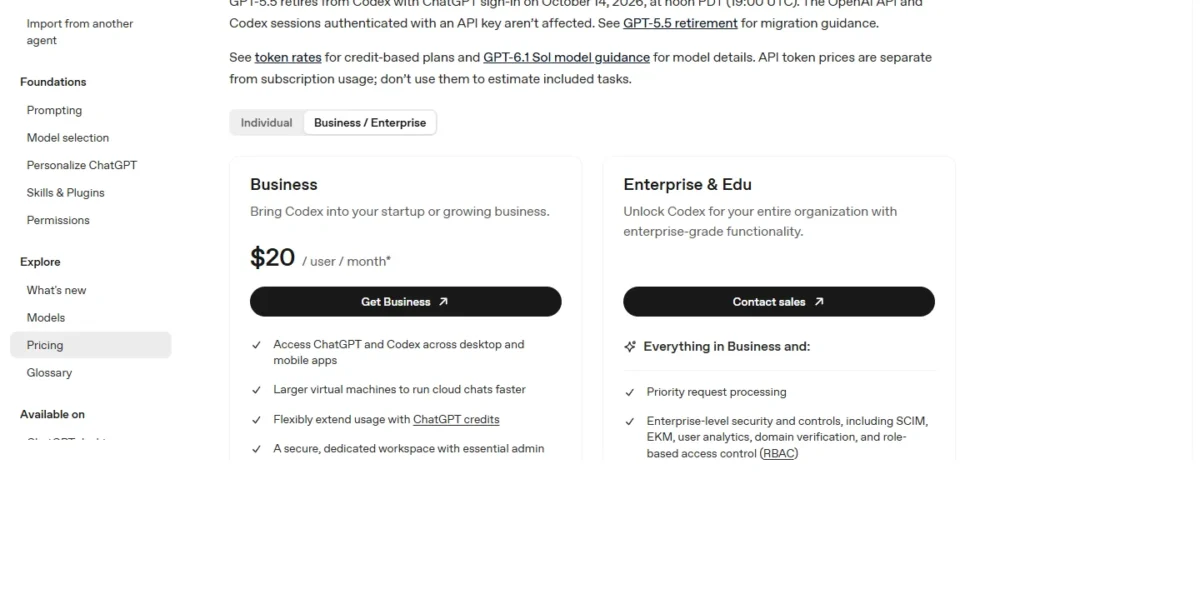
- Business: $20 per user per month, billed annually, 2+ users
- Extra usage: ChatGPT credits
Sources: ChatGPT pricing, checked October 2026.
Pros
- One listed Business price for every role
- SAML SSO and MFA on Business
- No training on business data by default
Cons
- 2-user minimum
- Heavy users buy credits beyond the included usage
- A separate app, outside the Microsoft or Google suite
- Skip it if:
- your team already pays for Microsoft 365 or Google Workspace and drafts in Outlook, Word, Gmail or Docs; price Copilot or Gemini first.
My ChatGPT review covers where the assistant stops.
My ChatGPT pricing guide compares every plan.
2. Microsoft 365 Copilot: AI for Teams Already on Microsoft 365

- Best for: offices that already work in Outlook, Word, Excel and Teams
- Already included: Copilot Chat, a web-grounded AI assistant, with eligible Microsoft 365 plans
For an office on Outlook and Teams, Copilot is the AI I would price first, because it works inside the files the team already has. The catch: the paid add-on is sold only to existing customers on an eligible Business plan.
Check Copilot Chat before you buy seats: Microsoft includes it at no additional cost with eligible plans, so light users may need nothing more.
Copilot drafts in Word, analyzes Excel data and recaps Teams meetings: ChatGPT Business’s job without a second app. Select advanced AI features bill by usage beyond the license fee, so a heavy user can cost more than the seat price suggests.
An existing Business customer adds Copilot at $18 per user per month, paid yearly, for the first year buying by December 31, 2026. A team new to Microsoft 365 buys a bundle with business email instead. For ten people: $18 x 10 = $180 or $23.50 x 10 = $235 a month.
- Copilot Business add-on: $18 per user per month, paid yearly, offer through December 31, 2026 (list $21)
- Business Standard with Copilot: $23.50 per user per month, paid yearly

Sources: Microsoft Copilot for business, checked October 2026.
Pros
- Works inside Word, Excel, PowerPoint, Outlook and Teams
- Bundles include business email
- No second app for staff who already work in Office files
Cons
- The add-on discount covers the first year only
- Select advanced AI features bill by usage on top of seats
- The trial needs a credit card
- Skip it if:
- your team runs on Gmail and Google Docs; Gemini in Google Workspace on Business Standard puts the AI in those apps, business email included.
3. Gemini in Google Workspace: AI for Teams on Gmail and Docs

- Plan with Gemini in Docs: Business Standard
- Trial: 14 days; up to 300 users
A Google office gets its AI on the same bill as email, storage and meetings. Business Standard puts Gemini in Gmail, Docs, Meet and more, while Starter has it in Gmail, Vids and the Gemini app, not in Docs or Meet. The bundle costs less than Copilot’s: $14 per user per month against $23.50.
Gemini in Meet summarizes, translates and takes notes, covering part of Fathom’s job on Google Meet.
The 1-year commitment saves 16% against flexible monthly billing. New customers get an introductory price for the first 20 users for 12 months; after that, every user pays the standard price.
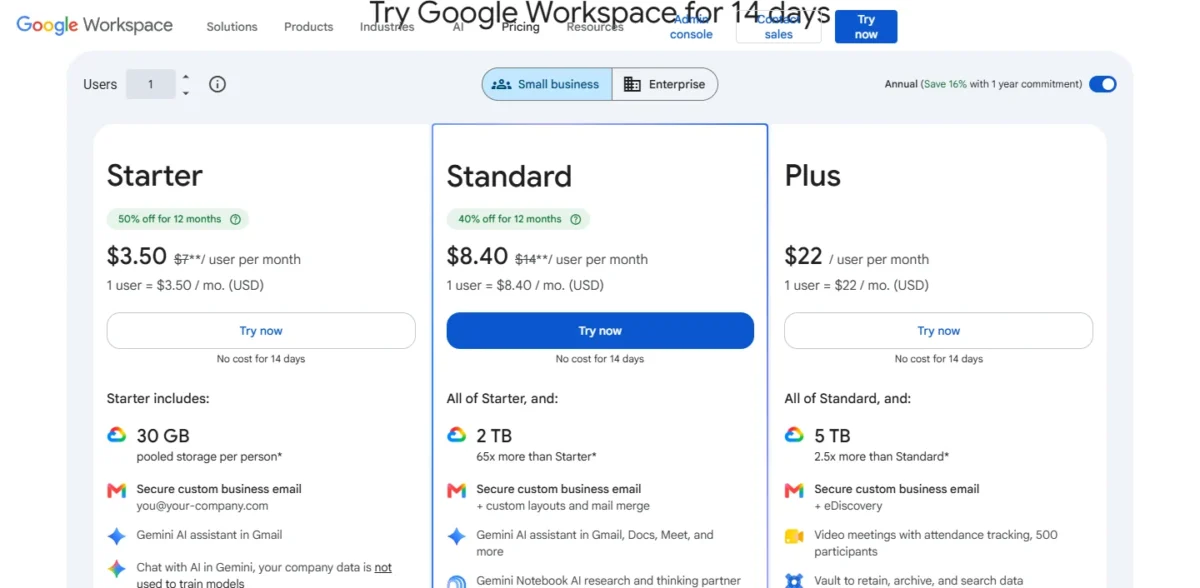
- Business Starter: $7 per user per month, 1-year commitment, Gemini in Gmail, Vids and the Gemini app
- Business Standard: $14 per user per month, 1-year commitment, Gemini in Gmail, Docs and Meet
Sources: Google Workspace pricing, checked October 2026.
Pros
- Business email, 2 TB pooled storage and meetings in the price
- Gemini in Gmail, Docs and Meet on Business Standard
- 14-day trial
Cons
- Starter has Gemini in Gmail, Vids and the Gemini app, not in Docs or Meet
- The introductory price covers only the first 20 users for 12 months
- Flexible billing costs more than the 1-year commitment
- Skip it if:
- your office runs on Outlook and Excel files; go to Microsoft 365 Copilot.
My Google Workspace pricing guide covers every plan.
4. Claude Team: Mixed Seats for a Few Heavy AI Users

- Team size: 2 to 150
- Controls: SSO, central billing, no model training on content by default
Uneven usage is the case for Claude Team: most staff need a standard assistant, while one or two people work in it all day. Mixing seat types puts only them on the Premium rate, while ChatGPT Business lists one price, $20 per user, and bills extra usage as credits. The cost is a second price to manage.
A Microsoft 365 connector suits a team that prefers Claude to Copilot.
Ten people on Standard pay $20 x 10 = $200 a month. Moving two to Premium makes it $20 x 8 + $100 x 2 = $360, so give Premium only to people who hit the limits.
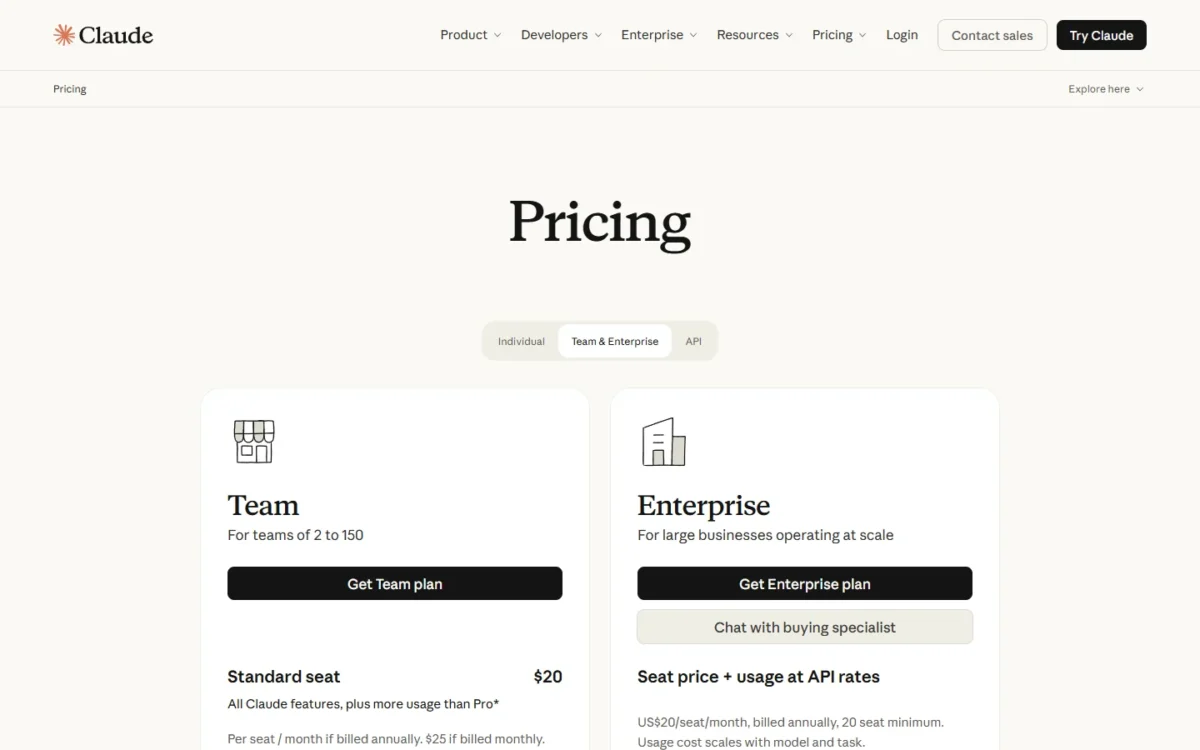
- Standard seat: $20 per seat per month billed annually, $25 billed monthly
- Premium seat: $100 per seat per month billed annually, $125 billed monthly, 5x Standard usage
Sources: Claude pricing, checked October 2026.
Pros
- Standard and Premium seats mix in one team
- No model training on content by default
- Microsoft 365 connector and enterprise search
Cons
- A Premium seat costs five times a Standard seat
- Teams start at 2 seats
- Two seat prices to track at renewal
- Skip it if:
- everyone uses AI about the same amount; ChatGPT Business is listed at one price, $20 per user.
My ChatGPT vs Claude comparison sets the two side by side, and Claude pricing explains seat limits. The sales pipeline needs AI that sees the deals.
5. HubSpot Smart CRM: AI Inside the Sales Pipeline

- Free tools: up to 2 users and 1,000 contacts, no credit card
- Email: the free CRM connects to Gmail and Outlook
When deals stall because nobody follows up, HubSpot is the pick. Its agents work on the CRM’s own records: a prospecting agent watches accounts for buying signals and reaches out. The trade-off is that Starter’s $7 is a new-customer offer for a limited time.
Agent Hub is included from Starter, and many agents run on HubSpot Credits. Its customer agent answers common questions from contact and contract history, an overlap with Intercom Fin. HubSpot’s CRM pricing page lists Agent Hub, Agent Builder and the Prospecting agent under Starter, so the agent this verdict rests on sits in the edition the cost table budgets.
Five sellers pay $7 x 5 = $35 a month during the offer, against $20 x 5 = $100 at the struck-through price.
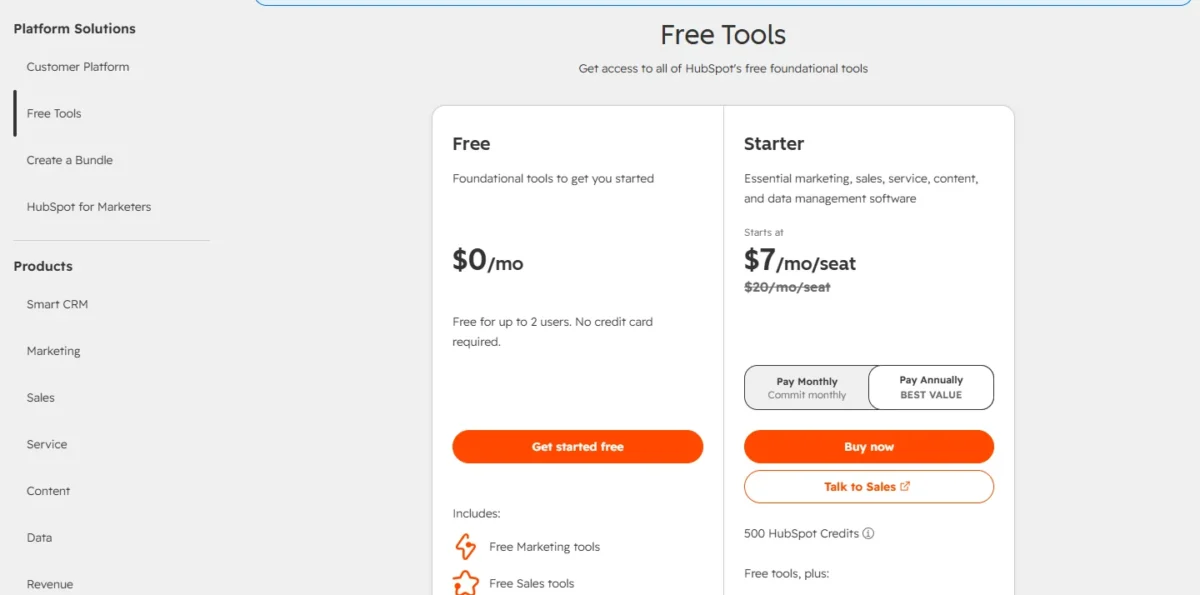
- Starter, Pay Annually: $7 per seat per month, 500 HubSpot Credits
- Starter, Pay Monthly: $10 per seat per month
Sources: HubSpot CRM pricing, HubSpot Agent Hub, checked October 2026.
Pros
- Agents work on the CRM’s own contact and deal records
- Free tools for 2 users with no credit card
- Agent Hub included from Starter
Cons
- $7 is a new-customer price for a limited time
- Many agents consume HubSpot Credits
- Free tools stop at 1,000 contacts
- Skip it if:
- you already run a CRM your team updates every day; compare its AI in my list of AI CRM software before switching.
If the CRM itself is undecided, see my best CRM for small business ranking. Compare more options in my best AI sales tools for sales and prospecting.
My AI SDR guide explains AI sales reps; HubSpot pricing covers Professional.
6. Canva Business: AI Design for Marketing Without a Designer

- AI allowance: 20x more AI than Canva Free
- Brand control: 100 Brand Kits and approvals
A business without a designer gets the most from Canva Business: one tool makes the post, the flyer and the ad, and approvals keep a new hire on brand. The trade-off is AI metering: tools draw on a shared allowance, and more costs extra through AI Pass or top-ups.
Business’s allowance is 20x Canva Free’s, against 10x on Pro, and advanced AI tools use it faster. Against Grammarly, Canva covers the visuals, not the words. See my best AI marketing tools for more picks on marketing and content work.
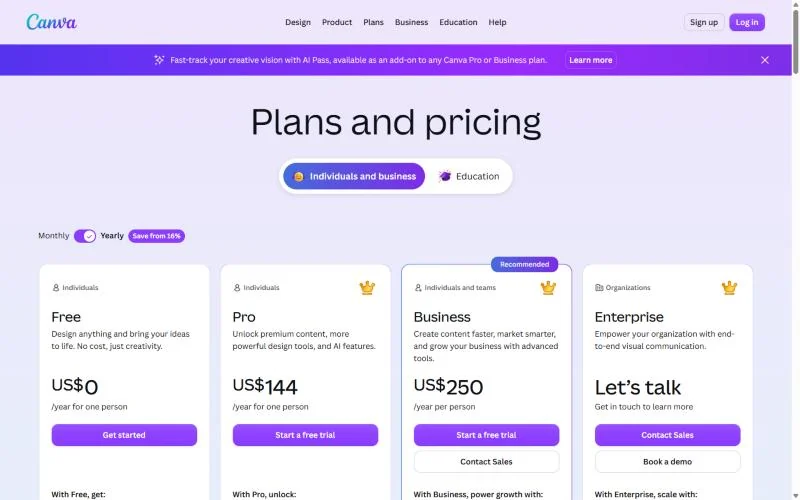
Ten people on Business cost US$250 x 10 = US$2,500 a year, so a solo owner with nobody to approve can stop at Pro.
- Pro: US$144 a year for one person
- Business: US$250 per person a year, or US$25 per person a month on monthly billing
Sources: Canva pricing (US), checked October 2026.
Pros
- 100 Brand Kits with approvals on Business
- 20x Canva Free’s AI allowance
- A free trial of Pro or Business
Cons
- AI Pass and AI top-ups cost extra
- Advanced AI tools use the shared allowance faster
- Priced per person, so cost grows with every seat
- Skip it if:
- one person makes every visual; Canva Pro at US$144 a year covers that without team features.
My Canva AI review covers its AI tools, and my AI tools for content creation list widens the marketing shortlist.
7. Grammarly: Consistent Customer-Facing Writing Across the Team
- AI prompts: 100 a month on Free, 2,000 per member a month on Pro
- Team size: up to 149 seats on Pro
Consistency, not drafting, is what earns Grammarly a seat. It works on the emails people already write: rewriting sentences, adjusting tone, and flagging plagiarism and AI-generated text. If every seat already has ChatGPT Business or Copilot, Pro is a second subscription for a narrower job.
Five people pay $144 x 5 = $720 a year on annual billing, against $30 x 5 x 12 = $1,800 on monthly billing.
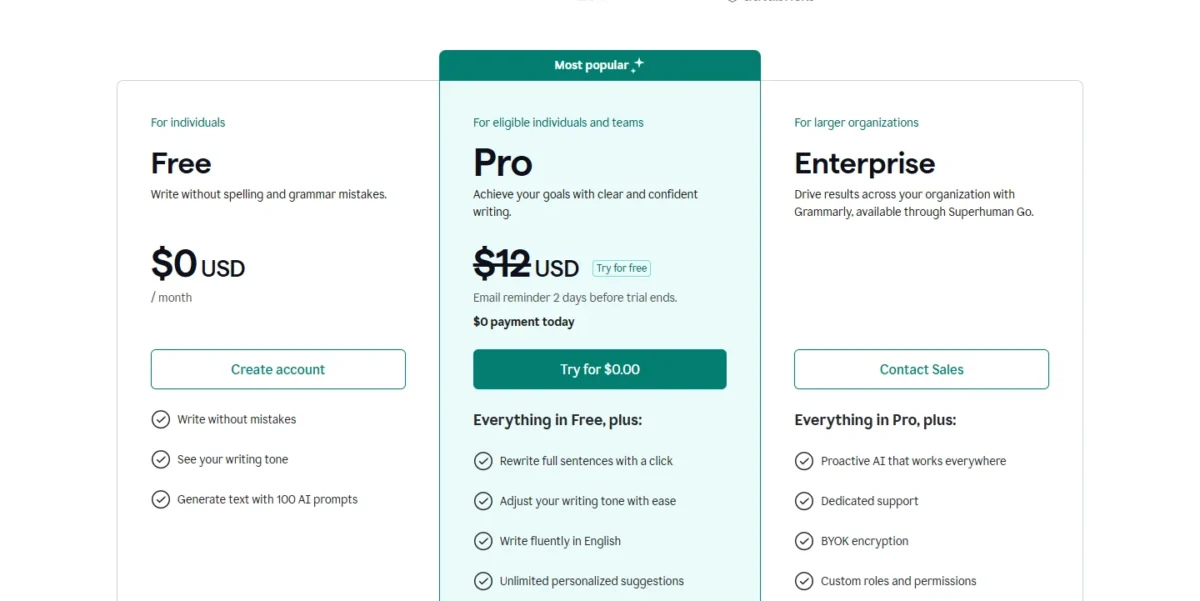
- Pro, annual: $144 per member a year, a $12 average per month
- Pro, monthly: $30 per member a month
Sources: Grammarly Pro cost, checked October 2026.
Pros
- Works on writing the team already does
- Plagiarism and AI-text detection on Pro
- A free plan with 100 AI prompts a month
Cons
- Monthly billing costs far more than annual
- Pro caps AI prompts at 2,000 per member a month
- Pro stops at 149 seats
- Skip it if:
- one assistant seat already covers drafting and nobody owns tone; put the budget into ChatGPT Business seats instead.
For tools that generate rather than polish, see my ranking of AI writing tools. Open my best AI SEO tools to compare options for search content. Customers also write back, and someone has to answer.
8. Intercom Fin: AI Customer Support You Pay per Outcome
- Works with: Intercom’s helpdesk, Zendesk, Freshdesk or Salesforce
- Trial: 14 days, no credit card
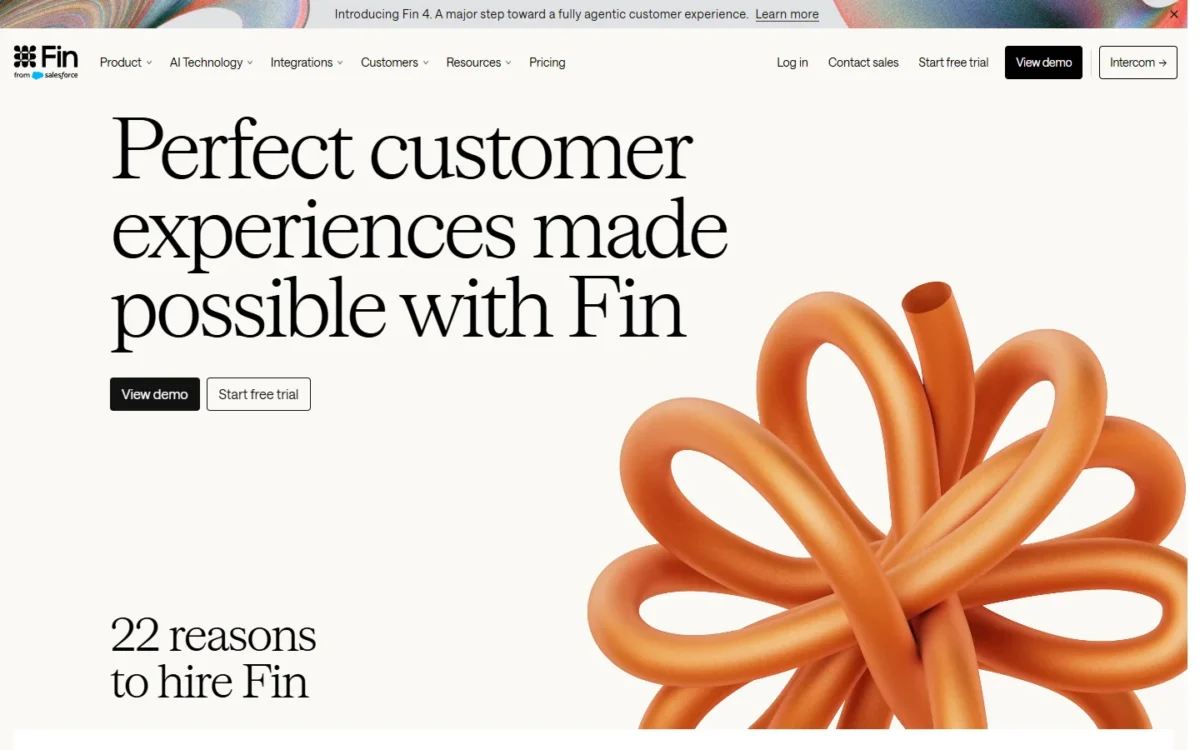
Fin’s bill follows resolved conversations, not staff count, which makes it the support pick. It charges $0.99 per outcome, at most once per conversation, and nothing when Fin cannot answer or the customer asks for a human. The risk: a busy month raises the bill without a new seat.
On another helpdesk, Fin has a $49 monthly minimum that includes 50 outcomes and no seat costs, so a business can try it without moving tickets. HubSpot’s customer agent, by contrast, resolves common questions 24/7 from the CRM’s contact and contract history.
Intercom’s own estimator shows the math: 200 conversations at its 76% average resolution rate is 152 outcomes x $0.99 = $150.48. The trial measures your own rate.
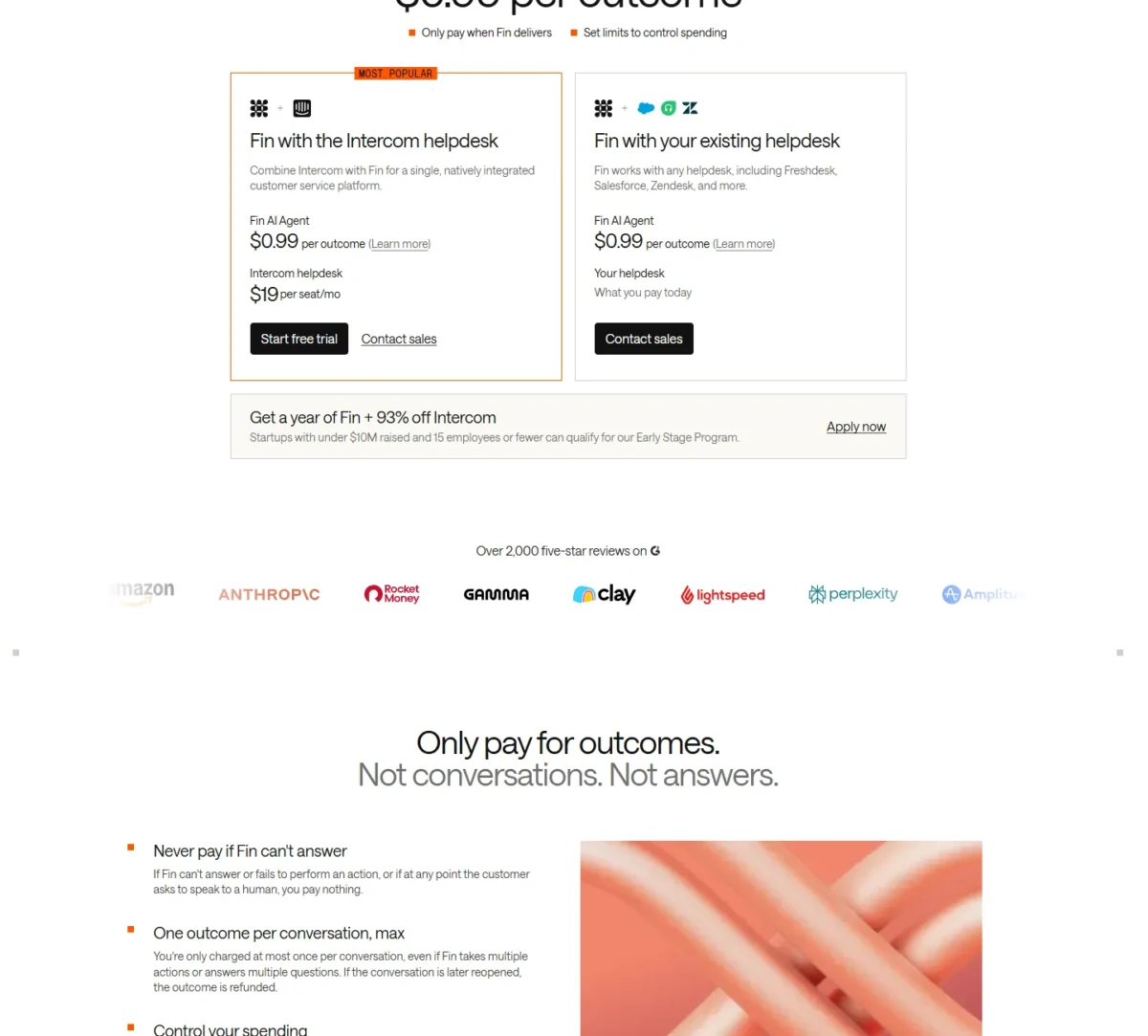
- Fin: $0.99 per outcome
- Intercom Essential: $19 per seat per month for new customers (regular $29), pay annually
- Intercom Expert, with SSO and HIPAA support: $132 per seat per month
Sources: Fin pricing, Intercom pricing, checked October 2026.
Pros
- No charge when Fin fails or the customer asks for a human
- Runs on an existing Zendesk, Freshdesk or Salesforce helpdesk
- 14-day trial without a credit card
Cons
- On Intercom’s helpdesk, outcomes add to seat costs every month
- SSO and HIPAA support start on Expert
- The $19 Essential price is a new-customer offer
- Skip it if:
- your support is a few emails a week; a plain tool from my help desk software list does the job without per-outcome AI.
My Intercom review covers the helpdesk Fin sits on, and my guide to AI customer service explains how AI agents answer customers.
9. QuickBooks Online: AI Bookkeeping and Invoice Follow-Up

- AI auto-categorization: Plus and Advanced
- Trial: 30 days free, or 50% off for 3 months
The ledger is where QuickBooks Online’s AI works, which makes it the bookkeeping pick. Plus is the plan I would buy, since Accounting AI’s auto-categorization starts there. The trade-off is that each plan covers a set number of users.
Invoicing on Autopilot (beta) drafts invoices from saved documents and sends payment reminders on your approval, from Essentials up. Customer AI on Plus finds leads in the inbox, a small version of HubSpot’s job. Prices for Essentials, Plus and Advanced changed for renewals on or after August 1, 2026.
A 5-person team pays $140 a month on Plus; a sixth user forces Advanced at $340. Every plan includes 2 accountant seats (3 on Advanced).

| Plan | Price | Users | Key AI |
|---|---|---|---|
| Simple Start | $38/mo | 1 | Categorizes expenses |
| Essentials | $85/mo | 3 | Invoicing on Autopilot (beta) |
| Plus | $140/mo | 5 | Auto-categorization, Customer AI |
| Advanced | $340/mo | 25 | Project Management AI, Finance AI |
Sources: QuickBooks Online pricing (list prices, 50% off for 3 months), QuickBooks price changes, checked October 2026.
Pros
- Auto-categorization with human validation on Plus
- Invoicing on Autopilot from Essentials
- Accountant seats on every plan
Cons
- Plus stops at 5 users
- Invoicing on Autopilot is a beta with monthly capacity limits
- Advanced, the next plan after Plus, costs $340 a month
- Skip it if:
- your accountant keeps your books in another system; ask before switching, and compare my Xero review.
My QuickBooks Online review covers each plan. Books, CRM, support and email are separate apps, and something must move data between them.
10. Zapier: AI Automation That Connects Your Other Tools

- Free: 100 tasks per month, one user
- Integrations: 9,000+ apps
Headcount does not move Zapier’s price: Team is priced per account for up to 25 users, which makes it the admin pick. It connects the CRM, the books and the inbox, with AI steps in between. The variable is tasks: every step uses them.
Team adds shared Zaps, shared app connections and SAML SSO. Zapier MCP lets AI assistants act in connected apps, with each call using two tasks.
These are starting prices; the selector shows the cost of more tasks.

- Professional: from $19.99 a month billed yearly, $29.99 billed monthly, one user
- Team: from $69 a month billed yearly, $103.50 billed monthly, up to 25 users
Sources: Zapier pricing, checked October 2026.
Pros
- One Team price for up to 25 users
- 9,000+ app integrations
- A free plan with 100 tasks a month
Cons
- Professional covers one user
- Every step in a Zap uses tasks
- Monthly billing costs more than yearly
- Skip it if:
- nobody will own the automations; rely on the AI already in your tools, such as QuickBooks payment reminders or HubSpot’s agents.
My Zapier review covers tasks in depth, and Zapier alternatives helps if they get expensive.
11. Fathom: AI Meeting Notes That Update Your CRM
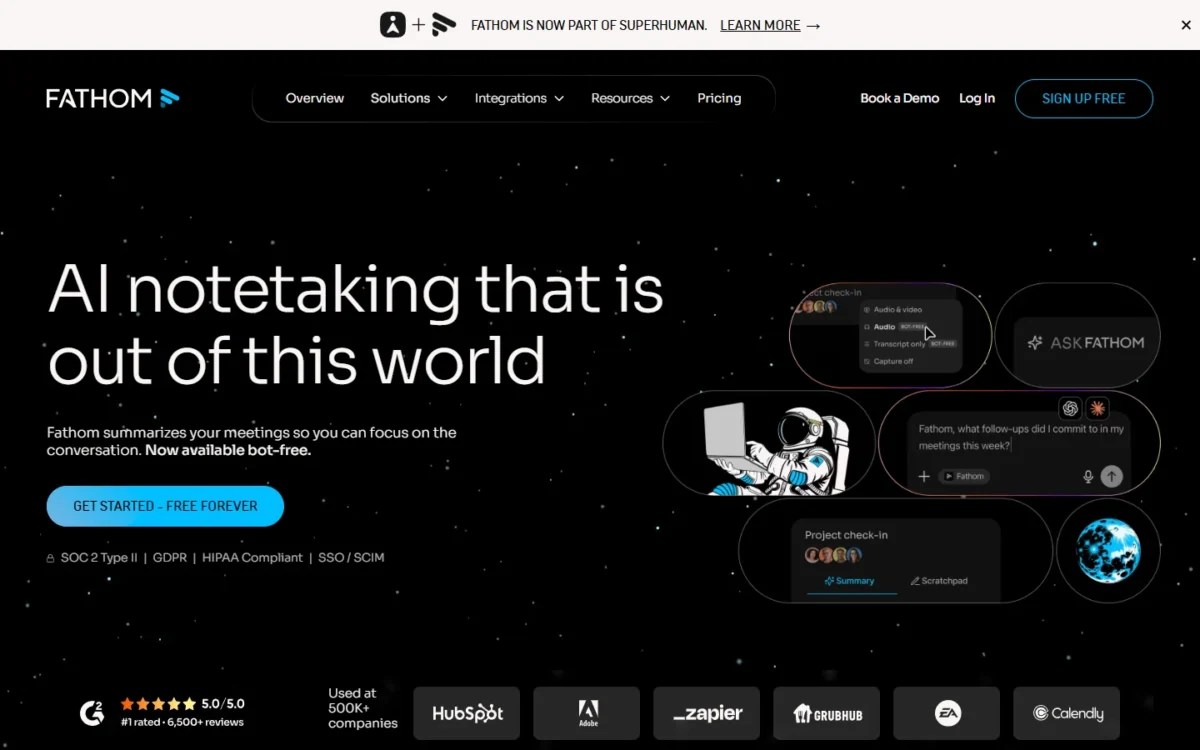
- Free: unlimited recordings, transcription and instant AI summaries
- Integrations: HubSpot, Salesforce, Slack, Zapier
A free plan that records and summarizes without a cap makes Fathom the meeting pick: a rep can prove it on real calls first. Business is the plan for sellers, because it syncs CRM fields after each meeting. The trade-off is the 2-user minimum on Team and Business.
Against Notion’s AI Meeting Notes, which need Notion Business, Fathom keeps a free tier and writes into the CRM.
A 5-person sales team on Business pays $25 x 5 = $125 a month on annual billing, against $34 x 5 = $170 billed monthly.
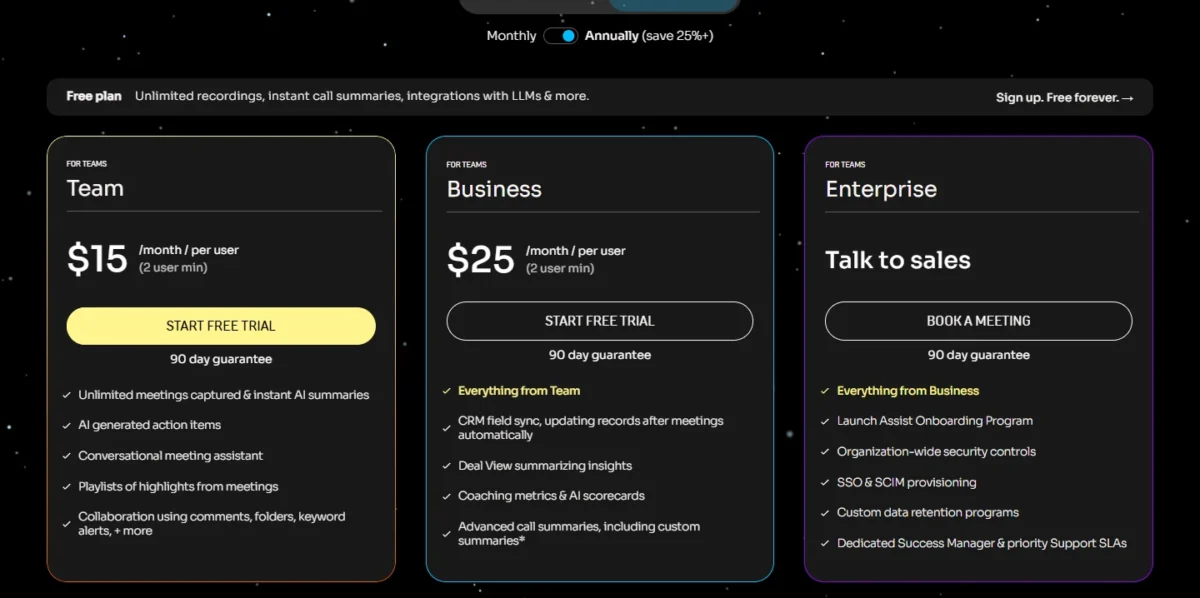
- Team: $15 per user per month billed annually, $19 monthly, 2-user minimum
- Business: $25 per user per month billed annually, $34 monthly, CRM field sync
Sources: Fathom pricing, checked October 2026.
Pros
- A free plan with unlimited recordings
- CRM field sync on Business
- Integrations with HubSpot, Salesforce, Slack and Zapier
Cons
- 2-user minimum on Team and Business
- SSO only on Enterprise
- The free plan is listed for individuals, not teams
- Skip it if:
- your calls run in Google Meet on Business Standard; Gemini in Meet already summarizes and takes notes.
Notes, SOPs and decisions still need one place the AI can search.
12. Notion AI: A Team Wiki Your AI Can Search and Act On

- AI on Free and Plus: a trial of Notion AI
- Custom Agents: free to try, then $10 per 1,000 monthly Notion credits
Answers drawn from the team’s own pages make Notion AI the knowledge pick: a refund question is answered from the SOP the team wrote. That works only on Business, because Free and Plus include a trial of Notion AI. Against ChatGPT, the context lives in the workspace, not each prompt.
Business adds Notion Agent, AI Meeting Notes with no bot needed, Enterprise Search (beta) across apps such as Slack and GitHub, and SAML SSO.
A 10-person team on Business pays $20 x 10 = $200 a month on yearly billing.

- Plus: $10 per seat per month billed yearly, $12 monthly, Notion AI as a trial
- Business: $20 per seat per month billed yearly, $24 monthly
Sources: Notion pricing, checked October 2026.
Pros
- Notion Agent, AI Meeting Notes and Enterprise Search on Business
- Meeting notes without a bot
- SAML SSO on Business
Cons
- AI is only a trial on Free and Plus
- Enterprise Search is in beta
- Custom Agents cost extra after the trial
- Skip it if:
- your documents live in Google Drive or SharePoint and nobody will move them; Gemini in Drive or Copilot already works there.
My Notion review covers the workspace beyond its AI, and Notion pricing weighs Plus against Business.
What an AI Stack Costs a 5- or 10-Person Team
Amounts are per month unless a row says a year.
| Software | Plan and billing | 5 users | 10 users | Watch for |
|---|---|---|---|---|
| ChatGPT Business | Business, billed annually | $20 x 5 = $100 | $20 x 10 = $200 | Credits for extra usage |
| Microsoft 365 Copilot | Copilot Business add-on, paid yearly, existing eligible Business plan | $18 x 5 = $90 | $18 x 10 = $180 | Promo ends December 31, 2026 |
| Microsoft 365 Copilot | Business Standard with Copilot, paid yearly, new to Microsoft 365 | $23.50 x 5 = $117.50 | $23.50 x 10 = $235 | Includes business email |
| Gemini in Google Workspace | Business Standard, 1-year commitment | $14 x 5 = $70 | $14 x 10 = $140 | Intro price ends after 12 months |
| Claude Team | Standard seats, billed annually | $20 x 5 = $100 | $20 x 10 = $200 | Premium seats are $100 each |
| HubSpot Smart CRM | Starter, Pay Annually | $7 x 5 = $35 | $7 x 10 = $70 | New-customer offer |
| Canva Business | Yearly, per person | $250 x 5 = $1,250 a year | $250 x 10 = $2,500 a year | AI Pass costs extra |
| Grammarly Pro | Annual, per member | $144 x 5 = $720 a year | $144 x 10 = $1,440 a year | Monthly is $30 per member |
| Intercom Fin | Essential seats, pay annually | $19 x 5 = $95, plus outcomes | $19 x 10 = $190, plus outcomes | $19 is the new-customer seat price (regular $29); seat only support staff |
| QuickBooks Online | Plus or Advanced, list | $140 | $340 | 50% off for 3 months |
| Zapier | Team, billed yearly | $69 | $69 | Task usage |
| Fathom | Business, billed annually | $25 x 5 = $125 | $25 x 10 = $250 | 2-user minimum |
| Notion AI | Business, billed yearly | $20 x 5 = $100 | $20 x 10 = $200 | Credits for Custom Agents |
Sources: the pricing pages under the comparison table, plus Intercom pricing, checked October 2026.
Three rows break the per-seat pattern: Zapier stays $69 from 5 to 10 people, QuickBooks jumps to $340 at the sixth user, and Fin’s bill follows conversations.
Stacks for five people:
- A Google team that sells: Business Standard at $14 x 5 = $70 plus HubSpot Starter at $7 x 5 = $35, which is $105 a month. Zapier Team adds $69 for the account.
- A Microsoft office new to Microsoft 365 that records client calls: Business Standard with Copilot at $23.50 x 5 = $117.50 plus Fathom Team billed annually at $15 x 5 = $75, which is $192.50 a month. QuickBooks Plus adds $140 for the company.
- An office already on an eligible Business plan: Copilot add-on at $18 x 5 = $90 (offer price through December 31, 2026; regular $21) plus Fathom Team billed annually at $15 x 5 = $75, making $165 a month extra.
Neither total includes tax, add-ons, AI top-ups or usage charges. HubSpot’s $7 and QuickBooks’ 50% off are offers, so budget from the regular prices once they end.
How to Choose AI Tools for Your Small Business
Buy in three steps: start with the AI in the suite you pay for, add one job tool where the hours go, and prove output quality on your own sample before annual billing.
The job tool is chosen by the task that costs the most hours: follow-up (HubSpot), repeat tickets (Fin), books (QuickBooks) or copying data (Zapier). For proof, HubSpot, Canva, Grammarly, Zapier, Fathom and Notion have free plans, and Microsoft, Google, Intercom and QuickBooks offer trials.
| Software | SSO | Usage unit | Integrations the job needs |
|---|---|---|---|
| ChatGPT Business | Business | Seats, plus credits | Not listed |
| Microsoft 365 Copilot | Not listed | Seats, plus usage-based AI | Word, Excel, Outlook, Teams |
| Gemini in Google Workspace | Not listed | Seats | Gmail, Docs, Meet, Drive |
| Claude Team | Team | Standard or Premium seats | Microsoft 365 connector |
| HubSpot Smart CRM | Not listed | Seats, plus HubSpot Credits | Gmail, Outlook |
| Canva Business | Enterprise | People, plus AI allowance | Not listed |
| Grammarly | Not on the Pro card | Members, plus AI prompts | Not listed |
| Intercom Fin | Expert | Seats, plus outcomes | Zendesk, Freshdesk, Salesforce |
| QuickBooks Online | Not listed | Plan with a user cap | Excel sync on Advanced |
| Zapier | Team | One account, plus tasks | 9,000+ apps |
| Fathom | Enterprise | Users | HubSpot, Salesforce, Slack, Zapier |
| Notion AI | Business | Seats, plus Notion credits | Slack, GitHub, Google Drive |
Sources: the pages under the comparison table, plus Canva plans and Intercom pricing, checked October 2026.
A business that requires SSO should price the Canva, Fathom or Intercom tier that lists it; Intercom also lists HIPAA support on Expert.
Shortlists by Team and Job
- Best AI tools for small teams: a wider shortlist beyond these jobs
- Best AI chatbots: one person choosing a chatbot
- Best AI agents: tools that run multi-step tasks alone
- AI for research: assistants built around sources
Also Considered
- Jasper (marketing content): Pro covers 1 user at $59 a month billed yearly, and more seats need a custom Business plan that begins with a 12-month commitment. My Jasper review covers it for marketing teams.
- Otter.ai (meeting transcription): Basic caps transcription at 300 minutes a month, while Fathom’s free plan records without a cap.
FAQ
Is ChatGPT Plus enough for a small business?
Not for a team that shares customer data. Plus costs $20 a month.
Business costs $20 per user per month on annual billing for 2 or more users. It is the workspace plan, adding a dedicated workspace, admin controls, SAML SSO, MFA and no training on business data by default. An owner working alone can start on Plus.
Which AI tools for small business are free?
Six picks start free. HubSpot’s free tools cover 2 users and 1,000 contacts, Zapier Free gives one user 100 tasks a month, and Fathom Free records without a cap for individuals.
Canva Free allows up to 20 Standard or Premium AI uses, Grammarly Free 100 AI prompts a month, and Notion Free a trial of Notion AI. Microsoft also includes Copilot Chat, a web-grounded assistant, at no additional cost with eligible Microsoft 365 plans.
Final Verdict
Buy the AI inside your suite first, then one tool for the job that eats the most hours.
- By suite: Microsoft 365 to Copilot, Google Workspace to Gemini on Business Standard, neither to ChatGPT Business, or Claude Team for a few heavy users.
- By job: HubSpot for sales, Canva for marketing, Grammarly for writing, Fin for support, QuickBooks Plus for books, Zapier for admin, Fathom for meetings, Notion for knowledge.
- By budget: start on the free plans; at 10 people, Zapier Team still costs $69 a month.
- Skip paid assistant seats if Copilot or Gemini already covers drafting.






Pingback: 12 Best AI Sales Tools in 2026, Picked by Sales Stage