


The best AI agents for a US business in October 2026 split by job. Claude fits teams that code and do desk work on one $20 seat (per month, billed annually); Copilot Studio fits Microsoft 365 shops.
Fin by Intercom handles support at $0.99 per outcome, and Zapier Agents handles cross-app operations work. I ranked ten agentic AI tools from official pricing and help pages, checked October 2026, with each one’s billing unit, yearly cost for ten people and who should skip it.
Quick verdict
For a US team of 5 to 100 people, Claude Team is my first pick. A Standard seat at $20 per month, billed annually, includes Claude Code and Claude Cowork, covering coding and everyday desk work.
Pick by the system you already pay for instead: Copilot Studio inside Microsoft 365, Agentforce on Salesforce, Fin on any helpdesk, Zapier Agents across 9,000+ apps.
The trade-off: these agents do not share a billing unit, and each section names the one its vendor’s pricing page uses, so compare a year’s cost, not the sticker price.

Claude
Best for: Coding and Desk-Work Agents on One Seat
A Team Standard seat includes Claude Code and Claude Cowork for $20 per month, billed annually.
Limit: chats and Claude Code draw from one usage pool per seat

Microsoft Copilot Studio
Best for: Microsoft 365 Organizations
Microsoft 365 Copilot users build internal agents at no additional cost.
Limit: publishing outside Microsoft 365 needs a standalone license

Fin by Intercom
Best for: Customer Support Resolution
Fin bills $0.99 per outcome and works with Salesforce, HubSpot and other helpdesks.
Limit: a 50-outcome monthly minimum

Zapier Agents
Best for: Cross-App Operations Work
Agents act across 9,000+ apps, with 400 free activities a month.
Limit: Agents does not support the app and action restrictions of a Zapier Enterprise account
In This Article (18 sections)
Best AI Agents Compared: Price, Free Plan and Limit
The ten AI agents below do different jobs, start at several different price units and hit different first limits; prices were checked in October 2026.
| Software | Best for | Starting price | Free plan or trial | Standout feature | Key limitation |
|---|---|---|---|---|---|
| Claude | Coding and desk work | $20 per seat per month, billed annually (Team) | Free plan, no Claude Code | Claude Code opens pull requests | Usage limits per seat |
| ChatGPT Business | Multi-step research and deliverables | $20 per user per month, billed annually (Standard seat), 2-seat minimum | Free plan for individuals | ChatGPT Work for finished deliverables | ChatGPT agent no longer available |
| Microsoft Copilot Studio | Microsoft 365 organizations | $30 per user per month, paid yearly (Microsoft 365 Copilot) | Free trial | Internal agents included | Azure subscription required |
| Salesforce Agentforce | Salesforce CRM teams | $500 per 100k Flex Credits | Salesforce Foundations, $0 | $0.10 per action | Packaged editions from $550 per user per month |
| Fin by Intercom | Customer support | $0.99 per outcome | 14-day free trial | Works on any helpdesk | 50 outcomes per month minimum |
| Zapier Agents | Cross-app operations | $400 billed annually (Pro) | Free, 400 activities per month | 9,000+ apps | Activities cap per month |
| Lindy | Inbox, meetings and Slack | $49.99 per user per month | $50 in credits for 7 days | Approval before outside actions | Every active user is billed |
| Gumloop | Agent building with unlimited seats | Starts at $37 per month | 14-day free trial | Unlimited seats and agents | 8% orchestration fee |
| n8n | Self-hosting, technical teams | €20 per month, billed annually (Starter, euro price) | Free trial; Community Edition | Billed per execution, unlimited steps | Business plan is self-hosted only |
| CrewAI | Multi-agent workflows | Free (Basic) | Free plan | Tracing and guardrails on Basic | No published paid tier below Enterprise |
Sources: Claude pricing, ChatGPT pricing, ChatGPT Business billing and seats, Copilot Studio pricing, Agentforce pricing, Fin pricing, Zapier pricing, Lindy pricing, Gumloop pricing, n8n pricing, CrewAI pricing, checked October 2026.
Ten rows, and the billing units differ from row to row. Before comparing the numbers, decide which kind of agent your job needs.
Four Kinds of AI Agent, and the Job Each Does
An AI agent, the product form of agentic AI, is software that plans and carries out multi-step tasks inside your tools, rather than only answering in a chat window. If you want answers and drafts rather than actions, my guide to the best AI chatbots by job and budget is the better starting point.
The ten picks fall into four kinds, and each kind tends to bill in its own unit:
- Ready-made work agents (Claude, ChatGPT Business, Lindy): you hand over a task and review the result. They bill per seat, with usage limits or credits per seat.
- Agents inside a system you own (Copilot Studio, Agentforce, Fin): they act on Microsoft 365, Salesforce or helpdesk data. They bill per credit, per action or per resolved conversation.
- App-network agents (Zapier Agents, Gumloop): they act across hundreds or thousands of connected apps. They bill per activity or per credit.
- Builder platforms for technical teams (n8n, CrewAI): engineers design the workflow and can self-host it (CrewAI on its Enterprise plan). They bill per workflow execution.
Research agents that browse and summarize sources are a different job, ranked in my list of the best AI tools for research.
How I Chose These AI Agents
I considered 10 + 6 = 16 tools: the 10 picks below plus the 6 under Also Considered. The ranking rests on documentation only: official pricing and help pages saved on October 16, 2026, and an Internet Archive copy of Salesforce’s Agentforce pricing page dated October 10, 2026. No agent was tested in a live account for this list.
Three must-haves removed tools first:
- The agent acts in other software (files, apps, repositories, tickets), not only in a chat.
- A business plan or admin controls exist for a team.
- A free plan, a trial or a published price lets a buyer start without a sales call.
The remaining tools were ranked in this order: fit for a distinct business job, a published pricing unit, a free plan or trial, then admin controls such as SSO. Each cell below names the cheapest plan that lists the feature, or says the saved page does not list it.
| Software | Pricing unit | Entry price published | Free plan or trial | SSO on |
|---|---|---|---|---|
| Claude | Seat | Yes | Free plan | Team |
| ChatGPT Business | User per month | Yes | Free plan (individuals) | Business |
| Microsoft Copilot Studio | User or credit pack | Yes | Free trial | Not listed |
| Salesforce Agentforce | Flex Credits or user | Yes | Salesforce Foundations | Not listed |
| Fin by Intercom | Outcome | Yes | 14-day trial | Not listed |
| Zapier Agents | Activity | Yes | Agents Free | Team (Zapier plan) |
| Lindy | Seat with credits | Yes | $50 in credits | Enterprise |
| Gumloop | Credits, unlimited seats | Yes | 14-day trial | Enterprise |
| n8n | Workflow execution | Yes, in euros | Free trial | Business |
| CrewAI | Workflow execution | Free tier only | Basic | Enterprise |
Sources: Claude pricing, Zapier pricing, Lindy pricing, n8n pricing, CrewAI pricing, Gumloop Enterprise, ChatGPT Business SSO help article and the other pages under the comparison table, checked October 2026.
Documentation cannot show output quality, reliability or speed, so this list does not judge them. The picks follow, starting with the agent that covers the most jobs on one seat.
1. Claude: Best for Coding and Desk-Work Agents on One Seat
- Best for: teams of 2 to 150 that code and do desk work
- Starting price: $20 per seat per month, billed annually (Team Standard)
- Free plan or trial: Free plan, without Claude Code
- Standout feature: Claude Code reads issues, runs tests and opens pull requests
- Integrations: GitHub, GitLab, VS Code, JetBrains, Slack
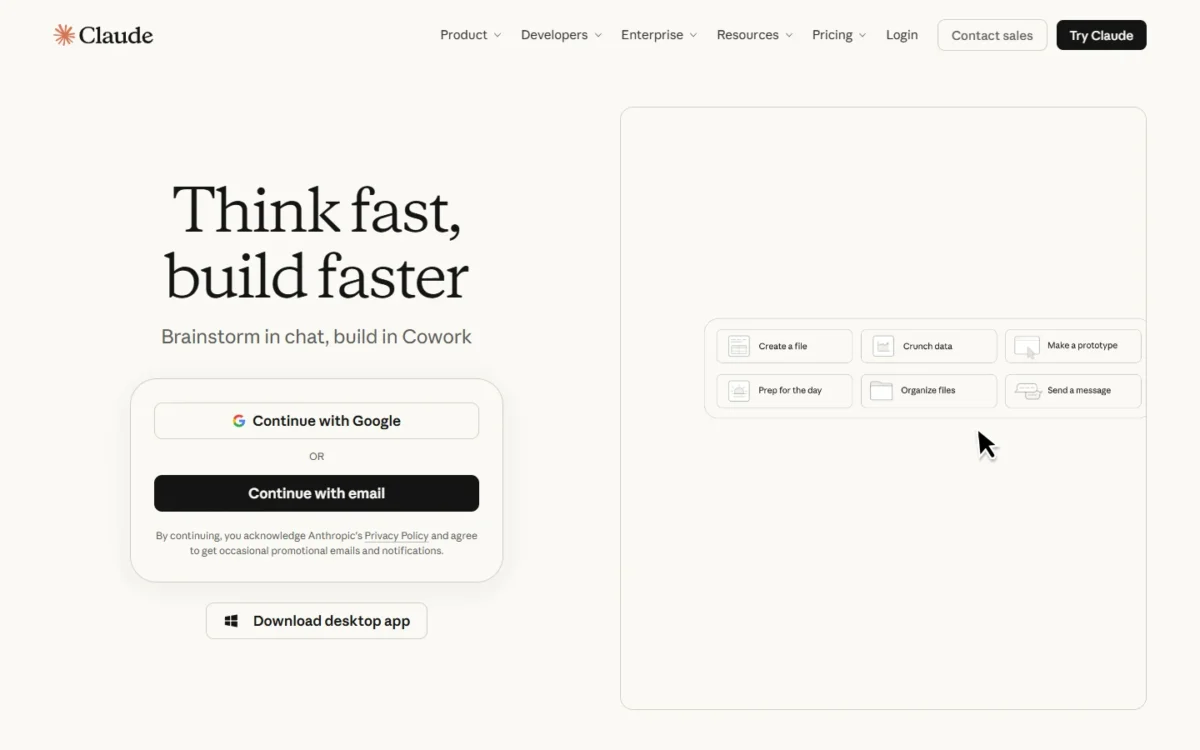
Claude puts a coding agent and a desk-work agent on one bill. A Team Standard seat at $20 per month, billed annually, includes both Claude Code and Claude Cowork, plus SSO and central billing.
It ranks above ChatGPT Business, whose Standard seat costs the same $20, because that one Claude seat already includes two working agents, Claude Code and Claude Cowork, while OpenAI’s help center says “ChatGPT agent is no longer available”.
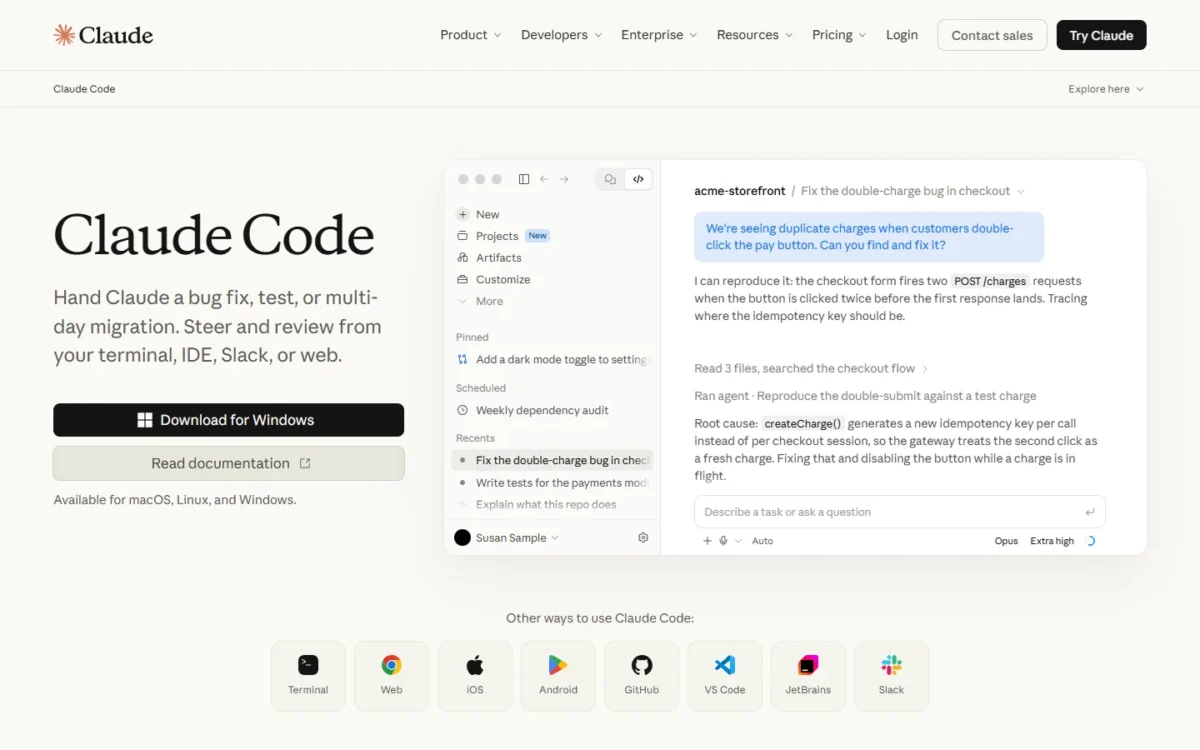
Claude Code is the reason it ranks first. Anthropic describes handing it “a bug fix, test, or multi-day migration” and steering from the terminal, an IDE, Slack or the web.
It works with GitHub, GitLab and command line tools to read issues, write code, run tests and open pull requests, and it asks for permission before changing files or running commands. Non-developers who build apps this way are doing what the industry calls vibe coding.
For an engineering lead weighing OpenAI’s coding agent instead, my Codex vs Claude Code comparison goes deeper than this list can.
The tradeoff. Usage is a pool, not a meter you can buy by the task. Claude Code shares the same usage limits as chats, so a developer who codes all day can drain a Standard seat.
Ten Standard seats cost $20 x 10 seats x 12 months = $2,400 a year on annual billing; paying monthly at $25 raises that to $3,000. Mix seat types so only the heavy coders pay $100.
| Plan | Price | Billing | Key limit |
|---|---|---|---|
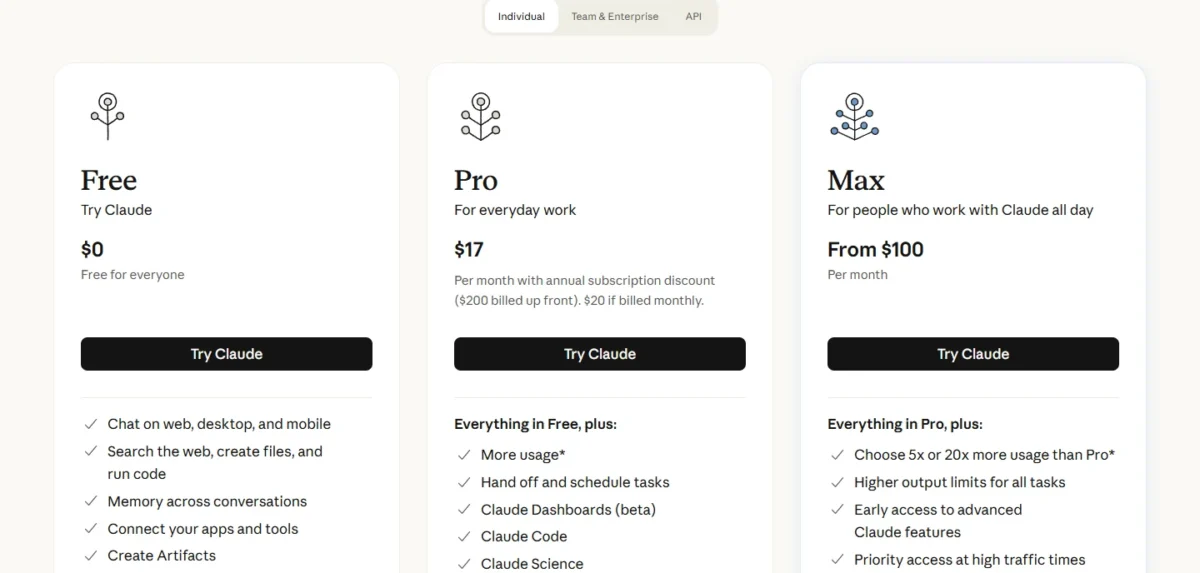
| Pro | $17 per month ($200 up front) or $20 monthly | Annual or monthly | One person; “short coding sprints in small codebases” |
| Team Standard | $20 per seat per month, or $25 monthly | Annual or monthly | Teams of 2 to 150 |
| Team Premium | $100 per seat per month, or $125 monthly | Annual or monthly | 5x the usage of a Standard seat |
| Enterprise | US$20 per seat per month plus usage at API rates | Annual | 20-seat minimum |
Sources: Claude pricing and Claude Code page, checked October 2026.
Pros
- One Team seat includes Claude Code and Claude Cowork
- Claude Code opens pull requests from GitHub or GitLab issues
- No model training on Team content by default
Cons
- Chats and Claude Code share one usage pool per seat
- Premium seats cost $100 per month, billed annually, for heavy coders
- Role-based access, SCIM and audit logs start on Enterprise
Claude suits a product or agency team where a few people write code and everyone else drafts, researches and builds documents. My Claude review covers the chat side in more depth.
- Skip it if:
- you need an agent that answers your customers or acts inside Salesforce or a helpdesk; Fin and Agentforce are built for that.
2. ChatGPT Business: Best for Multi-Step Research and Deliverables
- Best for: business teams from 2 users that already work in ChatGPT
- Starting price: $20 per user per month, billed annually, or $25 monthly (Standard seat)
- Free plan or trial: Free plan for individuals
- Standout feature: ChatGPT Work for longer, multi-step tasks
- Integrations: apps connecting to internal tools are marked Yes on Plus and Pro; the comparison table does not show Business
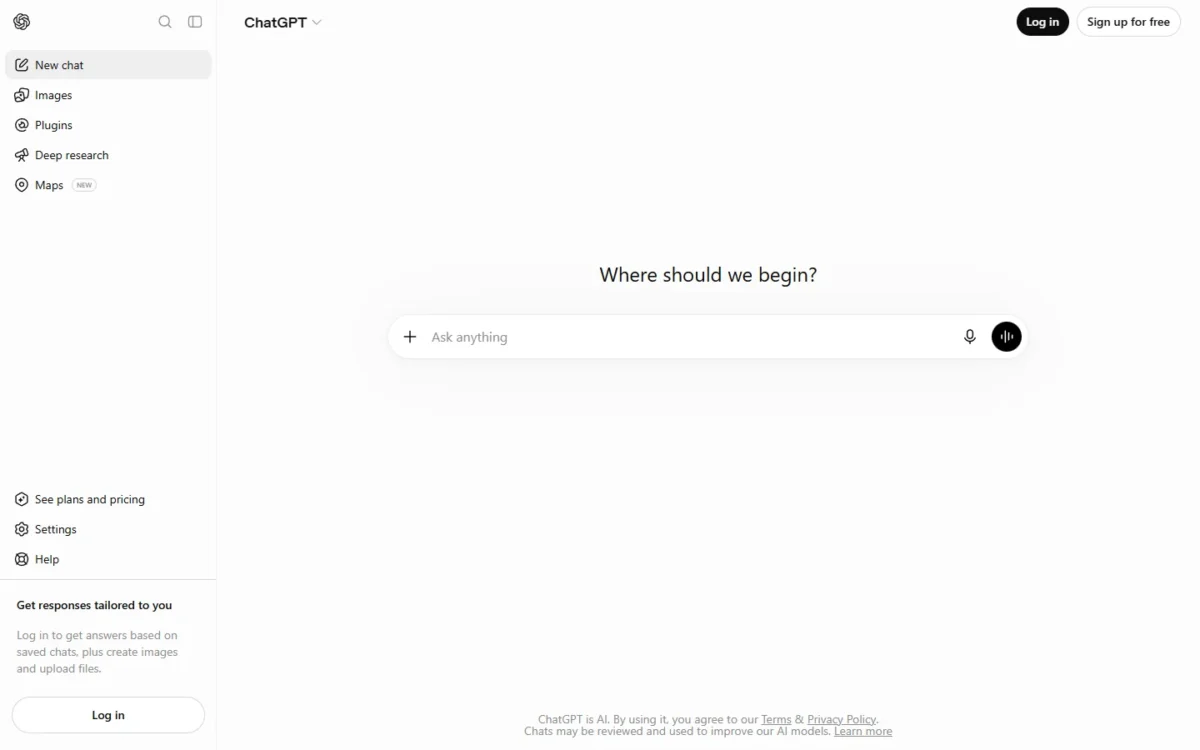
ChatGPT agent, OpenAI’s original agent mode, is no longer offered. As of October 2026, OpenAI’s help center says “ChatGPT agent is no longer available” and points users to ChatGPT Work for longer, multi-step tasks and finished deliverables.
That change does not remove ChatGPT from a business shortlist. Business is OpenAI’s plan for companies, available from 2 users, on monthly or annual billing. OpenAI’s SSO help article for Business says “SSO and domain verification are included with ChatGPT Business”, with SAML and OpenID Connect supported.
It ranks above Copilot Studio because a team can start on a $20 Standard seat from 2 seats without owning another suite. Copilot Studio’s internal agents come with Microsoft 365 Copilot at $30 per user per month, which needs a qualifying Microsoft 365 plan.
Business and Enterprise can buy credits for more access, so ask how ChatGPT Work usage is counted before a team rollout.
The tradeoff. On the saved comparison table, workspace agents are marked “No” on every individual plan (Free, Go, Plus and Pro), and the table does not show the business plans. A team that wants shared agents should confirm that feature on Business before buying.
Both Business seat types include ChatGPT and Codex. From Aug 24, 2026, a new Business subscription holds up to 200 paid seats; larger teams are pointed to Enterprise.
For ten people, Standard seats match Claude Team’s bill: $20 x 10 x 12 = $2,400 a year on annual billing, or $25 x 10 x 12 = $3,000 paid monthly. Nonprofits can get up to a 75% discount on Business.
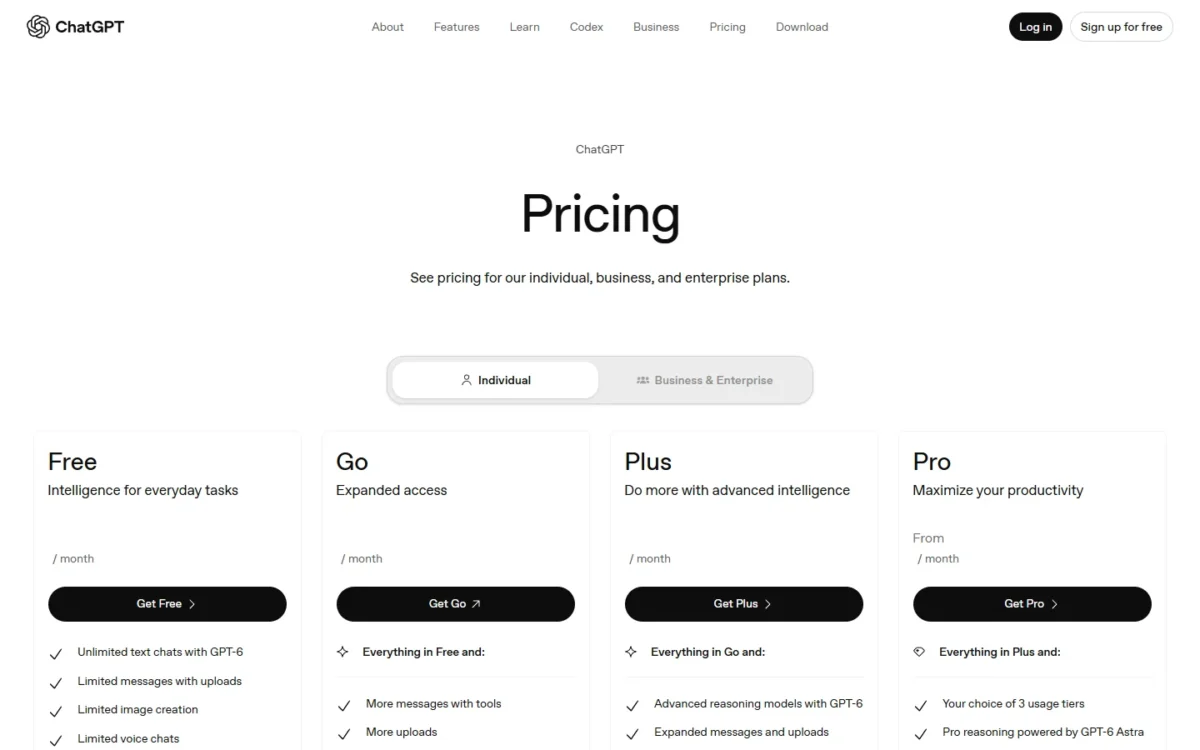
- Business Standard seat: $20 per user per month, billed annually, or $25 monthly; 2-seat minimum
- Business Premium seat: $100 per user per month, billed annually, or $125 monthly; 5x the Standard usage
- Enterprise: Contact sales
- Free: available to everyone, designed for individuals
Sources: ChatGPT pricing, ChatGPT agent help article, ChatGPT Business billing and seats and the ChatGPT Business FAQ on OpenAI’s help center, checked October 2026.
Pros
- ChatGPT Work handles longer, multi-step tasks and finished deliverables
- Business data is not used for training by default
- Business starts at 2 users, so a small team can buy it
Cons
- ChatGPT agent is no longer available
- Heavy users need a Premium seat at $100 per user per month, billed annually
- Workspace agents are not on any individual plan
ChatGPT Business fits a team whose people already draft, analyze and research in ChatGPT and want the same tool to finish longer jobs.
- Skip it if:
- you need SCIM or automatic directory provisioning, which OpenAI says a standalone Business plan does not include, or your IT team already licenses Microsoft 365 Copilot.
3. Microsoft Copilot Studio: Best for Microsoft 365 Organizations
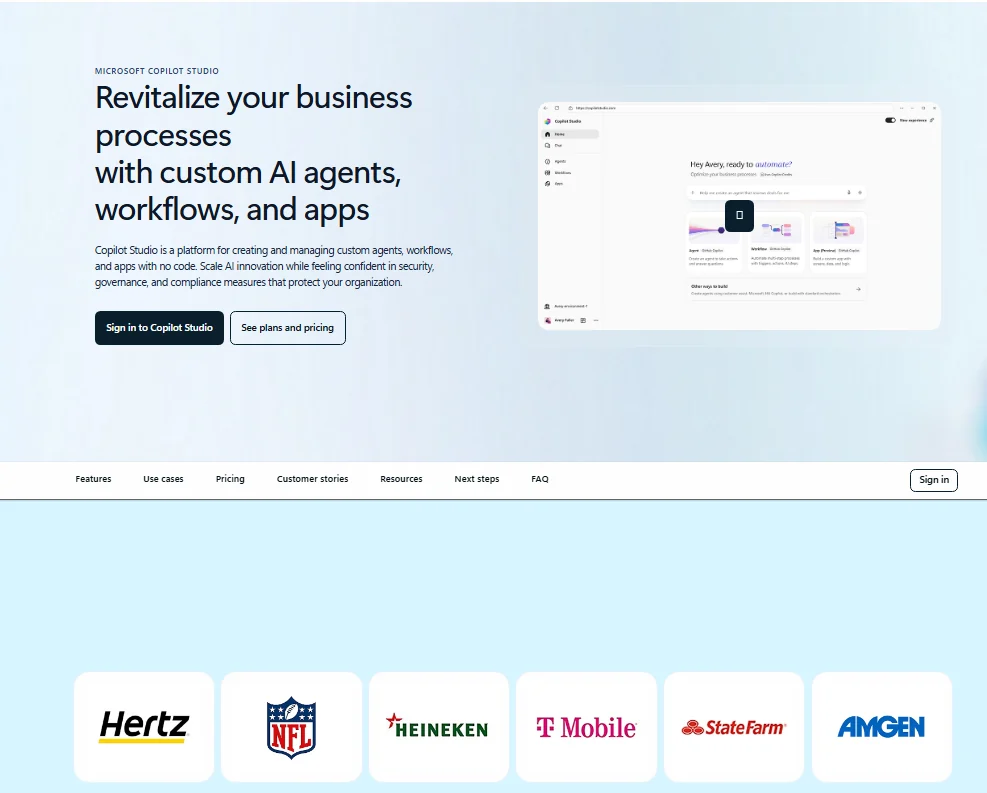
- Best for: organizations already on a Microsoft 365 business or enterprise plan
- Starting price: $30.00 per user per month, paid yearly (Microsoft 365 Copilot)
- Free plan or trial: free trial; a free Azure account with a $200.00 credit
- Standout feature: multi-agent systems and Interactive Voice Response (IVR) agents
- Integrations: Power Platform connectors
Copilot Studio is the agent builder a Microsoft shop may already half own. Microsoft 365 Copilot, at $30.00 per user per month paid yearly, lets licensed users build and use internal agents within Microsoft 365 at no additional cost. In my view, that is the simpler route when the agents only work inside Microsoft 365.
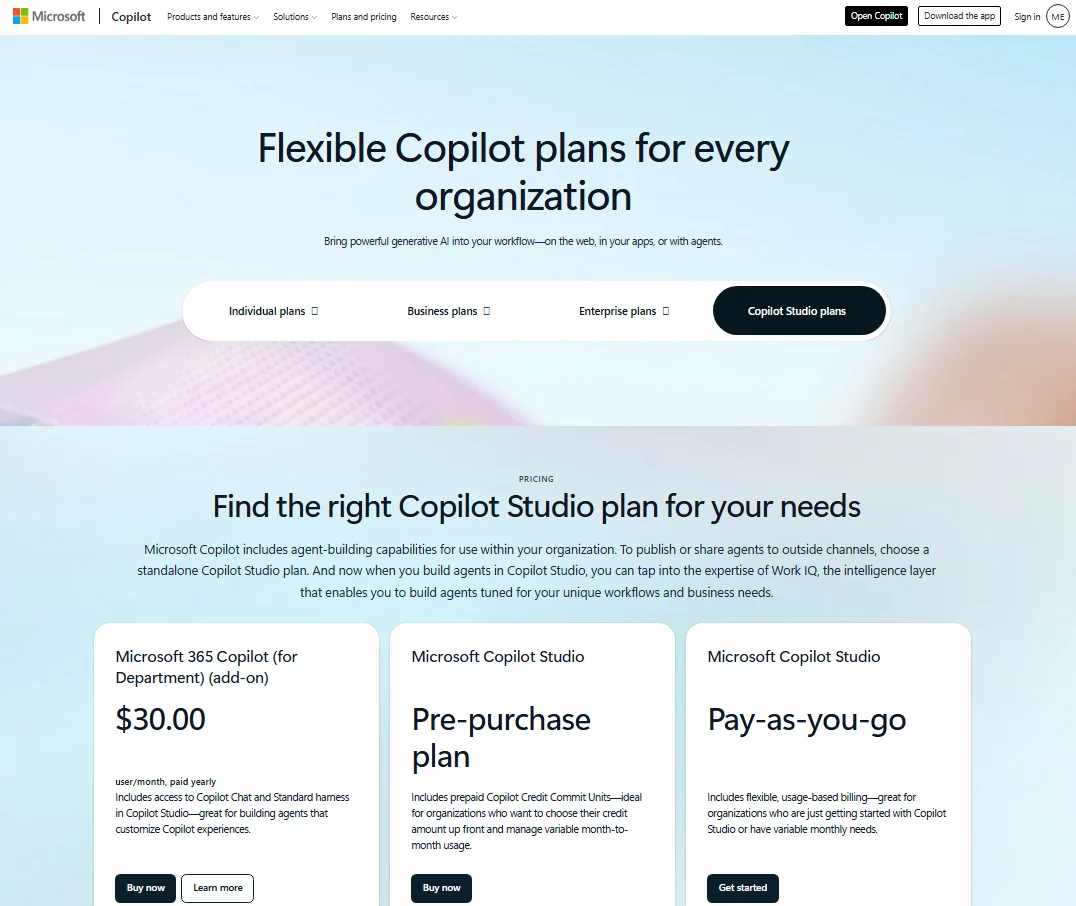
The line falls at the edge of your tenant. To publish agents to websites, apps or social platforms, or to let non-licensed users use an agent, Microsoft requires the standalone Copilot Studio license.
Credits make that standalone bill hard to forecast. Microsoft says a varying number of Copilot Credits is billed whenever an agent completes an action or response, depending on the specific usage. Start on pay-as-you-go and watch a month of real usage before you commit to packs.
The tradeoff. The standalone Pre-purchase and Pay-as-you-go plans require an Azure subscription, and Microsoft 365 Copilot needs a qualifying Microsoft 365 plan for enterprise or business, which this price does not include.
Ten Microsoft 365 Copilot users cost $30 x 10 users x 12 months = $3,600 a year, on top of the Microsoft 365 plan. One standalone credit pack costs $200 x 12 months = $2,400 a year for 25,000 Copilot Credits a month, shared tenant-wide.
| Plan | Price | Billing | Key limit |
|---|---|---|---|
| Microsoft 365 Copilot | $30.00 per user per month | Paid yearly | Internal agents within Microsoft 365 |
| Copilot Studio credit pack | $200.00 per pack per month | 25,000 Copilot Credits | Azure subscription required |
| Pay-as-you-go | Credits used, billed monthly | No up-front commitment | Azure subscription required |
| Pre-purchase plan | Prepaid Copilot Credit Commit Units | Up front, save up to 20% | Azure subscription required |
Sources: Copilot Studio pricing, checked October 2026.
Pros
- Internal agents come with Microsoft 365 Copilot at no additional cost
- Builds multi-agent systems and IVR agents
- Pay-as-you-go needs no up-front license commitment
Cons
- External publishing needs the standalone license
- Credits per action vary by usage, so spend is hard to forecast
- The standalone Pre-purchase and Pay-as-you-go plans require an Azure subscription
Copilot Studio fits an IT-led organization that wants internal agents first and customer-facing ones later.
- Skip it if:
- your team runs on Google Workspace or has no Microsoft 365 business plan.
4. Salesforce Agentforce: Best for Salesforce CRM Teams

- Best for: teams whose customer records already live in Salesforce
- Starting price: $500 per 100k Flex Credits ($0.10 per standard action)
- Free plan or trial: Salesforce Foundations at $0, with Agentforce Builder and Prompt Builder
- Standout feature: customer-facing and employee-facing agents on CRM records
- Integrations: limited Salesforce CRM objects
Agentforce is priced per action, which makes the cost of one task easy to model. Each Agentforce action, such as updating a record or answering a product question, uses 20 Flex Credits; at $500 per 100k credits, that is $0.10 per action. A voice action uses 30 credits.
The tradeoff. Unmetered use is the expensive route. Agentforce add-ons cost $125 per user per month, so ten users pay $125 x 10 users x 12 months = $15,000 a year.
If your agents run 2,000 standard actions a month, Flex Credits cost 2,000 x $0.10 x 12 months = $2,400 a year. These prices come from an Internet Archive copy of the pricing page dated October 10, 2026.
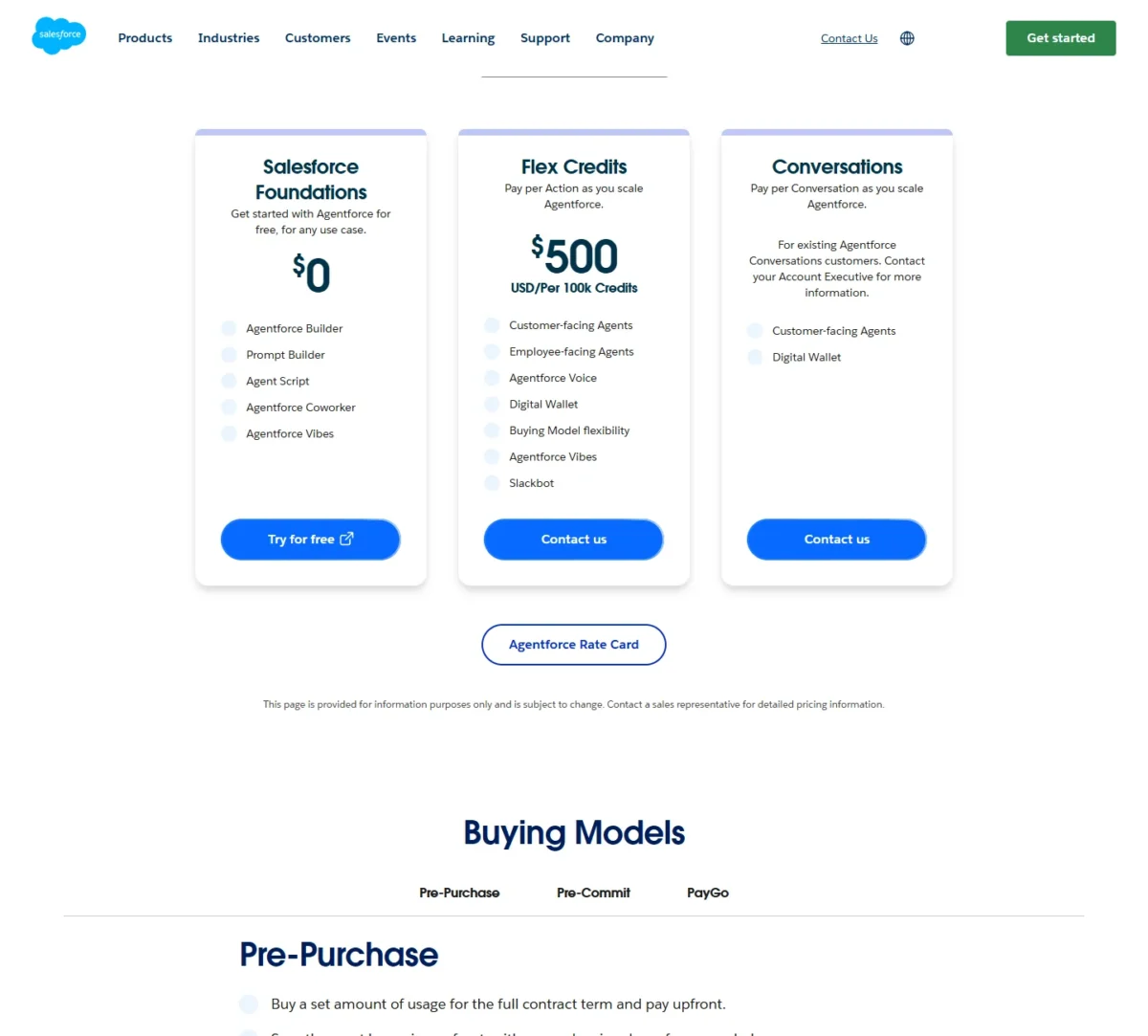
| Plan | Price | Billing | Key limit |
|---|---|---|---|
| Salesforce Foundations | $0 | Free | Builder tools to start |
| Flex Credits | $500 per 100k credits | Pre-purchase, pre-commit or PayGo | 20 credits per action |
| Agentforce add-ons | $125 per user per month | Per user | Sales, Service, Field Service |
| Agentforce Max Editions | From $550 per user per month | Per user | 2.75M Flex Credits per org per year |
| Agentforce User License | $5 per user per month | Per user | Requires Flex Credits |
Sources: Agentforce pricing, Internet Archive copy of October 10, 2026.
Pros
- $0.10 per standard action makes per-task cost easy to model
- Salesforce Foundations starts at $0 with Agentforce Builder
- Flex Credits apply across teams, channels and use cases
Cons
- Unmetered add-ons cost $125 per user per month
- Voice actions use 30 credits instead of 20
- Max Editions start at $550 per user per month
Agentforce makes sense when the agent’s work is a CRM record: updating a case, answering from knowledge, scheduling a field visit.
- Skip it if:
- your CRM is HubSpot or another system; the agent’s value depends on Salesforce data.
5. Fin by Intercom: Best for Customer Support Resolution
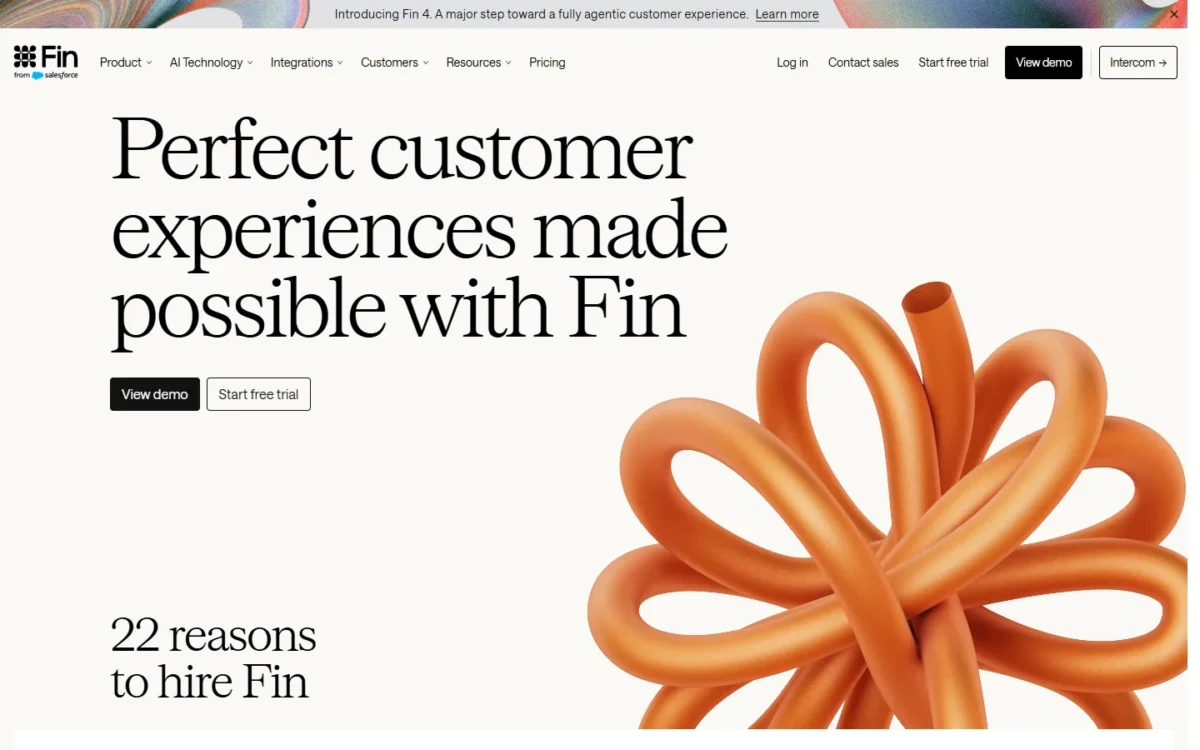
- Best for: support teams on Intercom or the helpdesk they already run
- Starting price: $0.99 per outcome, 50 outcomes per month minimum
- Free plan or trial: 14-day free trial, no credit card, unlimited outcomes
- Standout feature: tickets, email, live chat, WhatsApp and SMS from one agent
- Integrations: Intercom, Salesforce, HubSpot, Zoho and other helpdesks
Fin charges for outcomes, not for seats or messages. A handoff to your team that ends without an outcome costs nothing. For a support lead, that turns the agent into a cost per resolved ticket you can compare against a human agent’s.
Fin does not require Intercom. It works with Salesforce, HubSpot, Freshworks, Dixa, Front, Zoho, Sprinklr and Gorgias (covered in my Gorgias review), with unlimited teammates and no extra seat cost on your current helpdesk.
Read the outcome definition before forecasting. A resolution counts when no further help is requested after Fin’s last answer, so the bill follows the absence of a follow-up, not a customer’s confirmation. Lead qualifications cost $9.99 each, about ten times a resolution.
The tradeoff. The minimum is 50 outcomes per month, so even a quiet month costs 50 x $0.99 = $49.50.
If your team resolves 300 conversations a month, Fin costs 300 x $0.99 x 12 months = $3,564 a year, before helpdesk seats. With the Intercom helpdesk, add $29 per helpdesk seat per month.
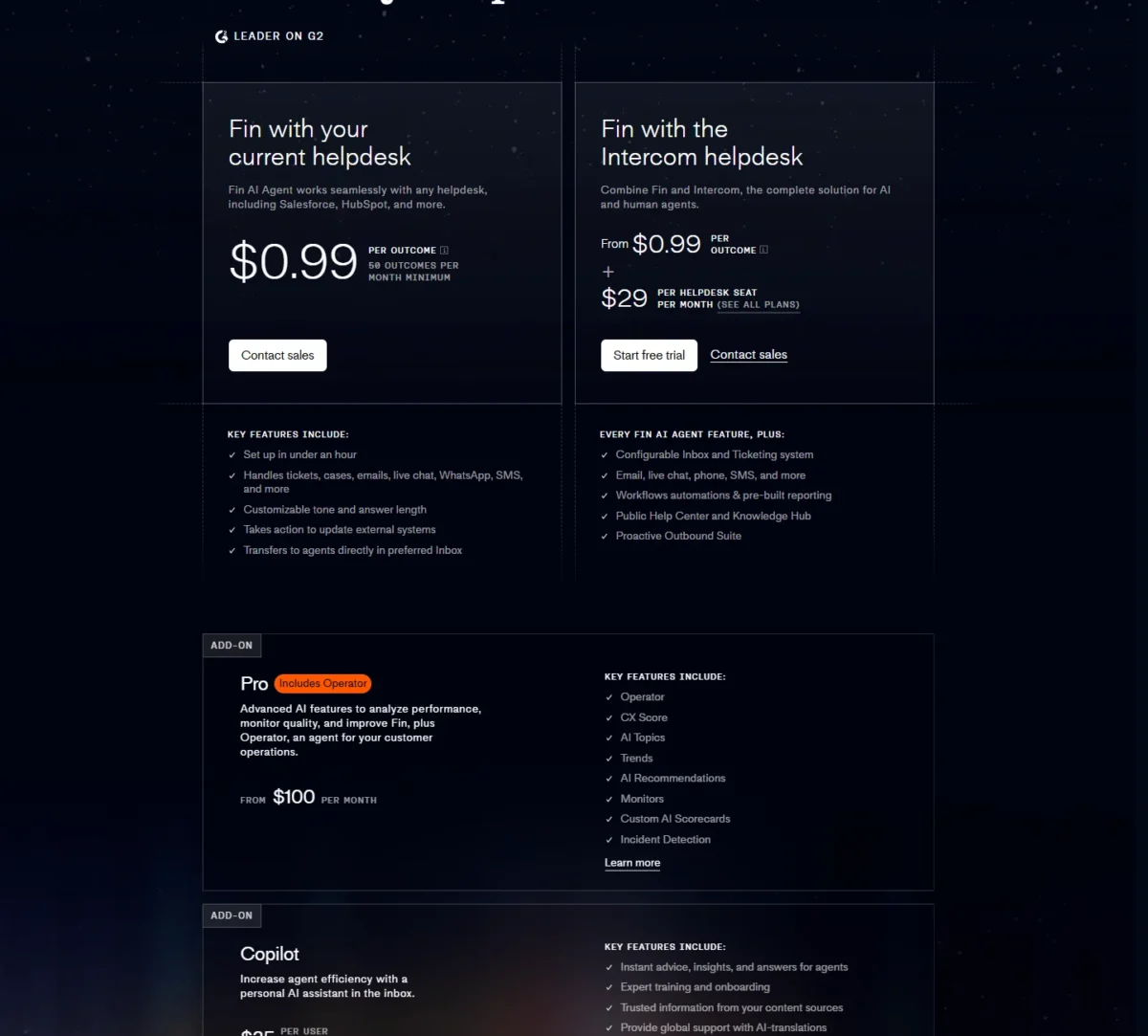
| Plan | Price | Billing | Key limit |
|---|---|---|---|
| Fin with your helpdesk | $0.99 per outcome | Per outcome | 50 outcomes per month minimum |
| Fin with Intercom helpdesk | From $0.99 per outcome + $29 per helpdesk seat per month | Per outcome and seat | Seat price set by the Intercom plan |
| Pro add-on (Operator) | From $100 per month | Per month | Extra Operator credits at $0.01 each |
| Copilot add-on | $35 per user per month | Per user | Currently available for Salesforce |
Sources: Fin pricing, checked October 2026.
Pros
- No charge for conversations passed to a human without an outcome
- Unlimited teammates with no additional seat costs on your current helpdesk
- A 14-day trial lets a team test real ticket volume before paying
Cons
- 50 outcomes per month minimum
- Qualifications cost $9.99 each
- Fin Voice is on custom pricing only
Fin fits a support team with steady ticket volume and a knowledge base good enough to answer from.
- Skip it if:
- you get fewer than 50 resolvable conversations a month, or you need an internal agent for employees rather than customers.
6. Zapier Agents: Best for Cross-App Operations Work
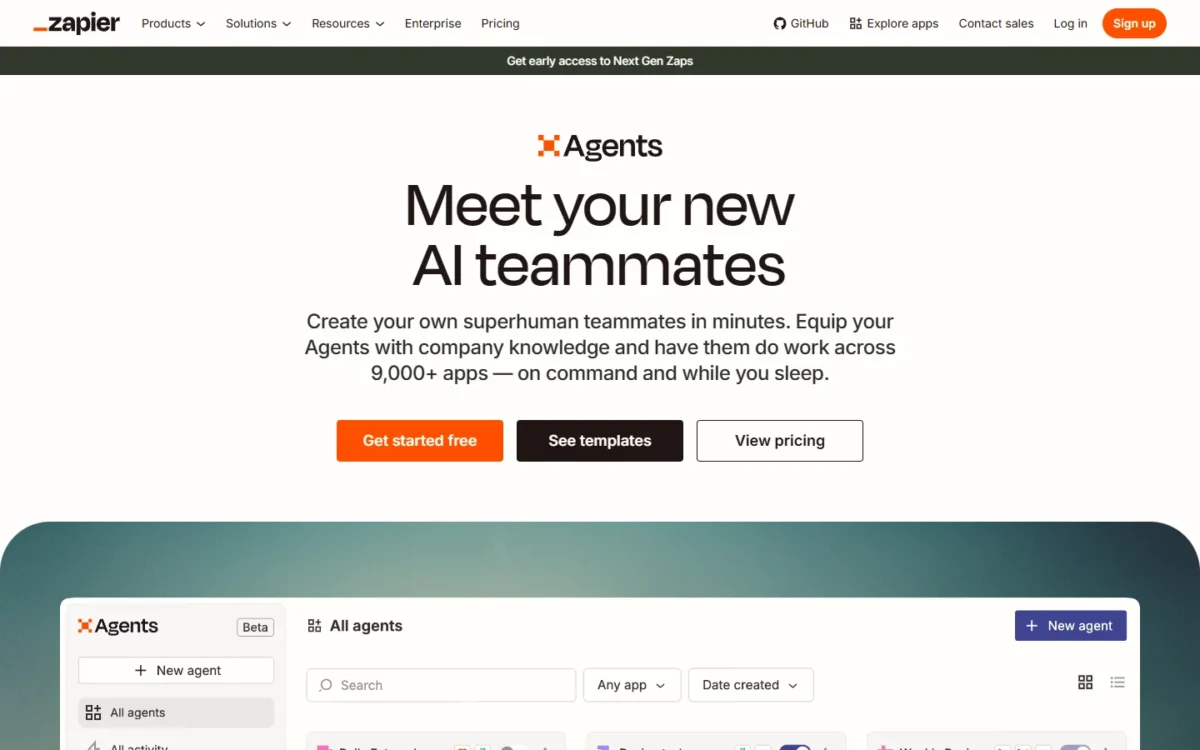
- Best for: ops and sales teams already automating with Zapier
- Starting price: $400 billed annually, $33.33 per month (Agents Pro)
- Free plan or trial: Agents Free, 400 activities per month
- Standout feature: live data sources, web browsing and a Chrome extension
- Integrations: 9,000+ apps
Zapier lists 9,000+ apps for its agents, six times the 1,500+ integrations Lindy lists. Its agents take actions only in the apps you have connected, using the triggers and actions you set up, which keeps an ops lead in control of what an agent can touch.
Agents Free includes live data sources and web browsing, and runs up to 400 activities a month; an activity is an agent action, a web search or a knowledge lookup.
The shared pool is a Zapier Team account feature: on a Team account, the team shares one pool of Agents activities, so ten people on Agents Pro draw on the same 1,500 a month.
The tradeoff. Governance lags the reach. Agents does not support the app and action restrictions a Zapier Enterprise account may set; restricted apps support is listed on the Agents Enterprise plan. Results also vary from run to run.
Agents Pro costs $400 a year for 1,500 activities a month, or 1,500 x 12 months = 18,000 activities a year for one shared pool. SAML SSO sits on Zapier’s Team plan, which starts from $69 per month.
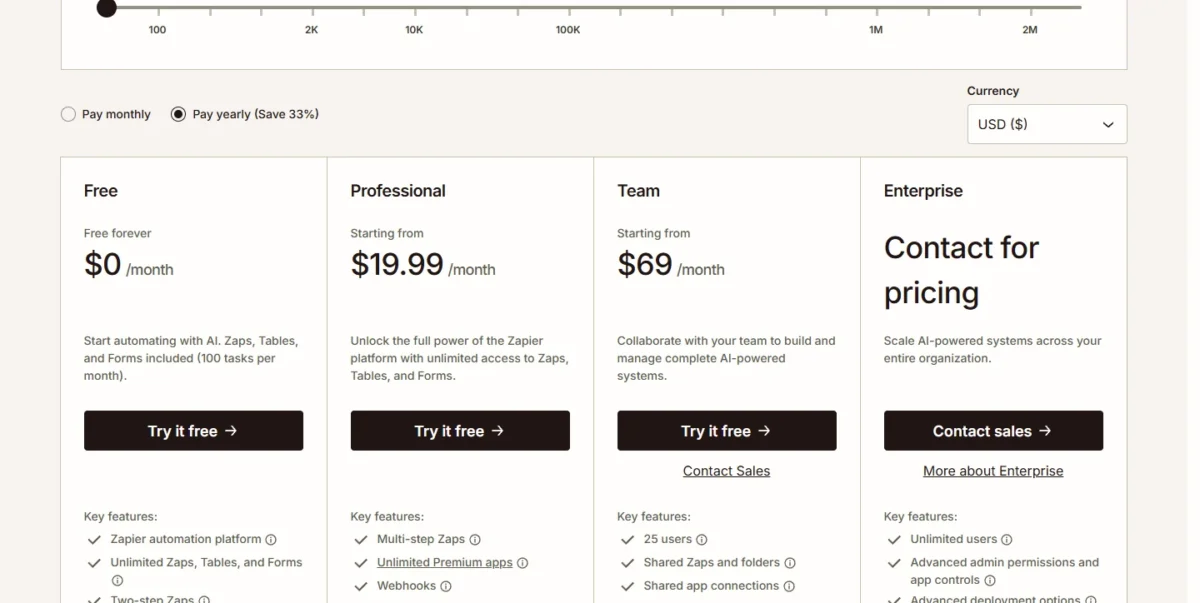
| Plan | Price | Billing | Key limit |
|---|---|---|---|
| Agents Free | $0 | Forever | 400 activities per month |
| Agents Pro | $400 billed annually ($33.33 per month) | Annual | 1,500 activities per month |
| Agents Enterprise | Contact for pricing | Custom | Custom activities, restricted apps support |
Sources: Zapier pricing and Zapier Agents, checked October 2026.
Pros
- Acts across 9,000+ apps
- Agents Free includes 400 activities a month
- Team accounts share one activity pool
- Agents act only through connections you set up
Cons
- Enterprise app restrictions need the Agents Enterprise plan
- Pro caps activities at 1,500 a month
- The same prompt can give a different outcome each run
Zapier Agents fits an operations team that already has its apps connected in Zapier and wants agents to run lead routing, research and follow-ups across them.
- Skip it if:
- you run Zapier Enterprise with app restrictions and are not on Agents Enterprise.
7. Lindy: Best for Inbox, Meeting and Slack Assistance
- Best for: people whose day is email, meetings and Slack
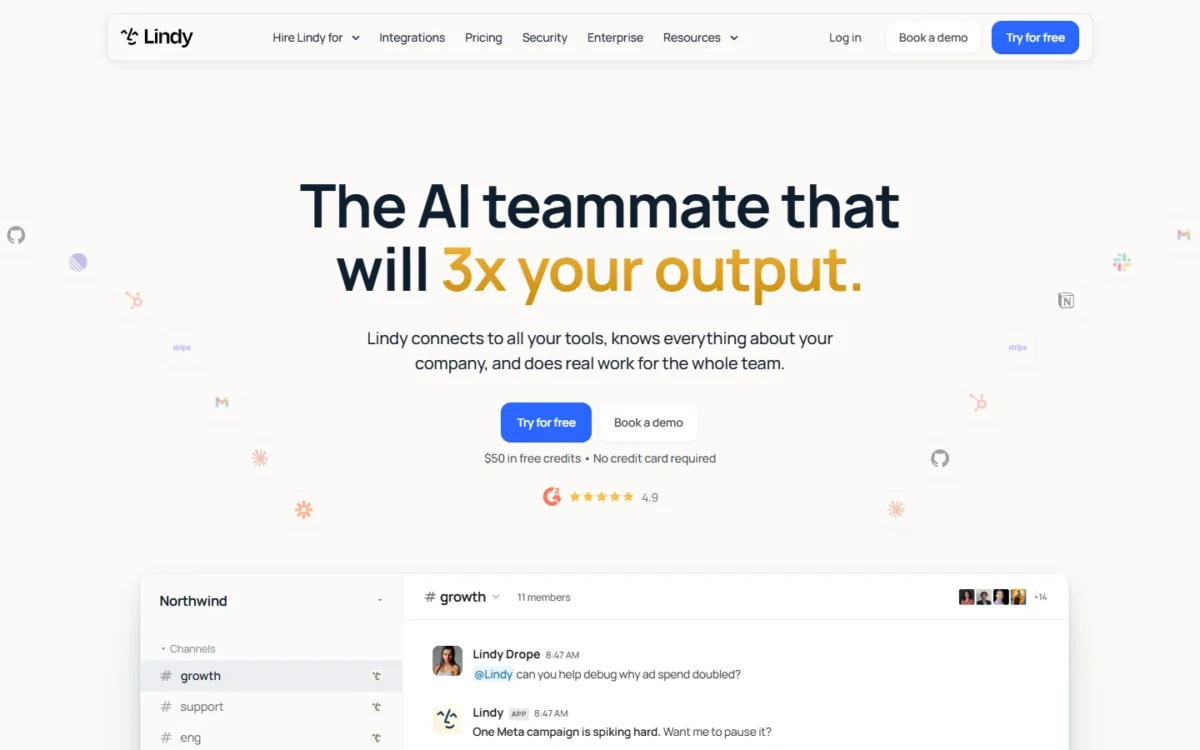
- Starting price: $49.99 per user per month for 5,000 credits
- Free plan or trial: $50 in free credits for 7 days, no credit card
- Standout feature: actions with outside impact wait for approval
- Integrations: 1,500+ integrations, plus MCP support
Lindy earns its seat price for a manager who lives in the inbox and the calendar. It records and notes meetings, handles scheduling, prep and follow-up, manages the inbox, drafts replies in your voice and works as a Slack-native teammate.
Lindy waits for approval before any action with outside impact, such as sending an email, updating a ticket or publishing a doc; read-only lookups from approved sources do not wait.
The tradeoff. Every active user in the workspace is billed, and that includes anyone who @mentions Lindy in Slack. Credits are pooled across the team, but monthly credits do not roll over.
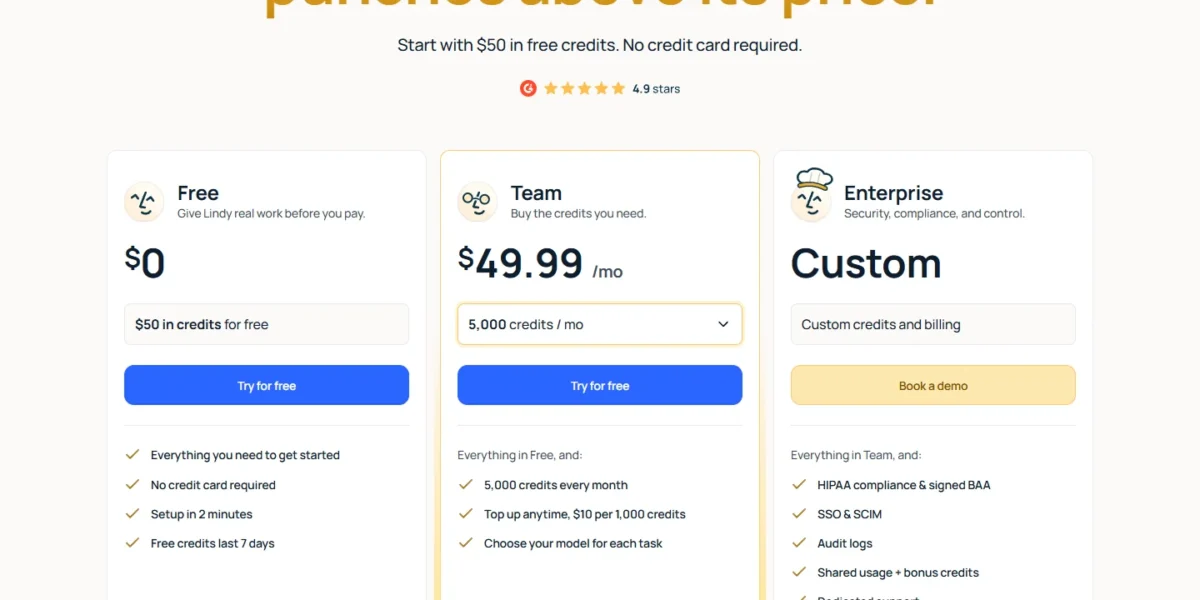
Ten users cost $49.99 x 10 users x 12 months = $5,998.80 a year, the highest of the per-seat bills in the cost table below.
| Plan | Price | Billing | Key limit |
|---|---|---|---|
| Free | $0, $50 in credits | 7 days | Free credits expire after 7 days |
| Team | $49.99 per user per month | Monthly | 5,000 credits per seat, pooled |
| Top-up | $10 per 1,000 credits | Any time | Top-up credits do not expire |
| Enterprise | Custom | Custom | SSO, SCIM, audit logs, HIPAA BAA |
Sources: Lindy pricing, checked October 2026.
Pros
- Outside actions wait for approval
- 1,500+ integrations and MCP support
- Lindy pauses instead of billing overage when credits run low
Cons
- Every active user is billed a seat
- Monthly credits do not roll over
- SSO and SCIM start on Enterprise
Lindy fits founders, account managers and recruiters whose bottleneck is follow-up, not code or tickets.
- Skip it if:
- ten people only need an assistant now and then; each of them still takes a $49.99 seat.
8. Gumloop: Best for Team Agent Building With Unlimited Seats
- Best for: non-technical teams that want to build their own agents
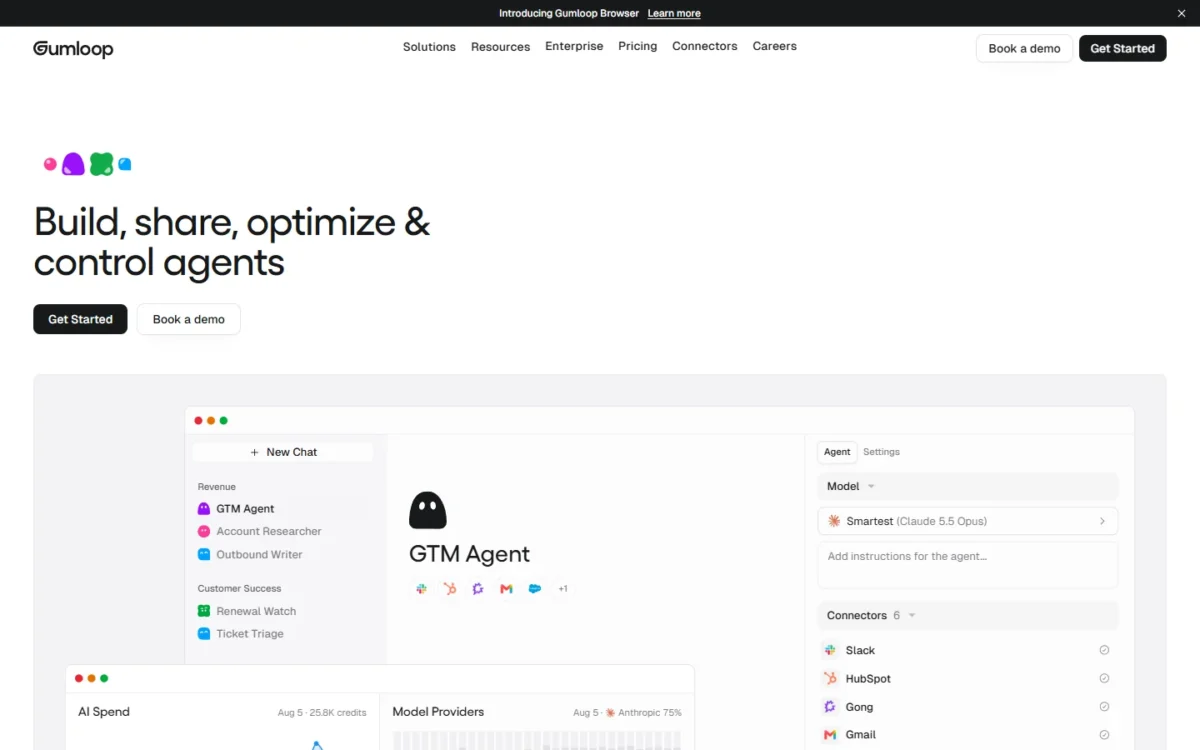
- Starting price: Pro starts at $37 per month
- Free plan or trial: 14-day free trial
- Standout feature: unlimited seats, teams and agents on Pro
- Integrations: 1 hosted MCP server on Pro, custom on Enterprise
Gumloop fixes the cost problem Lindy creates. Pro lists unlimited seats, unlimited teams and unlimited agents, so a ten-person team pays one price, not ten. It also gives access to 35+ models and includes 20k credits a month.
For an ops team without engineers, that means everyone can build without a per-seat bill. Pro also hosts 1 MCP server, so a team can expose one agent toolset to other AI clients.
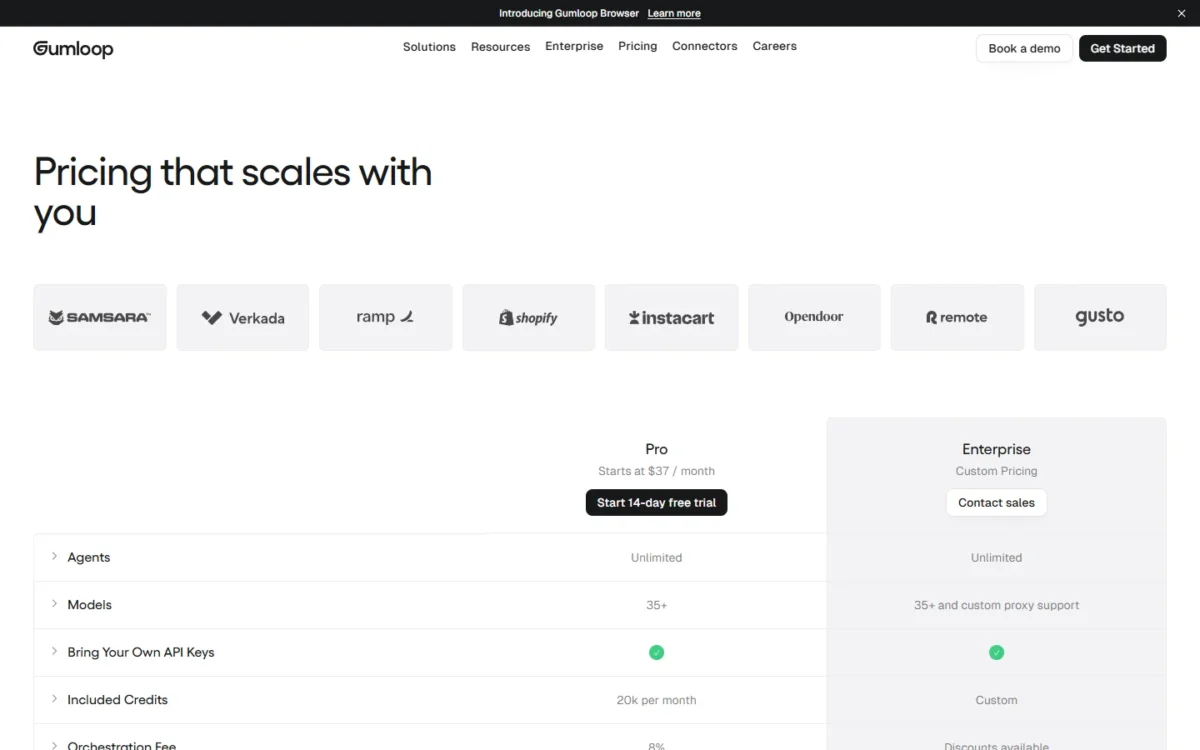
The tradeoff. Spend moves with usage. The Gumloop pricing page lists Pro from $37 a month with 20k credits included and an 8% orchestration fee, so the $37 is the entry price, not the whole bill.
Pro starts at $37 per month, or $37 x 12 months = $444 a year for the whole team. The page does not state whether that price is billed monthly or annually.
| Plan | Price | Billing | Key limit |
|---|---|---|---|
| Pro | Starts at $37 per month | Not stated | 20k credits per month, 8% orchestration fee |
| Enterprise | Custom pricing | Custom | Discounts available on the orchestration fee |
Sources: Gumloop pricing, checked October 2026.
Pros
- Unlimited seats and agents on Pro
- 35+ models
- 14-day free trial
Cons
- 8% orchestration fee on Pro
- 20k credits a month before you need more
- Billing period not stated on the pricing page
Gumloop fits a marketing or ops team of 5 to 20 that wants to build lead, content and research agents without paying per seat.
- Skip it if:
- you need a predictable monthly bill, since the 8% fee and credit use move with the work.
9. n8n: Best for Self-Hosting and Technical Teams
- Best for: technical teams that want to host agents on their own servers
- Starting price: Starter at €20 per month, billed annually
- Free plan or trial: free trial, no credit card; a standard self-hosted Community Edition
- Standout feature: billed per full workflow execution, with unlimited steps
- Integrations: the plan comparison lists an “All integrations (nodes)” row
n8n bills for the run, not the step, which changes the economics of long agent workflows. Pricing is based on monthly workflow executions regardless of complexity, so a workflow with twenty steps counts as one execution when it runs from start to finish.
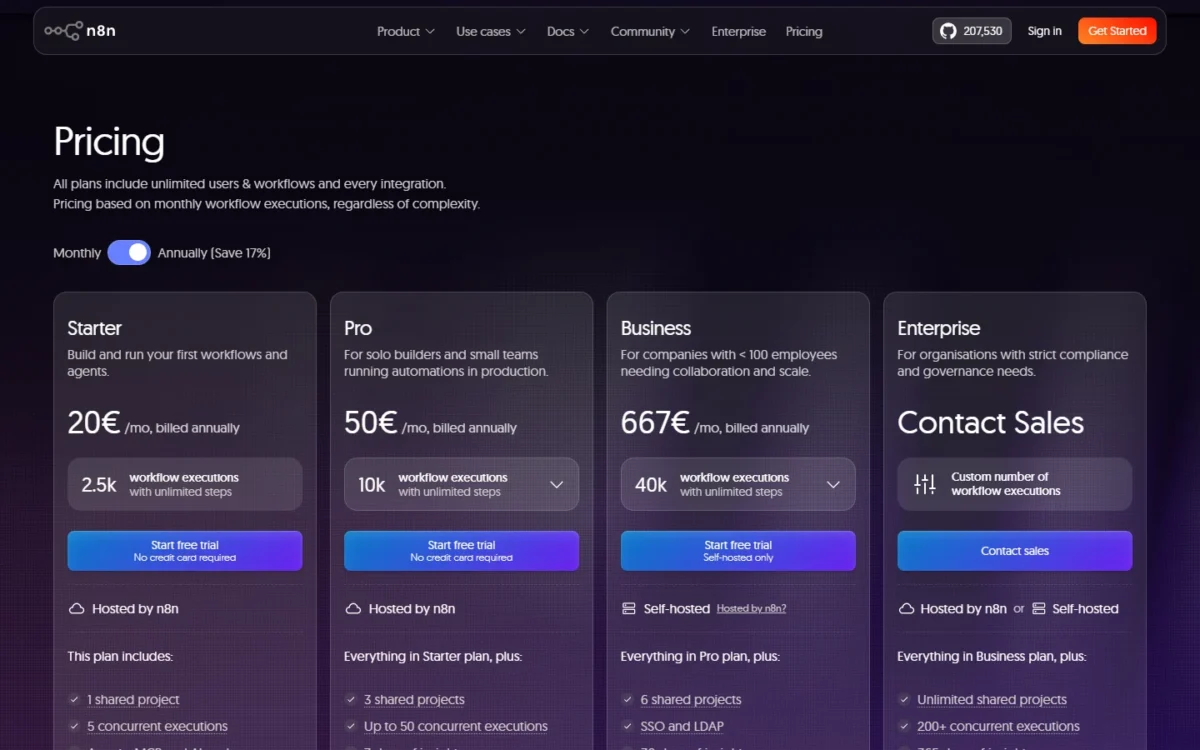
Agents, MCP and AI nodes start on Starter, and the agents table lists human approval for tool calls.
The tradeoff. The Business plan, which adds SSO and LDAP, Git version control and queue mode, is self-hosted only. Someone on your team has to run, patch and scale that server.
n8n’s pricing page shows euros outside the US, and US prices may differ, so the n8n amounts here stay in euros as the page prints them.
Users are unlimited on every plan, so a 10-person team pays the plan price, not a seat price: Starter comes to €20 x 12 = €240 a year, and Pro to €50 x 12 = €600 a year. Companies under 20 employees can check the Start-up Plan for 50% off Business.
- Starter: €20 per month, billed annually; 2.5k workflow executions a month, 5 concurrent executions, hosted by n8n
- Pro: €50 per month, billed annually; 10k workflow executions a month, admin roles and workflow history
- Business: €667 per month, billed annually; 40K workflow executions with unlimited steps, self-hosted only
- Enterprise: custom executions, contact sales
Sources: n8n pricing, checked October 2026.
Pros
- One execution covers a workflow of any length
- Unlimited users on Starter, Pro and Enterprise
- Self-hosted Community Edition on GitHub
Cons
- Business jumps to €667 per month, billed annually
- Business is self-hosted only
- Starter caps runs at 5 concurrent executions and 5 minutes each
n8n fits an engineering or data team that wants agents inside its own infrastructure and already runs servers; my n8n review covers the editor and hosting choices.
- Skip it if:
- no one on the team can run and patch a server.
10. CrewAI: Best for Engineering Teams Building Multi-Agent Workflows
- Best for: engineering teams prototyping several agents that work together
- Starting price: Free (Basic)
- Free plan or trial: Basic, 50 workflow executions a month
- Standout feature: tracing, guardrails and human-in-the-loop input on the free plan
- Integrations: GitHub, Slack and Teams workflow chat
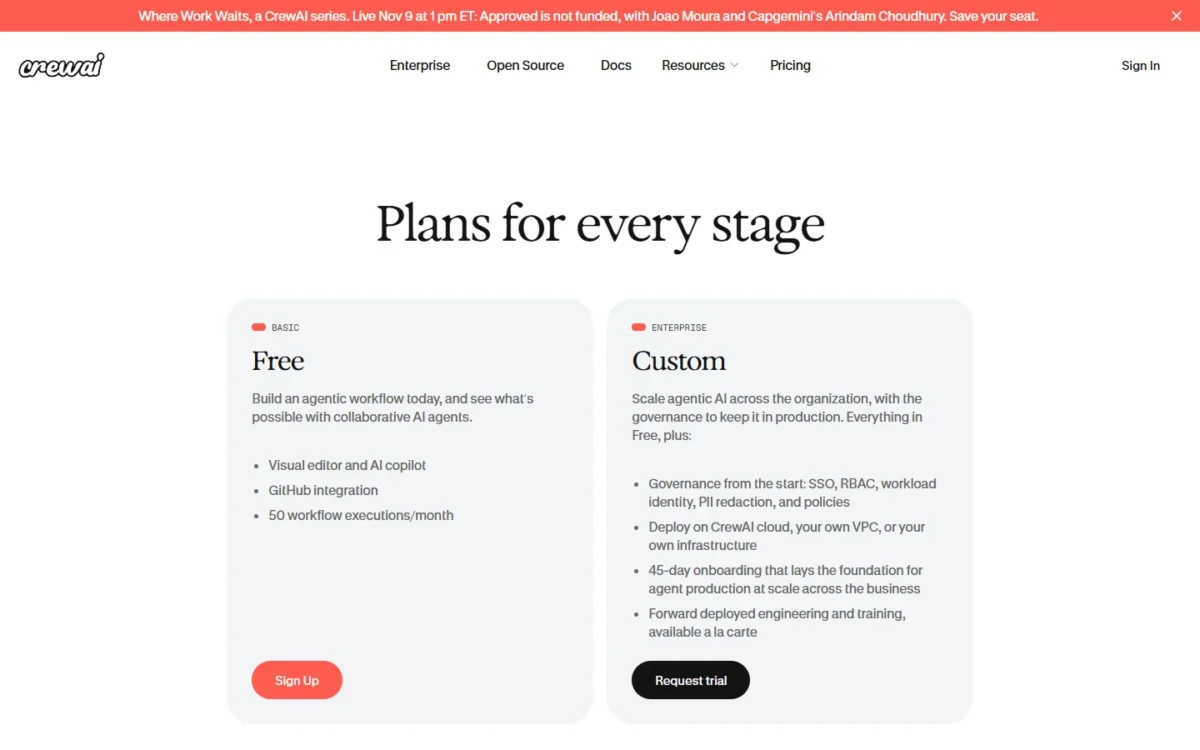
CrewAI puts production tooling on its free plan. Basic includes the visual editor and AI copilot, GitHub integration, tracing, OpenTelemetry, guardrails, human-in-the-loop input and export as an MCP server.
The free plan is a sandbox, though. Basic stops at 50 workflow executions a month and 2 automations, with no additional executions. Production scale means Enterprise, which adds SSO with MS Entra or Okta, role-based access control and deployment on CrewAI cloud, your own VPC or your own infrastructure.
The tradeoff. CrewAI publishes no paid tier between free and Enterprise. A team that outgrows 50 runs a month moves straight into a custom contract with a 45-day onboarding.
CrewAI costs $0 for 50 workflow executions a month; Enterprise is a custom price, so a team that needs more runs gets a quote rather than a list price.
| Plan | Price | Billing | Key limit |
|---|---|---|---|
| Basic | Free | Free | 50 workflow executions a month, 2 automations |
| Enterprise | Custom | Custom | Executions sized to the workflow, flexible overage |
Sources: CrewAI pricing, checked October 2026.
Pros
- Tracing, guardrails and human-in-the-loop input on Basic
- Export a workflow as an MCP server
- Enterprise deploys in your own VPC or infrastructure
Cons
- 50 executions a month on Basic, with no overage
- No published paid tier below Enterprise
- SSO and role-based access on Enterprise only
CrewAI fits a developer team that wants to test multi-agent designs for free before a platform decision.
- Skip it if:
- you need a published paid tier between free and Enterprise.
What an AI Agent Costs a 10-Person Team per Year
Across the US-dollar rows below, a 10-person team pays from $0 on CrewAI Basic to $5,998.80 a year for ten Lindy seats (price x seats x 12 months). Agentforce’s per-user add-on route, noted in its row, costs more.
Swap in your own action or outcome volumes; the usage-based bills move with them.
| Software | Pricing unit | Assumption | Yearly cost | Not included |
|---|---|---|---|---|
| Claude | Seat | 10 Team Standard seats | $20 x 10 x 12 = $2,400 | Premium seats, extra usage |
| ChatGPT Business | Seat | 10 Standard seats | $20 x 10 x 12 = $2,400 | Premium seats, workspace credits beyond included limits |
| Microsoft Copilot Studio | User, or credit pack | 10 Microsoft 365 Copilot users | $30 x 10 x 12 = $3,600, or one credit pack, $200 x 12 = $2,400 | Qualifying Microsoft 365 plan |
| Salesforce Agentforce | Action | 2,000 actions a month | 2,000 x $0.10 x 12 = $2,400 | Data 360 credits; per-user add-ons instead cost $125 x 10 x 12 = $15,000 |
| Fin by Intercom | Outcome | If your team resolves 300 a month | 300 x $0.99 x 12 = $3,564 | Helpdesk seats |
| Zapier Agents | Activity | Agents Pro, shared pool | $400 | Activities above 1,500 a month; Zapier Team plan from $69 per month for the shared pool and SSO |
| Lindy | Seat with credits | 10 active users | $49.99 x 10 x 12 = $5,998.80 | Top-up credits |
| Gumloop | Credits | Pro, unlimited seats | $37 x 12 = $444 | 8% orchestration fee, extra credits |
| n8n | Execution | Starter, unlimited users (euro price) | €20 x 12 = €240 | Server costs if self-hosted; Pro is €50 x 12 = €600 |
| CrewAI | Execution | Basic, 50 executions a month | $0 | Enterprise contract |
Sources: Claude pricing, ChatGPT Business billing and seats, Copilot Studio pricing, Agentforce pricing, Fin pricing, Zapier pricing, Lindy pricing, Gumloop pricing, n8n pricing, CrewAI pricing, checked October 2026.
The table shows why seat-based agents punish occasional users and usage-based agents punish heavy ones. Gumloop and Zapier Agents bill the account, so adding the eleventh person costs nothing until usage grows. Lindy and Claude bill every person, which suits a team where everyone uses the agent daily.
How to Choose an AI Agent
Pick the agent that lives in the system you already pay for: Copilot Studio for Microsoft 365, Agentforce for Salesforce, Fin for a helpdesk. If no system decides it, pick by billing unit against your volume. Self-host n8n, or CrewAI on its Enterprise plan, only when someone on the team will run the server.
| Need | First choice | Plan | Also listed by | Plan |
|---|---|---|---|---|
| Codes in your repository | Claude | Pro | ChatGPT (Codex) | Plus |
| Works inside Microsoft 365 | Copilot Studio | Microsoft 365 Copilot | Claude | Pro |
| Works with Salesforce | Agentforce | Salesforce Foundations | Fin | Fin with your helpdesk |
| Answers customers on a helpdesk | Fin | Fin with your helpdesk | Agentforce | Flex Credits |
| Acts across third-party apps | Zapier Agents | Agents Free | Lindy | Team |
| Self-hosted option | n8n | Community Edition | CrewAI | Enterprise |
| Human approval before outside actions | Lindy | Team | CrewAI | Basic |
| SSO | Claude | Team | n8n | Business |
Sources: the vendors’ pricing pages linked under the comparison table, and the Claude Code page, checked October 2026.
Four common readers, four starting points:
- Solo founder: Claude Pro at $17 a month, billed annually, or Zapier Agents Free if the work is moving data between apps.
- 10-person ops team: Zapier Agents Pro at $400 a year, on a Zapier Team plan (from $69 per month) to share the pool, or Gumloop Pro when the team wants to build its own agents.
- Support lead: Fin’s 14-day trial, then per-outcome billing on the helpdesk you already run.
- Engineering lead: Claude Team with Premium seats for the heaviest coders, or CrewAI Basic to prototype multi-agent work.
If agents are only part of the plan, my list of AI tools for small teams covers writing, meetings and design too.
If you want a general-purpose agent bundled with chat models in one subscription, read my i10x review. Its Superagent plans, researches and executes multi-step work, and asks for approval before sending email or publishing live.
Also Considered
Six tools were researched and left out, each for one sourced reason:
- Cursor: Teams costs $30+ per user per month, and its cloud agents overlap the coding job that already goes to Claude, whose Team seat also covers desk work.
- Devin: a coding agent at $80 a month for the team plan plus $40 per full dev seat, so ten developers cost $80 + $40 x 10 = $480 a month; it overlaps Claude’s coding job.
- GitHub Copilot: Pro costs $10 per month; Pro+ and Max can delegate tasks to third-party coding agents (preview). It overlaps the coding job inside GitHub.
- Manus: a general task agent; its pricing page loads a $20 monthly plan price ($200 when billed yearly), and the first plan shown lists 4,000 credits a month. Its research, slides and website tasks overlap the desk-work job that goes to Claude.
- StackAI: publishes a Free plan with 500 runs a month and 1 seat, then custom Enterprise pricing; Gumloop covers the agent-builder job with a published paid tier.
- Relevance AI: lists 2,000+ integrations, but its pricing page publishes only an Enterprise plan with “Talk to sales”.
FAQ
Who are the big 4 AI agents?
I do not use a fixed list of four leading agents. By job, my four picks are Claude for coding and desk work, Copilot Studio for Microsoft 365, Fin for support and Zapier Agents for cross-app work.
They also show four billing units: a seat, a credit pack, an outcome and an activity, so their costs grow in four different ways.
What is the best AI agent to start with?
Start free with Zapier Agents (400 activities a month) or Claude’s Free plan for desk work, then move to the trial of the agent your job needs. Fin and Gumloop offer 14-day trials, and Lindy gives $50 in credits for 7 days; Fin’s trial and Lindy’s credits need no credit card.
Are AI agents safe to connect to email and company apps?
Yes, with controls in place. Lindy holds any action with outside impact for approval, and OpenAI’s help center advises enabling only the apps needed for the current task. It also warns that agents with app access face “prompt injection” attacks, so avoid open-ended prompts such as “Check my email and handle everything.”
Final Verdict
Buy Claude Team if your team codes and writes: one Standard seat covers Claude Code and Claude Cowork, though heavy coders need Premium seats.
Choose Copilot Studio when Microsoft 365 Copilot is already paid, accepting that outside publishing costs extra. Take Agentforce if your records live in Salesforce, and model actions at $0.10 each before signing.
For support volume, Fin bills $0.99 per outcome, with a $49.50 monthly floor set by the 50-outcome minimum. For cross-app ops work, Zapier Agents starts free and Pro costs $400 a year, with a Zapier Team plan from $69 per month if ten people share the pool.
On a tight budget, Gumloop gives a whole team agent building from $37 a month. Technical teams can start free on CrewAI Basic or run n8n’s self-hosted Community Edition.





