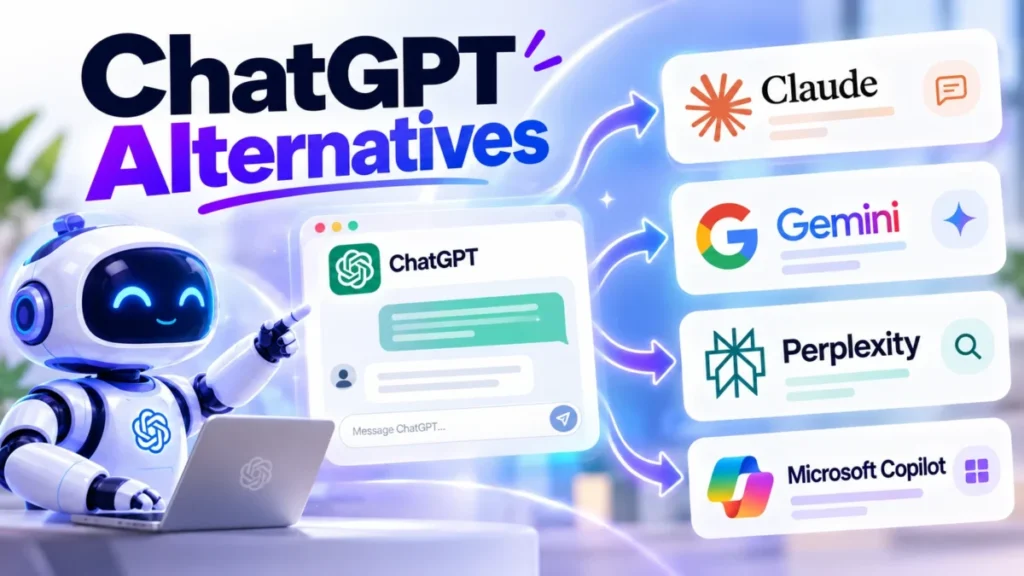
The job decides the ChatGPT alternative: Claude for writing and long documents, Gemini or Microsoft 365 Copilot for Google or Microsoft teams, Perplexity for cited research, and Proton Lumo for confidential chats. This list ranks 12 ChatGPT alternatives for US users and small teams paying for Plus or Business.
Each pick is set against ChatGPT’s own plans, prices, training defaults and export rules, read on the vendors’ pages in October 2026. I ran no output test, so no pick is called smarter than ChatGPT.
Quick verdict
- Writing and long documents: Claude, $20 billed monthly like Plus, or $17 a month billed annually
- Google Workspace: Google Gemini; Microsoft 365: Microsoft 365 Copilot
- Cited research: Perplexity; confidential chats: Proton Lumo, or the free Duck.ai
- Stay with ChatGPT if you rely on custom GPTs, projects and deep research together, or run Business with its no-training default
- Biggest trade-off: your history leaves as a ZIP file, and custom GPTs, projects and memory are rebuilt by hand
In This Article (22 sections)
Best ChatGPT Alternatives at a Glance
These four picks cover the broadest jobs on the list.

Claude
Best for: writing and long documents
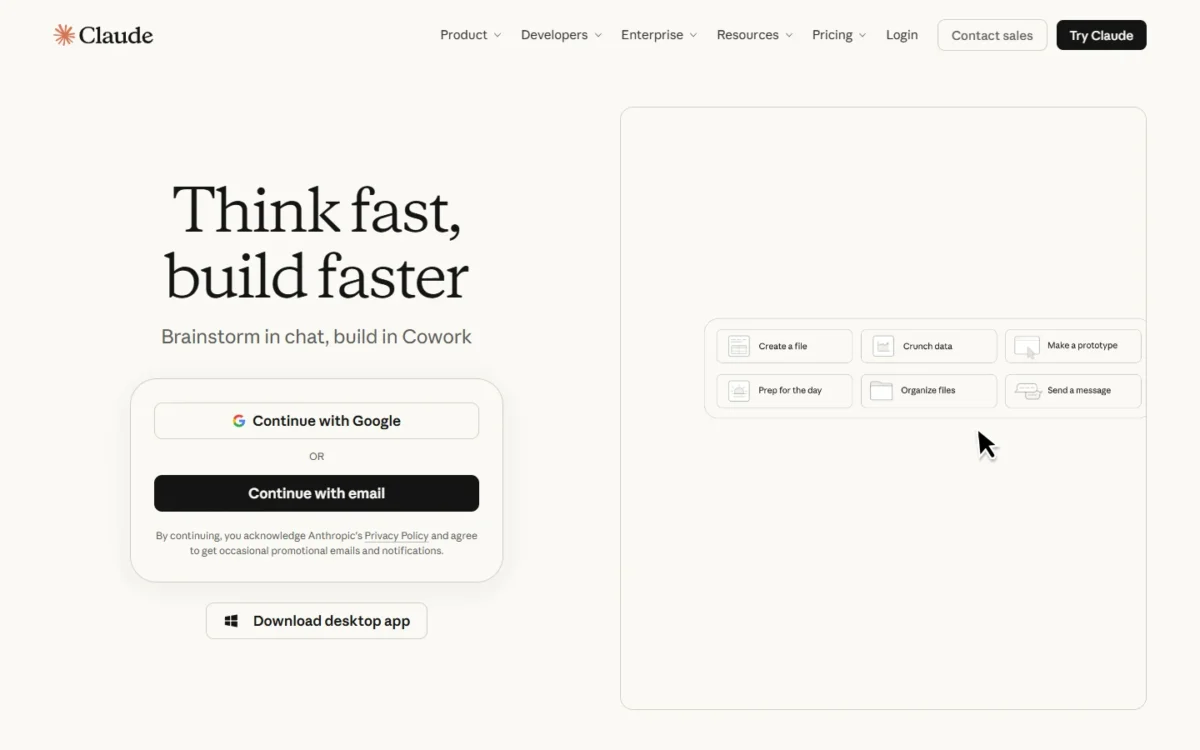
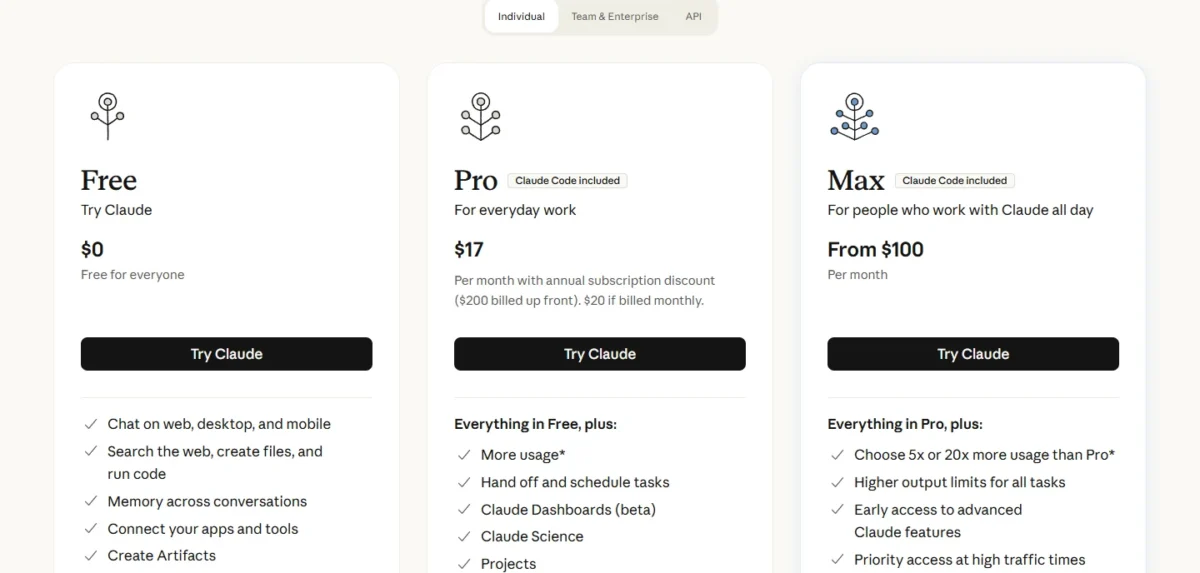
Pro costs what ChatGPT Plus costs, or $17 a month billed annually, and a $20 Team seat adds SSO.
Limit: ChatGPT’s custom GPTs are rebuilt as Projects by hand

Google Gemini
Best for: Google Workspace users
Google AI Pro puts Gemini inside Gmail and Docs and adds 5 TB of storage, near the ChatGPT Plus price.
Limit: little gain over ChatGPT if your files are not in Gmail, Docs or Drive

Microsoft 365 Copilot
Best for: Microsoft 365 teams
Copilot works inside Outlook and Teams as well as Word, Excel and PowerPoint, where ChatGPT reaches Office through extensions.
Limit: unlike ChatGPT Business, the add-on needs a qualifying Microsoft 365 plan

Perplexity
Best for: cited web research
Every answer carries inline citations, and one Pro plan lets you choose models from OpenAI, Google, Anthropic and xAI instead of ChatGPT’s single vendor.
Limit: a partial ChatGPT replacement; custom GPTs are not on its Pro page
ChatGPT vs Alternatives: Quick Comparison
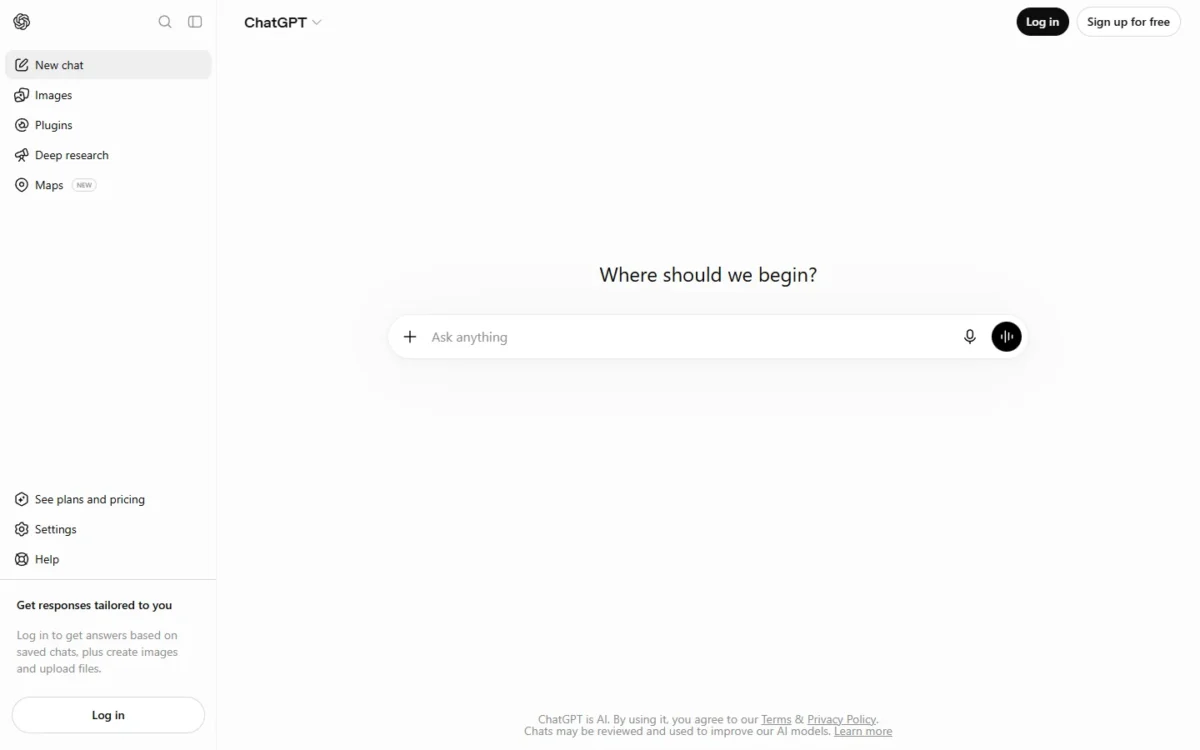
ChatGPT Plus costs $20 a month billed monthly, and every row below is read against it.
| Software | Best for | Starting price (unit, billing) | Main advantage | What you give up | Switching note |
|---|---|---|---|---|---|
| ChatGPT | Broad use in one app | Free; Go $8/month; Plus $20/ | Projects, tasks, custom GPTs, deep research | Benchmark | Benchmark |
| Claude | Writing, long documents | Free; Pro $17/ | Annual billing; context up to 1M tokens | Custom GPTs | Rebuild GPTs as Projects |
| Google Gemini | Google Workspace users | Free; AI Plus $4.99/ | Gemini in Gmail and Docs; 5 TB on AI Pro | Custom GPTs, Office extensions | Rebuild GPTs as Gems |
| Microsoft 365 Copilot | Microsoft 365 teams | Business add-on $21/ | Copilot in Outlook, Teams, Word, Excel | Use without Microsoft 365 | Needs a Microsoft 365 plan |
| Perplexity | Cited web research | Free; Pro $17/ | Inline citations; several vendors’ models | Custom GPTs | Partial: keep a writing tool |
| Proton Lumo | Confidential chats | Free; Lumo Plus $9.99/ | Zero-access encryption, per Proton | Deep research, Codex | Rebuild GPTs as Custom Lumos |
| Mistral Vibe | Open-weight models | Free; Pro $14.99/ | Self-hosting option; Team data export | SAML SSO below Enterprise | Team plan lists data export |
| Grok | Real-time news and X | Free; Plus $8/month; Premium $30/ | Live web and X search | Custom GPTs | Paste instructions by hand |
| Poe | Many models in one plan | From $4.99/ | Several vendors’ bots; shared members | Unmetered everyday chat | Rebuild GPTs as bots |
| Duck.ai | Free private chat | Free; subscription Plus $9.99/ | Chats stored on your device | Chat history on other devices | Partial: quick questions |
| Gemini Notebook | Your own documents | Free with a Google Account | Answers grounded in your sources | Open-ended chat | Partial: re-add your files |
| GitHub Copilot | Coding in the editor | Free; Pro $10/ | Agent mode in your IDE | Work outside coding | Partial: coding only |
| DeepSeek | Low-cost API work | API from $0.15 per 1M input tokens, off-peak | Low token rates; 1M context | Keeping data outside China | Change the API base URL |
Sources: ChatGPT pricing, Claude, Google AI plans, Microsoft 365 Copilot, Perplexity, Proton Lumo, Mistral, xAI, Poe, DuckDuckGo, GitHub, DeepSeek, checked October 2026.
Why Look for a ChatGPT Alternative?
Five documented limits push users off ChatGPT, and each matters only to a specific reader. If you are unsure ChatGPT itself is the problem, my full ChatGPT review judges it on its own terms.
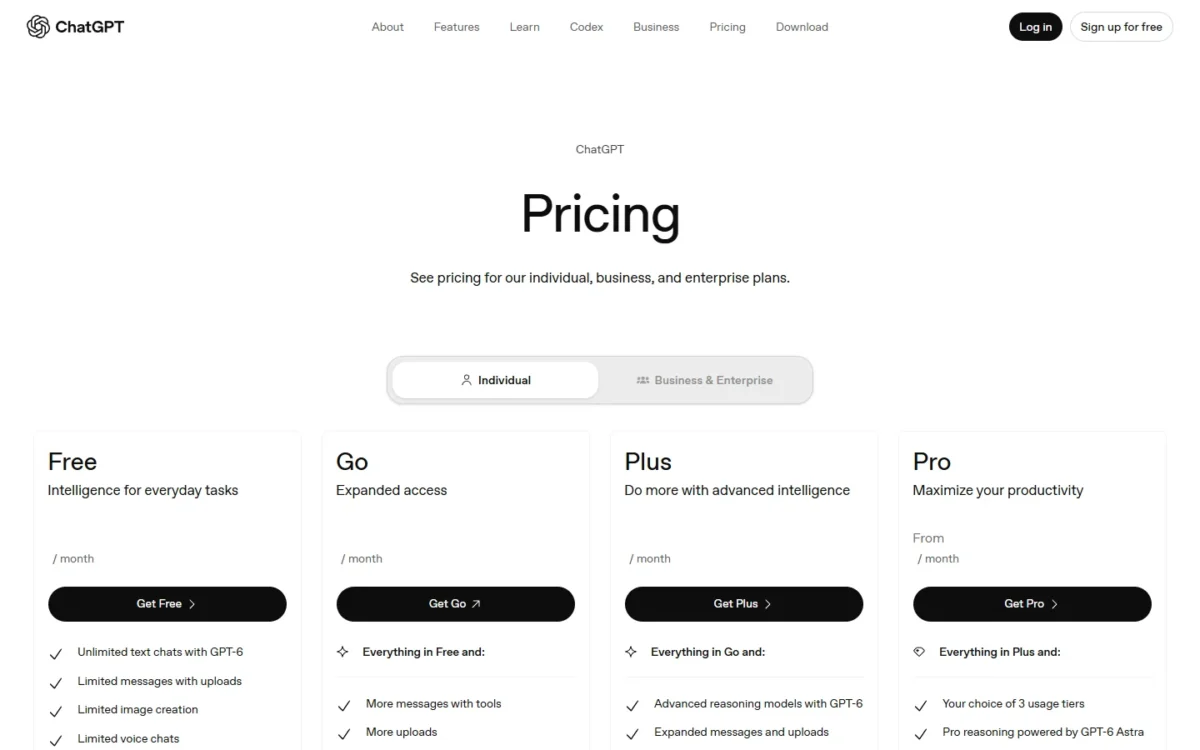
No annual billing on Go, Plus or Pro. OpenAI does not support annual billing for these plans, so Plus costs $20 x 12 months = $240 a year with no prepay discount. Claude Pro sells the year at $200 billed up front (about $17 a month), and Perplexity Pro lists $17 a month when billed annually.
Go may carry ads. ChatGPT’s pricing page marks Go with “This plan may include ads.” Proton Lumo describes an ad-free business model.
Personal chats can train OpenAI’s models. Free, Go, Plus and Pro use content for training unless you turn off “Improve the model for everyone” under Data controls; Business content is not used by default. A freelancer handling client material should flip that switch, or use Proton Lumo or Duck.ai.
Work lives in Gmail, Outlook or Teams. ChatGPT Plus lists extensions for Excel, Word, PowerPoint and Google Sheets only. Gemini works in Gmail and Docs; Microsoft 365 Copilot works in Outlook and Teams.
The top Pro tier now costs $500. OpenAI offers Pro 500 at $500 a month, with Pro plans from $100. Heavy users can price Claude Max from $100 a month or Google AI Ultra from $99.99.
Pro 200 allowance change
Pro 200 still costs $200 a month, but new subscriptions not eligible for grandfathering get a lower usage allowance. Subscribers active between September 22 and September 29, 2026 keep the previous allowance through October 29, 2026.
Plan-by-plan detail sits in my ChatGPT pricing by plan guide.
1. Claude: Best ChatGPT Alternative for Writing and Long Documents
- Best for: writers, analysts and teams that want SSO at the Business seat price
- Comparable plan: Pro, $20 billed monthly, the same as ChatGPT Plus
- Import from ChatGPT: not listed on Claude’s pricing or export pages
Claude is the like-for-like replacement for a ChatGPT Plus user, and the cheaper one once you commit for a year, since Plus has no annual plan. Writers and consultants who feed in long material gain most. The trade-off is the rebuild: each custom GPT becomes a Project by hand.
Every Claude plan lists a context window of up to 1M tokens, varying by model, against 256K for ChatGPT Plus’s reasoning models. For a consultant pasting a full contract set, that decides whether the material fits in one conversation.
On Team, a Standard seat includes SSO and no model training on your content by default.
Where Claude may be better
- Pro can be billed annually; ChatGPT Plus bills monthly only
- Context window up to 1M tokens on every plan
- Claude for Microsoft Outlook on Pro
Where ChatGPT may be better
- Custom GPTs from Go up; Claude’s pricing page lists none
- Image creation on every plan; Claude’s pricing page does not list it
Claude Pro costs $200 a year billed up front (about $17 a month) or $20 billed monthly. Against Plus at $240 a year, the annual plan suits a user who already knows Claude will be the main tool.
| Plan | Price and billing | Comparable ChatGPT plan |
|---|---|---|
| Pro | $17 per month billed annually, or $20 monthly | Plus, $20 per month, monthly only |
| Max | From $100 per month | Pro, from $100 per month |
| Team Standard | $20 per seat per month billed annually, $25 monthly | Business, $20 per user per month billed annually |
Sources: Claude pricing page, checked October 2026.
Pros
- Annual Pro billing that Plus lacks
- Team seat at the Business price, with SSO
- Long-context work up to 1M tokens
Cons
- Custom GPTs and memory rebuilt by hand
- Free caps Projects at 5
- Weekly caps on paid plans, no fixed message count
Claude’s export help says its exports cannot be imported into another personal Claude account, so old ChatGPT chats stay in the ZIP as a reference.
- Skip it if:
- your work runs on custom GPTs shared with clients, or needs image creation in the same chat; stay with ChatGPT, or try Gemini, whose Free plan lists image generation.
My Claude review covers its plan limits in more depth.
For team buyers, ChatGPT vs Claude for business sets the two seats side by side.
2. Google Gemini: Best ChatGPT Alternative for Google Workspace Users
- Best for: people whose mail and files sit in Gmail, Docs and Drive
- Comparable plan: Google AI Pro, $19.99 a month
- Team plan: Gemini Enterprise Business edition, up to 300 seats
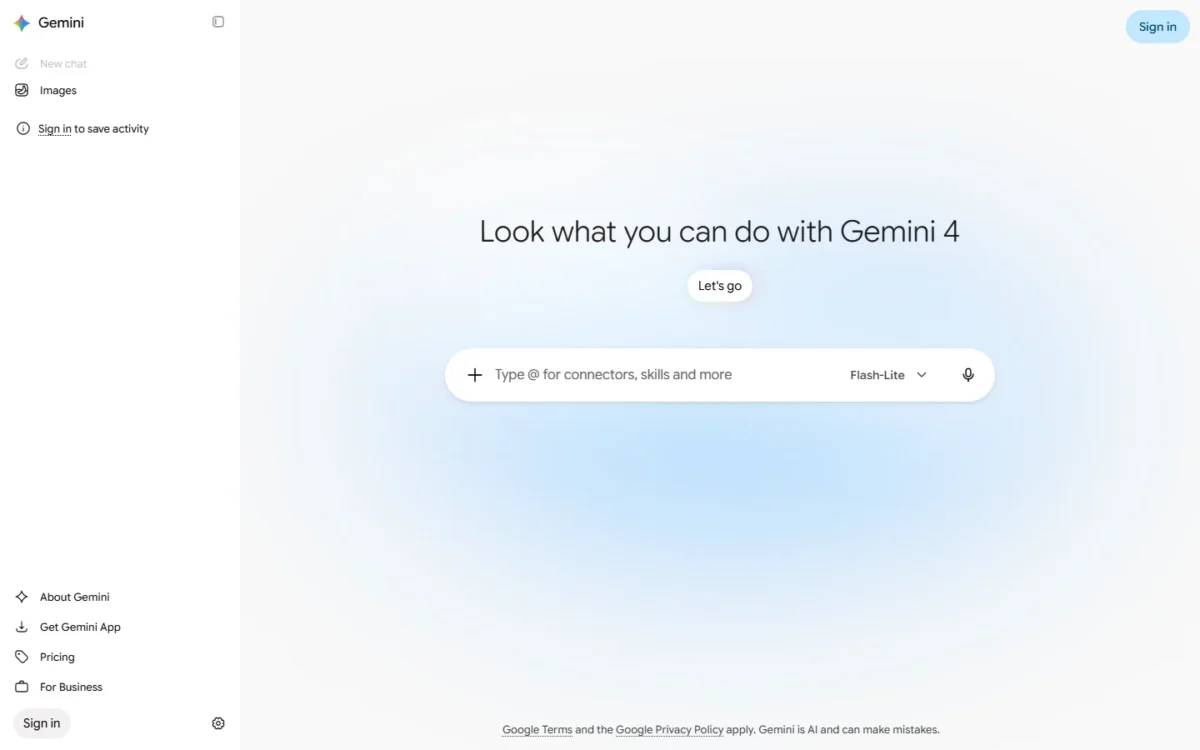
Gemini earns its place when your mail, documents and files already live in Google. Google AI Pro puts Gemini inside Gmail, Docs and Vids and bundles 5 TB of storage, so one bill covers the assistant and the storage. A Plus user whose day runs in Outlook and Word gains little.
Gemini in Gmail and Docs changes the workflow: a marketer drafting replies or outlining a brief stops copying text between a chat tab and the document. ChatGPT’s extension list names Google Sheets, not Gmail or Docs.
For teams, the Enterprise Business edition adds a no-code Workflow Builder for custom agents, and customer data is not used to train Google models.
Where Google Gemini may be better
- Gemini inside Gmail, Docs and Vids on AI Pro
- 5 TB of storage included with AI Pro
- AI Plus priced below ChatGPT Go
Where ChatGPT may be better
- Custom GPTs on Go, Plus and Pro; a plugins directory on every plan
- Excel, Word and PowerPoint extensions on Plus
Google AI Pro costs $19.99 a month on Google’s US page, with no annual price shown. Gemini Enterprise Business edition starts at $21 per seat per month, and Google does not state its billing period.
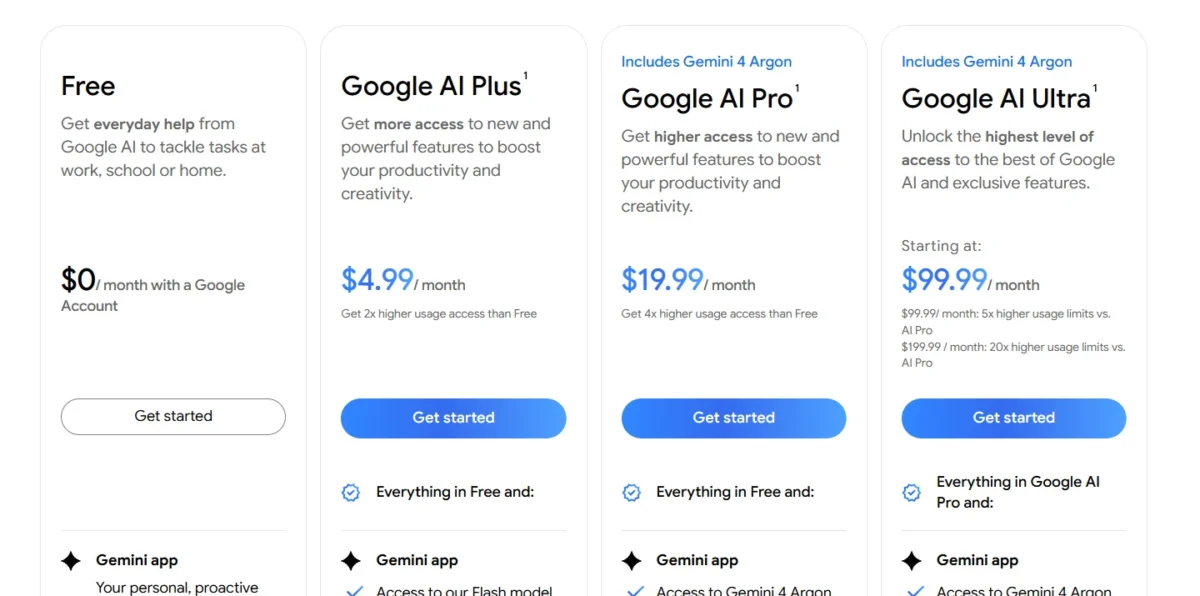
| Plan | Price | Comparable ChatGPT plan |
|---|---|---|
| Google AI Plus | $4.99 per month | Go, $8 per month |
| Google AI Pro | $19.99 per month | Plus, $20 per month |
| Gemini Enterprise Business | From $21 per seat per month | Business, $20 per user per month billed annually |
Sources: Google AI plans page, checked October 2026.
Pros
- Gemini inside Gmail, Docs and Vids
- 5 TB of storage bundled with AI Pro
- No training on Enterprise customer data
Cons
- Docs access needs AI Pro, not AI Plus
- Custom GPTs rebuilt as Gems
- Little benefit for Outlook and Word teams
No ChatGPT importer appears on Google’s subscriptions page, so treat your export as an archive and re-upload reference files to Drive.
- Skip it if:
- your company runs on Outlook, Word and Teams; Microsoft 365 Copilot fits that stack.
My Gemini review goes further into the plan limits.
3. Microsoft 365 Copilot: Best ChatGPT Alternative for Microsoft 365 Teams
- Best for: teams whose documents, mail and meetings run on Microsoft 365
- Comparable plan: Copilot Business add-on, $21 per user per month paid yearly
- Requires: a qualifying Microsoft 365 business plan
- For individuals: Microsoft Copilot comes with Microsoft 365 Personal or Family
Microsoft 365 Copilot is the pick for a team already on Microsoft 365, and a poor buy for anyone else. It works inside Word, Excel, PowerPoint, Outlook and Teams, grounded in work data. The catch: the add-on needs a separate Microsoft 365 plan, so its seat price is never the whole bill.
Copilot in Outlook and Teams is where it pulls ahead for a Microsoft shop: an account manager works through a thread or a meeting inside the app that holds it.
Check what your team already has first: Copilot Chat comes at no additional cost with eligible Microsoft 365 plans, which may cover a light ChatGPT user.
Where Microsoft 365 Copilot may be better
- Copilot in Outlook and Teams, not only Word, Excel and PowerPoint
- Pre-built Researcher, Analyst and Facilitator agents
- Copilot Chat at no additional cost on eligible plans
Where ChatGPT may be better
- Works with no Microsoft 365 license at all
- Codex and SAML SSO in the same Business seat
The Copilot Business add-on lists $21 per user per month paid yearly, shown at $18 as a first-year promotion for existing Microsoft 365 business customers through December 31, 2026. A team without Microsoft 365 can buy Business Standard with Copilot, apps included.
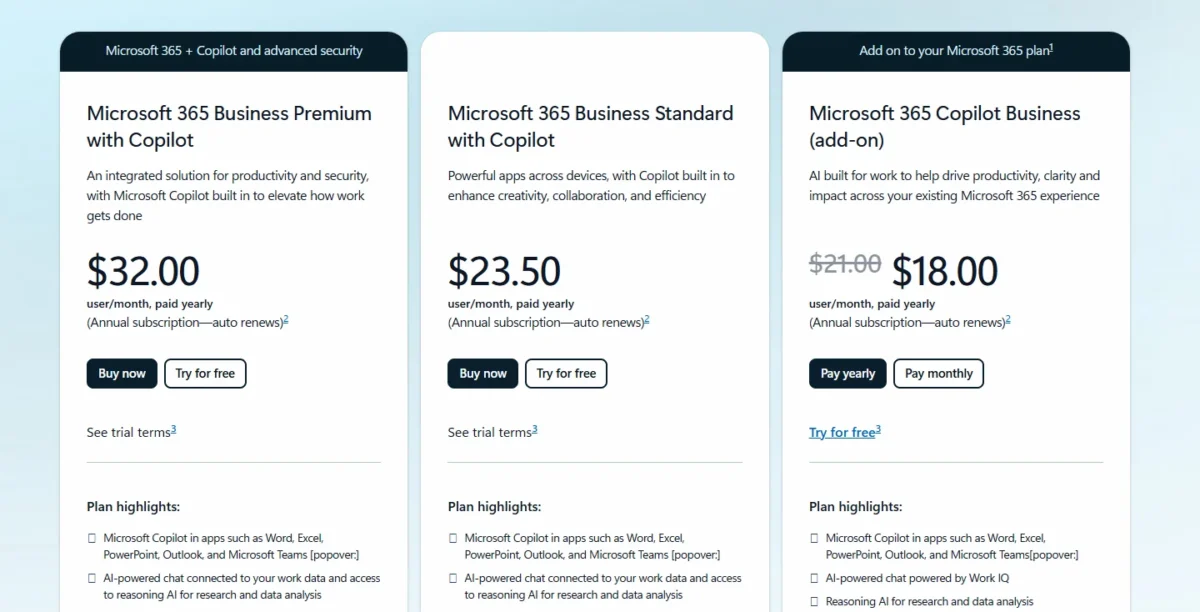
| Plan | Price, paid yearly | Comparable ChatGPT plan |
|---|---|---|
| Copilot Business (add-on) | $21 per user per month | Business, $20 per user per month billed annually |
| Business Standard with Copilot | $23.50 per user per month | Business plus office apps |
| Business Premium with Copilot | $32 per user per month | Business plus advanced security |
Sources: Microsoft 365 Copilot pricing page, checked October 2026.
Pros
- Copilot inside the Microsoft 365 apps a team already uses
- Adoption and usage analytics for managers
- One-month free trial listed
Cons
- The add-on needs a separate Microsoft 365 license
- The $18 price is a first-year promotion
- Annual commitment on the yearly prices
A team leaving ChatGPT Business asks its workspace owner for the data, since Business has no self-service export. Custom GPTs become agents built in Agent Builder or Copilot Studio.
- Skip it if:
- your company has no Microsoft 365 business plan; Claude Team’s $20 seat needs no other license.
4. Perplexity: Best ChatGPT Alternative for Cited Web Research
- Best for: marketers, analysts and students who must check sources
- Comparable plan: Pro, $17 a month billed annually
- Replaces: partial: the research part of ChatGPT
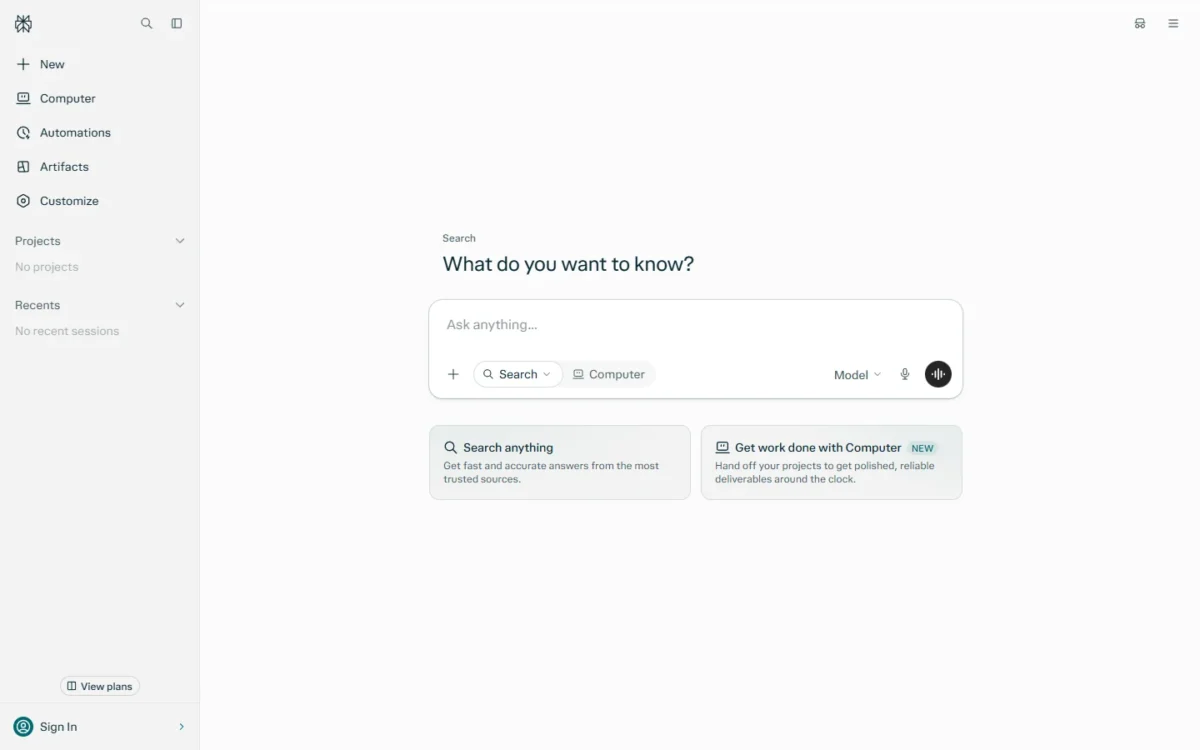
Perplexity replaces the research half of ChatGPT, not the whole tool. Every answer includes inline citations, so an analyst can check a figure before it lands in a client deck. Keep another assistant for drafting and custom GPTs, which the Pro page does not list.
Model choice is the second reason. Perplexity lists GPT-6.1 Sol, Gemini 3.8 Flash, Claude Sonnet 5.5 and Grok 4.7, so a buyer weighing Claude against ChatGPT can try both before paying either.
Where Perplexity may be better
- Inline citations on every answer
- Models from OpenAI, Google, Anthropic and xAI in one Pro plan
- Annual billing on Pro
Where ChatGPT may be better
- Projects, scheduled tasks and custom GPTs on paid plans
- A published Business seat price; Perplexity Pro is for personal use only
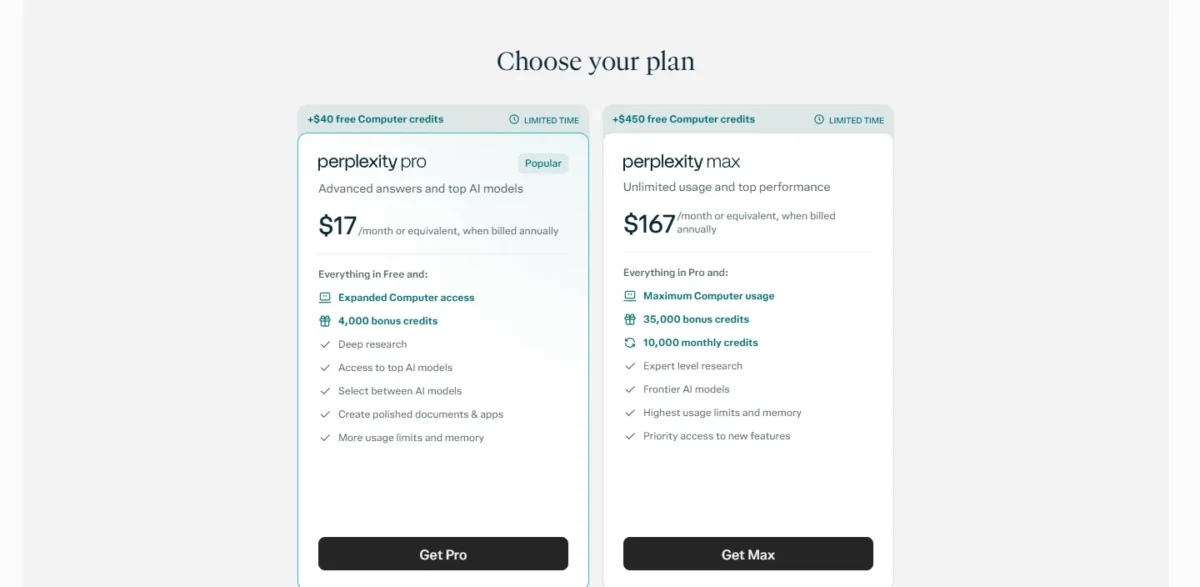
Perplexity prints Pro at “$17 /month or equivalent, when billed annually” and shows no month-to-month price on the saved Pro page. A year of Pro is $17 x 12 months = $204.
| Plan | Price and billing | Comparable ChatGPT plan |
|---|---|---|
| Pro | $17 per month or equivalent, billed annually | Plus, $20 per month, monthly only |
| Max | $167 per month or equivalent, billed annually | Pro, from $100 per month |
Sources: Perplexity Pro page, checked October 2026.
Pros
- Inline citations make claims checkable
- Several vendors’ models in one plan
- Deep research on Pro
Cons
- Partial replacement: no custom GPTs listed
- Pro is for personal use only
- No monthly-billing price on the Pro page
Perplexity’s saved pages list no ChatGPT import, so your ChatGPT export stays an archive.
- Skip it if:
- your work runs on custom GPTs; Perplexity’s pages list none, so stay with ChatGPT or rebuild them as Claude Projects.
My Perplexity review looks closer at the research features.
5. Proton Lumo: Best ChatGPT Alternative for Confidential Chats
- Best for: freelancers and professionals with client, legal or health questions
- Comparable plan: Lumo Plus, $9.99 a month billed $119.88 every 12 months
- Data: zero-access encryption, per Proton
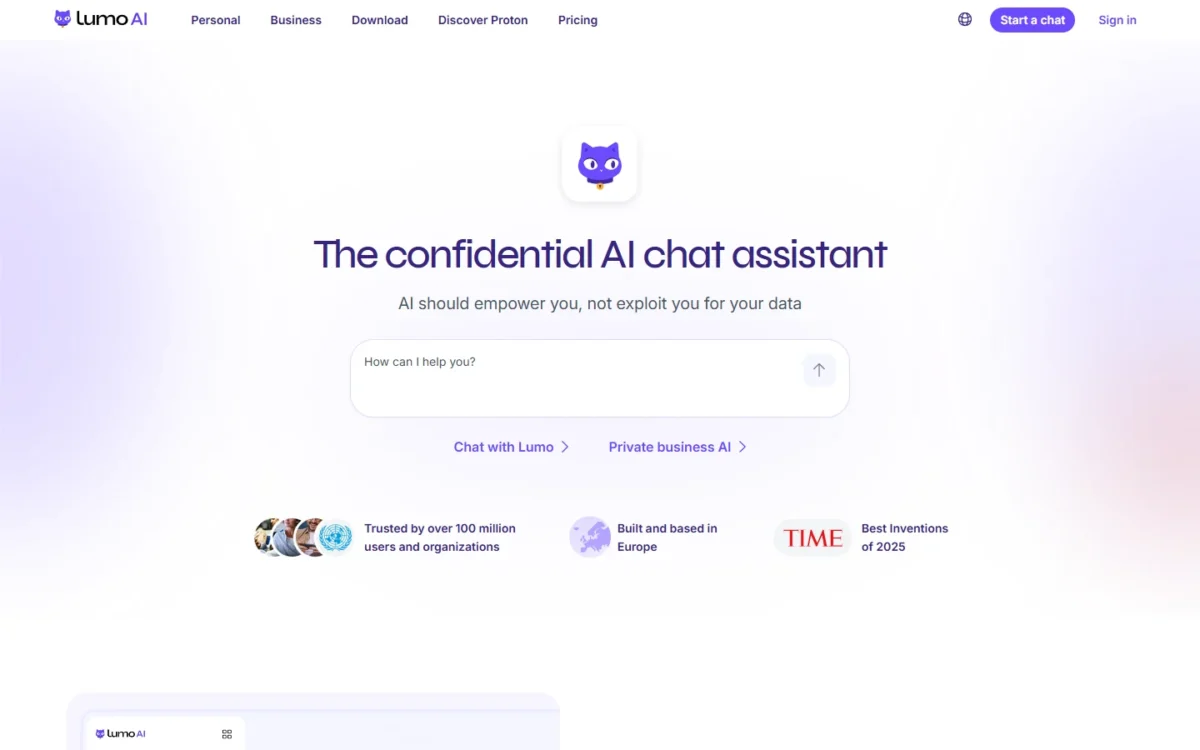
Proton Lumo is the pick when what you type matters more than the feature list. Proton says chats are stored with zero-access encryption, so not even Proton can read them, and that it never uses your data to train AI models. The trade-off is breadth: no deep research or coding agent is listed.
The encryption changes who can use an assistant at all. A therapist drafting notes has reason to avoid personal ChatGPT plans, where training stays on until the user turns it off. ChatGPT’s Temporary chat skips training too, but may be kept for up to 30 days.
Where Proton Lumo may be better
- Stored chats under zero-access encryption, per Proton
- No training on your data, with no setting to change
- Open-source code and annual billing
Where ChatGPT may be better
- Deep research, Codex and scheduled tasks on Plus
- Unlimited everyday text chats on Free; Lumo Free limits messages and allows 1 project
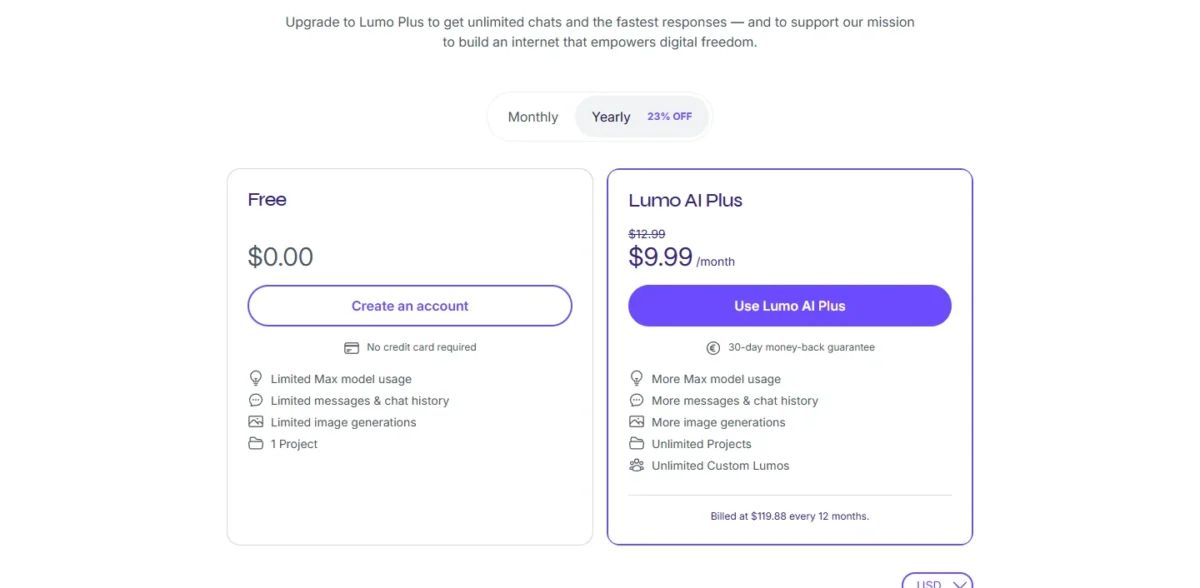
Lumo Plus costs $9.99 a month, billed at $119.88 every 12 months, with a 30-day money-back guarantee. That is about half the yearly cost of ChatGPT Plus, for a narrower feature set.
| Plan | Price and billing | Comparable ChatGPT plan |
|---|---|---|
| Free | $0 | Free |
| Lumo Plus | $9.99 per month, billed $119.88 every 12 months | Plus, $20 per month, monthly only |
Sources: Proton Lumo page, checked October 2026.
Pros
- Zero-access encryption of stored chats
- Unlimited Projects and Custom Lumos on Plus
- 30-day money-back guarantee
Cons
- No deep research or coding agent listed
- Free allows 1 project
- Privacy claims are Proton’s own
Proton’s Lumo page lists no ChatGPT importer; custom GPTs map to Custom Lumos, rebuilt from their instructions.
- Skip it if:
- your work depends on ChatGPT’s deep research or Codex, which Proton’s Lumo page does not list; stay with ChatGPT Plus.
6. Mistral Vibe: Best ChatGPT Alternative for Open-Weight Models and Self-Hosting
- Best for: teams that want an exit path from hosted assistants
- Comparable plan: Pro, $14.99 a month
- Self-hosting: open weights under Apache 2.0 for research and individual use
Mistral Vibe suits a buyer who wants to own more of the stack than a ChatGPT plan allows. Mistral publishes open-weight models such as Mistral 7B under Apache 2.0 for research and individual use, and Enterprise deploys self-hosted or on-premises. The trade-off: commercial self-hosting needs a separate license, and SAML SSO sits only on Enterprise.
Open weights matter to a team that may bring AI in-house later: Mistral says you can self-host its models anywhere.
The Team plan lists data export and up to 30 GB of storage per user. That export is a real difference, because ChatGPT Business members depend on the workspace owner for theirs.
Where Mistral Vibe may be better
- Open-weight models you can self-host; commercial use needs a Mistral license
- Data export on the Team plan
- Up to 5 scheduled tasks on Free, where ChatGPT Free has none
Where ChatGPT may be better
- Business at $20 per user per month billed annually; Mistral Team lists $24.99 per user per month with no billing period stated
- SAML SSO on Business; Mistral lists it on Enterprise only
Mistral Pro costs $14.99 a month and Team $24.99 per user per month, both excluding taxes, with no annual price shown.
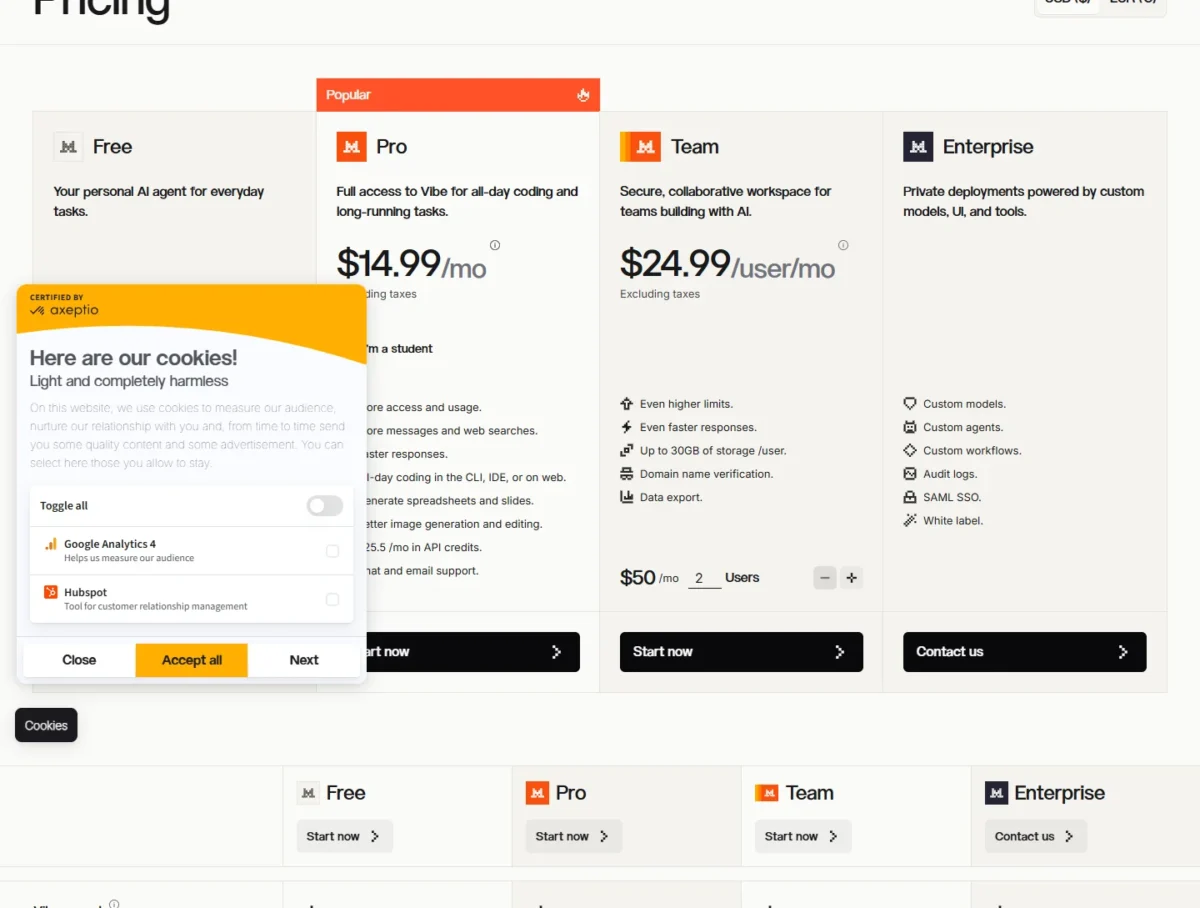
| Plan | Price | Comparable ChatGPT plan |
|---|---|---|
| Pro | $14.99 per month | Plus, $20 per month |
| Team | $24.99 per user per month | Business, $20 per user per month billed annually |
| Enterprise | Contact sales | Enterprise, contact sales |
Sources: Mistral pricing page, checked October 2026.
Pros
- Open-weight models for self-hosting
- Data export on Team
- Coding in the CLI and IDE on Pro
Cons
- Commercial self-hosting needs a separate license
- SAML SSO only on Enterprise
- No annual price on the pricing page
Project folders and Skills replace ChatGPT’s projects and GPT instructions, rebuilt by hand, and the Free plan lists 100+ connectors to reconnect apps.
- Skip it if:
- you need SSO on a mid-tier team plan; Claude Team lists SSO at $20 per seat billed annually.
7. Grok: Best ChatGPT Alternative for Real-Time News and X

- Best for: social media managers and news-driven marketers
- Comparable plan: Premium, $30 a month
- Live search: web and X
Grok wins on questions about today. xAI says it searches the web and X live, with citations from primary sources, so a social media manager gets current posts and trends inside the answer. Read the plans closely: xAI recommends Premium for new AI users and Plus for social creators with limited AI usage.
Imagine adds videos of up to 15 seconds at 720p in the same thread.
Premium carries 4x the usage of Plus, so the cheap Plus tier is a social plan with a small AI allowance, not a ChatGPT Go equivalent.
Where Grok may be better
- Live X integration for breaking news and trends
- Short video generation in the chat
- Grok API access on paid plans, billed separately
Where ChatGPT may be better
- Custom GPTs on Go, Plus and Pro
- Business at $20 per user per month billed annually, against Grok Teams from $30
xAI lists Plus at $8 a month, Premium at $30, Super at $100 and Ultra at $200, with no annual prices and taxes excluded. Teams starts at $30+ per user per month.
| Plan | Price | Comparable ChatGPT plan |
|---|---|---|
| Plus | $8 per month | Go, $8 per month |
| Premium | $30 per month | Plus, $20 per month |
| Teams | $30+ per user per month | Business, $20 per user per month billed annually |
Sources: xAI pricing page, checked October 2026.
Pros
- Live web and X search
- Images and short videos in one thread
- Weekly allowance refresh
Cons
- Plus carries a small AI allowance
- Custom GPTs not listed
- No annual prices on xAI’s pricing page
xAI’s pages list no ChatGPT importer; GPT instructions become Grok’s custom instructions, and files are re-uploaded in chats.
- Skip it if:
- your team wants a shared workspace at the lowest seat price; Claude Team lists $20 seats billed annually.
My Grok review covers its plans in more depth.
8. Poe: Best ChatGPT Alternative for Many Models in One Subscription
- Best for: users who compare answers across vendors
- Entry price: from $4.99 a month
- Sharing: invite members to one subscription
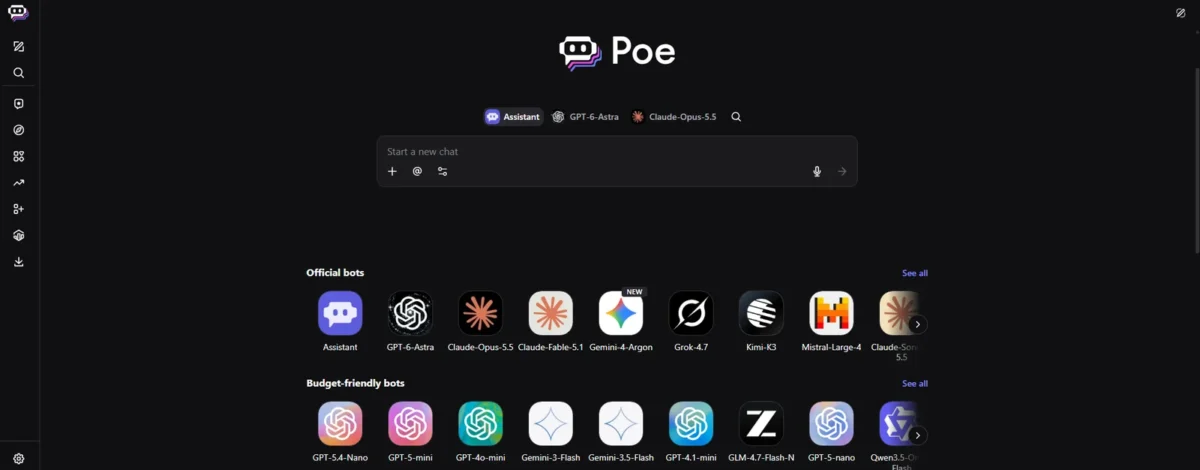
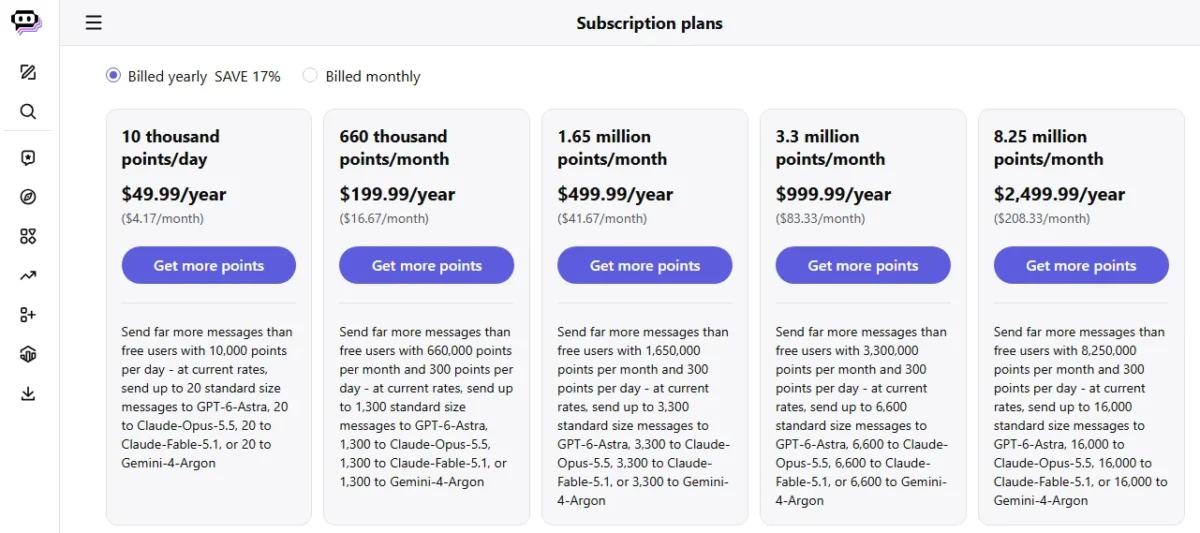
Poe fits the user who keeps ChatGPT, Claude and Gemini open in three tabs to compare answers. One subscription reaches bots from several vendors, plus image, video and audio bots from Runway, Luma AI and ElevenLabs. The trade-off is metering: usage runs on compute points that do not roll over unless specified.
Shared plans are the second difference. Members join by invite link and draw equally on the same points; the owner cannot cap one member, only remove them.
Where Poe may be better
- Bots from several vendors under one subscription
- Members share one plan by invitation
- Full context length per bot, up to 2M tokens
Where ChatGPT may be better
- Projects, memory and custom GPTs in one workspace
- Unlimited everyday text chats on Free, not points
Poe’s help center says subscriptions start at $4.99 a month, billed monthly or annually, and prints no higher tier prices. API users buy add-on points from $30 per 1M points.
| Plan | Price and billing | Comparable ChatGPT plan |
|---|---|---|
| Subscription | From $4.99 per month, monthly or annual | Go, $8 per month |
| Add-on points | From $30 per 1M points | API, billed separately |
Sources: Poe purchases FAQ, checked October 2026.
Pros
- Several vendors’ models in one subscription
- Shared plan for members
- Monthly or annual billing
Cons
- Points that do not roll over
- No per-member limits on shared plans
- Only the entry price published
Poe’s purchases FAQ lists no ChatGPT importer, so plan to recreate each custom GPT by hand.
- Skip it if:
- you need to cap each member’s usage on a shared plan; a Poe plan owner can only remove members, not set limits.
9. Duck.ai: Best Free ChatGPT Alternative for Private Chat
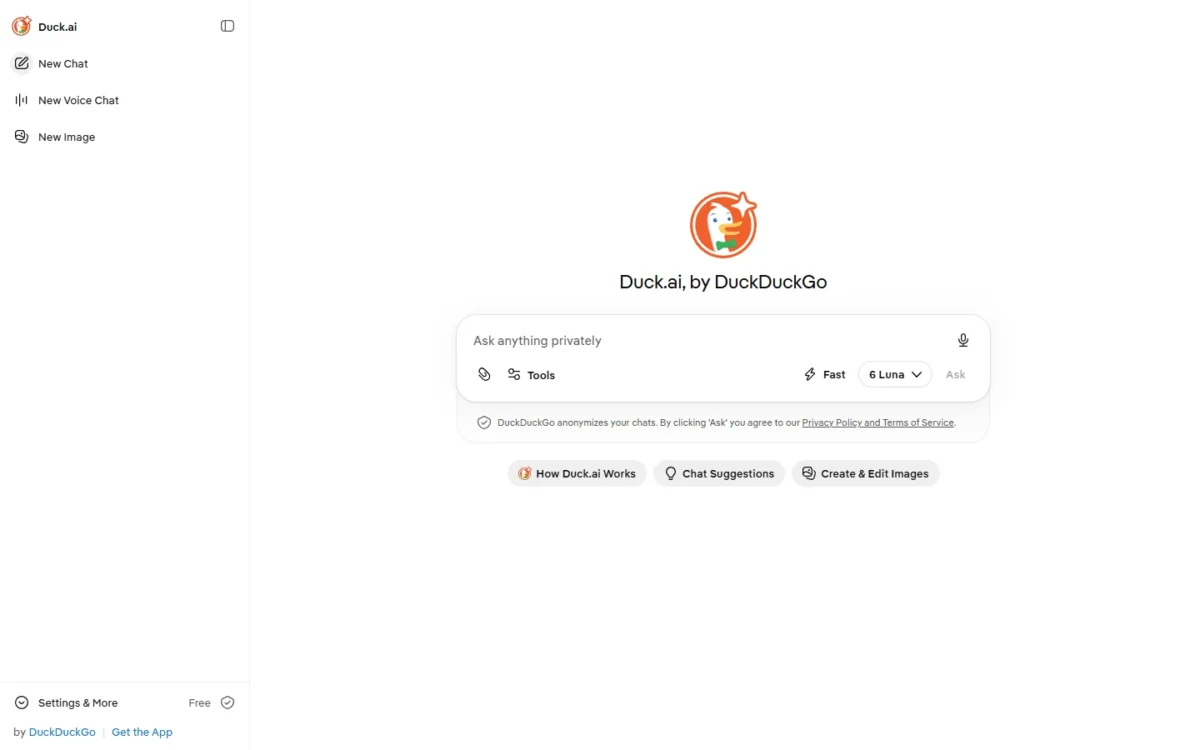
- Best for: free, private chat with several vendors’ models
- Price: free; paid DuckDuckGo subscription for advanced models
- Storage: recent chats stay on your device
Duck.ai is the free answer for anyone who wants ChatGPT-style chat without prompts being stored on remote servers or trained on. DuckDuckGo anonymizes chats, keeps recent chats on your device and says it does not train on your data. It replaces quick questions, not ChatGPT’s workspace.
The model list is the surprise: OpenAI’s GPT-6 Luna, which ChatGPT Free also lists, is free here alongside Claude 4.5 Haiku and Mistral Small 4. Local storage cuts both ways, though: chats do not follow you to another device, and the Fire Button deletes them unless you pin up to 5.
Where Duck.ai may be better
- Free models from OpenAI, Anthropic and Mistral in one window
- Recent chats stored on your device, not remote servers
Where ChatGPT may be better
- Unlimited chat history on every plan, including Free
- Projects, memory and deep research, which Duck.ai’s help page does not list
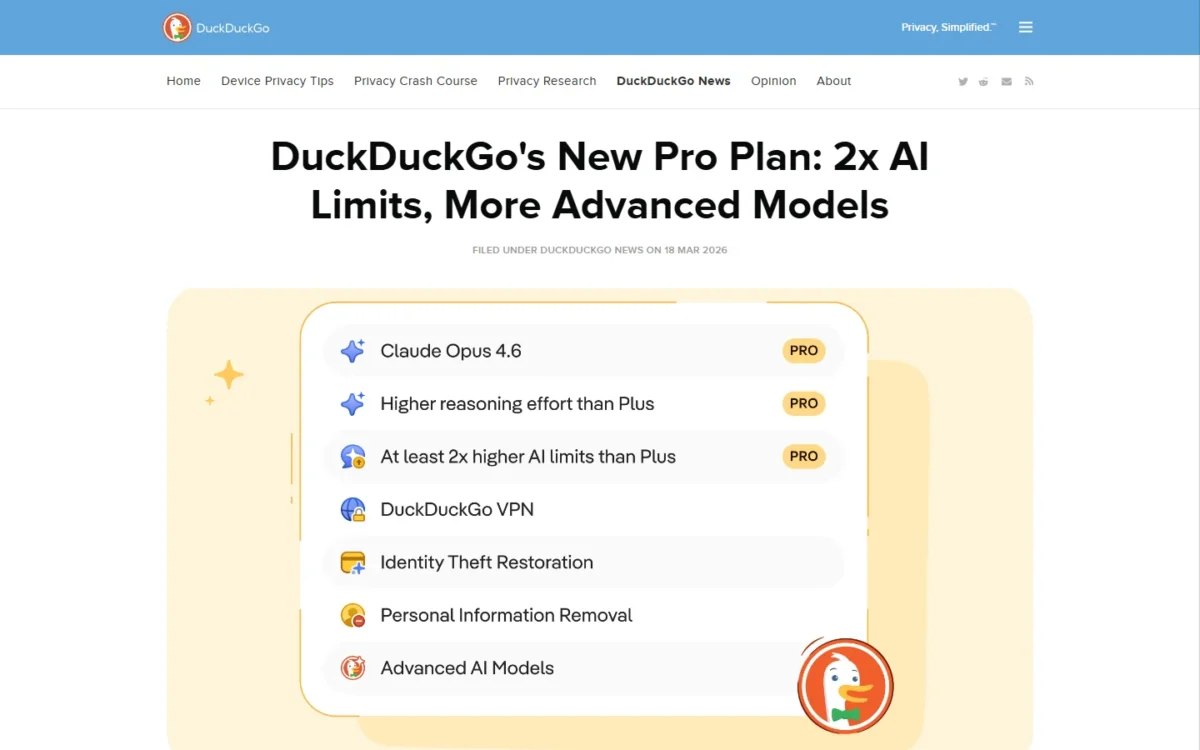
Duck.ai is free, with text chat, voice chat and image generation within daily limits. DuckDuckGo’s own blog prices the subscription, which bundles a VPN with advanced models, at $9.99 a month for Plus and $19.99 a month for Pro.
| Plan | Price and billing | Comparable ChatGPT plan |
|---|---|---|
| Duck.ai | Free | Free |
| Subscription Plus | $9.99 per month or $99.99 per year | Go, $8 per month |
| Subscription Pro | $19.99 per month or $199.99 per year | Plus, $20 per month |
Sources: DuckDuckGo subscription post, Duck.ai help page, checked October 2026.
Pros
- Free models from several vendors
- Chats stored only on your device
- No training on your data, per DuckDuckGo
Cons
- Projects, uploads and memory not listed
- History does not sync across devices
- Subscription is for personal use only
There is nothing to migrate; your ChatGPT export stays your archive.
- Skip it if:
- you need to work from files or keep long-running projects; Gemini Notebook handles document study.
10. Gemini Notebook: Best ChatGPT Alternative for Answers From Your Own Documents
- Best for: students, trainers and researchers working from fixed documents
- Price: free with a Google Account; higher limits on Google AI plans
- Replaces: partial: document study and briefing
Gemini Notebook, Google’s tool at notebooklm.google, is for the job where ChatGPT’s open web knowledge gets in the way: studying or briefing from your own documents. Its responses are always grounded in the information you provide. It does not replace open-ended chat.
Grounding is the whole value. When a compliance trainer asks what a policy says, an answer limited to the uploaded policy is safer than one blended with the web. Audio Overviews and flashcards turn the same sources into study material.
An individual’s data is not used for training unless they share feedback, per Google.
Where Gemini Notebook may be better
- Answers grounded in the sources you provide
- Audio Overviews and flashcards from your files
Where ChatGPT may be better
- Open-ended chat and web search on every plan
- Study mode on every plan, Free included
Gemini Notebook is free with a Google Account; Google AI Plus adds more Audio Overviews and notebooks, and Google AI Pro lists 5x more Audio Overviews.
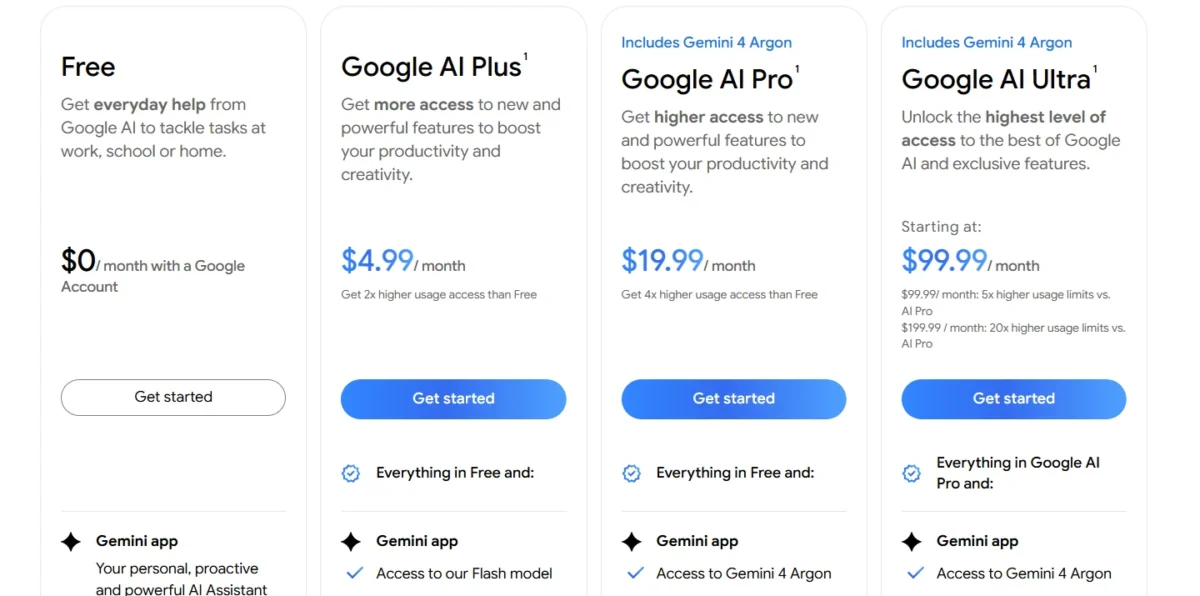
| Plan | Gemini Notebook limit | Comparable ChatGPT plan |
|---|---|---|
| Free | Research and writing assistant | Free |
| Google AI Plus | More Audio Overviews and notebooks | Go |
| Google AI Pro | 5x more Audio Overviews | Plus |
Sources: Google AI plans page, checked October 2026.
Pros
- Answers tied to your own sources
- Audio Overviews and flashcards
- Free with a Google Account
Cons
- No open-ended chat
- Higher limits need a Google AI plan
- No ChatGPT importer listed on Google’s pages
Switching means re-adding the files you used to upload to ChatGPT, one notebook per subject.
- Skip it if:
- your questions need the open web; Perplexity searches beyond your documents.
11. GitHub Copilot: Best ChatGPT Alternative for Coding in Your Editor
- Best for: developers who code in an IDE every day
- Comparable plan: Pro, $10 a month
- Replaces: partial: coding only
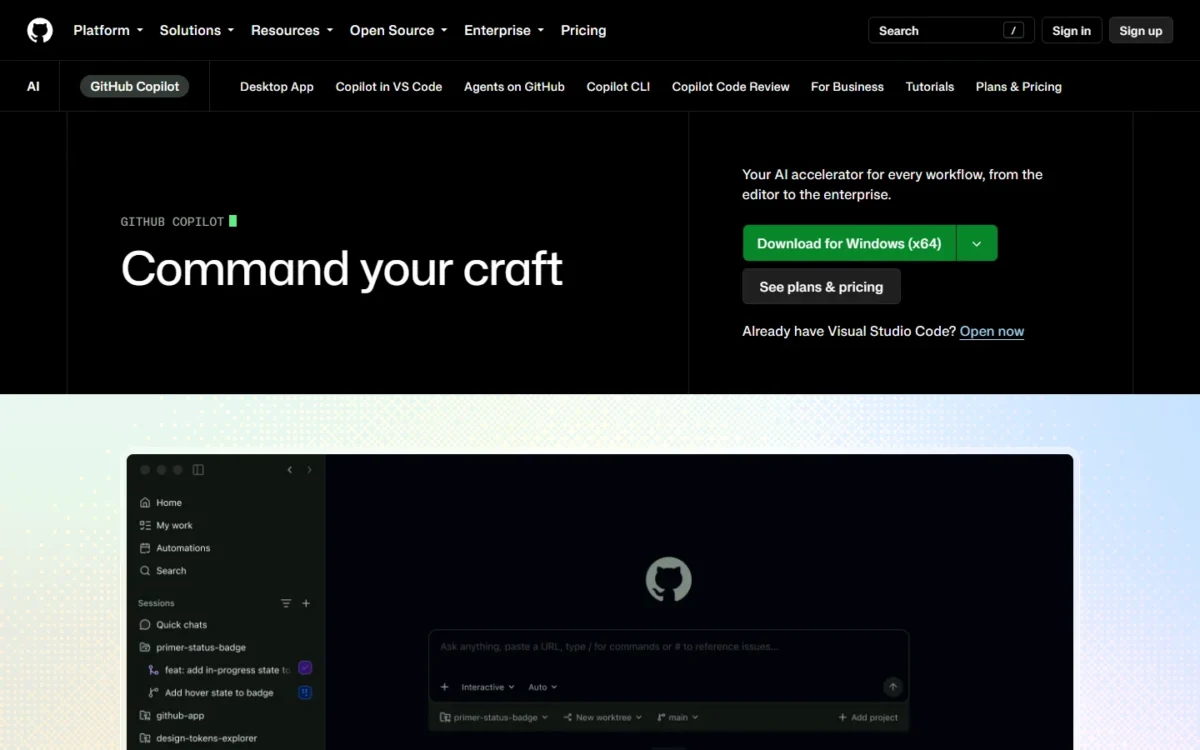
GitHub Copilot replaces ChatGPT for one job: writing code where you already write it. Agent mode runs in VS Code, Visual Studio, JetBrains, Eclipse and Xcode, and Copilot is built into GitHub. A developer who used Plus mostly to paste code back and forth can drop to Pro, and keep another tool for writing.
Agent mode removes the copy-paste loop: a developer fixing a bug works against the real repository. Pro includes $15 a month of GitHub AI Credits, a $10 base plus a $5 flex allotment that may change.
The fair counterpoint: ChatGPT Plus includes Codex in the CLI and IDE extension, so a developer who also writes with ChatGPT may already have enough.
Where GitHub Copilot may be better
- Agent mode in five editor families
- Built into GitHub, code review included
- Pro at $10 a month, half of ChatGPT Plus
Where ChatGPT may be better
- Codex plus chat, images and research in one Plus plan
- Any non-coding work
GitHub Copilot Pro costs $10 a month and Pro+ $39 a month, with a Free plan for limited chat and agent usage.
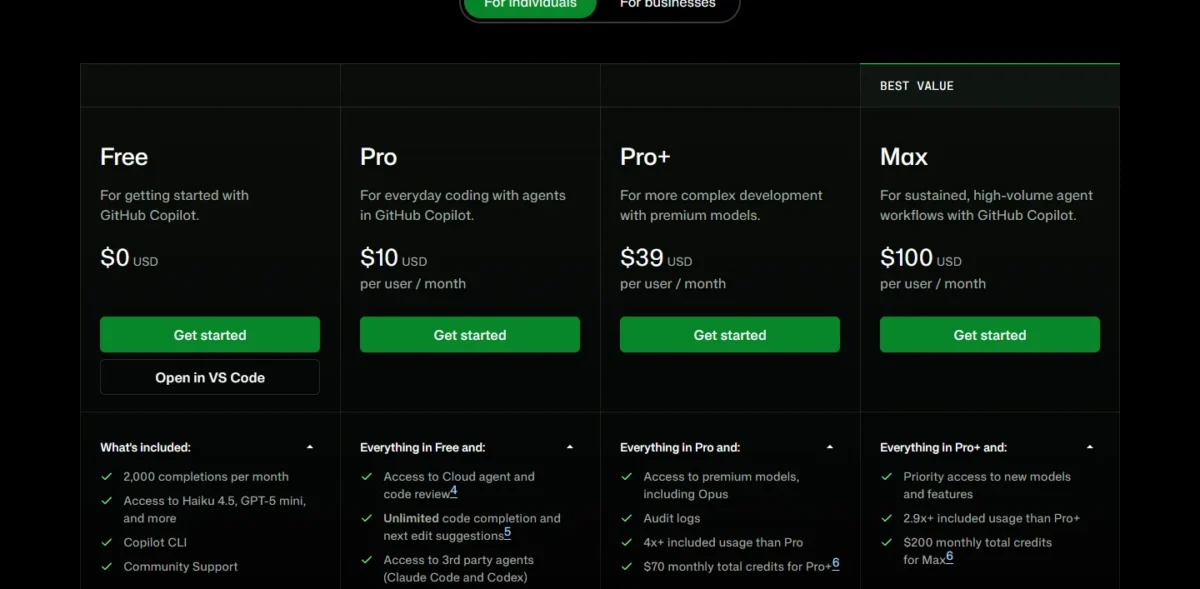
| Plan | Price | Comparable ChatGPT plan |
|---|---|---|
| Pro | $10 per month | Plus, $20 per month, with Codex |
| Pro+ | $39 per month | Plus or Pro |
| Max | $100 per month | Pro, from $100 per month |
Sources: GitHub Copilot plans page, checked October 2026.
Pros
- Agent mode inside your editor
- Built into GitHub pull requests
- Free plan with CLI and agent mode
Cons
- Covers coding only
- Credits run out on heavy agent use
- Flex credits may change
No chat history moves; the switch is installing the editor extension.
- Skip it if:
- coding is a small part of your week; ChatGPT Plus already includes Codex.
12. DeepSeek: Best ChatGPT Alternative for Low-Cost API Work
- Best for: developers running API workloads on non-sensitive data
- Context: 1M tokens, up to 384K output
- Data: stored in the People’s Republic of China
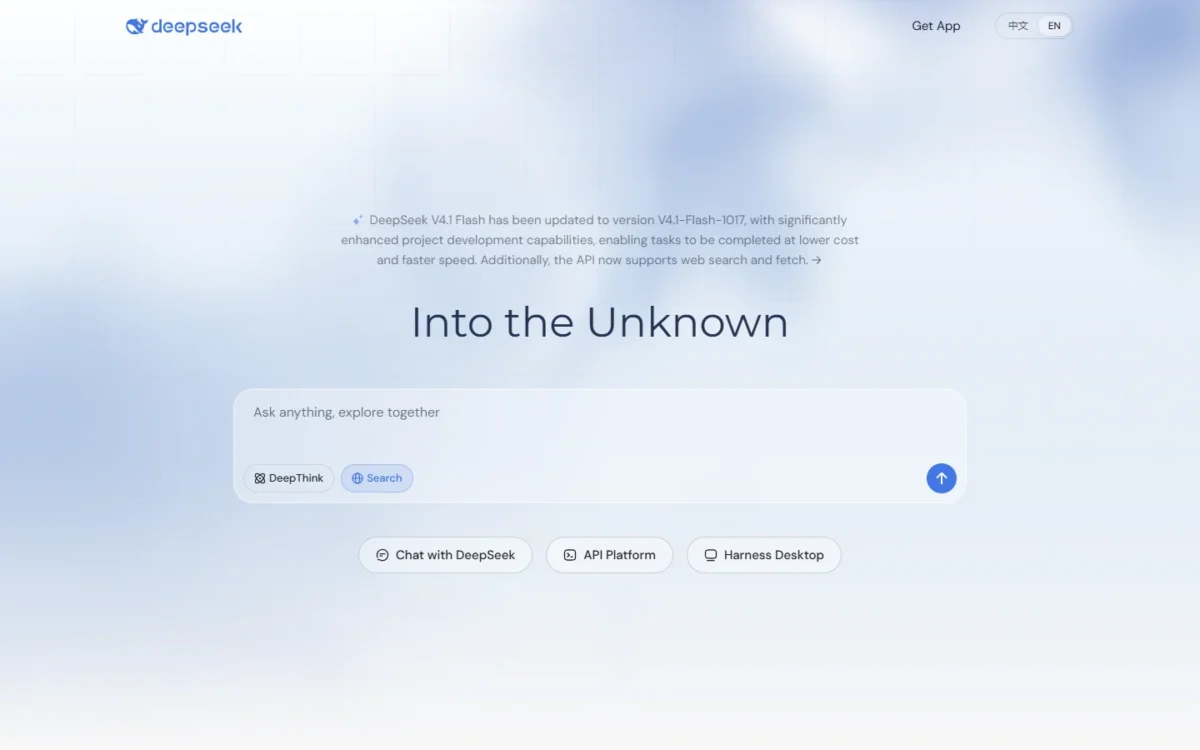
DeepSeek makes sense for one reader: a developer who calls models through an API and watches the token bill. Off-peak rates are half the peak rates. The deciding fact is the data terms, not the price: DeepSeek’s privacy policy says it collects, processes and stores personal data in the People’s Republic of China.
Switching code is light on paper. DeepSeek publishes OpenAI-format and Anthropic-format base URLs, so an app already using either format changes its base URL and model name.
The privacy policy also says DeepSeek trains on data, with a right to opt out.
Where DeepSeek may be better
- Low per-token rates, halved off-peak
- OpenAI-format and Anthropic-format API base URLs
Where ChatGPT may be better
- Business content not used for training by default
- Data residency controls on Enterprise
DeepSeek’s Flash model costs $0.15 per 1M input tokens off-peak on a cache miss and $0.60 per 1M output tokens off-peak. OpenAI’s API is billed separately from ChatGPT plans.
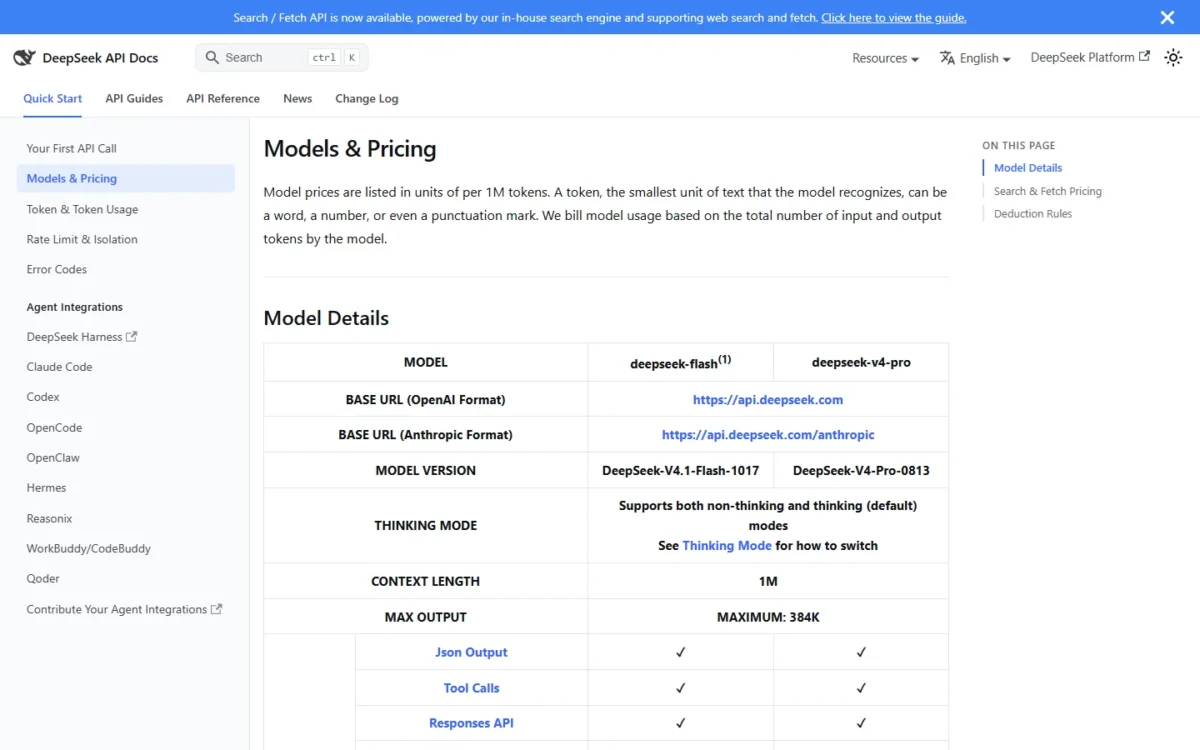
| Rate per 1M tokens | deepseek-flash | deepseek-v4-pro |
|---|---|---|
| Input, cache miss, off-peak | $0.15 | $0.66 |
| Output, off-peak | $0.60 | $1.98 |
Sources: DeepSeek API pricing page, checked October 2026.
Pros
- Low API rates, halved off-peak
- OpenAI-format endpoint for existing code
- 1M-token context
Cons
- Personal data stored in China
- Data used for training unless you opt out
- Some Search and Fetch tool calls start billing on November 1, 2026
- Skip it if:
- your data must stay out of China or out of model training; Claude Team, with no training by default, fits that requirement.
When Should You Stick With ChatGPT?
Stay with ChatGPT if you are on Free, use several of its tools weekly, or run a Business workspace.
ChatGPT Free lists unlimited text chats with GPT-6, projects and search, so switching saves money you are not spending. If Plus feels expensive, Go keeps projects and custom GPTs; my ChatGPT Go vs Plus comparison covers that step.
Plus bundles projects, scheduled tasks, custom GPTs, deep research and Codex in one plan. Rebuilding that set takes two picks here, such as Claude Pro and Perplexity Pro, so the saving disappears.
ChatGPT Business includes SAML SSO and no training on business data by default, so a team already on it gains little from a move. Plus subscribers who use Sign in with ChatGPT tools also lose that link when they leave.
Consider switching if
- One job fills most of your usage and a pick does it with a documented advantage
- You want annual billing, which Go, Plus and Pro lack
- Client data must stay out of training on a personal plan
- Your team works inside Google Workspace or Microsoft 365 apps
Consider staying with ChatGPT if
- You use the Free plan’s unlimited text chats
- Custom GPTs and projects carry your workflow
- Your team is on Business with SAML SSO
- You use tools through Sign in with ChatGPT
How to Choose the Right ChatGPT Alternative
Choose by the one job that fills most of your ChatGPT usage, then check the team cost.
| Your priority | Alternative to consider | Reason | Trade-off |
|---|---|---|---|
| Writing and long documents | Claude | Annual Pro billing; long context | GPTs rebuilt as Projects |
| Google Workspace | Google Gemini | Gemini inside Gmail and Docs | Little gain outside Google |
| Microsoft 365 | Microsoft 365 Copilot | Copilot inside Outlook and Teams | Needs Microsoft 365 |
| Cited research | Perplexity | Inline citations | Partial replacement |
| Confidential chats | Proton Lumo | Zero-access encryption | Fewer tools |
| Self-hosting | Mistral Vibe | Open-weight models | Commercial license |
| Live news | Grok | Live web and X search | Small AI allowance on Plus |
| Model comparison | Poe | Several vendors in one plan | Points cap usage |
| Free and private | Duck.ai | Chats on device | Chats stay on one device |
| Your own documents | Gemini Notebook | Grounded answers | No open chat |
| Coding | GitHub Copilot | Agent mode in the editor | Coding only |
| Cheap API calls | DeepSeek | Low token rates | Data stored in China |
| Several ChatGPT tools weekly | Stay with ChatGPT | Projects, GPTs, deep research together | Monthly billing only |
For a five-person team, seat prices land close together; the extra license and the billing period move the total more than the headline price.
| Plan | Seat price and billing | 5 seats x 12 months | Also needed |
|---|---|---|---|
| ChatGPT Business | $20 per user per month, billed annually | $20 x 5 x 12 = $1,200 | Nothing |
| Claude Team Standard | $20 per seat per month, billed annually | $20 x 5 x 12 = $1,200 | Nothing |
| Gemini Enterprise Business | From $21 per seat per month, billing not stated | $21 x 5 x 12 = $1,260 | Nothing |
| Copilot Business add-on | $21 per user per month, paid yearly | $21 x 5 x 12 = $1,260 | A Microsoft 365 plan |
| Business Standard with Copilot | $23.50 per user per month, paid yearly | $23.50 x 5 x 12 = $1,410 | Nothing; apps included |
| Mistral Vibe Team | $24.99 per user per month, billing not stated | $24.99 x 5 x 12 = $1,499.40 | Enterprise for SAML SSO |
Sources: ChatGPT pricing, Claude pricing, Google AI plans, Microsoft 365 Copilot pricing, Mistral pricing, checked October 2026.
ChatGPT Business and Claude Team cost the same at five seats, so a team moves only for a feature; on monthly billing both list $25 per seat.
Migrating From ChatGPT: What to Consider
Start with ChatGPT’s own export, then rebuild what no tool imports, in this order:
- Export from ChatGPT. On Free, Go, Plus or Pro, open Settings, then Data controls, and select Export. The download link arrives by email or SMS within up to 7 days and expires 24 hours after you receive it.
- Check the ZIP. Confirm it holds the conversations you need; an export cannot restore deleted chats.
- Check the import on the target. None of the vendor pages saved for this guide lists a ChatGPT importer, so confirm on the new tool’s help center what it accepts.
- Reconnect integrations. List every plugin and Sign in with ChatGPT tool you use, and find each a counterpart.
- Rebuild custom GPTs and projects. Recreate each GPT as a Claude Project, a Gemini Gem or a Custom Lumo from its instructions.
- Trial on a free plan. Run a week of real work on the Free plan that Claude, Gemini, Mistral Vibe or Proton Lumo lists.
- Cut over with a rollback. Pick a date, stop new work in ChatGPT, and keep the ZIP as the rollback.
- Cancel ChatGPT last. Cancel under Settings, then Account; a scheduled cancellation keeps access until the billing period ends.
Business workspaces
Self-service export is not available in ChatGPT Business or Enterprise workspaces. Members ask the workspace owner for their data, so arrange that export before cancelling any seats.
How I Evaluated the Alternatives
I matched each tool to a ChatGPT job using the vendors’ pricing, plan, help and privacy pages, read in October 2026, with no hands-on test. My wider best AI chatbots ranking covers assistants without the ChatGPT benchmark.
Must-haves: the tool replaces a named ChatGPT job, has a published US price or free plan, and documents what its plans include. I then ranked by job coverage, comparable-plan price, data handling, ecosystem fit, source grounding, team plan and switching cost.
The evidence is of three kinds: facts from official pages, vendor claims attributed by name, and my inference from those facts. I did not test answer quality, so I rank no pick on accuracy.
Beyond the 12 picks above, I considered 7 more tools, named under Also Considered: Cursor, Jan, Midjourney, Meta AI, Jasper, DeepAI and EaseMate.
Also Considered
- Cursor: xAI bundles Cursor into Grok’s paid plans, and GitHub Copilot covers the coding job here.
- Jan: an open-source app for open or online models, with no plans documented; local models are a separate topic.
- Midjourney: an image tool, not a chat assistant; my ranking of AI image generators covers that job.
- Meta AI, Jasper, DeepAI and EaseMate: no official plan or pricing page for them was among the sources checked, so this list states no price or data terms for them.
FAQ
Which AI is better than ChatGPT?
No assistant is documented as better than ChatGPT across every job; each is better for one. Claude adds annual billing and a longer context window, Perplexity adds citations, and Gemini and Microsoft 365 Copilot work inside their office suites. Quality differences need a test this guide did not run.
Is there an ethical alternative to ChatGPT?
Judged by data handling, Proton Lumo and Duck.ai both publish the commitment that they never train on your chats. Lumo adds zero-access encryption and open-source code, while Duck.ai stores recent chats only on your device. Both are the vendors’ own statements.
Is there a free ChatGPT alternative with image upload?
Mistral Vibe’s Free plan lists limited document upload, and its supported formats include images. Grok’s FAQ lists file and image uploads in chats on web and mobile. ChatGPT Free also allows limited messages with uploads.
Final Verdict
Switch only when one job dominates your ChatGPT use and a pick does that job with a documented advantage. Writers and analysts should move to Claude, which matches Plus monthly and sells an annual plan. Google Workspace users should pick Gemini, Microsoft 365 teams Microsoft 365 Copilot, and researchers Perplexity beside a drafting tool.
For privacy, Proton Lumo is the paid pick and Duck.ai the free one; the other six picks each fit one narrower job.
Stay with ChatGPT if you are on Free, use custom GPTs and deep research together, or run Business. The biggest cost of leaving is not the subscription: it is rebuilding custom GPTs, projects and memory, since your history moves only as a ZIP archive.