If you’re searching for the Best CRM Software in 2026, you’re really asking: Which CRM will my team actually adopt, integrate cleanly with the tools we already use, and produce measurable pipeline and retention gains—without hidden admin overhead?
There’s no single “best CRM for everyone.” The right customer relationship management software depends on your sales motion (inbound vs outbound vs enterprise), your data model (simple pipelines vs complex objects/permissions), your budget reality (licenses + onboarding + admin time), and your integration stack (Google Workspace or Microsoft 365, marketing automation, support desk, billing).
This guide gives you consultant-style picks, a transparent evaluation method, and 30 concise reviews with real trade-offs. Shortlist three tools, run a 14-day trial, and validate email/calendar sync, one critical integration, and the dashboards your team will use weekly.
The Best CRM Software in 2026 — Quick Picks
- HubSpot CRM — Best free option with robust features; ideal for small businesses and inbound marketing teams
- Salesforce Sales Cloud — Best for enterprise and complex sales organizations requiring deep customization
- Pipedrive — Best for sales-focused teams wanting visual pipeline management without bloat
- Zoho CRM — Best value for SMBs needing comprehensive features at aggressive pricing
- Microsoft Dynamics 365 — Best for organizations already invested in Microsoft 365 ecosystem
- Freshsales — Best for teams seeking AI-powered features at mid-market pricing
- monday CRM — Best for teams prioritizing visual workflows and cross-functional collaboration
Read more: Best CRM for Sales Teams 2026: Top Picks for Closing More Deals
Our Review Methodology
I evaluate CRM software through the lens of real-world implementation, not vendor marketing. My assessment framework examines:
Core evaluation criteria: Interface usability under pressure (can a rep update deals during calls?), feature completeness for sales pipeline management, automation capabilities that actually save time, reporting flexibility for different stakeholder needs, integration depth with email and calendar systems, scalability as team size and data volume grow, pricing transparency including hidden costs, implementation timeframes from contract to first deal closed, support responsiveness during critical rollout phases, and security standards (GDPR compliance principles, SOC 2 attestation, ISO 27001 certification).
Who this guide serves: This review focuses on US and UK buyers across three segments—SMBs with 1–50 employees seeking their first proper CRM or replacing basic tools, mid-market companies with 50–500 employees needing departmental coordination, and enterprise organizations requiring governance and compliance features. I emphasize B2B contexts but note where tools excel in specific verticals like real estate, agencies, or consulting.
Limitations and validation: I cannot personally use every CRM at scale, so insights combine direct consulting experience, client feedback patterns, public documentation review, and industry knowledge. Pricing changes frequently, especially for enterprise tiers. Always run a proper trial (14–30 days minimum), test your specific integrations, involve actual end-users in evaluation, and request transparent total cost projections including licenses, add-ons, and implementation services before committing.
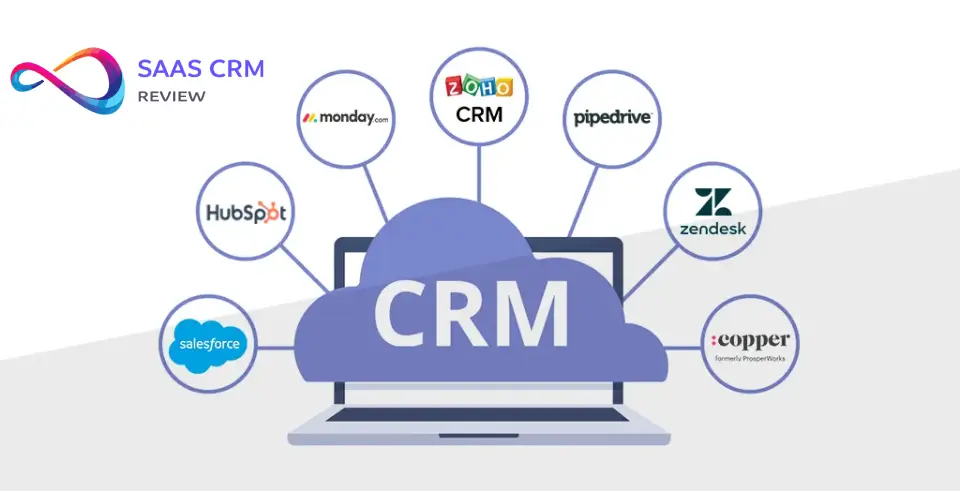
CRM Buying Guide — Choose the Right CRM in 10 Minutes
Step 1 — Identify Your Sales Motion
Your sales process dictates CRM requirements more than company size.
Inbound/marketing-driven: You need strong lead scoring, form integration, marketing automation CRM capabilities, and attribution reporting. HubSpot, ActiveCampaign, and Zoho excel here.
Outbound/prospecting-heavy: Prioritize email sequencing, call logging, activity tracking, and bulk actions. Pipedrive, Copper, and Salesforce with Sales Engagement add-ons fit this motion.
Product-led growth (PLG): Integration with product analytics, usage-based scoring, and self-service purchase flows matter most. Consider CRMs with strong API flexibility like HubSpot or Salesforce.
Enterprise/complex sales: Long cycles demand custom fields, multi-stage approvals, territory management, and role-based permissions. Salesforce, Microsoft Dynamics 365, and SugarCRM handle this complexity.
Consultative/relationship-driven: Lighter tools with strong contact management, meeting notes, and follow-up reminders work better than heavy automation. Nimble, Copper, and Capsule CRM suit this approach.
Step 2 — Must-Have Features Checklist
Not every CRM needs every feature. Prioritize based on your immediate pain points.
Non-negotiable basics: Visual sales pipeline with drag-and-drop stages, contact and company records with relationship mapping, activity logging for calls/emails/meetings, task management with reminders, email sync (Gmail or Outlook) that captures conversations automatically, mobile apps for field access, basic reporting on pipeline health and rep performance.
Important for growing teams: Workflow automation for repetitive tasks (status changes, assignment rules, notifications), custom fields and objects to match your sales process, permission controls so reps see appropriate data, team collaboration features (mentions, deal comments, file sharing), forecasting tools based on pipeline probability, integration marketplace for connecting other tools.
Enterprise requirements: Advanced security (SSO, IP restrictions, audit logs), API access for custom integrations, territory and quota management, multi-currency and language support, compliance features for GDPR and data retention policies, dedicated account management and SLA-backed support.
Step 3 — Data & Integrations
CRM lives and dies by data quality and connected workflows.
Email is foundational: Two-way Gmail or Outlook sync (not just one-way) ensures every conversation lives in the CRM without manual logging. Test this thoroughly—many “integrations” are clunky browser extensions that break.
Marketing tool integration: If you run campaigns through Mailchimp, ActiveCampaign, or marketing automation platforms, ensure lead source tracking and campaign attribution flow cleanly into the CRM. HubSpot’s native marketing suite eliminates integration headaches but locks you into their ecosystem.
Accounting and invoicing: QuickBooks, Xero, or Stripe integration prevents duplicate entry when deals close. Crucial for service businesses and agencies.
Customer support connection: Zendesk, Intercom, or native helpdesk integration ensures support teams see sales history and vice versa. This breaks down silos between pre-sale and post-sale.
Calendaring and meetings: Native calendar integration (not just email) for scheduling, availability checking, and meeting logging. Calendly or Chili Piper integration streamlines inbound demo booking.
Integration maintenance reality: Third-party integrations break. Vendor APIs change. Budget time for ongoing maintenance, especially with Zapier/Make connections that require monitoring.
Step 4 — AI: What’s Genuinely Useful vs Hype
AI CRM features range from transformative to theater.
Actually useful AI capabilities: Email sentiment analysis that flags at-risk deals, predictive lead scoring based on historical win patterns, automatic activity capture that logs calls and emails without manual entry, meeting transcription and summary generation, smart field population from email signatures and LinkedIn, forecasting models that account for historical accuracy by rep.
Overhyped AI features: Chatbots that frustrate users more than they help, “next best action” recommendations too generic to be actionable, content generation that produces bland email templates, AI-written reports that simply restate obvious data.
The adoption gap: In most SMB implementations, AI features go unused because teams don’t trust them or understand their training. Start with manual processes, build clean data habits, then layer in AI once you have six months of quality data. Don’t buy a CRM solely for AI promises.
Privacy and compliance: AI features that process customer data may create GDPR or data residency complications. Understand where data is processed and whether you can disable AI entirely if needed.
Step 5 — Budget Reality: Licenses + Add-Ons + Onboarding + Admin Time
Sticker price misleads. Calculate total cost of ownership.
Licensing math: Multiply per-user pricing by actual user count (not just sales—include managers, support, ops). Many vendors offer pricing tiers; the cheapest tier usually lacks essential features. Factor in annual vs monthly (annual typically saves 15–20% but commits you). Remember that CRM user counts tend to grow—budget for 30% more seats within 18 months.
Add-on costs that surprise buyers: Advanced reporting/analytics modules, premium integrations, additional data storage, SMS or calling credits, marketing automation features, AI capabilities, additional sandboxes or test environments, mobile app premium features.
Implementation and migration: DIY setup takes 20–60 hours of internal time even for “simple” CRMs. Professional implementation services cost $5,000–$150,000+ depending on complexity and data migration needs. Don’t underestimate data cleaning—it’s typically 40% of migration effort.
Ongoing administration: Someone needs to maintain workflows, manage user permissions, create reports, troubleshoot integrations, and enforce data hygiene. Budget 5–20 hours weekly depending on team size. This hidden cost kills many CRM initiatives when it falls on already-stretched staff.
ROI timeline: Most CRMs take 3–6 months to show positive ROI as teams learn the system and data accumulates. Budget accordingly and don’t expect immediate productivity gains.
Step 6 — Adoption Risks and Change Management
Technology is easy. Human behavior is hard.
Why CRMs fail (the real reasons): Sales reps see it as busywork rather than a tool that helps them close deals. Leadership doesn’t model usage consistently. The system feels like surveillance rather than support. Data entry takes too long relative to perceived value. Reports don’t answer questions managers actually care about. Integration gaps force double-entry. Training was a one-time event rather than ongoing support.
Adoption strategies that work: Involve reps in the selection process so they have ownership. Start with minimal required fields—resist the urge to capture everything. Make the CRM the source of truth for commission calculations (nothing motivates like money). Build dashboards reps actually want to see (their deals, their pipeline, their performance). Schedule weekly pipeline reviews in the CRM interface. Celebrate early adopters and make usage visible. Provide ongoing “office hours” support, not just launch training.
The pilot approach: Roll out to a small group (5–10 users) for 30–60 days. Work out workflow kinks and integration issues at small scale. Let pilot users become internal champions who help train others. Iterate based on their feedback before company-wide rollout.
Executive sponsorship: The initiative dies without visible C-level usage and enforcement. If executives keep running the business from email and spreadsheets, reps will too.
Comparison Table — Best CRM Software at a Glance
| CRM | Best For | Starting Price Range | Key Strengths | Biggest Limitations | Notable Integrations |
|---|---|---|---|---|---|
| HubSpot CRM | Small businesses, inbound marketing teams | Free; paid from $15/user/mo | Generous free tier, excellent marketing automation, intuitive interface | Reporting gets expensive quickly, can feel bloated for simple sales teams | Gmail, Outlook, Slack, Shopify, WordPress, Stripe, Mailchimp |
| Salesforce Sales Cloud | Enterprise, complex sales orgs | From $25/user/mo | Unmatched customization, massive ecosystem, best-in-class reporting | Steep learning curve, expensive implementation, overkill for SMBs | Nearly universal; AppExchange has 7,000+ apps |
| Pipedrive | Sales-focused teams, visual pipeline management | From $14/user/mo | Clean sales-first interface, easy adoption, strong mobile app | Limited marketing features, reporting not as deep as enterprise tools | Google Workspace, Microsoft 365, Trello, Asana, PandaDoc |
| Zoho CRM | SMBs seeking value, budget-conscious buyers | From $14/user/mo | Extremely comprehensive features at low cost, good customization | Interface feels dated, learning curve for advanced features | Extensive Zoho suite integration, Google, Microsoft, Mailchimp, QuickBooks |
| Microsoft Dynamics 365 | Microsoft 365 users, enterprise | From $65/user/mo | Deep Microsoft ecosystem integration, enterprise-grade security | Complex pricing, requires technical expertise, high implementation cost | Native Microsoft suite, LinkedIn Sales Navigator, Adobe, Power Platform |
| Freshsales | Mid-market teams, AI features | From $15/user/mo | AI-powered insights, built-in phone, email, and chat, clean interface | Freshworks ecosystem lock-in, limited third-party integrations vs competitors | Freshdesk, Freshmarketing, Google, Microsoft, Zapier, Segment |
| monday CRM | Visual workflow teams, cross-functional projects | From $10/user/mo | Highly visual and customizable, great for non-sales teams too | Can be too flexible (overwhelming), not sales-specialized | Slack, Microsoft Teams, Gmail, Outlook, Zoom, Mailchimp, Shopify |
| Copper | Google Workspace users, relationship-driven sales | From $25/user/mo | Native Gmail integration, minimal data entry, clean design | Google-centric (not ideal for Microsoft shops), limited enterprise features | Deep Google Workspace, Slack, Mailchimp, QuickBooks, PandaDoc |
| ActiveCampaign | Marketing automation with CRM, email-heavy businesses | From $19/user/mo | Best-in-class email automation, strong segmentation, good deliverability | CRM feels secondary to marketing features, sales tools less mature | Shopify, WooCommerce, WordPress, Facebook, Zapier, Salesforce |
| Insightly | Project-based businesses, professional services | From $29/user/mo | Project management built in, workflow automation, good reporting | Interface not as modern, limited free tier | Google Workspace, Microsoft 365, Slack, Mailchimp, QuickBooks, Dropbox |
| Nimble | Solo consultants, relationship-focused sellers | From $24.90/user/mo | Unified social media insights, simple contact management, lightweight | Limited advanced features, not for complex sales processes | Gmail, Outlook, Office 365, social media platforms, Mailchimp |
| Zendesk Sell | Support-driven sales, inside sales teams | From $19/user/mo | Tight Zendesk Support integration, calling features, clean interface | Limited marketing features, smaller app ecosystem | Zendesk Support, Gmail, Outlook, Mailchimp, PandaDoc, Zapier |
| Keap | Small businesses needing marketing + CRM | From $249/mo (2 users) | Strong automation for SMB, email and payments integrated | Expensive for solo users, dated interface, reporting limitations | QuickBooks, Zapier, Gmail, WordPress, PayPal, Stripe |
| Capsule CRM | Small teams, simplicity seekers | From $18/user/mo | Extremely simple, quick setup, affordable | Basic feature set, limited scalability, minimal automation | Google Workspace, Microsoft 365, Mailchimp, Xero, Zapier, Zendesk |
| Agile CRM | Startups on tight budgets | Free; paid from $8.99/user/mo | Generous free plan, marketing automation included | Clunky interface, support can be slow, integration reliability issues | Gmail, Outlook, Twilio, Stripe, social media, Zapier |
30 Best CRM Software Reviews (2026)
1. HubSpot CRM

Best for: Small to mid-sized businesses, inbound marketing teams, companies wanting free-to-paid scalability
Why it stands out: HubSpot revolutionized CRM by offering genuinely useful features for free—unlimited users, contacts, and deals with no time limit. The free tier includes email tracking, meeting scheduling, basic pipeline management, and mobile apps. This eliminates the “entry cost” barrier that prevents many small businesses from adopting CRM.
Key features: Visual sales pipeline, email templates and tracking, meeting scheduler, live chat and chatbots, deal and task management, contact and company insights, native marketing tools (paid tiers), workflow automation, custom reporting, mobile apps for iOS and Android.
Pros: Incredibly intuitive interface that non-technical users adopt quickly. Generous free tier that many small businesses never outgrow. Strong marketing automation CRM capabilities on paid tiers. Excellent knowledge base and community support. Native integration between marketing, sales, and service hubs eliminates data silos. Regular feature updates and innovation.
Cons / watch-outs: Reporting and advanced features get expensive quickly (Professional tier starts around $450/month for 3 users). Can feel like overkill for purely sales-focused teams who don’t need marketing features. HubSpot ecosystem lock-in makes it harder to leave as you scale. Some integrations work better than others. Storage limits on lower tiers can surprise growing companies.
Pricing snapshot: Free forever plan available. Paid Sales Hub tiers from $15/user/month (Starter) to $150+/user/month (Enterprise), billed annually. See our full HubSpot pricing breakdown for per-hub costs, seat types, and real-world scenarios.
Consultant note: HubSpot excels when marketing and sales need to coordinate (lead handoff, attribution, nurturing). But I see many companies pay for Sales Hub Professional when the free version would suffice—audit what features you actually use before upgrading.
The real adoption risk is feature creep; teams get overwhelmed by options and abandon the system. If you’re weighing HubSpot against a sales-focused alternative, our HubSpot vs Pipedrive analysis covers TCO, ease of use, and pipeline features side by side.
Read full review: HubSpot CRM Review Honest Features, Pricing & Real User Experience
2. Salesforce Sales Cloud

Best for: Enterprise organizations, complex sales processes, companies requiring deep customization
Why it stands out: Salesforce remains the 800-pound gorilla of CRM with unmatched breadth, depth, and ecosystem. If you can imagine a sales process, Salesforce can model it. The AppExchange offers thousands of pre-built integrations and extensions. For enterprises with dedicated admins and complex requirements, nothing else compares.
Key features: Highly customizable objects and fields, advanced workflow and approval processes, territory and quota management, enterprise-grade security and permissions, AI-powered Einstein analytics, forecasting and pipeline management, mobile apps, extensive API access, Lightning App Builder for custom interfaces.
Pros: Infinitely customizable to match complex business processes. Massive ecosystem of consultants, developers, and third-party apps. Best-in-class reporting and analytics capabilities. Strong governance and compliance features for enterprise. Integration possibilities are essentially unlimited. Scales from startups to Fortune 500.
Cons / watch-outs: Steep learning curve for admins and end-users alike. Implementation typically requires certified consultants at $150–$250/hour. Expensive—total cost easily reaches $100–$200/user/month with needed add-ons. Can be overwhelming and over-engineered for straightforward sales processes. User interface, while improved, still feels complex. Requires ongoing admin investment to maintain.
Pricing snapshot: From $25/user/month (Essentials, up to 10 users) to $300+/user/month (Unlimited). Most mid-market companies land on Enterprise tier at $165/user/month. Full breakdown in our Salesforce pricing guide.
Consultant note: Salesforce makes sense when you have complex requirements that simpler CRMs can’t handle—multi-level approvals, sophisticated territory rules, high-volume API integrations. For companies under 50 employees with standard B2B sales, it’s often overkill that creates more work than value. The real cost isn’t the license—it’s the ongoing admin and consulting spend to keep the system tuned.
Read full review: Salesforce CRM Review Pros, Cons, Pricing, and Practical Insights
3. Pipedrive

Best for: Sales-focused teams, small to mid-sized businesses, visual pipeline management enthusiasts
Why it stands out: Pipedrive was built by salespeople frustrated with overly complex CRM systems. The visual pipeline interface makes deal tracking intuitive—you see exactly where every opportunity stands at a glance. The interface stays clean and fast even with thousands of deals, which is rare.
Key features: Visual sales pipeline with customizable stages, activity-based selling approach, sales automation and workflow builder, email integration and tracking, smart contact data, sales reporting and forecasting, LeadBooster chatbot and web forms (add-on), mobile apps, Marketplace with 400+ integrations.
Pros: Extremely user-friendly interface with minimal training needed. Strong focus on activity tracking encourages consistent rep behavior. Excellent mobile experience for field sales. Fair pricing with transparent tiers. Fast performance even at scale. AI-powered sales assistant provides useful next-action recommendations.
Cons / watch-outs: Limited marketing automation compared to HubSpot or ActiveCampaign. Reporting capabilities trail enterprise options like Salesforce. Customization is more limited—a strength for simplicity but constraint for complex needs. Support can be slow on lower pricing tiers. Some users find automation features less intuitive than core pipeline management.
Pricing snapshot: From $14/user/month (Essential) to $99/user/month (Enterprise), billed annually. LeadBooster add-on starts at $32.50/month. Full breakdown in our Pipedrive pricing guide.
Consultant note: Pipedrive works brilliantly when your sales process is straightforward and activity-driven (calls, meetings, emails). It falters when you need deep marketing integration or complex custom objects. If you’re torn between simplicity and power, our Pipedrive vs Salesforce comparison maps the trade-offs by team size, budget, and sales motion.
The activity-focused approach enforces discipline—if your team doesn’t consistently log activities, you won’t get value. I’ve seen great adoption with inside sales teams and field sales reps who live in mobile.
Read full review: Pipedrive CRM Review 2026: Features, Pricing, Pros & Cons – Is It Worth It?
4. Zoho CRM
Best for: Budget-conscious SMBs, companies already using Zoho suite, international businesses
Why it stands out: Zoho delivers enterprise-level features at SMB pricing. The platform includes marketing automation, sales force automation, customer support, and analytics capabilities that competitors charge premium prices for. For companies willing to navigate a steeper learning curve, the value proposition is hard to beat.
Key features: Comprehensive sales automation, workflow rules and approvals, AI-powered Zia assistant, multichannel communication (email, phone, social), canvas design studio for custom interfaces, Blueprint process automation, advanced analytics, territory management, gamification for sales teams.
Pros: Exceptional price-to-feature ratio. Extensive integration within Zoho ecosystem (40+ apps). Good international support with multiple languages and currencies. Strong customization capabilities. Generous feature set even on lower tiers. Regular updates and new features.
Cons / watch-outs: Interface feels dated and cluttered compared to modern alternatives. Learning curve is steeper than advertised. Support quality varies and can be slow. Some features feel half-baked or poorly documented. Performance can lag with very large data sets. The abundance of options can overwhelm small teams.
Pricing snapshot: Free tier for up to 3 users. Paid tiers from $14/user/month (Standard) to $52/user/month (Ultimate), billed annually. See our full Zoho CRM pricing breakdown for hidden costs and plan comparison.
Consultant note: Zoho is the CRM equivalent of a Swiss Army knife—lots of tools, but you need to know which one to use when. It makes the most sense when you’re already committed to the Zoho ecosystem (Books, Campaigns, Desk). Companies that struggle with Zoho often try to use every feature instead of configuring it to match their actual process. Budget time for setup and customization—the low price tag is misleading if you need external help configuring it properly.
Read full review: Zoho CRM Review Features, Pricing, Pros & Cons
5. Microsoft Dynamics 365 Sales

Best for: Microsoft 365 organizations, enterprise buyers, heavily regulated industries
Why it stands out: For companies already running on Microsoft 365, Dynamics 365 offers the deepest native integration you’ll find. The shared security model, single sign-on, and consistent user experience across tools reduce friction. Power Platform integration enables custom apps without traditional development.
Key features: Native Microsoft 365 integration, LinkedIn Sales Navigator integration, relationship analytics, AI-driven insights, customizable business processes, Power Platform for custom apps, advanced forecasting, enterprise security and compliance, multi-language and multi-currency support.
Pros: Seamless Microsoft ecosystem integration. Enterprise-grade security and compliance (GDPR, HIPAA, SOC 2). Power Platform enables sophisticated automation and custom apps. Strong for relationship selling with LinkedIn integration. Excellent for regulated industries. Microsoft’s investment ensures long-term viability.
Cons / watch-outs: Complex pricing structure that’s hard to decode. Requires technical expertise to implement and maintain. More expensive than most alternatives. Overkill for companies not already Microsoft-centric. User interface has improved but still trails consumer-grade apps. Implementation typically requires expensive consultants.
Pricing snapshot: From $65/user/month (Professional) to $135/user/month (Enterprise). Many organizations end up at $100–$150/user/month with needed add-ons.
Consultant note: Dynamics 365 makes strategic sense if you’re committed to the Microsoft ecosystem and have enterprise requirements. The LinkedIn Sales Navigator integration is genuinely useful for B2B prospecting, not just marketing theater. However, I see many mid-sized companies choose Dynamics because they assume Microsoft integration will be automatic—it’s not. You still need proper implementation, and the technical complexity rivals Salesforce. Best suited for organizations with dedicated IT support.
Read full review: Microsoft Dynamics 365 Sales Review 2026: Features, Pricing, Pros/Cons, and Best-Fit Use Cases
6. Freshsales (Freshworks CRM)

Best for: Mid-market companies, teams wanting AI features, multi-channel communication needs
Why it stands out: Freshsales combines a modern, clean interface with AI-powered features at reasonable pricing. Built-in phone, email, and chat capabilities eliminate the need for separate tools. Freddy AI provides lead scoring, deal insights, and forecasting without the enterprise price tag.
Key features: AI-powered lead scoring and insights, built-in phone, email, and chat, visual sales pipeline, workflow automation, 360-degree customer view, advanced reporting and dashboards, mobile apps, event tracking, territory management on higher tiers.
Pros: Clean, intuitive interface that users adopt quickly. AI features are genuinely useful, not just buzzwords. Multichannel communication built in rather than bolted on. Fair pricing compared to feature set. Good integration with Freshdesk for post-sale support. Regular product updates. Strong for inside sales teams.
Cons / watch-outs: Limited third-party integrations compared to Salesforce or HubSpot. Some users report that phone quality varies by region. Freshworks is pushing ecosystem lock-in (Freshmarketing, Freshdesk). Reporting flexibility trails enterprise options. Customization is more limited than fully flexible platforms.
Pricing snapshot: Free tier available. Paid tiers from $15/user/month (Growth) to $69/user/month (Enterprise), billed annually. Phone and email credits may incur additional costs.
Consultant note: Freshsales hits a sweet spot for teams that want more sophistication than Pipedrive but less complexity than Salesforce. The AI lead scoring improves over time as it learns your win patterns—but you need 3–6 months of clean data before it becomes reliable. The built-in phone system is convenient but call quality matters; test it in your geography before committing. I’ve seen good adoption with inside sales teams that value multichannel engagement.
Read full review: Freshsales Review 2026: Pricing, Features & Honest Pros/Cons
7. monday CRM

Best for: Visual workflow teams, cross-functional collaboration, companies already using monday.com
Why it stands out: monday CRM brings the company’s signature visual, customizable approach to customer relationship management. Unlike traditional CRMs that force you into their sales methodology, monday lets you build the exact workflow your team needs. Great for companies where sales intersects heavily with project delivery or customer success.
Key features: Highly visual and customizable boards, flexible automation builder, email integration and tracking, contact and deal management, custom dashboards, integration with monday Work OS, collaboration features (mentions, updates, file sharing), mobile apps, time tracking, form builder.
Pros: Extremely visual and intuitive interface. Highly flexible—build the CRM structure you need. Excellent for cross-functional visibility (sales, delivery, support seeing the same data). Strong collaboration features. Good for teams already using monday.com for project management. Template library speeds setup.
Cons / watch-outs: Flexibility can be overwhelming—requires discipline to avoid creating a mess. Not purpose-built for sales, so lacks some specialized features (forecasting, territory management). Automation builder has a learning curve. Pricing adds up quickly for larger teams. Some users find it too open-ended compared to opinionated CRMs.
Pricing snapshot: From $10/user/month (Basic CRM) to $24/user/month (Enterprise), with a 3-user minimum. Annual billing required for most tiers.
Consultant note: monday CRM makes sense when your sales process is non-standard or when multiple departments need visibility into customer relationships. I’ve seen it work well for agencies, professional services, and companies with complex delivery handoffs. The flexibility is both strength and weakness—teams need to invest time upfront designing their boards and workflows, or they end up with an inconsistent mess. Not ideal for pure sales teams who want an opinionated best-practice approach.
Read full review: Monday.com Review A Work OS That Scales—But Not for Everyone
8. Copper CRM

Best for: Google Workspace users, relationship-driven sales, teams wanting minimal data entry
Why it stands out: Copper lives inside Gmail, automatically capturing email conversations, calendar events, and contact details. For Google Workspace-centric organizations, this native integration dramatically reduces manual data entry. The interface feels like a natural extension of Gmail rather than a separate tool.
Key features: Deep Google Workspace integration, automatic contact and activity capture, visual pipeline management, task and project tracking, email sequences, workflow automation, relationship strength indicators, mobile apps, integration with Google Calendar, Drive, and Meet.
Pros: Truly native Gmail experience reduces adoption friction. Automatic activity capture minimizes manual logging. Clean, uncluttered interface. Good for relationship-driven sales that don’t require complex automation. Quick implementation and learning curve. Fair pricing with transparent tiers.
Cons / watch-outs: Essentially requires Google Workspace—not ideal for Microsoft shops. Limited advanced features compared to enterprise platforms. Reporting capabilities trail competitors. Smaller integration ecosystem. Automation features less sophisticated than alternatives. Not built for high-velocity or highly automated sales motions.
Pricing snapshot: From $25/user/month (Basic) to $99/user/month (Professional), billed annually. 14-day free trial available.
Consultant note: Copper thrives in Google-first organizations where salespeople live in Gmail all day. The automatic activity capture is genuinely useful and drives adoption because reps don’t feel like they’re doing double data entry. However, it’s not a fit for companies that need sophisticated workflow automation or deep customization. I’ve seen it work beautifully for consultancies, agencies, and professional services where relationships matter more than high-volume deal flow. The “relationship strength” feature is surprisingly insightful for relationship sellers.
Read full review: Copper CRM Review Pricing, Features, Pros & Cons for Google Workspace Teams
9. ActiveCampaign

Best for: Marketing automation primary use case, email-heavy businesses, e-commerce companies
Why it stands out: ActiveCampaign is first and foremost a marketing automation platform with CRM functionality added. The email automation capabilities are genuinely best-in-class, with sophisticated segmentation, conditional logic, and deliverability. If your business model relies heavily on email marketing and nurturing, ActiveCampaign’s CRM integration makes sense.
Key features: Advanced email marketing automation, deal and pipeline management, lead scoring and segmentation, site tracking and event triggers, SMS marketing, forms and landing pages, attribution reporting, integrations with e-commerce platforms, Facebook Custom Audiences.
Pros: Best-in-class email automation and deliverability. Deep segmentation capabilities based on behavior and attributes. Good value for money if you need both marketing and CRM. Strong for e-commerce and online businesses. Visual automation builder is powerful once you learn it. Excellent for nurturing and follow-up sequences.
Cons / watch-outs: CRM functionality feels secondary to marketing features. Sales-specific features (forecasting, territory management, complex workflows) are limited. Learning curve for automation builder is steeper than advertised. Some users report that the interface feels dated. Support quality varies. Better suited for marketers than pure sales teams.
Pricing snapshot: From $19/user/month (Plus) to custom Enterprise pricing, billed annually. CRM features included in all plans; pricing scales with contact count.
Consultant note: ActiveCampaign makes sense when marketing automation is the primary driver and you want lightweight CRM on top. I see successful implementations in e-commerce, online courses, and businesses with long nurture cycles. The mistake buyers make is trying to use it as a full-featured sales CRM—the deal and pipeline management features work but lack depth. If your sales team needs sophisticated forecasting, complex workflows, or territory management, you’ll hit limitations. Best fit: marketing-led companies with straightforward sales processes.
Read full review: ActiveCampaign Review Pricing, Features, Pros & Cons – Is It Worth It?
10. Insightly

Best for: Project-based businesses, professional services, companies needing project management + CRM
Why it stands out: Insightly combines CRM and project management in one platform, which makes sense for businesses where customer relationships and project delivery are intertwined. This eliminates the data duplication and integration headaches of running separate tools for sales and delivery.
Key features: Integrated CRM and project management, relationship linking (seeing connections between contacts and organizations), workflow automation, business process automation, custom objects and fields, advanced reporting and dashboards, email integration and tracking, mobile apps, pipeline management.
Pros: CRM and project management in one platform. Relationship mapping shows connections between contacts. Good workflow automation capabilities. Reasonable pricing for feature set. Strong for service-based businesses. Custom objects provide flexibility. Advanced reporting compared to simpler CRMs.
Cons / watch-outs: Interface feels less modern than newer competitors. Free tier is very limited. Learning curve for project management features. Some users report that updates and releases are slower. Mobile apps trail competitors. Marketing automation capabilities are basic. Not ideal for pure sales teams without project needs.
Pricing snapshot: Free tier for 2 users. Paid tiers from $29/user/month (Plus) to $99/user/month (Enterprise), billed annually.
Consultant note: Insightly works well for agencies, consultancies, and professional services where the line between selling and delivering blurs. The integrated project management eliminates the “now what?” moment after deal closure—you can transition from opportunity to project without switching tools. However, the project management features aren’t as sophisticated as dedicated tools like Asana or Monday, and the CRM trails specialized options. It’s a good fit when you need “good enough” at both rather than excellence at one. The relationship linking is genuinely useful for complex B2B where multiple stakeholders matter.
Read full review: Insightly CRM Review Features, Pricing & Comparisons
11. Nimble

Best for: Solo consultants, small teams, relationship-focused professionals, social sellers
Why it stands out: Nimble aggregates contact information and social media activity from across the web into a unified view. It automatically enriches contacts with social profiles, recent activity, and company information. For relationship-driven professionals who sell through networks, this context is valuable.
Key features: Social media integration and monitoring, automatic contact enrichment, unified contact timeline, sales pipeline management, task and activity tracking, email integration, group messaging, contact segmentation, browser extension for contextual information, today page with prioritized activities.
Pros: Excellent social media integration across platforms. Automatic contact enrichment reduces manual research. Simple, lightweight interface ideal for non-technical users. Browser extension provides context wherever you work. Good for relationship selling and networking. Affordable for solo professionals. Quick setup.
Cons / watch-outs: Limited advanced features for complex sales processes. Not built for team selling or enterprise needs. Automation capabilities are basic. Reporting is minimal. Small integration ecosystem compared to major CRMs. Not ideal for high-volume or transactional sales. Scalability limitations.
Pricing snapshot: From $24.90/user/month (Contact Plan) to $44.90/user/month (Business Plan), billed annually. 14-day free trial.
Consultant note: Nimble excels for relationship-driven professionals—consultants, coaches, financial advisors, real estate agents—where knowing the person matters more than managing a complex pipeline. The social media integration provides conversation starters and relationship context that busy professionals appreciate. It’s not a fit for teams with sophisticated automation needs or companies requiring governance and compliance features. I recommend it for solo professionals or very small teams who want simplicity and relationship intelligence over feature depth.
Read full review: Nimble CRM Review 2026: Features, Pricing, Pros & Cons (Expert Analysis)
12. Zendesk Sell (formerly Base CRM)

Best for: Support-driven sales, inside sales teams, companies already using Zendesk Support
Why it stands out: Zendesk Sell integrates tightly with Zendesk Support, creating a unified view of customer interactions pre- and post-sale. For companies where support and sales need to collaborate closely—particularly in SMB SaaS or subscription businesses—this eliminates context switching.
Key features: Visual sales pipeline, built-in calling and email, activity tracking and reporting, mobile apps optimized for field sales, deal intelligence and lead scoring, workflow automation, integration with Zendesk Support, Reach (prospecting data add-on), custom dashboards.
Pros: Tight Zendesk Support integration for unified customer view. Built-in calling and email reduce tool sprawl. Clean, sales-focused interface. Good mobile experience. Fair pricing compared to competitors. Useful for inside sales teams. Smart notifications keep reps on track.
Cons / watch-outs: Smaller ecosystem compared to major platforms. Limited marketing automation features. Customization less flexible than Salesforce or Dynamics. Prospecting data (Reach) costs extra. Some users report phone call quality varies. Better suited for transactional sales than complex enterprise deals.
Pricing snapshot: From $19/user/month (Sell Team) to $149/user/month (Sell Enterprise), billed annually. Reach prospecting add-on costs extra.
Consultant note: Zendesk Sell makes strategic sense when you’re already using Zendesk Support and need sales context to flow into support (and vice versa). The integrated view reduces customer frustration and internal inefficiency. However, as a standalone CRM, it doesn’t stand out dramatically from alternatives. The built-in calling is convenient but call quality matters—test in your region. I’ve seen successful implementations with SMB SaaS companies and inside sales teams that value simplicity over sophistication. Not ideal for complex B2B with long sales cycles.
Read full review: Zendesk Sell Review 2026: Features, Pricing, Pros & Cons & Best Alternatives
13. Keap (formerly Infusionsoft)

Best for: Small businesses needing marketing automation + CRM, service businesses, appointment-based businesses
Why it stands out: Keap targets the small business segment that needs both CRM and marketing automation but finds enterprise tools overwhelming. The platform combines contact management, pipeline tracking, email marketing, appointment scheduling, and payment processing in one system designed for SMB owners.
Key features: CRM and marketing automation combined, email marketing and segmentation, appointment scheduling, pipeline management, landing pages and forms, automated follow-up sequences, payment processing integration, reporting and analytics, mobile app.
Pros: All-in-one solution reduces tool sprawl for small businesses. Strong automation for lead nurturing and follow-up. Appointment scheduling built in. Email marketing integrated with CRM data. Payment processing included. Dedicated support and onboarding. Good for service-based businesses.
Cons / watch-outs: Expensive for solo users or very small teams ($249/month minimum). Interface feels dated compared to modern alternatives. Learning curve is steeper than simpler CRMs. Reporting capabilities are basic. Not built for larger teams or enterprise. Some users report lock-in and difficult migration.
Pricing snapshot: From $249/month for 2 users (Pro) to $499/month (Max), billed monthly or annually. Pricing includes CRM, marketing, and basic support.
Consultant note: Keap works for service-based small businesses that need sophisticated follow-up automation—coaches, consultants, health practitioners, home services. The appointment scheduling and automated nurturing suit businesses where showing up consistently matters. However, the pricing is steep for the SMB market it targets, and the interface feels aging. I’ve seen businesses outgrow Keap’s team collaboration features around 10–15 employees. The migration path is also tricky—many customers feel locked in. Evaluate carefully whether you need the all-in-one approach or if specialized tools would serve you better.
Read full review: Keap CRM Review Pricing, Features, Pros & Cons – Is It Worth the Cost?
14. Capsule CRM

Best for: Small teams prioritizing simplicity, businesses wanting quick setup, budget-conscious buyers
Why it stands out: Capsule embraces simplicity as a feature, not a limitation. The interface is clean and uncluttered, setup takes minutes rather than days, and the feature set covers essentials without overwhelming users. For small teams drowning in complex CRM implementations, Capsule’s restraint is refreshing.
Key features: Contact and organization management, sales pipeline tracking, task and calendar management, email integration, custom fields and tags, reporting dashboards, mobile apps, integration with Google Workspace and Microsoft 365, workflow automation (on higher tiers).
Pros: Extremely simple and quick to set up. Clean, uncluttered interface. Affordable pricing for small teams. No steep learning curve. Good for non-technical users. Reliable and stable. Honest about what it does and doesn’t do. Free tier available for very small teams.
Cons / watch-outs: Basic feature set limits scalability. Minimal marketing automation. Limited advanced reporting. Small integration ecosystem. Customization is restricted. Not suitable for complex sales processes. Teams often outgrow it around 15–20 users.
Pricing snapshot: Free tier for up to 2 users. Paid tiers from $18/user/month (Professional) to $36/user/month (Teams), billed annually.
Consultant note: Capsule is the CRM for teams that want to stop overthinking CRM. If your sales process is straightforward, your team is small, and you value simplicity over feature depth, Capsule delivers. The adoption risk is nearly zero because there’s so little to learn. However, you will outgrow it if your business scales or your process becomes more sophisticated. I recommend it for professional services, consultancies, and small B2B companies in the 5–15 employee range. Not a fit if you need automation, complex workflows, or deep analytics.
Read full review: Capsule CRM Review Features, Pricing, Pros & Cons for Small Businesses
15. Agile CRM

Best for: Startups on tight budgets, small businesses needing marketing + sales + service
Why it stands out: Agile CRM offers a genuinely usable free tier with marketing automation, sales tracking, and customer service features for up to 10 users. For cash-strapped startups, this removes the barrier to CRM adoption entirely. Paid tiers remain aggressively priced.
Key features: Free tier with generous features, marketing automation (email campaigns, landing pages, forms), sales tracking and pipeline, telephony integration, web engagement (tracking, scoring), help desk and ticketing, social media integration, reporting and analytics, mobile apps.
Pros: Genuinely generous free plan. Very affordable paid tiers. Marketing, sales, and service in one platform. Good feature set for the price. Suitable for bootstrapped startups. Built-in telephony. Automation capabilities exceed expectations for the price point.
Cons / watch-outs: Interface feels dated and cluttered. Frequent user reports of bugs and stability issues. Support quality is inconsistent and can be slow. Documentation is incomplete in places. Integration reliability varies. Not suitable for businesses requiring high uptime or enterprise support.
Pricing snapshot: Free for up to 10 users. Paid tiers from $8.99/user/month (Starter) to $47.99/user/month (Enterprise), billed annually.
Consultant note: Agile CRM is the budget option when you literally cannot afford mainstream alternatives. The free tier is legitimately useful for early-stage startups—just set expectations appropriately. You’re trading polish, stability, and support quality for price. I’ve seen teams successfully use Agile to get off spreadsheets and establish CRM habits, then migrate to more robust platforms as they grow and can afford it. Not suitable for businesses where CRM downtime causes revenue loss or where data integrity is critical. Think of it as training wheels, not a forever solution.
Read full review: Agile CRM Review Features, Pricing, Pros & Cons (Is It Worth It?)
16. SugarCRM
Best for: Mid-market and enterprise buyers wanting open-source flexibility, customization-heavy implementations
Why it stands out: SugarCRM offers both cloud and on-premise deployment options with open-source roots, appealing to organizations wanting control and customization. The platform provides enterprise CRM capabilities without forcing you into a single vendor’s ecosystem or deployment model.
Key features: Flexible deployment (cloud, on-premise, hybrid), customizable modules and workflows, sales force automation, marketing automation (SugarMarket), customer service tools (SugarServe), AI-powered predictions and recommendations, advanced analytics, mobile apps, open REST API.
Pros: Deployment flexibility for security or regulatory needs. Highly customizable to unique business processes. Open-source roots provide transparency. Good for organizations with development resources. Strong for complex customization needs. Fair pricing for enterprise features. No forced upgrades.
Cons / watch-outs: Requires technical expertise to implement and customize. User interface feels dated compared to modern SaaS apps. Smaller ecosystem than Salesforce or Microsoft. Learning curve for administrators. Implementation typically requires consultants. Open-source community is less active than in past.
Pricing snapshot: From $52/user/month (Essentials) to $85/user/month (Enterprise), billed annually. On-premise licensing available with different pricing model.
Consultant note: SugarCRM makes sense for mid-market and enterprise organizations that have specific deployment requirements (data residency, air-gapped networks, regulatory constraints) or need deep customization that SaaS platforms restrict. The open-source heritage appeals to technical organizations that want to peek under the hood. However, the “flexibility” comes with cost—you need technical resources to realize the value. I’ve seen successful deployments in healthcare, government, and regulated industries where cloud-only solutions don’t work. Not ideal for non-technical SMBs expecting simplicity.
Read full review: SugarCRM Review Pricing, Features, Pros, Cons & Top Alternatives (2026)
17. Bitrix24

Best for: Teams wanting all-in-one collaboration + CRM, international teams, budget-conscious buyers
Why it stands out: Bitrix24 bundles CRM, project management, communication tools, document management, and HR features in one platform. The free tier supports unlimited users, which is unmatched. For small businesses wanting to consolidate tools, the breadth is appealing.
Key features: CRM with sales automation, project and task management, internal communication (chat, video calls), document management and collaboration, website builder, online store, HR tools (time tracking, attendance), telephony, email marketing, mobile apps.
Pros: Unlimited users on free plan. Incredibly broad feature set for the price. All-in-one reduces tool sprawl. Good for international teams (multilingual). Self-hosted option available. Regular feature updates. Strong for small businesses wanting Swiss Army knife approach.
Cons / watch-outs: Interface is cluttered and overwhelming. Features often feel half-baked rather than polished. Steep learning curve due to sheer breadth. Performance can be slow. Support quality varies significantly. Better suited for Eastern European and Russian markets where it originated. Many features you won’t use.
Pricing snapshot: Free for unlimited users with limitations. Paid tiers from $49/month for 5 users (Basic) to $399/month for unlimited users (Enterprise).
Consultant note: Bitrix24 is the definition of “jack of all trades, master of none.” The breadth is both selling point and liability—most teams use maybe 30% of features. It makes sense for very small businesses (5–15 people) that want to minimize tools and cost, especially outside the US/UK where support and localization are stronger. Adoption is challenging because there’s so much to learn and configure. I’ve seen successful implementations in small international teams and distributed companies that value the communication tools as much as the CRM. Not recommended for teams wanting best-in-class anything.
Read full review: Bitrix24 CRM Review 2026: Features, Pricing, Pros & Cons & Best Alternatives
18. Nutshell CRM

Best for: SMB sales teams, simplicity seekers, teams wanting solid fundamentals
Why it stands out: Nutshell focuses on doing core CRM functions well rather than chasing every feature trend. The interface is clean and intuitive, implementation is straightforward, and the company emphasizes customer service. For SMBs tired of feature bloat, Nutshell’s focus is refreshing.
Key features: Sales automation and pipeline management, contact and lead management, email sync and tracking, reporting and analytics, mobile apps, integration marketplace, workflow automation, territory management (higher tiers), customizable fields and activities.
Pros: Clean, intuitive interface with low learning curve. Strong customer support reputation. Good fundamental CRM features. Fair pricing. Built-in email marketing included. Reliable and stable platform. Good for traditional B2B sales. Implementation is straightforward.
Cons / watch-outs: Limited advanced features compared to enterprise platforms. Smaller integration ecosystem. Marketing automation is basic. Customization is less flexible. Not ideal for complex sales processes. Limited AI or advanced analytics. Teams may outgrow it as they scale.
Pricing snapshot: From $16/user/month (Starter) to $67/user/month (Power AI), billed annually. All plans include email marketing.
Consultant note: Nutshell is the steady, reliable option for SMB sales teams that want a CRM to “just work” without drama. The company’s focus on customer support and usability shows—adoption tends to be smooth. It’s not exciting or cutting-edge, but it covers fundamentals well. I recommend it for traditional B2B sales teams (5–30 reps) with established processes who don’t need heavy customization or advanced automation. Not a fit for fast-growing tech companies or teams requiring sophisticated marketing integration. Think of it as the Toyota Camry of CRMs—reliable, sensible, but not flashy.
19. Less Annoying CRM

Best for: Micro-businesses, solopreneurs, teams wanting radical simplicity
Why it stands out: Less Annoying CRM delivers on its name by removing everything that typically annoys users about CRM software. No contracts, no setup fees, flat $15/user pricing, and genuinely helpful support. The feature set is intentionally limited to core contact management and pipeline tracking.
Key features: Contact management with custom fields, simple pipeline tracking, calendar and task management, email integration, lead generation (web forms), reporting, mobile-responsive design (no native app), contact import/export.
Pros: Extremely simple and easy to use. Transparent flat pricing at $15/user/month. No contracts or commitments. Excellent, personal customer support. 30-day free trial. No bloat or unnecessary features. Good for non-technical users. Fast setup.
Cons / watch-outs: Very limited feature set by design. No mobile app (only mobile browser). Minimal automation capabilities. No marketing tools. Limited integrations. Not suitable for scaling beyond small teams. No advanced reporting or analytics.
Pricing snapshot: $15/user/month, billed monthly. No annual commitment required. 30-day free trial.
Consultant note: Less Annoying CRM is for micro-businesses and solopreneurs who need basic contact management and pipeline tracking—period. If you’re a freelance consultant, small agency, or service professional with straightforward needs, the simplicity is liberating. You’re not paying for features you’ll never use. However, you will outgrow it quickly if your business scales or your process becomes more sophisticated. The lack of automation means more manual work. I recommend it for businesses under 5 people who value simplicity over everything else and don’t anticipate significant growth or complexity.
Read full review: Less Annoying CRM Review 2026: Features, Pricing, Pros & Cons & Best Alternatives
20. Streak CRM

Best for: Gmail users wanting lightweight CRM, CRM For Freelancers, small teams
Why it stands out: Streak lives entirely inside Gmail as a browser extension, turning your inbox into a CRM. For individuals and small teams who essentially run their business through email, Streak eliminates the context switching and data entry burden of traditional CRMs.
Key features: Gmail-native pipelines and deals, email tracking and scheduling, mail merge, contact and organization management, collaboration features (shared pipelines), snippets for common responses, workflow automation, mobile app, integration with Google Sheets.
Pros: Works entirely within Gmail interface. Very lightweight adoption. Automatic email tracking. Good for email-heavy workflows. Affordable free tier. Quick setup. Multiple pipelines for different workflows. Collaboration features for small teams.
Cons / watch-outs: Requires Gmail and browser extension. Limited functionality outside Gmail. Basic reporting compared to standalone CRMs. Not suitable for complex sales processes. Scalability limitations. Limited integrations outside Google ecosystem. Not ideal for field sales or teams not living in email.
Pricing snapshot: Free tier available. Paid tiers from $15/user/month (Solo) to $129/user/month (Enterprise), billed annually.
Consultant note: Streak makes sense for Gmail-dependent professionals and small teams where email is the primary customer interaction channel. The friction is nearly zero because you’re not learning a new interface—you’re adding capabilities to a tool you already use all day. However, it’s not a CRM for growing sales teams or complex processes. I’ve seen it work well for freelance consultants, small agencies, and individuals managing multiple workflows (sales, partnerships, recruiting). The moment you need sophisticated reporting, automation, or multi-channel tracking, you’ll outgrow it. Think of Streak as “CRM training wheels” for Gmail users.
Read full review: Streak CRM Review Is Gmail-Based CRM the Right Choice for Small Teams?
21. Creatio (formerly bpm’online)

Best for: Process-centric organizations, companies needing no-code customization, mid-market buyers
Why it stands out: Creatio emphasizes business process management alongside CRM, providing visual workflow builders that let business users (not just developers) customize processes. The no-code approach appeals to organizations wanting flexibility without technical debt.
Key features: No-code visual process designer, CRM for sales, marketing, and service, 360-degree customer view, lead and opportunity management, marketing automation and campaigns, AI-powered predictions, mobile apps, integration and API capabilities, industry-specific solutions.
Pros: Powerful no-code customization without developers. Process management capabilities exceed typical CRMs. Good for organizations wanting to model complex workflows. Unified platform for sales, marketing, and service. Industry templates accelerate implementation. Freedom edition available.
Cons / watch-outs: Steeper learning curve than advertised. Interface less intuitive than consumer-grade apps. Smaller brand recognition and ecosystem. Implementation often requires consulting help despite no-code claims. Pricing transparency could be better. Better known in Europe than US.
Pricing snapshot: Growth edition from $25/user/month. Enterprise pricing varies based on configuration. Freedom edition available for small teams.
Consultant note: Creatio appeals to mid-market organizations with complex, process-heavy operations who want customization flexibility without traditional development. The business process management capabilities are genuinely sophisticated. However, “no-code” doesn’t mean “no-learning”—configuring complex processes requires skill and time. I’ve seen successful deployments in manufacturing, financial services, and healthcare where compliance and process governance matter. Not ideal for teams wanting simplicity or for companies without dedicated operations or process roles.
22. Apptivo CRM

Best for: Budget-conscious small businesses, companies wanting modular features
Why it stands out: Apptivo offers a modular approach where you pay only for the apps you use, starting with a generous free tier. The platform includes not just CRM but also project management, invoicing, and other business applications. For small businesses wanting affordability and flexibility, the approach makes sense.
Key features: Modular apps (CRM, projects, invoicing, helpdesk), contact and lead management, opportunity tracking, workflow automation, custom fields and apps, mobile apps, email integration, reporting, time tracking, expense management.
Pros: Very affordable with generous free tier. Modular pricing (pay only for what you use). Broad feature set beyond just CRM. Good for micro-businesses. Customization capabilities. Multiple business apps in one platform. Regular updates and new features.
Cons / watch-outs: Interface feels dated. User experience can be clunky. Learning curve due to breadth. Support quality varies. Smaller user base and community. Integration options are limited. Performance issues reported by some users. Better suited for very small businesses.
Pricing snapshot: Free tier for up to 3 users. Paid tiers from $10/user/month (Premium) to $25/user/month (Enterprise), billed annually. Modular pricing for specific apps.
Consultant note: Apptivo is the budget option for micro-businesses needing more than just CRM but unable to afford multiple specialized tools. The modular approach lets you start minimal and add features as needed. However, the user experience trails mainstream alternatives significantly. It makes sense for very small businesses (under 10 people) prioritizing affordability over polish. I’ve seen it work for small service businesses, consultancies, and non-profits. Not recommended for teams expecting modern UX or for companies planning significant growth.
Read full review: Apptivo CRM Review 2026: Details, Features, Pricing, Pros & Cons & Best Alternatives
23. Maximizer CRM

Best for: SMBs wanting on-premise or private cloud, Canadian market, industries requiring data residency
Why it stands out: Maximizer offers flexible deployment options including on-premise, private cloud, and traditional cloud, appealing to organizations with specific data residency or security requirements. The platform has strong presence in Canada and provides industry-specific versions.
Key features: Flexible deployment options, contact and account management, opportunity tracking, marketing automation (MaximizerMarketing), customer service tools, workflow automation, email integration, mobile apps, reporting and dashboards, industry solutions.
Pros: Deployment flexibility (cloud, on-premise, hybrid). Strong in Canadian market. Industry-specific versions available. Good for organizations requiring data control. Mature platform with long track record. Reasonable pricing for deployment flexibility.
Cons / watch-outs: User interface feels dated. Smaller ecosystem than major platforms. Limited modern features (AI, advanced analytics). Learning curve for some features. Implementation can be complex for on-premise. Marketing outside North America is limited.
Pricing snapshot: Varies based on deployment model and features. Cloud versions start around $45/user/month, billed annually. On-premise licensing available.
Consultant note: Maximizer serves a specific niche—SMBs with data residency requirements, on-premise deployment needs, or those in industries where cloud-only isn’t viable. It’s particularly strong in Canada where local support and market presence matter. The platform is mature and stable but not cutting-edge. I recommend it for organizations in regulated industries, government contractors, or companies with legitimate reasons to avoid cloud-only platforms. Not ideal for businesses wanting modern UX, extensive integrations, or rapid innovation. The deployment flexibility is the main differentiator.
24. OnePageCRM

Best for: Action-oriented sales teams, follow-up focused workflows, small B2B companies
Why it stands out: OnePageCRM uses a “Getting Things Done” methodology, converting leads into actionable next steps rather than static database entries. The interface emphasizes what needs to be done today rather than overwhelming users with data. For teams struggling with follow-up discipline, this approach enforces process.
Key features: Action-based sales methodology, next action workflow, contact and lead management, deal pipeline, email integration and tracking, built-in calling, mobile apps, browser extension, integrations with Google and Microsoft, reporting.
Pros: Action-oriented interface enforces follow-up discipline. Simple and focused on sales process. Good for teams struggling with consistency. Clean mobile experience. Fair pricing. Quick implementation. Built-in calling. Good for hunting/prospecting focus.
Cons / watch-outs: Limited advanced features. Not suitable for complex sales processes. Basic marketing automation. Small integration ecosystem. Reporting capabilities are basic. May feel restrictive for sophisticated users. Limited scalability for larger teams.
Pricing snapshot: From $12/user/month (Business) to $39/user/month (Enterprise), billed annually. 21-day free trial available.
Consultant note: OnePageCRM works for small sales teams (5–20 reps) where follow-up consistency is the main challenge. The action-based approach enforces discipline—every lead has a next action, and reps can’t move forward without completing it. This is both a strength (forces good habits) and potential weakness (can feel constraining). I’ve seen it work well with outbound sales teams, recruiting firms, and B2B companies with straightforward sales motions. Not a fit for teams needing sophisticated automation, complex deal structures, or extensive customization. The philosophy is “simple and consistent beats complex and unused.”
25. Vtiger CRM

Best for: Small to mid-sized businesses wanting open-source flexibility, budget-conscious buyers, customization needs
Why it stands out: Vtiger offers both cloud and open-source versions, providing flexibility in deployment and customization. The open-source heritage means organizations can modify the platform to fit unique requirements without vendor restrictions. The platform has matured significantly since its early days.
Key features: Open-source and cloud versions available, sales automation, marketing automation, inventory management, project management, helpdesk and support, workflow automation, custom modules, mobile apps, reporting and analytics, multiple deployment options.
Pros: Open-source option provides ultimate flexibility. Affordable pricing for cloud version. Comprehensive feature set (sales, marketing, support, inventory). Good for organizations with development resources. Active community. No vendor lock-in for open-source users. Multiple deployment options.
Cons / watch-outs: Open-source version requires technical expertise. User interface less polished than commercial SaaS. Learning curve for administrators. Support quality varies. Smaller ecosystem than major platforms. Cloud version less flexible than open-source. Implementation complexity.
Pricing snapshot: Open-source version free. Cloud versions from $12/user/month (One Pilot) to $58/user/month (One Enterprise), billed annually.
Consultant note: Vtiger serves organizations wanting flexibility without enterprise price tags. The open-source option appeals to technical companies that want full control and the ability to modify source code. The cloud version provides managed convenience at reasonable pricing. However, “open-source” doesn’t mean “easy”—you need technical resources to realize the value. I’ve seen successful implementations in small tech companies, non-profits with developer access, and organizations with unique requirements that don’t fit standard CRM models. Not recommended for non-technical teams or those wanting polish and simplicity.
26. Pipeliner CRM

Best for: Visual thinkers, sales teams prioritizing ease of use, organizations valuing aesthetics
Why it stands out: Pipeliner emphasizes visual design and intuitive interfaces more than most CRMs. The visual nature of sales pipelines, opportunity timelines, and reporting makes data interpretation easier for visual learners. The platform doesn’t sacrifice features for beauty—it combines both.
Key features: Highly visual interface and pipeline management, opportunity timeline views, sales automation, relationship mapping (Pipeliner DNA), mobile apps, workflow automation, forecasting, activity management, integration capabilities, analytics and reporting.
Pros: Excellent visual design and user experience. Timeline view provides unique perspective on opportunities. Relationship mapping (Pipeliner DNA) shows stakeholder connections. Good for visual learners and thinkers. Fair pricing. Strong mobile apps. European data privacy focus.
Cons / watch-outs: Smaller market presence than major platforms. Limited integration ecosystem. Less name recognition. Some enterprise features trail competitors. Marketing automation is basic. Learning curve for relationship mapping features. Better known in Europe than US.
Pricing snapshot: From $65/user/month (Starter) to $125/user/month (Enterprise), billed annually. Volume discounts available.
Consultant note: Pipeliner differentiates on user experience and visual design rather than feature checklists. The timeline view and relationship mapping (Pipeliner DNA) provide genuinely different perspectives on deals and accounts. It makes sense for organizations where deal complexity and stakeholder relationships matter—complex B2B, long sales cycles, enterprise sales. The European focus means strong GDPR compliance and data privacy. However, the smaller ecosystem and integration limitations matter—verify your must-have integrations work well. I’ve seen good adoption in mid-market B2B companies with European presence or privacy focus.
27. Really Simple Systems CRM

Best for: UK small businesses, teams wanting simplicity, budget-conscious organizations
Why it stands out: Really Simple Systems delivers on the “simple” promise with an uncluttered interface and straightforward feature set. The UK-based company focuses on the UK SMB market with local support, fair pricing, and compliance understanding. For UK small businesses wanting a no-fuss CRM, it’s worth consideration.
Key features: Contact and opportunity management, sales pipeline tracking, quotation and order management, email marketing, task and activity management, calendar integration, custom fields, reporting, mobile access, integration with accounting tools.
Pros: Genuinely simple and easy to learn. Fair pricing for UK market. Good customer support with local presence. GDPR compliant by design. Good for traditional SMB sales. Quick implementation. No overwhelming feature bloat. Free tier for very small teams.
Cons / watch-outs: Limited advanced features. Small integration ecosystem. Primarily UK-focused (less relevant outside UK). Not suitable for complex sales processes. Basic marketing automation. Limited scalability. Less innovation than VC-backed competitors.
Pricing snapshot: Free tier for 2 users. Paid tiers from £18/user/month (Starter) to £45/user/month (Enterprise), billed annually.
Consultant note: Really Simple Systems serves UK SMBs (5–30 employees) wanting a straightforward CRM without drama. The UK focus means support is during UK hours, pricing is in pounds, and GDPR compliance is native rather than retrofitted. It won’t win feature comparisons against global platforms, but that’s not the point—it’s simple, reliable, and appropriate for traditional UK small businesses. I recommend it for UK-based service businesses, distributors, and B2B companies with established processes. Not a fit for fast-growing tech companies, US-based organizations, or those needing cutting-edge features.
28. Salesflare

Best for: Small B2B teams, companies prioritizing automation, email-centric workflows
Why it stands out: Salesflare automates data entry by pulling information from email signatures, calendars, social profiles, and company databases. For small B2B teams drowning in manual CRM updates, this automation is compelling. The focus is “CRM that fills itself.”
Key features: Automatic contact and company data entry, email tracking and meeting reminders, opportunity pipeline, task automation, timeline view of all interactions, email integration, mobile apps, workflow automation, reporting, integration with popular tools.
Pros: Exceptional automation reduces manual data entry. Clean, modern interface. Good for small B2B teams. Strong email integration. Mobile apps are excellent. Fair pricing. Contact and company enrichment. Quick setup and adoption. Good for relationship-driven sales.
Cons / watch-outs: Limited advanced features for enterprise needs. Smaller integration ecosystem. Not ideal for complex sales processes. Marketing automation is minimal. Primarily designed for small teams (limitations appear at scale). Works best for email-centric sales.
Pricing snapshot: From $29/user/month (Growth) to $99/user/month (Enterprise), billed annually. 30-day free trial.
Consultant note: Salesflare makes sense for small B2B companies (5–25 people) where sales happen primarily through email and meetings. The automatic data capture genuinely works and dramatically reduces manual updating. However, it’s optimized for relationship-driven B2B sales, not high-volume transactional sales or complex enterprise deals. I’ve seen successful adoption in small SaaS companies, B2B service providers, and consulting firms. The limitation is scalability—around 30–50 users, teams often need more sophisticated features. It’s an excellent “first real CRM” for small B2B companies graduating from spreadsheets.
29. Salesmate

Best for: Growing sales teams, activity-driven sales processes, teams wanting modern features at fair pricing
Why it stands out: Salesmate combines modern CRM features—built-in calling, texting, email sequences, and automation—at mid-market pricing. The platform emphasizes sales activity and engagement rather than just deal tracking. For growing teams wanting sophistication without enterprise price tags, it’s competitive.
Key features: Built-in calling, texting, and email, sales sequences and cadences, pipeline management, workflow automation, meeting scheduler, power dialer, SMS campaigns, activity tracking, custom reporting, mobile apps, integration marketplace.
Pros: Comprehensive communication features built in. Good automation capabilities. Modern interface and user experience. Fair pricing for feature set. Strong for activity-based selling. Good mobile apps. Regular feature updates. Responsive support.
Cons / watch-outs: Smaller brand recognition. Limited integration ecosystem vs major platforms. Marketing automation is basic. Some enterprise features are missing. Learning curve for advanced features. Primarily focused on US market.
Pricing snapshot: From $12/user/month (Starter) to $40/user/month (Enterprise), billed annually. SMS and calling may incur additional costs.
Consultant note: Salesmate targets the mid-market sweet spot—teams of 10–100 who’ve outgrown simple CRMs but don’t need (or can’t afford) Salesforce. The built-in communication features (calling, texting, email sequences) reduce tool sprawl. I’ve seen good adoption with inside sales teams and SDR organizations where activity volume matters. The activity-based approach works well for outbound prospecting and high-touch sales. However, if your process is primarily inbound or marketing-driven, other tools may fit better. The company is less established than competitors, which is both opportunity (responsive to feedback) and risk (long-term viability questions).
30. Folk
Best for: Networkers, relationship-driven professionals, teams wanting lightweight collaborative CRM
Why it stands out: Folk reimagines CRM for the relationship economy—networkers, connectors, and relationship-driven professionals who don’t fit traditional sales CRM molds. The interface emphasizes people and relationships over pipelines and deals. It’s collaborative by default, making it easy for teams to share contacts and context.
Key features: Relationship-focused contact management, collaborative workspace for teams, contact enrichment, email integration, pipeline tracking (optional), task and follow-up management, notes and tagging, browser extension, integration with communication tools, contact sharing.
Pros: Fresh, modern interface. Focused on relationships over transactions. Collaborative by default. Good contact enrichment. Clean user experience. Fair pricing. Browser extension for easy contact capture. Good for non-traditional sales roles.
Cons / watch-outs: Limited traditional CRM features (forecasting, territory management, etc.). Not built for high-volume transactional sales. Small integration ecosystem. Relatively new platform (less proven track record). Basic reporting. Not suitable for enterprise complexity.
Pricing snapshot: From $20/user/month (Standard) to $40/user/month (Premium), billed annually. Free trial available.
Consultant note: Folk serves relationship-driven professionals who don’t fit traditional CRM profiles—venture capitalists, recruiters, connectors, partnership managers, community builders. The collaborative approach makes it easy for teams to share networks without friction. However, it’s not a CRM for traditional sales teams with quotas, forecasts, and structured pipelines. I’ve seen it work well in VC firms, executive search, and roles where relationship capital matters more than deal velocity. If your value comes from knowing people and making connections, Folk feels natural. If you need sales automation and forecasting, look elsewhere.
Which CRM Should You Choose? (Decision Framework)
Matching CRM to your specific context matters more than feature checklists. Here are five common scenarios:
1. Solo consultant or freelancer (1–3 people): You need simple contact management, task follow-up, and minimal data entry. The CRM should take 5 minutes daily, not 30. Recommendation: Start with HubSpot CRM (free), Nimble, or Less Annoying CRM. If you live in Gmail, consider Streak. Avoid: Salesforce, Microsoft Dynamics, or anything requiring implementation consultants.
2. SMB sales team (5–25 reps) with straightforward B2B sales: You need pipeline visibility, activity tracking, basic automation, and email integration that actually works. Adoption is your biggest risk. Recommendation: Pipedrive, Copper (if Google-centric), HubSpot, or Zoho CRM for budget consciousness. Freshsales if you want built-in calling. Avoid: Over-engineering with enterprise platforms that create more overhead than value.
3. B2B SaaS with marketing and sales coordination: Lead handoff, attribution, and scoring matter. Marketing automation needs to connect cleanly to sales pipeline. Recommendation: HubSpot (best integration between marketing and sales), ActiveCampaign (if email-heavy), or Salesforce with Pardot (if enterprise budget). Avoid: Pure sales-focused CRMs without marketing capabilities—you’ll end up with two disconnected systems.
4. Real estate teams or transaction-based businesses: You need pipeline tracking, transaction management, and task automation around milestones. Mobile access is critical for field work. Recommendation: Pipedrive with Real Estate Pack, HubSpot (customizable for transaction stages), Zoho CRM, or industry-specific CRMs like Follow Up Boss or LionDesk (not reviewed here but worth evaluating). Avoid: Overly complex systems that don’t map to transaction workflows.
5. Enterprise with complex permissions, compliance, and governance: You need role-based security, audit trails, territory management, sophisticated reporting, and vendor credibility for procurement. Recommendation: Salesforce Sales Cloud, Microsoft Dynamics 365 (if Microsoft-committed), or SugarCRM (if deployment flexibility needed). Budget for implementation services—these platforms don’t implement themselves. Avoid: Treating this as an IT project rather than a business transformation project. Executive sponsorship is non-negotiable.

Implementation & Migration Tips (Avoid Painful Mistakes)
Technology implementation is easy. Change management is hard. Here’s how to avoid common pitfalls:
Data cleaning before migration: Your CRM will be only as good as the data you put in. Spend time cleaning before migration: remove duplicates, standardize formatting (phone numbers, addresses, company names), fill gaps in key fields, archive dead leads and contacts, establish naming conventions. Resist the urge to migrate everything—historical garbage becomes current garbage. Many companies discover migration is an opportunity to start fresh with clean, relevant data.
Field mapping and customization decisions: Map your current data fields to new CRM fields thoughtfully. Add custom fields sparingly—every field is something users must maintain. Start minimal; you can always add fields later. Over-customization creates complexity and maintenance burden. Involve actual sales reps in field decisions—they know what information matters during calls. Avoid creating fields for “nice to have” information that won’t actually be maintained.
Permissions and security structure: Define roles and permissions before rollout. Who sees what? Who can edit what? Who can delete? Who can export data? Most CRMs default to too-permissive settings. Lock down appropriately for your compliance and competitive sensitivity needs. Document permission decisions—you’ll need to explain them later.
Automation governance: Start with simple automation and add complexity gradually. Common mistake: creating dozens of automated workflows on day one that interact in unexpected ways. Begin with basic workflows (lead assignment, deal stage changes, task creation), test thoroughly, train users on what’s automated, then expand. Assign workflow ownership—someone needs authority to modify automation when business process changes.
Reporting definitions and dashboards: Define key metrics before building reports. What does “qualified lead” mean? How do you calculate pipeline? When is a deal considered “closed won”? Document definitions so everyone uses consistent logic. Build a few critical dashboards first (pipeline by stage, rep activity, deal velocity), validate they’re accurate, then expand. Avoid creating 50 reports nobody uses—better to have 5 reports everyone trusts.
Pilot rollout strategy: Roll out to a small pilot group (5–10 users) for 30–60 days. Choose pilot users carefully—mix of enthusiasts and skeptics. Work out integration bugs, workflow issues, and training gaps at small scale. Pilot users become internal champions who help train later cohorts. Iterate based on pilot feedback before company-wide rollout. This approach feels slower but prevents costly false starts.
Training and adoption tactics: One-time training doesn’t work. Plan ongoing “office hours” where users can ask questions. Create quick reference guides for common tasks. Record video walkthroughs. Celebrate early wins publicly. Make usage visible (leaderboards, pipeline reviews in the CRM). Tie CRM usage to comp (commissions based on CRM data). Provide context for why data entry matters—”so we can forecast accurately” resonates more than “corporate policy.” Address adoption resistance directly and early.
Read more: What Is CRM Software? Comprehensive Guide + Features, Pricing & ROI
CRM Security & Compliance Checklist
Security and compliance matter for customer trust and regulatory requirements. Evaluate CRMs using this checklist:
Access controls: Does the CRM support role-based access controls (RBAC)? Can you restrict field-level visibility? Are there IP restrictions for sensitive access? Does it support principle of least privilege (users see only what they need)?
Authentication: Does it support single sign-on (SSO) with your identity provider? Is multi-factor authentication (MFA) available and enforced? Are password policies configurable?
Audit logs: Can you see who accessed what data and when? Are changes to records tracked? Can you export audit logs for compliance reviews? Are logs tamper-proof?
Data encryption: Is data encrypted at rest and in transit? What encryption standards are used (AES-256 is standard)? Is encryption key management documented?
Data retention and deletion: Can you configure data retention policies? Is there a documented data deletion process? Can you purge data on request (GDPR “right to erasure”)? Are backups also purged?
GDPR compliance (UK/EU context): Does the vendor have GDPR-compliant data processing agreements? Where is data stored and processed (EU data residency may be required)? Are data subject rights supported (access, erasure, portability)? Is consent management available? Are third-party processors documented?
US compliance considerations: For healthcare: Is the vendor HIPAA-compliant with Business Associate Agreement? For financial services: Does it meet relevant regulatory standards? For government contractors: What about FedRAMP or other certifications?
Security certifications: Look for SOC 2 Type II attestation (demonstrates ongoing security controls), ISO 27001 certification (international information security standard), and industry-specific certifications relevant to your sector. Note that certifications demonstrate process rigor, not absolute security—review actual controls.
Vendor security documentation: Request vendor security documentation. Understand their incident response process. Know their disaster recovery and business continuity plans. Verify their backup frequency and testing.
Data portability: Can you export all your data in standard formats? What happens to your data if you cancel? Is there a migration assistance process?
This isn’t paranoia—it’s due diligence. One data breach can destroy customer trust and trigger regulatory penalties that dwarf CRM costs.

FAQs — Best CRM Software (2026)
What is the best CRM software for small businesses?
HubSpot CRM offers the best free tier for small businesses with genuinely useful features. For paid options, Pipedrive ($14/user/month) and Zoho CRM ($14/user/month) provide excellent value. Choose based on whether you prioritize simplicity (Pipedrive) or comprehensive features (Zoho).
How much does CRM software cost?
CRM pricing ranges from free (HubSpot, Agile) to $15–$50/user/month for SMB tiers to $100–$300/user/month for enterprise platforms. Remember total cost includes licenses, add-ons, implementation services, ongoing administration, and training—typically 2–3x the license cost in year one.
What features should I look for in a CRM?
Essential features include visual pipeline management, contact and company records, email sync (Gmail or Outlook), activity tracking, task management, basic reporting, and mobile access. Consider automation, custom fields, and advanced reporting only if you’ll actually use them—more features often mean more complexity.
Can I migrate data from my old CRM?
Most CRM vendors support data migration through CSV import or direct integrations. However, data cleaning typically takes 40% of migration effort. Expect 20–60 hours of work even for “simple” migrations. Many vendors offer professional migration services for complex scenarios.
What’s the difference between CRM and marketing automation?
CRM focuses on managing customer relationships and sales processes (contacts, deals, pipeline tracking). Marketing automation handles campaigns, lead nurturing, and scoring. Many modern platforms combine both (HubSpot, ActiveCampaign, Zoho) while others focus on one (Pipedrive is pure CRM, Mailchimp is pure marketing).
Do I need sales experience to implement a CRM?
Basic CRM setup (importing contacts, creating pipeline stages) is doable for non-technical users. Complex implementations (advanced automation, custom objects, integrations, permissions) often benefit from consultant help. Most SMBs can self-implement simple CRMs like Pipedrive or HubSpot with vendor documentation and support.
Is cloud-based or on-premise CRM better?
Cloud-based CRM — delivered through the SaaS model — dominates today for good reasons: lower upfront cost, automatic updates, accessibility anywhere, and the vendor handles security and maintenance.
On-premise makes sense only for specific compliance requirements, data residency regulations, or air-gapped network needs. Most organizations should default to cloud unless they have explicit requirements otherwise.
How long does CRM implementation take?
Simple CRM setup: 1–4 weeks for basic configuration and data migration. Mid-market implementation: 6–12 weeks including customization, integration, and training. Enterprise rollout: 3–12 months for complex processes, multiple integrations, and change management. Pilot approaches add time upfront but reduce long-term risk.
Will my team actually use the CRM?
Adoption is the #1 CRM failure mode. Success factors include: involving users in selection, keeping initial complexity minimal, providing ongoing training and support, making the CRM useful for reps (not just management reporting), tying usage to compensation, and executive sponsorship. Expect 3–6 months before usage becomes habitual.
Can CRM integrate with my existing tools?
Most major CRMs integrate with common tools (Gmail, Outlook, Slack, Zoom, QuickBooks, Stripe). Check specific integrations before buying—”integration” quality varies from deep native connection to clunky third-party bridge. Test critical integrations during trial periods. Zapier or Make can fill gaps but require maintenance.
What is AI in CRM and do I need it?
Useful AI features include predictive lead scoring, email sentiment analysis, automatic activity capture, and meeting transcription. Hype features include generic “next best action” suggestions and chatbots that frustrate users. Most SMBs don’t need AI initially—focus on data hygiene first, then layer in AI once you have quality data to train it.
How do I choose between Salesforce and HubSpot?
Salesforce excels at customization, scalability, and complex enterprise requirements but requires significant implementation investment. HubSpot offers better out-of-box usability, native marketing integration, and faster time-to-value for straightforward processes. Choose Salesforce if you have complex requirements and dedicated admin resources; HubSpot if you want quick deployment and marketing coordination. For companies under 50 employees, HubSpot usually makes more sense unless you have unique requirements.
Glossary: CRM Terms Explained
Pipeline: Visual representation of your sales process showing deals at different stages from initial contact to closed. Typically includes stages like lead, qualified, proposal, negotiation, closed won/lost. Pipeline health indicates future revenue.
Lead: Potential customer who has shown interest but isn’t yet qualified for sales outreach. Might come from website form, event, or cold prospecting. Not all leads become opportunities.
Opportunity (Deal): Qualified potential sale that has moved into active sales process. Represented in pipeline with estimated value and close date. Opportunity becomes “closed won” or “closed lost” when resolved.
Contact: Individual person with whom your company has a relationship. Includes details like name, email, phone, role, and communication history.
Account (Company): Organization or business entity. Multiple contacts typically belong to one account. B2B CRMs emphasize account-level relationships and hierarchy.
MQL (Marketing Qualified Lead): Lead that marketing has determined meets criteria for sales outreach based on engagement, demographics, or behavior. The handoff point from marketing to sales.
SQL (Sales Qualified Lead): Lead that sales has confirmed meets criteria and is worth pursuing. Indicates actual sales opportunity, not just marketing interest.
Lead Scoring: Numerical rating assigned to leads based on attributes (company size, title, industry) and behavior (email opens, website visits, content downloads). Helps prioritize outreach.
Automation (Workflow): Predefined rules that trigger actions automatically based on conditions. Examples: assign leads to reps, send follow-up emails, update fields, create tasks. Reduces manual work and enforces process.
Custom Fields: Additional data fields you create beyond standard CRM fields. Examples: competitor currently used, budget authority, project timeline. Allows CRM to match your specific business needs.
Integration: Connection between CRM and other tools (email, calendar, marketing, accounting). Good integrations sync data automatically; poor ones require manual export/import.
Sales Cycle: Average time from first contact to closed deal. Key metric for forecasting and process optimization. Varies dramatically by industry and deal size.
Win Rate: Percentage of opportunities that close successfully. Calculated as closed won / (closed won + closed lost). Indicates sales effectiveness and lead quality.
Forecasting: Projecting future revenue based on pipeline, historical win rates, and deal probabilities. Critical for business planning and resource allocation.
Attribution: Identifying which marketing efforts or touchpoints contributed to a sale. Important for ROI calculation and budget allocation. First-touch, last-touch, and multi-touch models exist.
Data Enrichment: Automatically enhancing contact and company records with additional information from external sources (company size, revenue, social profiles). Reduces manual research.
Objects: Database entities in CRM (contacts, accounts, deals, tasks). Advanced CRMs let you create custom objects for unique business needs (projects, properties, contracts).
Permissions (Access Control): Rules governing who can see, edit, or delete different data in CRM. Critical for security, compliance, and competitive sensitivity.
Conclusion
The best CRM software in 2026 depends on your sales motion, team size, technical resources, and integration requirements—not feature checklists or vendor marketing. For most small businesses, HubSpot’s free tier, Pipedrive’s simplicity, or Zoho’s value proposition will serve well. Mid-market companies should evaluate Freshsales, HubSpot paid tiers, or Salesforce depending on complexity needs. Enterprise buyers typically land on Salesforce or Microsoft Dynamics 365 when governance and customization matter more than cost.
The real implementation work happens after the purchase decision: data cleaning, workflow design, integration testing, training, and adoption enforcement. Budget time and resources accordingly. Start by shortlisting three CRMs that match your size and requirements. Run genuine trials with actual end-users testing real workflows. Validate that your must-have integrations work reliably. Calculate total cost including implementation and administration—not just license fees. Then choose the CRM your team will actually use consistently, because an imperfect CRM that’s used beats a sophisticated one that sits empty.
About the author

I’m Macedona, an independent reviewer covering SaaS platforms, CRM systems, and AI tools. My work focuses on hands-on testing, structured feature analysis, pricing evaluation, and real-world business use cases.
All reviews are created using transparent comparison criteria and are updated regularly to reflect changes in features, pricing, and performance.