
An AI image detector estimates how likely a picture was generated or edited by AI. The pick depends on the job: Hive (now Deploy) for free checks that name the likely generator, TruthScan for bulk checks with heatmaps, Sightengine for an API, Copyleaks for AI edits in real photos. Free limits run from 3 checks without an account (Is It AI?) to unlimited image scans (IsThisAI).
Quick verdict
For anyone who must check images before acting on them, from one suspicious photo to a team screening uploads.
- One free check: IsThisAI or Hive.
- Bulk team checks: TruthScan, from $29 a month on monthly billing.
- API: Sightengine, free for 2,000 operations a month, or AI or Not from $5 a month.
- AI edits in real photos: Copyleaks, which overlays the altered pixels.
- The trade-off: a score is an estimate. In Narqo’s nine-image test of November 13, 2026, a real photo with one AI-added dog scored 71.8% on Hive and 80% on TruthScan and IsThisAI, so a mid score means check further.

Hive
Best for: free checks that name the likely generator
Three free tools, and results add the likely model when available.
Limit: the API price is Contact Sales

TruthScan
Best for: teams checking images in bulk
Every result includes a heatmap, and pricing is per organization with no seat fees.
Limit: 10 MB per file; images are retained by default below Business

Sightengine
Best for: developers building moderation pipelines
The API returns an AI score plus a score per generator, with 2,000 free operations a month.
Limit: pixels only; metadata and C2PA records are ignored

Copyleaks
Best for: spotting AI edits in real photos
An overlay highlights the pixels AI altered, on files up to 32 MB.
Limit: manual Photoshop edits are not detected
In This Article (16 sections)
Quick Comparison of the 10 Best AI Image Detectors
Whether a vendor calls its tool an AI image checker, an AI photo checker or an AI picture detector, compare the same columns.
| Software | Best for | Free limit | Starting price (billing) | File limit | What a result shows |
|---|---|---|---|---|---|
| Hive | Free checks that name the likely generator | Three free tools | Contact Sales (API) | Not listed | Confidence score, likely model |
| TruthScan | Teams checking images in bulk | 25 results a month | $29 a month, billed monthly; Business $399 for zero data retention | 10 MB | Probability, reasoning, heatmap |
| Sightengine | Developers building moderation pipelines | 2,000 operations a month | $29 a month for 10,000 operations | 12 MB | AI score plus per-generator scores |
| Copyleaks | Spotting AI edits in real photos | None listed | $16.99 a month for 100 images, billed monthly | 32 MB | Human or AI class, pixel overlay |
| AI or Not | Pay-as-you-go API credits | 20 image checks | $5 a month with 500 image checks | 10 MB | Verdict, confidence, generator values |
| Winston AI | A forensic report with metadata | 2,000 credits, 14-day trial | $18 a month billed monthly, $10 a month billed annually | 10 MB | AI percentage, forensic maps, metadata |
| WasItAI | Checking images while you browse | 10 images a month | $3.99 a month for 100 images | Not listed | Verdict with a confidence score |
| IsThisAI | Unlimited free image checks | Image checks are free | $2.99 a month adds heatmaps | Over 10 MB is compressed | Confidence score, likely generator |
| Is It AI? | Small volumes on a budget | 3 checks without an account | $1.99 a month for 30 credits, billed monthly | 10 MB | Score out of 100, likely generator |
| Illuminarty | Flat-rate API volume | AI image classification | $10 a month (Basic) | Not listed | Probability; regions and model on Basic |
Sources: Hive detection, Hive (Deploy) pricing, TruthScan pricing, Sightengine pricing, Sightengine AI image detection, Copyleaks detector, Copyleaks pricing, AI or Not pricing, Winston AI pricing, WasItAI pricing, IsThisAI, Is It AI? pricing and Illuminarty, checked November 2026.
How I Chose These Tools
I considered 16 tools: the 10 picks below and 6 other tools under Also Considered. The ranking weighs what a result shows, the free limit, cost per check, file limits, API and extension access, then published results.
Facts come from vendor pricing, product and docs pages, read in November 2026. Two published tests are cited, each named where it appears: Narqo’s nine-image check and an arXiv benchmark. This ranking does not measure detection accuracy, so run a real photo, an AI image and an edited photo through your top two. Each score is a classifier’s confidence, the way computer vision models score an image.
Image Check Cost per Month at Low, Medium and High Volume
At 1,000 images a month on monthly billing, AI or Not bills $5 + 500 x $0.02 = $15 (Pro plan plus pay-as-you-go checks). Copyleaks Pro bills $99.99 for 1,000 unified credits, each covering up to 1 image. Each cell is the lowest-priced published route whose allowance covers the volume, at list price.
The AI or Not figures count the AI-generated report alone: its API runs the deepfake report by default too, and that report has its own cost unless the request excludes it.
| Software | 100 images | 1,000 images | 5,000 images | Route at 1,000 |
|---|---|---|---|---|
| AI or Not | $5 | $5 + 500 x $0.02 = $15 | $5 + 4,500 x $0.02 = $95 | Pro plus pay-as-you-go credits |
| TruthScan | $29 | $29 | $99 | Starter, 1,000 results |
| WasItAI | $3.99 | $35 | $300 | Advanced, 1,000 images |
| Is It AI? | $7.99 | $46.99 | $196.99 | Growth, 1,000 credits; 1 credit = 1 image check |
| Copyleaks | $16.99 | $99.99 | Pro plus extra credits | Pro, 1,000 credits |
| Illuminarty | $10 | $10 | $10 | Basic, flat rate with API |
| IsThisAI | $0 | $0 | $0 | Free image checks, no API listed |
Sources: the pricing pages linked under the comparison table, with AI or Not for its per-image rate, checked November 2026.
Three picks cannot be priced per image from their pages: Sightengine counts operations, and the number consumed depends on the type of request; Winston AI does not publish the credits an image check uses; Hive quotes its classifier through sales.
1. Hive: Best for Free Checks That Name the Likely Generator
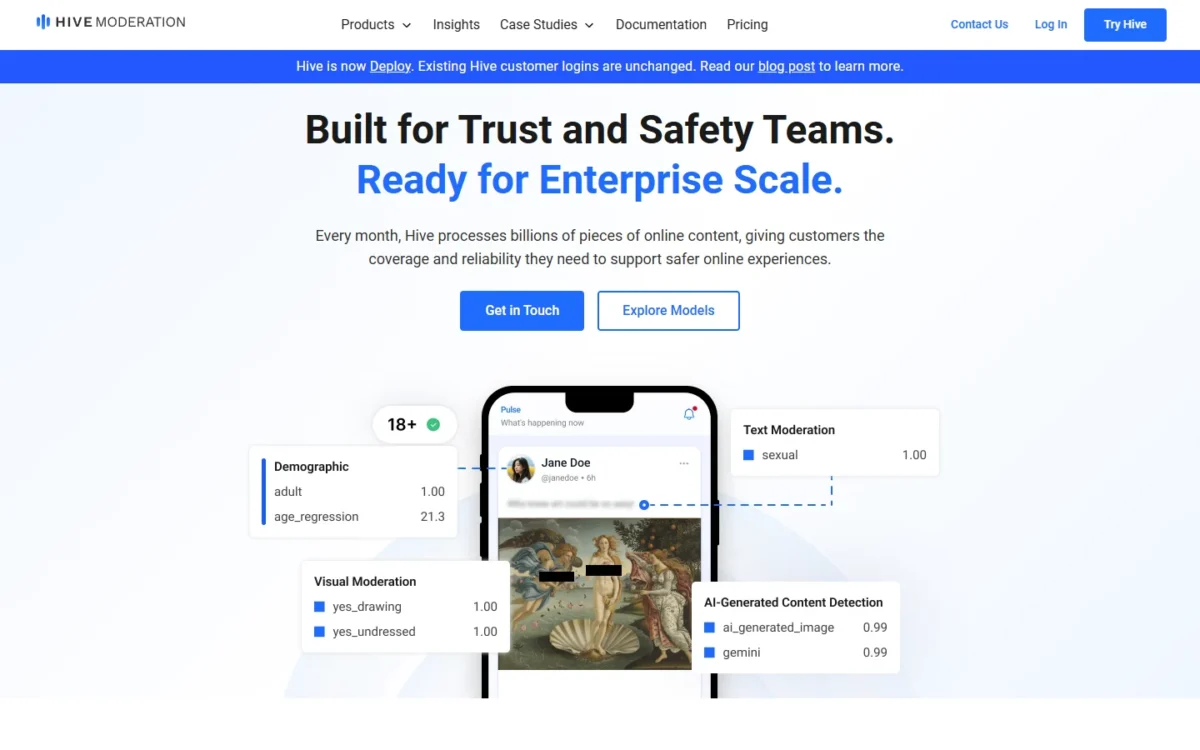
Start here when you have one suspicious image and want more than a yes or no. Hive (its site now reads “Hive is now Deploy”) keeps three tools free: Hive Detect for a file or media URL, a Chrome extension and an X Bot. Results pair a confidence score with the likely model behind a synthetic image, when one is available. The limit is commercial: the API has no public price.
Narqo’s test of November 13, 2026 ran nine images once, without an account: four generated images, a re-saved copy of the first with its metadata removed, a real photo with an AI-added dog and three real photos. Hive flagged all six AI images, counting the edited photo, and named the right model for the four original files. It changed its guess on the re-saved copy, so read the model name as a lead.
My take
Pick Hive for a free single-image check when the likely generator matters; a team that needs a budget line should price TruthScan instead.
The free tools cost nothing. The paid route is the API, and the pricing page, now titled Deploy, quotes it through sales.
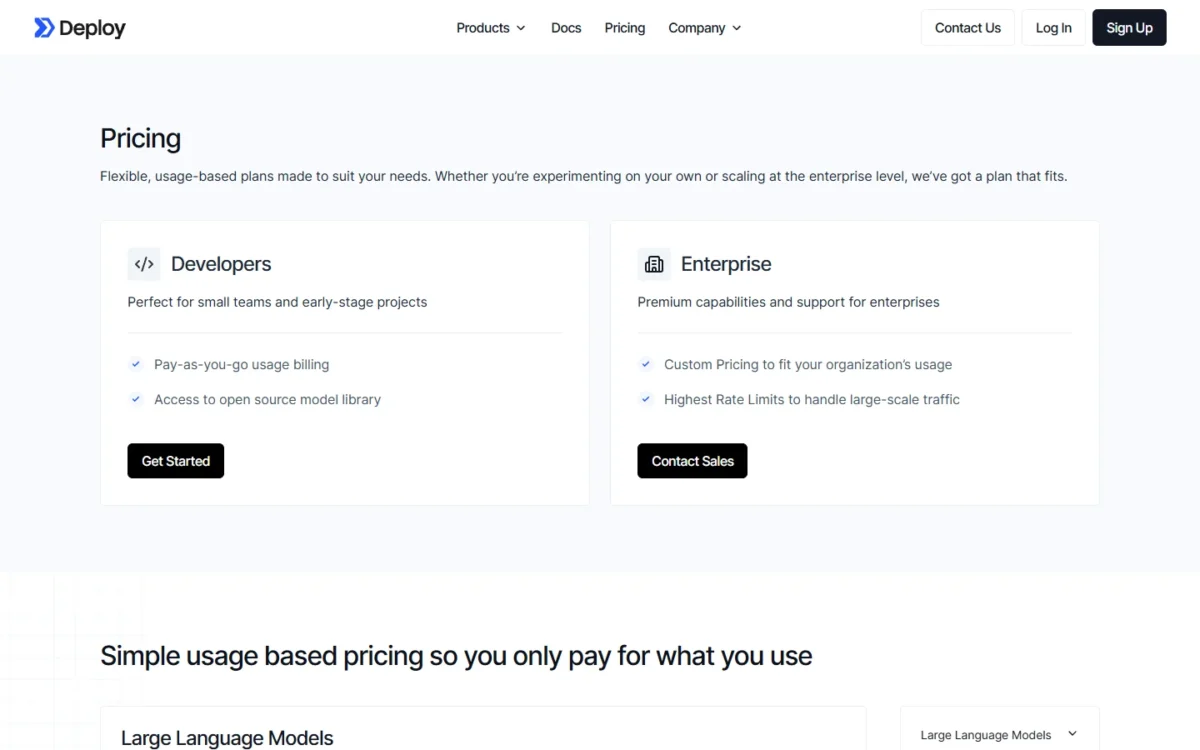
- Hive Detect, Chrome extension, X Bot: free
- AI Image + Deepfake Classifier API: Contact Sales
Sources: Hive (Deploy) pricing, checked November 2026.
Pros
- Three free tools: upload or URL checks, a Chrome extension and an X Bot
- Results add the likely model when available
- The extension also scans video and audio
Cons
- No public price for the classifier API
- File size limits are not listed on the detection page
- The model guess changed on a re-saved file in Narqo’s test
- Skip it if:
- you need a published per-check price or bulk uploads today; TruthScan prints both.
2. TruthScan: Best for Teams Checking Images in Bulk
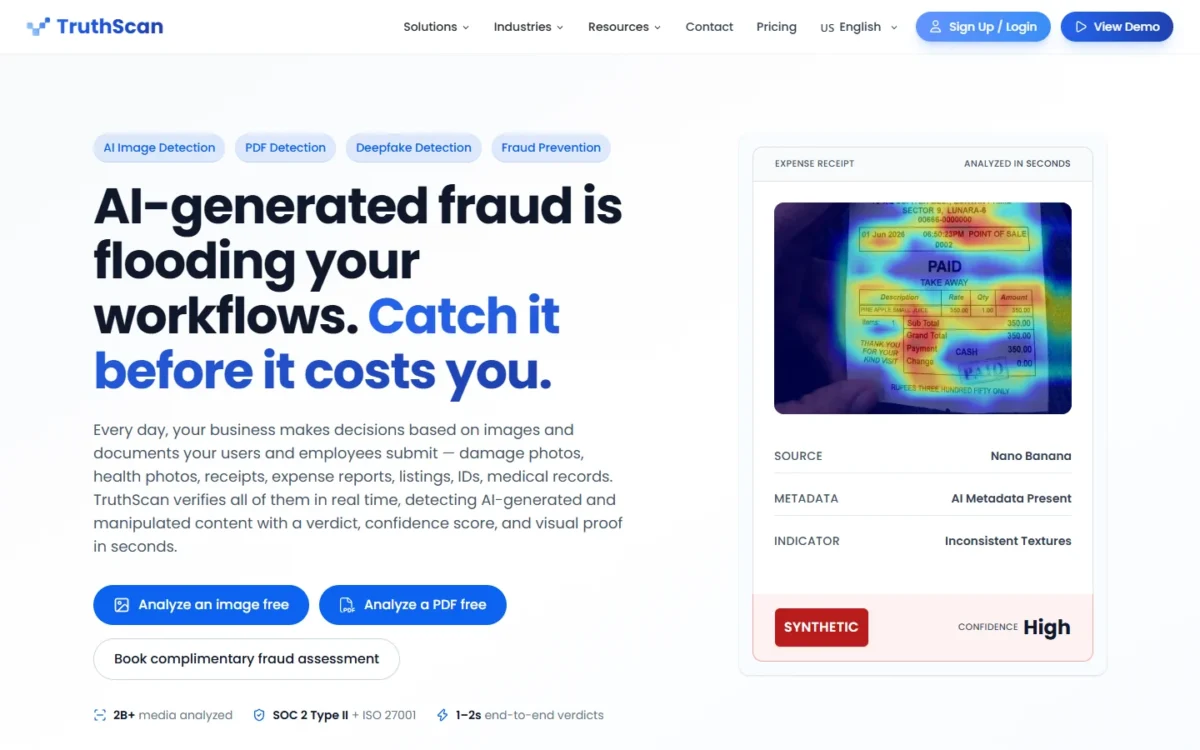
Nothing in a TruthScan result is an upsell: every result includes the probability score, classification, confidence score, detailed reasoning and a heatmap at no additional cost. Plans are priced per organization with no seat fees, so a ten-person review team draws from one result pool. The trade-offs are the 10 MB cap and retention, because images are kept by default below the Business plan.
Bulk checks run in the browser: upload a ZIP in batches of 500 images or fewer, so a claims or marketplace team clears a queue without code. In Narqo’s test of November 13, 2026, TruthScan was right on all nine images, though the heatmap needed sign-in and, unlike Hive, its free result named no generator.
My take
Pick TruthScan when several people review images and someone files the reports: Starter lists batch uploads, CSV export and audit-ready detection reports.
Extra results bill at each plan’s per-result rate. Unused results do not roll over, and annual prepay gives 2 months free.
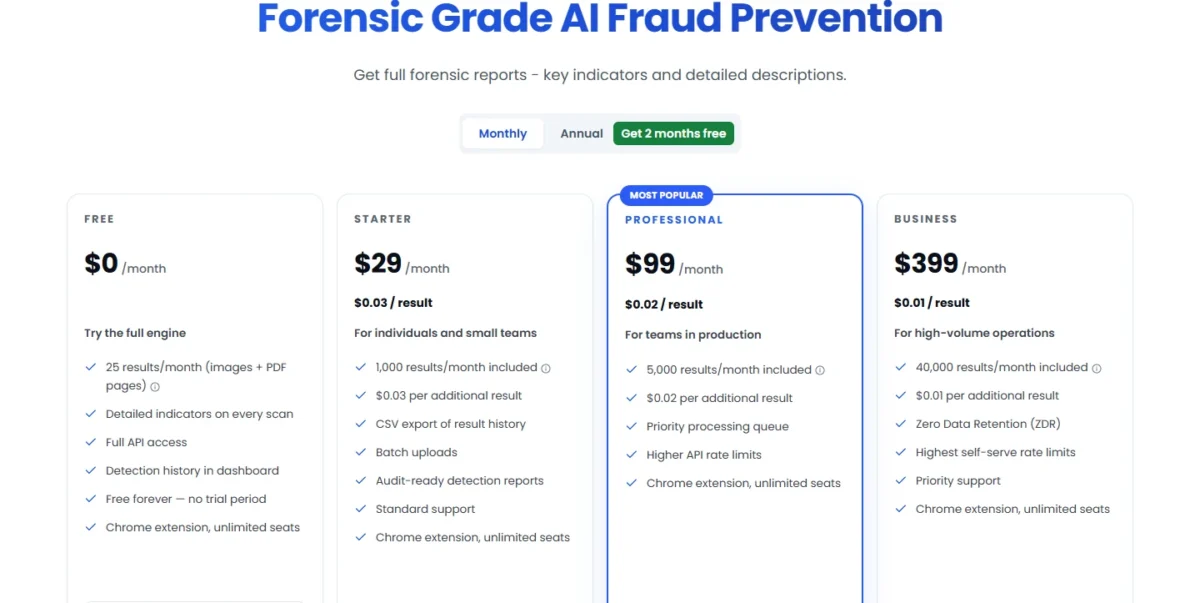
- Starter: $29 a month billed monthly, 1,000 results, then $0.03 each
- Professional: $99 a month, 5,000 results, then $0.02 each
- Business: $399 a month, 40,000 results, zero data retention
Sources: TruthScan pricing, checked November 2026.
Pros
- Heatmap and reasoning in every result at no extra cost
- Per-organization pricing with unlimited team members
- API access on Free and paid plans
Cons
- 10 MB cap per file
- Zero data retention needs Business or above
- Unused results do not roll over
- Skip it if:
- detection has to run inside your own app with a score per generator; Sightengine’s API returns them.
3. Sightengine: Best for Developers Building Moderation Pipelines
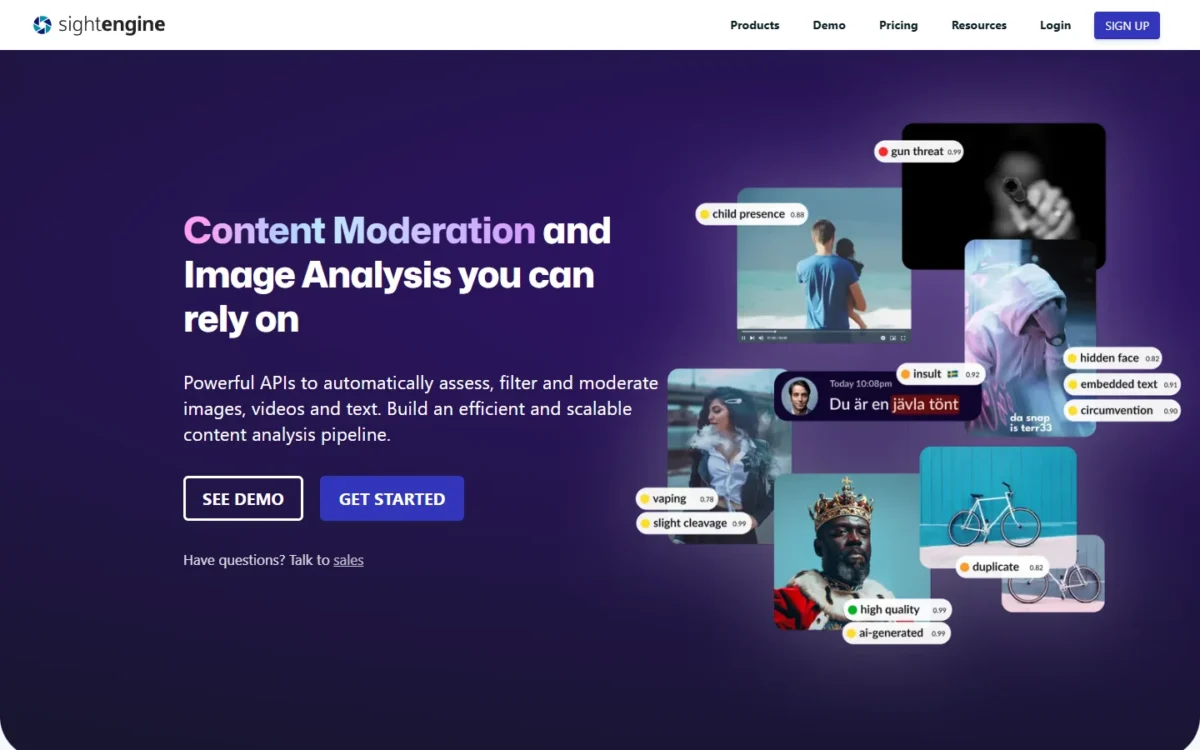
Sightengine is built to be called from code, not opened in a tab. One request with its genai model returns a global AI probability plus a confidence score for each supported generator, among them Midjourney, Flux, Stable Diffusion and Ideogram, and the same call can add deepfake or other moderation models. The design choice to weigh: detection is purely pixel-based, so metadata, C2PA provenance and invisible watermarks are ignored.
Ignoring metadata cuts both ways. Stripping EXIF has no effect on the score, but the API will not tell you a file carries a signed credential, so pair it with Sightengine’s free C2PA Checker.
My take
Pick Sightengine if an engineer owns the integration and AI detection sits beside other moderation checks. If nobody on the team writes code, use TruthScan’s browser uploads.
Going over quota raises the bill instead of stopping the service, and each response reports the operations it used.
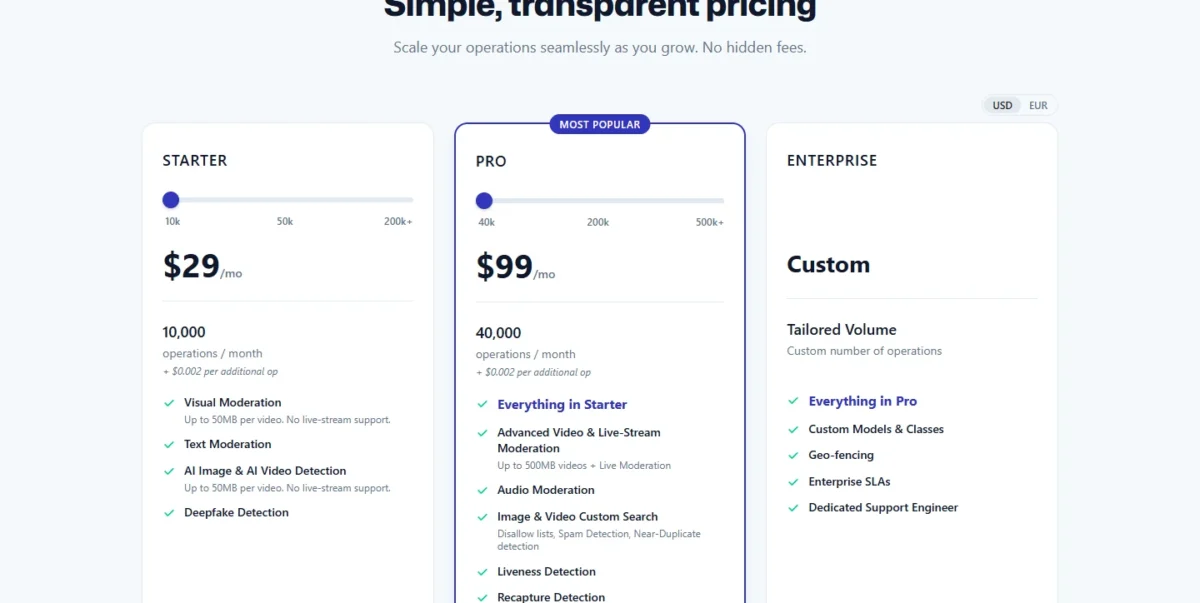
- Free: 2,000 operations a month, max 500 a day
- Starter: $29 a month, 10,000 operations, then $0.002 each
- Pro: $99 a month, 40,000 operations, then $0.002 each
Sources: Sightengine pricing, checked November 2026.
Pros
- Per-generator scores beside the global AI score in one JSON response
- Free plan with no time limit
- Requests that end in an error are not counted
Cons
- Pixels only: metadata and C2PA provenance are ignored
- Usage is counted in operations, not images
- Free and Starter allow 1 request per second
- Skip it if:
- you need to see where a photo was edited; Copyleaks draws the altered pixels.
4. Copyleaks: Best for Spotting AI Edits in Real Photos
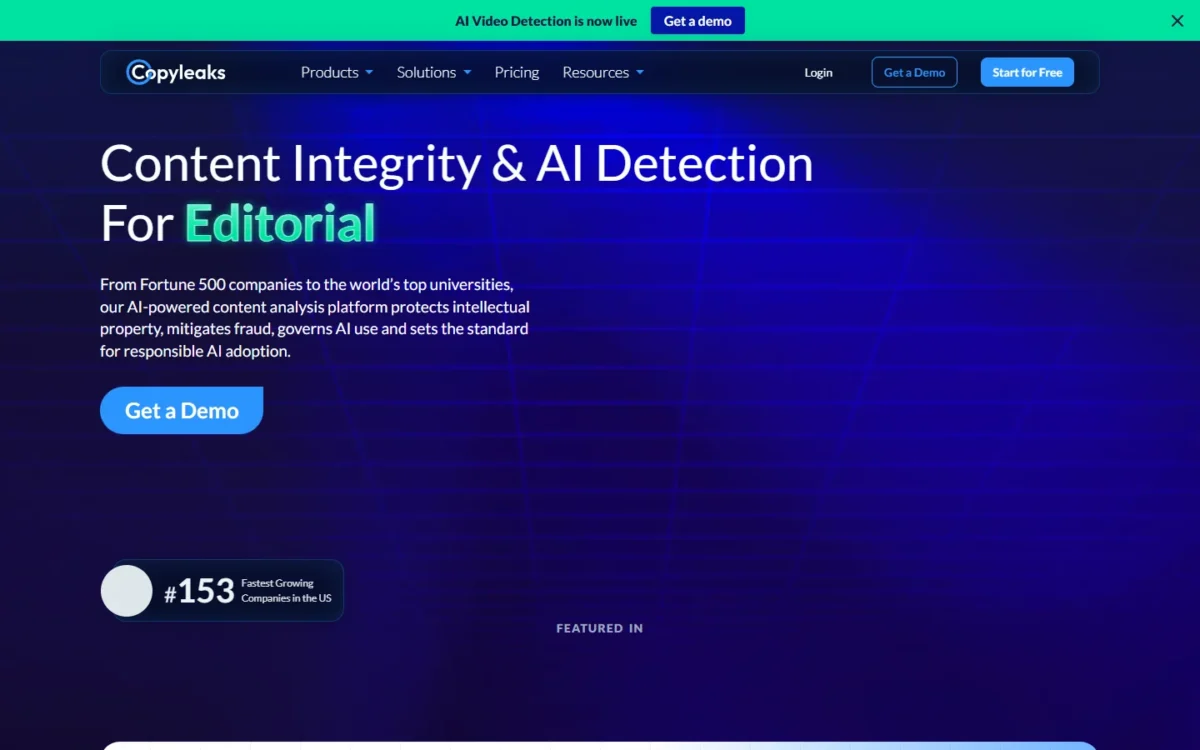
A whole-image score tells you whether a picture is AI; Copyleaks shows where. Its overlay highlights the pixels altered, generated or manipulated by AI, and a real photo that was only partly changed is classed AI. That fits insurance photos, product listings and ID documents, on files up to 32 MB and 24 megapixels. The blind spot is stated plainly: manual Photoshop edits, collages and simple filters are not detected.
The supported list includes iPhone Smart Magic Eraser and Samsung GenAI Editing, so a cleaned-up phone photo can come back as AI. Those are the edits AI photo editors make by inpainting, where nearby textures and lighting are regenerated, which is why the overlay may cover more than the object that changed.
My take
Pick Copyleaks when the question is which part of a real photo changed, and scan the original file. For plain is-it-AI checks at volume, TruthScan and WasItAI cost less per image.
Image scans share credits with text checks: 1 credit covers 1 image or up to 250 words. On Personal that is about 17 cents a scan ($16.99 / 100).
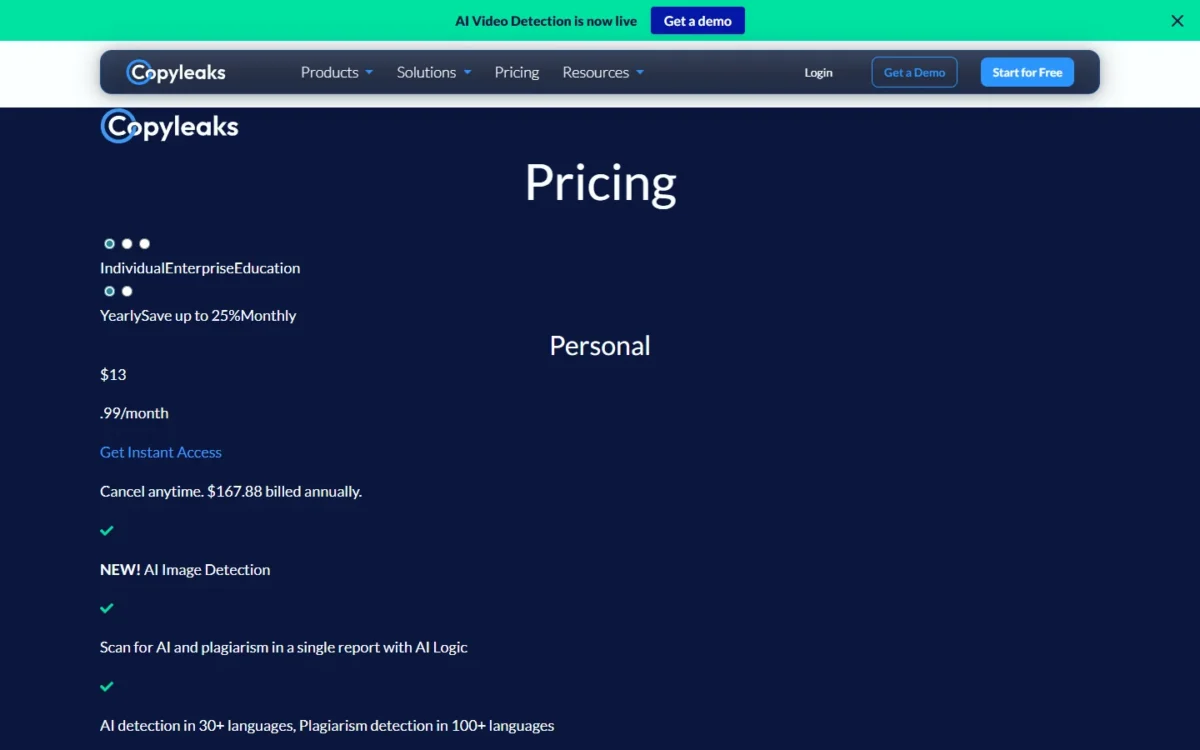
- Personal: $16.99 a month billed monthly, 100 credits
- Pro: $99.99 a month billed monthly, 1,000 credits, 25 user seats
- API: through the sales team
Sources: Copyleaks pricing, checked November 2026.
Pros
- Overlay shows the pixels AI altered, not only a score
- Flags iPhone and Samsung GenAI edits in real photos
- Accepts HEIC and HEIF files up to 32 MB
Cons
- Manual Photoshop edits, collages and simple filters are not detected
- About 17 cents a scan on Personal monthly billing
- API access goes through the sales team
- Skip it if:
- you only need a yes-or-no score on many images; AI or Not’s checks cost $0.02 each on Pro.
5. AI or Not: Best for Pay-As-You-Go API Credits
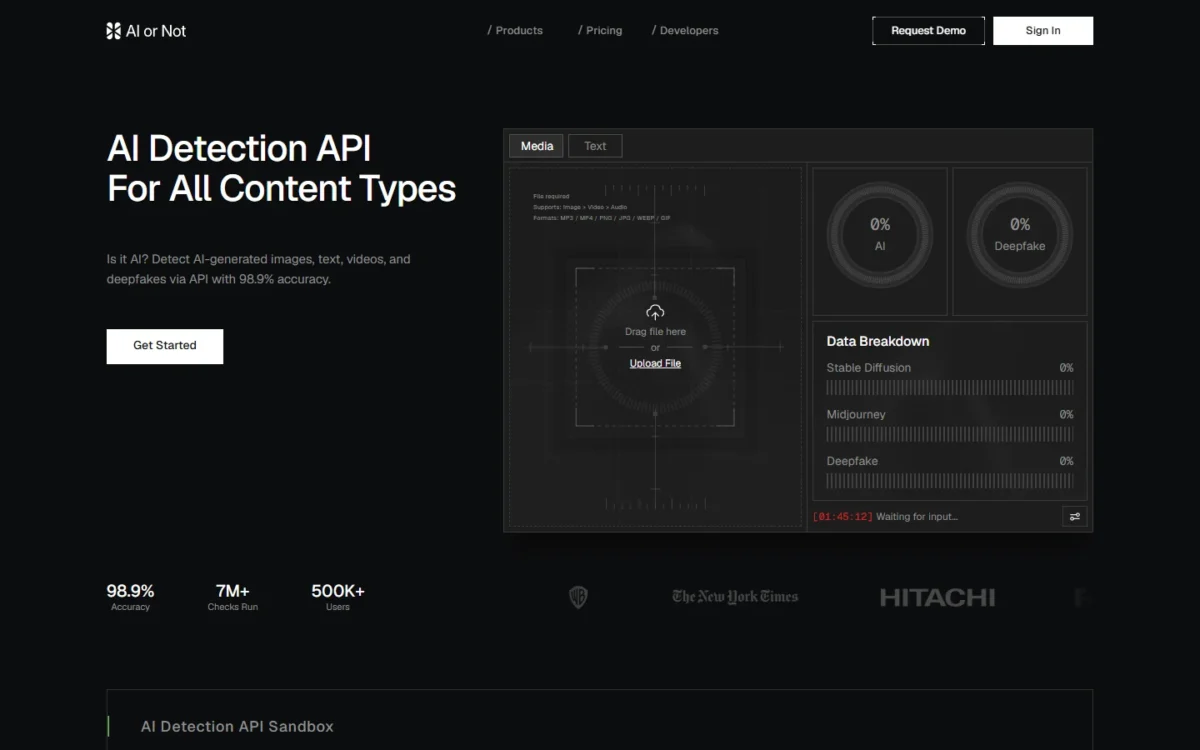
For a developer, the entry cost here is close to nothing. The free plan includes an API key and 20 image checks, and Pro’s monthly credits cover 500 image checks and roll over. What you give up is a team workflow in the browser: this is a credit meter with an API.
The image endpoint returns a verdict, AI and human confidence values and a generator block covering Midjourney, DALL-E, Stable Diffusion, Adobe Firefly and Flux. Read the request defaults before multiplying by volume: the AI-generated, deepfake, NSFW and quality reports all run by default, and the first two have their own costs.
My take
Pick AI or Not when volume is uneven, because credits roll over and a quiet month is not wasted.
Pro with top-ups reaches $100 only at 5,250 checks ($5 + 4,750 x $0.02), so Business pays off above that volume.
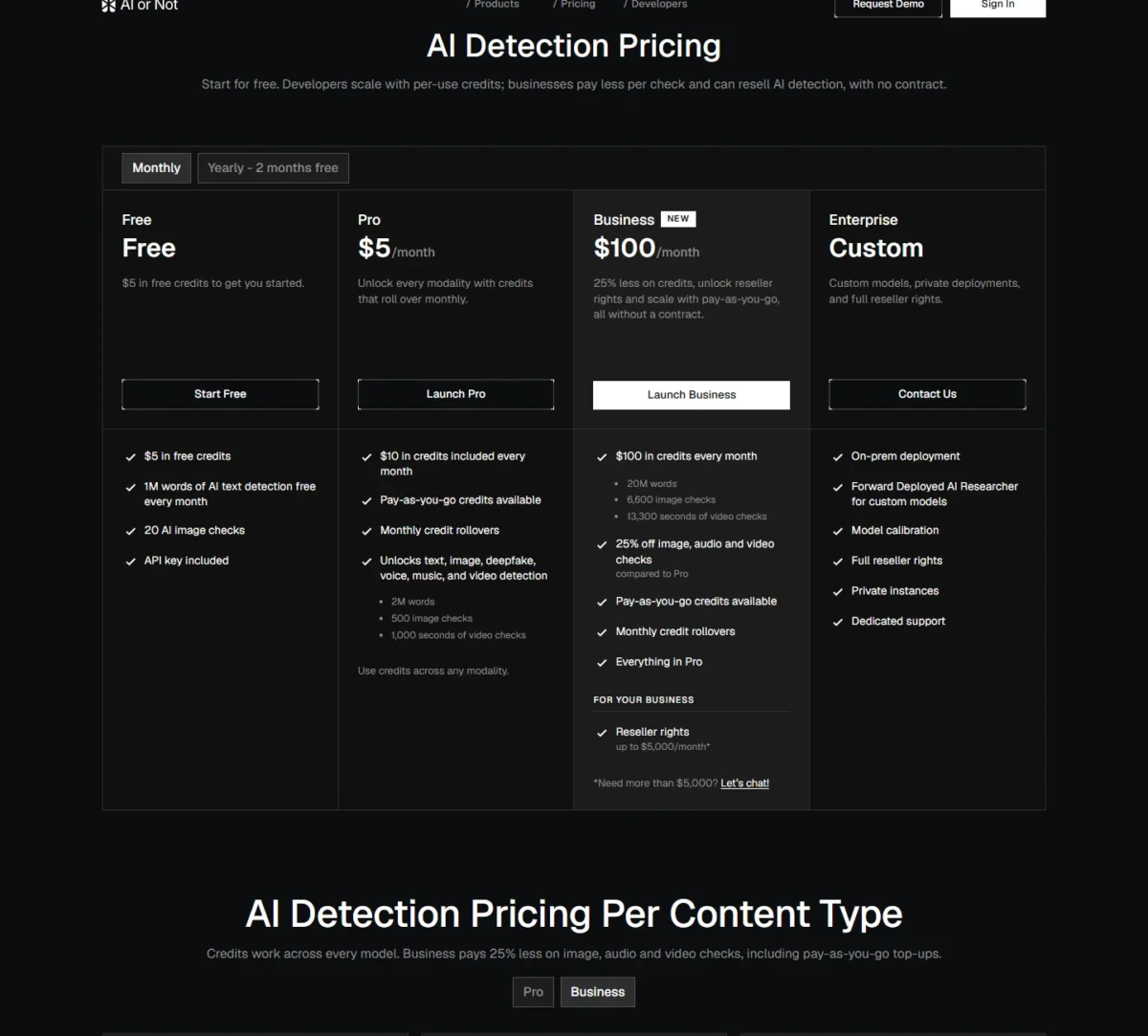
- Pro: $5 a month, $10 in credits, $0.02 per image
- Business: $100 a month, $0.015 per image
Sources: AI or Not pricing, checked November 2026.
Pros
- API key and 20 image checks on the free plan
- Unused Pro credits roll over each month
- API JSON includes generator values next to the verdict
Cons
- AI-generated and deepfake reports are billed separately in an API call
- Business only beats Pro plus top-ups above 5,250 checks a month
- Narqo’s test hit a CAPTCHA after 2 checks without an account
- Skip it if:
- you need a forensic report a non-developer can read; Winston AI puts the analysis layers and metadata on one page.
6. Winston AI: Best for a Forensic Report With Metadata
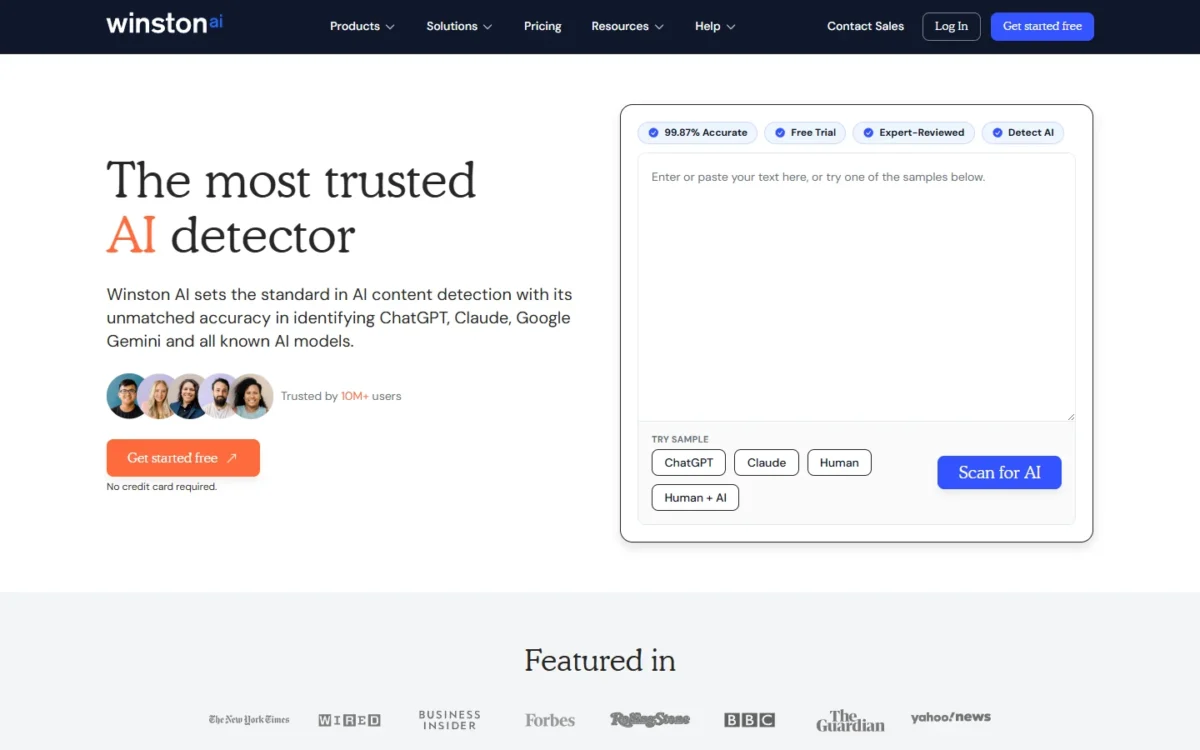
Winston AI is the report-writer of this list. Its advanced scan runs a pipeline of metadata extraction, error level analysis, residual noise maps and an edge heat map, and shows EXIF, IPTC and C2PA details beside the AI and human percentages. That suits an editor or instructor who has to explain a call, not only make one. The catch is budgeting: Winston does not say how many credits an image check uses.
Reading C2PA next to the classifier means one upload checks both the pixels and any signed record, the step Sightengine leaves out by design. Plans add shareable PDF reports, and integrations include Zapier, WordPress and Google Classroom. The same credits pay for text checks; if essays are the real job, choose among AI text detectors instead.
My take
Pick Winston when a shareable report with metadata matters more than cost per image. A new account’s 2,000 credits are described as enough for a few image checks, so count what one scan uses during the trial.
An annual plan cannot be canceled during its term. The page also showed a coupon when I read it in November 2026; these are the list prices.
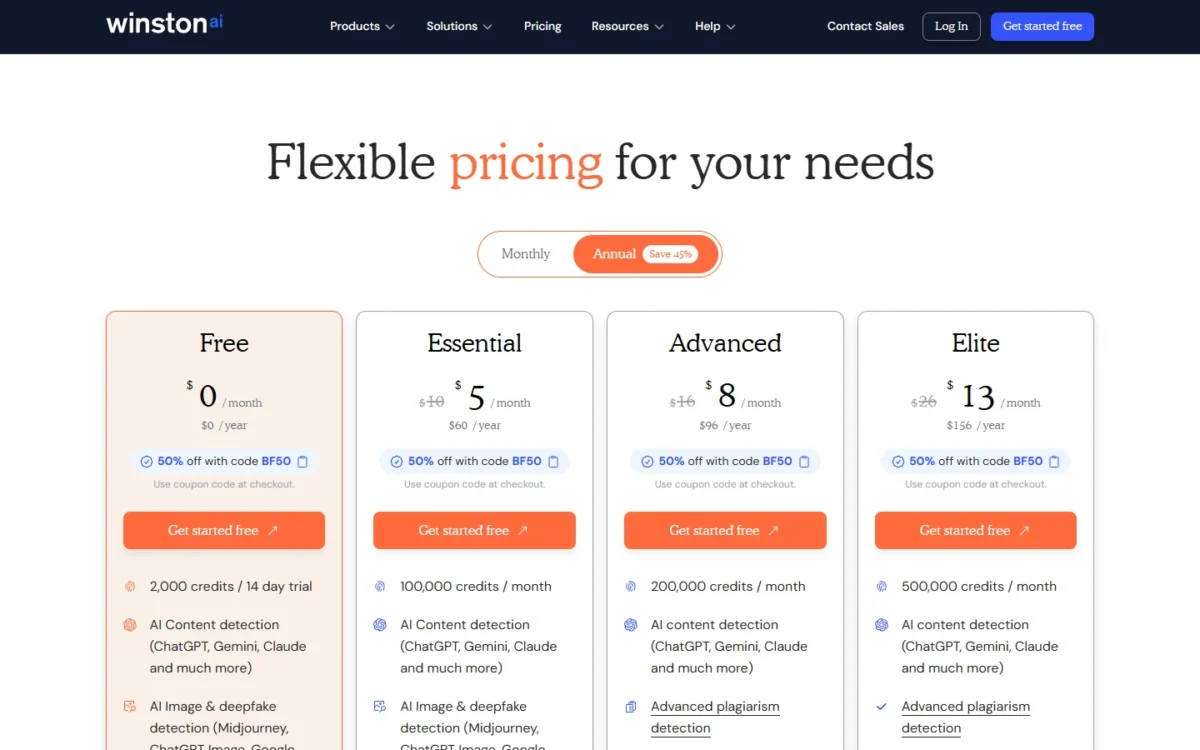
- Essential: $18 a month billed monthly, or $10 a month billed annually
- Credits: 100,000 a month on Essential
Sources: Winston AI pricing, checked November 2026.
Pros
- ELA, noise and heat-map layers beside the AI score
- EXIF, IPTC and C2PA metadata in the same report
- Shareable PDF reports
Cons
- Credits used per image check are not published
- 10 MB cap and four formats (JPEG, JPG, PNG, WEBP)
- No way out of an annual plan mid-term
- Skip it if:
- you want to check images as you scroll, with no upload step; WasItAI’s extension does that on a free account.
7. WasItAI: Best for Checking Images While You Browse
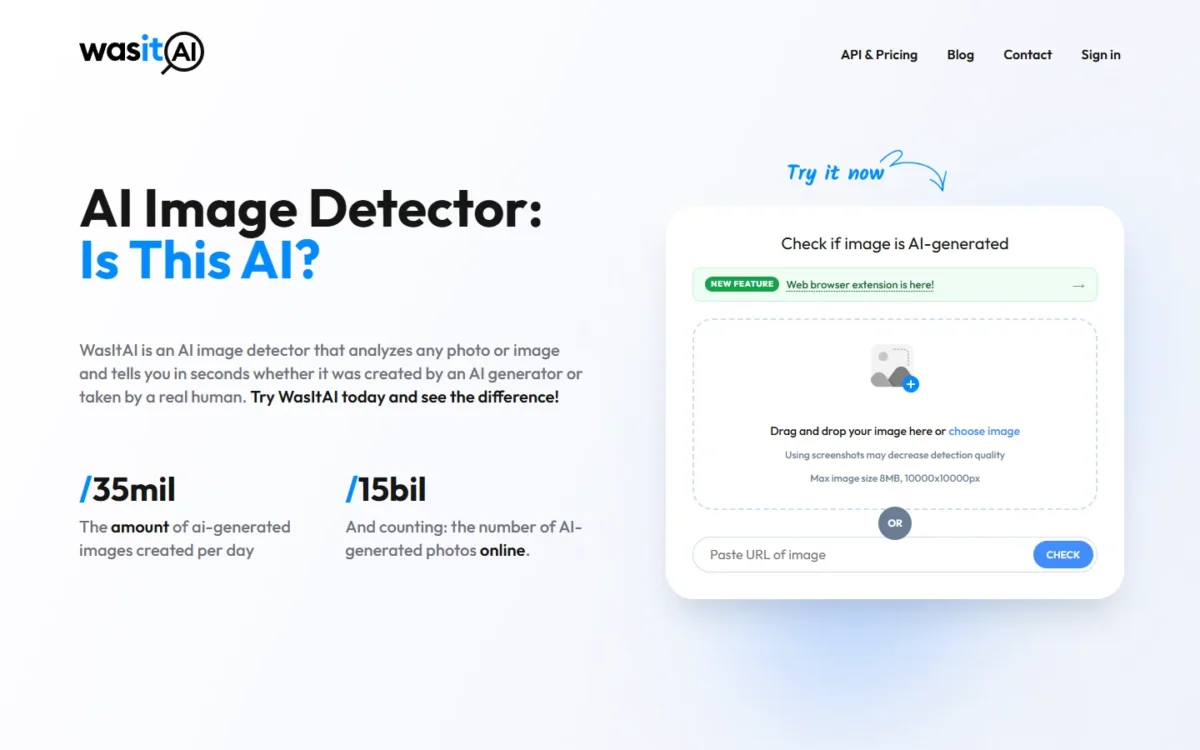
WasItAI moves the check to where the image is. Its browser extension puts a button on images as you browse social media, marketplaces or dating apps, and the verdict appears over the picture. The extension works with a free account that includes 10 images a month. That allowance is the limit to watch.
Every image goes through three independent checks: the C2PA Content Credentials record, known AI signatures in the file’s metadata, and WasItAI’s own pixel-level model, so a reposted image whose metadata is gone still gets a verdict. Hive’s extension is free too; WasItAI’s advantage is a published ladder of plans with API access on each.
My take
Pick WasItAI if most of your checks start in a browser tab, and sign in first: in Narqo’s test guests saw no score. Above 1,000 images a month, price TruthScan.
Volume barely lowers the rate, while TruthScan Professional lists 5,000 results for $99 and $0.02 for each extra one.
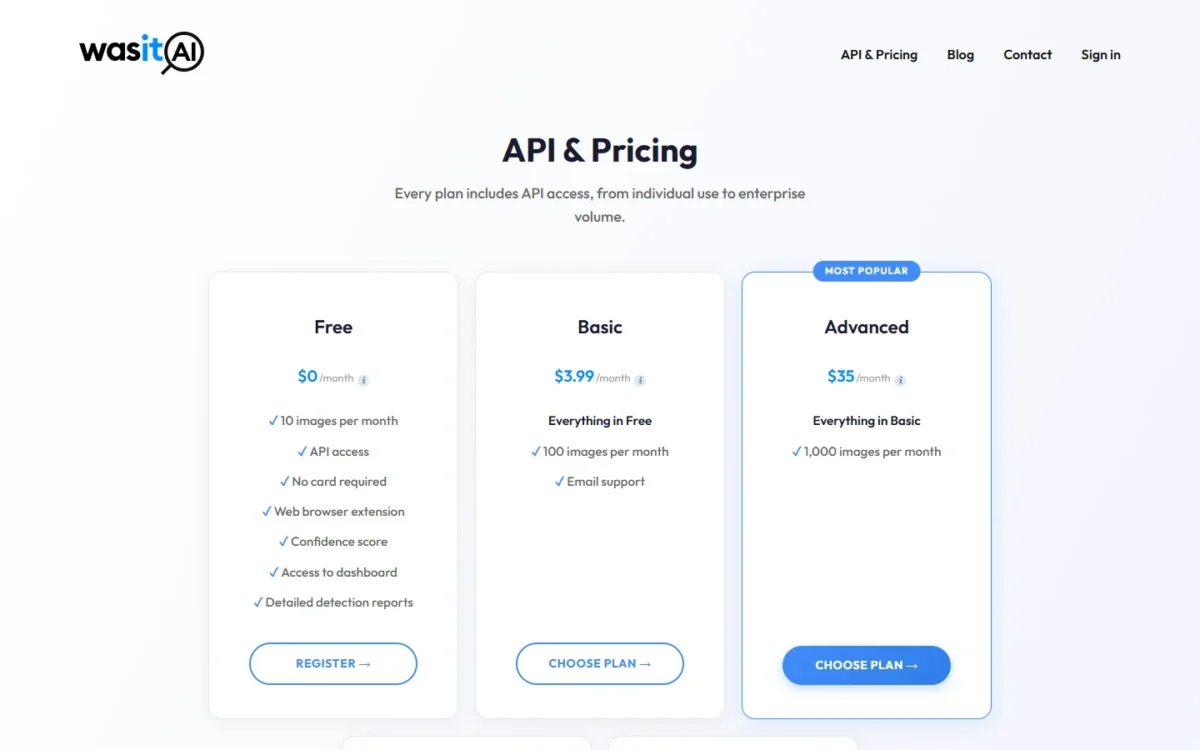
- Basic: $3.99 a month, 100 images
- Advanced: $35 a month, 1,000 images
- Pro: $300 a month, 10,000 images
Sources: WasItAI pricing, checked November 2026.
Pros
- Extension checks an image where it sits, in Chrome or Firefox
- Three checks per image: C2PA record, AI signatures, pixel model
- API access on every plan, including Free
Cons
- Free plan stops at 10 images a month
- Pro costs $300 a month for 10,000 images
- No score for guests in Narqo’s test
- Skip it if:
- 10 free checks a month is not enough and you do not want to pay; IsThisAI keeps image checks free.
8. IsThisAI: Best for Unlimited Free Image Checks
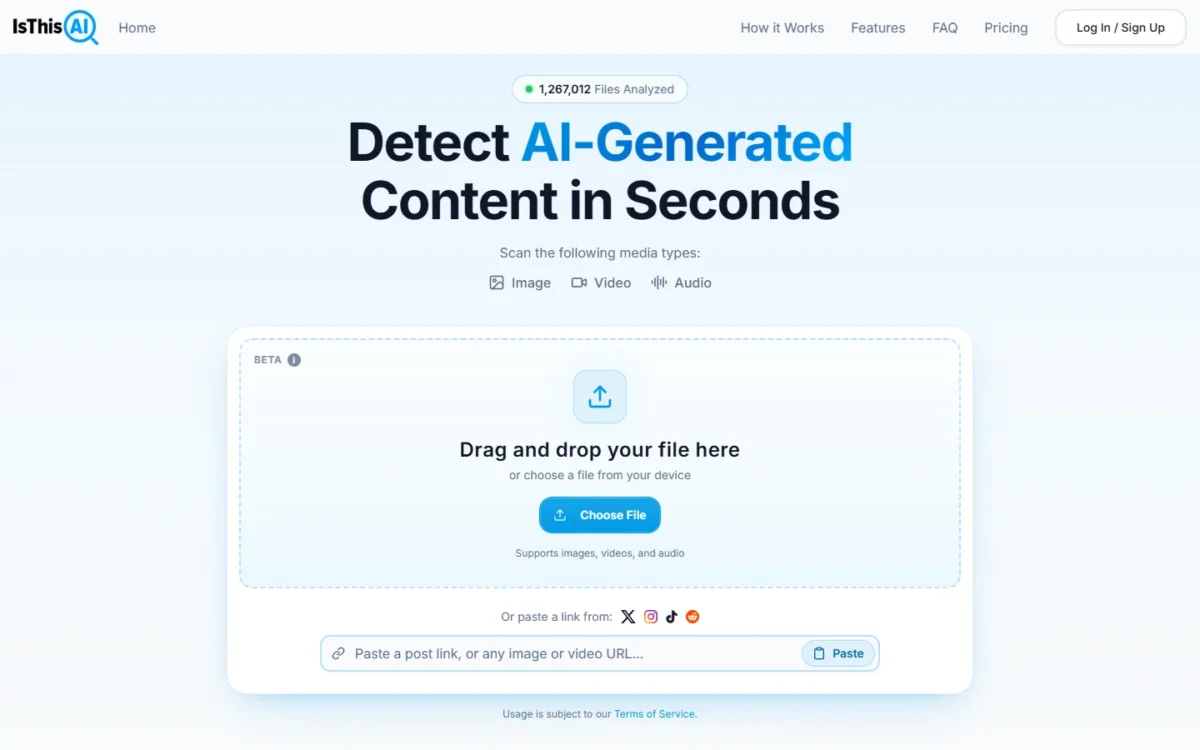
When the budget is zero and the count is not small, IsThisAI is the pick: checking images for AI is 100% free, and every plan includes unlimited image scans. A result gives a confidence score and the AI tool that most likely made the image. What sits behind the paywall is the explanation, since heatmaps and visual analysis belong to the paid plans.
It also saves a step on social media: paste the link to a public Instagram, TikTok or X post and it pulls the original photo from the post. Narqo’s test of November 13, 2026 had IsThisAI right on all nine images. Narqo also reports that each scan gets a public share link, a reason to keep confidential images out of it.
My take
Pick IsThisAI for everyday checks of social posts and forwarded pictures. For a large camera original I would use Copyleaks, because IsThisAI compresses files over 10 MB before upload.
For images alone, paid plans buy the heatmap and the signal breakdown, not more scans, so pay only when you must show why an image was flagged.
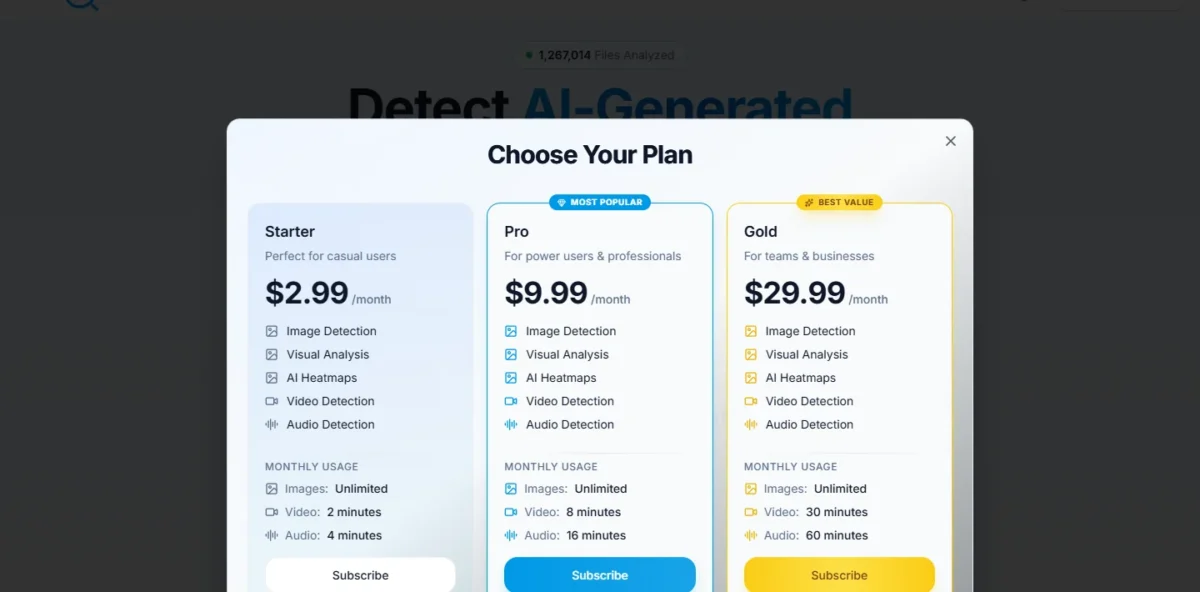
- Starter: $2.99 a month
- Pro: $9.99 a month
- Gold: $29.99 a month, with the most video and audio minutes
Sources: IsThisAI, checked November 2026.
Pros
- Image checks are free, with unlimited image scans on every plan
- Results name the most likely generator
- Accepts links to public Instagram, TikTok and X posts
Cons
- Heatmaps and visual analysis need a paid plan
- Images over 10 MB are compressed before upload
- No API is listed on its homepage
- Skip it if:
- you need an API or batch checks at a low price; Is It AI? includes both on its paid plans.
9. Is It AI?: Best for Small Volumes on a Budget
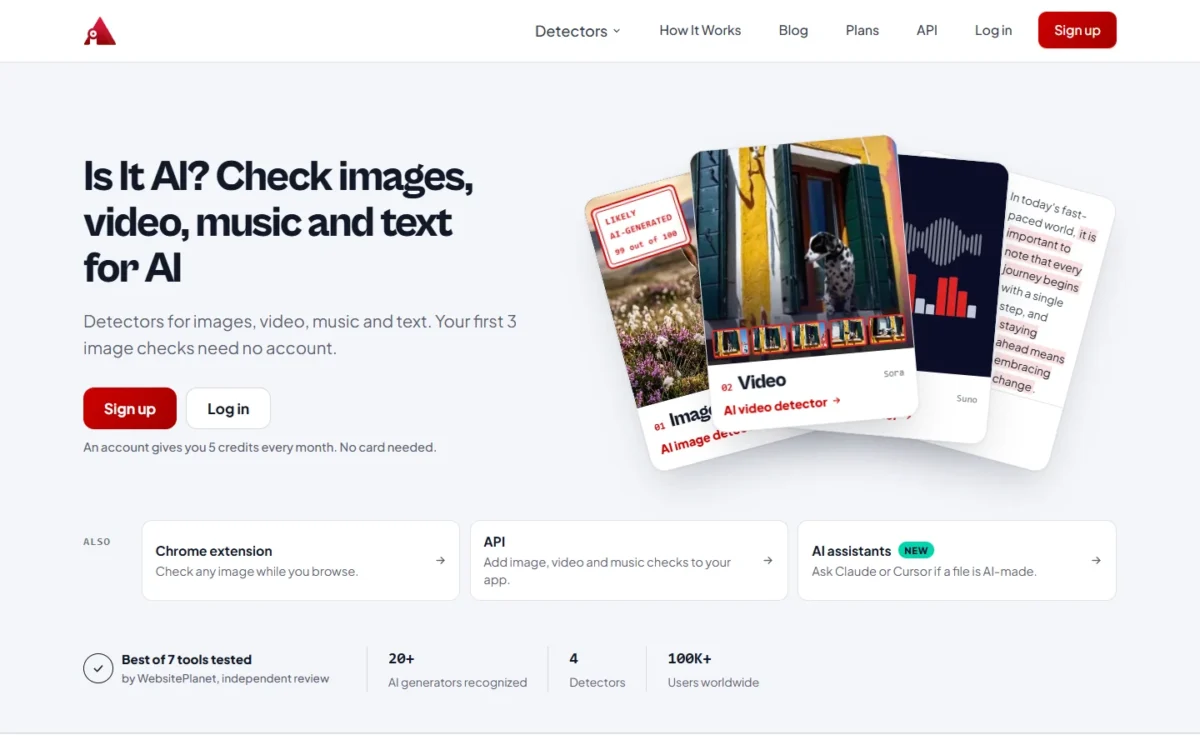
Is It AI? fits the person who needs a few dozen checks a month and an API without a real subscription. Every account can create an API key. A result is a likely verdict, a score out of 100 and the likely generator. The small print is the unit: credits also pay for video, music and the face swap check.
Batch work is covered at this price: paid plans check up to 5 images at once in the browser, and the API takes up to 20 images per request. Paid plans also add Investigate online, which shows where an image appears on the web and any published fact checks.
My take
Worth it at Starter’s 30 credits for $1.99 a month, a few dozen checks. Past that, the cost table shows cheaper routes: WasItAI Basic or AI or Not Pro from about 100 images a month, TruthScan Starter at 1,000.
Unused monthly credits do not roll over, and a pack of 10 credits costs $0.99. Annual billing shows Starter at $1.67 a month, billed $19.99 a year.
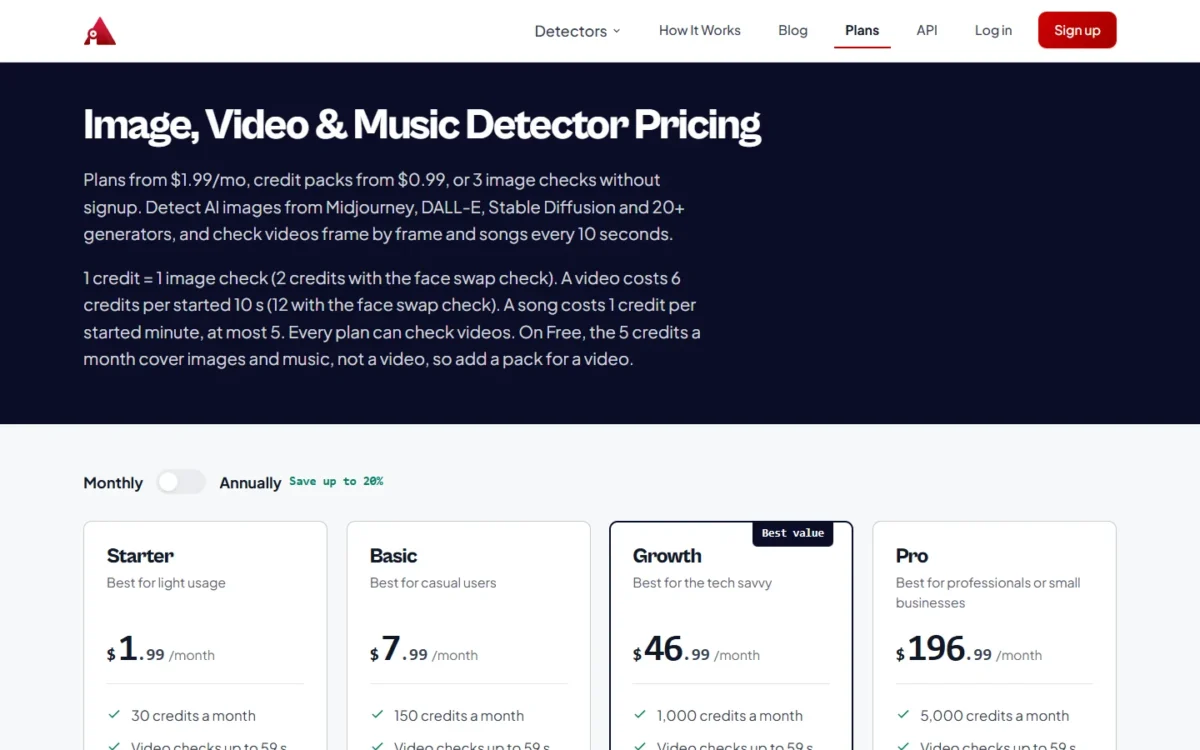
- Starter: $1.99 a month billed monthly, 30 credits
- Basic: $7.99 a month, 150 credits
- Growth: $46.99 a month, 1,000 credits
- Pro: $196.99 a month, 5,000 credits
Sources: Is It AI? pricing, checked November 2026.
Pros
- Full API access from $1.99 a month
- 3 checks with no account
- API batch checks of up to 20 images per request
Cons
- Credits are shared with video, music and the face swap check
- Monthly credits expire if you do not use them
- Browser batch checks and Investigate online need a paid plan
- Skip it if:
- you need thousands of API calls a day at one fixed price; Illuminarty Basic lists 10,000 requests a day for $10 a month.
10. Illuminarty: Best for Flat-Rate API Volume
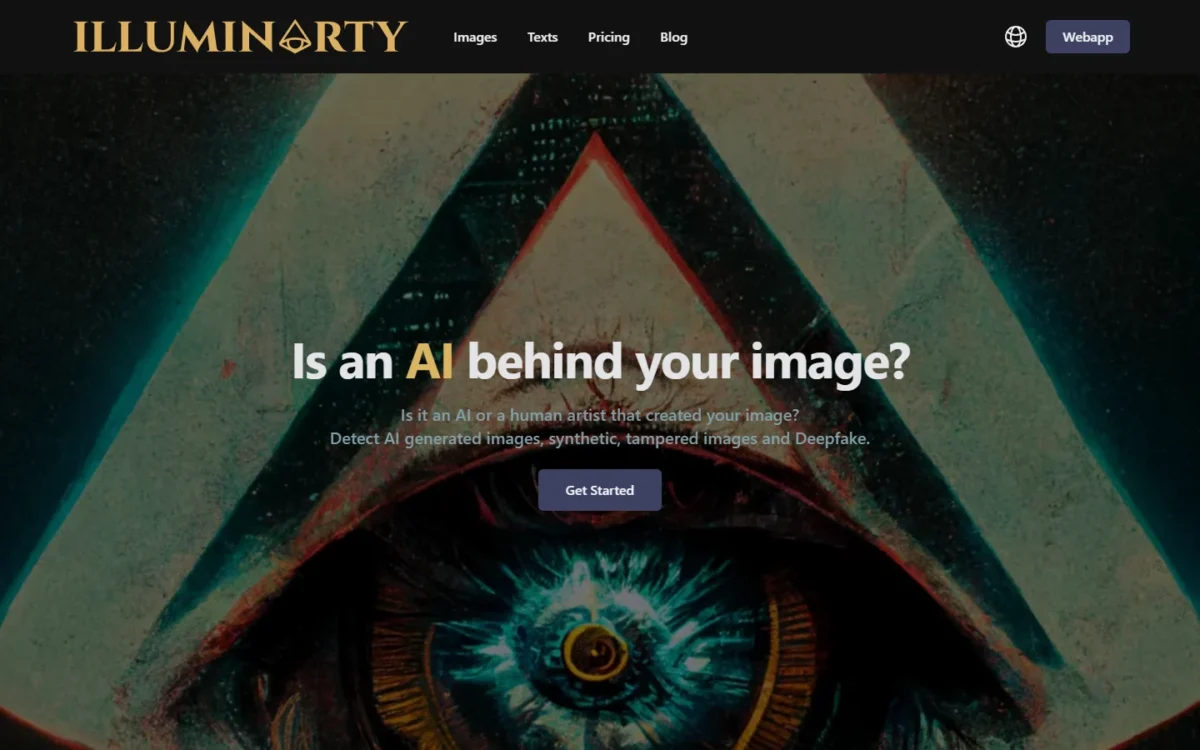
Illuminarty is a second opinion, not a first choice. It suits a developer who wants a fixed monthly bill with a daily API cap, where WasItAI charges $300 a month for 10,000 images. It sits last on what its own page shows: the free plan returns the probability only, and a browser extension is described as in the works. One dated run points the same way: in Narqo’s test of November 13, 2026, Illuminarty missed four of five AI images.
Its homepage asks “Is it an AI or a human artist that created your image?”, which makes it a natural AI art detector for artwork and illustrations.
My take
Pick Illuminarty only as a low-cost second signal behind another detector, or for screening artwork at a flat price. For a decision that costs someone money, use Hive or TruthScan, which did better in Narqo’s one run.
A flat price is only a saving if the answers hold up, so run a labeled sample of your own files through the free web app first.
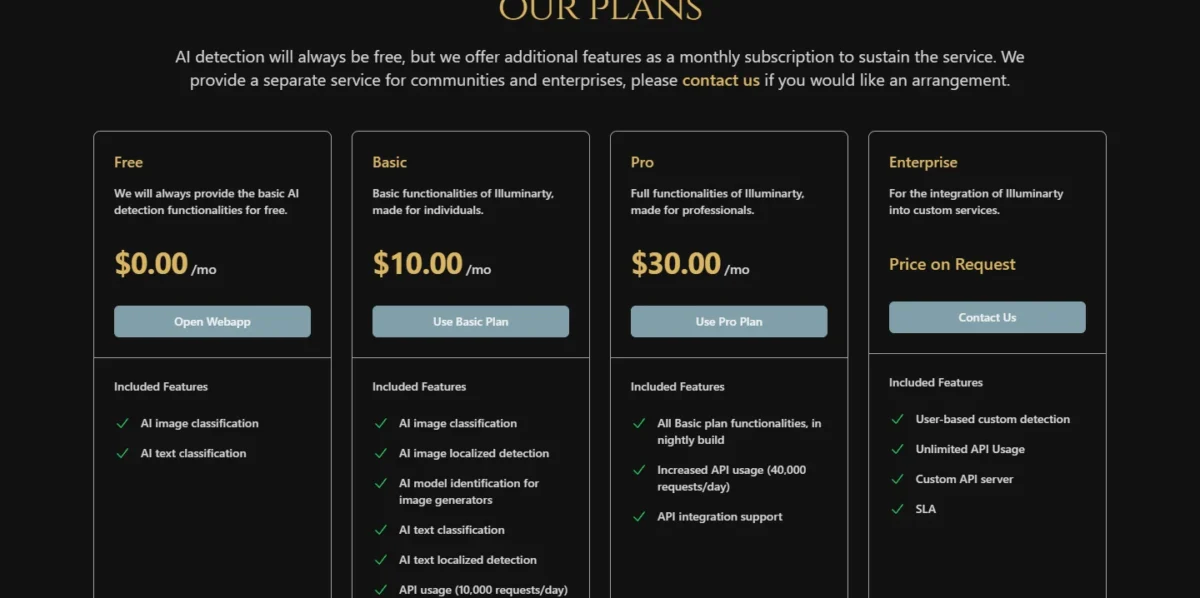
- Basic: $10 a month, API usage of 10,000 requests a day
- Pro: $30 a month, 40,000 requests a day
Sources: Illuminarty, checked November 2026.
Pros
- Flat monthly price with a daily API cap, not per-image billing
- Localized detection and model identification on Basic
- Free AI image classification
Cons
- Missed four of five AI images in Narqo’s test
- Free plan shows the probability only
- The browser extension is still in development
- Skip it if:
- a wrong answer has a cost, such as a refund or a takedown; use TruthScan or Hive.
Can You Trust an AI Image Detector’s Score?
Trust a score as a probability, not as proof. An arXiv benchmark of 23 open-source detector variants on datasets of about 2.6 million images, submitted in February 2026 and revised that October, put the best detector at 75.0% mean accuracy and the worst at 37.5%. In the same arXiv benchmark, images from Flux Dev, Firefly v4 and Midjourney v7 reached only 18–30% average detection accuracy across all methods.
That study measures open-source models, not the ten commercial tools above, and its authors conclude that “no universal winner exists”. Detection trails new AI image generators, so the image generators people use now are a better guide to risk than a headline accuracy number. Vendors publish their own figures; treat them as claims until your own files agree.
| Software | Claim on the vendor’s own page | Narqo’s result (one run, no account) |
|---|---|---|
| TruthScan | 99.3% average detection accuracy across 92 image generators and 250,000 real images | All nine right |
| IsThisAI | Typically around 98.7% on popular generators | All nine right |
| AI or Not | 98.9% accuracy | First two right, then a CAPTCHA |
| Winston AI | An accuracy rate above 98% | Not tested: account required |
Sources: TruthScan pricing, IsThisAI, AI or Not and Winston AI detector, checked November 2026; results from Narqo’s guide.
Read Narqo’s check as a snapshot: nine clean images, each tool run once, published by a company that makes its own metadata checker. Its hardest case is the most useful. In Narqo’s November 13, 2026 test, a real photo with one AI-added dog scored 71.8% on Hive and 80% on TruthScan and IsThisAI, while Sightengine gave it 14%. Untouched real photos fared better in Narqo’s run: Hive scored the three of them 0% to 2.1%.
Narqo’s guide gives its own rule of thumb: 90% and above as a strong hint and 50% to 90% as unclear. A real photo can still come back as AI: Copyleaks classes human photos partially altered with AI tools, such as iPhone Smart Magic Eraser, as AI.
My take
I would treat a mid-range score as a reason for a second detector and a provenance check, never as grounds for a takedown or a refused refund by itself.
File handling moves the score too: Copyleaks and IsThisAI warn that compressed or resized copies weaken detection. If your copy was resized or run through AI upscalers and photo enhancers, ask for the original first. Then work in this order:
- Read the original file for Content Credentials or a SynthID watermark.
- Run a pixel detector from this list on the best copy you have.
- On a mid score, add a second detector and a reverse image search; Narqo’s guide suggests Google Lens or TinEye.
A clean result means the tool found no sign of AI. It does not verify a photo’s authenticity.
Proof of Origin: SynthID Detector and Content Credentials
Provenance checks read a mark or a signed record instead of estimating from pixels, so a positive result is evidence of origin, while a missing mark proves nothing.
Google’s SynthID embeds an invisible watermark in AI-generated images, designed to stand up to cropping, filters and lossy compression. Google is expanding SynthID Detector to everyone, and the portal checks whether a file was made with AI from Google or partners including OpenAI, NVIDIA and Kakao. Gemini, Search and Chrome run the same check when you upload a file and ask.
Content Credentials are the C2PA standard’s record of a file’s origin and edits. Content Credentials Verify inspects them on JPEG, PNG, HEIC, WebP and other formats, and warns that credentials are still rolling out, so a file may show nothing. Sources: Google SynthID and C2PA, checked November 2026.
How to Choose an AI Image Detector
Start with what you have to act on: a score, a region, a generator name or a signed record. In the matrix a cell names the plan when a feature is gated, and “Not listed” means the vendor pages I read do not mention it.
| Software | Names the generator | Heatmap or region map | Reads metadata or C2PA | API | Browser extension |
|---|---|---|---|---|---|
| Hive | Yes, when available | Not listed | Not listed | Contact Sales | Chrome |
| TruthScan | Not listed | Yes, every result | Not listed | Free and paid plans | Chrome |
| Sightengine | Yes, per-generator scores | Not listed | No, pixels only | Free plan and up | Not listed |
| Copyleaks | Not listed | Yes, pixel overlay | Not listed | Through sales | Chrome, Edge, Firefox |
| AI or Not | Yes, in API JSON | Not listed | Not listed | Free plan and up | Not listed |
| Winston AI | Tool indications | Yes, edge heat map | Yes: EXIF, IPTC, C2PA | Yes | Chrome |
| WasItAI | Not listed | Not listed | Yes: C2PA and AI signatures | Every plan | Chrome, Firefox |
| IsThisAI | Yes | Paid plans | Not listed | Not listed | Not listed |
| Is It AI? | Yes | Not listed | Yes: C2PA read first | Every account | Chrome |
| Illuminarty | Basic | Basic | Not listed | Basic | In development |
Sources: the vendor pages linked under the comparison table, plus WasItAI and Sightengine docs, checked November 2026.
Batch checks are listed by two picks: TruthScan takes ZIP uploads in batches of 500 images or fewer, and Is It AI? checks up to 5 images at once in the browser and up to 20 per API request.
Pick by the job. A marketplace, claims or KYC verification team should start with TruthScan, on Business ($399 a month) when ID images must not be kept, because images are retained by default below it. Add Copyleaks when the fraud is a manipulation inside a real photo. A platform screening profile photos for fake accounts needs an API: pick Sightengine, or AI or Not if volume is uneven.
Also Considered
Six more tools were weighed, and each lost to a ranked pick on a fact from its own page or a published result.
- DeepAI: Narqo reports that it runs on TruthScan’s engine, and in that November 13, 2026 test it showed the same scores, so TruthScan is the ranked pick.
- ZeroGPT: designed for individual image checks; its page sends large-scale detection to TruthScan.
- imagedetector.com: free with no sign-up and a probability score, but its page lists no paid plan or API to compare.
- Phrasly: its pricing page sells plans that include “Advanced AI Detection Bypass”, the opposite job from this list.
- MyDetector: free with no login and a 10 MB cap.
- Decopy: missed three of five AI images in Narqo’s test. Illuminarty missed four in Narqo’s test and keeps its ranked place only as a flat-rate API option, with Basic listing 10,000 API requests a day at a flat monthly price.
FAQ
Is there a free AI image detector with no sign-up?
Yes. Is It AI? allows 3 image checks without an account, and Narqo’s test ran Hive, TruthScan and IsThisAI without one. A free account goes further: TruthScan gives 25 results a month, AI or Not 20 image checks and WasItAI 10 images.
Do screenshots or re-saved files fool AI image detectors?
They fool metadata readers more than pixel detectors. In Narqo’s test, a re-saved AI image with its metadata removed was still flagged by Hive, TruthScan, IsThisAI and Sightengine, while the two metadata checkers in that test, Narqo’s own checker and Content Credentials Verify, found nothing. WasItAI still warns that screenshots may decrease detection quality.
Are my uploaded images stored?
It depends on the tool. AI or Not states that all data is deleted instantly on every plan, and WasItAI that images are not stored on its servers. TruthScan retains images by default and offers zero data retention on Business and above. Pick AI or Not or TruthScan Business if retention decides the purchase.
Final Verdict: My Pick for Each Situation
Here is the detector I would open first in each situation.
- One image, no budget: Hive or IsThisAI, both free and both naming the likely generator.
- A team checking hundreds or thousands a month: TruthScan.
- Detection inside your own product: Sightengine, or AI or Not to pay per check.
- A real photo that may have been edited: Copyleaks, on the original file.
- A report someone else will read: Winston AI.
- Images you meet while browsing: WasItAI’s extension.
- A few dozen API checks a month: Is It AI? Starter, or Illuminarty as a flat-rate second signal.