
The ChatGPT image generator is a built-in AI feature of ChatGPT, officially named ChatGPT Images, that creates new images and edits existing ones from a natural-language prompt. It runs on Images 2.6, released November 4, 2026, which OpenAI says generates images 50% faster than before. Every ChatGPT plan includes it, Free too, on web, iOS and Android, under image limits OpenAI describes in words, not numbers.
Images with thinking, which plans an image before generating it, is on Plus ($20 a month, billed monthly), Pro and Business, not on Free or Go. ChatGPT Images fits someone already in ChatGPT who needs marketing posters or product visuals with text; it does not fit pixel-exact work, because selection edits can spill past the highlighted area.
Key facts, checked November 23, 2026
Edit with a selection tool or by chat. Output comes in any aspect ratio, with text, a transparent background or a looping GIF (rolling out). Each image carries C2PA Content Credentials and a SynthID watermark, and OpenAI’s terms say you own the output.
In This Article (8 sections)
What Is the ChatGPT Image Generator Now?
ChatGPT Images is the official name of ChatGPT’s image generator, and since November 4, 2026 it runs on Images 2.6, which OpenAI introduced in ChatGPT, Codex and the API together.
In the API, OpenAI offers the release as GPT-Image-2.6 Flare and Sunburst “for developers to choose from.” Those are API model names, not ChatGPT modes, and OpenAI does not publish which of the two ChatGPT runs.
| Version | Released | What changed |
|---|---|---|
| ChatGPT Images 2.0 | April 21, 2026 | New model on all ChatGPT plans; images with thinking introduced |
| ChatGPT Images 2.5 | September 8, 2026 | Up to 50% lower latency than Images 2.0; Sketch, templates, image comments, prompt sharing |
| ChatGPT Images 2.6 | November 4, 2026 | 50% faster; more consistent details across edits; GIF creation; saved reference images |
Sources: ChatGPT release notes, Introducing ChatGPT Images 2.5, Introducing Images 2.6, checked November 2026.
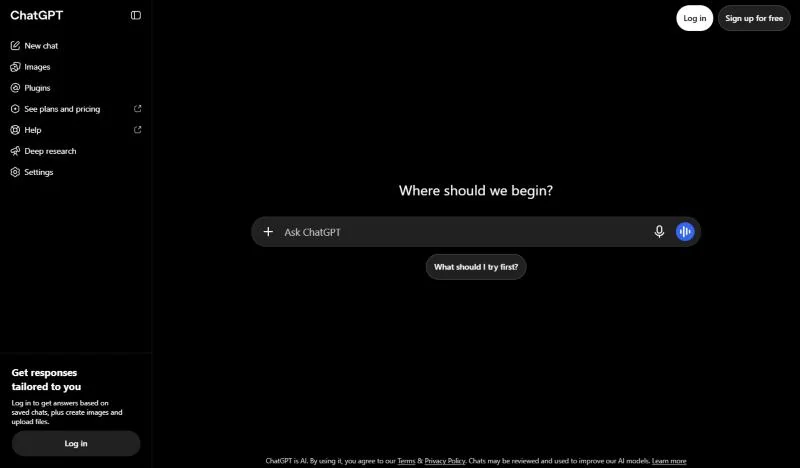
OpenAI also retired the official DALL·E GPT from ChatGPT on August 30, 2026; my DALL·E review traces what happened to DALL·E.
ChatGPT Images vs sites using the GPT Image name
Per OpenAI’s help center, ChatGPT Images creates and edits images in ChatGPT on web, iOS, and Android, while chatgptimage.app says on its own page: “ChatGPT Image is the tool; GPT Image 2 is one of the models it runs on.”
The plan limits, terms and provenance marks on this page apply to images made in ChatGPT.
How to Make an Image in ChatGPT, Step by Step
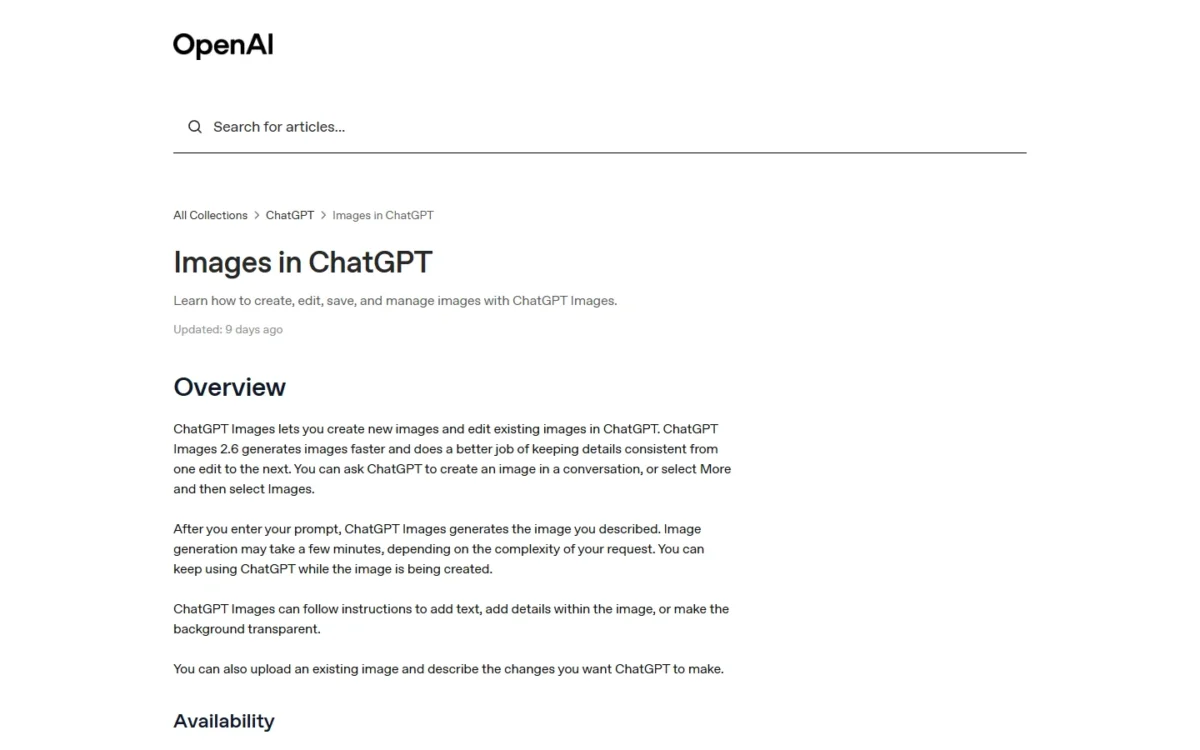
Making an image in ChatGPT takes one prompt: describe the picture in a chat, send it, and save the result. No command syntax is needed; OpenAI’s instruction is to “describe the image you want ChatGPT to create.”
- Open a chat, or select Explore and then Images.
- Describe the subject, the composition, the style and any text the image should show.
- Set the shape with the aspect ratio picker, or write the ratio into the prompt.
- Send it. Generation “may take a few minutes, depending on the complexity of your request,” and you can keep using ChatGPT meanwhile.
- Select the finished image, then choose Copy, Save or Share.
Every image is saved automatically under Images.
Take an illustrative five-person bakery that needs a holiday flyer; the shop and the wording are invented. The first prompt:
Create a 4:5 flyer for a neighborhood bakery’s holiday pre-orders. Headline text, exactly: “Holiday Pies, Order by Friday”. Warm flat illustration of a lattice-top pie, cream background.
Two follow-ups refine it in the same chat: “Make the headline larger and dark green,” then “Give me the same flyer in 9:16.”
When a blank prompt is the obstacle, start from copy-paste AI image prompts by job and swap in your own subject and text.
Sketches, templates and GIFs
Three starting points replace a blank prompt: a template for a poster, a sketch when layout matters more than wording, and a GIF for a mascot or product loop.
Templates. In the sidebar, select Images, then Templates, pick a category and a template, and customize the details.
Sketch. On the mobile app, type @ in the message box, select Sketch, draw the layout, then add instructions.
GIFs. GIF creation is rolling out: ask for a looping GIF and say what should move, or upload a still image to animate. ChatGPT can’t edit an animated GIF you upload.
How to Edit an Image in ChatGPT
To edit an image in ChatGPT, select one that ChatGPT Images generated or upload your own, then either highlight an area with Select and describe the change, or describe the edit in the chat without selecting anything.
- Select the image in your conversation or in Images to open the editor. An upload must be a PNG, a JPEG or a non-animated GIF of at most 20MB.
- Choose Select, highlight the area and describe the change, or skip the selection and name the area in your prompt.
- Revise with Undo or Redo, choose Cancel to start over, or choose Aspect ratio to regenerate the image in another shape.
- Select Save.
On mobile, a slider sizes the selection tool, and the image controls add Resize and Remove.
The limit to plan around is precision: OpenAI’s help article says “Highlights are not always precise, and edits may extend beyond the area you selected.” After a selection edit on a product shot or a logo, compare the rest of the image with the earlier version before you save.
When you know the edit but not the wording, my ChatGPT photo editing prompts supply text to paste at step 2.
Reuse a reference photo with @name
A saved reference lets you reuse one photo across chats: upload it, ask ChatGPT to save it as a reference, name it, then type @ and that name in a later prompt. OpenAI’s example is a dog photo saved as Pepper and the prompt “Make a watercolor portrait of @Pepper.”
Saved reference images arrived with Images 2.6, and they suit a campaign that needs the same product or mascot photo in every image.
What Each ChatGPT Plan Allows for Images
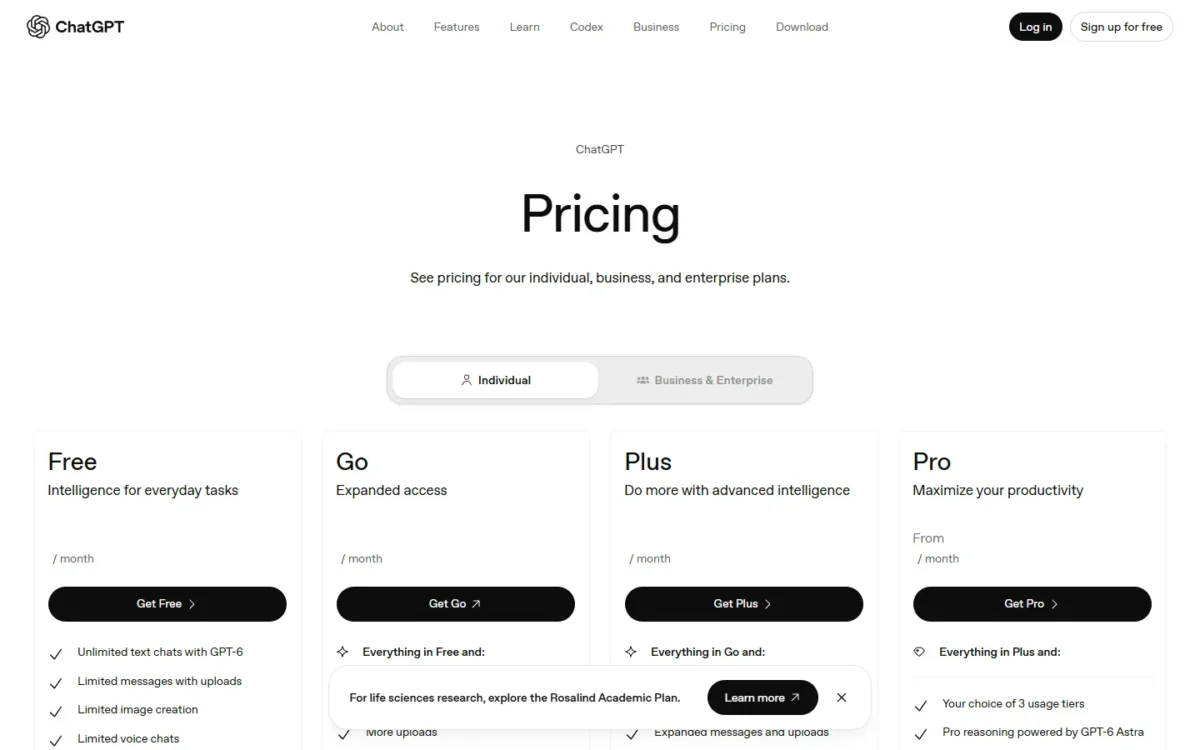
Every ChatGPT plan can create images: Free gets “limited image creation,” Go gets more, Plus adds images with thinking, and Pro gets “unlimited and faster image creation,” subject to abuse guardrails.
| Plan | Image creation | Images with thinking |
|---|---|---|
| Free | Limited | No |
| Go | More than Free | No |
| Plus | More complex and accurate | Yes |
| Pro | Unlimited and faster, subject to abuse guardrails | Yes |
| Business | Included; image limits not listed on the Business limits page | Yes |
| Enterprise and Edu | Included | Coming soon |
Sources: ChatGPT pricing page, Images in ChatGPT, ChatGPT Free Tier FAQ, What is ChatGPT Go?, ChatGPT Business models and limits, checked November 23, 2026.
Free’s image limit is separate from the chat limit, and OpenAI states no count, so the signal to watch is the in-product notice. Upgrading to Plus, Pro or Business resets a reached limit.
Images with thinking is the gate that matters for layout-heavy work. OpenAI says the mode “can plan and refine image outputs before generating them,” and it applies when you select Thinking and Pro models. Go leaves it out, so a marketer making posters on Go is really choosing between Go or Plus for that one feature.
Go is $8 a month and Plus $20 a month on monthly plans; Pro starts at $100 a month, with tiers at $100, $200 and $500. For images, Pro adds “unlimited and faster image creation,” which matters only if you keep reaching the image limit on a lower plan. Business pricing and annual billing are in my guide to ChatGPT plan prices.
What It Does Well and Where It Stops
OpenAI documents text inside an image, transparent backgrounds, any aspect ratio and edits by conversation for ChatGPT Images; it stops at pixel-exact selections, and OpenAI’s help article lists no pixel resolution.
| What OpenAI documents | Where it stops |
|---|---|
| Adds text and details within the image | Highlights “are not always precise”; edits may extend beyond the selection |
| Makes the background transparent | Pixel resolution: not listed on the help article |
| Any aspect ratio, from the picker or the prompt | A complex request “may take a few minutes” |
| Edits by selection or chat; reuses a saved reference by @name | Uploads: 20MB per image, and the count per message depends on size and text; non-Latin text, rotated images and panoramic or fisheye shots are read less well |
| Looping GIFs from a prompt or a still (rolling out) | An animated GIF you upload cannot be edited |
Sources: Images in ChatGPT, ChatGPT Image Inputs FAQ, checked November 2026.
A social media graphic or marketing poster uses the text and aspect ratio controls, and a mascot loop uses GIF creation. A product visual on a new background uses an upload plus chat edits.
My take
For a small team, I would use ChatGPT Images for drafts and for finished social graphics, posters and product mockups where a small drift between edits is acceptable. I would not plan pixel-exact retouching around it.
Whether your text comes out readable depends on your own prompt and photo, so run the real job on the Free plan first. Free has no images with thinking, so that test shows the base generator only: a weak result on a layout-heavy poster does not tell you what Plus would make of it.
Who Owns ChatGPT Images, and How Are They Marked?
Under OpenAI’s Terms of Use you own the output, and images generated with ChatGPT include two provenance signals, Content Credentials (C2PA metadata) and a SynthID watermark, though OpenAI says coverage “may vary by product, model, export path, file type, and when the content was created.” Neither shows on the picture a client sees: SynthID is an invisible watermark, and both are information that software reads.
The Terms of Use say that, between you and OpenAI, you “own the Output,” and OpenAI assigns you its rights in it, “if any.” I read that as covering ads, products and client work, with two conditions.
First, output “may not be unique and other users may receive similar output,” so ownership is not exclusivity: a logo made here still needs a trademark search. Second, you may not represent “that Output was human-generated when it was not.” This is a reading of the terms, not legal advice.
| Change to the file | Content Credentials (C2PA metadata) | SynthID watermark |
|---|---|---|
| Screenshot | Can be lost | Designed to withstand it |
| File conversion | Can be lost | Converting to JPEG may make it harder to detect |
| Light edits or cropping | Editing tools may remove it | Designed to withstand them |
| Heavy cropping or file compression | Editing tools may remove it | Can become undetectable |
Sources: OpenAI’s provenance signals help article, checked November 2026.
Anyone can check a file for either signal at openai.com/verify, so keep the original export for clients or platforms that ask where an image came from.
What OpenAI’s rules block
OpenAI’s usage policies bar the “use of someone’s likeness, including their photorealistic image or voice, without their consent in ways that could confuse authenticity,” along with attempts to infringe others’ intellectual property rights. Two common briefs are therefore off the table: a real person’s face in an ad without consent, and a brand or character you do not own.
When Another Tool Fits Better
My advice is to stay in ChatGPT when images are part of writing work you already do there; the table below sets each need against where to look instead.
| Your need | Stay in ChatGPT? | Where to look |
|---|---|---|
| Images inside writing work, edited by chat | Yes | ChatGPT Images on your current plan |
| Pixel-exact masks | No | An image editor with manual mask tools |
| More free images than a limited tier | No | An AI image generator with a stated free allowance |
| Image generation inside your own app | No | OpenAI’s API (GPT-Image-2.6 Flare or Sunburst) |
Sources: ChatGPT Learn: Image generation, Introducing Images 2.6, checked November 2026.
Model choice is the clearest reason to leave. In ChatGPT, OpenAI made Images 2.6 available “across all subscription tiers,” and its help article describes no way to pick another image model. Adobe Firefly lists GPT Image 1.5 and GPT Image 2 as partner models next to other models, with no separate OpenAI account. If comparing models is the point, my ranking of image generators worth paying for sorts the options by job.
When the Free limit is the problem and a subscription is not in the budget, start with the free AI image generators ranked by their free tier.
Whether ChatGPT as a whole earns its subscription is a separate decision, which my ChatGPT review makes.
My take
For a small team that already pays for ChatGPT, I would not add a second image subscription until one of the four “No” rows describes a weekly need.
Skip ChatGPT as your main image tool if clients require exact masks.
FAQ
Is the ChatGPT image generator free?
Yes, with limits: the Free plan includes “limited image creation,” and OpenAI states no daily number. The “two a day” figure dates from August 8, 2024, when Free users could create up to two images per day with DALL·E 3.
Can I still use DALL·E in ChatGPT?
No. OpenAI retired the official DALL·E GPT and sends users to ChatGPT Images; user-created GPTs with image generation enabled were not affected.
How do I delete an image from ChatGPT?
Delete the chat that produced it, which is how OpenAI says an image leaves your Images library. On the web, Delete sits in the more options menu beside the conversation title.
Can parents turn off image generation for a teen?
Possibly. OpenAI says the parent or guardian of a linked teen account may be able to control whether the teen can create or edit images.