Adobe Firefly stays the safer buy for images that face legal review, but the best Adobe Firefly alternatives win on narrower jobs. Midjourney sets the look from a Style Reference image, ChatGPT Images edits by conversation, Krea prices a team flat, and FLUX sells images per API call.
Firefly already runs Google, OpenAI and FLUX models, so a switch pays only when your reason survives that fact. I judged each pick against Firefly on commercial-use terms, credits, editing and plan price, from vendor pages read on October 27, 2026.
If you doubt that Firefly is the problem, my Adobe Firefly review gives its full verdict.
Quick verdict
Leave Adobe Firefly for Midjourney if you want stylized concept art, ChatGPT Images for conversational editing, Krea for a team of 11 to 50 on one monthly-billed price, or FLUX for per-image API calls.
Stay with Adobe Firefly if outputs face legal review or you retouch in Photoshop. The trade-off of leaving is Adobe’s licensed-training claim.
In This Article (21 sections)
Best Adobe Firefly Alternatives at a Glance

Midjourney
Best for: stylized concept art
Instead of Adobe Firefly’s style controls, a Style Reference image sets the look, and Standard adds unlimited Relax-mode images.
Limit: images stay public below Pro, the first plan with Stealth Mode

ChatGPT Images
Best for: conversational editing
Instead of Adobe Firefly’s Generative Fill, you change an uploaded photo over several chat turns, and OpenAI assigns you its rights in the output.
Limit: selections are not always precise, and Firefly’s Photoshop workflow stays behind

Krea
Best for: multi-model team workspaces
Instead of Adobe Firefly’s per-license team plans, Krea Business costs $200 a month on monthly billing for up to 50 seats.
Limit: Krea writes its indemnification for Enterprise customers

FLUX
Best for: per-image API generation
Instead of Adobe Firefly credits, FLUX.2 [pro] costs from $0.03 per image on a self-serve API, with no seat fee.
Limit: you build the interface for your own product, while Firefly’s Generative Fill already offers FLUX.2 pro
Adobe Firefly vs Alternatives: Quick Comparison
| Software | Best for | Starting price | Main advantage | What you give up | Switching note |
|---|---|---|---|---|---|
| Adobe Firefly | Legal-reviewed images and Photoshop work | US$9.99 per month (Standard) | Licensed and public-domain training | Benchmark | Benchmark |
| Midjourney | Stylized concept art | $10 per month (Basic); Pro $60 | Style Reference | Privacy below Pro | Upload exports to the Editor |
| ChatGPT Images | Conversational editing | Free; Plus $20 per month | Multi-turn photo edits | Selection precision | Re-upload images |
| Google Gemini | Quick photo edits on a Google AI plan | Free; AI Plus $4.99 per month | Nano Banana 2.1 on paid plans | Watermark-free images | Rewrite prompts |
| Canva | Design-ready marketing images | US$144 per year (Pro) | Templates and Brand Kits | Indemnity below 100 seats | Rebuild brand kits |
| Ideogram | High-volume private generation | $15 per month, billed yearly | Unlimited slow-queue images | A private free plan | Rewrite prompts |
| Recraft | Vectors and brand styles | $12 per month, billed monthly | Custom styles from your images | Free-plan commercial use | Rebuild styles |
| Leonardo AI | Private generations and model training | $12 per month on Pay Monthly, ex. tax | Token rollover and trained models | Free-tier ownership | Retrain models |
| Krea | Multi-model team workspaces | $9 per month (Basic) | 50 Business seats for $200 a month, monthly billing | Indemnity worded for Enterprise | Rebuild workflows |
| Stable Diffusion | Self-hosted generation | Free under $1M revenue | Runs on your hardware | A ready interface | Rebuild the workflow |
| FLUX | Per-image API generation | From $0.03 per image | No seats or subscription | A designer app | Write integration code |
| getimg.ai | One subscription across many models | $15 per month, billed yearly | Commercial rights on all plans | Photoshop integration | Rewrite prompts |
Sources: Firefly plans, Midjourney plans, ChatGPT Plus, Google AI plans, Canva pricing, Ideogram plans, Recraft pricing, Leonardo pricing, Krea pricing, Stability license, FLUX pricing, getimg.ai pricing, checked October 2026.
Commercial-use terms decide client work before features do, and they differ most on free tiers, which my ranking of free AI image generators compared covers.
| Software | Commercial use |
|---|---|
| Adobe Firefly | Outputs of Firefly models allowed |
| Midjourney | Pro or Mega for companies above $1,000,000 revenue |
| ChatGPT Images | You own the Output |
| Google Gemini | Not stated on the image page |
| Canva | You own your Output |
| Ideogram | Allowed; no ownership claim |
| Recraft | Paid plans only |
| Leonardo AI | Paid: you own it; Free: a licence while Leonardo holds rights |
| Krea | Commercial license on Free through Enterprise |
| Stable Diffusion | Free under USD $1M revenue |
| FLUX | Permissive on Enterprise; FLUX.2 [dev] non-commercial |
| getimg.ai | Commercial Rights on all plans |
Sources: Firefly plans, OpenAI terms, Canva AI terms, Ideogram pricing, Leonardo pricing, Krea pricing, BFL pricing, getimg.ai pricing, checked October 2026.
Why Look for an Adobe Firefly Alternative?
Three Firefly limits push buyers elsewhere: partner models cost credits, credits reset monthly, and team seats are priced per license.
Partner models. Firefly bills models from Google, OpenAI and others as premium features that spend generative credits, while its own standard image features stay unlimited on paid plans. A designer who mostly picks Nano Banana or GPT Image is paying Adobe to reach another vendor’s model.
Partner-model outputs
Adobe calls its Firefly models safe for commercial use, but you decide whether partner-model content suits your project. Its IP indemnity also excludes features powered by non-Adobe-trained models.
Credits. Firefly Standard, at US$9.99 a month, includes 2,000 generative credits a month, and unused credits reset on the billing date. My breakdown of Firefly’s plans and credit costs lists every allowance.
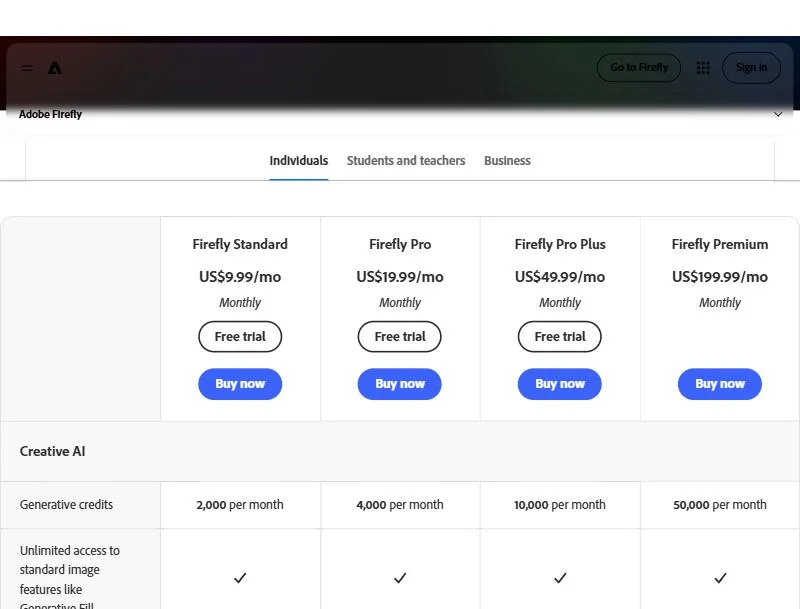
Team seats. Firefly Pro for teams costs US$19.99 per license per month, on an annual plan billed monthly, and Adobe’s enterprise terms say credits cannot be pooled. A team of 11 pays 11 x US$19.99 = US$219.89 a month, more than Krea Business at $200 a month on monthly billing.
1. Midjourney: Best Adobe Firefly Alternative for Stylized Concept Art
- Comparable plan: Standard, $30 per month or $288 a year
- Import from Firefly: upload PNG or JPG exports in the Edit tab
Pick Midjourney when a distinctive look matters more to you than Adobe’s licensed-training story. Style Reference turns any image into a visual direction, and Standard adds unlimited Relax-mode images. The trade-off is privacy: Stealth Mode starts at Pro.
Firefly steers style with over 20 controls; Midjourney copies the colors, medium and lighting of a reference image instead. Its Editor inpaints uploaded photos, but V8.X edits appear on midjourney.com unless Stealth Mode is on.
Where Midjourney may be better
- One reference image or style code holds a look across a series
- Unlimited Relax-mode images from Standard upward
Where Adobe Firefly may be better
- A free plan, while every Midjourney plan is a subscription
- Generative Fill edits a Photoshop selection with Firefly or partner models
A company earning over $1,000,000 a year must buy Pro or Mega, which puts a studio of that size at $60 a month.
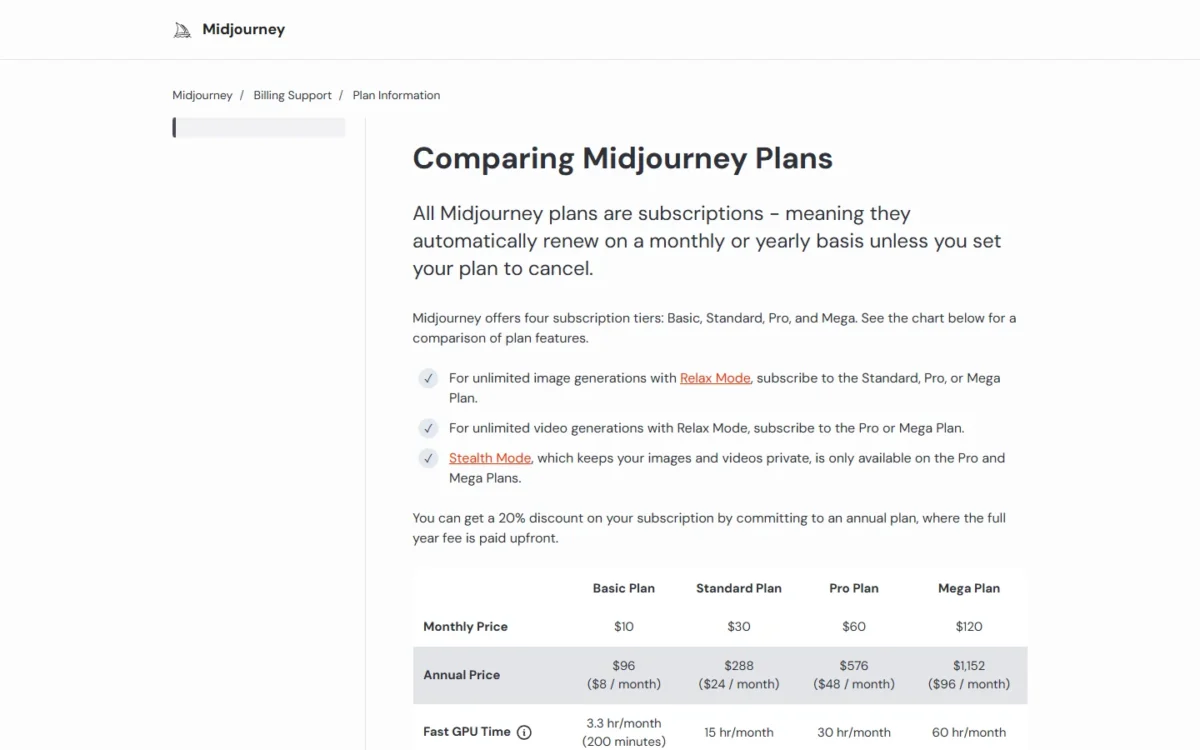
| Plan | Monthly | Annual | Key limit |
|---|---|---|---|
| Standard | $30 | $288 | Stealth Mode not included |
| Pro | $60 | $576 | Required above $1,000,000 revenue |
Sources: Midjourney plans, checked October 2026.
- Skip it if:
- a client asks about training data or IP cover; stay on Firefly, or pick Krea for a shared team workspace. The Midjourney review covers its GPU hours.
2. ChatGPT Images: Best Adobe Firefly Alternative for Conversational Editing
- Comparable plan: ChatGPT Plus, $20 per month, billed monthly
- Import from Firefly: upload an exported image and describe the change
ChatGPT Images suits people who would rather talk to an image than mask it. You upload a photo, describe the change, then refine it over several turns. The cost is precision: OpenAI warns that edits may extend beyond your selection, and Firefly’s Photoshop workflow stays behind.
OpenAI’s terms say you own the Output, and images carry C2PA metadata and SynthID watermarks. A marketer making five ad variants from one product shot describes each in chat instead of masking it; my ChatGPT review covers the rest of Plus.
Where ChatGPT Images may be better
- Edits build on each other across a conversation
- The free tier can create and edit images
Where Adobe Firefly may be better
- Generative Fill edits non-destructively in Photoshop
- Adobe offers IP indemnification to eligible enterprise customers
ChatGPT Plus costs $20 a month, billed monthly, with no annual option. Firefly Pro costs US$19.99, so the choice is about workflow, not money.
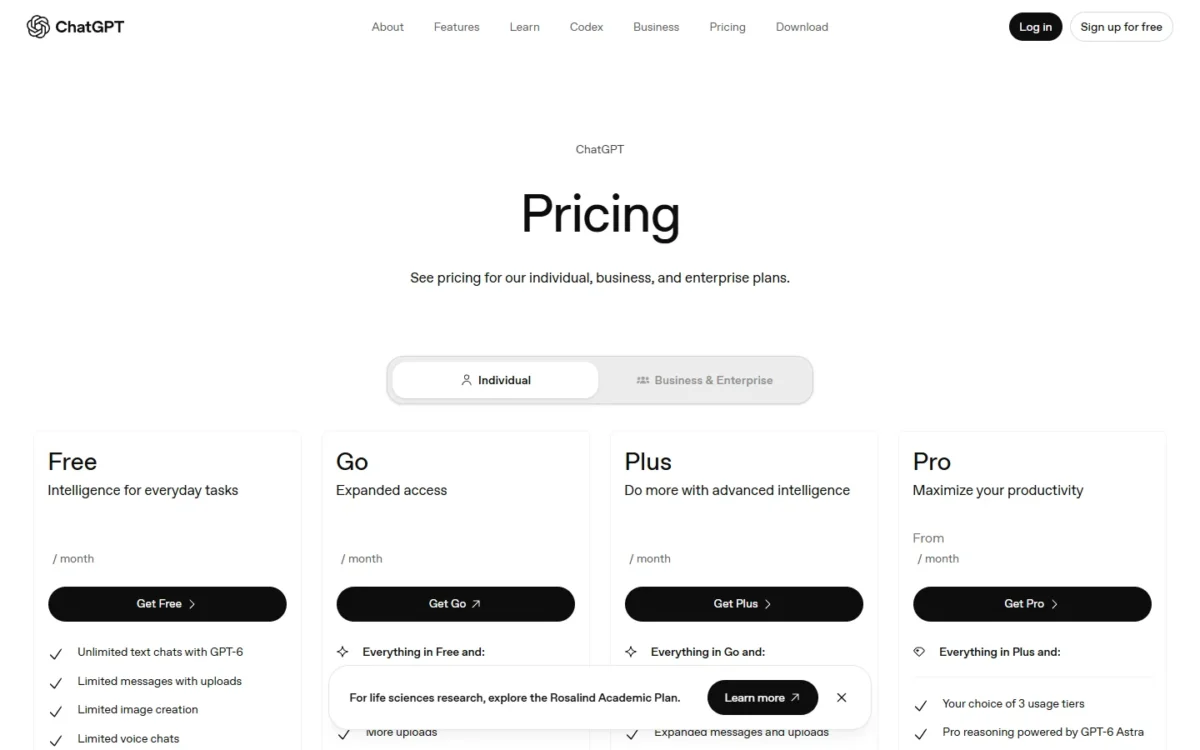
| Plan | Price | Key limit |
|---|---|---|
| Free | $0 | Stricter image limits than paid plans |
| Plus | $20 per month | Limits may tighten during high demand |
Sources: ChatGPT Plus, ChatGPT Free tier FAQ, checked October 2026.
- Skip it if:
- your edits must stay non-destructive and inside the selection; keep Firefly with Photoshop, or try Midjourney’s Editor for masked inpainting.
3. Google Gemini: Best Adobe Firefly Alternative for Quick Photo Edits on a Google AI Plan
- Comparable plan: Google AI Pro, $19.99 per month
- Import from Firefly: upload an image to the Gemini app and ask for the edit
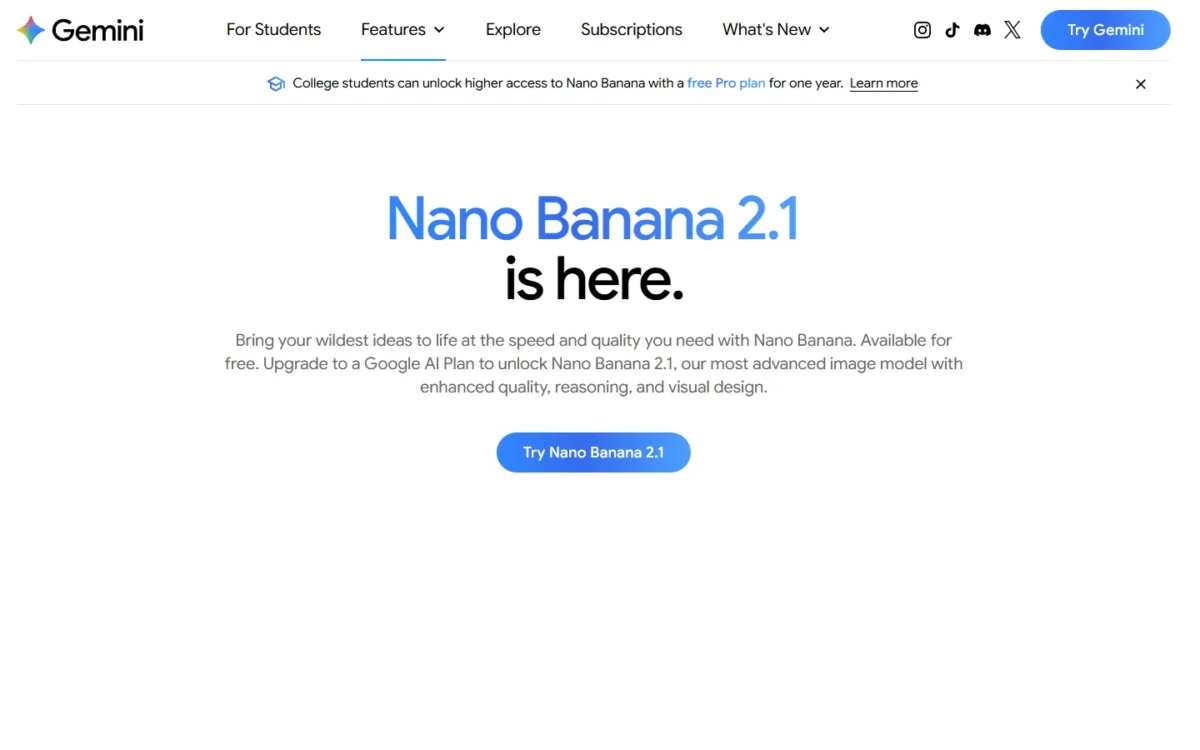
Gemini is the direct route to Nano Banana, and the right move only if Google’s other benefits already earn the subscription. Firefly’s free tier already includes Nano Banana, so the case rests on Nano Banana 2.1 and higher limits. For client work, the catch is a visible watermark next to the invisible SynthID mark.
Google’s Gemini image page states no commercial-use terms, so settle that before campaign work; my Gemini review covers the rest of the app.
Where Google Gemini may be better
- Google AI Plus starts at $4.99 a month
- Paid plans run Nano Banana 2.1 directly
Where Adobe Firefly may be better
- Adobe states commercial-use terms for its own models
- Photoshop’s model picker already offers Gemini 3.1 with Nano Banana 2
AI Pro bundles 5 TB of storage and Gemini in Gmail and Docs, which is where most of its value sits.

| Plan | Price | Key limit |
|---|---|---|
| Google AI Plus | $4.99 per month | 2x Free usage |
| Google AI Pro | $19.99 per month | 4x Free usage |
Sources: Google AI plans, Gemini image generation, checked October 2026.
- Skip it if:
- images must ship to clients without a visible watermark; reach Nano Banana through Firefly’s free tier instead.
4. Canva: Best Adobe Firefly Alternative for Design-Ready Marketing Images
- Comparable plan: Canva Pro, US$144 per year for one person
- Import from Firefly: a Firefly export can serve as Text to Image’s reference photo
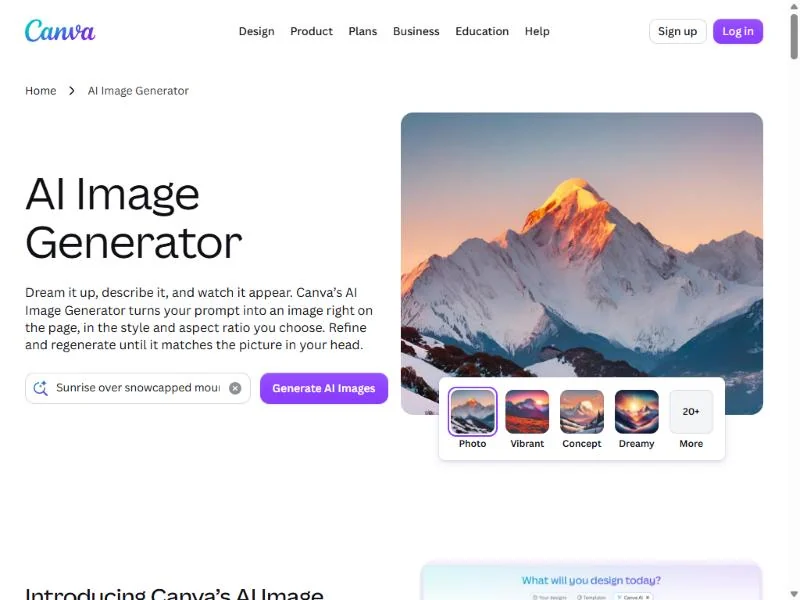
Canva replaces Firefly for teams whose image is one layer of a post, a deck or an ad. Text to Image works from a prompt or a reference photo, and the result opens straight in the editor. The trade-off is depth: AI runs on a shared allowance, and AI output indemnity starts at 100 seats.
If Canva is on your list, see my Canva pricing guide.
Magic Edit, Eraser and Expand cover common photo fixes, and Brand Kits scale from 5 on Pro to 100 on Business. You own your output, except edits of Canva library content; the Canva AI review goes deeper.
Where Canva may be better
- Generated images drop straight into templates and Brand Kits
- Business holds 100 Brand Kits with approvals
Where Adobe Firefly may be better
- Adobe Firefly paid plans include unlimited standard image features
- IP indemnification for eligible enterprise customers
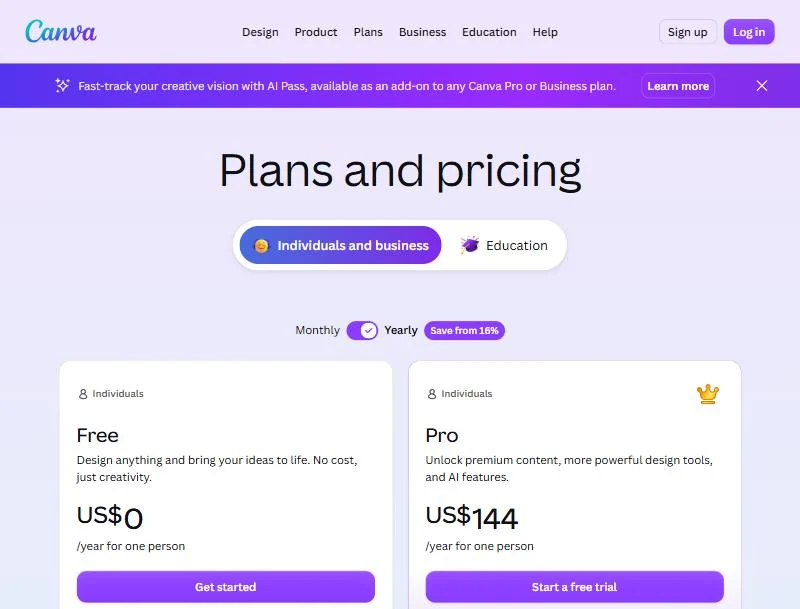
Canva Pro is US$144 a year for one person, and Business US$250 a year per person, in the yearly view. Firefly Standard paid monthly for a year is 12 x US$9.99 = US$119.88, so Canva costs more unless its templates replace another tool.
| Plan | Price | Key limit |
|---|---|---|
| Pro | US$144 per year | 10x more AI than Free |
| Business | US$250 per year per person | 20x more AI than Free |
Sources: Canva pricing, checked October 2026.
- Skip it if:
- your work is retouching rather than layout; Firefly with Photoshop stays the better tool, and ChatGPT Images suits quick edits.
5. Ideogram: Best Adobe Firefly Alternative for High-Volume Private Generation
- Comparable plan: Plus, $15 per month, $180 billed annually
- Import from Firefly: an exported image can feed Image Reference, which spends priority credits
Running out of credits does not stop the work on Ideogram: once Plus spends its 2,400 priority credits, Ideogram models keep generating in a slower queue with no limit. Partner models, reference-image generations, edits and upscales still need credits there, so it pays for generating, not editing.
Privacy follows the plan: Plus, Pro and Team keep new images private until you publish them, while everything on the free plan is public. Ideogram claims no ownership of your images and lets you use them commercially.
Where Ideogram may be better
- Unlimited slow-queue images with Ideogram models on paid plans
- Top-up credits carry over to the next period
Where Adobe Firefly may be better
- Adobe Firefly paid plans include unlimited standard features like Generative Fill
- Adobe Firefly paid plans include unlimited standard vector generations
Team plans need at least 2 users, and subscriptions have no free trial.
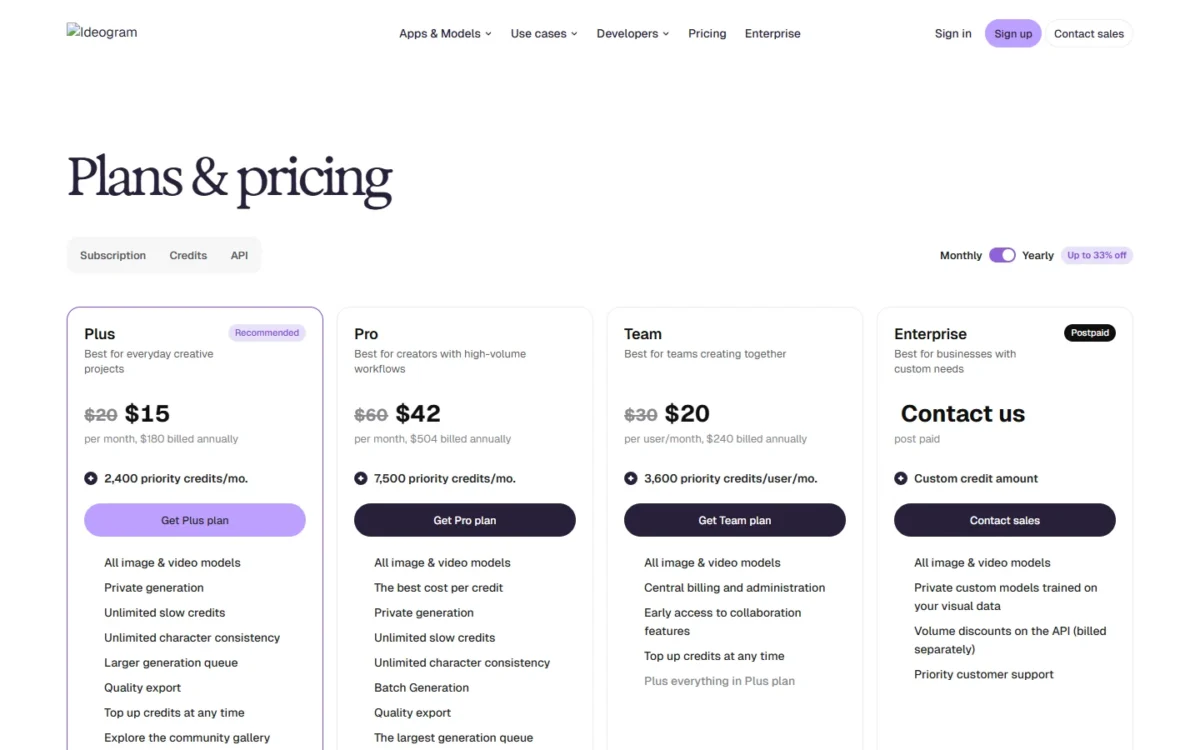
| Plan | Price, billed annually | Credits each month |
|---|---|---|
| Plus | $15 per month ($180 a year) | 2,400 |
| Team | $20 per user per month ($240 a year) | 3,600 per user |
Sources: Ideogram plans and credits, checked October 2026.
- Skip it if:
- you edit more than you generate; Firefly or ChatGPT Images fits better, since Ideogram edits always spend credits.
6. Recraft: Best Adobe Firefly Alternative for Vectors and Brand Styles

- Comparable plan: Basic, $12 per month billed monthly
- Import from Firefly: drop in reference images to build a custom style
Recraft earns its place for brand work where consistency beats variety. Drop in a few images and it builds a reusable, editable style, then applies it to images, editable vector graphics and mockups. Firefly paid plans already include unlimited vector generation, so Recraft wins on style control, not vectors alone.
Basic adds Nano Banana, Seedream, GPT Image and Flux next to Recraft’s own models. Free-plan images are owned by Recraft, public and not licensed for commercial use. Paid plans grant ownership and commercial rights that survive cancellation.
Where Recraft may be better
- Custom styles from your own images, shared on Teams
- Top-up credits never expire
Where Adobe Firefly may be better
- Firefly outputs may be used commercially, while Recraft’s free plan bars it
- Text to Vector Graphic is on Adobe’s indemnity list
Teams adds shared custom styles and SSO, which a five-seat brand team needs.
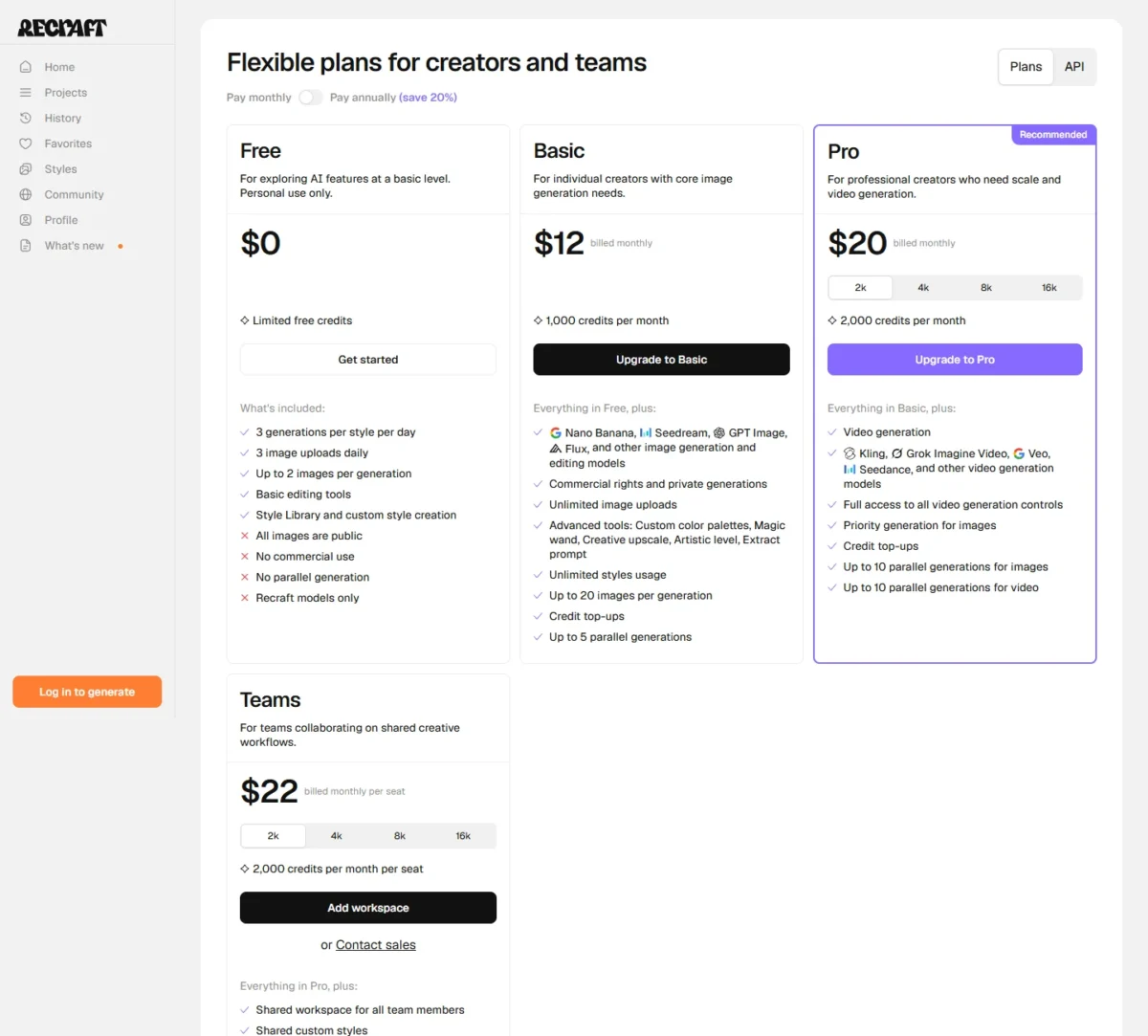
| Plan | Price | Credits |
|---|---|---|
| Basic | $12 per month | 1,000 per month |
| Teams | $22 per seat per month | 2,000 per month per seat |
Sources: Recraft pricing, checked October 2026.
- Skip it if:
- Firefly’s Text to Vector already covers your icons; stay put, or pick Leonardo AI to train a style on a private model.
7. Leonardo AI: Best Adobe Firefly Alternative for Private Generations and Model Training
- Comparable plan: Essential, $12 per month (Pay Monthly) or $10 (Pay Yearly), ex. tax
- Import from Firefly: train a model on your own exported images
Leonardo AI suits a studio that wants its own model, trained on a small image set, with private paid creations it owns. Firefly keeps custom models in its enterprise solutions. The trade-off: on the free tier, Leonardo holds rights to what you make.
Before you commit to Leonardo, see my Leonardo AI pricing guide.
Unused tokens move into a Rollover Bank, so Essential’s 8,500 fast tokens a month can bank up to 25,500. Firefly credits simply reset; the Leonardo AI review covers token costs.
Where Leonardo AI may be better
- Personal models trained on your images, 10 a month on Essential
- Unused tokens roll into a bank instead of resetting
Where Adobe Firefly may be better
- Adobe’s licensed-training claim for its own models
- Generative Fill inside Photoshop
Premium is the plan for heavy use, because it adds unlimited relaxed image generation on selected models.

| Plan | Pay Monthly | Pay Yearly | Fast tokens |
|---|---|---|---|
| Essential | $12 per month, ex. tax | $10 per month, ex. tax | 8,500 per month |
| Premium | $30 per month, ex. tax | $24 per month, ex. tax | 25,000 per month |
Sources: Leonardo AI pricing, checked October 2026.
- Skip it if:
- client work would start on the free tier; begin on a paid plan, or use Ideogram, whose paid images are private by default.
8. Krea: Best Adobe Firefly Alternative for Multi-Model Team Workspaces

- Comparable plan: Business, $200 per month on monthly billing, up to 50 seats
- Import from Firefly: train a LoRA on up to 2,000 exported images on Business
Krea fits teams of 11 to 50 sharing one workspace, with no-training clauses for their content. From the 11th seat it costs less than Firefly Pro team licenses: $200 per month on monthly billing against US$19.99 per license, annual plan billed monthly.
Krea’s plan cards, Free included, list a commercial license for marketing, products and client work. The trade-off is IP cover: Krea writes its indemnification for Enterprise customers.
Realtime renders as you draw, Nodes chain models into workflows, and plugins bring Krea into Photoshop and Illustrator.
Where Krea may be better
- One flat Business price, with per-member spend limits
- Nodes, Realtime and LoRA training in one workspace
Where Adobe Firefly may be better
- Licensed and public-domain training for Firefly’s own models
- Unlimited standard images on every paid Adobe Firefly plan
In the monthly view, Business includes 80k units, and extra compute packs expire after 90 days.
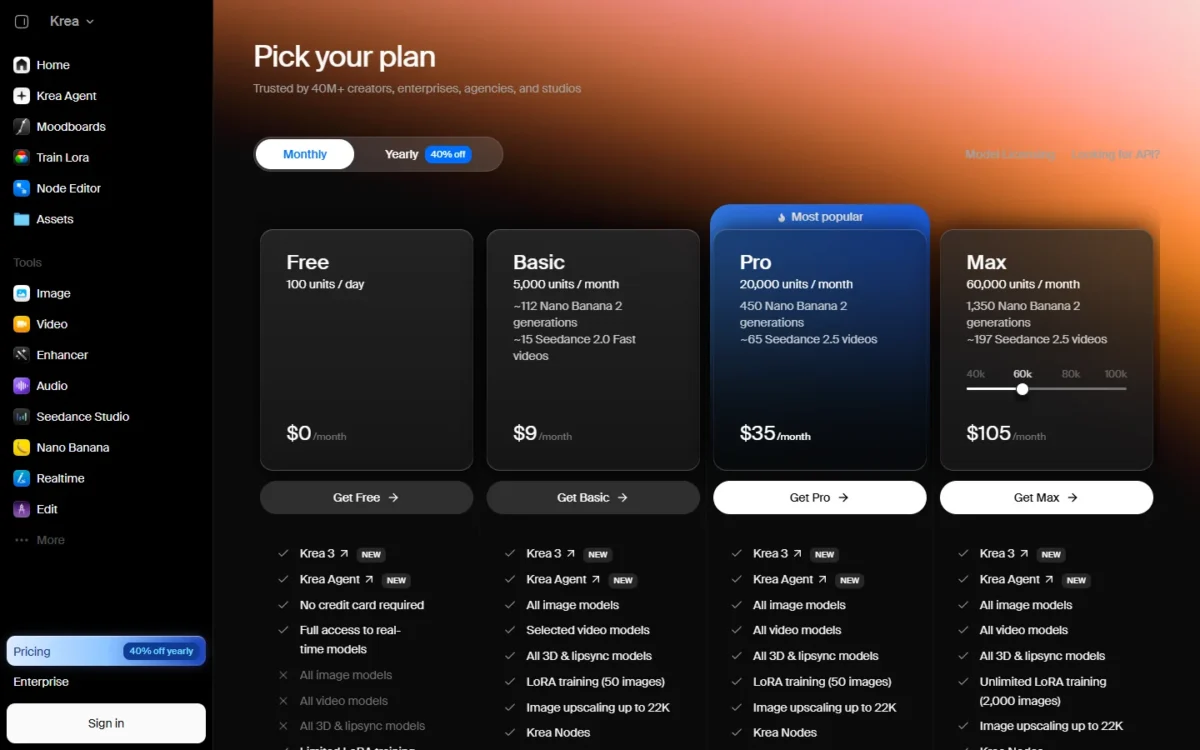
| Plan | Price | Key limit |
|---|---|---|
| Basic | $9 per month | 5,000 units per month |
| Business | $200 per month, monthly billing | Up to 50 seats included |
Sources: Krea pricing, checked October 2026.
- Skip it if:
- your team is 10 people or fewer. Firefly Pro team licenses (US$19.99 each, annual plan billed monthly) cost less there than Krea Business ($200 per month, monthly billing), so start on Recraft Teams or stay on Firefly.
9. Stable Diffusion: Best Adobe Firefly Alternative for Self-Hosted Generation
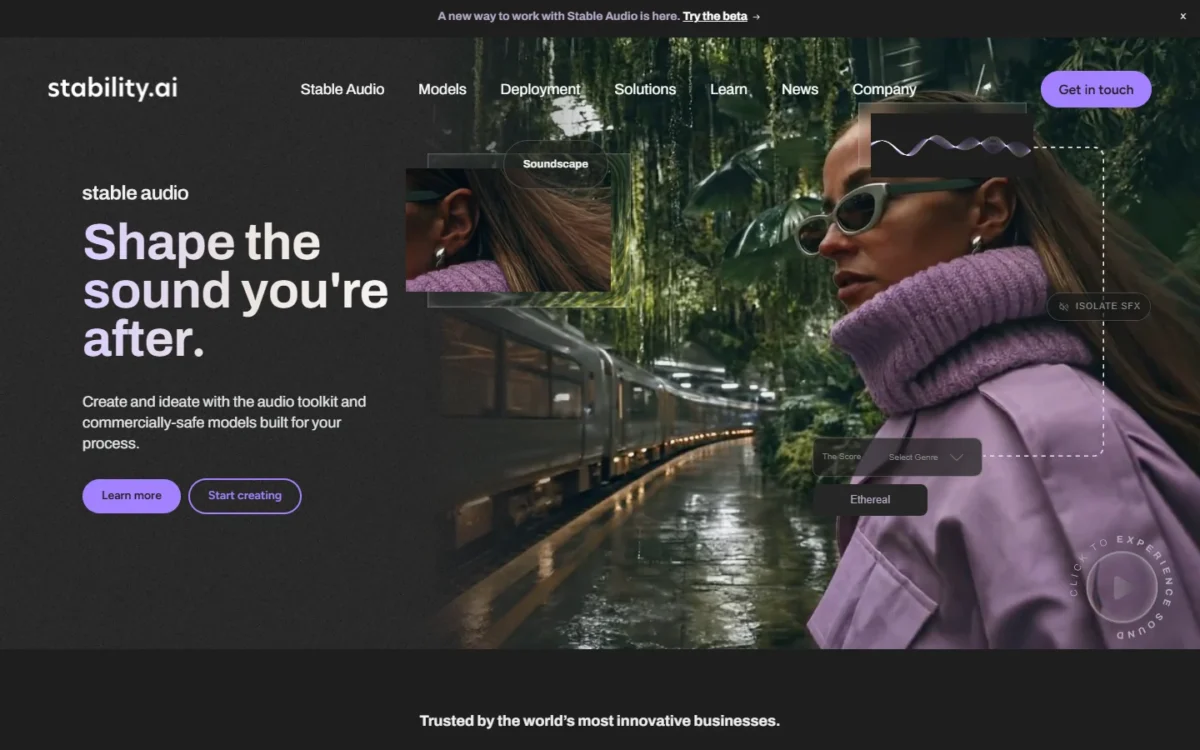
- Comparable plan: Community License, free under USD $1M revenue
- Import from Firefly: use exports as input images
A studio that would rather own its pipeline than rent credits from Adobe gets the most from Stable Diffusion: you own the outputs, and a small company pays no license fee. The trade-off is assembly: models, an interface such as ComfyUI and the workflow are yours to maintain.
Comfy Desktop runs ComfyUI on your own hardware, where models, processing steps and outputs connect as visible nodes. My Stable Diffusion review compares setup options.
Where Stable Diffusion may be better
- Free commercial use under USD $1M revenue
- Runs locally with no credits
Where Adobe Firefly may be better
- Adobe Firefly runs on the web and brings content into Photoshop
- Content Credentials attached by default
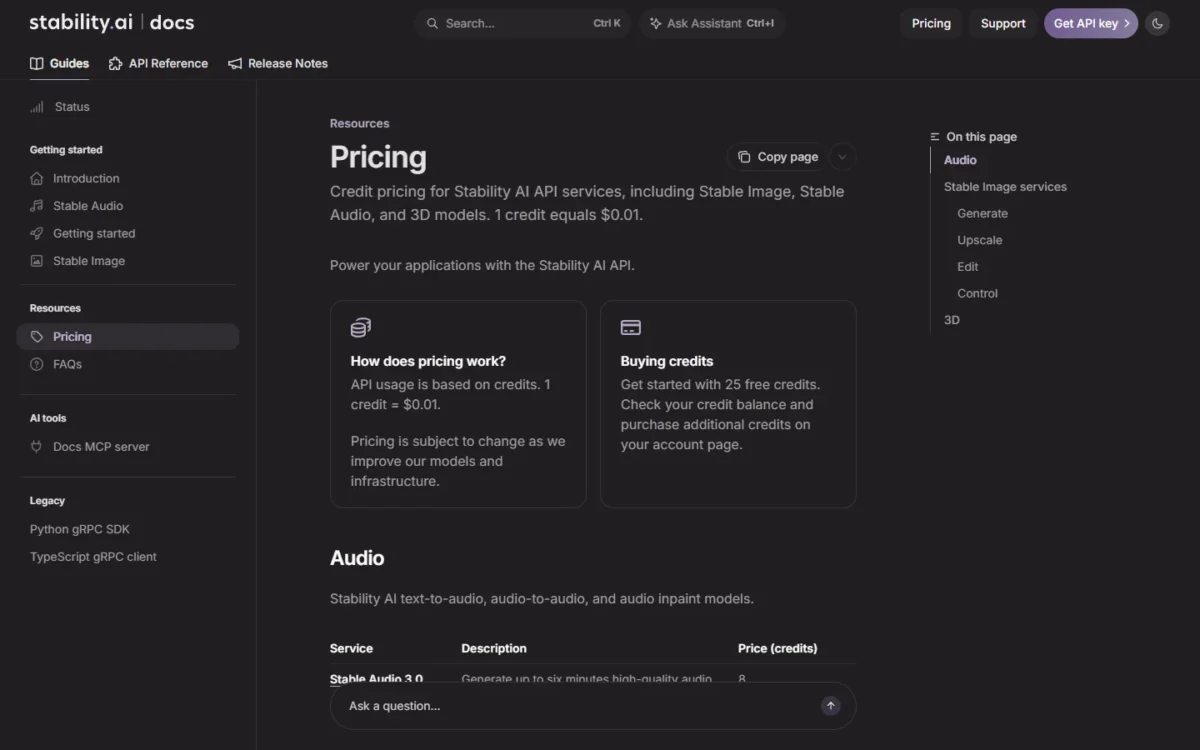
Self-hosting costs no license fee under USD $1M revenue. On Stability’s API, where 1 credit is $0.01, one Stable Diffusion 3.5 Large image costs 6.5 x $0.01 = $0.065.
| Option | Price | Key limit |
|---|---|---|
| Community License | Free | Under USD $1M annual revenue |
| Stable Image Core via API | 3 credits per image | 25 free credits to start |
Sources: Stability AI license, Stability AI API pricing, checked October 2026.
- Skip it if:
- nobody on the team owns the setup; take Krea or Ideogram for hosted volume.
10. FLUX: Best Adobe Firefly Alternative for Per-Image API Generation
- Comparable plan: FLUX.2 [pro] API, from $0.03 per image
- Import from Firefly: send exports as API inputs
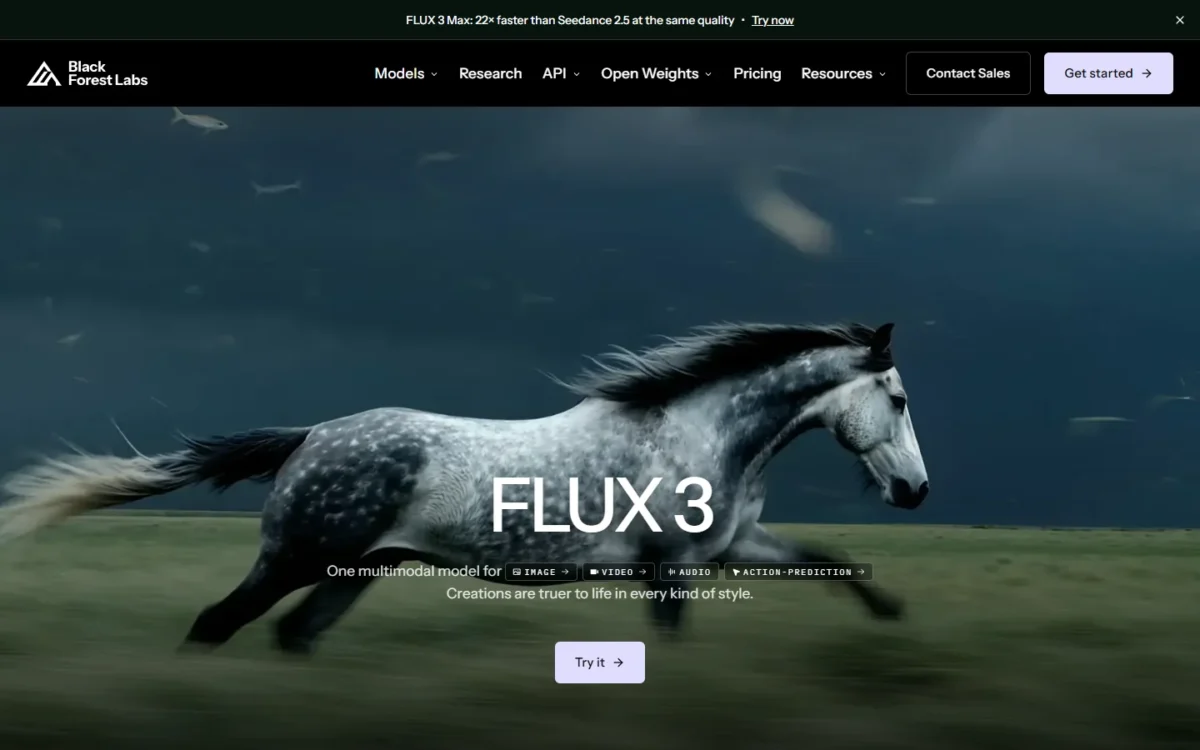
FLUX belongs on the list for developers, not designers: Black Forest Labs sells a self-serve API with no subscriptions or seat fees, while Firefly’s APIs sit in Adobe’s enterprise solutions. The trade-off is that you build the interface for your own product, and Photoshop already offers FLUX.2 pro in Generative Fill.
BFL’s pricing page lists “Permissive commercial use” on Enterprise, and FLUX.2 [dev] is local only and non-commercial. Read the Flux API Service Terms, linked from its docs, before launch.
Where FLUX may be better
- Self-serve API priced per image, no seats
- Open-weights licenses for your own servers
Where Adobe Firefly may be better
- FLUX.2 pro already sits in Photoshop’s model picker
- A finished app for people who do not code
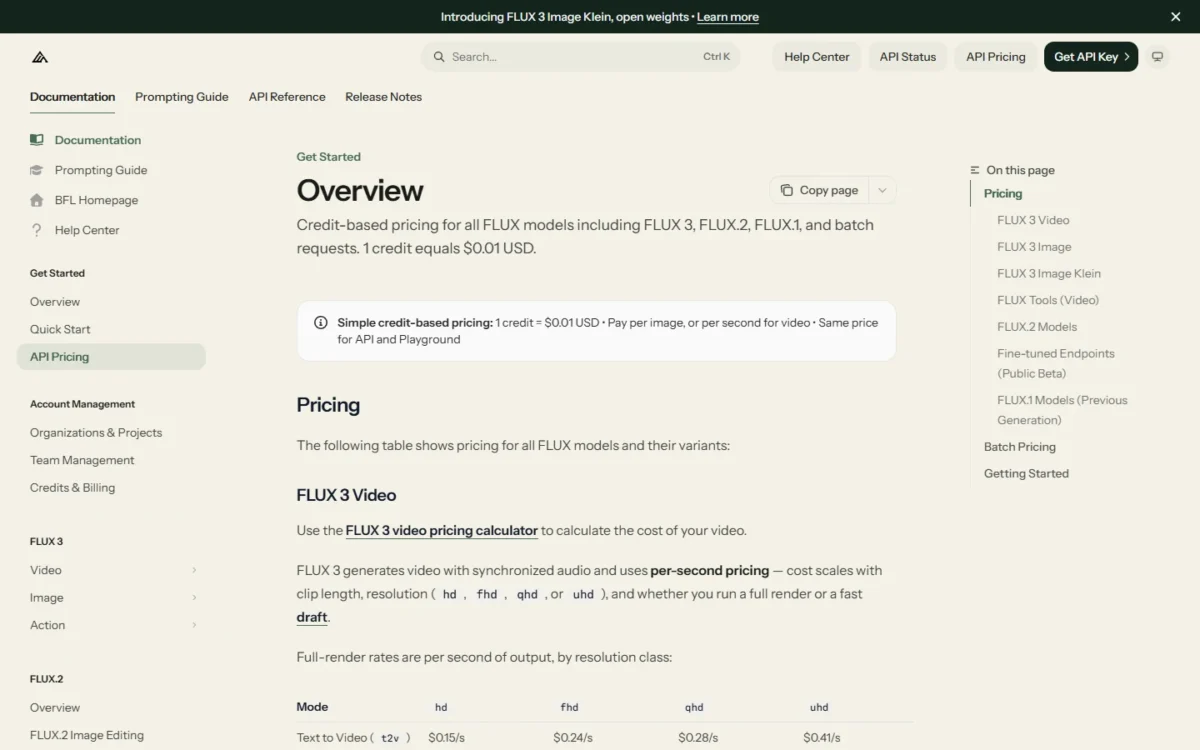
FLUX.2 cost scales with output resolution, so these rates are floors.
Take an illustrative feature making 1,000 FLUX.2 [pro] images a month: it costs at least 1,000 x $0.03 = $30.
| Model | Text to image | Image editing |
|---|---|---|
| FLUX.2 [pro] | From $0.03 | From $0.045 |
| FLUX 3 Klein (768 x 768) | $0.008 | $0.008 |
Sources: FLUX API pricing, checked October 2026.
- Skip it if:
- you only want FLUX inside Photoshop; Firefly already offers it, and getimg.ai gives non-developers many models in one app.
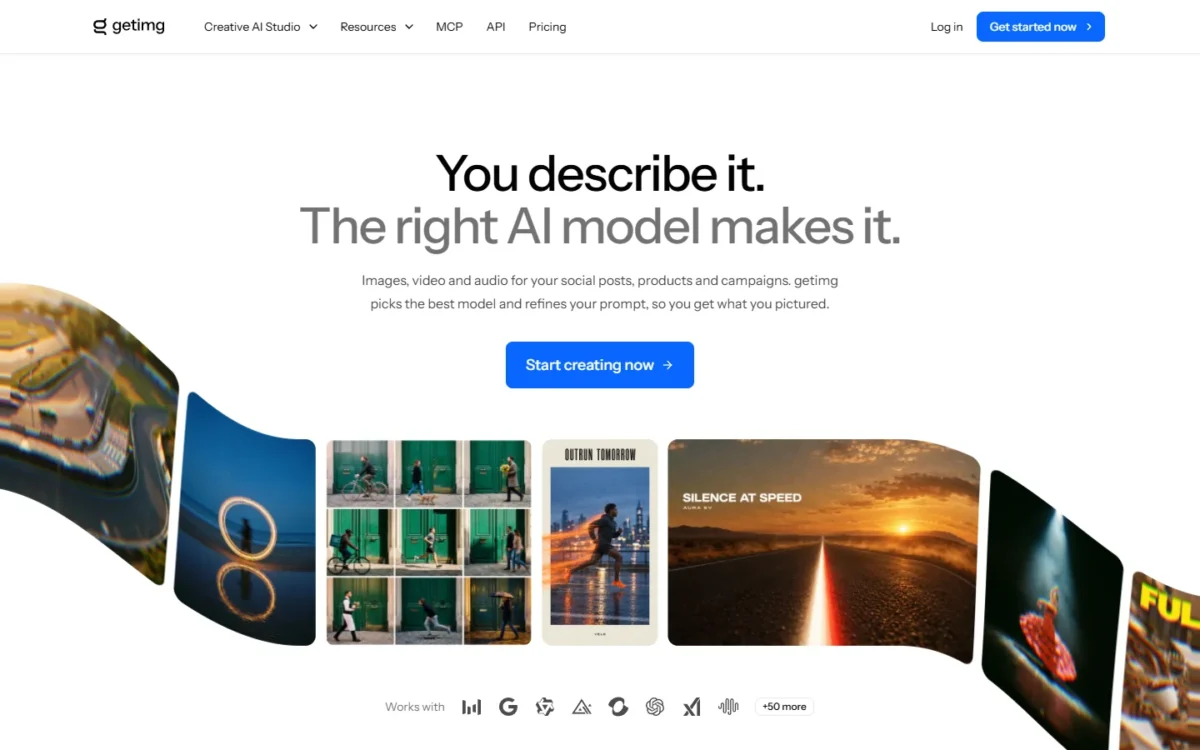
11. getimg.ai: Best Adobe Firefly Alternative for One Subscription Across Many Models
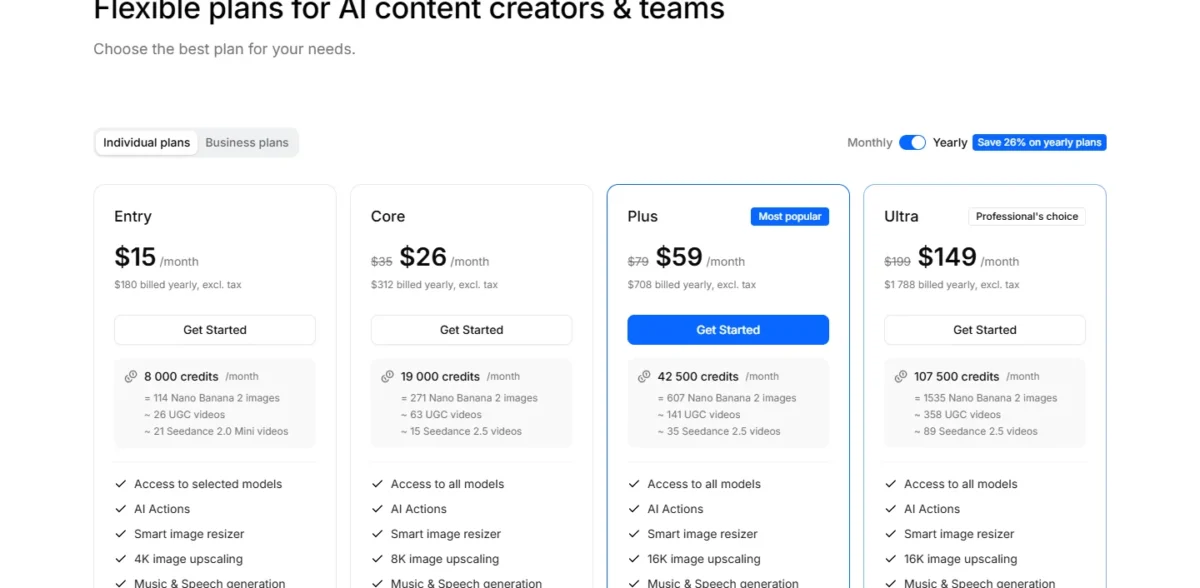
- Comparable plan: Entry, $15 per month billed yearly ($180)
- Import from Firefly: none listed; start fresh
For creators who hop between models, getimg.ai puts them all on one bill, and Commercial Rights sit on every plan, from Entry to Ultra. The trade-off: Entry reaches selected models only, and its $15 is the yearly-billing rate.
Entry’s monthly credits cover 114 Nano Banana 2 images, the model Firefly bills as a partner. Core, at $26 a month billed yearly, opens all models and 8K upscaling. The getimg.ai review lists its models.
Where getimg.ai may be better
- Commercial Rights listed on every plan
- Credits shown as image counts per model
Where Adobe Firefly may be better
- Adobe Firefly Standard lists a free trial
- Adobe Firefly brings content into Photoshop and Illustrator
Entry’s $15 a month is billed yearly, a $180 payment, and Firefly Standard lists a free trial. getimg.ai earns that commitment only if you live in third-party models.
| Plan | Price | Key limit |
|---|---|---|
| Entry | $15 per month ($180 a year) | Selected models only |
| Core | $26 per month ($312 a year) | All models |
Sources: getimg.ai pricing, checked October 2026.
- Skip it if:
- you need Photoshop-grade editing; stay on Firefly, or try Krea, which lists a Photoshop plugin.
When Should You Stick With Adobe Firefly?
Stay with Firefly if your images face legal review, you retouch in Photoshop, or you already pay for Creative Cloud.
Adobe trains Firefly models on licensed Adobe Stock and public-domain content, does not train on users’ content, and attaches Content Credentials. Eligible enterprise customers can add IP indemnification for select outputs. Creative Cloud Pro already includes 4,000 Firefly credits for US$69.99 a month.
Consider switching if
- Most of your credits go to partner models such as Nano Banana
- Your team passes 10 Firefly Pro licenses and could share one Krea Business workspace ($200 per month, monthly billing)
- You need a self-serve API or your own hardware
Consider staying with Adobe Firefly if
- Outputs go through legal review
- You retouch with Generative Fill in Photoshop
- Standard’s unlimited standard images at US$9.99 cover your volume
How to Choose the Right Adobe Firefly Alternative
Match your reason for leaving to one pick, then check the team cost below.
| Your priority | Alternative to consider | Reason | Trade-off |
|---|---|---|---|
| A distinctive look | Midjourney | Style Reference | Privacy from Pro |
| Editing by chat | ChatGPT Images | Multi-turn edits | Selections not always precise |
| Nano Banana 2.1 and higher limits | Google Gemini | AI Plus from $4.99 | Visible watermark |
| Images inside layouts | Canva | Templates, Brand Kits | Shared AI allowance |
| Many private images | Ideogram | Slow-queue images | Public free plan |
| Brand vectors | Recraft | Custom styles | Free plan bars commercial use |
| A trained private style | Leonardo AI | Personal models | Free-tier rights stay with Leonardo |
| A team of 11 to 50 | Krea | Flat $200 monthly-billed Business price | Indemnity on Enterprise |
| Your own GPU | Stable Diffusion | Free under USD $1M revenue | You build the interface |
| An API in your product | FLUX | Per-image pricing | No designer app |
| Many models, one bill | getimg.ai | Rights on every plan | Entry billed yearly |
| Legal review of outputs | Adobe Firefly | Licensed training | Credits reset monthly |
Sources: Google AI plans, Stability AI license, checked October 2026.
What a 5-person team pays
These totals sit on different billing bases, so the table lists each basis instead of ranking them. Krea Business is one $200 price billed monthly for up to 50 seats; Firefly Pro is billed monthly on an annual plan, Recraft monthly, and Ideogram and Canva yearly.
| Tool and plan | Billing basis | Per year for 5 seats | What each seat gets |
|---|---|---|---|
| Adobe Firefly Pro for teams | Annual plan, billed monthly | 5 x US$19.99 x 12 = US$1,199.40 | 4,000 credits per month |
| Ideogram Team | Billed yearly | 5 x $240 = $1,200 | 3,600 priority credits per month |
| Recraft Teams | Billed monthly | 5 x $22 x 12 = $1,320 | 2,000 credits per month |
| Canva Business | Billed yearly | 5 x US$250 = US$1,250 | 20x more AI than Free |
| Krea Business | Billed monthly | $200 x 12 = $2,400 | 80k units per month, up to 50 seats |
Sources: Firefly plans, Ideogram plans, Recraft pricing, Canva pricing, Krea pricing, checked October 2026.
Credits, units and AI allowances are different meters.
Migrating From Adobe Firefly: What to Consider
Export first, test second, cancel last, and time the move to your billing date.
- Export finished work as PNG, JPG or MP4 before the plan ends.
- Check the upload path: Midjourney’s Edit tab takes uploads or image URLs, and ChatGPT Images edits uploaded images.
- Decide on Photoshop. Firefly Pro bundles Photoshop on web and mobile, so leaving it means a separate Photoshop plan.
- Rebuild by hand what has no export: Firefly Boards, style settings, prompts and custom models.
- Run one prompt and source image through Firefly’s free generations and the new tool’s free tier; your own images decide output quality.
- Switch before your Firefly billing date, because credits reset then. Team licenses are annual plans billed monthly, so read Adobe’s cancellation terms first.
How I Evaluated the Alternatives
Prices, limits and terms come from each vendor’s own pages, read on October 27, 2026, except the ChatGPT Plus help article (archived October 14).
Must-haves: the tool generates images, shows a US-dollar price on its own site, and fixes a sourced reason to leave Firefly. I then ranked by commercial-use terms, what a credit buys, quality controls, editing workflow, price at the comparable plan, and migration and privacy.
For a field that does not start from Firefly, see my best AI image generators ranking.
Also Considered
- Layer: built for game studios, with playables and sprite sheets.
- Scenario: aimed at game assets and production pipelines.
- Mage.space: Basic at $10 a month adds Unlimited Generations and 500 Monthly Gems.
- Playground: a design tool whose Pro credits cover third-party models.
- NightCafe: its PRO tier aggregates 50+ third-party image models.
FAQ
Which is better, Adobe Firefly or ChatGPT?
Firefly is better for non-destructive Photoshop work and outputs that face legal review; ChatGPT Images is better for editing an uploaded photo through conversation. Firefly subscribers can also reach OpenAI models inside Firefly, paying in credits.
Final Verdict
Leave Firefly only for a reason it cannot fix. Pick Midjourney for a distinctive look, ChatGPT Images for chat-led edits, Krea Business ($200 per month, monthly billing) past 10 Firefly Pro licenses, and FLUX when the job is an API.
Stay with Firefly if your work faces legal review or lives in Photoshop. Whichever tool you pick, open my AI image prompts for a first test.