

Gemini is the better buy if you work in Gmail and Docs or want the cheapest paid tier: Google AI Plus costs $4.99 a month, ChatGPT Go $8. ChatGPT is the better buy if you need its top thinking levels, which start on Pro and Business seats, or GPT-6 Astra in Codex on Plus.
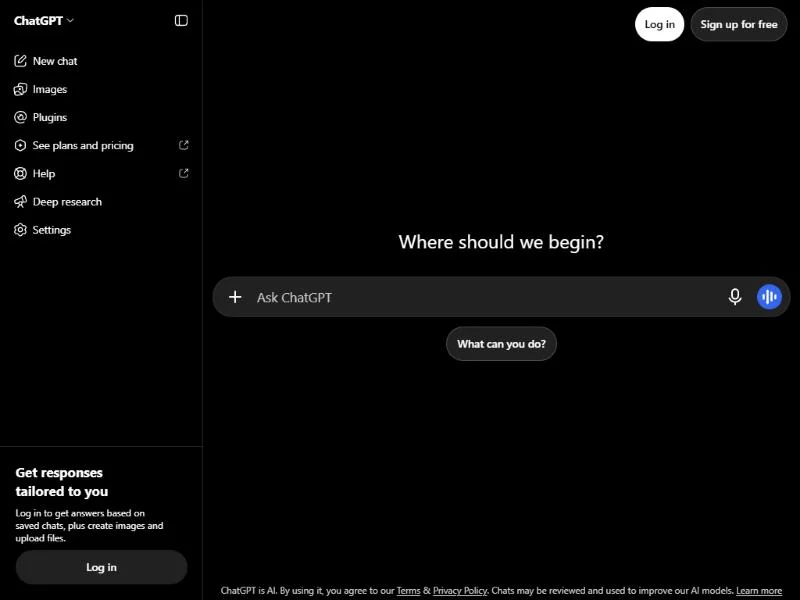
At the $20 tier, monthly prices tie ($20 for ChatGPT Plus, $19.99 for Google AI Pro), though only Google sells an annual price ($199.99 a year), so your work decides.
This ChatGPT vs Gemini comparison maps each tier pair, prices a year for one person and for five, and shows how to switch. I checked every price on October 27, 2026; GPT-6 reached ChatGPT on October 7, 2026.
Quick verdict
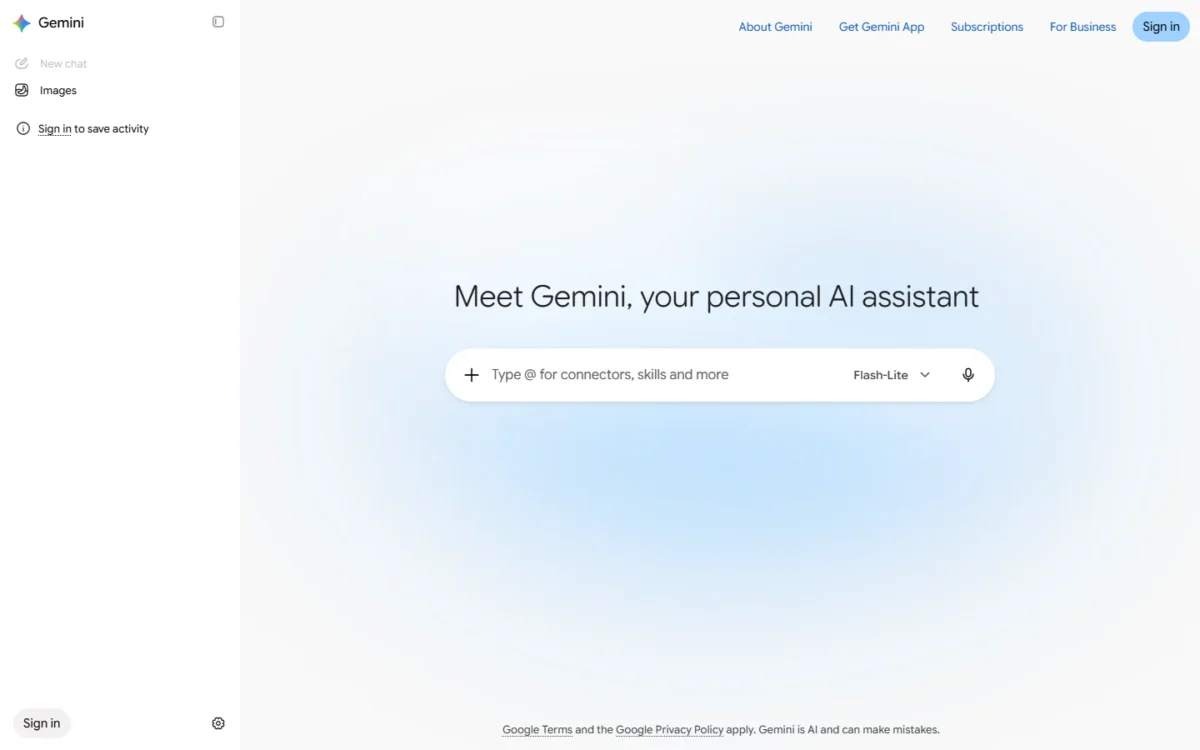
Gemini fits people and teams that already run on Google. Gmail, Docs and Sheets get Gemini on Google AI Pro, and Workspace Business Standard builds it in at $14 per user per month on a 1-year commitment.
ChatGPT fits buyers who want its top thinking levels and connectors beyond Google. Extra High and Pro thinking start on Pro and Business seats, and Business connects to Slack, GitHub and Microsoft 365.
The trade-off: Gemini lists a 1 million token context window on AI Pro and Ultra and video generation on AI Plus, Pro and Ultra. ChatGPT’s personal plans bill monthly only and cannot create new GPTs.
Choose ChatGPT if
- You code and want GPT-6 Astra in Codex, included on Plus at $20 a month
- Your team needs Pro thinking: Business Standard includes 15 Pro messages a month
Choose Gemini if
- You want the lowest paid tier: Google AI Plus at $4.99 a month
- Your work happens in Gmail, Docs and Sheets, which AI Pro covers at $19.99 a month
In This Article (11 sections)
ChatGPT vs Gemini at a Glance
ChatGPT and Gemini line up tier for tier: the prices meet at $20 and split at the entry and team levels.
| Attribute | ChatGPT | Gemini |
|---|---|---|
| Best for | Coding in Codex, the top thinking levels, connectors beyond Google | Gmail, Docs and Sheets users, video generation, long files |
| Free tier | Unlimited everyday text chats; 3 file uploads a day | Standard limits that refresh every 5 hours until a weekly limit; 32k-token context |
| Entry paid tier | Go: $8 per month, billed monthly | Google AI Plus: $4.99 per month, 400 GB storage |
| $20 tier | Plus: $20 per month, billed monthly, no annual plan | Google AI Pro: $19.99 per month or $199.99 a year, 5 TB storage |
| Power tier | Pro 100, Pro 200 and Pro 500: $100, $200 and $500 per month | Google AI Ultra 5x and 20x: $99.99 and $199.99 per month; higher access to Gemini Agent (US only, English only) |
| Team plan | Business Standard: $20 per user per month billed annually, $25 billed monthly; at least 2 seats | Workspace Business Standard: $14 per user per month with a 1-year commitment; up to 300 users |
| Main limitation | No annual billing on Go, Plus or Pro; Plus stops at High thinking | Google AI plans are for personal Google Accounts only |
Sources: ChatGPT Go launch, ChatGPT Plus, ChatGPT Pro tiers, ChatGPT Business FAQ, ChatGPT Free tier FAQ, Gemini Apps limits, Google AI plans, Google Workspace pricing, checked October 2026.
With the $20 prices a cent apart, the real split is in what each plan includes.
Key Differences Between ChatGPT and Gemini
Four differences decide most purchases, and each one favors a different buyer.
- Google apps: Gemini works inside Gmail, Docs and Sheets on Google AI Pro, while ChatGPT Business reaches Google Workspace, Slack, GitHub and Microsoft 365 through connectors.
- Published limits: Google states a 1 million token context window for AI Pro and Ultra; OpenAI gives ChatGPT 256k tokens (128k input and 128k output) when you manually select Thinking.
- Reasoning and coding: ChatGPT Plus includes GPT-6 Astra in Codex, and Pro and Business add Extra High and Pro thinking; Gemini 4 Argon starts on AI Pro.
- Bundle and billing: Google AI Pro adds 5 TB of storage, family sharing with up to five others and a $199.99 annual price. ChatGPT Go, Plus and Pro bill monthly only.
The first difference carries the most weight. A freelancer drafting in Google Docs gets Gemini where the draft lives, while a team on Slack and Microsoft 365 gets more from ChatGPT’s connectors.
If you already lean to ChatGPT, my ChatGPT review judges it against its own limits rather than Gemini’s.
If Google is your default, the full Gemini review does the same for Gemini’s plans. The features come next, tier by tier.
ChatGPT vs Gemini: Features Compared
Most features exist on both sides; the plan that unlocks them is what differs.
| Feature | ChatGPT | Gemini |
|---|---|---|
| Thinking and models | Medium and High on Plus; Extra High and Pro on Pro and Business | Gemini 3.6 Flash on AI Plus; Gemini 4 Argon on AI Pro and Ultra |
| Deep research | Plus (where available) and Pro; allowance by plan | Higher limits on AI Pro and Ultra; free users may lose it at high demand |
| Image creation | Free, Go, Plus and Pro | More access on AI Plus, Pro and Ultra |
| Video generation | Not listed on the Plus, Pro or Free plan pages | Omni Flash on AI Plus, Pro, Ultra 5x and Ultra 20x |
| Context window | 256k tokens with Thinking selected (128k input, 128k output) | 32k free, 128k AI Plus, 1 million AI Pro and Ultra |
| Upload size | 512 MB per document, 20 MB per image | 100 MB per file, 2 GB per video, 10 files per prompt |
| Google apps | Limited: Google Workspace and Drive through connectors | Gmail on AI Plus; Gmail, Docs and Sheets on AI Pro |
| Other connectors | Business: Slack, GitHub, Microsoft 365 | Connected Apps such as YouTube Music and Spotify |
| Memory | Past chats and saved memories | Past chats and a memory summary |
| Custom assistants | New GPTs only on Business, Enterprise and Edu | Gems, moving to skills on personal accounts from November 2026 |
Sources: GPT-6 and other models in ChatGPT, ChatGPT release notes, ChatGPT file uploads, OpenAI Business pricing, Gemini file uploads, Gems in Gemini, checked October 2026.
Models and reasoning access
ChatGPT gates thinking levels by plan, while Gemini gates models by plan. On ChatGPT, Free and Go run OpenAI’s Luna model without the Medium, High, Extra High or Pro levels; Plus adds Medium and High.
Extra High and Pro start on Pro and Business. On ChatGPT Business, a Standard seat gets 15 Pro messages a month and a Premium seat 50 a week. Standard suits an occasional hard problem; Premium suits a daily one.
On Gemini, Google AI Plus runs Gemini 3.6 Flash, while AI Pro adds Gemini 4 Argon and expanded Gemini 3.1 Pro access.
Coding follows the same split. Plus includes GPT-6 Astra in ChatGPT Work and Codex, while Gemini takes a code folder or GitHub repository of up to 5,000 files in one chat.
Agents and live search sit at different tiers. ChatGPT Free already searches the web for up-to-date information, and Business seats include usage for agentic features. On Google’s side, Google AI Ultra lists higher access to Gemini Agent, in the US and in English only.
Verdict: reasoning for a team
ChatGPT fits better for a team that needs the hardest reasoning: Business seats include Extra High and Pro thinking, which Plus does not. The caveat: Business needs at least 2 seats, so a solo buyer reaches Extra High only on Pro.
Deep research
Both assistants run deep research on a plan allowance, and ChatGPT’s deep research returns a structured report with citations or source links. ChatGPT resets a fixed monthly allowance every 30 days.
Gemini’s Deep Research limits daily requests, with higher limits and Pro-model reports on AI Pro and Ultra. For work accounts, Google publishes report counts by Workspace edition, from 5 reports a month up to 120 a day.
The practical split is where the report goes. ChatGPT downloads reports as Markdown, Word or PDF and can read SharePoint where your plan allows; Gemini exports to Google Docs and can add Gmail or Drive as sources. A Microsoft 365 office gets more from ChatGPT’s version, a Google shop from Gemini’s.
Image and video generation
Both assistants create images, but Gemini’s plans list video generation and ChatGPT’s plan pages do not. ChatGPT creates images on Free, Plus and Pro, and Go extends that access. OpenAI sells video generations in its separate Sora app.
Gemini lists Omni Flash video generation on AI Plus, Pro, Ultra 5x and Ultra 20x, and adds music with Lyria 3.5. Video is the costly part: Google’s limits page says video generally uses the most of your compute-based allowance.
Verdict: video generation
Gemini fits better for a creator who wants video inside the same subscription, starting on AI Plus. The caveat: each clip draws down the same 5-hour allowance as your chats. A heavy video month points to AI Pro, whose limits run 4x higher than standard against AI Plus’s 2x.
Files, context window and usage limits
Gemini reads more at once on AI Pro, and ChatGPT takes bigger files. Gemini’s limits page gives 32k tokens without a plan, 128k on AI Plus and 1 million on AI Pro and Ultra.
OpenAI’s release notes give ChatGPT 256k tokens (128k input and 128k max output) when you manually select Thinking.
Google says 1 million tokens hold up to 1,500 pages of text, so a book-length document fits in one AI Pro chat. ChatGPT instead accepts documents up to 512 MB, against Gemini’s 100 MB per file.
On AI Pro, Gemini’s total upload length grows from 5 minutes to 1 hour of video and from 10 minutes to 3 hours of audio. That is the limit a podcaster or a student with recorded lectures hits first.
Verdict: long files
It depends on the file. A 3-hour lecture recording points to Gemini AI Pro; a document over 100 MB points to ChatGPT’s 512 MB cap. On context, a book-length document points to AI Pro’s 1 million tokens over ChatGPT’s 128k input with Thinking.
Google Workspace vs ChatGPT connectors
Gemini sits inside Google’s apps, while ChatGPT reaches into them from outside. Google AI Plus proofreads in Gmail; AI Pro adds Docs and Sheets. Workspace Business Standard puts Gemini in Gmail, Docs, Meet and more.
Gemini’s Connected Apps summarize Gmail, create Calendar events and play YouTube Music or Spotify, but on the web and iOS only while Keep Activity is on.
ChatGPT Business connects to Google Workspace, Slack, GitHub and Microsoft 365. Inside a project, the Google Drive app searches your files but does not sync them in advance, so each answer reads Drive live.
If your team writes in Docs and lives in Gmail, Gemini on AI Pro works inside Gmail, Docs and Sheets. For prompts to use there, see my Gemini prompts for work.
Verdict: your app suite
It depends on your suite. A Google-only team fits Gemini, built into Workspace Business plans. A team on Slack, GitHub or Microsoft 365 fits ChatGPT Business, at the cost of a 2-seat minimum.
Memory, projects and custom assistants
Both remember you across chats, and they split on reusable assistants. ChatGPT’s memory draws on past chats and saved memories; Gemini’s draws on past chats and a memory summary you can edit.
ChatGPT projects hold up to 5 files on Free, 25 on Go and Plus and 40 on Pro and Business. New GPT creation is not available on Free, Go, Plus or Pro, only in Business, Enterprise and Edu workspaces.
Gemini lets personal accounts build Gems with instructions and files. From November 2026, Gems go away on personal accounts and turn into skills.
That makes Gemini the pick for a freelancer who wants a reusable assistant on a personal plan today, and ChatGPT Business the pick for a team that builds GPTs.
ChatGPT vs Gemini Pricing
Gemini is cheaper at the entry tier and ties ChatGPT at $20 on monthly billing, where only Google sells an annual price.
| Plan tier | ChatGPT | Gemini |
|---|---|---|
| Free | ChatGPT Free | Gemini without a Google AI plan |
| Entry | Go: $8 per month, billed monthly | Google AI Plus: $4.99 per month |
| Mainstream | Plus: $20 per month, billed monthly | Google AI Pro: $19.99 per month, or $199.99 a year |
| Power | Pro 100, Pro 200, Pro 500: $100, $200, $500 per month | Ultra 5x and Ultra 20x: $99.99 and $199.99 per month |
| Team | Business Standard: $20 per user per month billed annually, $25 billed monthly | Workspace Business Standard: $14 per user per month with a 1-year commitment, $16.80 flexible |
Sources: ChatGPT pricing, What is ChatGPT Go, ChatGPT Plus, ChatGPT Pro tiers, ChatGPT Business FAQ, Google AI plans, Google Workspace pricing, checked October 2026.
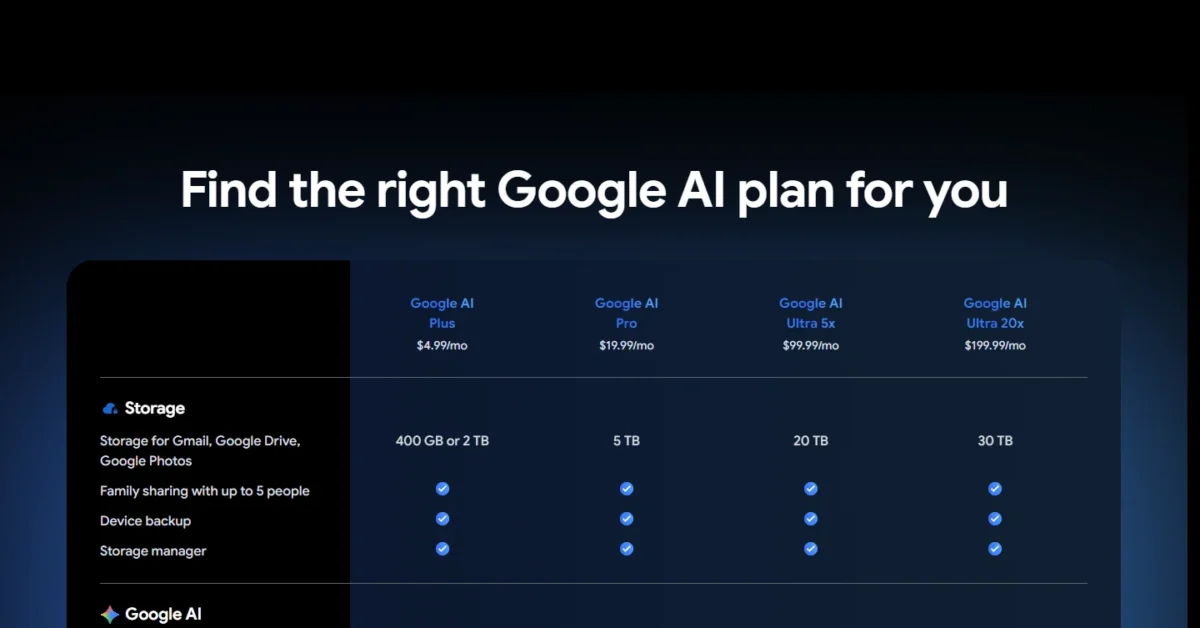
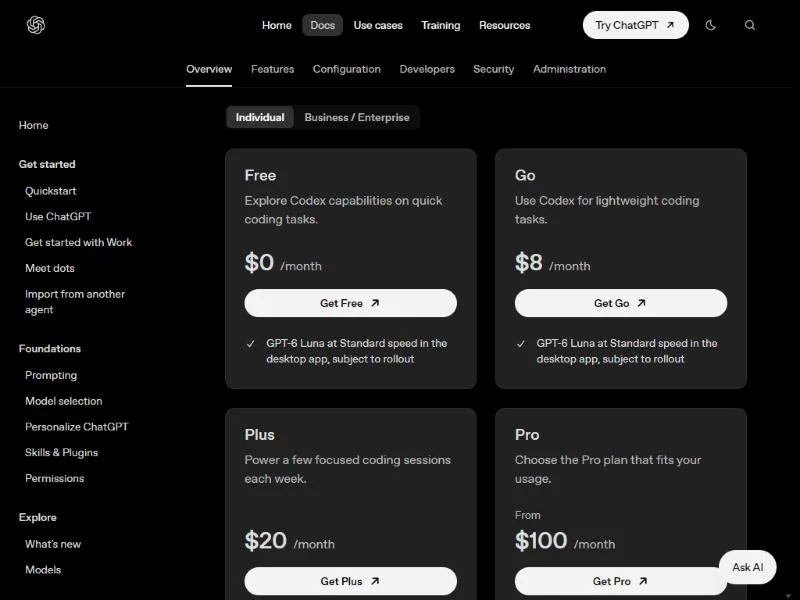
Both price ladders moved recently. OpenAI added Pro 500 on September 29, 2026. At I/O on May 19, 2026, Google added a $100 Ultra plan and cut its top Ultra plan from $250 to $200 a month.
Free tiers
ChatGPT Free gives unlimited everyday text chats, with separate limits on file uploads, image creation, voice and data analysis. Free users can upload 3 files a day, keep 500 MB in Library, and may see ads in certain countries.
Gemini without a plan runs on standard limits that refresh every 5 hours until a weekly limit, with a 32k-token context window.
The wall comes at a different point on each. On ChatGPT Free it is the fourth file of the day; on Gemini it is a document too long for 32k tokens, which AI Plus raises to 128k. For free options beyond these two, see my list of the best free AI tools.
Consumer plans: Go, Plus and Pro vs AI Plus, Pro and Ultra
At the entry tier, Google AI Plus costs $8 – $4.99 = $3.01 a month less than ChatGPT Go and adds 400 GB of storage, Deep Research and video generation. Go adds higher limits, a larger context window and larger project file limits over Free (25 files per project against 5), and OpenAI may test ads in Go.
At $20, ChatGPT Plus buys Medium and High thinking and GPT-6 Astra in Codex, with no ads. Google AI Pro buys Gemini 4 Argon, the 1 million token window, 5 TB and family sharing, plus an annual price Plus lacks.
The ChatGPT plan-by-plan pricing covers Go, Plus and Pro in more depth.
At the top, Pro 500 adds Ultrafast for GPT-6 Astra, and Ultra 20x gives twenty times AI Pro’s limits with 30 TB. Their allowances use different units, so they do not compare one to one; the Gemini pricing breakdown lists every Google AI plan.
Team plans: ChatGPT Business vs Gemini in Google Workspace
ChatGPT Business Standard costs $20 per user per month billed annually or $25 billed monthly, with at least 2 seats. A solo consultant therefore cannot buy a single Business seat. Premium seats cost $100 or $125 and give 5x the usage with no 5-hour limit.
Google Workspace Business Standard costs $14 per user per month with a 1-year commitment, or $16.80 on the flexible plan. Starter is $7 or $8.40, and Plus is $22 or $26.40.
New Workspace customers get 40% off Business Standard and 50% off Business Starter, but only for the first 20 users and 12 months. Budget on the list price from year two.
Google AI Pro is not a team route: only personal Google Accounts can sign up for Google AI plans. A Gemini team buys Workspace, where Business Starter, Standard and Plus include the Gemini app as a core service. If your team works in Microsoft apps, see my Microsoft Copilot pricing guide.
Cost for one person and a five-person team
A year costs less on Gemini at the entry tier and for a five-seat team. At the $20 tier, monthly billing ties, while AI Pro’s annual price costs $240 – $199.99 = $40.01 a year less than 12 months of Plus.
| Scenario | ChatGPT | Gemini |
|---|---|---|
| One person, entry tier | Go: $8 x 12 = $96 | AI Plus: $4.99 x 12 = $59.88 |
| One person, $20 tier | Plus: $20 x 12 = $240 | AI Pro: $199.99 annual, or $19.99 x 12 = $239.88 |
| Five people, annual terms | Business Standard: $20 x 5 x 12 = $1,200 | Workspace Business Standard: $14 x 5 x 12 = $840 |
| Five people, monthly billing | Business Standard: $25 x 5 x 12 = $1,500 | Workspace Business Standard: $16.80 x 5 x 12 = $1,008 |
Sources: ChatGPT Business FAQ, Google AI plans, Google Workspace pricing, checked October 2026.
Assumptions: US list prices read on October 27, 2026; tax excluded; Workspace introductory discounts excluded; one Google AI plan covers one personal account, not a team.
For one person the gap is small. For five, Workspace Business Standard costs less per seat ($14 against $20 on annual terms) and also buys email and 2 TB of pooled storage per user.
ChatGPT Business earns its higher seat price only if the team uses Pro thinking, Codex or connectors to Slack and Microsoft 365. Data handling differs too, on personal plans.
Privacy and Data Controls
On personal plans, ChatGPT uses your chats to improve its models by default and Gemini uses chats saved with Keep Activity on. Both let you switch that off, and on team plans neither trains on business data by default.
On ChatGPT Free, Plus and Pro, data sharing is on by default. Turning off “Improve the model for everyone” stops new chats from training OpenAI’s models and keeps your chat history. Temporary chats skip training and may be kept for up to 30 days.
On Gemini, human reviewers read a subset of chats, and reviewed chats are kept for up to three years even after you delete your activity. Turning off Keep Activity stops future reviews, and Google then keeps chats for 72 hours. With it on, activity auto-deletes after 18 months by default.
Gemini’s switch costs features: with Keep Activity off, Connected Apps stop working on gemini.google.com, Drive files cannot be added, and past Deep Research reports cannot be found. A freelancer handling client material on a personal plan keeps more of the product on ChatGPT after opting out.
For teams the defaults match. OpenAI’s data controls state it does not train on Business content by default. Google says Gemini chats and files on Workspace core-service editions are not reviewed by humans or used to improve its generative AI models.
ChatGPT vs Gemini: Pros and Cons
ChatGPT’s strengths sit in reasoning and reach; its weak spots are billing and customization on personal plans.
Pros
- Extra High and Pro thinking on Pro and Business, with 15 Pro messages a month on Business Standard
- GPT-6 Astra in Codex and ChatGPT Work on Plus at $20 a month
- Business connects to Slack, GitHub and Microsoft 365, not only Google
- Accepts documents up to 512 MB per file
- Plus, Pro and Business stay ad-free
Cons
- No annual billing on Go, Plus or Pro
- Plus stops at High thinking; Extra High needs Pro or a Business seat
- Personal plans cannot create new GPTs
- Business needs 2 seats and has no self-service data export
Gemini’s strengths sit in price, context window and Google’s apps; its weak spots are account type and privacy trade-offs.
Pros
- Google AI Plus, the cheaper entry tier, includes Deep Research and video generation
- A 1 million token context window on AI Pro and Ultra
- AI Pro bundles 5 TB of storage and family sharing with up to five others
- Gemini in Gmail, Docs and Sheets on AI Pro, and in Workspace Business plans
- AI Pro extends total upload length to 1 hour of video and 3 hours of audio
Cons
- Google AI plans are for personal Google Accounts only
- Keep Activity off disables Connected Apps on the web and hides past research reports
- Reviewed chats are kept for up to three years
- Gems leave personal accounts in November 2026 and become skills
- 100 MB per file for anything but video
Which Is Better for Your Needs?
Gemini is the better fit for price, Google’s apps and media; ChatGPT for team reasoning and non-Google connectors.
| Your priority | Better fit | Reason | Trade-off |
|---|---|---|---|
| Cheapest paid tier | Gemini | AI Plus is $4.99 a month; Go is $8 | AI Plus runs Gemini 3.6 Flash, not Gemini 4 Argon |
| Google Workspace user | Gemini | Business Standard puts Gemini in Gmail, Docs and Meet | Extra High and Pro thinking stay with ChatGPT |
| Video generation | Gemini | Omni Flash on AI Plus, Pro and Ultra | Video uses the most of the usage limit |
| Highest reasoning for a team | ChatGPT | Business seats include Extra High and Pro thinking | A Business seat costs more than a Workspace one |
| Slack, GitHub, Microsoft 365 | ChatGPT | Business connects to all three | Business needs at least 2 seats |
| Long audio or video uploads | Gemini | AI Pro: 1 hour of video, 3 hours of audio | 100 MB cap on other files |
| Output quality for your prompts | Insufficient evidence | Neither vendor’s plan pages measure it | Run the same task on both before you pay |
Sources: Google AI plans, GPT-6 and other models in ChatGPT, checked October 2026.
A solo writer on a budget should start on Google AI Plus and move to AI Pro only when 128k tokens stops being enough. A developer at the $20 tier gets more from ChatGPT Plus, because Codex with GPT-6 Astra is in the plan. If search is your main use, compare my Perplexity vs ChatGPT breakdown.
A five-person Google shop should buy Workspace Business Standard; a five-person team on Slack and GitHub should buy ChatGPT Business. Picking one is not permanent, though.
Switching Between ChatGPT and Gemini
Moving from ChatGPT to Gemini carries your chat history; moving from Gemini to ChatGPT means rebuilding context by hand.
- ChatGPT to Gemini: on Free, Go, Plus or Pro, open Settings, then Data controls, then Export. The ZIP includes your chat history, can take up to 7 days to arrive, and its link expires 24 hours after you receive it.
- Into Gemini: Gemini imports memory and chats from other AI platforms. Imported data is treated like other Gemini activity, including for training, and you can bulk delete the chats tied to one ZIP file.
- From ChatGPT Business: self-service export is not available, so ask your workspace owner before you leave.
- Gemini to ChatGPT: Google’s Gemini Apps Privacy Hub says you can export your information. Deep Research reports export to Google Docs; save them as PDF or DOCX first, because ChatGPT cannot take a .gdoc file directly.
- What you rebuild either way: custom GPTs or Gems, project files, connected apps and saved memories. A personal ChatGPT plan cannot create a new GPT, so a Gem does not carry over as a GPT.
How I Compared ChatGPT and Gemini
I compared the two on OpenAI’s and Google’s own pages, read on October 27, 2026. For ChatGPT, those were OpenAI’s help center articles on each plan, models, files, memory, data controls and export, plus its pricing pages.
For Gemini, they were the Gemini Apps help center, the Google AI plans page in its US view and the Google Workspace pricing page in both billing views.
I set the tiers side by side by role, from entry to team, and compared models, deep research, media, files, integrations, memory, privacy and switching. The cost tables are my arithmetic from list prices.
Some figures the vendors do not publish: Google gives Deep Research report counts for Workspace editions but not for personal Google AI plans.
To widen the shortlist beyond this pair, my ranking of the best AI chatbots by job sets both against other assistants.
FAQ
What can Gemini do that ChatGPT can’t?
Gemini generates video inside the same subscription, with Omni Flash on AI Plus, Pro and Ultra, while ChatGPT’s plan pages list no video generation. Gemini also works inside Gmail, Docs and Sheets on AI Pro. One extra the plans above leave out: AI Pro includes a YouTube Premium Lite plan in select countries.
Is Gemini better than ChatGPT in 2026?
Gemini is better for Google Workspace users, video and the cheapest paid tier; ChatGPT is better for top reasoning levels, Codex and connectors beyond Google. Answer quality depends on your prompts, so run your hardest one on both before paying. Google also moved Gemini to compute-based limits at I/O on May 19, 2026.
Which is better for studying, ChatGPT or Gemini?
Gemini suits long reading, since AI Pro’s window holds up to 1,500 pages of text. Gemini Notebook adds audio overviews of your sources, as my Gemini Notebook review explains.
Gemini also suits lecture recordings, since AI Pro takes up to 3 hours of audio in total. ChatGPT fits only a single recording over Gemini’s 100 MB file cap, since it accepts audio files up to 512 MB.
Which is better, ChatGPT, Gemini or Claude?
This page settles ChatGPT against Gemini only, so it gives no verdict on Claude. If Claude is on your list, start with how ChatGPT compares with Claude, then use the decision table above for Gemini.
Final Verdict: ChatGPT or Gemini?
Pick by the job you will pay for, not by the $20 price, which ties on monthly billing; AI Pro’s $199.99 annual price is the only saving at that tier.
Choose ChatGPT if
- You need Extra High or Pro thinking, which starts on Pro at $100 a month or Business seats at $20 per user per month billed annually, with at least 2 seats
- You code, and GPT-6 Astra in Codex on Plus at $20 a month fits your budget
- Your team works across Slack, GitHub or Microsoft 365, which Business connects to
- Your team wants to build custom GPTs, which Business allows and personal plans do not
Choose Gemini if
- You want the lowest paid tier: Google AI Plus at $4.99 a month includes Deep Research
- You work in Gmail, Docs and Sheets, covered on AI Pro at $19.99 a month or $199.99 a year
- You make video, with Omni Flash on AI Plus, Pro and Ultra
- You analyze long recordings: AI Pro takes up to 1 hour of video and 3 hours of audio
The main trade-offs stay the same at every tier. ChatGPT charges more for its team seat and bills personal plans monthly only, but its reasoning ceiling and connectors reach further. Gemini costs less and bundles storage, but its plans stop at personal accounts and its privacy switch turns off Connected Apps.
Skip ChatGPT if you are a Google-only team watching seat cost. Skip Gemini if your team needs Slack, GitHub or Microsoft 365 more than Gmail. If neither fits your job, my list of other ChatGPT alternatives covers assistants built for different work.





