The best AI video generators split by the video you need. Google Veo 3.1 in Google Flow fits generated clips with sound, Higgsfield fits many models on one plan, HeyGen or Synthesia fit an avatar presenter, and Descript fits footage you already shot.
The price that decides is per second of finished video, not per month. I ran Higgsfield and getimg.ai in my own paid accounts and ranked the other ten from their official pages, read on October 27, 2026. Video is one lane of my ranking of AI tools for content creation.
Quick verdict
Pick by the video you make, then price the plan that lets you publish it, not the cheapest card.
- Generated clips with sound: Google Flow, whose free tier includes Veo 3.1 and 50 credits a day.
- Directing and editing each shot: Runway, which converts every paid plan into seconds of Gen-4.5.
- Many models on one bill: Higgsfield, where my same prompt cost 10, 22.5 or 32 credits by model.
- Product shots for client work: getimg.ai, with commercial rights on every paid plan.
- Avatar video: HeyGen for multilingual marketing; Synthesia or Colossyan for training with SCORM.
- Footage you already have: Descript, which edits video by editing the transcript.

Google Flow
Best for: Veo 3.1 clips with sound and a free daily allowance
The free tier’s 50 daily credits include Veo 3.1 and Frames to Video.
Limit: the plan page does not print credits per Veo clip

Higgsfield
Best for: many video models on one plan
Kling, Seedance, Veo and Wan draw on one credit balance with printed rates.
Limit: its terms allow training on your content outside an Enterprise Agreement

HeyGen
Best for: multilingual avatar marketing
175 languages and dialects start on the $29 Creator plan, with credit rollover on monthly billing.
Limit: SSO and SCORM need Business at $149 a month plus $20 a seat

Descript
Best for: editing recorded footage by transcript
You cut video by editing its text, with 4K export from Creator.
Limit: generation is a feature of the editor, not its core
| Software | Best for | Starting price | Recommended plan | Free plan or trial | Key limitation |
|---|---|---|---|---|---|
| Google Flow | Veo 3.1 clips with sound | AI Plus, $4.99/mo | AI Pro, $19.99/mo | 50 credits a day | No credits per clip printed |
| Runway | Directing each shot | Standard, $15/mo monthly | Standard, $12/mo billed annually | 125 one-time credits | Standard credits reset monthly |
| Kling AI | 30-second clips, Multi-Shot scenes | Standard, $6.99 first month, then $8.8/mo (Monthly view) | Pro, $25.99 first month, then $32.56/mo (Monthly view) | Basic, $0 | No seconds per plan printed |
| Higgsfield | Many models, one plan | Starter, $15/mo | Plus, $39/mo billed annually | No free plan card | Starter reaches selected models |
| getimg.ai | Product-shot clips | Entry, $15/mo billed annually | Core, $26/mo billed annually | No free plan | Entry reaches selected models |
| Adobe Firefly | Commercially safe video | Standard, $9.99/mo | Pro, $19.99/mo | Free daily generations | 20 five-second videos on Standard |
| invideo Agent | Multi-version campaigns | Basic, $4/seat/mo billed annually | Pro, $15/ | Free plan, weekly credits | Basic has no Seedance 2.5 |
| HeyGen | Multilingual avatars | Creator, $29/mo | Creator, $29/mo | 3 videos a month | SSO and SCORM need Business, $149/mo + $20/ |
| Synthesia | Enterprise training | Starter, $14 first month, then $29/mo (Monthly view) | Enterprise, custom | Basic, 10 minutes a month | SCORM only on Enterprise |
| Colossyan | Self-serve SCORM | Professional, $59/ | Professional | Starter, 20 minutes a month | 5 SCORM exports a month |
| Descript | Editing by transcript | Hobbyist, $16/ | Creator, $24/ | Free plan | Generation is secondary |
| VEED | Subtitled social clips | Creator, $10/ | Pro, $21/ | Free start | “AI video” length not stated |
Sources: pricing pages of Google Flow, Runway, Kling AI, Higgsfield, getimg.ai, Adobe Firefly, invideo, HeyGen, Synthesia, Colossyan, Descript and VEED, checked October 2026.
In This Article (23 sections)
Three Kinds of AI Video Generator, and Which One You Need
Pick the kind of tool by what you start from: a prompt or image, a typed script for an avatar presenter, or recordings for an AI editor. Buying across kinds is the costly mistake, because every generated plan in the cost table charges more per second than every avatar plan. For the first kind, my Google Flow vs Higgsfield comparison weighs two subscriptions side by side.
| Kind | What you start from | Picks | Biggest buyer risk |
|---|---|---|---|
| Generated clips | A prompt, an image, or first and last frames | Google Flow, Runway, Kling AI, Higgsfield, getimg.ai, Adobe Firefly, invideo Agent | The model changes the bill |
| Avatar presenter | A typed script | HeyGen, Synthesia, Colossyan | SCORM and SSO on top plans |
| Editing footage | Recordings you already have | Descript, VEED | Generation is a side feature |
For the third kind, see my ranking of tools for AI video editing.
All three are generative AI products competing for different budgets.
How I Tested 2 of the 12 and Chose the Rest
I weighed 33 tools: the 12 picks below and the 21 under Also Considered. The table shows my two runs; every price and plan gate comes from vendor pages read on October 27, 2026.
A tool had to be live, publish a US plan page and do one job better than the rest. Seven criteria then set the order: job fit, cost per second, model access, a publishable plan, a free allowance, team and compliance gates, and credit rules. My best value AI video generators guide compares cost per clip and credit rules.
| Tool | Plan and account | When | What I ran and recorded |
|---|---|---|---|
| Higgsfield | My Ultra workspace, active Unlimited pass | October 1 and 2, 2026 | Three prompts on three models at 720p, Cinema Studio, one Soul ID run, a new-email sign-up |
| getimg.ai | My paid Plus account | On or before September 17, 2026 | One five-second Auto clip at 16:9 |
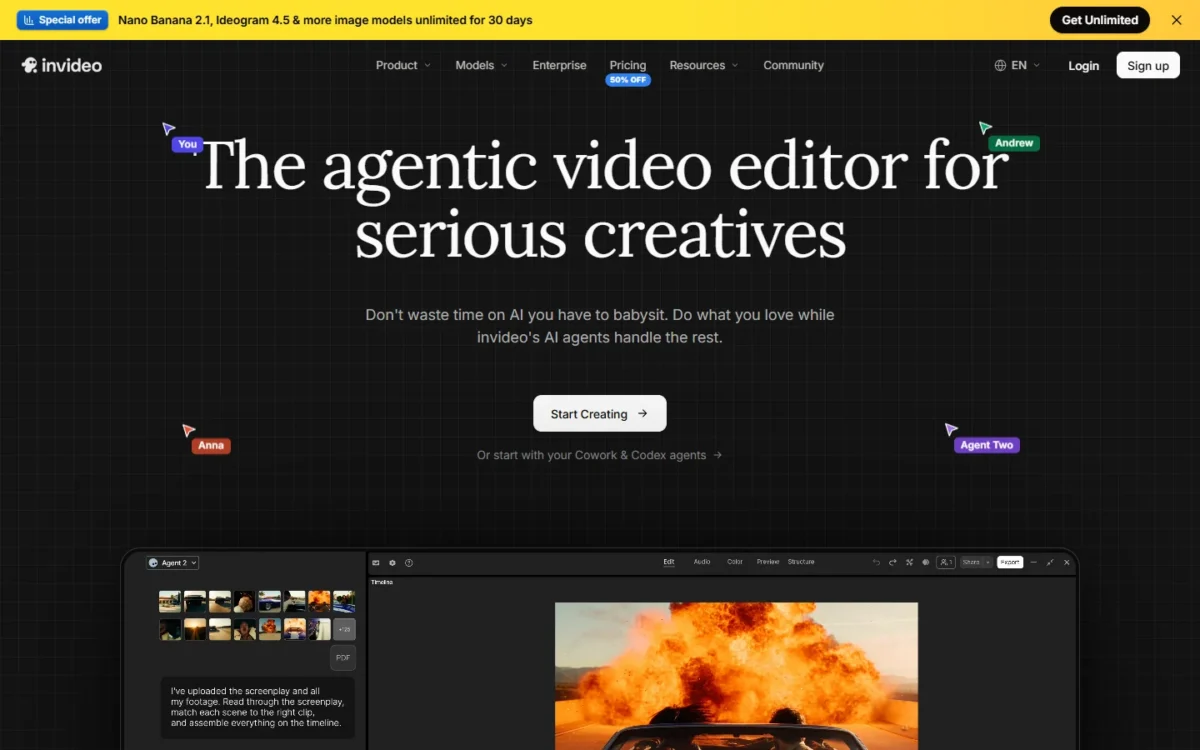
The invideo Agent screen comes from my own invideo account; the rest of that section rests on invideo’s pages.
Output quality depends on your prompt and source images, so run one brief through Flow’s 50 free daily credits, Runway’s 125 free credits and HeyGen’s 3 free videos before you pay.
1. Google Flow: Best for Veo 3.1 Clips With Sound and a Free Daily Allowance
- Best for: marketers who need clips with dialogue, music or ambient sound
- Free plan: 50 Google Flow credits a day, Veo 3.1 included
- Models: Veo 3.1, Gemini Omni Flash, Nano Banana Pro
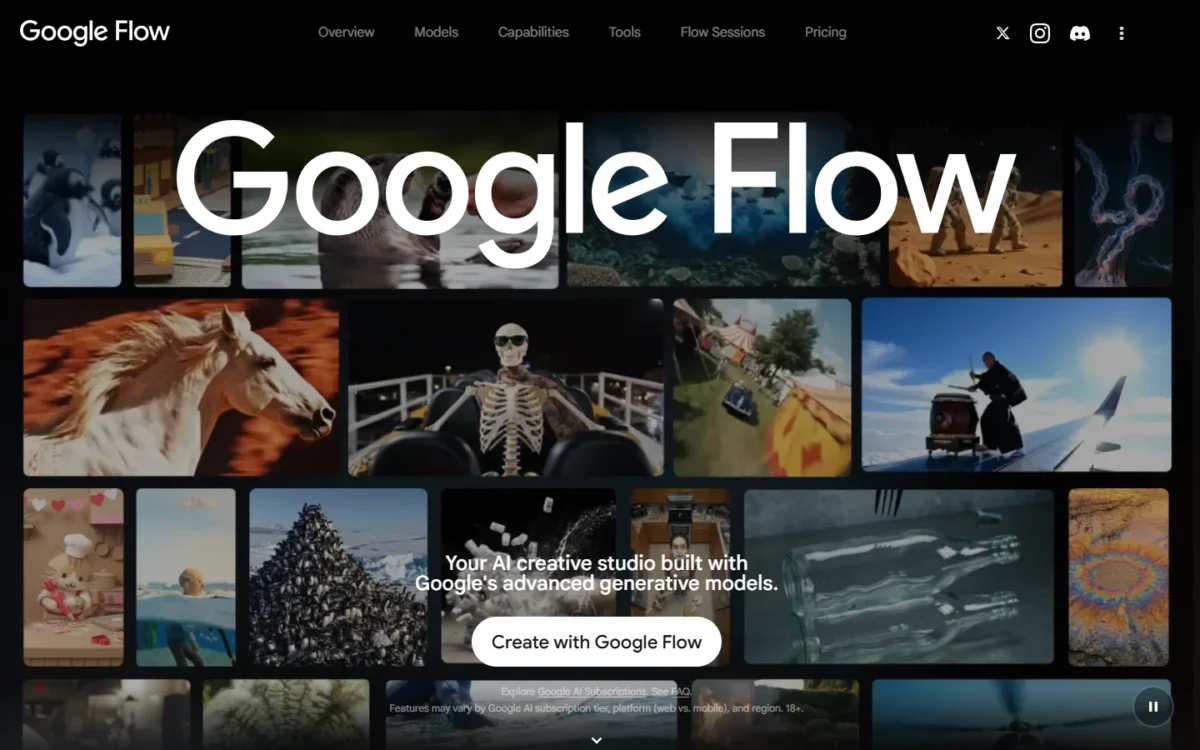
Start with Google Flow when a clip needs sound. Its free tier’s 50 daily credits include Veo 3.1, which Google says generates native audio with the picture, so you can try a spoken-line ad before paying. The trade-off: the plan page does not say how many Veo 3.1 clips 50 credits make. My guide on how to use Google Flow walks a beginner from the first project to the download.
Frames to Video and Ingredients to Video are also free, which matters when one product must look the same across four launch shots. The delivery gate is resolution: 1080p upscaling starts on AI Plus, and 4K is listed from the $99.99 AI Ultra.
AI Pro at $19.99 a month is the plan I would budget for regular work: 1,000 monthly Flow credits on top of the daily 50, plus top-ups. Google notes that prices may vary by market.
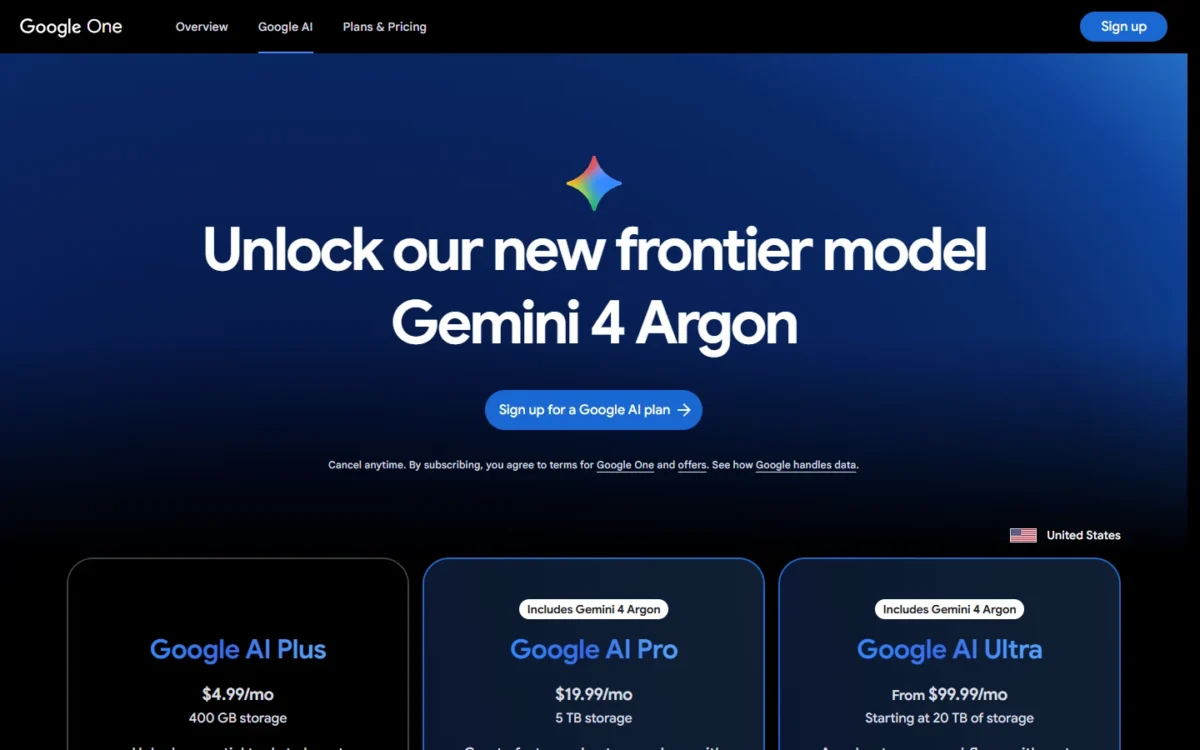
| Plan | Price | Monthly Flow credits |
|---|---|---|
| Free | $0 | 50 a day |
| Google AI Plus | $4.99/mo | 200, plus 50 a day |
| Google AI Pro | $19.99/mo | 1,000, plus 50 a day |
| Google AI Ultra | $99.99/mo | 10,000, plus 50 a day |
| Google AI Ultra | $199.99/mo | 25,000, plus 50 a day |
Sources: Google Flow plans and Google AI plans, checked October 2026.
Pros
- A daily free allowance that reaches a frontier model
- Sound generated with the picture, per Google
- AI Pro bundles the Gemini app and 5 TB of storage
Cons
- No per-clip credit cost on the plan page
- 4K upscaling waits on the $99.99 Ultra plan
- Paid plans are Google AI bundles, so you also pay for Gemini
My Google Flow review covers the editor, and the Google Flow pricing guide covers each plan.
- Skip it if:
- you must quote a client the cost of each clip before rendering; Runway prints seconds per plan.
2. Runway: Best for Creative Control and Editing of Each Shot
- Best for: small creative teams making ads and concept shots
- Free plan: 125 one-time credits
- Standout: each paid plan converted into seconds of Gen-4.5
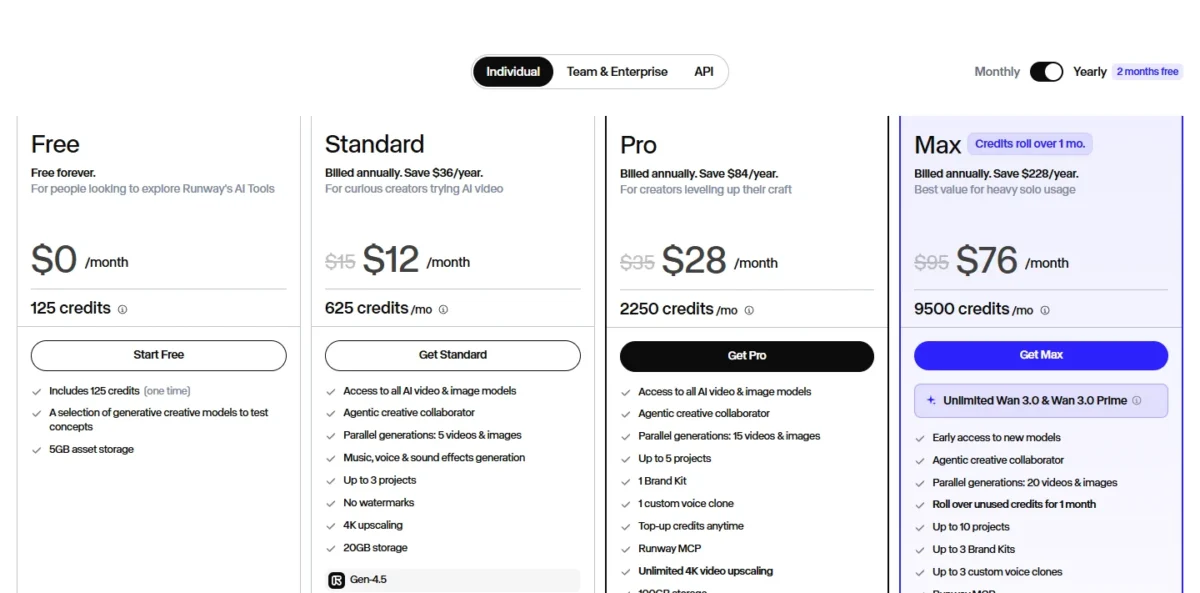
For a director who needs a shot’s cost before rendering, Runway’s pricing page does the math: Standard’s 625 monthly credits equal 52 seconds of Gen-4.5. The trade-off is how fast those seconds go, since Standard and Pro credits reset every cycle.
Gen-4.5 uses 60 credits per 5 seconds and Aleph 2.0 uses 140, so five seconds of Aleph 2.0 cost more than twice five seconds of Gen-4.5.
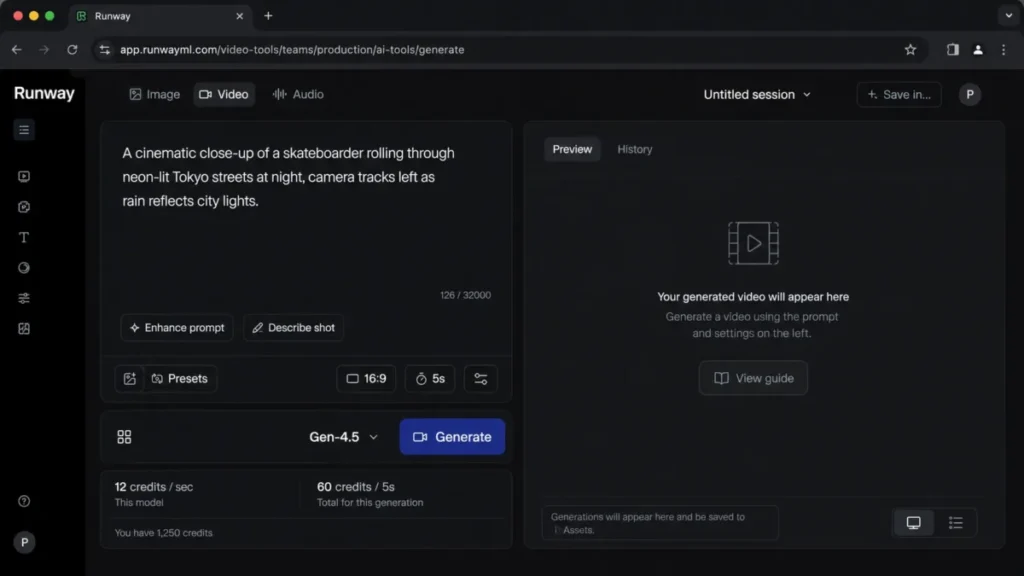
Runway’s plan cards also list other makers’ models: Standard lists Kling 4.0, and Pro and Max add Seedance 2.5. Higgsfield has the longer menu, but Runway’s per-second math is simpler to forecast.
Standard is where I would start a brand team, because it is the first plan with no watermarks and 4K upscaling. A team making several ads a month lands on Pro; Max rolls up to one month of unused credits forward.
| Plan | Monthly | Billed annually | Credits a month |
|---|---|---|---|
| Standard | $15/mo | $12/mo | 625 (52 s of Gen-4.5) |
| Pro | $35/mo | $28/mo | 2,250 (187 s) |
| Max | $95/mo | $76/mo | 9,500 (791 s) |
Sources: Runway pricing, checked October 2026.
Pros
- A clip is priced in seconds before you render it
- Purchased extra credits never expire
- Kling 4.0 and Seedance 2.5 sit beside Gen-4.5
Cons
- Standard covers 52 seconds of Gen-4.5 a month
- Standard and Pro credits reset within 24 hours of the billing date
- Extra credits start at a 1,000-credit purchase
My Runway ML review goes deeper on the tools.
Every plan’s limits are in the Runway pricing breakdown.
Torn between the first two picks? Google Flow vs Runway sets them side by side.
- Skip it if:
- your job is scripted training video for an LMS; Colossyan exports SCORM from Professional.
3. Kling AI: Best for 30-Second Clips and Multi-Shot Scenes
- Best for: creators who want Kling 3.0 and 4.0 without a storefront between
- Free plan: Basic, $0
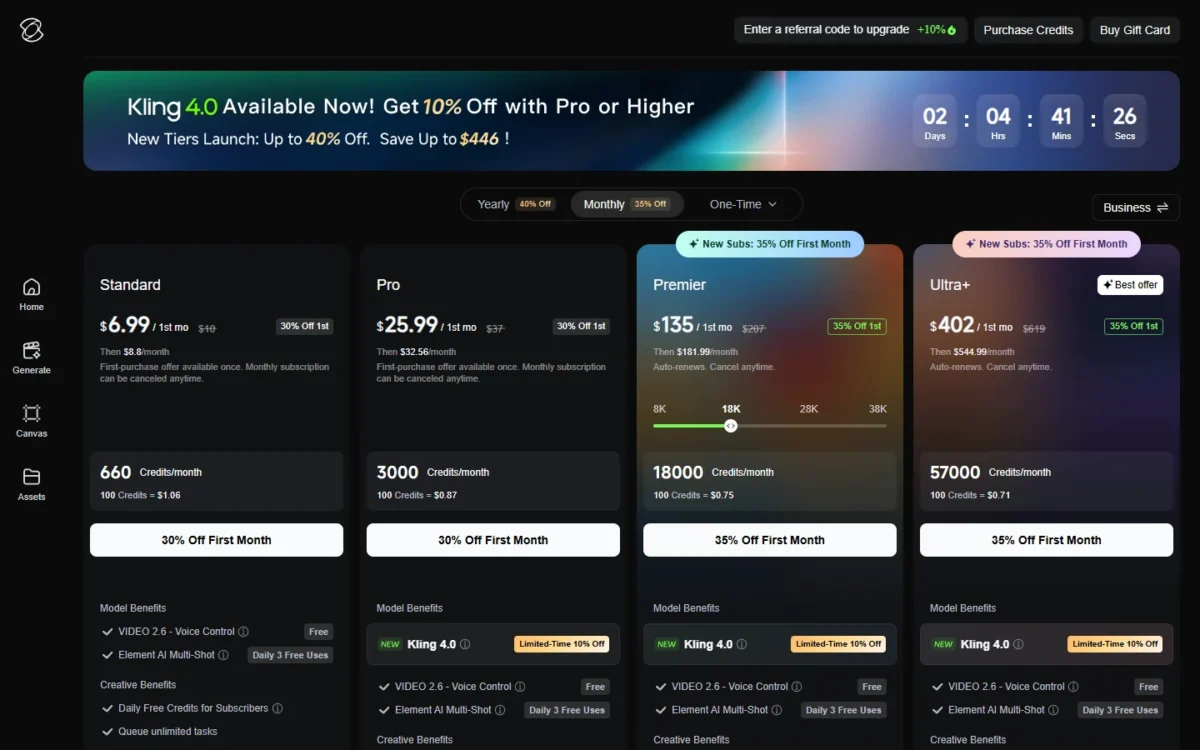
- Credits: 660 a month on Standard, 3,000 on Pro, 18,000 on Premier, 57,000 on Ultra+
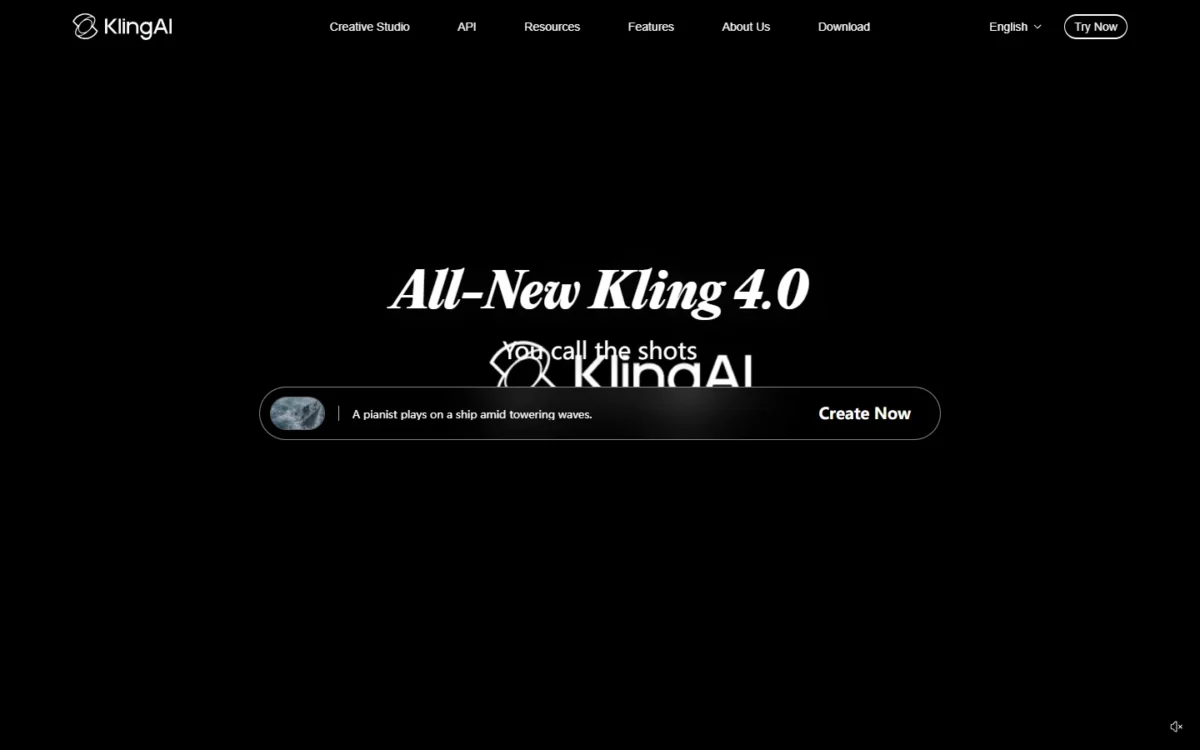
Kling AI is the pick for one long take or a scene built from several shots. Kling says Kling 4.0 supports native 30-second generation, and every paid card adds three free daily Element AI Multi-Shot uses.
The trade-off: Runway and Higgsfield resell Kling models, but Kling prices credits, not seconds, so its cost per second cannot be set against theirs.
Kling 3.0 and 3.0 Omni bring synchronized audio and video, storyboarding and element reference, which suits a scene that cuts between angles of one character. Every paid card also lists commercial use and watermark removal.
The Monthly view prices 100 credits from $1.06 on Standard to $0.71 on Ultra+ at the first-month offers, so credits cost more after renewal.
Pro is where I would start, because it is the first card that lists the Kling 4.0 discount. Each view opens with a first-period offer, so budget from the renewal price.
| Plan | Monthly view | Yearly view | Credits a month |
|---|---|---|---|
| Standard | $6.99 first month, then $8.8/ | $79.2 a year, then $79.2/ | 660 |
| Pro | $25.99 first month, then $32.56/ | $293.04 a year, then $293.04/ | 3,000 |
| Premier | $135 first month, then $181.99/ | $1,490 first year, then $1,639.99/ | 18,000 |
| Ultra+ | $402 first month, then $544.99/ | $4,457 first year, then $4,902.99/ | 57,000 |
Sources: Kling AI membership plans, Monthly and Yearly views, US prices checked October 2026.
Pros
- Kling 4.0 listed with native 30-second generation
- Lower price per 100 credits on every tier up
- Multi-Shot has three free uses a day on paid plans
Cons
- No credits-per-second rate on the membership page
- First-month and first-year prices are offers that renew higher
- Kling models only, so a Veo shot needs another tool
- Skip it if:
- you want to test Kling against Veo and Seedance on one balance; Higgsfield sells all three.
4. Higgsfield: Best for Many Video Models on One Plan
- Best for: creators and small studios picking a model per shot
- Free plan: none on the pricing page
- My test: October 1 and 2, 2026, in my Ultra workspace
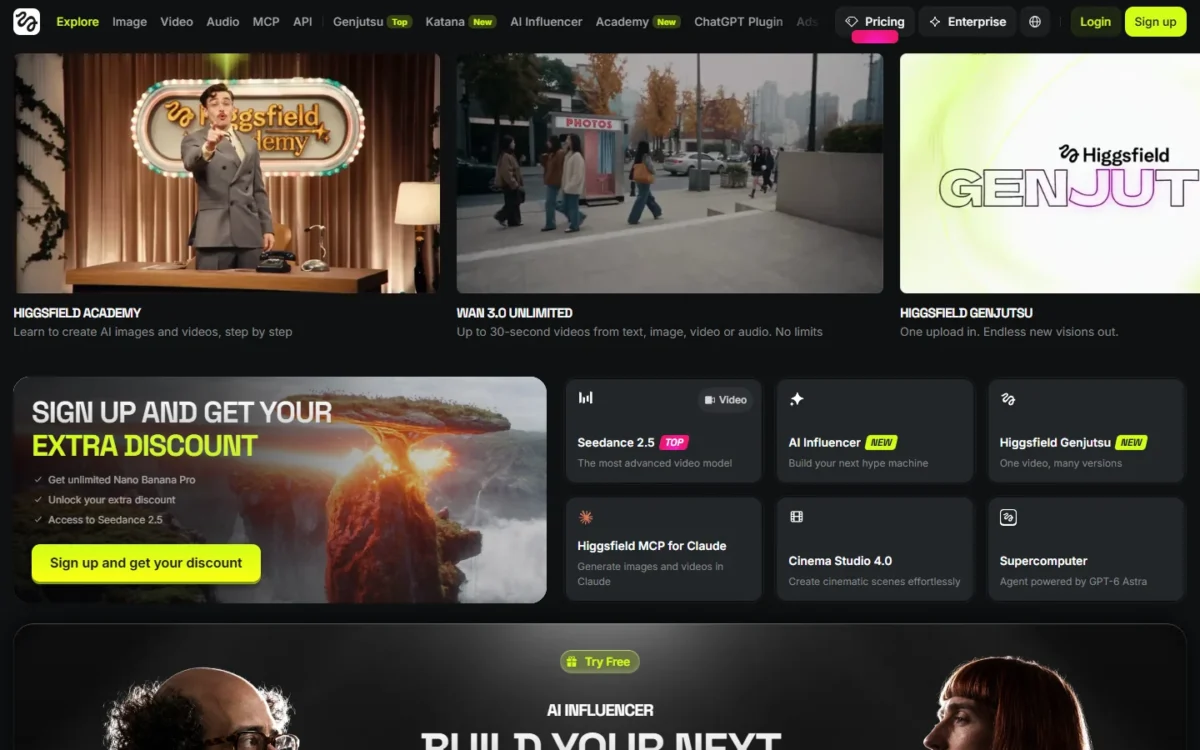
- Sign-up: about four minutes from the email form to the creation screen in my test
In my October 1 test, the same prompt cost 10 credits on Kling 3.0, 22.5 on Seedance 2.0 and 32 on Google Veo 3.1 Fast. That spread is the case for Higgsfield: one balance for every model, where the model picker decides the bill. The trade-off is fine print on Unlimited and training.
| Model in my test (720p) | Credits charged | Cost at Ultra’s $129 for 3,000 credits |
|---|---|---|
| Kling 3.0, audio on | 10 | 10 x $0.043 = $0.43 |
| Seedance 2.0 | 22.5 | 22.5 x $0.043 = $0.97 |
| Google Veo 3.1 Fast | 32 | 32 x $0.043 = $1.38 |
Source: credits charged in my Higgsfield test account on October 1, 2026; $0.043 a credit is $129 / 3,000 from the Ultra card on the Higgsfield pricing page. These are per-clip charges on one prompt; the cost-per-second table further down uses Higgsfield’s printed rate card instead.

Each render took about 2 to 2.5 minutes. Every clip came back as a 1280×720 MP4 with an audio track and no visible watermark.
Seedance gave the most convincing motion. Veo Fast tracked the camera most closely but turned the subject’s head away on the rain prompt, and Kling garbled the brand text on a watch dial.
Two traps cost money: Kling’s resolution reset to 4K (30 credits) on each reload, and the Unlimited switch was off when the generator loaded. Logged out, my screenshots also showed different Starter and Plus offers while Ultra matched, so check the price in your own session before you buy.
Starter reaches Seedance 2.0 Fast and 2.0 Mini and selected models only. Plus opens all models and all Seedance, so it is the plan this job needs: $49 billed monthly or $39 a month billed annually. Team starts from $65 per seat a month for 2 to 15 seats, from 1,000 credits per seat.
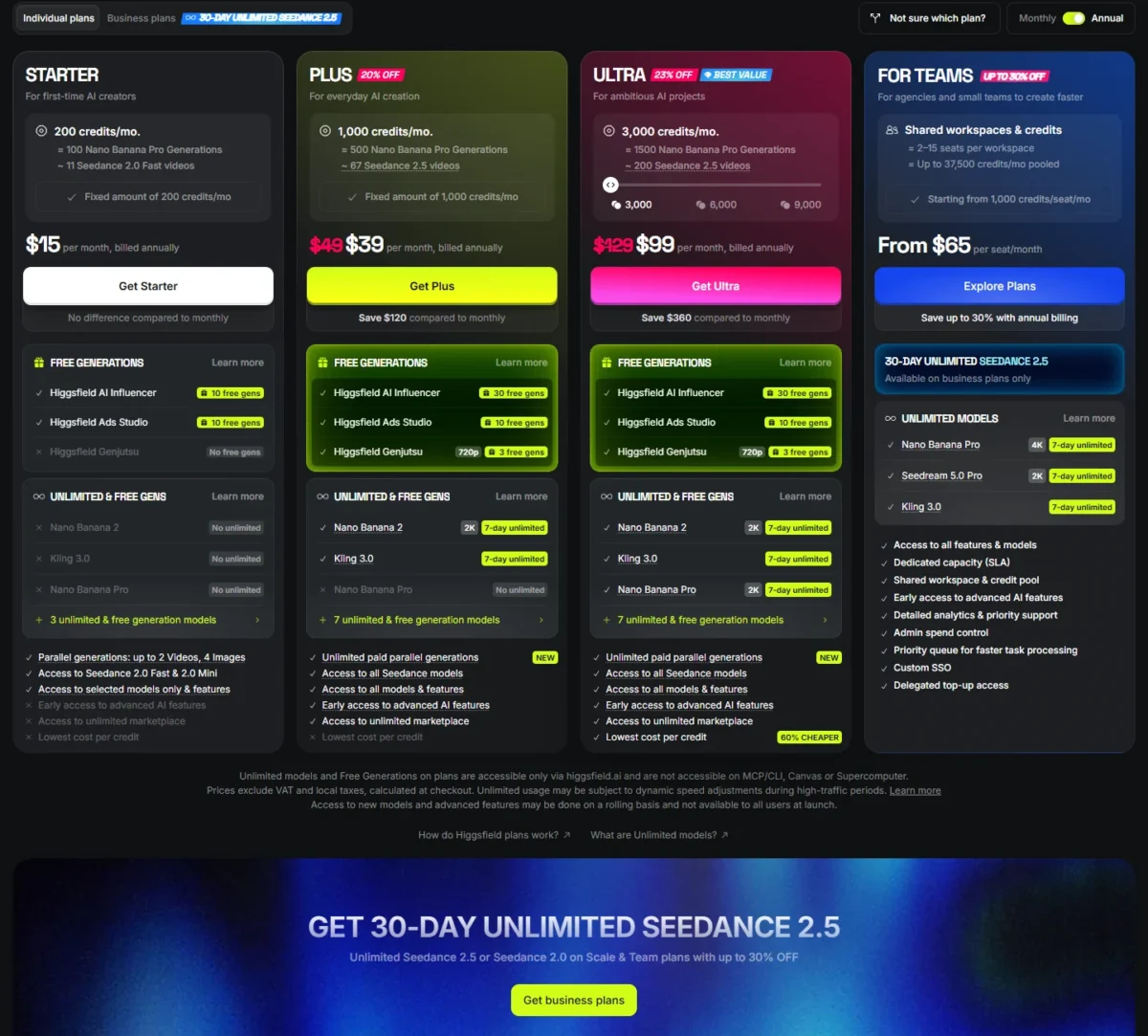
| Plan | Billed monthly | Billed annually | Credits a month |
|---|---|---|---|
| Starter | $15/mo | $15/mo | 200 |
| Plus | $49/mo | $39/mo | 1,000 |
| Ultra | $129/mo | $99/mo | 3,000 |
Sources: Higgsfield pricing, Monthly and Annual views, checked October 2026; prices exclude VAT and local taxes.
Before you pick a plan, my Higgsfield AI pricing guide works out what each plan’s credits buy per model.
Unused subscription credits expire at the end of each billing period under Higgsfield’s terms of use. The same terms let Higgsfield use your content, inputs and outputs to train its AI models, except under an Enterprise Agreement.
Pros
- A printed credit rate for each of dozens of video models
- Its terms do not restrict commercial use of outputs
- My clips came back with audio and no visible watermark
Cons
- Veo 3.1 Fast cost more than three times Kling 3.0 per clip on my prompt
- Kling reset to 4K on reload in my test
- Outside Enterprise, your uploads can train its models
The full run, with Cinema Studio and Soul ID, is in my Higgsfield AI review.
- Skip it if:
- you will not let a vendor train on your uploads; Colossyan states it does not train AI models on customer content.
5. getimg.ai: Best for Animating Product Shots From First and Last Frames
- Best for: marketers turning product photos into clips for client work
- Free plan: none on the pricing page
- Rights: commercial rights on Entry, Core, Plus and Ultra
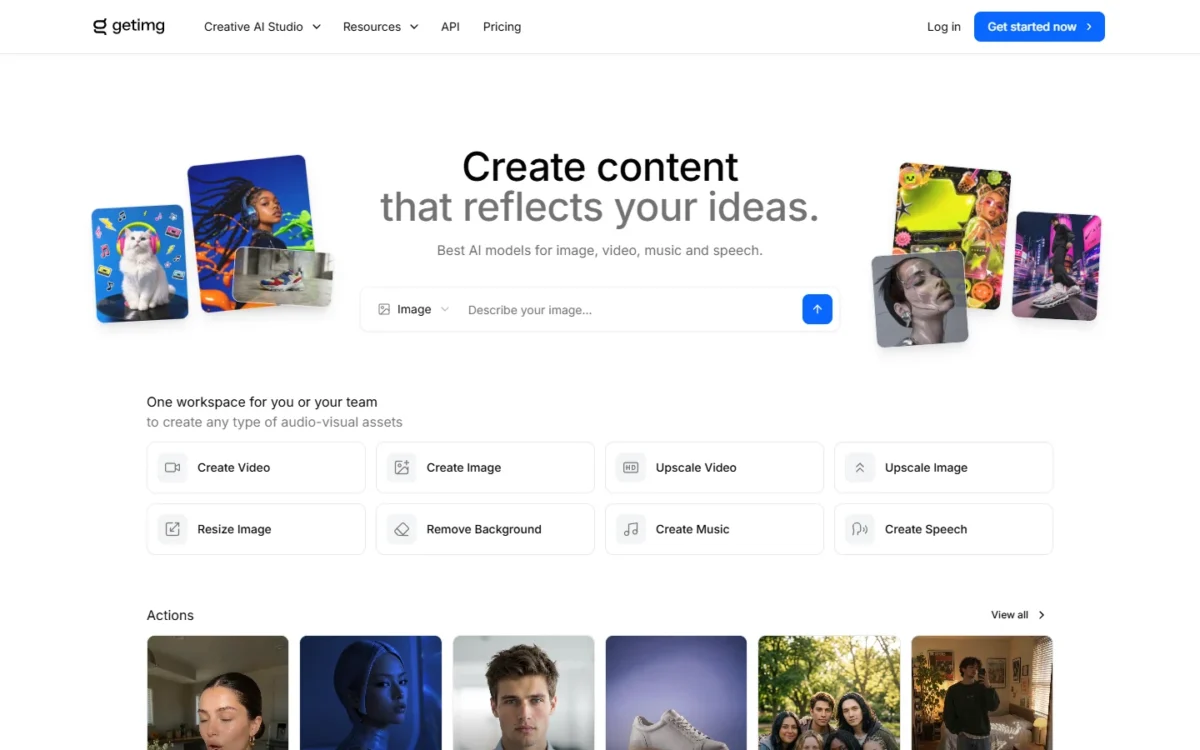
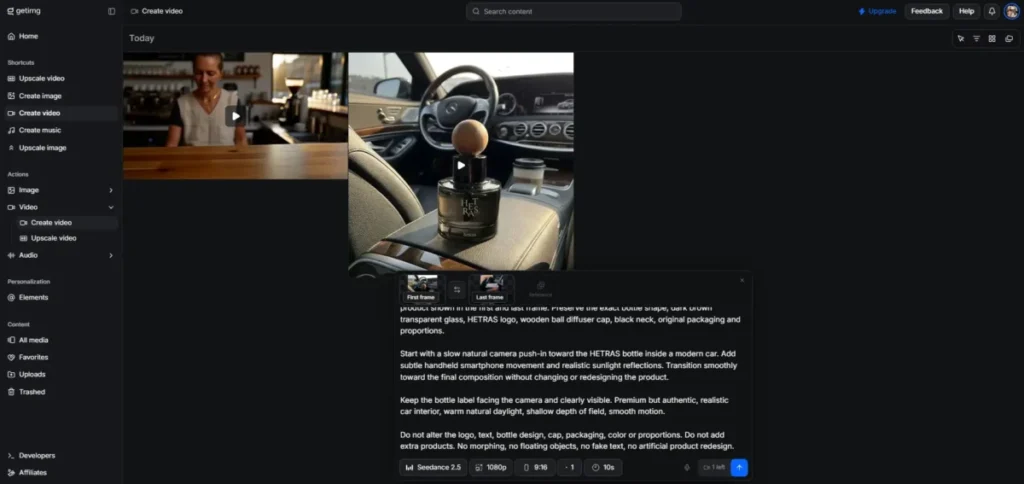
A product photo, not a blank prompt, is where getimg.ai earns its place. First and last frame guidance works on most of its video models, and commercial rights come with every paid plan. The trade-off is no free plan, and per-model rates show only inside the studio.
On or before September 17, 2026, I ran one prompt in my paid Plus account: Auto mode, 16:9, five seconds, a slow dolly shot along a cafe counter. The balance moved from 9,240 to 8,640 credits, so the clip cost exactly 600 credits, which matches 120 credits a second.
It returned a 2,560 by 1,440 file lasting 5.17 seconds after 5 minutes 41 seconds of rendering. getimg.ai has since changed its plan prices and credits, so read that run as a dated data point.
The model list is the second reason. Veo 3.1 makes 8-second clips at 1080p, Kling 3.0 Pro runs up to 15 seconds and Seedance 2.5 up to 30, all on one subscription.
Entry reaches selected models only and the plan comparison lists 13 Auto videos a month. Core at $26 a month billed annually opens all models and lists 31 Auto videos, so Core is where the multi-model job starts.
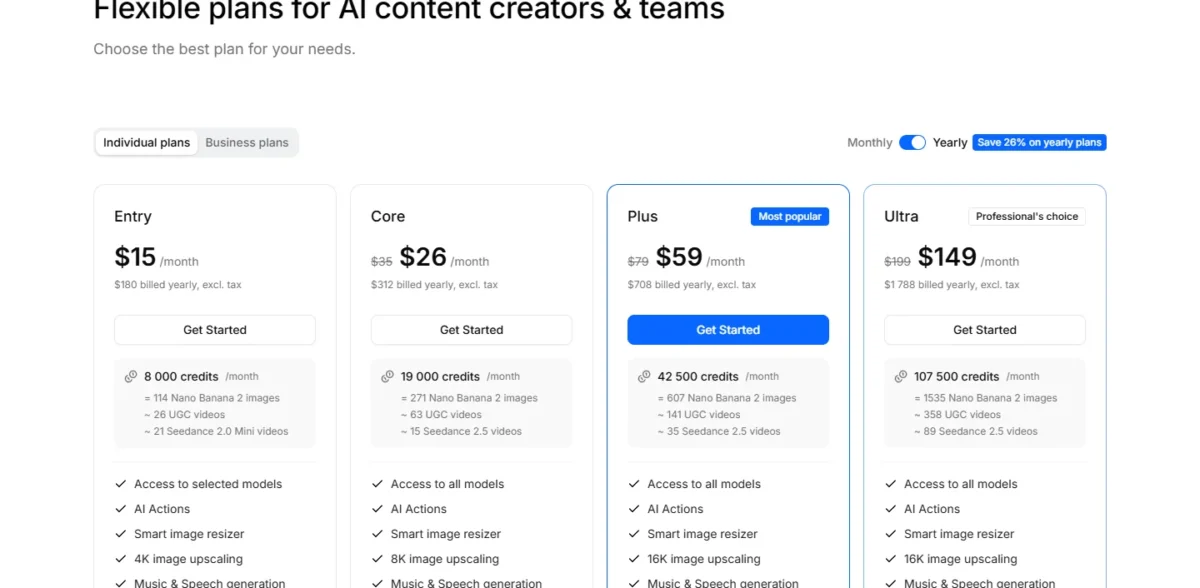
| Plan | Per month, billed annually | Billed yearly | Model access |
|---|---|---|---|
| Entry | $15/mo | $180 | Selected models |
| Core | $26/mo | $312 | All models |
| Plus | $59/mo | $708 | All models |
Sources: getimg.ai pricing, text-to-video page and FAQ, checked October 2026; prices exclude tax.
Pros
- First and last frame guidance on most video models
- No separate licensing step before client work
- Credit cost shows above the button before you confirm
Cons
- No free plan, so evaluation starts with a card
- Entry reaches selected models only
- Entry lists 13 Auto videos a month against Core’s 31
More on the studio is in my getimg.ai review.
- Skip it if:
- you need to try before you pay; Google Flow’s free credits or Runway’s 125 credits come first.
6. Adobe Firefly: Best for Commercially Safe Video Inside Adobe Apps
- Best for: brand and design teams already in Adobe apps
- Free plan: daily generations without a plan
- Standout: Firefly Video Model trained on licensed and public domain content
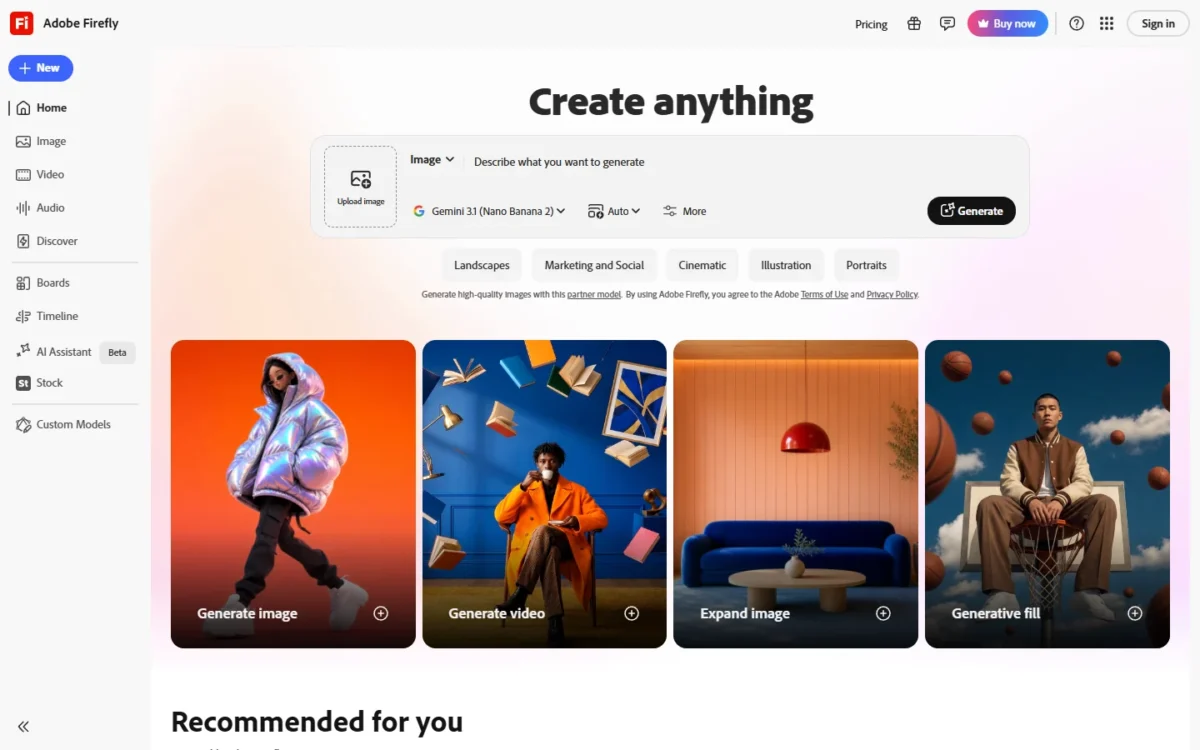
When legal asks where the training data came from, Adobe Firefly has a written answer. Adobe says Firefly Video Model output is safe for commercial use, and the model is trained on licensed content such as Adobe Stock, not Adobe user content. Partner models may carry different terms.
Veo 3.1, Luma Ray3, Kling 3.0 and Runway sit beside the Firefly Video Model in one subscription. Larger brands can buy an Adobe Express and Firefly for enterprise plan with indemnification for select Firefly workflows.
Firefly Pro at US$19.99 a month is where I would start, because it doubles Standard’s allowance to 40 five-second videos. Premium is the plan with unlimited access to the Firefly Video Model.
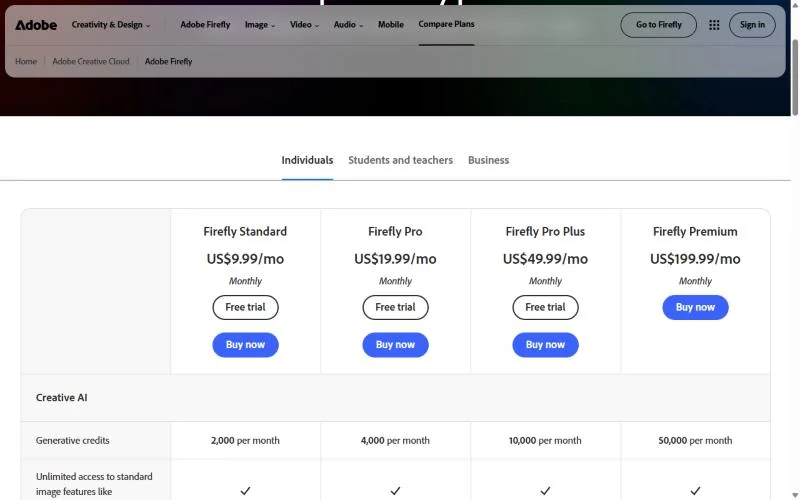
| Plan | Monthly price | Five-second videos |
|---|---|---|
| Firefly Standard | US$9.99/mo | Up to 20 |
| Firefly Pro | US$19.99/mo | Up to 40 |
| Firefly Pro Plus | US$49.99/mo | Up to 100 |
| Firefly Premium | US$199.99/mo | Unlimited Firefly Video Model |
Sources: Adobe Firefly plans, Firefly AI video generator and Adobe Express pricing FAQ, US prices checked October 2026.
Pros
- Firefly Video Model output stated as safe for commercial use
- Not trained on Adobe user content
- Veo 3.1, Kling 3.0, Luma Ray3 and Runway in one workspace
Cons
- The commercial-use statement covers the Firefly model, not every partner
- Standard caps video at 20 five-second clips
- No per-second rate printed for partner models
My Adobe Firefly review covers the whole app.
Credit add-ons and team plans are in Adobe Firefly pricing.
- Skip it if:
- you need a per-second rate for every model; Higgsfield prints one per model.
7. invideo Agent: Best for Multi-Scene Campaigns and Many Versions
- Best for: agencies producing many versions of one campaign
- Free plan: yes, no card, credits reset weekly
- Standout: timeline editing and downloads use no credits
One brief, many deliverables: invideo says you brief it once and it stays on brand across every format, and that a series keeps character consistency. The manual editor costs no credits. The trade-off is Basic, which has no Seedance 2.5 or 2.0 and only Agent Two Lite.
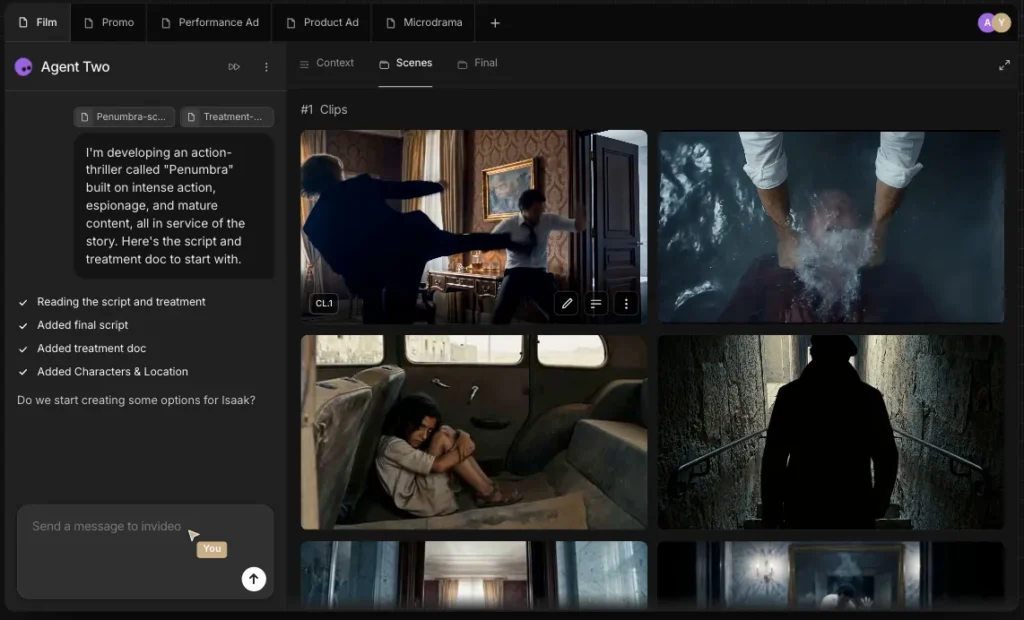
Generation is priced per second at the provider’s list price: Seedance 2.5 at 1080p runs about 96 credits per 5 seconds, so Pro’s 1,000 monthly credits buy roughly 52 seconds. Plan credits do not roll over, and invideo reserves the right to change credit costs without notice.
Pro at $15 per seat a month billed annually is the campaign plan, because it opens Seedance 2.5 and adds 10 guest seats with 190 credits each.
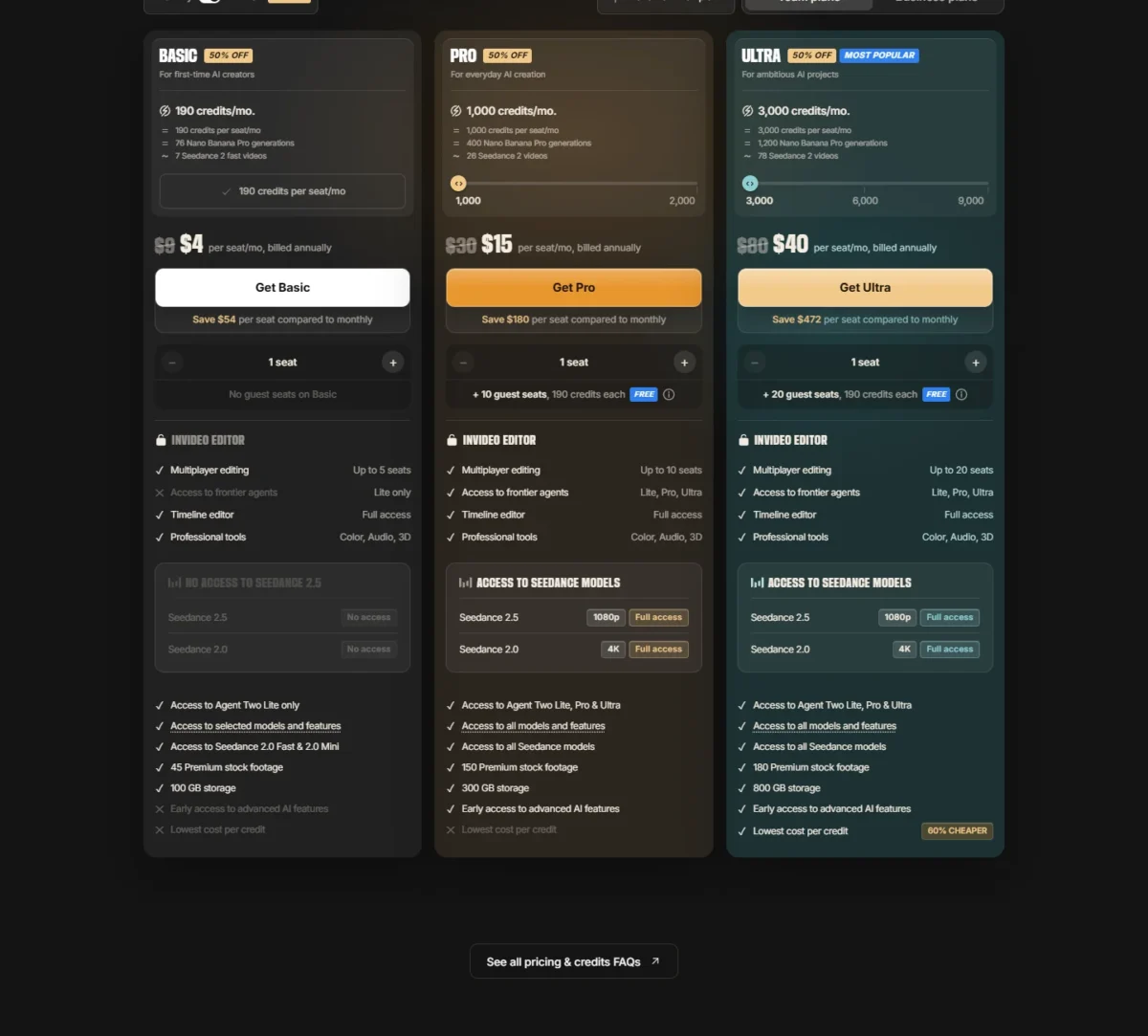
| Plan | Per seat, billed annually | Credits a month |
|---|---|---|
| Basic | $4/mo | 190 |
| Pro | $15/mo | 1,000 |
| Ultra | $40/mo | 3,000 |
Sources: invideo pricing, plans and credits help and free plan help, checked October 2026.
Pros
- One brief carries brand and characters across formats, per invideo
- Exports and downloads use no credits
- Pro adds 10 free guest seats
Cons
- Basic has no Seedance 2.5 or Seedance 2.0
- Unused plan credits do not roll over
- Credit costs can change without notice
Is anything better than invideo AI? For one hero shot, I would start with Runway, because its plan page prices each plan in seconds; invideo’s edge is a project with many deliverables. The plan gates are in my invideo Agent review.
- Skip it if:
- finance needs one fixed price per finished video; Runway’s printed seconds are easier to quote.
8. HeyGen: Best for Multilingual Avatar Marketing
- Best for: marketing teams localizing avatar video
- Free plan: 3 videos a month, no card
- Languages: 175 languages and dialects from Creator
Marketing teams that publish in many languages get the most from HeyGen. Creator brings 175 languages and dialects, 1080p export and watermark removal. The trade-off is that SAML/SSO, SCORM and LMS integrations wait on Business.
Rollover, which suits an uneven campaign calendar, is HeyGen’s edge over the other avatar picks: monthly subscribers’ unused credits roll over for one more month, while Synthesia and Colossyan reset unused minutes each period.
For narration with no face on screen, see my ranking of AI voice generators.
Creator at $29 a month suits a solo marketer. A team that needs SSO pays for Business: three seats cost $149 plus $20 x 2 = $40, which is $189 a month.
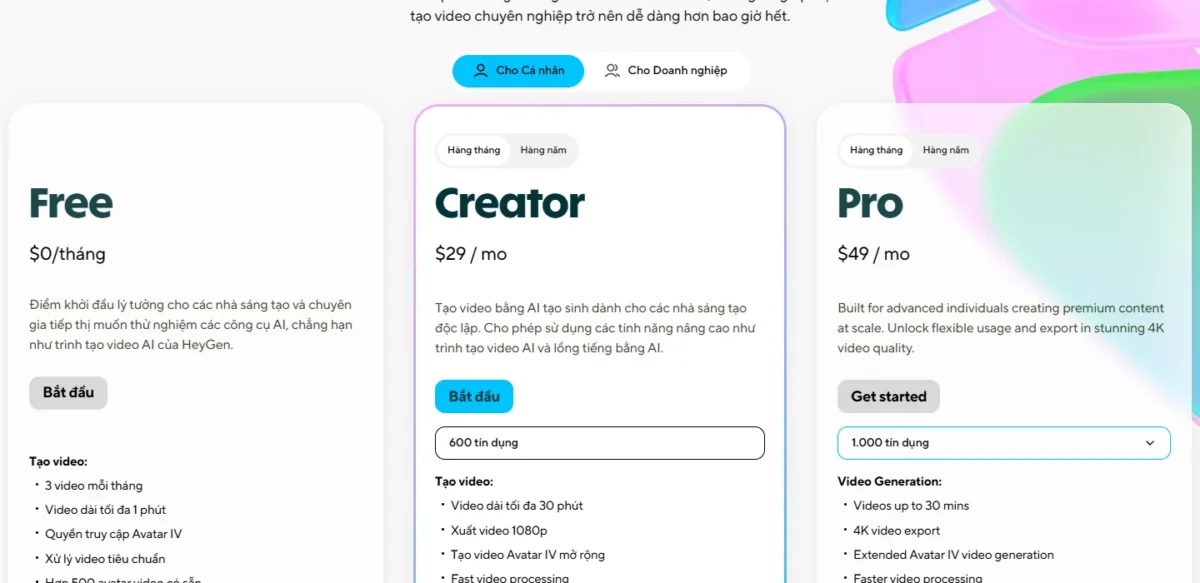
| Plan | Price | Video length | Key gate |
|---|---|---|---|
| Creator | $29/mo | Up to 30 minutes | 1080p, watermark removal |
| Pro | From $49/mo | Up to 30 minutes | 4K export |
| Business | $149/mo + $20 per seat | Up to 60 minutes | SAML/ |
Sources: HeyGen pricing, US prices checked October 2026.
Pros
- 175 languages and dialects from Creator
- Credits carry over a month on monthly plans
- SCORM export on a self-serve Business plan
Cons
- SSO, SCORM and LMS integrations need Business
- Each extra Business seat adds $20 a month
- Free videos stop at 1 minute
- Skip it if:
- your training needs unlimited SCORM and EU or US data residency; Colossyan Enterprise lists both.
9. Synthesia: Best for Enterprise Training With Governance
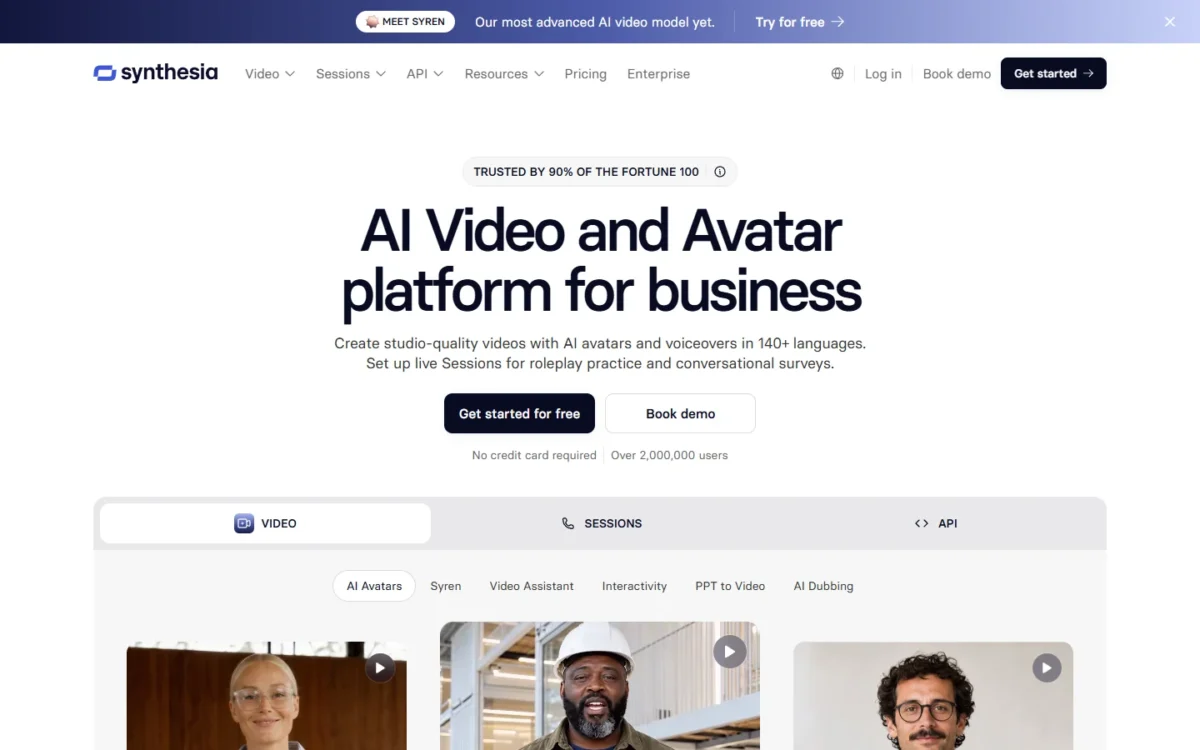
- Best for: L&D, HR and enablement teams across a company
- Free plan: Basic, 10 minutes of video a month with a watermark
- Gate: SCORM export and SAML/SSO on Enterprise
Company-wide training with governance leads to Synthesia Enterprise, which adds SAML/SSO, Brand Kits, SCORM export and unlimited video minutes. The trade-off is that the features a training team needs are a sales quote.
Video uses 100 credits per minute after the 10 minutes every plan includes, so Starter adds up to about 12 minutes a month and Pro about 60. Seats are the quieter gate: Starter and Pro each hold 1 editor, so a second editor means Enterprise.
Starter is enough to pilot one course, and Pro adds minutes but still no SCORM. On the Monthly view, both open with a first-month offer before the regular price.
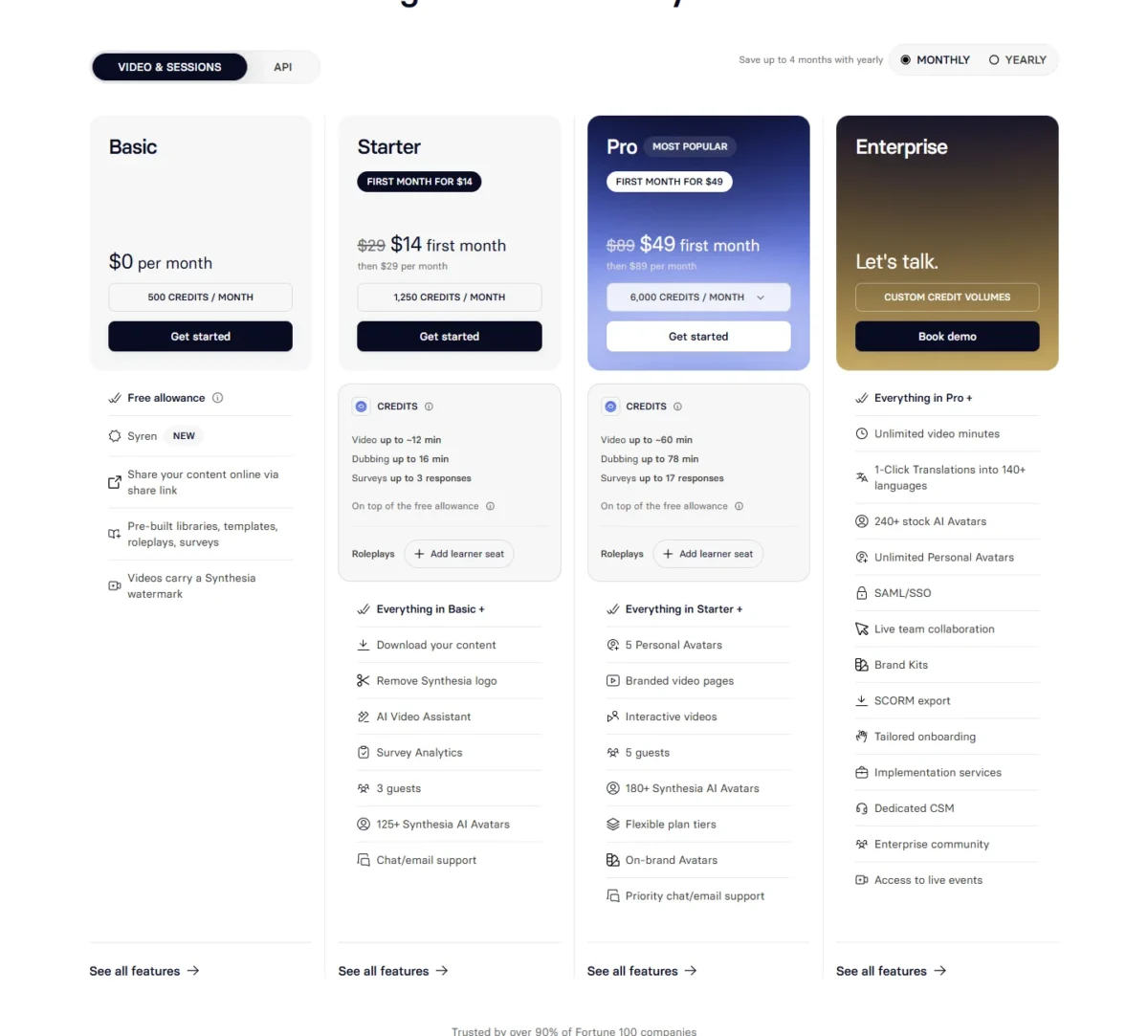
| Plan | Monthly view | Yearly view | Credits |
|---|---|---|---|
| Starter | $14 first month, then $29/ | $18/ | 1,250 a month, or 15,000 a year |
| Pro | $49 first month, then $89/ | $64/ | 6,000 a month, or 72,000 a year |
Sources: Synthesia pricing, Monthly and Yearly views, checked October 2026.
Pros
- Enterprise bundles SAML/SSO, Brand Kits and SCORM export
- 140+ languages and voices on every plan
- Dubbing draws on the same credit pool
Cons
- SCORM and SSO only on Enterprise
- Starter and Pro hold one editor
- Basic videos carry a Synthesia watermark
- Skip it if:
- you need SCORM without an enterprise contract; Colossyan exports it from Professional.
10. Colossyan: Best for SCORM Courses on a Self-Serve Plan

- Best for: L&D teams publishing courses to an LMS
- Free plan: Starter, 20 NEO minutes a month
- Data: does not train AI models on customer content
SCORM without a sales call is the reason to pick Colossyan. Professional exports SCORM, and Colossyan states it does not train AI models on customer content. The trade-off is a cap of 5 SCORM exports a month, streaming only.
Enterprise lifts the cap for any SCORM 1.2 or 2004 LMS, such as Workday or Docebo, and adds SSO/SAML, SOC 2 Type II and EU or US data residency. HeyGen puts SCORM on Business at $149 a month; Colossyan exports it from Professional at $59 a month on an annual plan.
Professional covers 30 NEO minutes and 10 NEO2 minutes a month, with up to 3 editors at $30 a month for each extra member. Only generated videos count against the minutes, not drafts.
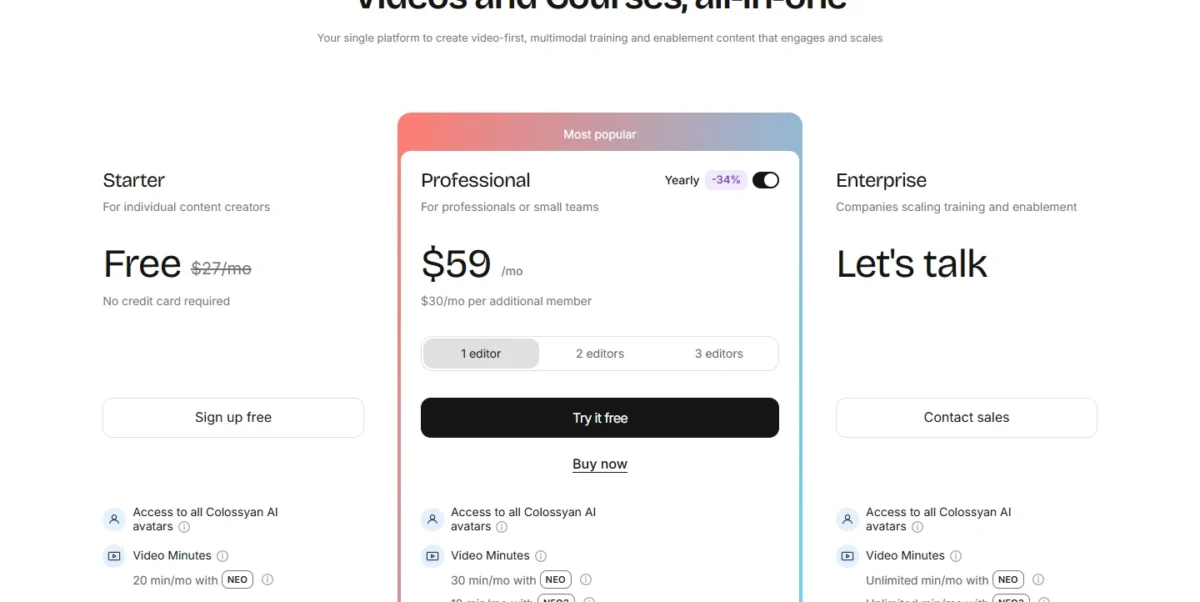
| Plan | Price | SCORM exports |
|---|---|---|
| Starter | Free | None |
| Professional | $59/mo on an annual plan | 5 a month, streaming |
| Enterprise | Contact sales | Unlimited |
Sources: Colossyan pricing, checked October 2026.
Pros
- SCORM export without an enterprise contract
- A written no-training statement for customer content
- Drafts do not use video minutes
Cons
- 5 SCORM exports a month on Professional
- Studio custom avatars cost $1,000 a year
- SSO and data residency need Enterprise
- Skip it if:
- you make social clips, not courses; VEED or Descript cost less per seat.
11. Descript: Best for Editing Recorded Footage by Transcript
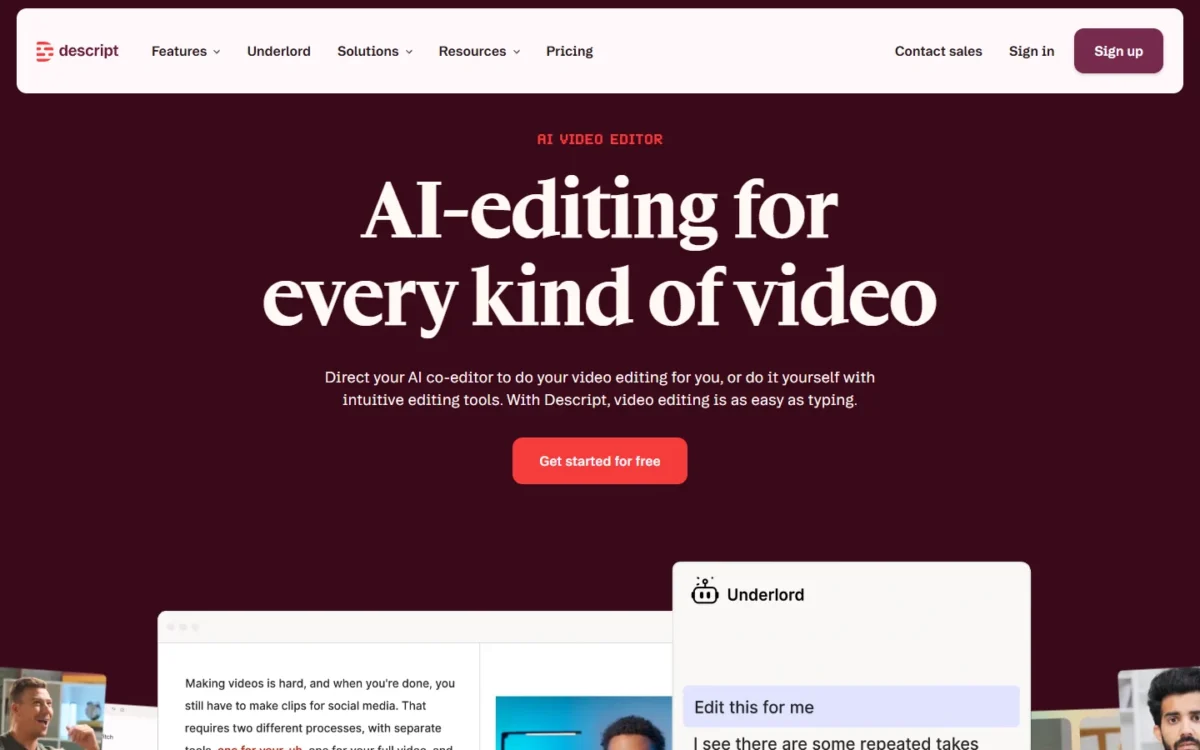
- Best for: podcasters, YouTubers and teams with recordings
- Free plan: yes, $0
- Export: 1080p on Hobbyist, 4K from Creator
If your raw material is recordings, Descript is the editor to buy: you edit video by editing its transcript. Remove Filler Words, Studio Sound and Create Clips come with Hobbyist, which suits YouTube and podcast teams. The trade-off: generation is a side feature, so it will not replace Runway for new scenes.
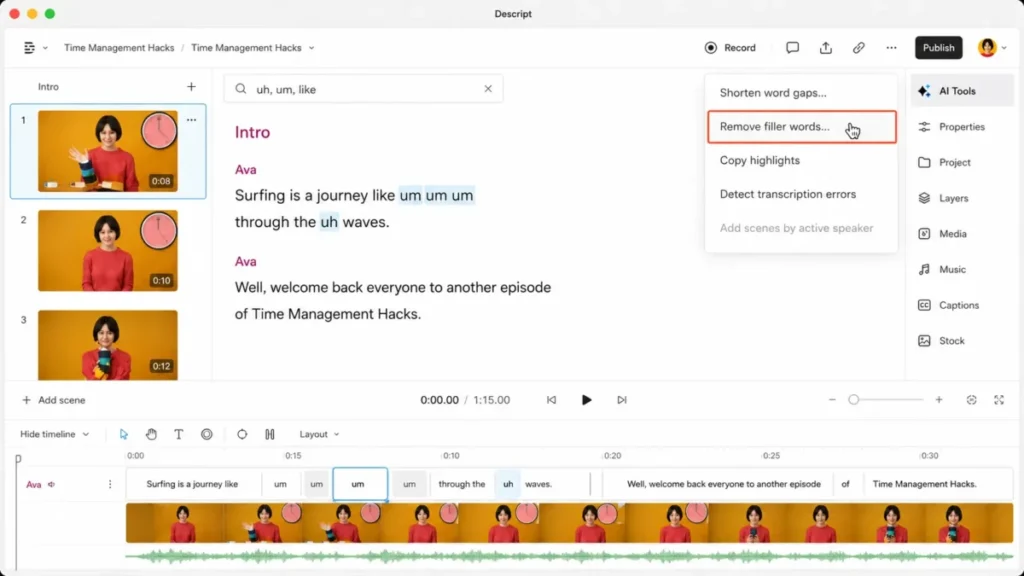
Media hours are counted per editor: 10 a month on Hobbyist, 30 on Creator and 40 on Business, so a weekly show with long raw recordings outgrows Hobbyist first. Business adds dubbing in 30+ languages with proofread.
Creator is the plan I would pick for a channel, because it adds 4K export and scales to a team of 3. It is $35 per person billed monthly or $24 billed annually.
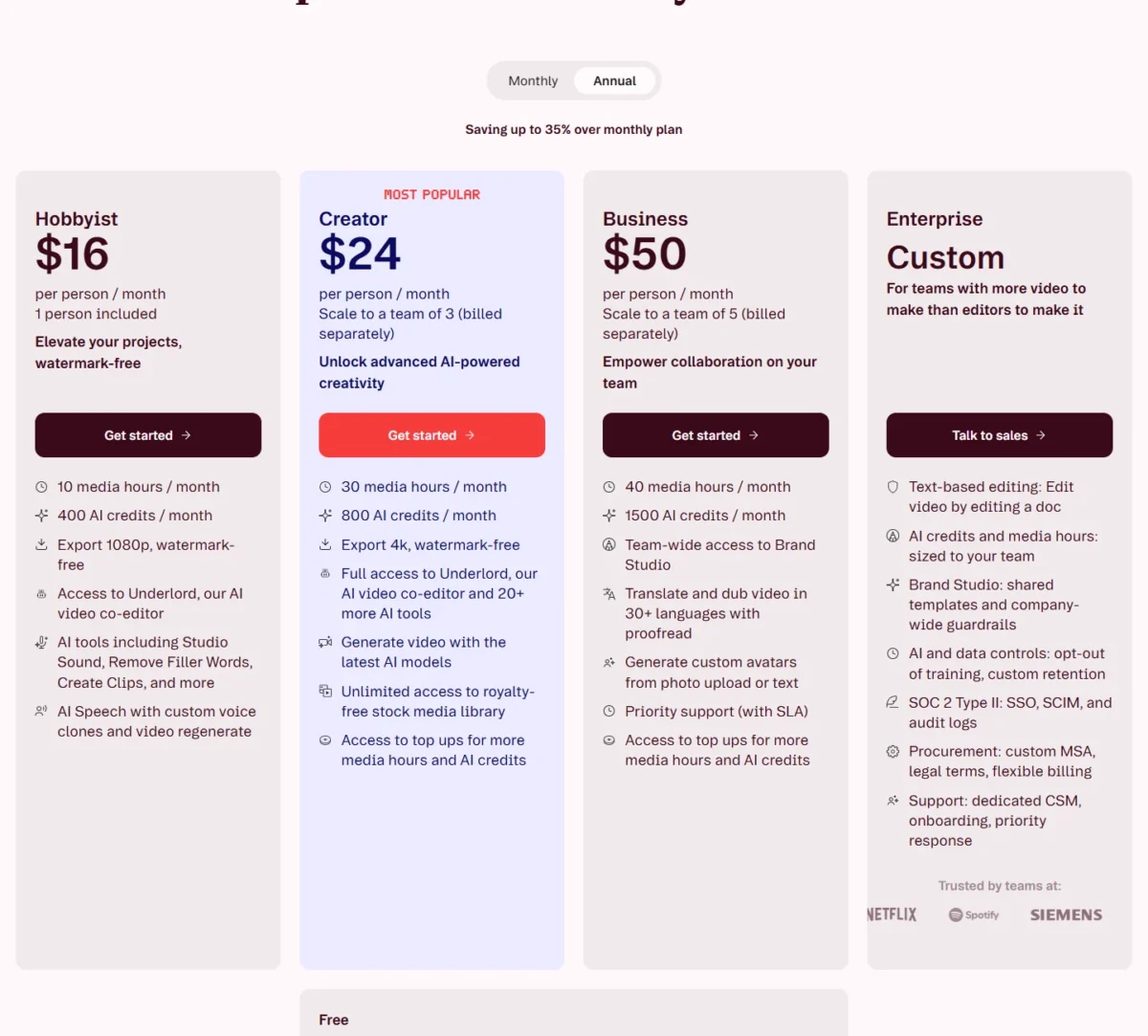
| Plan | Billed annually, per person | Billed monthly, per person | AI credits a month |
|---|---|---|---|
| Hobbyist | $16/mo | $24/mo | 400 |
| Creator | $24/mo | $35/mo | 800 |
Sources: Descript pricing, Monthly and Annual views, checked October 2026.
Pros
- Edit video by editing the transcript
- Filler-word removal and Studio Sound from Hobbyist
- 4K export from Creator
Cons
- Generation is secondary to editing
- Media hours and credits are per editor
- Translation proofread starts on Business
- Skip it if:
- your output is a generated scene; Runway or Google Flow fit that job.
12. VEED: Best for Subtitled Social Clips in the Browser
- Best for: social teams subtitling and translating clips
- Free plan: free start
- Standout: unlimited auto subtitles from Creator
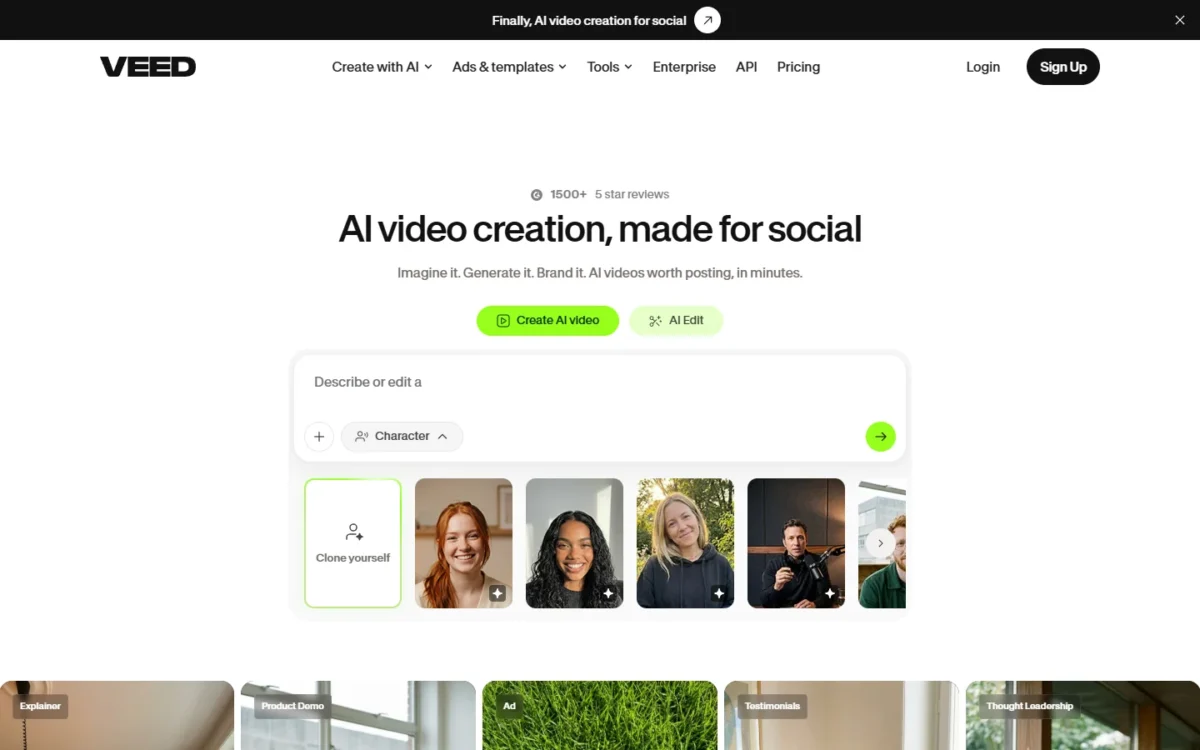
Subtitled social clips in a browser are VEED’s whole job. Unlimited auto subtitles and no watermark start on Creator, and Pro adds translation into 50+ languages and multiple brand kits. The trade-off is forecasting: VEED converts credits into “AI videos” without saying how long one is.
The Gen-AI Studio is on every paid plan, so a social editor can make a short generated insert without a second tool. Against Descript, VEED costs $16 – $10 = $6 less per seat at the entry plan on yearly billing.
Pro at $21 per user a month billed yearly is the plan for a team that translates; Creator covers a team that subtitles in one language.
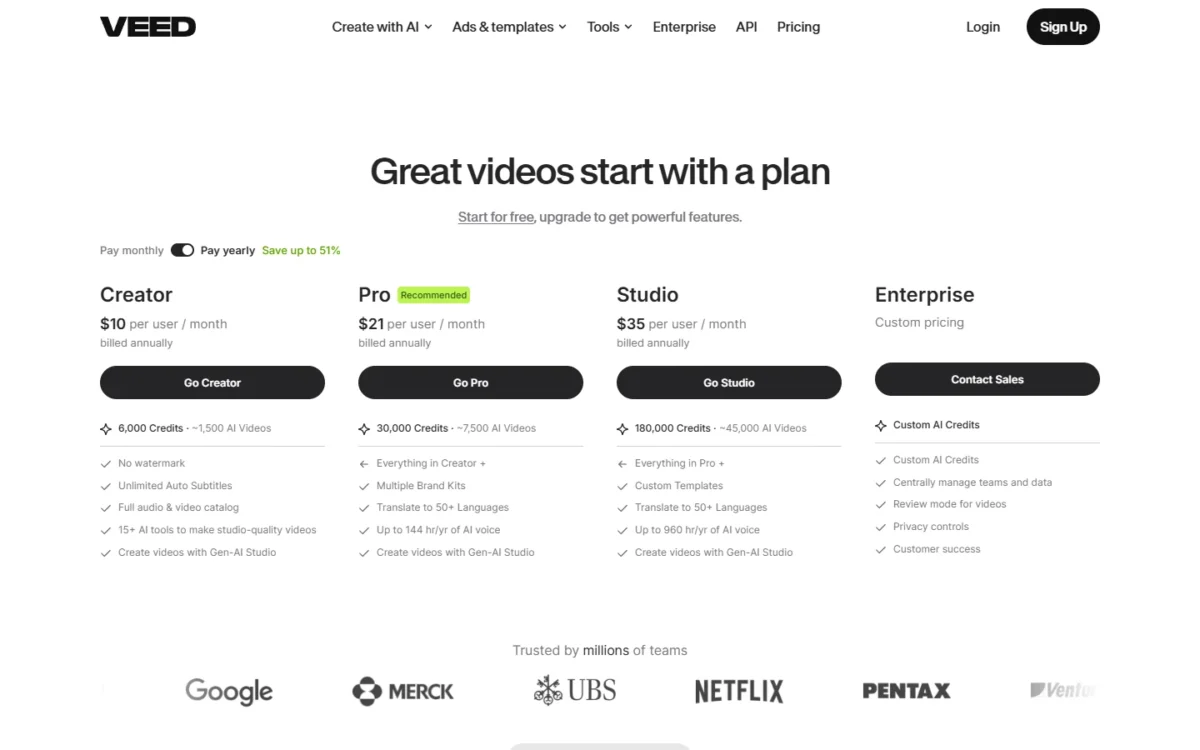
| Plan | Per user, billed annually | Credits |
|---|---|---|
| Creator | $10/mo | 6,000 (~1,500 AI videos) |
| Pro | $21/mo | 30,000 (~7,500 AI videos) |
Sources: VEED pricing, checked October 2026.
Pros
- Unlimited auto subtitles and no watermark from Creator
- Translation into 50+ languages from Pro
- Browser-based, with no install
Cons
- “AI video” credits have no stated length or model
- Billing is per user
- Translation waits on Pro
- Skip it if:
- you need to price a generated clip before making it; Runway prints seconds per plan.
What One Second of AI Video Costs
Generated video costs from about $0.06 a second (Kling 3.0 at 720p on Higgsfield Ultra, billed monthly) to about $0.29 (Gen-4.5 on Runway Standard, billed monthly), while avatar video costs one to three cents.
Each row divides a plan’s price by the seconds its page’s rates buy; read monthly and annual rows as separate bases. The Synthesia rows count the plan’s 10 free monthly minutes. The Firefly rows use the plan’s “up to” ceiling, so they show its lowest rate.
| Plan and price | Model or output | Seconds a month | Cost per second |
|---|---|---|---|
| Runway Standard, $15 monthly | Gen-4.5 | 625 credits = 52 | $15 / 52 = $0.29 |
| invideo Pro, $15 per seat, annual | Seedance 2.5, 1080p, ~96 credits per 5 s | 1,000 / 96 x 5 = 52 | $15 / 52 = $0.29 |
| Higgsfield Ultra, $129 monthly | Seedance 2.0, 720p, ~22 credits per 5 s | 3,000 / 22 x 5 = 682 | $129 / 682 = $0.19 |
| Higgsfield Ultra, $129 monthly | Veo 3.1 Fast, 720p, ~16 credits per 4 s | 3,000 / 16 x 4 = 750 | $129 / 750 = $0.17 |
| Adobe Firefly Standard, US$9.99 monthly | Up to 20 five-second videos | 20 x 5 = 100 | $9.99 / 100 = $0.10 |
| Adobe Firefly Pro, US$19.99 monthly | Up to 40 five-second videos | 40 x 5 = 200 | $19.99 / 200 = $0.10 |
| Runway Max, $76 billed annually | Gen-4.5 | 9,500 credits = 791 | $76 / 791 = $0.096 |
| Higgsfield Ultra, $129 monthly | Kling 3.0, 720p, ~7 credits per 5 s | 3,000 / 7 x 5 = 2,143 | $129 / 2,143 = $0.06 |
| Colossyan Professional, $59 on an annual plan | NEO avatar video, 30 minutes | 30 x 60 = 1,800 | $59 / 1,800 = $0.033 |
| Synthesia Starter, $29 monthly | Avatar video, 1,250 credits at 100 a minute plus the plan’s 10 free monthly minutes | 22.5 x 60 = 1,350 | $29 / 1,350 = $0.021 |
| Synthesia Starter, $18 billed yearly | Avatar video, same allowance, free minutes counted | 1,350 | $18 / 1,350 = $0.013 |
Sources: pricing pages of Runway, invideo, Higgsfield, Adobe Firefly, Colossyan and Synthesia, checked October 2026.
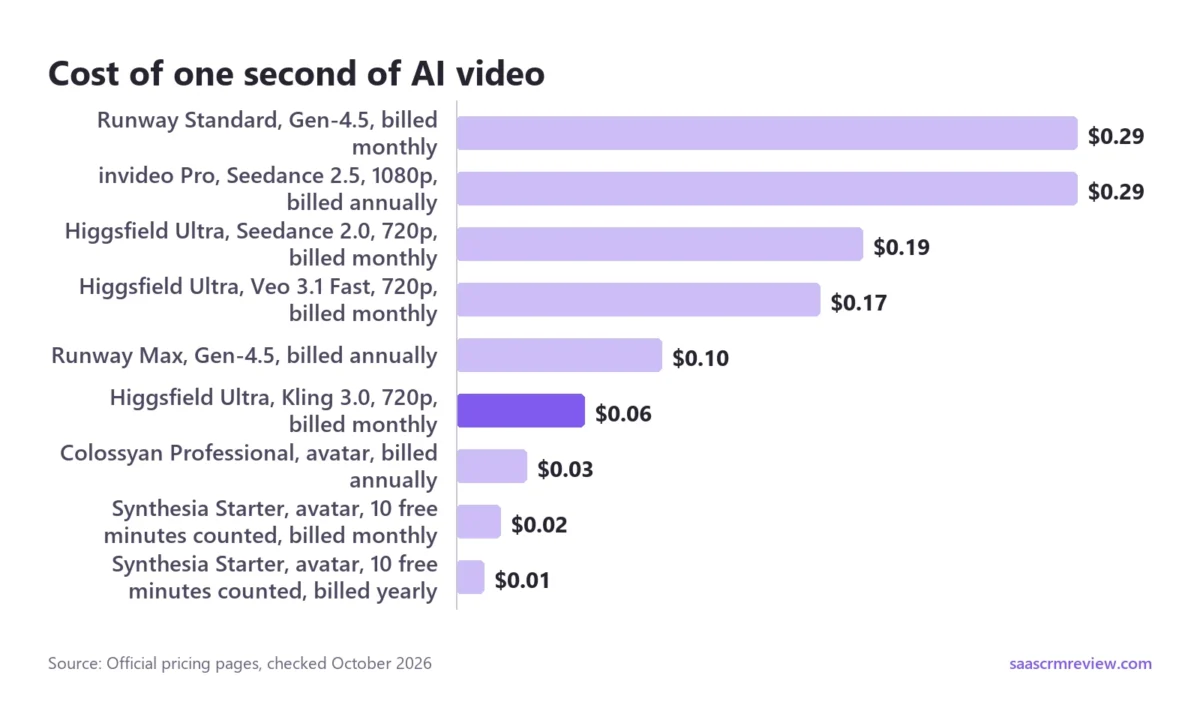
Three things change a shortlist. A presenter reading a script is the cheap way to fill a minute. Different models cost different amounts inside the same product.
Higgsfield’s rate table prints Seedance 2.0 at about 22 credits per 5 seconds at 720p against about 7 for Kling 3.0, roughly three times. At 1080p it is about 60 against about 8.
And VEED, Google Flow, Kling AI, getimg.ai, HeyGen and Descript cannot be priced this way from their plan pages. My rule: divide the monthly credit allowance by the credit cost of your most common output, then check it covers your calendar with room for retakes.
What “Unlimited” Really Includes
No, “Unlimited” does not mean no limits. Higgsfield’s Unlimited models work only on higgsfield.ai, not on MCP/CLI, Canvas or Supercomputer, and its terms put them on a dedicated queue under fair-use limits that can throttle automated use.
In my October test, the Unlimited switch was off when the generator loaded even though the account held an active Unlimited pass, and the button showed a credit cost. With the switch on, the button read Unlimited and no credits were deducted, so check the button before every render.
Elsewhere the word is narrower: Synthesia keeps unlimited minutes for Enterprise, and Adobe’s unlimited access on Premium covers the Firefly Video Model.
Which AI Video Model Sits Behind Each Tool
One model is often sold by several products at different rates, so price the model, not the subscription.
| Model | Where you can run it on this list | Published cost signal |
|---|---|---|
| Veo 3.1 | Google Flow (free tier), Higgsfield, getimg.ai, Adobe Firefly | Higgsfield: ~40 credits per 4 s; Fast ~16 |
| Kling 3.0 | Kling AI, Higgsfield, getimg.ai, Adobe Firefly | Higgsfield: ~7 credits per 5 s at 720p, ~30 at 4K |
| Kling 4.0 | Kling AI, Runway | Runway: 118 credits per 5 s at 1080p, 89 during its 25% offer to November 30; Kling AI: 10% off on Pro and higher |
| Seedance 2.0 and 2.5 | Higgsfield, Runway, invideo Agent, getimg.ai | Runway: Seedance 2.0 Pro 1080p, 160 credits per 4 s |
| Gen-4.5 and Aleph 2.0 | Runway | 12 credits a second; Aleph 140 per 5 s |
| Wan 3.0 | Higgsfield, getimg.ai | Higgsfield: 8.75 credits per 5 s at 720p |
| Firefly Video Model | Adobe Firefly | Unlimited on Firefly Premium |
Sources: Higgsfield pricing, Runway pricing, getimg.ai text-to-video, Firefly AI video generator, and Kling AI membership plans, checked October 2026.
Which AI Video Generators Are Free, and What the Free Plan Gives You
Yes, a few are free in a useful way: Google Flow gives 50 credits a day that include Veo 3.1, and Adobe Firefly and invideo refresh a free allowance too. Most other free plans show the output but hold back watermark removal, downloads or commercial use.
| Tool | What the free plan gives | What it holds back |
|---|---|---|
| Google Flow | 50 Flow credits a day; Veo 3.1 | 1080p upscaling starts on AI Plus |
| Runway | 125 one-time credits | “No watermarks” listed from Standard |
| Kling AI | Basic account, $0 | Commercial use listed on paid plans |
| Higgsfield | No plan card; my new account had no credits | Credits start with Starter |
| getimg.ai | No free plan | Plans start at Entry |
| Adobe Firefly | Daily generations, Firefly Video Model included | Generative credits start on Standard |
| invideo Agent | Limited credits, reset weekly, no card | Seedance 2.5 starts on Pro |
| HeyGen | 3 videos a month, 1 minute each | Watermark removal starts on Creator |
| Synthesia | 10 minutes of video and 500 credits a month | Watermark on; downloads from Starter |
| Colossyan | 20 NEO minutes a month | Watermark removal from Professional |
| Descript | Record, edit and mix audio and video | 1080p watermark-free export from Hobbyist |
| VEED | A free start | “No watermark” listed from Creator |
Sources: the pricing pages linked in each product section, plus the Firefly AI video generator page and invideo free plan help, checked October 2026; the Higgsfield row is from my October 2 sign-up.
Google Flow, Adobe Firefly and invideo do not list watermark terms for their free plans, so export one free clip and check it before you plan to publish one. My list of the best free AI video generators ranks free plans on their own.
What a Three-Person Team Really Pays: Seats and Add-ons
On the plan a three-person team would buy, the monthly bill runs from $45 on invideo Pro (3 x $15, billed annually) to $195 or more on Higgsfield Team (from 3 x $65), before custom avatars and extra credits.
| Tool | Plan for three editors | Monthly cost | Add-ons that change it |
|---|---|---|---|
| invideo Agent | Pro, billed annually | 3 x $15 = $45 | Extra credits |
| VEED | Pro, billed yearly | 3 x $21 = $63 | Custom AI credits on Enterprise |
| Descript | Creator, billed annually | 3 x $24 = $72 | Top-ups for hours and credits |
| Colossyan | Professional, annual plan | $59 + 2 x $30 = $119 | Studio avatar $1,000 a year; 600 NEO2 minutes $1,500 a year |
| HeyGen | Business | $149 plus $20 x 2 = $40, which is $189 | Credit packs or auto-reload |
| Higgsfield | Team | From 3 x $65 = $195 | From 1,000 credits per seat |
| Synthesia | Enterprise | Custom | Studio avatar add-on $1,000 a year |
| Runway | Not published per seat | Not published | Extra credits from 1,000 |
Sources: the pricing pages of invideo, VEED, Descript, Colossyan, HeyGen, Higgsfield, Synthesia and Runway, checked October 2026.
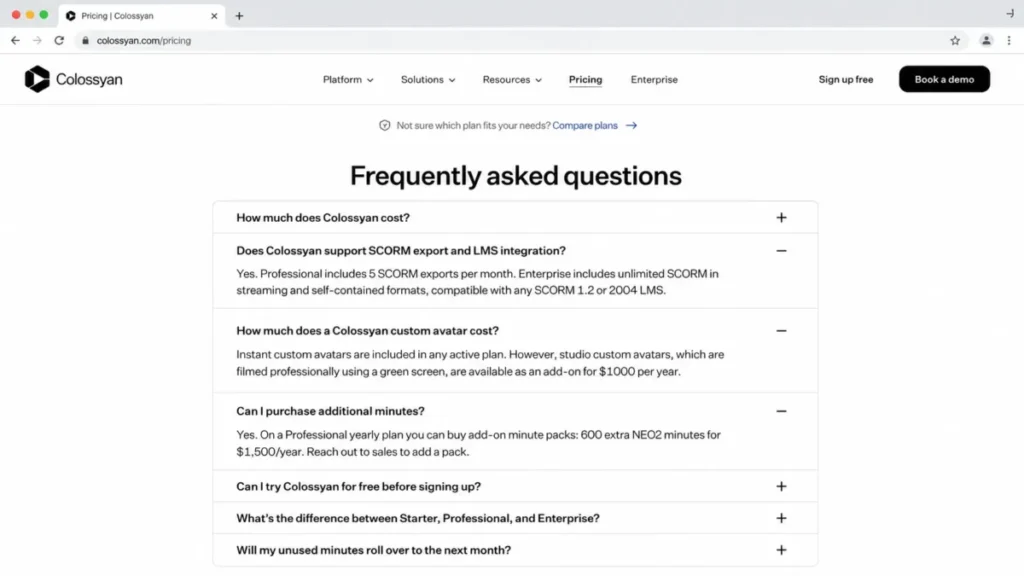
Add-ons are where a training budget moves: on Colossyan, one studio avatar plus one 600-minute NEO2 pack adds $1,000 + $1,500 = $2,500 a year to Professional.
Training Teams and Client Footage: SCORM, SSO and Model Training
SCORM export starts on Colossyan Professional, HeyGen Business and Synthesia Enterprise. Colossyan states plainly that it does not train AI models on customer content.
| Tool | SCORM export from | SSO from | Data residency | Training on your content |
|---|---|---|---|---|
| Colossyan | Professional, 5 a month | Enterprise | EU or US, Enterprise | Does not train on customer content |
| HeyGen | Business | Business | Not listed | Not listed on the pricing page |
| Synthesia | Enterprise | Enterprise | Not listed | Not listed on the pricing page |
| Higgsfield | Not listed | Team plans | Not listed | Allowed outside an Enterprise Agreement |
| Descript | Not listed | Enterprise | Not listed | Enterprise can opt out |
| Adobe Firefly | Not listed | Not listed | Not listed | Firefly Video Model not trained on user content |
Sources: Colossyan pricing, HeyGen pricing, Synthesia pricing, Higgsfield terms, Descript pricing and Firefly AI video generator, checked October 2026.
For the other picks, ask the vendor in writing about training before you upload client footage.
How to Choose the Best AI Video Generator for Your Job
Answer three questions in order: which kind of video you make, how many seconds a month you publish, and which gate you cannot skip. The matrix reads those gates off each pick’s plan page.
| Software | Native audio in clips | No watermark from | Commercial use from | SCORM from | Unused credits roll over |
|---|---|---|---|---|---|
| Google Flow | Yes, Veo 3.1 | Not listed | Not listed | Not listed | Not listed |
| Runway | Not listed | Standard | Not listed | Not listed | Max only |
| Kling AI | Yes, Kling 3.0 | Standard | Standard | Not listed | Not listed |
| Higgsfield | Yes | Not listed; none visible on my Ultra clips | Terms do not restrict commercial use of outputs | Not listed | No |
| getimg.ai | Yes, on supported models | Not listed | Entry | Not listed | Not listed |
| Adobe Firefly | Yes, Veo 3.1 | Not listed | Firefly Video Model | Not listed | Not listed |
| invideo Agent | Yes, on supported models (credits vary) | Not listed | Not listed | Not listed | No |
| HeyGen | Not listed | Creator | Not listed | Business | Yes, one month |
| Synthesia | Not listed | Starter | Not listed | Enterprise | No |
| Colossyan | Not listed | Professional | Not listed | Professional | No |
| Descript | Not listed | Hobbyist | Not listed | Not listed | Not listed |
| VEED | Not listed | Creator | Not listed | Not listed | Not listed |
Sources: the pricing, plan and terms pages linked in each product section, checked October 2026.
Three buying mistakes recur: budgeting from the entry price when watermark removal or 4K sits a plan higher, treating credits from different tools as one currency, and ignoring rollover.
Better prompts also waste fewer credits, which is why my AI video prompts are sorted by shot, style and scene.
Shortlists by Job
- Prompt-to-clip only: my ranking of text-to-video AI generators goes deeper on that lane.
- Starting from product photos: my list of image-to-video generators compares frame control.
- Happy with Veo but not Flow’s bundles: my Google Flow alternatives say who each one fits.
Also Considered
I considered 21 more tools and left each out for a stated reason:
- OpenAI Sora: the app closed on April 26, 2026, and the API on September 24, 2026.
- Pictory: script-to-video from $25 a month, a job invideo Agent covers.
- Kapwing: an editor whose Free plan exports with a watermark; VEED covers that job.
- Luma: plans start at $30 a month for Runway’s cinematic job.
- Pika: no commercial license on Free, and Runway and Google Flow cover its prompt-to-clip job.
- Seedance and MiniMax Hailuo: models, reached here through Higgsfield and getimg.ai.
- CapCut, PixVerse and Leonardo.Ai: left to the free list, where the free allowance decides.
- LTX Studio and Midjourney: their jobs overlap Runway and Google Flow.
- Wondershare Filmora, Capsule, Eddie AI and OpusClip: editors and clippers, the job of Descript and VEED.
- Powtoon, Steve AI, DeepBrain, Hour One and Elai: explainer and avatar makers, the job of HeyGen, Synthesia and Colossyan.
Sources: OpenAI’s Sora notice, Pictory, Kapwing, Luma and Pika pricing pages, checked October 2026.
FAQ
Which is the current best AI video generator?
There is no single winner. My picks by job are Google Flow for clips with sound, Runway for directing each shot, Higgsfield for many models, HeyGen for multilingual avatars, Colossyan for self-serve SCORM and Descript for editing recordings.
Is there any 100% free AI video generator?
Google Flow comes closest: without a subscription it gives 50 Flow credits a day, and they include Veo 3.1. Adobe Firefly and invideo also refresh a free allowance.
What is the best unrestricted AI video generator?
If “unrestricted” means no usage cap, Adobe Firefly Premium comes closest, listing unlimited access to the Firefly Video Model, while Higgsfield’s Unlimited models run under fair-use limits and only in its web app.
If it means no content rules, Higgsfield’s terms, for one, require rights and consents for any real person’s likeness, and this site does not cover tools built to bypass such rules.
Which AI video generator makes the longest videos?
For presenters, HeyGen allows videos up to 30 minutes on Creator and up to 60 on Business. For generated footage, Kling 4.0 is listed with native 30-second generation, and getimg.ai lists Seedance 2.5 at up to 30 seconds.
Can I still use Sora?
No. OpenAI discontinued the Sora web and app on April 26, 2026, and the Sora API on September 24, 2026. On this list, Veo 3.1 in Google Flow, Kling in Kling AI and Seedance in Higgsfield or Runway cover the same prompt-to-clip job.
What is the best AI video generator for YouTube?
For a channel built on recordings, Descript is my pick, because it edits video by editing the transcript and exports 4K from Creator. For subtitled Shorts, VEED is lighter at $10 per user a month billed yearly.
Final Verdict: Which One to Pick
By job: Google Flow for clips with sound, Runway for Gen-4.5 clips, Kling AI for 30-second clips and Multi-Shot scenes, Higgsfield for many models, getimg.ai for product shots, Adobe Firefly for licensing and invideo Agent for campaigns. For presenters, HeyGen, Synthesia and Colossyan; for footage, Descript and VEED.
By budget, Google Flow’s free daily credits cost nothing. invideo Basic, at $4 per seat a month billed annually, is the lowest paid start in my table. Its 190 monthly credits and missing Seedance 2.5 and 2.0 send a campaign to Pro at $15 per seat.
By special need, SCORM on a self-serve plan means Colossyan, SSO with avatars means HeyGen Business, and footage kept out of training means a vendor that says so in writing.
Before the first credit, draft the script in an AI chatbot such as ChatGPT. Clean up product stills in an AI photo editor before a generator animates them.
My guide on how to make AI videos covers the production steps.
For thumbnails and stills, the best AI image generators are the adjacent list.