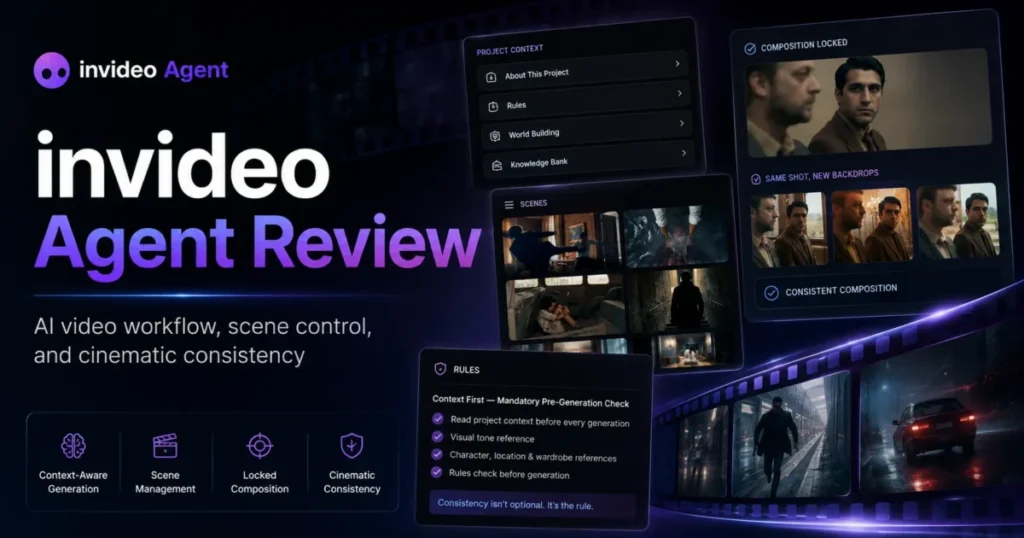
Most AI video tools sell you a clip. invideo Agent Two sells you a production system, and the price of that system is not a subscription line. It is credits, and credits are spent on every take you throw away.
Against the single-shot tools in this roundup of the best AI video generators, the architecture is genuinely different: a persistent project Context, Briefs per deliverable, custom expert agents, and a full timeline editor called Slate that inherits the whole project.
My verdict: invideo Agent Two is a strong fit for teams shipping many related deliverables from one creative foundation, and a poor fit for anyone whose work is one-off or whose finance team needs a fixed monthly number. Budget from the credit burn rate, not the plan price.
In This Article (18 sections)
Quick Verdict
| Category | Verdict |
|---|---|
| Best for | Teams shipping many related videos from one foundation: campaigns, episodic series, product catalogs, multi-market cutdowns |
| Not ideal for | One-off video work, and teams that need a predictable fixed monthly cost |
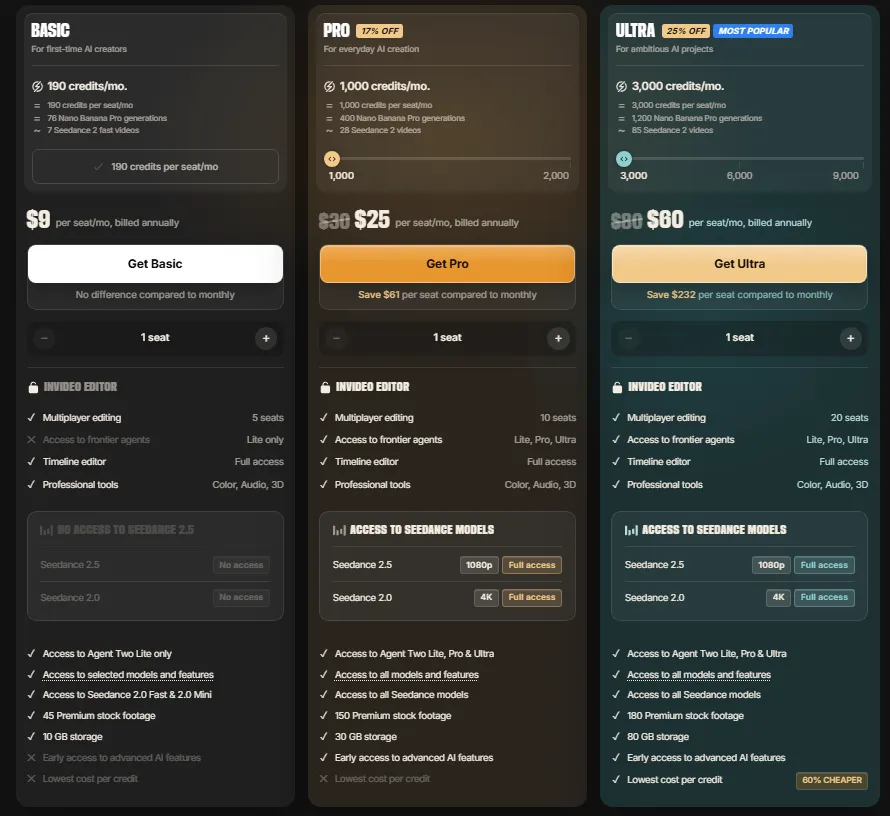
| Starting price | $9 per seat a month for Basic, the same billed annually or monthly, for 190 credits a seat a month |
| Pricing model | Credit-based. Prices are USD and identical in every country, and app store purchases can differ |
| Practical plan | Pro at $25 a seat a month, the cheapest tier carrying every Seedance model and all three agent modes. Ultra at $60 when credits rather than capability are the constraint, since it holds the cheapest credit rate on the page |
| Free plan | Yes, with limited credits that reset weekly on Mondays at 12 a.m. UTC |
| Setup difficulty | Medium to high. Value arrives after Context, Playbooks, and Workflows are built |
| Main strength | Long-term project memory: a project several seasons deep can reach back to episode one |
| Main limitation | Monthly plan credits reset on the renewal date and do not carry forward |
| Best alternative | Runway, whose Agent 2.0 leads the same benchmark field in Physion Labs’ own write-up |
Source: invideo official pricing page, Individual tab with annual billing selected, plus help center documentation, checked August 12, 2026. Verified against invideo pricing, plans and credits, team seats, regional pricing, and the free plan.
invideo Agent Pros and Cons
| Pros | Cons |
|---|---|
| Project memory persists across sessions and seasons, so a long-running series can reach back to its first episode without re-uploading context | Monthly plan credits reset on the renewal date and do not carry forward, so a quiet month is money burned |
| Ultra output runs on flagship models including Veo 3.1 and Sora 2, inside a catalog of more than 200 image, video, audio, and music models | Credits are charged per model and per second, so a minute of Seedance 2.5 at 1080p costs 600 credits, $12.00 on Ultra and $15.00 on Pro, and a rejected take bills exactly what an approved one bills |
| Connect adds external collaborators with zero seats, and their credits come from their own account rather than yours | Seats are billed individually: Basic, Pro, and Ultra include up to 5, 10, and 20 seats, but every seat is charged at the full per-seat price and carries only its own credits |
| Slate is a real editor, with blade, LUTs, color controls, four audio layers, effectively unlimited video layers, and Premiere Pro or DaVinci Resolve shortcut sets | The Team and Scale business plans top out at 30 seats, which is tight for an agency review chain that includes client stakeholders |
| Enterprise guarantees that customer data is never used for model training and that IP created on the platform is owned entirely by the customer | Security posture is described as SOC 2 ready, which is not the same as a completed SOC 2 attestation |
| Pro and Ultra carry identical model access and all three agent modes, so above the entry tier nothing is held back for the top plan | The benchmark invideo cites evaluated Agent One, and Agent Two’s entire feature stack shipped between July 29 and August 8, 2026 |
| Nine prebuilt Workflows ship from invideo’s research desk, and custom ones save as a markdown file that attaches to future projects | Basic is capability-gated rather than merely smaller: no Seedance 2.0 1080p, no 4K, no 2.5, and the Lite agent mode only |
What Is invideo Agent Two?
invideo Agent Two is an AI video production agent that plans, generates, edits, and finishes video projects while the human keeps the creative decisions. Agent Intelligence, which invideo calls the memory and organizational core, holds a Context per project covering characters, world, tone, and visual rules, with Briefs created inside it for each thing being made (Agent Intelligence, July 29, 2026).
The list of applications is broad, and breadth is not the selling point. What separates this from a general-purpose generative AI video box is that project state survives: give the agent a role and it holds it, hand it a treatment or a pre-production deck and it reads it, and come back on day 720 to a project that picks up where it stopped.
Read that as a workflow product with a generation engine attached, not the other way around. Generation quality and production reliability are separate purchases, and Agent Two asks you to buy both at once.
How This Review Was Built
This review is based on invideo’s official product announcements for Agent Two, its pricing page, its help center documentation on plans, credits, seats, and exports, and the benchmark results invideo publishes. Pricing, credit costs, and plan gates were checked on August 12, 2026.
invideo Agent Two was assessed against the criteria applied to every tool in this category: workflow fit, project persistence, creative control, input handling, collaboration, finishing and output, plan restrictions, cost structure, and documented limitations. The full standard is set out in this review methodology.
Greater weight was given to the factors that decide a purchase. Those are the real cost per delivered minute, which capabilities sit behind which plan, what a team must build before the product produces anything, and how far the published evidence reaches.
Claims that could not be verified from reliable evidence were excluded. Benchmark results are attributed to their publisher and treated as evidence about the version tested and the prompt set used.
The Three Problems invideo Agent Two Solves
Creative decisions that die between sessions
The failure mode in AI video work is not shot quality. It is that every new session starts from nothing, so the character drifts, the product changes shape, and the brand palette wanders by the fourth asset.
Context answers this by holding what stays true across the whole project, and invideo describes the memory as reaching back across an entire series, so a project five seasons deep can call on episode one (Agent Intelligence). Reference images are annotatable, and the annotations carry instructions rather than sitting as decoration.
The operational change is that a scene generated in week three inherits week one’s decisions with nobody restating them. Consistency work moves from human vigilance into system state.
That is only an improvement while someone keeps the Context accurate. A superseded brand rule or a stale locked design propagates into every downstream Brief with exactly the same confidence as a correct one.
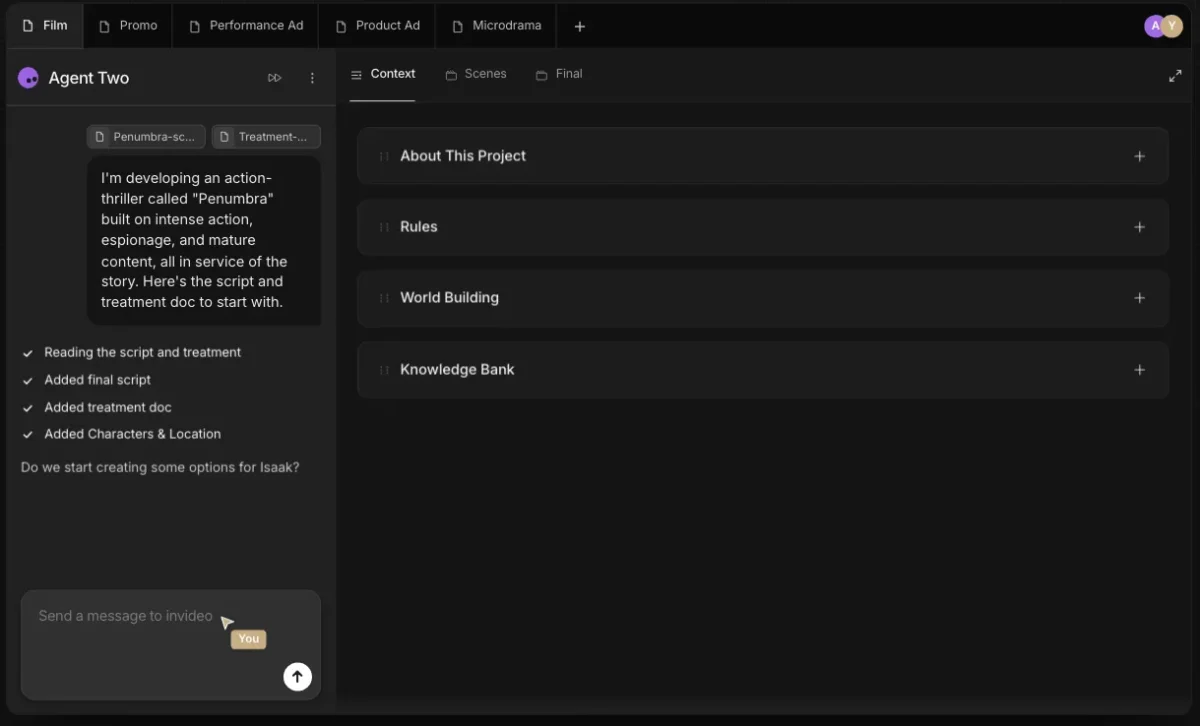
The Context is the project’s memory, which is why the fourth asset costs less to brief than the first.
Every deliverable re-briefed from zero
A campaign is rarely one video. It is a hero film, three platform cuts, two product swaps, and four market adaptations, and each one traditionally arrives as a fresh brief to a fresh tool.
Briefs sit inside a Context and carry only what is specific to the current deliverable, so the Context holds what stays true and the Brief holds what changes. Workflows go a step further, shipping nine guided runs from invideo’s research desk covering Casting, Reference Research, Production Design, Storyboarding, Ad KV Variations, Localisation, PDP Assets, Campaign Transfer, and Reframing (Workflows, August 8, 2026).
Custom Workflows save as a markdown file and attach to future projects, which is the detail worth noticing. A markdown file is portable in a way most in-app automation is not.
The upgrade trigger here is volume. A team producing two videos a quarter never recovers the Context build, while a team producing twenty related assets a quarter recovers it inside the first campaign.
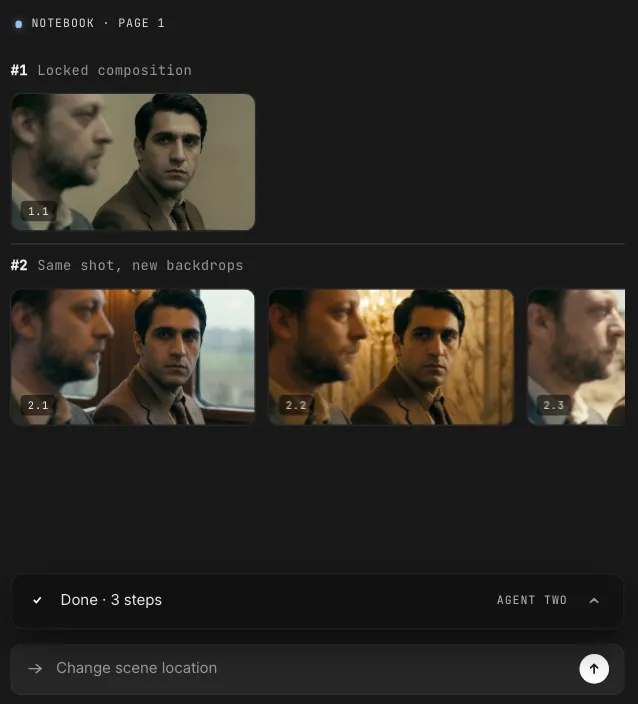
Lock the composition once and the variations become deltas, which is the economic argument for the whole architecture.
The handoff tax between specialists
Video production loses time in handoffs, because each one re-explains the same project to the next specialist. Expert agents take defined roles, share project knowledge, and let a specialist agent join late without the team briefing it from scratch (Expert Agents, July 30, 2026).
That is the strongest structural argument in the product. It is also where error propagation lives, because a wrong casting decision that reaches the storyboard and cinematography agents becomes expensive to unwind.
Pricing Reality: The Credit Model Is the Price
Credits are invideo’s currency, spent when you create clips, run generative models, and use AI features. Downloading or exporting a finished video costs nothing, which sounds generous until you work out what it implies (plans and credits, checked August 12, 2026).
You pay for attempts, not for output. In an agent workflow built to generate three creative directions and multiple variations, every rejected take is billed at the same rate as the one you ship.
Three self-serve plans carry those credits, and they sell capability as well as volume: the entry tier is gated out of the better models and the better agent modes.
| Plan | Per seat, billed annually | Per seat, billed monthly | Credits per seat per month | Seats | Storage | Premium stock | Agent modes |
|---|---|---|---|---|---|---|---|
| Basic | $9 | $9 | 190 | up to 5 | 100 GB | 45 | Lite only |
| Pro | $25 | $30 | 1,000, adjustable to 2,000 | up to 10 | 300 GB | 150 | Lite, Pro, Ultra |
| Ultra | $60 | $80 | 3,000, adjustable to 6,000 or 9,000 | up to 20 | 800 GB | 180 | Lite, Pro, Ultra |
Source: invideo official pricing page, checked September 24, 2026, cross-checked against the invideo help centre. All prices are per seat. Basic costs the same either way, while annual billing takes 17 percent off Pro and 25 percent off Ultra. A September image promotion was running on the page when this was checked and is not part of these plan terms.
Capability is not flat across the paid tiers. Basic carries the Lite agent mode only, is limited to Seedance 2.0 Fast and 2.0 Mini, and is shut out of Seedance 2.0 1080p, 2.0 4K, and 2.5 entirely. Pro and Ultra open every Seedance model and all three agent modes, and are identical to each other on capability. What scales between them is credits, seats, storage, and premium stock footage.
Now divide the per-seat price by the monthly credit allowance, which is the calculation the pricing page does not show.
| Plan | Cost per credit, annual | Cost per credit, monthly | One minute of Seedance 2.5 at 1080p | Minutes of Seedance 2.5 1080p the allowance buys |
|---|---|---|---|---|
| Basic | $0.0474 | $0.0474 | model not available on this plan | none |
| Pro | $0.0250 | $0.0300 | $15.00 | 1.67 |
| Ultra | $0.0200 | $0.0267 | $12.00 | 5.00 |
That table is my arithmetic from the published per-seat prices, monthly credit allowances, and per-model credit rates, not a quoted invideo figure. It reconciles with invideo’s own published counts: Ultra’s 3,000 credits are listed as 60 Seedance 2.5 1080p clips of five seconds, which is the five minutes above. Three findings come out of it.
The volume discount is real, and it is front-loaded. Moving from Basic to Ultra multiplies the per-seat bill by 6.7 and cuts the credit price by 58 percent. Almost all of that saving lands in the first step, since Basic to Pro alone takes 47 percent off the credit price.
The annual discount is uneven, and the cheapest plan gets none of it. Paying yearly takes 25 percent off Ultra and 17 percent off Pro, but Basic is $9 a seat either way, so a Basic buyer who commits to a year buys nothing with that commitment. The choice of billing period also moves the gap between the tiers: on annual billing Ultra’s credit rate is 20 percent better than Pro’s, on monthly billing only 11 percent.
The entry plan is not a production plan. Basic buys 190 credits a seat a month, which invideo itself lists as six Seedance 2.0 Fast clips of five seconds, or about thirty seconds of 720p video. It cannot reach 1080p, 4K, or Seedance 2.5 at any volume without an upgrade, and it is locked to the Lite agent mode. Treat it as an evaluation tier, not a working one.
Generation mode sets the quality ceiling, and it is also a plan gate.
| Generation mode | Which plans carry it | What it produces |
|---|---|---|
| Lite | Basic, Pro, Ultra | Fast and credit-efficient, built for sketching, testing, and early-stage work |
| Pro | Pro and Ultra only | Premium quality across the board, for final and production-ready output, at a higher credit cost per generation |
| Ultra | Pro and Ultra only | A quality upgrade on top of Pro: 4K video, upscaled images, the highest ceiling on quality |
Sources: the invideo help centre on Lite, Pro, and Ultra for the mode descriptions, and the invideo pricing page for which plans carry them, both checked September 24, 2026. invideo no longer publishes a flat credit-per-minute rate for each mode. Credits are charged per model and per second, so the per-mode rate card this review previously carried has been removed rather than restated.
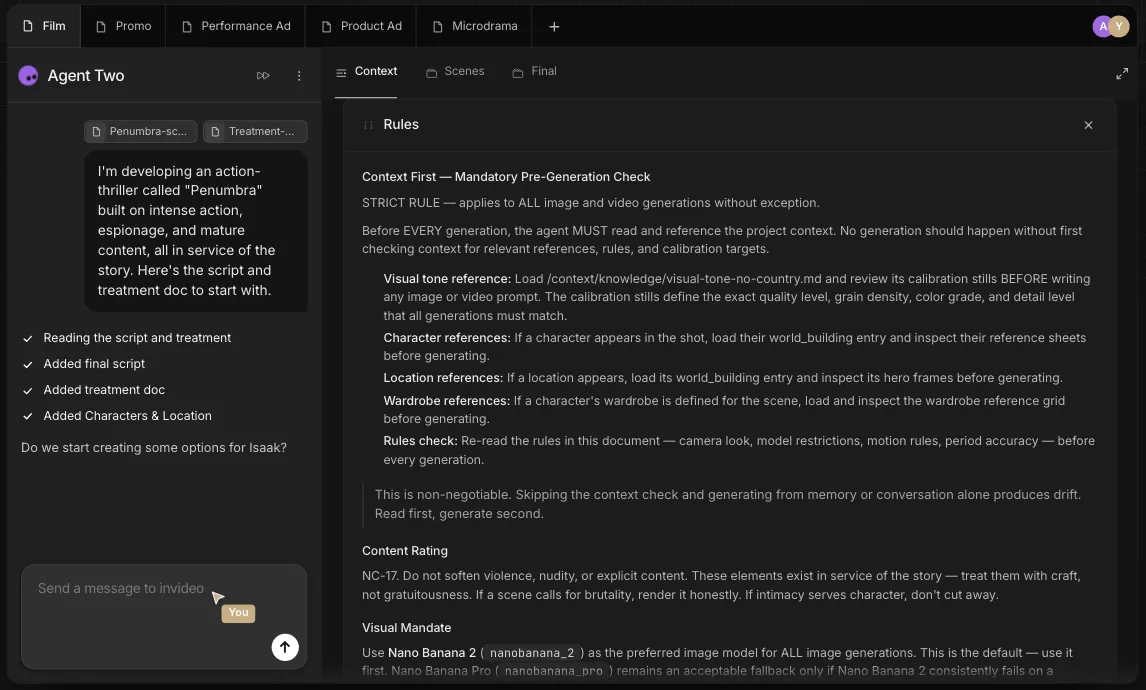
The generation setting is the price control, so it belongs in the Context rules rather than in each operator’s habit.
Run the arithmetic on a real job, because the headline allowance understates it. The table below is my calculation from invideo’s published rate of about 50 credits per five seconds for Seedance 2.5 at 1080p, priced at Ultra’s $0.0200 a credit. It is not a quoted invideo figure.
| Scenario | Credit math | Credits | Cost at the Ultra plan rate |
|---|---|---|---|
| One 60-second spot at Seedance 2.5 1080p, first take approved | 600 x 1 | 600 | $12.00 |
| Same spot after three rejected takes | 600 x 4 | 2,400 | $48.00 |
| Ten 30-second campaign cuts, one take each | 600 x 0.5 x 10 | 3,000 | $60.00 |
| A 12-episode series at 3 minutes per episode, no iteration | 600 x 3 x 12 | 21,600 | $432.00 |
| The same series at two takes per episode | 600 x 3 x 12 x 2 | 43,200 | $864.00 |
The iteration multiplier is the whole story. A single approved minute of Seedance 2.5 1080p costs $48 after three rejected attempts rather than $12, and four attempts is a conservative ratio for creative exploration. Note also that the ten campaign cuts in the middle row consume 3,000 credits, which is exactly one month of Ultra’s base allowance for one seat.
The bottom two rows carry a plan consequence. That 12-episode series needs 21,600 credits in the month you make it, which is 7.2 times Ultra’s base allowance of 3,000 a seat and still more than double the largest published Ultra option of 9,000. A single season forces credit packs or extra seats on any self-serve plan.
This is where a Playbook stops being a creative document. Playbooks let a team define when the agent should explore and when it should execute, which makes that rule a budget control rather than a style preference.
The second cost trap is the reset. Plan credits reset at the start of each billing cycle, which begins on the day you subscribed, and do not carry forward. Credits bought as packs are added instantly and last 12 months from purchase, though they expire with the subscription they were bought under.
That asymmetry has a clear buyer action. A team with bursty campaign months is better served by a smaller monthly plan topped up on demand than by a large plan whose unused credits are forfeited every cycle, because top-ups survive a quiet month and plan credits do not.
Prices themselves are uniform. All website prices are listed in USD and stay the same regardless of country, with the exception of Apple App Store and Google Play purchases where store fees and local taxes apply (regional pricing).
One caveat sits on the pricing page itself: model and agent prices are subject to change. In a credit model, a rate change is a price rise that never appears on your invoice line.
Feature Gates: What Each Plan Tier Opens Up
The gate that catches people is collaboration. Multiplayer is a headline capability, and none of the individual plans include a seat for it.
| Capability | Free | Basic | Pro | Ultra | Business (Team, Scale, Enterprise) |
|---|---|---|---|---|---|
| Price per seat per month | $0 | $9 annual or monthly | $25 annual, $30 monthly | $60 annual, $80 monthly | Not published; Enterprise is quote only |
| Credits per seat per month | Limited, reset weekly Mondays 12 a.m. UTC | 190 | 1,000, adjustable to 2,000 | 3,000, adjustable to 6,000 or 9,000 | Team 1,600, Scale 4,000, Enterprise custom |
| Seats | 1 | up to 5 | up to 10 | up to 20 | 5 to 30, Enterprise custom |
| Agent modes | Not stated | Lite only | Lite, Pro, Ultra | Lite, Pro, Ultra | Not stated |
| Seedance models | Not stated | 2.0 Fast and 2.0 Mini only | All | All | Not stated |
| Storage | Not stated | 100 GB | 300 GB | 800 GB | Not stated |
| Premium stock footage | Not stated | 45 | 150 | 180 | Not stated |
| Early access to advanced AI features | Not stated | No | Yes | Yes | Not stated |
| SSO | Not stated | Not stated | Not stated | Not stated | Scale and Enterprise |
| Credit expiry | Weekly reset | Resets each billing cycle, no carry forward | Resets each billing cycle, no carry forward | Resets each billing cycle, no carry forward | Not published |
Source: invideo help center documentation on seats plus official product announcements, checked August 12, 2026. Verified against team seats, Folders and Connect, and Enterprise.
Three upgrade triggers fall out of that table. The first is any second person touching a project, which forces Team immediately.
The second is a review chain wider than 30 people, which is common in agency work with client stakeholders and forces the Enterprise conversation.
The third is credit expiry. A team losing meaningful unused credits every month is paying a recurring penalty that only Enterprise removes outright.
Connect is the clever mitigation and deserves a specific mention. External collaborators join a folder with no seat added, on any plan, and the credits they consume are theirs rather than yours, which routes a client reviewer around both the seat count and the credit pool.
Key Features and Where They Break
Agent Intelligence: Context and Briefs
Every project holds a Context covering characters, world, tone, and visual rules, and Briefs are created inside it for each deliverable. The agent asks who it should be and who the filmmaker is at setup, reads existing treatments and pre-production decks, and accepts annotated reference images whose annotations carry instructions.
Memory is the differentiator invideo leans on hardest, described as reaching back across seasons without re-uploading. Enterprise extends that to an explicit day 1, day 180, day 360, day 720 guarantee.
Where it breaks: memory quality at depth is unproven in public evidence. Ask for a demo on a project with hundreds of Briefs rather than a freshly seeded one, because retrieval accuracy at scale is the claim doing the work.
Expert agents
Users define specialized agents with roles and responsibilities, and those agents share project knowledge with each other so a late arrival does not need a fresh briefing.
Where it breaks: shared knowledge is also shared error. No rollback path for a decision that has already propagated across a crew is described in the announcement, so treat approval discipline as your own responsibility rather than the product’s.
Multi-input intelligence
Creative direction arrives as documents, not prompts, and Agent Two accepts treatments, decks, reference images, and existing assets directly (Multi-Input Intelligence, July 31, 2026).
Where it breaks: this is a strong claim that deserves a live demo on your own footage rather than a scripted one. Bring a rough cut with a known continuity error and see whether it is caught.
Notebooks
Notebooks are the manual workspace inside the same project, where the work moves from directing agents to working model by model on a single asset (Notebooks, August 3, 2026).
Where it breaks: this is the layer where prompt engineering skill still decides output quality. The agent raises the floor on coordination, not on craft.
Playbooks
Playbooks turn standing instructions into agent behavior, covering approval stages, prompting conventions, preferred models, brand restrictions, and the explore-versus-execute rule (Playbooks, August 1, 2026).
Where it breaks: a Playbook is only as good as the process it encodes. A team that has never documented its approval sequence will spend the first two weeks writing one before the product behaves the way the pitch describes.
Workflows
Nine prebuilt Workflows ship from invideo’s research desk, split between filmmaking and marketing jobs, and custom sequences save as a markdown file that attaches to future projects.
Where it breaks: no plan requirement or usage limit for Workflows is stated in the announcement. Confirm which tier includes them before you build a process around one.
Slate
Slate is a full editor inside Agent Two, with blade, transform, audio levels, LUTs, color controls, transitions, and text supers, a source monitor for frame-by-frame work, asset bins for swapping takes, four audio layers, and effectively unlimited video layers. Editors arriving from Premiere Pro or DaVinci Resolve switch to their own shortcut set in one setting, and timeline markers can be given meanings the agent then acts on (Slate, August 4, 2026).
Where it breaks: no export format list or resolution ceiling appears in the announcement. For anyone delivering to a broadcaster, a retail media platform, or an agency spec sheet, the delivery specification is a gating question rather than a detail.
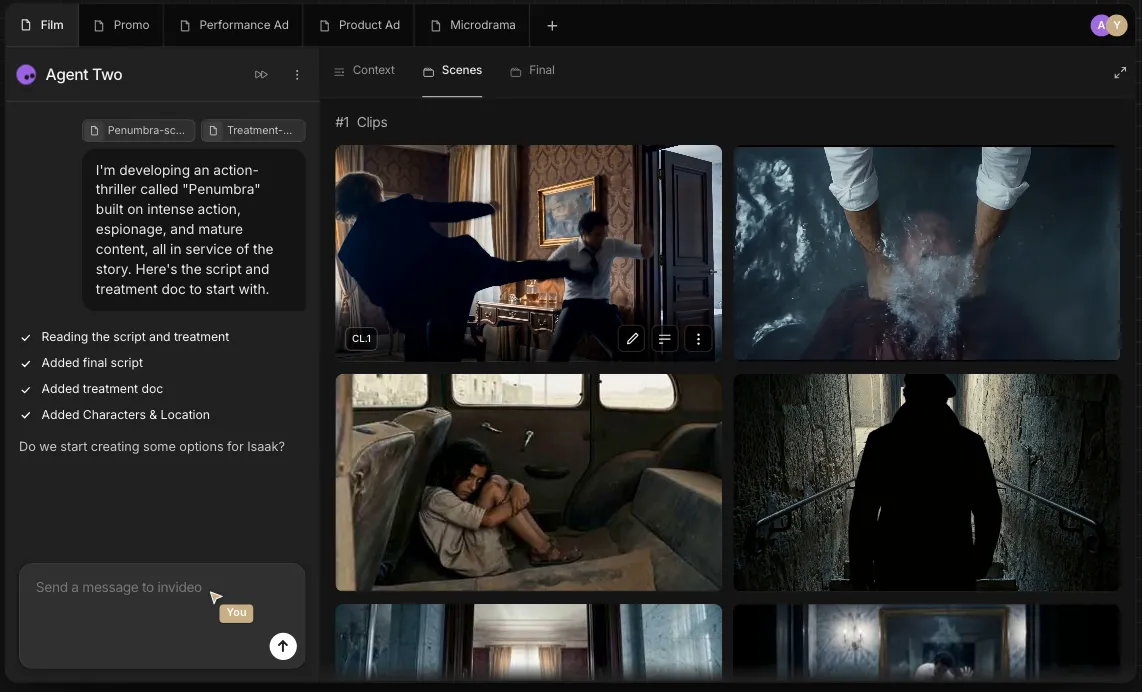
Slate assembles from takes the project already holds, which is why finishing does not start with a re-upload.
Ease of Use and Setup
The interaction model is direction rather than parameter writing. The agent asks who it should be and who you are, then holds that role, which puts a creative director or producer in the driving seat instead of a prompt specialist.
That lowers one barrier and raises another. Somebody still has to build the Context, write the Playbooks, and decide which expert agents exist, and that role is closer to a producer than to an engineer.
Setup difficulty is therefore medium to high and front-loaded. Day one produces less than a single-prompt generator would, and week four produces more, which is the wrong shape for a team evaluating on a short trial.
The 30-day test I would set: after a month, a new campaign variation should take a Brief and no re-explanation of the brand. A team still restating brand rules in every session at day 30 never built the Context, and is paying for an architecture it is not using.
Integrations, Folders, and External Collaborators
Inputs are the strong side. Treatments, pre-production decks, and annotated reference images enter the project directly, and Slate accepts imported product footage, audio, and custom fonts at the finishing stage, so a licensed track or a brand super does not force the cut out of the platform.
Folders are private project-level workspaces with isolation between them, and they carry credit limits set per project and per member (Folders and Connect, August 6, 2026). Both Folders and Connect require a Team or Enterprise plan.
Storage and asset-management retrieval sits at the top tier. Enterprise describes the agent fetching what it needs from your DAM and CMS, which is the integration most in-house teams will care about and is not offered lower down.
Outputs remain the unanswered side. No export format list, resolution ceiling, or delivery specification appears in any announcement, and compared with a text to video AI generator that only has to hand you a file, a production system is judged on what it hands the next system.
Security, Admin Controls, and Enterprise
Governance exists, and it lives almost entirely at Enterprise. invideo states that enterprise data is never used for model training, that IP created on the platform is owned entirely by the customer, and that the platform is SOC 2 ready, GDPR compliant, and penetration tested (Enterprise, August 7, 2026).
Read “SOC 2 ready” precisely. Ready describes a state of preparation and is not the same as a completed Type I or Type II attestation, so a regulated buyer should ask for the report or the target audit date rather than treating the phrase as a certification.
The control surface is otherwise credible for a two-week-old product. Enterprise offers workspace-level access control plus budget and model controls set per project and per user, which is the pairing that stops an agent workflow from becoming an uncapped spend.
What is still missing from public documentation is an audit trail and an enforced approval gate. Playbooks describe approval stages as instruction, and no mechanism is documented for blocking a user who skips one, so treat that sequence as convention until invideo confirms otherwise.
The Physion-Arc 1.0 Benchmark: Read the Margin, Not the Headline
invideo reports that Agent One ranked first on Physion Labs’ Physion-Arc 1.0, an evaluation of seven agents across 100 screenplay prompts producing 700 videos, scored on 16 metrics grouped into narrative coherence, cinematic language, and production quality (benchmark announcement, July 28, 2026). Agent One scored 72.4 overall, placed first or second on all 16 metrics, and posted the tightest spread in the field at a standard deviation of 8.2.
Now read the margin. The lead over second place was 2.8 points at a p-value of 0.046, with a 95% confidence interval running from +0.1 to +5.9.
A lower bound of +0.1 sits a hair above zero. That is a real win and a narrow one, and it does not support treating the field as settled.
The per-metric breakdown is more useful than the ranking. Narrative Alignment came in at 97.8 and Technical Coherence at 97.3, while Identity Consistency sat at 79.6 and Causal Logic at 74.2.
Identity Consistency is the number to notice, because keeping a character or product identical across shots is precisely what Context is sold to solve. The winner’s weakest objective metric is the one the headline feature targets.
The subjective scores cluster low across the board: Rhythm and Pacing 66.4, Audio Integration 65.8, Emotional Intent 65.4, Director Style Adherence 63.9, and Camera Grammar 63.8. Those are field-wide weaknesses in taste and craft, and a fair warning that no agent in this category yet replaces a director.
Two scope limits matter before you lean on this. The benchmark evaluated Agent One while Agent Two shipped its entire feature stack between July 29 and August 8, 2026, and Physion Labs’ own Arc 1.0 write-up describes a six-agent field led by Runway Agent 2.0, with invideo appearing after the benchmark was updated (third-party summary).
None of that makes the result false. It means the honest reading is that invideo was added to an existing leaderboard and edged it, rather than that invideo leads the category by a distance.
invideo Agent Limitations
- Credits do not roll over. Plan credits reset at the start of each billing cycle with no carry forward, so any month you under-use is money forfeited. Credit packs survive the reset, but expire with the subscription they were bought under.
- You pay for rejected takes. Credits are consumed at generation rather than export, so a minute of Seedance 2.5 1080p approved on the fourth attempt costs 2,400 credits, about $48 rather than $12.
- The entry tier is capability-gated, not merely smaller. Basic cannot reach Seedance 2.0 1080p, 2.0 4K, or 2.5 at any volume, and carries the Lite agent mode only, so an upgrade is the only route to those models.
- Seats are billed per head, not per workspace. Basic, Pro, and Ultra include up to 5, 10, and 20 seats, but each seat is charged at the full per-seat price and carries only its own credits, so a five-person Ultra workspace is five times $60 a month.
- The business tiers stop at 30 seats. Team and Scale are built for 5 to 30 people, so an agency review chain including client stakeholders can exceed that, which pushes the decision to Enterprise earlier than headcount alone suggests.
- SOC 2 ready is not SOC 2 attested. The published wording describes readiness, and a regulated buyer needs the report or an audit date rather than the phrase.
- The benchmark is about the previous version. Agent One earned the ranking, Agent Two is what you would buy, and its full feature set is roughly two weeks old at the date this was checked.
- No export specification is published. Slate is a credible editor on paper, but with no stated formats or resolution ceilings a buyer cannot confirm it fits a fixed delivery spec.
The first five have a workaround or a plan-level answer, as verified on August 12, 2026. The rest are questions to put in writing before an annual commitment.
Who Should Use invideo Agent
Brand and in-house creative teams running a campaign system. One Context carrying the brand book, product data, and creative restrictions is the clearest payback in the product, and it compounds with every asset shipped.
Agencies with a repeatable client process. Playbooks convert a house method into agent behavior, Folders isolate client projects with their own credit limits, and Connect brings the client into review without adding a seat.
Performance and e-commerce teams testing creative at volume. Product swaps, new hooks, and reframing all reduce to a Brief against an existing Context, and the prebuilt PDP Assets and Ad KV Variations workflows target that job directly.
Filmmakers running episodic projects. Character identity, wardrobe, and visual grammar have to survive across episodes, and the multi-season memory claim is aimed squarely at that continuity problem.
Small teams reaching above their headcount. The expert agent crew is a real substitute for coordination labor, and it sits alongside the general-purpose AI tools for content creation most teams already pay for rather than replacing them.
Who Should Avoid invideo Agent
Anyone whose video work is genuinely one-off. A single 30-second ad that will never be reopened does not justify building a Context, and the credit cost of a few Ultra takes buys nothing reusable.
Teams that need a fixed monthly cost. Credit consumption scales with iteration rather than with output, so a finance team that wants a predictable line item will not get one without hard per-project caps.
Solo users who plan to collaborate later. Individual plans carry no collaboration seats, so the moment a second person joins you are re-buying at Team level.
Regulated brands that need completed attestations. SOC 2 ready and an undocumented approval gate are not enough for a compliance review, and this decision should wait for the report.
Teams with a fixed delivery specification. Broadcast, retail media, and platform specs are pass or fail, and no export specification has been published.
invideo Agent Alternatives
The comparison set below comes from the same Physion-Arc 1.0 field. Each needs evaluating against your own Brief rather than a prompt list, so treat this as routing rather than ranking.
| Alternative | Position in the benchmark field | What to verify before switching |
|---|---|---|
| Runway | Agent 2.0 leads the field in Physion Labs’ own Arc 1.0 write-up | Whether project state persists across sessions, and how its pricing model handles iteration |
| Luma | Named in the Arc 1.0 comparison set | Generation volume limits and whether brand or character consistency can be locked |
| Kling | Named in the Arc 1.0 comparison set, and also available as a model inside invideo | Commercial licensing, regional availability, and export specifications |
| MiniMax | Named in the Arc 1.0 comparison set | Whether the workflow supports multi-deliverable campaign work or single-clip generation only |
Runway
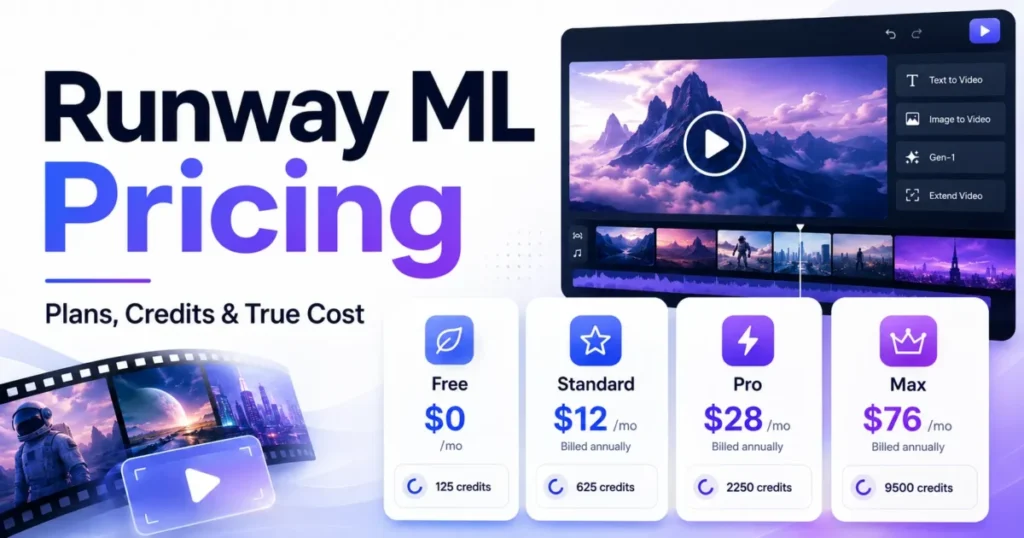
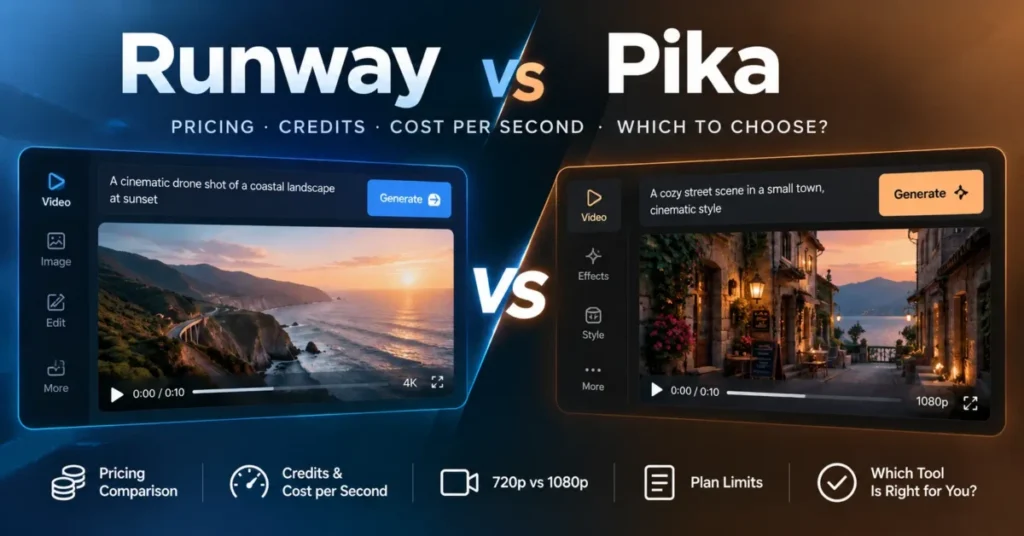
Runway is the comparator to take seriously, because Physion Labs’ own Arc 1.0 write-up places Runway Agent 2.0 at the top of the six-agent field, and invideo’s 2.8-point lead came after the benchmark was updated. If measured output quality is your deciding factor rather than project architecture, this is the head-to-head pilot worth running, and the Runway ML review covers where it sits.
Its cost structure is the other half of the comparison, since iteration drives spend in both products. Work through Runway pricing on the same four-takes-per-approved-minute assumption before deciding.
Pika
Pika sits in the generation-first category and suits social and short-form output where the project never needs to remember anything. The Pika review sets out where it fits.
Choose it if your team ships high-frequency short-form without a brand system that must be enforced shot by shot.
Final Verdict: Is invideo Agent Worth It?
invideo Agent Two is worth it for teams whose bottleneck is production coordination rather than shot quality. Context, Briefs, expert agents, Workflows, and Slate close a workflow gap that single-shot tools left open, and the multi-season memory claim is the most differentiated thing in the category as of August 12, 2026.
It is not worth it for one-off work, for teams that need a predictable monthly cost, or for regulated buyers who need a completed SOC 2 report. In the first two cases you are paying for an iteration-priced production system to do a generator’s job.
Choose invideo Agent Two if you ship more than roughly ten related deliverables a quarter from one creative foundation, and you have a producer who will own the Context and write the Playbooks.
Choose Runway or another generation-first tool if your video work arrives unpredictably and rarely reuses a foundation, because you will never recover the setup cost.
On plan selection, Pro is the first tier that is actually usable, since it is the cheapest one carrying every Seedance model and all three agent modes. Move to Ultra when credits rather than capability are the constraint, since it holds the cheapest credit rate on the page and credit packs cover the peaks.
Never treat Basic as a working tier, because 190 credits a month is about thirty seconds of 720p video and the plan cannot reach 1080p at all. Move to the business tiers when you pass the seat ceiling on Ultra, and escalate to Enterprise when your review chain passes 30 people, when unused credits become a recurring loss, or when IP ownership and training exclusion have to be contractual.
FAQ
Is invideo Agent worth it?
Yes, if you produce many related videos from one creative foundation and a producer will own the Context. The architecture removes real coordination work across campaigns, series, and market variations.
No, unless that pattern describes your work, because credits are consumed per generation and a one-off project never recovers the setup investment.
How much does invideo Agent cost?
Self-serve plans run $9, $25, and $60 per seat a month for Basic, Pro, and Ultra, billed annually. Those buy 190, 1,000, and 3,000 credits a seat a month, and Pro and Ultra can be configured higher.
Credits are the real unit of spend, and they are charged per model and per second rather than per minute of finished video. At invideo’s published rate of about 50 credits per five seconds, one minute of Seedance 2.5 at 1080p costs 600 credits, which is $12.00 on Ultra and $15.00 on Pro.
Is there a free plan?
Yes. The free plan includes limited credits that reset weekly on Mondays at 12 a.m. UTC, with access to AI models through the Agents and Models flow.
No, unless you only intend to explore, because the free tier carries no collaboration seats and a weekly reset will not sustain a real production schedule.
Do invideo credits roll over?
Plan credits reset at the start of each billing cycle, which begins on the day you subscribed, and do not carry forward. Credits bought as packs are added instantly, last 12 months from the purchase date, and expire with the subscription they were bought under.
That asymmetry is worth planning around: if your volume is bursty, a smaller plan plus top-ups loses less than a large plan whose unused credits expire each cycle.
What is the difference between Context and a Brief?
Context holds what stays true across the whole project: characters, world, tone, and visual rules. A Brief holds what is specific to one deliverable, such as a scene, an ad, a platform cut, or a localized version.
One Context can carry many Briefs, which is what makes campaign variation cheap after the first build.
Is invideo Agent good for small businesses?
It depends on output volume rather than company size. A small e-commerce brand shipping product videos across a catalog every month is a good fit, because each new product is a Brief against an existing Context.
A small business making four videos a year is not, and will spend more on rejected Ultra takes than a simple generator would cost outright.
invideo Agent vs Runway: which should I pick?
Pick by bottleneck. Runway Agent 2.0 leads the six-agent field in Physion Labs’ own Arc 1.0 write-up, and invideo’s 2.8-point lead came in an updated run, so on raw output quality the two are close enough to test rather than assume.
invideo is the stronger choice when the problem is the twentieth variation of one campaign, because project state persists between deliverables instead of restarting each session.
How many people can collaborate on invideo Agent?
Basic, Pro, and Ultra include up to 5, 10, and 20 seats, each seat billed at the plan’s per-seat price and carrying its own monthly credits. The business plans, Team and Scale, are built for 5 to 30 people at 1,600 and 4,000 credits a seat a month, with Scale adding SSO. Enterprise seats and credits are custom.
Connect is the workaround below Enterprise: external collaborators join a folder with zero seats added, on any plan, and spend credits from their own account.
Is invideo Agent secure enough for enterprise use?
invideo states that enterprise data is never used for model training, that IP created on the platform is owned entirely by the customer, and that the platform is SOC 2 ready, GDPR compliant, and penetration tested.
Read “SOC 2 ready” as preparation rather than attestation. Ask for the Type I or Type II report, or a target audit date, before a compliance sign-off.
What are the main invideo Agent limitations?
Seven stand out: monthly credits do not roll over, rejected takes cost the same as approved ones, collaboration requires the Team plan, Team caps at 30 seats, SOC 2 status is described as ready rather than attested, the cited benchmark tested Agent One, and no export specification has been published for Slate.