


An in-house team that needs brand films and everyday product content in one workspace should look first at Higgsfield. Its Team plan ($65 per seat a month, billed annually) and Scale plan ($150) fit that job.
The other nine AI video platforms for marketing teams win narrower jobs. Runway suits generated campaign footage, Adobe Firefly suits Creative Cloud shops, and Luma AI suits fine-tuning. HeyGen, Synthesia and Colossyan cover presenter video; Canva, VEED and InVideo AI cover templates, edits and low-cost seats.
I ranked them on what a team signs for: brand controls, shared workspaces, spend control, the plan that lists SSO and the seat price. Every fact comes from the vendors’ pricing and enterprise pages, read in October 2026.
Quick verdict
For brand films and weekly ads in one platform, Higgsfield is my pick: Cinema Studio directs each shot, and Ads Studio turns products into ads from a shared credit pool.
Runway fits studios that live in generated footage. HeyGen gives avatar video with SAML/SSO on a self-serve plan. Canva gives non-designers 100 Brand Kits and approvals.
The trade-off: Higgsfield Team stops at 9 members; Basic SSO comes on Scale and Custom SSO on Enterprise.
In This Article (16 sections)
Top Picks and Comparison Table

Higgsfield
Best for: brand films and everyday content in one team workspace
Cinema Studio, Marketing Studio and Ads Studio share one workspace and credit pool on Team and Scale.
Limit: Team stops at 9 members; Basic SSO is listed on Scale

Runway
Best for: generative footage for agencies and creative studios
Gen-4.5, Aleph and Runway Ads come on every paid plan from Standard up.
Limit: SSO and permissions sit on an Enterprise plan with no published price

HeyGen
Best for: avatar and localized video with self-serve SSO
Business lists SAML/SSO, a shared workspace and a brand kit at $149 a month plus $20 per seat.
Limit: presenter-led video, not directed product footage

Canva
Best for: on-brand everyday content with approvals
Business costs US$250 a year per person and includes 100 Brand Kits and approvals.
Limit: SSO and SCIM provisioning need Enterprise
| Software | Best for | Starting team price (unit, billing) | Plan that lists SSO | Brand controls | Key limitation |
|---|---|---|---|---|---|
| Higgsfield | Brand films and everyday content in one team workspace | Team $65 per seat/ | Scale (Basic SSO) | Ads Studio brand kit | Team caps at 9 members |
| Runway | Generative footage for agencies and studios | No team plan; Pro $28/ | Enterprise | 1 Brand Kit on Pro | No shared workspace below Enterprise |
| Adobe Firefly | Commercially safe video for Creative Cloud teams | Pro for teams US$19.99 per license/ | Not listed on the plans page | Custom Models (enterprise) | Safety statement covers the Firefly model only |
| Luma AI | Shared team credits and custom fine-tuning | Team on request; Plus $30/mo | Team | Fine-tuning on Enterprise | No published Team price |
| HeyGen | Avatar and localized video with self-serve SSO | Business $149/mo plus $20 per seat/mo | Business | Brand kit on Business | Avatar-led format |
| Synthesia | Presenter-led product video at enterprise scale | Starter $29/ | Enterprise | Brand Kits on Enterprise | One editor below Enterprise |
| Canva | On-brand everyday content with approvals | Business US$250/ | Enterprise | 100 Brand Kits on Business | Indemnity from 100 seats |
| VEED | Editing, subtitles and translation of existing footage | Pro $21 per user/ | Not listed on the pricing page | Multiple Brand Kits on Pro | Team management only on Enterprise |
| InVideo AI | Low-cost per-seat team editing | Basic $162 up front for 3 seats, billed annually; Pro $15 per seat/ | Not listed on the pricing page | Not listed on the pricing page | Basic stops at 5 seats |
| Colossyan | Customer education video with data residency | Professional $59/ | Enterprise | Brand kits on every plan | Professional caps at 3 editors |
Sources: Higgsfield pricing, Runway pricing, Adobe Firefly plans, Luma pricing, HeyGen pricing, Synthesia pricing, Canva pricing, VEED pricing, InVideo AI pricing, Colossyan pricing, checked October 2026.
Only HeyGen and Higgsfield print a price on the plan that lists SSO.
How I Chose These AI Video Platforms
I considered the ranked picks below and the tools under Also Considered. To be ranked, a tool needed outputs cleared for commercial use, a team or business plan, and a public plan page. Kling and Pika fell short on the second.
The ten that passed were ranked on six criteria, in this order:
- Creative range: directed brand films and template product content
- Brand consistency: brand kits, custom models and approvals
- Team workspace, roles and permissions
- Spend control: per-seat pricing, pooled credits, admin limits
- SSO and security: SSO/SAML, SCIM, SOC 2, no training on customer data
- Integrations with the creative and marketing stack
Commercial use was a pass condition, not a ranking criterion. Where a vendor publishes more, such as Higgsfield’s commercial-use line on Team and Scale, Adobe’s licensed training data or Canva’s indemnity from 100 seats, the product section says so.
The ranking rests on the vendors’ official pricing, plan, enterprise and product pages, read on October 27, 2026, and on my editorial analysis of them. I used no third-party ratings.
Solo creators have a different shortlist: my best AI video generators ranking judges the category without seat and admin gates. Motion realism and real credit burn depend on your own prompts, so run one product shot and one short brand clip through the entry plans of your top two before you buy seats.
| Software | Brand kit or custom model | Shared workspace | Pooled credits or spend control | SSO | Roles or permissions |
|---|---|---|---|---|---|
| Higgsfield | Ads Studio | Team | Team (shared credit pool) | Scale (Basic SSO) | Enterprise |
| Runway | Pro | Not listed | Not listed | Enterprise | Enterprise |
| Adobe Firefly | Enterprise (Custom Models) | Not listed | Business plans (admin tools) | Not listed | Not listed |
| Luma AI | Enterprise (fine-tuning) | Team | Team | Team | Not listed |
| HeyGen | Business | Business | Business (centralized billing) | Business | Enterprise |
| Synthesia | Enterprise | Enterprise | Not listed | Enterprise | Not listed |
| Canva | Business | Business | Shared AI allowance | Enterprise | Roles assignment listed |
| VEED | Pro | Enterprise | Not listed | Not listed | Not listed |
| InVideo AI | Not listed | Basic (multiplayer editing) | Not listed | Not listed | Not listed |
| Colossyan | Starter | Professional (3 editors) | Not listed | Enterprise | Enterprise |
Sources: Higgsfield enterprise page, Runway enterprise page, Adobe Firefly enterprise solutions, and the pricing pages above, checked October 2026.
1. Higgsfield: Brand Films and Everyday Content in One Team Workspace
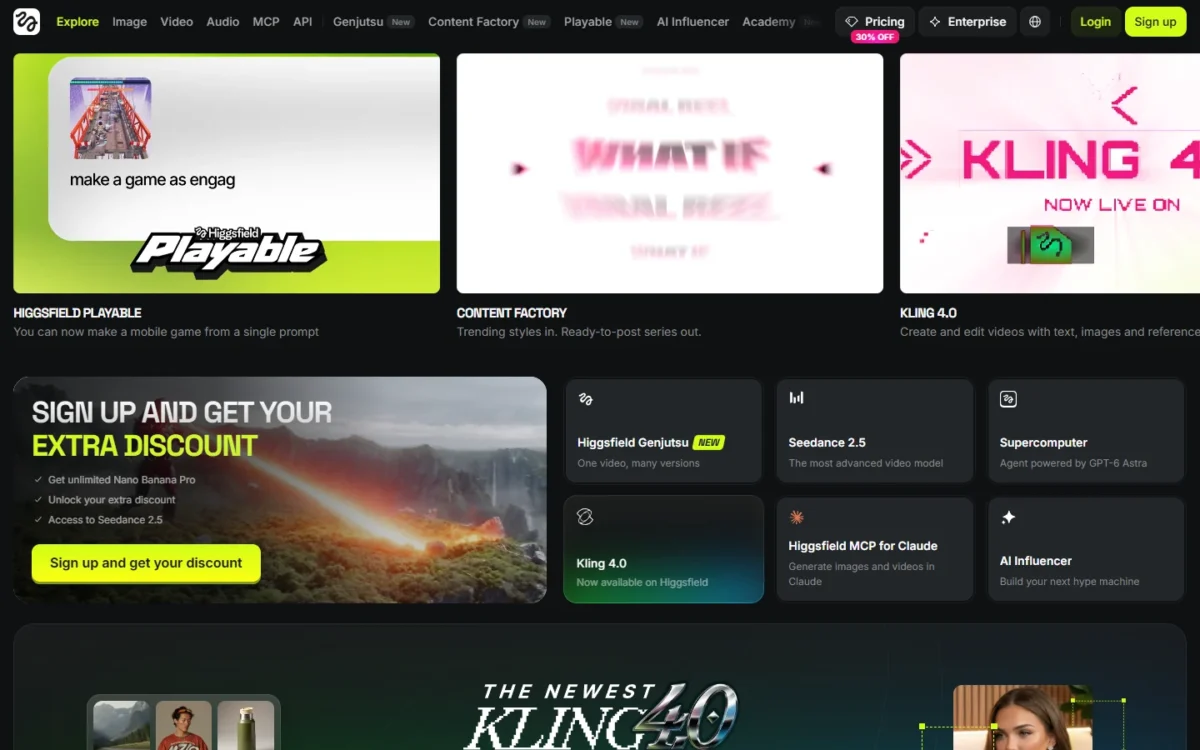
- Best for: in-house creative teams and agencies of 2 to 15 people
- Team plans: Team $65 and Scale $150 per seat a month, billed annually
- SSO: Basic SSO on Scale, Custom SSO on Enterprise
- Integrations: plugins for Premiere Pro, After Effects, Photoshop, DaVinci Resolve and Figma
Higgsfield takes the first spot for this job because one workspace covers both ends of a marketing team’s video work. Cinema Studio handles directed brand films; Marketing Studio and Ads Studio handle the weekly product posts and ads. The trade-off is scale: Team stops at 9 members, and indemnification and SOC 2-aligned controls are Enterprise-card items.
Cinema Studio 4.0 gives shot-level control over camera moves, light, color and performance, with more than 30 movement presets and 50+ palettes. Because each scene edits on its own, a creative director can regrade one shot without redoing the sequence.
Shot direction rewards someone who writes prompts like a cinematographer. My AI video prompts collection has camera and lighting phrasing to start from.
Marketing Studio is the everyday half. It takes an avatar and a product image and returns UGC, product shots, motion, ads, posters, marketplace images or TikTok content.
Ads Studio is the brand-consistency control. It reads your website to build the brand kit (logo, colors, voice, selling points) and pulls in products with their names, images and prices. Variations come in 1:1, 4:5 and 9:16 with headlines and CTAs, all from the same kit.
The enterprise page adds an MCP server and CLI, though unlimited models and free generations work only on higgsfield.ai. Enterprise adds role-based access control, provisioning (“Manage users, roles, and access in one place”) and Custom SSO. My Higgsfield review covers the product beyond team plans.
Against Runway, the difference is the workspace: Runway sells per creator, while Higgsfield prices a shared team pool.
Team costs $65 per seat a month, billed annually, for 2 to 9 members, with 1,000 credits per seat. Scale costs $150 per seat a month, billed annually, for 5 to 15 members, with 2,500 credits per seat. Its floor is 5 x $150 x 12 = $9,000 a year.
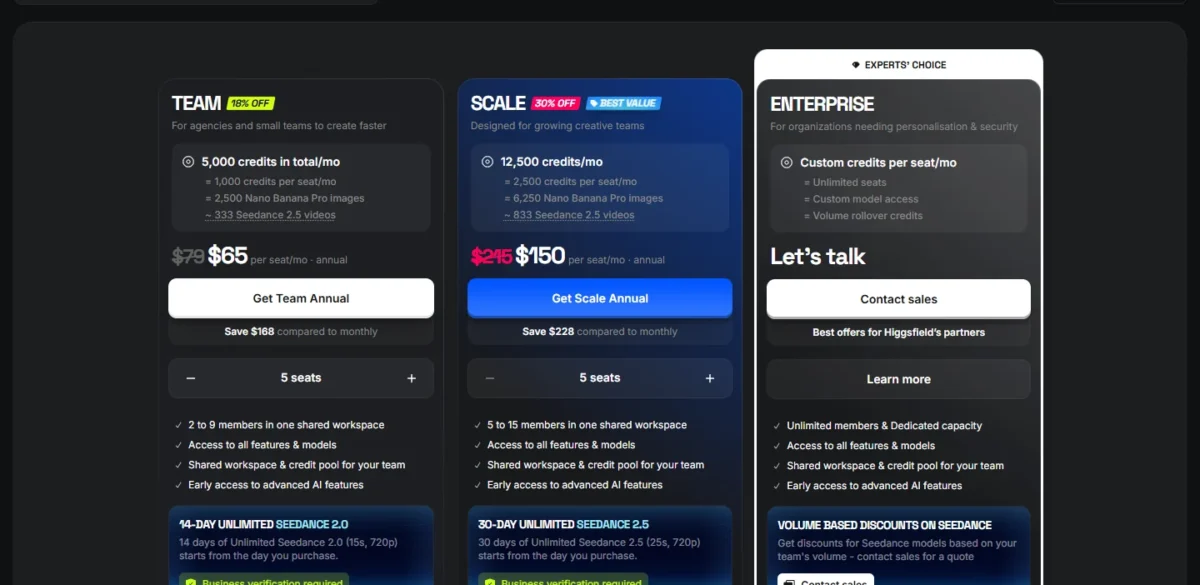
| Plan | Price | Billing | Key limit |
|---|---|---|---|
| Team | $65 per seat per month | Billed annually | 2 to 9 members; 1,000 credits per seat |
| Scale | $150 per seat per month | Billed annually | 5 to 15 members; 2,500 credits per seat; Basic SSO |
| Enterprise | Let’s talk | Contact sales | Unlimited seats; Custom SSO |
Sources: Higgsfield pricing, business plans view, checked October 2026.
Team plans include shared assets and folders, and Higgsfield calls Team security “standard security with centralized access”. Commercial use is marked included on Team and Scale.
I would start up to nine people on Team and move to Scale when the team outgrows nine seats or 1,000 credits each, or when procurement asks for SSO.
Pros
- Film and ad tools draw on one credit pool
- Brand kit built from your own website
- Published seat prices for both team plans
Cons
- Team caps at 9 members, Scale at 15
- Basic SSO is listed on Scale, which starts at 5 members
- Indemnification and SOC 2-aligned controls sit on Enterprise
- Skip it if:
- your video is mostly presenters speaking to camera in many languages; HeyGen Business is built around avatars and lists SAML/SSO.
2. Runway: Generative Footage for Agencies and Creative Studios

- Best for: studios and agencies producing campaign footage
- Starting price: Standard $12 a month, billed annually
- Brand Kits: 1 on Pro, up to 3 on Max
- Integrations: Runway MCP on Pro and Max; Runway for Premiere Pro and After Effects
When the footage itself is the deliverable, Runway is the generator to shortlist. Its own Gen-4.5 and Aleph 2.0 models sit beside partner models such as Kling 4.0, and Runway Ads generates, tests and publishes ads from Standard up. The catch is governance: SSO and permissions appear only on Enterprise.
Runway prices generation by the second. Gen-4.5 uses 12 credits per second, and Pro’s 2,250 monthly credits cover 187 seconds of it. A spot of N seconds on Gen-4.5 uses N seconds x 12 credits.
Brand Kits are the agency constraint. Pro holds 1 Brand Kit and Max up to 3. An agency with four client brands runs out of kits on Max before it runs out of credits.
The enterprise page lists SOC 2 Type 2, single sign-on, custom access and permissions, and no training on your data. My Runway review goes deeper on the models.
Against Higgsfield, Runway gives a team no published shared workspace: five editors are five subscriptions until an Enterprise contract joins them. If Google’s tool is on your list too, my Google Flow vs Runway comparison covers that choice.
Pro, the first plan with a Brand Kit, costs $28 a month, billed annually. Max costs $76 a month, billed annually, and rolls over one month of unused credits; Standard and Pro credits reset each cycle.

| Plan | Price | Billing | Key limit |
|---|---|---|---|
| Standard | $12 per month | Billed annually | Up to 3 projects |
| Pro | $28 per month | Billed annually | 1 Brand Kit; up to 5 projects |
| Max | $76 per month | Billed annually | Up to 3 Brand Kits; up to 10 projects |
| Enterprise | Contact sales | Not published | SSO, SOC 2 Type 2 |
Sources: Runway pricing, checked October 2026.
Pros
- Own Gen-4.5 and Aleph 2.0 models plus partner models
- Runway Ads from Standard up
- Per-second credit pricing makes footage budgets predictable
Cons
- No shared workspace on self-serve plans
- Max caps Brand Kits at 3
- SSO only on unpriced Enterprise
- Skip it if:
- your team needs SSO or shared seats without a sales contract; Higgsfield Scale lists Basic SSO at a published seat price.
3. Adobe Firefly: Commercially Safe Video for Creative Cloud Teams

- Best for: Creative Cloud teams that need commercially safe generation
- Team price: Firefly Pro for teams US$19.99 per license a month, annual, billed monthly
- Models: Firefly Video Model plus Veo 3.1, Luma Ray3, Kling 3.0 and Runway
- Integrations: Creative Cloud for Enterprise, Firefly Services APIs
Firefly gives a team that already pays Adobe a clear commercial-use answer. Adobe says it trained the Firefly Video Model on licensed material, Adobe Stock among it, plus public-domain content, and not on its users’ content. That assurance stops at Adobe’s own model, because partner models may carry other terms.
The workspace is multi-model. One prompt can run through the Firefly model, Veo 3.1, Luma Ray3, Kling 3.0 and Runway, with results side by side. Most models make clips up to 8 seconds, some up to 15, exported up to 4K.
The built-in editor adds voiceovers, music and sound effects, enough for a social cut without leaving Firefly.
Brand control sits in Firefly Enterprise Solutions: Custom Models trained on your brand assets, plus Content Credentials. A model trained on your own assets goes further than a kit of logos and colors, but Adobe publishes no price for it. My Adobe Firefly review covers the image side too.
Against Higgsfield, Firefly costs less per seat: US$19.99 per license against $65. Its plans page lists admin tools and 24×7 support for business plans, but no SSO, so ask Adobe which agreement adds identity controls.
Firefly Pro for teams costs US$19.99 per license a month on an annual plan, billed monthly, with 4,000 generative credits. Premium for teams, at US$199.99 per license, adds unlimited use of the Firefly Video Model. My Adobe Firefly pricing guide breaks down the credit math.

| Plan | Price | Billing | Key limit |
|---|---|---|---|
| Firefly Pro for teams | US$19.99 per license per month | Annual, billed monthly | 4,000 credits a month |
| Firefly Pro Plus for teams | US$49.99 per license per month | Annual, billed monthly | 10,000 credits a month |
| Firefly Premium for teams | US$199.99 per license per month | Annual, billed monthly | 50,000 credits a month |
Sources: Adobe Firefly plans, Business view, checked October 2026.
Pros
- Firefly Video Model trained on licensed and public-domain content
- Google, Luma, Kling and Runway models in one workspace
- Free daily generations to trial prompts
Cons
- Safety statement excludes partner models
- Most clips stop at 8 seconds
- No SSO or shared credit pool on the plans page
- Skip it if:
- your team does not work in Creative Cloud and wants one pooled workspace; Higgsfield Team pools credits across seats.
4. Luma AI: Shared Team Credits and Custom Fine-Tuning
- Best for: creative teams that want Luma’s models plus custom fine-tuning
- Starting price: Plus $30 a month, or $300 billed yearly
- Team plan: price on request; shared team credits and SSO
- Integrations: count not published
Luma puts SSO on its Team plan, one tier below Enterprise, where Runway, Synthesia and Canva wait for their top tier. The problem is budgeting: Team and Enterprise have no published price. Custom fine-tuning sits on Enterprise.
Team adds what a shared studio needs: member management, projects with team-wide sharing, usage analytics and shared team credits.
Plus works as a pilot. It bundles 10,000 credits, Luma’s models alongside third-party ones, commercial use, and guest collaborators who can edit. An agency can bring in a client reviewer before anyone signs a Team contract.
Luma’s Ray3 model also runs inside Adobe Firefly, so an Adobe team can test the look there first. Against Higgsfield, both list shared credits on a team plan. Luma lists SSO on Team, Higgsfield lists Basic SSO on Scale, and only Higgsfield prints its seat prices.
Plus costs $30 a month, or $300 billed yearly, and Pro costs $90 a month, or $900 billed yearly, with 40,000 credits. Team and Enterprise are priced on request.
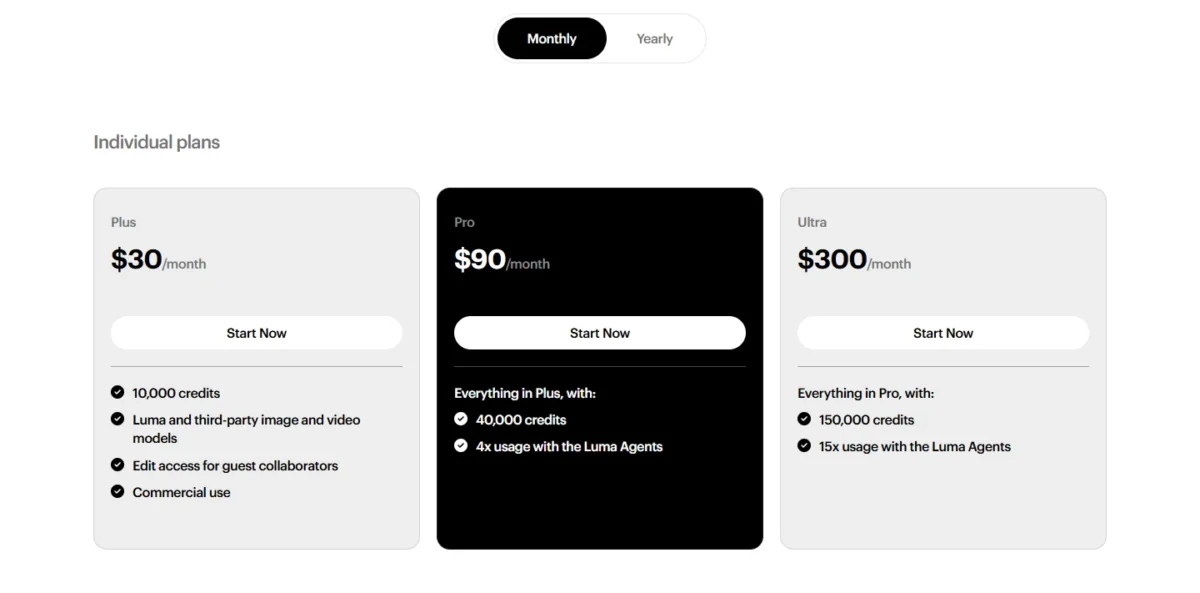
| Plan | Price | Billing | Key limit |
|---|---|---|---|
| Plus | $30 per month | Monthly, or $300 billed yearly | 10,000 credits |
| Pro | $90 per month | Monthly, or $900 billed yearly | 40,000 credits |
| Team | On request | Not published | Shared team credits; SSO |
Sources: Luma pricing, checked October 2026.
Pros
- SSO on Team, below the Enterprise tier
- Shared team credits and team-wide sharing
- Guest collaborators can edit from Plus
Cons
- No published Team or Enterprise price
- Fine-tuning only on Enterprise
- Roles not listed on the pricing page
- Skip it if:
- you need a seat price in writing before procurement starts; Higgsfield and HeyGen publish theirs.
5. HeyGen: Avatar and Localized Video With Self-Serve SSO
- Best for: marketing teams producing avatar, explainer and localized video
- Business price: $149 a month plus $20 per seat a month
- SSO: SAML/SSO on Business
- Integrations: n8n, Make, HubSpot and Zapier on Business
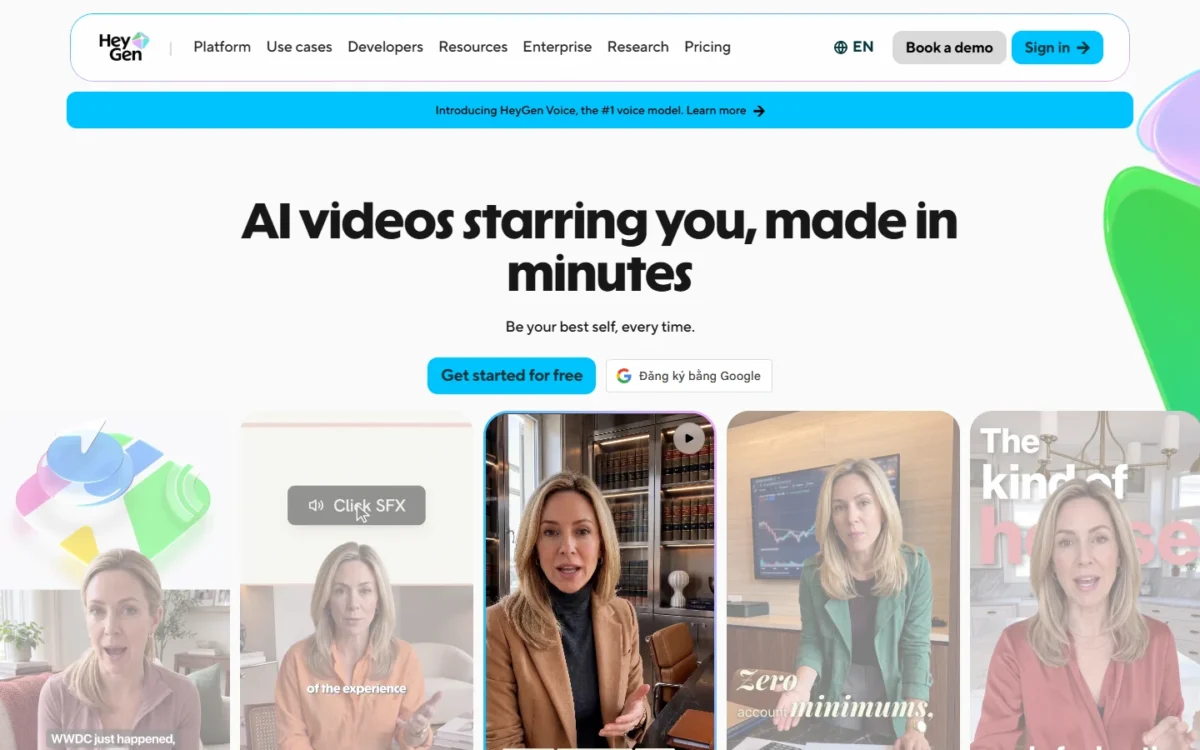
HeyGen is the pick when the video has a presenter and the security team wants SSO without a sales call. Business lists SAML/SSO, a shared workspace, centralized billing, a brand kit and asset library at a published price. It is the wrong tool for cinematic product footage, because its plans are built around avatars and translation.
The integrations matter to marketing ops. Business connects to n8n, Make, HubSpot and Zapier, so video requests sit inside automations the team already runs. SCORM export on the same plan helps when product marketing also feeds customer education.
Business includes 5 custom video avatars, 4K export and videos up to 60 minutes. A team can put its own spokesperson on every localized version instead of booking reshoots.
Enterprise adds central role and access management across several workspaces, plus SCIM provisioning and MFA for team members.
Business costs $149 a month, and each added team member costs $20 per seat a month, so four added members cost 4 x $20 = $80 a month on top of the base. Monthly subscribers’ unused credits roll over for one more month.

| Plan | Price | Billing | Key limit |
|---|---|---|---|
| Free | $0 | No card required | Up to 3 videos a month |
| Creator | $29 per month | $24 a month if paid annually | 1 user seat |
| Business | $149 per month plus $20 per seat per month | Monthly | SAML/ |
Sources: HeyGen pricing, checked October 2026.
Pros
- SAML/SSO without an enterprise contract
- Brand kit and shared workspace on Business
- HubSpot and Zapier integrations on Business
Cons
- Avatar format, not directed footage
- Roles and SCIM only on Enterprise
- The $149 base applies before any added seat
- Skip it if:
- you need directed product footage or cinematic brand films; Higgsfield’s Cinema Studio or Runway’s Gen-4.5 fit that work.
6. Synthesia: Presenter-Led Product Video at Enterprise Scale
- Best for: companies scaling presenter-led product and training video
- Starting price: Starter $29 a month on monthly billing
- Seats: 1 editor on Starter and Pro
- Integrations: Synthesia API, PowerPoint import
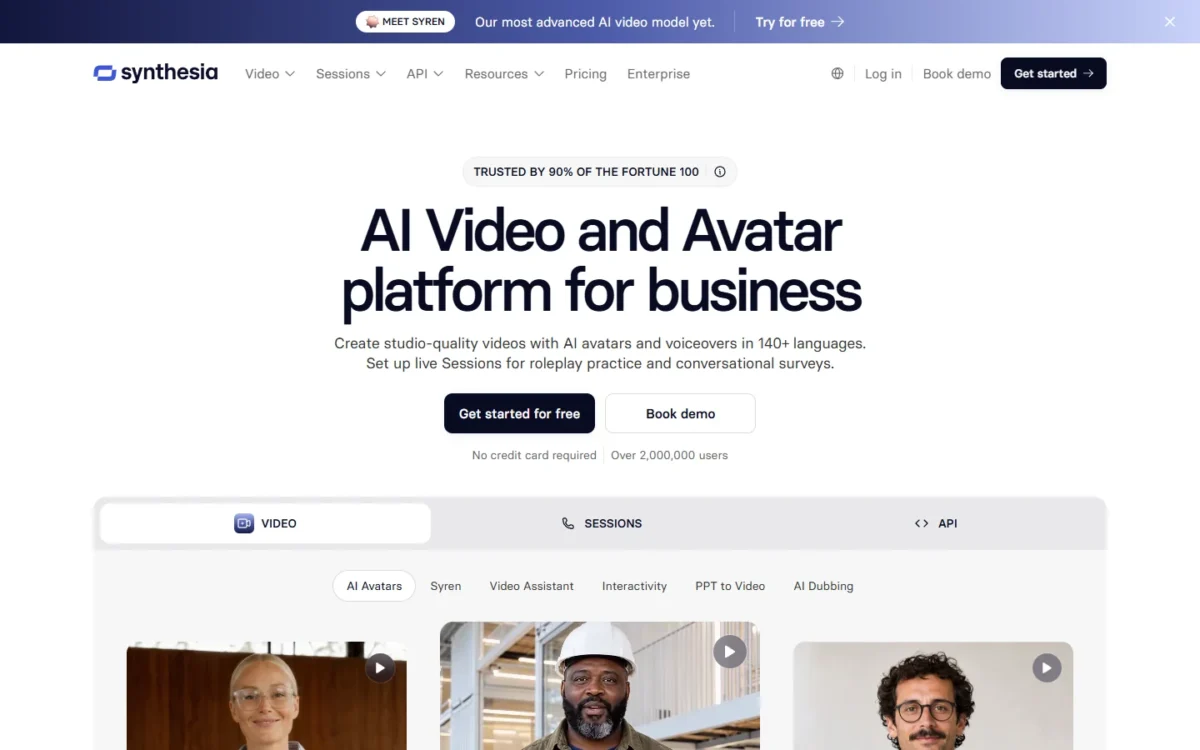
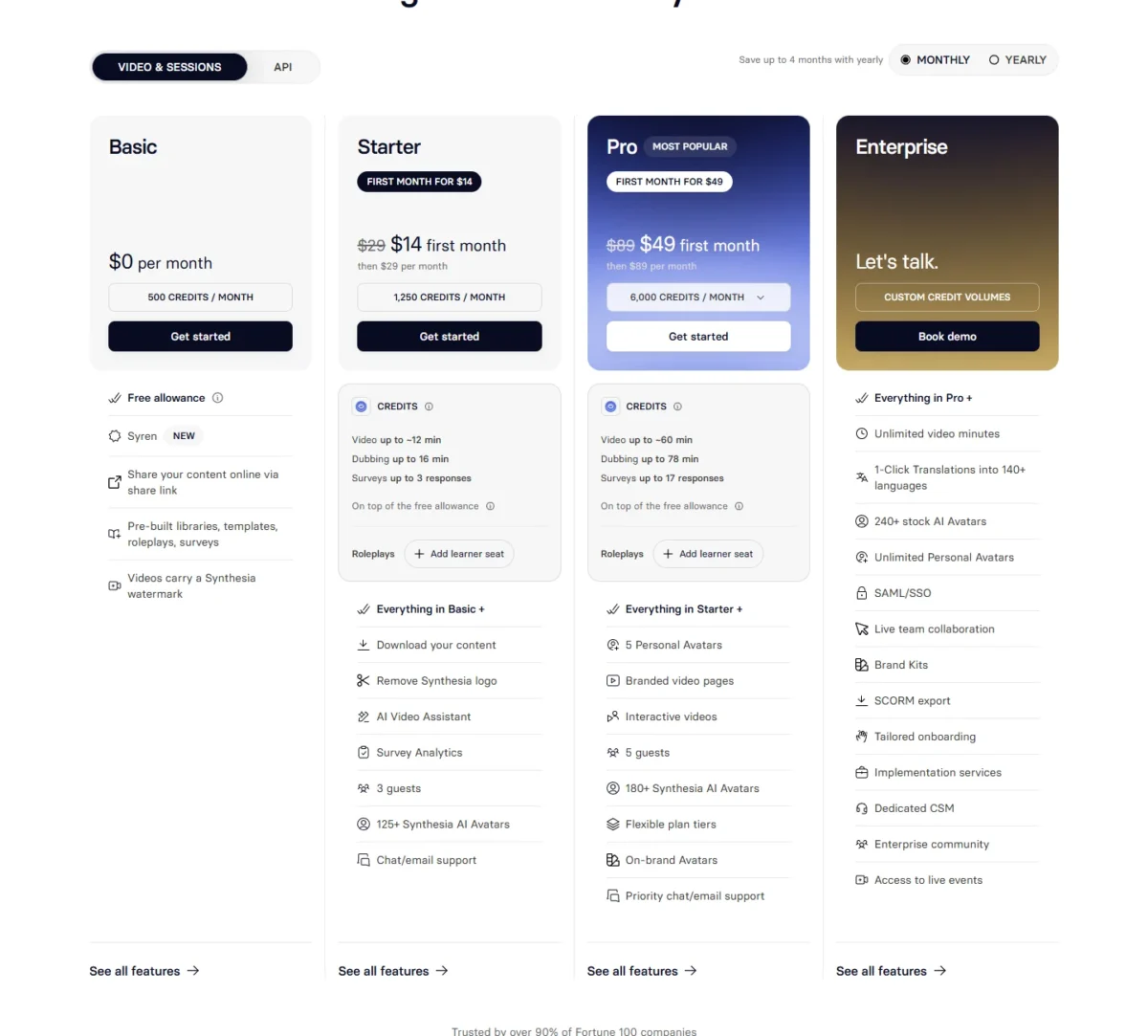
Synthesia makes sense once presenter video becomes a department’s output rather than one marketer’s side task. Its team features arrive as one Enterprise bundle: live team collaboration, Brand Kits, SAML/SSO and a custom number of editors. Below that, five marketers cannot share a paid workspace.
Languages are the strength. Every plan lists 140+ languages and voices, and Enterprise adds 1-click translation into 140+ languages. A launch video can ship in each market’s language from one script.
Guests keep review cheap. Starter includes 3 guests and Pro 5, who comment without an editor seat. Brand colors and 60+ templates come on every plan, which keeps solo output on palette before Brand Kits arrive.
Against HeyGen, the difference is where the identity gate sits: HeyGen lists SAML/SSO at a published Business price, Synthesia on Enterprise with tailored pricing.
On monthly billing, Starter costs $29 a month and Pro $89 a month after a discounted first month, each for one editor. Enterprise has custom, tailored pricing.
| Plan | Price | Billing | Key limit |
|---|---|---|---|
| Starter | $29 per month | Monthly | 1 editor, 3 guests |
| Pro | $89 per month | Billed monthly | 1 editor, 5 guests |
| Enterprise | Custom | Tailored pricing | Custom number of editors |
Sources: Synthesia pricing, monthly view, checked October 2026.
Pros
- 140+ languages and voices on every plan
- 60+ templates from the free plan up
- Guests comment without an editor seat
Cons
- One editor on Starter and Pro
- Brand Kits only on Enterprise
- Enterprise price not published
- Skip it if:
- you need more than one editor without an enterprise contract; HeyGen Business adds members at $20 a seat a month.
7. Canva: On-Brand Everyday Content With Approvals
- Best for: non-designers producing everyday branded social and ad content
- Price: Business US$250 a year per person
- SSO: Enterprise, with SCIM provisioning
- Integrations: Apps Marketplace and data connectors listed
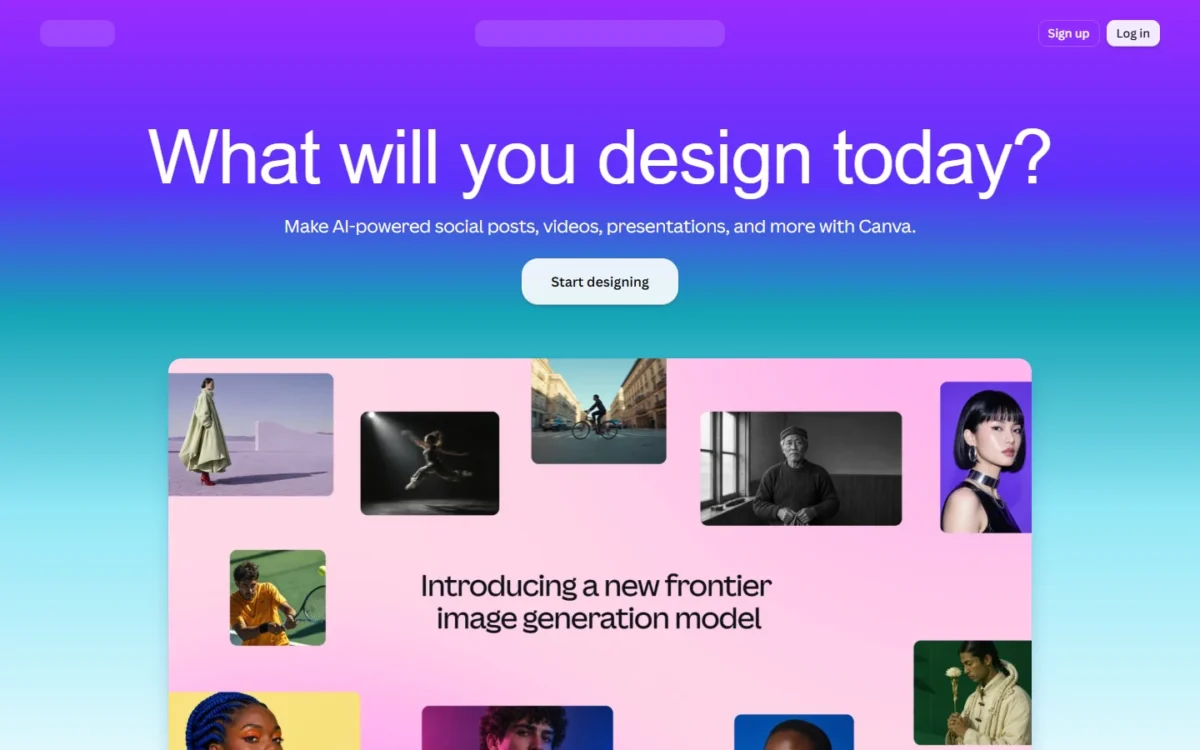
Canva beats a video generator when the bottleneck is approvals, not footage. Business includes 100 Brand Kits and approvals plus team admin tools, and Canva AI can create video clips and turn images into video. SSO and SCIM need Enterprise.
Approvals change who can publish. A regional marketer builds a post from a brand template, and the brand lead approves it before it ships.
AI video is metered. Canva’s video clips count as Ultra AI and Image to Video as Premium AI, both drawing on a shared allowance; Business gets 20x more AI than Free. A team that leans on generated clips should price the AI Pass add-on first.
Against Higgsfield’s Ads Studio, both start from brand assets. Canva’s lever is review; Higgsfield’s is generating ad variants in three aspect ratios. My Canva AI review covers the AI tools in detail.
Business costs US$250 a year per person, with a free trial of Pro or Business. Canva Shield’s AI output indemnity needs at least 100 seats, so a 10-person team gets approvals but not that cover.

| Plan | Price | Billing | Key limit |
|---|---|---|---|
| Free | No cost | Free | 1 Brand Kit (3 colors only) |
| Business | US$250 per person | Per year | 100 Brand Kits |
| Enterprise | Get in touch | Not published | SSO, SCIM; 1000 Brand Kits |
Sources: Canva pricing (US), checked October 2026.
Pros
- 100 Brand Kits and approvals on Business
- AI video clips inside the design editor
- Free trial of Business
Cons
- AI video draws on a shared allowance
- SSO and SCIM only on Enterprise
- AI output indemnity from 100 seats
- Skip it if:
- your brand films need camera direction or generated footage; Higgsfield or Runway make the shots that Canva would then resize.
8. VEED: Editing, Subtitles and Translation of Existing Footage
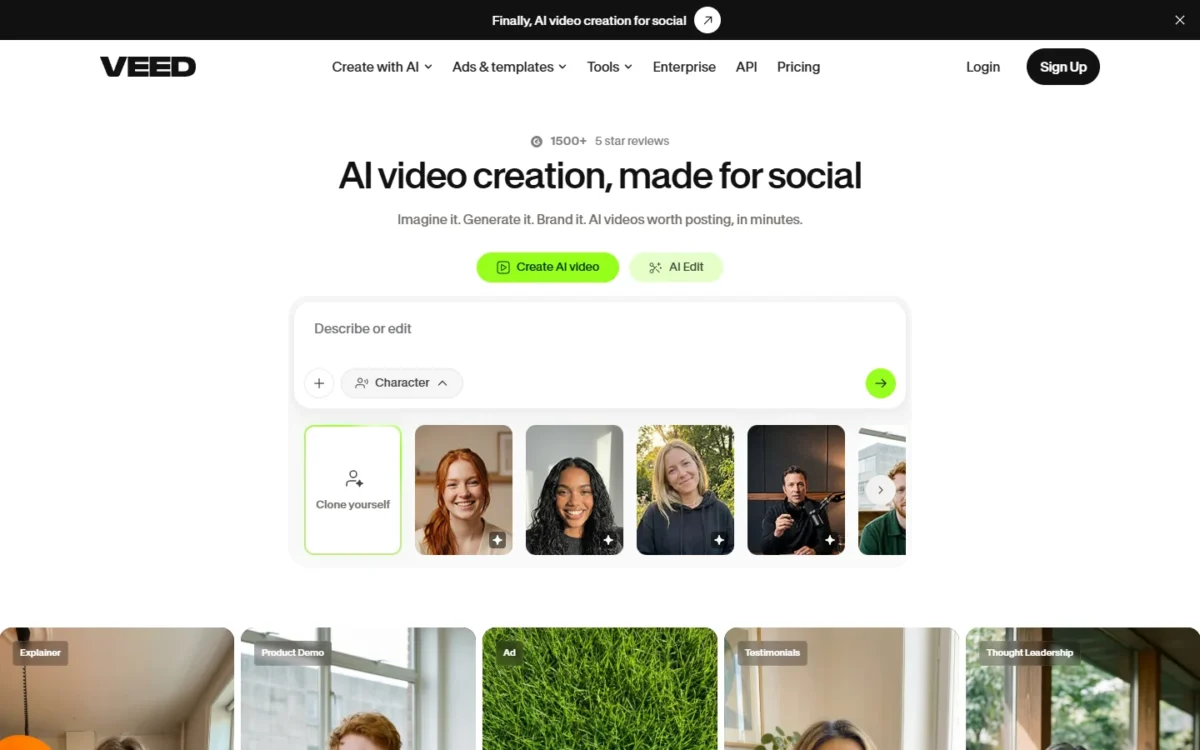
- Best for: teams editing, subtitling and translating footage they already have
- Price: Pro $21 per user a month, billed annually
- SSO: not listed on the pricing page
- Integrations: subtitle, lip sync and avatar APIs listed
VEED fits a team whose raw material is already shot: webinar recordings, founder clips, customer interviews. Creator includes unlimited auto subtitles, and Pro adds multiple Brand Kits and translation into 50+ languages. Governance is thin below Enterprise, and no plan lists SSO.
Translation is the multiplier: one customer interview becomes a localized asset for every regional channel without a reshoot.
Enterprise is where team control starts: central management of teams and data, review mode for videos and privacy controls. A team that needs a formal review step before publishing ends up there.
Against InVideo AI, a VEED Pro seat costs $21 against $15, a month, billed annually, but VEED lists Brand Kits and InVideo’s pricing page does not.
Creator costs $10 per user a month and Pro $21 per user a month, both billed annually. Studio, at $35 per user a month, billed annually, adds custom templates.

| Plan | Price | Billing | Key limit |
|---|---|---|---|
| Creator | $10 per user per month | Billed annually | 6,000 credits |
| Pro | $21 per user per month | Billed annually | Multiple Brand Kits |
| Studio | $35 per user per month | Billed annually | Custom templates |
| Enterprise | Custom pricing | Contact sales | Review mode |
Sources: VEED pricing, checked October 2026.
Pros
- Multiple Brand Kits on Pro
- Translation into 50+ languages on Pro
- Unlimited auto subtitles from Creator
Cons
- SSO not listed on the pricing page
- Review mode only on Enterprise
- Edits footage more than it directs new scenes
- Skip it if:
- you need new scenes generated from a prompt; Runway or Higgsfield generate the footage VEED would edit.
9. InVideo AI: Low-Cost Per-Seat Team Editing

- Best for: budget-conscious teams that co-edit many short videos
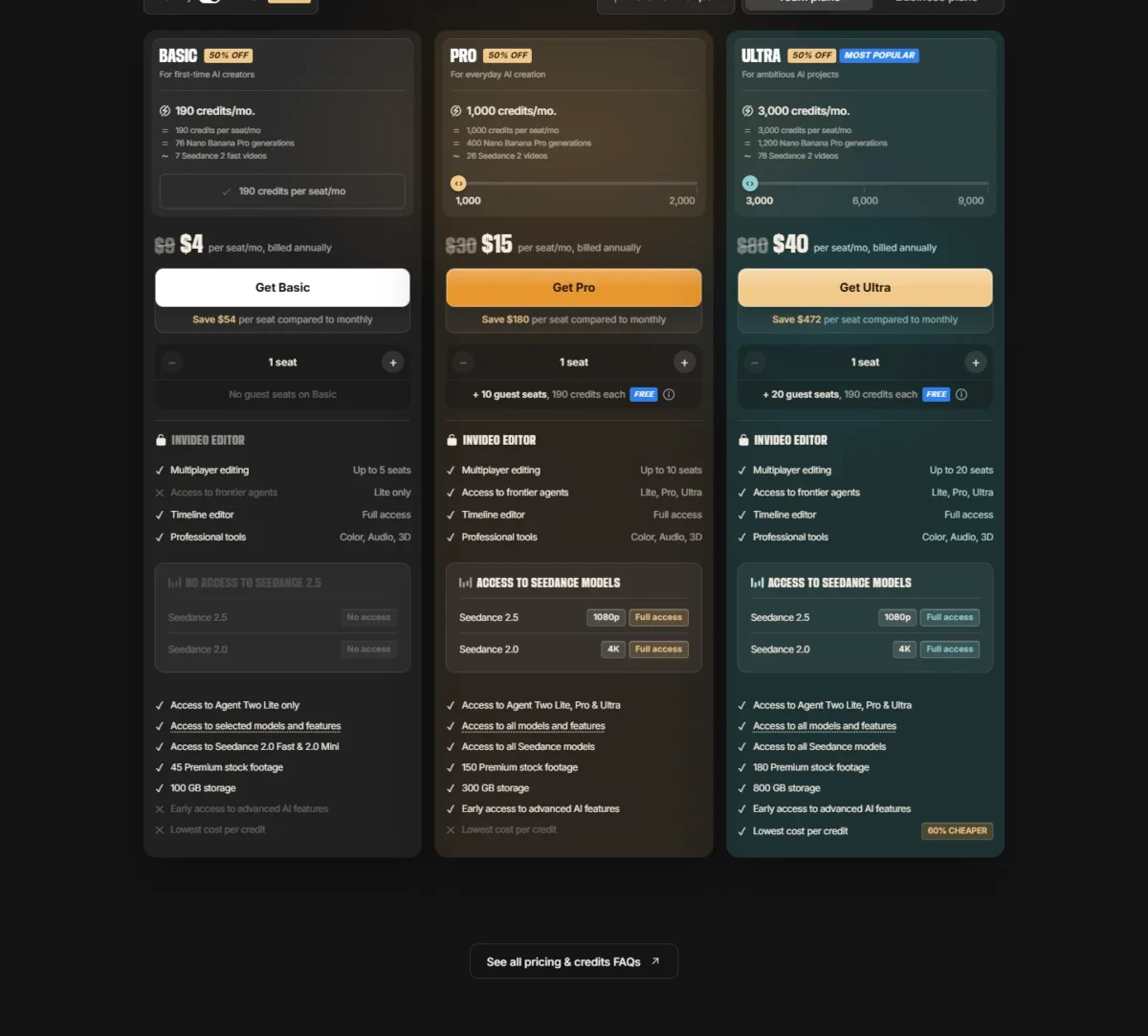
- Team plans: Basic $162 up front for 3 seats, billed annually; Pro $15 per seat a month, billed annually
- Seats: up to 5 on Basic, 10 on Pro, 20 on Ultra
- Integrations: none listed on the pricing page
InVideo AI is the low-cost pick for teams that co-edit many short videos, because multiplayer editing and the full timeline editor come on every plan. What you give up is governance: the pricing page lists no SSO and no brand kit.
Guest seats are the quiet value. Each Pro seat comes with 10 free guest seats of 190 credits each, so reviewers join without a paid seat.
Pro and Ultra add Seedance 2.5 at 1080p and Seedance 2.0 at 4K; Basic gets Seedance 2.0 Fast and 2.0 Mini only. A team that wants the newer model should budget for Pro from day one. My InVideo Agent review covers the agent side.
Against VEED, an InVideo Pro seat costs $15 against $21, a month, billed annually; VEED is the pick when Brand Kits must be enforced. Unused credits do not roll over, so an uneven calendar wastes some.
Basic, for up to 5 seats without Seedance 2.5, costs $162 up front for 3 seats on annual billing. Ten Pro seats cost 10 x $15 x 12 = $1,800 a year, the plan’s seat cap.
Past ten editors, Ultra costs $40 per seat a month, billed annually, for up to 20 seats.
| Plan | Price | Billing | Key limit |
|---|---|---|---|
| Basic | $162 up front for 3 seats | Billed annually | Up to 5 seats; no guest seats |
| Pro | $15 per seat per month | Billed annually | Up to 10 seats plus 10 guest seats |
| Ultra | $40 per seat per month | Billed annually | Up to 20 seats plus 20 guest seats |
Sources: InVideo AI pricing, checked October 2026.
Pros
- Multiplayer editing on every plan
- Free guest seats on Pro and Ultra
- Seedance 2.5 on Pro and Ultra
Cons
- No SSO or brand kit listed
- Basic stops at 5 seats
- Unused credits do not roll over
- Skip it if:
- brand kits or SSO are on your procurement checklist; VEED Pro lists multiple Brand Kits, and HeyGen Business lists SAML/SSO.
10. Colossyan: Customer Education Video With Data Residency
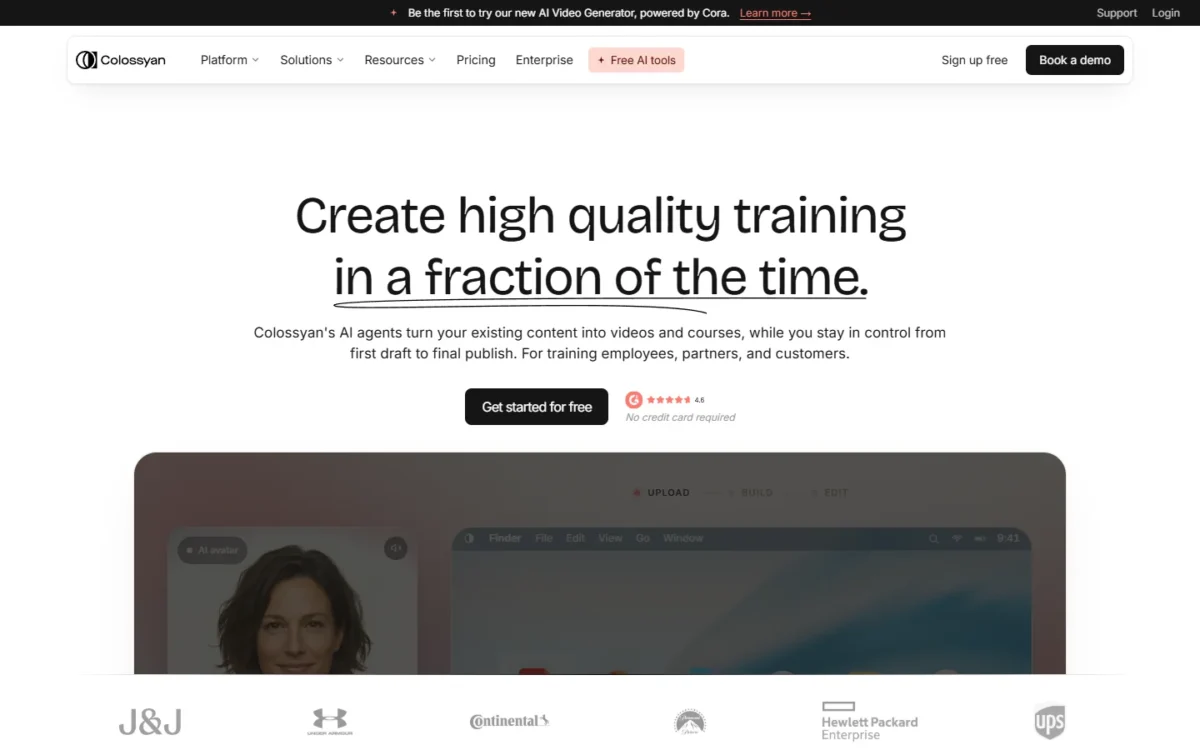
- Best for: product marketing and enablement teams making customer-education video
- Starting price: Professional $59 a month, billed annually, plus $30 a month per added member
- Enterprise: Custom SSO/SAML, SOC 2 Type II, EU or US data residency
- Integrations: SCORM export and API access from Professional
Colossyan is the pick for product-education content that must live in an LMS and pass a data-residency review. Enterprise lists Custom SSO/SAML, SOC 2 Type II and a choice of EU or US data residency. For campaign marketing it is the wrong shape, because it is built for training and enablement video.
Brand kits come on every plan, including the free Starter, which keeps a first pilot on palette. Synthesia holds its Brand Kits back for Enterprise.
SCORM export is the workflow gain. Professional includes 5 SCORM exports a month and Enterprise unlimited, so an onboarding video goes straight into an LMS without a re-edit.
Against Synthesia, Colossyan lets a small team share the paid tier: Professional allows up to 3 editors, while Synthesia Pro is one editor at $89 a month. Team permissions still need Enterprise.
Professional costs $59 a month on an annual plan, plus $30 a month per additional member, up to 3 editors. Enterprise is priced on request and billed annually.

| Plan | Price | Billing | Key limit |
|---|---|---|---|
| Starter | Free | No card required | 1 editor |
| Professional | $59 per month plus $30 per added member | Annual | Up to 3 editors |
| Enterprise | Let’s talk | Billed annually | Custom SSO/ |
Sources: Colossyan pricing, checked October 2026.
Pros
- EU or US data residency on Enterprise
- Free Starter plan with brand kits
- Up to 3 editors on Professional
Cons
- Built for training, not ads
- Team permissions only on Enterprise
- Unused video minutes do not roll over
- Skip it if:
- your videos are ads and social posts rather than training; Canva Business or Higgsfield fit that calendar better.
How to Choose an AI Video Platform for Your Marketing Team
Pick by the kind of video your team makes most, then by the security gate procurement requires. Directed films and generated footage point to Higgsfield or Runway; presenter video to HeyGen, Synthesia or Colossyan; templates and edits to Canva, VEED or InVideo AI. For the editing side of that choice, my best AI video editors ranking matches each tool to an editing job.
| Your priority | Platform to consider | Reason | Trade-off |
|---|---|---|---|
| Brand films and everyday ads in one workspace | Higgsfield Team or Scale | Cinema Studio and Ads Studio on one credit pool | Team caps at 9 members |
| SSO without a sales call | HeyGen Business or Higgsfield Scale | SAML/ | Scale starts at 5 members |
| Commercially safe model inside Adobe | Adobe Firefly | Firefly Video Model trained on licensed content | Partner models carry their own terms |
| Generated footage for client campaigns | Runway | Gen-4.5, Aleph 2.0 and Runway Ads | SSO only on Enterprise |
| Non-designers on brand at volume | Canva Business | 100 Brand Kits and approvals | SSO needs Enterprise |
| Low-cost co-editing for up to 10 editors | InVideo AI Pro | Multiplayer editing and Seedance 2.5 | No SSO or brand kit listed |
| Training video with data residency | Colossyan Enterprise | EU or US data residency | Price on request |
Sources: Higgsfield pricing, HeyGen pricing, Colossyan pricing, checked October 2026.
Seat caps decide scalability before price does. Higgsfield Team holds 9 members and Scale 15; InVideo AI Ultra holds 20 seats; Colossyan Professional stops at 3 editors and Synthesia Starter at 1.
Approvals often live outside the video tool. If review already runs in a task board, my guide to project management tools for marketing teams covers that side.
Once the platform is chosen, my how to make AI videos guide walks through production from script to export.
What a 5-Seat Team Pays per Year
On the per-seat team prices below, five seats cost from $900 a year on InVideo AI Pro to $9,000 on Higgsfield Scale. Credits differ by vendor and are not compared here.
| Platform and plan | Price basis | 5-seat math |
|---|---|---|
| Higgsfield Team | $65 per seat a month, billed annually | 5 x $65 x 12 = $3,900 |
| Higgsfield Scale | $150 per seat a month, billed annually | 5 x $150 x 12 = $9,000 |
| Adobe Firefly Pro for teams | US$19.99 per license a month, annual, billed monthly | 5 x $19.99 x 12 = $1,199.40 |
| Canva Business | US$250 a year per person | 5 x $250 = $1,250 |
| VEED Pro | $21 per user a month, billed annually | 5 x $21 x 12 = $1,260 |
| InVideo AI Pro | $15 per seat a month, billed annually | 5 x $15 x 12 = $900 |
| HeyGen Business | $149 a month plus $20 per added member a month, billed monthly | $149 x 12 = $1,788; 4 x $20 x 12 = $960; $1,788 + $960 = $2,748 |
Sources: Higgsfield pricing, HeyGen pricing, Adobe Firefly plans, Canva pricing, VEED pricing, InVideo AI pricing, checked October 2026.
Higgsfield Team costs about three times VEED Pro for five people. Higgsfield Team lists Cinema Studio and 1,000 credits per seat for 2 to 9 members.
For SSO at a published price, HeyGen Business costs less than a third of Higgsfield Scale for five people. Runway, Luma, Synthesia and Colossyan publish no priced plan that seats five people in one paid workspace.
Also Considered
- Kling: its models run inside Higgsfield (Kling 3.0) and Runway (Kling 4.0), so a team can reach Kling through a workspace it already pays for.
- Pika: paid plans carry a commercial license from $10 a month, billed monthly, but team features sit under a contact-sales plan labelled “For studios & teams”, with no self-serve shared workspace or SSO.
FAQ
Which AI is best for marketing videos?
For a team making both brand films and product ads, Higgsfield is my pick. Presenter-led explainers fit HeyGen or Synthesia, and template social posts with approvals fit Canva Business. Match the platform to the video type you publish every week.
Can AI create a marketing video?
Yes, and commercial use depends on the plan. Pika lists a commercial license only on paid plans, and Luma lists commercial use from Plus at $30 a month. To try before buying seats, my ranking of free AI video generators compares what each free plan allows.
Final Verdict
The right platform follows the job your team repeats most:
- Brand films and everyday content in one workspace: Higgsfield Team for up to 9 people, Scale for up to 15 people with Basic SSO.
- Generated footage for client campaigns: Runway, with Enterprise if SSO is required.
- An Adobe stack that needs commercially safe output: Adobe Firefly.
- Self-serve SSO with avatar and localized video: HeyGen Business.
- Non-designers who need brand approvals: Canva Business.
- Low-cost co-editing: InVideo AI, Basic for up to 5 seats and Pro for up to 10 with Seedance 2.5.
If your team’s AI work goes beyond video, my list of AI tools for content creation covers the writing and design picks that sit beside these platforms.






Pingback: Higgsfield AI Review 2026: Pricing, Plans, Is It Worth It?
Pingback: invideo Agent Review 2026: Pricing, Plan Gates, Who Skips It
Pingback: Higgsfield AI Pricing 2026: Plans, Yearly Costs & Calculator