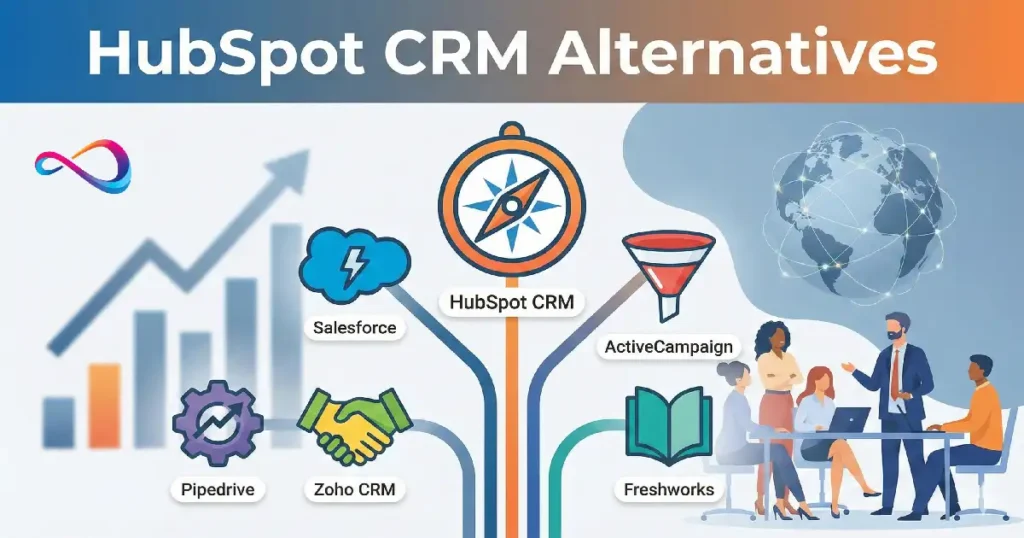
Most CRM switches fail for a simple reason: teams replace software, not the revenue workflow underneath it. HubSpot CRM (and Sales Hub/Marketing Hub) can work brilliantly—until you hit scaling costs, need deeper permissions, or want automation/reporting that doesn’t require a major tier upgrade.
This article is written from a consultant’s perspective, focused on what happens after the demo: adoption, governance, integration reliability, data hygiene, and change management. I’ll walk you through the best HubSpot CRM alternatives for different situations—pipeline-first sales teams, outbound startups, service-led businesses, and mid-market organisations that need complexity. Expect clear tradeoffs, pricing reality (including common add-ons), and a decision matrix so you can choose a CRM that fits your process—not the other way around.
Key Takeaways
- For pure sales teams: Pipedrive and Close offer cleaner pipeline management with less marketing bloat
- For budget-conscious startups: Zoho CRM and Freshsales deliver 80% of HubSpot’s functionality at 30–40% of the cost
- For visual workflow lovers: monday.com Sales CRM and Copper provide more intuitive interfaces for non-technical teams
- For scaling complexity: Salesforce remains the only true enterprise alternative despite the steep learning curve
- For Google Workspace teams: Copper integrates natively and eliminates double-entry
- Migration reality: Expect 4–8 weeks for a proper transition, not the “weekend migration” vendors promise
Quick Picks: Best Alternative by Use-Case
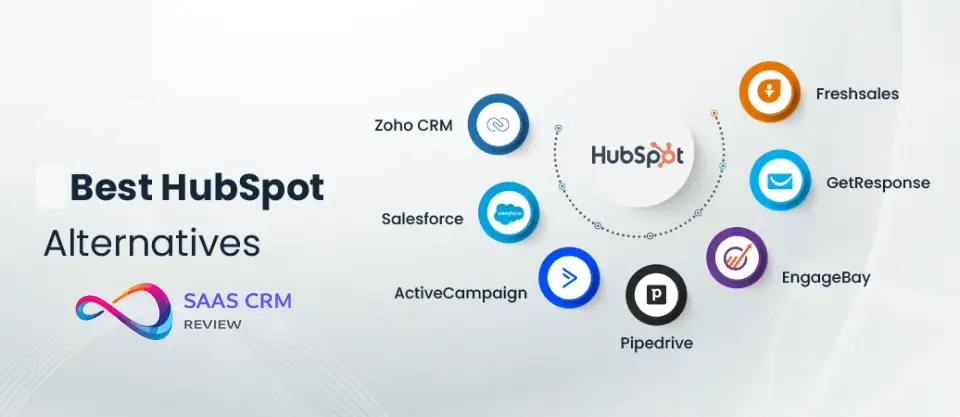
Best for sales-focused teams: Pipedrive — Clean pipeline view, activity-based selling, no marketing clutter. Starting at $14/user/month.
Best value for startups: Zoho CRM — Enterprise features (automation, AI scoring, multi-pipeline) at startup prices. Free for 3 users; paid from $14/user/month.
Best for simplicity: Freshsales — Intuitive interface, built-in phone, minimal setup. From $9/user/month.
Best for visual teams: monday.com Sales CRM — Kanban-style boards, extreme customization, natural for project-minded teams. From $10/user/month.
Best for Google Workspace: Copper — Lives inside Gmail, auto-logs emails, eliminates context switching. From $25/user/month.
Best for high-velocity outbound: Close — Built for SDR teams, native calling/SMS, excellent for cold outreach at scale. From $49/user/month.
Best for enterprise scale: Salesforce Sales Cloud — Unmatched customization, AppExchange ecosystem, handles the most complex revenue operations. From $25/user/month (but expect $100+ realistically).
Best for service + sales: Zendesk Sell — Tight support integration, shared customer context. From $19/user/month.
Why People Look for HubSpot CRM Alternatives (The Real Reasons)
Pricing Shock at Scale
HubSpot’s free tier is legitimately useful, but the pricing curve steepens dramatically. Want to remove HubSpot branding from emails? That’s Sales Hub Starter at $20/user/month. Need custom reporting? You’re looking at Professional tier at $100/user/month per hub.
Most teams discover that getting the automation, reporting, and multi-pipeline features they actually need costs $1,500–$3,000/month for a 10-person team once you factor in Marketing Hub and Sales Hub together (see our HubSpot pricing breakdown for detailed cost scenarios by team size).
The kicker: HubSpot charges per hub. If you need marketing automation AND sales features AND service desk capabilities, you’re stacking subscriptions. Alternatives often bundle these functions at lower price points.
Overcomplexity for Sales-Only Teams
If you’re not running inbound marketing campaigns, HubSpot feels bloated. Sales teams report spending too much time navigating features they don’t use—content staging, SEO tools, landing page builders—when they just need clean pipeline management and email sequences. In practice, reps ignore 60–70% of HubSpot’s interface.
Automation Limitations in Lower Tiers
HubSpot’s workflow builder is excellent, but it’s gated. The free and Starter tiers offer minimal automation—no custom workflows, no lead scoring, no deal-based automation. You need Professional tier ($800+/month) to build the sequences that make CRMs valuable. Teams discover they’re manually doing tasks that should be automated because the tier jump feels too steep.
Reporting Rigidity
Standard HubSpot reports are comprehensive but inflexible. Custom dashboards require Professional tier, and even then, teams find the report builder unintuitive compared to tools like Zoho or Salesforce. RevOps managers particularly struggle with attribution reporting across multiple touchpoints.
Integration Quirks
While HubSpot integrates with thousands of apps, the native experience varies wildly. Some integrations sync beautifully; others require expensive middleware (Zapier Premium) or custom API work. Teams using niche vertical software often find better native support elsewhere.
How We Evaluated These Alternatives
I assessed each platform based on criteria weighted by real-world implementation priorities:
Ease of adoption (25%): Can non-technical teams configure it without consultants? How quickly do reps achieve daily usage? I measured this through user onboarding time and clicks-to-complete for common tasks (logging a call, creating a deal, sending a sequence).
Core CRM functionality (20%): Contact management, deal tracking, pipeline visualization, activity logging, mobile access. The fundamentals must work flawlessly.
Automation & workflows (15%): Trigger-based actions, email sequences, task automation, lead assignment. This separates modern CRMs from glorified spreadsheets.
Reporting & analytics (15%): Dashboard customization, funnel visibility, activity reports, forecasting. Can managers actually see what’s happening without exporting to Excel?
Pricing transparency (10%): Total cost of ownership, not just list price. What’s gated? What are the hidden costs (extra users, add-ons, API calls)?
Integration ecosystem (10%): Quality over quantity. Do the integrations you need actually work well, or are they one-way syncs that break?
Scalability (5%): Can it grow with you, or will you hit a ceiling in 18 months?
I excluded platforms that: require developer resources for basic setup, lack mobile apps, don’t offer standard API access, or have fewer than 500 verified reviews across G2/Capterra.
Comparison Table: Top HubSpot CRM Alternatives
| CRM | Best For | Starting Price | Key Strength | Key Weakness | Learning Curve | Standout Feature |
|---|---|---|---|---|---|---|
| Pipedrive | Sales teams who live in pipeline view | $14/user/mo | Visual pipeline, activity reminders | Weak marketing tools | Low (2–3 days) | Pipeline-centric interface |
| Zoho CRM | Budget-conscious teams needing depth | $14/user/mo | Feature breadth, AI assistance | Interface feels dated | Medium (1–2 weeks) | AI lead scoring in lower tiers |
| Freshsales | Teams wanting quick wins | $9/user/mo | Built-in phone, simple setup | Limited customization | Very Low (1 day) | Freddy AI email intelligence |
| Salesforce | Complex enterprises, deep customization | $25/user/mo* | Infinite flexibility, AppExchange | Requires admin/consultants | High (4–8 weeks) | Lightning App Builder |
| monday Sales CRM | Visual, project-minded teams | $10/user/mo | Extreme flexibility, beautiful UI | Not purpose-built for sales | Low-Medium (3–5 days) | No-code automations |
| Copper | Google Workspace users | $25/user/mo | Gmail native, auto-logging | Limited outside Google ecosystem | Low (2–3 days) | Relationship intelligence |
| Close | High-volume outbound SDRs | $49/user/mo | Built-in power dialer, SMS | Expensive for small teams | Medium (1 week) | Native calling with local presence |
| Zendesk Sell | Teams with service + sales needs | $19/user/mo | Support integration, unified view | Less robust than pure CRMs | Low-Medium (3–5 days) | Shared customer timeline |
*Salesforce realistic pricing: $100–$150/user/month once you add necessary features
The Best HubSpot CRM Alternatives (Deep Reviews)
1. Pipedrive

Best for: Sales teams who prioritize pipeline visibility over marketing automation
What it does better than HubSpot: Pipedrive’s entire philosophy centers on visual pipeline management. Every feature drives toward moving deals forward. The interface shows you exactly where revenue sits and what actions will advance it—no scrolling through tabs or hunting for deal stages. Activity-based selling is baked in: reps get reminders for calls, follow-ups, and emails tied to deal progress. In practice, teams adopt Pipedrive faster because it mirrors how salespeople actually think.
The mobile app is exceptional—better than HubSpot’s—letting reps update deals, log calls, and check pipeline from anywhere without the interface breaking down.
Where it falls short vs HubSpot: Marketing automation is an afterthought. If you need lead nurture campaigns, landing pages, or sophisticated email marketing, you’re looking at add-ons or separate tools. Reporting is adequate for sales managers but doesn’t match HubSpot’s depth for attribution or cross-channel analysis. Customization is more limited—you can’t rebuild the object model like in Salesforce or HubSpot.
Pricing reality + hidden costs: Starts at $14/user/month (Essential), but you need Advanced ($34/user/month) for workflow automation and email sync. Professional ($49/user/month) unlocks custom fields and revenue forecasting. Add-ons like LeadBooster (web forms, chatbot) cost extra $32.50/month. A 10-person team typically lands at $400–$600/month fully configured.
Implementation notes: Pipedrive is genuinely quick to deploy—most teams are operational in 3–5 days. Data import is straightforward with CSV mapping. The gotcha: email integration works best with Google Workspace or Microsoft 365; custom domains sometimes require SMTP configuration. Teams underestimate the need for deal stage definition work upfront—Pipedrive won’t tell you how to structure your pipeline.
Bottom line: If your team lives and dies by pipeline progression and doesn’t need marketing automation, Pipedrive is cleaner and cheaper than HubSpot. It won’t scale into enterprise complexity, but for SMB sales teams (5–50 reps), it often outperforms HubSpot in daily usage. For a full head-to-head with TCO calculator, weighted scorecard, and decision tree, see our HubSpot vs Pipedrive comparison.
Read our full: Pipedrive CRM Review 2026: Features, Pricing, Pros & Cons – Is It Worth It?
2. Zoho CRM
Best for: Startups and small businesses needing enterprise features without enterprise pricing
What it does better than HubSpot: Zoho delivers shocking value. You get workflow automation, AI-powered lead scoring (Zia AI), multiple pipelines, custom modules, territory management, and advanced analytics starting at $14/user/month. Features HubSpot gates at $100/user/month, Zoho includes in Standard tier. The platform scales to legitimate enterprise complexity—I’ve implemented it for 200+ user organizations handling multi-currency, multi-subsidiary operations.
Zoho’s ecosystem (Zoho Books, Zoho Campaigns, Zoho Desk) provides integrated finance, marketing, and support at combined prices still below HubSpot’s CRM alone.
Where it falls short vs HubSpot: The interface feels like enterprise software from 2018—functional but not intuitive. New users face a steeper learning curve navigating modules and menus. Zoho’s documentation is comprehensive but scattered. The ecosystem integration advantage only applies if you adopt multiple Zoho products; integrations with non-Zoho tools are adequate but not as polished as HubSpot’s. Email deliverability from Zoho Campaigns is noticeably worse than HubSpot’s infrastructure.
Pricing reality + hidden costs: Free for up to 3 users with limited features. Standard at $14/user/month gets you 80% of what you need. Professional ($23/user/month) adds inventory management and advanced customization. Enterprise ($40/user/month) includes Zia AI everywhere and enhanced analytics. Storage limits can bite growing teams—5GB included, then $10/25GB. A 10-person team typically spends $180–$300/month.
Implementation notes: Budget 2–3 weeks for proper setup. Zoho’s flexibility means you must make configuration decisions HubSpot handles with opinionated defaults. Data migration from HubSpot is well-documented with native import tools. Common pitfall: teams over-customize early, creating complexity they don’t maintain. Start with Zoho’s standard modules; customize only what differentiates your process.
Bottom line: Zoho CRM is the value champion if you can tolerate a less polished interface. It handles complexity HubSpot charges premium prices for, making it ideal for cost-conscious teams planning to scale. Not the best choice if user experience is your top priority.
Read our full: Zoho CRM Review 2026: Features, Pricing, Pros & Cons
3. Freshsales (Freshworks CRM)

Best for: Teams wanting quick implementation and built-in communication tools
What it does better than HubSpot: Freshsales focuses on time-to-value. The setup wizard gets teams operational in hours, not days. The built-in phone system (cloud calling) eliminates the need for separate VoIP tools—reps click to call, and everything logs automatically. Freddy AI (Freshworks’ AI assistant) provides email intelligence and deal insights without the heavy lifting HubSpot’s AI requires. The interface is genuinely intuitive; non-technical users navigate it without training.
Email tracking and sequences work out of the box with no configuration gymnastics. Teams appreciate the unified inbox that surfaces all contact communications in one view.
Where it falls short vs HubSpot: Customization is limited. You can’t build complex object relationships or deeply modify the data model. Reporting is simpler—great for straightforward sales metrics, inadequate for multi-touch attribution or complex funnels. The marketing automation (Freshmarketing) exists but lacks HubSpot’s sophistication. Integration ecosystem is smaller; if you use niche tools, they might not connect.
Pricing reality + hidden costs: Growth tier ($9/user/month) includes basic features but limits workflows and custom reports. Pro ($39/user/month) is where most teams land for automation and deeper features. Enterprise ($59/user/month) adds AI forecasting and audit logs. Cloud calling costs extra (varies by region). A 10-person team typically spends $400–$600/month with calling.
Implementation notes: Genuinely fast—1 week from signup to team adoption is realistic. Data import is wizard-driven and handles HubSpot exports cleanly. The main pitfall: teams assume they can replicate complex HubSpot workflows and hit Freshsales’ customization ceiling. Map your must-have workflows before migrating.
Bottom line: Freshsales is ideal for teams that value simplicity and speed over flexibility. If you’re leaving HubSpot because it’s too complex and you don’t need deep customization, Freshsales delivers immediate productivity gains. Not for teams with complex sales processes or heavy customization needs.
Read our full: Freshsales Review 2026: Pricing, Features & Honest Pros/Cons
4. Salesforce Sales Cloud
Best for: Mid-market to enterprise teams with complex sales processes and dedicated admin resources
What it does better than HubSpot: Salesforce is the apex predator. Infinite customization through objects, fields, flows, and Apex code. The AppExchange provides 7,000+ pre-built integrations and extensions. Salesforce scales from 10 to 10,000 users without architectural limits. Advanced features—territory management, partner relationship management, contract lifecycle management, CPQ (configure-price-quote)—live natively or through mature add-ons. For complex B2B enterprises with multiple business units, sales motions, and revenue models, nothing else comes close.
Einstein AI, when properly implemented, provides genuinely useful forecasting and opportunity scoring. The reporting engine (enhanced by Tableau CRM) handles any analytical requirement.
Where it falls short vs HubSpot: Complexity and cost. Salesforce requires admin expertise—most teams need a full-time admin or fractional consultant ($5,000–$15,000/month). The learning curve is steep; rep adoption takes 4–8 weeks with ongoing training. Out-of-the-box, Salesforce is a blank canvas—it does nothing until you configure it. The interface, even with Lightning, feels enterprise-heavy compared to HubSpot’s consumer-grade UX. Marketing Cloud is a separate, expensive product ($1,250+/month) that integrates but doesn’t unify like HubSpot’s hubs.
Pricing reality + hidden costs: List price starts at $25/user/month (Essentials, limited to 10 users). Professional at $80/user/month is the realistic entry point. Enterprise ($165/user/month) is where teams land for workflows and advanced features. Add-ons stack quickly: advanced reporting, extra storage, CPQ (starts at $75/user/month), Einstein features, integrations. A 10-person team realistically spends $1,500–$2,500/month. Implementation costs $10,000–$50,000+ depending on complexity.
Implementation notes: Budget 3–6 months for proper deployment. Salesforce implementations fail when teams underestimate the configuration work required. You need clear process documentation, data mapping, and usually consultant support. Data migration from HubSpot requires careful field mapping and often custom scripts for complex objects. Common pitfall: teams configure too much complexity upfront, overwhelming users. Start with standard sales objects and layer in customization gradually.
Bottom line: Salesforce is overkill for most SMBs and startups—the cost and complexity don’t justify the power. But for mid-market and enterprise teams outgrowing HubSpot’s structural limits, Salesforce is the inevitable graduation. Only choose it if you have budget for admin resources and can commit to the learning curve.
Read our full: Salesforce CRM Review 2026: Pros, Cons, Pricing, and Practical Insights
5. monday.com Sales CRM

Best for: Teams who think visually and want extreme flexibility without code
What it does better than HubSpot: monday.com reimagines CRM as a flexible work platform. The interface uses boards, columns, and automations that feel like supercharged spreadsheets—intuitive for teams coming from project management tools. Customization is drag-and-drop; you can model any sales process without technical skills. The visual nature helps teams see patterns HubSpot’s list views obscure. Automation recipes (200+ pre-built) handle workflows without complex builders.
Integration with monday.com Work OS means sales, marketing, and operations teams can share data in a unified platform. Cross-functional visibility is better than in traditional CRMs.
Where it falls short vs HubSpot: monday Sales CRM isn’t purpose-built for sales, and it shows. Email sequences exist but lack HubSpot’s sophistication. Lead scoring requires workarounds. The platform’s flexibility can become chaos—without governance, teams build inconsistent processes. Reporting focuses on boards and tasks, not traditional sales metrics like win rates or pipeline velocity (though you can build these). For teams wanting opinionated sales best practices baked in, monday requires more DIY work.
Pricing reality + hidden costs: Basic CRM starts at $10/user/month (3-user minimum). Standard ($12/user/month) adds integrations. Pro ($20/user/month) includes automation and time tracking. Enterprise (custom pricing) adds advanced security and support. Teams typically need Pro tier for workflow automation. A 10-person team spends $200–$300/month.
Implementation notes: Setup time varies wildly (1 week to 1 month) depending on how much customization you pursue. monday provides CRM templates (sales pipeline, lead management) that accelerate deployment. Data import is CSV-based and requires column mapping. The main pitfall: teams build overly complex boards early, then struggle to maintain them. Start simple; add complexity as you identify needs.
Bottom line: monday Sales CRM excels for teams that already love monday.com’s approach or hate traditional CRM interfaces. It’s more flexible than HubSpot for unique processes but requires more setup thought. Not ideal for teams wanting battle-tested sales workflows out of the box.
Read our full: Monday.com Review 2026: Pros, Cons, Features & Pricing
6. Copper

Best for: Teams deeply embedded in Google Workspace who want CRM to feel native
What it does better than HubSpot: Copper lives inside Gmail and Google Calendar. Contacts and opportunities surface automatically in your inbox—no switching tabs or windows. Email logging is truly automatic; Copper watches your Gmail and logs conversations to the right contact records without manual selection. For teams on Google Workspace, this eliminates the context-switching friction that kills CRM adoption. The interface philosophy is “CRM should feel like Gmail,” and it delivers.
Relationship intelligence tracks communication patterns and surfaces neglected contacts. Pipeline management is straightforward without HubSpot’s feature bloat.
Where it falls short vs HubSpot: Copper is Google-first, everything-else-second. If you use Microsoft 365, Copper is awkward. Outside the Google ecosystem, integrations feel like afterthoughts. Marketing automation doesn’t exist—you need separate tools. Reporting is basic; don’t expect HubSpot’s analytical depth. Customization is limited to fields and pipelines; you can’t build complex object models. The lack of lead scoring and advanced workflows frustrates RevOps teams.
Pricing reality + hidden costs: Starter at $25/user/month includes core features but limits workflows and integrations. Professional ($59/user/month) is where most teams operate for automation and custom fields. Business ($99/user/month) adds advanced reporting and bulk actions. A 10-person team typically spends $600–$1,000/month.
Implementation notes: For Google Workspace teams, Copper is genuinely fast—3–5 days to full adoption. Data import handles HubSpot contacts and companies cleanly; deals and custom objects require more mapping. The key success factor: email signature parsing. Configure this correctly upfront, or you’ll manually clean contact data for weeks. Common pitfall: teams assume Copper will auto-create pipeline stages from their Gmail usage—you still need to define stages explicitly.
Bottom line: If your team lives in Gmail and you want CRM adoption without changing behavior, Copper is unbeatable. The Google-centric design is its strength and limitation. Only choose it if you’re committed to the Google ecosystem long-term.
Read our full: Copper CRM Review 2026: Pricing, Features, Pros & Cons for Google Workspace Teams
7. Close

Best for: High-velocity outbound sales teams and SDRs making 50+ calls daily
What it does better than HubSpot: Close is built for outbound. The power dialer, built-in SMS, and email sequences create a unified communication hub optimized for high-volume prospecting. Reps work from a single interface: call, email, text, log notes, move deals—without juggling tools. Local presence dialing (calls show caller ID from prospect’s area code) dramatically improves answer rates. Call recording and coaching tools are native, not add-ons.
The activity-centric design keeps reps focused on conversations, not data entry. Predictive dialer modes help SDRs maintain call volume. Email deliverability is strong—Close manages sender reputation better than most CRMs.
Where it falls short vs HubSpot: Close is expensive for small teams at $49/user/month entry point. It’s overkill if you’re not doing significant outbound calling. Marketing automation is minimal—no landing pages, forms, or campaigns. Reporting focuses on sales activities (calls made, emails sent) rather than marketing attribution. Customization is limited; Close has opinions about how outbound sales should work, and you adapt to them. Teams doing complex, consultative selling sometimes find the interface too rapid-fire.
Pricing reality + hidden costs: Startup tier ($49/user/month) includes calling but limits workflows. Professional ($89/user/month) adds predictive dialing and custom reporting. Business ($129/user/month) includes bulk actions and advanced permissions. Calling costs are included (unlimited US/Canada), but international calling costs extra. A 10-person SDR team spends $900–$1,300/month.
Implementation notes: Close is purpose-built enough that setup is straightforward—1–2 weeks typical. Data import handles HubSpot contacts and deals adequately. The main configuration work: email sequence templates and call scripts. Teams struggle most with call recording compliance (two-party consent states require disclosure prompts). Common pitfall: importing massive prospect lists without email verification first—Close will throttle sending if bounce rates spike.
Bottom line: For outbound-focused teams, Close is more productive than HubSpot. The built-in communication tools eliminate integration headaches. But the $49/user entry point makes it expensive for small teams or those not heavily focused on calling. Don’t choose it for inbound or light-touch sales processes.
Read our full: Close CRM Review 2026: Pricing, Features, Pros & Cons – Is It Worth It?
8. Zendesk Sell

Best for: Teams needing unified sales and customer support workflows
What it does better than HubSpot: Zendesk Sell’s killer feature is seamless integration with Zendesk Support. Sales and support teams share a unified customer timeline—support tickets, sales conversations, and deal history live in one view. This eliminates the context gap that frustrates customers and teams. For B2B SaaS companies where sales and customer success overlap heavily, this unified approach is transformative.
The mobile app is excellent for field sales teams. Deal intelligence provides conversation insights without manual note-taking. Built-in calling and email sequencing work well for SMB sales teams.
Where it falls short vs HubSpot: Zendesk Sell is solid but not exceptional at anything. Marketing automation is weak—you need Zendesk’s separate marketing tools or third-party solutions. Customization is more limited than HubSpot’s. The reporting focuses on sales activities rather than comprehensive funnel analytics. Teams not using Zendesk Support lose the primary value proposition. The pricing adds up quickly once you layer in Sell + Support licenses.
Pricing reality + hidden costs: Sell Team ($19/user/month) includes basics but limits automation. Sell Growth ($49/user/month) adds workflows and advanced fields. Sell Professional ($99/user/month) includes forecasting and custom roles. Most teams need Growth tier. Add Zendesk Support licenses ($55–$115/user/month), and total cost rivals HubSpot. A 10-person team typically spends $500–$1,500/month depending on support tier.
Implementation notes: Deployment takes 2–3 weeks. Data import from HubSpot works via CSV with field mapping. The integration with Zendesk Support is pre-built but requires configuration to define what data appears where. Teams underestimate the process mapping needed to align sales and support workflows. Common pitfall: teams implement Sell without restructuring support ticket assignment rules, creating confusion about who owns customer relationships.
Bottom line: Zendesk Sell makes sense primarily if you’re already using Zendesk Support and need to unify sales and service. As a standalone CRM, it’s competent but not best-in-class. The unified customer view is valuable for retention-focused businesses, but the combined cost negates some savings versus HubSpot.
Read our full: Zendesk Sell Review 2026: Features, Pricing, Pros & Cons & Best Alternatives
Decision Matrix: Choose Based on Your Situation
You’re a 5–15 person sales team with no marketing function
→ Choose Pipedrive or Close. Pipedrive for consultative sales, Close for high-volume outbound.
You’re a startup watching every dollar but need room to grow
→ Choose Zoho CRM or Freshsales. Zoho if you anticipate complexity; Freshsales if you want simplicity now.
Your team lives in Google Workspace and adoption is your #1 concern
→ Choose Copper. The native Gmail integration drives usage like nothing else.
You need sales + marketing + service in one platform on a budget
→ Stay with HubSpot or choose Zoho’s full suite. Alternatives rarely match HubSpot’s hub unification at similar all-in pricing.
You’re scaling past 50 users with complex processes and have admin resources
→ Choose Salesforce. You’ve outgrown SMB tools; bite the bullet.
Your team hates traditional CRM interfaces and loves visual project tools
→ Choose monday.com Sales CRM. It’ll click with teams that rejected other CRMs.
You run high-volume outbound with an SDR team
→ Choose Close. The built-in power dialer and SMS justify the premium pricing.
- HubSpot vs Salesforce: Which CRM Is Better for Your Business in 2026?
If You’re Leaving HubSpot: Migration & Rollout Checklist
Pre-Migration (Weeks 1–2)
Audit current HubSpot usage
- Which features does your team actually use daily?
- What workflows and automations are business-critical?
- Which integrations must work day one?
- Document your deal stages, lifecycle stages, and pipeline structure
Clean your data before export
- Merge duplicate contacts (HubSpot’s duplicate management isn’t perfect)
- Archive inactive records (no need to migrate dead leads from 2019)
- Standardize field values (inconsistent picklist entries cause import errors)
- Document custom fields and their purposes
Choose your new CRM and plan configuration
- Map HubSpot fields to new CRM fields
- Identify which HubSpot features translate vs. need workarounds
- Plan your pipeline stages (often a good time to simplify)
- List which integrations you’ll reconnect immediately vs. later
Migration Execution (Weeks 3–4)
Export data from HubSpot
- Use HubSpot’s native export for contacts, companies, deals, tickets
- Export notes and activities (often overlooked—these contain context)
- Download any custom reports you reference regularly
- Export email templates and sequences
Import to new CRM in stages
- Start with contacts and companies (establish the foundation)
- Import deals and link to contacts/companies
- Import historical activities if the new CRM supports it
- Test imports with small batches (100 records) before full migration
Rebuild essential workflows
- Recreate your top 3–5 automations (not all of them—many were probably unused)
- Set up email sequences and templates
- Configure deal stages and pipeline views
- Set up assignment rules for lead routing
Reconnect integrations
- Email (Gmail/Outlook sync)
- Calendar
- Top 3–5 third-party tools your team uses daily
- Save nice-to-have integrations for week 2 of usage
Post-Migration (Weeks 5–8)
Train your team
- Live training sessions focused on daily tasks (not feature tours)
- Create a one-page quick reference guide
- Assign a CRM champion in each department
- Schedule follow-up training sessions week 2 and week 4
Monitor adoption
- Track login frequency and activity logging
- Identify team members struggling with new system
- Gather feedback on friction points
- Adjust workflows based on actual usage patterns
Maintain parallel systems briefly
- Keep HubSpot read-only access for 30 days (reference historical data)
- Don’t try to backfill everything—forward-looking data matters most
- Archive old HubSpot reports you might need
Reality check: Most vendors promise “seamless migration” and “quick setup.” Budget 6–8 weeks for a proper transition that maintains business continuity. Teams that rush migrations spend months fixing data issues and rebuilding lost workflows.
- HubSpot vs Zoho CRM: Which Is the Best CRM for Small Businesses in 2026?
Alternatives for Specific Needs
Best for Marketing Automation (Beyond CRM)
If you’re leaving HubSpot primarily because the marketing hub is expensive, consider separating CRM from marketing automation. Use a lean sales CRM (Pipedrive, Freshsales) paired with a dedicated marketing platform:
- ActiveCampaign ($29/month for 1,000 contacts): Strong automation, email marketing, forms
- Mailchimp (free to $350/month): Familiar, simple, integrates widely but less sophisticated
- Brevo (formerly Sendinblue) ($25/month): Email + SMS, affordable for smaller lists
This separation can reduce total costs while improving specialization. The tradeoff: managing two platforms and keeping data synchronized.
Best for Service Desk + CRM
If you need support ticketing alongside sales:
- Zendesk Sell + Support: Best-in-class support ticketing with capable CRM
- Freshsales + Freshdesk: Unified Freshworks ecosystem, budget-friendly
- HubSpot Service Hub: Honestly strong if you’re only leaving because of sales pricing
Best for Deep B2B Pipeline Complexity
For multi-stakeholder enterprise deals with long cycles:
- Salesforce: Unmatched for complex opportunity management
- Microsoft Dynamics 365: Strong for Microsoft shops needing deep ERP integration
- Zoho CRM (Enterprise tier): Underrated for mid-market complexity
Best for Pure Startups (Pre-PMF)
When you’re pre-product-market fit and need basics fast:
- Freshsales free tier: Surprisingly capable for small teams
- HubSpot free CRM: Actually, it’s hard to beat for early stage
- Zoho CRM free tier: 3 users, worth considering despite the UI
Who Should Stay with HubSpot (And Upgrade Instead)
Don’t switch if:
You’re already getting value from multiple hubs: If you’re actively using Sales Hub + Marketing Hub + Service Hub, HubSpot’s integration between hubs is difficult to replicate. Separating these functions across tools creates data synchronization headaches. Calculate the cost of replacing all three before migrating.
Your team’s marketing automation is sophisticated: HubSpot’s workflow builder, email tools, and content management are genuinely excellent. If you’re running complex nurture campaigns, A/B tests, and attribution tracking, most alternatives will feel like downgrades. Salesforce Marketing Cloud is the only comparable alternative, and it costs significantly more.
You’re invested in HubSpot’s ecosystem: If you’ve built apps, custom integrations, or workflows using HubSpot’s API, migration costs include rebuilding these. Sometimes upgrading your HubSpot tier is cheaper than redevelopment costs.
Your team has finally adopted it: CRM adoption is notoriously difficult. If your team is logging activities, updating deals, and using HubSpot daily, switching platforms risks losing that hard-won behavior change. Switching costs include not just money but momentum.
You’re leaving due to pricing but haven’t negotiated: HubSpot’s list prices aren’t final. For renewals, teams often negotiate 10–25% discounts, annual payment discounts, or bundled hub pricing. Talk to your account manager before migrating. If you’re a multi-year customer and threaten to leave, they’ll often find flexibility.
Your complaint is complexity you added: Many teams blame HubSpot for complexity they created through over-customization. Before switching, audit whether simplifying your HubSpot configuration solves the problem. Often, teams need process simplification, not a new platform.
Consider upgrade over migration if: You need just one or two features from a higher tier, your team is already proficient with HubSpot, and the upgrade cost is within 30% of switching costs.
Read our full: HubSpot vs monday CRM: In-Depth Comparison & Pricing (2026)
HubSpot CRM Alternatives – FAQs
Is Salesforce better than HubSpot?
Better for: Complex enterprise sales, deep customization, infinite scalability. Worse for: Ease of use, out-of-box functionality, marketing integration, SMB budgets. Salesforce is more powerful; HubSpot is more usable. Choose based on your complexity needs and admin resources.
Can I use a free CRM instead of HubSpot?
Yes—HubSpot’s free tier, Zoho CRM free (3 users), and Freshsales free are legitimately usable. Limitations: automation is minimal, reporting is basic, and you’ll likely need paid plans within 6–12 months as you grow. Free tiers work for very early startups but rarely for growing businesses.
What’s the cheapest HubSpot alternative?
Freshsales at $9/user/month (Growth tier) or Zoho CRM at $14/user/month (Standard) offer the lowest entry points with decent functionality. monday.com Sales CRM at $10/user/month is also competitive. But “cheapest” isn’t always best—factor in features you actually need.
How long does CRM migration take?
Realistic timeline: 6–8 weeks for proper migration including data cleanup, import, configuration, training, and adoption monitoring. Vendors claim “days,” but teams that rush spend months fixing issues. Budget at least 4 weeks minimum for small teams with simple data.
Will I lose data when migrating from HubSpot?
No if done carefully. HubSpot exports contacts, companies, deals, and activities. Gotchas: some custom field types don’t map cleanly, email history may not transfer (depending on new CRM), and workflow configurations don’t export (you rebuild them). Work with a consultant if you have complex custom objects.
Which CRM has the best mobile app?
Pipedrive and Freshsales lead for mobile user experience. HubSpot’s mobile app is functional but cluttered. Salesforce mobile requires extensive customization. monday.com’s mobile boards work well. Close’s mobile dialer is excellent for SDRs.
Do I need a CRM consultant for migration?
Not always. Simple migrations (small team, basic data, no complex workflows) are DIY-friendly. Hire a consultant ($2,000–$10,000+) if: you have complex custom objects, need to rebuild intricate workflows, have messy data requiring cleanup, or lack technical team members. Consultants pay for themselves by avoiding costly mistakes.
Can I keep using HubSpot’s marketing tools with a different CRM?
Yes, but integration quality varies. HubSpot Marketing Hub can work with external CRMs through native integrations (Salesforce, Zoho) or middleware (Zapier). However, you lose the seamless data flow HubSpot’s unified platform provides. Expect some manual processes or sync delays.
What about data privacy and GDPR compliance?
All major CRMs (HubSpot, Salesforce, Zoho, Pipedrive, Freshsales) offer GDPR-compliant features including consent tracking, data deletion, and European data centers. Verify specific compliance needs with each vendor—some features require higher tiers. UK/EU teams should confirm data residency options.
Is it better to build pipelines in Excel/Google Sheets?
No. Spreadsheets work until they don’t. The turning point: when more than 2 people need access, when you need email integration, or when you want automation. CRMs provide collaboration, history tracking, automation, and mobile access that spreadsheets can’t match. If you’re considering a CRM, you’ve probably outgrown spreadsheets.
Which CRM integrates best with [specific tool]?
Check each CRM’s integration marketplace. General patterns: Salesforce has the most integrations (AppExchange). HubSpot’s native integrations are often highest quality. Zoho integrates excellently within its own ecosystem. Pipedrive, Freshsales, and monday.com rely more on Zapier. Always test your critical integrations during trial periods.
Can I negotiate CRM pricing?
Yes, especially for: annual commitments (10–20% discount typical), multi-year contracts, larger teams (10+ users), or competitive displacements. Salesforce is the most negotiable. HubSpot negotiates more at renewal than initial sale. Smaller vendors (Pipedrive, Close) have less pricing flexibility but sometimes offer startup discounts.
What if my team hates the new CRM?
CRM adoption failure is common. Mitigate by: involving team in selection, focusing on solving their pain points (not leadership’s wishlist), training on daily tasks (not features), assigning champions, and keeping it simple initially. If adoption fails despite this, the issue is often process/culture, not the tool. Don’t platform-hop—fix the underlying problem.
Should I switch CRMs if HubSpot’s AI features aren’t good enough?
Not yet. AI features across all CRMs are still maturing. Salesforce Einstein, Zoho Zia, and HubSpot’s AI are roughly comparable—useful for simple tasks (email drafting, data entry) but not game-changing. Don’t switch platforms based on current AI features; they’re evolving too quickly.
Conclusion
The “best” HubSpot alternative doesn’t exist—only the best fit for your team’s specific situation. If you’re a sales-focused team drowning in HubSpot’s marketing features, Pipedrive or Close will immediately improve daily productivity. If you’re budget-constrained but need depth, Zoho CRM delivers shocking value despite the dated interface. If your team lives in Gmail, Copper’s native integration drives adoption like nothing else.
The most common mistake: choosing based on features rather than workflow fit. Every CRM can manage contacts and deals. What matters is whether your team will actually use it daily. In my experience, teams succeed with CRMs that match their natural work patterns, not those with the longest feature lists.
Before switching, honestly assess whether HubSpot is the problem or whether better configuration, training, or negotiation would solve your issues. Migrations are expensive in money, time, and team disruption. But if HubSpot genuinely doesn’t fit—whether due to cost, complexity, or capability gaps—the right alternative can transform your team’s efficiency.
Start with trials of your top two choices. Load real data, have actual reps test daily workflows, and measure adoption during the trial. The CRM that your team naturally uses after two weeks is the one you should buy, regardless of what looks best in the comparison chart.
Mini Glossary
Attribution: Tracking which marketing touchpoints contributed to a sale or conversion
Contact management: Storing and organizing information about customers, leads, and prospects
Deal tracking: Monitoring sales opportunities as they progress through stages toward closure
Email sequences: Automated series of emails sent based on triggers or schedules
Lead scoring: Ranking prospects based on likelihood to buy using demographic and behavioral data
Lifecycle stages: The progression of a contact from visitor to lead to customer
Pipeline management: Visualizing and managing all active sales opportunities across stages
RevOps (Revenue Operations): Aligning sales, marketing, and customer success around unified revenue processes and data
Workflow automation: Automatically triggering actions (tasks, emails, data updates) based on defined conditions
API (Application Programming Interface): Technical connection allowing different software systems to exchange data
SSO (Single Sign-On): Allowing users to access multiple applications with one set of login credentials
CRM adoption: The extent to which team members actively and consistently use the CRM system
About the author

I’m Macedona, an independent reviewer covering SaaS platforms, CRM systems, and AI tools. My work focuses on hands-on testing, structured feature analysis, pricing evaluation, and real-world business use cases.
All reviews are created using transparent comparison criteria and are updated regularly to reflect changes in features, pricing, and performance.