Your reason for leaving picks the Midjourney alternative: Adobe Firefly for brand work on licensed training data, ChatGPT for text and chat edits, Gemini or Bing Image Creator for free images, Leonardo AI or FLUX for an API, and Stable Diffusion 3.5 for self-hosting.
Midjourney has no free trial on its website or in Discord, and a company above $1,000,000 in yearly gross revenue needs Pro or Mega for commercial use. I set each of these 11 Midjourney alternatives against Midjourney’s own plans and terms, read on November 3, 2026.
Quick verdict
- Brand assets finished in Photoshop or Premiere: Adobe Firefly, trained on licensed Adobe Stock and public-domain content
- Words in the image and edits by chat: ChatGPT, on every tier including Free
- Free: Google Gemini’s $0 plan, or Bing Image Creator’s 15 fast creations a day
- Private images without Midjourney Pro: Ideogram Plus, $20 a month billed monthly
- An API or your own hardware: FLUX, Leonardo AI or Stable Diffusion 3.5
- Stay with Midjourney for volume and a house style: Standard’s unlimited Relax images under the $1M revenue line, Pro above it; your –sref codes do not travel
In This Article (21 sections)
Best Midjourney Alternatives at a Glance
Adobe Firefly
Best for: commercially safe brand work
Adobe trains Firefly’s own models on licensed Adobe Stock and public-domain content; Midjourney says it cannot offer guidance on copyright.
Limit: credits do not roll over, and video and partner models spend them

ChatGPT
Best for: text in images and conversational edits
ChatGPT Images adds text on request and edits by chat, where Midjourney’s text works best as short Latin-script phrases.
Limit: images run under their own usage limit, not Midjourney Standard’s unlimited Relax queue
Leonardo AI
Best for: a free daily allowance and an API
Free gives 150 fast tokens a day, and a pay-as-you-go API covers the automation Midjourney’s terms prohibit.
Limit: on the free tier, Leonardo holds rights to your images; full ownership starts on paid plans

Stable Diffusion 3.5
Best for: self-hosting
Open weights you run yourself, free for commercial use under $1M in annual revenue, with no Midjourney subscription.
Limit: you run your own setup, where Midjourney runs in a browser
Midjourney vs Alternatives: Quick Comparison
Midjourney Basic costs $10 a month billed monthly, the benchmark row.
| Software | Best for | Starting price (unit, billing) | Main advantage | What you give up | Switching note |
|---|---|---|---|---|---|
| Midjourney | Style-led art at volume | Basic $10/ | Unlimited Relax images from Standard | Benchmark | Benchmark |
| Adobe Firefly | Brand work | Free plan; Firefly Standard US$9.99/ | Licensed training data | –sref codes | Rebuild styles |
| ChatGPT | Text in images, chat edits | Free; Plus $20/ | Edits by selection or chat | Relax volume | Partial: images in an assistant |
| Google Gemini | Free photo edits | Free $0/month; AI Plus $4.99/ | Free generation and editing | Published image counts | Partial: quick edits |
| Leonardo AI | Free allowance plus API | Free; Essential $12/ | 150 fast tokens a day | Free-tier ownership | Train a personal model |
| Ideogram | Private images, team billing | Free; Plus $20/ | Private on Plus | Edits still need credits | Slow queue: Ideogram models only |
| Recraft | Vector brand assets | Free; Basic $12, billed monthly | Native vector output | Video below Pro | Partial: brand graphics |
| Canva | Images inside layouts | Free; Pro US$144/ | Templates and brand kits | An image-first studio | Partial: design suite |
| Stable Diffusion 3.5 | Self-hosting | Free weights under $1M revenue | Your own GPU | Browser app | Rebuild workflows locally |
| FLUX | Pay-per-image API | $0.048 per FLUX 3 Image at about 1 MP | One price in API and web studio | A flat monthly plan | Developer setup |
| Krea | Many video models | Free 100 units/ | Veo 3.1, Seedance, Kling on Pro | One unit for all jobs | Units, not GPU hours |
| Bing Image Creator | Free casual images | Free with a Microsoft account | 15 fast creations a day | Display rights for Microsoft | Partial: casual use |
Sources: Midjourney plans, Adobe Firefly plans, ChatGPT Plus, Google AI plans, Leonardo AI, Ideogram, Recraft, Canva, Stability AI license, FLUX, Krea, Bing Image Creator help, checked November 2026.
The units differ: Midjourney sells GPU hours, Firefly, Ideogram and Recraft sell credits, Leonardo AI sells tokens and Krea sells units. Compare the plan that does your job, not the cheapest row.
Why Look for a Midjourney Alternative?
Seven documented limits push readers off Midjourney. If you are not sure Midjourney is the problem, my full Midjourney review judges it on its own terms.
No free trial on the web. Midjourney’s docs say no trial is available in Discord or on midjourney.com, only a limited one in the niji·journey mobile app. Gemini, Bing Image Creator, Leonardo AI, Ideogram and Krea all start free.
Fast hours run out. Basic includes 200 minutes of Fast GPU time a month, and an image prompt usually takes about one minute. That is roughly 200 prompts, with no Relax mode until Standard.
The revenue rule. A company above $1,000,000 in gross revenue a year must buy Pro or Mega; Pro costs $60 a month billed monthly. Such a marketing team should price Adobe Firefly first.
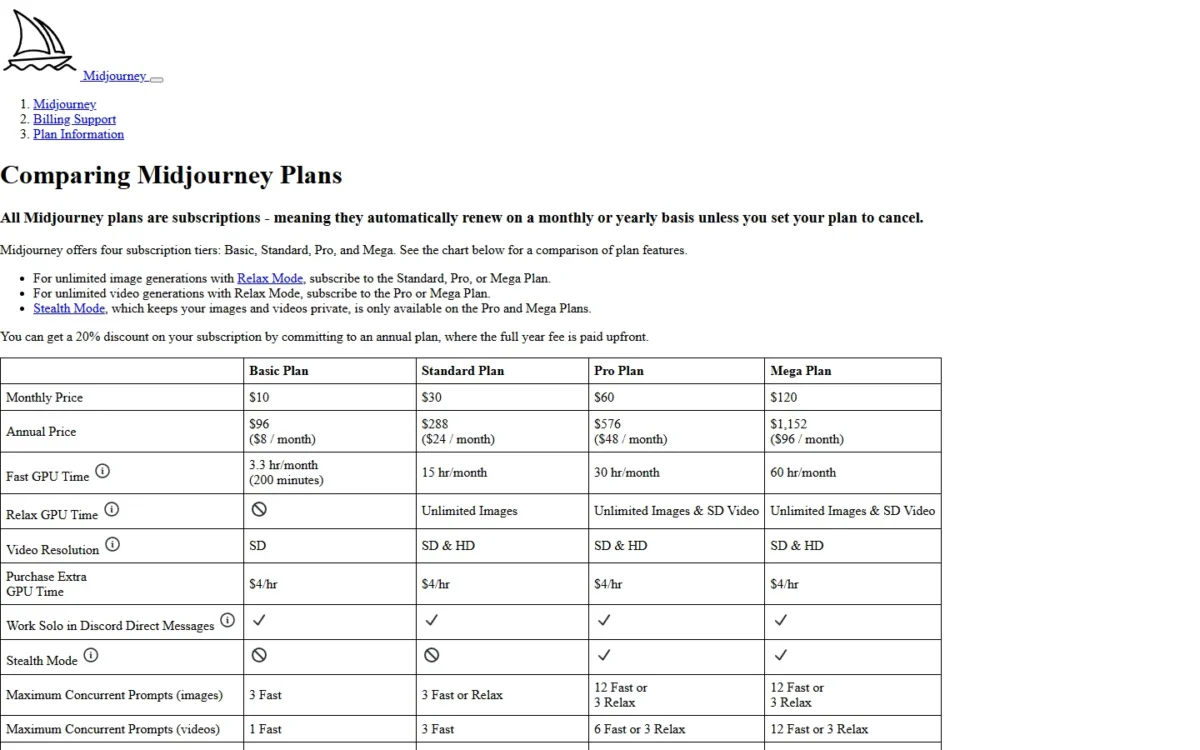
Public by default. Midjourney’s terms make your content publicly viewable by default, and Stealth Mode comes only with Pro and Mega. Ideogram Plus, Leonardo AI Essential and Recraft Basic keep new images private on lower-priced plans.
One user per account. Midjourney offers no seat or admin management and no SSO logins. Ideogram Team, Recraft Teams and Krea Business are built for shared use.
No API. Midjourney’s terms say you may not use automated tools to generate Assets. FLUX, Leonardo AI, Recraft, Ideogram and Stability AI sell API access: Recraft’s is pay as you go at $1 = 1,000 units, and Ideogram’s one API covers image and video models.
Short text only. Midjourney’s docs say text works best with the Latin alphabet and short phrases. OpenAI says ChatGPT Images follows instructions to add text.
Editing is no longer the gap
Midjourney has a web Editor. It handles inpainting (Vary Region), Pan, Zoom Out, Smart Select and your own uploads, so try it before leaving over editing.
1. Adobe Firefly: Best Midjourney Alternative for Commercially Safe Brand Work
- Best for: teams that finish images in Photoshop or Premiere
- Comparable plan: Firefly Pro, US$19.99/mo, Monthly
- Free plan: free daily generations
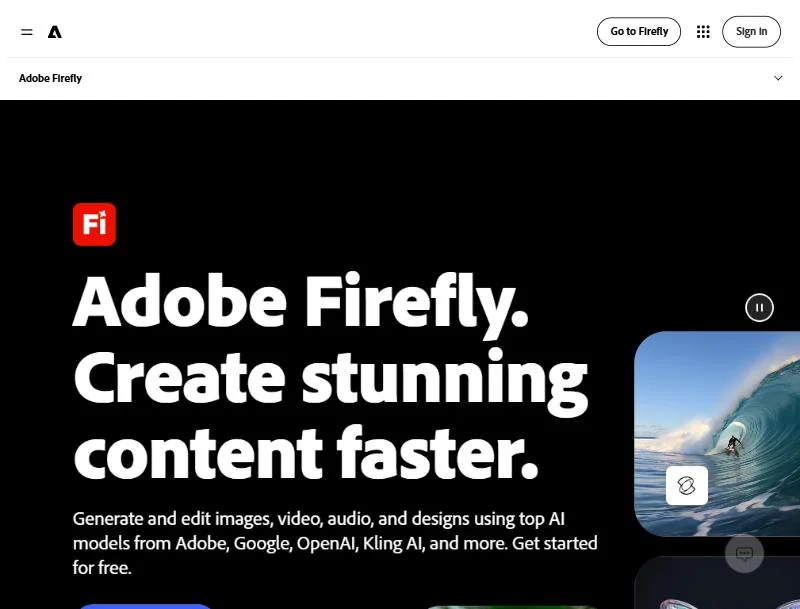
Firefly is the pick when an image’s provenance matters as much as its look. Adobe says its Firefly models are trained on licensed Adobe Stock and public-domain content, and outputs carry Content Credentials. It fits a team already paying for Adobe apps. The trade-off is Midjourney’s style system: –sref codes stay in Midjourney’s library.
Firefly plans include unlimited standard generations and spend credits only on premium features such as video, close to Midjourney’s Relax queue for everyday images.
Where Adobe Firefly may be better
- Licensed training data, per Adobe
- Output opens in Photoshop for finishing
- A free plan; Midjourney has no web trial
Where Midjourney may be better
- Midjourney: a house style from –sref codes, browsable in the Style Explorer
- Midjourney: video on every plan in Fast Mode, where Firefly video spends credits
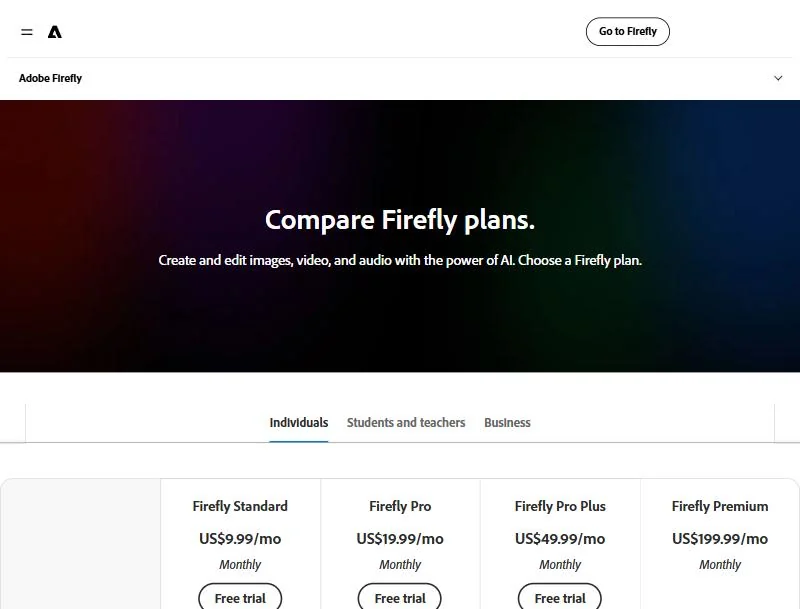
Firefly Pro costs US$19.99/mo, billed monthly, with 4,000 generative credits per month. It is the plan I would set against Midjourney Pro for a company over the revenue line.
Adobe’s credits FAQ allows commercial use of outputs from Firefly features without the beta label, and its Firefly IP indemnity covers customers whose Adobe agreement links to it.
| Plan | Price and billing | Credits per month |
|---|---|---|
| Firefly Standard | US$9.99/ | 2,000 |
| Firefly Pro | US$19.99/ | 4,000 |
Sources: Adobe Firefly plans, Adobe generative credits FAQ, checked November 2026.
See my Adobe Firefly pricing guide for the full plan ladder.
Pros
- Licensed training data, per Adobe
- Direct hand-off to Adobe apps
- Free daily generations
Cons
- Credits do not roll over
- Video and partner models spend credits
- A Midjourney style is rebuilt by hand
Adobe says Firefly Custom Models train on your own assets, so a Midjourney look is rebuilt there rather than imported. My Adobe Firefly review goes deeper.
- Skip it if:
- your work rests on a Midjourney house style; stay on Midjourney, or see my Adobe Firefly alternatives.
2. ChatGPT: Best Midjourney Alternative for Text in Images and Conversational Edits
- Best for: marketers who need words in the image
- Comparable plan: Plus, $20/month, billed monthly
- Import from Midjourney: upload an image and describe the change
An image that must carry words, then change on request, is ChatGPT’s job. OpenAI says ChatGPT Images adds text, makes backgrounds transparent and works in any aspect ratio, on all tiers. It suits a marketer who already pays for ChatGPT, but it is a partial replacement: image work inside an assistant, not a volume studio.
You edit by selecting part of the image or by describing the change in chat, so each revision round becomes a sentence.
Where ChatGPT may be better
- Adds text and edits by chat
- Image creation on the Free tier
Where Midjourney may be better
- Midjourney: unlimited Relax images on Standard
- Midjourney: an Editor with Vary Region, Pan, Zoom Out and Smart Select
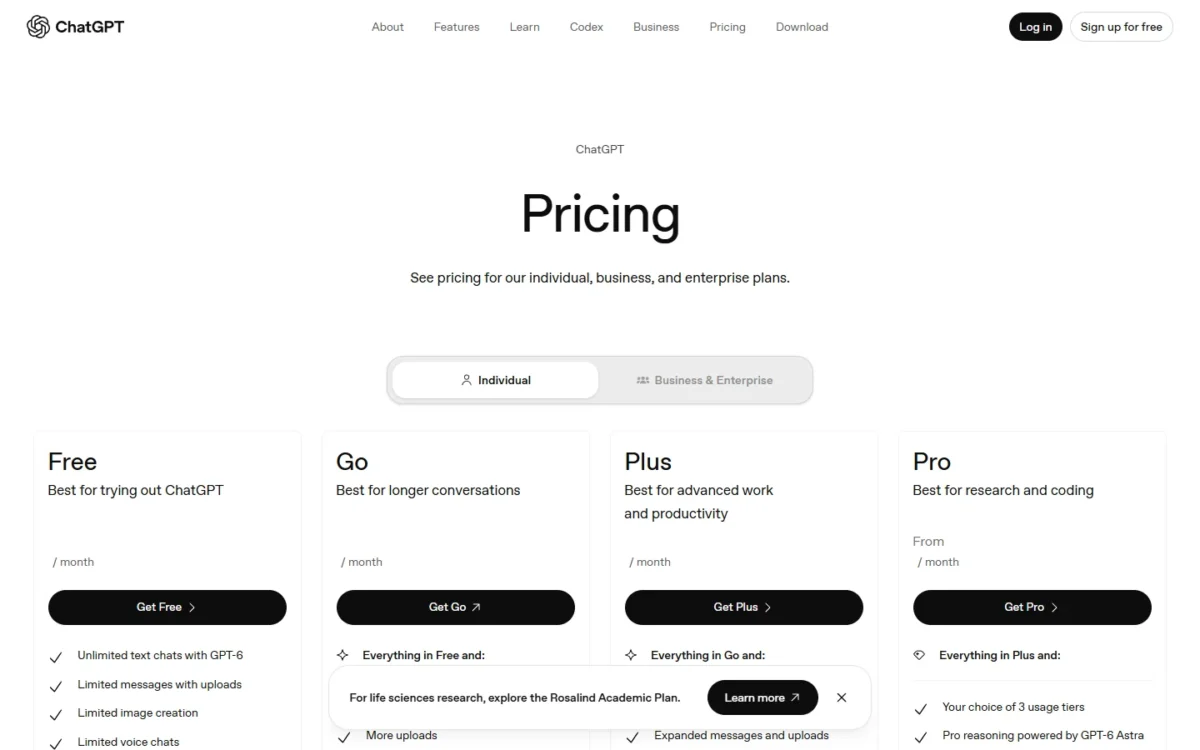
ChatGPT Plus costs $20/month, billed monthly, and OpenAI does not support annual billing for Plus. It buys higher rate limits than Free but no stated image count, so a heavy image maker should weigh it against Midjourney Standard’s Relax queue.
| Plan | Price and billing | Image use |
|---|---|---|
| Free | Free to use | Separate usage limit |
| Plus | $20/ | Higher rate limits than Free |
Sources: ChatGPT Plus, ChatGPT Free tier FAQ, checked November 2026.
Pros
- Text in the image on request
- Transparent backgrounds
- Images on every tier
Cons
- At a Free-tier tool limit, you wait for a reset
- Plus bills monthly only
- Edits may spill past the selection
Moving in means uploading the Midjourney images you want to rework; deleting a ChatGPT image deletes its conversation, so keep your archive elsewhere. My ChatGPT review covers the plan.
- Skip it if:
- you generate art in volume or animate stills; stay with Midjourney Standard, or try Leonardo AI.
3. Google Gemini: Best Midjourney Alternative for Free Photo Edits
- Best for: evaluators who edit their own photos
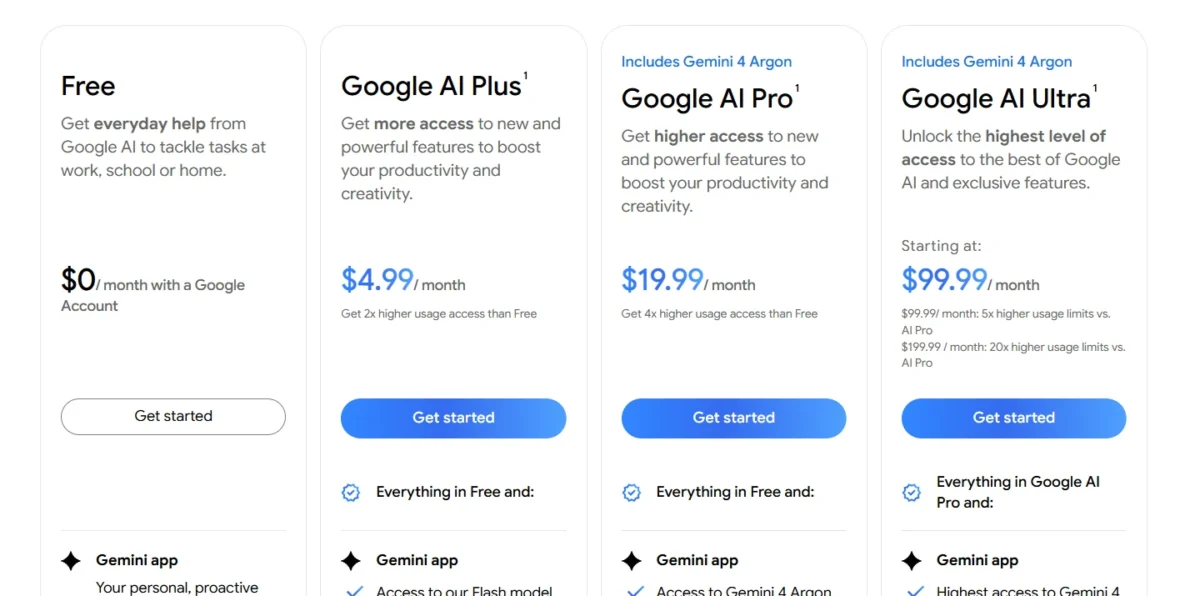
- Free plan: $0/month with a Google Account, image generation and editing included
- Comparable plan: Google AI Plus, $4.99/month
Gemini is where a reader who never paid for Midjourney should start, because Google’s Free plan includes image generation and editing. It fits quick edits of your own photos, such as a new background or a replaced object. The trade-off is predictability: Google states paid usage as multiples of Free, not as image counts.
Gemini can take the style of a reference photo and apply it to your subject, part of what a Midjourney Style Reference does, and Google says it renders clear text in many languages.
Where Google Gemini may be better
- Image generation and editing at $0
- Style taken from any reference photo
Where Midjourney may be better
- Midjourney: reusable –sref codes
- Midjourney: queue and concurrency limits published per plan
Google AI Plus costs $4.99/month for 2x the Free plan’s usage.
| Plan | Price | Usage |
|---|---|---|
| Google AI Plus | $4.99/ | 2x higher than Free |
| Google AI Pro | $19.99/ | 4x higher than Free |
Sources: Google AI plans, checked November 2026.
Pros
- $0 generation and editing
- Style borrowed from a photo
- A $4.99 paid entry
Cons
- No image counts per plan
- Nano Banana 2.1 needs a paid plan
- A partial replacement
Nothing needs importing: upload a photo and describe the edit. My Gemini review covers the assistant beyond images.
- Skip it if:
- one style must hold across a campaign; Midjourney’s –sref codes or Recraft’s custom styles are built for that.
4. Leonardo AI: Best Midjourney Alternative for a Free Daily Allowance and an API
- Best for: freelancers who start free and automate later
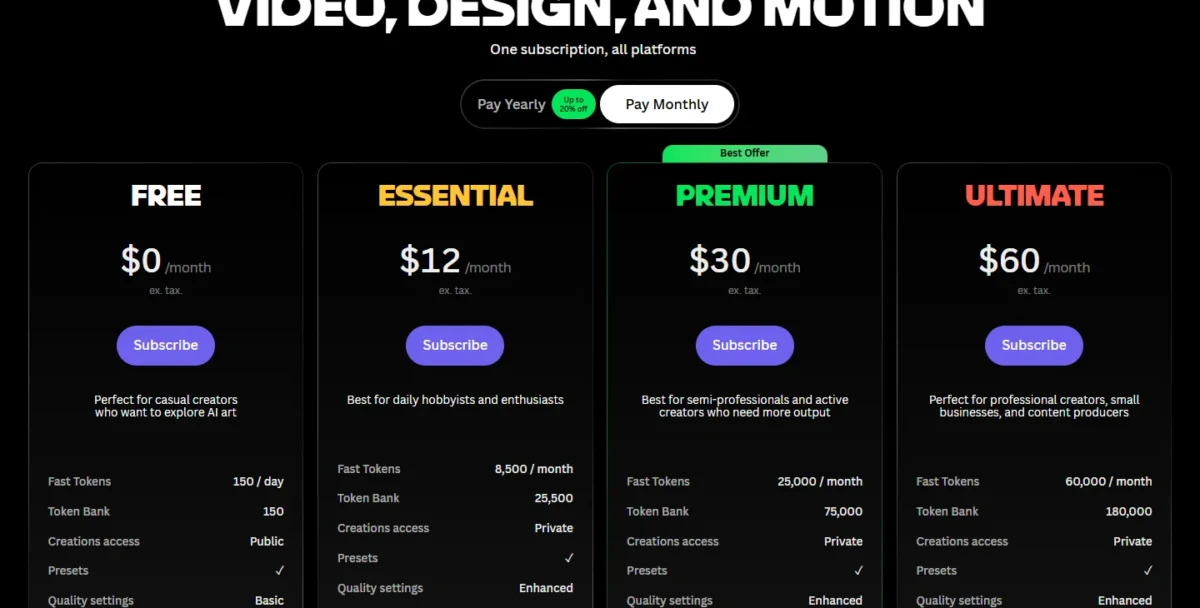
- Free plan: 150 fast tokens a day, public creations
- Comparable plan: Premium, $30/month on Pay Monthly
Leonardo AI closes two Midjourney gaps at once: a free daily allowance and a pay-as-you-go API whose credit does not expire. It suits a freelancer who tests prompts free now and automates later. The trade-off is rights: on the free tier Leonardo holds rights to your images and grants you a non-exclusive commercial licence, while paid plans give full ownership.
Where Leonardo AI may be better
- 150 fast tokens a day on Free
- API credit that does not expire
Where Midjourney may be better
- Midjourney: you own all images you create, even after you cancel
- Midjourney: –sref style codes with no personal model to train first
Premium costs $30/month on Pay Monthly, the plan where unlimited relaxed image generation starts. Essential, at $12/month on Pay Monthly, already makes creations private.
| Plan | Pay Monthly | Pay Yearly |
|---|---|---|
| Essential | $12/ | $10/ |
| Premium | $30/ | $24/ |
| Ultimate | $60/ | $48/ |
Sources: Leonardo AI pricing, Pay Monthly and Pay Yearly views, checked November 2026.
See my Leonardo AI pricing guide for how tokens work across models.
Pros
- A daily free allowance
- Relaxed image generation on Premium
- Personal models for a house style
Cons
- Free creations are public
- Relaxed mode skips third-party models
- Free uses the Auto model only
To switch, export your best Midjourney images and upload them to train a personal model. My Leonardo AI review weighs the paid plans.
- Skip it if:
- images must stay private on a $0 budget; pay for Essential, or run Stable Diffusion 3.5 yourself.
5. Ideogram: Best Midjourney Alternative for Private Images and Team Billing
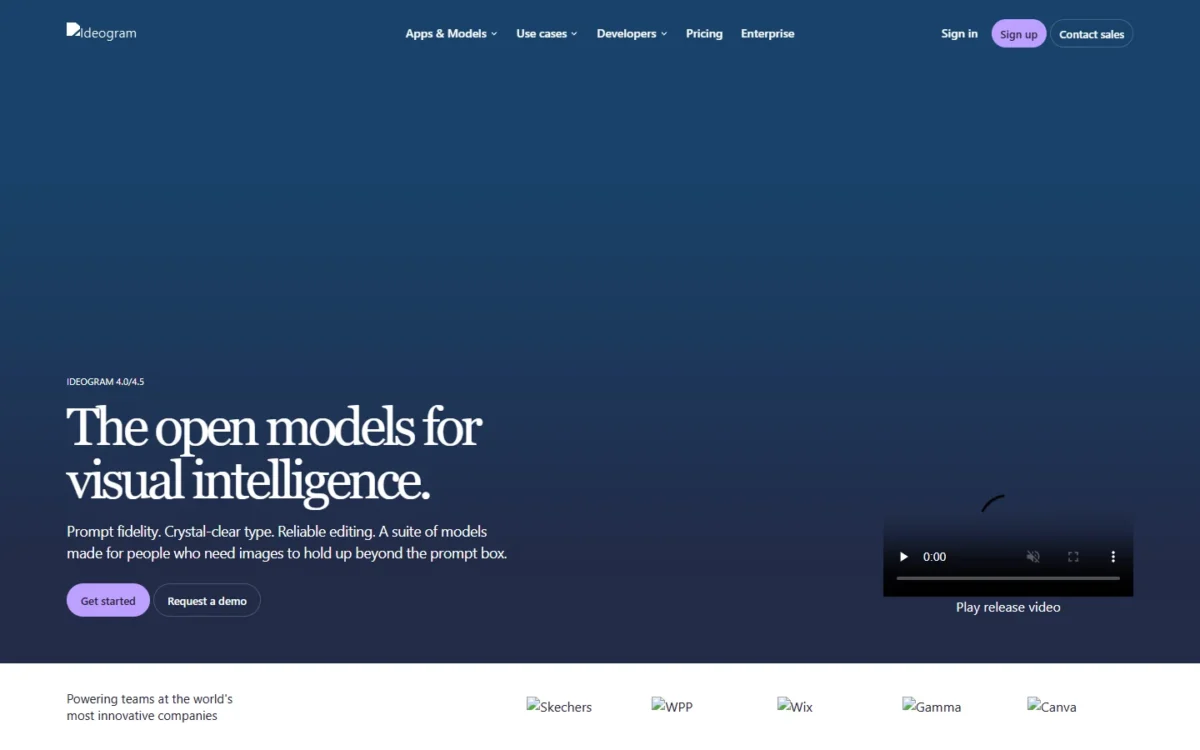
- Best for: freelancers and small teams whose client work must stay private
- Comparable plan: Plus, $20/month on monthly billing
- Team plan: at least 2 users, central billing and administration
Ideogram fixes Midjourney’s privacy problem without the Pro price: Plus keeps new images private until you publish them, where Midjourney’s Stealth Mode starts on Pro. It suits agencies under client NDAs, and Team adds the central billing Midjourney only arranges at 50 or more yearly Pro or Mega plans. The trade-off is volume: Plus holds 2,400 credits a month.
After credits run out, Plus, Pro and Team keep generating with Ideogram models in a slower queue with no limit.
Where Ideogram may be better
- Private generation from Plus
- A Team plan with central billing
Where Midjourney may be better
- Midjourney: Relax video on Pro and Mega
- Style codes from a shared library
Ideogram Plus costs $20/month on monthly billing, a third of Midjourney Pro’s $60 a month for the same privacy. For automation, one Ideogram API covers its image and video models, with credit-based usage.
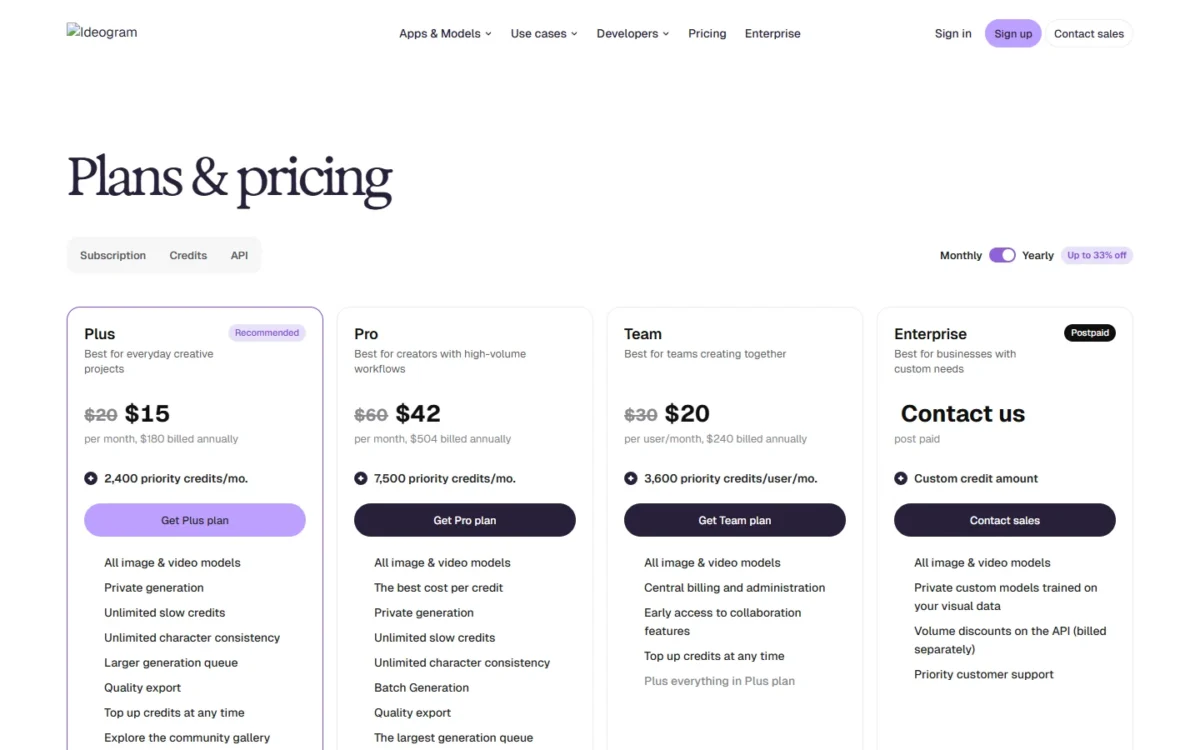
| Plan | Credits each month | Billed monthly | Billed yearly |
|---|---|---|---|
| Plus | 2,400 | $20/ | $15/ |
| Team | 3,600 per user | $30 per user each month | $240 per user a year |
Sources: Ideogram plans and credits, Ideogram pricing, checked November 2026.
Pros
- Privacy from Plus
- A slow queue with no limit
- Team billing from 2 users
Cons
- Free images are public
- Email sign-ups get no free credits
- Monthly credits do not roll over
To migrate a Midjourney look, use Ideogram’s Image Reference feature, which needs priority credits and is not available in the slow queue. Ideogram has also stopped selling its Basic plan, so new buyers start on Plus.
Before you choose a tier, see my Ideogram pricing guide.
- Skip it if:
- you animate stills in volume; Midjourney Pro’s Relax video or Krea’s video models fit that job.
6. Recraft: Best Midjourney Alternative for Vector and Brand Assets
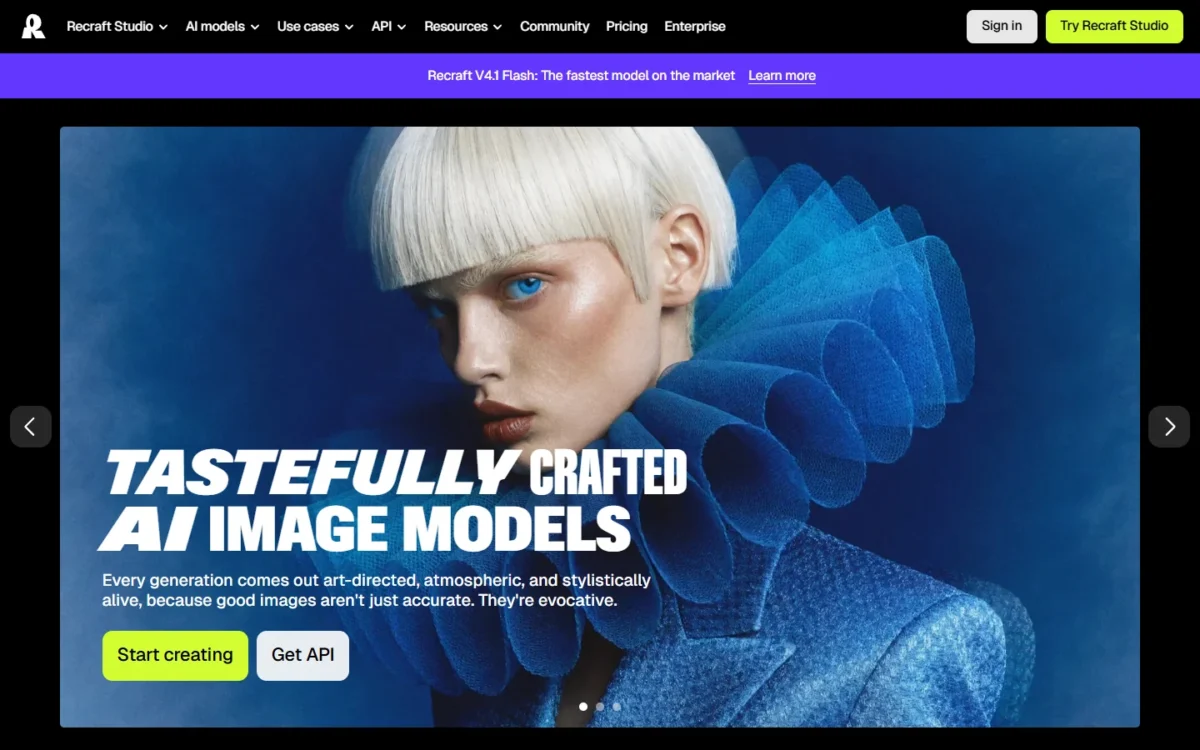
- Best for: brand designers who need editable vector files
- Comparable plan: Basic, $12 billed monthly
- Free plan: public images, no commercial use
Recraft fits brand work where the file format matters. Recraft says it generates images directly in vector format, while Midjourney’s Editor exports an image or a transparent PNG. It suits designers building icon sets and product graphics. The trade-off: Recraft owns free-plan images, shows them publicly and does not license them for commercial use.
Custom styles are Recraft’s answer to –sref codes, available from the Free plan and shared across seats on Teams.
Where Recraft may be better
- Images directly in vector format
- Shared custom styles and SSO on Teams
Where Midjourney may be better
- Video on every plan; Recraft’s starts on Pro
- Midjourney: unlimited Relax images on Standard
Recraft Basic costs $12 billed monthly with 1,000 credits per month, the first plan with commercial rights and private generations. On annual billing, Basic shows $10 per month, billed annually $120. The Recraft API is pay as you go: $1 = 1,000 units, images start at $0.007 with V4.1 Flash, and purchased units do not expire.
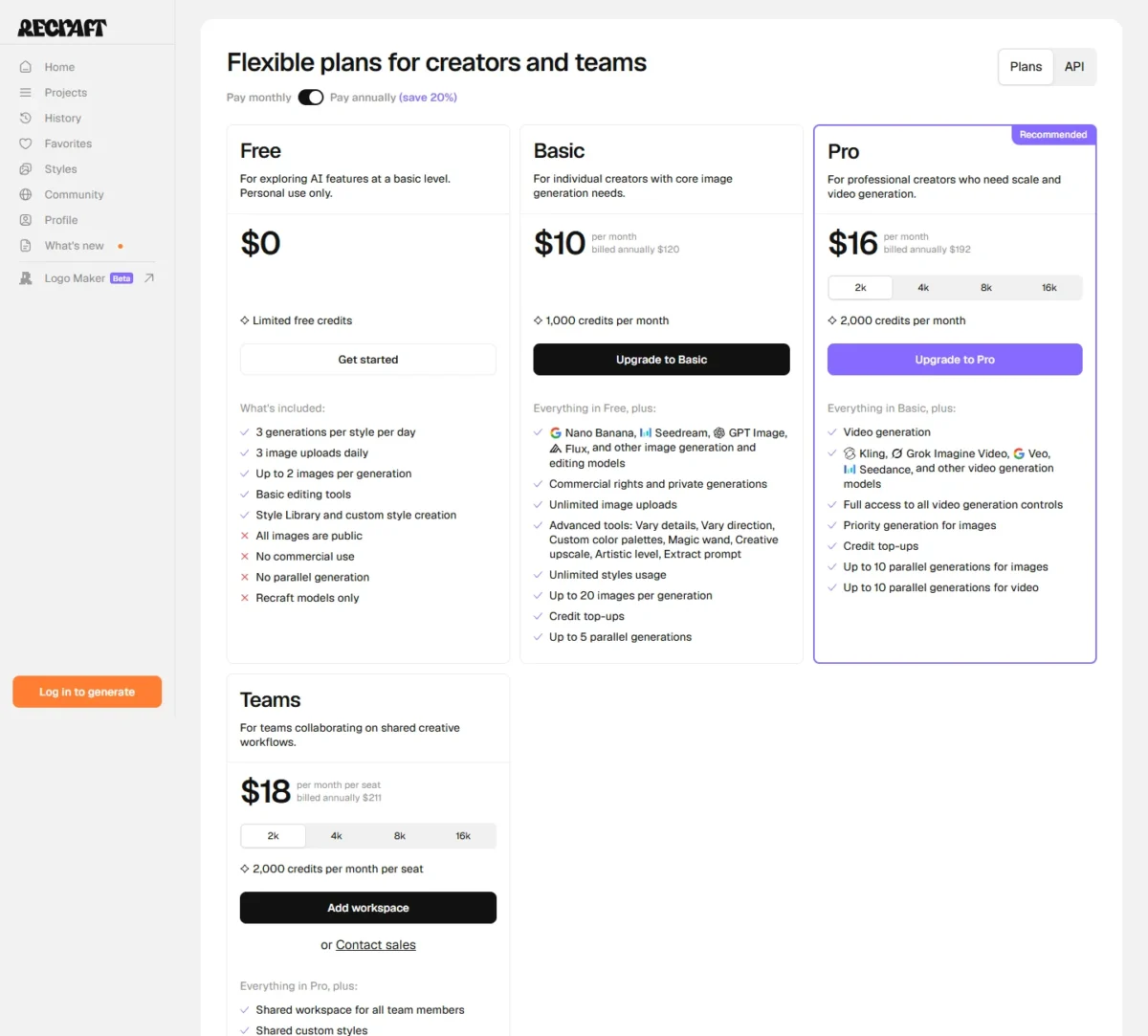
| Plan | Pay monthly | Credits |
|---|---|---|
| Basic | $12, billed monthly | 1,000 per month |
| Pro | $20, billed monthly | 2,000 per month |
| Teams | $22, billed monthly per seat | 2,000 per month per seat |
Sources: Recraft pricing, Pay monthly and Pay annually views, Recraft API pricing, checked November 2026.
Pros
- Native vector output
- Custom styles from Free up
- Paid images stay private after you cancel
Cons
- Free images are not for commercial use
- Video only from Pro
- Credits do not roll over
Free allows 3 image uploads a day, enough to import a few Midjourney images as references before paying.
- Skip it if:
- you make painterly scenes rather than brand graphics; stay with Midjourney or try Leonardo AI.
7. Canva: Best Midjourney Alternative for Images Inside Finished Layouts
- Best for: marketing teams that turn images into posts and decks
- Replaces: partial: Midjourney’s image step, not its art tools
- Comparable plan: Business, US$250/year per person
Canva is a partial replacement: it generates the image inside the layout it ends up in, next to more than 3.6 million templates on Pro and Business. It suits a small marketing team where every image becomes a post or a slide. The trade-off is depth, since Canva’s Premium and Ultra AI tools share one monthly AI allowance.
Business gives 20x more AI than Canva Free and adds 100 Brand Kits with approvals. Canva’s AI terms say you own your Output, except Output that modifies Canva library content, so check where each image in a client file came from.
Where Canva may be better
- Images land in templates and brand kits
- A per-person Business plan with a free trial
Where Midjourney may be better
- An image-first studio with Editor and video
- No allowance shared with other AI tools
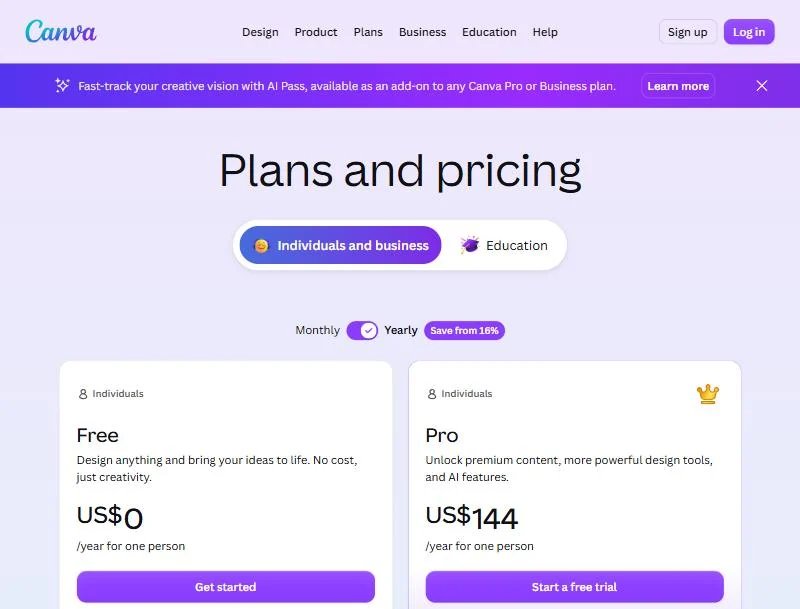
Canva Business costs US$250 a year per person on Yearly billing. Pro gives 10x more AI than Free.
| Plan | Yearly | Monthly |
|---|---|---|
| Pro | US$144/ | US$18/ |
| Business | US$250/ | US$25/ |
Sources: Canva pricing, Yearly and Monthly views, checked November 2026.
See my Canva pricing guide for the plan details.
Pros
- Images inside finished layouts
- 100 Brand Kits on Business
- You own Output without library content
Cons
- One AI allowance for advanced AI tools
- AI edits of library content are not yours
- No style codes
To migrate a Midjourney image you still use, upload it as a reference photo with the + icon; Canva says it generates new images from that photo. My Canva AI review covers the AI tools.
- Skip it if:
- images are the product, not a layer in a design; stay with Midjourney or move to Leonardo AI.
8. Stable Diffusion 3.5: Best Midjourney Alternative for Self-Hosting
- Best for: privacy-led studios and developers with their own GPU
- Licence: Stability AI Community License
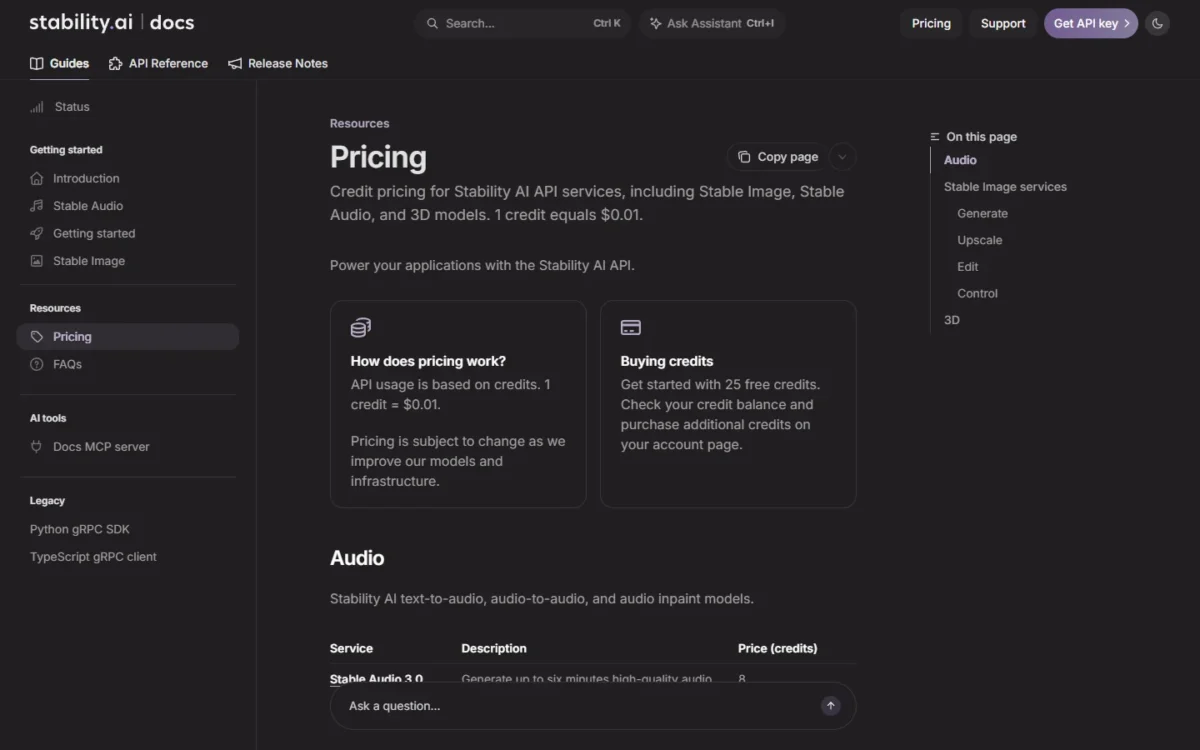
- Hosted option: Stability AI API, 1 credit = $0.01
Stable Diffusion 3.5 is the Midjourney alternative you run yourself. Stability AI publishes the weights on Hugging Face. It suits a privacy-led studio or a developer with a capable GPU. The trade-off is everything Midjourney does for you, from the browser app to the Editor and video.
Medium needs 9.9 GB of VRAM excluding text encoders, which Stability says fits most consumer GPUs.
Where Stable Diffusion 3.5 may be better
- Runs on your own hardware
- No subscription for a small business
Where Midjourney may be better
- No GPU or setup
- Midjourney: a hosted Editor and image-to-video
Self-hosting costs nothing in licence fees under the revenue line; the cost is your hardware and time.
| Option | Price |
|---|---|
| Self-hosted, under $1M annual revenue | Free under the Community License |
| Self-hosted, over $1M annual revenue | Enterprise License, contact Stability AI |
| Hosted API | 1 credit = $0.01, 25 free credits to start |
Sources: Stability AI license, Stability AI API pricing, checked November 2026.
Pros
- Open weights on Hugging Face
- Medium fits most consumer GPUs, per Stability
- A hosted API with free credits
Cons
- You run the GPU and the upkeep
- Enterprise License by contact above the line
- No hosted Editor or video when self-hosted
Prompts migrate as text, but –sref codes point to Midjourney’s own library, so a look comes back through fine-tuning. My Stable Diffusion review covers the model family.
Before you commit to a setup, see my Stable Diffusion pricing guide.
- Skip it if:
- nobody will maintain a GPU setup; FLUX gives API access without hosting.
9. FLUX: Best Midjourney Alternative for a Pay-Per-Image API
- Best for: product teams that need images from code
- Billing: 1 credit = $0.01, pay per image
- Try it: a no-code web studio, at the API price
FLUX is the developer’s replacement for a tool whose terms shut developers out: Midjourney bars automated tools, while Black Forest Labs sells FLUX by the image, with no subscriptions and no seat fees. It suits a product team adding image generation to an app. The trade-off is that a no-code creator loses Midjourney’s app, Editor and Relax queue.
Where FLUX may be better
- Per-image pricing in the API and web studio
- No subscriptions or seat fees
Where Midjourney may be better
- A finished app with Editor and video
- Midjourney: Standard at $30 a month with unlimited Relax images
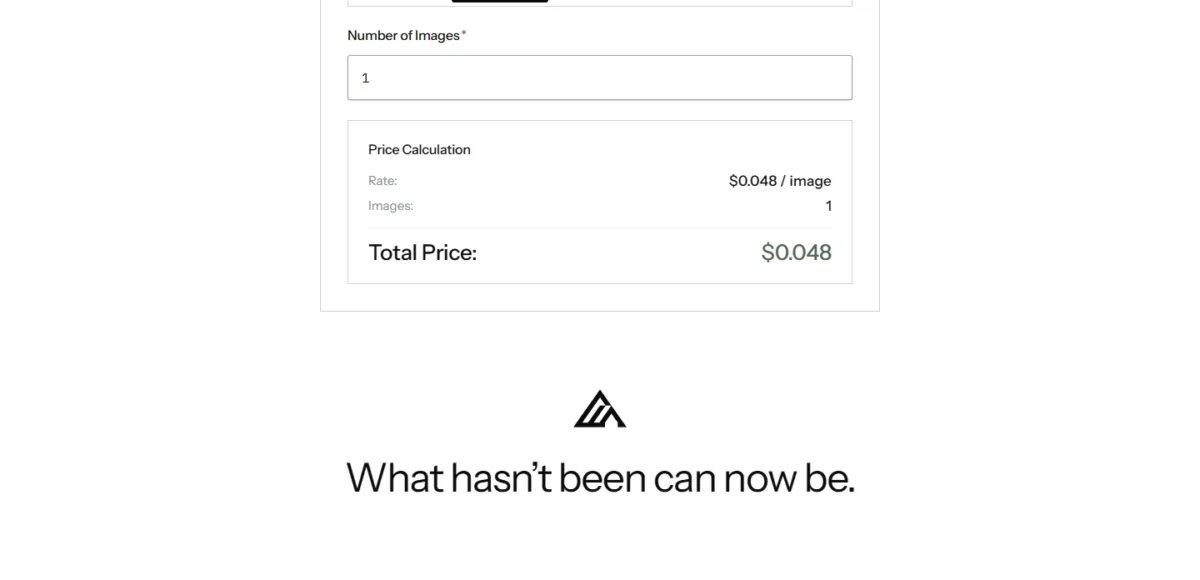
FLUX 3 Image costs $0.048 per image at about 1 megapixel. Larger images cost more, and batch requests multiply the base cost by the number of images.
| Model | Price per image |
|---|---|
| FLUX 3 Image, about 1 megapixel | $0.048 |
| FLUX 3 Image, about 4 megapixels | $0.10 |
| FLUX 3 Image Klein, 1K | $0.009 |
Sources: FLUX API pricing, checked November 2026.
Pros
- No subscription
- Same price in the web studio and API
- Cost returned with each request
Cons
- Needs developer work
- FLUX.2 [dev] weights are non-commercial
- Cost rises with resolution
Nothing migrates but prompts.
- Skip it if:
- nobody on your team writes code; Leonardo AI or Ideogram give you a web app and an API.
10. Krea: Best Midjourney Alternative for Real-Time Ideas and Many Video Models
- Best for: creators who want many video models in one app
- Free plan: 100 units a day
- Comparable plan: Pro, $35/month on the Monthly toggle
Krea suits the Midjourney user whose next step is video from several model makers: Pro lists all video models, including Veo 3.1, Seedance and Kling. It also generates images in real time as you type or draw, useful for rough ideas. The trade-off is the billing unit, since each model spends Krea’s compute units at its own rate.
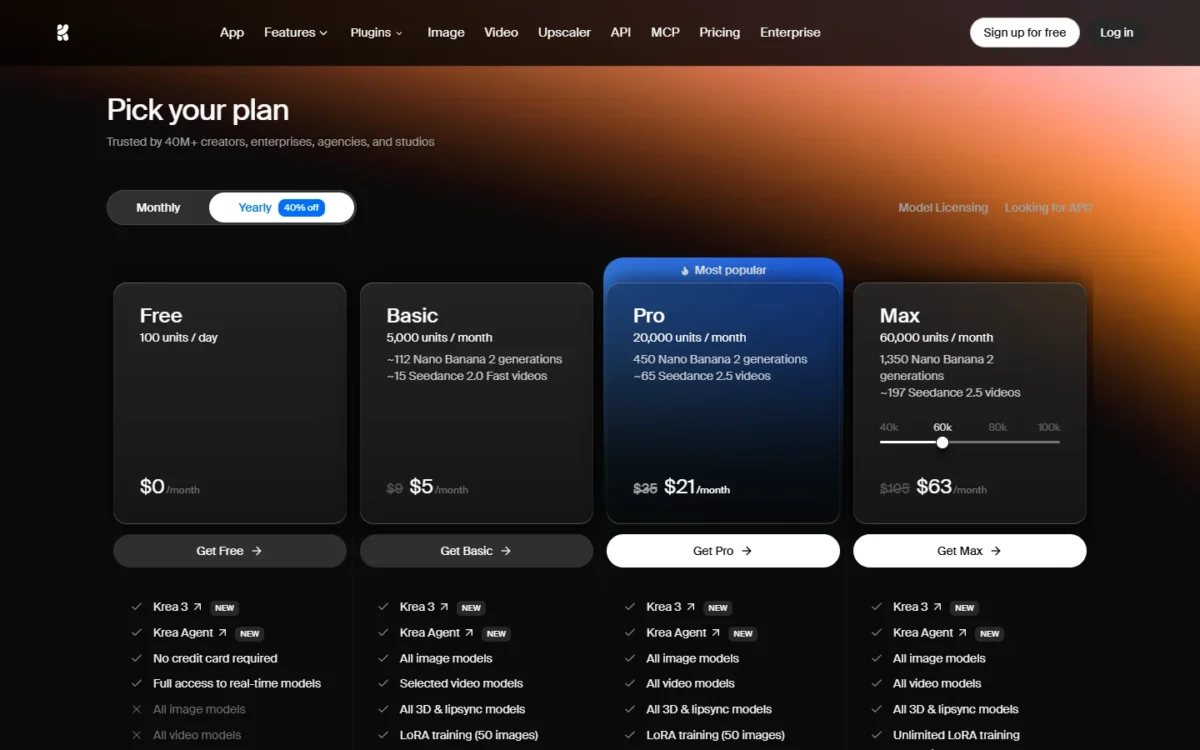
On the Yearly view, Basic’s 5,000 units read as about 112 Nano Banana 2 generations, so check a model’s unit cost before comparing it with GPU hours. Krea’s terms tie private mode to the subscription tier; without it, some of your creations may be viewable by other users.
Where Krea may be better
- Veo 3.1, Seedance and Kling on Pro
- One Business price for up to 50 seats
Where Midjourney may be better
- Midjourney: one unit, GPU time, for every job
- Midjourney: unlimited Relax images on Standard at a flat price
Krea Pro costs $35/month on the Monthly toggle. Basic opens only selected video models, so Pro is the plan for the video job, and its plan features list “Commercial license” for all generated content.
| Plan | Monthly toggle | Yearly toggle | Units |
|---|---|---|---|
| Basic | $9/month | $5.25/ | 5,000 per month |
| Pro | $35/ | $21/ | 20,000 per month |
| Business | $200/ | $160/ | 80,000 per month, up to 50 seats |
Sources: Krea pricing, Monthly and Yearly views, checked November 2026.
Pros
- Free units every day
- Many video models on Pro
- A flat Business price
Cons
- Unit costs vary by model
- Relaxed generation covers in-house image models only
- All video models need Pro
To migrate a character or style, import up to 50 of your Midjourney images for LoRA training on Basic. If video is the main job, my Google Flow alternatives for AI video are the closer shortlist.
- Skip it if:
- you want one predictable unit; Midjourney Standard’s Relax queue is simpler to budget.
11. Bing Image Creator: Best Midjourney Alternative for a Free Daily Quota
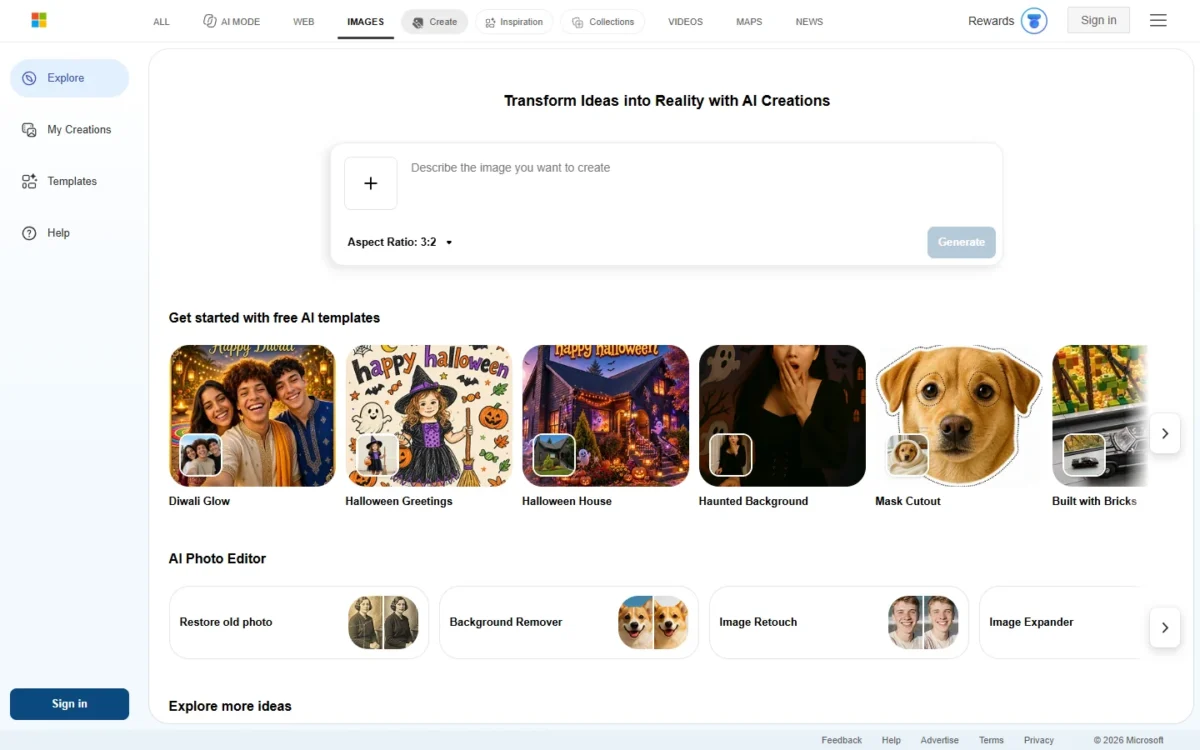
- Best for: personal projects at no cost
- Price: free with a Microsoft account
- Models: MAI-Image-2.6-Flash or MAI-Image-2e
Bing Image Creator is the Midjourney alternative for free images if you can wait: it is free with a Microsoft account and gives 15 fast creations a day. It suits personal projects and quick mockups. Read its terms before client work: Microsoft claims no ownership of your creations but takes rights to copy, distribute and publicly display them.
Where Bing Image Creator may be better
- Free, with 15 fast creations a day
- Uploads not used for training, per Microsoft
Where Midjourney may be better
- Midjourney: terms that say you own your images
- Midjourney: Stealth Mode on Pro and Mega
Bing Image Creator charges nothing, and Microsoft Rewards points buy more fast creations after the daily 15.
| Speed | Price | Daily limit |
|---|---|---|
| Fast creation | Free | 15 a day |
| Standard creation | Free | Up to 200 prompts per 24 hours |
Sources: Bing Image Creator help, checked November 2026.
Pros
- No cost
- 15 fast creations daily
- 200 prompts a day at standard speed
Cons
- Broad rights for Microsoft
- Slower after the fast quota
- “Edit image” clicks count toward the limit
Nothing needs importing; keep your Midjourney library downloaded. If free is the whole requirement, my ranking of free AI image generators by their free tier compares the caps.
- Skip it if:
- the images go to a client; use Adobe Firefly or Recraft Basic, or stay with Midjourney.
When Should You Stick With Midjourney?
Stay with Midjourney if you generate art in volume, rely on a house style or animate stills. Under the $1M revenue line, Standard costs $288 a year paid upfront ($24 a month) with unlimited Relax images; above it, Pro costs $576 a year paid upfront ($48 a month).
Volume at a flat price. Standard pairs 15 hours of Fast time with unlimited Relax images, with Relax waits of 0 to 30 minutes.
A house style. Style Reference images and –sref codes, browsable in the Style Explorer, give a repeatable look, and the codes stay in Midjourney’s library.
Consider switching if
- You want to try before paying
- Client work must stay private without Pro
- You need an API or self-hosting
- A team needs seat admin or SSO
Consider staying with Midjourney if
- You generate in volume on Relax
- Your look depends on –sref codes
- You animate stills up to 21 seconds
How to Choose the Right Midjourney Alternative
Pick the row that names your main reason for leaving.
| Your priority | Alternative to consider | Reason | Trade-off |
|---|---|---|---|
| Free before paying | Google Gemini | Generation and editing on the free plan | Usage stated as multiples |
| Brand-safe assets | Adobe Firefly | Licensed training data | Premium features spend credits |
| Words in the image | ChatGPT | Adds text and edits by chat | Its own usage limit |
| Fast hours run out | Ideogram Plus or Leonardo AI Premium | Slow queue after credits, or unlimited relaxed images | Ideogram models only; relaxed mode skips third-party models |
| Privacy without Pro | Ideogram Plus | Private generation | A monthly credit allowance |
| An API | FLUX | Pay per image | Developer setup |
| Self-hosting | Stable Diffusion 3.5 | Open weights | Your own GPU |
| Vector files | Recraft | Native vector output | Free plan not commercial |
| Team seats | Ideogram Team or Canva Business | Per-user billing with administration | Canva is partial |
| Video from many models | Krea | Veo 3.1, Seedance and Kling on Pro | Unit costs vary |
| Volume art with a house style | Stay with Midjourney Standard | Unlimited Relax and –sref codes | Fast hours cap speed |
Sources: Ideogram plans, Google AI plans, Krea pricing, Images in ChatGPT, Leonardo AI pricing, checked November 2026.
What a five-person team pays
For five people, Midjourney’s bill doubles at the revenue line, from Standard to Pro.
| Setup for five people | Billing | Yearly cost | Assumptions |
|---|---|---|---|
| Midjourney Standard, 5 accounts | Annual, paid upfront | 5 x $288 = $1,440 | Company under $1M revenue |
| Midjourney Pro, 5 accounts | Annual, paid upfront | 5 x $576 = $2,880 | Company over $1M revenue |
| Adobe Firefly Pro, 5 accounts | Monthly | 5 x US$19.99 x 12 = US$1,199.40 | 4,000 credits per account each month |
| Ideogram Team, 5 users | Yearly | 5 x $240 = $1,200 | 3,600 credits per user each month |
| Canva Business, 5 people | Yearly | 5 x US$250 = US$1,250 | Partial replacement |
| Recraft Teams, 5 seats | Monthly | $22 x 5 x 12 = $1,320 | SSO included |
| Krea Business | Yearly toggle | $160 x 12 = $1,920 | Up to 50 seats |
Sources: Midjourney plans, Adobe Firefly plans, Ideogram plans, Canva pricing, Recraft pricing, Krea pricing, checked November 2026.
At five people, Krea Business on the Yearly toggle costs more than every other row except Midjourney Pro, with Firefly Pro and Recraft Teams on monthly billing. All members share the workspace’s compute units, so the same 80k units a month serve 8 or 50 users at that price; Ideogram Team reaches the same total at eight users (8 x $240 = $1,920).
Migrating From Midjourney: What to Consider
Leave in this order, so no image is lost and no paid time is wasted:
- Download your library. On the Organize page, select images and download them from the bulk actions pop-up.
- Rescue Editor work. Editor creations with uploads stay off your Organize page unless upscaled, so download them from the Edit page.
- Make private what should stay private. On Pro or Mega, Stealth Mode does not hide older public images; make them private in bulk.
- Do not buy extra Fast time late. Purchased hours expire after 60 days and cannot be refunded.
- Write down what does not travel. Copy the prompts and –sref codes you reuse into a document.
- Test on the target’s free tier. Run your usual prompts side by side before you pay.
- Cancel at the end of the cycle. The plan stays active until the cycle ends, and your images and history are kept.
How I Evaluated the Alternatives
I chose these 11 Midjourney alternatives from each vendor’s pricing, help, terms and product pages, read on November 3, 2026, and set other names aside under Also Considered. Each pick needed a free tier or a self-serve plan with a published unit, plus a web app or an API. The numbering follows the reasons to leave that each pick answers and is not a score: a lower number is not a better tool.
| Criterion | Midjourney limit it answers |
|---|---|
| Free access before paying | No free trial on the web |
| Commercial and ownership terms | The revenue rule |
| Usage model at volume | Fast hours run out |
| Automation | Terms bar automated tools |
| Text and layout output | Works best with short words or phrases |
| Team seats and billing | One user per account |
| Comparable plan price | The plan that does the same job |
Every price, limit and term comes from the vendor’s own page; the best-for labels and verdicts are my inference from those facts. For a list not anchored on Midjourney, see the best AI image generators.
Also Considered
- DALL·E: OpenAI retired the official DALL·E GPT from ChatGPT; image work runs in ChatGPT Images.
- Playground: its pricing page now sells a design tool with templates, on GPT Image models.
- Nano Banana: Google’s image model, available in Gemini, Recraft and Krea.
- niji·journey: Midjourney’s own mobile app with a limited trial.
FAQ
Is there anything better than Midjourney?
For a named job, yes: Adobe Firefly for brand work, ChatGPT for words in the image and FLUX for an API. For volume art with –sref style codes, Midjourney Standard stays my pick.
What is currently the best AI art generator?
For a repeatable house style at volume, Midjourney’s –sref codes and Relax images still decide it. For brand-safe campaign assets, choose Adobe Firefly; for vector brand graphics, Recraft.
Is there an open-source Midjourney alternative?
Yes. Stable Diffusion 3.5 publishes its weights on Hugging Face under the Stability AI Community License, free for commercial use below the $1M revenue line. FLUX.2 [dev] also has open weights, but Black Forest Labs lists them as non-commercial.
Final Verdict
Move to the tool that fixes your reason for leaving: Gemini or Bing Image Creator for free images, Adobe Firefly for brand work, ChatGPT for words in the image, and Ideogram for privacy below Midjourney Pro.
Developers should choose FLUX, or Stable Diffusion 3.5 on their own GPU; Recraft fits vectors, Canva layouts, Krea video and Leonardo AI a free allowance plus an API.
Stay with Midjourney if Standard’s unlimited Relax images and your –sref codes are what you use. The biggest trade-off of any move is the style system, so rebuild your look first on a free tier or free credits, where the new tool offers them.