


The best CRM for sales teams depends on how the team sells. Pipedrive fits pipeline-led small teams, HubSpot Sales Hub fits sales and marketing on one platform, Salesforce Sales Cloud fits enterprise process, and Close fits outbound calling.
This list is for sales managers and founders choosing one CRM for a team of reps. What decides most purchases is the plan that unlocks sequences, calling and forecasting, usually one tier above the entry price. I read every vendor’s pricing page in October 2026 and priced that plan for 10 reps; I ran no hands-on test.
Quick verdict
Start from the selling motion, then price the plan that unlocks it, not the entry tier:
- Pipeline-led small team: Pipedrive Growth lists automations, email sequences and forecast reports on one plan.
- Sales and marketing on one record: HubSpot Sales Hub, free for 2 users, with sequences and forecasting on Professional.
- Enterprise process: Salesforce Sales Cloud, from Pro Suite up to Core.
- Outbound calling: Close Growth, with a power dialer; calls and texts bill by usage.
- Tightest budget: Zoho CRM Standard lists calling and forecasting, but no sequences.

Pipedrive
Best for: small teams that sell from a visual pipeline
Growth lists sequences, automations and forecast reports for $24 per seat per month, billed annually.
Limit: lead capture and routing need Premium or the LeadBooster add-on
HubSpot Sales Hub
Best for: sales and marketing on one platform
A free CRM for 2 users that grows into marketing and service hubs on the same Smart CRM.
Limit: sequences and forecasting start on Professional, with a required $1,500 onboarding fee
Salesforce Sales Cloud
Best for: enterprise sales orgs that need custom process and forecasting
Pro Suite lists sales quoting and forecasting, and Salesforce says AI can be added to Core and above.
Limit: every edition above Starter Suite is billed annually

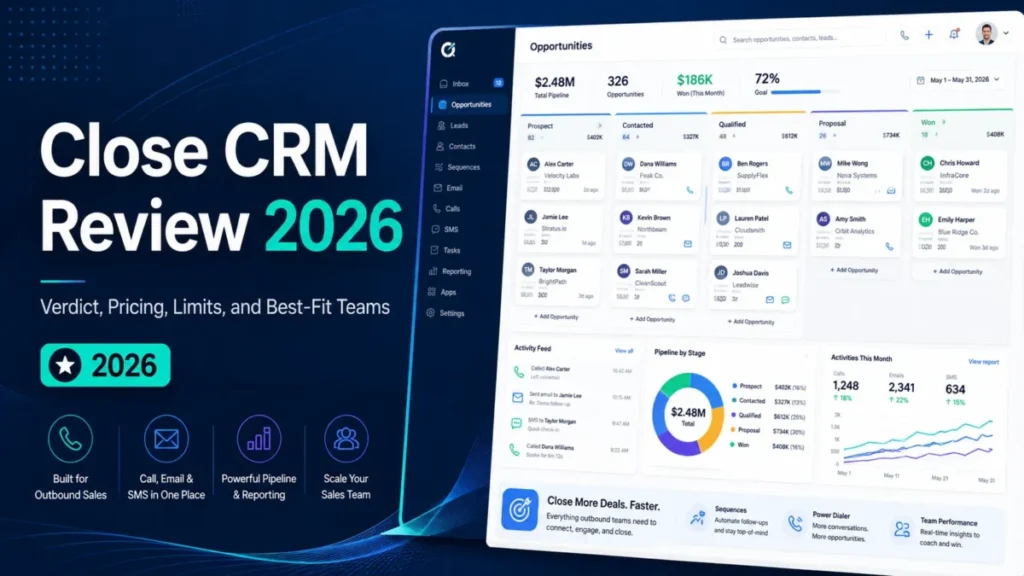
Close
Best for: outbound teams that live on calls and SMS
Growth adds a power dialer and workflows; Scale adds a predictive dialer and live call coaching.
Limit: calling and SMS are billed by usage on top of the seat price
| Software | Best for | Starting price | Plan a sales team needs | Free plan or trial | Key limitation |
|---|---|---|---|---|---|
| Pipedrive | Pipeline-led small teams | $14, billed annually | Growth, $24, billed annually | 14-day trial | Lead routing on Premium |
| HubSpot Sales Hub | Sales and marketing on one CRM | Starter from $7, paid annually | Professional, $90 paid annually, plus $1,500 onboarding | Free for up to 2 users | Sequences on Professional |
| Salesforce Sales Cloud | Enterprise process | $25 USD, billed monthly or annually | Pro Suite, $100 USD, billed annually | Free Suite; 30-day trial | Annual billing above Starter Suite |
| Zoho CRM | Budget forecasting | $14, billed annually | Standard, $14, billed annually | Free for 3 users | No sequences listed |
| Freshsales | Phone, email and chat | $9, billed annually | Pro, $39, billed annually | 21-day trial | Forecasting on Enterprise |
| Close | Outbound calling | $9, billed annually (Solo, 1 user) | Growth, $99, billed annually | 14-day trial | Calling billed by usage |
| Attio | Records built from email | Free; Plus $35, billed annually | Pro, $79, billed annually | Free for up to 3 seats | Plus stops at 10 seats |
| Dynamics 365 Sales | Microsoft 365 shops | $65.00, paid yearly | Sales Professional, $65.00, paid yearly | Free trial | Copilot in Teams needs more licenses |
| Copper | Gmail teams | $23, paid annually | Professional, $59, paid annually | Free trial | Basic caps at 2,500 contacts |
| monday CRM | Sales-to-delivery handoff | $12, yearly billing | Standard, $17, yearly billing | 14-day trial | Plans start from 3 users |
Sources: Pipedrive pricing, HubSpot Sales Hub pricing, Salesforce Sales Cloud pricing, Zoho CRM pricing, Freshsales pricing, Close pricing, Attio pricing, Dynamics 365 Sales pricing, Copper pricing, monday CRM pricing, checked October 2026.
The cheapest plan rarely carries sequences or forecasting, so compare the fourth column, not the third.
In This Article (16 sections)
How I Chose These Sales CRMs
I considered the tools ranked below and those under Also Considered. A tool qualified only if it publishes a US-dollar price, keeps deals and contacts as pipeline records, and sells a plan for a multi-user team.
I ranked the qualifiers first on fit to a selling motion: pipeline, outbound, enterprise, or a Google or Microsoft stack. Then came the criteria a sales manager compares: calling and sequences, automation, forecasting, integrations, and the plan each one requires.
Every price and plan gate comes from the vendors’ own pages, read on October 18, 2026, Salesforce’s US pricing page included. The verdicts are my inferences from them. The ranking assumes you know what a CRM is and how it works.
I ran no hands-on test, so this page does not measure rep adoption, setup time, call quality, forecast accuracy or AI output. Each section recommends a plan by its listed features and price, never by which tool is easiest.
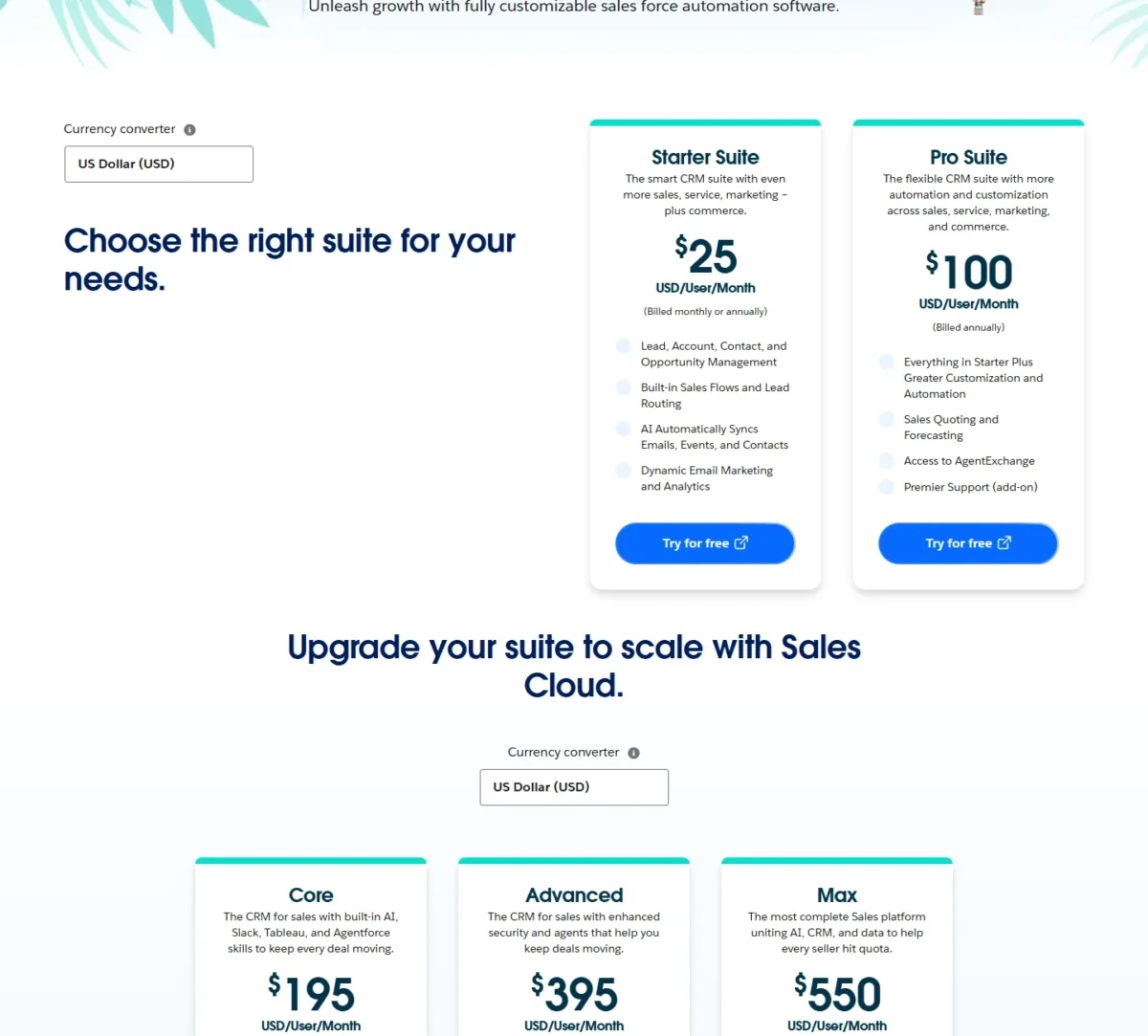
Salesforce’s pricing page sells Sales Cloud as Starter Suite, Pro Suite, Core, Advanced and Max. With the method set, the first question is which tool fits a small team that sells deal by deal.
1. Pipedrive: Best for Small Teams That Sell From a Visual Pipeline
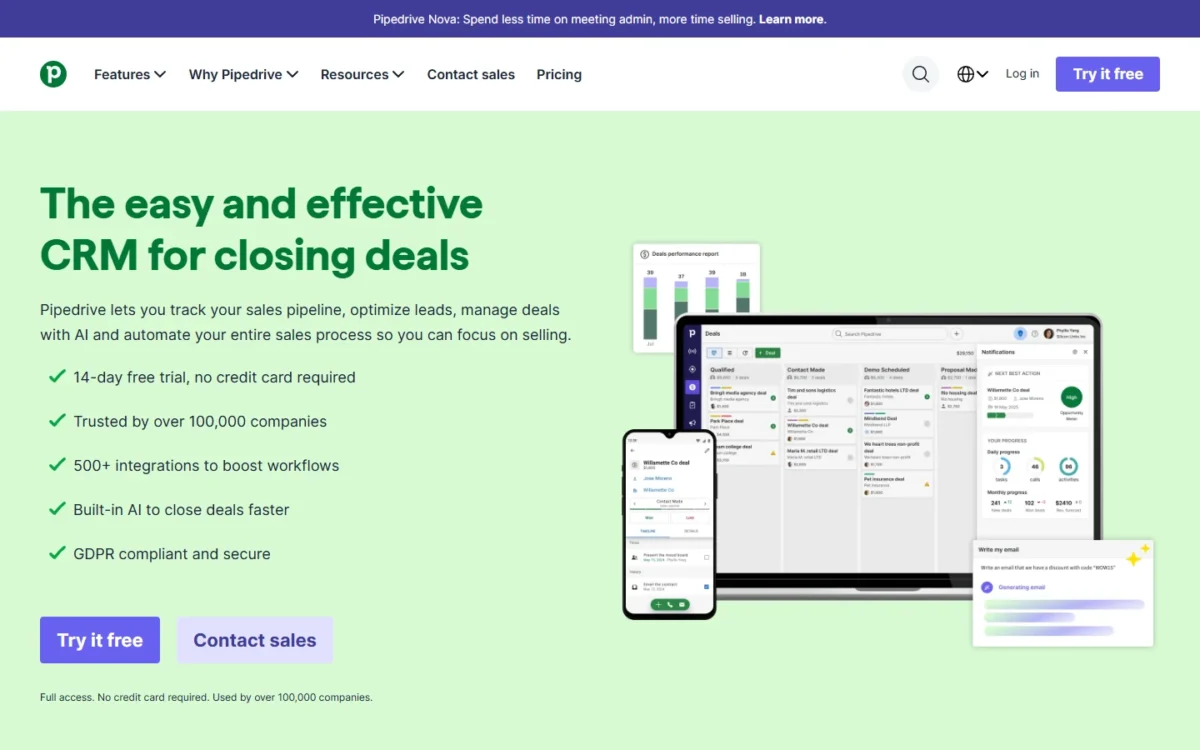
- Best for: small and mid-size teams that sell from a deal pipeline
- Plan a sales team needs: Growth, $24 per seat per month, billed annually
- Free plan or trial: free 14-day trial, no credit card required
- Integrations: 500+ apps, including Zapier, Zoom and Lemlist
Pipedrive is my pick when the pipeline is the way the team sells. Of the ten pricing pages here, its Growth plan is the lowest-priced one that lists automations, email sequences and forecast reports together. The trade-off is inbound lead handling: capture and routing sit a plan higher or in the LeadBooster add-on.
Growth adds full email sync with open and click tracking, plus nurturing sequences that send personalized follow-ups over time. That covers the job many teams buy a separate sales-engagement tool for. The pricing page lists no built-in calling, so a phone-heavy team still needs a dialer integration.
Forecast reports arrive on the same plan, so a manager can project revenue from deals the reps already update.
Against Zoho CRM Standard, Growth costs $10 more per seat per month on annual billing but lists the sequences Zoho’s page does not.
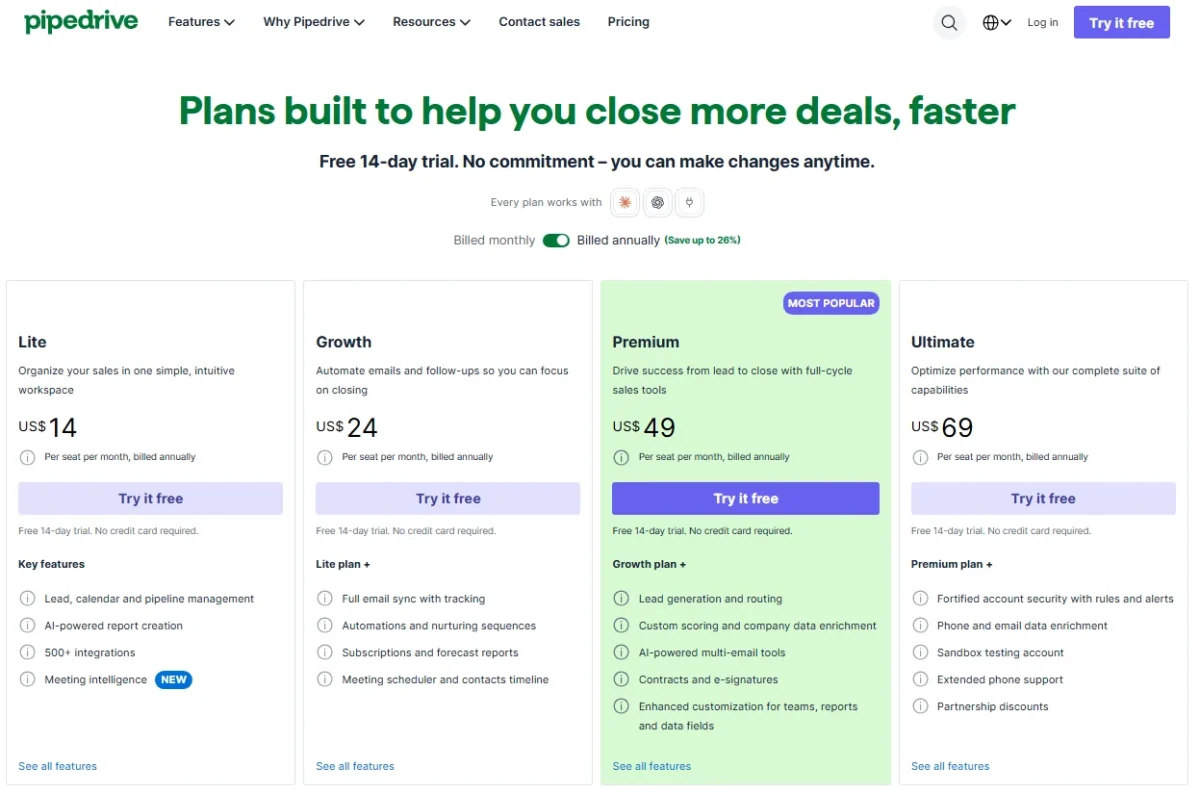
Lite starts at $14 per seat per month, billed annually, one payment of US$168 per seat a year. Growth comes to one US$288 payment per seat a year. Pipedrive says implementation is free on a plan over $400 a year, which two Growth seats pass ($288 x 2 = $576).
| Plan | Per seat per month, billed annually | What it adds |
|---|---|---|
| Lite | $14 | Pipeline, lead and calendar management |
| Growth | $24 | Sequences, automations, forecast reports |
| Premium | $49 | LeadBooster lead generation and routing, scoring |
| Ultimate | $69 | Sandbox, security rules, extended phone support |
Sources: Pipedrive pricing, checked October 2026.
Pros
- Growth lists sequences, automations and forecast reports on one plan
- 500+ integrations, including Zapier, Zoom and Lemlist
- The 14-day trial needs no card, and the whole team can join it
Cons
- Lead capture and routing need Premium or LeadBooster (from $32.50)
- Built-in calling is not listed on the pricing page
- Sandbox testing and access restrictions wait for Ultimate
Choose Pipedrive if reps move deals through defined stages and the manager wants forecasts without an admin-heavy platform.
- Skip it if:
- your reps spend the day on the phone and need a power dialer on the CRM plan itself; Close (pick 6) lists one on Growth.
The daily workspace gets a full walkthrough in my Pipedrive review.
The add-ons are priced in Pipedrive pricing and add-on costs.
2. HubSpot Sales Hub: Best for Teams That Want Sales and Marketing on One Platform
- Best for: teams that want sales, marketing and service on one CRM
- Plan a sales team needs: Professional, $90/mo/seat paid annually
- Free plan or trial: free for up to 2 users, no credit card required
- Integrations: over 2,000 apps and web services
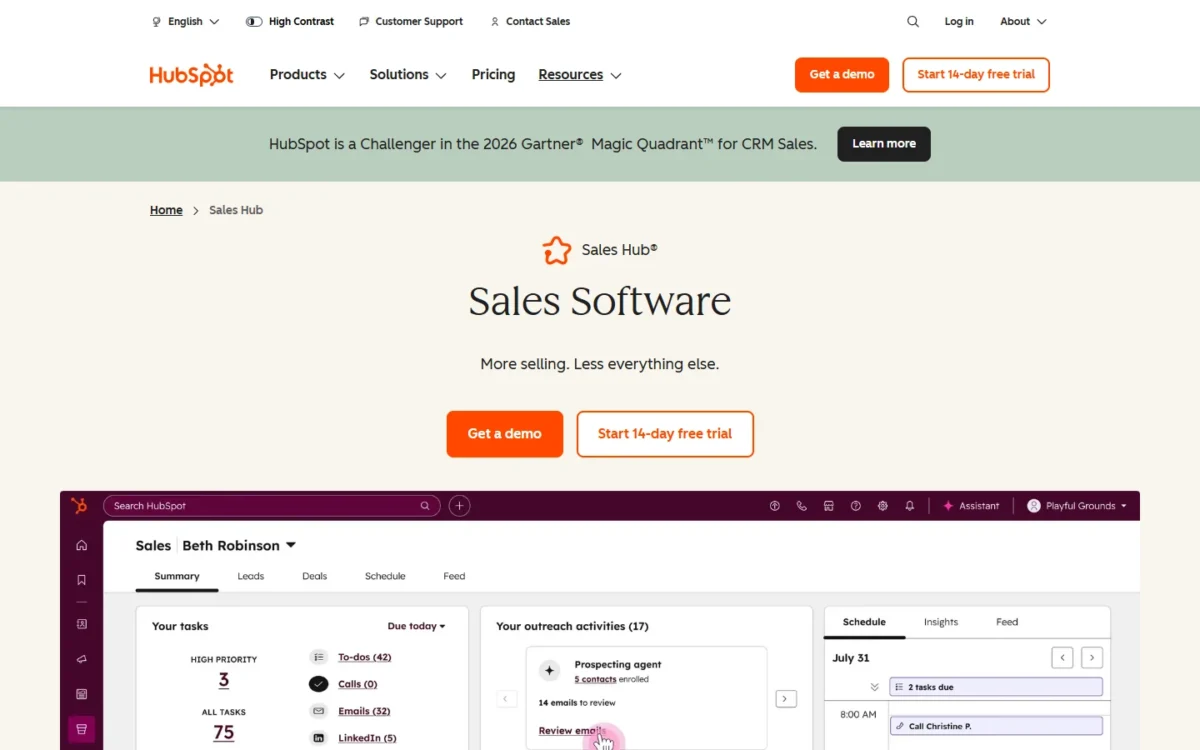
HubSpot Sales Hub suits a team that expects marketing and sales to share one contact record. Sales Hub runs on HubSpot Smart CRM, which comes with any paid HubSpot subscription, so a marketing hub added later works on the same data. The catch is the jump to Professional, where sequences and forecasting start, with a required onboarding fee.
The free tier lets a founder and a first rep run deals before paying. Starter adds calling with 500 minutes, task queues and up to 50 workflows with restricted triggers.
Professional is the sales-team plan: sequences (up to 500 email sends per user per day), forecasting, conversation intelligence and up to 300 workflows. Enterprise extends forecasting across team hierarchies.
AI work runs on HubSpot Credits (500, 3,000 and 5,000 a month by plan), which reset monthly with no rollover. Extra credits cost $0.010 each, so set HubSpot’s per-feature spend limits before switching on agents.
Against Pipedrive, the same sequences-and-forecasting job costs $90 a seat instead of $24, before onboarding. The premium buys one record across sales, marketing and service, plus phone support from Professional.
Starter starts at $7/mo/seat on the Pay Annually view and $10/mo/seat on Pay Monthly. Professional’s Pay Monthly option is $100/mo/seat and still commits you for a year. Professional also carries a required, one-time $1,500 onboarding fee.
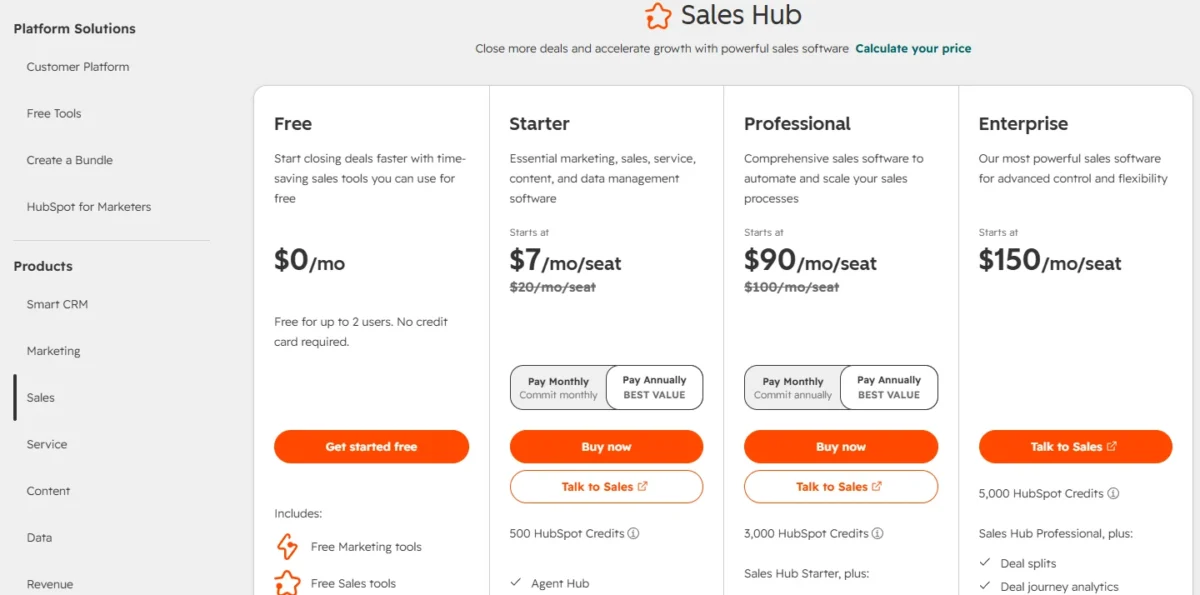
| Plan | Per seat per month | Billing | Key limit |
|---|---|---|---|
| Free | $0 | No card needed | Up to 2 users |
| Starter | From $7 | Pay Annually | 50 workflows, restricted triggers |
| Professional | $90 | Pay Annually | $1,500 one-time onboarding |
| Enterprise | From $150 | Talk to Sales | $3,500 one-time onboarding |
Sources: HubSpot Sales Hub pricing, checked October 2026.
Pros
- Free for up to 2 users, with no credit card
- Professional bundles sequences, forecasting and conversation intelligence
- Over 2,000 apps and web services integrate
Cons
- Required one-time onboarding: $1,500 on Professional, $3,500 on Enterprise
- Professional’s Pay Monthly option still commits annually
- Starter caps automation at 50 workflows with restricted triggers
Choose HubSpot if marketing will share the CRM within the year, or if a free start for two users matters more than the seat price.
- Skip it if:
- you need sequences for under $30 a seat and no marketing tools; Pipedrive Growth (pick 1) lists them at $24.
How the free CRM works day to day is in my HubSpot CRM review.
Seat types and hubs are priced in the HubSpot pricing breakdown.
3. Salesforce Sales Cloud: Best for Enterprise Sales Orgs That Need Custom Process and Forecasting
- Best for: sales orgs with custom process and multi-team forecasting
- Plan a sales team needs: Pro Suite, $100 USD per user per month, billed annually, for quoting and forecasting
- Free plan or trial: Free Suite at $0; Sales Cloud free for 30 days, no credit card
- Integrations: access to AgentExchange on Pro Suite; no count on the pricing page
Salesforce Sales Cloud earns its place when the sales process is too custom for a fixed pipeline tool. The edition ladder runs from Starter Suite to Max, so an org can add forecasting and then AI without changing CRM. The cost is commitment: every edition above Starter Suite is billed annually.
Starter Suite lists sales flows, lead routing and AI that syncs emails, events and contacts. Pro Suite adds sales quoting and forecasting, the first plan where pipeline numbers roll up into a forecast.
Core is the step for a larger org: it adds Momentum and Premier Success, Slack Business+ and Tableau Next to everything in Professional Edition. AI can be added to Core and above, so an org that wants agents in the sales flow starts there.
Against Dynamics 365 Sales, the stack decides: a Microsoft 365 company gets Outlook and Teams ties from Dynamics, while Salesforce keeps the longer edition ladder.
The step from Pro Suite ($100 USD per user per month) to Core ($195), both billed annually, nearly doubles the seat price. Buy Core only when the org will use what it adds: Slack Business+, Tableau Next and the option to add AI.
These are the US-dollar prices Salesforce’s pricing page showed on October 18, 2026.
| Edition | USD per user per month | Billing | What it adds |
|---|---|---|---|
| Starter Suite | $25 | Monthly or annually | Sales flows, lead routing |
| Pro Suite | $100 | Annually | Quoting and forecasting |
| Core | $195 | Annually | Slack Business+, Tableau Next |
| Advanced | $395 | Annually | Enhanced security, Backup & Recover |
| Max | $550 | Annually | Agentforce for Sales, Flex Credits |
Sources: Salesforce Sales Cloud pricing, checked October 2026.
Pros
- Five paid editions on one platform, so the CRM grows without a migration
- Slack Business+ and Tableau Next arrive together on Core
- A free tier for piloting before any contract
Cons
- Annual billing on every edition above Starter Suite
- AI is added from Core, at $195 per user per month
- Premier Support is an add-on on Pro Suite
Choose Salesforce if the org has an admin, several teams to forecast across, and a process the cheaper tools cannot model.
- Skip it if:
- you have under 10 reps and nobody to configure the org; Pipedrive (pick 1) or Zoho CRM (pick 4) list forecasting on far cheaper plans.
Setup and administration are the focus of my Salesforce CRM review.
A small team weighing that depth against a simpler tool can read Pipedrive vs Salesforce.
4. Zoho CRM: Best for Budget Teams That Want Automation and Forecasting Early
- Best for: cost-conscious teams that want calling and forecasting early
- Plan a sales team needs: Standard, $14 per user per month, billed annually
- Free plan or trial: free for 3 users; free trial of paid editions
- Integrations: 1,100+ ready-to-use app integrations
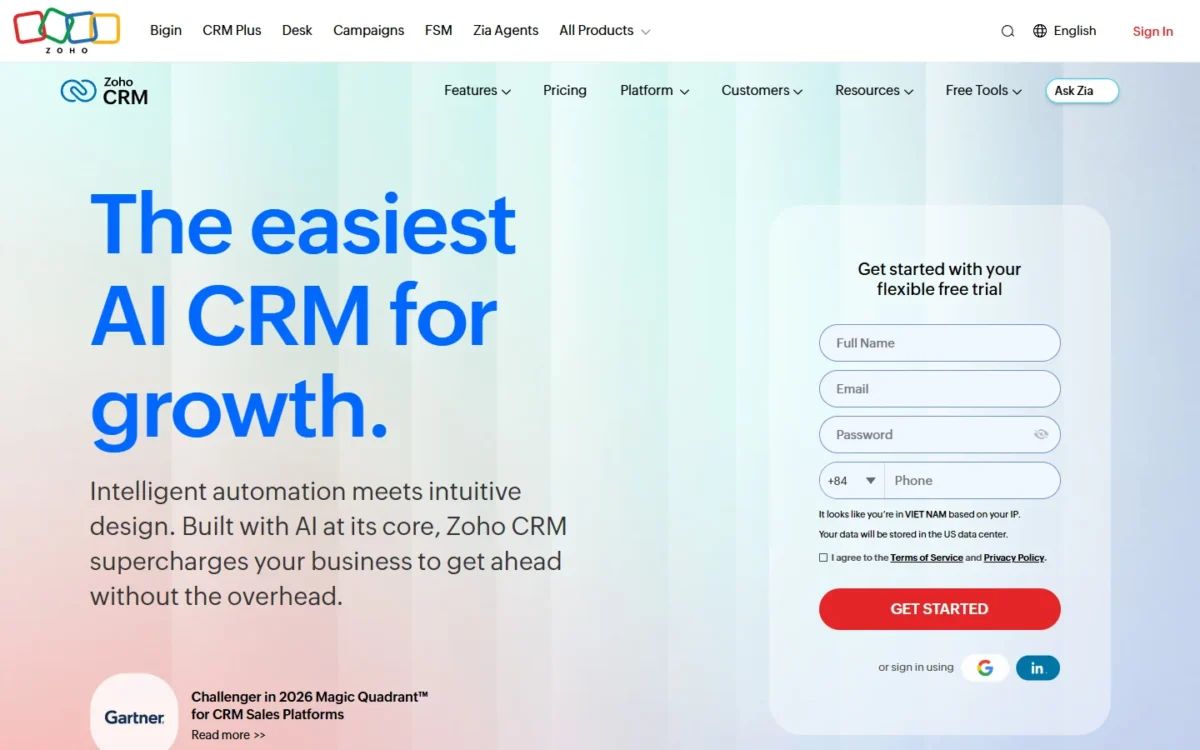
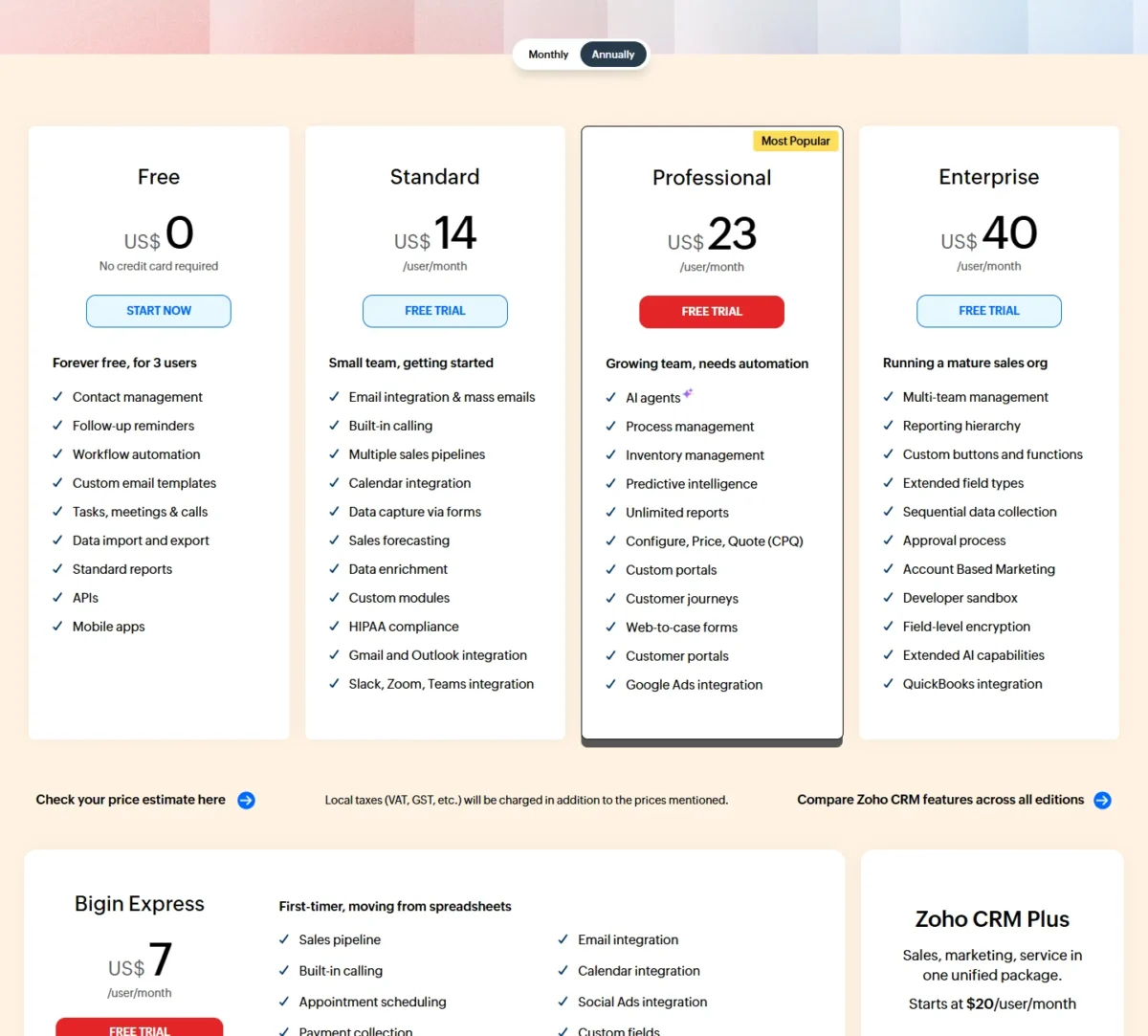
Zoho CRM is the cheapest route to sales forecasting in this list: Standard lists it beside built-in calling and multiple pipelines. The gap is sequences. Zoho’s pricing page lists mass email but does not list sequences on any edition, so a team that runs email cadences should look at Pipedrive or Freshsales first.
Workflow automation starts on the Free edition, from routing leads to the right rep to updating fields when a deal closes. A three-person team can automate lead assignment before paying anything.
Standard’s calling makes, receives and logs calls inside the CRM, and the plan lists Gmail, Outlook, Slack, Zoom and Teams integrations.
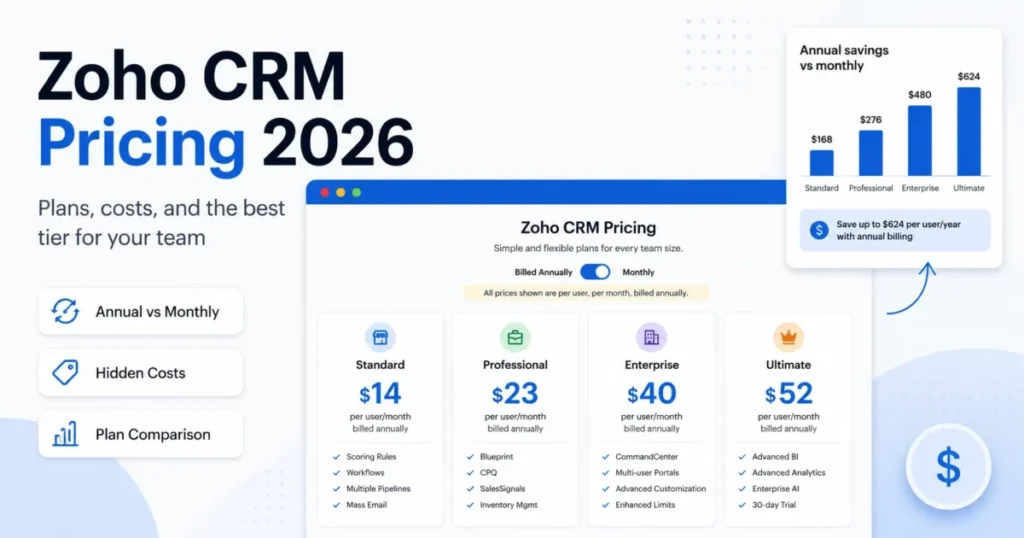
Professional ($23, billed annually) adds predictive intelligence on how likely a deal is to close, plus CPQ. Enterprise ($40, billed annually) adds a reporting hierarchy, so each manager sees only their team’s pipeline.
Standard costs $14 per user per month billed annually, or $20 billed monthly, with local taxes added. Paying monthly for a year comes to $20 x 12 = $240 per user, against $14 x 12 = $168 on annual billing. Zoho’s FAQ says there are no contracts.
| Edition | Per user per month, billed annually | Billed monthly | What it adds |
|---|---|---|---|
| Free | $0 | $0 | 3 users, workflow automation |
| Standard | $14 | $20 | Calling, pipelines, forecasting |
| Professional | $23 | $35 | Predictive intelligence, CPQ |
| Enterprise | $40 | $50 | Multi-team management, approvals |
Sources: Zoho CRM pricing, checked October 2026.
Pros
- Forecasting, calling and multiple pipelines on the Standard plan
- Workflow automation on the free edition for 3 users
- No contracts on monthly or yearly billing
Cons
- Sequences are not listed on any edition
- A reporting hierarchy for several managers needs Enterprise
- Local taxes are added to every listed price
Choose Zoho CRM if the budget is tight and the manager needs a forecast more than automated email cadences. Against Pipedrive Growth, Standard saves $10 per seat a month but gives up sequences.
- Skip it if:
- your reps run multi-step email sequences; Pipedrive Growth (pick 1) or Freshsales Pro (pick 5) list them.
My Zoho CRM review covers the editions in more depth.
A rep team that needs sequences should read my Zoho CRM alternatives page next.
5. Freshsales: Best for Phone, Email and Chat on the Cheapest Paid Plan
- Best for: budget teams that sell by phone, email and chat
- Plan a sales team needs: Pro, $39 per user per month, billed annually
- Free plan or trial: 21-day trial; no free plan listed
- Integrations: no count on the pricing page
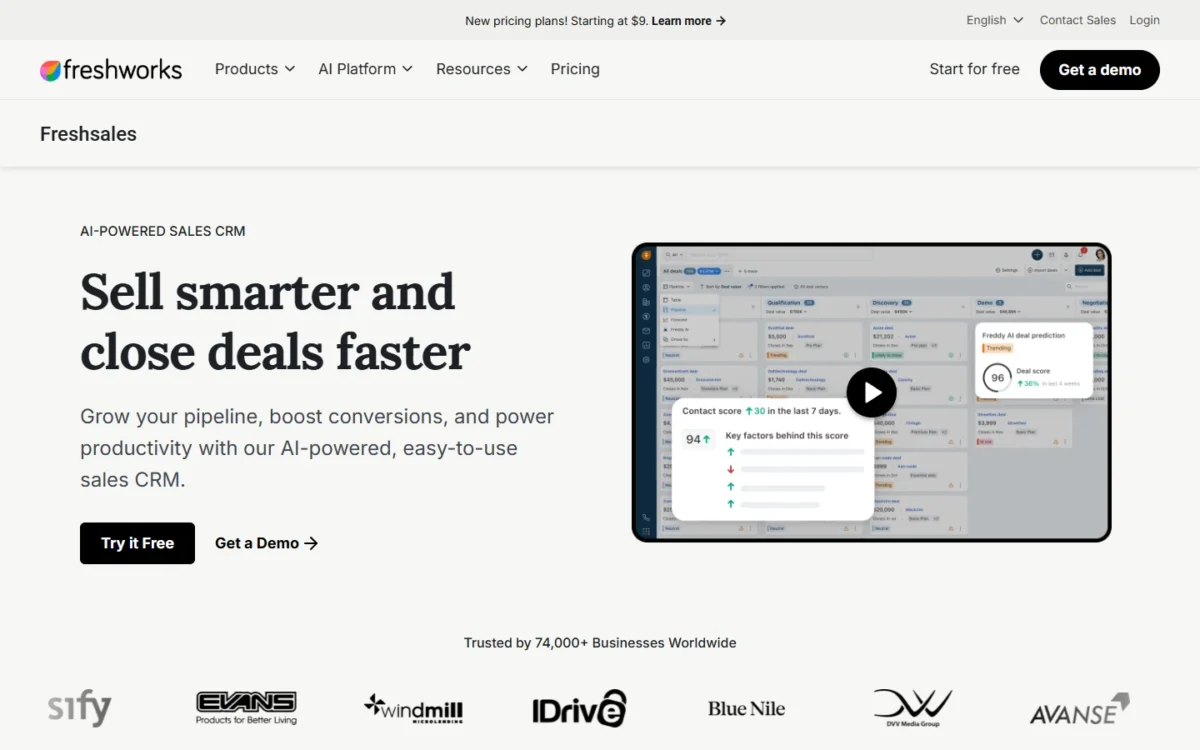
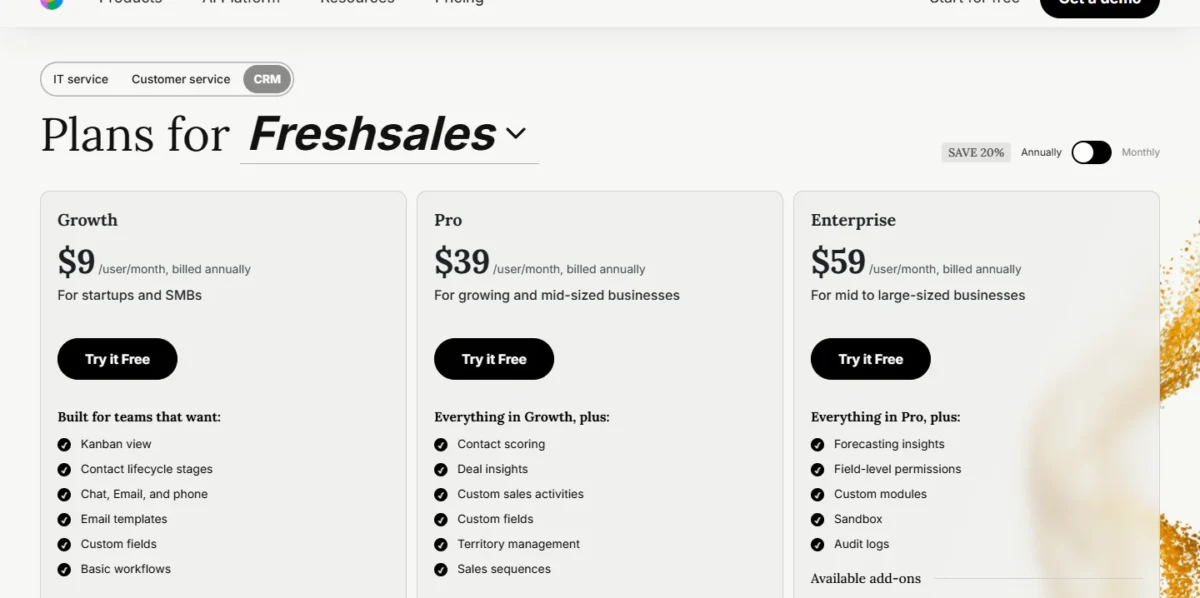
Freshsales suits a budget team that sells by phone and email and wants sequences one plan up. Growth lists chat, email and phone at the same entry price as Close’s Solo plan, which stops at one user. The upgrade path is the trade-off: sequences need Pro, and forecasting insights need Enterprise.
Growth also lists a Kanban view, contact lifecycle stages and basic workflows, which covers the daily loop for a team working inbound leads by phone and email.
Pro adds sales sequences, contact scoring, deal insights and territory management, the feature that matters once reps split regions or segments. Enterprise adds forecasting insights, a sandbox and audit logs.
Against Pipedrive, sequences cost $39 a seat instead of $24; against Close, Freshsales lists phone but no power dialer.
Two add-ons are listed on all three plans and add to the bill. Branded documents cost $19/user/month, priced per user. The Freddy AI Agent costs $49 per 100 sessions, priced by usage.
My Freshsales pricing breakdown prices them for larger teams.
| Plan | Per user per month, billed annually | What it adds |
|---|---|---|
| Growth | $9 | Chat, email and phone, basic workflows |
| Pro | $39 | Sequences, scoring, territory management |
| Enterprise | $59 | Forecasting insights, sandbox, audit logs |
Sources: Freshsales pricing, checked October 2026.
Pros
- Phone, email and chat on the Growth plan
- Territory management and scoring on Pro
- A 21-day trial of the full CRM
Cons
- No free plan is listed
- Forecasting insights need Enterprise at $59
- AI agent sessions are a paid add-on
Choose Freshsales if the team sells by phone and email today and wants sequences and territories on the next plan up.
- Skip it if:
- you need forecasting below $59 a seat; Zoho CRM Standard lists it at $14.
The phone and email workspace is judged in my Freshsales review.
Teams choosing between Pipedrive Growth and Freshsales Pro for sequences can compare them in Pipedrive vs Freshsales.
6. Close: Best for Outbound Teams That Live on Calls and SMS
- Best for: outbound teams that call and text all day
- Plan a sales team needs: Growth, $99 per user per month, billed annually
- Free plan or trial: 14-day free trial, no card; 30-day money-back guarantee
- Integrations: over 100 apps; Zapier connects 2,000+
When the team’s day is dialing, Close is the CRM built around it. Its pricing page lists a power dialer on Growth and a predictive dialer on Scale, inside the CRM rather than as a bolt-on. The trade-off is cost structure: calls and texts bill by usage, and inbound or account-based teams get little from a dialer.
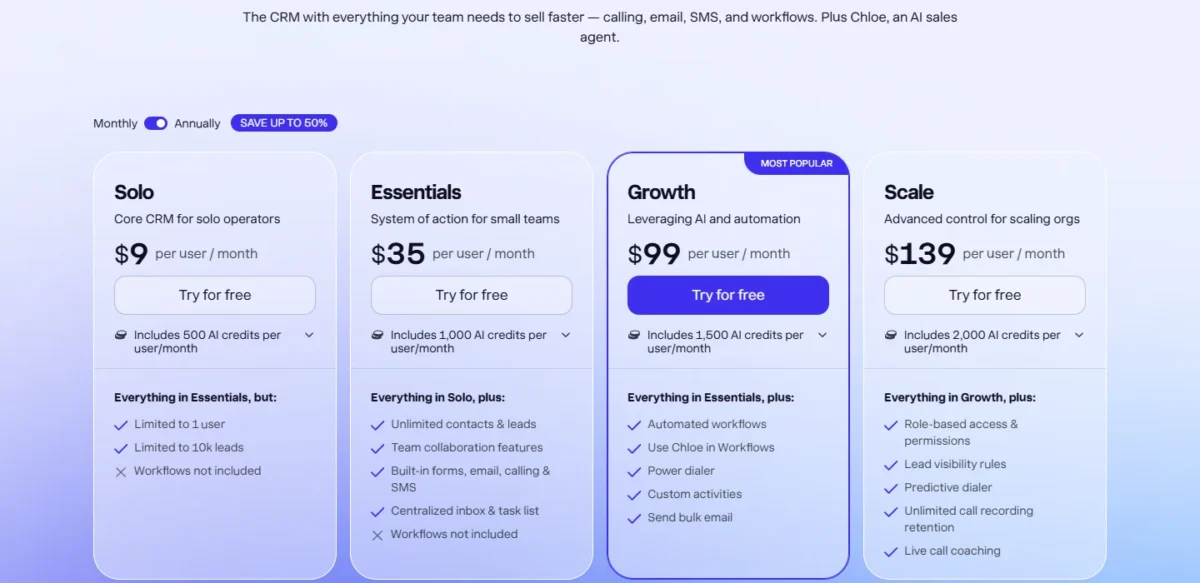
Essentials lists built-in email, calling and SMS with a centralized inbox, but no workflows: reps can call and text from the CRM, yet nothing follows up automatically.
Growth adds workflows that trigger SMS, email and call follow-ups when leads meet criteria, plus the power dialer and bulk email.
Scale adds the predictive dialer, live call coaching and unlimited call recording retention. US texting needs A2P 10DLC registration first. Against Freshsales, Close costs more per seat but lists the dialers Freshsales does not.
Growth costs $99 per user per month on the Annually view and $109 on the Monthly view. Calling and SMS are passed through at cost: Close says most outbound calls run around $0.02/minute, and lines start at $1/line/month.
| Plan | Per user per month, billed annually | Billed monthly | What it adds or limits |
|---|---|---|---|
| Solo | $9 | $19 | 1 user, 10k leads, no workflows |
| Essentials | $35 | $49 | Calling, SMS, email; no workflows |
| Growth | $99 | $109 | Workflows, power dialer, bulk email |
| Scale | $139 | $149 | Predictive dialer, live call coaching |
Sources: Close pricing, checked October 2026.
Pros
- Power dialer on Growth, predictive dialer on Scale
- Calling, SMS and email in one inbox from Essentials
- Imports from another CRM or a spreadsheet, with duplicate lead detection
Cons
- Calls, texts and phone lines bill by usage on top of seats
- Essentials includes no workflows
- The Call Assistant add-on costs $50 a month plus $0.02 a minute
Choose Close if reps make dozens of calls a day and the manager wants the dialer, texts and pipeline in one place.
- Skip it if:
- your leads come inbound from marketing or you sell to named accounts; HubSpot Sales Hub or Salesforce Sales Cloud fit that motion better.
The calling workspace gets its own walkthrough in my Close CRM review.
7. Attio: Best for Startups That Want Records Built From Email and Calendar
- Best for: startups and B2B teams whose reps do not log activity
- Plan a sales team needs: Pro, $79 per user per month, billed annually; Plus ends at 10 seats
- Free plan or trial: free for up to 3 seats; 14-day trial of Pro
- Integrations: API, webhooks, App SDK and an MCP server; no count on the pricing page
Attio answers a different problem from the rest of this list: reps who never update the CRM. Once a rep syncs email and calendar, Attio says it “instantly builds a real-time, global database” of contacts. The ceiling arrives fast: Plus stops at 10 seats, and sequences wait for Pro.
Free already lists real-time contact syncing and automatic enrichment. Records carry fields such as last interaction, connection strength, company ARR and funding raised, so a founder-led team can see who already knows a prospect.
Pro adds call intelligence and sequences, permission controls, up to 100 reports and unlimited seats. AI features draw on workspace credits: 1,500 a month on Plus and 10,000 on Pro.
The 10-seat cap is the number to plan around. A team that hires its 11th rep on Plus moves everyone to Pro: $79 x 11 x 12 = $10,428 a year on annual billing.
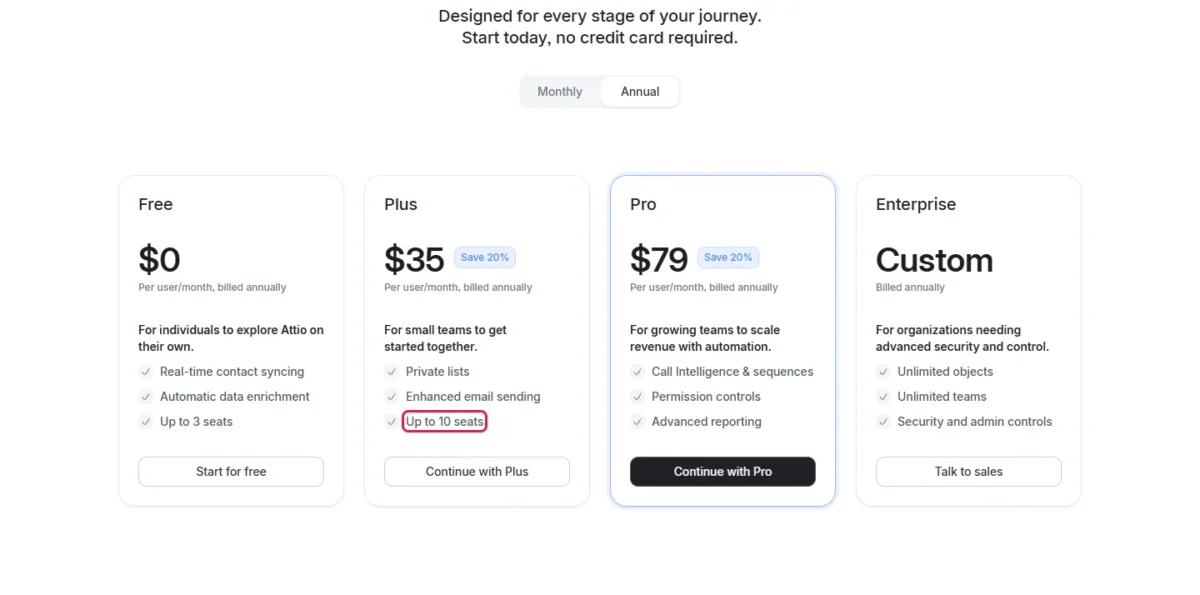
Attio says annual billing saves 20% on Plus and Pro, so Pro costs $99 – $79 = $20 less per seat each month on the annual commitment.
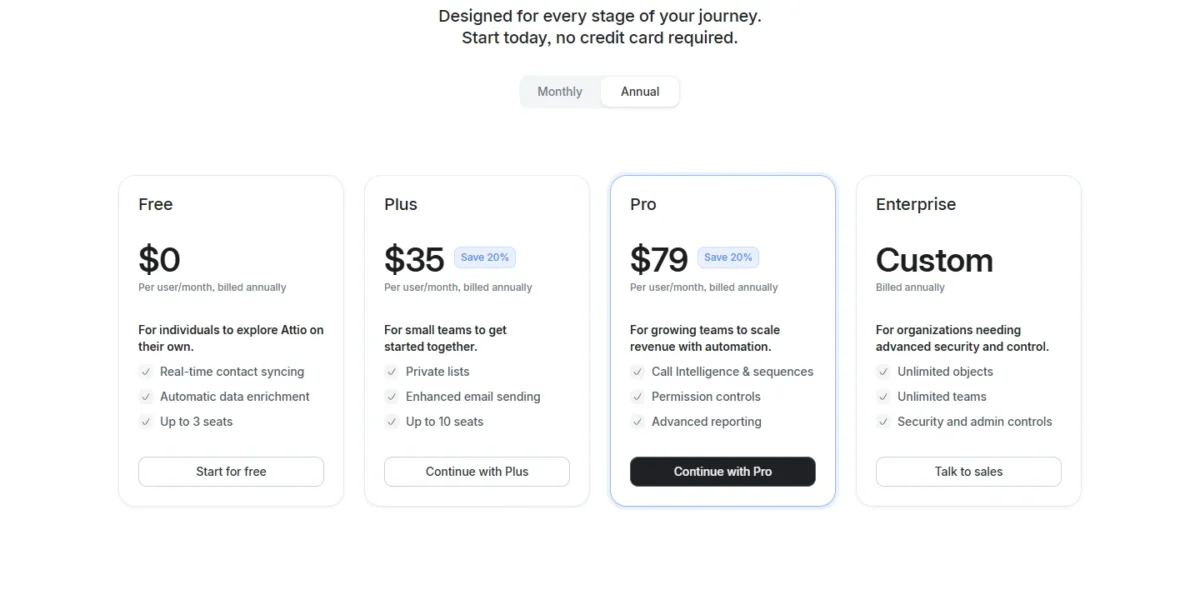
| Plan | Per user per month, billed annually | Billed monthly | Seat limit |
|---|---|---|---|
| Free | $0 | $0 | Up to 3 seats |
| Plus | $35 | $44 | Up to 10 seats |
| Pro | $79 | $99 | Unlimited |
| Enterprise | Custom quote | Not listed | Unlimited |
Sources: Attio pricing, checked October 2026.
Pros
- Real-time contact syncing and enrichment from the Free plan
- Connection strength and funding fields on records
- API, webhooks, App SDK and an MCP server for custom builds
Cons
- Plus stops at 10 seats
- Sequences and call intelligence need Pro at $79
- No built-in calling or forecasting is listed
Choose Attio if your reps live in email and the CRM is empty because nobody types into it.
- Skip it if:
- you will pass 10 seats on a mid-tier budget; Pipedrive Growth (pick 1) lists sequences at $24 a seat.
My Attio review covers the data model in depth.
A team that expects to pass 10 seats can read my Attio pricing guide before choosing between Plus and Pro.
Teams deciding between automatic capture and a full suite can weigh both in Attio vs HubSpot.
8. Microsoft Dynamics 365 Sales: Best for Teams Standardized on Microsoft 365 and Teams
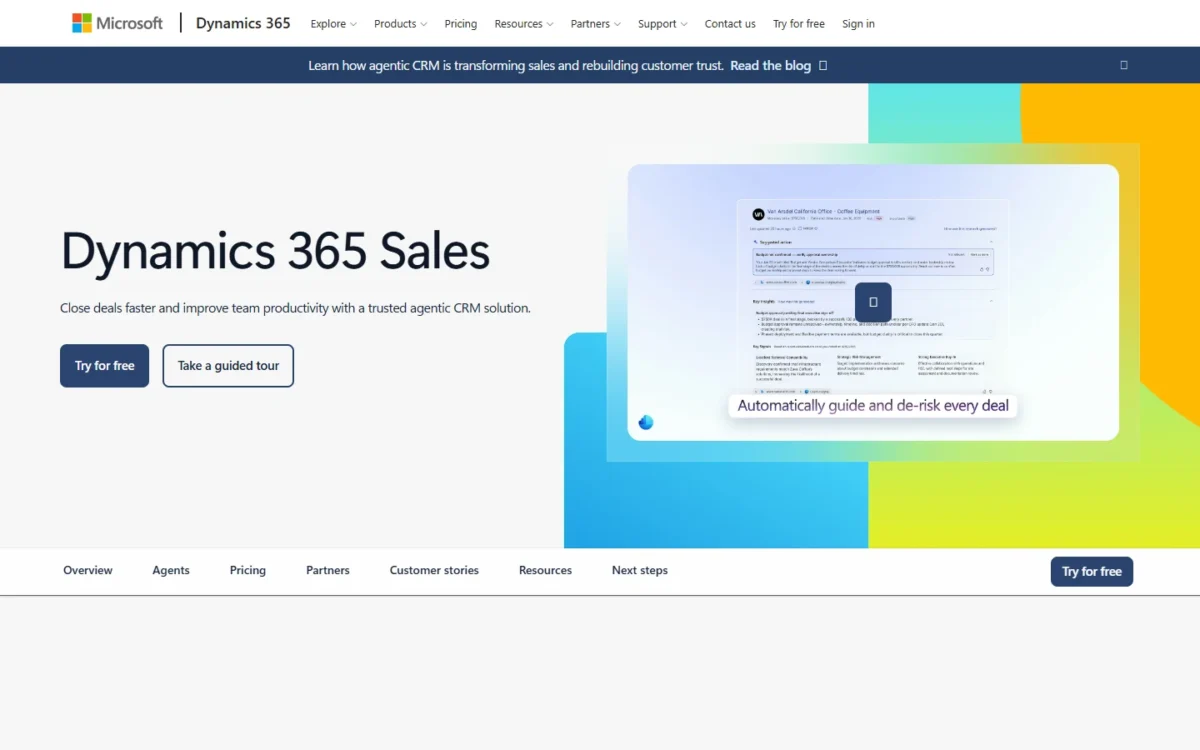
- Best for: organizations standardized on Microsoft 365, Outlook and Teams
- Plan a sales team needs: Sales Professional, $65.00 per user per month, paid yearly
- Free plan or trial: free trial
- Integrations: Microsoft 365 interoperation from Sales Professional; no count on the pricing page
Dynamics 365 Sales makes sense when Outlook and Teams are where reps already work. Sales Professional covers core sales force automation, Microsoft 365 interoperation, reporting and dashboards. The trade-off is licensing: Copilot in Teams, automation through Power Automate and outbound calling all require additional licenses.
Sales Professional handles leads, opportunities, accounts, quotes, orders and invoices, with export to Excel and analytics in Power BI. A manager builds pipeline reports in tools a Microsoft shop already runs.
Sales Enterprise ($105.00, paid yearly) adds Copilot in Dynamics 365 and access to prebuilt agents. Microsoft’s plan notes list outbound calling under conversation intelligence and say it requires additional licenses, so a phone-led team prices those too. Sales Premium ($150.00, paid yearly) adds 1,000 Copilot Credits per user each month and Sales Insights.
Microsoft Relationship Sales bundles Sales Enterprise with LinkedIn Sales Navigator and requires a 10-seat minimum. Against Salesforce, Dynamics is my pick for the Microsoft-stack buyer; Salesforce fits the rest.
The three priced plans are paid yearly, and Microsoft notes that actual prices depend on currency, country and region, with the final price shown at checkout.
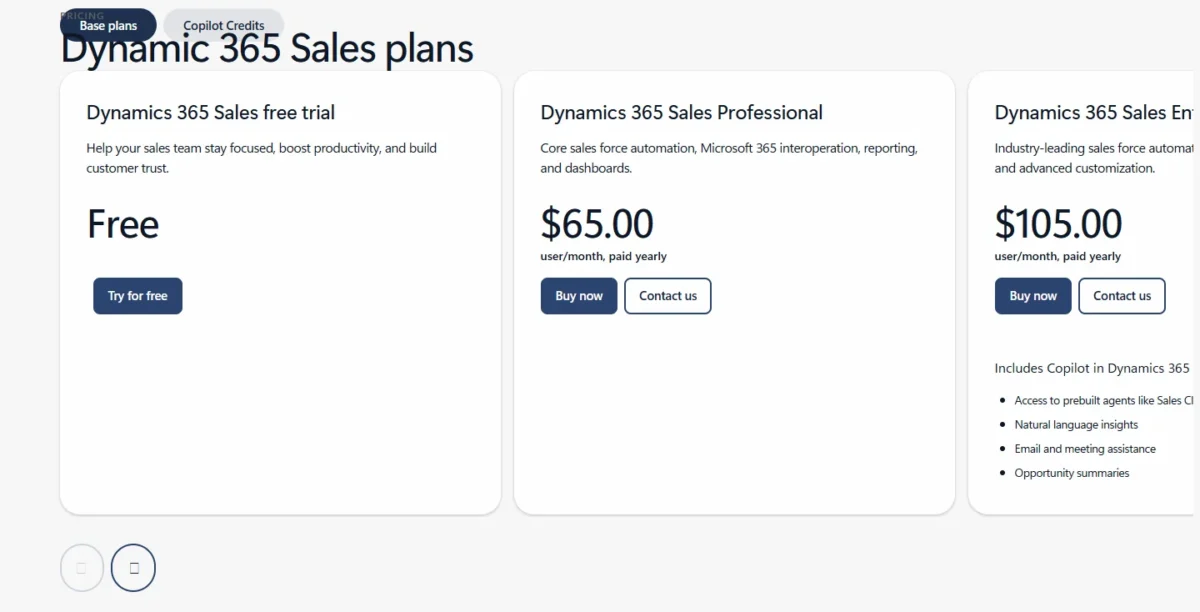
| Plan | Per user per month, paid yearly | What it adds |
|---|---|---|
| Sales Professional | $65.00 | Core sales force automation |
| Sales Enterprise | $105.00 | Copilot and prebuilt agents |
| Sales Premium | $150.00 | 1,000 Copilot Credits, Sales Insights |
| Relationship Sales | Contact a sales specialist | Sales Navigator; 10-seat minimum |
Sources: Dynamics 365 Sales pricing, checked October 2026.
Pros
- Microsoft 365 interoperation from Sales Professional
- Export to Excel and Power BI analytics
- Prebuilt sales agents from Sales Enterprise
Cons
- Copilot in Teams requires additional licenses
- Power Automate workflows need additional licenses
- Relationship Sales requires 10 seats and a sales call
Choose Dynamics 365 Sales if IT already standardizes on Microsoft 365 and the CRM must live beside Outlook and Teams.
- Skip it if:
- your company runs on Google Workspace; Copper is the Gmail-native pick.
Each edition’s plan gates are laid out in my Dynamics 365 Sales review.
9. Copper: Best for Sales Teams That Work in Gmail and Google Workspace
- Best for: sales teams that work in Gmail and Google Workspace
- Plan a sales team needs: Professional, $59 per seat per month, paid annually
- Free plan or trial: free trial, no credit card required
- Integrations: 5,000+ apps through its automation partner; DocuSign, QuickBooks, RingCentral, Slack
Copper is the Google Workspace counterpart to Dynamics. A Chrome extension brings it into Gmail and Google Calendar, which suits a team whose day is email. The limit that bites first is contacts: Basic caps at 2,500, which a prospecting team can fill quickly.
Gmail email, contact and file sync, Google Calendar sync and Contact Sync capture who a rep talks to without typing. A Sheets and Looker Studio sync covers reporting in tools the team already uses.
Professional raises the cap to 15,000 contacts and adds workflow automation, bulk email and reporting. Business removes the cap and adds email series and custom reports.
Against Pipedrive, email follow-up costs more here: Copper’s email series sit on Business at $99 a seat, while Pipedrive Growth lists sequences at $24.
Business shows the widest billing gap on Copper’s page: $134 per seat billed monthly against $99 paid annually. Prices are in USD and exclude taxes and fees.
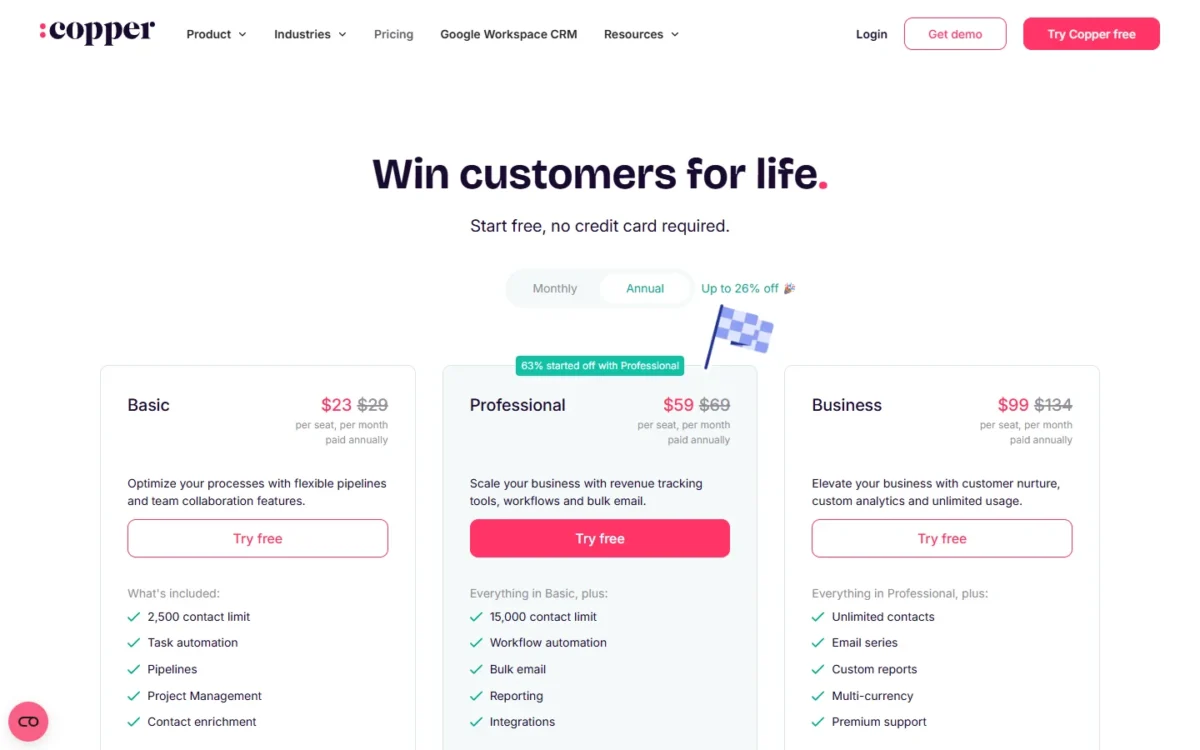
| Plan | Per seat per month, paid annually | Billed monthly | Contact limit |
|---|---|---|---|
| Basic | $23 | $29 | 2,500 contacts |
| Professional | $59 | $69 | 15,000 contacts |
| Business | $99 | $134 | Unlimited contacts |
Sources: Copper pricing, checked October 2026.
Pros
- Gmail, Calendar, Contacts and Drive sync with a Chrome extension
- Workflow automation and bulk email on Professional
- 5,000+ apps through its automation partner
Cons
- Basic caps at 2,500 contacts
- Email series need Business at $99 a seat
- Built-in calling is not listed
Choose Copper if every rep works from Gmail and the CRM has to be visible there.
- Skip it if:
- your company runs Microsoft 365, where Dynamics 365 Sales (pick 8) fits, or you need sequences under $99 a seat, where Pipedrive (pick 1) fits.
The Gmail extension is examined in my Copper CRM review.
Gmail teams weighing other options can compare the Copper CRM alternatives.
10. monday CRM: Best for Teams That Hand Won Deals Off to Delivery
- Best for: teams where a won deal becomes work for delivery or ops
- Plan a sales team needs: Standard, $17 per seat per month on yearly billing
- Free plan or trial: 14-day trial; no free CRM plan
- Seat rule: plans start from 3 users; a quote above 40 users
monday CRM fits a company where a closed deal turns into work for another team. Every plan lets reps create and share customizable quotes and invoices (50 a month on Standard), so the paperwork that follows a won deal starts in the CRM.
Pro adds an AI workflow builder that links agents, triggers and actions “to keep work moving without manual handoffs”. monday pitches Ultimate as a way to “manage pre- to post-sales”.
It is less of a pure sales tool than Pipedrive: email sequences wait for Pro. The entry math matters too, because plans start from 3 users and Basic holds 1,000 active contacts and deals.
Standard adds 250 custom automations a month, 10,000 active contacts and deals, and a timeline of every email, call, meeting and note per person. It also lists AI agents, including an outreach caller agent and a lead sourcer agent.
Pro raises the limits to 100,000 contacts and deals and 25K automations a month, and adds mass email and email sequences. Against Pipedrive, sequences cost $28 a seat on monday’s Pro versus $24 on Pipedrive Growth. That premium pays off only for a team that will use the quotes, invoices and handoff workflows.
The 3-seat minimum puts even Basic at $12 x 3 x 12 = $432 a year for a two-person team. Prices exclude tax and depend on the billing country. Every plan is priced in my monday.com pricing guide.
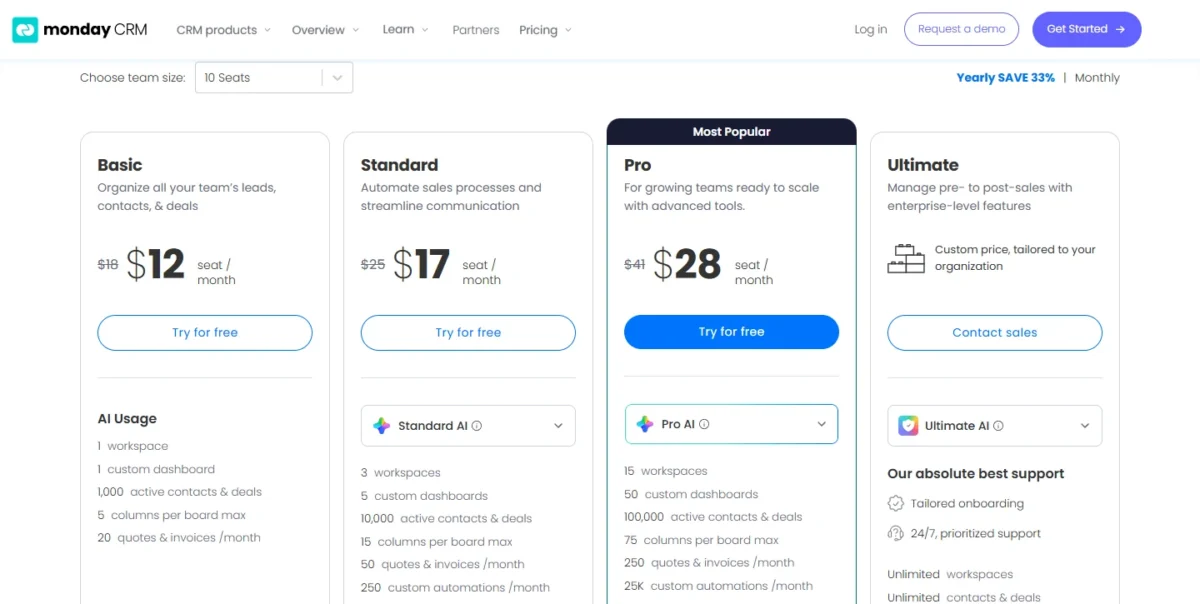
| Plan | Per seat per month, yearly billing | Billed monthly | Key limit |
|---|---|---|---|
| Basic | $12 | $18 | 1,000 contacts and deals |
| Standard | $17 | $25 | 250 automations a month |
| Pro | $28 | $41 | 25K automations a month |
| Ultimate | Custom price | Custom price | Contact sales |
Sources: monday CRM pricing, checked October 2026.
Pros
- Quotes and invoices on every plan, 50 a month on Standard
- 250 automations a month and AI agents on Standard
- Email sequences and mass email on Pro
Cons
- Plans start from 3 users
- Basic holds only 1,000 active contacts and deals
- Forecasting is not listed on the pricing page
Choose monday CRM if the sales team hands every won deal to a delivery team that already works in monday.com.
- Skip it if:
- the pipeline is the whole job and you want sequences on a mid plan; Pipedrive Growth (pick 1) fits.
My monday.com review covers the work-management side.
What a 10-Rep Sales Team Pays in Year One
A 10-rep team pays very different amounts for the same job, because each tool gates sequences, dialers or forecasting on a different plan. The table prices the plan each section recommends, on annual billing, before tax.
| Software | Plan the job needs | Price basis | Year one for 10 reps | Not in the total |
|---|---|---|---|---|
| Pipedrive | Growth | $24 per seat per month, billed annually | $24 x 10 x 12 = $2,880 | Add-ons such as LeadBooster |
| HubSpot Sales Hub | Professional | $90/mo/seat, paid annually | $90 x 10 x 12 = $10,800 plus $1,500 onboarding, which is $12,300 | Extra HubSpot Credits |
| Salesforce Sales Cloud | Pro Suite | $100 USD per user per month, billed annually | $100 x 10 x 12 = $12,000 | Premier Support add-on |
| Zoho CRM | Standard | $14 per user per month, billed annually | $14 x 10 x 12 = $1,680 | Local taxes |
| Freshsales | Pro | $39 per user per month, billed annually | $39 x 10 x 12 = $4,680 | Freddy AI Agent sessions |
| Close | Growth | $99 per user per month, billed annually | $99 x 10 x 12 = $11,880 | Calling and SMS usage, phone lines |
| Attio | Pro | $79 per user per month, billed annually | $79 x 10 x 12 = $9,480 | Extra workspace credits |
| Dynamics 365 Sales | Sales Professional | $65.00 per user per month, paid yearly | $65 x 10 x 12 = $7,800 | Licenses for Copilot in Teams |
| Copper | Professional | $59 per seat per month, paid annually | $59 x 10 x 12 = $7,080 | Taxes and fees |
| monday CRM | Standard | $17 per seat per month, yearly billing | $17 x 10 x 12 = $2,040 | Sequences (Pro plan) |
Sources: the ten vendor pricing pages linked under the comparison table, including Pipedrive pricing and HubSpot Sales Hub pricing, checked October 2026.
Three totals land within a few hundred dollars of each other: Close Growth, Salesforce Pro Suite and HubSpot Professional with onboarding. They buy different things: a power dialer, quoting and forecasting, or sequences on a marketing-ready CRM.
At the low end, Zoho CRM Standard and monday CRM Standard cost less than Pipedrive Growth for 10 reps, but neither plan lists email sequences. Close’s figure moves with usage, since calling, SMS and phone lines bill on top of the seats.
Two edge cases change the count. Attio Plus would cost less for exactly 10 reps, but the 11th seat forces Pro, and Microsoft Relationship Sales cannot be bought for fewer than 10 seats.
How to Choose the Best CRM for Your Sales Team
Start from how your team sells, find the plan that unlocks the calling, sequences or forecasting that motion needs, then price that plan for your headcount. The table shows the cheapest plan of each tool that lists each capability.
| Software | Built-in calling | Email sequences | Workflow automation | Sales forecasting | Seat minimum or cap |
|---|---|---|---|---|---|
| Pipedrive | Not listed | Growth | Growth | Growth | Not listed |
| HubSpot Sales Hub | Starter | Professional | Starter (50 workflows) | Professional | Free: up to 2 users |
| Salesforce Sales Cloud | Not listed | Not listed | Starter Suite | Pro Suite | Not listed |
| Zoho CRM | Standard | Not listed | Free | Standard | Free: 3 users |
| Freshsales | Growth | Pro | Growth (basic) | Enterprise | Not listed |
| Close | Essentials | Growth (workflows) | Growth | Not listed | Solo: 1 user |
| Attio | Not listed | Pro | Not listed by plan | Not listed | Plus: up to 10 seats |
| Dynamics 365 Sales | Outbound calling: additional licenses | Not listed; sales accelerator under Sales engagement | Power Automate: additional licenses | Listed under Advanced sales force automation | Relationship Sales: 10 seats minimum |
| Copper | Not listed | Business (email series) | Professional | Not listed | Basic: 2,500 contacts |
| monday CRM | Not listed | Pro | Standard | Not listed | Plans start from 3 users |
Sources: the ten vendor pricing pages linked under the comparison table, including Close pricing and Dynamics 365 Sales pricing, checked October 2026.
Pipeline-led teams that email more than they call should start with Pipedrive Growth. Teams that dial all day should start with Close Growth, which carries the dialer and workflows on one plan. Teams that share contacts with marketing should price HubSpot Professional, onboarding included.
Stack and process narrow it further. Microsoft 365 companies should look at Dynamics 365 Sales, Gmail teams at Copper, and orgs with several teams to forecast at Salesforce Sales Cloud. Zoho CRM Standard covers forecasting on the smallest budget, and Attio covers reps who never log activity.
Then test the limit you will hit first: Copper’s contact caps, Attio’s 10 seats, monday’s 3-seat floor, HubSpot’s onboarding fee or Close’s usage bill. That limit, plus the seat price for your headcount, usually decides between the last two candidates.
Last, list the systems the CRM must integrate with before you buy. Pipedrive lists 500+ integrations, HubSpot over 2,000 apps and web services, Zoho CRM 1,100+ ready-to-use app integrations and Close over 100 apps, with Zapier connecting 2,000+. A team whose quotes, email or phone system sits outside the CRM should confirm that connection on the vendor’s marketplace first.
Shortlists by Team and Job
- Fewer than 10 people and a tight budget: best CRM for small business.
- No budget yet: free CRM plans compared.
- Every company size, not only sales teams: best CRM software across company sizes.
- Marketing automation matters as much as the pipeline: best sales and marketing software.
- Enterprise depth against an all-in-one suite: HubSpot vs Salesforce.
- Budget pipeline tools head to head: Pipedrive vs Zoho CRM.
Also Considered
These 11 tools came up in top-ranking lists or my research and did not make the ten:
- SugarAI (formerly SugarCRM): built for repeat selling into existing accounts; Standard+ is $68 per user per month billed annually, and forecasting starts on Advanced+ at $98. See my SugarCRM review.
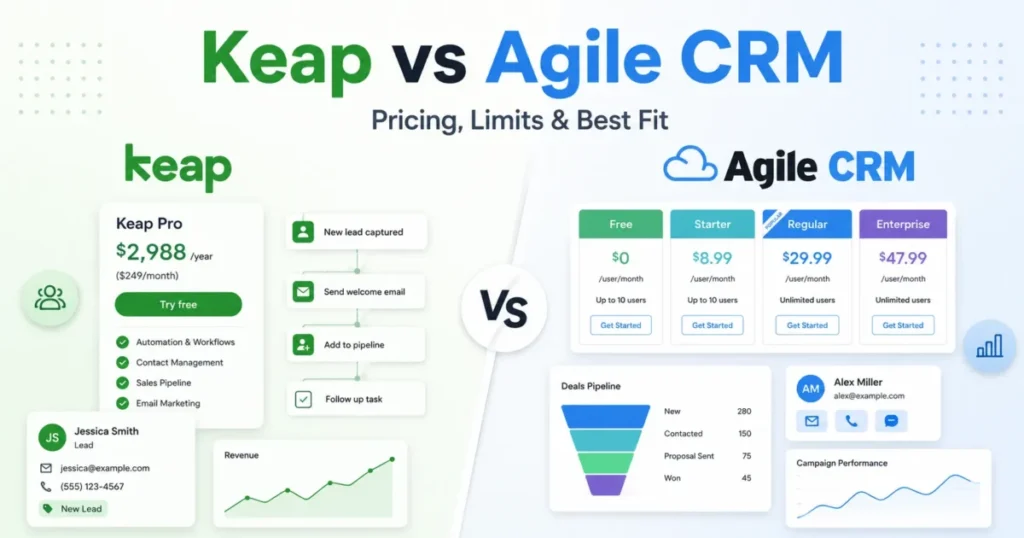
- Keap: follow-up automation for small businesses; extra users cost $39 a month each beyond the 2 included, and annual contracts carry a $299 early termination fee. See my Keap review.
- Zendesk Sell: Zendesk’s Sell pricing URL opens the Zendesk customer service pricing page with no Sell plan; my Zendesk Sell review explains why.
- SuperOffice: prices are published in euros, with built-in GDPR tools and no permanent free plan.
- Nimble: up to 25,000 contacts per account, built for relationship management more than a multi-rep pipeline.
- Less Annoying CRM: one plan at $15 per user per month with unlimited pipelines, but no sequences or forecasting listed.
- Capsule: its free plan allows at most 2 users and 250 contacts, a small-team tool rather than a sales floor.
- Bitrix24: Basic is US$49 per organization per month billed annually for 5 users, inside a suite of tasks, chat and CRM.
- ActiveCampaign: pipelines and sales engagement are add-ons to a marketing automation plan.
- Streak: a CRM inside Gmail; Copper covers the Google Workspace job here with workflow automation.
Insightly: When the Sale Hands Off to Delivery
Insightly suits a team that passes each won deal to a delivery team. Won opportunities convert to projects with native project management, and it lists Google, MS 365, PandaDoc, QuickBooks and Xero integrations.
Plus is $29 per user per month, billed annually; Professional at $49 adds lead assignment and routing, workflow automation and AI Copilot. Quotes wait for Enterprise at $99, while monday CRM has them on every plan. See my Insightly CRM review.
Frequently Asked Questions
Which CRM software is best for sales teams?
There is no single winner; pick by the job your reps do most. Deal-by-deal pipeline work points to Pipedrive, shared marketing records to HubSpot Sales Hub, custom enterprise process to Salesforce Sales Cloud and all-day dialing to Close. On the smallest budget, Zoho CRM Standard is the cheapest plan here that lists forecasting.
What are the top 3 CRM platforms?
For a sales team, I would shortlist Salesforce Sales Cloud, HubSpot Sales Hub and Zoho CRM, because each runs from a $0 tier to enterprise editions with forecasting. A team can pilot Salesforce’s Free Suite, HubSpot’s free plan for 2 users and Zoho’s free edition for 3 users before paying.
Does Microsoft Teams have a CRM tool?
Yes, through Dynamics 365 Sales, Microsoft’s sales CRM, which lists Copilot capabilities in Microsoft Teams such as conversation intelligence and collaborative deal rooms. Those Teams features require additional licenses on top of the Dynamics plan, which starts at $65.00 per user per month, paid yearly.
Which sales CRMs have a free plan or trial?
HubSpot Sales Hub is free for up to 2 users, Zoho CRM for 3 users and Attio for up to 3 seats, and Salesforce lists a Free Suite. Trials run 30 days on Salesforce, 21 days on Freshsales, and 14 days on Pipedrive, Close, monday CRM and Attio’s Pro plan.
How do I move existing data into a new CRM?
Start with the importer the new vendor lists. Pipedrive imports from a spreadsheet or another CRM, Close imports data from another CRM or a spreadsheet, Zoho CRM imports spreadsheets on its free edition, and Attio imports CSV files. Run the import on a copy of your pipeline before cancelling the old tool.
Final Verdict
Buy for the motion your reps run every day, and price the plan that unlocks it rather than the entry tier.
- Pipeline-led small team: Pipedrive Growth, the lowest-priced plan here that lists sequences, automations and forecast reports together.
- Sales and marketing sharing records: HubSpot Sales Hub Professional, if one CRM across teams is worth the $1,500 onboarding.
- Enterprise process: Salesforce Sales Cloud, starting on Pro Suite for forecasting and moving to Core when the org wants Slack Business+, Tableau Next and AI.
- Outbound calling: Close Growth, or Scale once predictive dialing earns its seat price.
- Tightest budget: Zoho CRM Standard for forecasting and calling; Freshsales Growth when phone, email and chat matter more than forecasts.
- Stack-bound teams: Dynamics 365 Sales for Microsoft 365, Copper for Google Workspace.
- Startups with empty CRMs: Attio, until the team passes 10 seats on Plus.
- Sales handing work to delivery: monday CRM on Standard.


Pingback: Hunter.io Review: Hunter.io Email Finder, Verifier & Pricing