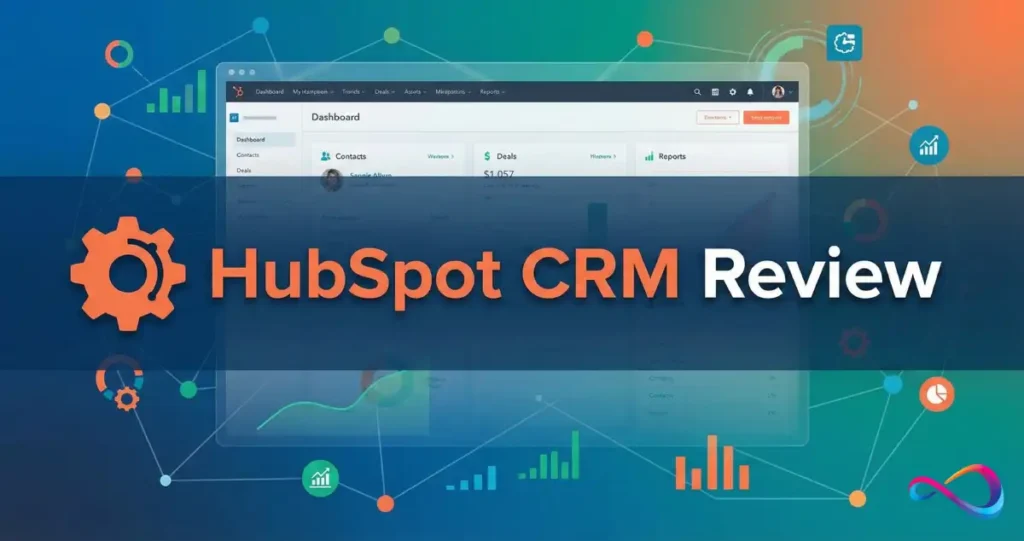
Looking for an honest HubSpot CRM review to decide if HubSpot is right for your business in 2026? This consultant-tested guide breaks down HubSpot CRM’s features, pricing structure, pros and cons, and compares it against the best alternatives—giving you the clarity you need to make a confident decision.
HubSpot CRM has evolved from a simple free CRM tool into a comprehensive customer platform serving over 228,000 customers globally. But with its shift to seat-based pricing and a complex hub structure, many SMB buyers struggle to understand what they’re actually getting—and what they’ll actually pay.
This review cuts through the marketing noise to give you real decision guidance, whether you’re evaluating HubSpot CRM for a small business, comparing HubSpot CRM vs Salesforce, or trying to understand if HubSpot’s free CRM is truly worth it. If you’re new to CRM systems, our guide on what is CRM software provides helpful foundational context.
Key Takeaways
- HubSpot CRM offers a genuinely free tier with unlimited users and up to 1,000,000 contacts—but most sales features beyond basic pipeline management require paid Sales Hub tiers.
- Seat-based pricing launched in 2024 changed cost calculations significantly; plan for $15–$150+/seat/month depending on tier, seat type, and annual commitment.
- Best for marketing-led B2B teams wanting CRM + marketing automation on one unified platform; not ideal for highly customized enterprise needs or sales-only teams wanting advanced automation at low cost.
- The free CRM works well for startups and solopreneurs as a genuine tool (not a limited trial), but growing teams typically hit feature paywalls within 6–12 months.
- Total cost of ownership can be 25–40% higher than initial quotes once you factor in marketing contacts, additional seats, onboarding fees, and multi-hub bundles.
At a Glance: HubSpot CRM Review
Bottom line: HubSpot CRM is the best all-in-one customer platform for SMBs prioritizing marketing-sales alignment over deep customization. The free tier genuinely delivers value for early-stage teams, but plan your budget carefully—costs scale quickly with seats, marketing contacts, and advanced automation needs.
Best For
- Marketing-led B2B startups and SMBs
- Teams wanting CRM + marketing automation on a single unified platform
- Organizations prioritizing ease of use and fast time-to-value over deep customization
- Companies with 5–50 employees scaling toward mid-market
- Businesses running inbound marketing strategies with content, SEO, and lead nurturing
Not Best For
- Enterprises needing Salesforce-level customization and custom objects from day one
- Sales-only teams wanting cheap, pipeline-focused tools with sequences included
- Organizations with complex multi-entity structures or deep ERP integrations
- Teams with tight budgets who’ll need sequences, forecasting, and workflow automation
- Companies with 100k+ marketing contacts (marketing contacts pricing scales steeply)
If You Only Remember 3 Things
- Free CRM is real—unlimited users, basic deal pipeline, email tracking, meeting scheduler—but paid features (sequences, forecasting, custom reporting, workflow automation) require Sales Hub Starter ($15/seat/month) or higher.
- Marketing contacts pricing can surprise you; you pay based on contacts you actively market to (via email/ads), not just total contacts stored in your database. Overages add up fast.
- Seat-based pricing means your cost scales directly with team size; model your 12-month and 24-month costs before committing to annual contracts.
Scorecard (1–5)
| Category | Score | Notes |
|---|---|---|
| Ease of Use | 4.5/5 | Intuitive UI; minimal training needed for sales reps to be productive |
| Sales Features | 4.0/5 | Strong feature depth at Professional tier; Starter lacks sequences |
| Marketing Alignment | 5.0/5 | Best-in-class for unified marketing + sales on one platform |
| Reporting & Analytics | 3.5/5 | Good dashboards; custom reports and attribution require Pro+ |
| Integrations | 4.5/5 | 1,600+ apps in HubSpot App Marketplace; native Gmail/Outlook sync |
| Total Cost of Ownership | 3.0/5 | Affordable to start; costs scale quickly with team growth and contacts |
What HubSpot CRM Is (and What Buyers Commonly Misunderstand)
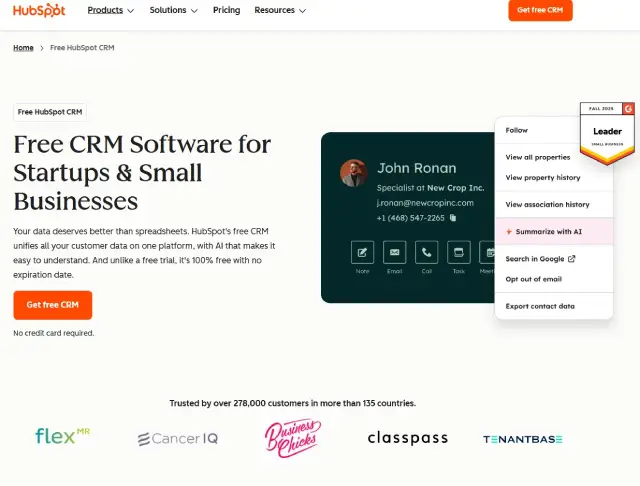
HubSpot CRM is the free, foundational contact and deal management layer within the broader HubSpot Customer Platform (sometimes called HubSpot Smart CRM). It includes contact and company records, deal pipelines, task management, basic email tracking, meeting scheduling, and live chat—all at no cost with unlimited users.
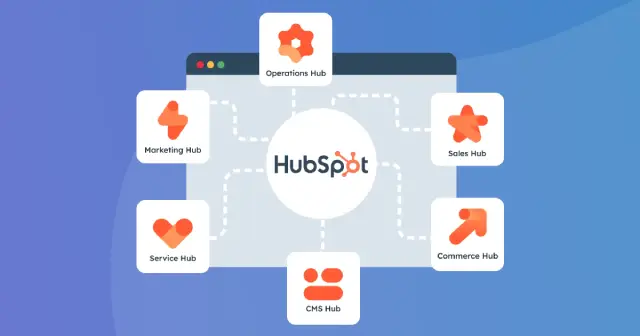
However, HubSpot CRM is not the same as HubSpot’s paid Hubs, which add advanced functionality on top of the free CRM foundation:
- Sales Hub adds sales sequences, calling with recording, pipeline forecasting, playbooks, and advanced sales automation workflows.
- Marketing Hub adds email marketing campaigns, landing pages, forms, marketing automation workflows, and lead scoring.
- Service Hub adds ticketing systems, knowledge base, customer feedback surveys, and service automation.
- Content Hub (formerly CMS Hub) adds website hosting, blog management, and content personalization tools.
- Operations Hub adds bi-directional data sync, programmable automation, and data quality management tools.
Common Misconceptions About HubSpot CRM
| Misconception | Reality |
|---|---|
| “HubSpot CRM is totally free forever” | The CRM foundation is free, but most growing sales teams need Sales Hub features (sequences, forecasting, automation) within 6–12 months. |
| “Free means limited contacts” | You can store up to 1,000,000 contacts free—but marketingto them via email/ads costs extra through Marketing Hub’s contact-tier pricing. |
| “HubSpot is only for small companies” | HubSpot serves enterprises with Enterprise tiers, but Salesforce often wins for highly complex, multi-subsidiary organizations with deep customization needs. |
| “All HubSpot features work together automatically” | Hub integration is strong, but cross-hub workflows and advanced automation require Professional tier ($90+/seat/month) or higher. |
| “HubSpot Sales Hub = HubSpot CRM” | Sales Hub is a paid add-on on top of the free CRM. Many features buyers assume are “CRM” are actually gated in Sales Hub. |
Consultant Note: When evaluating HubSpot—or when prospects say “we use HubSpot”—always clarify which Hubs and tiers. A company on Free CRM + Marketing Starter has a completely different experience (and cost structure) than one running Sales Hub Enterprise + Marketing Hub Professional.
For a comprehensive comparison of CRM platforms, see our best CRM software guide.
HubSpot CRM Key Features: Consultant-Style Walkthrough
Understanding what HubSpot CRM actually includes—versus what requires paid upgrades—is critical for accurate budgeting. Here’s a detailed breakdown of core HubSpot CRM features:
Contact & Company Records
- What you get: Unified activity timeline showing emails, calls, meetings, notes, tasks, and deal associations for every contact and company.
- Custom properties: Free tier allows up to 10 custom properties per object (contacts, companies, deals). Paid tiers unlock more.
- Company insights: Auto-populated company information pulled from HubSpot’s database (company size, industry, revenue estimates).
- Strength: Clean, intuitive interface makes it easy to see full customer history at a glance without clicking through multiple screens.
- Watch-out: Deduplication is manual on free tier; automated duplicate management requires Operations Hub or third-party tools.
Deal Pipelines & Stage Management
- What you get: Visual Kanban-style pipeline view; drag-and-drop deals between stages; required fields by stage.
- Free tier limits: 1 deal pipeline with up to 10 deal stages. Paid tiers (Starter+) unlock up to 50 pipelines.
- Deal properties: Track deal value, close date probability, associated contacts/companies.
- Strength: Fast to set up and immediately usable; ideal for simple, linear sales processes. Most teams can configure a working pipeline in under an hour.
- Watch-out: No weighted pipeline forecasting on Starter tier. Forecasting dashboards and deal probability by stage require Sales Hub Professional ($90/seat/month).
For sales teams prioritizing pipeline visualization above all else, Pipedrive offers a more focused alternative.
Tasks, Activity Management & Meetings
- Tasks: Create tasks, assign to team members, set due dates, attach to contacts/deals, and set email reminders.
- Task queues: Organize related tasks into queues for efficient prospecting workflows. Available across all tiers.
- Meeting scheduler: Free meeting scheduling tool syncs with Google Calendar and Microsoft Outlook; embeddable booking links; multiple meeting types.
- Strength: The free meeting scheduler alone provides significant value for solopreneurs and small teams—comparable to Calendly’s basic features.
Email Integration & Tracking
- Native integrations: Direct sync with Gmail, Outlook, Google Workspace, and Microsoft 365.
- Email tracking: See when contacts open emails and click links (free tier included, though with HubSpot branding).
- Email templates: Create reusable templates (5 on free tier; more on paid).
- Strength: Email-CRM integration is seamless; logged emails automatically appear on contact timelines.
- Watch-out: Email sequences (automated multi-touch outreach) require Sales Hub Professional ($90/seat/month). Starter tier ($15/seat/month) does not include sequences.
Activity Logging & Basic Reporting
- Activity logging: Automatic logging of emails sent through connected accounts and calls made through HubSpot. Manual logging for notes and external activities.
- Dashboards: Free tier includes 1 dashboard with up to 10 reports (standard report types). Starter adds up to 10 dashboards.
- Reporting limitations: Custom reports, sales analytics dashboards, and attribution reporting require Sales Hub Professional or higher.
- Strength: Default reports cover essential metrics (deal pipeline value, activity tracking, forecasted revenue) for most early-stage teams.
Calling & Live Chat
- Calling: Free tier includes limited calling capability; Starter adds 500 calling minutes per user/month; recordings available at professional+.
- Live chat: Free chatbot and live chat widget for website. Customizable, but HubSpot branding visible on free tier.
- Strength: Built-in calling removes need for separate VoIP tools for small teams.
UX Notes: Where HubSpot Feels Fast vs. Admin-Heavy
Fast and intuitive:
- Logging calls, updating deal stages, creating tasks—reps can complete in under 30 seconds
- Contact and company record navigation
- Meeting scheduling and email tracking
Admin-heavy areas (require dedicated admin time):
- Workflow automation setup and management (Professional+ tiers)
- Lifecycle stage configuration and lead routing rules
- Permission/team structure management (especially at Enterprise tier)
- Custom property governance and data hygiene enforcement
HubSpot CRM Pricing in 2026: Plain-English Breakdown
HubSpot shifted to seat-based pricing in 2024 (announced March 2024, effective for new customers)—a significant change from its previous bundled user model. This section explains the current pricing architecture in plain terms. For a complete breakdown of every hub, tier, seat type, and real-world cost scenario, see our HubSpot pricing guide.
Free CRM: What’s Actually Included (and What’s Not)
Included in Free CRM:
- Unlimited users (view and edit permissions)
- Up to 1,000,000 contacts, companies, and deals
- 1 deal pipeline (up to 10 stages)
- Email tracking and notifications
- Meeting scheduler with booking links
- Live chat (1 chatflow, HubSpot branding visible)
- Basic reporting dashboard (1 dashboard, 10 reports)
- Mobile app access (iOS and Android)
- Gmail and Outlook email integration
- Standard contact/company properties
Not included (requires paid upgrade):
- Email sequences (automated multi-step outreach) → Sales Hub Professional
- Workflow automation → Professional+ tiers
- Custom reporting and analytics → Sales Hub Professional
- Forecasting dashboards → Sales Hub Professional
- Multiple deal pipelines → Sales Hub Starter+
- Call recording and transcription → Sales Hub Professional
- Playbooks → Sales Hub Professional
- Remove HubSpot branding → Starter+ tiers
Sales Hub Pricing Tiers (2026)
| Tier | Starting Price | Best For | Key Unlocks | Watch-Outs |
|---|---|---|---|---|
| Free CRM | $0 | Solopreneurs, early startups, freelancers | Basic CRM, email tracking, meeting scheduler | No sequences, no automation, HubSpot branding |
| Starter | $15/seat/month | Small sales teams (2–5 reps) | Removes branding, 2 pipelines, 500 calling minutes, simple automation | Still no sequences; limited workflow automation |
| Professional | $90/seat/month (3-seat minimum) | Growth-stage teams (5–25 reps) | Sequences, forecasting, full workflow automation, custom reports, products library | $1,500 mandatory onboarding fee; 3-seat minimum ($270/month floor) |
| Enterprise | $150/seat/month (5-seat minimum) | Mid-market to enterprise | Predictive lead scoring, hierarchical teams, custom objects, advanced permissions | $3,500 mandatory onboarding; annual commitment only; 5-seat minimum |
Source: HubSpot. Verify current pricing at HubSpot’s official pricing page. Pricing in USD; monthly rates shown for reference; annual billing offers ~10–15% discount. Core seat pricing; view-only seats available at lower cost.
Understanding HubSpot Seat Types
HubSpot’s 2024 pricing introduced distinct seat types:
- Core seats: Full-access users who need Sales Hub features (sequences, forecasting, calling, automation). Each paid core seat unlocks full functionality.
- View-only seats: Free; users can view records but cannot edit, create, or take actions. Useful for executives or cross-functional stakeholders who need visibility.
- Sales Hub seats vs. other Hub seats: Each Hub has its own core seat licensing. A user needing Sales + Service capabilities needs seats for both (or a bundled “Customer Platform” tier).
Consultant Note: When planning seats, audit your team’s actual needs. Not everyone needs a core seat. Executives who just review dashboards can use free view-only access, saving $15–$150/month per person.
Real-World Cost Drivers: What Actually Increases Your Bill
- Number of core seats – Each sales rep needing sequences, calling, and automation requires a paid core seat. This is the primary cost driver.
- Marketing contacts (Marketing Hub) – If using Marketing Hub, you pay based on contacts you actively market to via email and ads—not total database size. Tiers start at 1,000 marketing contacts; costs increase at 5k, 10k, 25k, 50k, 100k+ thresholds. A company with 50k marketing contacts might pay $2,000+/month for Marketing Hub Professional alone.
- Mandatory onboarding fees – Sales Hub Professional ($1,500) and Enterprise ($3,500) require paid onboarding, even if you have an experienced team. This is non-negotiable for net-new contracts.
- Multi-hub bundles – Using Sales + Marketing + Service Hubs together offers bundled discounts but raises your baseline spend significantly. A typical mid-market “Customer Platform” bundle can run $50,000–$150,000/year.
- Add-ons – Additional calling minutes, API call limits, reporting add-ons (Enterprise), and custom object capacity.
- Annual vs. monthly commitment – Professional and Enterprise tiers effectively require annual contracts. Monthly pricing is higher and less commonly offered at scale.
For a detailed breakdown of competitor pricing, see our Freshsales pricing guide for comparison.
HubSpot CRM Pricing: Budget Reality Check Scenarios
| Team Scenario | Likely Configuration | Estimated Annual Cost |
|---|---|---|
| 3 sales reps (small startup) | Sales Hub Starter | ~$540/year ($15 × 3 × 12) |
| 10 reps needing sequences | Sales Hub Professional | ~$10,800/year + $1,500 onboarding = ~$12,300 Y1 |
| 10 reps + 20k marketing contacts | Sales Pro + Marketing Pro | ~$25,000–$40,000/year depending on contacts |
| 25 reps + full GTM stack | Sales Pro + Marketing Pro + Service Pro | ~$60,000–$100,000/year (bundled pricing varies) |
These are illustrative ranges based on published pricing. Your actual cost depends on seat count, contact tiers, negotiated discounts, and multi-year commitments. Always request a custom quote from HubSpot for 5+ seats.
Consultant Note: I consistently advise clients to budget 25–40% more than their initial HubSpot quote. Marketing contact overages, seat additions mid-contract, and unanticipated add-ons almost always push Year 1 costs higher than projected.
HubSpot CRM Pros & Cons: No Fluff, Just Facts
Pros
- Genuinely useful free tier – HubSpot’s free CRM is a real tool, not a time-limited trial. Unlimited users, 1M contacts, email tracking, and meeting scheduling provide immediate value for startups. This is one of the best free CRM software options available.
- Best-in-class marketing-sales alignment – Unified platform means marketing and sales share the same contact records, lifecycle stages, attribution data, and automation workflows. No integration headaches. For teams prioritizing CRM for marketing automation, HubSpot leads the market.
- Fast time-to-value – Teams can go live in days, not months. Basic setup (pipeline, email integration, meeting scheduler) takes under a day. Contrast with Salesforce implementations that typically take 2–6 months.
- Intuitive UX with low training overhead – Clean, modern interface. Sales reps can be productive within hours, not weeks. Mobile app is polished and functional.
- Strong integration ecosystem – 1,600+ apps in HubSpot App Marketplace; native connectors for Gmail, Outlook, Google Workspace, Microsoft 365, Slack, Zoom, Shopify, WordPress, and more. Need workflow automation between tools? Zapier or Make integrate seamlessly.
- HubSpot Academy – Free certification courses and training resources are excellent for team onboarding. Reduces need for expensive external training.
- Breeze AI tools – AI-powered email drafting, content assistance, call summarization, and meeting prep (available at Professional+ tiers). Genuinely useful for high-volume prospecting.
- Transparent pricing model – Seat-based pricing is clearer than Salesforce’s complex à la carte add-on structure. Easier to forecast costs (once you understand the model).
Cons
- Costs scale faster than expected – Moving from Starter ($15/seat) to Professional ($90/seat) is a 6x increase per seat. Marketing contacts pricing adds another significant cost layer.
- Sequences require Professional tier – Most competitors (Pipedrive, Freshsales) include basic sequences at entry paid tiers. HubSpot gates sequences at $90/seat/month—a significant barrier for small teams.
- Marketing contacts model adds hidden cost – High-volume marketers can pay $1,000+/month just for contact capacity, on top of seat costs. This catches many buyers off guard.
- Custom reporting limitations – Free and Starter dashboards are basic. Meaningful custom analytics, attribution, and forecasting require Sales Hub Professional.
- Workflow complexity grows at scale – Large teams (50+ users) need dedicated HubSpot admins to manage lifecycle stages, lead routing, workflow governance, and data hygiene. Admin overhead is real.
- Limited customization vs. Salesforce – Custom objects only available at Enterprise tier. The HubSpot data model is simpler, which is a strength for most SMBs but a limitation for complex enterprises.
- Mandatory onboarding fees – Professional ($1,500) and Enterprise ($3,500) require paid onboarding even for experienced teams. Not optional.
- Annual contracts at higher tiers – Enterprise requires annual commitment; limited flexibility to scale down mid-contract.
HubSpot CRM UX, Adoption & Implementation Reality
Time-to-Value: What You Can Realistically Launch
| Timeframe | What’s Achievable |
|---|---|
| Day 1 | Import existing contacts, set up 1 deal pipeline, connect Gmail/Outlook, enable email tracking |
| Week 1 | Basic task workflows, meeting booking links embedded on website, lead capture forms |
| Week 2–3 | Lifecycle stage definitions aligned with marketing, initial automation workflows, dashboard configuration |
| Day 60 | Full sales process running: sequences active, forecasting dashboards, reps fully onboarded, data hygiene routines established |
HubSpot CRM Setup and Onboarding: Admin Overhead Reality
Easy (anyone can do):
- Adding new users and assigning permissions
- Customizing deal pipeline stages
- Creating email templates
- Setting up meeting types and booking links
Moderate (needs dedicated admin):
- Lead routing rules and round-robin assignment
- Lifecycle stage automation between marketing and sales
- Integration troubleshooting (especially with legacy systems)
- Custom property design and governance
Complex (often needs a HubSpot partner or consultant):
- Multi-hub workflow automation spanning Sales + Marketing + Service
- Custom object configuration (Enterprise tier only)
- Advanced security permissions and hierarchical teams
- Attribution modeling and multi-touch reporting setup
Rule of thumb: Once you pass 20+ users or move to Professional tier, budget for a part-time HubSpot admin (internal or agency) to manage ongoing optimization and governance.
HubSpot CRM Data Migration: What Usually Breaks
When migrating from Salesforce, Pipedrive, Zoho CRM, or other platforms:
- Custom fields – Field types often don’t map cleanly (e.g., Salesforce multi-picklists). Plan for manual data cleanup and field remapping.
- Record associations – Complex parent-child or multi-object relationships may need restructuring. HubSpot’s data model is simpler than Salesforce.
- Deduplication – HubSpot identifies duplicate contacts but merging is manual unless you have Operations Hub. Dedupe before migration when possible.
- Historical email threads – Email history older than 6–12 months often doesn’t migrate cleanly from email platforms. Consider whether you truly need it.
- Attribution expectations – Marketing attribution reports require clean UTM tagging and proper contact association. If historical data lacks UTMs, attribution won’t work retroactively.
- Workflow recreation – Salesforce process builders and flows don’t translate directly. Plan to rebuild automations natively in HubSpot.
For teams evaluating migration from another platform, see our Zoho CRM alternatives guide for comparison insights.
Training & Adoption: Getting Reps to Actually Use the CRM
- Start with HubSpot Academy – Assign the free “HubSpot Sales Software” certification (2–3 hours). Covers core functionality without overwhelming detail.
- Focus training on daily workflows – Log a call, create a task, update a deal stage, schedule a meeting. Skip admin training for reps.
- Designate an internal “HubSpot champion” – One power user who answers questions, enforces data entry standards, and troubleshoots issues.
- Measure adoption weekly – Track activity logging, pipeline updates, and email tracking usage. Identify reps who aren’t engaging.
HubSpot CRM Integrations & Ecosystem
HubSpot App Marketplace Strength
- 1,600+ integrations – Second only to Salesforce’s AppExchange in breadth
- Native connectors: Gmail, Outlook, Google Workspace, Microsoft 365, Slack, Zoom, Shopify, WordPress, LinkedIn Sales Navigator
- Popular integration categories:
- Email/calendar sync: G Suite, Microsoft 365, iCloud
- Calling/communications: Aircall, RingCentral, JustCall, Zoom Phone
- Accounting: QuickBooks Online, Xero, NetSuite
- Support/service: Zendesk, Intercom, Front
- Ecommerce: Shopify, WooCommerce, BigCommerce, Stripe
- Advertising: Facebook Ads, Google Ads, LinkedIn Ads
- Email marketing: Mailchimp, Klaviyo
When You’ll Need Middleware or Custom Development
- Zapier or Make – For niche integrations not in the marketplace or multi-step automations across non-HubSpot tools.
- Custom API work – For syncing proprietary databases, ERP systems, or complex data transformations.
- Operations Hub – If you need real-time bi-directional sync with other platforms (e.g., syncing to a Salesforce sandbox, NetSuite, data warehouses). Operations Hub Professional starts at $800/month.
Typical HubSpot Stack by Business Type
| Business Type | Common HubSpot Stack |
|---|---|
| B2B SaaS startup | HubSpot Free CRM + Sales Starter + Gmail + Slack + Zoom + Stripe |
| Growth-stage B2B | Sales Professional + Marketing Starter + Google Workspace + LinkedIn Sales Navigator |
| Ecommerce brand | Free CRM + Marketing Professional + Shopify + Klaviyo + Attentive (SMS) |
| Professional services | Sales Professional + Outlook + QuickBooks + Calendly (or HubSpot meetings) |
| Mid-market company | Sales Pro + Marketing Pro + Service Starter + Salesforce (legacy data) via Operations Hub |
For customer support and help desk integration considerations, see our help desk solutions guide.
AI in HubSpot (Breeze): What It’s Good For vs. Hype
HubSpot’s Breeze AI (including Breeze Assistant and Breeze tools) provides AI-powered assistance across the platform. Here’s a realistic assessment:
What Breeze Can Actually Help With
- Email drafting: Generate personalized prospecting emails based on contact data and company research. Saves 5–10 minutes per email for high-volume reps.
- Content assistance: Blog posts, social media captions, ad copy suggestions. Useful starting point but requires human editing for brand voice.
- Call summaries: Automatic transcription and summary of recorded calls. Requires Conversation Intelligence add-on (Professional+ tiers).
- Meeting prep: Pre-meeting briefs pulling recent contact activity, company news, and deal context.
- Workflow creation: Natural language workflow builder for basic automation setup.
Where Breeze Is Limited
- Not replacing human judgment: AI suggestions need review for tone, accuracy, and brand alignment. Don’t blindly send AI-drafted emails.
- Data exposure consideration: AI tools access your CRM data. Review governance settings regarding data privacy, especially in regulated industries.
- Tier gating: Advanced AI features (Breeze Intelligence, Breeze Agents) require Professional or Enterprise tiers with additional cost.
- Generic outputs: Without strong prompting, AI content can feel generic. Best when used as a starting point, not final copy.
AI Value Test: 3 Tasks to Pilot in Week 1
- Draft 5 prospecting emails using Breeze’s email writer; compare output to your existing templates.
- Generate a blog outline using content assistant; evaluate how much editing is needed.
- Review AI call summaries for 10 sales calls; identify where human editing improves accuracy.
Consultant Note: Breeze delivers the most value for high-volume prospecting teams (50+ emails/day) and content marketing teams. For smaller teams doing highly personalized, strategic outreach, the time savings are modest. Don’t let AI hype drive your HubSpot purchasing decision.
Best HubSpot CRM Alternatives: 2026 Comparison Table
If HubSpot isn’t the right fit, here are the top alternatives with honest assessments:
| Alternative | Best For | Starting Price | Ease of Use | Automation Depth | Ecosystem | Key Drawback |
|---|---|---|---|---|---|---|
| Salesforce Sales Cloud | Customization-heavy enterprises | $25/user/month (Essentials) | Moderate (steep learning curve) | Very deep | Largest (AppExchange) | Complexity; high TCO; months to implement |
| Zoho CRM | Budget-conscious SMBs wanting full suite | $14/user/month | Easy | Moderate | Strong (45+ Zoho apps) | UX less polished than HubSpot |
| Pipedrive | Pipeline-focused sales teams | $14/user/month | Very easy | Basic→Moderate | Moderate | Weak marketing tools; no native marketing automation |
| Freshsales (Freshworks) | Value + built-in AI | $9/user/month | Easy | Moderate | Growing | Smaller third-party ecosystem |
| Microsoft Dynamics 365 Sales | Microsoft-centric enterprises | $65/user/month | Moderate | Deep | Enterprise (Microsoft) | Requires IT support; complex setup |
| Monday.com | Visual, flexible project+CRM | $12/seat/month | Easy | Basic | Moderate | Not a traditional CRM; limited sales-specific features |
| Zendesk Sell | Support-first organizations | $19/user/month | Easy | Basic | Support-focused | Limited marketing; smaller ecosystem |
| Bitrix24 | All-in-one business suite at low cost | Free–$199/month (flat) | Moderate | Moderate | Self-contained | Steeper learning curve; less intuitive than HubSpot |
For a detailed head-to-head analysis, read our Bitrix24 vs HubSpot CRM comparison and our guide on best CRM for startups.
Choose This Alternative If
- Salesforce Sales Cloud: You need deep customization, multi-entity structures, complex approval workflows, or industry-specific clouds (Healthcare, Financial Services, Manufacturing).
- Zoho CRM: You want HubSpot-like breadth at 30–50% lower cost and can tolerate slightly less polished UX.
- Pipedrive: Your sales team needs simple, visual pipeline management without marketing automation requirements.
- Freshsales: You want affordable AI-powered CRM (Freddy AI) without the HubSpot price jump to Professional tier. See our Freshsales alternatives guide for more options.
- Dynamics 365: Your company is fully invested in Microsoft 365 and wants native Teams/Outlook/SharePoint integration.
- Bitrix24: You need CRM + project management + collaboration + telephony in one flat-rate platform.
Read more: Zendesk Sell Review 2026: Features, Pricing, Pros & Cons & Best Alternatives For budget-conscious small businesses wanting CRM + invoicing + projects in one affordable package, consider Apptivo.
HubSpot CRM vs Top Competitors: Quick Comparisons
HubSpot vs Salesforce
| Dimension | HubSpot | Salesforce |
|---|---|---|
| Ease of use | Easier—reps productive in hours | Steeper curve—weeks to months for full adoption |
| Customization | Moderate; custom objects at Enterprise only | Deep; any data model, any workflow possible |
| Marketing alignment | Best-in-class native marketing | Requires separate Marketing Cloud (significant cost) |
| Total cost of ownership | Lower at SMB scale | Often lower at large enterprise scale (relative value) |
| Implementation time | Days to weeks | 2–6 months (typically requires implementation partner) |
| Reporting | Good; custom reports at Pro+ | Excellent; Salesforce Reports + Einstein Analytics |
| Ecosystem | 1,600+ apps | 7,000+ apps (largest) |
Who wins: HubSpot for SMBs prioritizing speed and marketing-sales alignment. Salesforce for enterprises needing deep customization and industry-specific solutions.
HubSpot vs Zoho CRM
| Dimension | HubSpot | Zoho CRM |
|---|---|---|
| Pricing | Higher at scale | 30–50% cheaper for similar functionality |
| UX/Design | More polished and modern | Functional but visually dated |
| Suite breadth | 5 Hubs + marketplace | 45+ Zoho apps (deeper suite) |
| Marketing automation | Best-in-class native | Good but separate (Zoho Campaigns, Zoho Marketing Automation) |
| Support quality | Responsive (faster at higher tiers) | Variable by tier and region |
| Free tier | Stronger (unlimited users) | More limited (3 free users) |
Who wins: HubSpot for marketing-led teams prioritizing UX. Zoho CRM for budget-conscious teams wanting full business suite.
HubSpot vs Pipedrive
| Dimension | HubSpot | Pipedrive |
|---|---|---|
| Pipeline focus | Balanced across CRM + marketing | Pipeline-first; sales-optimized |
| Marketing tools | Native, best-in-class | Minimal; requires third-party integrations |
| Pricing | Higher at Pro tier | Cheaper for sales-only teams ($14–$99/user) |
| Free tier | Yes (generous) | No; 14-day trial only |
| Automation depth | Strong at Professional+ | Basic→Moderate; simpler workflows |
| Sequences | Professional tier ($90/seat) | Available at lower tiers ($49/user Advanced) |
Who wins: HubSpot for marketing+sales aligned teams. Pipedrive for pure sales teams who don’t need marketing automation. Read our full HubSpot vs Pipedrive comparison for TCO analysis, feature-by-feature breakdown, and real-world decision scenarios.
Decision Framework: Is HubSpot CRM Worth It for You?
5-Question Checklist
- Is marketing-sales alignment a top priority? → If yes, HubSpot excels here more than any competitor.
- Do you need sequences and sales automation? → Budget for Sales Hub Professional ($90/seat/month minimum).
- Will your team exceed 10 core seats within 12 months? → Model TCO carefully; Zoho CRM or Freshsales may offer better value.
- Do you have complex, multi-entity reporting needs or custom object requirements? → Consider Salesforce or Dynamics 365.
- Is your total CRM budget under $500/month? → HubSpot Free + Starter may work; also evaluate Pipedrive or Freshsales.
Red Flags: When NOT to Buy HubSpot
- You need highly customized data models (custom objects, complex relationships) from day one
- Your sales process requires features HubSpot gates at Enterprise tier (hierarchical teams, advanced permissions)
- Marketing contacts will exceed 100k+ and budget is constrained
- You need CPQ, Revenue Cloud, or deep Salesforce ecosystem tools
- You’re in a highly regulated industry requiring on-premise deployment or specific compliance certifications HubSpot doesn’t offer
Green Flags: Strong Fit Signals for HubSpot
- You’re a marketing-led B2B company with inbound lead generation
- You want CRM + marketing automation on one platform without integration complexity
- Your team values fast adoption and low training overhead over deep customization
- You’re scaling from 5 to 50+ employees and need a platform that grows with you
- You run content marketing, SEO, and nurture-focused strategies
Simple Recommendation Paths
| Your Priority | Best Choice |
|---|---|
| Pipeline-first, low budget, sales-only | Pipedrive |
| Marketing-led growth, inbound focus | HubSpot |
| Full business suite at low cost | Zoho CRM or Bitrix24 |
| Highly customized enterprise with complex data | Salesforce |
| Microsoft-centric organization | Dynamics 365 |
| Budget AI-powered CRM | Freshsales |
| Freelancers and solopreneurs | See our best CRM for freelancers guide |
Mini Case Scenarios: When HubSpot Is Right vs. Wrong
Scenario 1: Good Fit — Marketing-Led B2B SaaS Startup
Company: 15-person B2B SaaS startup. 5 sales reps, 3 SDRs, marketing team of 4. Running inbound content marketing, SEO, and webinar campaigns.
Why HubSpot fits: Marketing and sales need shared visibility into lead source attribution. Content team needs blog/landing page tools. Sales needs sequences for follow-up. Single platform eliminates integration complexity between marketing and sales tools.
Recommended config: Sales Hub Professional + Marketing Hub Starter. ~$15,000–$20,000/year.
Scenario 2: Poor Fit — Complex Manufacturing Enterprise
Company: 500-person manufacturing company with multi-subsidiary structure, complex quoting/CPQ needs, and deep SAP ERP integration requirements.
Why HubSpot doesn’t fit: Multi-entity hierarchies require Enterprise tier or aren’t fully supported. CPQ is add-on vs. native. SAP integration requires significant custom development. Salesforce Manufacturing Cloud or Dynamics 365 offers better native fit.
FAQ: HubSpot CRM Review
Is HubSpot CRM free?
Yes. HubSpot CRM’s free tier includes unlimited users, storage for up to 1,000,000 contacts, one deal pipeline, email tracking, meeting scheduling, live chat, and basic reporting—at no cost, forever (not a trial). However, advanced sales features like sequences, forecasting, workflow automation, and custom reporting require paid Sales Hub tiers starting at $15/seat/month for Starter or $90/seat/month for Professional.
How much does HubSpot CRM cost in 2026?
HubSpot CRM itself is free. Sales Hub (the paid sales feature add-on) starts at $15/seat/month for Starter, $90/seat/month for Professional (3-seat minimum plus $1,500 mandatory onboarding), and $150/seat/month for Enterprise (5-seat minimum plus $3,500 onboarding). Total cost increases with seat count, marketing contacts (if using Marketing Hub), and multi-hub bundles. Typical SMB spend ranges from $2,000–$50,000/year depending on configuration.
What’s the difference between HubSpot CRM and Sales Hub?
HubSpot CRM is the free foundational layer providing contact management, deal pipelines, task tracking, and basic email integration. Sales Hub is a paid add-on (Starter/Professional/Enterprise tiers) that unlocks advanced sales features: email sequences, calling with recording, pipeline forecasting, workflow automation, custom reporting, playbooks, and more. Most growing sales teams need Sales Hub functionality within 6–12 months of using the free CRM.
Is HubSpot better than Salesforce?
It depends on your needs. HubSpot is easier to use, faster to implement (days vs. months), and better for marketing-sales alignment at SMB scale. Salesforce offers deeper customization, a larger app ecosystem (7,000+ apps), and better suits complex enterprise requirements with multi-subsidiary structures and industry-specific clouds. HubSpot wins on usability and speed; Salesforce wins on flexibility and enterprise depth. For most SMBs under 100 employees, HubSpot delivers better ROI.
Is HubSpot CRM good for small business?
Yes. HubSpot CRM is one of the best options for small businesses due to its genuinely free tier (not a trial), easy setup, intuitive interface, and clear growth path. Small businesses can start free, add Starter features ($15/seat/month) as needs grow, and scale to Professional as the team expands. Main watch-outs are cost scaling at 10+ seats and sequences being gated at the $90/seat Professional tier.
Does HubSpot integrate with Gmail and Outlook?
Yes. HubSpot has native, free integrations with Gmail, Outlook, Google Workspace, and Microsoft 365. These sync emails bidirectionally to contact timelines, enable email tracking (opens/clicks), and allow sending tracked emails directly from your inbox. Calendar integration enables meeting scheduling. Setup takes under 5 minutes and is included in the free CRM tier.
What are HubSpot’s biggest limitations?
Key limitations include: (1) Email sequences only available at Professional tier ($90/seat/month), while competitors include sequences at lower tiers; (2) Marketing contacts pricing scales steeply for high-volume marketers; (3) Custom objects only at Enterprise tier, limiting data model flexibility; (4) Less deep customization than Salesforce for complex enterprise needs; (5) Mandatory onboarding fees at Professional ($1,500) and Enterprise ($3,500); (6) Growing admin complexity for large teams requiring dedicated HubSpot administrators.
What are the best HubSpot alternatives?
Top alternatives include: Salesforce Sales Cloud (for enterprise customization), Zoho CRM (for budget-conscious full-suite needs), Pipedrive (for pipeline-focused simplicity), Freshsales (for affordable AI-powered CRM), Bitrix24 (for all-in-one at flat pricing), and Microsoft Dynamics 365 (for Microsoft-centric organizations). See our best social media CRM guide for additional options.
Is HubSpot CRM worth it in 2026?
For marketing-led B2B teams prioritizing ease of use, fast implementation, and marketing-sales alignment, HubSpot CRM is worth it. The free tier provides genuine value for startups, and the platform scales well to 50+ users. However, teams with tight budgets, heavy customization needs, or pure sales-focused requirements may find better value with alternatives like Zoho CRM, Pipedrive, or Freshsales. Evaluate your specific feature needs against HubSpot’s tier pricing before committing.
Conclusion: Is HubSpot CRM Right for You?
This HubSpot CRM review confirms that HubSpot remains a top-tier choice for SMB and mid-market teams in 2026—particularly for organizations running marketing-led growth strategies who want CRM and marketing automation on a single platform without integration complexity.
Start with the free CRM if you’re validating fit. The free tier is a genuine, fully-functional CRM for basic pipeline management, contact tracking, and meeting scheduling. It’s not a bait-and-switch trial.
Plan your budget carefully. Seat-based pricing is transparent, but total costs compound quickly with team growth, marketing contacts, and multi-hub needs. Model your 12-month and 24-month projected costs before signing annual contracts. Expect actual spend to be 25–40% higher than initial quotes.
Know when HubSpot isn’t the right fit. If you need deep customization, Salesforce-level flexibility, or advanced sales sequences at low cost, alternatives like Salesforce, Zoho CRM, or Pipedrive may serve you better.
Next Steps
- Sign up for HubSpot Free CRM and run a 2-week pilot with your actual sales process.
- Identify which Sales Hub features you’ll actually need (sequences? forecasting? automation?).
- Model your 12-month seat count and marketing contact volume to estimate real costs.
- Request a custom quote from HubSpot if your team exceeds 5 seats or needs Marketing Hub.
- Compare to Zoho CRM, Pipedrive, or Freshsales if your priorities differ from HubSpot’s strengths.
How We Evaluated HubSpot CRM
Methodology: This review is based on hands-on CRM implementation experience across 60+ SMB and mid-market organizations (2019–2026), combined with analysis of current product documentation, officially published pricing, HubSpot Academy training resources, and verified user feedback aggregated from G2, TrustRadius, and Capterra.
Evaluation Criteria & Weighting:
- Ease of use & time-to-value (20%)
- Sales feature depth & automation capabilities (20%)
- Marketing-sales alignment & cross-hub integration (20%)
- Reporting, analytics & attribution (15%)
- Integration ecosystem & third-party connectivity (15%)
- Total cost of ownership & budget predictability (10%)
Limitations: Pricing and features change frequently. Enterprise-tier features and custom quotes may differ from published rates. Verify current pricing on HubSpot’s official pricing page before making purchasing decisions. This review does not constitute legal, financial, or security compliance advice.
Suggested External Citations
- G2 HubSpot CRM Reviews – Verified user reviews aggregating satisfaction scores, pros/cons, and feature ratings from 12,000+ real HubSpot users. (g2.com/products/hubspot-crm/reviews)
- TechRadar Best CRM Software 2026 – Independent editorial review comparing HubSpot against other leading CRM platforms with methodology-backed rankings. (techradar.com/best/best-crm-software)
- Capterra CRM Category Report – Market share data, pricing comparisons, user rating trends, and category analysis for CRM software. (capterra.com/crm-software/)
About the author

I’m Macedona, an independent reviewer covering SaaS platforms, CRM systems, and AI tools. My work focuses on hands-on testing, structured feature analysis, pricing evaluation, and real-world business use cases.
All reviews are created using transparent comparison criteria and are updated regularly to reflect changes in features, pricing, and performance.